Type
February 6, 2014

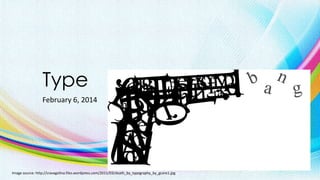
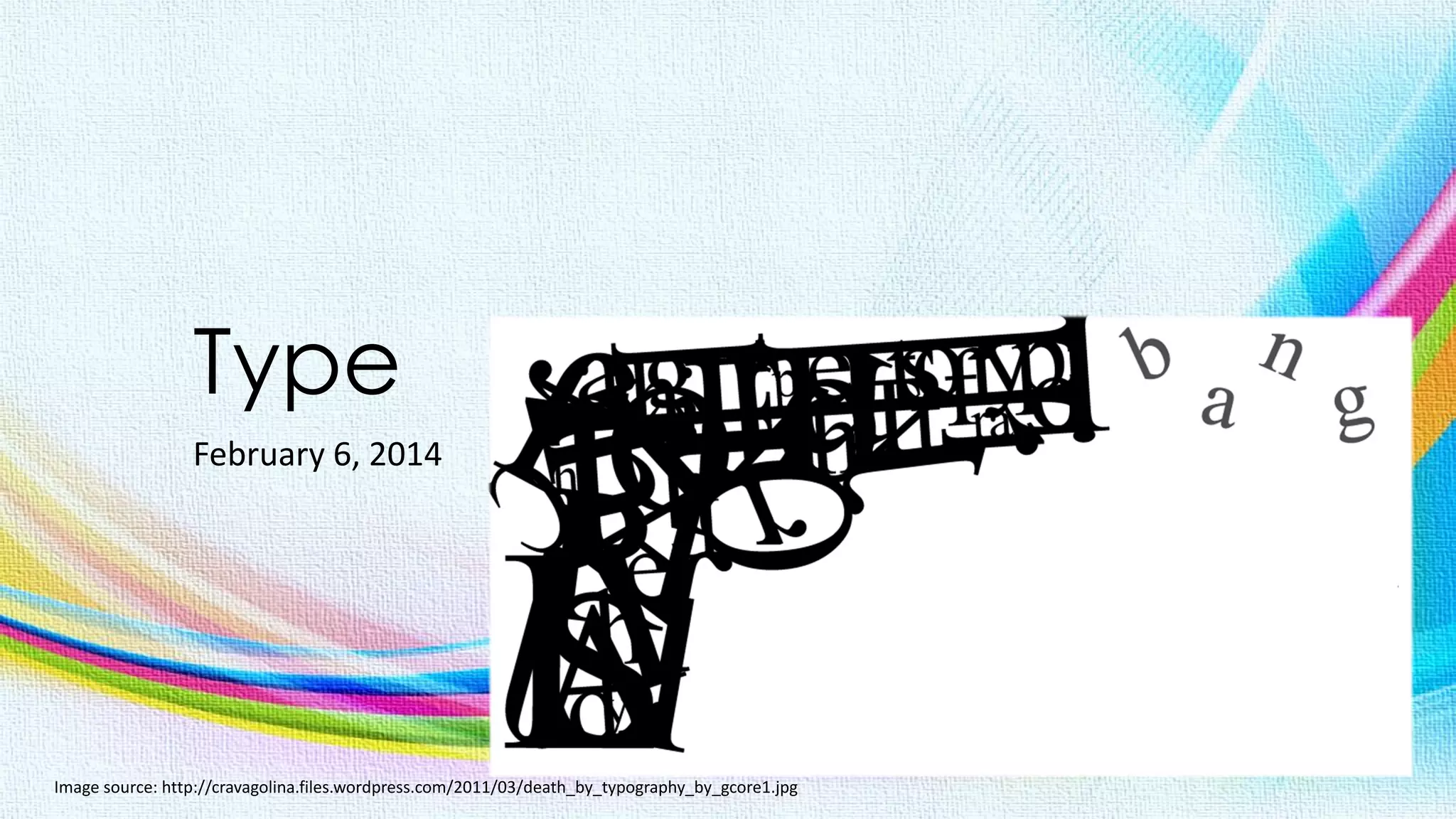
Image source: http://cravagolina.files.wordpress.com/2011/03/death_by_typography_by_gcore1.jpg
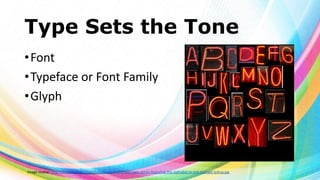
Type Sets the Tone
• Font
• Typeface or Font Family
• Glyph

Image source: http://fineartamerica.com/images-medium/neon-sign-series-featuring-the-alphabet-in-red-michael-ledray.jpg
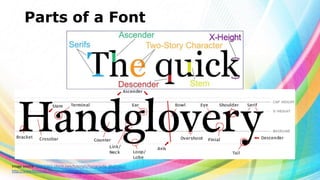
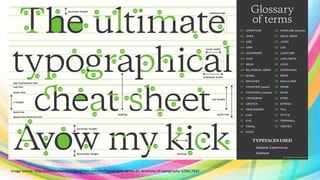
Parts of a Font

Image source: http://365.idtech.com/tutorials/typography_illustrator/
http://www.fontshop.com/glossary/
Image source: http://martinsilvertant.deviantart.com/art/Typography-Series-01-Anatomy-of-typography-329617642
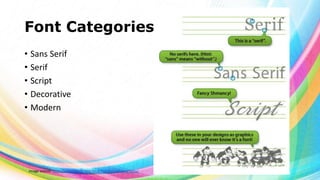
Font Categories
• Sans Serif
• Serif
• Script
• Decorative
• Modern

Image source: http://www.idtech.com/blog/looking-at-typography/
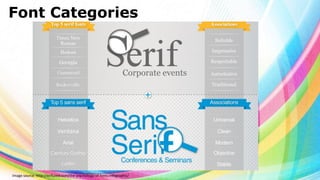
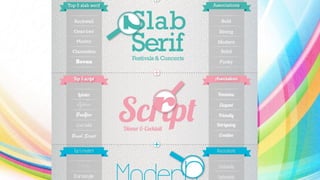
Font Categories

Image source: http://enfuzed.com/the-psychology-of-fonts-infographic/
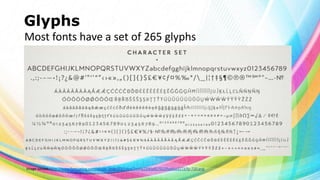
Glyphs
Most fonts have a set of 265 glyphs

Image source: http://www.fontspring.com/poster_imgs/73/14ed/2ed4a2990a857022fba66a3273/fp-720.png
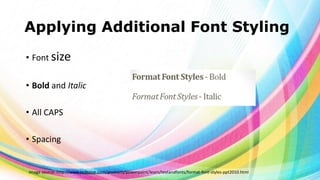
Applying Additional Font Styling
• Font size
• Bold and Italic
• All CAPS

• Spacing

Image source: http://www.indezine.com/products/powerpoint/learn/textandfonts/format-font-styles-ppt2010.html
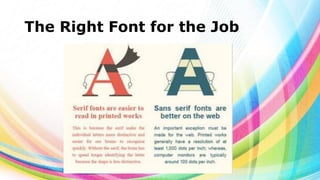
The Right Font for the Job
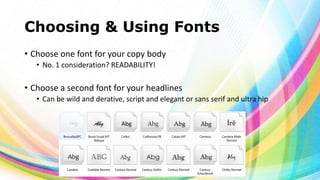
Choosing & Using Fonts
• Choose one font for your copy body
• No. 1 consideration? READABILITY!

• Choose a second font for your headlines
• Can be wild and derative, script and elegant or sans serif and ultra hip
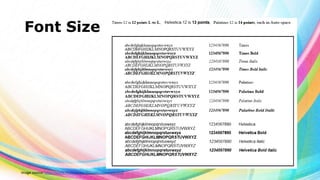
Font Size

Image source: http://www.imaging.org/IST/pdfs/appendixa.pdf
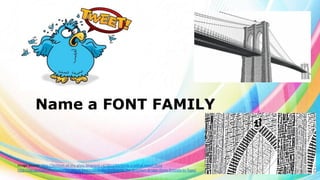
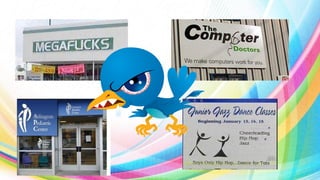
Name a FONT FAMILY

Image source: http://bottom-of-the-glass.blogspot.ca/2012/02/birds-2-lethal-tweet.html
http://designtaxi.com/news/361384/A-Meticulous-Illustration-Of-The-Brooklyn-Bridge-Done-Entirely-In-Type/
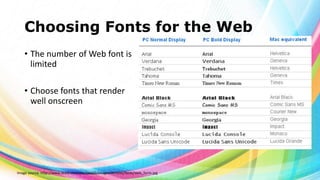
Choosing Fonts for the Web
• The number of Web font is
limited
• Choose fonts that render
well onscreen

Image source: http://www.zeald.com/site/zeald2/images/Articles/fonts/web_fonts.jpg
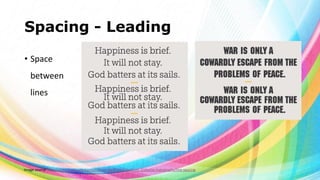
Spacing - Leading
• Space
between
lines

Image source: http://www.fonts.com/content/learning/fontology/level-2/display-typography/line-spacing
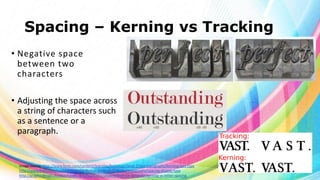
Spacing – Kerning vs Tracking
• Negative space
between two
characters
• Adjusting the space across
a string of characters such
as a sentence or a
paragraph.

Image source: http://www.fonts.com/content/learning/fontology/level-2/text-typography/kerning-text-type
http://www.fonts.com/content/learning/fontology/level-2/display-typography/spacing-display-type
http://graphicdesign.stackexchange.com/questions/2606/difference-between-kerning-vs-letter-spacing
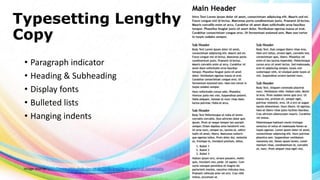
Typesetting Lengthy
Copy
• Paragraph indicator
• Heading & Subheading
• Display fonts
• Bulleted lists
• Hanging indents

Image source: http://www.attitudedesign.co.uk/2006/a-guide-to-practical-typography
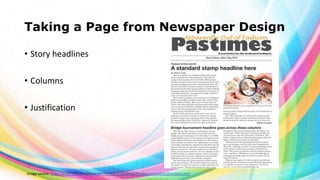
Taking a Page from Newspaper Design
• Story headlines

• Columns
• Justification

Image source: http://www.ndsu.edu/pubweb/~rcollins/313editing/hobbiesnewsletterdirections.htm
What is a GLYPH?
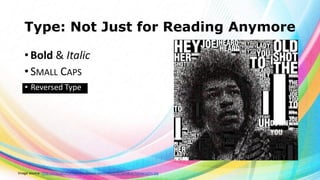
Type: Not Just for Reading Anymore
• Bold & Italic
• SMALL CAPS
• Reversed Type

Image source: http://cravagolina.files.wordpress.com/2011/03/hendrix-typography.jpg
Typesetter’s Punctuation
•
•
•
•
•
•
•
•
•
•
•

Apostrophes
Brackets of various kinds [ ], ( ), { }, ⟨ ⟩
Colons and semicolons
Commas
Dashes and hyphens ‒, –, —, ―
Ellipsis
Exclamation and question marks
Quotation
Marks
Slashes
Special characters ©®¼½¾

Image source: http://www.newrepublic.com/article/113101/smart-quotes-are-killing-apostrophe
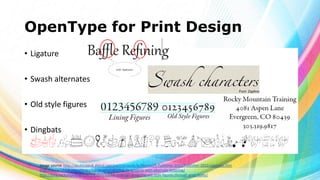
OpenType for Print Design
• Ligature

• Swash alternates
• Old style figures
• Dingbats

Image source: http://desktoppub.about.com/od/microsoft/ig/Microsoft-Publisher-2010/Publisher-2010-Ligatures.htm
http://designshack.net/articles/typography/add-flair-to-projects-with-alternate-lettering/
http://blog.rockymountaintraining.com/adobe-indesign-assigning-old-style-figures-through-grep-styles/
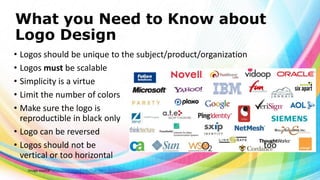
What you Need to Know about
Logo Design
• Logos should be unique to the subject/product/organization
• Logos must be scalable
• Simplicity is a virtue
• Limit the number of colors
• Make sure the logo is
reproductible in black only
• Logo can be reversed
• Logos should not be
vertical or too horizontal
Image source: https://self-issued.info/?cat=20

too
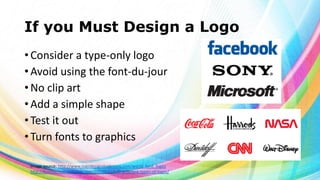
If you Must Design a Logo
• Consider a type-only logo
• Avoid using the font-du-jour
• No clip art
• Add a simple shape
• Test it out
• Turn fonts to graphics
Image source: http://www.logodesignmadeeasy.com/world_best_logos
http://breezycreativedesign.com/2010/01/21/5-different-types-of-logos/
Did I use a SERIF or a SANS
SERIF font for this presentation?
Type

Type

  • 1.
    Type February 6, 2014 Imagesource: http://cravagolina.files.wordpress.com/2011/03/death_by_typography_by_gcore1.jpg
  • 2.
    Type Sets theTone • Font • Typeface or Font Family • Glyph Image source: http://fineartamerica.com/images-medium/neon-sign-series-featuring-the-alphabet-in-red-michael-ledray.jpg
  • 3.
    Parts of aFont Image source: http://365.idtech.com/tutorials/typography_illustrator/ http://www.fontshop.com/glossary/
  • 4.
  • 5.
    Font Categories • SansSerif • Serif • Script • Decorative • Modern Image source: http://www.idtech.com/blog/looking-at-typography/
  • 6.
    Font Categories Image source:http://enfuzed.com/the-psychology-of-fonts-infographic/
  • 8.
    Glyphs Most fonts havea set of 265 glyphs Image source: http://www.fontspring.com/poster_imgs/73/14ed/2ed4a2990a857022fba66a3273/fp-720.png
  • 9.
    Applying Additional FontStyling • Font size • Bold and Italic • All CAPS • Spacing Image source: http://www.indezine.com/products/powerpoint/learn/textandfonts/format-font-styles-ppt2010.html
  • 10.
    The Right Fontfor the Job
  • 11.
    Choosing & UsingFonts • Choose one font for your copy body • No. 1 consideration? READABILITY! • Choose a second font for your headlines • Can be wild and derative, script and elegant or sans serif and ultra hip
  • 12.
    Font Size Image source:http://www.imaging.org/IST/pdfs/appendixa.pdf
  • 13.
    Name a FONTFAMILY Image source: http://bottom-of-the-glass.blogspot.ca/2012/02/birds-2-lethal-tweet.html http://designtaxi.com/news/361384/A-Meticulous-Illustration-Of-The-Brooklyn-Bridge-Done-Entirely-In-Type/
  • 14.
    Choosing Fonts forthe Web • The number of Web font is limited • Choose fonts that render well onscreen Image source: http://www.zeald.com/site/zeald2/images/Articles/fonts/web_fonts.jpg
  • 15.
    Spacing - Leading •Space between lines Image source: http://www.fonts.com/content/learning/fontology/level-2/display-typography/line-spacing
  • 16.
    Spacing – Kerningvs Tracking • Negative space between two characters • Adjusting the space across a string of characters such as a sentence or a paragraph. Image source: http://www.fonts.com/content/learning/fontology/level-2/text-typography/kerning-text-type http://www.fonts.com/content/learning/fontology/level-2/display-typography/spacing-display-type http://graphicdesign.stackexchange.com/questions/2606/difference-between-kerning-vs-letter-spacing
  • 17.
    Typesetting Lengthy Copy • Paragraphindicator • Heading & Subheading • Display fonts • Bulleted lists • Hanging indents Image source: http://www.attitudedesign.co.uk/2006/a-guide-to-practical-typography
  • 18.
    Taking a Pagefrom Newspaper Design • Story headlines • Columns • Justification Image source: http://www.ndsu.edu/pubweb/~rcollins/313editing/hobbiesnewsletterdirections.htm
  • 19.
    What is aGLYPH?
  • 20.
    Type: Not Justfor Reading Anymore • Bold & Italic • SMALL CAPS • Reversed Type Image source: http://cravagolina.files.wordpress.com/2011/03/hendrix-typography.jpg
  • 21.
    Typesetter’s Punctuation • • • • • • • • • • • Apostrophes Brackets ofvarious kinds [ ], ( ), { }, ⟨ ⟩ Colons and semicolons Commas Dashes and hyphens ‒, –, —, ― Ellipsis Exclamation and question marks Quotation Marks Slashes Special characters ©®¼½¾ Image source: http://www.newrepublic.com/article/113101/smart-quotes-are-killing-apostrophe
  • 22.
    OpenType for PrintDesign • Ligature • Swash alternates • Old style figures • Dingbats Image source: http://desktoppub.about.com/od/microsoft/ig/Microsoft-Publisher-2010/Publisher-2010-Ligatures.htm http://designshack.net/articles/typography/add-flair-to-projects-with-alternate-lettering/ http://blog.rockymountaintraining.com/adobe-indesign-assigning-old-style-figures-through-grep-styles/
  • 23.
    What you Needto Know about Logo Design • Logos should be unique to the subject/product/organization • Logos must be scalable • Simplicity is a virtue • Limit the number of colors • Make sure the logo is reproductible in black only • Logo can be reversed • Logos should not be vertical or too horizontal Image source: https://self-issued.info/?cat=20 too
  • 24.
    If you MustDesign a Logo • Consider a type-only logo • Avoid using the font-du-jour • No clip art • Add a simple shape • Test it out • Turn fonts to graphics Image source: http://www.logodesignmadeeasy.com/world_best_logos http://breezycreativedesign.com/2010/01/21/5-different-types-of-logos/
  • 25.
    Did I usea SERIF or a SANS SERIF font for this presentation?