TweetDeck
 By Yuriy Botshteyn
What is it?


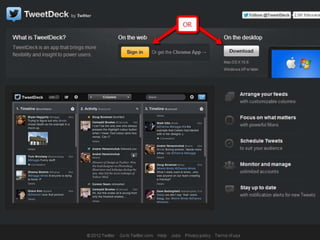
It is a social media dashboard for management of
Twitter and Facebook accounts.
Most popular Twitter application
Compatible with all of the common OSs
Also available for iPad, iPhone, and Android devices.

Website: http://www.tweetdeck.com/
What is the Cost?


TweetDeck has no cost, as it is a free application.
How would we use it?


Making a Twitter account.
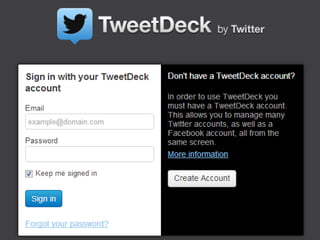
Logging into TweetDeck with the account.
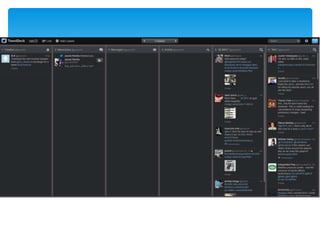
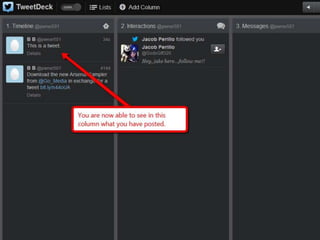
Then we would see tweets constantly running down
the dashboard.
Separate the tweets into Direct Messages and
@replies, see the string of tweets from an individual
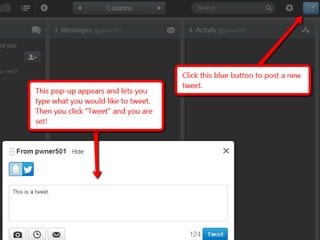
user, and tweet within the app itself.
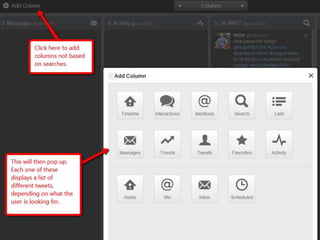
See everything we want, all at once with an organized
and separate column format.
More Ways


Check tweets from others in one column
Get other things such as replies in other
columns
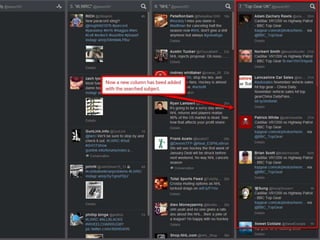
Add groups (which get their own column)
and all messages will show up there, so
even if the reader is away, that person
could check everything he missed.
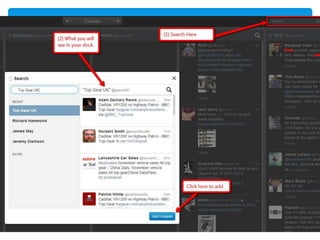
Easy to find and follow topics of interest
with an quick and intuitive search feature.
Would an individual use it?


An individual would use this to:
    Check tweets from people he or she is interested in, and
    have all of their tweets in their own column.
    Keep track of both their Twitter and Facebook account
    without needed to visit different websites
    Etc…
Would a business use it?


A business would use this to keep track of what they
tweet.
It would be able to see its @replies in its own column.
It would be able to see the Direct Messages in
another column.
Can follow what multiple competitors Tweeting.
Etc..
The End

TweetDeck

  • 1.
  • 2.
    What is it? Itis a social media dashboard for management of Twitter and Facebook accounts. Most popular Twitter application Compatible with all of the common OSs Also available for iPad, iPhone, and Android devices. Website: http://www.tweetdeck.com/
  • 3.
    What is theCost? TweetDeck has no cost, as it is a free application.
  • 4.
    How would weuse it? Making a Twitter account. Logging into TweetDeck with the account. Then we would see tweets constantly running down the dashboard. Separate the tweets into Direct Messages and @replies, see the string of tweets from an individual user, and tweet within the app itself. See everything we want, all at once with an organized and separate column format.
  • 5.
    More Ways Check tweetsfrom others in one column Get other things such as replies in other columns Add groups (which get their own column) and all messages will show up there, so even if the reader is away, that person could check everything he missed. Easy to find and follow topics of interest with an quick and intuitive search feature.
  • 6.
    Would an individualuse it? An individual would use this to: Check tweets from people he or she is interested in, and have all of their tweets in their own column. Keep track of both their Twitter and Facebook account without needed to visit different websites Etc…
  • 7.
    Would a businessuse it? A business would use this to keep track of what they tweet. It would be able to see its @replies in its own column. It would be able to see the Direct Messages in another column. Can follow what multiple competitors Tweeting. Etc..
  • 17.