www.sagecomputing.com.auwww.sagecomputing.com.au
How Can I Tune it if I Can’t ChangeHow Can I Tune it if I Can’t Change
the Codethe Code
SAGE Computing ServicesSAGE Computing Services
Customised Oracle Training WorkshopsCustomised Oracle Training Workshops
and Consultingand Consulting
www.sagecomputing.com.auwww.sagecomputing.com.au
Penny Cookson - Managing Director
www.sagecomputing.com.auwww.sagecomputing.com.au
AgendaAgenda
Identifying the problem
First steps
Tune the statements
Mess around with the user’s session
Alter system settings
www.sagecomputing.com.auwww.sagecomputing.com.au
Identifying the Problem
www.sagecomputing.com.auwww.sagecomputing.com.au
Identifying the ProblemIdentifying the Problem
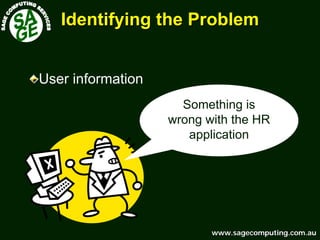
Something is
wrong with the HR
application
User information
www.sagecomputing.com.auwww.sagecomputing.com.au
Identifying the ProblemIdentifying the Problem
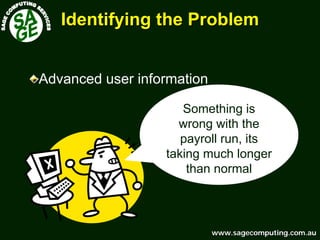
Something is
wrong with the
payroll run, its
taking much longer
than normal
Advanced user information
www.sagecomputing.com.auwww.sagecomputing.com.au
Identifying the ProblemIdentifying the Problem
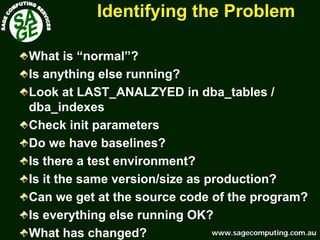
What is “normal”?
Is anything else running?
Look at LAST_ANALZYED in dba_tables /
dba_indexes
Check init parameters
Do we have baselines?
Is there a test environment?
Is it the same version/size as production?
Can we get at the source code of the program?
Is everything else running OK?
What has changed?
www.sagecomputing.com.auwww.sagecomputing.com.au
Finding the Offending SQLFinding the Offending SQL --
The Scientific ApproachThe Scientific Approach
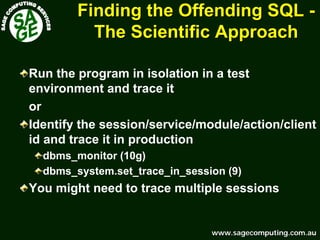
Run the program in isolation in a test
environment and trace it
or
Identify the session/service/module/action/client
id and trace it in production
dbms_monitor (10g)
dbms_system.set_trace_in_session (9)
You might need to trace multiple sessions
www.sagecomputing.com.auwww.sagecomputing.com.au
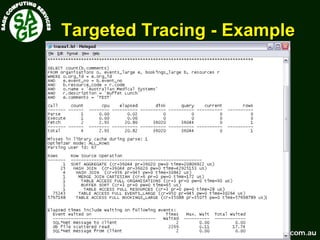
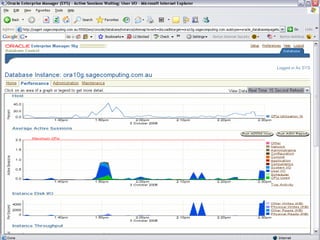
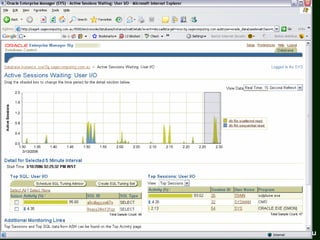
Targeted TracingTargeted Tracing –– ExampleExample
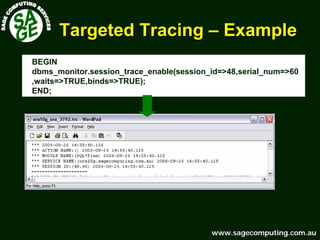
BEGIN
dbms_monitor.session_trace_enable(session_id=>48,serial_num=>60
,waits=>TRUE,binds=>TRUE);
END;
www.sagecomputing.com.auwww.sagecomputing.com.au
Targeted TracingTargeted Tracing -- ExampleExample
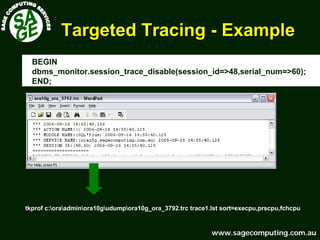
BEGIN
dbms_monitor.session_trace_disable(session_id=>48,serial_num=>60);
END;
tkprof c:oraadminora10gudumpora10g_ora_3792.trc trace1.lst sort=execpu,prscpu,fchcpu
www.sagecomputing.com.auwww.sagecomputing.com.au
Targeted TracingTargeted Tracing -- ExampleExample
www.sagecomputing.com.auwww.sagecomputing.com.au
Finding the Offending SQLFinding the Offending SQL --
The Best Guess ApproachThe Best Guess Approach
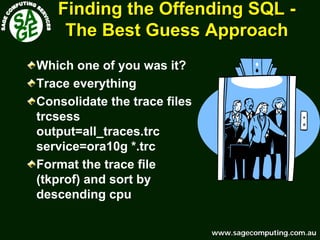
Which one of you was it?
Trace everything
Consolidate the trace files
trcsess
output=all_traces.trc
service=ora10g *.trc
Format the trace file
(tkprof) and sort by
descending cpu
www.sagecomputing.com.auwww.sagecomputing.com.au
Finding the Offending SQLFinding the Offending SQL --
The Best Guess ApproachThe Best Guess Approach
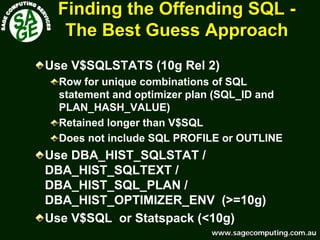
Use V$SQLSTATS (10g Rel 2)
Row for unique combinations of SQL
statement and optimizer plan (SQL_ID and
PLAN_HASH_VALUE)
Retained longer than V$SQL
Does not include SQL PROFILE or OUTLINE
Use DBA_HIST_SQLSTAT /
DBA_HIST_SQLTEXT /
DBA_HIST_SQL_PLAN /
DBA_HIST_OPTIMIZER_ENV (>=10g)
Use V$SQL or Statspack (<10g)
www.sagecomputing.com.auwww.sagecomputing.com.au
Finding the Offending SQLFinding the Offending SQL --
The Best Guess ApproachThe Best Guess Approach
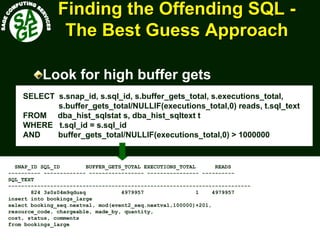
Look for high buffer gets
SELECT s.snap_id, s.sql_id, s.buffer_gets_total, s.executions_total,
s.buffer_gets_total/NULLIF(executions_total,0) reads, t.sql_text
FROM dba_hist_sqlstat s, dba_hist_sqltext t
WHERE t.sql_id = s.sql_id
AND buffer_gets_total/NULLIF(executions_total,0) > 1000000
SNAP_ID SQL_ID BUFFER_GETS_TOTAL EXECUTIONS_TOTAL READS
---------- ------------- ----------------- ---------------- ----------
SQL_TEXT
---------------------------------------------------------------------------
824 3s0z04m9qdusq 4979957 1 4979957
insert into bookings_large
select booking_seq.nextval, mod(event2_seq.nextval,100000)+201,
resource_code, chargeable, made_by, quantity,
cost, status, comments
from bookings_large
www.sagecomputing.com.auwww.sagecomputing.com.au
First stepsFirst steps
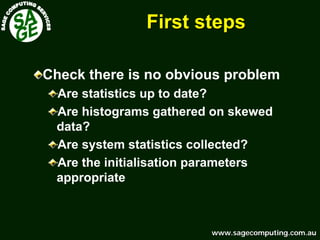
Check there is no obvious problem
Are statistics up to date?
Are histograms gathered on skewed
data?
Are system statistics collected?
Are the initialisation parameters
appropriate
www.sagecomputing.com.auwww.sagecomputing.com.au
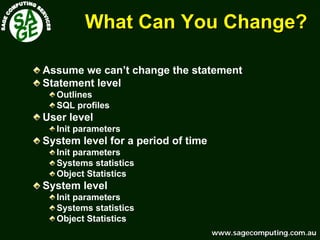
What Can You Change?What Can You Change?
Assume we can’t change the statement
Statement level
Outlines
SQL profiles
User level
Init parameters
System level for a period of time
Init parameters
Systems statistics
Object Statistics
System level
Init parameters
Systems statistics
Object Statistics
www.sagecomputing.com.auwww.sagecomputing.com.au
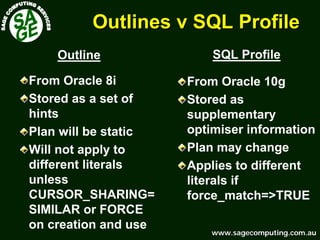
Outlines v SQL ProfileOutlines v SQL Profile
From Oracle 10g
Stored as
supplementary
optimiser information
Plan may change
Applies to different
literals if
force_match=>TRUE
From Oracle 8i
Stored as a set of
hints
Plan will be static
Will not apply to
different literals
unless
CURSOR_SHARING=
SIMILAR or FORCE
on creation and use
Outline SQL Profile
www.sagecomputing.com.auwww.sagecomputing.com.au
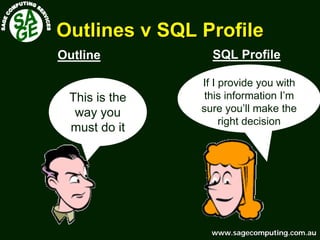
Outlines v SQL ProfileOutlines v SQL Profile
SQL ProfileOutline
If I provide you with
this information I’m
sure you’ll make the
right decision
This is the
way you
must do it
www.sagecomputing.com.auwww.sagecomputing.com.au
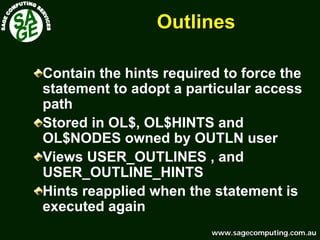
OutlinesOutlines
Contain the hints required to force the
statement to adopt a particular access
path
Stored in OL$, OL$HINTS and
OL$NODES owned by OUTLN user
Views USER_OUTLINES , and
USER_OUTLINE_HINTS
Hints reapplied when the statement is
executed again
www.sagecomputing.com.auwww.sagecomputing.com.au
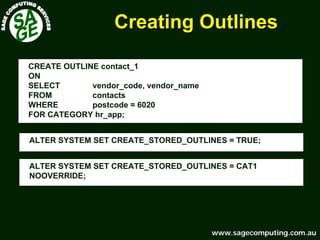
Creating OutlinesCreating Outlines
CREATE OUTLINE contact_1
ON
SELECT vendor_code, vendor_name
FROM contacts
WHERE postcode = 6020
FOR CATEGORY hr_app;
ALTER SYSTEM SET CREATE_STORED_OUTLINES = TRUE;
ALTER SYSTEM SET CREATE_STORED_OUTLINES = CAT1
NOOVERRIDE;
www.sagecomputing.com.auwww.sagecomputing.com.au
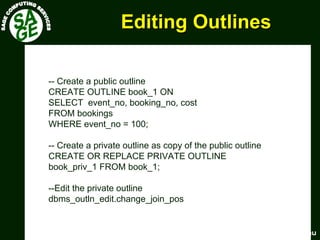
Editing OutlinesEditing Outlines
-- Create a public outline
CREATE OUTLINE book_1 ON
SELECT event_no, booking_no, cost
FROM bookings
WHERE event_no = 100;
-- Create a private outline as copy of the public outline
CREATE OR REPLACE PRIVATE OUTLINE
book_priv_1 FROM book_1;
--Edit the private outline
dbms_outln_edit.change_join_pos
www.sagecomputing.com.auwww.sagecomputing.com.au
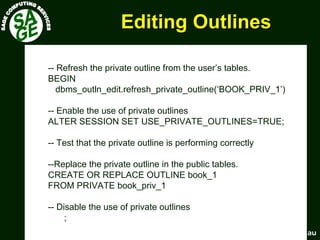
Editing OutlinesEditing Outlines
-- Refresh the private outline from the user’s tables.
BEGIN
dbms_outln_edit.refresh_private_outline(‘BOOK_PRIV_1’)
-- Enable the use of private outlines
ALTER SESSION SET USE_PRIVATE_OUTLINES=TRUE;
-- Test that the private outline is performing correctly
--Replace the private outline in the public tables.
CREATE OR REPLACE OUTLINE book_1
FROM PRIVATE book_priv_1
-- Disable the use of private outlines
;
www.sagecomputing.com.auwww.sagecomputing.com.au
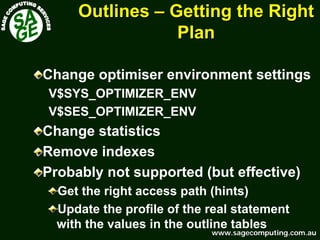
OutlinesOutlines –– Getting the RightGetting the Right
PlanPlan
Change optimiser environment settings
V$SYS_OPTIMIZER_ENV
V$SES_OPTIMIZER_ENV
Change statistics
Remove indexes
Probably not supported (but effective)
Get the right access path (hints)
Update the profile of the real statement
with the values in the outline tables
www.sagecomputing.com.auwww.sagecomputing.com.au
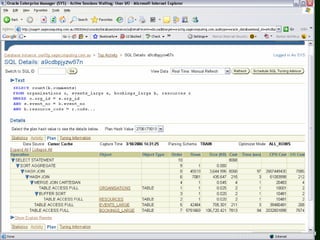
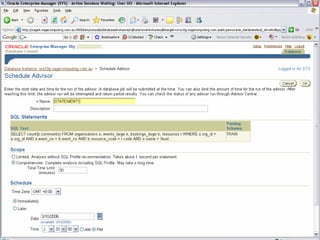
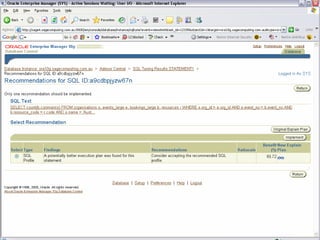
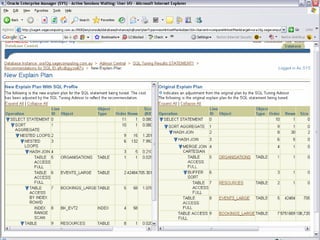
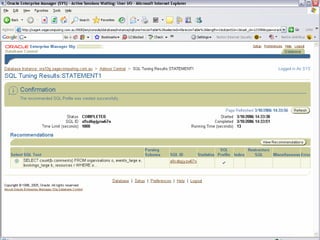
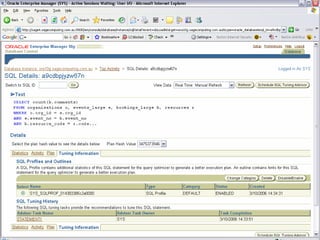
SQL ProfilesSQL Profiles
Automatic Tuning Optimiser
Uses execution history
Uses partial execution
Store auxiliary statistics
Store optimizer settings
Verify and correct estimates
Complex predicates
Skewed join data
Sparse join data
Rerun when significant data changes
Use SQLTUNE_CATEGORY to test
www.sagecomputing.com.auwww.sagecomputing.com.au
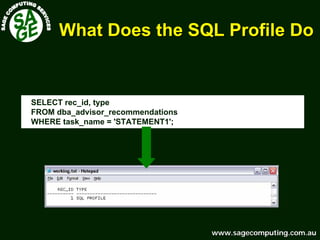
What Does the SQL Profile DoWhat Does the SQL Profile Do
SELECT rec_id, type
FROM dba_advisor_recommendations
WHERE task_name = 'STATEMENT1';
www.sagecomputing.com.auwww.sagecomputing.com.au
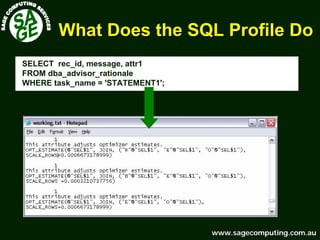
What Does the SQL Profile DoWhat Does the SQL Profile Do
SELECT rec_id, message, attr1
FROM dba_advisor_rationale
WHERE task_name = 'STATEMENT1';
www.sagecomputing.com.auwww.sagecomputing.com.au
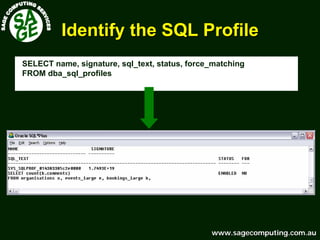
Identify the SQL ProfileIdentify the SQL Profile
SELECT name, signature, sql_text, status, force_matching
FROM dba_sql_profiles
www.sagecomputing.com.auwww.sagecomputing.com.au
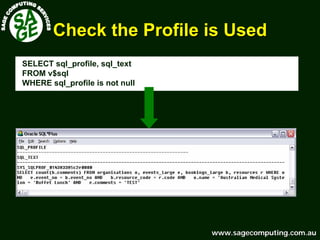
Check the Profile is UsedCheck the Profile is Used
SELECT sql_profile, sql_text
FROM v$sql
WHERE sql_profile is not null
www.sagecomputing.com.auwww.sagecomputing.com.au
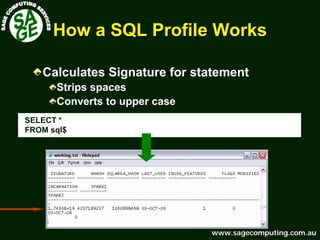
How a SQL Profile WorksHow a SQL Profile Works
Calculates Signature for statement
Strips spaces
Converts to upper case
SELECT *
FROM sql$
www.sagecomputing.com.auwww.sagecomputing.com.au
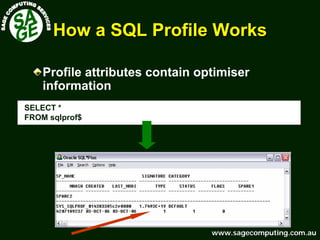
How a SQL Profile WorksHow a SQL Profile Works
Profile attributes contain optimiser
information
SELECT *
FROM sqlprof$
www.sagecomputing.com.auwww.sagecomputing.com.au
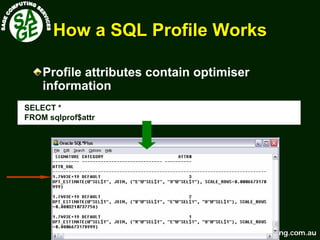
How a SQL Profile WorksHow a SQL Profile Works
Profile attributes contain optimiser
information
SELECT *
FROM sqlprof$attr
www.sagecomputing.com.auwww.sagecomputing.com.au
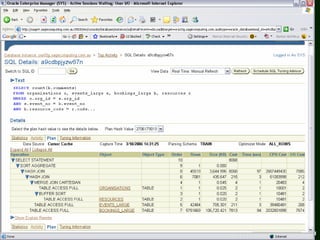
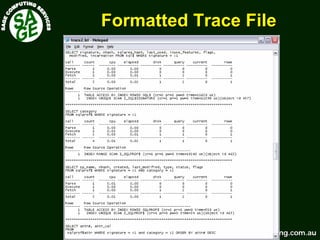
Formatted Trace FileFormatted Trace File
www.sagecomputing.com.auwww.sagecomputing.com.au
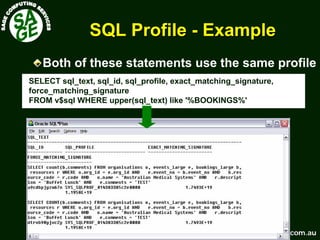
SQL ProfileSQL Profile -- ExampleExample
SELECT sql_text, sql_id, sql_profile, exact_matching_signature,
force_matching_signature
FROM v$sql WHERE upper(sql_text) like '%BOOKINGS%'
Both of these statements use the same profile
www.sagecomputing.com.auwww.sagecomputing.com.au
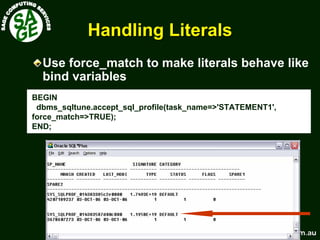
Handling LiteralsHandling Literals
BEGIN
dbms_sqltune.accept_sql_profile(task_name=>'STATEMENT1',
force_match=>TRUE);
END;
Use force_match to make literals behave like
bind variables
www.sagecomputing.com.auwww.sagecomputing.com.au
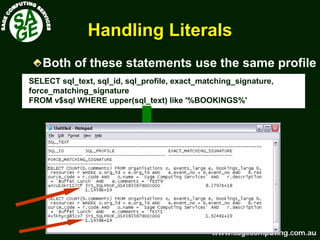
Handling LiteralsHandling Literals
SELECT sql_text, sql_id, sql_profile, exact_matching_signature,
force_matching_signature
FROM v$sql WHERE upper(sql_text) like '%BOOKINGS%'
Both of these statements use the same profile
www.sagecomputing.com.auwww.sagecomputing.com.au
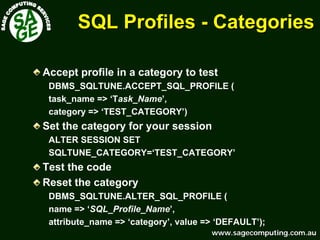
SQL ProfilesSQL Profiles -- CategoriesCategories
Accept profile in a category to test
DBMS_SQLTUNE.ACCEPT_SQL_PROFILE (
task_name => ‘Task_Name’,
category => ‘TEST_CATEGORY’)
Set the category for your session
ALTER SESSION SET
SQLTUNE_CATEGORY=‘TEST_CATEGORY’
Test the code
Reset the category
DBMS_SQLTUNE.ALTER_SQL_PROFILE (
name => ‘SQL_Profile_Name’,
attribute_name => ‘category’, value => ‘DEFAULT’);
www.sagecomputing.com.auwww.sagecomputing.com.au
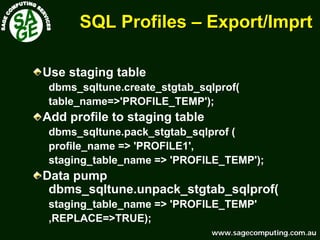
SQL ProfilesSQL Profiles –– Export/Export/ImprtImprt
Use staging table
dbms_sqltune.create_stgtab_sqlprof(
table_name=>'PROFILE_TEMP');
Add profile to staging table
dbms_sqltune.pack_stgtab_sqlprof (
profile_name => 'PROFILE1',
staging_table_name => 'PROFILE_TEMP');
Data pump
dbms_sqltune.unpack_stgtab_sqlprof(
staging_table_name => 'PROFILE_TEMP'
,REPLACE=>TRUE);
www.sagecomputing.com.auwww.sagecomputing.com.au
User LevelUser Level
You are < 10g and cannot use a SQL
Profile
Your application uses literals and you
don’t use cursor sharing so you can’t use
an Outline
Change init parameters for a session
www.sagecomputing.com.auwww.sagecomputing.com.au
User LevelUser Level
DEMO
www.sagecomputing.com.auwww.sagecomputing.com.au
User LevelUser Level
Set cursor sharing for a session and use
an Outline
note this does not work for SQL in PL/SQL or
for some other statements
You cannot use CREATE OUTLINE you must
use ALTER SESSION SET
CREATE_STORED_OUTLINE = CAT
www.sagecomputing.com.auwww.sagecomputing.com.au
User LevelUser Level
DEMO
www.sagecomputing.com.auwww.sagecomputing.com.au
Managing Bind PeekingManaging Bind Peeking
Version 9i/10g use “Bind Variable Peeking”
Plan is based on the value of the first bind
value used when statement is hard parsed
To disable set _optim_peek_user_binds to
FALSE
First value = minority value plan uses index
First value = majority value plan uses full
scan
www.sagecomputing.com.auwww.sagecomputing.com.au
Managing Bind PeekingManaging Bind Peeking
Flush shared pool in between executions
or
Don’t have histogram – it will probably full scan,
better than bad index use
or
Create profile/outline that uses index in CAT1
Create profile/outline that uses full scan in CAT2
Use different users to execute the majority and
minority case
Set the SQLTUNE_CATEGORY or enable outline
category in a logon trigger
www.sagecomputing.com.auwww.sagecomputing.com.au
System LevelSystem Level
You have overall application problems with
multiple statements
If you have different types of workloads make
change for a period of time and then revert
You can change the following
Init parameters
System statistics
Statistics
E.g. change the value of
OPTIMZER_INDEX_COST_ADJ to 5
OPTIMZER_INDEX_CACHING to 100
www.sagecomputing.com.auwww.sagecomputing.com.au
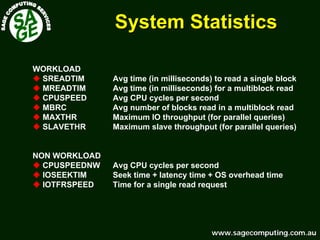
System StatisticsSystem Statistics
WORKLOAD
SREADTIM Avg time (in milliseconds) to read a single block
MREADTIM Avg time (in milliseconds) for a multiblock read
CPUSPEED Avg CPU cycles per second
MBRC Avg number of blocks read in a multiblock read
MAXTHR Maximum IO throughput (for parallel queries)
SLAVETHR Maximum slave throughput (for parallel queries)
NON WORKLOAD
CPUSPEEDNW Avg CPU cycles per second
IOSEEKTIM Seek time + latency time + OS overhead time
IOTFRSPEED Time for a single read request
www.sagecomputing.com.auwww.sagecomputing.com.au
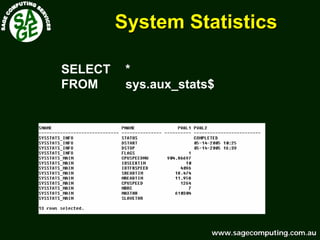
System StatisticsSystem Statistics
SELECT *
FROM sys.aux_stats$
www.sagecomputing.com.auwww.sagecomputing.com.au
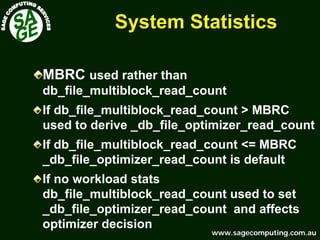
System StatisticsSystem Statistics
MBRC used rather than
db_file_multiblock_read_count
If db_file_multiblock_read_count > MBRC
used to derive _db_file_optimizer_read_count
If db_file_multiblock_read_count <= MBRC
_db_file_optimizer_read_count is default
If no workload stats
db_file_multiblock_read_count used to set
_db_file_optimizer_read_count and affects
optimizer decision
www.sagecomputing.com.auwww.sagecomputing.com.au
System StatisticsSystem Statistics
Gather system statistics for different
workloads
dbms_stats.gather_system_stats(gathering_mode=>’start’);
dbms_stats.gather_system_stats(gathering_mode=>’stop’);
Gather Import specific stats for a particular
job
dbms_stats.export_system_stats
dbms_stats.import_system_stats
Set specific stats for a particular job
dbms_stats.set_system_stats
www.sagecomputing.com.auwww.sagecomputing.com.au
Object StatisticsObject Statistics
Find ones that work and lock them
Particularly for objects with variable
numbers/patterns of rows e.g interfaces
DBMS_STATS.SET_TABLE_STATS
Set table, column or index stats manually
Regathering will overwrite
Freezing fixes stats – won’t respond to
changes
Use for jobs where data is very volatile
and a fixed result gives good results
www.sagecomputing.com.auwww.sagecomputing.com.au
User LevelUser Level
DEMO
www.sagecomputing.com.auwww.sagecomputing.com.au
Thank You For Your Attention
Any Questions?
SAGE Computing ServicesSAGE Computing Services
Customised Oracle Training WorkshopsCustomised Oracle Training Workshops
and Consultingand Consulting
www.sagecomputing.com.auwww.sagecomputing.com.au
enquiries@sagecomputing.com.au

How Can I tune it When I Can't Change the Code?