Tools and Resources for Transition
from Libraries to Wider Community
Use Centres
Prof. Leon Cruickshank, Lead Leapfrog Project
Julie Bell, Head of Libraries, Lancashire County Council
Laura Wareing, Research Associate Leapfrog, Lancaster University
Debbie Stubbs, Project Manager Leapfrog, Lancaster University
Leapfrog:
transforming public
engagement by design
www.Leapfrog.tools
3 year project
£1.28 million, funded by
The Arts and Humanities Research Council
Lead: Lancaster University
Academic Partner: The Glasgow School of Art
Neighbourhood Centres Leapfrog Project
Co-designing the transition from libraries to multi-use
centres in Lancashire.
Developing a series of tools and approaches to enable the
best possible transition from libraries to multi-stakeholder
neighbourhood centres.
June 2017 - February 2018
45 people involved in total
10 ‘Core’ Co-Designers
Flow
Customer Tools
Tools to match
customer’s needs with
services
Comms Stretcher
& Comms Focus
Be more adventurous
with how you reach out
to your communities
Building Success
Work together to
figure out how to use
your building and space
The Small Things
Don’t let the little
issues get in the way of
the big picture
Flip
Draw attention to the
unexpected variety in
what you offer
Any Idea Cards
Encouraging and
Celebrating Idea
Sharing in Teams
Think Outside
Bookmark
Encouraging staff to
leave their comfort zone
and think creatively
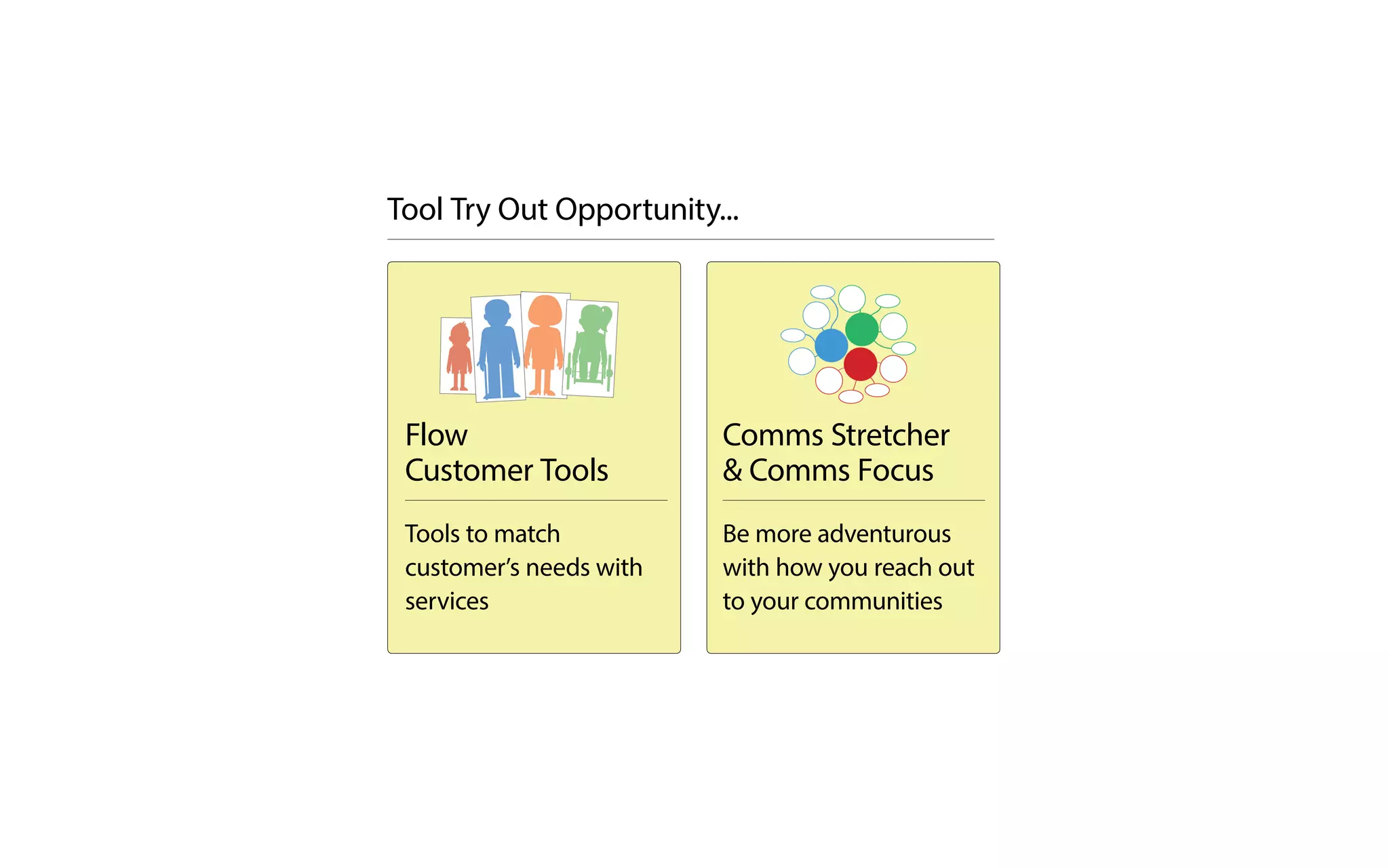
Flow
Customer Tools
Tools to match
customer’s needs with
services
Comms Stretcher
& Comms Focus
Be more adventurous
with how you reach out
to your communities
Tool Try Out Opportunity...
Common Needs
Visiting Times
Services Used the Most
In the Space
Questions they Frequently Ask
Flow Matching needs
to services
Description
Name
Centre
Often/Occasionally/Rarely
AM/PM/Evening
Weekdays/Weekend
Daisy
A young person,
aged 14, who uses
PCs for homework
“How do I access the wi-fi?”
“How do I print?”
“What events are on?”
Staff to listen and
advise.
- PCs/Pnets
- Books
Customer Focus
Internal facing
Service Signposting
Flow Customer Tools
Tools to match customer’s
needs with services
Daisy
A young person,
aged 14, who uses
PCs for homework
“How do I access the wi-fi?”
“How do I print?”
“What events are on?”
Staff to listen and
advise.
- PCs/Pnets
- Books
A4 Sheets
1
Meet together with the Flow tool to discuss
who the typical customers are and the needs
and services to create a persona.
2
Fill in the Flow tool either with a pen or type into
the editable PDF in Adobe acrobat and display.
3
You could use them for helping sign posting to
services, staff training or to help come up with
ideas to name just a few uses!
Use staff expertise
or customer data
to help fill in the
Flow tool
Flow Customer Tools
Tools to match customer’s
needs with services
Comms Stretcher
Be more adventurous with how you
reach out to your communities
Suggestions for Use
1
Meet together around the poster to discuss
and fill in different ways to communicate with
customers, considering physical, digital and
human ways.
3
Display your Comms Stretcher
poster in a staff area.
2
Write ideas into the bubbles, pushing
the team to be more adventurous the
further they go out.
Think
wackier
Keep
going!
Good
idea!
Nothing is
impossible
Great
stuff!
Reach
for the
stars
Human
Digital
Physical
For extra
Ideas
If there’s
more
www.leapfrog.tools
Think
wackier
Keep
going!
Good
idea!
Nothing is
impossible
Great
stars
Physical
If there’s
more
Preparation
• Print A1 (594mm x 841mm) Comms Stretcher poster
• Regular pens to fill poster
• Space to display on the wall
• Print A4 Comms Focus sheets to use after poster
PhysicalHuman
Human
Ways that people
can communicate
Meet &
greet
Dance
Now you could use
Comms Focus to
make a plan
Who are you going to engage with? What would you do normally?
Focus on an Idea
How did it go?
This would be
perfect because:
Possible
hiccups:Human
cal
This would be
perfect because:
Possible
hiccups:
Digital
cal
Physical
Physical
This would be
perfect because:
Possible
hiccupsPhysical
Tick the
idea if you
choose it
This bit will come in
handy in the future!
www.leapfrog.tools
Who are you going to engage with? What would you do normally?
Focus on an Idea
How did it go?
This would be
perfect because:
Possible
hiccups:Human
cal
This would be
perfect because:
Possible
hiccups:
Digital
cal
Physical
Physical
This would be
perfect because:
Possible
hiccupsPhysical
Tick the
idea if you
choose it
This bit will come in
handy in the future!
www.leapfrog.tools
Comms Stretcher
Be more adventurous with how you
reach out to your communities
Comms Stretcher
Tool Use Mission
Can you use the tool to brainstorm
creative ways to reach out to the
community.
Flow Customer
Tool Use Mission
Can you use use the tool to
create personas to understand
different types of users, their
needs and how they map to
services.
Imagine your table is a new team...
Think
wackier
Keep
going!
Good
idea!
Nothing is
impossible
Great
stars
Physical
If there’s
more
Name of Building:
Building our NeighbourhoodCentre Together
Stick your building issue bricks
to the building and displayin a staff area.
Keeping SafeHealth & Safety
Bits & BobsResources & Equipment
Activity Example:
Discuss how to layout space. Whatrooms, what are they fit for, who’s using
and who’s booking.
Building Success
Work together to figure out how to
use your building and space
Suggestions for Use
www.leapfrog.tools
1
2
3
Write the headings onto the bricks with
activities that will take place for each issue and
then stick the bricks onto the building poster.
Meet together with your team to use the tool
decide on the building space and resource
issues that you need to think about.
Display in a staff area as a reminder
of the decisions made
Preparation
• Choose and print the building that represents
yours on two A3 sheets to put together
• Print a set of brick sheets
• You will need scissors, something to stick the bricks on
with eg. pins or tape.
There are ready
filled bricks, bricks
with just headings
and blank bricks for
whatever you like.
Brews
Legal
Space
Activity
Activity
Activity
Building Success
Work together to figure out how to
use your building and space
Name Date
Urgency
Shade
Done
Response
Done
CR 10/02
Name
Date
Urgency
Shade
Done
10/02
Children &
Elderly
Craft
An Idea
Help
An Idea
Can’t find
the back
door keys
KM knows
where they
are
Put them
on your
de
Share the
on your
The Small Things
Don’t let the little issues get in the
way of the big picture
Suggestions for Use www.leapfrog.tools
1
2
Place The Small Things rectangles somewhere
in a staff area by the place where the team
can share them.
Team members can write and share
their questions, requests or ideas
for others.
An Idea
Name
DateUrgency
Response
Done
My idea!
An Idea
Name
Date
Urgency
Response
Done
My idea! Love it!
Response
Done
Me too
3
Colleagues can respond at different
times of the day
AM
PM
www.leapfrog.tools
Preparation
• Choose to print The Small Things template onto
sticker sheets or A4 paper.
• We recommend sticker sheets G006 from
aalabels.com/a4-sheets/rectangle/t172/
• Cut the rectangles if you are using paper.
Cut them in half to
add multiple
response and lay
them out like
dominoes.
The Small Things
Don’t let the little issues get in the
way of the big picture
Skim the
day’s
papers
Dive into a
Classic
Novel
Skim the
day’s
papers
Dive into a
Classic
Novel
t,consectetur adipiscing elit.Vivamus
faucibus urna ut lorem semper auctor.Cras ut nisi lobortis, mollis diamvel,
vestibulum sapien.Donec a interdum nisi.In hac habitasse platea dictumst.
Fusceconsectetur tincidunt quam, in scelerisque quam dictum sit amet.
Integer facilisis nisl metu
s,vel porttit ro auctor eget.Etiam ornarefelis
diam, sit amettempus turpis cursus quis.Fusce sit amet urna laoreet,
sollicitudinrisusat, dictum nisiz.
Pellentesque habitant morbi tristique senectus et netus et malesuada fames ac
turpis egestas.Fuscecommodo lacus ut nisi viverra, sit amettempor diam
volutpat.Sed metusrisus, auctor sit amet elementum eu, aliquet uttortor.
Quisque ligula quam, ornare aliquet suscipit sit ame
t,volutpat id nibh.Etiam
quisex dignissim, cursus semat, vulputate ligula.Quisquecongue nec libero
vitaetempor. Class aptent taciti sociosqu ad li
toratorquent perco
per inceptos himenaeos.
I
Top-up your
bookshelves
with the
latest
bestsellers
Download
with free
wi-fi
Flip
Draw attention to the unexpected
variety in what you offer
Suggestions for Use
1
2
3
Preparation
• Download and edit PowerPoint templates.
• Print yourself or send to a professional printer
Meet together with your team to discuss and
list the contrasting services and activities your
multi-service centre offers.
Pick out pairs of contrasting things
you offer to create bookmarks, posters,
coasters and plasma screen displays.
Edit the PowerPoint and print yourself or send
to a professional printer.
Download
Upload
Download
Upload
Revise
Sing
Use the sheet of
suggestions
written by one of
our co-designers
for inspiration!
Flip
Draw attention to the unexpected
variety in what you offer
I’ve had a brilliant idea that I’d like to share...
Send your ideas
to Julie Bell
Or
Your team could create a collage to display
the cards in a corridor or staff room.
You could organise the cards by type or
next to people’s names for a friendly
idea collecting competition.
2
Joe
Alice
Sue
Suggestions for Use
My great idea
Choose a card and
share an idea.
1
Julie Bell,
Head of Libraries,
Lancashire County Council
My great idea
Choose a card and
share an idea.
Julie Bell
www.leapfrog.tools
Every one of us has the ability
to be creative and to come up
with one or hundreds of ideas to
do something differently. Some
will be amazingly brilliant, some
may never get off the ground at
all, but what is stopping you
offering that idea - nothing!
Any Idea Cards
Encouraging & celebrating idea sharing in teams
Julie Bell,
Head of Libraries,
Museums, Culture
and Registrars, LCC
Always believe that something
wonderful is about to happen,
because without that belief
we can’t create services to
make a difference for the
future.
Leave your comfort zoneand leave the library
Fresh Air
Twitter Trends
Neighbourhood Nosy
Takeout Coffee
Blog Binge
Google Goggles
Unexpected Visitor
4pm Road Trip
YouTube Upload
Nutty Natter
Adventurous
Think
Outside...
Blank Page
Any Idea Cards
Think
Outside
Next Steps for
- Lancaster County Council (LCC)
- You today
- You and your teams on Monday
- For your organisation
(possibly)
Getting the tools to LCC staff
The Leapfrog website
All the tools are available
to download todayvia the
Leapfrog website:
www.leapfrog.tools
Order on demand
Through a specialised page
for LCC staff.
A toolbox for each site
A ‘starter pack’ verison
of the toolbox for each
library (or even each LCC
site?)
Tools to help new teams from different services work
together effectively. Co-designed by LCC staff.
If you are working in a multi-service team, with new members or in a new
building, these tools could help you work together more effectively and
improve communication around issues, such as resource planning and
engaging with customers.
Each tool was co-designed and tested by professionals working in various
services for Lancashire County Council, around addressing specific challenges
that come from the transition into new multi-service teams and buildings.
Flow Customer Cards andFlow Customer Cards and
MapMap
Flip
Building SuccessBuilding Success
Map
Focus on your customers needs and map
out who your customers
are and what they need
Flip
Draw attention to the unexpected
variety in what you offer
Work together to figure out how to useWork together to figure out how to use
your building and spaceyour building and space
Comms Stretcher & FocusComms Stretcher & Focus
Be more adventurous with howBe more adventurous with how
you reach out to your communitiesyou reach out to your communities
TOOL
TOOL
TOOL
BONUS TOOLTOOL
The Small ThingsThe Small Things
Don’t let the little issues get in theDon’t let the little issues get in the
way of the big picture
TOOL
Intro...
Any Ideas CardsAny Ideas Cards
Download & Order Now Order Now Order Now
Order Now Order Now Order Now
+
Free to all
LancashireCounty Council
staff
Tools to help new teams from different services work
together effectively. Co-designed by LCC staff.
If you are working in a multi-service team, with new members or in a new
building, these tools could help you work together more effectively and
improve communication around issues, such as resource planning and
engaging with customers.
+
Free to all
LancashireCounty Council
staff
improve communication around issues, such as resource planning and
engaging with customers.
Each tool was co-designed and tested by professionals working in various
services for Lancashire County Council, around addressing specific challenges
that come from the transition into new multi-service teams and buildings.
Flow Customer Cards andFlow Customer Cards and
MapMap
Flip
Building SuccessBuilding Success
Map
Focus on your customers needs and map
out who your customers
are and what they need
Flip
Draw attention to the unexpected
Work together to figure out how to useWork together to figure out how to use
your building and spaceyour building and space
Comms Stretcher & FocusComms Stretcher & Focus
Be more adventurous with howBe more adventurous with how
TOOL
TOOL
TOOL
BONUS TOOLTOOL
The Small ThingsThe Small Things
Don’t let the little issues get in theDon’t let the little issues get in the
way of the big picture
TOOL
Intro...
Any Ideas CardsAny Ideas Cards
Order Now Order Now Order Now
ashireCounty Council
staff
www.leapfrog.tools
Every one of us has the ability
to be creative and to come up
with one or hundreds of ideas to
do something differently. Some
will be amazingly brilliant, some
may never get off the ground at
all, but what is stopping you
offering that idea - nothing!
Any Idea Cards
Encouraging & celebrating idea sharing in teams
Julie Bell,
Head of Libraries,
Museums, Culture
and Registrars, LCC
Always believe that something
wonderful is about to happen,
because without that belief
we can’t create services to
make a difference for the
future.
Leave your comfort zoneand leave the library
Fresh Air
Twitter Trends
Neighbourhood Nosy
Takeout Coffee
Blog Binge
Google Goggles
Unexpected Visitor
4pm Road Trip
YouTube Upload
Nutty Natter
Safe
Adventurous
Think
Outside...
Blank Page
Any Idea Cards Think Outside
www.Leapfrog.tools
Contact
Prof. Leon Cruickshank, Lead Leapfrog Project
L.Cruickshank@lancaster.ac.uk
Debbie Stubbs, Design Manager Leapfrog, Lancaster University
d.stubbs@lancaster.ac.uk
Thank You and Questions?
Contact
Prof. Leon Cruickshank, Lead Leapfrog Project
L.Cruickshank@lancaster.ac.uk
Debbie Stubbs, Design Manager Leapfrog, Lancaster University
d.stubbs@lancaster.ac.uk
Unused
Slides
Flow what do customerswant & need?
Our Customer Map
Suggestions for Use
1
Meet in a group together to make a list of
types of customers and types of information it
would be good to gather about them...
2
Fill in the Customer Map with columns of useful
informations for the types of library customer.
www.leapfrog.tools
3
Preparation
• Can edit headings in Adobe Acrobat
• A1 (594mm x 841mm) Flow Customer Map
• Cut and stick characters and write information
www.leapfrog.tools
Flow Map Matching needs
to services Co-designed by professionals at Lancashire County Council
Customers
Write category headings along on the top for useful information about the customers,
such as their needs and what they want. Eg. ‘Most Used Services’, ‘Surprising Facts’.
With your team fill in the table with
useful information about your customers.
You could
stick pictures in...
Display your map somewhere
for everyone to see.
Use it to train,
signpost customers
and know your
customers better.
Customers
Young people
Retired people
Families with
young children
Job seekers
Categories of Info
Services
Visiting times
Interests
Surprising facts
Homework club
Movie Night
Category
Young People
Customers
Job seekers
Category
Flow Customer Tools
Tools to match customer’s
needs with services
Common Needs
Visiting Times
Services Used the Most
In the Space
Questions they Frequently Ask
Flow Matching needs
to services
Description
Name
Centre
Co-designed by professionals at Lancashire County
Often/Occasionally/Rarely
AM/PM/Evening
Weekdays/Weekend
Daisy
A young person,
aged 14, who uses
PCs for homework
“How do I access the wi-fi?”
“How do I print?”
“What events are on?”
Staff to listen and
advise.
- PCs/Pnets
- Books
Customer Focus
Internal facing
Service Signposting
Flow Customer Tools
Tools to match customer’s
needs with services
Suggestions for Use
1
Meet together around the poster to discuss
and fill in different ways to communicate with
customers, considering physical, digital and
human ways.
3
Display your Comms Stretcher
poster in a staff area.
2
Write ideas into the bubbles, pushing
the team to be more adventurous the
further they go out.
Think
wackier
Keep
going!
Good
idea!
Nothing is
impossible
Great
stuff!
Reach
for the
stars
Human
Digital
Physical
For extra
Ideas
If there’s
more
www.leapfrog.tools
Think
wackier
Keep
going!
Good
idea!
Nothing is
impossible
Great
stars
Physical
If there’s
more
Preparation
• Print A1 (594mm x 841mm) Comms Stretcher poster
• Regular pens to fill poster
• Space to display on the wall
• Print A4 Comms Focus sheets to use after poster
PhysicalHuman
Human
Ways that people
can communicate
Meet &
greet
Dance
Now you could use
Comms Focus to
make a plan
Who are you going to engage with? What would you do normally?
Focus on an Idea
How did it go?
This would be
perfect because:
Possible
hiccups:Human
cal
This would be
perfect because:
Possible
hiccups:
Digital
cal
Physical
Physical
This would be
perfect because:
Possible
hiccupsPhysical
Tick the
idea if you
choose it
This bit will come in
handy in the future!
www.leapfrog.tools
Who are you going to engage with? What would you do normally?
Focus on an Idea
How did it go?
This would be
perfect because:
Possible
hiccups:Human
cal
This would be
perfect because:
Possible
hiccups:
Digital
cal
Physical
Physical
This would be
perfect because:
Possible
hiccupsPhysical
Tick the
idea if you
choose it
This bit will come in
handy in the future!
www.leapfrog.tools
Comms Stretcher
Be more adventurous with how
you reach out to your communities
Comms Stretcher
Be more adventurous with how
you reach out to your communities
Suggestions for Use
www.leapfrog.tools
1
2
3
Write the headings onto the bricks with
activities that will take place for each issue and
then stick the bricks onto the building poster.
Meet together with your team to use the tool
decide on the building space and resource
issues that you need to think about.
Display in a staff area as a reminder
of the decisions made
Preparation
• Choose and print the building that represents
yours on two A3 sheets to put together
• Print a set of brick sheets
• You will need scissors, something to stick the bricks on
with eg. pins or tape.
There are ready
filled bricks, bricks
with just headings
and blank bricks for
whatever you like.
Brews
Legal
Space
Activity
Activity
Activity
Building Success
Work together to figure out how
to use your building and space
Name of Building:
Building our NeighbourhoodCentre Together
Stick your building issue bricks
to the building and displayin a staff area.
Keeping SafeHealth & Safety
Bits & BobsResources & Equipment
Activity Example:
Discuss how to layout space. Whatrooms, what are they fit for, who’s using
and who’s booking.
Building Success
Work together to figure out how
to use your building and space
Suggestions for Use www.leapfrog.tools
1
2
Place The Small Things rectangles somewhere
in a staff area by the place where the team
can share them.
Team members can write and share
their questions, requests or ideas
for others.
An Idea
Name
DateUrgency
Response
Done
My idea!
An Idea
Name
Date
Urgency
Response
Done
My idea! Love it!
Response
Done
Me too
3
Colleagues can respond at different
times of the day
AM
PM
www.leapfrog.tools
Preparation
• Choose to print The Small Things template onto
sticker sheets or A4 paper.
• We recommend sticker sheets G006 from
aalabels.com/a4-sheets/rectangle/t172/
• Cut the rectangles if you are using paper.
Cut them in half to
add multiple
response and lay
them out like
dominoes.
The Small Things
Don’t let the little issues get in the
way of the big picture
Name Date
Urgency
Shade
Done
Response
Done
CR 10/02
Name
Date
Urgency
Shade
Done
CR 10/02
Children &
Elderly
Craft
An Idea
Help
An Idea
Can’t find
the back
door keys
KM knows
where they
are
Put them
on your
de
Share the
on your
The Small Things
Don’t let the little issues get in the
way of the big picture
Suggestions for Use
1
2
3
Preparation
• Download and edit PowerPoint templates.
• Print yourself or send to a professional printer
Meet together with your team to discuss and
list the contrasting services and activities your
multi-service centre offers.
Pick out pairs of contrasting things
you offer to create bookmarks, posters,
coasters and plasma screen displays.
Edit the PowerPoint and print yourself or send
to a professional printer.
Download
Upload
Download
Upload
Revise
Sing
Use the sheet of
suggestions
written by one of
our co-designers
for inspiration!
Flip
Draw attention to the unexpected
variety in what you offer
Skim the
day’s
papers
Dive into a
Classic
Novel
Skim the
day’s
papers
Dive into a
Classic
Novel
t,consectetur adipiscing elit.Vivamus
faucibus urna ut lorem semper auctor.Cras ut nisi lobortis, mollis diamvel,
vestibulum sapien.Donec a interdum nisi.In hac habitasse platea dictumst.
Fusceconsectetur tincidunt quam, in scelerisque quam dictum sit amet.
Integer facilisis nisl metu
s,vel porttit ro auctor eget.Etiam ornarefelis
diam, sit amettempus turpis cursus quis.Fusce sit amet urna laoreet,
sollicitudinrisusat, dictum nisiz.
Pellentesque habitant morbi tristique senectus et netus et malesuada fames ac
turpis egestas.Fuscecommodo lacus ut nisi viverra, sit amettempor diam
volutpat.Sed metusrisus, auctor sit amet elementum eu, aliquet uttortor.
Quisque ligula quam, ornare aliquet suscipit sit ame
t,volutpat id nibh.Etiam
quisex dignissim, cursus semat, vulputate ligula.Quisquecongue nec libero
vitaetempor. Class aptent taciti sociosqu ad li
toratorquent perconubia nosra
per inceptos himenaeos.
Qu
I
Top-up your
bookshelves
with the
latest
bestsellers
Download
with free
wi-fi
Flip
Draw attention to the unexpected
variety in what you offer
Flow
Customer Tools
Tools to match
customer’s needs with
services
Comms Stretcher
& Comms Focus
Be more adventurous
with how you reach out
to your communities
Building Success
Work together to
figure out how to use
your building and space
The Small Things
Don’t let the little
issues get in the way of
the big picture
Flip
Draw attention to the
unexpected variety in
what you offer
Any Idea Cards
Encouraging and
Celebrating Idea
Sharing in Teams
Think Outside
Bookmark
Encouraging staff to
leave their comfort zone
and think creatively
5 Major Projects
8 months each (around 200 hours)
These are strategic projects looking at a key
challenge for public engagement
LancasterGlasgow
14 Short Projects
Around 10 days each (+2 days for reporting)
These are experiments exploring new areas or
possibilities in a flexible manner
1
2
3
1
2
Projects help participants and
create engagement tools for
others to use
We will share these tools,
some will be collected into
themed ‘toolboxes’
People can adapt tools to suit
their needs
These new tools will be
shared, creating a multitude of
free engagement resources
Tools and Resources for Transition from Libraries to Wider Community Use Centres’

Tools and Resources for Transition from Libraries to Wider Community Use Centres’

  • 1.
    Tools and Resourcesfor Transition from Libraries to Wider Community Use Centres Prof. Leon Cruickshank, Lead Leapfrog Project Julie Bell, Head of Libraries, Lancashire County Council Laura Wareing, Research Associate Leapfrog, Lancaster University Debbie Stubbs, Project Manager Leapfrog, Lancaster University
  • 2.
    Leapfrog: transforming public engagement bydesign www.Leapfrog.tools 3 year project £1.28 million, funded by The Arts and Humanities Research Council Lead: Lancaster University Academic Partner: The Glasgow School of Art
  • 9.
    Neighbourhood Centres LeapfrogProject Co-designing the transition from libraries to multi-use centres in Lancashire. Developing a series of tools and approaches to enable the best possible transition from libraries to multi-stakeholder neighbourhood centres. June 2017 - February 2018 45 people involved in total 10 ‘Core’ Co-Designers
  • 12.
    Flow Customer Tools Tools tomatch customer’s needs with services Comms Stretcher & Comms Focus Be more adventurous with how you reach out to your communities Building Success Work together to figure out how to use your building and space The Small Things Don’t let the little issues get in the way of the big picture Flip Draw attention to the unexpected variety in what you offer Any Idea Cards Encouraging and Celebrating Idea Sharing in Teams Think Outside Bookmark Encouraging staff to leave their comfort zone and think creatively
  • 13.
    Flow Customer Tools Tools tomatch customer’s needs with services Comms Stretcher & Comms Focus Be more adventurous with how you reach out to your communities Tool Try Out Opportunity...
  • 14.
    Common Needs Visiting Times ServicesUsed the Most In the Space Questions they Frequently Ask Flow Matching needs to services Description Name Centre Often/Occasionally/Rarely AM/PM/Evening Weekdays/Weekend Daisy A young person, aged 14, who uses PCs for homework “How do I access the wi-fi?” “How do I print?” “What events are on?” Staff to listen and advise. - PCs/Pnets - Books Customer Focus Internal facing Service Signposting Flow Customer Tools Tools to match customer’s needs with services
  • 15.
    Daisy A young person, aged14, who uses PCs for homework “How do I access the wi-fi?” “How do I print?” “What events are on?” Staff to listen and advise. - PCs/Pnets - Books A4 Sheets 1 Meet together with the Flow tool to discuss who the typical customers are and the needs and services to create a persona. 2 Fill in the Flow tool either with a pen or type into the editable PDF in Adobe acrobat and display. 3 You could use them for helping sign posting to services, staff training or to help come up with ideas to name just a few uses! Use staff expertise or customer data to help fill in the Flow tool Flow Customer Tools Tools to match customer’s needs with services
  • 16.
    Comms Stretcher Be moreadventurous with how you reach out to your communities
  • 17.
    Suggestions for Use 1 Meettogether around the poster to discuss and fill in different ways to communicate with customers, considering physical, digital and human ways. 3 Display your Comms Stretcher poster in a staff area. 2 Write ideas into the bubbles, pushing the team to be more adventurous the further they go out. Think wackier Keep going! Good idea! Nothing is impossible Great stuff! Reach for the stars Human Digital Physical For extra Ideas If there’s more www.leapfrog.tools Think wackier Keep going! Good idea! Nothing is impossible Great stars Physical If there’s more Preparation • Print A1 (594mm x 841mm) Comms Stretcher poster • Regular pens to fill poster • Space to display on the wall • Print A4 Comms Focus sheets to use after poster PhysicalHuman Human Ways that people can communicate Meet & greet Dance Now you could use Comms Focus to make a plan Who are you going to engage with? What would you do normally? Focus on an Idea How did it go? This would be perfect because: Possible hiccups:Human cal This would be perfect because: Possible hiccups: Digital cal Physical Physical This would be perfect because: Possible hiccupsPhysical Tick the idea if you choose it This bit will come in handy in the future! www.leapfrog.tools Who are you going to engage with? What would you do normally? Focus on an Idea How did it go? This would be perfect because: Possible hiccups:Human cal This would be perfect because: Possible hiccups: Digital cal Physical Physical This would be perfect because: Possible hiccupsPhysical Tick the idea if you choose it This bit will come in handy in the future! www.leapfrog.tools Comms Stretcher Be more adventurous with how you reach out to your communities
  • 18.
    Comms Stretcher Tool UseMission Can you use the tool to brainstorm creative ways to reach out to the community. Flow Customer Tool Use Mission Can you use use the tool to create personas to understand different types of users, their needs and how they map to services. Imagine your table is a new team... Think wackier Keep going! Good idea! Nothing is impossible Great stars Physical If there’s more
  • 19.
    Name of Building: Buildingour NeighbourhoodCentre Together Stick your building issue bricks to the building and displayin a staff area. Keeping SafeHealth & Safety Bits & BobsResources & Equipment Activity Example: Discuss how to layout space. Whatrooms, what are they fit for, who’s using and who’s booking. Building Success Work together to figure out how to use your building and space
  • 20.
    Suggestions for Use www.leapfrog.tools 1 2 3 Writethe headings onto the bricks with activities that will take place for each issue and then stick the bricks onto the building poster. Meet together with your team to use the tool decide on the building space and resource issues that you need to think about. Display in a staff area as a reminder of the decisions made Preparation • Choose and print the building that represents yours on two A3 sheets to put together • Print a set of brick sheets • You will need scissors, something to stick the bricks on with eg. pins or tape. There are ready filled bricks, bricks with just headings and blank bricks for whatever you like. Brews Legal Space Activity Activity Activity Building Success Work together to figure out how to use your building and space
  • 21.
    Name Date Urgency Shade Done Response Done CR 10/02 Name Date Urgency Shade Done 10/02 Children& Elderly Craft An Idea Help An Idea Can’t find the back door keys KM knows where they are Put them on your de Share the on your The Small Things Don’t let the little issues get in the way of the big picture
  • 22.
    Suggestions for Usewww.leapfrog.tools 1 2 Place The Small Things rectangles somewhere in a staff area by the place where the team can share them. Team members can write and share their questions, requests or ideas for others. An Idea Name DateUrgency Response Done My idea! An Idea Name Date Urgency Response Done My idea! Love it! Response Done Me too 3 Colleagues can respond at different times of the day AM PM www.leapfrog.tools Preparation • Choose to print The Small Things template onto sticker sheets or A4 paper. • We recommend sticker sheets G006 from aalabels.com/a4-sheets/rectangle/t172/ • Cut the rectangles if you are using paper. Cut them in half to add multiple response and lay them out like dominoes. The Small Things Don’t let the little issues get in the way of the big picture
  • 23.
    Skim the day’s papers Dive intoa Classic Novel Skim the day’s papers Dive into a Classic Novel t,consectetur adipiscing elit.Vivamus faucibus urna ut lorem semper auctor.Cras ut nisi lobortis, mollis diamvel, vestibulum sapien.Donec a interdum nisi.In hac habitasse platea dictumst. Fusceconsectetur tincidunt quam, in scelerisque quam dictum sit amet. Integer facilisis nisl metu s,vel porttit ro auctor eget.Etiam ornarefelis diam, sit amettempus turpis cursus quis.Fusce sit amet urna laoreet, sollicitudinrisusat, dictum nisiz. Pellentesque habitant morbi tristique senectus et netus et malesuada fames ac turpis egestas.Fuscecommodo lacus ut nisi viverra, sit amettempor diam volutpat.Sed metusrisus, auctor sit amet elementum eu, aliquet uttortor. Quisque ligula quam, ornare aliquet suscipit sit ame t,volutpat id nibh.Etiam quisex dignissim, cursus semat, vulputate ligula.Quisquecongue nec libero vitaetempor. Class aptent taciti sociosqu ad li toratorquent perco per inceptos himenaeos. I Top-up your bookshelves with the latest bestsellers Download with free wi-fi Flip Draw attention to the unexpected variety in what you offer
  • 24.
    Suggestions for Use 1 2 3 Preparation •Download and edit PowerPoint templates. • Print yourself or send to a professional printer Meet together with your team to discuss and list the contrasting services and activities your multi-service centre offers. Pick out pairs of contrasting things you offer to create bookmarks, posters, coasters and plasma screen displays. Edit the PowerPoint and print yourself or send to a professional printer. Download Upload Download Upload Revise Sing Use the sheet of suggestions written by one of our co-designers for inspiration! Flip Draw attention to the unexpected variety in what you offer
  • 25.
    I’ve had abrilliant idea that I’d like to share... Send your ideas to Julie Bell Or Your team could create a collage to display the cards in a corridor or staff room. You could organise the cards by type or next to people’s names for a friendly idea collecting competition. 2 Joe Alice Sue Suggestions for Use My great idea Choose a card and share an idea. 1 Julie Bell, Head of Libraries, Lancashire County Council My great idea Choose a card and share an idea. Julie Bell www.leapfrog.tools Every one of us has the ability to be creative and to come up with one or hundreds of ideas to do something differently. Some will be amazingly brilliant, some may never get off the ground at all, but what is stopping you offering that idea - nothing! Any Idea Cards Encouraging & celebrating idea sharing in teams Julie Bell, Head of Libraries, Museums, Culture and Registrars, LCC Always believe that something wonderful is about to happen, because without that belief we can’t create services to make a difference for the future. Leave your comfort zoneand leave the library Fresh Air Twitter Trends Neighbourhood Nosy Takeout Coffee Blog Binge Google Goggles Unexpected Visitor 4pm Road Trip YouTube Upload Nutty Natter Adventurous Think Outside... Blank Page Any Idea Cards Think Outside
  • 26.
    Next Steps for -Lancaster County Council (LCC) - You today - You and your teams on Monday - For your organisation (possibly)
  • 27.
    Getting the toolsto LCC staff The Leapfrog website All the tools are available to download todayvia the Leapfrog website: www.leapfrog.tools Order on demand Through a specialised page for LCC staff. A toolbox for each site A ‘starter pack’ verison of the toolbox for each library (or even each LCC site?) Tools to help new teams from different services work together effectively. Co-designed by LCC staff. If you are working in a multi-service team, with new members or in a new building, these tools could help you work together more effectively and improve communication around issues, such as resource planning and engaging with customers. Each tool was co-designed and tested by professionals working in various services for Lancashire County Council, around addressing specific challenges that come from the transition into new multi-service teams and buildings. Flow Customer Cards andFlow Customer Cards and MapMap Flip Building SuccessBuilding Success Map Focus on your customers needs and map out who your customers are and what they need Flip Draw attention to the unexpected variety in what you offer Work together to figure out how to useWork together to figure out how to use your building and spaceyour building and space Comms Stretcher & FocusComms Stretcher & Focus Be more adventurous with howBe more adventurous with how you reach out to your communitiesyou reach out to your communities TOOL TOOL TOOL BONUS TOOLTOOL The Small ThingsThe Small Things Don’t let the little issues get in theDon’t let the little issues get in the way of the big picture TOOL Intro... Any Ideas CardsAny Ideas Cards Download & Order Now Order Now Order Now Order Now Order Now Order Now + Free to all LancashireCounty Council staff
  • 28.
    Tools to helpnew teams from different services work together effectively. Co-designed by LCC staff. If you are working in a multi-service team, with new members or in a new building, these tools could help you work together more effectively and improve communication around issues, such as resource planning and engaging with customers. + Free to all LancashireCounty Council staff
  • 29.
    improve communication aroundissues, such as resource planning and engaging with customers. Each tool was co-designed and tested by professionals working in various services for Lancashire County Council, around addressing specific challenges that come from the transition into new multi-service teams and buildings. Flow Customer Cards andFlow Customer Cards and MapMap Flip Building SuccessBuilding Success Map Focus on your customers needs and map out who your customers are and what they need Flip Draw attention to the unexpected Work together to figure out how to useWork together to figure out how to use your building and spaceyour building and space Comms Stretcher & FocusComms Stretcher & Focus Be more adventurous with howBe more adventurous with how TOOL TOOL TOOL BONUS TOOLTOOL The Small ThingsThe Small Things Don’t let the little issues get in theDon’t let the little issues get in the way of the big picture TOOL Intro... Any Ideas CardsAny Ideas Cards Order Now Order Now Order Now ashireCounty Council staff
  • 30.
    www.leapfrog.tools Every one ofus has the ability to be creative and to come up with one or hundreds of ideas to do something differently. Some will be amazingly brilliant, some may never get off the ground at all, but what is stopping you offering that idea - nothing! Any Idea Cards Encouraging & celebrating idea sharing in teams Julie Bell, Head of Libraries, Museums, Culture and Registrars, LCC Always believe that something wonderful is about to happen, because without that belief we can’t create services to make a difference for the future. Leave your comfort zoneand leave the library Fresh Air Twitter Trends Neighbourhood Nosy Takeout Coffee Blog Binge Google Goggles Unexpected Visitor 4pm Road Trip YouTube Upload Nutty Natter Safe Adventurous Think Outside... Blank Page Any Idea Cards Think Outside
  • 31.
  • 32.
    Contact Prof. Leon Cruickshank,Lead Leapfrog Project L.Cruickshank@lancaster.ac.uk Debbie Stubbs, Design Manager Leapfrog, Lancaster University d.stubbs@lancaster.ac.uk
  • 33.
    Thank You andQuestions? Contact Prof. Leon Cruickshank, Lead Leapfrog Project L.Cruickshank@lancaster.ac.uk Debbie Stubbs, Design Manager Leapfrog, Lancaster University d.stubbs@lancaster.ac.uk
  • 34.
  • 35.
    Flow what docustomerswant & need? Our Customer Map Suggestions for Use 1 Meet in a group together to make a list of types of customers and types of information it would be good to gather about them... 2 Fill in the Customer Map with columns of useful informations for the types of library customer. www.leapfrog.tools 3 Preparation • Can edit headings in Adobe Acrobat • A1 (594mm x 841mm) Flow Customer Map • Cut and stick characters and write information www.leapfrog.tools Flow Map Matching needs to services Co-designed by professionals at Lancashire County Council Customers Write category headings along on the top for useful information about the customers, such as their needs and what they want. Eg. ‘Most Used Services’, ‘Surprising Facts’. With your team fill in the table with useful information about your customers. You could stick pictures in... Display your map somewhere for everyone to see. Use it to train, signpost customers and know your customers better. Customers Young people Retired people Families with young children Job seekers Categories of Info Services Visiting times Interests Surprising facts Homework club Movie Night Category Young People Customers Job seekers Category Flow Customer Tools Tools to match customer’s needs with services
  • 36.
    Common Needs Visiting Times ServicesUsed the Most In the Space Questions they Frequently Ask Flow Matching needs to services Description Name Centre Co-designed by professionals at Lancashire County Often/Occasionally/Rarely AM/PM/Evening Weekdays/Weekend Daisy A young person, aged 14, who uses PCs for homework “How do I access the wi-fi?” “How do I print?” “What events are on?” Staff to listen and advise. - PCs/Pnets - Books Customer Focus Internal facing Service Signposting Flow Customer Tools Tools to match customer’s needs with services
  • 37.
    Suggestions for Use 1 Meettogether around the poster to discuss and fill in different ways to communicate with customers, considering physical, digital and human ways. 3 Display your Comms Stretcher poster in a staff area. 2 Write ideas into the bubbles, pushing the team to be more adventurous the further they go out. Think wackier Keep going! Good idea! Nothing is impossible Great stuff! Reach for the stars Human Digital Physical For extra Ideas If there’s more www.leapfrog.tools Think wackier Keep going! Good idea! Nothing is impossible Great stars Physical If there’s more Preparation • Print A1 (594mm x 841mm) Comms Stretcher poster • Regular pens to fill poster • Space to display on the wall • Print A4 Comms Focus sheets to use after poster PhysicalHuman Human Ways that people can communicate Meet & greet Dance Now you could use Comms Focus to make a plan Who are you going to engage with? What would you do normally? Focus on an Idea How did it go? This would be perfect because: Possible hiccups:Human cal This would be perfect because: Possible hiccups: Digital cal Physical Physical This would be perfect because: Possible hiccupsPhysical Tick the idea if you choose it This bit will come in handy in the future! www.leapfrog.tools Who are you going to engage with? What would you do normally? Focus on an Idea How did it go? This would be perfect because: Possible hiccups:Human cal This would be perfect because: Possible hiccups: Digital cal Physical Physical This would be perfect because: Possible hiccupsPhysical Tick the idea if you choose it This bit will come in handy in the future! www.leapfrog.tools Comms Stretcher Be more adventurous with how you reach out to your communities
  • 38.
    Comms Stretcher Be moreadventurous with how you reach out to your communities
  • 39.
    Suggestions for Use www.leapfrog.tools 1 2 3 Writethe headings onto the bricks with activities that will take place for each issue and then stick the bricks onto the building poster. Meet together with your team to use the tool decide on the building space and resource issues that you need to think about. Display in a staff area as a reminder of the decisions made Preparation • Choose and print the building that represents yours on two A3 sheets to put together • Print a set of brick sheets • You will need scissors, something to stick the bricks on with eg. pins or tape. There are ready filled bricks, bricks with just headings and blank bricks for whatever you like. Brews Legal Space Activity Activity Activity Building Success Work together to figure out how to use your building and space
  • 40.
    Name of Building: Buildingour NeighbourhoodCentre Together Stick your building issue bricks to the building and displayin a staff area. Keeping SafeHealth & Safety Bits & BobsResources & Equipment Activity Example: Discuss how to layout space. Whatrooms, what are they fit for, who’s using and who’s booking. Building Success Work together to figure out how to use your building and space
  • 41.
    Suggestions for Usewww.leapfrog.tools 1 2 Place The Small Things rectangles somewhere in a staff area by the place where the team can share them. Team members can write and share their questions, requests or ideas for others. An Idea Name DateUrgency Response Done My idea! An Idea Name Date Urgency Response Done My idea! Love it! Response Done Me too 3 Colleagues can respond at different times of the day AM PM www.leapfrog.tools Preparation • Choose to print The Small Things template onto sticker sheets or A4 paper. • We recommend sticker sheets G006 from aalabels.com/a4-sheets/rectangle/t172/ • Cut the rectangles if you are using paper. Cut them in half to add multiple response and lay them out like dominoes. The Small Things Don’t let the little issues get in the way of the big picture
  • 42.
    Name Date Urgency Shade Done Response Done CR 10/02 Name Date Urgency Shade Done CR10/02 Children & Elderly Craft An Idea Help An Idea Can’t find the back door keys KM knows where they are Put them on your de Share the on your The Small Things Don’t let the little issues get in the way of the big picture
  • 43.
    Suggestions for Use 1 2 3 Preparation •Download and edit PowerPoint templates. • Print yourself or send to a professional printer Meet together with your team to discuss and list the contrasting services and activities your multi-service centre offers. Pick out pairs of contrasting things you offer to create bookmarks, posters, coasters and plasma screen displays. Edit the PowerPoint and print yourself or send to a professional printer. Download Upload Download Upload Revise Sing Use the sheet of suggestions written by one of our co-designers for inspiration! Flip Draw attention to the unexpected variety in what you offer
  • 44.
    Skim the day’s papers Dive intoa Classic Novel Skim the day’s papers Dive into a Classic Novel t,consectetur adipiscing elit.Vivamus faucibus urna ut lorem semper auctor.Cras ut nisi lobortis, mollis diamvel, vestibulum sapien.Donec a interdum nisi.In hac habitasse platea dictumst. Fusceconsectetur tincidunt quam, in scelerisque quam dictum sit amet. Integer facilisis nisl metu s,vel porttit ro auctor eget.Etiam ornarefelis diam, sit amettempus turpis cursus quis.Fusce sit amet urna laoreet, sollicitudinrisusat, dictum nisiz. Pellentesque habitant morbi tristique senectus et netus et malesuada fames ac turpis egestas.Fuscecommodo lacus ut nisi viverra, sit amettempor diam volutpat.Sed metusrisus, auctor sit amet elementum eu, aliquet uttortor. Quisque ligula quam, ornare aliquet suscipit sit ame t,volutpat id nibh.Etiam quisex dignissim, cursus semat, vulputate ligula.Quisquecongue nec libero vitaetempor. Class aptent taciti sociosqu ad li toratorquent perconubia nosra per inceptos himenaeos. Qu I Top-up your bookshelves with the latest bestsellers Download with free wi-fi Flip Draw attention to the unexpected variety in what you offer
  • 45.
    Flow Customer Tools Tools tomatch customer’s needs with services Comms Stretcher & Comms Focus Be more adventurous with how you reach out to your communities Building Success Work together to figure out how to use your building and space The Small Things Don’t let the little issues get in the way of the big picture Flip Draw attention to the unexpected variety in what you offer Any Idea Cards Encouraging and Celebrating Idea Sharing in Teams Think Outside Bookmark Encouraging staff to leave their comfort zone and think creatively
  • 47.
    5 Major Projects 8months each (around 200 hours) These are strategic projects looking at a key challenge for public engagement LancasterGlasgow 14 Short Projects Around 10 days each (+2 days for reporting) These are experiments exploring new areas or possibilities in a flexible manner 1 2 3 1 2
  • 48.
    Projects help participantsand create engagement tools for others to use We will share these tools, some will be collected into themed ‘toolboxes’ People can adapt tools to suit their needs These new tools will be shared, creating a multitude of free engagement resources