getting started on

wikis, blogs, iCal, and more
a bit about me
a bit about me

• Tim Wojcik
a bit about me

• Tim Wojcik
• background: education / media / IT
a bit about me

• Tim Wojcik
• background: education / media / IT
 • Apple Training
a bit about me

• Tim Wojcik
• background: education / media / IT
 • Apple Training
 • youth media > tech education
approach
approach

• building on success
approach

• building on success
• great team
approach

• building on success
• great team
• learn as we go
approach

• building on success
• great team
• learn as we go
• open office / open workflow
approach

• building on success
• great team
• learn as we go
• open office / open workflow
• change and new ideas
new (and not so new) ideas
• ICT tools - constantly changing
new (and not so new) ideas
• ICT tools - constantly changing
• curriculum / units lead to integration ideas
new (and not so new) ideas
• ICT tools - constantly changing
• curriculum / units lead to integration ideas
   • sometimes concrete, sometimes not
new (and not so new) ideas
• ICT tools - constantly changing
• curriculum / units lead to integration ideas
   • sometimes concrete, sometimes not
   • discussion leads to possibilities
new (and not so new) ideas
• ICT tools - constantly changing
• curriculum / units lead to integration ideas
   • sometimes concrete, sometimes not
   • discussion leads to possibilities
     • use what we have available
new (and not so new) ideas
• ICT tools - constantly changing
• curriculum / units lead to integration ideas
   • sometimes concrete, sometimes not
   • discussion leads to possibilities
     • use what we have available
     • research and explore when necessary
new (and not so new) ideas
• ICT tools - constantly changing
• curriculum / units lead to integration ideas
   • sometimes concrete, sometimes not
   • discussion leads to possibilities
     • use what we have available
     • research and explore when necessary
• new projects implemented with support
nuts and bolts
nuts and bolts

• Wikis
• Blogs
• iCal
• MacBook and NIS ICT bits and pieces
backup
backup
• NIS Server
 • key documents, no media files
backup
• NIS Server
 • key documents, no media files
• Time Machine
 • external hard drive or Time Capsule
backup
• NIS Server
 • key documents, no media files
• Time Machine
 • external hard drive or Time Capsule

• critical for everyone - teachers and students
printing
printing

• reduce
printing

• reduce
 • default to black and white
printing

• reduce
 • default to black and white
 • modify layout
printing

• reduce
 • default to black and white
 • modify layout
 • preview
iCal
iCal
• creating class, school and personal calendars
iCal
• creating class, school and personal calendars
 • publishing (http://wiki.nanjing-school.com/)
iCal
• creating class, school and personal calendars
 • publishing (http://wiki.nanjing-school.com/)
• creating events and adding invites
iCal
• creating class, school and personal calendars
 • publishing (http://wiki.nanjing-school.com/)
• creating events and adding invites
• classwork management
iCal
• creating class, school and personal calendars
 • publishing (http://wiki.nanjing-school.com/)
• creating events and adding invites
• classwork management
 • adding notes and attachments to events
iCal
• creating class, school and personal calendars
 • publishing (http://wiki.nanjing-school.com/)
• creating events and adding invites
• classwork management
 • adding notes and attachments to events
• subscribing to the NIS calendar
iCal
• creating class, school and personal calendars
 • publishing (http://wiki.nanjing-school.com/)
• creating events and adding invites
• classwork management
 • adding notes and attachments to events
• subscribing to the NIS calendar
• questions, comments, practice
some model wikis
some model wikis


• http://www.wikipedia.org/
some model wikis


• http://www.wikipedia.org/
• http://www.wiki.nanjing-school.com/groups/
  9biologyah/
NIS wikis and blogs
  (what I’ve learned)
NIS wikis and blogs
       (what I’ve learned)

• tremendous content across grade levels
NIS wikis and blogs
       (what I’ve learned)

• tremendous content across grade levels
• lots of great ideas and approaches
NIS wikis and blogs
       (what I’ve learned)

• tremendous content across grade levels
• lots of great ideas and approaches
• some are really hard to find
NIS wikis and blogs
        (what I’ve learned)

• tremendous content across grade levels
• lots of great ideas and approaches
• some are really hard to find
• organization and links could be improved
what to do with my wiki?
  some good ideas...
what to do with my wiki?
  some good ideas...
• link to useful websites
what to do with my wiki?
  some good ideas...
• link to useful websites
• share educational videos
what to do with my wiki?
  some good ideas...
• link to useful websites
• share educational videos
• worksheets, task sheets, class notes, keynote
  presentations
what to do with my wiki?
  some good ideas...
• link to useful websites
• share educational videos
• worksheets, task sheets, class notes, keynote
  presentations
• students sharing media projects with classmates
what to do with my wiki?
  some good ideas...
• link to useful websites
• share educational videos
• worksheets, task sheets, class notes, keynote
  presentations
• students sharing media projects with classmates
• explanations of criteria
what to do with my wiki?
  some good ideas...
• link to useful websites
• share educational videos
• worksheets, task sheets, class notes, keynote
  presentations
• students sharing media projects with classmates
• explanations of criteria
• conducting discussions beyond the classroom
what to do with my wiki?
  some good ideas...
• link to useful websites
• share educational videos
• worksheets, task sheets, class notes, keynote
  presentations
• students sharing media projects with classmates
• explanations of criteria
• conducting discussions beyond the classroom
• collaborate and share with colleagues
student work wikis
student work wikis

• can be new pages within the class wiki
student work wikis

• can be new pages within the class wiki
 • each student can have their own page
student work wikis

• can be new pages within the class wiki
 • each student can have their own page
• student work is viewable by parents, peers,
  and teachers
student work wikis

• can be new pages within the class wiki
 • each student can have their own page
• student work is viewable by parents, peers,
  and teachers
• at first glance, most student work wikis seem
  incomplete or unused - is this correct?
some more wiki examples

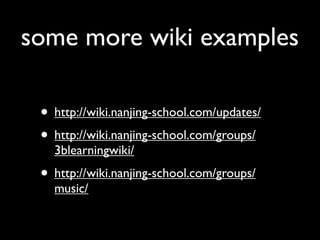
 • http://wiki.nanjing-school.com/updates/
 • http://wiki.nanjing-school.com/groups/
   3blearningwiki/
 • http://wiki.nanjing-school.com/groups/
   music/
blogs
blogs
• every student has a blog
blogs
• every student has a blog
 • can be used for class work (with tagging),
    useful for process journals, reflections,
    evaluations
blogs
• every student has a blog
 • can be used for class work (with tagging),
    useful for process journals, reflections,
    evaluations
• every class wiki has a corresponding blog
blogs
• every student has a blog
 • can be used for class work (with tagging),
    useful for process journals, reflections,
    evaluations
• every class wiki has a corresponding blog
 • teachers could document ongoing
    activities, share class notes
tagging
tagging
• tags can be used in wikis and blogs
tagging
• tags can be used in wikis and blogs
• allows users to search for specific topics
tagging
• tags can be used in wikis and blogs
• allows users to search for specific topics
• helps track assignments on student blogs
  and student work wikis
tagging
• tags can be used in wikis and blogs
• allows users to search for specific topics
• helps track assignments on student blogs
  and student work wikis
  • example: http://wiki.nanjing-school.com/
    groups/technologylearning/search/?
    q=tim&tag=tim
how to
how to
• editing - what you see is what you get
how to
• editing - what you see is what you get
 • insert menu
how to
• editing - what you see is what you get
 • insert menu
 • tagging
how to
• editing - what you see is what you get
 • insert menu
 • tagging
 • version tracking
how to
• editing - what you see is what you get
 • insert menu
 • tagging
 • version tracking
• search
how to
• editing - what you see is what you get
 • insert menu
 • tagging
 • version tracking
• search
• my page
time to play

• updating class wikis
 • review what is already there
 • add new pictures, change dates, modify
    content

getting started on wikis, blogs, iCal, and more

  • 1.
    getting started on wikis,blogs, iCal, and more
  • 2.
  • 3.
    a bit aboutme • Tim Wojcik
  • 4.
    a bit aboutme • Tim Wojcik • background: education / media / IT
  • 5.
    a bit aboutme • Tim Wojcik • background: education / media / IT • Apple Training
  • 6.
    a bit aboutme • Tim Wojcik • background: education / media / IT • Apple Training • youth media > tech education
  • 7.
  • 8.
  • 9.
    approach • building onsuccess • great team
  • 10.
    approach • building onsuccess • great team • learn as we go
  • 11.
    approach • building onsuccess • great team • learn as we go • open office / open workflow
  • 12.
    approach • building onsuccess • great team • learn as we go • open office / open workflow • change and new ideas
  • 13.
    new (and notso new) ideas
  • 14.
    new (and notso new) ideas • ICT tools - constantly changing
  • 15.
    new (and notso new) ideas • ICT tools - constantly changing • curriculum / units lead to integration ideas
  • 16.
    new (and notso new) ideas • ICT tools - constantly changing • curriculum / units lead to integration ideas • sometimes concrete, sometimes not
  • 17.
    new (and notso new) ideas • ICT tools - constantly changing • curriculum / units lead to integration ideas • sometimes concrete, sometimes not • discussion leads to possibilities
  • 18.
    new (and notso new) ideas • ICT tools - constantly changing • curriculum / units lead to integration ideas • sometimes concrete, sometimes not • discussion leads to possibilities • use what we have available
  • 19.
    new (and notso new) ideas • ICT tools - constantly changing • curriculum / units lead to integration ideas • sometimes concrete, sometimes not • discussion leads to possibilities • use what we have available • research and explore when necessary
  • 20.
    new (and notso new) ideas • ICT tools - constantly changing • curriculum / units lead to integration ideas • sometimes concrete, sometimes not • discussion leads to possibilities • use what we have available • research and explore when necessary • new projects implemented with support
  • 21.
  • 22.
    nuts and bolts •Wikis • Blogs • iCal • MacBook and NIS ICT bits and pieces
  • 23.
  • 24.
    backup • NIS Server • key documents, no media files
  • 25.
    backup • NIS Server • key documents, no media files • Time Machine • external hard drive or Time Capsule
  • 26.
    backup • NIS Server • key documents, no media files • Time Machine • external hard drive or Time Capsule • critical for everyone - teachers and students
  • 27.
  • 28.
  • 29.
    printing • reduce •default to black and white
  • 30.
    printing • reduce •default to black and white • modify layout
  • 31.
    printing • reduce •default to black and white • modify layout • preview
  • 32.
  • 33.
    iCal • creating class,school and personal calendars
  • 34.
    iCal • creating class,school and personal calendars • publishing (http://wiki.nanjing-school.com/)
  • 35.
    iCal • creating class,school and personal calendars • publishing (http://wiki.nanjing-school.com/) • creating events and adding invites
  • 36.
    iCal • creating class,school and personal calendars • publishing (http://wiki.nanjing-school.com/) • creating events and adding invites • classwork management
  • 37.
    iCal • creating class,school and personal calendars • publishing (http://wiki.nanjing-school.com/) • creating events and adding invites • classwork management • adding notes and attachments to events
  • 38.
    iCal • creating class,school and personal calendars • publishing (http://wiki.nanjing-school.com/) • creating events and adding invites • classwork management • adding notes and attachments to events • subscribing to the NIS calendar
  • 39.
    iCal • creating class,school and personal calendars • publishing (http://wiki.nanjing-school.com/) • creating events and adding invites • classwork management • adding notes and attachments to events • subscribing to the NIS calendar • questions, comments, practice
  • 40.
  • 41.
    some model wikis •http://www.wikipedia.org/
  • 42.
    some model wikis •http://www.wikipedia.org/ • http://www.wiki.nanjing-school.com/groups/ 9biologyah/
  • 43.
    NIS wikis andblogs (what I’ve learned)
  • 44.
    NIS wikis andblogs (what I’ve learned) • tremendous content across grade levels
  • 45.
    NIS wikis andblogs (what I’ve learned) • tremendous content across grade levels • lots of great ideas and approaches
  • 46.
    NIS wikis andblogs (what I’ve learned) • tremendous content across grade levels • lots of great ideas and approaches • some are really hard to find
  • 47.
    NIS wikis andblogs (what I’ve learned) • tremendous content across grade levels • lots of great ideas and approaches • some are really hard to find • organization and links could be improved
  • 48.
    what to dowith my wiki? some good ideas...
  • 49.
    what to dowith my wiki? some good ideas... • link to useful websites
  • 50.
    what to dowith my wiki? some good ideas... • link to useful websites • share educational videos
  • 51.
    what to dowith my wiki? some good ideas... • link to useful websites • share educational videos • worksheets, task sheets, class notes, keynote presentations
  • 52.
    what to dowith my wiki? some good ideas... • link to useful websites • share educational videos • worksheets, task sheets, class notes, keynote presentations • students sharing media projects with classmates
  • 53.
    what to dowith my wiki? some good ideas... • link to useful websites • share educational videos • worksheets, task sheets, class notes, keynote presentations • students sharing media projects with classmates • explanations of criteria
  • 54.
    what to dowith my wiki? some good ideas... • link to useful websites • share educational videos • worksheets, task sheets, class notes, keynote presentations • students sharing media projects with classmates • explanations of criteria • conducting discussions beyond the classroom
  • 55.
    what to dowith my wiki? some good ideas... • link to useful websites • share educational videos • worksheets, task sheets, class notes, keynote presentations • students sharing media projects with classmates • explanations of criteria • conducting discussions beyond the classroom • collaborate and share with colleagues
  • 56.
  • 57.
    student work wikis •can be new pages within the class wiki
  • 58.
    student work wikis •can be new pages within the class wiki • each student can have their own page
  • 59.
    student work wikis •can be new pages within the class wiki • each student can have their own page • student work is viewable by parents, peers, and teachers
  • 60.
    student work wikis •can be new pages within the class wiki • each student can have their own page • student work is viewable by parents, peers, and teachers • at first glance, most student work wikis seem incomplete or unused - is this correct?
  • 61.
    some more wikiexamples • http://wiki.nanjing-school.com/updates/ • http://wiki.nanjing-school.com/groups/ 3blearningwiki/ • http://wiki.nanjing-school.com/groups/ music/
  • 62.
  • 63.
  • 64.
    blogs • every studenthas a blog • can be used for class work (with tagging), useful for process journals, reflections, evaluations
  • 65.
    blogs • every studenthas a blog • can be used for class work (with tagging), useful for process journals, reflections, evaluations • every class wiki has a corresponding blog
  • 66.
    blogs • every studenthas a blog • can be used for class work (with tagging), useful for process journals, reflections, evaluations • every class wiki has a corresponding blog • teachers could document ongoing activities, share class notes
  • 67.
  • 68.
    tagging • tags canbe used in wikis and blogs
  • 69.
    tagging • tags canbe used in wikis and blogs • allows users to search for specific topics
  • 70.
    tagging • tags canbe used in wikis and blogs • allows users to search for specific topics • helps track assignments on student blogs and student work wikis
  • 71.
    tagging • tags canbe used in wikis and blogs • allows users to search for specific topics • helps track assignments on student blogs and student work wikis • example: http://wiki.nanjing-school.com/ groups/technologylearning/search/? q=tim&tag=tim
  • 72.
  • 73.
    how to • editing- what you see is what you get
  • 74.
    how to • editing- what you see is what you get • insert menu
  • 75.
    how to • editing- what you see is what you get • insert menu • tagging
  • 76.
    how to • editing- what you see is what you get • insert menu • tagging • version tracking
  • 77.
    how to • editing- what you see is what you get • insert menu • tagging • version tracking • search
  • 78.
    how to • editing- what you see is what you get • insert menu • tagging • version tracking • search • my page
  • 79.
    time to play •updating class wikis • review what is already there • add new pictures, change dates, modify content

Editor's Notes

  • #2 \n
  • #3 from US, still a (relatively) young teacher\n
  • #4 from US, still a (relatively) young teacher\n
  • #5 from US, still a (relatively) young teacher\n
  • #6 from US, still a (relatively) young teacher\n
  • #7 i am not ann martin. \nopen workflow: show blog and calendar \n
  • #8 i am not ann martin. \nopen workflow: show blog and calendar \n
  • #9 i am not ann martin. \nopen workflow: show blog and calendar \n
  • #10 i am not ann martin. \nopen workflow: show blog and calendar \n
  • #11 i am not ann martin. \nopen workflow: show blog and calendar \n
  • #12 \n
  • #13 \n
  • #14 \n
  • #15 \n
  • #16 \n
  • #17 \n
  • #18 \n
  • #19 bits and pieces first\n
  • #20 \n
  • #21 \n
  • #22 \n
  • #23 show b/w settings, modifying layout\n
  • #24 show b/w settings, modifying layout\n
  • #25 show b/w settings, modifying layout\n
  • #26 show b/w settings, modifying layout\n
  • #27 walk through iCal\nclasses - publish / personal - no subscribers / work schedule - optional\ncreate calendar, publish\n\ncreate events\n
  • #28 walk through iCal\nclasses - publish / personal - no subscribers / work schedule - optional\ncreate calendar, publish\n\ncreate events\n
  • #29 walk through iCal\nclasses - publish / personal - no subscribers / work schedule - optional\ncreate calendar, publish\n\ncreate events\n
  • #30 walk through iCal\nclasses - publish / personal - no subscribers / work schedule - optional\ncreate calendar, publish\n\ncreate events\n
  • #31 walk through iCal\nclasses - publish / personal - no subscribers / work schedule - optional\ncreate calendar, publish\n\ncreate events\n
  • #32 walk through iCal\nclasses - publish / personal - no subscribers / work schedule - optional\ncreate calendar, publish\n\ncreate events\n
  • #33 walk through iCal\nclasses - publish / personal - no subscribers / work schedule - optional\ncreate calendar, publish\n\ncreate events\n
  • #34 \n
  • #35 \n
  • #36 \n
  • #37 \n
  • #38 \n
  • #39 \n
  • #40 \n
  • #41 \n
  • #42 \n
  • #43 \n
  • #44 \n
  • #45 \n
  • #46 \n
  • #47 \n
  • #48 \n
  • #49 \n
  • #50 \n
  • #51 \n
  • #52 demo tagging\n
  • #53 demo tagging\n
  • #54 demo tagging\n
  • #55 demo tagging\n
  • #56 show tagging\n
  • #57 show tagging\n
  • #58 show tagging\n
  • #59 show tagging\n
  • #60 \n
  • #61 \n
  • #62 \n
  • #63 \n
  • #64 \n
  • #65 \n
  • #66 \n