Tools Nigel Gibson - 01/07/2010
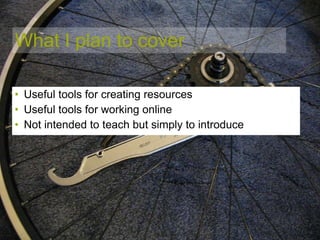
What I plan to cover Useful tools for creating resources Useful tools for working online Not intended to teach but simply to introduce
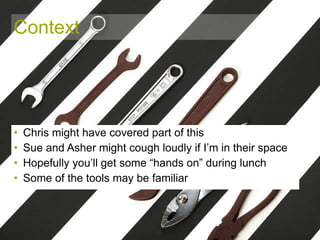
Context Chris might have covered part of this Sue and Asher might cough loudly if I’m in their space Hopefully you’ll get some “hands on” during lunch Some of the tools may be familiar
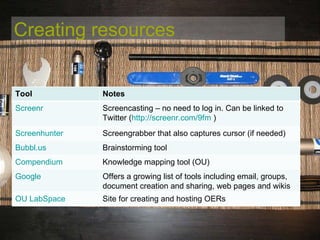
Creating resources Tool Notes Screenr Screencasting – no need to log in. Can be linked to Twitter ( http://screenr.com/9fm   ) Screenhunter Screengrabber that also captures cursor (if needed) Bubbl.us Brainstorming tool Compendium Knowledge mapping tool (OU) Google Offers a growing list of tools including email, groups, document creation and sharing, web pages and wikis OU LabSpace Site for creating and hosting OERs
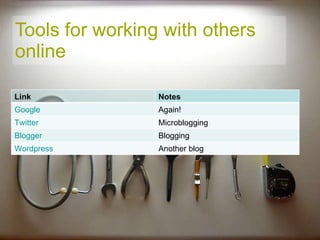
Tools for working with others online Link Notes Google Again! Twitter Microblogging Blogger Blogging Wordpress Another blog
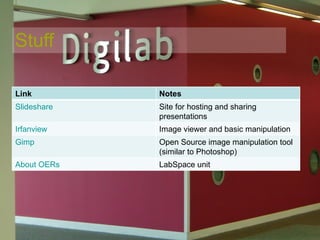
Stuff Link Notes Slideshare Site for hosting and sharing presentations Irfanview Image viewer and basic manipulation Gimp Open Source image manipulation tool (similar to Photoshop) About OERs LabSpace unit
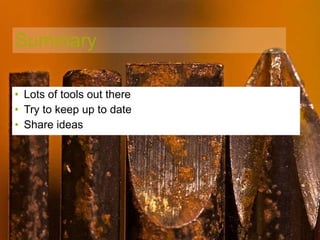
Summary Lots of tools out there Try to keep up to date Share ideas
Photo credits “ The right tool” by Emily Barney http:// www.flickr.com/photos/ebarney/3348965637 / CC2.0 by-nc “ Park tools” by Matt Walton CC2.0 by-nc http://www.flickr.com/photos/minusman/4374728841/ “ Chocolate tools” by Janne Moren http://www.flickr.com/photos/jannem/3312116875/ “ Track sprocket tool” by Bruce McAdam CC2.0 by-nc http://www.flickr.com/photos/bruce_mcadam/338649928/ “ Digilab” by Nigel Gibson CC2.0 by-nc http://www.flickr.com/photos/nogbad/4746787690/ Rusty Tools by SVDenverLV CC2.0 by-nc-nd http://www.flickr.com/photos/denveraquino/4168458320/

Tools

  • 1.
    Tools Nigel Gibson- 01/07/2010
  • 2.
    What I planto cover Useful tools for creating resources Useful tools for working online Not intended to teach but simply to introduce
  • 3.
    Context Chris mighthave covered part of this Sue and Asher might cough loudly if I’m in their space Hopefully you’ll get some “hands on” during lunch Some of the tools may be familiar
  • 4.
    Creating resources ToolNotes Screenr Screencasting – no need to log in. Can be linked to Twitter ( http://screenr.com/9fm ) Screenhunter Screengrabber that also captures cursor (if needed) Bubbl.us Brainstorming tool Compendium Knowledge mapping tool (OU) Google Offers a growing list of tools including email, groups, document creation and sharing, web pages and wikis OU LabSpace Site for creating and hosting OERs
  • 5.
    Tools for workingwith others online Link Notes Google Again! Twitter Microblogging Blogger Blogging Wordpress Another blog
  • 6.
    Stuff Link NotesSlideshare Site for hosting and sharing presentations Irfanview Image viewer and basic manipulation Gimp Open Source image manipulation tool (similar to Photoshop) About OERs LabSpace unit
  • 7.
    Summary Lots oftools out there Try to keep up to date Share ideas
  • 8.
    Photo credits “The right tool” by Emily Barney http:// www.flickr.com/photos/ebarney/3348965637 / CC2.0 by-nc “ Park tools” by Matt Walton CC2.0 by-nc http://www.flickr.com/photos/minusman/4374728841/ “ Chocolate tools” by Janne Moren http://www.flickr.com/photos/jannem/3312116875/ “ Track sprocket tool” by Bruce McAdam CC2.0 by-nc http://www.flickr.com/photos/bruce_mcadam/338649928/ “ Digilab” by Nigel Gibson CC2.0 by-nc http://www.flickr.com/photos/nogbad/4746787690/ Rusty Tools by SVDenverLV CC2.0 by-nc-nd http://www.flickr.com/photos/denveraquino/4168458320/