Tips To Get your
Channel Noticed
Do you want to be the next big thing on YouTube?
YouTube has quickly become the spot for up-and-
coming filmmakers and personalities, but you'll
have to put in some work if you want to stand out
from the crowd. From cultivating your brand to
creating quality content, becoming popular on
YouTube requires more than just a camera
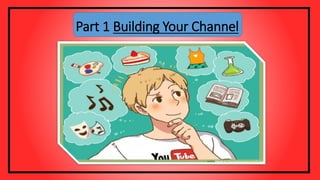
Part 1 Building Your Channel
The most successful channels on YouTube are designed
with one specific audience in mind. The audience may be
people who enjoy sketch comedy, people looking for
product reviews, people interested in video games,
people looking for fashion advice, or any other audience
you can imagine. Good channels focus on one thing that
they do best, and then excel at that.
#1 Determine your niche
Besides choosing a niche, you'll also need to
develop a personality. PewDiePie didn't get 40
million subscribers because he plays video games,
he got them because he plays video games with a
unique personality and approach. You'll want to
cultivate an identity that sets you apart from the
other content being produced in your niche.
#2 Set yourself apart
#3 Build your brand.
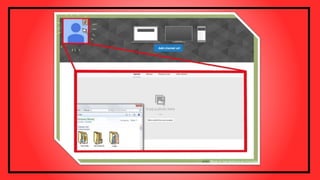
Before you launch your first video, you should have the basic building
blocks of your channel established. This includes having a good profile
image, unique banner art, and a basic description. All of this put together
is the starting point for your personal brand, which is how viewers will
relate to and remember you.
• Look at all of your favorite channels and see how they brand
themselves. You'll find that virtually every popular channel has a
custom look that helps identify themselves.
Your profile image will appear next to the name of
your channel in searches and comments on YouTube. It
will be the first thing viewers see when your content
appears in their search results, so make sure that it is
representative of you and your brand.Your profile
image can be a picture of you if you are the focus, or
your logo if you are not the focus.
#4 Create a profile image
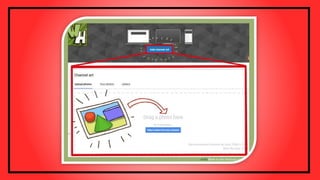
This is the image that appears at the top of your Channel, and acts as the title.
Channel Art is what makes viewers feel like they're on your "personal"
YouTube, and helps cement your name in their mind.
• If you are creating your own art, YouTube recommends that the image be
2560 X 1440 px. This is the size of the image that will appear on the TV. All
text and logos should appear in the center of the image in a 1546 X 43 px
rectangle.[1]
• Channel art can be commissioned from a variety of sources including oDesk
and Elance. If you can, create a basic banner to get by for a while, and then
use your first ad earnings to invest in commissioned art.
#5 Create or commission Channel Art
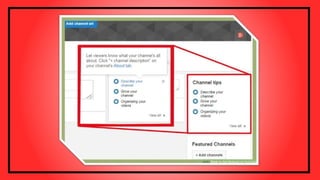
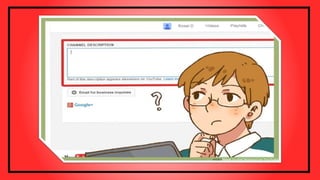
#6 Fill out your Channel's description tab
Use this space to give a brief overview of your channel and to link
viewers to your other webpages and social networking sites. The
description of your channel appears in searches, but doesn't have to be
incredibly in-depth.
• Make sure to link to your company website, blog, Facebook page,
Twitter account, and any other place on the web you have a presence.
Part2 Creating Quality Videos
#1 Get some good equipment
• The equipment isn't necessarily expensive. A stand-alone webcam will work
better than virtually any built-in webcam, and will only set you back a few meals
out.
• If you're filming actors or anything other than yourself, you'll want a decent
camcorder. Taking videos with your phone is convenient, but if you want to keep
an audience you'll need better production values than that.
• If you're going to be recording your screen, find a good screen recording program
such as Camtasia or the free OpenBroadcastingSoftware(which can also do live
streams). Filming your computer screen with a camera while you use it will make
it nearly impossible to see what's going on.
Unless you're doing improv or filming something you don't have control
over, you should prepare a script and rehearse it. This will lead to less
awkward pauses and will improve the flow of your videos.
• Youtube doesn't allow videos longer than 15 minutes unless you meet
specific guidelines. Keep this in mind when writing your script, and
break up long videos into a series.
• See this guide for detailed instructions on writing your first script.
#2 Write a script
Do a dry run of your script a few times before you turn on
the camera. This will help you iron out any kinks and solidify
your talking points before you begin filming. You don't want
to be reading directly from your script while filming, so
practice is important.
#3 Rehearse before shooting
Before you start filming, gather everything you're going to need for the
video. For example, if you're recording a tutorial on your computer, make
sure all of the windows you need are open and your important files are
easy to access. If you're filming a scene, make sure that all of your props
are in order.
• While preparing to shoot, make sure that the lighting is good enough so
that everything can be seen. Do a test shoot with the camera to check
the lighting.
4 Prepare anything you need
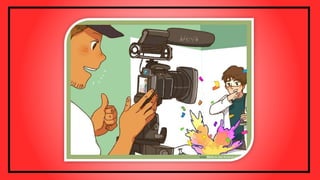
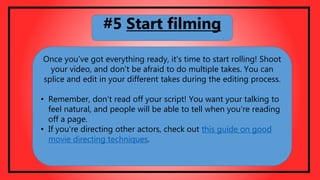
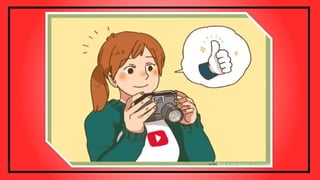
Once you've got everything ready, it's time to start rolling! Shoot
your video, and don't be afraid to do multiple takes. You can
splice and edit in your different takes during the editing process.
• Remember, don't read off your script! You want your talking to
feel natural, and people will be able to tell when you're reading
off a page.
• If you're directing other actors, check out this guide on good
movie directing techniques.
#5 Start filming
Before you start editing, take a few minutes to watch everything you
recorded. If you aren't happy with any part of it, reshoot that part now
while everything is still set up. This will save you a lot of time in the
editing process.
#6 Review your recording

Tips to get your YouTube Channel Noticed

  • 1.
    Tips To Getyour Channel Noticed
  • 2.
    Do you wantto be the next big thing on YouTube? YouTube has quickly become the spot for up-and- coming filmmakers and personalities, but you'll have to put in some work if you want to stand out from the crowd. From cultivating your brand to creating quality content, becoming popular on YouTube requires more than just a camera
  • 3.
    Part 1 BuildingYour Channel
  • 4.
    The most successfulchannels on YouTube are designed with one specific audience in mind. The audience may be people who enjoy sketch comedy, people looking for product reviews, people interested in video games, people looking for fashion advice, or any other audience you can imagine. Good channels focus on one thing that they do best, and then excel at that. #1 Determine your niche
  • 6.
    Besides choosing aniche, you'll also need to develop a personality. PewDiePie didn't get 40 million subscribers because he plays video games, he got them because he plays video games with a unique personality and approach. You'll want to cultivate an identity that sets you apart from the other content being produced in your niche. #2 Set yourself apart
  • 8.
    #3 Build yourbrand. Before you launch your first video, you should have the basic building blocks of your channel established. This includes having a good profile image, unique banner art, and a basic description. All of this put together is the starting point for your personal brand, which is how viewers will relate to and remember you. • Look at all of your favorite channels and see how they brand themselves. You'll find that virtually every popular channel has a custom look that helps identify themselves.
  • 10.
    Your profile imagewill appear next to the name of your channel in searches and comments on YouTube. It will be the first thing viewers see when your content appears in their search results, so make sure that it is representative of you and your brand.Your profile image can be a picture of you if you are the focus, or your logo if you are not the focus. #4 Create a profile image
  • 12.
    This is theimage that appears at the top of your Channel, and acts as the title. Channel Art is what makes viewers feel like they're on your "personal" YouTube, and helps cement your name in their mind. • If you are creating your own art, YouTube recommends that the image be 2560 X 1440 px. This is the size of the image that will appear on the TV. All text and logos should appear in the center of the image in a 1546 X 43 px rectangle.[1] • Channel art can be commissioned from a variety of sources including oDesk and Elance. If you can, create a basic banner to get by for a while, and then use your first ad earnings to invest in commissioned art. #5 Create or commission Channel Art
  • 14.
    #6 Fill outyour Channel's description tab Use this space to give a brief overview of your channel and to link viewers to your other webpages and social networking sites. The description of your channel appears in searches, but doesn't have to be incredibly in-depth. • Make sure to link to your company website, blog, Facebook page, Twitter account, and any other place on the web you have a presence.
  • 15.
  • 16.
    #1 Get somegood equipment • The equipment isn't necessarily expensive. A stand-alone webcam will work better than virtually any built-in webcam, and will only set you back a few meals out. • If you're filming actors or anything other than yourself, you'll want a decent camcorder. Taking videos with your phone is convenient, but if you want to keep an audience you'll need better production values than that. • If you're going to be recording your screen, find a good screen recording program such as Camtasia or the free OpenBroadcastingSoftware(which can also do live streams). Filming your computer screen with a camera while you use it will make it nearly impossible to see what's going on.
  • 18.
    Unless you're doingimprov or filming something you don't have control over, you should prepare a script and rehearse it. This will lead to less awkward pauses and will improve the flow of your videos. • Youtube doesn't allow videos longer than 15 minutes unless you meet specific guidelines. Keep this in mind when writing your script, and break up long videos into a series. • See this guide for detailed instructions on writing your first script. #2 Write a script
  • 20.
    Do a dryrun of your script a few times before you turn on the camera. This will help you iron out any kinks and solidify your talking points before you begin filming. You don't want to be reading directly from your script while filming, so practice is important. #3 Rehearse before shooting
  • 22.
    Before you startfilming, gather everything you're going to need for the video. For example, if you're recording a tutorial on your computer, make sure all of the windows you need are open and your important files are easy to access. If you're filming a scene, make sure that all of your props are in order. • While preparing to shoot, make sure that the lighting is good enough so that everything can be seen. Do a test shoot with the camera to check the lighting. 4 Prepare anything you need
  • 24.
    Once you've goteverything ready, it's time to start rolling! Shoot your video, and don't be afraid to do multiple takes. You can splice and edit in your different takes during the editing process. • Remember, don't read off your script! You want your talking to feel natural, and people will be able to tell when you're reading off a page. • If you're directing other actors, check out this guide on good movie directing techniques. #5 Start filming
  • 26.
    Before you startediting, take a few minutes to watch everything you recorded. If you aren't happy with any part of it, reshoot that part now while everything is still set up. This will save you a lot of time in the editing process. #6 Review your recording