What is the Threat?                          Cyber Warriors Needed
♦   From Hactivists to Nation-States, these
    threats continue to attempt to penetrate
                                                    Army Cyber Command will recruit,
                                                  develop and retain qualified personnel               Threat
                                                                                                           AND
    our networks everyday.                          to grow Cyber Professionals as the
♦   Cyberspace threats are growing, evolving,      cornerstone of the Army Cyber Force.

                                                                                                    Mitigation
    and sophisticated.
♦   Cyberspace crime is the largest threat to
    individuals.
♦   Loss of intellectual property is a
    significant National security risk to our
    information and technological advantage.
                                                                                                  U.S. Army Cyber Command
♦   Loss of operational security information                                                             Second Army
    puts units, soldiers, and families at risk.

        How Can Leaders Help?
∗   Cyberspace threats and mitigation of
    those threats is commander’s business.
    Know and mitigate the risks.
∗   Recognize Cyberspace as a contested
    Operational Domain.                           “While some people may think cyber is all
                                                  about technology, people are the center of
∗   Ensure strong 2/3/6 integration in your       all we do.”
    unit formations.                                                   Lt. Gen. Rhett Hernandez
                                                       Commanding General, Army Cyber Command
∗   Respect the Threat...It’s Not Random.
∗   Enforce compliance with basic standards              For More Information
    and discipline. Information Assurance is
                                                         www.arcyber.army.mil                       Second to None!
    not a given & remediation is expensive.
U.S. Army Cyber Command
         What Should I Know?                              What Should I Protect?                        What Should I Do at Home?
What is Malware?                                   Do not Store Passwords on your Computer          Update Your Computer Software
♦ Malicious software delivered through email       ♦ Easy access to usernames and can result in     ♦ Newer software has security enhancements.
  and the internet.                                  identity theft, loss of money and revealing
                                                                                                    ♦ Harder for hackers to gain unauthorized
♦ Performs unauthorized actions on the               personal information about friends and
                                                     family.                                          access.
  computer.
                                                                                                    ♦ Look for software that:
♦ Examples of malware are:                         Protect Physical Access to Devices
     ∗ Viruses                 ∗ Spyware                                                                 ∗ Checks automatically for software
                                                   ♦ The data on the computer is just as valuable
                                                     as the hardware.                                      updates.
     ∗ Worms                   ∗ Scareware
                                                                                                         ∗ Includes anti-virus, anti-spyware, anti-
     ∗ Trojan horses           ∗ Crimeware         ♦ Physical access makes it easy to circumvent
                                                     security measures.                                    phishing, safe browsing and firewall
     ∗ Dishonest Adware        ∗ Most Rootkits                                                             capabilities.
What is Phishing?                                  Protect your Personally Identifiable
                                                   Information (PII).                               Choose Privacy Settings on Social
♦ Email messages from apparent legitimate                                                           Networking Sites that Provide the Greatest
  people or institutions targeting users.          ♦ Limit PII on the Internet and social           Security.
                                                     networking sites.
♦ Email messages may contain malicious                                                              ♦ Limit information shared with the social
  attachments (.pdf, .doc, .xls, .jpg).            ♦ PII can be used for social engineering           networking community.
♦ Phishing is used to trick users into divulging     attacks and identity theft.
                                                                                                    ♦ Limit who can view your profile.
  Personally Identifiable Information (PII) such   ♦ Military members as well as families and
  as:                                                                                               ♦ Limit who can add you to their network.
                                                     friends should not discuss or post any
     ∗ Passwords, SSNs, DoB                          information related to unit locations,
                                                     assigned duties, work schedules, or
     ∗ Credit Card numbers
                                                     deployment information.
     ∗ PINs, Addresses

   Doing nothing is not an option regarding cyber security. Be vigilant. Everyone has a part
      to play in ensuring Army networks stay secure and our national assets are protected.

Threat and Mitigation

  • 1.
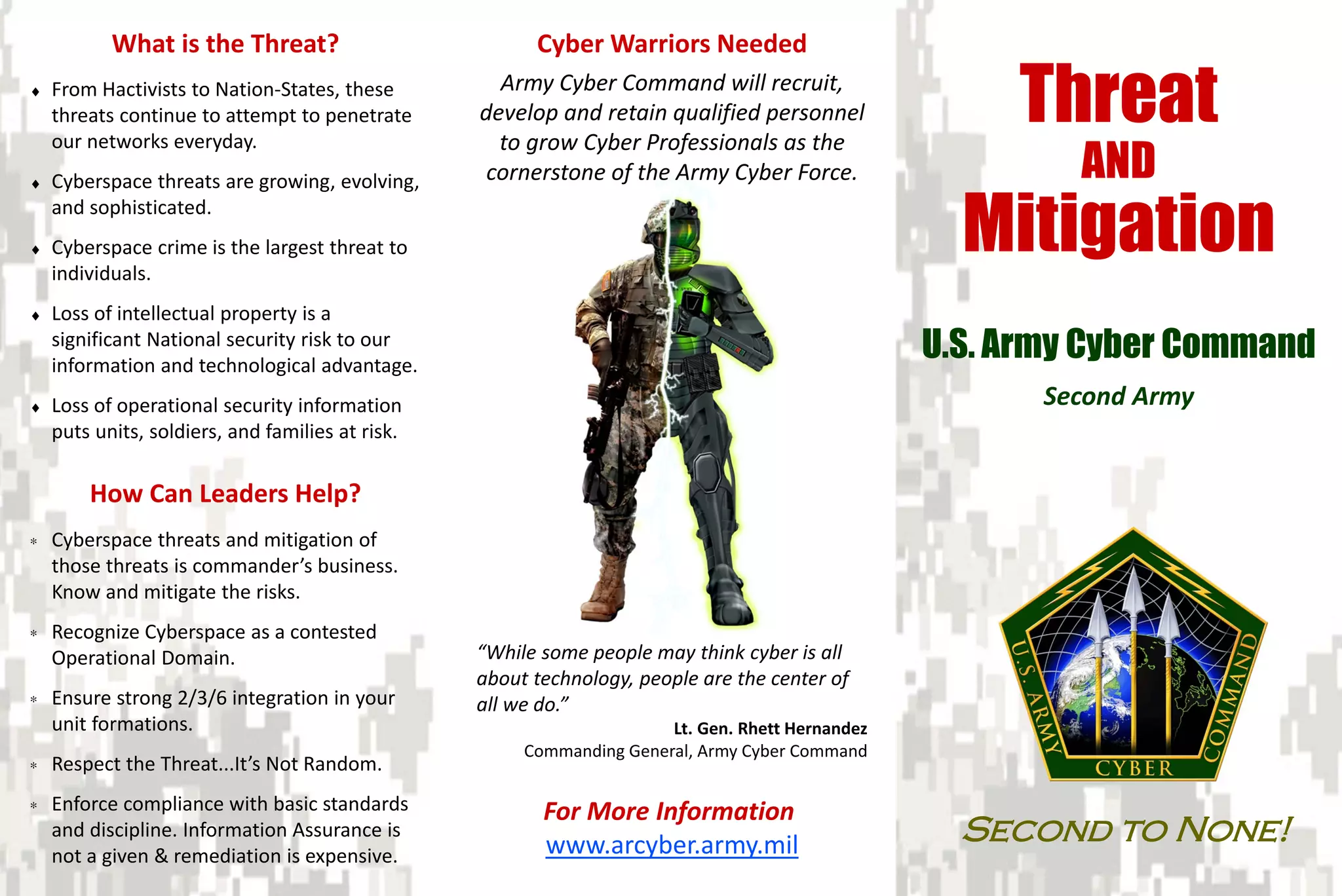
    What is theThreat? Cyber Warriors Needed ♦ From Hactivists to Nation-States, these threats continue to attempt to penetrate Army Cyber Command will recruit, develop and retain qualified personnel Threat AND our networks everyday. to grow Cyber Professionals as the ♦ Cyberspace threats are growing, evolving, cornerstone of the Army Cyber Force. Mitigation and sophisticated. ♦ Cyberspace crime is the largest threat to individuals. ♦ Loss of intellectual property is a significant National security risk to our information and technological advantage. U.S. Army Cyber Command ♦ Loss of operational security information Second Army puts units, soldiers, and families at risk. How Can Leaders Help? ∗ Cyberspace threats and mitigation of those threats is commander’s business. Know and mitigate the risks. ∗ Recognize Cyberspace as a contested Operational Domain. “While some people may think cyber is all about technology, people are the center of ∗ Ensure strong 2/3/6 integration in your all we do.” unit formations. Lt. Gen. Rhett Hernandez Commanding General, Army Cyber Command ∗ Respect the Threat...It’s Not Random. ∗ Enforce compliance with basic standards For More Information and discipline. Information Assurance is www.arcyber.army.mil Second to None! not a given & remediation is expensive.
  • 2.
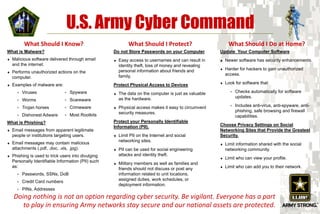
    U.S. Army CyberCommand What Should I Know? What Should I Protect? What Should I Do at Home? What is Malware? Do not Store Passwords on your Computer Update Your Computer Software ♦ Malicious software delivered through email ♦ Easy access to usernames and can result in ♦ Newer software has security enhancements. and the internet. identity theft, loss of money and revealing ♦ Harder for hackers to gain unauthorized ♦ Performs unauthorized actions on the personal information about friends and family. access. computer. ♦ Look for software that: ♦ Examples of malware are: Protect Physical Access to Devices ∗ Viruses ∗ Spyware ∗ Checks automatically for software ♦ The data on the computer is just as valuable as the hardware. updates. ∗ Worms ∗ Scareware ∗ Includes anti-virus, anti-spyware, anti- ∗ Trojan horses ∗ Crimeware ♦ Physical access makes it easy to circumvent security measures. phishing, safe browsing and firewall ∗ Dishonest Adware ∗ Most Rootkits capabilities. What is Phishing? Protect your Personally Identifiable Information (PII). Choose Privacy Settings on Social ♦ Email messages from apparent legitimate Networking Sites that Provide the Greatest people or institutions targeting users. ♦ Limit PII on the Internet and social Security. networking sites. ♦ Email messages may contain malicious ♦ Limit information shared with the social attachments (.pdf, .doc, .xls, .jpg). ♦ PII can be used for social engineering networking community. ♦ Phishing is used to trick users into divulging attacks and identity theft. ♦ Limit who can view your profile. Personally Identifiable Information (PII) such ♦ Military members as well as families and as: ♦ Limit who can add you to their network. friends should not discuss or post any ∗ Passwords, SSNs, DoB information related to unit locations, assigned duties, work schedules, or ∗ Credit Card numbers deployment information. ∗ PINs, Addresses Doing nothing is not an option regarding cyber security. Be vigilant. Everyone has a part to play in ensuring Army networks stay secure and our national assets are protected.