The Meteor Framework
Damien Magoni
2015/12/11
Version 1
Attribution
• The material contained inside is intended for teaching.
• This document is licensed under the CC BY-NC-SA license.
• Relevant sources are listed on the following References slide.
• All figures and text borrowed from these sources retain the rights of
their respective owners.
2/56
References
• Websites
• Official website
• Meteor on Twitter
• Meteor on GitHub
• Meteor on StackOverflow
• forums.meteor.com - Meteor discussion forums
• crater.io - Meteor News
• Books
• Turnbull, David - Your First Meteor Application (2014)
• Coleman, Tom; Greif, Sacha - Discover Meteor (2014)
• Hochhaus, Stephan; Schoebel, Manuel - Meteor in Action (2014)
• Susiripala, Arunoda - Bulletproof Meteor (2014)
• Susiripala, Arunoda - Meteor Explained - A Journey Into Meteor’s Reactivity (2014)
• Strack, Isaac - Getting started with Meteor.js JavaScript framework (2012)
• http://meteorcapture.com/
3/56
Acknowledgments & Warning
• Special thanks to all the authors of the documents cited in the
references for their high-quality teaching material from which I have
borrowed extensively.
• This material has been written in late 2015 and as Meteor is a fast
moving target, some parts may be outdated.
4/56
Table of Contents
1. Presentation
2. Principles
3. Templates
4. Sessions
5. Spacebars
6. Data contexts
7. Routing with Iron Router
8. Modules & packages
9. Misc
5/56
Presentation
Part 1
Meteor
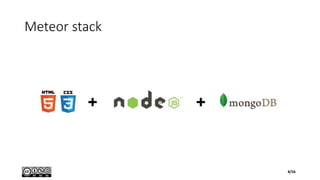
• Open-source JavaScript web application framework
• Backend
• Uses Node.js
• Integrates with MongoDB
• uses the Distributed Data Protocol
• uses a publish–subscribe pattern to propagate data changes to clients without
writing any synchronization code
• Frontend
• depends on jQuery (Blaze = reactive jQuery)
• can be used with any JavaScript UI widget library (e.g., Bootstrap)
7/56
Meteor stack
8/56
Blaze
• Library for creating UIs by writing reactive HTML templates
• Combination of traditional templates and jQuery requires "update logic" in your app that listens for data changes and
manipulates the DOM
• Instead, template directives like {{#if}} and {{#each}} integrate with Tracker's "transparent reactivity" and Minimongo's
database cursors so that the DOM updates automatically
• Blaze has two major parts
• A compiler from template files into JavaScript code that runs against the Blaze runtime library
• Moreover, Blaze provides a compiler toolchain (think LLVM) that can be used to support arbitrary template syntaxes
• The flagship template syntax is Spacebars, a variant of Handlebars
• Community alternative based on Jade is already in use by many apps
• A reactive DOM engine that builds and manages the DOM at runtime
• invoked via templates or directly from the app
• features reactively updating regions, lists, and attributes; event delegation; callbacks and hooks
• Similar to frameworks like React, Angular, Ember, Polymer, Knockout, etc.
• focus on the developer experience, using templating, transparent reactivity, and interoperability with existing libraries
• gentle learning curve
• It hooks into jQuery's clean-up routines to prevent memory leaks, and it preserves classes, attributes, and
styles added to elements by jQuery or any third-party library
9/56
Tracker
• Library for transparent reactive programming in JavaScript
• Formerly called Deps
• Functional Reactive Programming (FRP) system without requiring you to
rewrite your program as a FRP data flow graph
• Combined with Tracker-aware libraries, this lets you build complex event-
driven programs without writing a lot of boilerplate event-handling code
• A simple convention, or interface, that lets reactive data sources (database)
talk to reactive data consumers (live-updating HTML templating library)
without the application code in between having to be involved
• Since the convention is very simple, it is quick and easy for library authors
to make their libraries Tracker-aware, so that they can participate in
Tracker reactivity
10/56
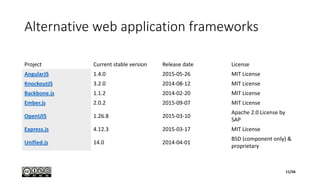
Alternative web application frameworks
Project Current stable version Release date License
AngularJS 1.4.0 2015-05-26 MIT License
KnockoutJS 3.2.0 2014-08-12 MIT License
Backbone.js 1.1.2 2014-02-20 MIT License
Ember.js 2.0.2 2015-09-07 MIT License
OpenUI5 1.26.8 2015-03-10
Apache 2.0 License by
SAP
Express.js 4.12.3 2015-03-17 MIT License
Unified.js 14.0 2014-04-01
BSD (component only) &
proprietary
11/56
Principles
Part 2
Principles of Meteor
• Data on the Wire
• Meteor doesn't send HTML over the network. The server sends data and lets the client render it
• One Language
• both the client and the server parts of your application written in JavaScript
• Database Everywhere
• same methods to access your database from the client or the server
• Latency Compensation
• On the client, Meteor prefetches data and simulates models to make it look like server method calls return
instantly
• Full Stack Reactivity
• All layers, from database to template, update themselves automatically when necessary
• Embrace the Ecosystem
• Meteor is open source and integrates with existing open source tools and frameworks
• Simplicity Equals Productivity
• Meteor's main functionality has clean, classically beautiful APIs
13/56
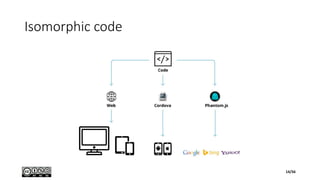
Isomorphic code
14/56
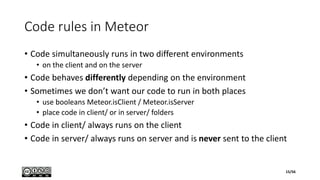
Code rules in Meteor
• Code simultaneously runs in two different environments
• on the client and on the server
• Code behaves differently depending on the environment
• Sometimes we don’t want our code to run in both places
• use booleans Meteor.isClient / Meteor.isServer
• place code in client/ or in server/ folders
• Code in client/ always runs on the client
• Code in server/ always runs on server and is never sent to the client
15/56
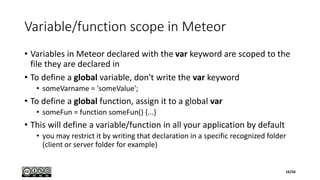
Variable/function scope in Meteor
• Variables in Meteor declared with the var keyword are scoped to the
file they are declared in
• To define a global variable, don't write the var keyword
• someVarname = 'someValue';
• To define a global function, assign it to a global var
• someFun = function someFun() {...}
• This will define a variable/function in all your application by default
• you may restrict it by writing that declaration in a specific recognized folder
(client or server folder for example)
16/56
Templates
Part 3
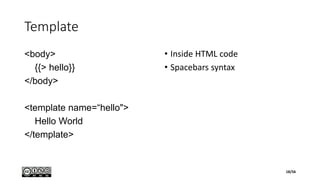
Template
<body>
{{> hello}}
</body>
<template name=“hello">
Hello World
</template>
• Inside HTML code
• Spacebars syntax
18/56
Helpers
<template name="tasklist">
<ul>
{{#each tasks}}
<li>{{text}}</li>
{{/each}}
</ul>
</template>
if (Meteor.isClient) {
Template.tasklist.helpers({
tasks: [
{ text: "This is task 1" },
{ text: "This is task 2" },
{ text: "This is task 3" }
]
});
}
19/56
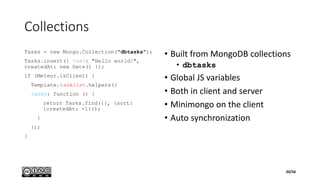
Collections
Tasks = new Mongo.Collection("dbtasks");
Tasks.insert({ text: "Hello world!",
createdAt: new Date() });
if (Meteor.isClient) {
Template.tasklist.helpers({
tasks: function () {
return Tasks.find({}, {sort:
{createdAt: -1}});
}
});
}
• Built from MongoDB collections
• dbtasks
• Global JS variables
• Both in client and server
• Minimongo on the client
• Auto synchronization
20/56
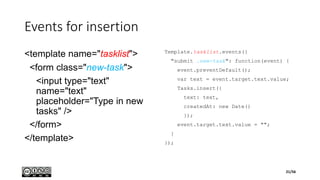
Events for insertion
<template name="tasklist">
<form class="new-task">
<input type="text"
name="text"
placeholder="Type in new
tasks" />
</form>
</template>
Template.tasklist.events({
"submit .new-task": function(event) {
event.preventDefault();
var text = event.target.text.value;
Tasks.insert({
text: text,
createdAt: new Date()
});
event.target.text.value = "";
}
});
21/56
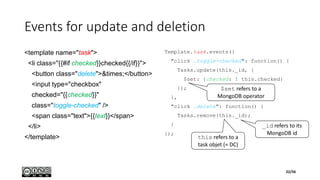
Events for update and deletion
<template name="task">
<li class="{{#if checked}}checked{{/if}}">
<button class="delete">&times;</button>
<input type="checkbox"
checked="{{checked}}"
class="toggle-checked" />
<span class="text">{{text}}</span>
</li>
</template>
Template.task.events({
"click .toggle-checked": function() {
Tasks.update(this._id, {
$set: {checked: ! this.checked}
});
},
"click .delete": function() {
Tasks.remove(this._id);
}
});
this refers to a
task objet (= DC)
_id refers to its
MongoDB id
$set refers to a
MongoDB operator
22/56
Sessions
Part 4
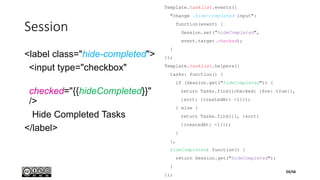
Session
<label class="hide-completed">
<input type="checkbox"
checked="{{hideCompleted}}"
/>
Hide Completed Tasks
</label>
Template.tasklist.events({
"change .hide-completed input":
function(event) {
Session.set("hideCompleted",
event.target.checked);
}
});
Template.tasklist.helpers({
tasks: function() {
if (Session.get("hideCompleted")) {
return Tasks.find({checked: {$ne: true}},
{sort: {createdAt: -1}});
} else {
return Tasks.find({}, {sort:
{createdAt: -1}});
}
},
hideCompleted: function() {
return Session.get("hideCompleted");
}
});
24/56
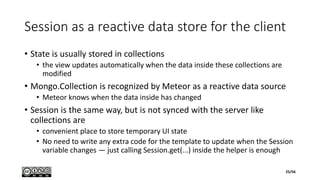
Session as a reactive data store for the client
• State is usually stored in collections
• the view updates automatically when the data inside these collections are
modified
• Mongo.Collection is recognized by Meteor as a reactive data source
• Meteor knows when the data inside has changed
• Session is the same way, but is not synced with the server like
collections are
• convenient place to store temporary UI state
• No need to write any extra code for the template to update when the Session
variable changes — just calling Session.get(...) inside the helper is enough
25/56
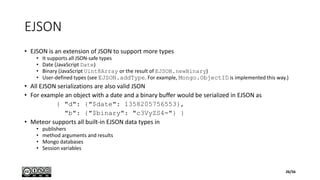
EJSON
• EJSON is an extension of JSON to support more types
• It supports all JSON-safe types
• Date (JavaScript Date)
• Binary (JavaScript Uint8Array or the result of EJSON.newBinary)
• User-defined types (see EJSON.addType. For example, Mongo.ObjectID is implemented this way.)
• All EJSON serializations are also valid JSON
• For example an object with a date and a binary buffer would be serialized in EJSON as
{ "d": {"$date": 1358205756553},
"b": {"$binary": "c3VyZS4="} }
• Meteor supports all built-in EJSON data types in
• publishers
• method arguments and results
• Mongo databases
• Session variables
26/56
Spacebars
Part 5
Spacebars
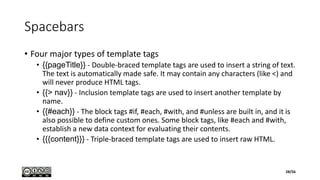
• Four major types of template tags
• {{pageTitle}} - Double-braced template tags are used to insert a string of text.
The text is automatically made safe. It may contain any characters (like <) and
will never produce HTML tags.
• {{> nav}} - Inclusion template tags are used to insert another template by
name.
• {{#each}} - The block tags #if, #each, #with, and #unless are built in, and it is
also possible to define custom ones. Some block tags, like #each and #with,
establish a new data context for evaluating their contents.
• {{{content}}} - Triple-braced template tags are used to insert raw HTML.
28/56
Spacebars #each
Template.list.helpers({
items: [
{ name: "foo", pet: "dog" },
{ name: "bar", pet: "cat" }
];
});
Template.list.helpers({
items: [
"foo",
"bar"
]
});
<template name="list">
{{#each items}}
{{name}} - {{pet}}<br>
{{/each}}
</template>
<template name="list">
{{#each items}}
{{this}}<br>
{{/each}}
</template>
29/56
Identifiers and Paths
• A Spacebars identifier is either
• a JavaScript identifier name
• any string enclosed in square brackets ( [ and ] )
• The special identifiers this (or equivalently, .) and ..
• Brackets are required to use one of the following as the first element of a path: else, this, true, false, and null
• Brackets are not required around JavaScript keywords and reserved words like var and for
• A Spacebars path is a series of one or more identifiers separated by either . or /
• E.g., foo, foo.bar, this.name, ../title, or foo.[0] (numeric indices must be enclosed in brackets)
• Name Resolution
• The first identifier in a path is resolved in one of two ways
• Indexing the current data context. The identifier foo refers to the foo property of the current data context object.
• As a template helper. The identifier foo refers to a helper function (or constant value) that is accessible from the current template.
• Template helpers take priority over properties of the data context
• If a path starts with .. , then the enclosing data context is used instead of the current one. The enclosing data context might be the one outside
the current #each, #with, or template inclusion.
• Path Evaluation
• When evaluating a path, identifiers after the first are used to index into the object so far, like JavaScript's .(dot) . However, an error is never
thrown when trying to index into a non-object or an undefined value.
• In addition, Spacebars will call functions for you, so {{foo.bar}} may be taken to mean foo().bar, foo.bar(), or foo().bar() as appropriate.
30/56
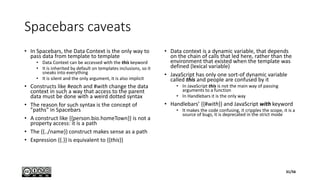
Spacebars caveats
• In Spacebars, the Data Context is the only way to
pass data from template to template
• Data Context can be accessed with the this keyword
• It is inherited by default on templates inclusions, so it
sneaks into everything
• It is silent and the only argument, it is also implicit
• Constructs like #each and #with change the data
context in such a way that access to the parent
data must be done with a weird dotted syntax
• The reason for such syntax is the concept of
"paths" in Spacebars
• A construct like {{person.bio.homeTown}} is not a
property access: it is a path
• The {{../name}} construct makes sense as a path
• Expression {{.}} is equivalent to {{this}}
• Data context is a dynamic variable, that depends
on the chain of calls that led here, rather than the
environment that existed when the template was
defined (lexical variable)
• JavaScript has only one sort-of dynamic variable
called this and people are confused by it
• In JavaScript this is not the main way of passing
arguments to a function
• In Handlebars it is the only way
• Handlebars’ {{#with}} and JavaScript with keyword
• It makes the code confusing, it cripples the scope, it is a
source of bugs, it is deprecated in the strict mode
31/56
Data contexts
Part 6
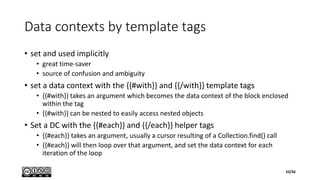
Data contexts by template tags
• set and used implicitly
• great time-saver
• source of confusion and ambiguity
• set a data context with the {{#with}} and {{/with}} template tags
• {{#with}} takes an argument which becomes the data context of the block enclosed
within the tag
• {{#with}} can be nested to easily access nested objects
• Set a DC with the {{#each}} and {{/each}} helper tags
• {{#each}} takes an argument, usually a cursor resulting of a Collection.find() call
• {{#each}} will then loop over that argument, and set the data context for each
iteration of the loop
33/56
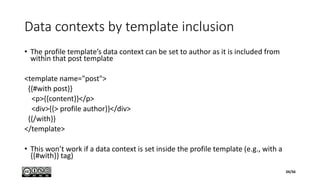
Data contexts by template inclusion
• The profile template’s data context can be set to author as it is included from
within that post template
<template name="post">
{{#with post}}
<p>{{content}}</p>
<div>{{> profile author}}</div>
{{/with}}
</template>
• This won’t work if a data context is set inside the profile template (e.g., with a
{{#with}} tag)
34/56
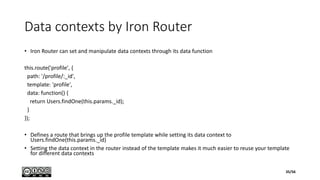
Data contexts by Iron Router
• Iron Router can set and manipulate data contexts through its data function
this.route('profile', {
path: '/profile/:_id',
template: 'profile',
data: function() {
return Users.findOne(this.params._id);
}
});
• Defines a route that brings up the profile template while setting its data context to
Users.findOne(this.params._id)
• Setting the data context in the router instead of the template makes it much easier to reuse your template
for different data contexts
35/56
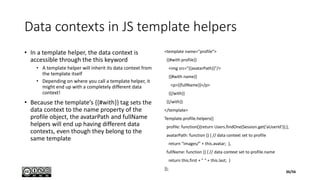
Data contexts in JS template helpers
• In a template helper, the data context is
accessible through the this keyword
• A template helper will inherit its data context from
the template itself
• Depending on where you call a template helper, it
might end up with a completely different data
context!
• Because the template’s {{#with}} tag sets the
data context to the name property of the
profile object, the avatarPath and fullName
helpers will end up having different data
contexts, even though they belong to the
same template
<template name="profile">
{{#with profile}}
<img src="{{avatarPath}}"/>
{{#with name}}
<p>{{fullName}}</p>
{{/with}}
{{/with}}
</template>
Template.profile.helpers({
profile: function(){return Users.findOne(Session.get(‘aUserId'));},
avatarPath: function () { // data context set to profile
return "images/" + this.avatar; },
fullName: function () { // data context set to profile.name
return this.first + " " + this.last; }
});
36/56
Parent Data Context Access
• Access to the parent’s DC with the .. keyword
• Access to the grandparent’s DC with the ../.. keyword
• Access to any ascendant with
Template.parentData([numLevels])
• access the parent DC by passing `1` as the parameter
<template name="profile">
{{#with profile}}
<img src="{{avatarPath}}"/>
{{#with name}}
{{parentHelper ..}}
<p>{{fullName}}</p>
{{/with}}
{{/with}}
</template>
Template.profile.helpers({
parentHelper: function (parentContext) {
console.log(this); // profile.name data context
console.log(parentContext); // profile data context
}
});
37/56
Data Context in Templates
• A “t2” template called within the
“t1” template has access to all
the same data that the “t1”
template has access to
• Data is “trickling down” between
templates which is extremely
useful
38/56
Routing with Iron Router
Part 7
Routing with Iron Router
• Routes are used to associate a
URL path with a template
• By default, routes are created for
the client and will run in the
browser
<template name="register">
<h2>Register</h2>
</template>
• Inside the JS file (but outside the
isClient and isServer
conditionals), write
Router.route('/register');
• The following URL is created
http://localhost:3000/register
40/56
Linking routes
• Use hard-coded links
<a href="/register">Register</a>
• If the path of the “/register” route
changes, the link will break
• Define a name for each route
Router.route('/', {
name: 'home',
template: 'home'
});
<a href="{{pathFor route='home'}}">
Home</a>
• Use pathFor tag to pass through
the name of a route
• The link will continue to work if the
path of the route ever changes
• The link will only break if the name
of the route is changed
• If name is undefined, the name of
the route will be equal to its path
41/56
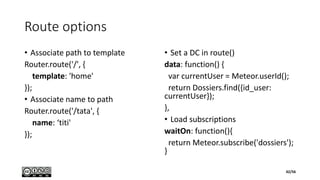
Route options
• Associate path to template
Router.route('/', {
template: 'home'
});
• Associate name to path
Router.route('/tata', {
name: ‘titi'
});
• Set a DC in route()
data: function() {
var currentUser = Meteor.userId();
return Dossiers.find({id_user:
currentUser});
},
• Load subscriptions
waitOn: function(){
return Meteor.subscribe('dossiers');
}
42/56
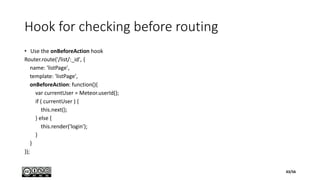
Hook for checking before routing
• Use the onBeforeAction hook
Router.route('/list/:_id', {
name: 'listPage',
template: 'listPage',
onBeforeAction: function(){
var currentUser = Meteor.userId();
if ( currentUser ) {
this.next();
} else {
this.render('login');
}
}
});
43/56
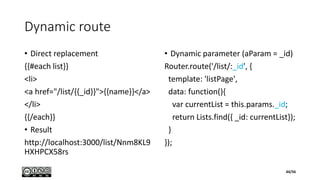
Dynamic route
• Direct replacement
{{#each list}}
<li>
<a href="/list/{{_id}}">{{name}}</a>
</li>
{{/each}}
• Result
http://localhost:3000/list/Nnm8KL9
HXHPCX58rs
• Dynamic parameter (aParam = _id)
Router.route('/list/:_id', {
template: 'listPage',
data: function(){
var currentList = this.params._id;
return Lists.find({ _id: currentList});
}
});
44/56
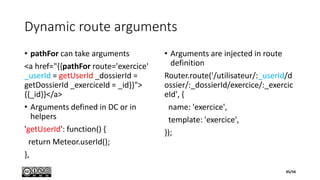
Dynamic route arguments
• pathFor can take arguments
<a href="{{pathFor route='exercice'
_userId = getUserId _dossierId =
getDossierId _exerciceId = _id}}">
{{_id}}</a>
• Arguments defined in DC or in
helpers
'getUserId': function() {
return Meteor.userId();
},
• Arguments are injected in route
definition
Router.route('/utilisateur/:_userId/d
ossier/:_dossierId/exercice/:_exercic
eId', {
name: 'exercice',
template: 'exercice',
});
45/56
Modules & Packages
Part 8
ES2015 modules import/export
• import from relative path
import '../../api/lists/methods.js';
• import module with index.js from
absolute path
import '/imports/startup/client';
• import Blaze compiled HTML from
relative path
import './loading.html';
• import CSS from absolute path
import '/imports/ui/style.css';
• named export
export const listRenderHold =
LaunchScreen.hold();
export { Todos };
• default export
export default Lists;
export default new Collection('lists');
47/56
Meteor Packages
• meteor remove autopublish insecure
• meteor add iron:router houston:admin tw:bootstrap
themeteorchef:jquery-validation moment-js aldeed:collection2
meteorhacks:npm (not needed with Meteor 1.3) sacha:spin
aldeed:collection2
48/56
Import from npm/atmosphere packages
• default import from npm
import moment from 'moment';
• named import from Atmosphere
import { HTTP } from 'meteor/http';
• Importing Meteor “pseudo-globals”
import { Name } from 'meteor/package‘;
import { Meteor } from 'meteor/meteor';
import { EJSON } from 'meteor/ejson'
49/56
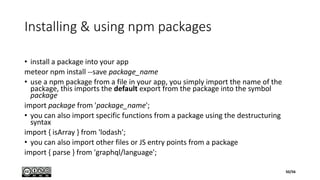
Installing & using npm packages
• install a package into your app
meteor npm install --save package_name
• use a npm package from a file in your app, you simply import the name of the
package, this imports the default export from the package into the symbol
package
import package from 'package_name';
• you can also import specific functions from a package using the destructuring
syntax
import { isArray } from 'lodash';
• you can also import other files or JS entry points from a package
import { parse } from 'graphql/language';
50/56
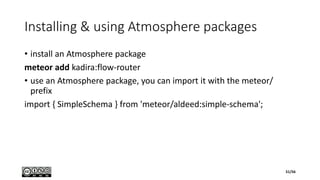
Installing & using Atmosphere packages
• install an Atmosphere package
meteor add kadira:flow-router
• use an Atmosphere package, you can import it with the meteor/
prefix
import { SimpleSchema } from 'meteor/aldeed:simple-schema';
51/56
Miscellaneous
Part 9
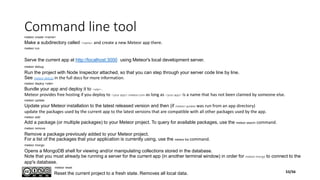
Command line toolmeteor create <name>
Make a subdirectory called <name> and create a new Meteor app there.
meteor run
Serve the current app at http://localhost:3000 using Meteor's local development server.
meteor debug
Run the project with Node Inspector attached, so that you can step through your server code line by line.
See meteor debug in the full docs for more information.
meteor deploy <site>
Bundle your app and deploy it to <site>.
Meteor provides free hosting if you deploy to <your app>.meteor.com as long as <your app> is a name that has not been claimed by someone else.
meteor update
Update your Meteor installation to the latest released version and then (if meteor update was run from an app directory)
update the packages used by the current app to the latest versions that are compatible with all other packages used by the app.
meteor add
Add a package (or multiple packages) to your Meteor project. To query for available packages, use the meteor search command.
meteor remove
Remove a package previously added to your Meteor project.
For a list of the packages that your application is currently using, use the meteor list command.
meteor mongo
Opens a MongoDB shell for viewing and/or manipulating collections stored in the database.
Note that you must already be running a server for the current app (in another terminal window) in order for meteor mongo to connect to the
app's database.
meteor reset
Reset the current project to a fresh state. Removes all local data. 53/56
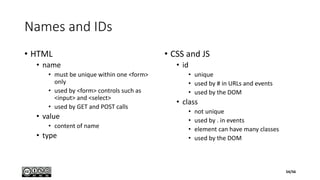
Names and IDs
• HTML
• name
• must be unique within one <form>
only
• used by <form> controls such as
<input> and <select>
• used by GET and POST calls
• value
• content of name
• type
• CSS and JS
• id
• unique
• used by # in URLs and events
• used by the DOM
• class
• not unique
• used by . in events
• element can have many classes
• used by the DOM
54/56
Javascript objects
• unordered collection of properties
• each property is a (name, value) pair
• a name must be a unique string (inside the object)
• property attributes
• writable : can be set
• enumerable : property name is returned by a for/in loop
• configurable : can be deleted
• object attributes
• prototype : is a reference to another object from which
properties are inherited
• class : is a string that categorizes the type of an object
• the extensible flag specifies (in ECMAScript 5) whether
new properties may be added to the object
• var y = x // by reference, not by copy!
• A native object is an object or class of objects
defined by the ECMAScript specification
• Arrays, functions, dates, and regular expressions (for
example) are native objects
• A host object is an object defined by the host
environment (such as a web browser) within which
the JavaScript interpreter is embedded
• The HTMLElement objects that represent the structure
of a web page in client-side JavaScript are host objects
• Host objects may also be native objects, as when the
host environment defines methods that are normal
JavaScript Function objects
• A user-defined object is any object created by the
execution of JavaScript code.
• An own property is a property defined directly on
an object
• An inherited property is a property defined by an
object’s prototype object
55/56
Arrow functions
• An arrow function expression has a shorter syntax compared to function expressions and lexically binds the
this value (does not bind its own this, arguments, super, or new.target)
• Arrow functions are always anonymous
(param1, param2, …, paramN) => { statements }
(param1, param2, …, paramN) => expression
• equivalent to: => { return expression; }
• Parentheses are optional when there's only one parameter
(singleParam) => { statements }
singleParam => { statements }
• A function with no parameters requires parentheses
() => { statements }
56/56

The Meteor Framework

  • 1.
    The Meteor Framework DamienMagoni 2015/12/11 Version 1
  • 2.
    Attribution • The materialcontained inside is intended for teaching. • This document is licensed under the CC BY-NC-SA license. • Relevant sources are listed on the following References slide. • All figures and text borrowed from these sources retain the rights of their respective owners. 2/56
  • 3.
    References • Websites • Officialwebsite • Meteor on Twitter • Meteor on GitHub • Meteor on StackOverflow • forums.meteor.com - Meteor discussion forums • crater.io - Meteor News • Books • Turnbull, David - Your First Meteor Application (2014) • Coleman, Tom; Greif, Sacha - Discover Meteor (2014) • Hochhaus, Stephan; Schoebel, Manuel - Meteor in Action (2014) • Susiripala, Arunoda - Bulletproof Meteor (2014) • Susiripala, Arunoda - Meteor Explained - A Journey Into Meteor’s Reactivity (2014) • Strack, Isaac - Getting started with Meteor.js JavaScript framework (2012) • http://meteorcapture.com/ 3/56
  • 4.
    Acknowledgments & Warning •Special thanks to all the authors of the documents cited in the references for their high-quality teaching material from which I have borrowed extensively. • This material has been written in late 2015 and as Meteor is a fast moving target, some parts may be outdated. 4/56
  • 5.
    Table of Contents 1.Presentation 2. Principles 3. Templates 4. Sessions 5. Spacebars 6. Data contexts 7. Routing with Iron Router 8. Modules & packages 9. Misc 5/56
  • 6.
  • 7.
    Meteor • Open-source JavaScriptweb application framework • Backend • Uses Node.js • Integrates with MongoDB • uses the Distributed Data Protocol • uses a publish–subscribe pattern to propagate data changes to clients without writing any synchronization code • Frontend • depends on jQuery (Blaze = reactive jQuery) • can be used with any JavaScript UI widget library (e.g., Bootstrap) 7/56
  • 8.
  • 9.
    Blaze • Library forcreating UIs by writing reactive HTML templates • Combination of traditional templates and jQuery requires "update logic" in your app that listens for data changes and manipulates the DOM • Instead, template directives like {{#if}} and {{#each}} integrate with Tracker's "transparent reactivity" and Minimongo's database cursors so that the DOM updates automatically • Blaze has two major parts • A compiler from template files into JavaScript code that runs against the Blaze runtime library • Moreover, Blaze provides a compiler toolchain (think LLVM) that can be used to support arbitrary template syntaxes • The flagship template syntax is Spacebars, a variant of Handlebars • Community alternative based on Jade is already in use by many apps • A reactive DOM engine that builds and manages the DOM at runtime • invoked via templates or directly from the app • features reactively updating regions, lists, and attributes; event delegation; callbacks and hooks • Similar to frameworks like React, Angular, Ember, Polymer, Knockout, etc. • focus on the developer experience, using templating, transparent reactivity, and interoperability with existing libraries • gentle learning curve • It hooks into jQuery's clean-up routines to prevent memory leaks, and it preserves classes, attributes, and styles added to elements by jQuery or any third-party library 9/56
  • 10.
    Tracker • Library fortransparent reactive programming in JavaScript • Formerly called Deps • Functional Reactive Programming (FRP) system without requiring you to rewrite your program as a FRP data flow graph • Combined with Tracker-aware libraries, this lets you build complex event- driven programs without writing a lot of boilerplate event-handling code • A simple convention, or interface, that lets reactive data sources (database) talk to reactive data consumers (live-updating HTML templating library) without the application code in between having to be involved • Since the convention is very simple, it is quick and easy for library authors to make their libraries Tracker-aware, so that they can participate in Tracker reactivity 10/56
  • 11.
    Alternative web applicationframeworks Project Current stable version Release date License AngularJS 1.4.0 2015-05-26 MIT License KnockoutJS 3.2.0 2014-08-12 MIT License Backbone.js 1.1.2 2014-02-20 MIT License Ember.js 2.0.2 2015-09-07 MIT License OpenUI5 1.26.8 2015-03-10 Apache 2.0 License by SAP Express.js 4.12.3 2015-03-17 MIT License Unified.js 14.0 2014-04-01 BSD (component only) & proprietary 11/56
  • 12.
  • 13.
    Principles of Meteor •Data on the Wire • Meteor doesn't send HTML over the network. The server sends data and lets the client render it • One Language • both the client and the server parts of your application written in JavaScript • Database Everywhere • same methods to access your database from the client or the server • Latency Compensation • On the client, Meteor prefetches data and simulates models to make it look like server method calls return instantly • Full Stack Reactivity • All layers, from database to template, update themselves automatically when necessary • Embrace the Ecosystem • Meteor is open source and integrates with existing open source tools and frameworks • Simplicity Equals Productivity • Meteor's main functionality has clean, classically beautiful APIs 13/56
  • 14.
  • 15.
    Code rules inMeteor • Code simultaneously runs in two different environments • on the client and on the server • Code behaves differently depending on the environment • Sometimes we don’t want our code to run in both places • use booleans Meteor.isClient / Meteor.isServer • place code in client/ or in server/ folders • Code in client/ always runs on the client • Code in server/ always runs on server and is never sent to the client 15/56
  • 16.
    Variable/function scope inMeteor • Variables in Meteor declared with the var keyword are scoped to the file they are declared in • To define a global variable, don't write the var keyword • someVarname = 'someValue'; • To define a global function, assign it to a global var • someFun = function someFun() {...} • This will define a variable/function in all your application by default • you may restrict it by writing that declaration in a specific recognized folder (client or server folder for example) 16/56
  • 17.
  • 18.
    Template <body> {{> hello}} </body> <template name=“hello"> HelloWorld </template> • Inside HTML code • Spacebars syntax 18/56
  • 19.
    Helpers <template name="tasklist"> <ul> {{#each tasks}} <li>{{text}}</li> {{/each}} </ul> </template> if(Meteor.isClient) { Template.tasklist.helpers({ tasks: [ { text: "This is task 1" }, { text: "This is task 2" }, { text: "This is task 3" } ] }); } 19/56
  • 20.
    Collections Tasks = newMongo.Collection("dbtasks"); Tasks.insert({ text: "Hello world!", createdAt: new Date() }); if (Meteor.isClient) { Template.tasklist.helpers({ tasks: function () { return Tasks.find({}, {sort: {createdAt: -1}}); } }); } • Built from MongoDB collections • dbtasks • Global JS variables • Both in client and server • Minimongo on the client • Auto synchronization 20/56
  • 21.
    Events for insertion <templatename="tasklist"> <form class="new-task"> <input type="text" name="text" placeholder="Type in new tasks" /> </form> </template> Template.tasklist.events({ "submit .new-task": function(event) { event.preventDefault(); var text = event.target.text.value; Tasks.insert({ text: text, createdAt: new Date() }); event.target.text.value = ""; } }); 21/56
  • 22.
    Events for updateand deletion <template name="task"> <li class="{{#if checked}}checked{{/if}}"> <button class="delete">&times;</button> <input type="checkbox" checked="{{checked}}" class="toggle-checked" /> <span class="text">{{text}}</span> </li> </template> Template.task.events({ "click .toggle-checked": function() { Tasks.update(this._id, { $set: {checked: ! this.checked} }); }, "click .delete": function() { Tasks.remove(this._id); } }); this refers to a task objet (= DC) _id refers to its MongoDB id $set refers to a MongoDB operator 22/56
  • 23.
  • 24.
    Session <label class="hide-completed"> <input type="checkbox" checked="{{hideCompleted}}" /> HideCompleted Tasks </label> Template.tasklist.events({ "change .hide-completed input": function(event) { Session.set("hideCompleted", event.target.checked); } }); Template.tasklist.helpers({ tasks: function() { if (Session.get("hideCompleted")) { return Tasks.find({checked: {$ne: true}}, {sort: {createdAt: -1}}); } else { return Tasks.find({}, {sort: {createdAt: -1}}); } }, hideCompleted: function() { return Session.get("hideCompleted"); } }); 24/56
  • 25.
    Session as areactive data store for the client • State is usually stored in collections • the view updates automatically when the data inside these collections are modified • Mongo.Collection is recognized by Meteor as a reactive data source • Meteor knows when the data inside has changed • Session is the same way, but is not synced with the server like collections are • convenient place to store temporary UI state • No need to write any extra code for the template to update when the Session variable changes — just calling Session.get(...) inside the helper is enough 25/56
  • 26.
    EJSON • EJSON isan extension of JSON to support more types • It supports all JSON-safe types • Date (JavaScript Date) • Binary (JavaScript Uint8Array or the result of EJSON.newBinary) • User-defined types (see EJSON.addType. For example, Mongo.ObjectID is implemented this way.) • All EJSON serializations are also valid JSON • For example an object with a date and a binary buffer would be serialized in EJSON as { "d": {"$date": 1358205756553}, "b": {"$binary": "c3VyZS4="} } • Meteor supports all built-in EJSON data types in • publishers • method arguments and results • Mongo databases • Session variables 26/56
  • 27.
  • 28.
    Spacebars • Four majortypes of template tags • {{pageTitle}} - Double-braced template tags are used to insert a string of text. The text is automatically made safe. It may contain any characters (like <) and will never produce HTML tags. • {{> nav}} - Inclusion template tags are used to insert another template by name. • {{#each}} - The block tags #if, #each, #with, and #unless are built in, and it is also possible to define custom ones. Some block tags, like #each and #with, establish a new data context for evaluating their contents. • {{{content}}} - Triple-braced template tags are used to insert raw HTML. 28/56
  • 29.
    Spacebars #each Template.list.helpers({ items: [ {name: "foo", pet: "dog" }, { name: "bar", pet: "cat" } ]; }); Template.list.helpers({ items: [ "foo", "bar" ] }); <template name="list"> {{#each items}} {{name}} - {{pet}}<br> {{/each}} </template> <template name="list"> {{#each items}} {{this}}<br> {{/each}} </template> 29/56
  • 30.
    Identifiers and Paths •A Spacebars identifier is either • a JavaScript identifier name • any string enclosed in square brackets ( [ and ] ) • The special identifiers this (or equivalently, .) and .. • Brackets are required to use one of the following as the first element of a path: else, this, true, false, and null • Brackets are not required around JavaScript keywords and reserved words like var and for • A Spacebars path is a series of one or more identifiers separated by either . or / • E.g., foo, foo.bar, this.name, ../title, or foo.[0] (numeric indices must be enclosed in brackets) • Name Resolution • The first identifier in a path is resolved in one of two ways • Indexing the current data context. The identifier foo refers to the foo property of the current data context object. • As a template helper. The identifier foo refers to a helper function (or constant value) that is accessible from the current template. • Template helpers take priority over properties of the data context • If a path starts with .. , then the enclosing data context is used instead of the current one. The enclosing data context might be the one outside the current #each, #with, or template inclusion. • Path Evaluation • When evaluating a path, identifiers after the first are used to index into the object so far, like JavaScript's .(dot) . However, an error is never thrown when trying to index into a non-object or an undefined value. • In addition, Spacebars will call functions for you, so {{foo.bar}} may be taken to mean foo().bar, foo.bar(), or foo().bar() as appropriate. 30/56
  • 31.
    Spacebars caveats • InSpacebars, the Data Context is the only way to pass data from template to template • Data Context can be accessed with the this keyword • It is inherited by default on templates inclusions, so it sneaks into everything • It is silent and the only argument, it is also implicit • Constructs like #each and #with change the data context in such a way that access to the parent data must be done with a weird dotted syntax • The reason for such syntax is the concept of "paths" in Spacebars • A construct like {{person.bio.homeTown}} is not a property access: it is a path • The {{../name}} construct makes sense as a path • Expression {{.}} is equivalent to {{this}} • Data context is a dynamic variable, that depends on the chain of calls that led here, rather than the environment that existed when the template was defined (lexical variable) • JavaScript has only one sort-of dynamic variable called this and people are confused by it • In JavaScript this is not the main way of passing arguments to a function • In Handlebars it is the only way • Handlebars’ {{#with}} and JavaScript with keyword • It makes the code confusing, it cripples the scope, it is a source of bugs, it is deprecated in the strict mode 31/56
  • 32.
  • 33.
    Data contexts bytemplate tags • set and used implicitly • great time-saver • source of confusion and ambiguity • set a data context with the {{#with}} and {{/with}} template tags • {{#with}} takes an argument which becomes the data context of the block enclosed within the tag • {{#with}} can be nested to easily access nested objects • Set a DC with the {{#each}} and {{/each}} helper tags • {{#each}} takes an argument, usually a cursor resulting of a Collection.find() call • {{#each}} will then loop over that argument, and set the data context for each iteration of the loop 33/56
  • 34.
    Data contexts bytemplate inclusion • The profile template’s data context can be set to author as it is included from within that post template <template name="post"> {{#with post}} <p>{{content}}</p> <div>{{> profile author}}</div> {{/with}} </template> • This won’t work if a data context is set inside the profile template (e.g., with a {{#with}} tag) 34/56
  • 35.
    Data contexts byIron Router • Iron Router can set and manipulate data contexts through its data function this.route('profile', { path: '/profile/:_id', template: 'profile', data: function() { return Users.findOne(this.params._id); } }); • Defines a route that brings up the profile template while setting its data context to Users.findOne(this.params._id) • Setting the data context in the router instead of the template makes it much easier to reuse your template for different data contexts 35/56
  • 36.
    Data contexts inJS template helpers • In a template helper, the data context is accessible through the this keyword • A template helper will inherit its data context from the template itself • Depending on where you call a template helper, it might end up with a completely different data context! • Because the template’s {{#with}} tag sets the data context to the name property of the profile object, the avatarPath and fullName helpers will end up having different data contexts, even though they belong to the same template <template name="profile"> {{#with profile}} <img src="{{avatarPath}}"/> {{#with name}} <p>{{fullName}}</p> {{/with}} {{/with}} </template> Template.profile.helpers({ profile: function(){return Users.findOne(Session.get(‘aUserId'));}, avatarPath: function () { // data context set to profile return "images/" + this.avatar; }, fullName: function () { // data context set to profile.name return this.first + " " + this.last; } }); 36/56
  • 37.
    Parent Data ContextAccess • Access to the parent’s DC with the .. keyword • Access to the grandparent’s DC with the ../.. keyword • Access to any ascendant with Template.parentData([numLevels]) • access the parent DC by passing `1` as the parameter <template name="profile"> {{#with profile}} <img src="{{avatarPath}}"/> {{#with name}} {{parentHelper ..}} <p>{{fullName}}</p> {{/with}} {{/with}} </template> Template.profile.helpers({ parentHelper: function (parentContext) { console.log(this); // profile.name data context console.log(parentContext); // profile data context } }); 37/56
  • 38.
    Data Context inTemplates • A “t2” template called within the “t1” template has access to all the same data that the “t1” template has access to • Data is “trickling down” between templates which is extremely useful 38/56
  • 39.
    Routing with IronRouter Part 7
  • 40.
    Routing with IronRouter • Routes are used to associate a URL path with a template • By default, routes are created for the client and will run in the browser <template name="register"> <h2>Register</h2> </template> • Inside the JS file (but outside the isClient and isServer conditionals), write Router.route('/register'); • The following URL is created http://localhost:3000/register 40/56
  • 41.
    Linking routes • Usehard-coded links <a href="/register">Register</a> • If the path of the “/register” route changes, the link will break • Define a name for each route Router.route('/', { name: 'home', template: 'home' }); <a href="{{pathFor route='home'}}"> Home</a> • Use pathFor tag to pass through the name of a route • The link will continue to work if the path of the route ever changes • The link will only break if the name of the route is changed • If name is undefined, the name of the route will be equal to its path 41/56
  • 42.
    Route options • Associatepath to template Router.route('/', { template: 'home' }); • Associate name to path Router.route('/tata', { name: ‘titi' }); • Set a DC in route() data: function() { var currentUser = Meteor.userId(); return Dossiers.find({id_user: currentUser}); }, • Load subscriptions waitOn: function(){ return Meteor.subscribe('dossiers'); } 42/56
  • 43.
    Hook for checkingbefore routing • Use the onBeforeAction hook Router.route('/list/:_id', { name: 'listPage', template: 'listPage', onBeforeAction: function(){ var currentUser = Meteor.userId(); if ( currentUser ) { this.next(); } else { this.render('login'); } } }); 43/56
  • 44.
    Dynamic route • Directreplacement {{#each list}} <li> <a href="/list/{{_id}}">{{name}}</a> </li> {{/each}} • Result http://localhost:3000/list/Nnm8KL9 HXHPCX58rs • Dynamic parameter (aParam = _id) Router.route('/list/:_id', { template: 'listPage', data: function(){ var currentList = this.params._id; return Lists.find({ _id: currentList}); } }); 44/56
  • 45.
    Dynamic route arguments •pathFor can take arguments <a href="{{pathFor route='exercice' _userId = getUserId _dossierId = getDossierId _exerciceId = _id}}"> {{_id}}</a> • Arguments defined in DC or in helpers 'getUserId': function() { return Meteor.userId(); }, • Arguments are injected in route definition Router.route('/utilisateur/:_userId/d ossier/:_dossierId/exercice/:_exercic eId', { name: 'exercice', template: 'exercice', }); 45/56
  • 46.
  • 47.
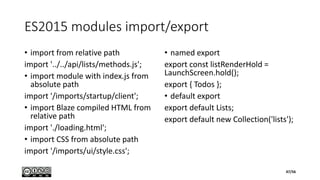
    ES2015 modules import/export •import from relative path import '../../api/lists/methods.js'; • import module with index.js from absolute path import '/imports/startup/client'; • import Blaze compiled HTML from relative path import './loading.html'; • import CSS from absolute path import '/imports/ui/style.css'; • named export export const listRenderHold = LaunchScreen.hold(); export { Todos }; • default export export default Lists; export default new Collection('lists'); 47/56
  • 48.
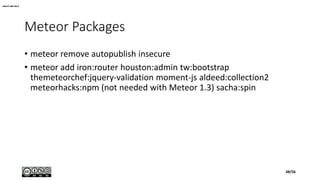
    Meteor Packages • meteorremove autopublish insecure • meteor add iron:router houston:admin tw:bootstrap themeteorchef:jquery-validation moment-js aldeed:collection2 meteorhacks:npm (not needed with Meteor 1.3) sacha:spin aldeed:collection2 48/56
  • 49.
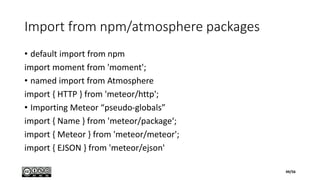
    Import from npm/atmospherepackages • default import from npm import moment from 'moment'; • named import from Atmosphere import { HTTP } from 'meteor/http'; • Importing Meteor “pseudo-globals” import { Name } from 'meteor/package‘; import { Meteor } from 'meteor/meteor'; import { EJSON } from 'meteor/ejson' 49/56
  • 50.
    Installing & usingnpm packages • install a package into your app meteor npm install --save package_name • use a npm package from a file in your app, you simply import the name of the package, this imports the default export from the package into the symbol package import package from 'package_name'; • you can also import specific functions from a package using the destructuring syntax import { isArray } from 'lodash'; • you can also import other files or JS entry points from a package import { parse } from 'graphql/language'; 50/56
  • 51.
    Installing & usingAtmosphere packages • install an Atmosphere package meteor add kadira:flow-router • use an Atmosphere package, you can import it with the meteor/ prefix import { SimpleSchema } from 'meteor/aldeed:simple-schema'; 51/56
  • 52.
  • 53.
    Command line toolmeteorcreate <name> Make a subdirectory called <name> and create a new Meteor app there. meteor run Serve the current app at http://localhost:3000 using Meteor's local development server. meteor debug Run the project with Node Inspector attached, so that you can step through your server code line by line. See meteor debug in the full docs for more information. meteor deploy <site> Bundle your app and deploy it to <site>. Meteor provides free hosting if you deploy to <your app>.meteor.com as long as <your app> is a name that has not been claimed by someone else. meteor update Update your Meteor installation to the latest released version and then (if meteor update was run from an app directory) update the packages used by the current app to the latest versions that are compatible with all other packages used by the app. meteor add Add a package (or multiple packages) to your Meteor project. To query for available packages, use the meteor search command. meteor remove Remove a package previously added to your Meteor project. For a list of the packages that your application is currently using, use the meteor list command. meteor mongo Opens a MongoDB shell for viewing and/or manipulating collections stored in the database. Note that you must already be running a server for the current app (in another terminal window) in order for meteor mongo to connect to the app's database. meteor reset Reset the current project to a fresh state. Removes all local data. 53/56
  • 54.
    Names and IDs •HTML • name • must be unique within one <form> only • used by <form> controls such as <input> and <select> • used by GET and POST calls • value • content of name • type • CSS and JS • id • unique • used by # in URLs and events • used by the DOM • class • not unique • used by . in events • element can have many classes • used by the DOM 54/56
  • 55.
    Javascript objects • unorderedcollection of properties • each property is a (name, value) pair • a name must be a unique string (inside the object) • property attributes • writable : can be set • enumerable : property name is returned by a for/in loop • configurable : can be deleted • object attributes • prototype : is a reference to another object from which properties are inherited • class : is a string that categorizes the type of an object • the extensible flag specifies (in ECMAScript 5) whether new properties may be added to the object • var y = x // by reference, not by copy! • A native object is an object or class of objects defined by the ECMAScript specification • Arrays, functions, dates, and regular expressions (for example) are native objects • A host object is an object defined by the host environment (such as a web browser) within which the JavaScript interpreter is embedded • The HTMLElement objects that represent the structure of a web page in client-side JavaScript are host objects • Host objects may also be native objects, as when the host environment defines methods that are normal JavaScript Function objects • A user-defined object is any object created by the execution of JavaScript code. • An own property is a property defined directly on an object • An inherited property is a property defined by an object’s prototype object 55/56
  • 56.
    Arrow functions • Anarrow function expression has a shorter syntax compared to function expressions and lexically binds the this value (does not bind its own this, arguments, super, or new.target) • Arrow functions are always anonymous (param1, param2, …, paramN) => { statements } (param1, param2, …, paramN) => expression • equivalent to: => { return expression; } • Parentheses are optional when there's only one parameter (singleParam) => { statements } singleParam => { statements } • A function with no parameters requires parentheses () => { statements } 56/56