The 
Django 
Book 
Chapter 
7: 
Forms 
Speaker: 
Vincent 
Chien
def ua_display_good2(request): 
ua = request.META.get(’HTTP_USER_AGENT’, ’unknown’) 
return HttpResponse("Your browser is %s" % ua) 
Getting 
Data 
From 
the 
Request 
Object 
We encourage you to write a small view that displays all of the request.META data so you in there. Here’s what that view might look like: 
def display_meta(request): 
values = request.META.items() 
values.sort() 
html = [] 
for k, v in values: 
Django Book Documentation, html.append(’<tr><td>%s</td><td>%s</td></tr>’ % (k, v)) 
return HttpResponse(’<table>%s</table>’ % ’n’.join(html)) 
104 Chapter As an exercise, see whether you can convert this view to use Django’s template system instead of hard-HTML. Also try adding request.path and the other HttpRequest methods from the previous section. 
8.1.3 Information About Submitted Data 
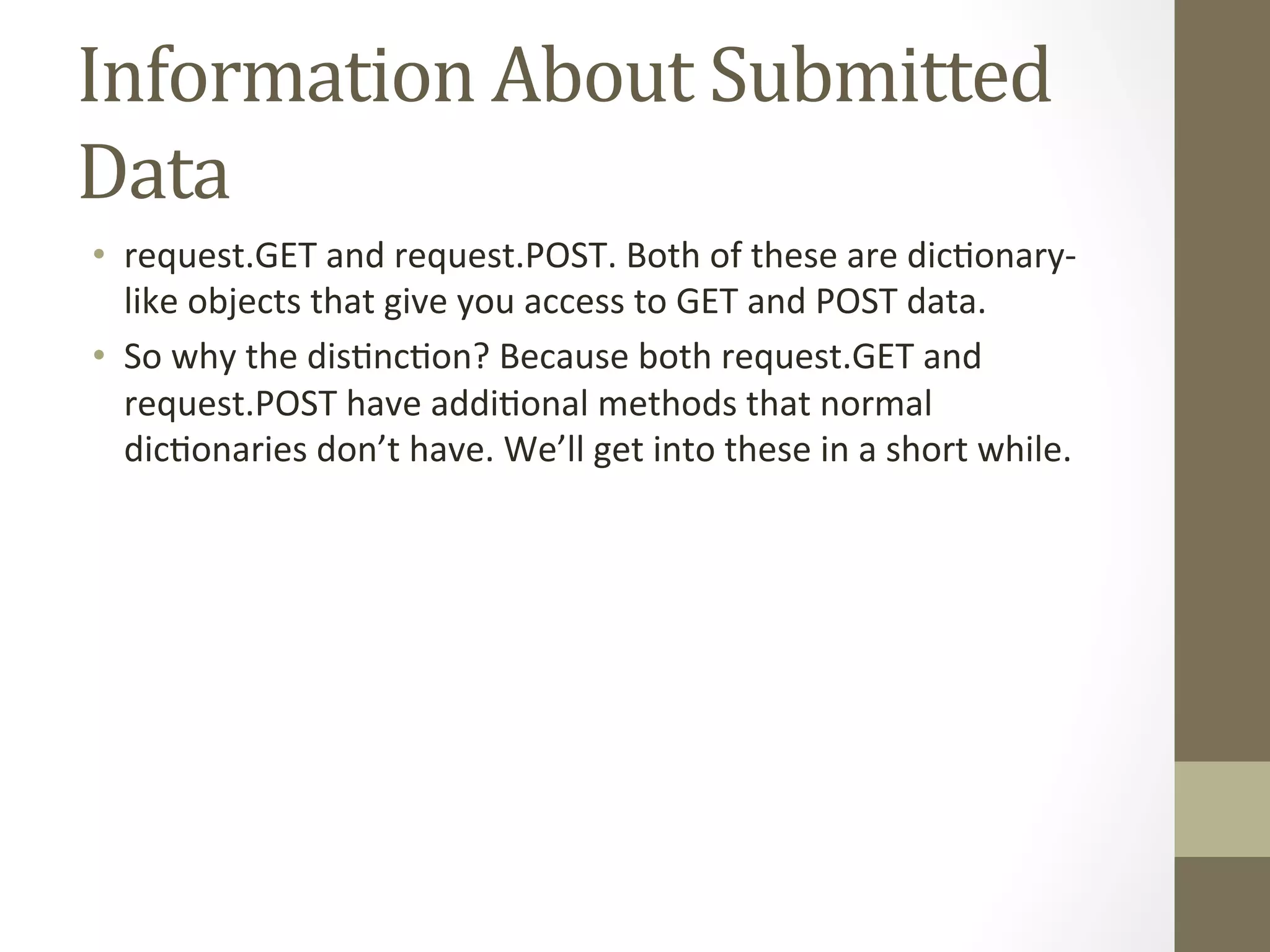
Beyond basic metadata about the request, HttpRequest objects have two attributes that contain information by the user: request.GET and request.POST. Both of these are dictionary-like objects access to GET and POST data. 
Dictionary-like objects 
When we say request.GET and request.POST are “dictionary-like” objects, we mean that they
Information 
About 
Submitted 
Data 
• request.GET 
and 
request.POST. 
Both 
of 
these 
are 
dic@onary-­‐ 
like 
objects 
that 
give 
you 
access 
to 
GET 
and 
POST 
data. 
• So 
why 
the 
dis@nc@on? 
Because 
both 
request.GET 
and 
request.POST 
have 
addi@onal 
methods 
that 
normal 
dic@onaries 
don’t 
have. 
We’ll 
get 
into 
these 
in 
a 
short 
while.
simple: just a single field, ’q’. Because it’s so simple, we didn’t even use Django’s form library to deal with it. 
But more complex forms call for more complex treatment – and now we’ll develop something more complex: a site 
contact form. 
This Making 
will be a form that lets a 
site Contact 
users submit a bit of feedback, along with an form is submitted and the data is validated, we’ll automatically Form 
send the (message template) 
optional e-mail return address. After the 
via e-mail to the site staff. 
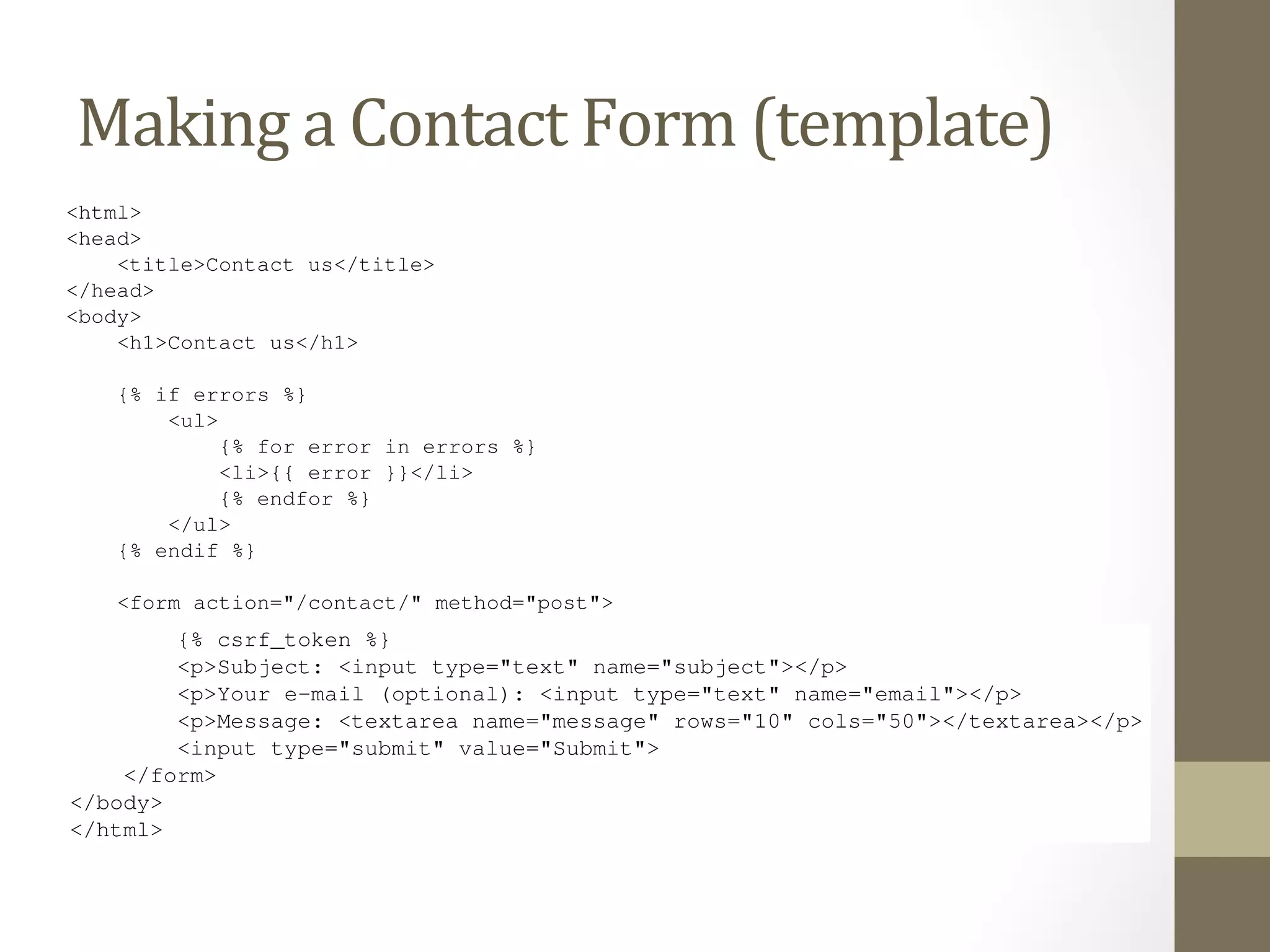
We’ll start with our template, contact_form.html. 
<html> 
<head> 
<title>Contact us</title> 
</head> 
<body> 
<h1>Contact us</h1> 
{% if errors %} 
<ul> 
{% for error in errors %} 
<li>{{ error }}</li> 
{% endfor %} 
</ul> 
Django Book Documentation, Release 0.1 
{% endif %} 
<form action="/contact/" method="post"> 
{% csrf_token %} 
<p>Subject: <input type="text" name="subject"></p> 
<p>Your e-mail (optional): <input type="text" name="email"></p> 
<p>Message: <textarea name="message" rows="10" cols="50"></textarea></p> 
<input type="submit" value="Submit"> 
8.5. Making a Contact Form 111 
</form> 
</body> 
</html> 
We’ve defined three fields: the subject, e-mail address and message. The second is optional, but the other two 
fields are required. Note we’re using method="post" here instead of method="get" because this form sub-mission 
has a side effect – it sends an e-mail. Also, we copied the error-displaying code from our previous template
We’ve defined three fields: the subject, e-mail address and message. The second is optional, but the other two 
fields are required. Note we’re using method="post" here instead of method="get" because this form sub-mission 
has a side effect – it sends an e-mail. Also, we copied the error-displaying code from our previous template 
search_If Making 
form.html. 
we continue down the a 
road Contact 
established by our Form 
search() view (from views.the previous py) 
section, a naive version of our 
contact() view might look like this: 
from django.core.mail import send_mail 
from django.http import HttpResponseRedirect 
from django.shortcuts import render 
from django.template import RequestContext 
def contact(request): 
errors = [] 
if request.method == ’POST’: 
if not request.POST.get(’subject’, ’’): 
errors.append(’Enter a subject.’) 
if not request.POST.get(’message’, ’’): 
errors.append(’Enter a message.’) 
if request.POST.get(’email’) and ’@’ not in request.POST[’email’]: 
errors.append(’Enter a valid e-mail address.’) 
if not errors: 
send_mail( 
request.POST[’subject’], 
request.POST[’message’], 
request.POST.get(’email’, ’noreply@example.com’), 
[’siteowner@example.com’], 
) 
return HttpResponseRedirect(’/contact/thanks/’) 
return render(request, ’contact_form.html’, 
{’errors’: errors}, context_instance=RequestContext(request)) 
#todo - explain CSRF token 
(If you’re following along, you may be wondering whether to put this view in the file. It doesn’t
Form 
Class 
Django Book Documentation, – including directly in your views.py file – but community convention is to keep Form called Django Book Documentation, Release 0.1 
• django.forms 
vs. 
django.newforms 
class – CharField and EmailField are the only types of fields used here Each field is required by default, so to make email optional, we specify required=Let’s hop into the Python interactive interpreter and see what this class can do. The first as HTML: 
>>> from contact.forms import ContactForm 
>>> f = ContactForm() 
>>> print f 
<tr><th><label for="id_subject">Subject:</label></th><td><input forms.py. Create this file in the same directory as your views.py, and enter from django import forms 
– including directly in your views.py file – but community convention is to keep Form classes in a separate file 
called forms.py. Create this file in the same directory as your views.py, and enter the following: 
from django import forms 
class ContactForm(ContactForm(forms.Form): 
forms.Form): 
subject = forms.CharField() 
email = forms.EmailField(required=False) 
message = forms.CharField() 
subject = forms.CharField() 
email = forms.EmailField(required=False) 
message = forms.CharField() 
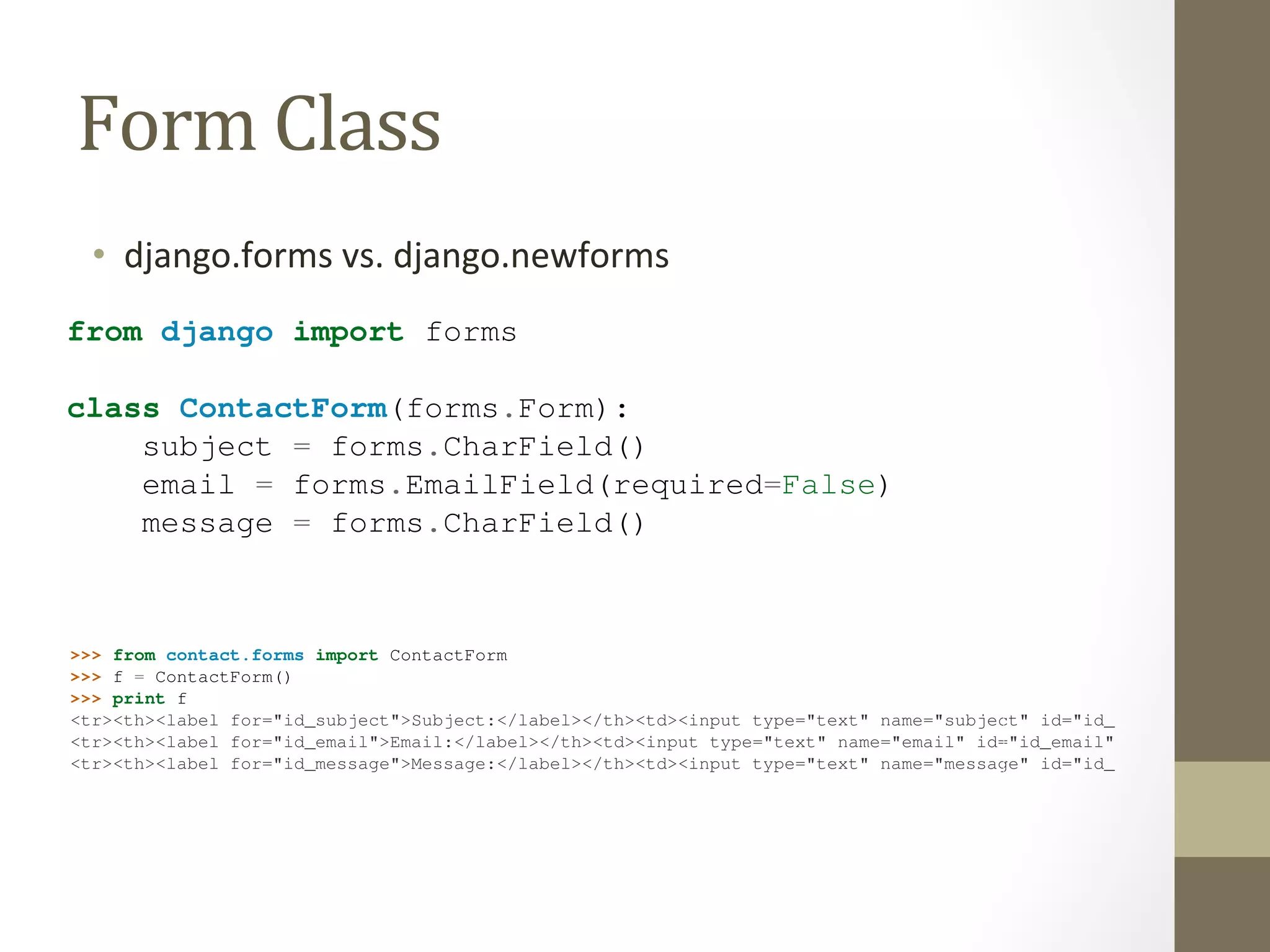
This is pretty intuitive, and it’s similar to Django’s model syntax. Each field in the form is represented by a type of 
Field class – CharField and EmailField are the only types of fields used here – as attributes of a Form class. 
Each field is required by default, so to make email optional, we specify required=False. 
Let’s hop into the Python interactive interpreter and see what this class can do. The first thing it can do is display itself 
as HTML: 
>>> from contact.forms import ContactForm 
>>> f = ContactForm() 
>>> print f 
<tr><th><label for="id_subject">Subject:</label></th><td><input type="text" name="subject" id="id_subject" /></td></<tr><th><label for="id_email">Email:</label></th><td><input type="text" name="email" id="id_email" /></td></tr> 
<tr><th><label for="id_message">Message:</label></th><td><input type="text" name="message" id="id_message" /></td></Django adds a label to each field, along with <label> tags for accessibility. The idea is to make the default behavior 
as optimal as possible. 
This default output is in the format of an HTML <table>, but there are a few other built-in outputs: 
>>> print f.as_ul() 
<li><label for="id_subject">Subject:</label> <input type="text" name="subject" id="id_subject" /></li> 
<li><label for="id_email">Email:</label> <input type="text" name="email" id="id_email" /></li> 
This is pretty intuitive, and it’s similar to Django’s model syntax. Each field in the form Field
<tr><th><label for="id_subject">Subject:</label></th><td><input type="text" name="subject" id="<tr><th><label for="id_email">Email:</label></th><td><input type="text" name="email" id="id_email" <tr><th><label for="id_message">Message:</label></th><td><input type="text" name="message" id="Django adds a label to each field, along with <label> tags for accessibility. The idea is to make the default behavior 
as optimal as possible. 
This default output is in the format of an HTML <table>, but there are a few other built-in outputs: 
>>> print f.as_ul() 
<li><label for="id_subject">Subject:</label> <input type="text" name="subject" id="id_subject" <li><label for="id_email">Email:</label> <input type="text" name="email" id="id_email" /></li> 
<li><label for="id_message">Message:</label> <input type="text" name="message" id="id_message" >>> print f.as_p() 
<p><label for="id_subject">Subject:</label> <input type="text" name="subject" id="id_subject" <p><label for="id_email">Email:</label> <input type="text" name="email" id="id_email" /></p> 
<p><label for="id_message">Message:</label> <input type="text" name="message" id="id_message" Note that the opening and closing <table>, <ul> and <form> tags aren’t included in the output, so that you can 
add any additional rows and customization if necessary. 
These methods are just shortcuts for the common case of “display the entire form.” You can also display the HTML 
for a particular field: 
>>> print f[’subject’] 
<input type="text" name="subject" id="id_subject" /> 
>>> print f[’message’] 
<input type="text" name="message" id="id_message" /> 
The second thing Form objects can do is validate data. To validate data, create a new Form object and pass it a 
dictionary of data that maps field names to data: 
>>> f = ContactForm({’subject’: ’Hello’, ’email’: ’adrian@example.com’, ’message’: ’Nice site!’}) 
Once you’ve associated data with a Form instance, you’ve created a “bound” form: 
>>> f.is_bound 
True 
Call the method on any bound to find out whether its data is valid. We’ve passed a valid value 
as optimal as possible. 
This default output is in the format of an HTML <table>, but there are a few other built-in outputs: 
>>> <Other 
print f.as_ul() 
li><label for="output 
id_subject">Subject:</format 
label> <input type="text" name="subject" id="id_subject" <li><label for="id_email">Email:</label> <input type="text" name="email" id="id_email" /></<li><label for="id_message">Message:</label> <input type="text" name="message" id="id_message" >>> print f.as_p() 
<p><label for="id_subject">Subject:</label> <input type="text" name="subject" id="id_subject" <p><label for="id_email">Email:</label> <input type="text" name="email" id="id_email" /></<p><label for="id_message">Message:</label> <input type="text" name="message" id="id_message" Note that the opening and closing <table>, <ul> and <form> tags aren’t included in the output, so that you can 
add any additional rows and customization if necessary. 
These methods are just shortcuts for the common case of “display the entire form.” You can also display the HTML 
for a particular field: 
>>> print f[’subject’] 
<input type="text" name="subject" id="id_subject" /> 
>>> print f[’message’] 
<input type="text" name="message" id="id_message" /> 
The second thing Form objects can do is validate data. To validate data, create a new Form object and pass it a 
dictionary of data that maps field names to data: 
>>> f = ContactForm({’subject’: ’Hello’, ’email’: ’adrian@example.com’, ’message’: ’Nice site!’}) 
Once you’ve associated data with a Form instance, you’ve created a “bound” form: 
>>> f.is_bound 
True 
Call the is_valid() method on any bound Form to find out whether its data is valid. We’ve passed a valid value 
for each field, so the Form in its entirety is valid:
8.7 Tying Form Objects Into Views 
Tying 
Form 
Objects 
Into 
Views 
With some basic knowledge about Form classes, you might see how we can use this infrastructure to the cruft in our contact() view. Here’s how we can rewrite contact() to use the forms framework: 
# views.py 
Book Documentation, Release def contact(request): 
Django from django.shortcuts import render 
from mysite.contact.forms import ContactForm 
if request.method == ’POST’: 
116 Chapter 8. Chapter form = ContactForm(request.POST) 
if form.is_valid(): 
cd = form.cleaned_data 
send_mail( 
cd[’subject’], 
cd[’message’], 
cd.get(’email’, ’noreply@example.com’), 
[’siteowner@example.com’], 
) 
return HttpResponseRedirect(’/contact/thanks/’) 
else: 
form = ContactForm() 
return render(request, ’contact_form.html’, {’form’: form}) 
# contact_form.html 
<html> 
<head>
[’siteowner@example.com’], 
) 
return HttpResponseRedirect(’/contact/thanks/’) 
Tying 
else: 
form = Form 
ContactForm() 
Objects 
Into 
Views 
return render(request, ’contact_form.html’, {’form’: form}) 
# contact_form.html 
<html> 
<head> 
<title>Contact us</title> 
</head> 
<body> 
<h1>Contact us</h1> 
{% if form.errors %} 
<p style="color: red;"> 
Please correct the error{{ form.errors|pluralize }} below. 
</p> 
{% endif %} 
<form action="" method="post"> 
<table> 
{{ form.as_table }} 
</table> 
<input type="submit" value="Submit"> 
</form> 
</body> 
</html> 
Look at how much cruft we’ve been able to remove! Django’s forms framework handles the HTML display,
message = forms.CharField(widget=forms.Textarea) 
Think of the Field classes as representing validation logic, while widgets represent 8.9 Setting a Maximum Length 
As an improvement to this form, let’s add an initial value for the subject field: "I power of suggestion can’t hurt.) To do this, we can use the initial argument when An optional min_length argument is also available. 
Custom 
Form 
Objects 
8.10 Setting Initial Values 
Django Book Documentation, Release 0.1 
As an improvement to this form, let’s add an initial value for the subject field: "I love your site!" power • Changing 
of suggestion How 
can’t Fields 
hurt.) To Are 
do this, Rendered 
we can use the initial argument when we create a Form instance: 
def contact(request): 
One of the most common validation needs is to check that a field is of a certain size. improve our ContactForm to limit the subject to 100 characters. To do that, just CharField, like this: 
from django import forms 
email = forms.EmailField(required=False) 
message = forms.CharField(widget=forms.Textarea) 
if request.method == ‘POST’: 
form = ContactForm(request.POST) 
if form.is_valid(): 
The forms framework separates out the presentation logic for each field into a set of widgets. Each default • SeOwidget, ng 
a 
but Maximum 
you can easily Length 
override the default, or provide a custom widget of your own. 
cd = form.cleaned_data 
Think class of the Field ContactForm(send_classes mail( 
as representing forms.validation Form): 
logic, while widgets represent presentation subject cd[’= subject’], 
forms.CharField(max_length=100) 
cd[’message’], 
email 8.9 Setting a cd.= Maximum get(‘forms.email’, EmailField(‘noreply@required=example.com‘), 
False) 
message [‘siteowner@= forms.example.CharField(Length 
com‘], 
widget=forms.Textarea) 
• SeOng 
Ini@al 
Values 
) 
return HttpResponseRedirect(‘/contact/thanks/’) 
An optional min_length argument is also available. 
One of else: 
the most common validation needs is to check that a field is of a certain size. For good improve our form ContactForm = ContactForm( 
to limit the subject to 100 characters. To do that, just supply a max_CharField, 8.10 like Setting initial={‘this: 
subject’: Initial Values 
‘I love your site!’} 
) 
from django import forms 
return render(request, ‘contact_form.html’, {‘form’: form}) 
Now, class the subject ContactForm(field will be forms.displayed Form): 
prepopulated with that kind statement. 
Note that subject there is a difference = forms.between CharField(passing initial max_data length=and passing 100) 
data that binds the form. The biggest difference 
is that if you’re just passing initial data, then the form will be unbound, which means it won’t have any error messages.
There are a number of ways to hook custom validation into a Django form. If our rule is again and again, we can create a custom field type. Most custom validations are one-off tied Custom 
directly to the Form Validation 
class. 
Rules 
We want additional validation on the message field, so we add a clean_message() method from django import forms 
class ContactForm(forms.Form): 
subject = forms.CharField(max_length=100) 
email = forms.EmailField(required=False) 
message = forms.CharField(widget=forms.Textarea) 
def clean_message(self): 
message = self.cleaned_data[’message’] 
num_words = len(message.split()) 
if num_words < 4: 
raise forms.ValidationError("Not enough words!") 
return message 
Django’s form system automatically looks for any method whose name starts with clean_ of a field. If any such method exists, it’s called during validation. 
Specifically, the clean_message() method will be called after the default validation logic case, the validation logic for a required CharField). Because the field data has already we pull it out of self.cleaned_data. Also, we don’t have to worry about checking non-empty; that’s done by the default validator.
8.12 Specifying labels 
By and Specifying 
default, the labels on Django’s auto-capitalizing the first letter – so the labels 
generated form HTML are created by replacing underscores with spaces 
label for the email field is "Email". (Sound familiar? It’s the same simple 
algorithm that Django’s models use to calculate default verbose_name values for fields. We covered this in Chapter 
5.) 
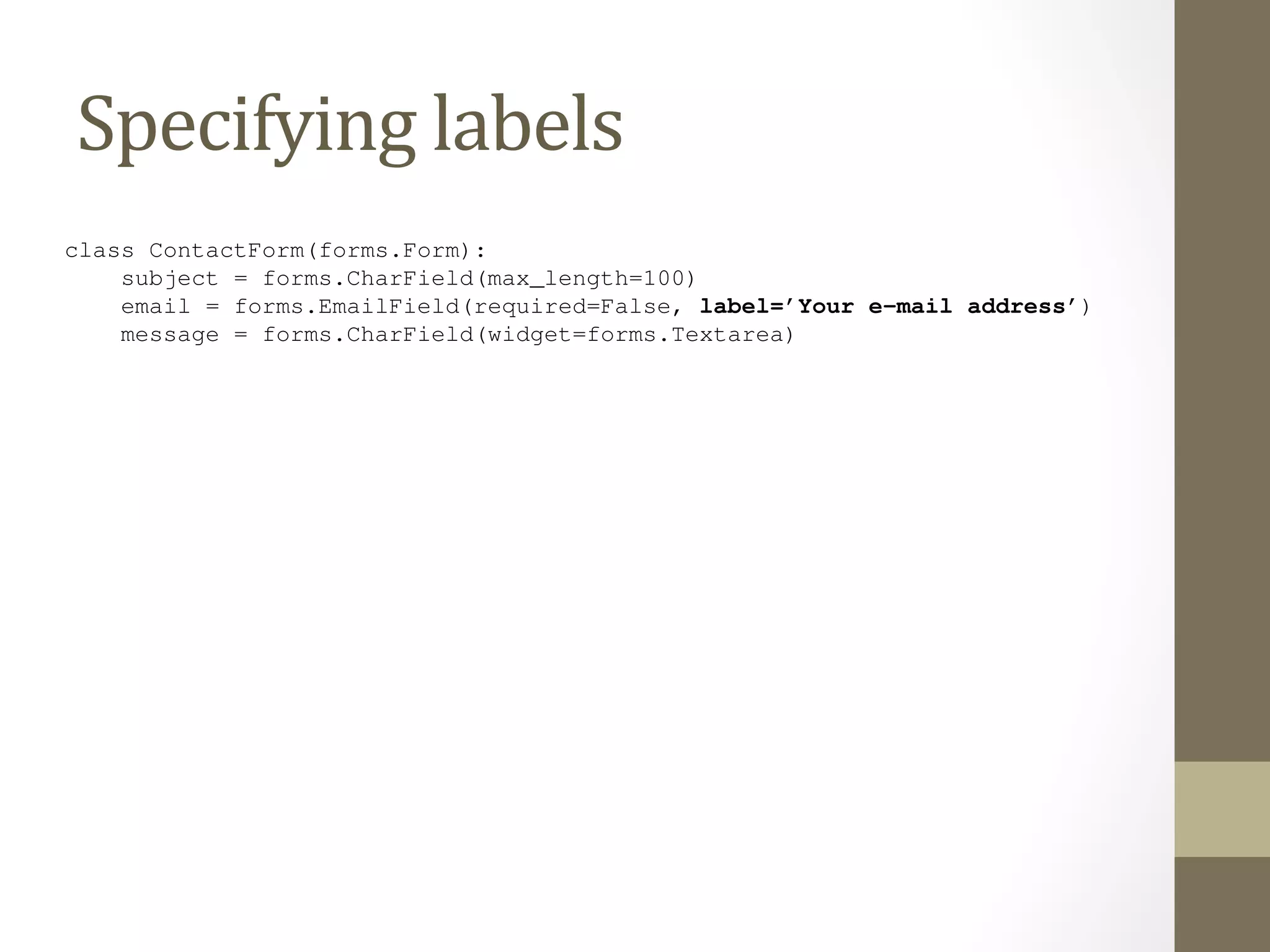
But, as with Django’s models, we can customize the label for a given field. Just use label, like so: 
class ContactForm(forms.Form): 
subject = forms.CharField(max_length=100) 
email = forms.EmailField(required=False, label=’Your e-mail address’) 
message = forms.CharField(widget=forms.Textarea) 
8.11. Custom Validation Rules 119
font-size: 10px; 
margin: 0 0 3px; 
padding: 4px 5px; 
} 
Customizing 
Form 
Design 
</style> 
While it’s convenient to have our form’s HTML generated for us, in many cases you’ll want to override the default 
rendering. {{ form.as_table }} and friends are useful shortcuts while you develop your application, but ev-erything 
find yourself doing this. 
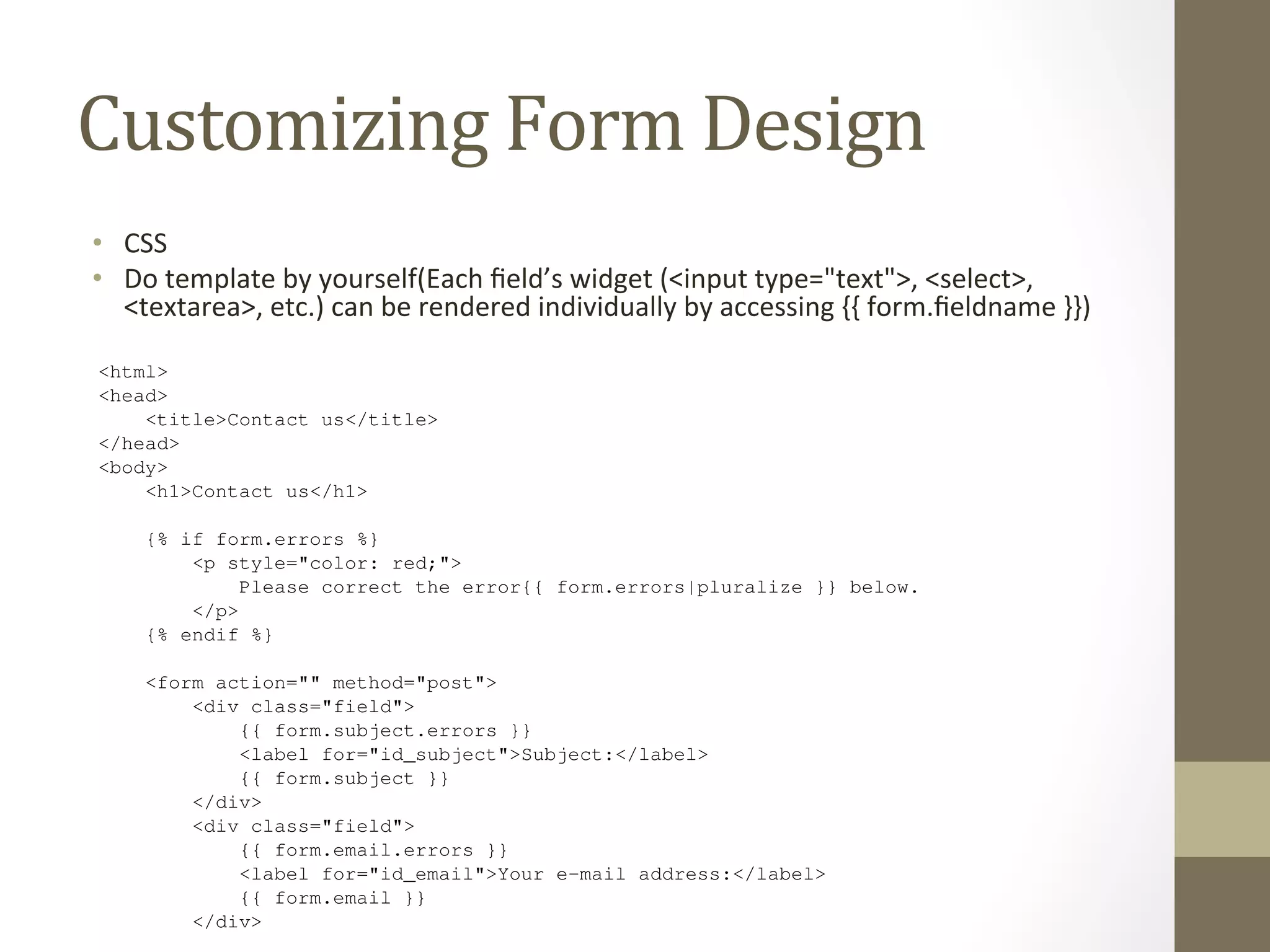
Each field’s widget (<input type="text">, <select>, <textarea>, etc.) can be rendered individually by 
accessing {{ form.fieldname }} in the template, and any errors associated with a field are available as {{ 
form.fieldname.errors }}. With this in mind, we can construct a custom template for our contact form with 
the following template code: 
<html> 
<head> 
• CSS 
• Do 
about the way a form is displayed can be overridden, mostly within the template itself, and you’ll probably 
template 
by 
yourself(Each 
field’s 
widget 
(<input 
type="text">, 
<select>, 
<textarea>, 
etc.) 
can 
be 
rendered 
individually 
by 
accessing 
{{ 
form.fieldname 
}}) 
<title>Contact us</title> 
</head> 
<body> 
<h1>Contact us</h1> 
{% if form.errors %} 
<p style="color: red;"> 
Please correct the error{{ form.errors|pluralize }} below. 
</p> 
{% endif %} 
<form action="" method="post"> 
<div class="field"> 
{{ form.subject.errors }} 
<label for="id_subject">Subject:</label> 
{{ form.subject }} 
</div> 
<div class="field"> 
{{ form.email.errors }} 
<label for="id_email">Your e-mail address:</label> 
{{ form.email }} 
</div>

The Django Book - Chapter 7 forms

  • 1.
    The Django Book Chapter 7: Forms Speaker: Vincent Chien
  • 2.
    def ua_display_good2(request): ua= request.META.get(’HTTP_USER_AGENT’, ’unknown’) return HttpResponse("Your browser is %s" % ua) Getting Data From the Request Object We encourage you to write a small view that displays all of the request.META data so you in there. Here’s what that view might look like: def display_meta(request): values = request.META.items() values.sort() html = [] for k, v in values: Django Book Documentation, html.append(’<tr><td>%s</td><td>%s</td></tr>’ % (k, v)) return HttpResponse(’<table>%s</table>’ % ’n’.join(html)) 104 Chapter As an exercise, see whether you can convert this view to use Django’s template system instead of hard-HTML. Also try adding request.path and the other HttpRequest methods from the previous section. 8.1.3 Information About Submitted Data Beyond basic metadata about the request, HttpRequest objects have two attributes that contain information by the user: request.GET and request.POST. Both of these are dictionary-like objects access to GET and POST data. Dictionary-like objects When we say request.GET and request.POST are “dictionary-like” objects, we mean that they
  • 3.
    Information About Submitted Data • request.GET and request.POST. Both of these are dic@onary-­‐ like objects that give you access to GET and POST data. • So why the dis@nc@on? Because both request.GET and request.POST have addi@onal methods that normal dic@onaries don’t have. We’ll get into these in a short while.
  • 4.
    simple: just asingle field, ’q’. Because it’s so simple, we didn’t even use Django’s form library to deal with it. But more complex forms call for more complex treatment – and now we’ll develop something more complex: a site contact form. This Making will be a form that lets a site Contact users submit a bit of feedback, along with an form is submitted and the data is validated, we’ll automatically Form send the (message template) optional e-mail return address. After the via e-mail to the site staff. We’ll start with our template, contact_form.html. <html> <head> <title>Contact us</title> </head> <body> <h1>Contact us</h1> {% if errors %} <ul> {% for error in errors %} <li>{{ error }}</li> {% endfor %} </ul> Django Book Documentation, Release 0.1 {% endif %} <form action="/contact/" method="post"> {% csrf_token %} <p>Subject: <input type="text" name="subject"></p> <p>Your e-mail (optional): <input type="text" name="email"></p> <p>Message: <textarea name="message" rows="10" cols="50"></textarea></p> <input type="submit" value="Submit"> 8.5. Making a Contact Form 111 </form> </body> </html> We’ve defined three fields: the subject, e-mail address and message. The second is optional, but the other two fields are required. Note we’re using method="post" here instead of method="get" because this form sub-mission has a side effect – it sends an e-mail. Also, we copied the error-displaying code from our previous template
  • 5.
    We’ve defined threefields: the subject, e-mail address and message. The second is optional, but the other two fields are required. Note we’re using method="post" here instead of method="get" because this form sub-mission has a side effect – it sends an e-mail. Also, we copied the error-displaying code from our previous template search_If Making form.html. we continue down the a road Contact established by our Form search() view (from views.the previous py) section, a naive version of our contact() view might look like this: from django.core.mail import send_mail from django.http import HttpResponseRedirect from django.shortcuts import render from django.template import RequestContext def contact(request): errors = [] if request.method == ’POST’: if not request.POST.get(’subject’, ’’): errors.append(’Enter a subject.’) if not request.POST.get(’message’, ’’): errors.append(’Enter a message.’) if request.POST.get(’email’) and ’@’ not in request.POST[’email’]: errors.append(’Enter a valid e-mail address.’) if not errors: send_mail( request.POST[’subject’], request.POST[’message’], request.POST.get(’email’, ’noreply@example.com’), [’siteowner@example.com’], ) return HttpResponseRedirect(’/contact/thanks/’) return render(request, ’contact_form.html’, {’errors’: errors}, context_instance=RequestContext(request)) #todo - explain CSRF token (If you’re following along, you may be wondering whether to put this view in the file. It doesn’t
  • 6.
    Form Class DjangoBook Documentation, – including directly in your views.py file – but community convention is to keep Form called Django Book Documentation, Release 0.1 • django.forms vs. django.newforms class – CharField and EmailField are the only types of fields used here Each field is required by default, so to make email optional, we specify required=Let’s hop into the Python interactive interpreter and see what this class can do. The first as HTML: >>> from contact.forms import ContactForm >>> f = ContactForm() >>> print f <tr><th><label for="id_subject">Subject:</label></th><td><input forms.py. Create this file in the same directory as your views.py, and enter from django import forms – including directly in your views.py file – but community convention is to keep Form classes in a separate file called forms.py. Create this file in the same directory as your views.py, and enter the following: from django import forms class ContactForm(ContactForm(forms.Form): forms.Form): subject = forms.CharField() email = forms.EmailField(required=False) message = forms.CharField() subject = forms.CharField() email = forms.EmailField(required=False) message = forms.CharField() This is pretty intuitive, and it’s similar to Django’s model syntax. Each field in the form is represented by a type of Field class – CharField and EmailField are the only types of fields used here – as attributes of a Form class. Each field is required by default, so to make email optional, we specify required=False. Let’s hop into the Python interactive interpreter and see what this class can do. The first thing it can do is display itself as HTML: >>> from contact.forms import ContactForm >>> f = ContactForm() >>> print f <tr><th><label for="id_subject">Subject:</label></th><td><input type="text" name="subject" id="id_subject" /></td></<tr><th><label for="id_email">Email:</label></th><td><input type="text" name="email" id="id_email" /></td></tr> <tr><th><label for="id_message">Message:</label></th><td><input type="text" name="message" id="id_message" /></td></Django adds a label to each field, along with <label> tags for accessibility. The idea is to make the default behavior as optimal as possible. This default output is in the format of an HTML <table>, but there are a few other built-in outputs: >>> print f.as_ul() <li><label for="id_subject">Subject:</label> <input type="text" name="subject" id="id_subject" /></li> <li><label for="id_email">Email:</label> <input type="text" name="email" id="id_email" /></li> This is pretty intuitive, and it’s similar to Django’s model syntax. Each field in the form Field
  • 7.
    <tr><th><label for="id_subject">Subject:</label></th><td><input type="text"name="subject" id="<tr><th><label for="id_email">Email:</label></th><td><input type="text" name="email" id="id_email" <tr><th><label for="id_message">Message:</label></th><td><input type="text" name="message" id="Django adds a label to each field, along with <label> tags for accessibility. The idea is to make the default behavior as optimal as possible. This default output is in the format of an HTML <table>, but there are a few other built-in outputs: >>> print f.as_ul() <li><label for="id_subject">Subject:</label> <input type="text" name="subject" id="id_subject" <li><label for="id_email">Email:</label> <input type="text" name="email" id="id_email" /></li> <li><label for="id_message">Message:</label> <input type="text" name="message" id="id_message" >>> print f.as_p() <p><label for="id_subject">Subject:</label> <input type="text" name="subject" id="id_subject" <p><label for="id_email">Email:</label> <input type="text" name="email" id="id_email" /></p> <p><label for="id_message">Message:</label> <input type="text" name="message" id="id_message" Note that the opening and closing <table>, <ul> and <form> tags aren’t included in the output, so that you can add any additional rows and customization if necessary. These methods are just shortcuts for the common case of “display the entire form.” You can also display the HTML for a particular field: >>> print f[’subject’] <input type="text" name="subject" id="id_subject" /> >>> print f[’message’] <input type="text" name="message" id="id_message" /> The second thing Form objects can do is validate data. To validate data, create a new Form object and pass it a dictionary of data that maps field names to data: >>> f = ContactForm({’subject’: ’Hello’, ’email’: ’adrian@example.com’, ’message’: ’Nice site!’}) Once you’ve associated data with a Form instance, you’ve created a “bound” form: >>> f.is_bound True Call the method on any bound to find out whether its data is valid. We’ve passed a valid value as optimal as possible. This default output is in the format of an HTML <table>, but there are a few other built-in outputs: >>> <Other print f.as_ul() li><label for="output id_subject">Subject:</format label> <input type="text" name="subject" id="id_subject" <li><label for="id_email">Email:</label> <input type="text" name="email" id="id_email" /></<li><label for="id_message">Message:</label> <input type="text" name="message" id="id_message" >>> print f.as_p() <p><label for="id_subject">Subject:</label> <input type="text" name="subject" id="id_subject" <p><label for="id_email">Email:</label> <input type="text" name="email" id="id_email" /></<p><label for="id_message">Message:</label> <input type="text" name="message" id="id_message" Note that the opening and closing <table>, <ul> and <form> tags aren’t included in the output, so that you can add any additional rows and customization if necessary. These methods are just shortcuts for the common case of “display the entire form.” You can also display the HTML for a particular field: >>> print f[’subject’] <input type="text" name="subject" id="id_subject" /> >>> print f[’message’] <input type="text" name="message" id="id_message" /> The second thing Form objects can do is validate data. To validate data, create a new Form object and pass it a dictionary of data that maps field names to data: >>> f = ContactForm({’subject’: ’Hello’, ’email’: ’adrian@example.com’, ’message’: ’Nice site!’}) Once you’ve associated data with a Form instance, you’ve created a “bound” form: >>> f.is_bound True Call the is_valid() method on any bound Form to find out whether its data is valid. We’ve passed a valid value for each field, so the Form in its entirety is valid:
  • 8.
    8.7 Tying FormObjects Into Views Tying Form Objects Into Views With some basic knowledge about Form classes, you might see how we can use this infrastructure to the cruft in our contact() view. Here’s how we can rewrite contact() to use the forms framework: # views.py Book Documentation, Release def contact(request): Django from django.shortcuts import render from mysite.contact.forms import ContactForm if request.method == ’POST’: 116 Chapter 8. Chapter form = ContactForm(request.POST) if form.is_valid(): cd = form.cleaned_data send_mail( cd[’subject’], cd[’message’], cd.get(’email’, ’noreply@example.com’), [’siteowner@example.com’], ) return HttpResponseRedirect(’/contact/thanks/’) else: form = ContactForm() return render(request, ’contact_form.html’, {’form’: form}) # contact_form.html <html> <head>
  • 9.
    [’siteowner@example.com’], ) returnHttpResponseRedirect(’/contact/thanks/’) Tying else: form = Form ContactForm() Objects Into Views return render(request, ’contact_form.html’, {’form’: form}) # contact_form.html <html> <head> <title>Contact us</title> </head> <body> <h1>Contact us</h1> {% if form.errors %} <p style="color: red;"> Please correct the error{{ form.errors|pluralize }} below. </p> {% endif %} <form action="" method="post"> <table> {{ form.as_table }} </table> <input type="submit" value="Submit"> </form> </body> </html> Look at how much cruft we’ve been able to remove! Django’s forms framework handles the HTML display,
  • 10.
    message = forms.CharField(widget=forms.Textarea) Think of the Field classes as representing validation logic, while widgets represent 8.9 Setting a Maximum Length As an improvement to this form, let’s add an initial value for the subject field: "I power of suggestion can’t hurt.) To do this, we can use the initial argument when An optional min_length argument is also available. Custom Form Objects 8.10 Setting Initial Values Django Book Documentation, Release 0.1 As an improvement to this form, let’s add an initial value for the subject field: "I love your site!" power • Changing of suggestion How can’t Fields hurt.) To Are do this, Rendered we can use the initial argument when we create a Form instance: def contact(request): One of the most common validation needs is to check that a field is of a certain size. improve our ContactForm to limit the subject to 100 characters. To do that, just CharField, like this: from django import forms email = forms.EmailField(required=False) message = forms.CharField(widget=forms.Textarea) if request.method == ‘POST’: form = ContactForm(request.POST) if form.is_valid(): The forms framework separates out the presentation logic for each field into a set of widgets. Each default • SeOwidget, ng a but Maximum you can easily Length override the default, or provide a custom widget of your own. cd = form.cleaned_data Think class of the Field ContactForm(send_classes mail( as representing forms.validation Form): logic, while widgets represent presentation subject cd[’= subject’], forms.CharField(max_length=100) cd[’message’], email 8.9 Setting a cd.= Maximum get(‘forms.email’, EmailField(‘noreply@required=example.com‘), False) message [‘siteowner@= forms.example.CharField(Length com‘], widget=forms.Textarea) • SeOng Ini@al Values ) return HttpResponseRedirect(‘/contact/thanks/’) An optional min_length argument is also available. One of else: the most common validation needs is to check that a field is of a certain size. For good improve our form ContactForm = ContactForm( to limit the subject to 100 characters. To do that, just supply a max_CharField, 8.10 like Setting initial={‘this: subject’: Initial Values ‘I love your site!’} ) from django import forms return render(request, ‘contact_form.html’, {‘form’: form}) Now, class the subject ContactForm(field will be forms.displayed Form): prepopulated with that kind statement. Note that subject there is a difference = forms.between CharField(passing initial max_data length=and passing 100) data that binds the form. The biggest difference is that if you’re just passing initial data, then the form will be unbound, which means it won’t have any error messages.
  • 11.
    There are anumber of ways to hook custom validation into a Django form. If our rule is again and again, we can create a custom field type. Most custom validations are one-off tied Custom directly to the Form Validation class. Rules We want additional validation on the message field, so we add a clean_message() method from django import forms class ContactForm(forms.Form): subject = forms.CharField(max_length=100) email = forms.EmailField(required=False) message = forms.CharField(widget=forms.Textarea) def clean_message(self): message = self.cleaned_data[’message’] num_words = len(message.split()) if num_words < 4: raise forms.ValidationError("Not enough words!") return message Django’s form system automatically looks for any method whose name starts with clean_ of a field. If any such method exists, it’s called during validation. Specifically, the clean_message() method will be called after the default validation logic case, the validation logic for a required CharField). Because the field data has already we pull it out of self.cleaned_data. Also, we don’t have to worry about checking non-empty; that’s done by the default validator.
  • 12.
    8.12 Specifying labels By and Specifying default, the labels on Django’s auto-capitalizing the first letter – so the labels generated form HTML are created by replacing underscores with spaces label for the email field is "Email". (Sound familiar? It’s the same simple algorithm that Django’s models use to calculate default verbose_name values for fields. We covered this in Chapter 5.) But, as with Django’s models, we can customize the label for a given field. Just use label, like so: class ContactForm(forms.Form): subject = forms.CharField(max_length=100) email = forms.EmailField(required=False, label=’Your e-mail address’) message = forms.CharField(widget=forms.Textarea) 8.11. Custom Validation Rules 119
  • 13.
    font-size: 10px; margin:0 0 3px; padding: 4px 5px; } Customizing Form Design </style> While it’s convenient to have our form’s HTML generated for us, in many cases you’ll want to override the default rendering. {{ form.as_table }} and friends are useful shortcuts while you develop your application, but ev-erything find yourself doing this. Each field’s widget (<input type="text">, <select>, <textarea>, etc.) can be rendered individually by accessing {{ form.fieldname }} in the template, and any errors associated with a field are available as {{ form.fieldname.errors }}. With this in mind, we can construct a custom template for our contact form with the following template code: <html> <head> • CSS • Do about the way a form is displayed can be overridden, mostly within the template itself, and you’ll probably template by yourself(Each field’s widget (<input type="text">, <select>, <textarea>, etc.) can be rendered individually by accessing {{ form.fieldname }}) <title>Contact us</title> </head> <body> <h1>Contact us</h1> {% if form.errors %} <p style="color: red;"> Please correct the error{{ form.errors|pluralize }} below. </p> {% endif %} <form action="" method="post"> <div class="field"> {{ form.subject.errors }} <label for="id_subject">Subject:</label> {{ form.subject }} </div> <div class="field"> {{ form.email.errors }} <label for="id_email">Your e-mail address:</label> {{ form.email }} </div>