Introduction to Django


   Master in Free Software 2012, July 14 2012
     Joaquim Rocha <jrocha@igalia.com>
What is it?
"Django is a highlevel Python Web framework
that encourages rapid development and
clean, pragmatic design."


(from Django's official webpage)
What is it?
Created by Lawrence Journal-World en 2003

Should help journalists meet hard deadlines

Should not stand in the way of journalists

Named after the famous Jazz guitar player Django Reinhardt
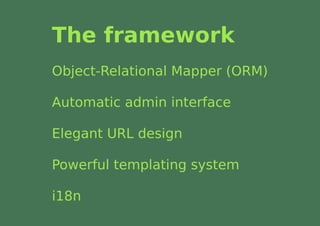
The framework
Object-Relational Mapper (ORM)

Automatic admin interface

Elegant URL design

Powerful templating system

i18n
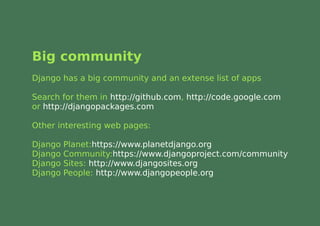
Big community
Django has a big community and an extense list of apps

Search for them in http://github.com, http://code.google.com
or http://djangopackages.com

Other interesting web pages:

Django   Planet:https://www.planetdjango.org
Django   Community:https://www.djangoproject.com/community
Django   Sites: http://www.djangosites.org
Django   People: http://www.djangopeople.org
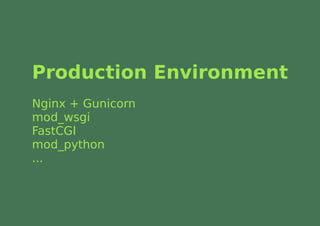
Production Environment
Nginx + Gunicorn
mod_wsgi
FastCGI
mod_python
...
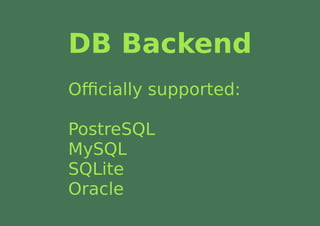
DB Backend
Officially supported:

PostreSQL
MySQL
SQLite
Oracle
Using Django
Development Environment
Download it and install Django from http://djangoproject.com/download or

Be smart and use Python's VirtualEnv
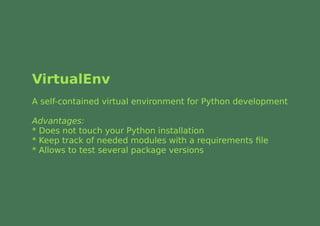
VirtualEnv
A self-contained virtual environment for Python development

Advantages:
* Does not touch your Python installation
* Keep track of needed modules with a requirements file
* Allows to test several package versions
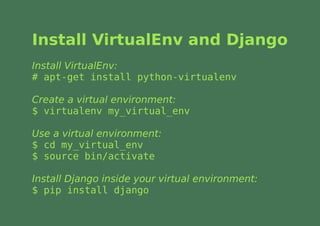
Install VirtualEnv and Django
Install VirtualEnv:
# apt-get install python-virtualenv

Create a virtual environment:
$ virtualenv my_virtual_env

Use a virtual environment:
$ cd my_virtual_env
$ source bin/activate

Install Django inside your virtual environment:
$ pip install django
Development
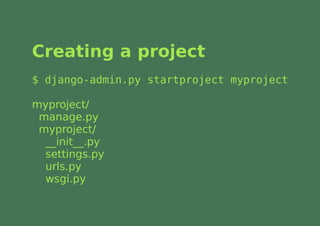
Creating a project
$ django-admin.py startproject myproject

myproject/
 manage.py
 myproject/
  __init__.py
  settings.py
  urls.py
  wsgi.py
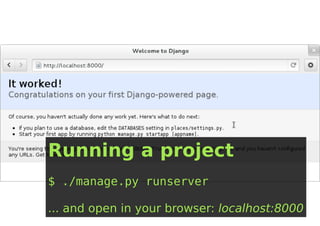
Running a project
$ ./manage.py runserver

... and open in your browser: localhost:8000
Development
Django projects are composed by apps

apps are the projects' modules
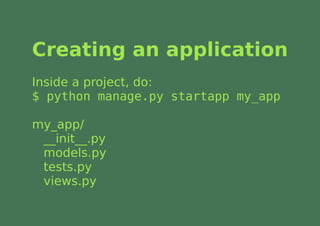
Creating an application
Inside a project, do:
$ python manage.py startapp my_app

my_app/
 __init__.py
 models.py
 tests.py
 views.py
Build the DB
$ python manage.py syncdb
Project configuration
Easy configuration in file settings.py
Development
Django follows the MTV design pattern

Model-Template-View
Models
Models are classes that represent objects
in the database

And you'll never have to touch SQL again!
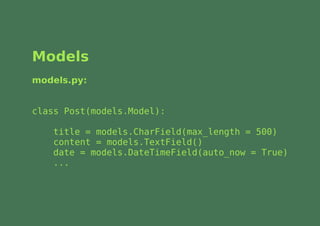
Models
models.py:


class Post(models.Model):

    title = models.CharField(max_length = 500)
    content = models.TextField()
    date = models.DateTimeField(auto_now = True)
    ...
Views
Views are functions that usually process
models and render HTML

It's where the magic happens!

How to get all posts from the last 5 days and order
them by descending date?
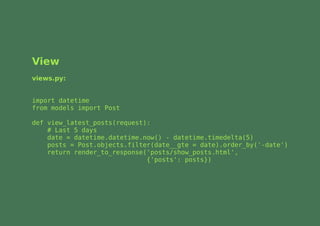
View
views.py:


import datetime
from models import Post

def view_latest_posts(request):
    # Last 5 days
    date = datetime.datetime.now() - datetime.timedelta(5)
    posts = Post.objects.filter(date__gte = date).order_by('-date')
    return render_to_response('posts/show_posts.html',
                              {'posts': posts})
Templates
They will help you not repeating yourself!

And designers won't have to touch code:
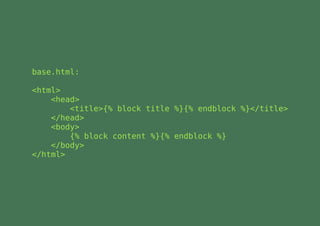
base.html:

<html>
    <head>
        <title>{% block title %}{% endblock %}</title>
    </head>
    <body>
        {% block content %}{% endblock %}
    </body>
</html>
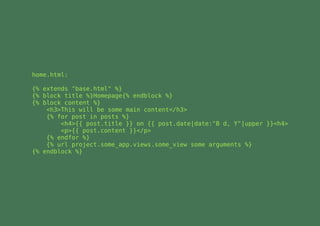
home.html:

{% extends "base.html" %}
{% block title %}Homepage{% endblock %}
{% block content %}
    <h3>This will be some main content</h3>
    {% for post in posts %}
        <h4>{{ post.title }} on {{ post.date|date:"B d, Y"|upper }}<h4>
        <p>{{ post.content }}</p>
    {% endfor %}
    {% url project.some_app.views.some_view some arguments %}
{% endblock %}
URLs
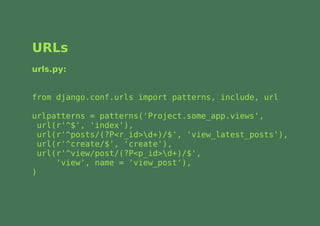
In Django, URLs are part of the design!

urls.py use regular expressions to map URLs with views
URLs
urls.py:


from django.conf.urls import patterns, include, url

urlpatterns = patterns('Project.some_app.views',
  url(r'^$', 'index'),
  url(r'^posts/(?P<r_id>d+)/$', 'view_latest_posts'),
  url(r'^create/$', 'create'),
  url(r'^view/post/(?P<p_id>d+)/$',
      'view', name = 'view_post'),
)
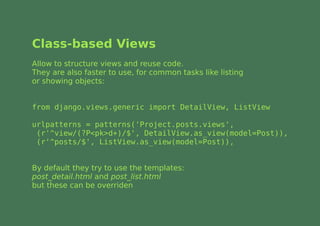
Class-based Views
Allow to structure views and reuse code.
They are also faster to use, for common tasks like listing
or showing objects:


from django.views.generic import DetailView, ListView

urlpatterns = patterns('Project.posts.views',
 (r'^view/(?P<pk>d+)/$', DetailView.as_view(model=Post)),
 (r'^posts/$', ListView.as_view(model=Post)),


By default they try to use the templates:
post_detail.html and post_list.html
but these can be overriden
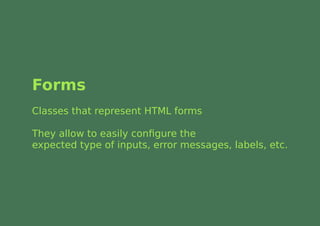
Forms
Classes that represent HTML forms

They allow to easily configure the
expected type of inputs, error messages, labels, etc.
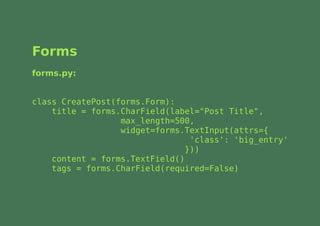
Forms
forms.py:


class CreatePost(forms.Form):
    title = forms.CharField(label="Post Title",
                  max_length=500,
                  widget=forms.TextInput(attrs={
                                 'class': 'big_entry'
                                }))
    content = forms.TextField()
    tags = forms.CharField(required=False)
Forms
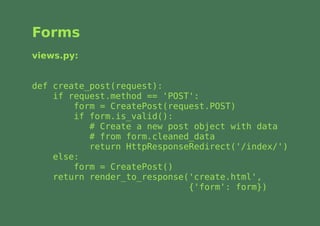
views.py:


def create_post(request):
    if request.method == 'POST':
        form = CreatePost(request.POST)
        if form.is_valid():
           # Create a new post object with data
           # from form.cleaned_data
           return HttpResponseRedirect('/index/')
    else:
        form = CreatePost()
    return render_to_response('create.html',
                              {'form': form})
Forms
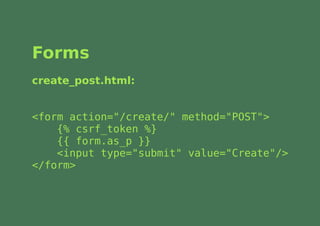
create_post.html:


<form action="/create/" method="POST">
    {% csrf_token %}
    {{ form.as_p }}
    <input type="submit" value="Create"/>
</form>
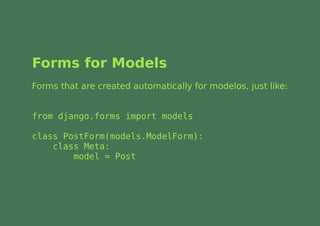
Forms for Models
Forms that are created automatically for modelos, just like:


from django.forms import models

class PostForm(models.ModelForm):
    class Meta:
        model = Post
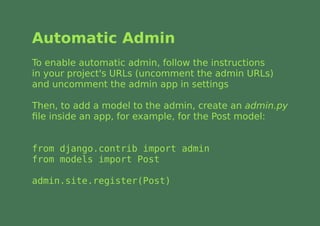
Automatic Admin
To enable automatic admin, follow the instructions
in your project's URLs (uncomment the admin URLs)
and uncomment the admin app in settings

Then, to add a model to the admin, create an admin.py
file inside an app, for example, for the Post model:


from django.contrib import admin
from models import Post

admin.site.register(Post)
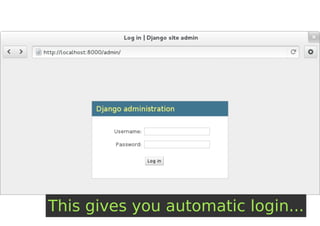
This gives you automatic login...
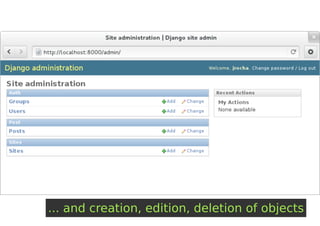
... and creation, edition, deletion of objects
Next steps
Django friendly hosts
An extense list can be found at:
http://code.djangoproject.com/wiki/DjangoFriendlyWebHosts

Google AppEngine also makes it easy for Django
projects to be deployed:
http://appengine.google.com/
Help
Django Documentation:
https://docs.djangoproject.com

Cheat sheet:
http://www.revsys.com/django/cheatsheet/

Some books:
The Django Book: http://www.djangobook.com/
Learning Website Development with Django, Packt
Practical Django Projects, Apress
Pro Django, Apress

Introduction to Django

  • 1.
    Introduction to Django Master in Free Software 2012, July 14 2012 Joaquim Rocha <jrocha@igalia.com>
  • 2.
    What is it? "Djangois a highlevel Python Web framework that encourages rapid development and clean, pragmatic design." (from Django's official webpage)
  • 3.
    What is it? Createdby Lawrence Journal-World en 2003 Should help journalists meet hard deadlines Should not stand in the way of journalists Named after the famous Jazz guitar player Django Reinhardt
  • 4.
    The framework Object-Relational Mapper(ORM) Automatic admin interface Elegant URL design Powerful templating system i18n
  • 5.
    Big community Django hasa big community and an extense list of apps Search for them in http://github.com, http://code.google.com or http://djangopackages.com Other interesting web pages: Django Planet:https://www.planetdjango.org Django Community:https://www.djangoproject.com/community Django Sites: http://www.djangosites.org Django People: http://www.djangopeople.org
  • 6.
    Production Environment Nginx +Gunicorn mod_wsgi FastCGI mod_python ...
  • 7.
  • 8.
  • 9.
    Development Environment Download itand install Django from http://djangoproject.com/download or Be smart and use Python's VirtualEnv
  • 10.
    VirtualEnv A self-contained virtualenvironment for Python development Advantages: * Does not touch your Python installation * Keep track of needed modules with a requirements file * Allows to test several package versions
  • 11.
    Install VirtualEnv andDjango Install VirtualEnv: # apt-get install python-virtualenv Create a virtual environment: $ virtualenv my_virtual_env Use a virtual environment: $ cd my_virtual_env $ source bin/activate Install Django inside your virtual environment: $ pip install django
  • 12.
  • 13.
    Creating a project $django-admin.py startproject myproject myproject/ manage.py myproject/ __init__.py settings.py urls.py wsgi.py
  • 14.
    Running a project $./manage.py runserver ... and open in your browser: localhost:8000
  • 15.
    Development Django projects arecomposed by apps apps are the projects' modules
  • 16.
    Creating an application Insidea project, do: $ python manage.py startapp my_app my_app/ __init__.py models.py tests.py views.py
  • 17.
    Build the DB $python manage.py syncdb
  • 18.
  • 19.
    Development Django follows theMTV design pattern Model-Template-View
  • 20.
    Models Models are classesthat represent objects in the database And you'll never have to touch SQL again!
  • 21.
    Models models.py: class Post(models.Model): title = models.CharField(max_length = 500) content = models.TextField() date = models.DateTimeField(auto_now = True) ...
  • 22.
    Views Views are functionsthat usually process models and render HTML It's where the magic happens! How to get all posts from the last 5 days and order them by descending date?
  • 23.
    View views.py: import datetime from modelsimport Post def view_latest_posts(request): # Last 5 days date = datetime.datetime.now() - datetime.timedelta(5) posts = Post.objects.filter(date__gte = date).order_by('-date') return render_to_response('posts/show_posts.html', {'posts': posts})
  • 24.
    Templates They will helpyou not repeating yourself! And designers won't have to touch code:
  • 25.
    base.html: <html> <head> <title>{% block title %}{% endblock %}</title> </head> <body> {% block content %}{% endblock %} </body> </html>
  • 26.
    home.html: {% extends "base.html"%} {% block title %}Homepage{% endblock %} {% block content %} <h3>This will be some main content</h3> {% for post in posts %} <h4>{{ post.title }} on {{ post.date|date:"B d, Y"|upper }}<h4> <p>{{ post.content }}</p> {% endfor %} {% url project.some_app.views.some_view some arguments %} {% endblock %}
  • 27.
    URLs In Django, URLsare part of the design! urls.py use regular expressions to map URLs with views
  • 28.
    URLs urls.py: from django.conf.urls importpatterns, include, url urlpatterns = patterns('Project.some_app.views', url(r'^$', 'index'), url(r'^posts/(?P<r_id>d+)/$', 'view_latest_posts'), url(r'^create/$', 'create'), url(r'^view/post/(?P<p_id>d+)/$', 'view', name = 'view_post'), )
  • 29.
    Class-based Views Allow tostructure views and reuse code. They are also faster to use, for common tasks like listing or showing objects: from django.views.generic import DetailView, ListView urlpatterns = patterns('Project.posts.views', (r'^view/(?P<pk>d+)/$', DetailView.as_view(model=Post)), (r'^posts/$', ListView.as_view(model=Post)), By default they try to use the templates: post_detail.html and post_list.html but these can be overriden
  • 30.
    Forms Classes that representHTML forms They allow to easily configure the expected type of inputs, error messages, labels, etc.
  • 31.
    Forms forms.py: class CreatePost(forms.Form): title = forms.CharField(label="Post Title", max_length=500, widget=forms.TextInput(attrs={ 'class': 'big_entry' })) content = forms.TextField() tags = forms.CharField(required=False)
  • 32.
    Forms views.py: def create_post(request): if request.method == 'POST': form = CreatePost(request.POST) if form.is_valid(): # Create a new post object with data # from form.cleaned_data return HttpResponseRedirect('/index/') else: form = CreatePost() return render_to_response('create.html', {'form': form})
  • 33.
    Forms create_post.html: <form action="/create/" method="POST"> {% csrf_token %} {{ form.as_p }} <input type="submit" value="Create"/> </form>
  • 34.
    Forms for Models Formsthat are created automatically for modelos, just like: from django.forms import models class PostForm(models.ModelForm): class Meta: model = Post
  • 35.
    Automatic Admin To enableautomatic admin, follow the instructions in your project's URLs (uncomment the admin URLs) and uncomment the admin app in settings Then, to add a model to the admin, create an admin.py file inside an app, for example, for the Post model: from django.contrib import admin from models import Post admin.site.register(Post)
  • 36.
    This gives youautomatic login...
  • 37.
    ... and creation,edition, deletion of objects
  • 38.
  • 39.
    Django friendly hosts Anextense list can be found at: http://code.djangoproject.com/wiki/DjangoFriendlyWebHosts Google AppEngine also makes it easy for Django projects to be deployed: http://appengine.google.com/
  • 40.
    Help Django Documentation: https://docs.djangoproject.com Cheat sheet: http://www.revsys.com/django/cheatsheet/ Somebooks: The Django Book: http://www.djangobook.com/ Learning Website Development with Django, Packt Practical Django Projects, Apress Pro Django, Apress