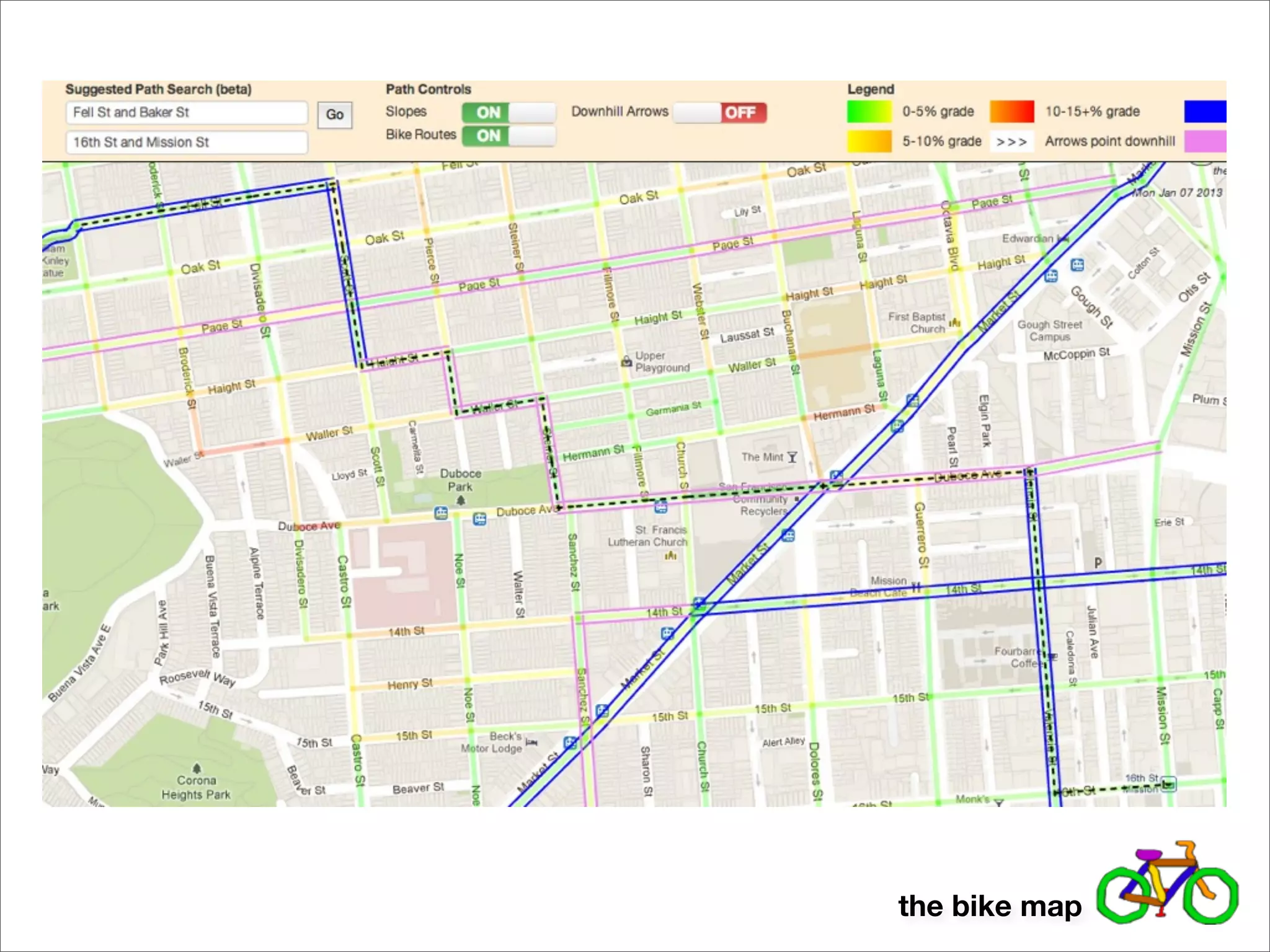
the bike map
a look into a practical application of graph theory
demo!


        the bike map
how was it done?


              by creating a graph - a set of nodes and edges


      in computer science, graph theory provides algorithms for doing
all sorts of useful things with graphs - routing, coloring, network flow, etc.


                                                          the bike map
starting simple
           1st and Folsom
                (twilio)


                                                                                       1st and Howard
                                                                                            (peet’s)
http://maps.googleapis.com/maps/api/geocode/json?
address=1st St and Folsom St,+San+Francisco,
+CA&sensor=false

{
    "results" : [
       {
          "address_components" : [
                ...
          ],
          "formatted_address" : "Folsom Street & 1st Street, San Francisco, CA 94105, USA",
          "geometry" : {
             "location" : {
                "lat" : 37.78733430,
                "lng" : -122.39453480
             },
                ...
          },
          "types" : [ "intersection" ]
       }
    ],
    "status" : "OK"
}
                                                                                         the bike map
starting simple
           1st and Folsom
                (twilio)


                                                      1st and Howard
                                                           (peet’s)

http://maps.googleapis.com/maps/api/elevation/json?
locations=37.78733430,-122.39453480&sensor=false

{
    "results" : [
       {
          "elevation" : 12.22284126281738,
          "location" : {
             "lat" : 37.78733430,
             "lng" : -122.39453480
          },
          "resolution" : 0.5964969992637634
       }
    ],
    "status" : "OK"
}


                                                       the bike map
voila!
                              new google.maps.Polyline({
                                  path: [<latlng for 1st &
                              folsom>, <latlng for 1st &
                              howard>],
                                  strokeColor: <color based
                              on elevation difference
                              divided by distance>,
                                  ...
                                  map: BikeMap.MAP_OBJECT,
                              })


...now just repeat for all intersections in the city...

                                          the bike map
that was too easy...

     where did those intersections come from?
     how did you know they existed?
     how did you know they were next to each other?


                                  the bike map
a city as a graph
                  or, how to generate a lot of nodes


goal: get a list of all street intersections in a city - these are our nodes


                 i’ll just write them all out by hand! i’m not above data entry!


  charlie


                                                           the bike map
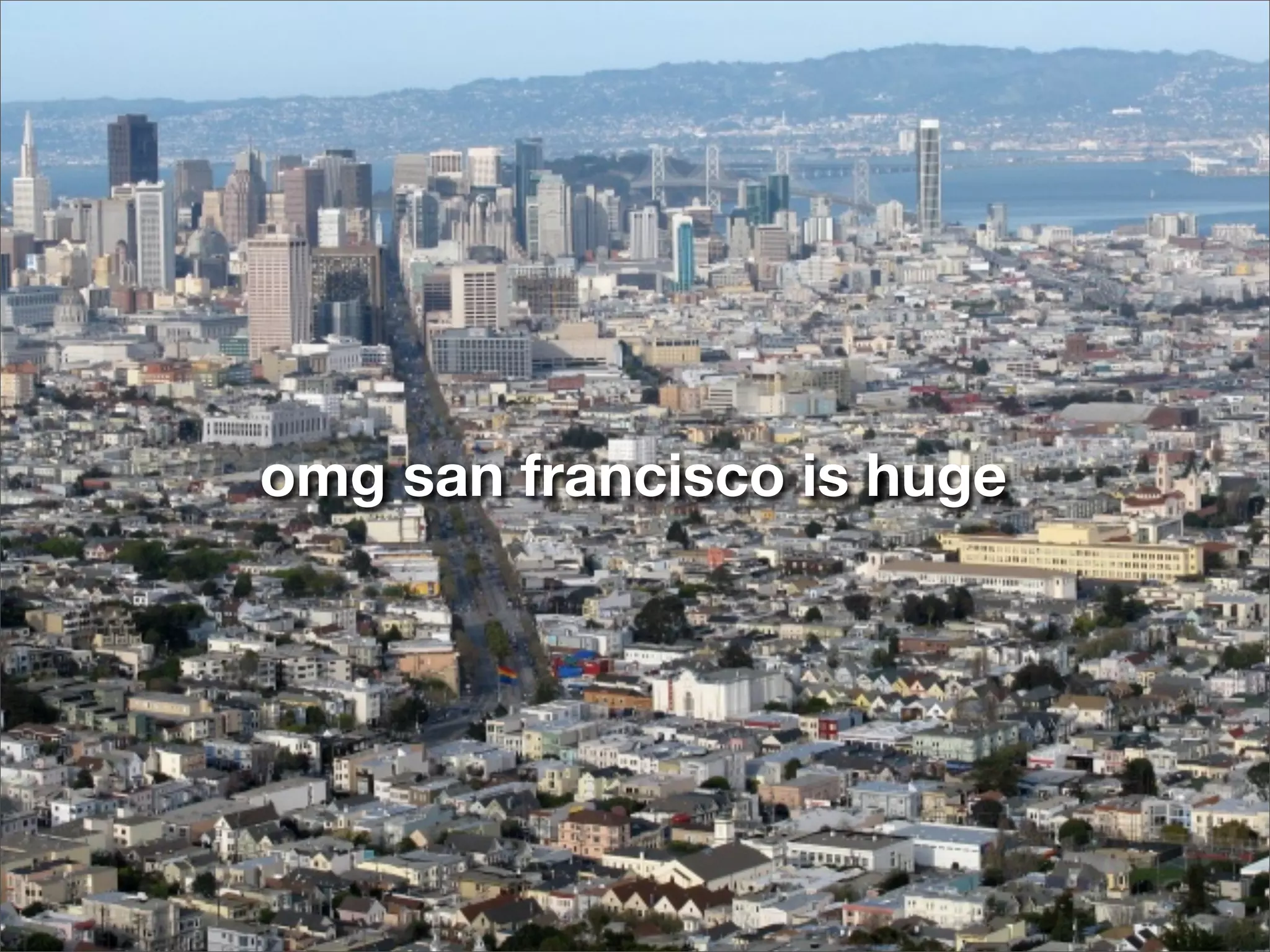
omg san francisco is huge
a city as a graph
                  or, how to generate a lot of nodes


goal: get a list of all street intersections in a city - these are our nodes


                 i’ll just write them all out by hand! i’m not above data entry!
                 maybe I can use nextbus / proximobus data...


  charlie


                                                           the bike map
proximobus
                                           proximobus.appspot.com


http://proximobus.appspot.com/agencies/sf-muni/
routes/F/stops.json

{"items": [
    {"latitude": 37.7875299, "display_name": "Market St   & 3rd St", "id": "15640", "longitude":
-122.40352},
    {"latitude": 37.76979, "display_name": "Market St &   Buchanan St", "id": "15659", "longitude":
-122.4261499},
    {"latitude": 37.7805699, "display_name": "Market St   & 7th St North", "id": "15656",
"longitude": -122.41244},
    {"latitude": 37.7911099, "display_name": "Market St   & Battery St", "id": "15657", "longitude":
-122.39907},
    {"latitude": 37.7840799, "display_name": "Market St   & 5th St North", "id": "15655",
"longitude": -122.40799},
    {"latitude": 37.7774099, "display_name": "Market St   & 9th St", "id": "15652", "longitude":
-122.41634},
    ...
]}


                                        great! i’ll just map all the transit lines.


                  charlie
                                                                                              the bike map
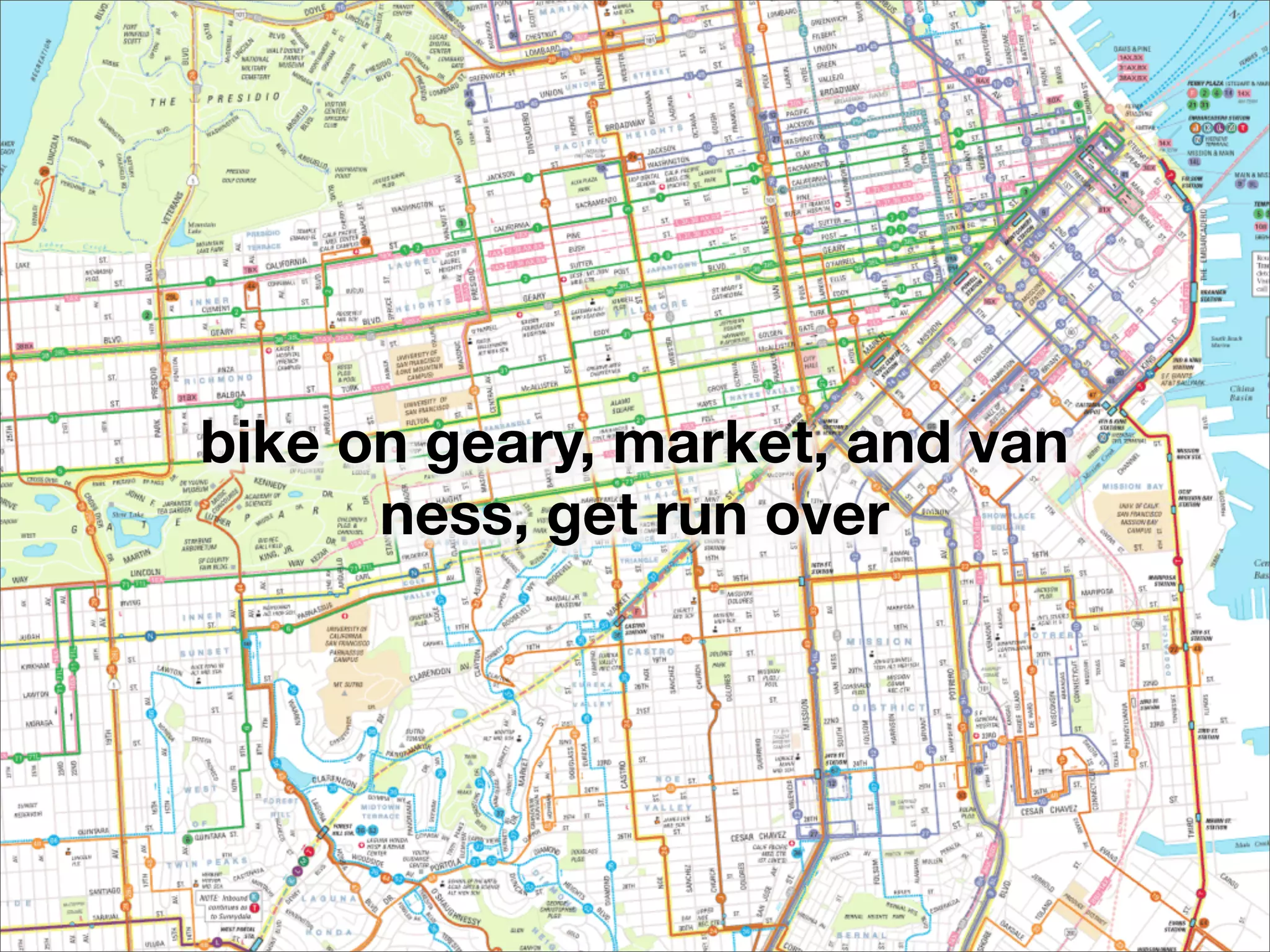
bike on geary, market, and van
      ness, get run over
a city as a graph
                  or, how to generate a lot of nodes


goal: get a list of all street intersections in a city - these are our nodes


                  i’ll just write them all out by hand! i’m not above data entry!
                  maybe I can use nextbus / proximobus data...
                  write out all the streets by hand... and then compute
                  intersections?


  charlie


                                                           the bike map
a city as a graph
                   or, how to generate a lot of nodes


 goal: get a list of all street intersections in a city - these are our nodes

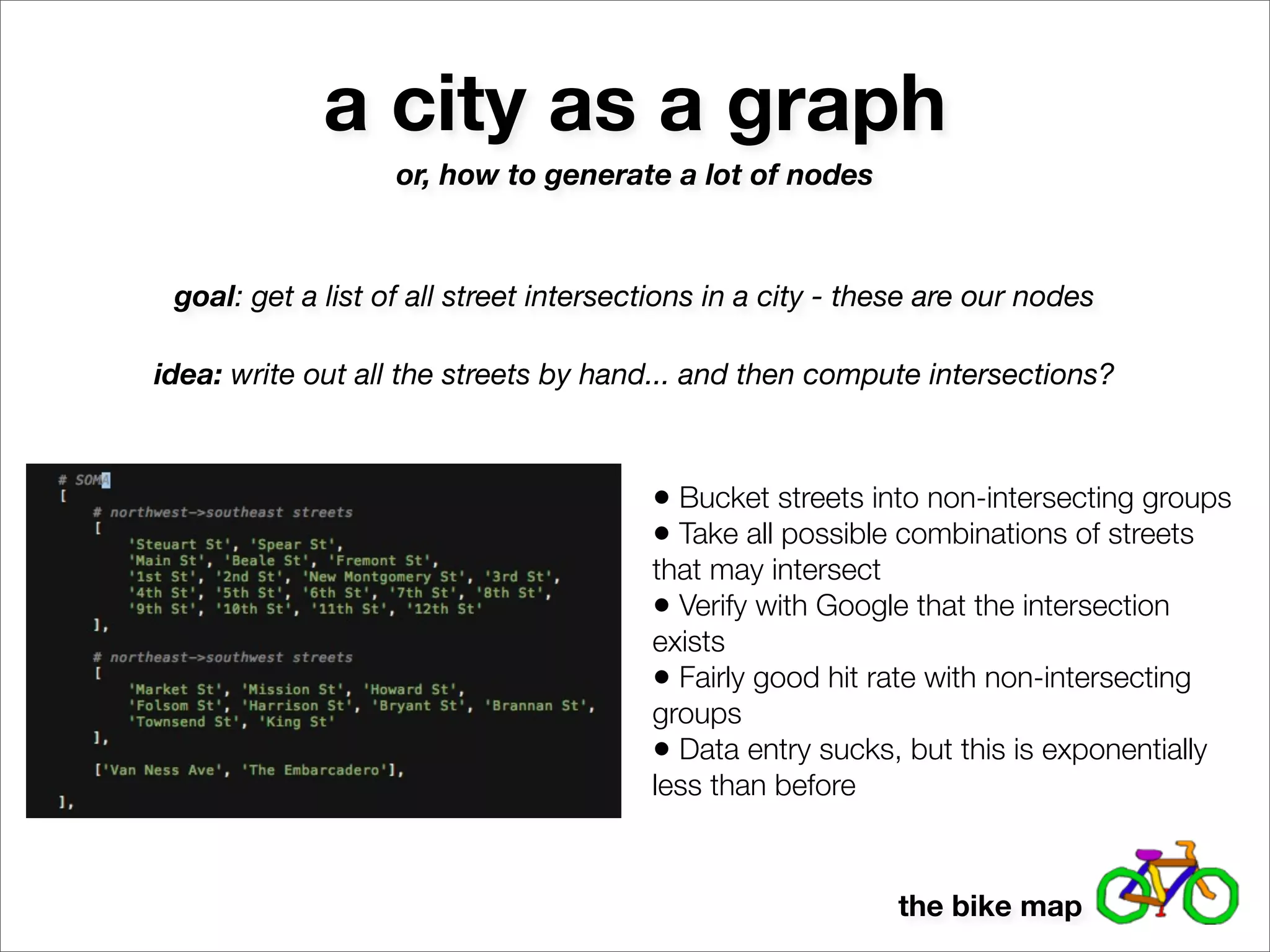
idea: write out all the streets by hand... and then compute intersections?


                                        • Bucket streets into non-intersecting groups
                                        • Take all possible combinations of streets
                                        that may intersect
                                        • Verify with Google that the intersection
                                        exists
                                        • Fairly good hit rate with non-intersecting
                                        groups
                                        • Data entry sucks, but this is exponentially
                                        less than before


                                                            the bike map
a city as a graph
                                or, how to generate a lot of nodes


       goal: get a list of all street intersections in a city - these are our nodes

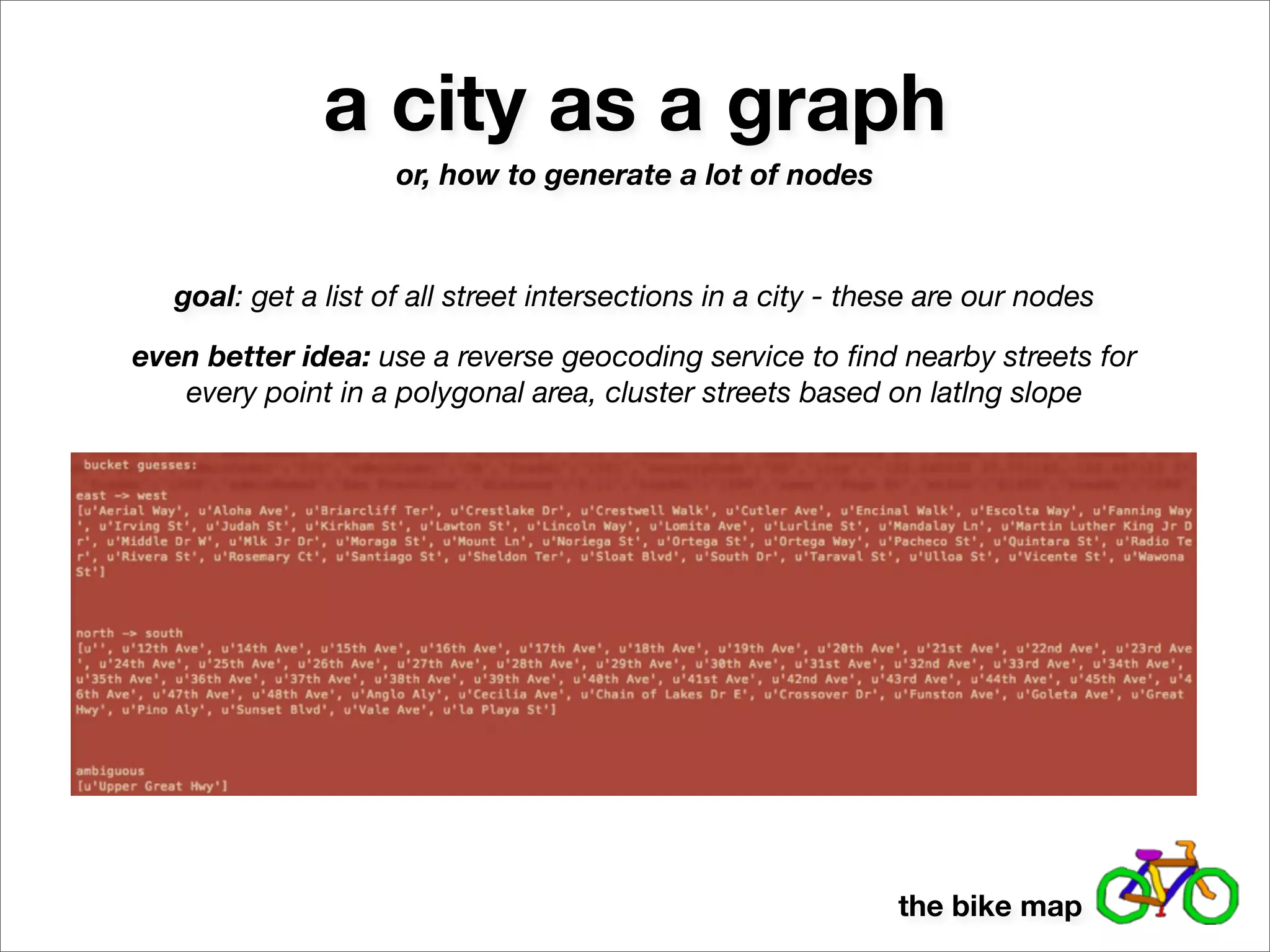
    even better idea: use a reverse geocoding service to find nearby streets for
       every point in a polygonal area, cluster streets based on latlng slope


http://api.geonames.org/findNearbyStreetsJSON?
lat=37.770443&lng=-122.448172&username=demo
{
   "streetSegment" : [
    {"line":"-122.447123 37.770935,-122.448768 37.770731", "distance":"0.06", "name":"Page St"},
    {"line":"-122.448768 37.770731,-122.448579 37.769798", "distance":"0.06", "name":"Clayton
St"},
    {"line":"-122.446934 37.770008,-122.448579 37.769798", "distance":"0.08", "name":"Haight St"},
   ],
}


                                                                                        the bike map
a city as a graph
                     or, how to generate a lot of nodes


   goal: get a list of all street intersections in a city - these are our nodes

even better idea: use a reverse geocoding service to find nearby streets for
   every point in a polygonal area, cluster streets based on latlng slope


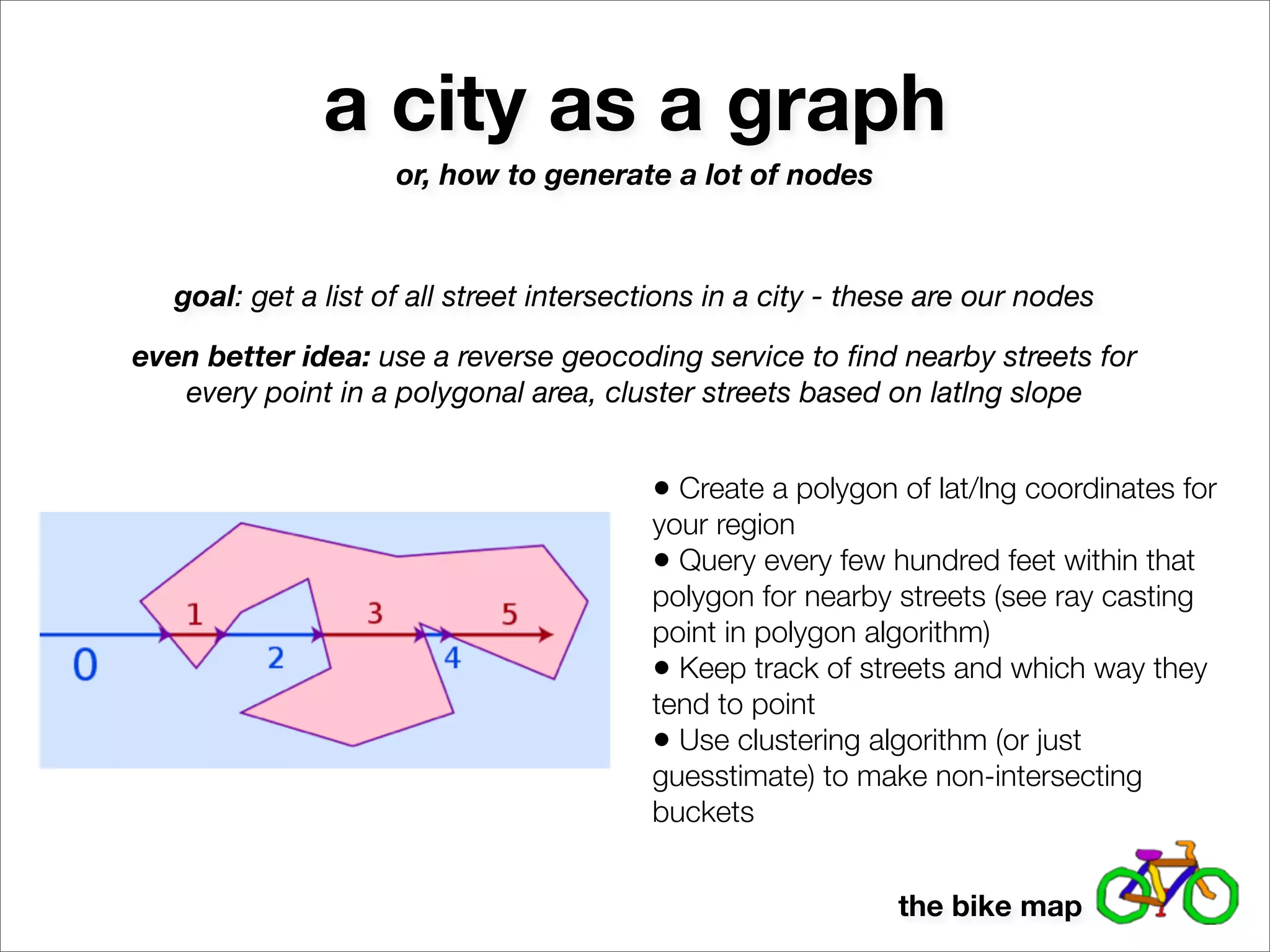
                                          • Create a polygon of lat/lng coordinates for
                                          your region
                                          • Query every few hundred feet within that
                                          polygon for nearby streets (see ray casting
                                          point in polygon algorithm)
                                          • Keep track of streets and which way they
                                          tend to point
                                          • Use clustering algorithm (or just
                                          guesstimate) to make non-intersecting
                                          buckets


                                                              the bike map
a city as a graph
                     or, how to generate a lot of nodes


   goal: get a list of all street intersections in a city - these are our nodes

even better idea: use a reverse geocoding service to find nearby streets for
   every point in a polygonal area, cluster streets based on latlng slope


                                                              the bike map
a city as a graph
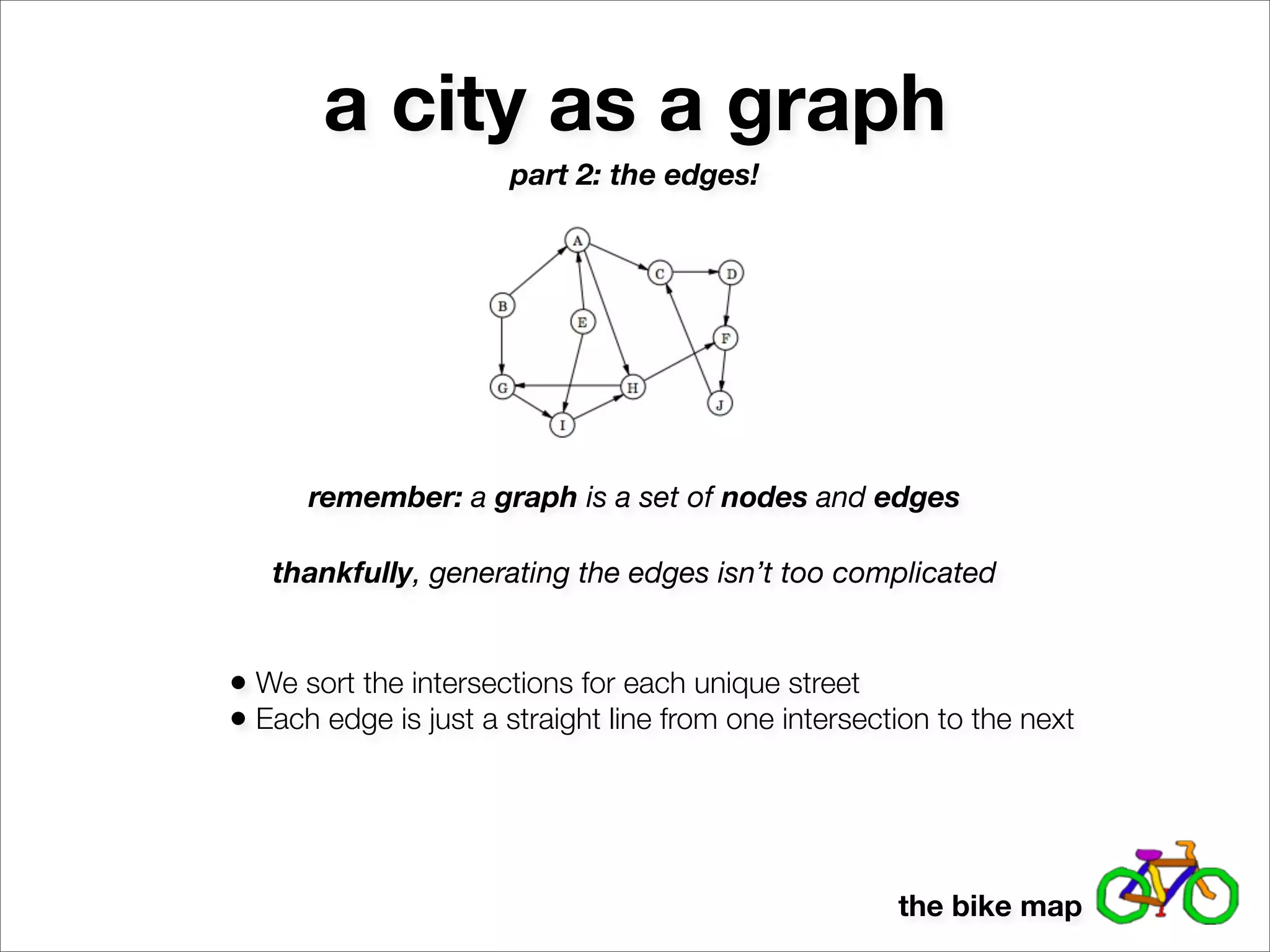
                      part 2: the edges!


      remember: a graph is a set of nodes and edges

   thankfully, generating the edges isn’t too complicated


• We sort the intersections for each unique street
• Each edge is just a straight line from one intersection to the next


                                                      the bike map
a city as a graph
                  part 2: the edges!


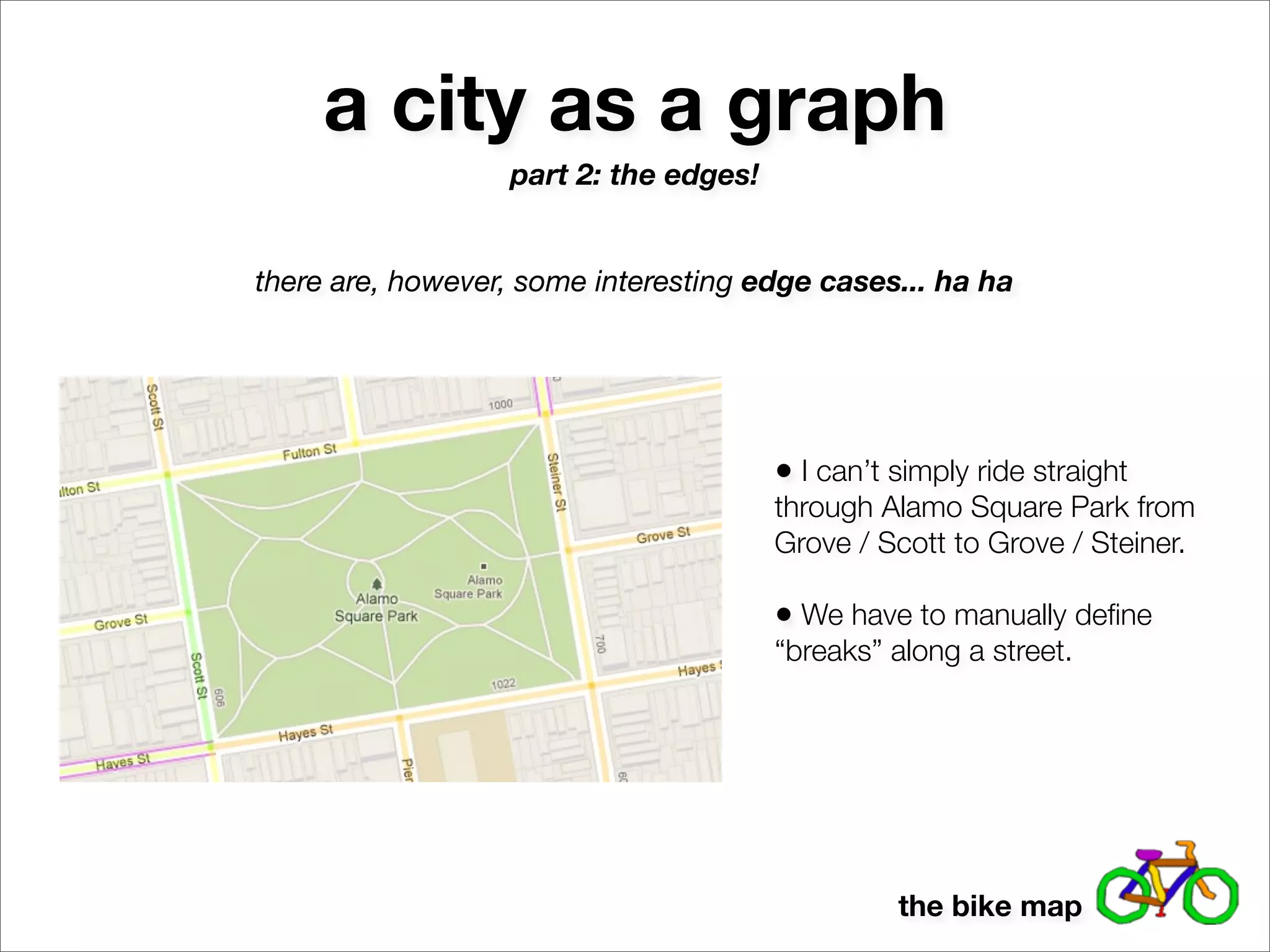
there are, however, some interesting edge cases... ha ha


                                       • I can’t simply ride straight
                                       through Alamo Square Park from
                                       Grove / Scott to Grove / Steiner.

                                       • We have to manually define
                                       “breaks” along a street.


                                                 the bike map
a city as a graph
                  part 2: the edges!


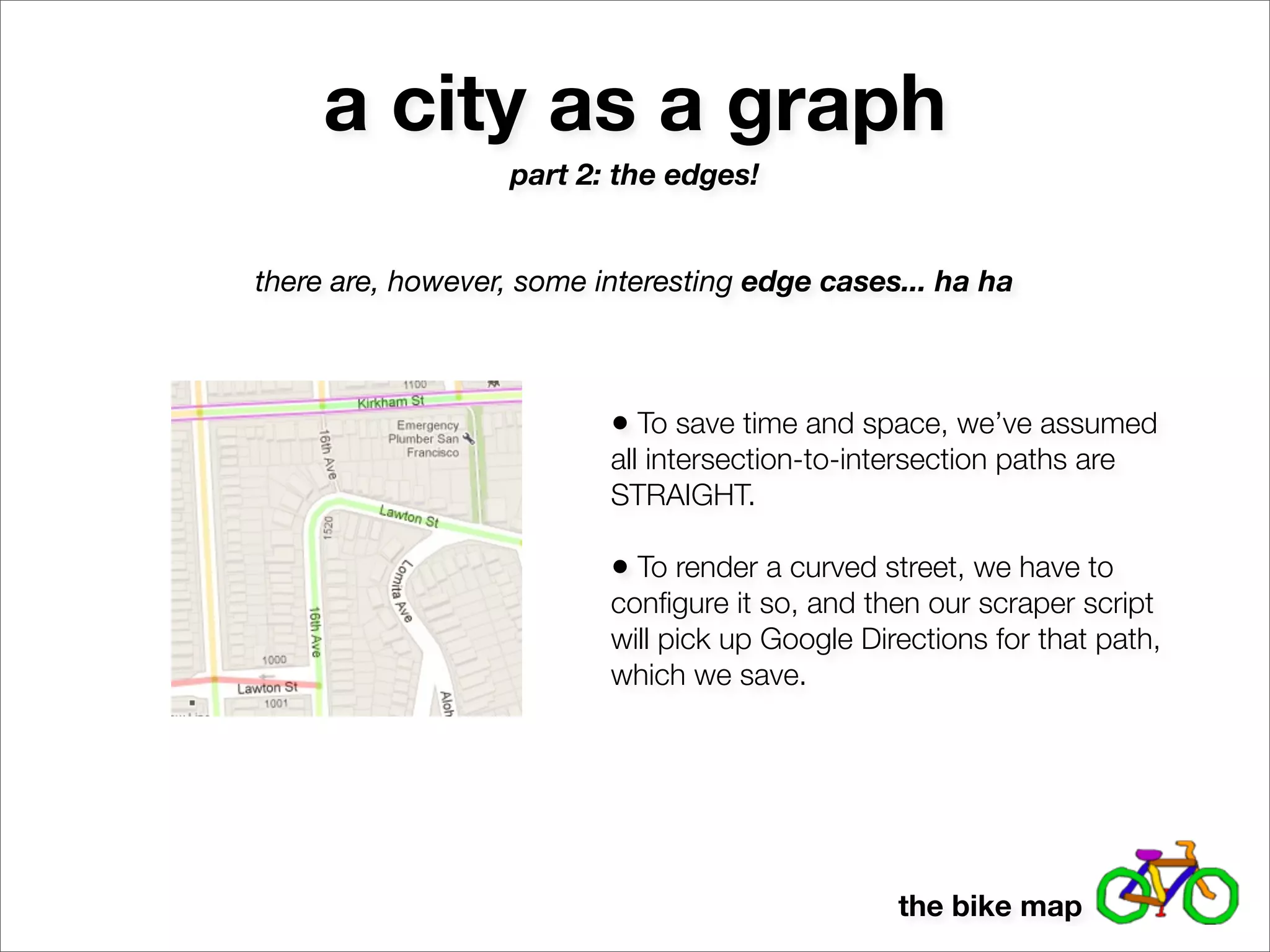
there are, however, some interesting edge cases... ha ha


                          • To save time and space, we’ve assumed
                          all intersection-to-intersection paths are
                          STRAIGHT.

                          • To render a curved street, we have to
                          configure it so, and then our scraper script
                          will pick up Google Directions for that path,
                          which we save.


                                                 the bike map
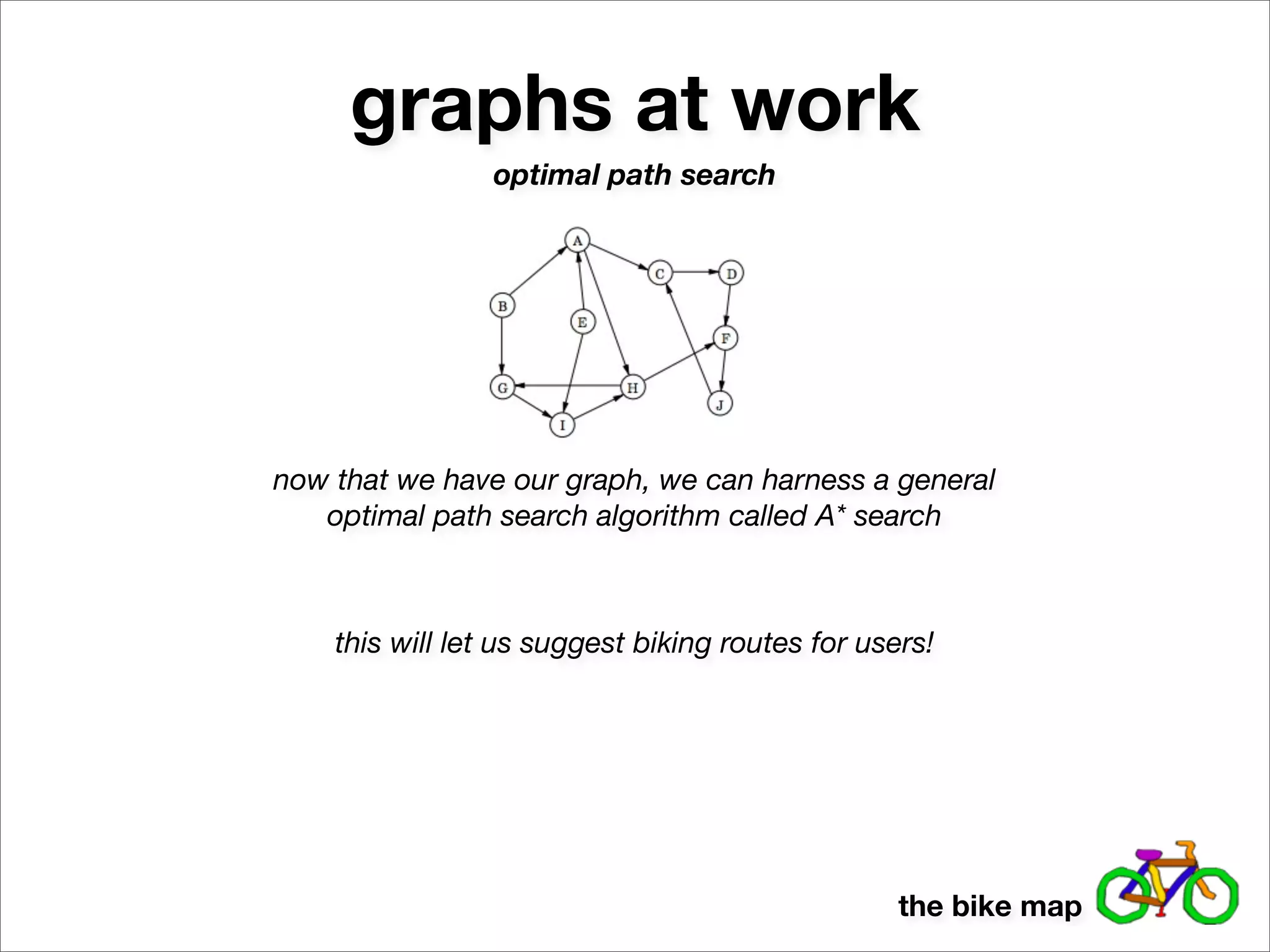
graphs at work
                optimal path search


now that we have our graph, we can harness a general
   optimal path search algorithm called A* search


    this will let us suggest biking routes for users!


                                                  the bike map
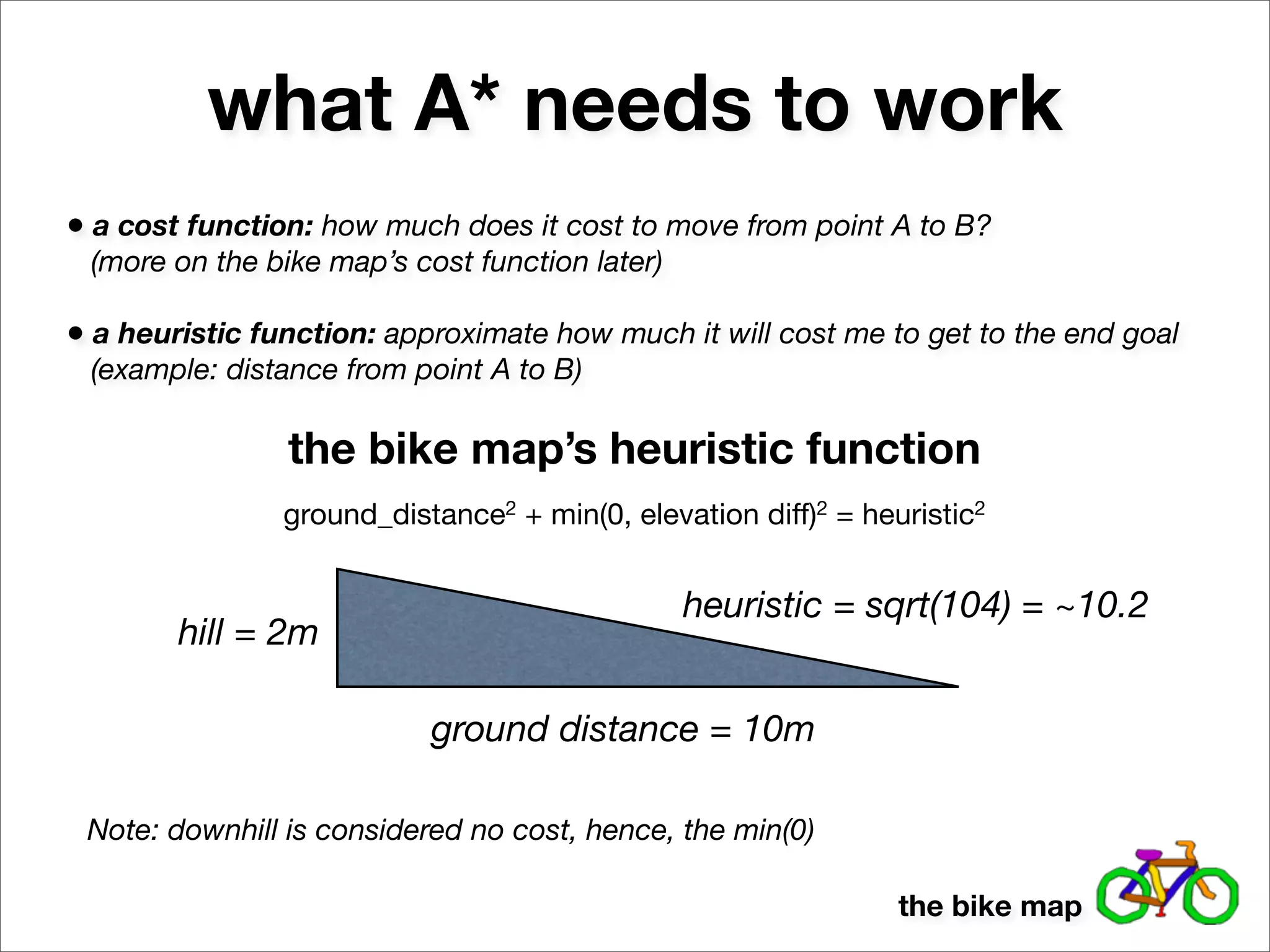
what A* needs to work
• a cost function: how much does it cost to move from point A to B?
 (more on the bike map’s cost function later)

• a heuristic function: approximate how much it will cost me to get to the end goal
 (example: distance from point A to B)

                the bike map’s heuristic function
                ground_distance2 + min(0, elevation diff)2 = heuristic2


                                                heuristic = sqrt(104) = ~10.2
        hill = 2m

                           ground distance = 10m

 Note: downhill is considered no cost, hence, the min(0)

                                                                the bike map
how A* works
Strategy:

1. Start with a queue
containing the start node.

2. Dequeue the node with
the lowest sum [f-score] of
heuristic cost (estimated
future cost) and already
sunk cost (cost to get to
current node).

3. Get all the neighbors of
said node, compute their f-
scores, and add them to
your queue.

4. Repeat. End when you
dequeue the goal.
                                        the bike map
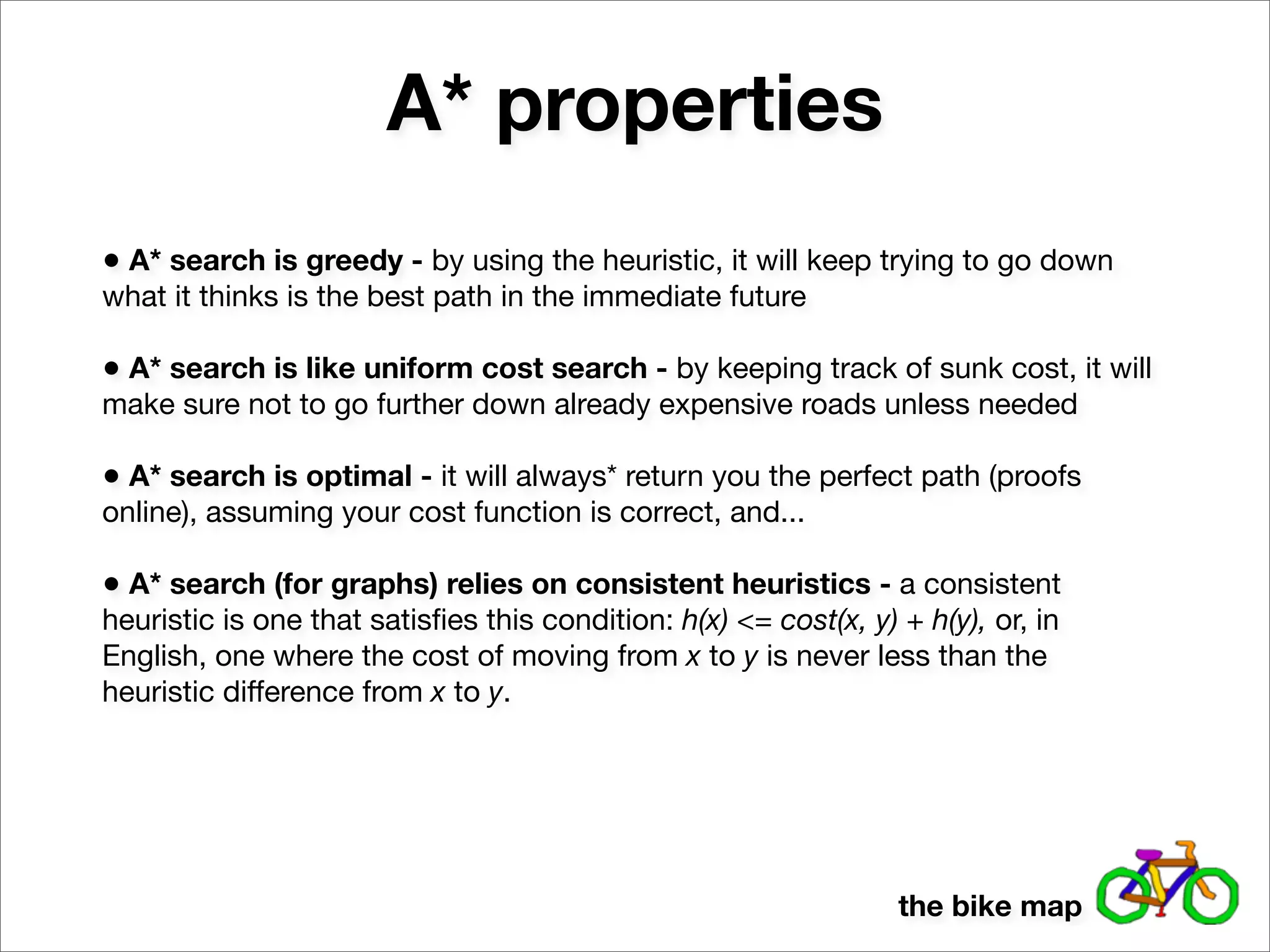
A* properties
• A* search is greedy - by using the heuristic, it will keep trying to go down
what it thinks is the best path in the immediate future

• A* search is like uniform cost search - by keeping track of sunk cost, it will
make sure not to go further down already expensive roads unless needed

• A* search is optimal - it will always* return you the perfect path (proofs
online), assuming your cost function is correct, and...

• A* search (for graphs) relies on consistent heuristics - a consistent
heuristic is one that satisfies this condition: h(x) <= cost(x, y) + h(y), or, in
English, one where the cost of moving from x to y is never less than the
heuristic difference from x to y.


                                                                  the bike map
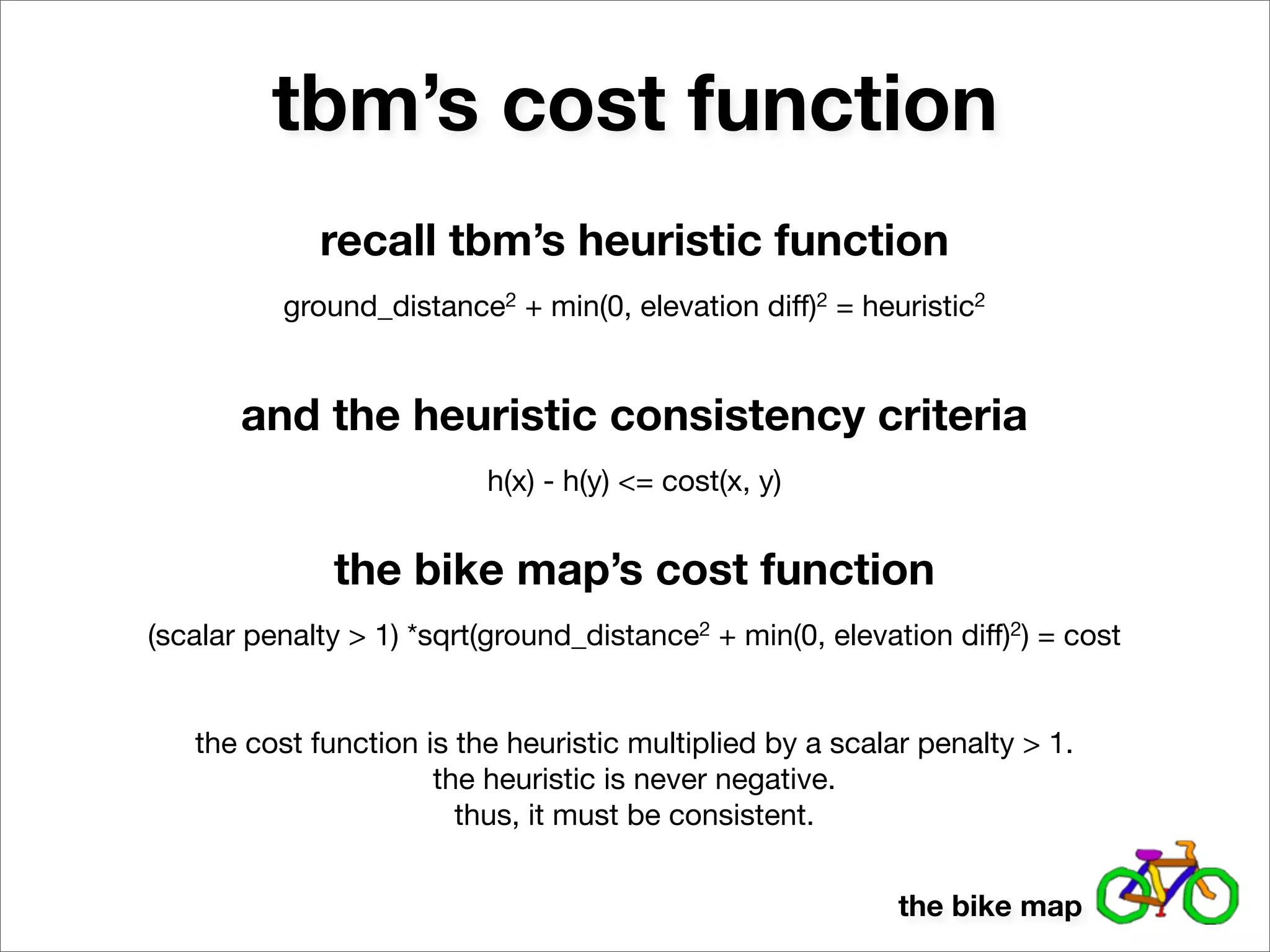
tbm’s cost function
             recall tbm’s heuristic function
          ground_distance2 + min(0, elevation diff)2 = heuristic2


       and the heuristic consistency criteria
                          h(x) - h(y) <= cost(x, y)


              the bike map’s cost function
(scalar penalty > 1) *sqrt(ground_distance2 + min(0, elevation diff)2) = cost


   the cost function is the heuristic multiplied by a scalar penalty > 1.
                      the heuristic is never negative.
                        thus, it must be consistent.


                                                           the bike map
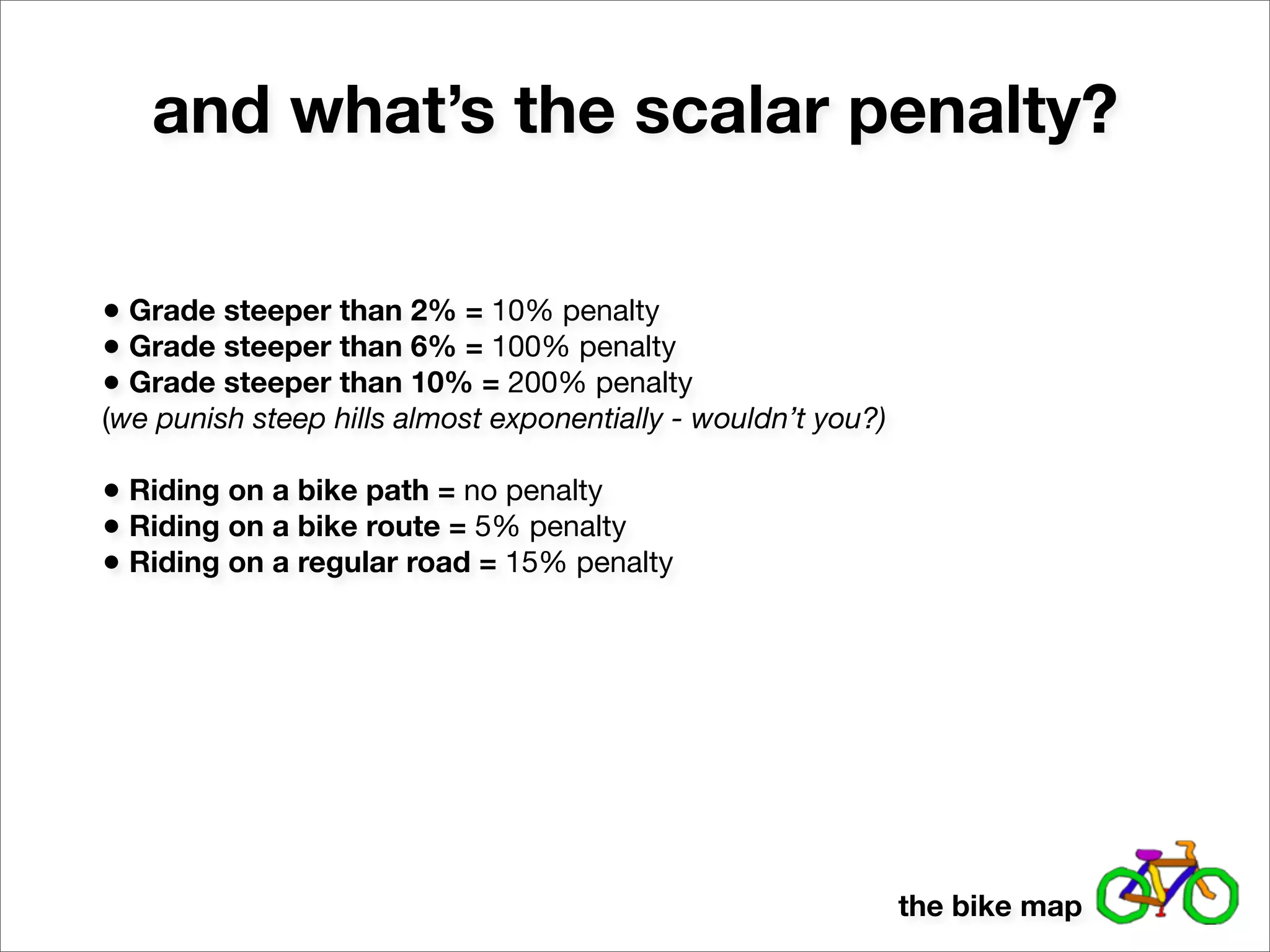
and what’s the scalar penalty?

• Grade steeper than 2% = 10% penalty
• Grade steeper than 6% = 100% penalty
• Grade steeper than 10% = 200% penalty
(we punish steep hills almost exponentially - wouldn’t you?)

• Riding on a bike path = no penalty
• Riding on a bike route = 5% penalty
• Riding on a regular road = 15% penalty


                                                               the bike map
the bike map
thanks!


          the bike map

the bike map - a look into a practical application of graph theory

  • 1.
    the bike map alook into a practical application of graph theory
  • 2.
    demo! the bike map
  • 3.
    how was itdone? by creating a graph - a set of nodes and edges in computer science, graph theory provides algorithms for doing all sorts of useful things with graphs - routing, coloring, network flow, etc. the bike map
  • 4.
    starting simple 1st and Folsom (twilio) 1st and Howard (peet’s) http://maps.googleapis.com/maps/api/geocode/json? address=1st St and Folsom St,+San+Francisco, +CA&sensor=false { "results" : [ { "address_components" : [ ... ], "formatted_address" : "Folsom Street & 1st Street, San Francisco, CA 94105, USA", "geometry" : { "location" : { "lat" : 37.78733430, "lng" : -122.39453480 }, ... }, "types" : [ "intersection" ] } ], "status" : "OK" } the bike map
  • 5.
    starting simple 1st and Folsom (twilio) 1st and Howard (peet’s) http://maps.googleapis.com/maps/api/elevation/json? locations=37.78733430,-122.39453480&sensor=false { "results" : [ { "elevation" : 12.22284126281738, "location" : { "lat" : 37.78733430, "lng" : -122.39453480 }, "resolution" : 0.5964969992637634 } ], "status" : "OK" } the bike map
  • 6.
    voila! new google.maps.Polyline({ path: [<latlng for 1st & folsom>, <latlng for 1st & howard>], strokeColor: <color based on elevation difference divided by distance>, ... map: BikeMap.MAP_OBJECT, }) ...now just repeat for all intersections in the city... the bike map
  • 7.
    that was tooeasy... where did those intersections come from? how did you know they existed? how did you know they were next to each other? the bike map
  • 8.
    a city asa graph or, how to generate a lot of nodes goal: get a list of all street intersections in a city - these are our nodes i’ll just write them all out by hand! i’m not above data entry! charlie the bike map
  • 9.
  • 10.
    a city asa graph or, how to generate a lot of nodes goal: get a list of all street intersections in a city - these are our nodes i’ll just write them all out by hand! i’m not above data entry! maybe I can use nextbus / proximobus data... charlie the bike map
  • 11.
    proximobus proximobus.appspot.com http://proximobus.appspot.com/agencies/sf-muni/ routes/F/stops.json {"items": [ {"latitude": 37.7875299, "display_name": "Market St & 3rd St", "id": "15640", "longitude": -122.40352}, {"latitude": 37.76979, "display_name": "Market St & Buchanan St", "id": "15659", "longitude": -122.4261499}, {"latitude": 37.7805699, "display_name": "Market St & 7th St North", "id": "15656", "longitude": -122.41244}, {"latitude": 37.7911099, "display_name": "Market St & Battery St", "id": "15657", "longitude": -122.39907}, {"latitude": 37.7840799, "display_name": "Market St & 5th St North", "id": "15655", "longitude": -122.40799}, {"latitude": 37.7774099, "display_name": "Market St & 9th St", "id": "15652", "longitude": -122.41634}, ... ]} great! i’ll just map all the transit lines. charlie the bike map
  • 12.
    bike on geary,market, and van ness, get run over
  • 13.
    a city asa graph or, how to generate a lot of nodes goal: get a list of all street intersections in a city - these are our nodes i’ll just write them all out by hand! i’m not above data entry! maybe I can use nextbus / proximobus data... write out all the streets by hand... and then compute intersections? charlie the bike map
  • 14.
    a city asa graph or, how to generate a lot of nodes goal: get a list of all street intersections in a city - these are our nodes idea: write out all the streets by hand... and then compute intersections? • Bucket streets into non-intersecting groups • Take all possible combinations of streets that may intersect • Verify with Google that the intersection exists • Fairly good hit rate with non-intersecting groups • Data entry sucks, but this is exponentially less than before the bike map
  • 15.
    a city asa graph or, how to generate a lot of nodes goal: get a list of all street intersections in a city - these are our nodes even better idea: use a reverse geocoding service to find nearby streets for every point in a polygonal area, cluster streets based on latlng slope http://api.geonames.org/findNearbyStreetsJSON? lat=37.770443&lng=-122.448172&username=demo { "streetSegment" : [ {"line":"-122.447123 37.770935,-122.448768 37.770731", "distance":"0.06", "name":"Page St"}, {"line":"-122.448768 37.770731,-122.448579 37.769798", "distance":"0.06", "name":"Clayton St"}, {"line":"-122.446934 37.770008,-122.448579 37.769798", "distance":"0.08", "name":"Haight St"}, ], } the bike map
  • 16.
    a city asa graph or, how to generate a lot of nodes goal: get a list of all street intersections in a city - these are our nodes even better idea: use a reverse geocoding service to find nearby streets for every point in a polygonal area, cluster streets based on latlng slope • Create a polygon of lat/lng coordinates for your region • Query every few hundred feet within that polygon for nearby streets (see ray casting point in polygon algorithm) • Keep track of streets and which way they tend to point • Use clustering algorithm (or just guesstimate) to make non-intersecting buckets the bike map
  • 17.
    a city asa graph or, how to generate a lot of nodes goal: get a list of all street intersections in a city - these are our nodes even better idea: use a reverse geocoding service to find nearby streets for every point in a polygonal area, cluster streets based on latlng slope the bike map
  • 18.
    a city asa graph part 2: the edges! remember: a graph is a set of nodes and edges thankfully, generating the edges isn’t too complicated • We sort the intersections for each unique street • Each edge is just a straight line from one intersection to the next the bike map
  • 19.
    a city asa graph part 2: the edges! there are, however, some interesting edge cases... ha ha • I can’t simply ride straight through Alamo Square Park from Grove / Scott to Grove / Steiner. • We have to manually define “breaks” along a street. the bike map
  • 20.
    a city asa graph part 2: the edges! there are, however, some interesting edge cases... ha ha • To save time and space, we’ve assumed all intersection-to-intersection paths are STRAIGHT. • To render a curved street, we have to configure it so, and then our scraper script will pick up Google Directions for that path, which we save. the bike map
  • 21.
    graphs at work optimal path search now that we have our graph, we can harness a general optimal path search algorithm called A* search this will let us suggest biking routes for users! the bike map
  • 22.
    what A* needsto work • a cost function: how much does it cost to move from point A to B? (more on the bike map’s cost function later) • a heuristic function: approximate how much it will cost me to get to the end goal (example: distance from point A to B) the bike map’s heuristic function ground_distance2 + min(0, elevation diff)2 = heuristic2 heuristic = sqrt(104) = ~10.2 hill = 2m ground distance = 10m Note: downhill is considered no cost, hence, the min(0) the bike map
  • 23.
    how A* works Strategy: 1.Start with a queue containing the start node. 2. Dequeue the node with the lowest sum [f-score] of heuristic cost (estimated future cost) and already sunk cost (cost to get to current node). 3. Get all the neighbors of said node, compute their f- scores, and add them to your queue. 4. Repeat. End when you dequeue the goal. the bike map
  • 24.
    A* properties • A*search is greedy - by using the heuristic, it will keep trying to go down what it thinks is the best path in the immediate future • A* search is like uniform cost search - by keeping track of sunk cost, it will make sure not to go further down already expensive roads unless needed • A* search is optimal - it will always* return you the perfect path (proofs online), assuming your cost function is correct, and... • A* search (for graphs) relies on consistent heuristics - a consistent heuristic is one that satisfies this condition: h(x) <= cost(x, y) + h(y), or, in English, one where the cost of moving from x to y is never less than the heuristic difference from x to y. the bike map
  • 25.
    tbm’s cost function recall tbm’s heuristic function ground_distance2 + min(0, elevation diff)2 = heuristic2 and the heuristic consistency criteria h(x) - h(y) <= cost(x, y) the bike map’s cost function (scalar penalty > 1) *sqrt(ground_distance2 + min(0, elevation diff)2) = cost the cost function is the heuristic multiplied by a scalar penalty > 1. the heuristic is never negative. thus, it must be consistent. the bike map
  • 26.
    and what’s thescalar penalty? • Grade steeper than 2% = 10% penalty • Grade steeper than 6% = 100% penalty • Grade steeper than 10% = 200% penalty (we punish steep hills almost exponentially - wouldn’t you?) • Riding on a bike path = no penalty • Riding on a bike route = 5% penalty • Riding on a regular road = 15% penalty the bike map
  • 27.
  • 28.
    thanks! the bike map