1
The best way to run
Elastic on Kubernetes
ElasticON 2020
Sebastien Guilloux
Senior Software Engineer - ECK
2
This presentation and the accompanying oral presentation contain forward-looking statements, including statements
concerning plans for future offerings; the expected strength, performance or benefits of our offerings; and our future
operations and expected performance. These forward-looking statements are subject to the safe harbor provisions
under the Private Securities Litigation Reform Act of 1995. Our expectations and beliefs in light of currently
available information regarding these matters may not materialize. Actual outcomes and results may differ materially
from those contemplated by these forward-looking statements due to uncertainties, risks, and changes in
circumstances, including, but not limited to those related to: the impact of the COVID-19 pandemic on our business
and our customers and partners; our ability to continue to deliver and improve our offerings and successfully
develop new offerings, including security-related product offerings and SaaS offerings; customer acceptance and
purchase of our existing offerings and new offerings, including the expansion and adoption of our SaaS offerings;
our ability to realize value from investments in the business, including R&D investments; our ability to maintain and
expand our user and customer base; our international expansion strategy; our ability to successfully execute our
go-to-market strategy and expand in our existing markets and into new markets, and our ability to forecast customer
retention and expansion; and general market, political, economic and business conditions.
Additional risks and uncertainties that could cause actual outcomes and results to differ materially are included in
our filings with the Securities and Exchange Commission (the “SEC”), including our Annual Report on Form 10-K for
the most recent fiscal year, our quarterly report on Form 10-Q for the most recent fiscal quarter, and any
subsequent reports filed with the SEC. SEC filings are available on the Investor Relations section of Elastic’s
website at ir.elastic.co and the SEC’s website at www.sec.gov.
Any features or functions of services or products referenced in this presentation, or in any presentations, press
releases or public statements, which are not currently available or not currently available as a general availability
release, may not be delivered on time or at all. The development, release, and timing of any features or functionality
described for our products remains at our sole discretion. Customers who purchase our products and services
should make the purchase decisions based upon services and product features and functions that are currently
available.
All statements are made only as of the date of the presentation, and Elastic assumes no obligation to, and does not
currently intend to, update any forward-looking statements or statements relating to features or functions of services
or products, except as required by law.
Forward-Looking Statements
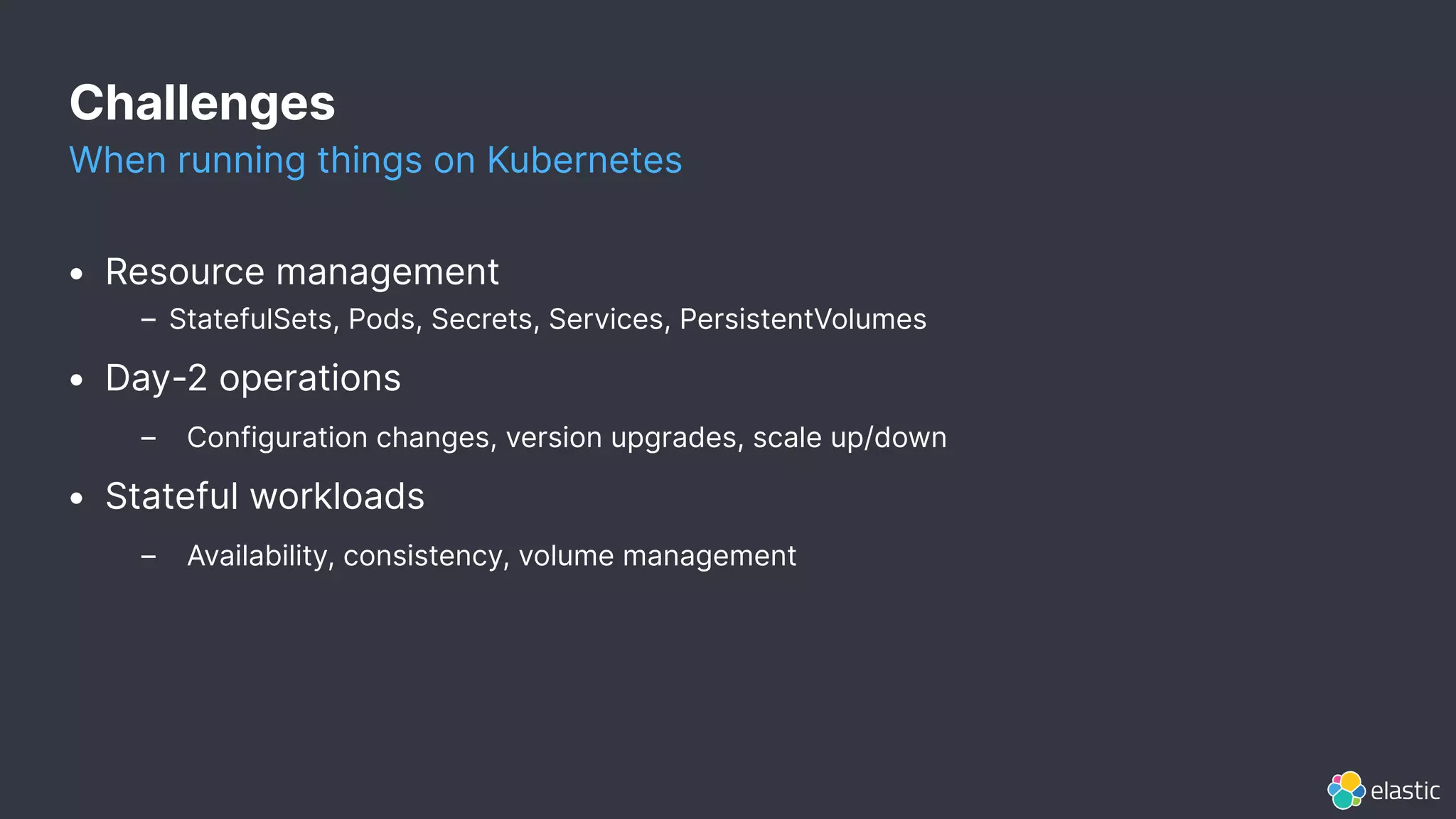
Challenges
When running things on Kubernetes
• Resource management
– StatefulSets, Pods, Secrets, Services, PersistentVolumes
• Day-2 operations
– Configuration changes, version upgrades, scale up/down
• Stateful workloads
– Availability, consistency, volume management
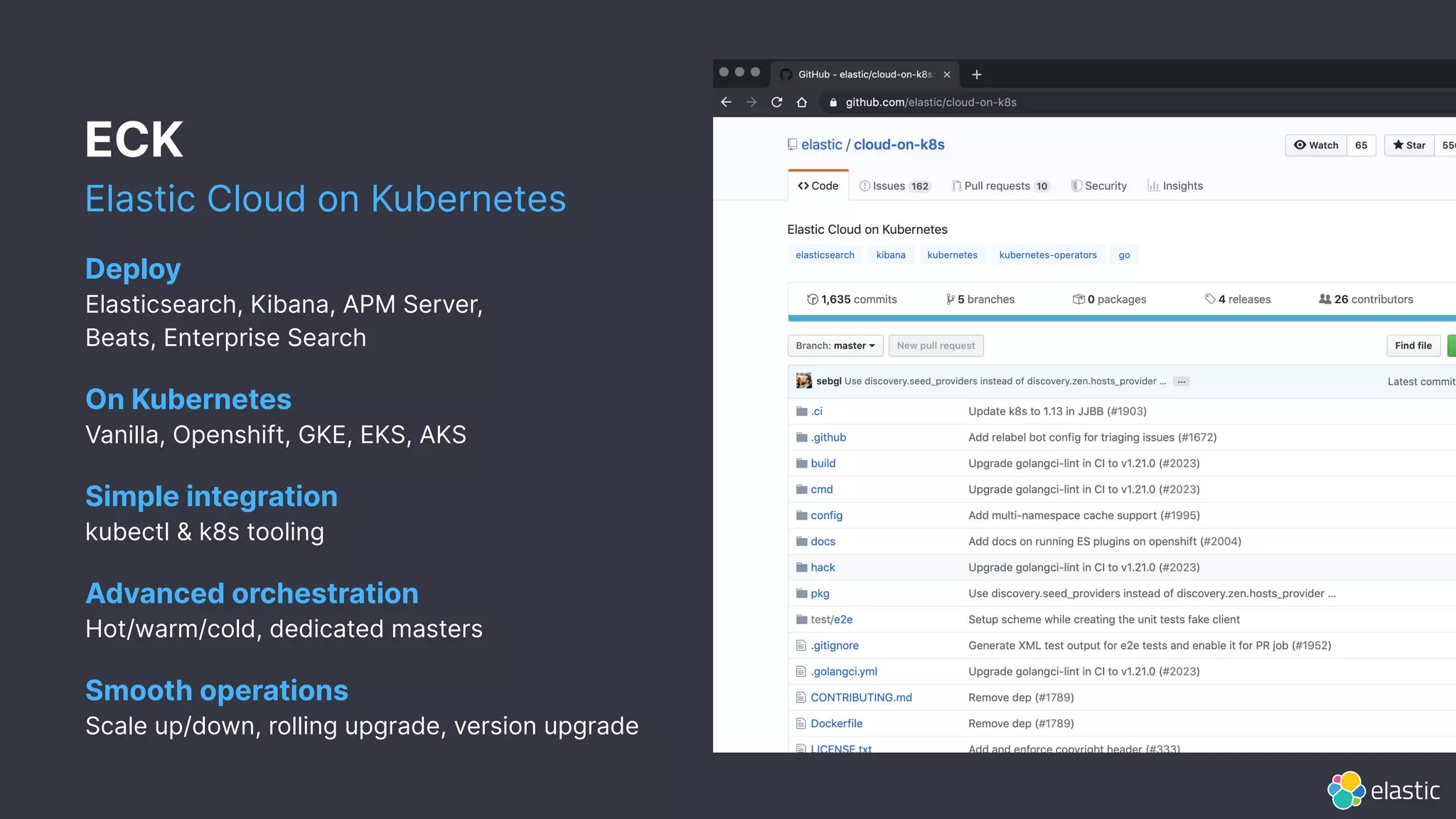
ECK
Elastic Cloud on Kubernetes
Deploy
Elasticsearch, Kibana, APM Server,
Beats, Enterprise Search
On Kubernetes
Vanilla, Openshift, GKE, EKS, AKS
Simple integration
kubectl & k8s tooling
Advanced orchestration
Hot/warm/cold, dedicated masters
Smooth operations
Scale up/down, rolling upgrade, version upgrade
5
Quickstart demo
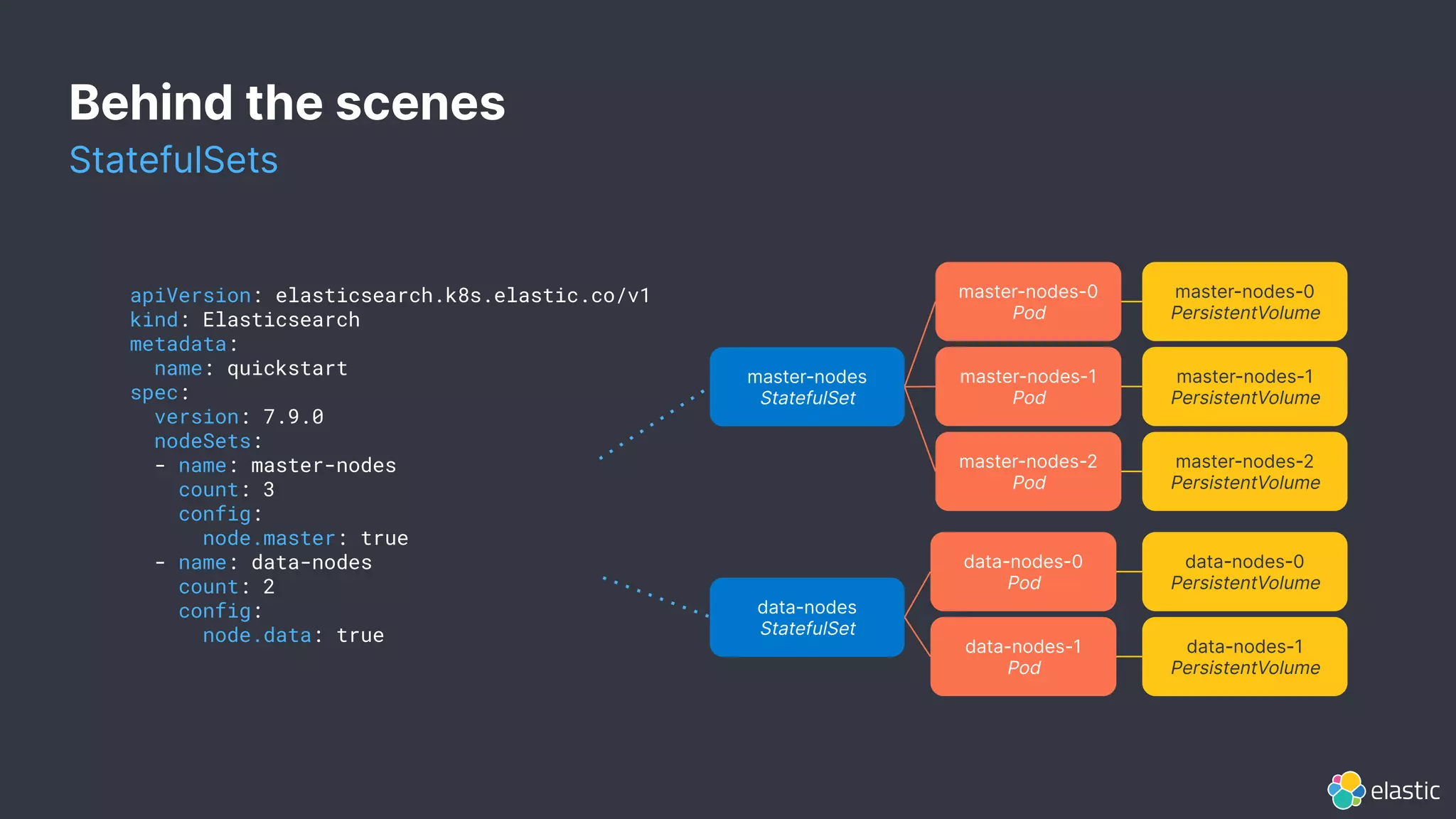
apiVersion: elasticsearch.k8s.elastic.co/v1
kind: Elasticsearch
metadata:
name: quickstart
spec:
version: 7.9.0
nodeSets:
- name: master-nodes
count: 3
config:
node.master: true
- name: data-nodes
count: 2
config:
node.data: true
master-nodes
StatefulSet
master-nodes-1
Pod
master-nodes-0
PersistentVolume
master-nodes-1
PersistentVolume
master-nodes-2
PersistentVolume
master-nodes-0
Pod
master-nodes-2
Pod
data-nodes
StatefulSet
data-nodes-1
Pod
data-nodes-0
PersistentVolume
data-nodes-1
PersistentVolume
data-nodes-0
Pod
Behind the scenes
StatefulSets
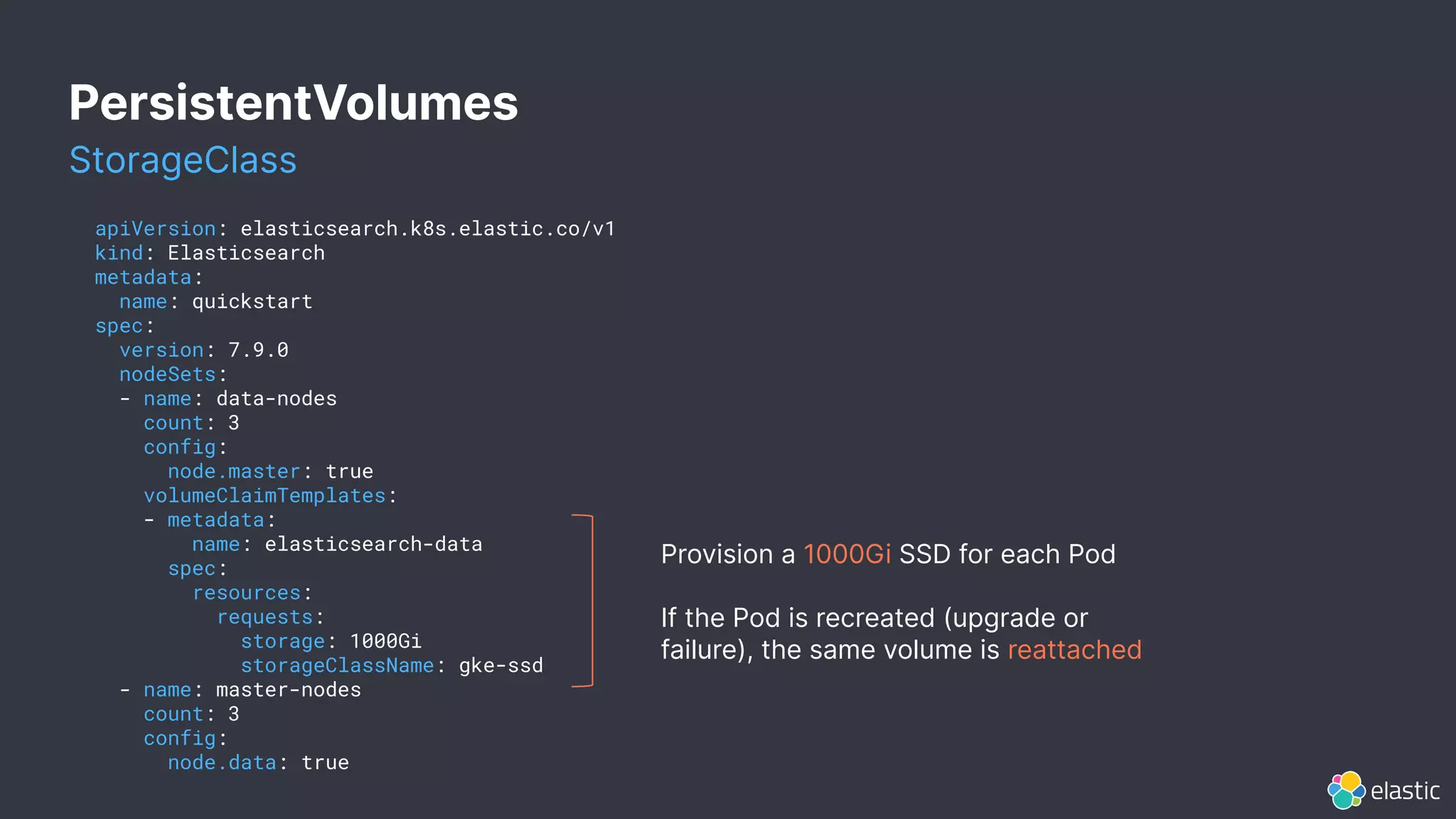
PersistentVolumes
apiVersion: elasticsearch.k8s.elastic.co/v1
kind: Elasticsearch
metadata:
name: quickstart
spec:
version: 7.9.0
nodeSets:
- name: data-nodes
count: 3
config:
node.master: true
volumeClaimTemplates:
- metadata:
name: elasticsearch-data
spec:
resources:
requests:
storage: 1000Gi
storageClassName: gke-ssd
- name: master-nodes
count: 3
config:
node.data: true
Provision a 1000Gi SSD for each Pod
If the Pod is recreated (upgrade or
failure), the same volume is reattached
StorageClass
8
Which storage
should I use?
Well, it depends...
9
PersistentVolumes
implementations
Network-attached vs. Local
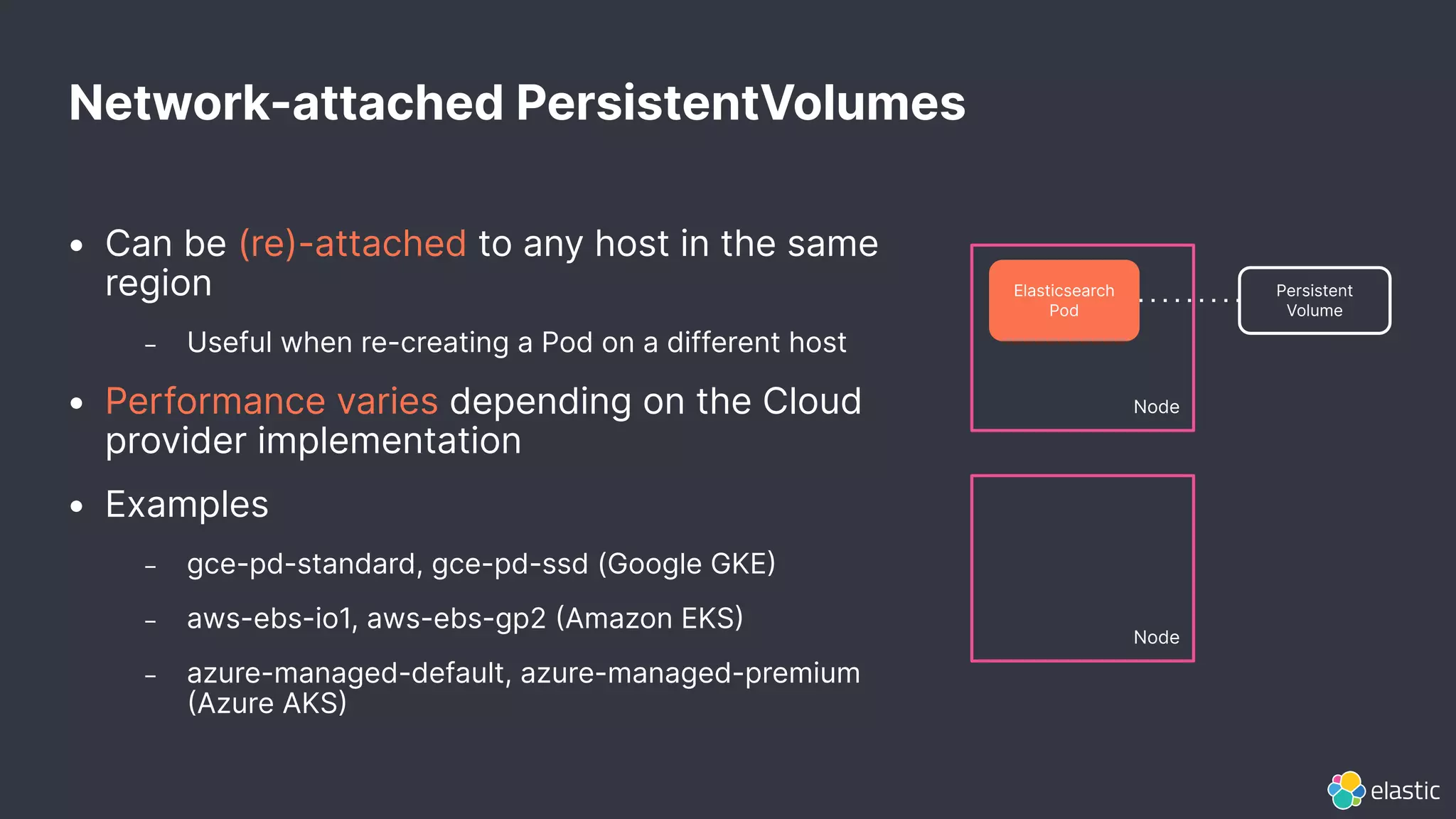
Network-attached PersistentVolumes
Node
Elasticsearch
Pod
Persistent
Volume
Node
• Can be (re)-attached to any host in the same
region
– Useful when re-creating a Pod on a different host
• Performance varies depending on the Cloud
provider implementation
• Examples
– gce-pd-standard, gce-pd-ssd (Google GKE
– aws-ebs-io1, aws-ebs-gp2 Amazon EKS
– azure-managed-default, azure-managed-premium
Azure AKS
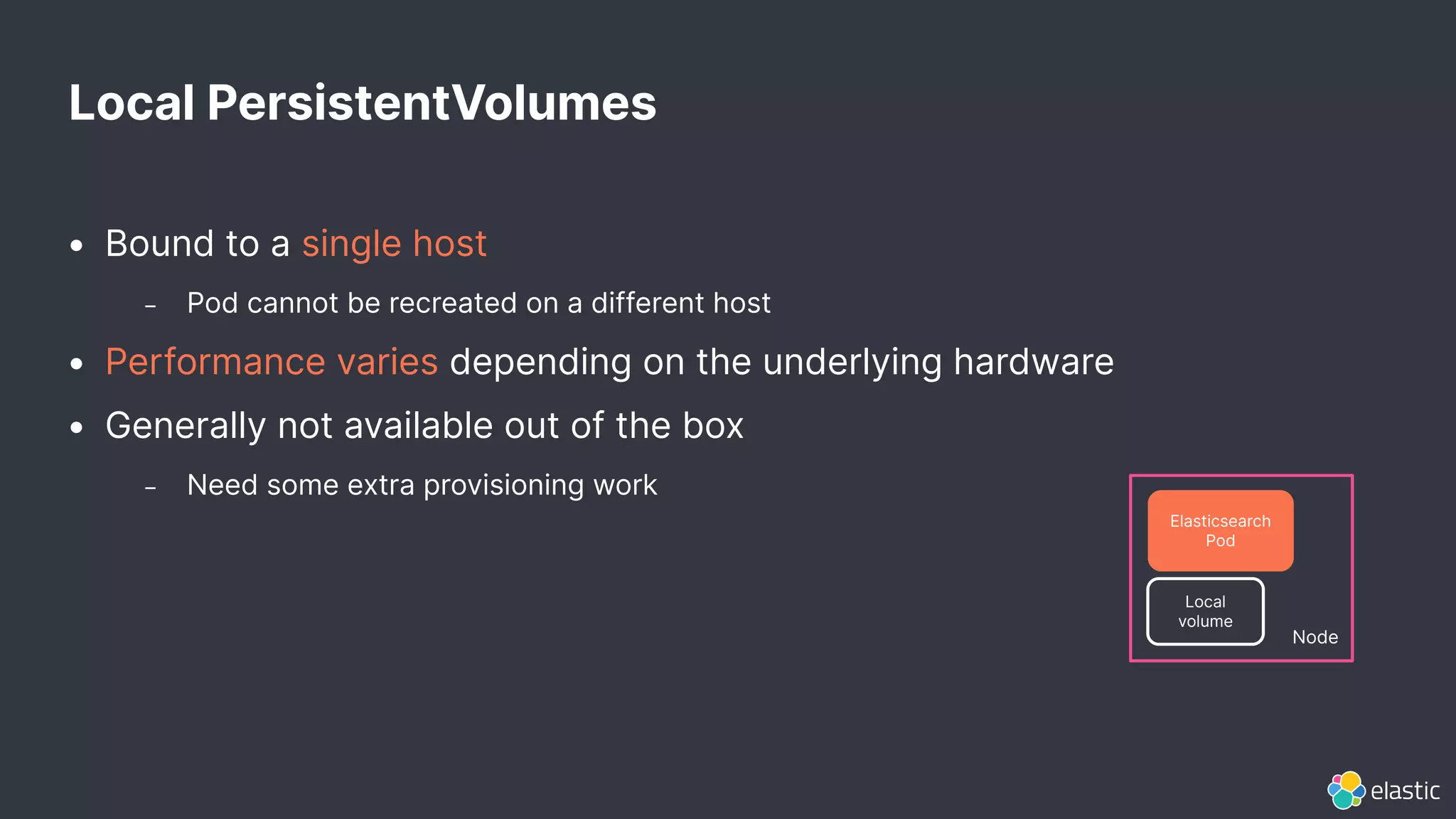
• Bound to a single host
– Pod cannot be recreated on a different host
• Performance varies depending on the underlying hardware
• Generally not available out of the box
– Need some extra provisioning work
Local PersistentVolumes
Node
Elasticsearch
Pod
Local
volume
Local vs. Network-attached
Trade-offs
Availability / Performance / Cost / Operations
What NAS options does my Kubernetes provider offer?
NFS and object-storage based volumes are generally not a
good fit)
What local storage can be attached to the VMs?
Local vs. Network-attached
Trade-offs
Availability / Performance / Cost / Operations
Some network-attached volumes (GKE SSDs, AWS IO1) offer good
performance. Best performance can be achieved with local volumes NVME
SSDs). We observed a 0%75% improvement depending on the use case.
The use case (ingest, search, query, aggregations, etc.) matters a lot.
For example: CPU may be the bottleneck when benchmarking ingestion.
Make sure to benchmark (Rally) your use case before drawing conclusions.
Local vs. Network-attached
Trade-offs
Availability / Performance / Cost / Operations
Network-attached volumes: per GB-month / IOPS-month.
Local volumes: per mounted disk on the VM.
Local vs. Network-attached
Trade-offs
Availability / Performance / Cost / Operations
Network-attached volumes are simple to operate: a failed Pod
can be recreated immediately on a different host with the
same volume.
Local volumes are more complicated to operate.
16
Local
PersistentVolumes
Operations
Local PersistentVolumes
Provisioning
• Static provisioning
– Pre-create PersistentVolume resources in advance: one per available disk or
partition
– Either manually (write YAML, or using the static provisioner
• Dynamic provisioning
– Automatically create the right PersistentVolume on-demand
– Volume quota is not always respected
– Requires an additional provisioner (TopoLVM, Rancher Local Path, OpenEBS)
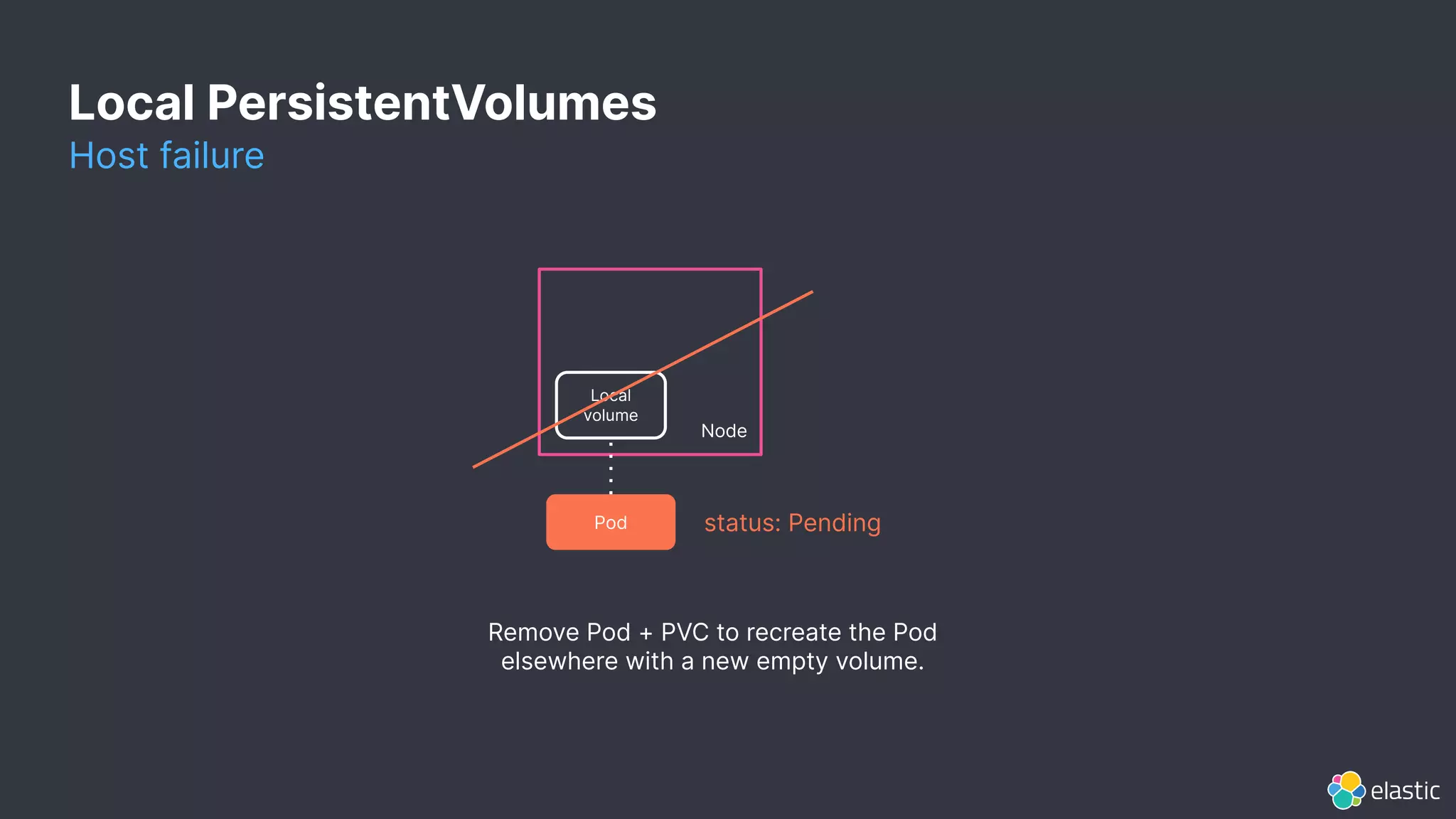
Host failure
Pod status: Pending
Node
Local
volume
Remove Pod + PVC to recreate the Pod
elsewhere with a new empty volume.
Local PersistentVolumes
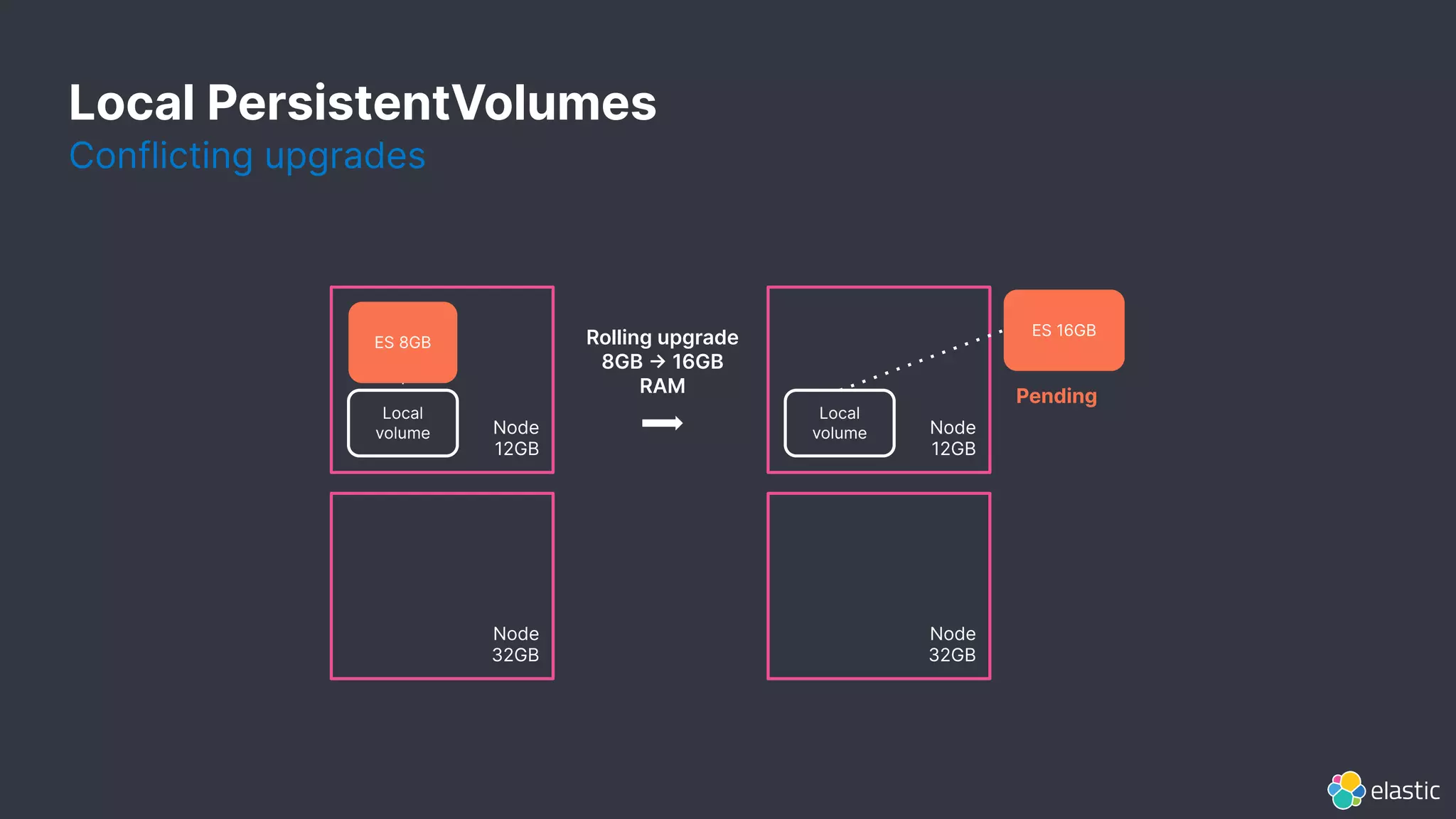
Conflicting upgrades
Local PersistentVolumes
Node
12GB
ES 8GB
Node
12GB
Local
volume
Local
volume
ES 16GB
Pending
Rolling upgrade
8GB -> 16GB
RAM
Node
32GB
Node
32GB
20
Picking the right
solution
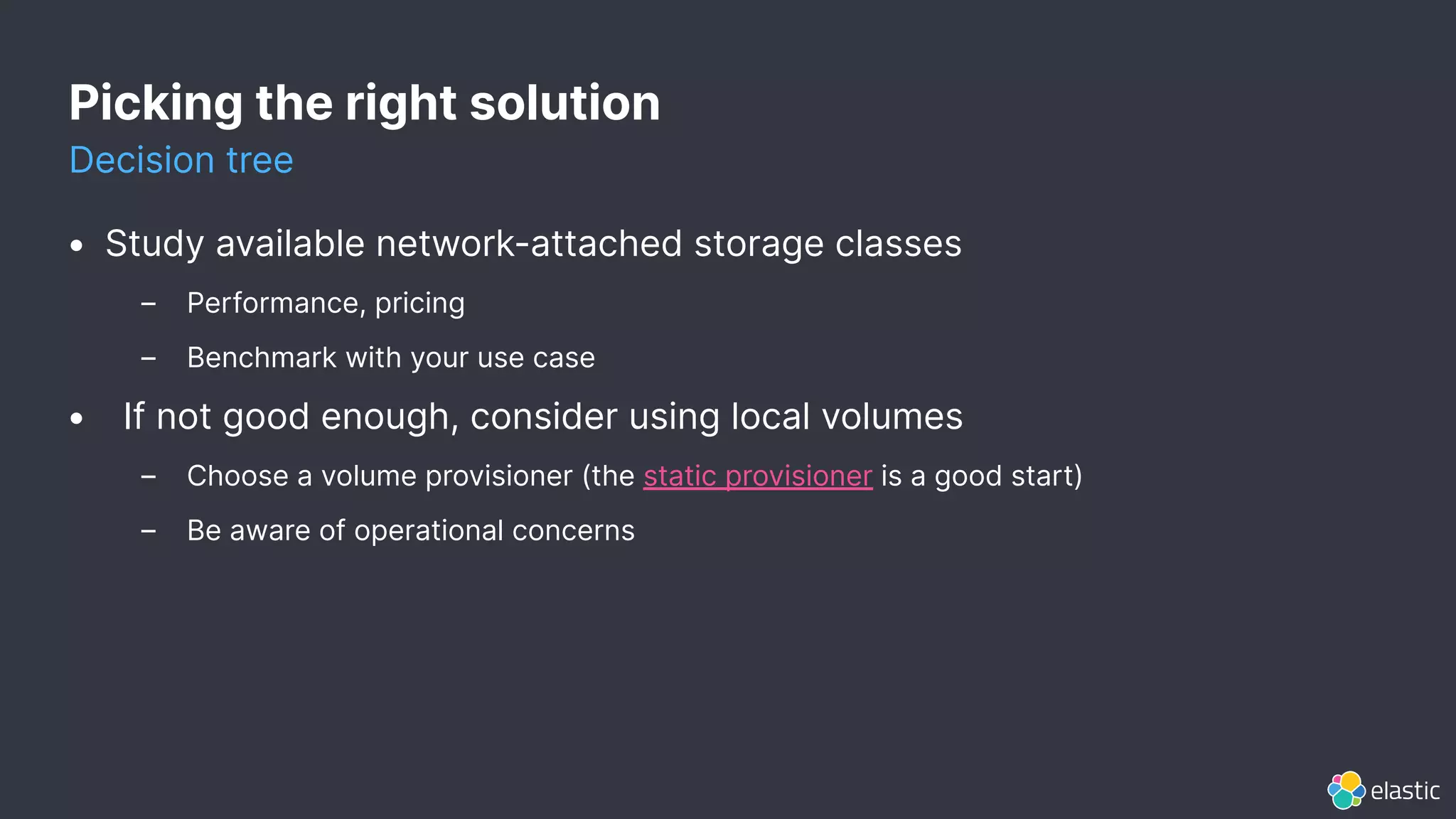
Picking the right solution
Decision tree
• Study available network-attached storage classes
– Performance, pricing
– Benchmark with your use case
• If not good enough, consider using local volumes
– Choose a volume provisioner (the static provisioner is a good start)
– Be aware of operational concerns
22
The best way to run
Elastic on Kubernetes
ElasticON 2020
Sebastien Guilloux
Senior Software Engineer - ECK

The best way to run Elastic on Kubernetes

  • 1.
    1 The best wayto run Elastic on Kubernetes ElasticON 2020 Sebastien Guilloux Senior Software Engineer - ECK
  • 2.
    2 This presentation andthe accompanying oral presentation contain forward-looking statements, including statements concerning plans for future offerings; the expected strength, performance or benefits of our offerings; and our future operations and expected performance. These forward-looking statements are subject to the safe harbor provisions under the Private Securities Litigation Reform Act of 1995. Our expectations and beliefs in light of currently available information regarding these matters may not materialize. Actual outcomes and results may differ materially from those contemplated by these forward-looking statements due to uncertainties, risks, and changes in circumstances, including, but not limited to those related to: the impact of the COVID-19 pandemic on our business and our customers and partners; our ability to continue to deliver and improve our offerings and successfully develop new offerings, including security-related product offerings and SaaS offerings; customer acceptance and purchase of our existing offerings and new offerings, including the expansion and adoption of our SaaS offerings; our ability to realize value from investments in the business, including R&D investments; our ability to maintain and expand our user and customer base; our international expansion strategy; our ability to successfully execute our go-to-market strategy and expand in our existing markets and into new markets, and our ability to forecast customer retention and expansion; and general market, political, economic and business conditions. Additional risks and uncertainties that could cause actual outcomes and results to differ materially are included in our filings with the Securities and Exchange Commission (the “SEC”), including our Annual Report on Form 10-K for the most recent fiscal year, our quarterly report on Form 10-Q for the most recent fiscal quarter, and any subsequent reports filed with the SEC. SEC filings are available on the Investor Relations section of Elastic’s website at ir.elastic.co and the SEC’s website at www.sec.gov. Any features or functions of services or products referenced in this presentation, or in any presentations, press releases or public statements, which are not currently available or not currently available as a general availability release, may not be delivered on time or at all. The development, release, and timing of any features or functionality described for our products remains at our sole discretion. Customers who purchase our products and services should make the purchase decisions based upon services and product features and functions that are currently available. All statements are made only as of the date of the presentation, and Elastic assumes no obligation to, and does not currently intend to, update any forward-looking statements or statements relating to features or functions of services or products, except as required by law. Forward-Looking Statements
  • 3.
    Challenges When running thingson Kubernetes • Resource management – StatefulSets, Pods, Secrets, Services, PersistentVolumes • Day-2 operations – Configuration changes, version upgrades, scale up/down • Stateful workloads – Availability, consistency, volume management
  • 4.
    ECK Elastic Cloud onKubernetes Deploy Elasticsearch, Kibana, APM Server, Beats, Enterprise Search On Kubernetes Vanilla, Openshift, GKE, EKS, AKS Simple integration kubectl & k8s tooling Advanced orchestration Hot/warm/cold, dedicated masters Smooth operations Scale up/down, rolling upgrade, version upgrade
  • 5.
  • 6.
    apiVersion: elasticsearch.k8s.elastic.co/v1 kind: Elasticsearch metadata: name:quickstart spec: version: 7.9.0 nodeSets: - name: master-nodes count: 3 config: node.master: true - name: data-nodes count: 2 config: node.data: true master-nodes StatefulSet master-nodes-1 Pod master-nodes-0 PersistentVolume master-nodes-1 PersistentVolume master-nodes-2 PersistentVolume master-nodes-0 Pod master-nodes-2 Pod data-nodes StatefulSet data-nodes-1 Pod data-nodes-0 PersistentVolume data-nodes-1 PersistentVolume data-nodes-0 Pod Behind the scenes StatefulSets
  • 7.
    PersistentVolumes apiVersion: elasticsearch.k8s.elastic.co/v1 kind: Elasticsearch metadata: name:quickstart spec: version: 7.9.0 nodeSets: - name: data-nodes count: 3 config: node.master: true volumeClaimTemplates: - metadata: name: elasticsearch-data spec: resources: requests: storage: 1000Gi storageClassName: gke-ssd - name: master-nodes count: 3 config: node.data: true Provision a 1000Gi SSD for each Pod If the Pod is recreated (upgrade or failure), the same volume is reattached StorageClass
  • 8.
    8 Which storage should Iuse? Well, it depends...
  • 9.
  • 10.
    Network-attached PersistentVolumes Node Elasticsearch Pod Persistent Volume Node • Canbe (re)-attached to any host in the same region – Useful when re-creating a Pod on a different host • Performance varies depending on the Cloud provider implementation • Examples – gce-pd-standard, gce-pd-ssd (Google GKE – aws-ebs-io1, aws-ebs-gp2 Amazon EKS – azure-managed-default, azure-managed-premium Azure AKS
  • 11.
    • Bound toa single host – Pod cannot be recreated on a different host • Performance varies depending on the underlying hardware • Generally not available out of the box – Need some extra provisioning work Local PersistentVolumes Node Elasticsearch Pod Local volume
  • 12.
    Local vs. Network-attached Trade-offs Availability/ Performance / Cost / Operations What NAS options does my Kubernetes provider offer? NFS and object-storage based volumes are generally not a good fit) What local storage can be attached to the VMs?
  • 13.
    Local vs. Network-attached Trade-offs Availability/ Performance / Cost / Operations Some network-attached volumes (GKE SSDs, AWS IO1) offer good performance. Best performance can be achieved with local volumes NVME SSDs). We observed a 0%75% improvement depending on the use case. The use case (ingest, search, query, aggregations, etc.) matters a lot. For example: CPU may be the bottleneck when benchmarking ingestion. Make sure to benchmark (Rally) your use case before drawing conclusions.
  • 14.
    Local vs. Network-attached Trade-offs Availability/ Performance / Cost / Operations Network-attached volumes: per GB-month / IOPS-month. Local volumes: per mounted disk on the VM.
  • 15.
    Local vs. Network-attached Trade-offs Availability/ Performance / Cost / Operations Network-attached volumes are simple to operate: a failed Pod can be recreated immediately on a different host with the same volume. Local volumes are more complicated to operate.
  • 16.
  • 17.
    Local PersistentVolumes Provisioning • Staticprovisioning – Pre-create PersistentVolume resources in advance: one per available disk or partition – Either manually (write YAML, or using the static provisioner • Dynamic provisioning – Automatically create the right PersistentVolume on-demand – Volume quota is not always respected – Requires an additional provisioner (TopoLVM, Rancher Local Path, OpenEBS)
  • 18.
    Host failure Pod status:Pending Node Local volume Remove Pod + PVC to recreate the Pod elsewhere with a new empty volume. Local PersistentVolumes
  • 19.
    Conflicting upgrades Local PersistentVolumes Node 12GB ES8GB Node 12GB Local volume Local volume ES 16GB Pending Rolling upgrade 8GB -> 16GB RAM Node 32GB Node 32GB
  • 20.
  • 21.
    Picking the rightsolution Decision tree • Study available network-attached storage classes – Performance, pricing – Benchmark with your use case • If not good enough, consider using local volumes – Choose a volume provisioner (the static provisioner is a good start) – Be aware of operational concerns
  • 22.
    22 The best wayto run Elastic on Kubernetes ElasticON 2020 Sebastien Guilloux Senior Software Engineer - ECK