KUBERNETES BASICS
Antonin Stoklasek | 29th October 2018
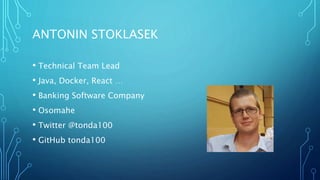
ANTONIN STOKLASEK
• Technical Team Lead
• Java, Docker, React …
• Banking Software Company
• Osomahe
• Twitter @tonda100
• GitHub tonda100
AGENDA
• What is kubernetes?
• Basic elements
• Logging and monitoring
• Advanced topics
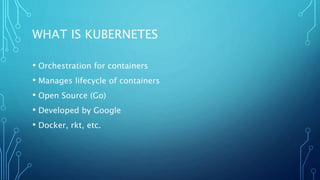
WHAT IS KUBERNETES
• Orchestration for containers
• Manages lifecycle of containers
• Open Source (Go)
• Developed by Google
• Docker, rkt, etc.
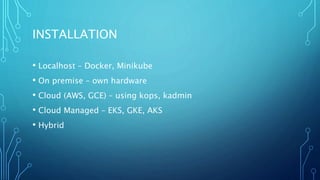
INSTALLATION
• Localhost – Docker, Minikube
• On premise – own hardware
• Cloud (AWS, GCE) – using kops, kadmin
• Cloud Managed – EKS, GKE, AKS
• Hybrid
KUBECTL
• Command line interface
• Manages Kubernetes cluster
• Support – Windows, Linux, MacOS
• https://kubernetes.io/docs/tasks/tools/install-kubectl/
TASK 1
• Install kubernetes cluster
• Install kubectl
• Verification command – “kubectl get nodes“
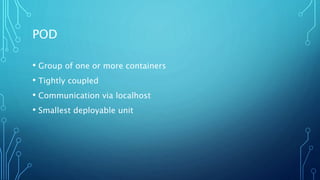
POD
• Group of one or more containers
• Tightly coupled
• Communication via localhost
• Smallest deployable unit
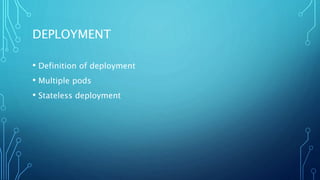
DEPLOYMENT
• Definition of deployment
• Multiple pods
• Stateless deployment
SERVICE
• Logical set of pods
• Using label selector
• Type
• ClusterIP – default, reachable within the cluster
• NodePort – expose service via port [30000-32767]
• LoadBalancer – using cloud provider’s load balancer e.g. ELB
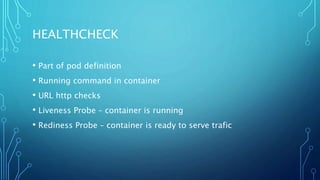
HEALTHCHECK
• Part of pod definition
• Running command in container
• URL http checks
• Liveness Probe – container is running
• Rediness Probe – container is ready to serve trafic
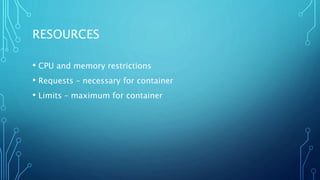
RESOURCES
• CPU and memory restrictions
• Requests – necessary for container
• Limits – maximum for container
SECRETS
• Used for distribution – credentials, keys, passwords etc.
• Usage
• Environment variable
• File in pod
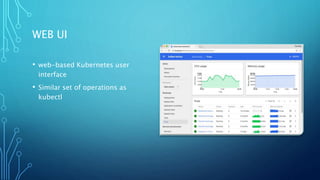
WEB UI
• web-based Kubernetes user
interface
• Similar set of operations as
kubectl
CONFIGMAP
• Configuration parameters - NOT secret
• Contains
• Key-value pairs
• configuration files
• Using for container customization
LOGGING
• Centralized necessary
• System output
• Logging agents
• ELK stack
• LogDNA
• Splunk
• Fluentd
ALERTING & MONITORING
• Must have
• Prometheus + Kibana
• Datadog
• Instana
• NewRelic
• …
ADVANCED
• Secrets Management - Security Vaults (Harshicorp, Aqua,
Twistlock)…
• Persistence Volumes – EBS, AzureDisk, Ceph, GlusterFS,
OpenEBS …
• Helm – package manager for kubernetes
• Service Mesh - Istio
• HorizontalPodAutoscaler, StatefulSet, DeamonSet, Ingress
SUMMARY
• Never deploy pod directly – use Deployment or StatefulSet
• Use Services for inner cluster communication
• Production requirements
• Resource restrictions
• Health checks
• Logging
• Alerts and Monitoring
THANK YOU

Kubernetes Basics

  • 1.
  • 2.
    ANTONIN STOKLASEK • TechnicalTeam Lead • Java, Docker, React … • Banking Software Company • Osomahe • Twitter @tonda100 • GitHub tonda100
  • 3.
    AGENDA • What iskubernetes? • Basic elements • Logging and monitoring • Advanced topics
  • 4.
    WHAT IS KUBERNETES •Orchestration for containers • Manages lifecycle of containers • Open Source (Go) • Developed by Google • Docker, rkt, etc.
  • 5.
    INSTALLATION • Localhost –Docker, Minikube • On premise – own hardware • Cloud (AWS, GCE) – using kops, kadmin • Cloud Managed – EKS, GKE, AKS • Hybrid
  • 6.
    KUBECTL • Command lineinterface • Manages Kubernetes cluster • Support – Windows, Linux, MacOS • https://kubernetes.io/docs/tasks/tools/install-kubectl/
  • 7.
    TASK 1 • Installkubernetes cluster • Install kubectl • Verification command – “kubectl get nodes“
  • 8.
    POD • Group ofone or more containers • Tightly coupled • Communication via localhost • Smallest deployable unit
  • 9.
    DEPLOYMENT • Definition ofdeployment • Multiple pods • Stateless deployment
  • 10.
    SERVICE • Logical setof pods • Using label selector • Type • ClusterIP – default, reachable within the cluster • NodePort – expose service via port [30000-32767] • LoadBalancer – using cloud provider’s load balancer e.g. ELB
  • 11.
    HEALTHCHECK • Part ofpod definition • Running command in container • URL http checks • Liveness Probe – container is running • Rediness Probe – container is ready to serve trafic
  • 12.
    RESOURCES • CPU andmemory restrictions • Requests – necessary for container • Limits – maximum for container
  • 13.
    SECRETS • Used fordistribution – credentials, keys, passwords etc. • Usage • Environment variable • File in pod
  • 14.
    WEB UI • web-basedKubernetes user interface • Similar set of operations as kubectl
  • 15.
    CONFIGMAP • Configuration parameters- NOT secret • Contains • Key-value pairs • configuration files • Using for container customization
  • 16.
    LOGGING • Centralized necessary •System output • Logging agents • ELK stack • LogDNA • Splunk • Fluentd
  • 17.
    ALERTING & MONITORING •Must have • Prometheus + Kibana • Datadog • Instana • NewRelic • …
  • 18.
    ADVANCED • Secrets Management- Security Vaults (Harshicorp, Aqua, Twistlock)… • Persistence Volumes – EBS, AzureDisk, Ceph, GlusterFS, OpenEBS … • Helm – package manager for kubernetes • Service Mesh - Istio • HorizontalPodAutoscaler, StatefulSet, DeamonSet, Ingress
  • 19.
    SUMMARY • Never deploypod directly – use Deployment or StatefulSet • Use Services for inner cluster communication • Production requirements • Resource restrictions • Health checks • Logging • Alerts and Monitoring
  • 20.