The Academic Librarian on the move: the use of Mobile Technology in Support to Teaching, Learning & ResearchPavlinka Kovatcheva, Faculty Librarian: Sciencespkovatcheva@uj.ac.zaUniversity of JohannesburgiBala Workshop, 28 September 2011, CSIR
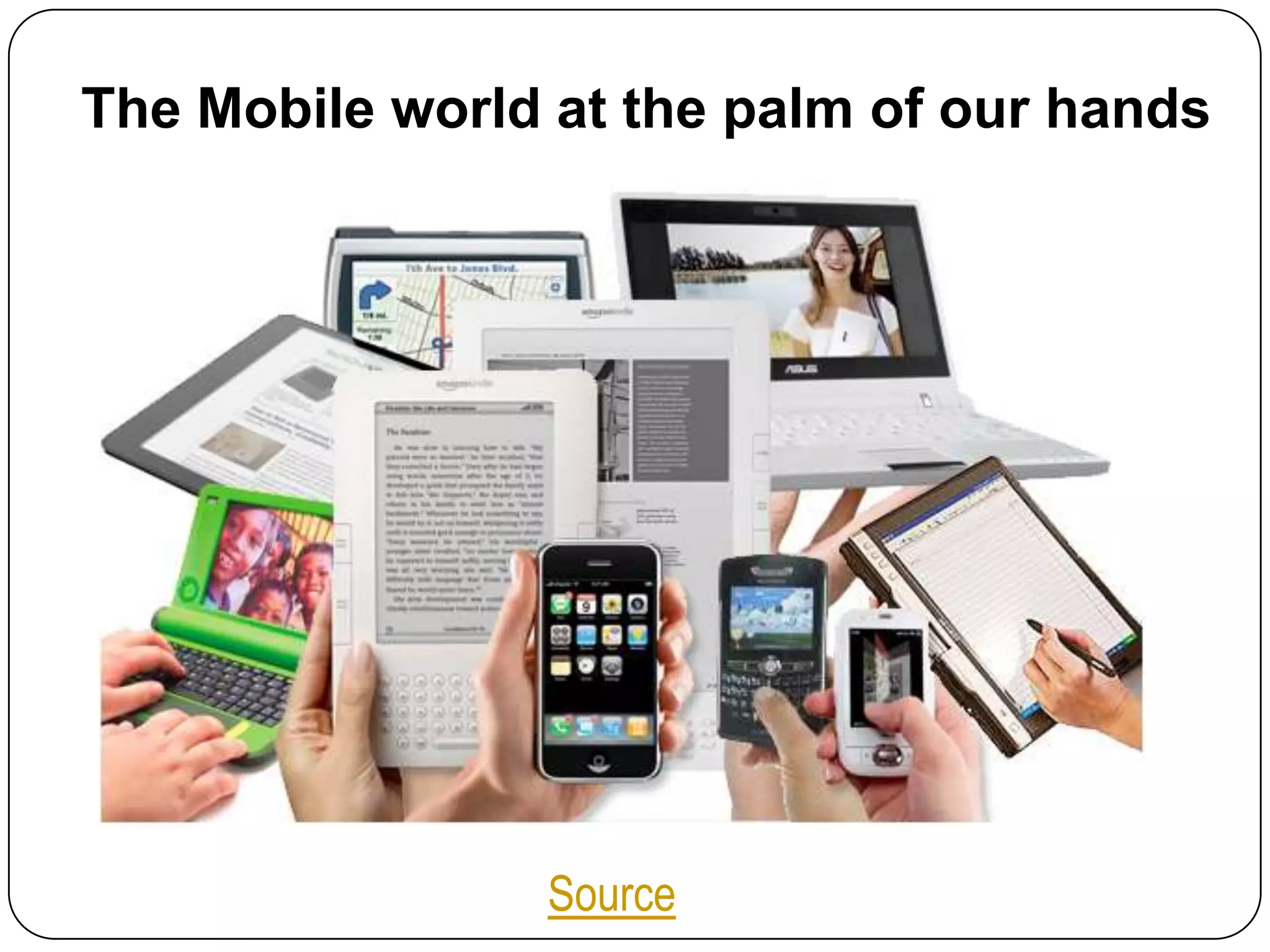
The Mobile world at the palm of our handsSource
ContentIntroductionTrends in Mobile Technologies in 2011Mobile Technologies in LibrariesThe Academic Librarian Mobile PlaygroundWeb 2.0 Applications for Mobile LibrariansWay ForwardReferences
Introduction70% of the worlds population now have a mobile phone, that’s over 5 billion mobile subscribers.Children are more likely to own a mobile phone than a book, with 85% of kids owning a phone as to 73% having books!Apple has sold almost 60 million iPhones world wide, while Google’s Android OS is growing at 886% year.(Source)In over 50 countries the cell phone penetration is above 100%.
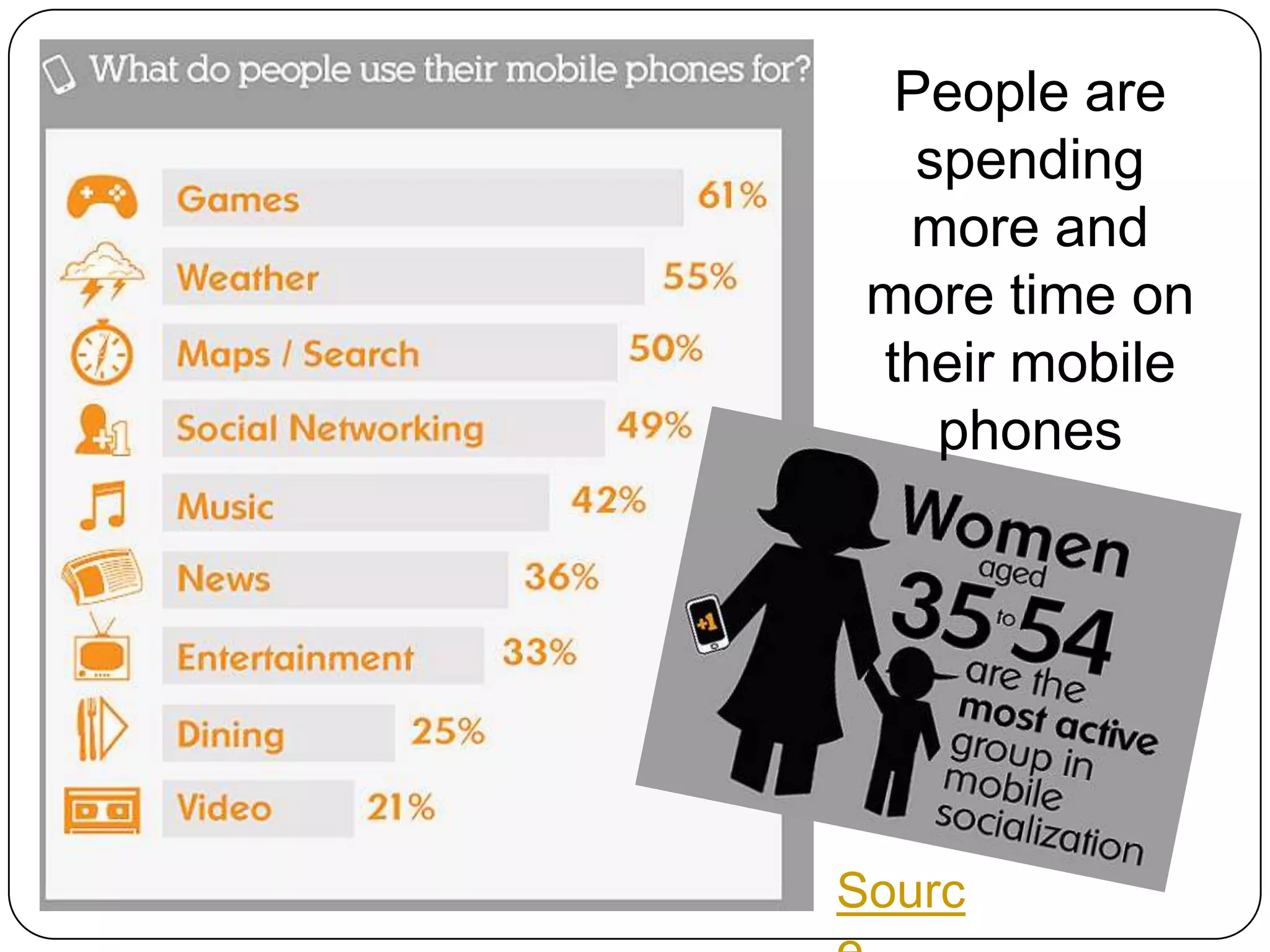
People are spending more and more time on their mobile phonesSource
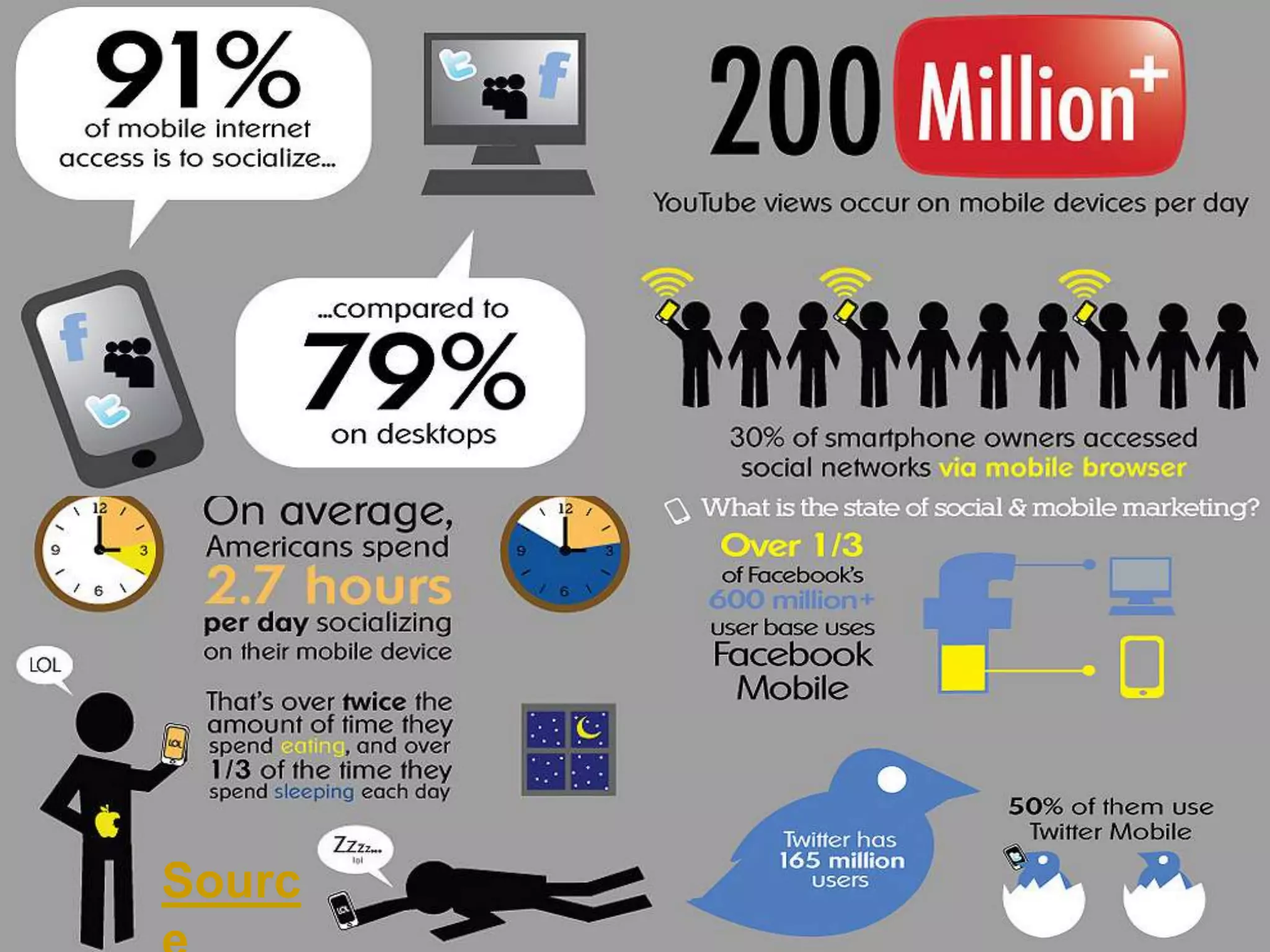
Source
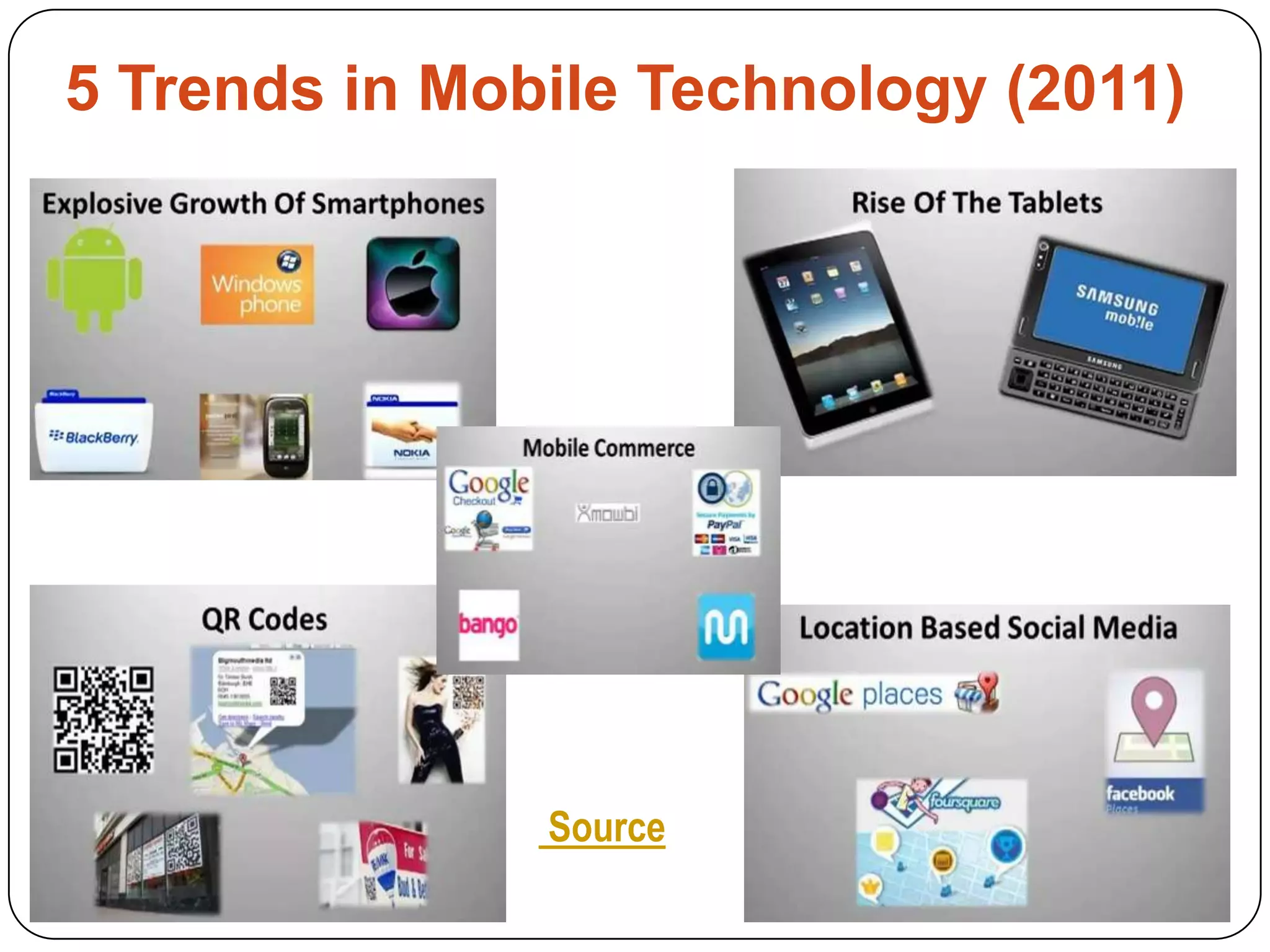
5 Trends in Mobile Technology (2011)  Source
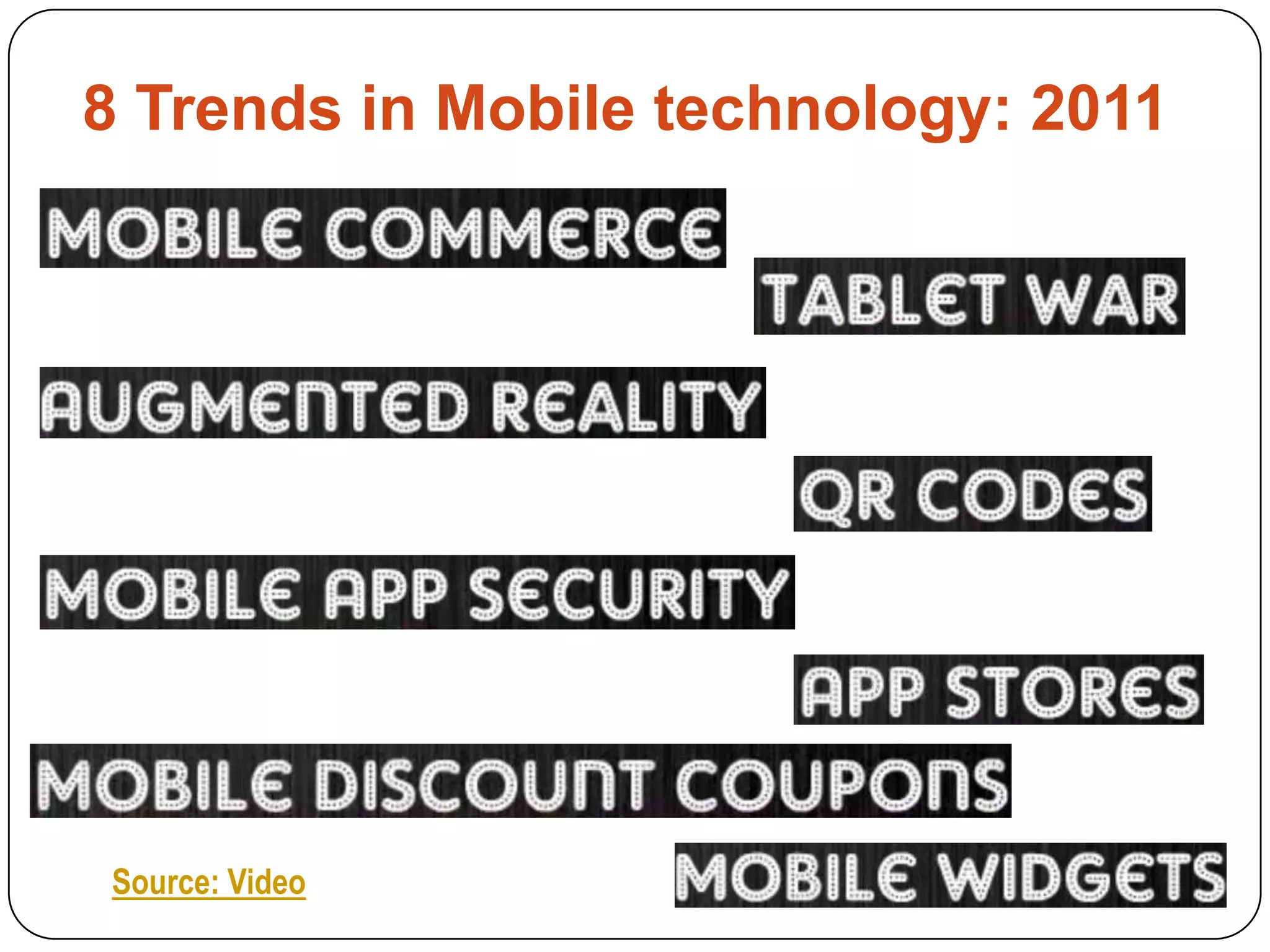
8 Trends in Mobile technology: 2011 Source: Video
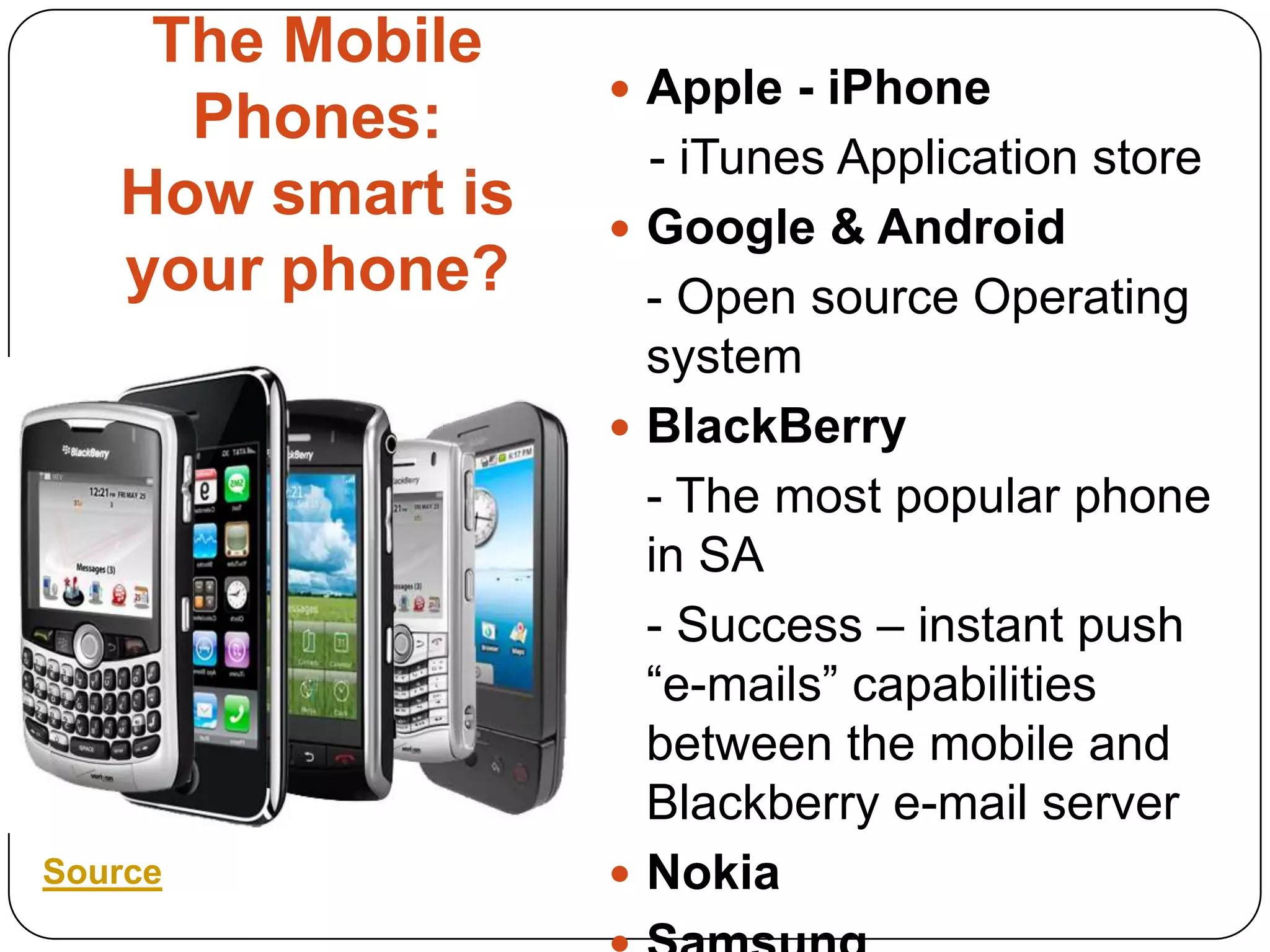
The Mobile Phones:How smart is your phone?Apple - iPhone    - iTunes Application storeGoogle & Android	- Open source Operating systemBlackBerry	- The most popular phone in SA 	- Success – instant push “e-mails” capabilities between the mobile and Blackberry e-mail serverNokiaSamsung Source
Mobiletechnologies in librariesIf Librarians want to hold on to their role as an Information professionals, they need to be able to reach out to users in their preferred method of Communication. (Griffey, 2010)
Why use Mobile technologies in the Libraries? (1)Library Services on the GO!
24/7 Access to Mobile Library catalogue, websites, services & resources
Social Interactions via Mobile Web 2.0 Application
Provide an easy & timely communication channels
Library Current Awareness to Services and Resources
For Information Retrieval & Reference ServicesWhy use Mobile technologies in the Libraries? (2)An easy Marketing of Resources & Services
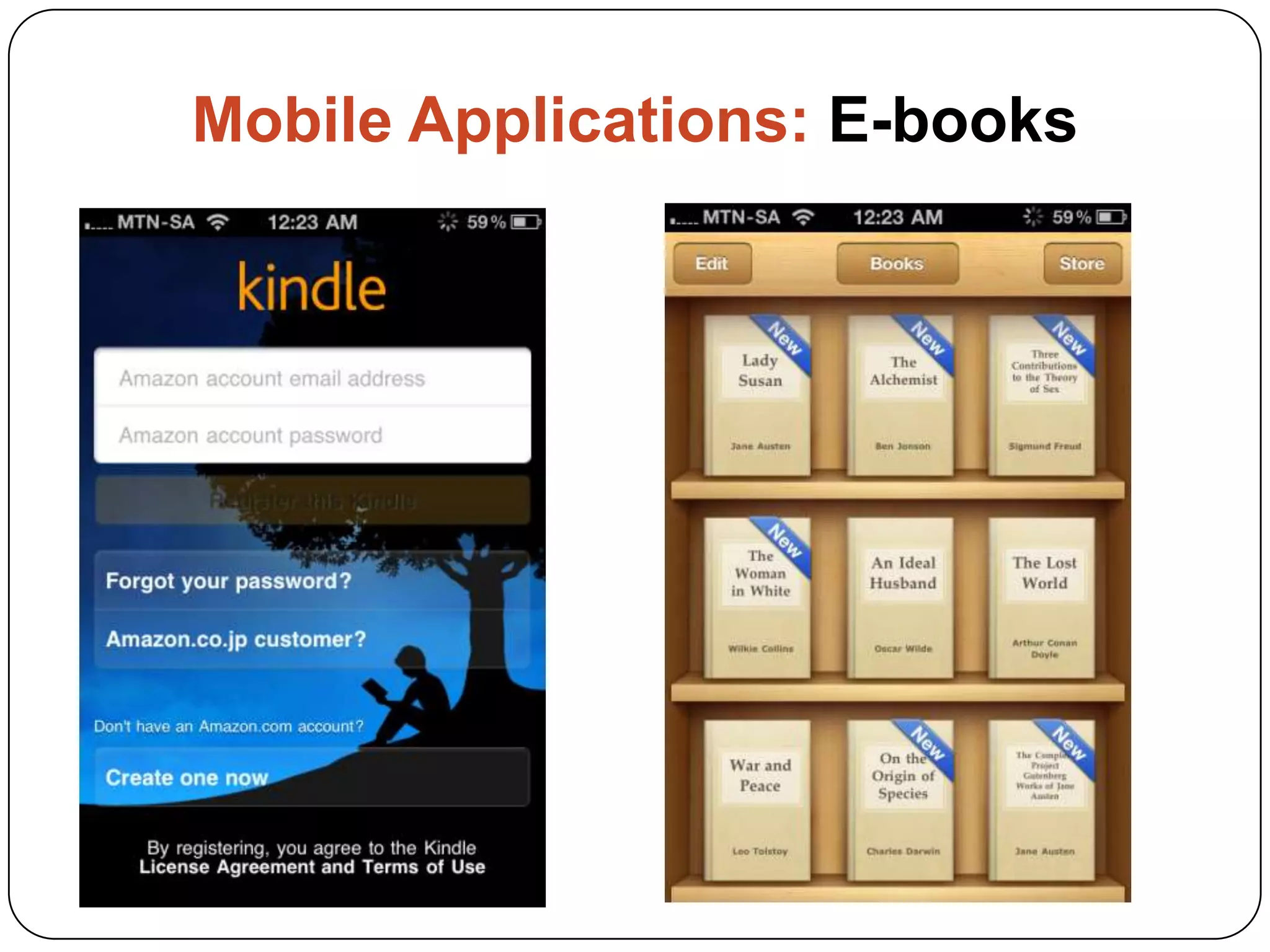
Provide a Mobile eBook Readers for users to borrow (iPads; Kindle)
Practice a Mobile Embedded Librarianship
Change the image of the Library from “being in there” to “being out there”
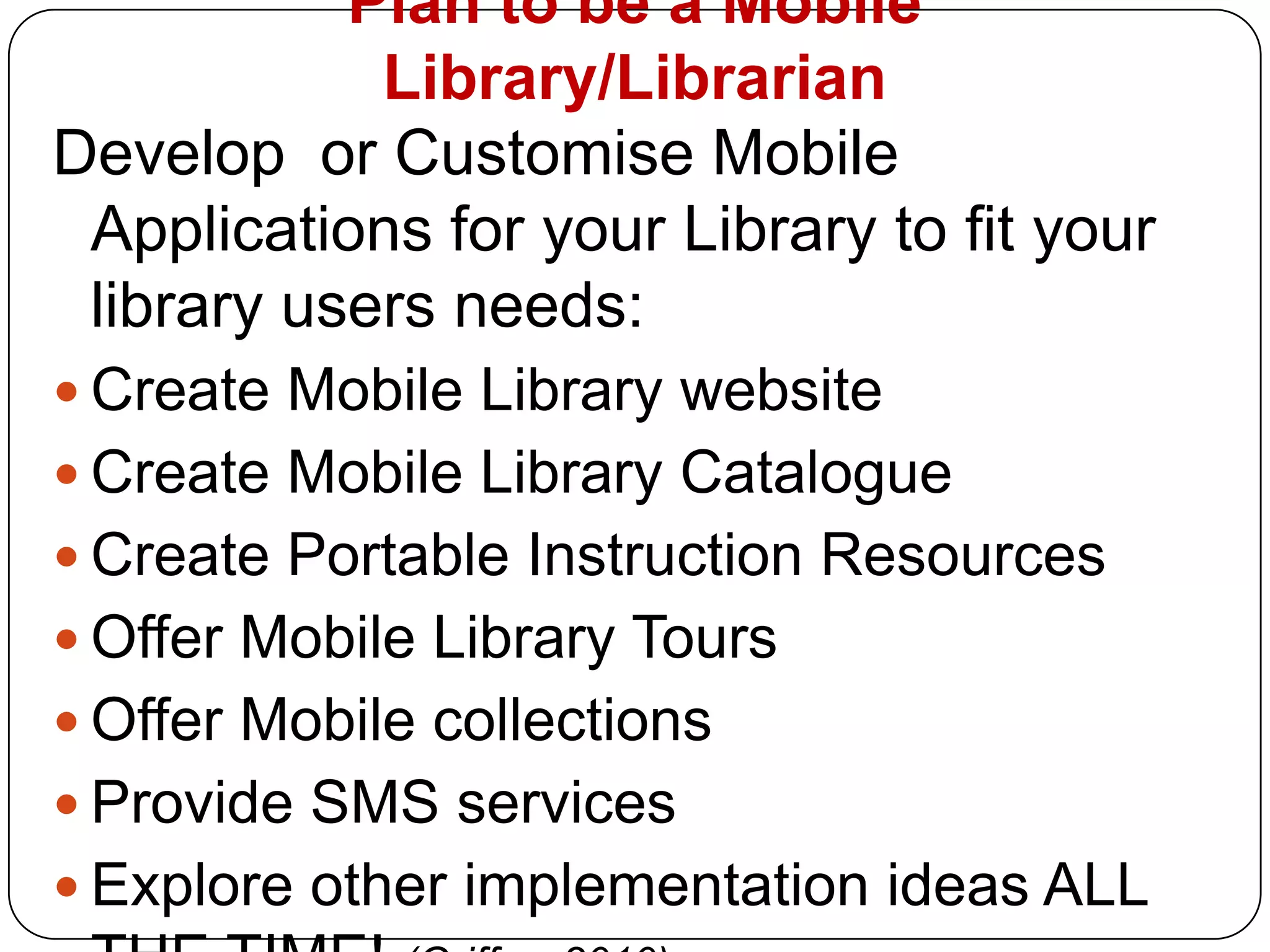
Prove that the librarians can adapt to the changing information environmentPlan to be a Mobile Library/LibrarianDevelop  or Customise Mobile Applications for your Library to fit your library users needs:Create Mobile Library websiteCreate Mobile Library CatalogueCreate Portable Instruction ResourcesOffer Mobile Library ToursOffer Mobile collectionsProvide SMS services Explore other implementation ideas ALL THE TIME! (Griffey, 2010)
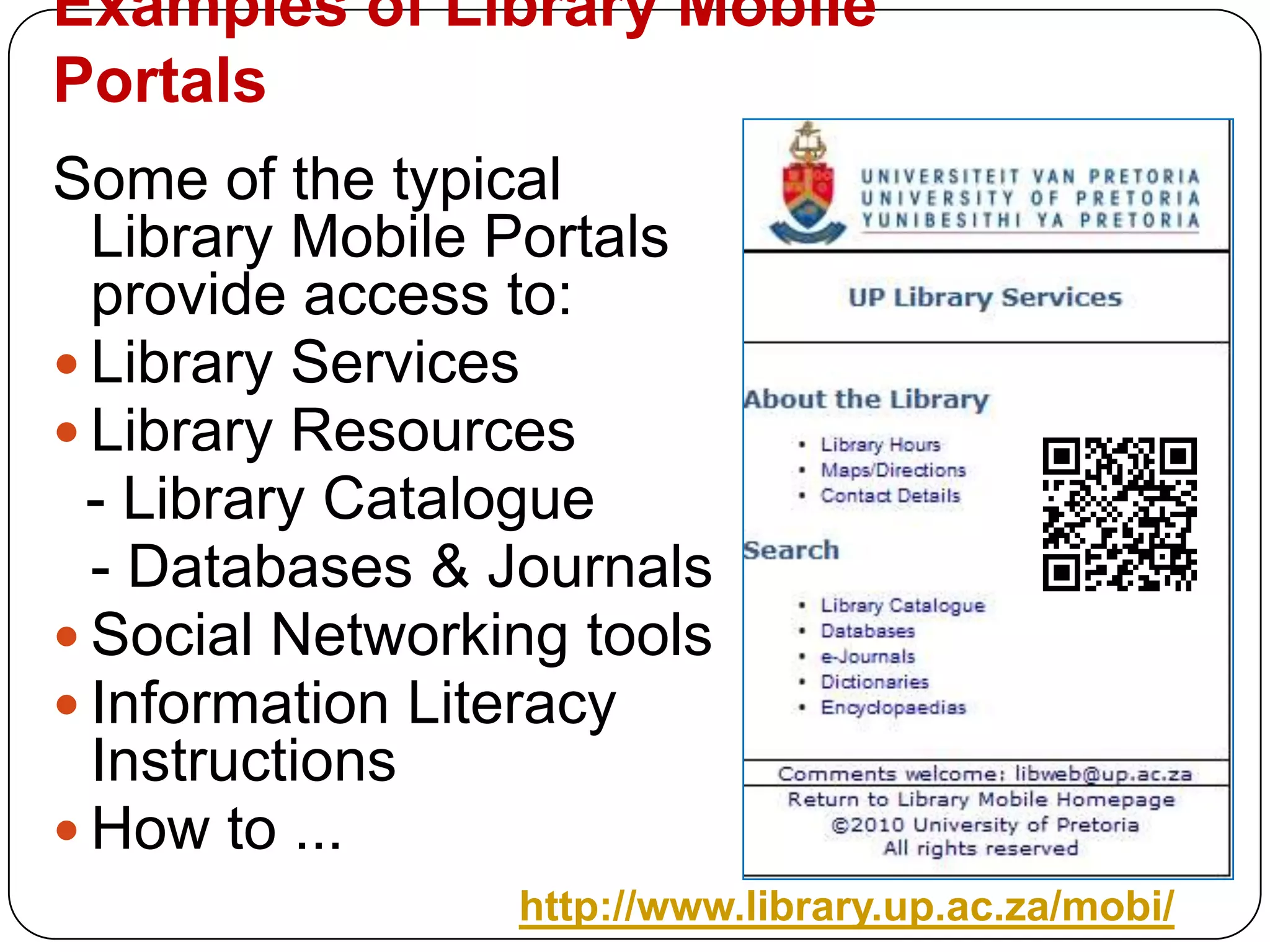
Examples of Library Mobile PortalsSome of the typical Library Mobile Portals provide access to:Library ServicesLibrary Resources  - Library Catalogue	- Databases& JournalsSocial Networking toolsInformation Literacy InstructionsHow to ...http://www.library.up.ac.za/mobi/
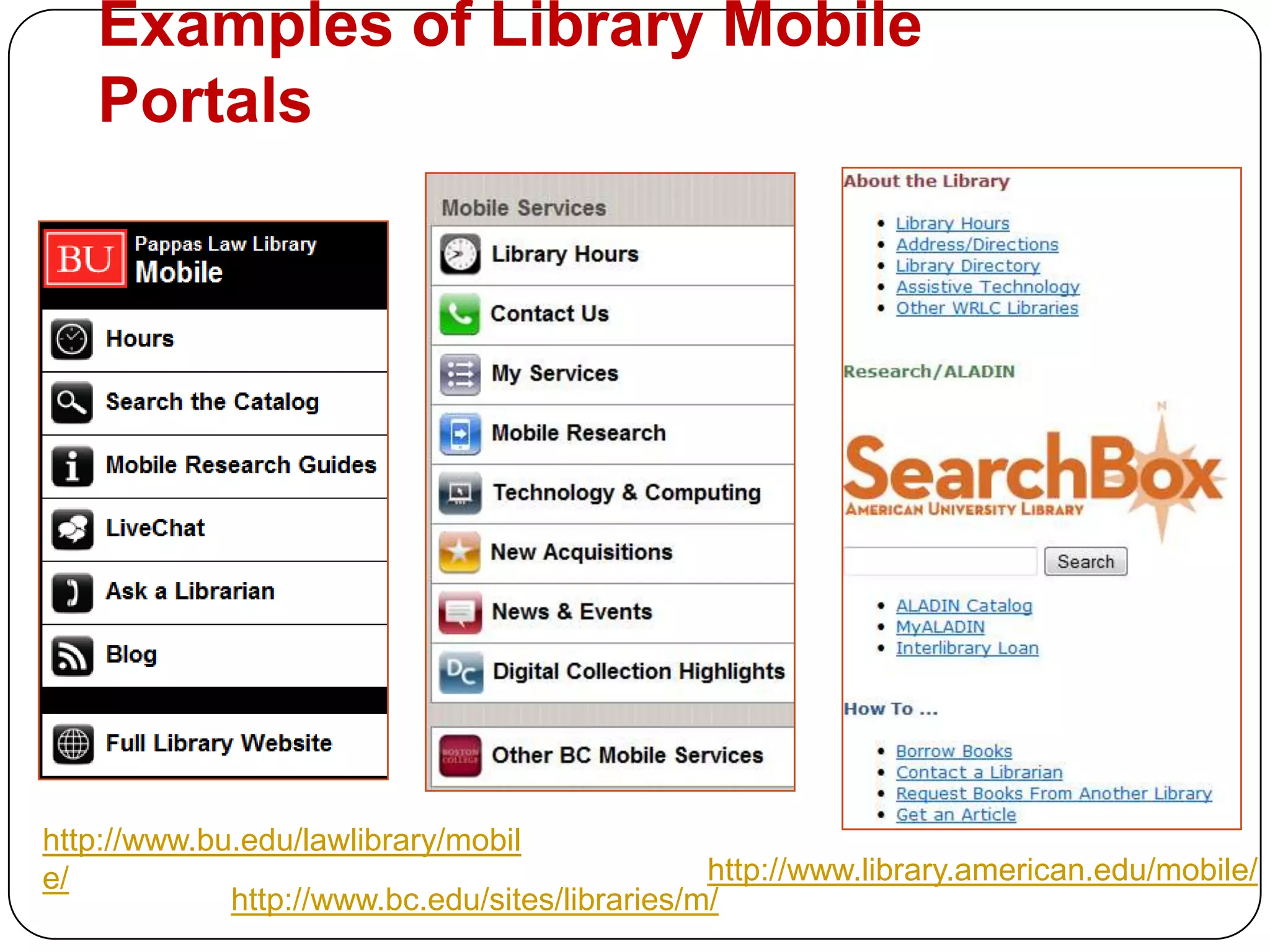
Examples of Library Mobile Portalshttp://www.bu.edu/lawlibrary/mobile/http://www.library.american.edu/mobile/http://www.bc.edu/sites/libraries/m/
The Academic Librarian Mobile playgroundPractical Examples of how to use the Mobile in our hand to enhance the library services to our usersFrom Web 2.0 to Databases Applications
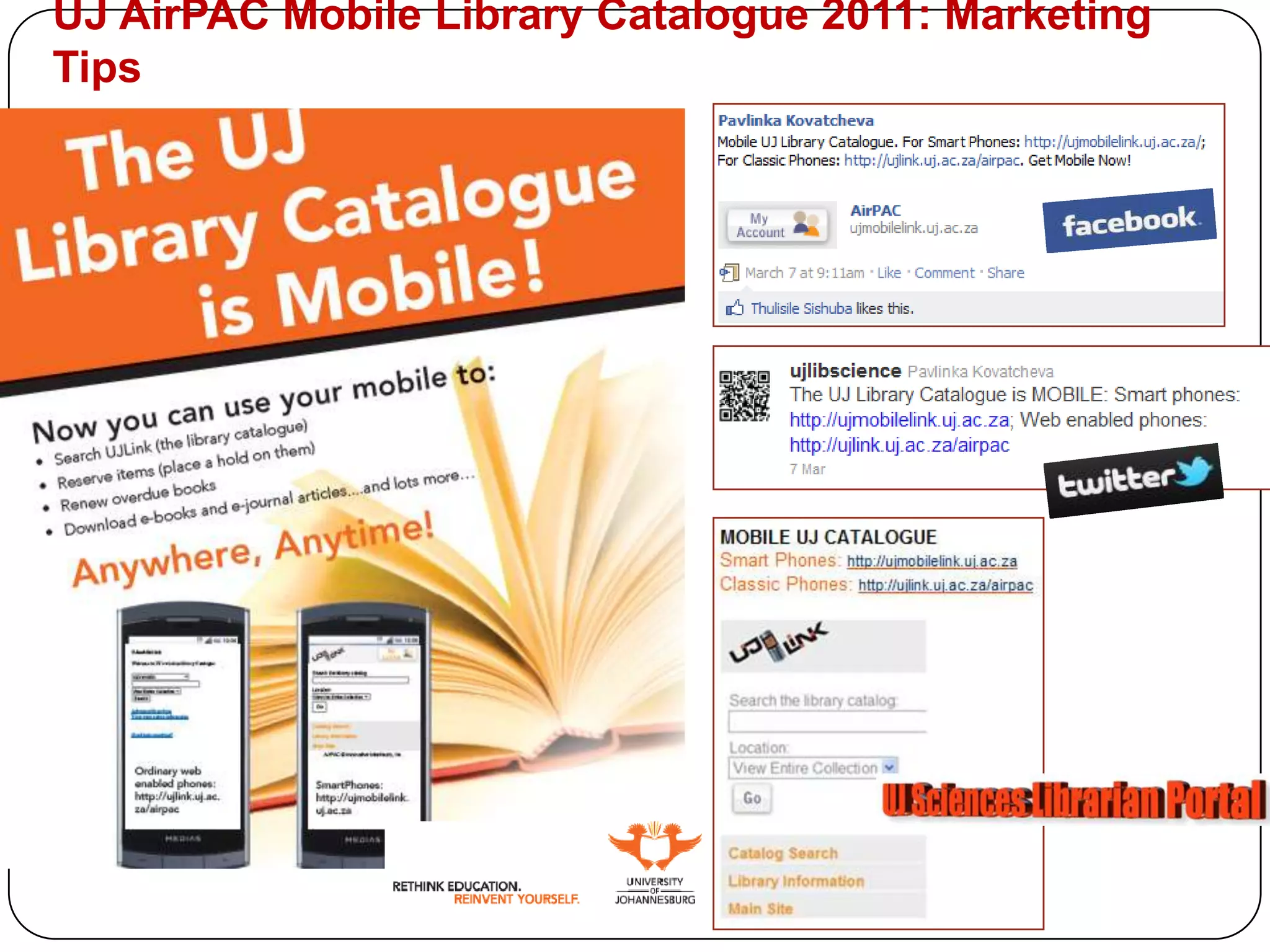
UJ AirPAC Mobile Library Catalogue 2011: Marketing Tips
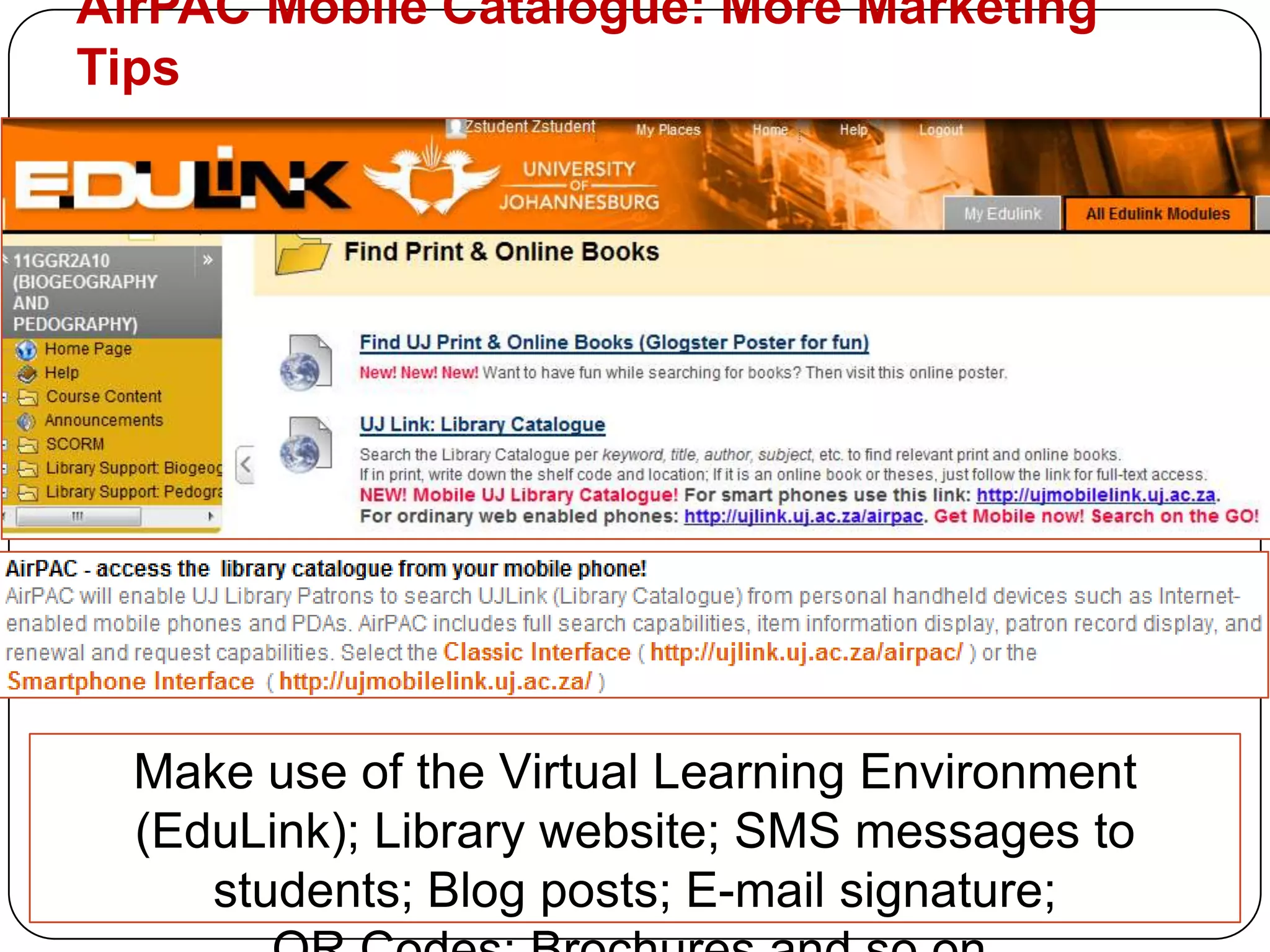
AirPAC Mobile Catalogue: More Marketing TipsMake use of the Virtual Learning Environment (EduLink); Library website; SMS messages to students; Blog posts; E-mail signature;QR Codes; Brochures and so on.
WEB 2.0 Applications for Mobile Librarians Social Networking
Social Bookmarking & Blogging
QR Codes
Databases
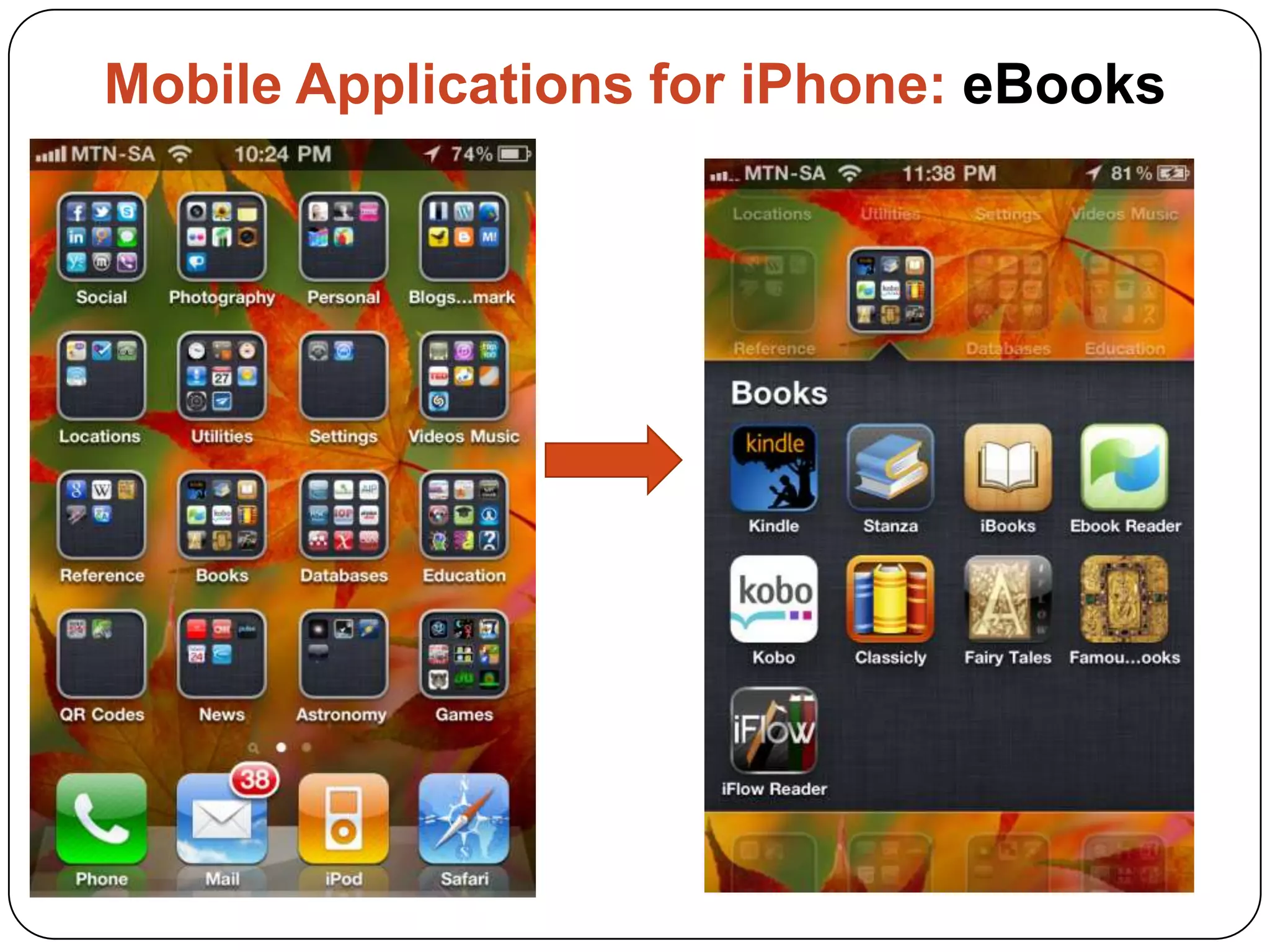
 eBooks
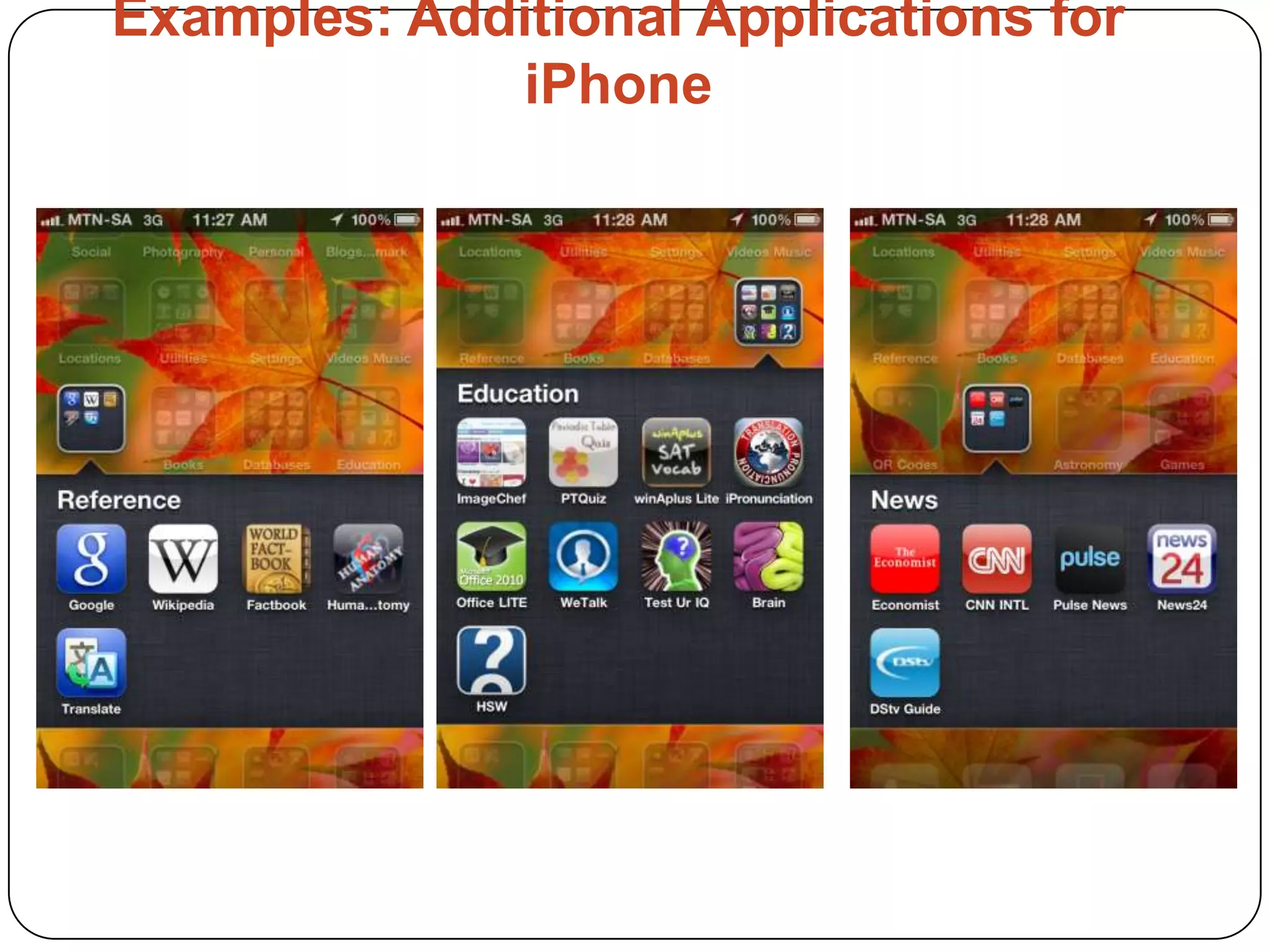
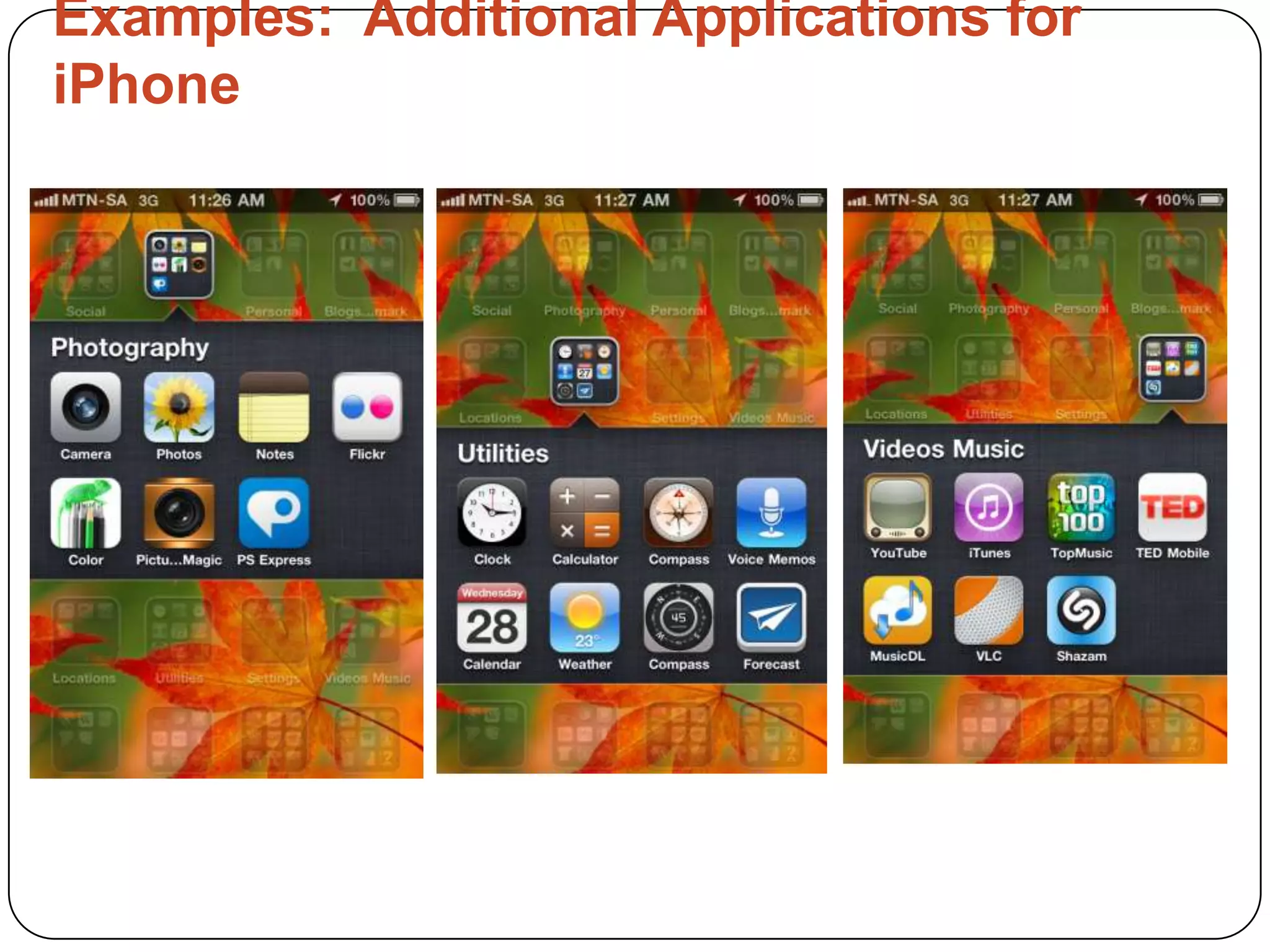
Additional applications
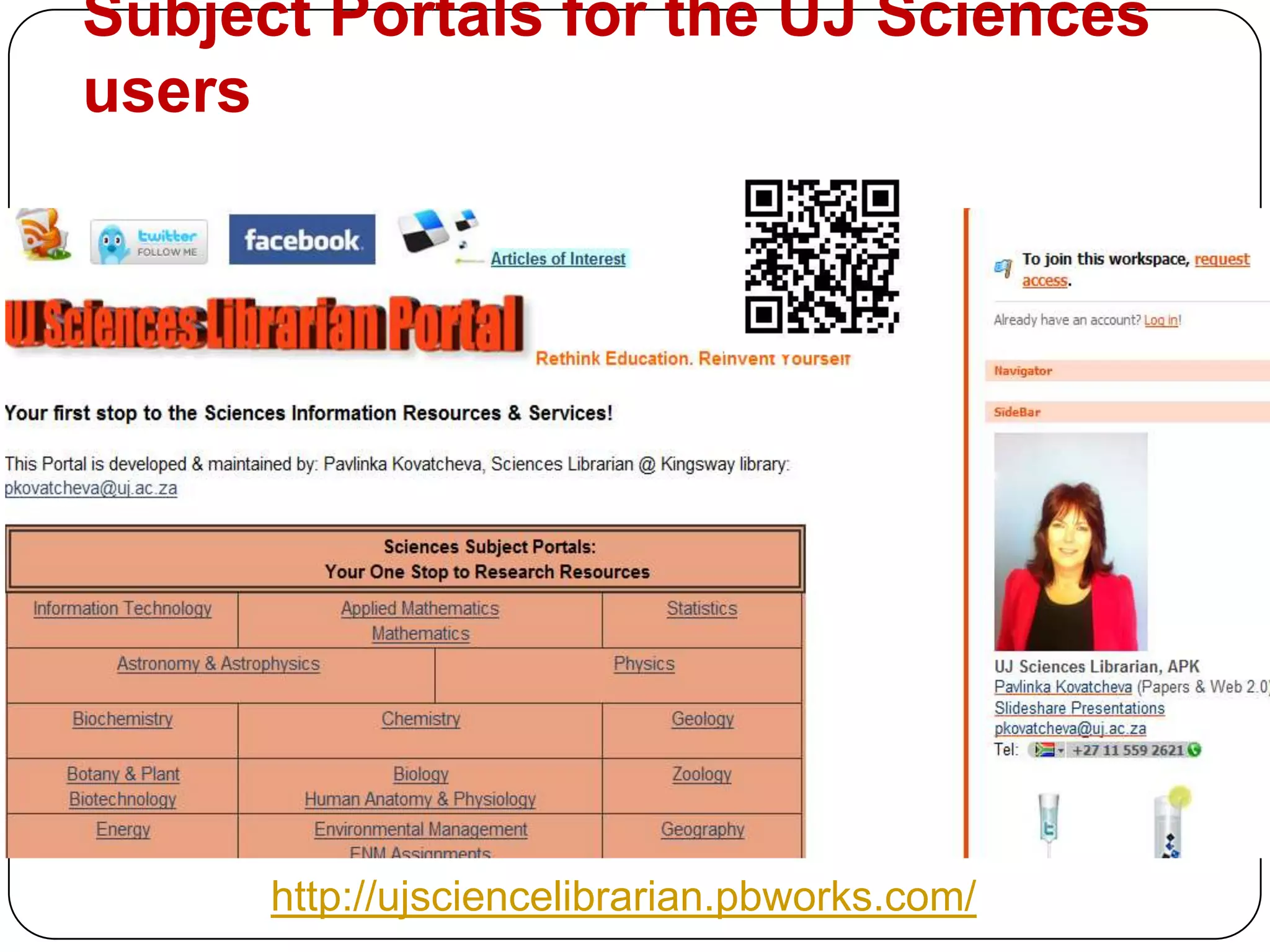
Subject Portals for the UJ Sciences usershttp://ujsciencelibrarian.pbworks.com/
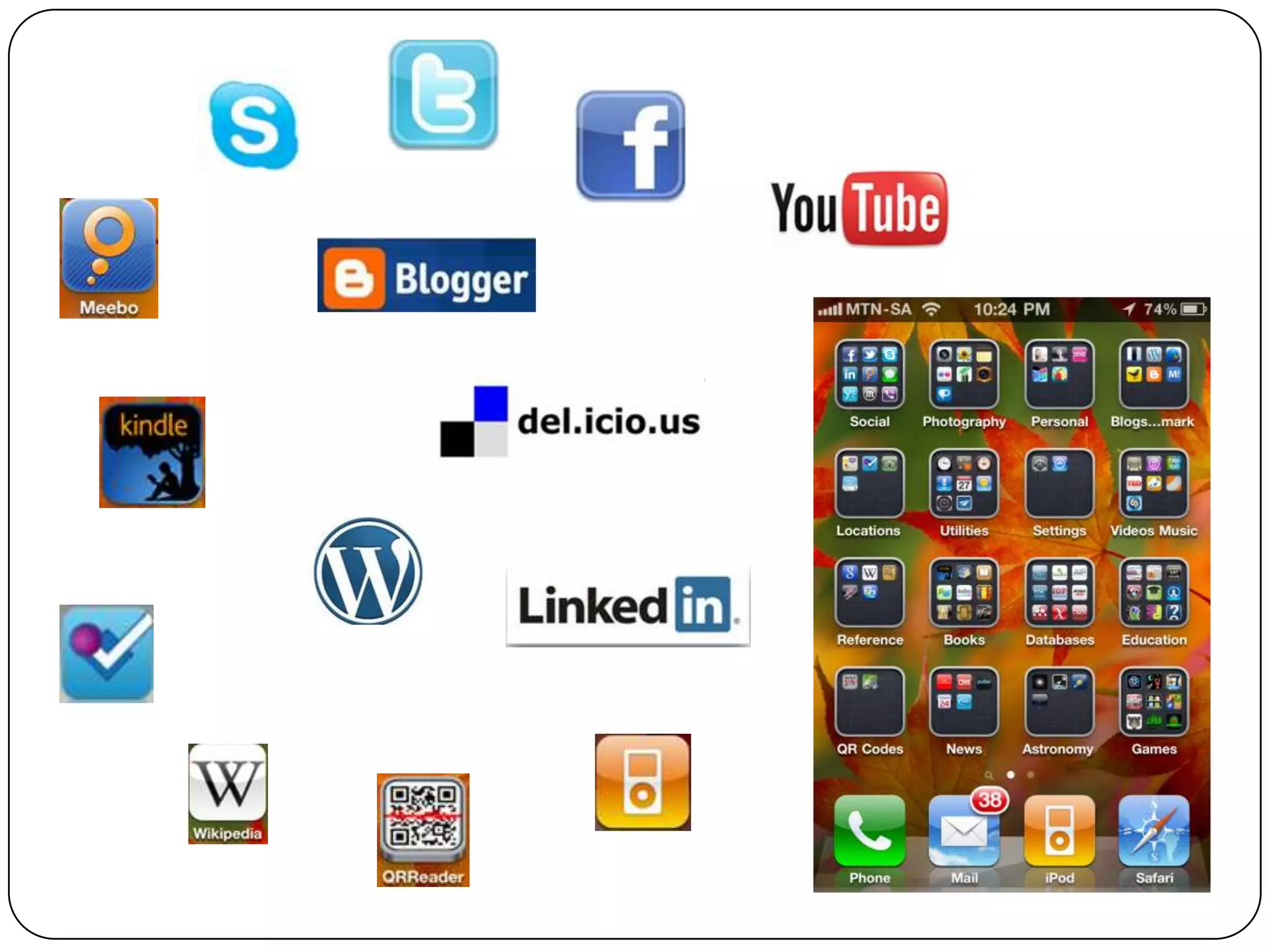
Why make use of the Web 2.0 Apps on your Mobile?Bridging the GAP in being connected & informedYou are the Librarian on the GO! Increase the visibility of the Library & yourself as a librarianYou are connected at any time to your Social Network community Use Twitter to tweet or re-tweet from conferences, workshops, while waiting in a queue or just walkingPush notifications keep you up-to-date with the latest news an developments in any area of interestTo be able to train and advice your patrons of what they can access on their MobileOnline books, Locations, Educational applications, Entertainment, Research; Latest news, Chats, Photo sharing, Google are at the palm of your hand. You the MOBILE REFERENCE LIBRARIAN!
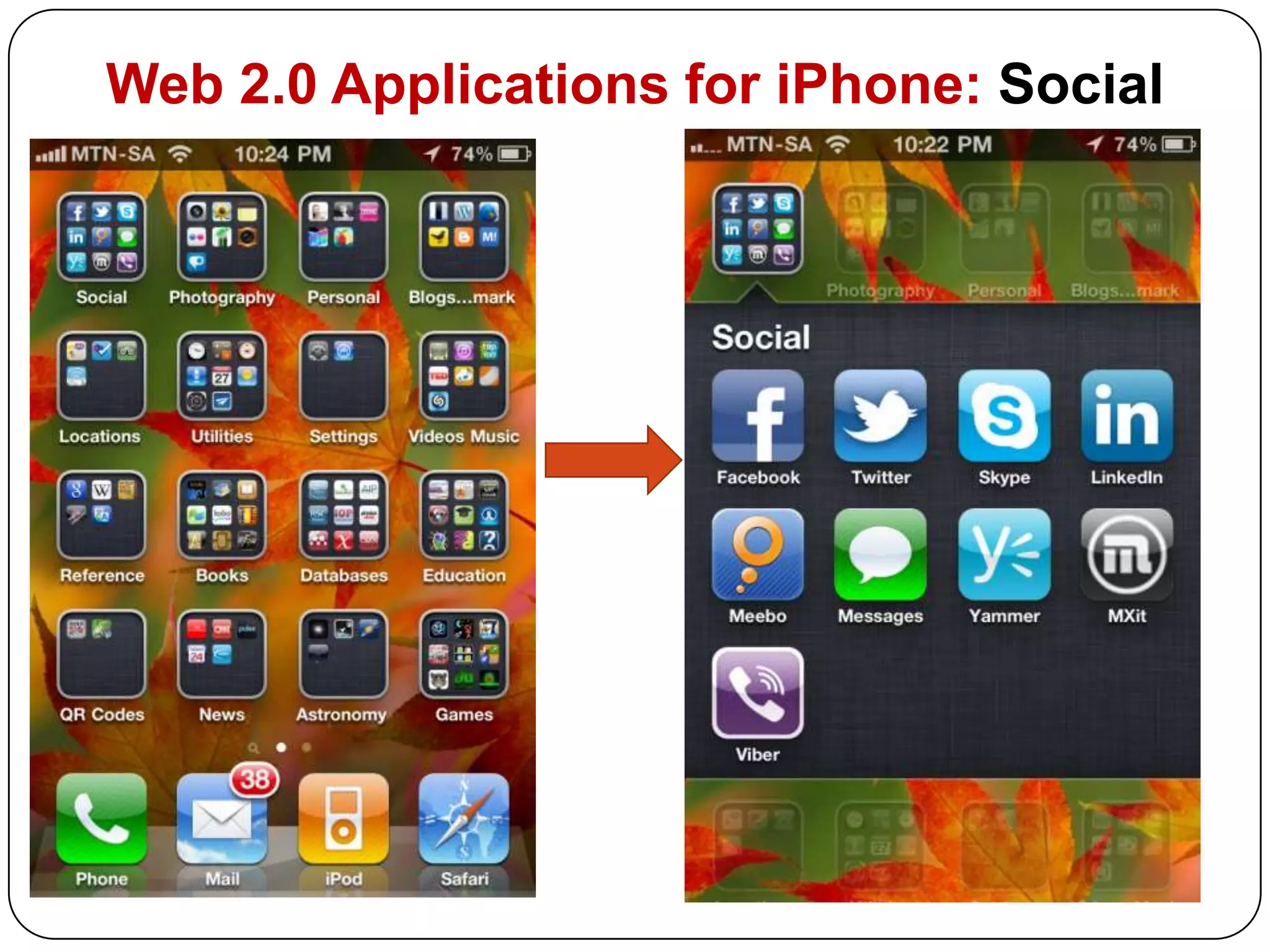
Web 2.0 Applications for iPhone: Social
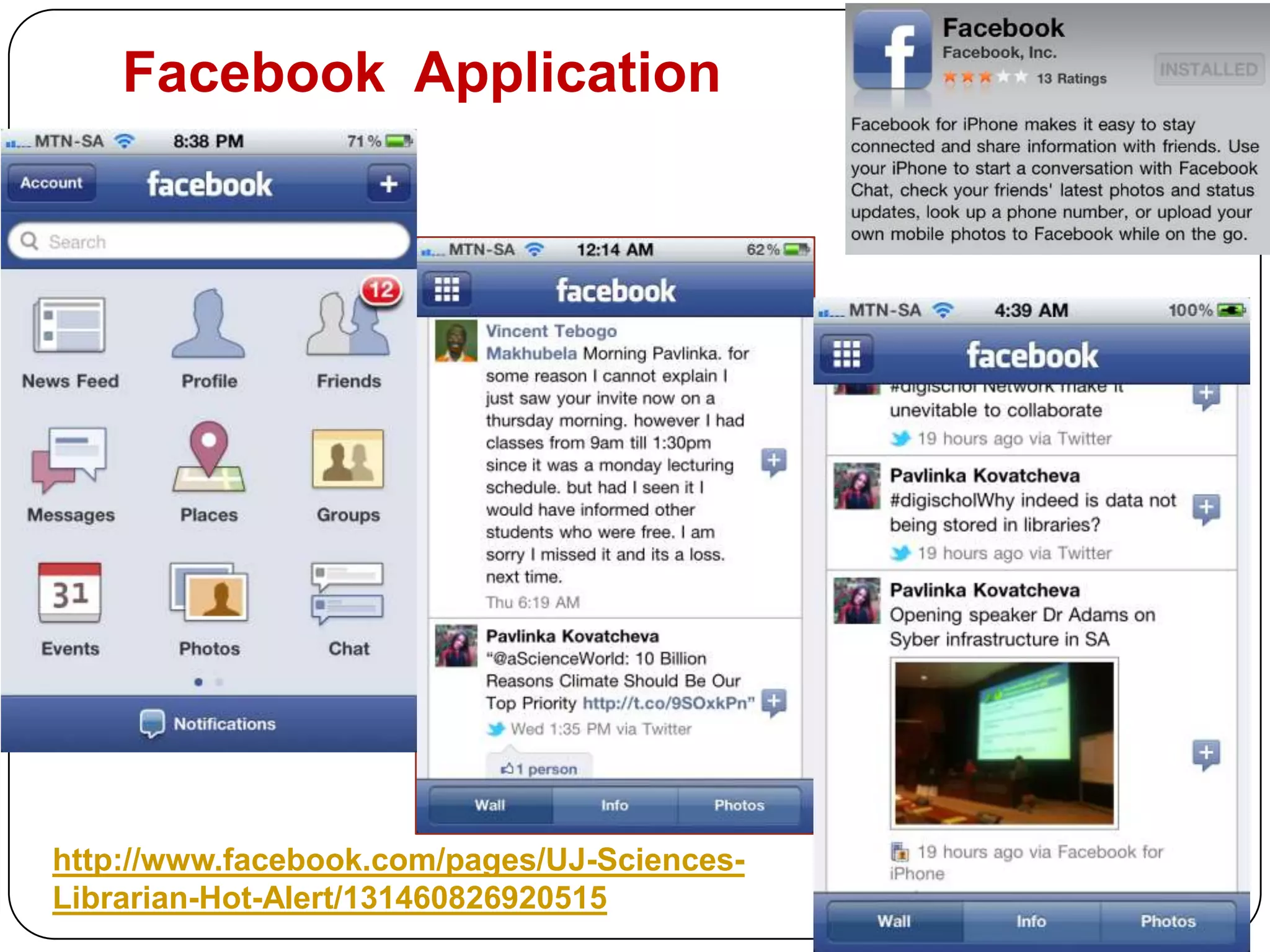
Facebook  Applicationhttp://www.facebook.com/pages/UJ-Sciences-Librarian-Hot-Alert/131460826920515
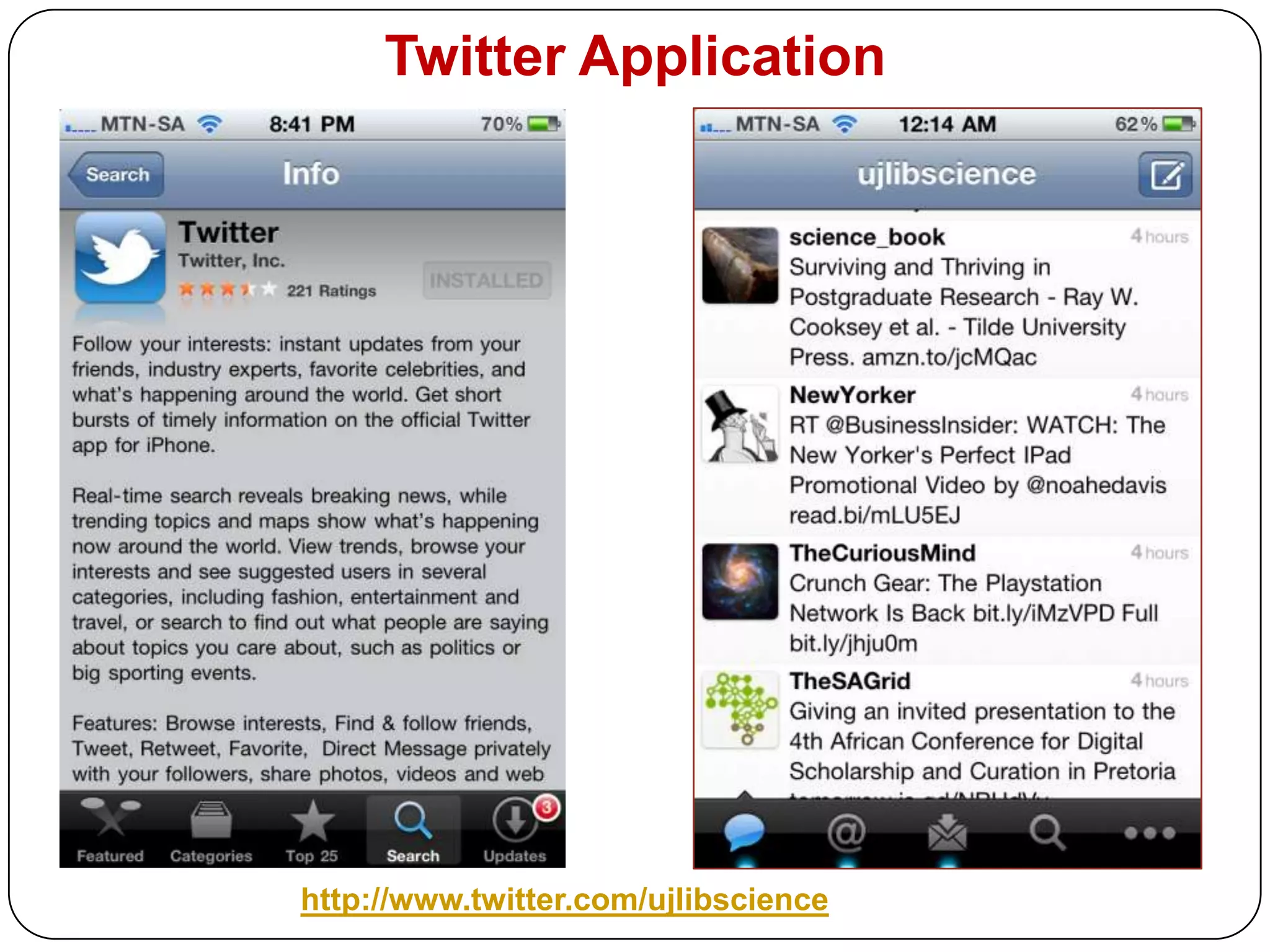
Twitter Applicationhttp://www.twitter.com/ujlibscience
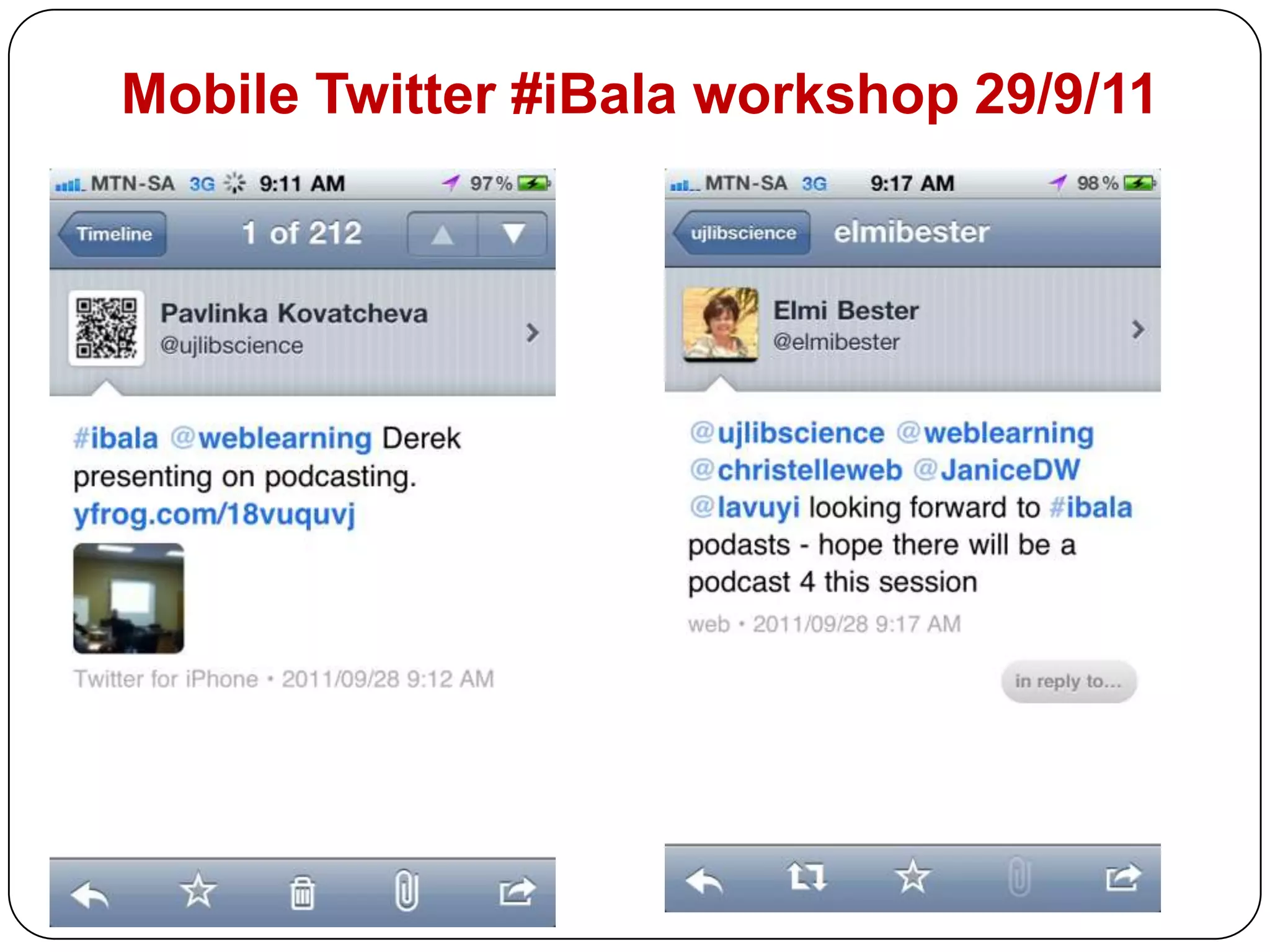
Mobile Twitter #iBalaworkshop 29/9/11
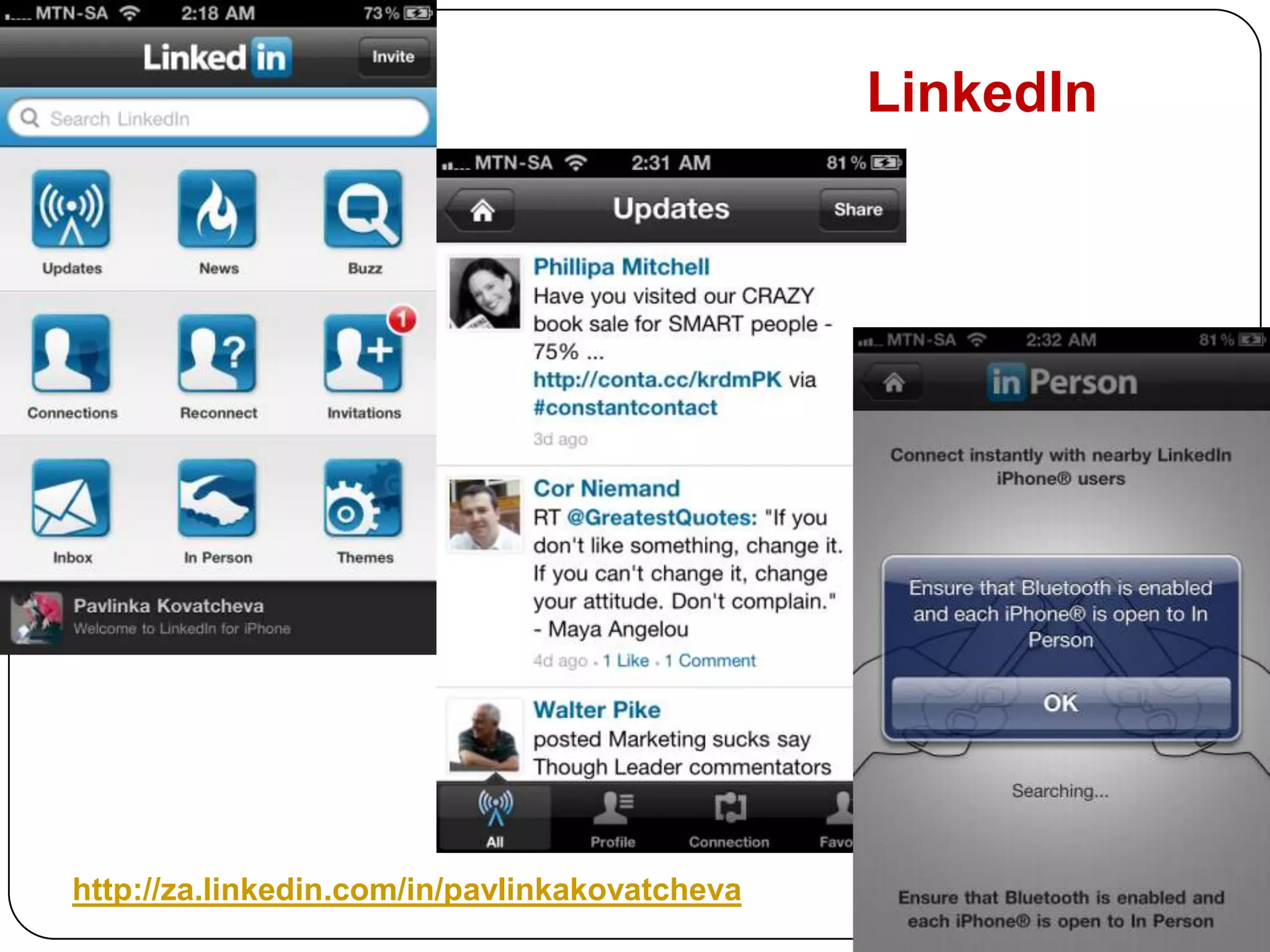
LinkedInhttp://za.linkedin.com/in/pavlinkakovatcheva
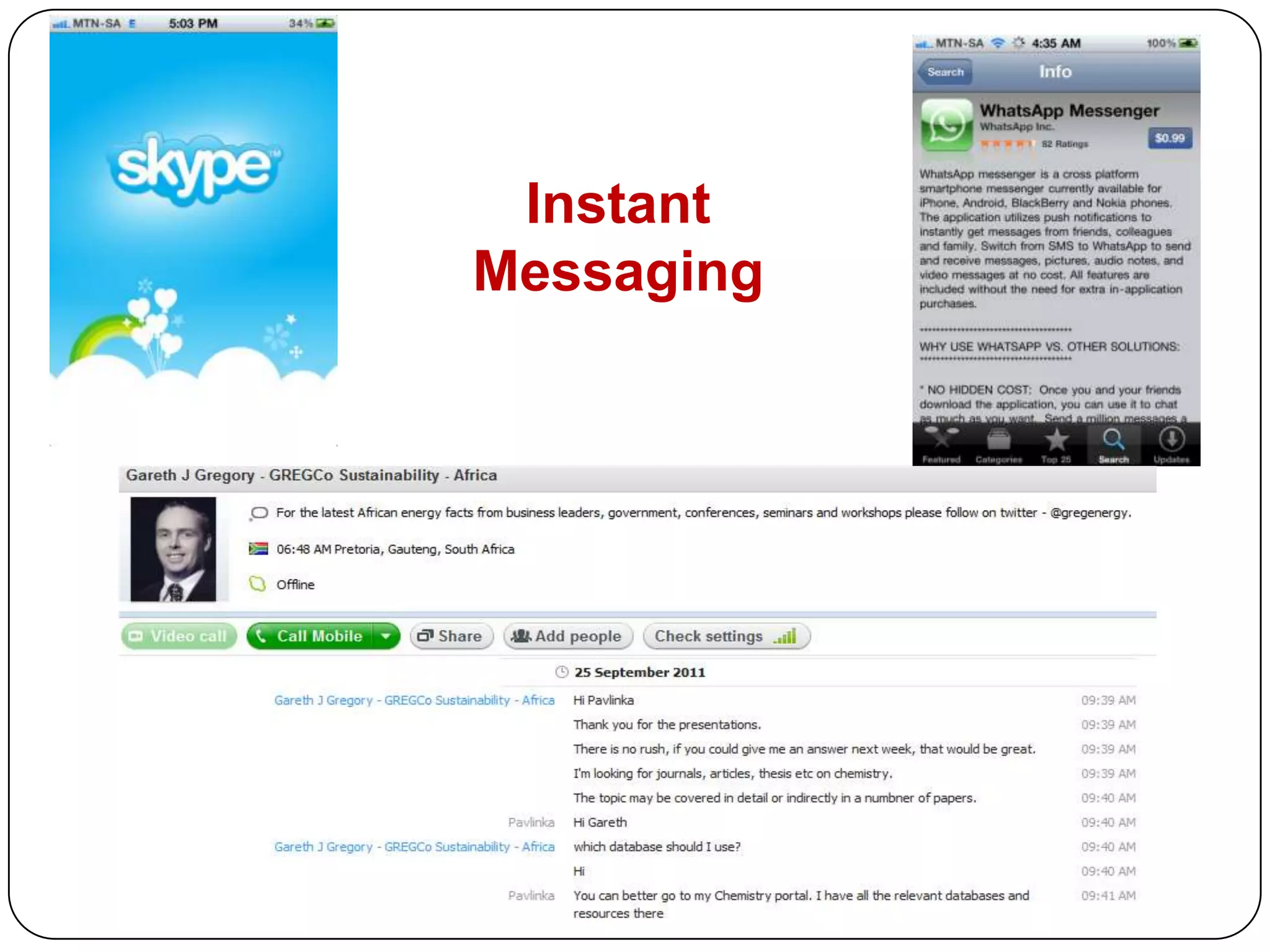
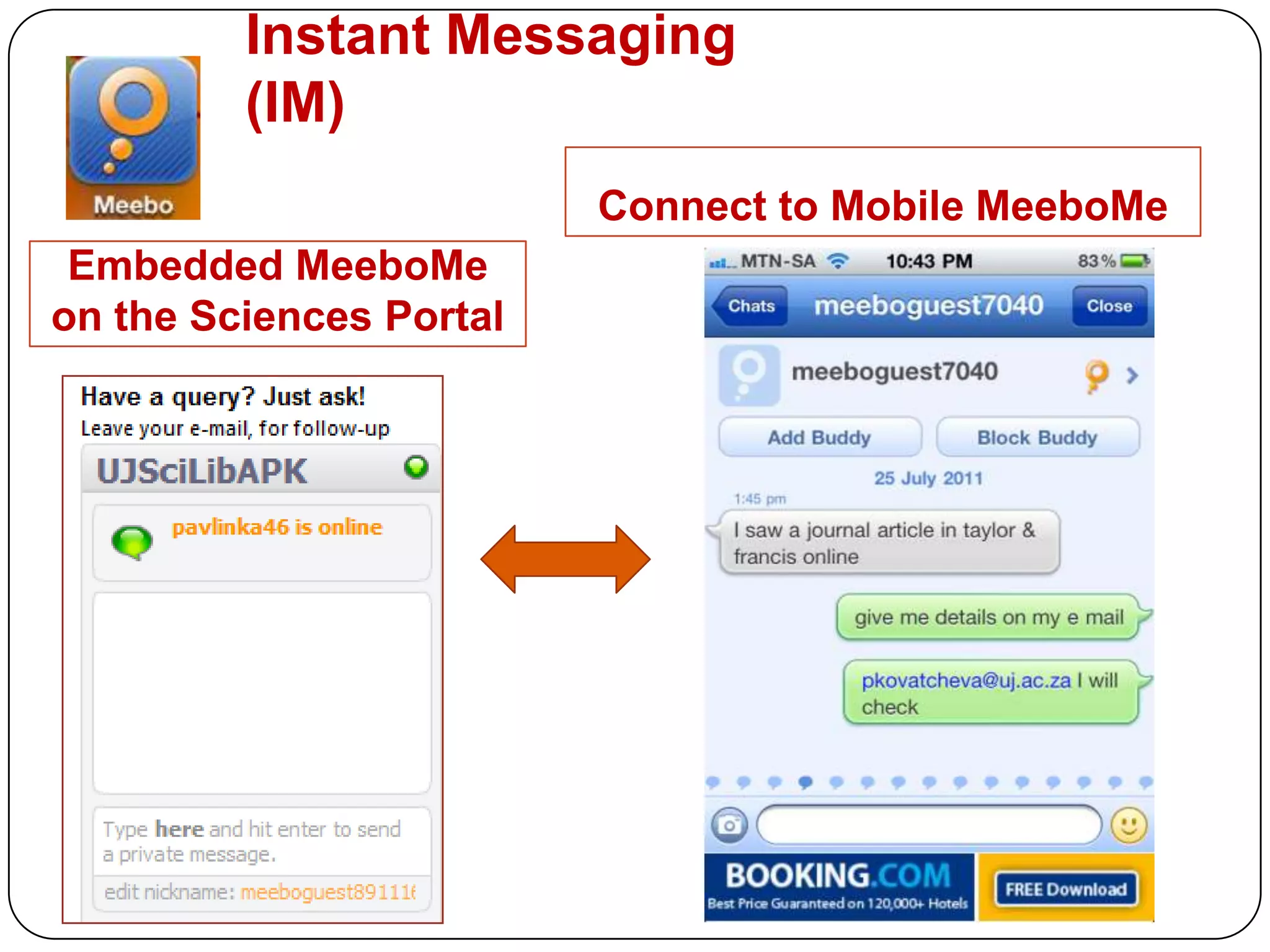
Instant Messaging
Instant Messaging (IM)Connect to Mobile MeeboMeEmbedded MeeboMe on the Sciences Portal
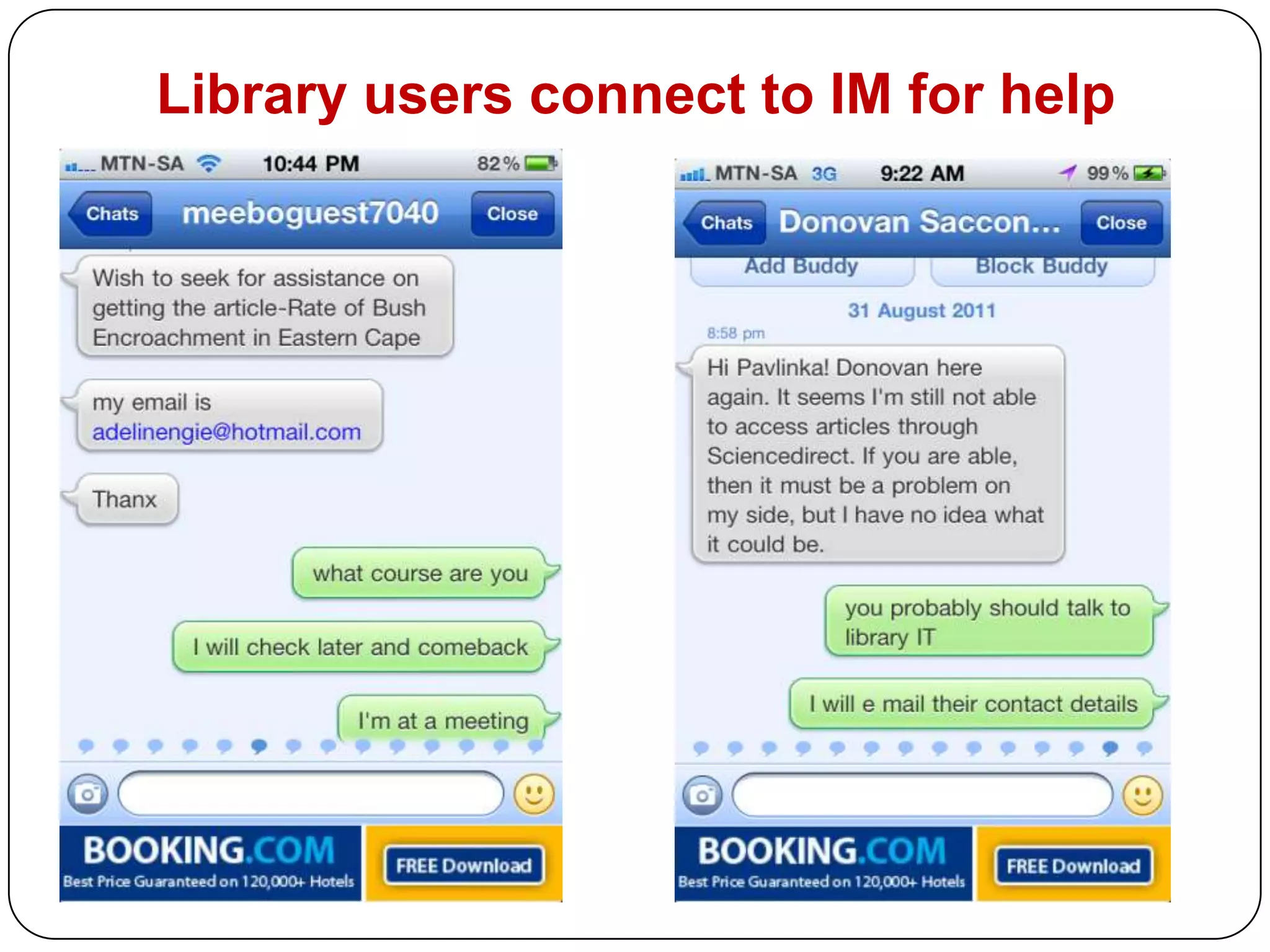
Library users connect to IM for help
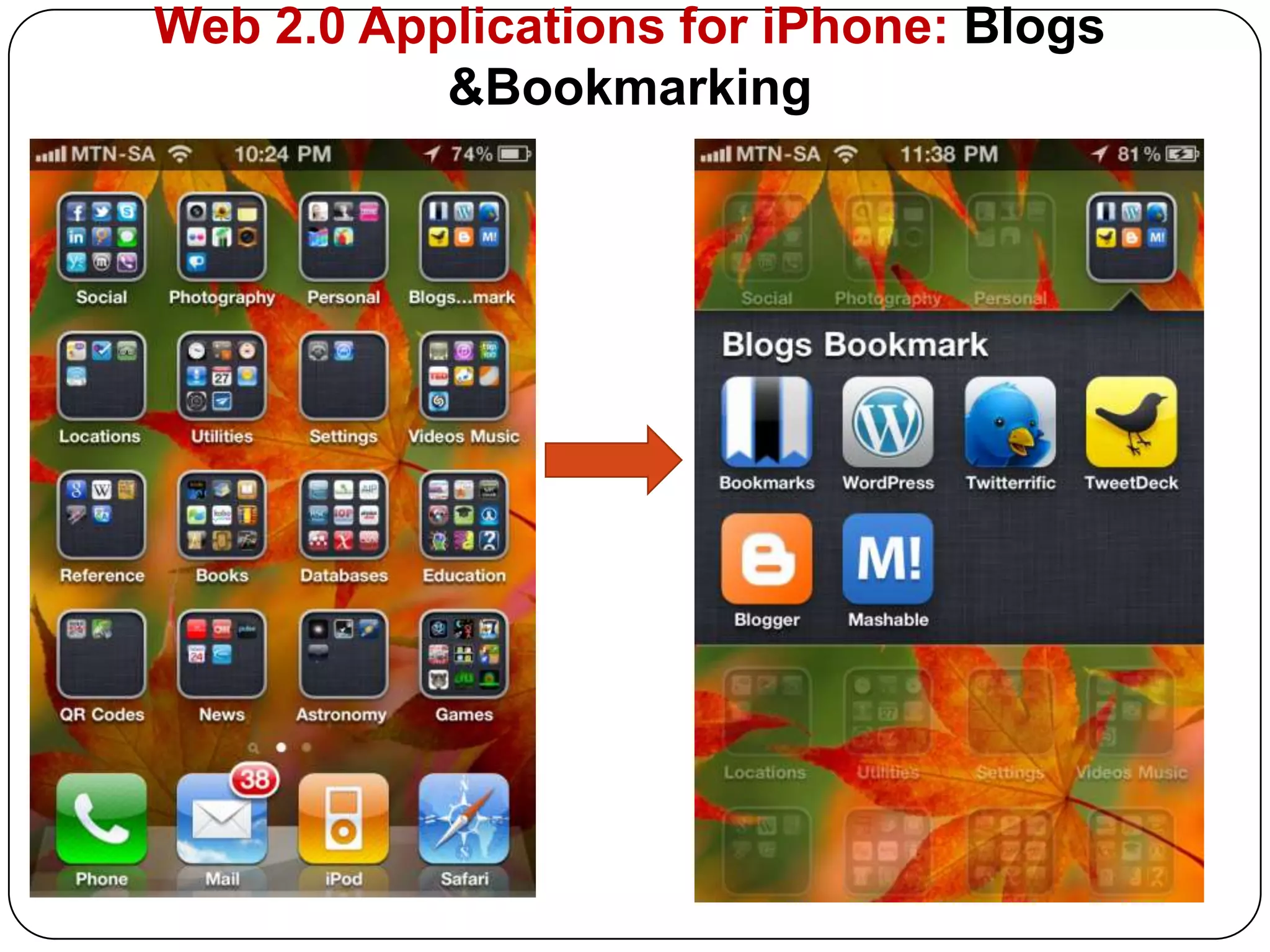
Web 2.0 Applications for iPhone: Blogs &Bookmarking
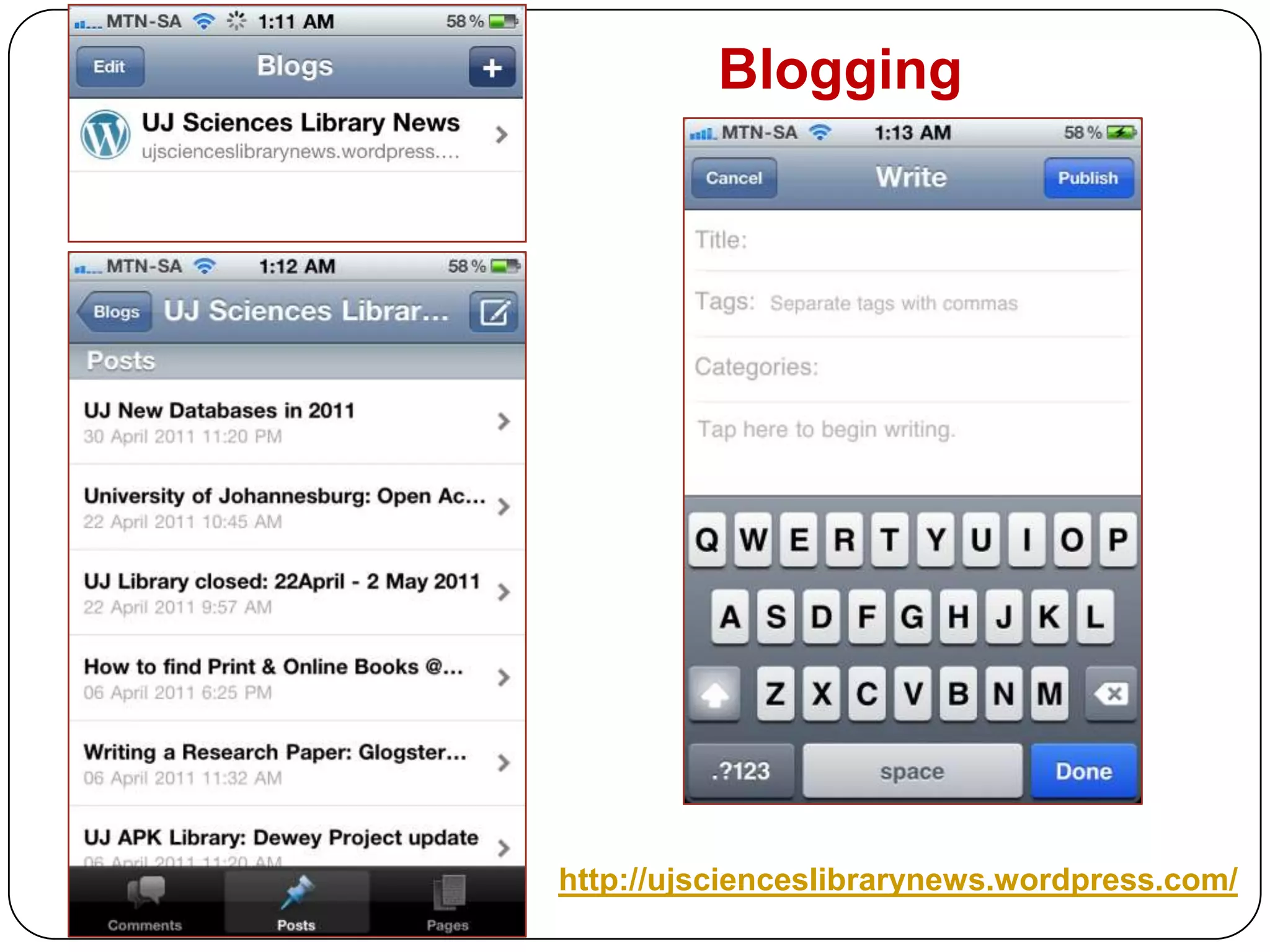
Blogginghttp://ujscienceslibrarynews.wordpress.com/
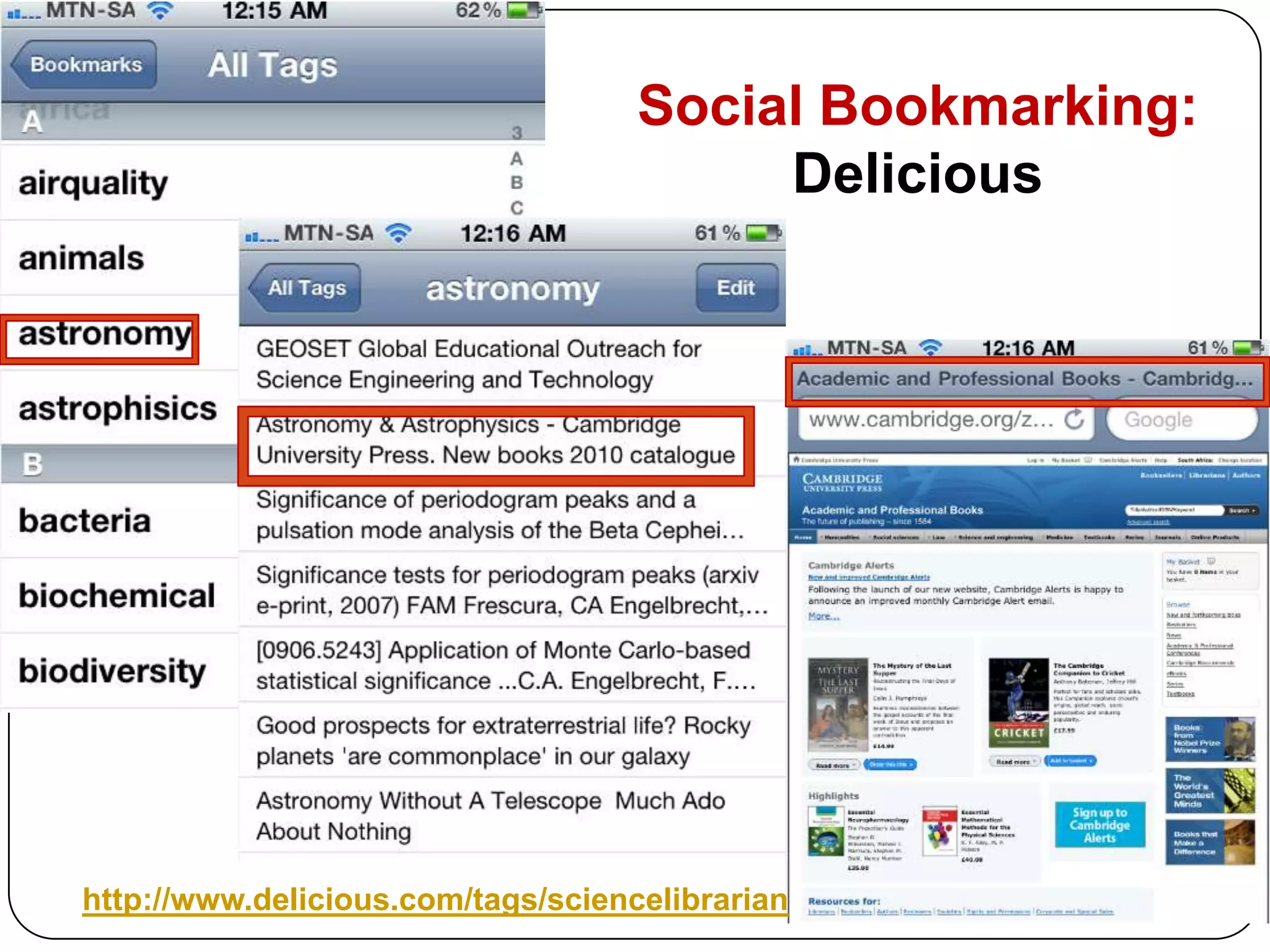
Social Bookmarking:Delicioushttp://www.delicious.com/tags/sciencelibrarian
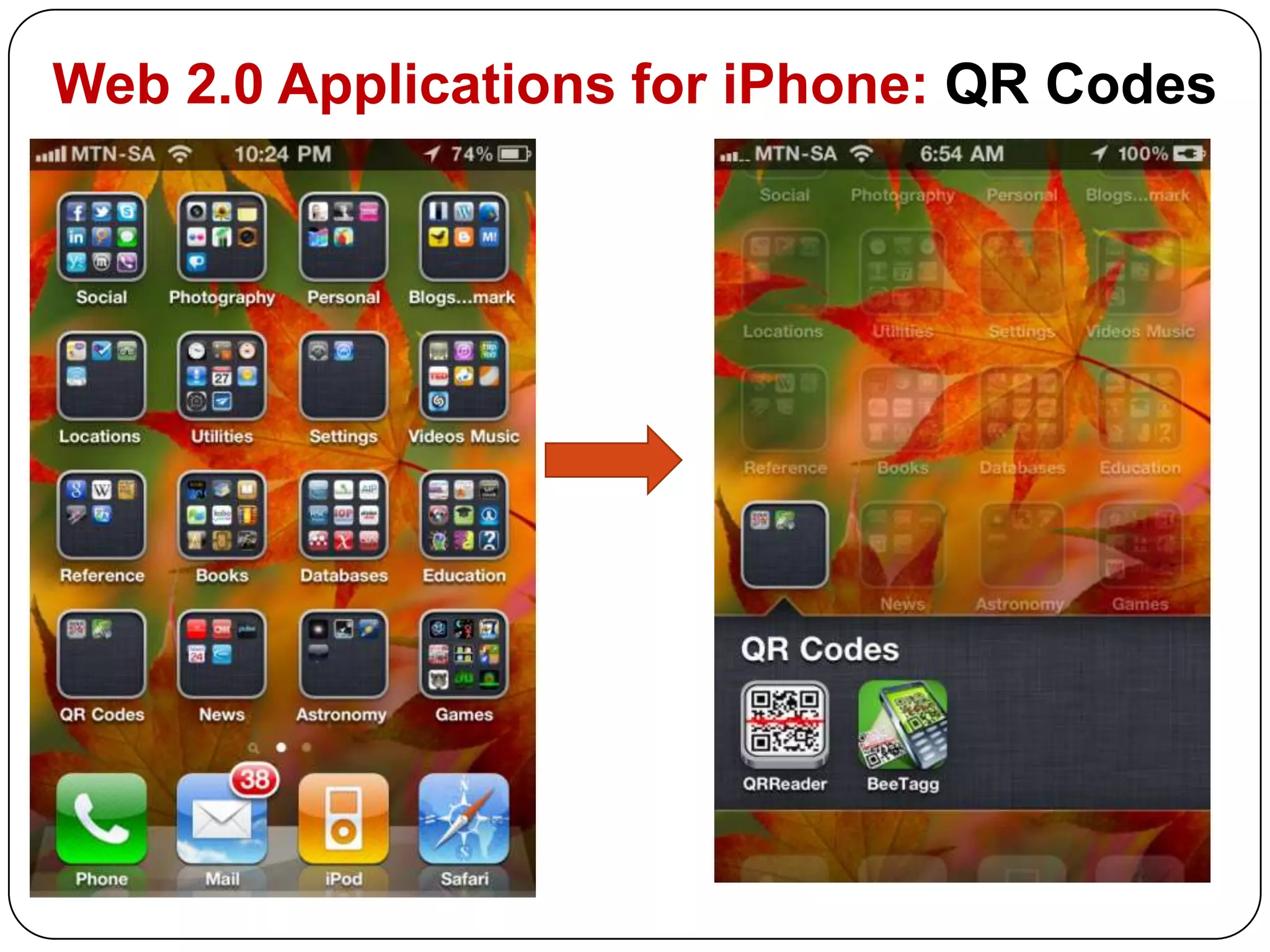
Web 2.0 Applications for iPhone: QR Codes
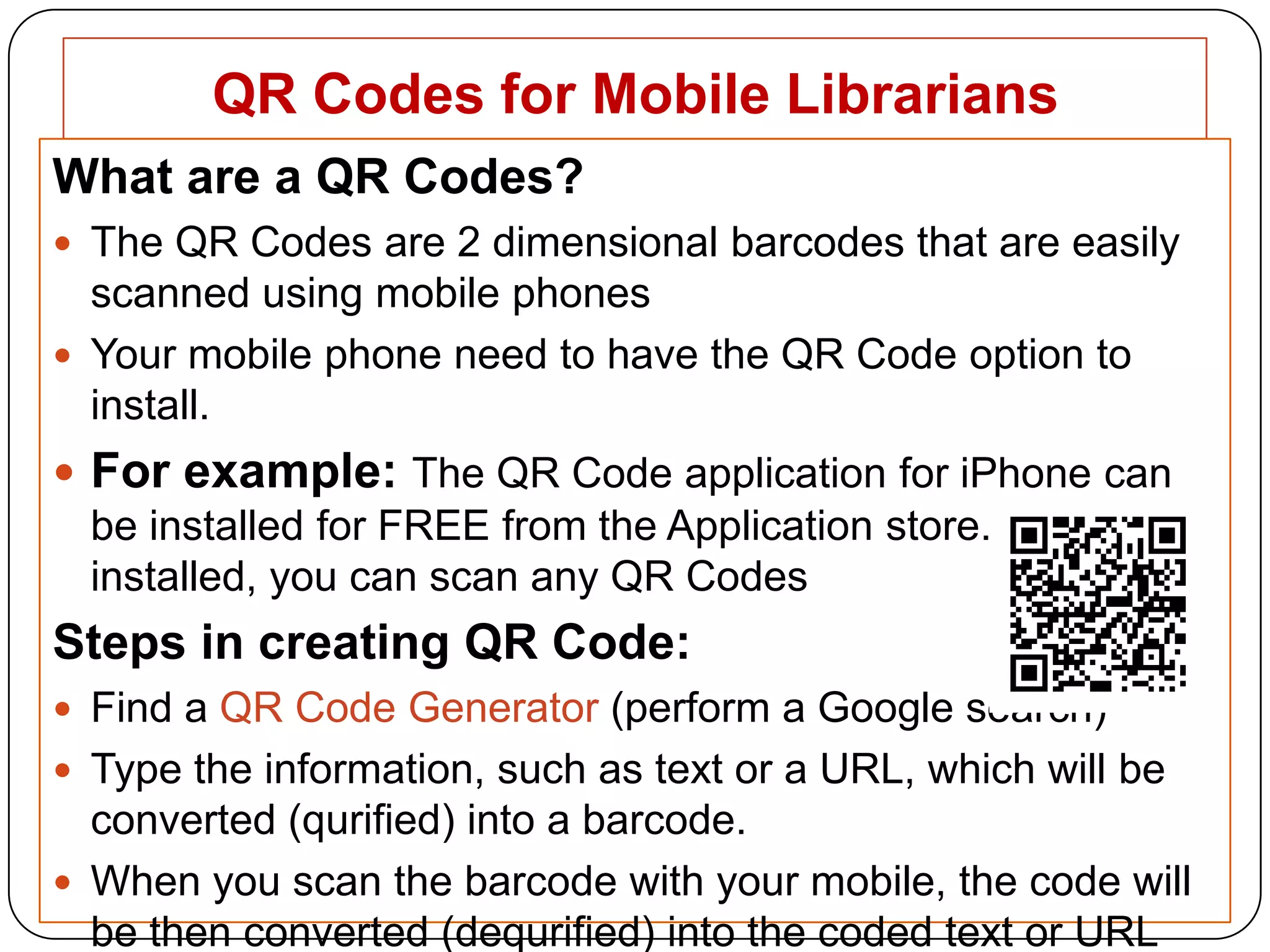
QR Codes for Mobile LibrariansWhat are a QR Codes?The QR Codes are 2 dimensional barcodes that are easily scanned using mobile phones Your mobile phone need to have the QR Code option to install. For example: The QR Code application for iPhone can be installed for FREE from the Application store. Once it is installed, you can scan any QR Codes Steps in creating QR Code:Find a QR Code Generator (perform a Google search)Type the information, such as text or a URL, which will be converted (qurified) into a barcode.When you scan the barcode with your mobile, the code will be then converted (dequrified) into the coded text or URL
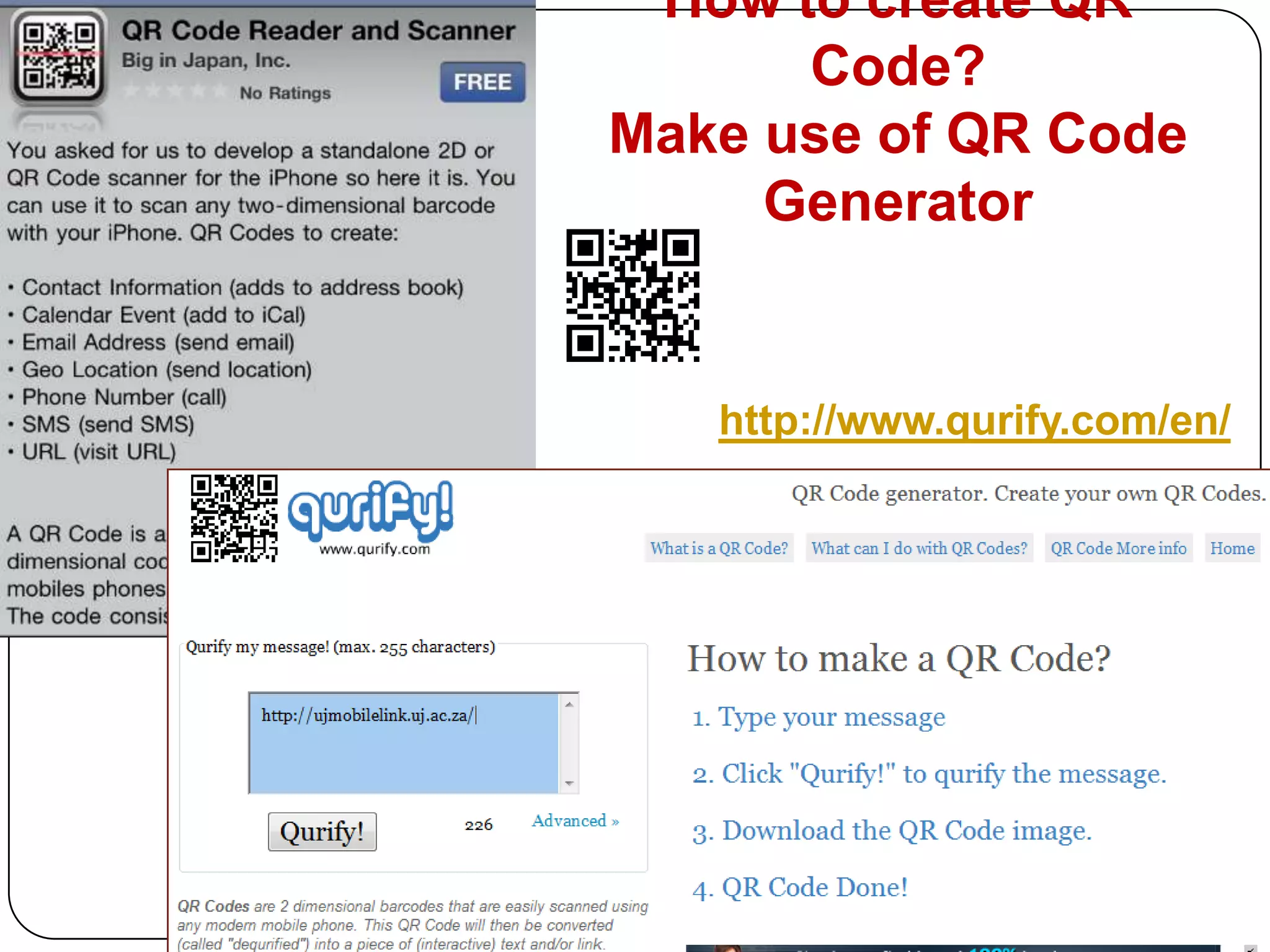
How to create QR Code?Make use of QR Code Generator http://www.qurify.com/en/
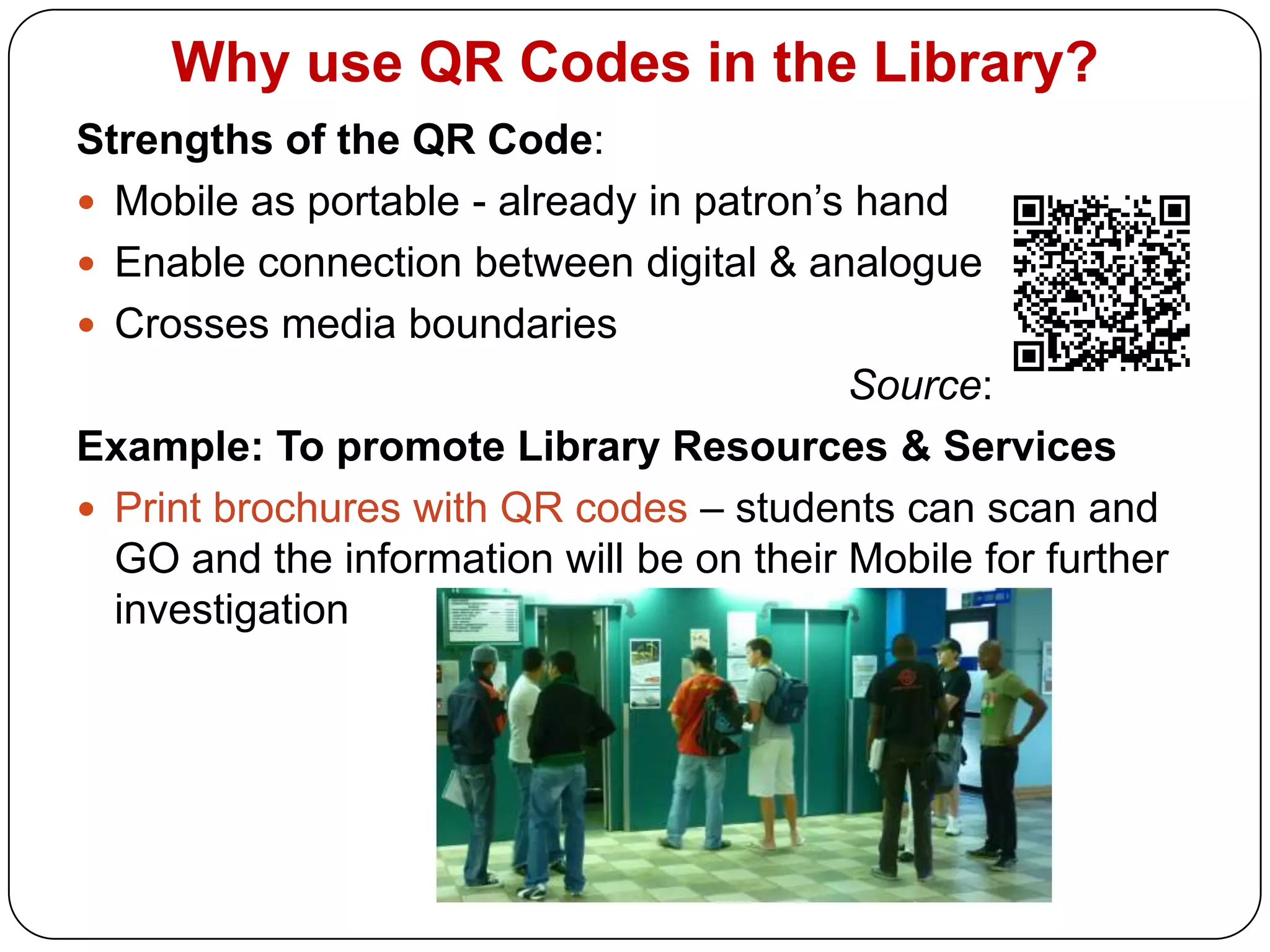
Why use QR Codes in the Library?Strengths of the QR Code:Mobile as portable - already in patron’s handEnable connection between digital & analogue Crosses media boundariesSource: Example: To promote Library Resources & ServicesPrint brochures with QR codes – students can scan and GO and the information will be on their Mobile for further investigation
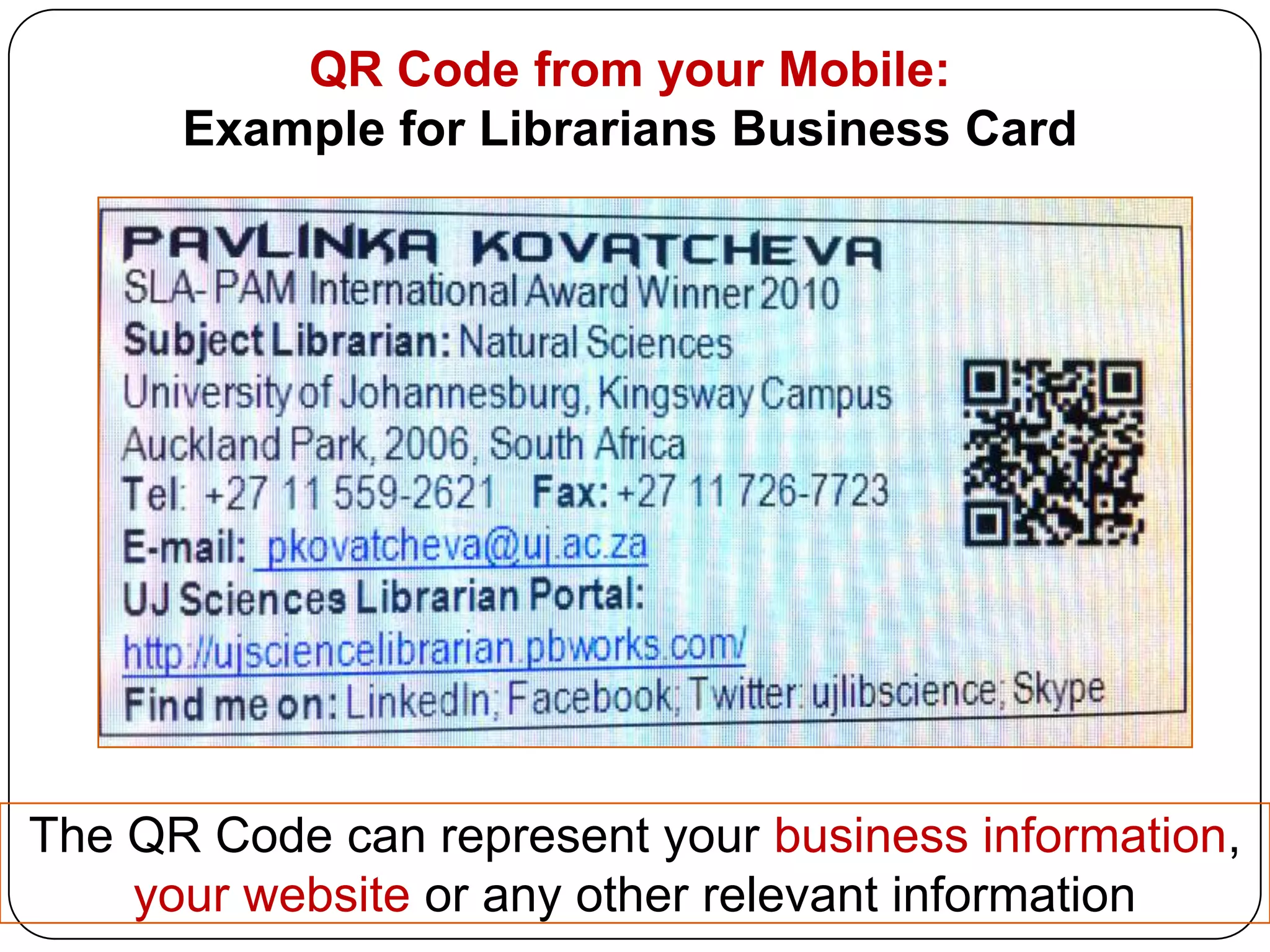
QR Code from your Mobile: Example for Librarians Business Card The QR Code can represent your business information, your website or any other relevant information
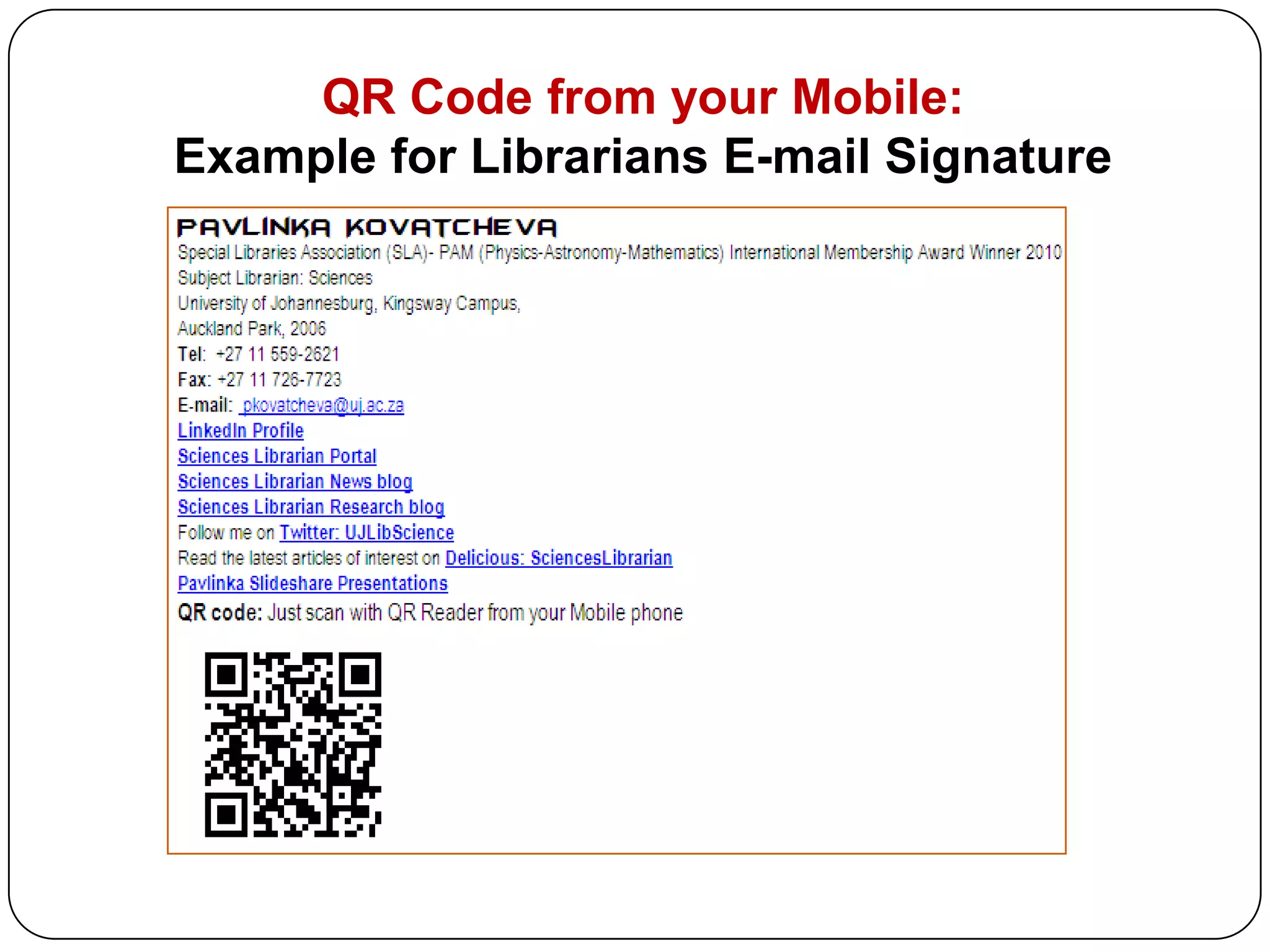
QR Code from your Mobile: Example for Librarians E-mail Signature
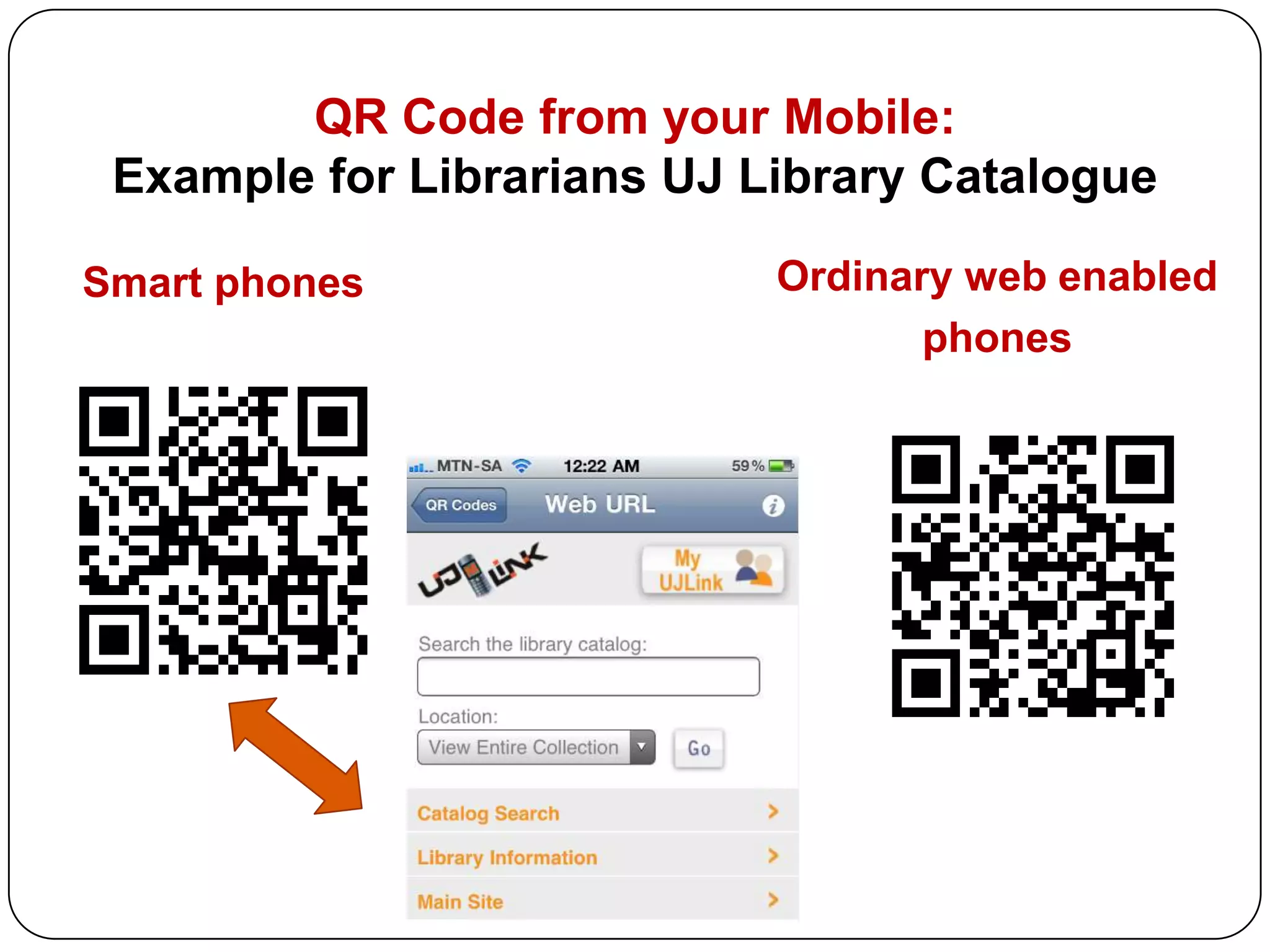
QR Code from your Mobile: Example for Librarians UJ Library CatalogueSmart phonesOrdinary web enabledphones
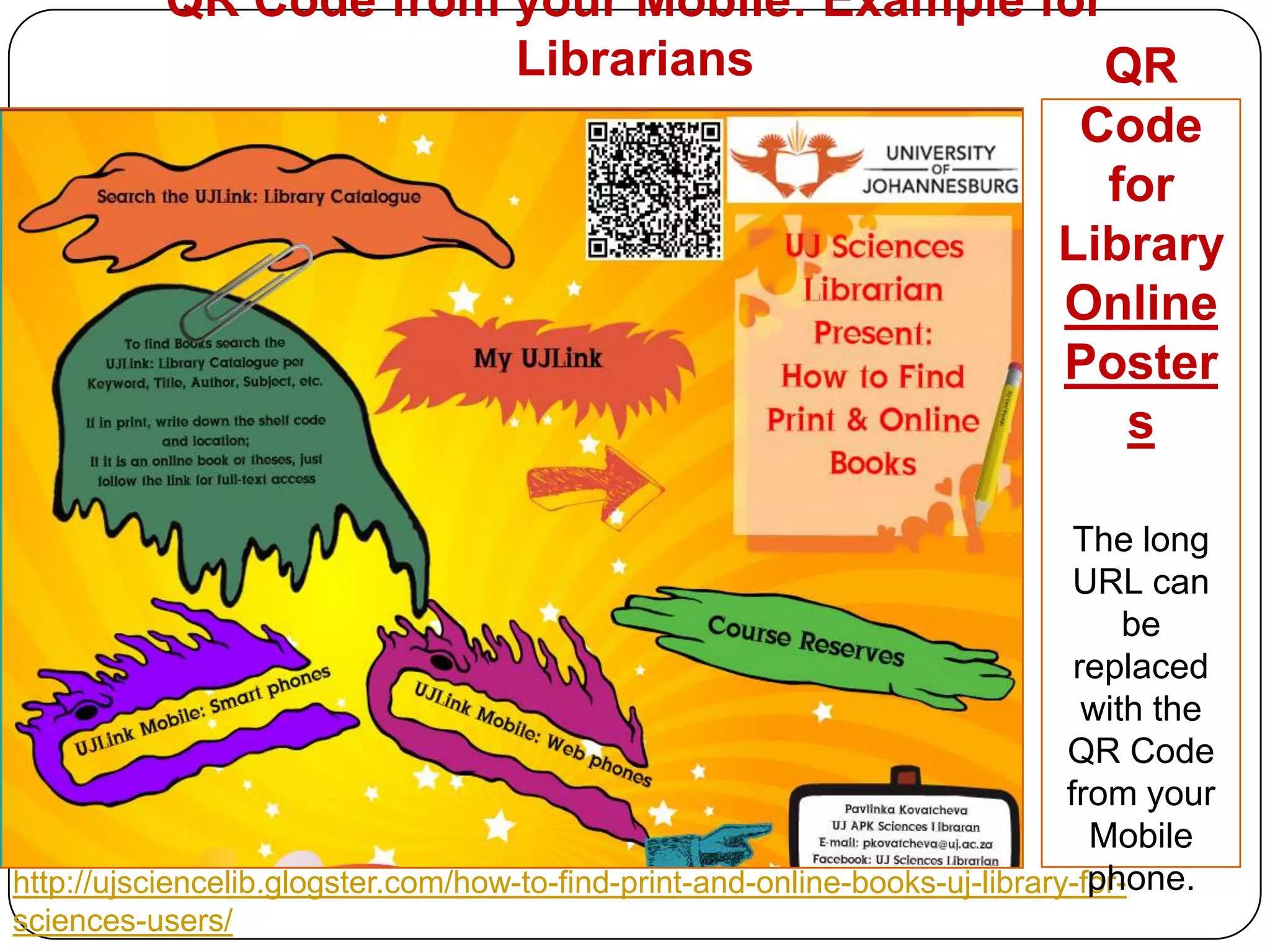
QR Code from your Mobile: Example for Librarians QR Code for Library Online PostersThe long URL can be replaced with the QR Code from your Mobile phone.http://ujsciencelib.glogster.com/how-to-find-print-and-online-books-uj-library-for-sciences-users/
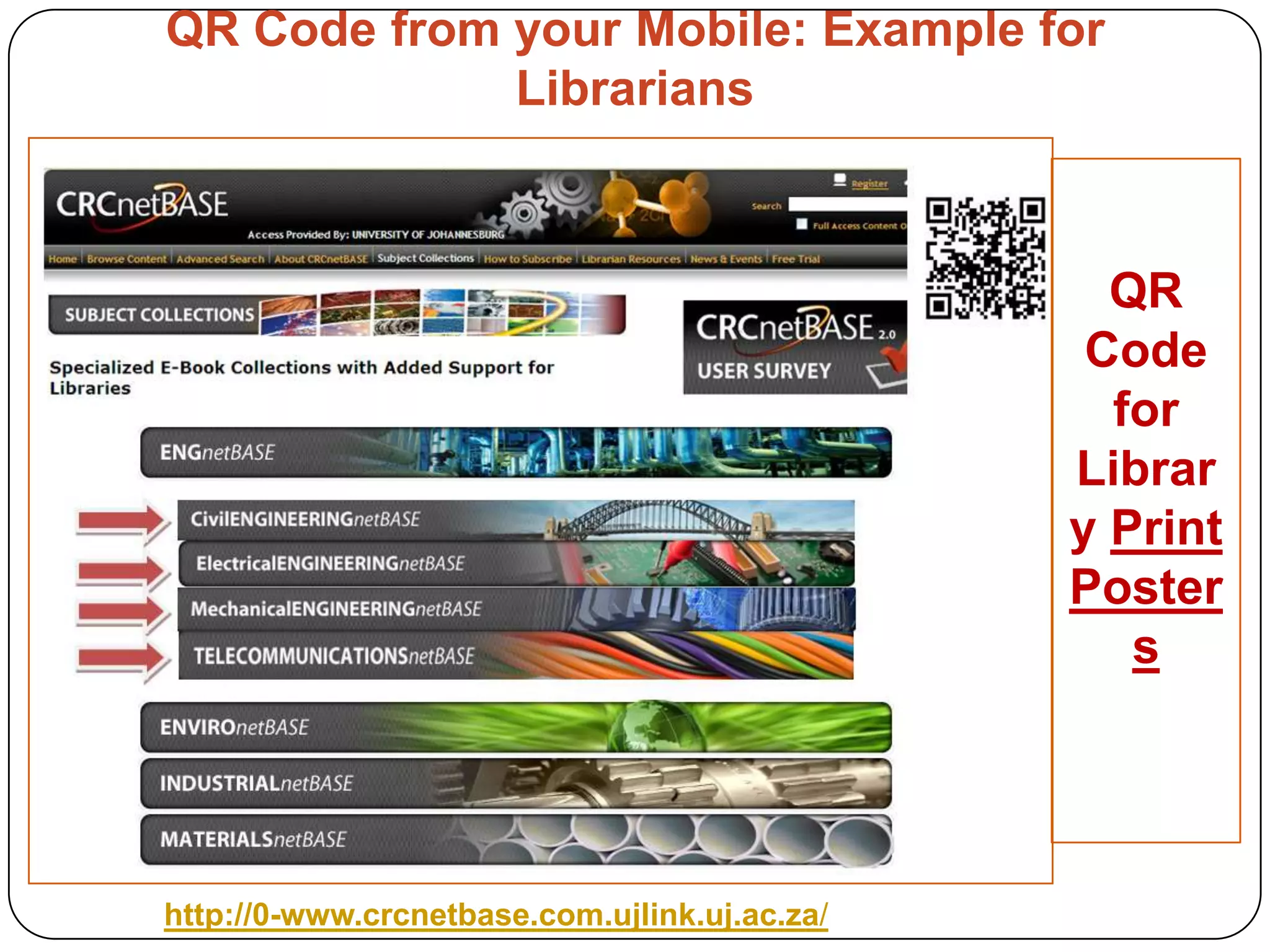
QR Code from your Mobile: Example for Librarians QR Code for Library Print Postershttp://0-www.crcnetbase.com.ujlink.uj.ac.za/
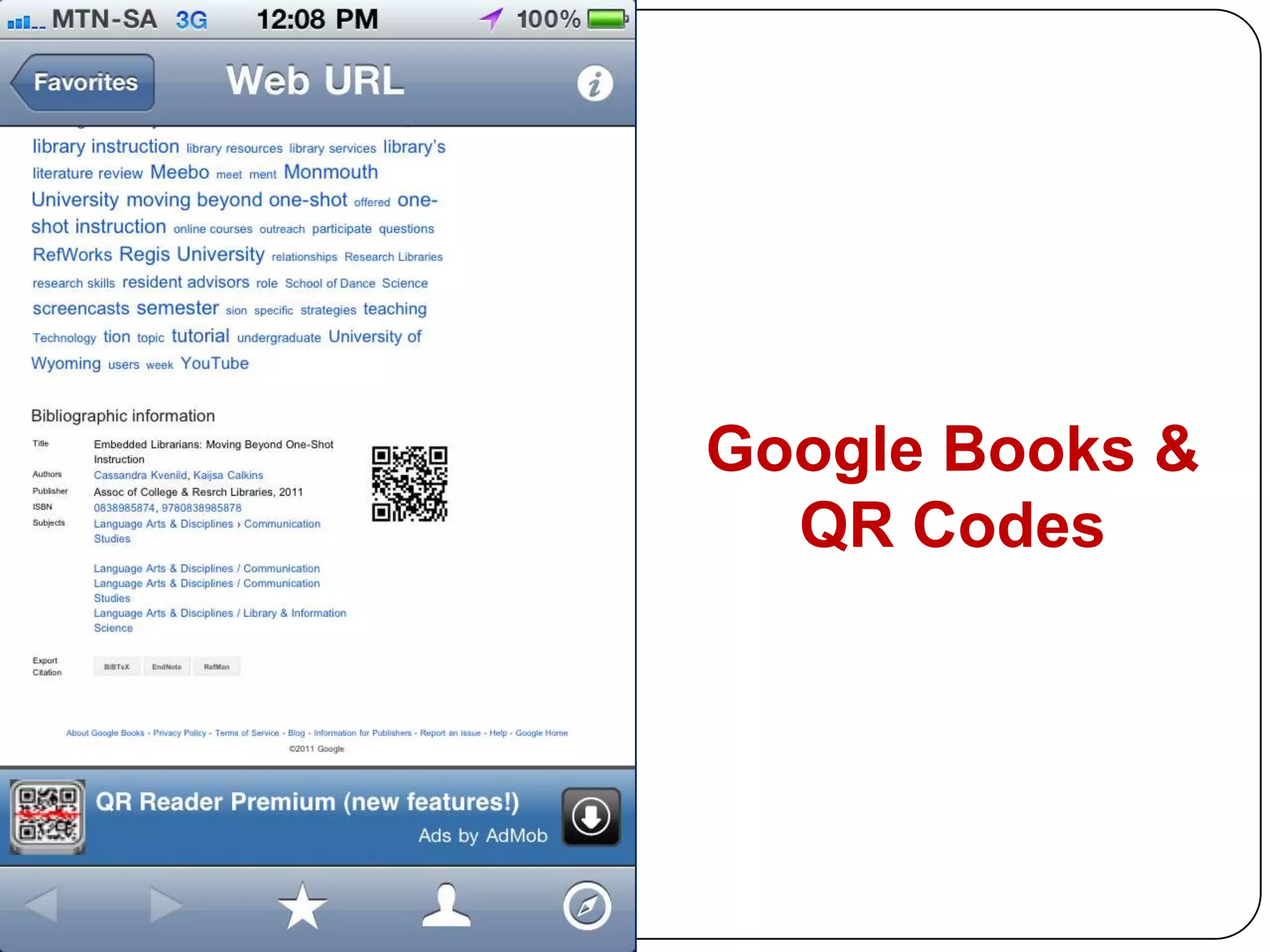
Google Books & QR Codes
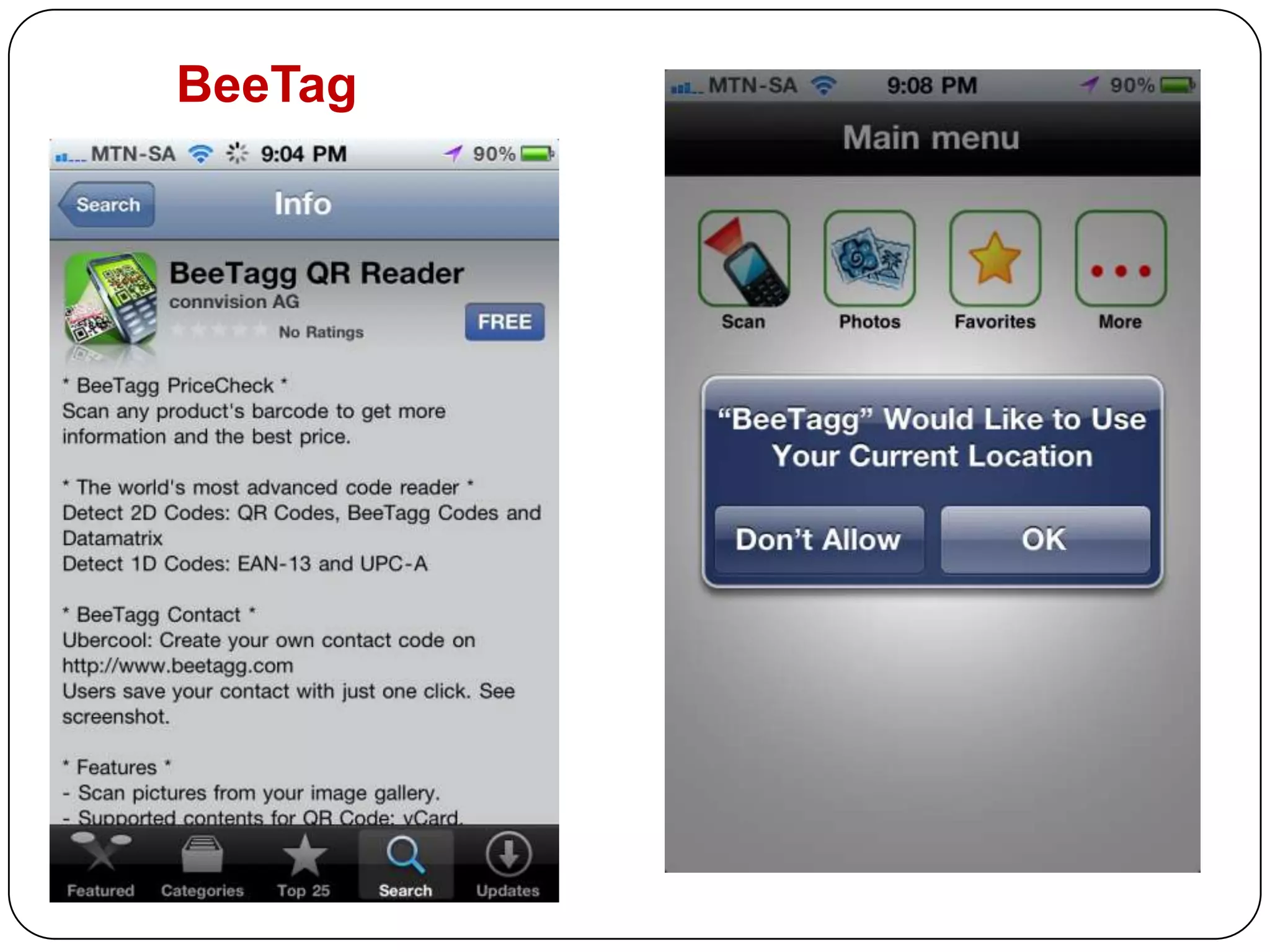
BeeTag
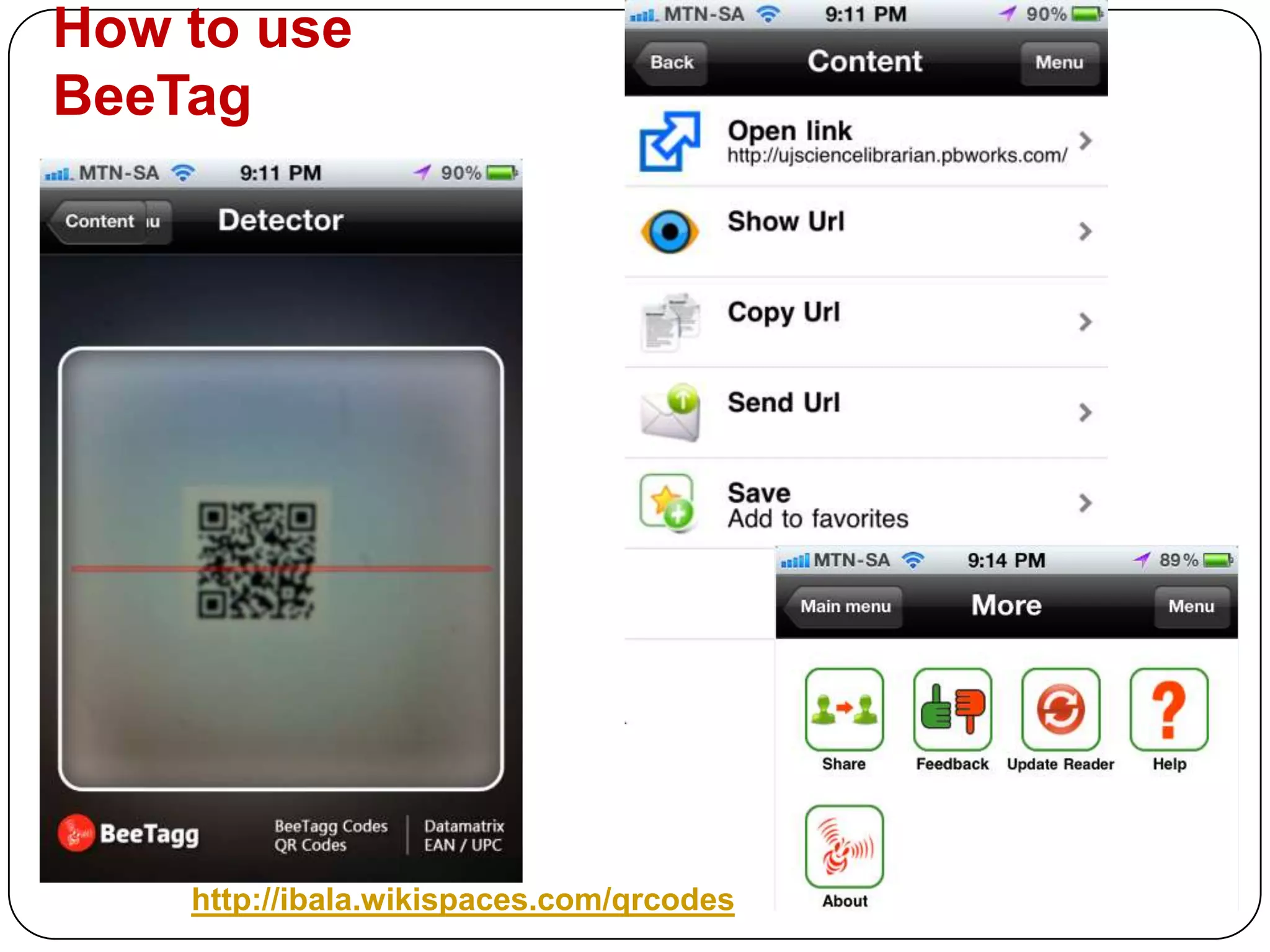
How to use BeeTag http://ibala.wikispaces.com/qrcodes
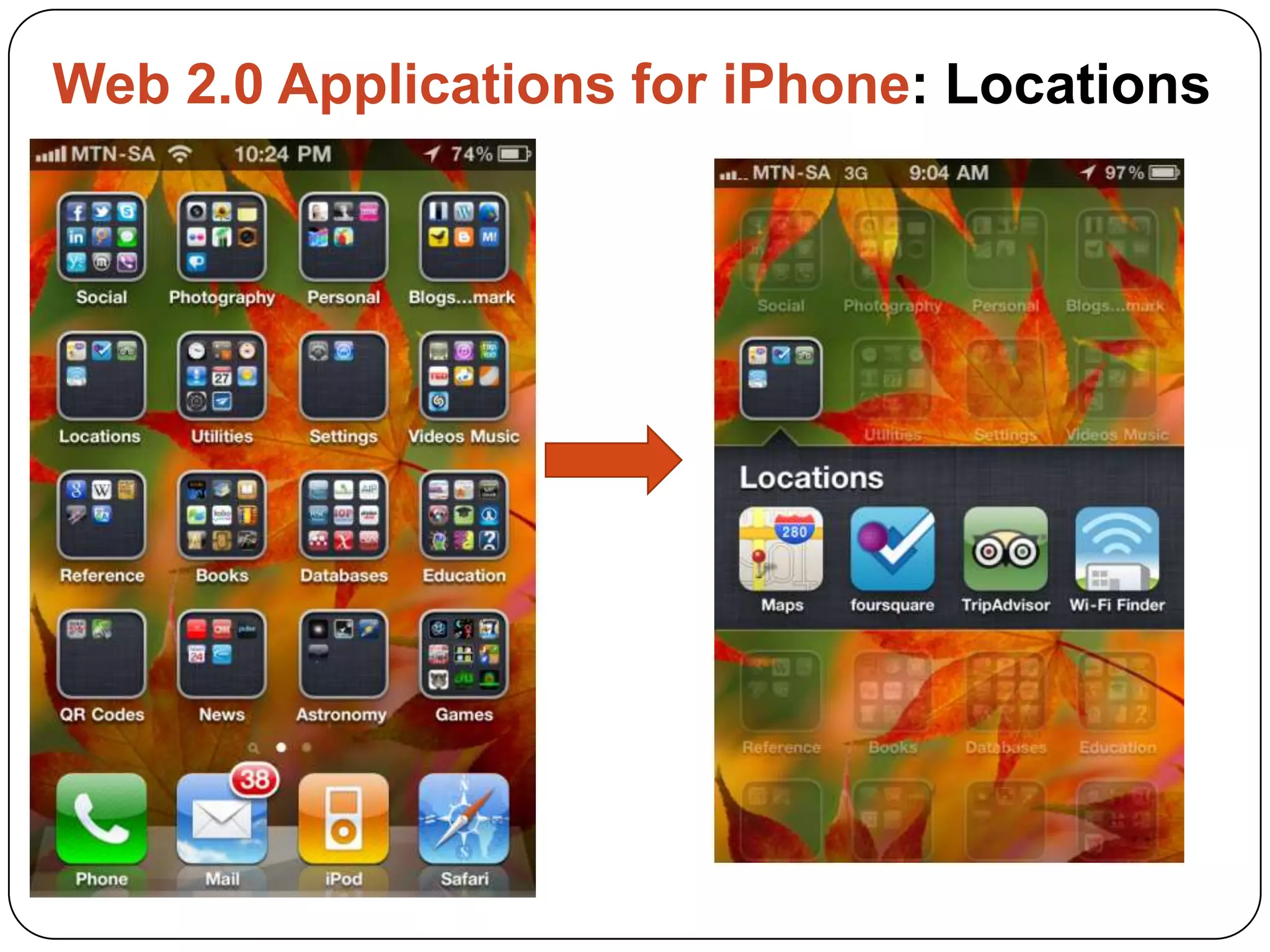
Web 2.0 Applications for iPhone: Locations
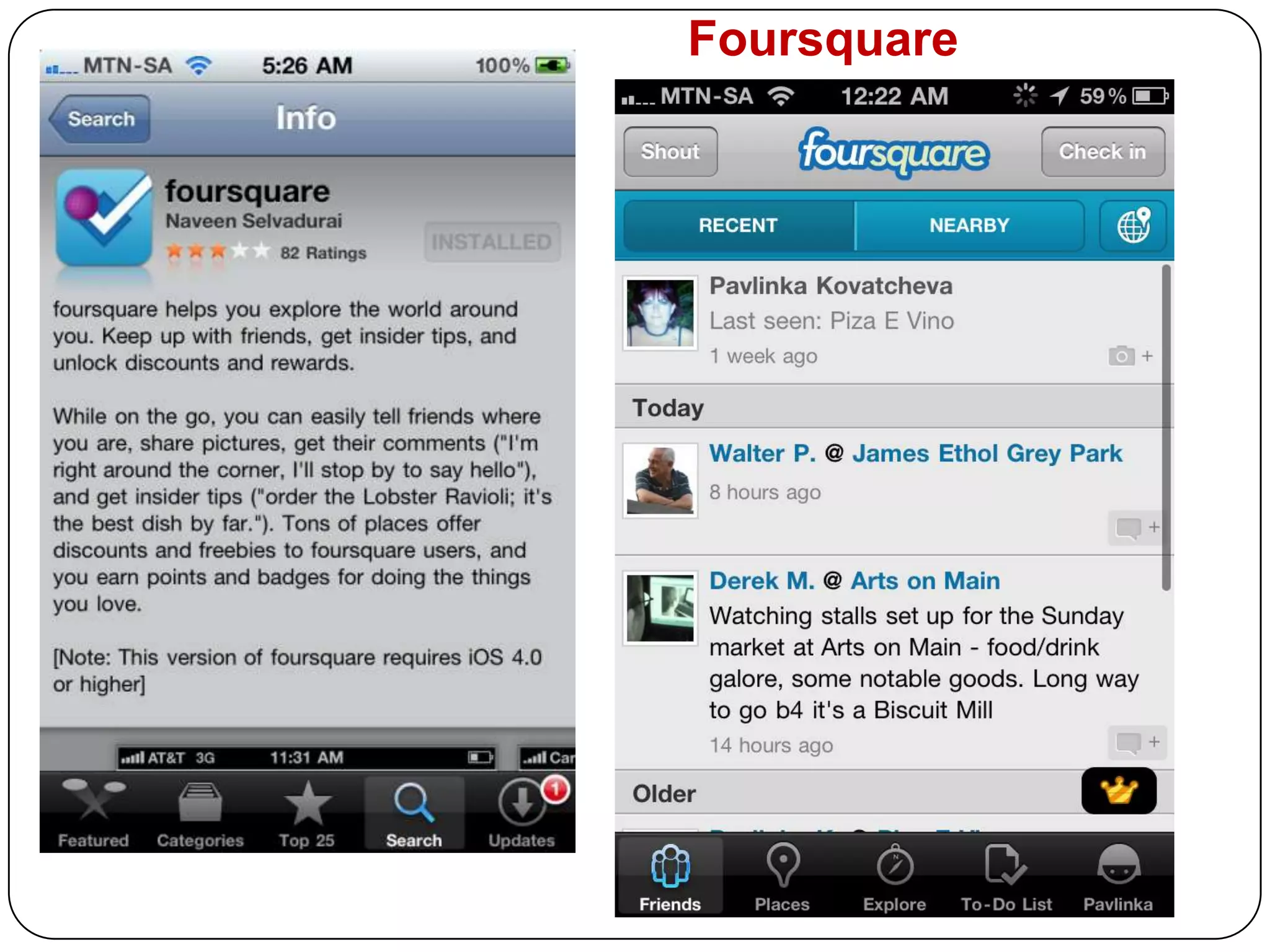
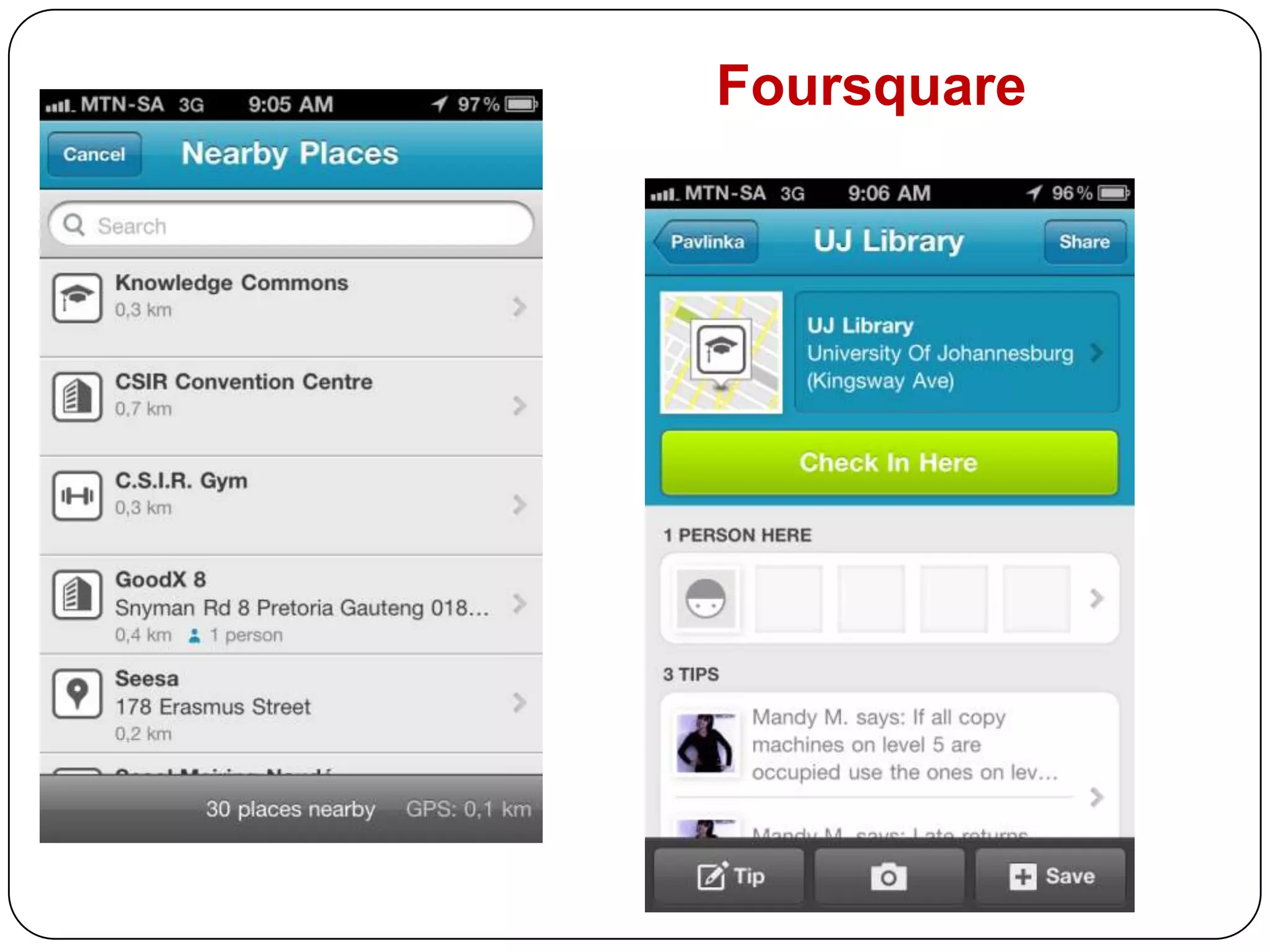
Foursquare
Foursquare
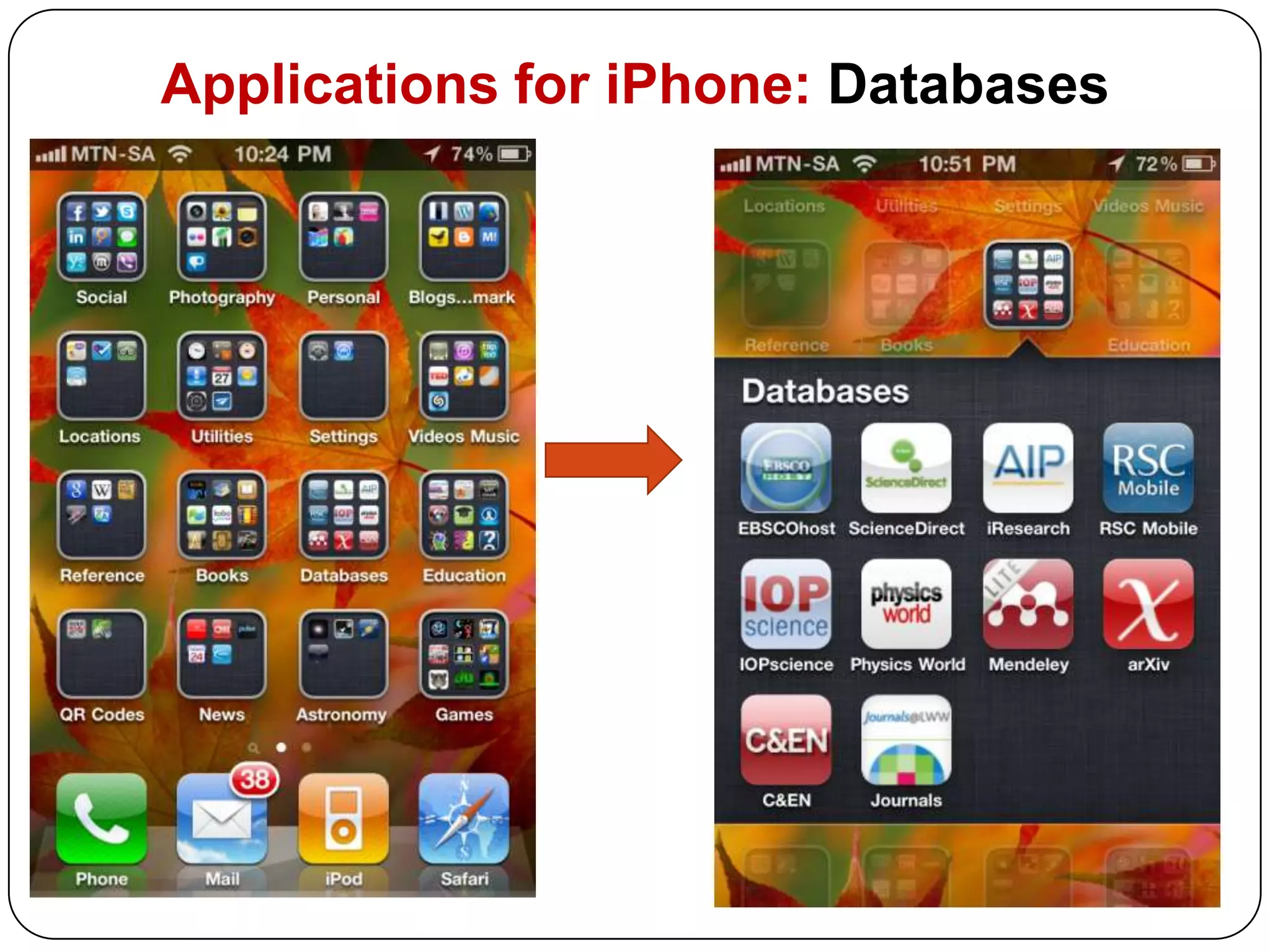
Applications for iPhone: Databases
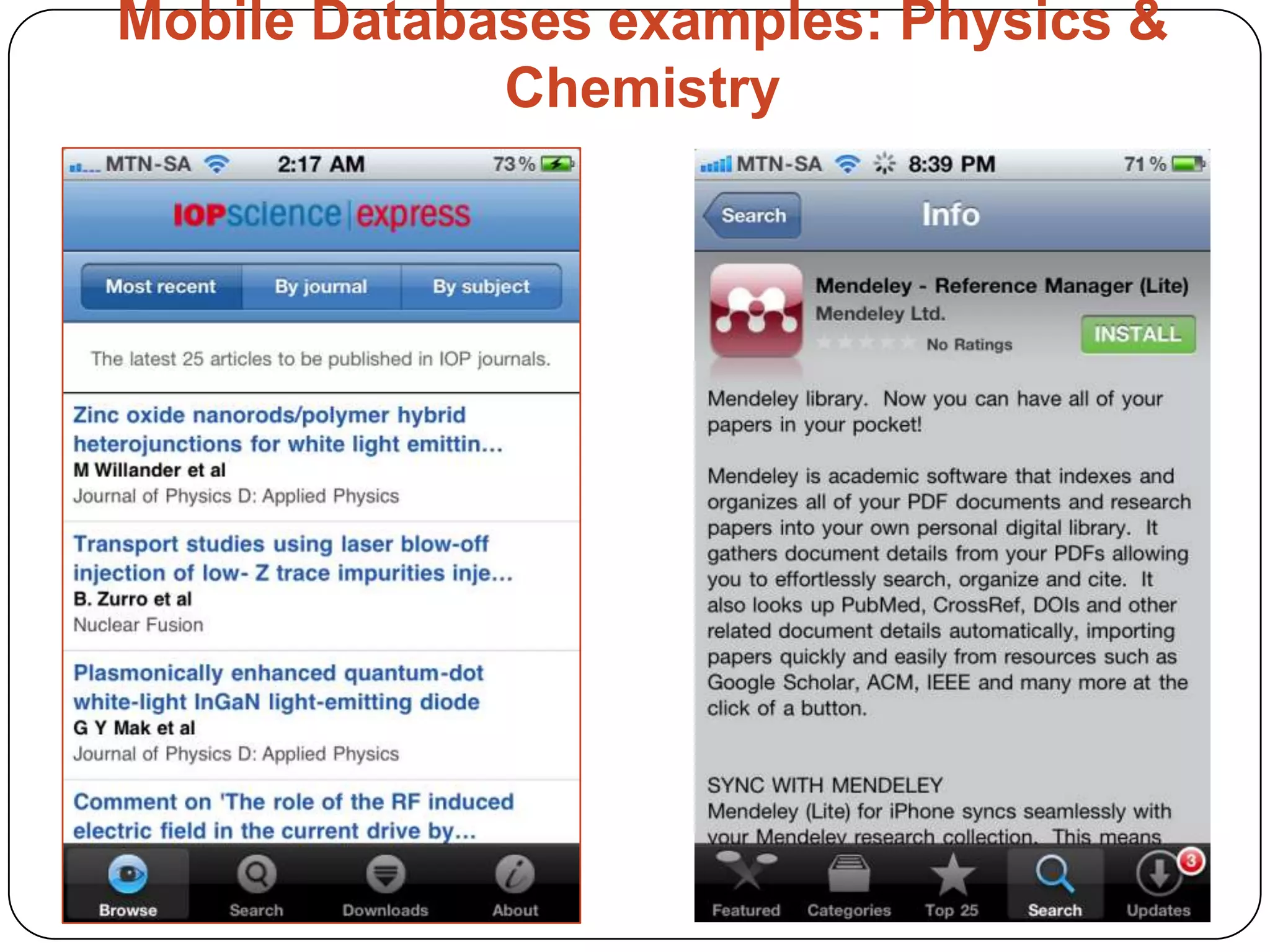
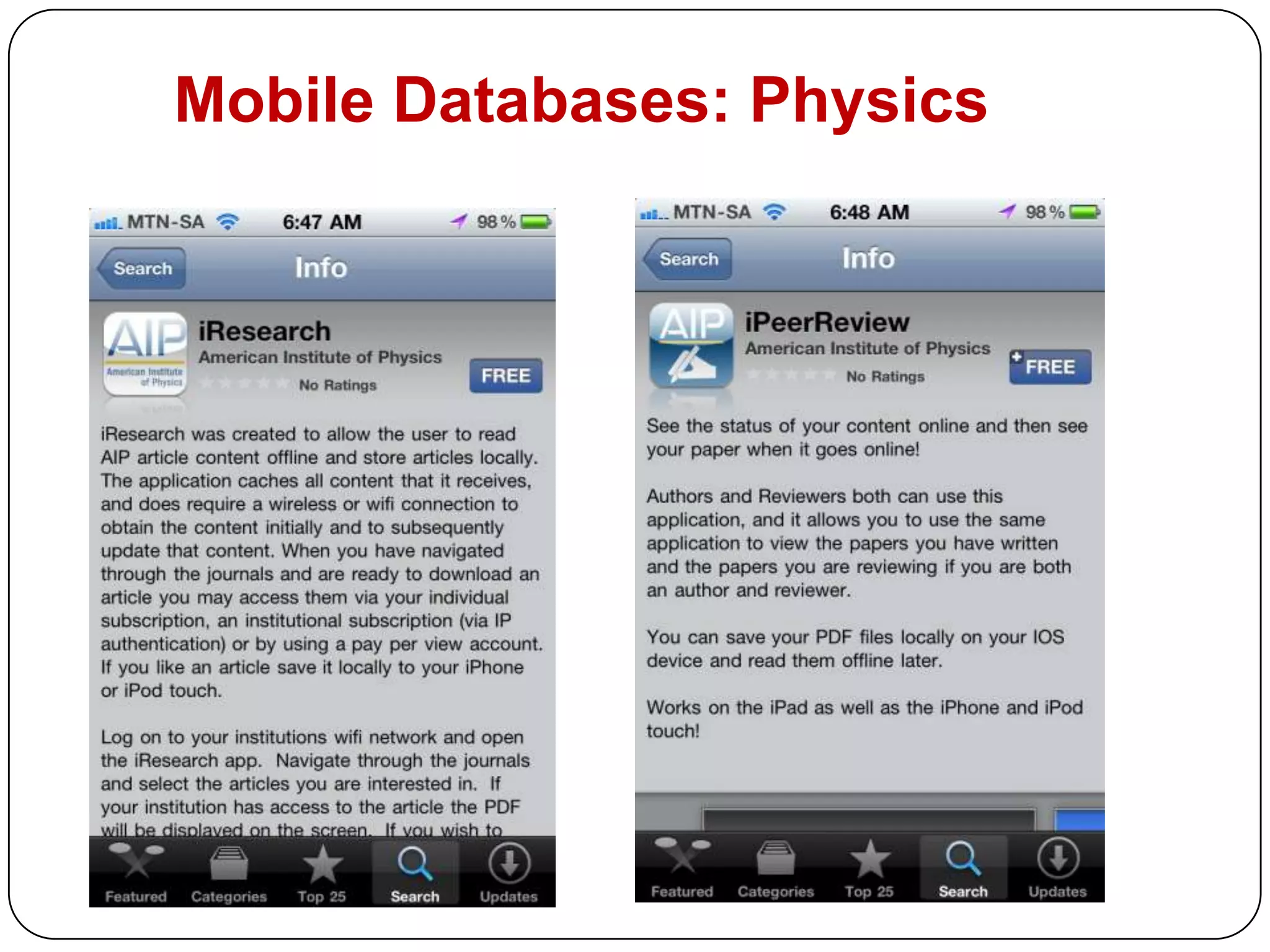
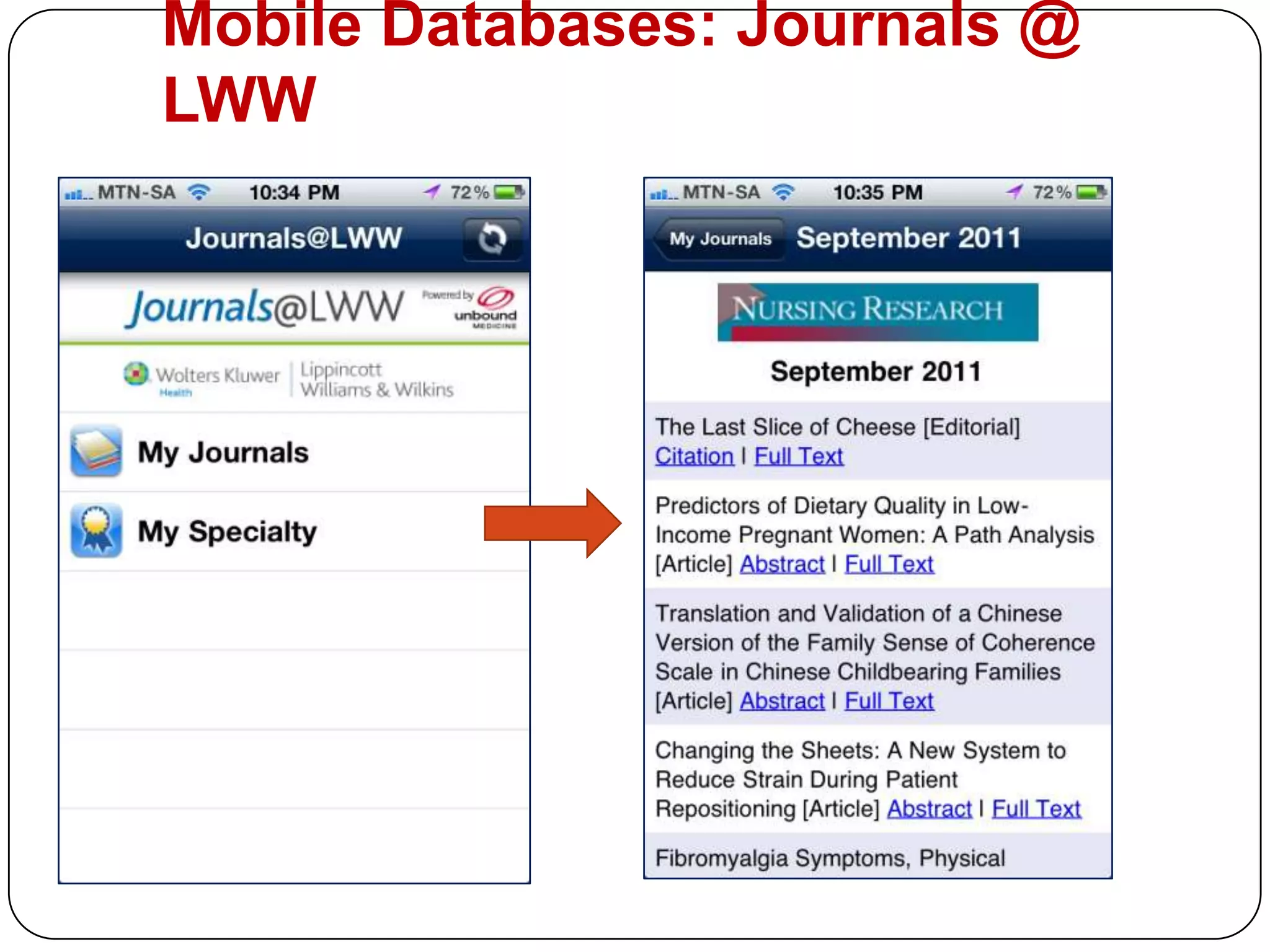
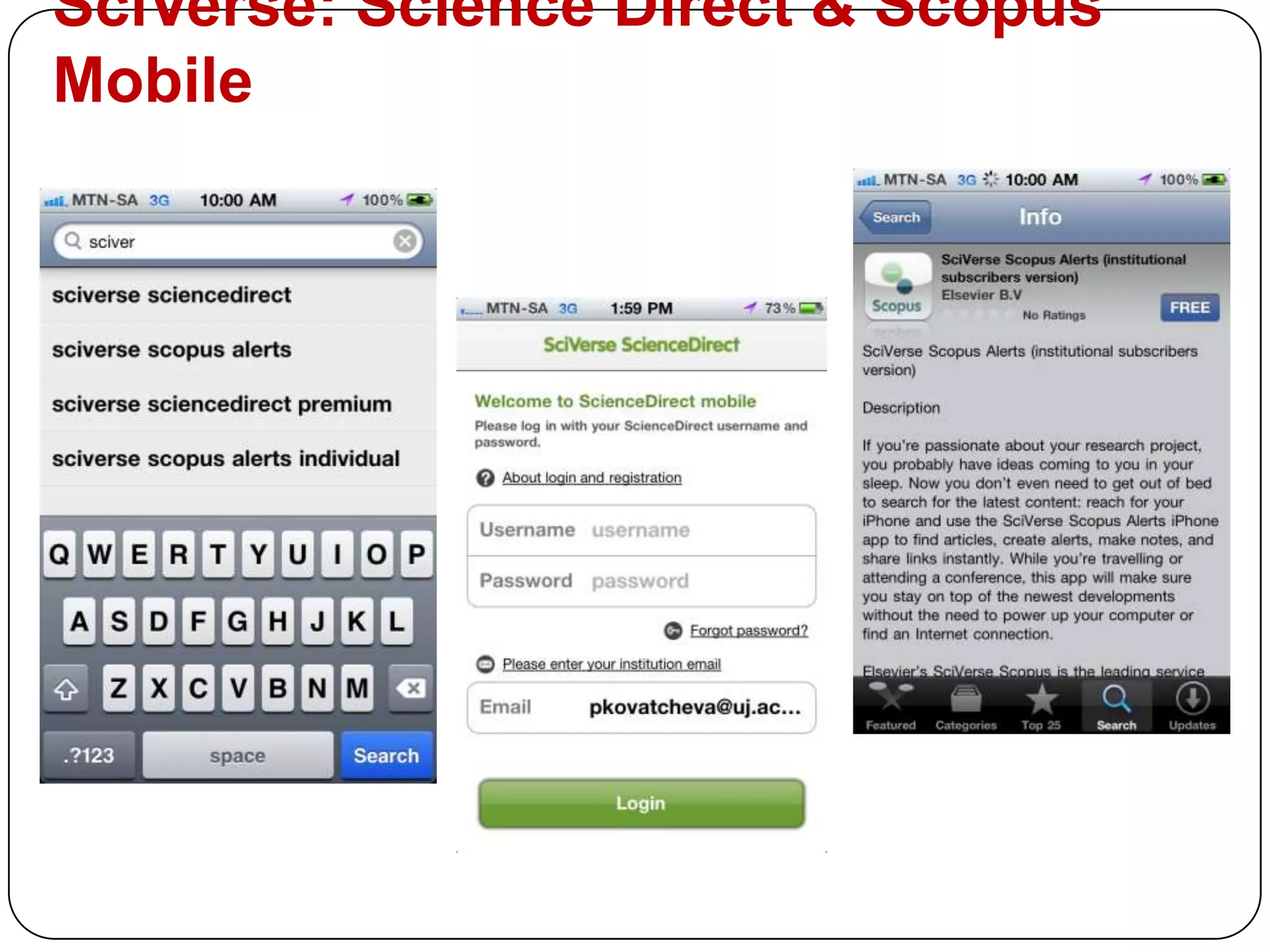
Mobile Databases examples: Physics & Chemistry
Mobile Databases: Physics
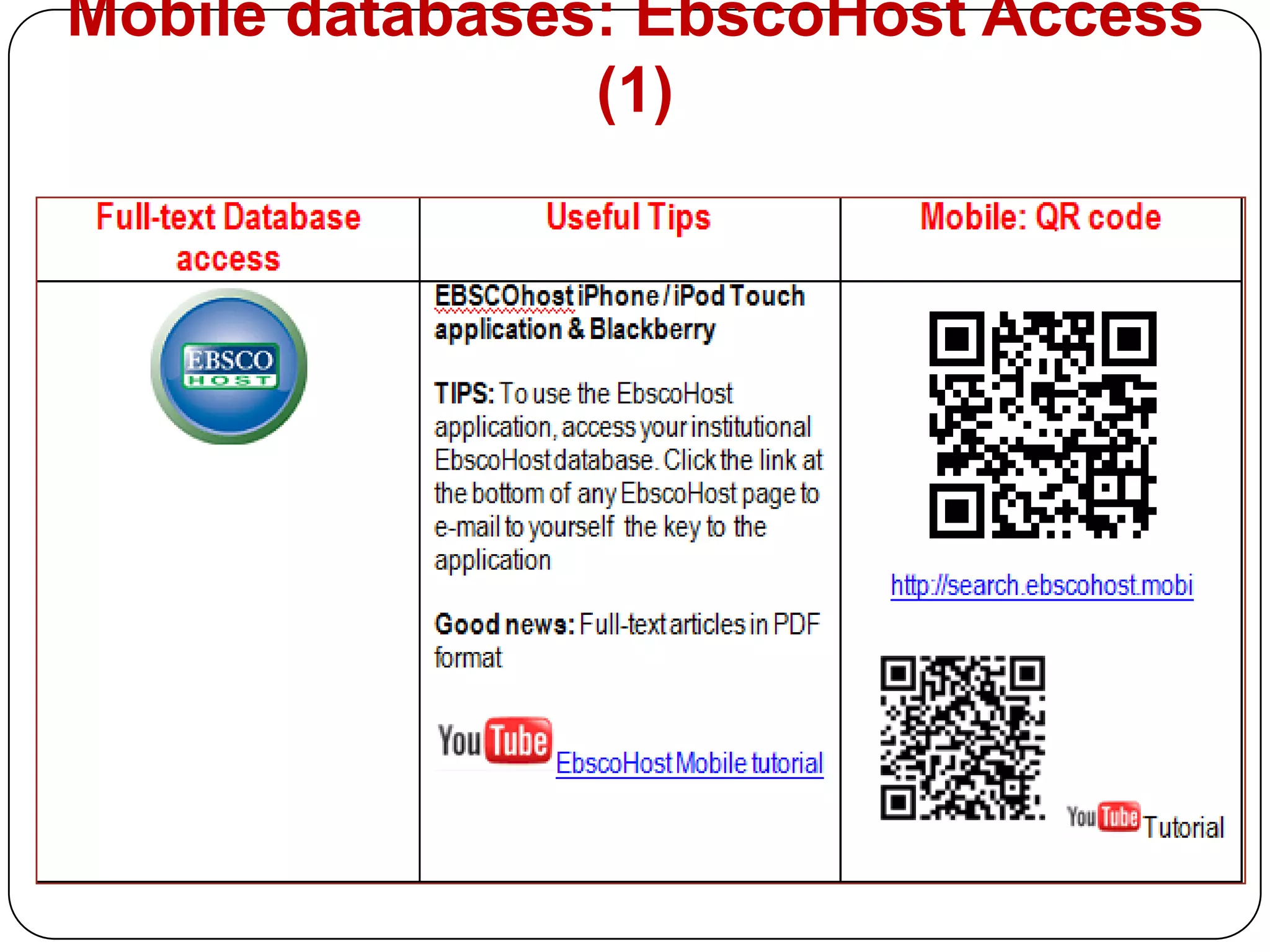
Mobile databases: EbscoHost Access (1)
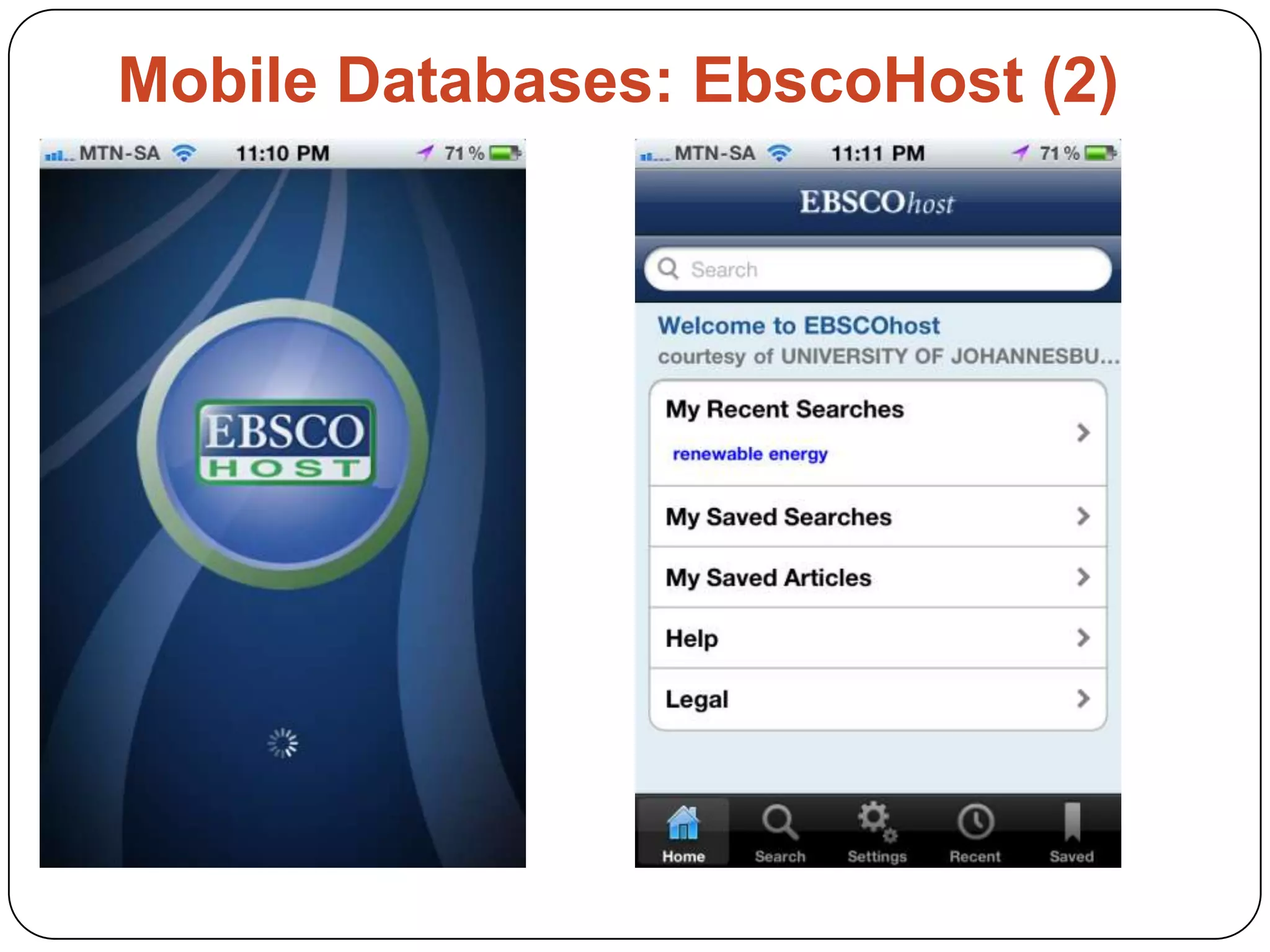
Mobile Databases: EbscoHost (2)
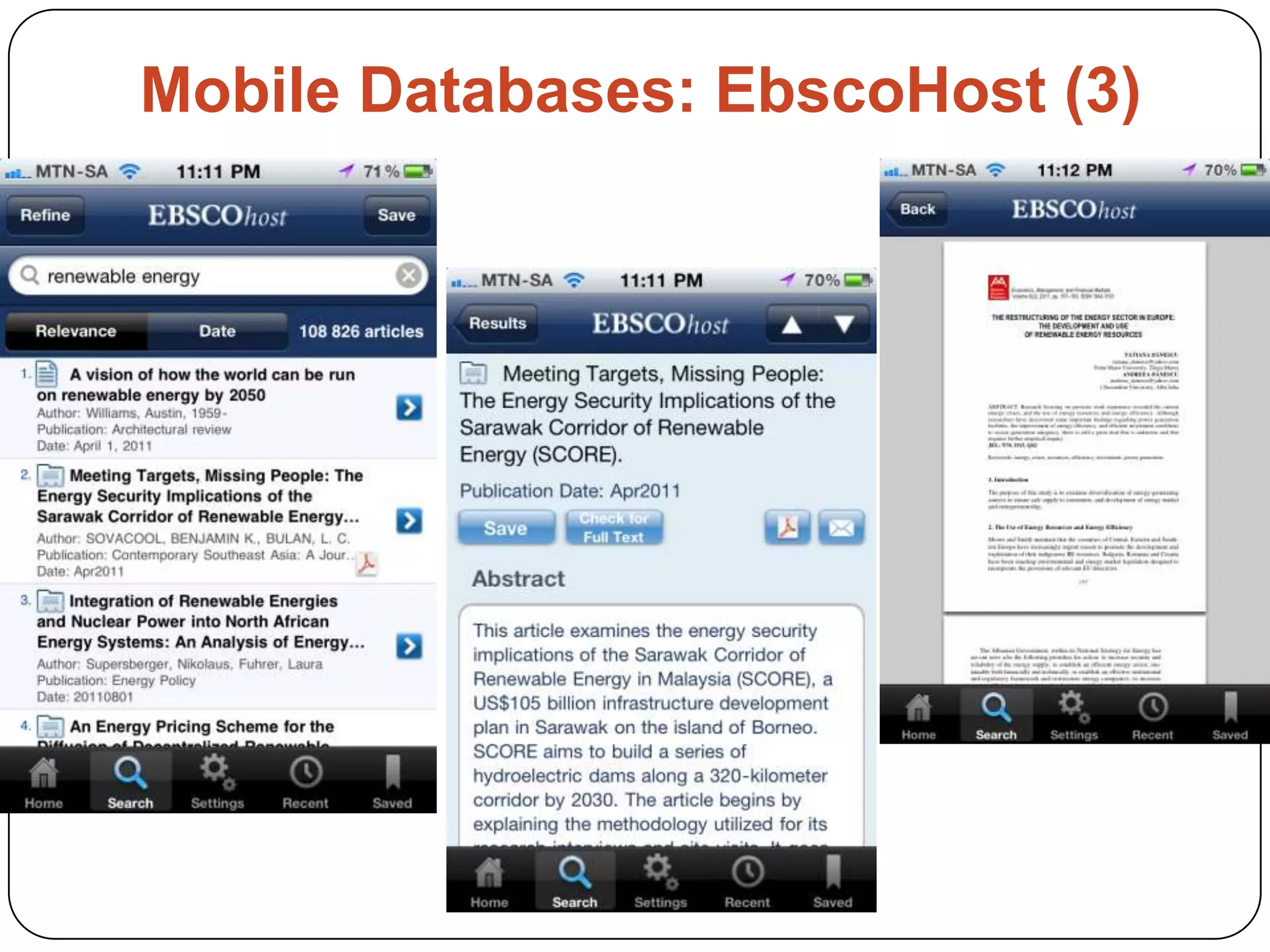
Mobile Databases: EbscoHost (3)
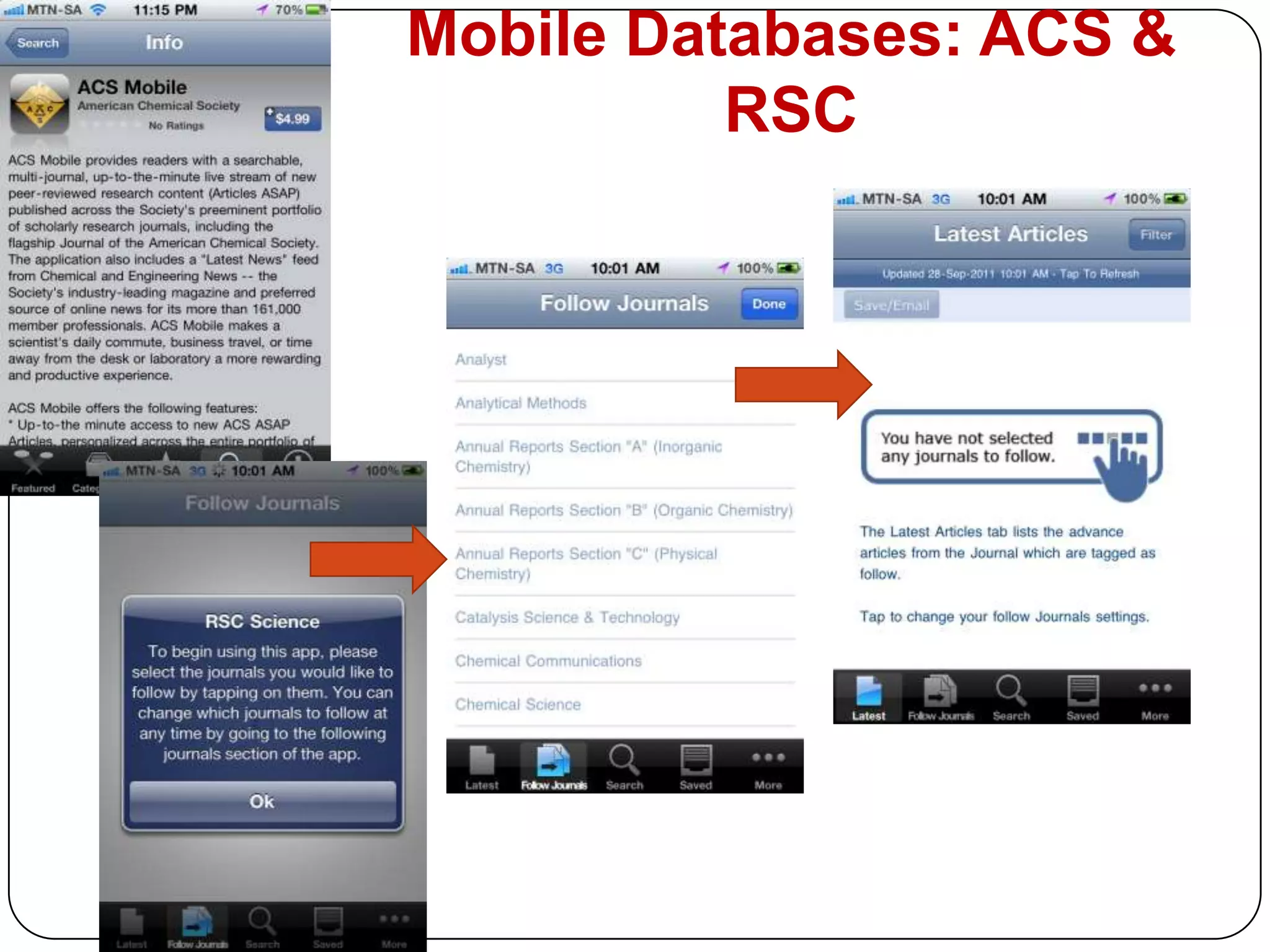
Mobile Databases: ACS & RSC

The Academic Librarian on the Move: The Use of Mobile Technologies in Support to Teaching, Learning & Research

  • 1.
    The Academic Librarianon the move: the use of Mobile Technology in Support to Teaching, Learning & ResearchPavlinka Kovatcheva, Faculty Librarian: Sciencespkovatcheva@uj.ac.zaUniversity of JohannesburgiBala Workshop, 28 September 2011, CSIR
  • 2.
    The Mobile worldat the palm of our handsSource
  • 3.
    ContentIntroductionTrends in MobileTechnologies in 2011Mobile Technologies in LibrariesThe Academic Librarian Mobile PlaygroundWeb 2.0 Applications for Mobile LibrariansWay ForwardReferences
  • 4.
    Introduction70% of theworlds population now have a mobile phone, that’s over 5 billion mobile subscribers.Children are more likely to own a mobile phone than a book, with 85% of kids owning a phone as to 73% having books!Apple has sold almost 60 million iPhones world wide, while Google’s Android OS is growing at 886% year.(Source)In over 50 countries the cell phone penetration is above 100%.
  • 5.
    People are spendingmore and more time on their mobile phonesSource
  • 6.
  • 7.
    5 Trends inMobile Technology (2011) Source
  • 8.
    8 Trends inMobile technology: 2011 Source: Video
  • 9.
    The Mobile Phones:Howsmart is your phone?Apple - iPhone - iTunes Application storeGoogle & Android - Open source Operating systemBlackBerry - The most popular phone in SA - Success – instant push “e-mails” capabilities between the mobile and Blackberry e-mail serverNokiaSamsung Source
  • 10.
    Mobiletechnologies in librariesIfLibrarians want to hold on to their role as an Information professionals, they need to be able to reach out to users in their preferred method of Communication. (Griffey, 2010)
  • 11.
    Why use Mobiletechnologies in the Libraries? (1)Library Services on the GO!
  • 12.
    24/7 Access toMobile Library catalogue, websites, services & resources
  • 13.
    Social Interactions viaMobile Web 2.0 Application
  • 14.
    Provide an easy& timely communication channels
  • 15.
    Library Current Awarenessto Services and Resources
  • 16.
    For Information Retrieval& Reference ServicesWhy use Mobile technologies in the Libraries? (2)An easy Marketing of Resources & Services
  • 17.
    Provide a MobileeBook Readers for users to borrow (iPads; Kindle)
  • 18.
    Practice a MobileEmbedded Librarianship
  • 19.
    Change the imageof the Library from “being in there” to “being out there”
  • 20.
    Prove that thelibrarians can adapt to the changing information environmentPlan to be a Mobile Library/LibrarianDevelop or Customise Mobile Applications for your Library to fit your library users needs:Create Mobile Library websiteCreate Mobile Library CatalogueCreate Portable Instruction ResourcesOffer Mobile Library ToursOffer Mobile collectionsProvide SMS services Explore other implementation ideas ALL THE TIME! (Griffey, 2010)
  • 21.
    Examples of LibraryMobile PortalsSome of the typical Library Mobile Portals provide access to:Library ServicesLibrary Resources - Library Catalogue - Databases& JournalsSocial Networking toolsInformation Literacy InstructionsHow to ...http://www.library.up.ac.za/mobi/
  • 22.
    Examples of LibraryMobile Portalshttp://www.bu.edu/lawlibrary/mobile/http://www.library.american.edu/mobile/http://www.bc.edu/sites/libraries/m/
  • 23.
    The Academic LibrarianMobile playgroundPractical Examples of how to use the Mobile in our hand to enhance the library services to our usersFrom Web 2.0 to Databases Applications
  • 24.
    UJ AirPAC MobileLibrary Catalogue 2011: Marketing Tips
  • 25.
    AirPAC Mobile Catalogue:More Marketing TipsMake use of the Virtual Learning Environment (EduLink); Library website; SMS messages to students; Blog posts; E-mail signature;QR Codes; Brochures and so on.
  • 26.
    WEB 2.0 Applicationsfor Mobile Librarians Social Networking
  • 27.
  • 28.
  • 29.
  • 30.
  • 31.
  • 32.
    Subject Portals forthe UJ Sciences usershttp://ujsciencelibrarian.pbworks.com/
  • 33.
    Why make useof the Web 2.0 Apps on your Mobile?Bridging the GAP in being connected & informedYou are the Librarian on the GO! Increase the visibility of the Library & yourself as a librarianYou are connected at any time to your Social Network community Use Twitter to tweet or re-tweet from conferences, workshops, while waiting in a queue or just walkingPush notifications keep you up-to-date with the latest news an developments in any area of interestTo be able to train and advice your patrons of what they can access on their MobileOnline books, Locations, Educational applications, Entertainment, Research; Latest news, Chats, Photo sharing, Google are at the palm of your hand. You the MOBILE REFERENCE LIBRARIAN!
  • 34.
    Web 2.0 Applicationsfor iPhone: Social
  • 35.
  • 36.
  • 37.
  • 38.
  • 39.
  • 40.
    Instant Messaging (IM)Connectto Mobile MeeboMeEmbedded MeeboMe on the Sciences Portal
  • 41.
    Library users connectto IM for help
  • 42.
    Web 2.0 Applicationsfor iPhone: Blogs &Bookmarking
  • 43.
  • 44.
  • 45.
    Web 2.0 Applicationsfor iPhone: QR Codes
  • 46.
    QR Codes forMobile LibrariansWhat are a QR Codes?The QR Codes are 2 dimensional barcodes that are easily scanned using mobile phones Your mobile phone need to have the QR Code option to install. For example: The QR Code application for iPhone can be installed for FREE from the Application store. Once it is installed, you can scan any QR Codes Steps in creating QR Code:Find a QR Code Generator (perform a Google search)Type the information, such as text or a URL, which will be converted (qurified) into a barcode.When you scan the barcode with your mobile, the code will be then converted (dequrified) into the coded text or URL
  • 47.
    How to createQR Code?Make use of QR Code Generator http://www.qurify.com/en/
  • 48.
    Why use QRCodes in the Library?Strengths of the QR Code:Mobile as portable - already in patron’s handEnable connection between digital & analogue Crosses media boundariesSource: Example: To promote Library Resources & ServicesPrint brochures with QR codes – students can scan and GO and the information will be on their Mobile for further investigation
  • 49.
    QR Code fromyour Mobile: Example for Librarians Business Card The QR Code can represent your business information, your website or any other relevant information
  • 50.
    QR Code fromyour Mobile: Example for Librarians E-mail Signature
  • 51.
    QR Code fromyour Mobile: Example for Librarians UJ Library CatalogueSmart phonesOrdinary web enabledphones
  • 52.
    QR Code fromyour Mobile: Example for Librarians QR Code for Library Online PostersThe long URL can be replaced with the QR Code from your Mobile phone.http://ujsciencelib.glogster.com/how-to-find-print-and-online-books-uj-library-for-sciences-users/
  • 53.
    QR Code fromyour Mobile: Example for Librarians QR Code for Library Print Postershttp://0-www.crcnetbase.com.ujlink.uj.ac.za/
  • 54.
  • 55.
  • 56.
    How to useBeeTag http://ibala.wikispaces.com/qrcodes
  • 57.
    Web 2.0 Applicationsfor iPhone: Locations
  • 58.
  • 59.
  • 60.
  • 61.
    Mobile Databases examples:Physics & Chemistry
  • 62.
  • 63.
  • 64.
  • 65.
  • 66.
  • 67.
  • 68.
  • 69.
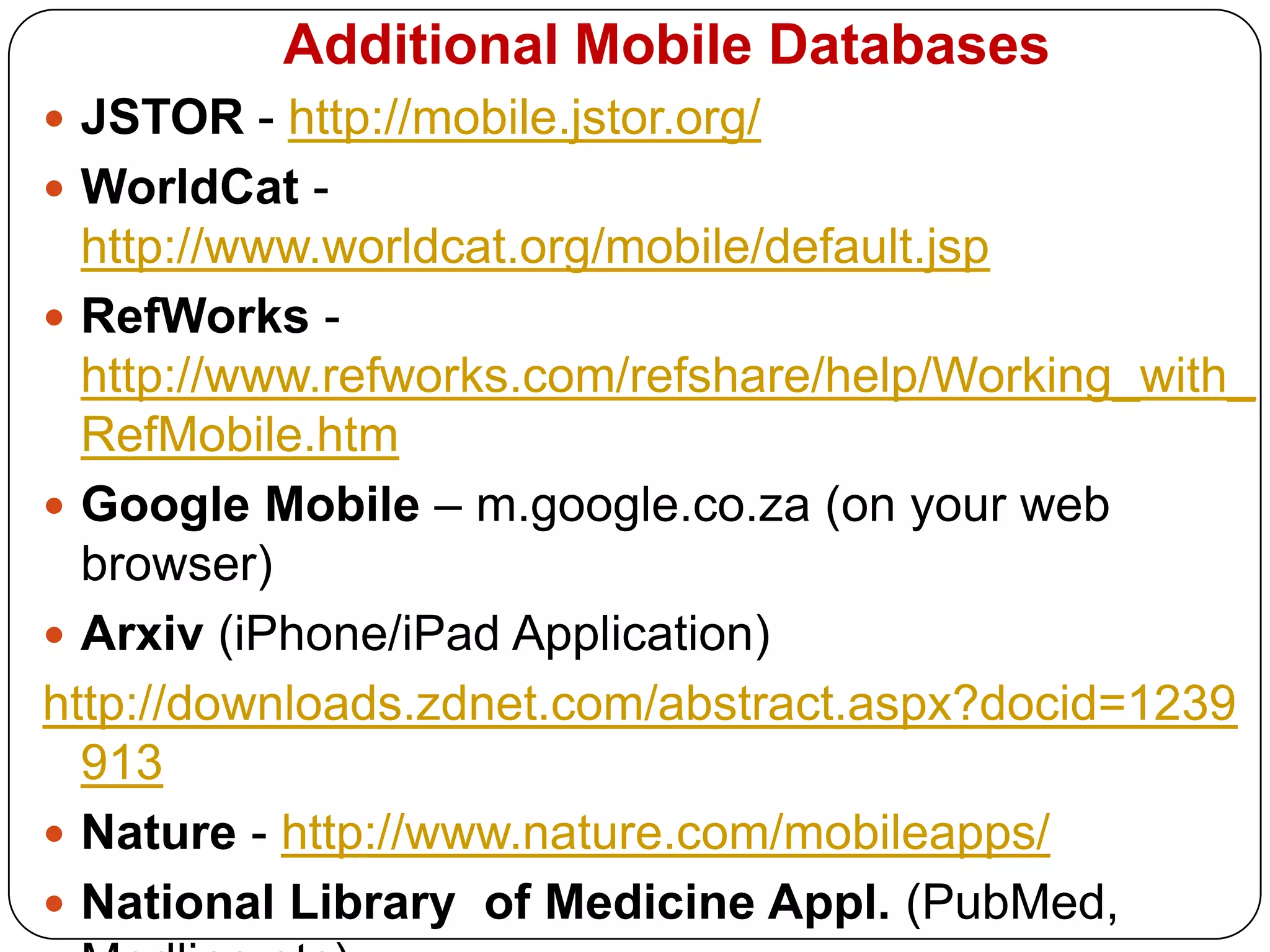
  • 70.
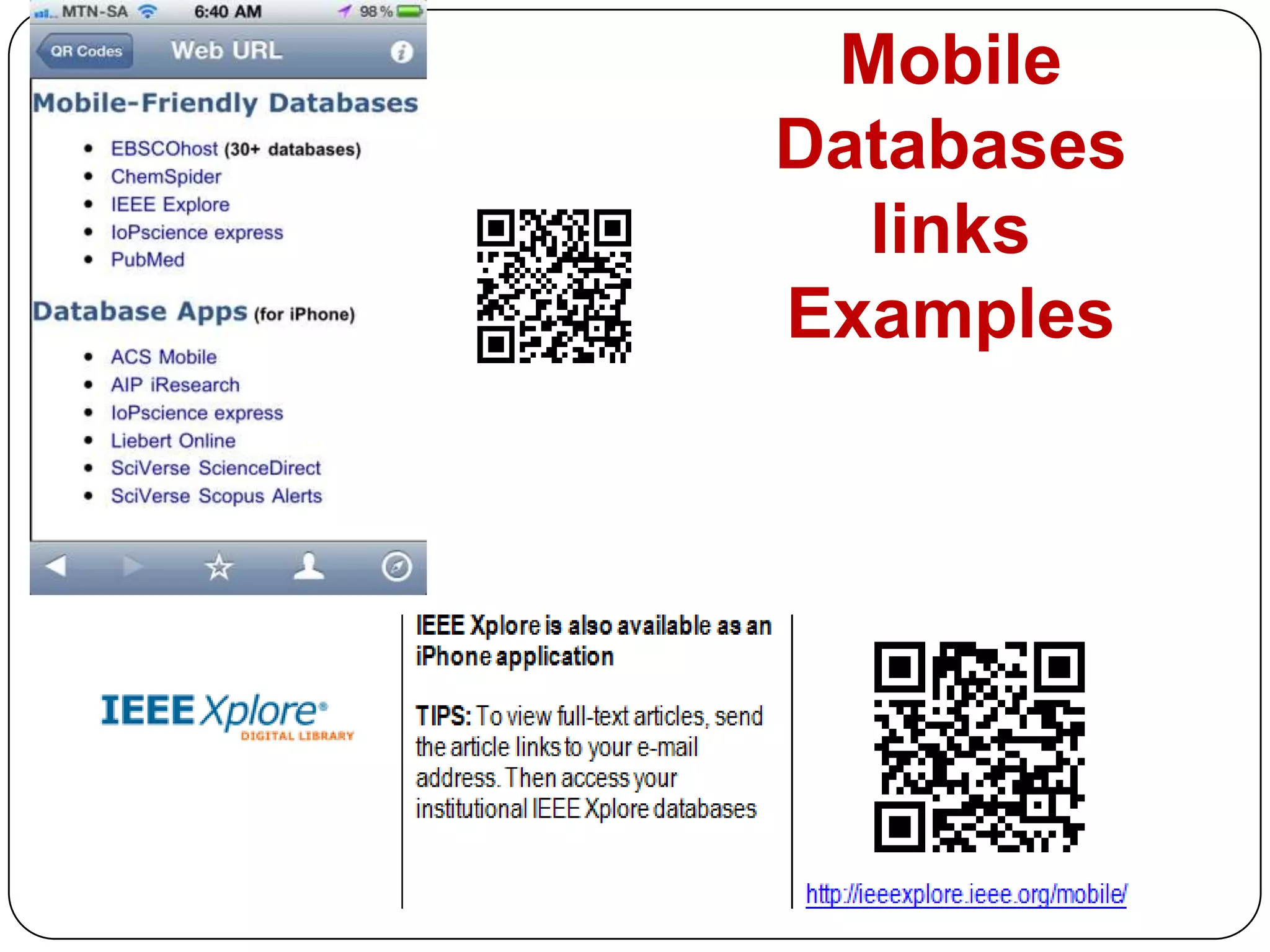
    Additional Mobile DatabasesJSTOR- http://mobile.jstor.org/WorldCat - http://www.worldcat.org/mobile/default.jspRefWorks -http://www.refworks.com/refshare/help/Working_with_RefMobile.htmGoogle Mobile – m.google.co.za (on your web browser) Arxiv (iPhone/iPad Application)http://downloads.zdnet.com/abstract.aspx?docid=1239913Nature - http://www.nature.com/mobileapps/National Library of Medicine Appl. (PubMed, Medline,etc)http://www.nlm.nih.gov/mobile/Science (iPhone/iPad Application)
  • 71.
  • 72.
  • 73.
  • 74.
    Examples: AdditionalApplications for iPhone
  • 75.
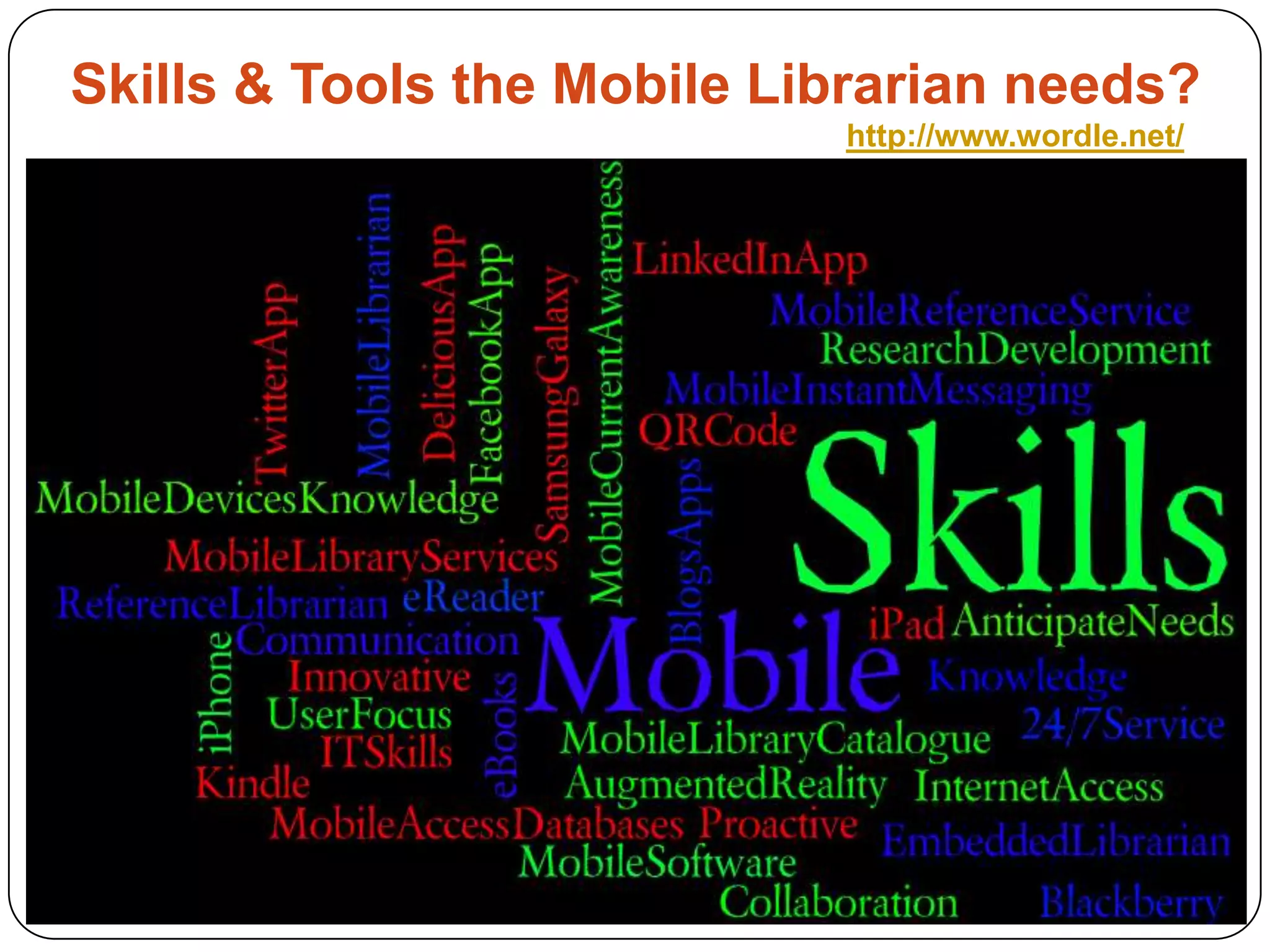
    Skills & Toolsthe Mobile Librarian needs?http://www.wordle.net/
  • 76.
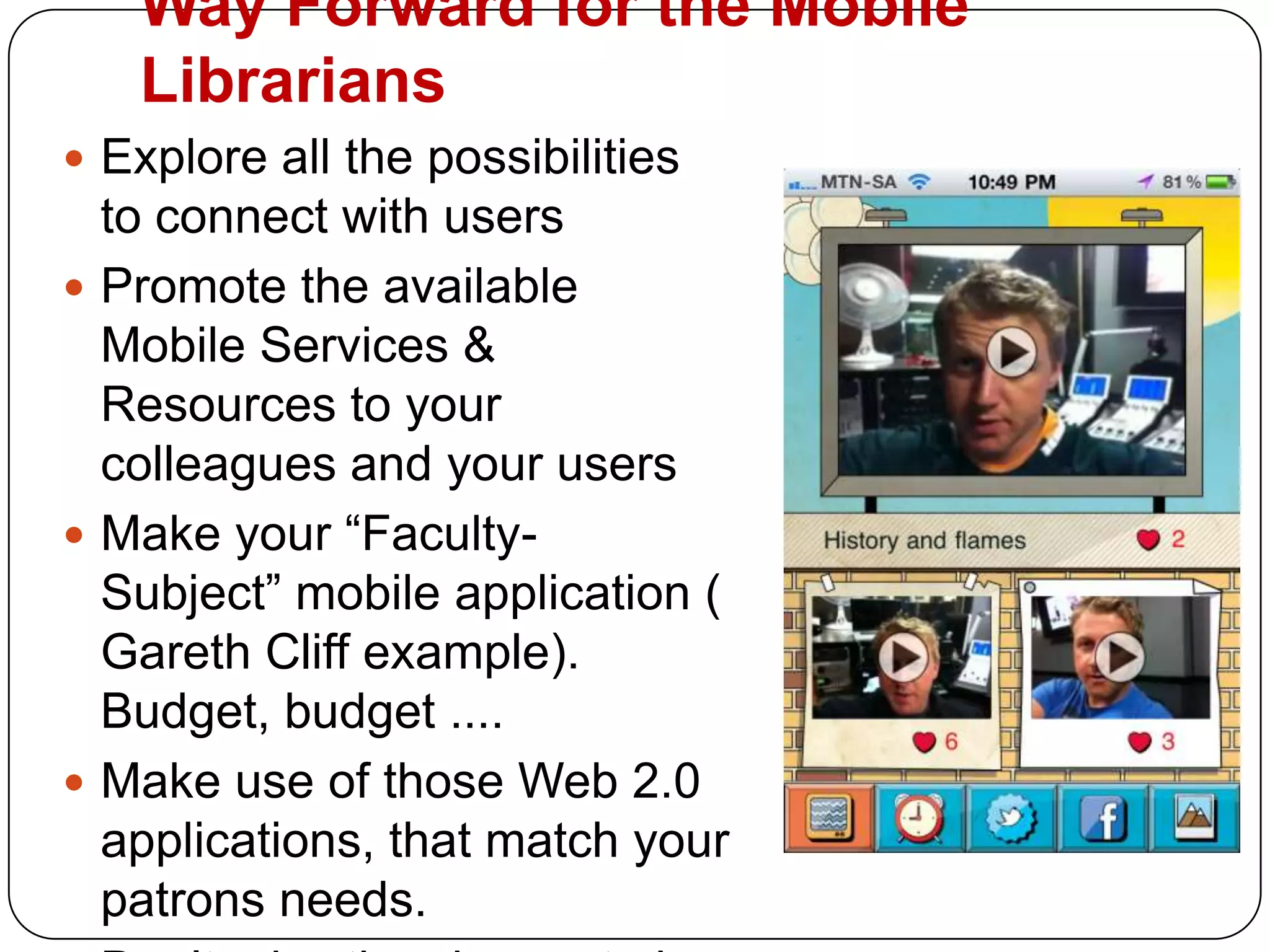
    Way Forward forthe Mobile LibrariansExplore all the possibilities to connect with usersPromote the available Mobile Services & Resources to your colleagues and your usersMake your “Faculty- Subject” mobile application ( Gareth Cliff example). Budget, budget ....Make use of those Web 2.0 applications, that match your patrons needs. Don’t miss the chance to be a MODERN DAY Librarian!
  • 77.
    Useful ResourcesGriffey, J.2010. Mobile Technology & Libraries. London: Facet Publ.M-Libraries: http://www.libsuccess.org/index.php?title=M-LibrariesThank you! Any Question?UJ Sciences Librarian Portal: http://ujsciencelibrarian.pbworks.com/FrontPageSlideshare presentations: http://www.slideshare.net/pavlinka163/presentations