Agile Testing Challenges


                                           bret@pettichord.com
                                           www.pettichord.com
                                         www.thoughtworks.com


Pacific Northwest Software Quality Conference, 13 October 2004
Copyright © 2004 Bret Pettichord. Copying permitted with attribution.
Agenda

     •   What is Agile Development?
     •   Challenges for Testers
     •   Strategies for Dealing with Them
     •   Agile Testing Tools
Context-Driven Testing Principles

      •   The value of a practice depends on context.
      •   Practices may be good in context, but there are no best
          practices.
      •   People, working together, are the most important part of
          any project’s context.
      •   Projects unfold are often not predictable.
      •   The product is a solution. If the problem isn’t solved, the
          product doesn’t work.
      •   Good software testing is a challenging intellectual
          process.
      •   Only through judgment and skill, exercised cooperatively
          throughout the entire project, are we able to do the right
          things at the right times to effectively test our products.

      Context-driven testing is biased towards rapid feedback
         and adaptability

                      www.context-driven-testing.com
What is Agile Development?

      • Incremental, Iterative, Adaptive
         • Incremental
            • Build a system gradually
            • See the system grow
            • Demonstrating progress
         • Iterative
            • Multiple releases or check points during a project, each closer
              to the target
            • Iterations include requirements development and testing
            • Typical iterations are two weeks long
            • Plan as you go
         • Adaptive
            • Goals change based on lessons from prior iterations, feedback
              and business opportunities
What is Agile Development?

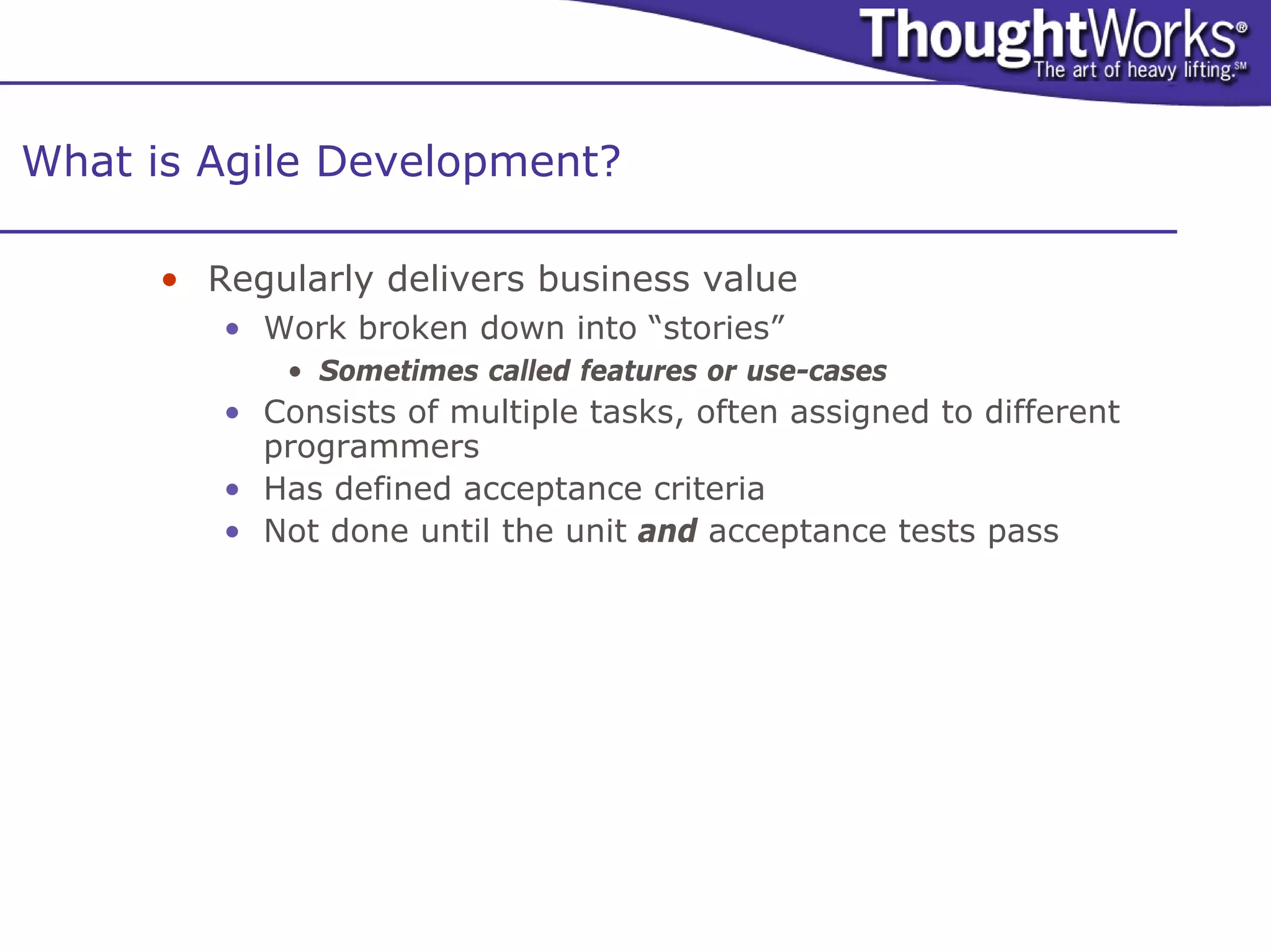
      • Regularly delivers business value
         • Work broken down into “stories”
             • Sometimes called features or use-cases
         • Consists of multiple tasks, often assigned to different
           programmers
         • Has defined acceptance criteria
         • Not done until the unit and acceptance tests pass
What is Agile Development?

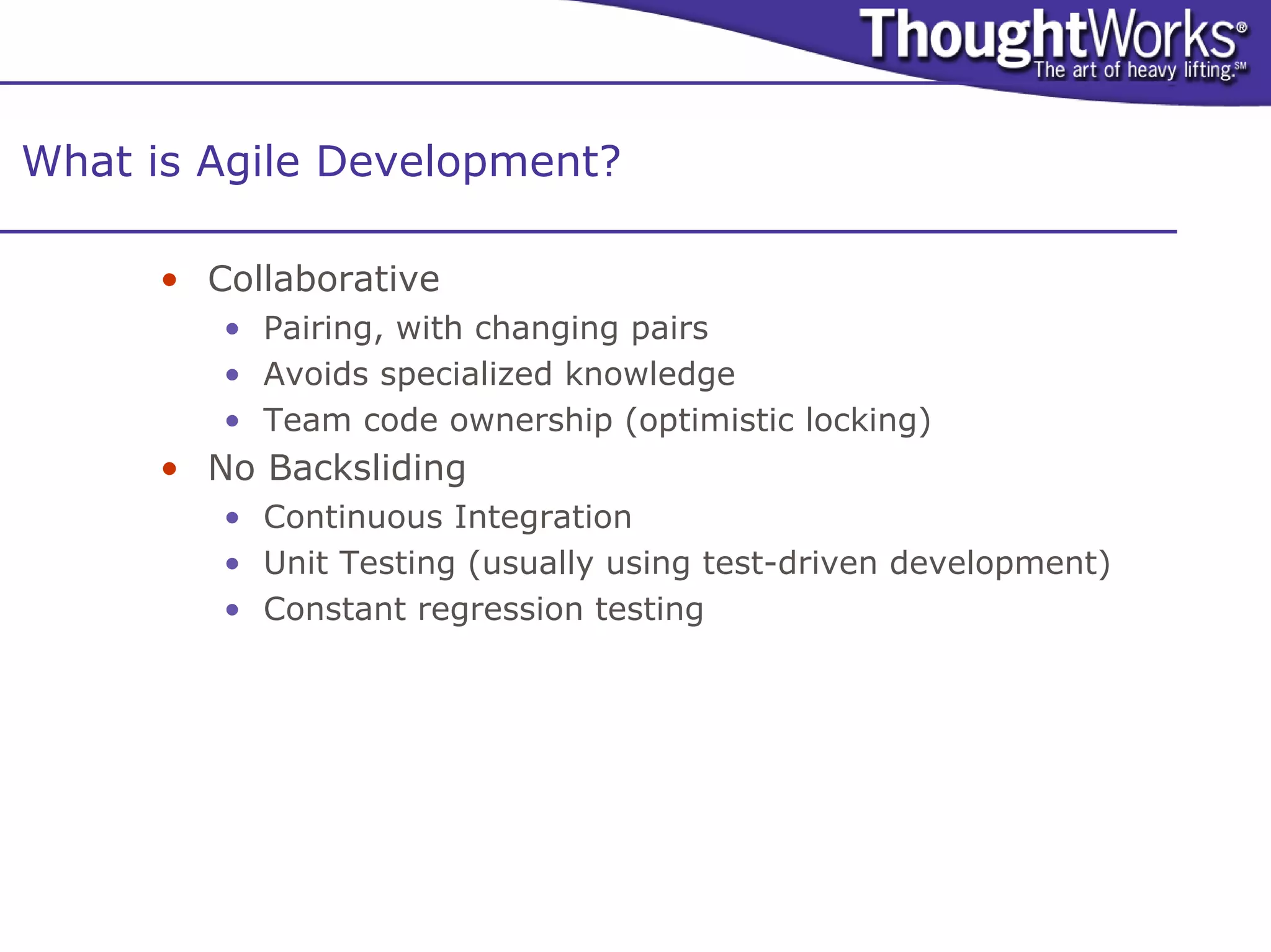
      • Collaborative
         • Pairing, with changing pairs
         • Avoids specialized knowledge
         • Team code ownership (optimistic locking)
      • No Backsliding
         • Continuous Integration
         • Unit Testing (usually using test-driven development)
         • Constant regression testing
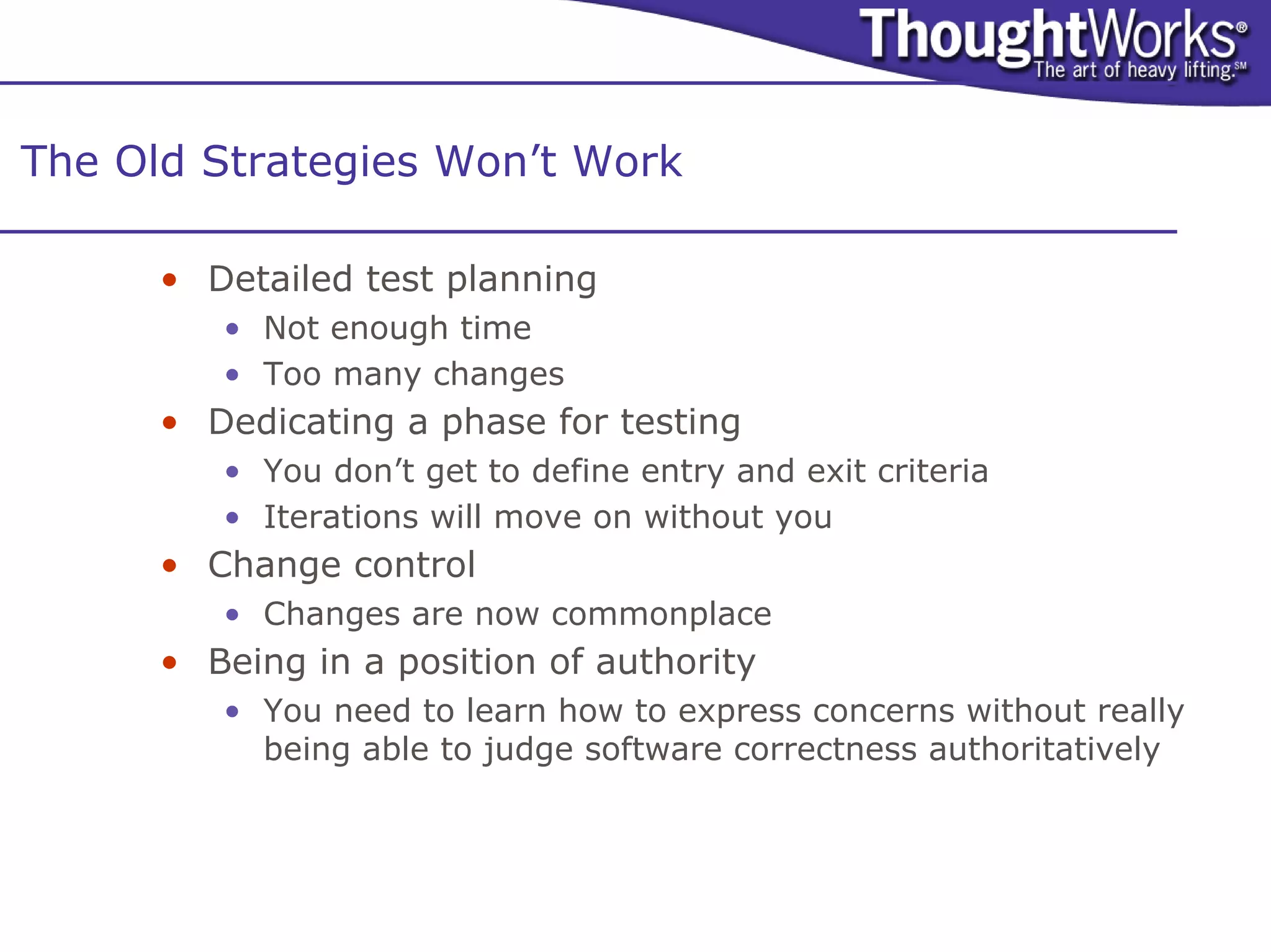
The Old Strategies Won’t Work

      • Detailed test planning
         • Not enough time
         • Too many changes
      • Dedicating a phase for testing
         • You don’t get to define entry and exit criteria
         • Iterations will move on without you
      • Change control
         • Changes are now commonplace
      • Being in a position of authority
         • You need to learn how to express concerns without really
           being able to judge software correctness authoritatively
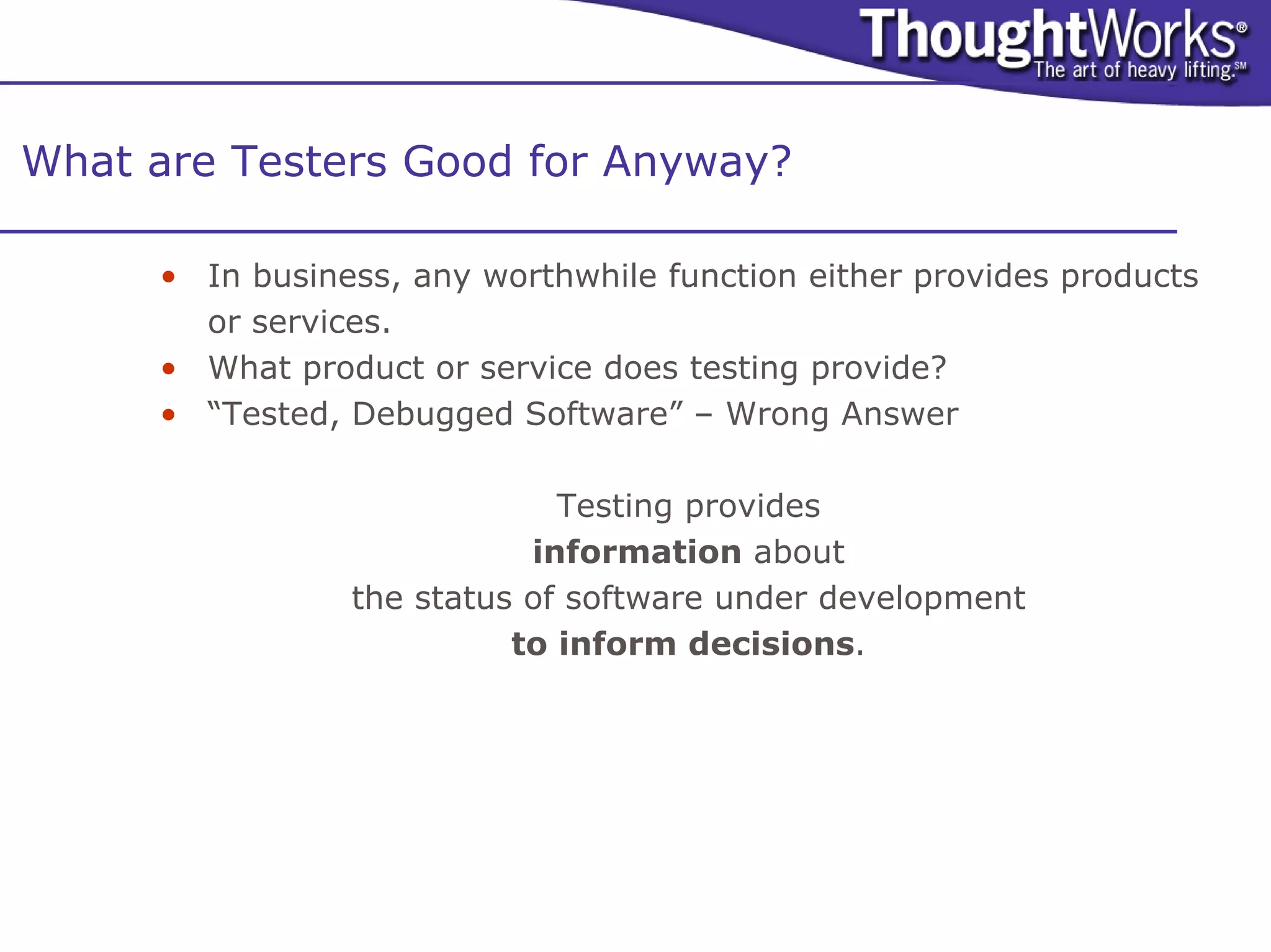
What are Testers Good for Anyway?

     • In business, any worthwhile function either provides products
       or services.
     • What product or service does testing provide?
     • “Tested, Debugged Software” – Wrong Answer

                             Testing provides
                           information about
                the status of software under development
                          to inform decisions.
Challenge: Are Testers Obsolete?

      • With developers doing unit testing, do we still
        need to have “QA” testers?
      • Some teams have fired testers when adopting agile.
        They have then regretted this.
      • Testing may be done by people who aren’t called “QA”
        or “Tester”: e.g. Business Analysts.
      • Some teams are using developers for acceptance
        testing.
      • Dedicated testers bring two benefits:
         • Focus on customer usage over technical implementation
         • Focus on uncovering flaws over confirming completeness
Challenge: Testing Half-Baked Code

      • With frequent iterations delivered to testing, how
        can testers test incomplete code?
      • Stories must be defined in terms of business value.
      • Stories should not span iterations.
      • Good story definition is difficult to do.
      • Clumsy story definition often impacts testers more than
        developers.
      • Testers may need to help with story definition (i.e.
        become analysts).
         • Don’t “test” the stories, just help get them right.
      • There will always be gaps.
         • Testers need to learn and adapt as they find them.
Challenge: Aren’t Story Acceptance Tests Simplistic?

      • How can it be good testing if your acceptance
        tests are only verifying that a story is complete?
        Isn’t this happy-path testing?
      • Each iteration requires additional tests other than those
        that simply focus on accepting completion of a story.
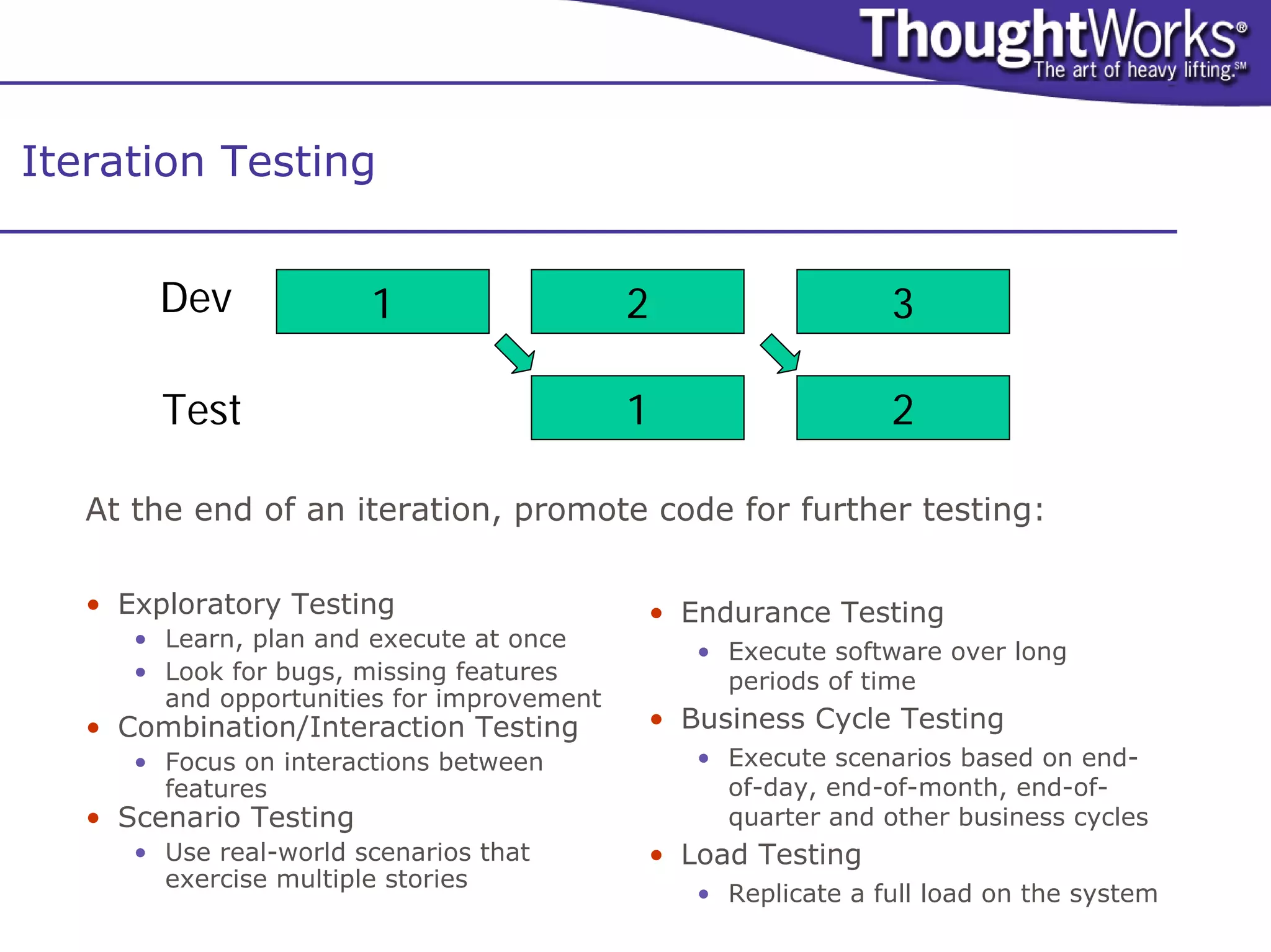
Iteration Testing


        Dev             1                   2                  3

        Test                                1                  2

   At the end of an iteration, promote code for further testing:

   • Exploratory Testing                    • Endurance Testing
      • Learn, plan and execute at once
                                                • Execute software over long
      • Look for bugs, missing features           periods of time
        and opportunities for improvement
   • Combination/Interaction Testing        • Business Cycle Testing
      • Focus on interactions between           • Execute scenarios based on end-
        features                                  of-day, end-of-month, end-of-
   • Scenario Testing                             quarter and other business cycles
      • Use real-world scenarios that       • Load Testing
        exercise multiple stories
                                                • Replicate a full load on the system
Challenge: Getting Testers to be Part of the Team

      • How can we get testers to be part of a team?
        Doesn’t this force them to sacrifice their integrity?
      • Testers have been an oppressed group and have often
        stuck together to provide mutual support.
      • It’s time to let go of this.
      • Testers should co-locate with developers and analysts.
      • Agile only works when there is lots of both formal and
        informal communication within a team.
Challenge: When is Testing Done?

      • Without the time devoted to complete testing,
        how do we know when testing is done?
      • Useful testing addresses important product risks.
      • Agile testers need to be able to justify tests in terms of
        risk.
      • What risks would these tests inform?
      • Ultimately testing must be prioritized just like stories.
      • Bug metrics also provide an indicator of completeness.
      • A good tester is never done.
Pairing Testers with Developers

      • Why?                                  • Facilitate Grey Box Testing
         • Developers gain insight into          • Understand relationships between
           potential errors                        parts of the system
         • Testers gain insight into             • Analyze impact of changes
           constraints and opportunities             • What needs retesting?
         • Together can succeed with                 • What can be left alone?
           automated testing                     • Understand bugs
      • Automate Acceptance Testing                  • What were the root causes?
                                                     • Where did the problems surface?
         • Write acceptance tests using the
           same programming environment          • Understand risk
           used for development                      • Develop test strategy that targets
                                                       risk
         • Reuse unit testing frameworks
                                                     • Justify and articulate testing
         • Make the software more testable             objectives
                                              • Learn to diagnose bugs
                                                 • Identify source of errors
Pairing Testers with Analysts

      • Why?
         •   Testers need to understand the business
         •   There are always hidden requirements
         •   Analysts need to understand how to test their requirements
         •   Involve testers earlier
      • Defining requirements is difficult
         • Often harder to specify requirements than design
         • Easy to become out of date
      • Specify by Example
         • Defining them by example is incremental, easier and more concrete
      • Acceptance tests…
         •   Ground concepts
         •   Define goals and expectations
         •   Demonstrate progress
         •   Drive development
      • Good acceptance tests are:
         • Clear – so any one can understand
         • Specific – so it can be executed
Challenge: Don’t We Need Bug Tracking?

     • Some have declared that agile teams shouldn’t
       track bugs and just fix them as soon as they are
       found.
     • This works well when you are testing in Dev.
     • When you are testing a completed iteration in a Test
       environment, you’ll need to track bugs because you
       won’t see fixes for a while (even if they are fixed right
       away).
     • Ideally, bugs will be fixed right away, but some may be
       deferred.
     • Ultimately, bugs can be prioritized with stories.
Challenge: Collecting Useful Metrics

      • What are useful quality metrics for agile projects?
      • One of the best quality metrics is the number of bugs
        that escape development and are found after
        deployment. Unfortunately, this is a trailing indicator.
      • Counting “escapes” by iteration can give a leading
        indicator of how good the code is.
      • We can also learn from bugs in other ways:
         • Are there unit tests to catch the kinds of problems that are
           being found by acceptance tests? Add them.
         • Can we make bugs easier to find and diagnose?
         • Can we make it so that programmers are less likely to
           make common mistakes?
Challenge: Regression Testing

      • With frequent iterations, we need to retest often.
        And unit tests aren’t enough. How do we get
        effective user-level regression tests?
      • You don’t necessarily need to do a full regression test
        with each iteration. You may run parts in each iteration
        cycling through.
      • But you’ll still need some level of automated user-level
        regression tests.
Challenge: Regression Test Tools

      • Most commercial test tools work poorly in an agile
        environment. Most have these flaws:
         •   Vendor-specific languages (vendorscripts)
         •   Poor integration with source control
         •   Hard to use with continuous integration
         •   Impractical to install on every workstation
      • These problems make them impractical for use by the
        team as a whole.
      • Agile teams are building their own test tools and
        releasing many of them as open-source…
Problems with Commercial Test Tools

      •   Proprietary Scripting Languages
                • Winrunner (TSL), SilkTest (4test), Robot (Test Basic)
                • http://www.stickyminds.com/se/S2326.asp
           •   But newer tools are now using standard languages
                • Astra QuickTest (VB Script), XDE Tester (Java),
      •   Incompatibility with Source Control
           •   Temporary files and directories (WinRunner)
                • http://paulhammant.com/blog/000245.html
           •   Key information stored in repositories (Rational)
      •   Lack of External Calling API’s
           •   They refuse to allow themselves to be used as a library.
           •   Generally, you can only launch complete scripts with limited access to
               results information.
           •   Therefore difficult to integrate with Continuous Integration
           •   Some new low-cost and shareware tools are exceptions
                • E.g. TestComplete
      •   Restrictive and Expensive Licensing
           •   Developers can’t run test suites.
      These “features” encourage vendor-lock and frustrate serious
         programming
           •   Open-Source Tools almost always avoid these shortcomings.
Open-Source Tools for Acceptance Testing

      • Many tools for Windows, Java and Web GUIs
      • Today we’ll focus on the Web
         • HttpUnit and Other Protocol Drivers
         • WTR and other COM/DOM Drivers
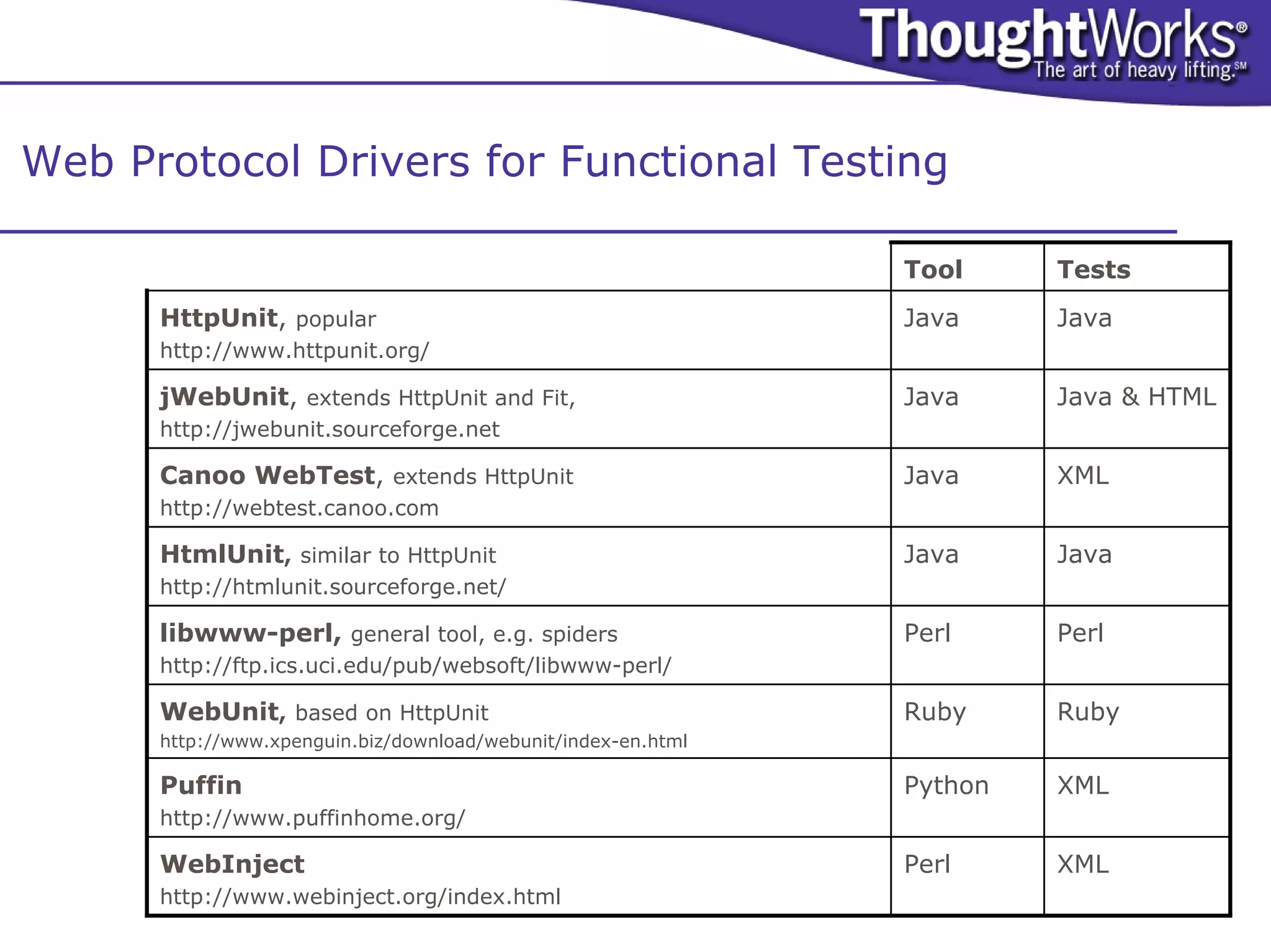
Web Protocol Drivers for Functional Testing

                                                               Tool     Tests
      HttpUnit, popular                                        Java     Java
      http://www.httpunit.org/

      jWebUnit, extends HttpUnit and Fit,                      Java     Java & HTML
      http://jwebunit.sourceforge.net

      Canoo WebTest, extends HttpUnit                          Java     XML
      http://webtest.canoo.com

      HtmlUnit, similar to HttpUnit                            Java     Java
      http://htmlunit.sourceforge.net/

      libwww-perl, general tool, e.g. spiders                  Perl     Perl
      http://ftp.ics.uci.edu/pub/websoft/libwww-perl/

      WebUnit, based on HttpUnit                               Ruby     Ruby
      http://www.xpenguin.biz/download/webunit/index-en.html

      Puffin                                                   Python   XML
      http://www.puffinhome.org/

      WebInject                                                Perl     XML
      http://www.webinject.org/index.html
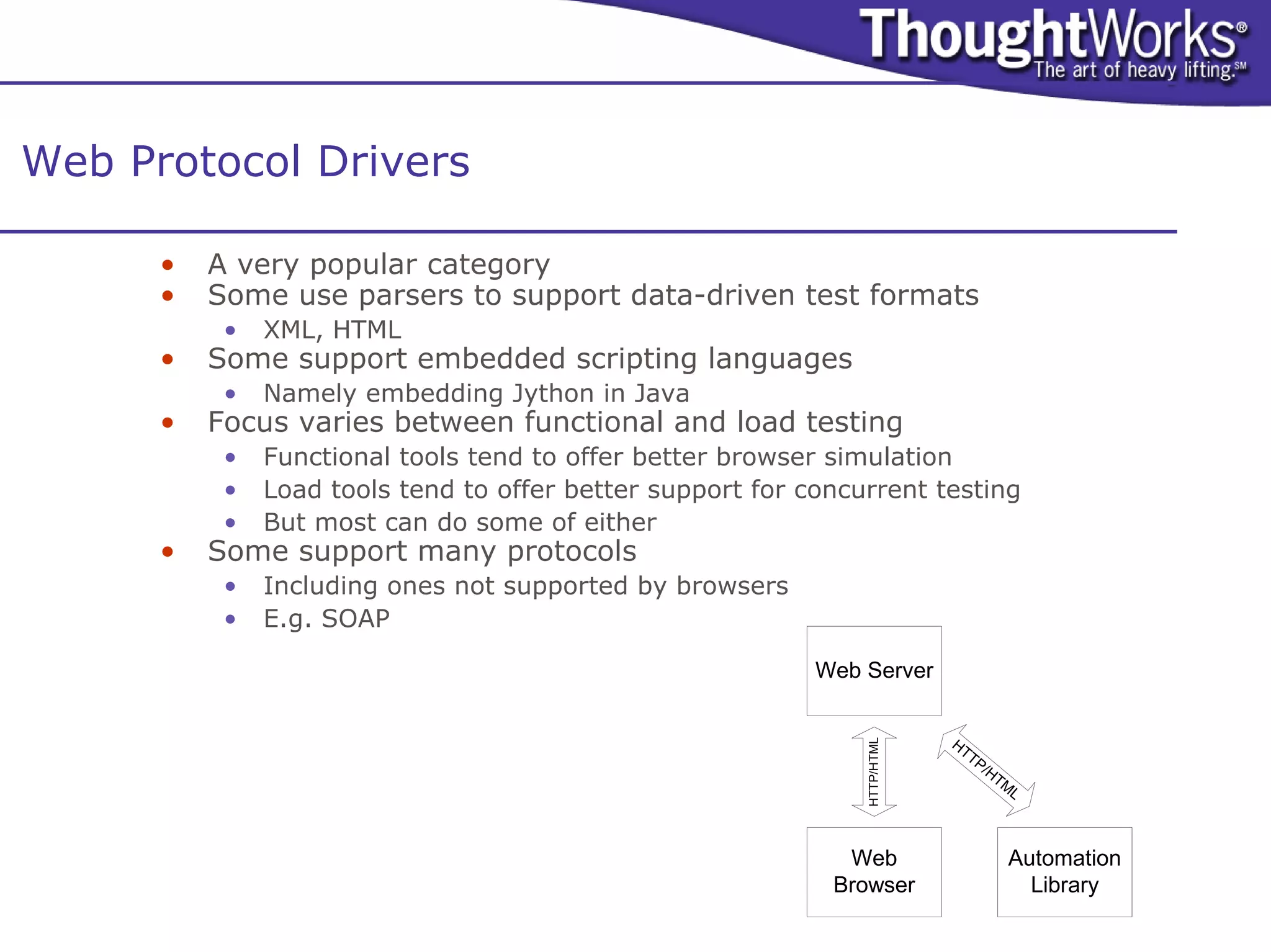
Web Protocol Drivers

      •   A very popular category
      •   Some use parsers to support data-driven test formats
           •   XML, HTML
      •   Some support embedded scripting languages
           •   Namely embedding Jython in Java
      •   Focus varies between functional and load testing
           •   Functional tools tend to offer better browser simulation
           •   Load tools tend to offer better support for concurrent testing
           •   But most can do some of either
      •   Some support many protocols
           •   Including ones not supported by browsers
           •   E.g. SOAP

                                                            Web Server


                                                                            HT


                                                                HTTP/HTML
                                                                              TP
                                                                                   /H
                                                                                     TM
                                                                                       L


                                                              Web                     Automation
                                                             Browser                    Library
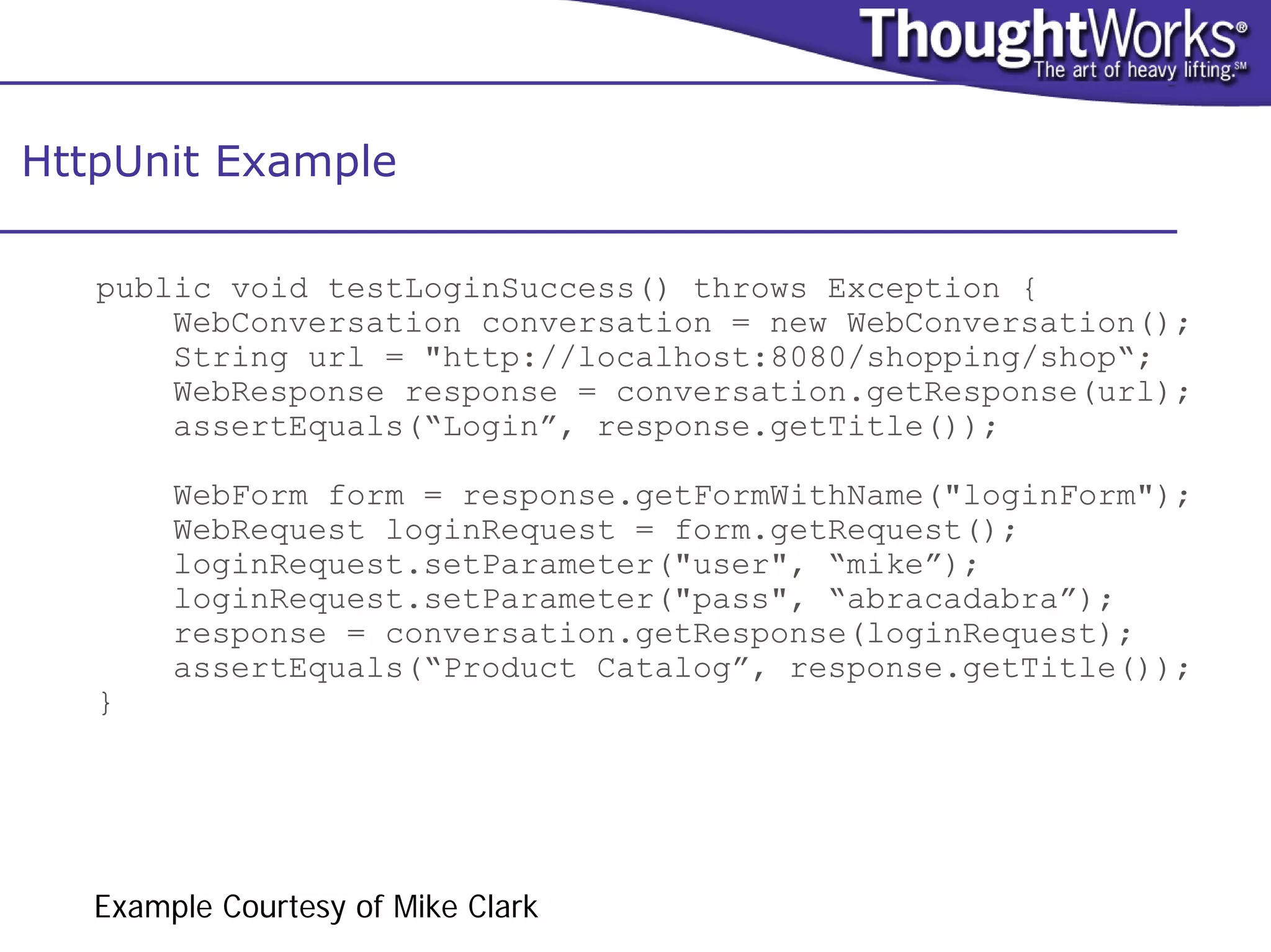
HttpUnit Example

   public void testLoginSuccess() throws Exception {
       WebConversation conversation = new WebConversation();
       String url = "http://localhost:8080/shopping/shop“;
       WebResponse response = conversation.getResponse(url);
       assertEquals(“Login”, response.getTitle());

        WebForm form = response.getFormWithName("loginForm");
        WebRequest loginRequest = form.getRequest();
        loginRequest.setParameter("user", “mike”);
        loginRequest.setParameter("pass", “abracadabra”);
        response = conversation.getResponse(loginRequest);
        assertEquals(“Product Catalog”, response.getTitle());
   }


   Example Courtesy of Mike Clark
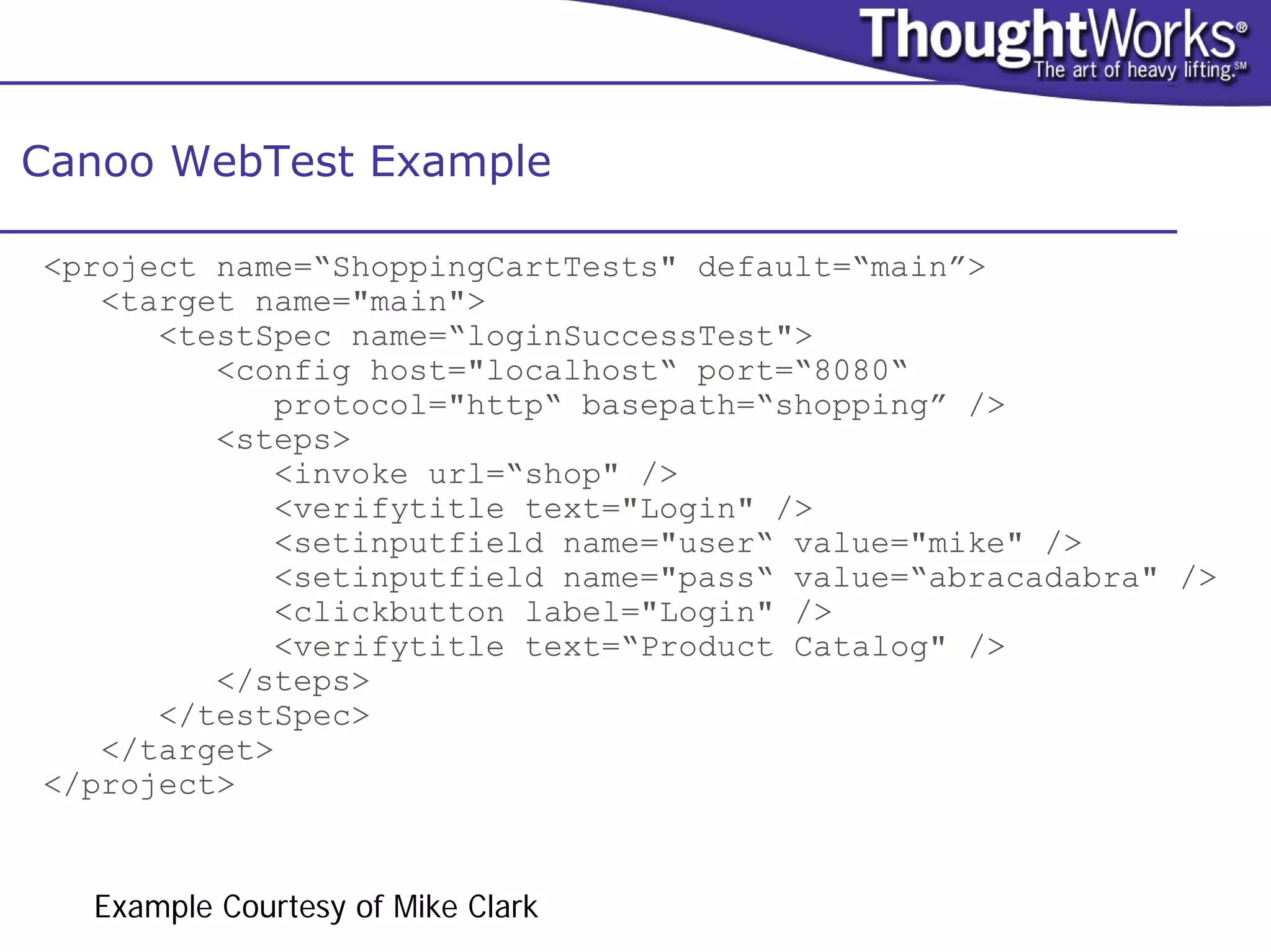
Canoo WebTest Example

<project name=“ShoppingCartTests" default=“main”>
   <target name="main">
      <testSpec name=“loginSuccessTest">
         <config host="localhost“ port=“8080“
            protocol="http“ basepath=“shopping” />
         <steps>
            <invoke url=“shop" />
            <verifytitle text="Login" />
            <setinputfield name="user“ value="mike" />
            <setinputfield name="pass“ value=“abracadabra" />
            <clickbutton label="Login" />
            <verifytitle text=“Product Catalog" />
         </steps>
      </testSpec>
   </target>
</project>


  Example Courtesy of Mike Clark
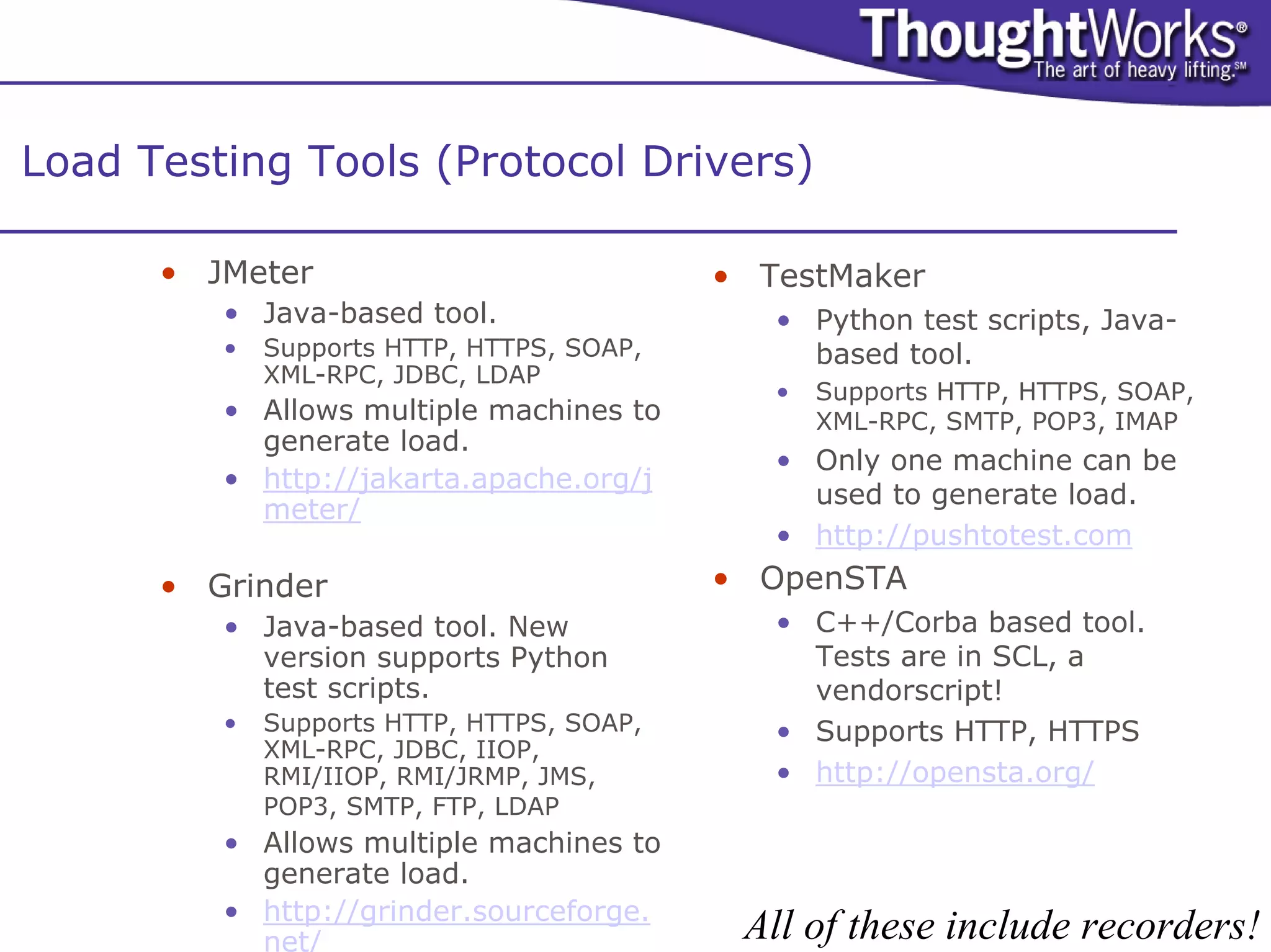
Load Testing Tools (Protocol Drivers)

      • JMeter                             • TestMaker
         • Java-based tool.                   • Python test scripts, Java-
         •   Supports HTTP, HTTPS, SOAP,        based tool.
             XML-RPC, JDBC, LDAP
                                              •   Supports HTTP, HTTPS, SOAP,
         • Allows multiple machines to            XML-RPC, SMTP, POP3, IMAP
           generate load.
                                              • Only one machine can be
         • http://jakarta.apache.org/j
                                                used to generate load.
           meter/
                                              • http://pushtotest.com
      • Grinder                            • OpenSTA
         • Java-based tool. New               • C++/Corba based tool.
           version supports Python              Tests are in SCL, a
           test scripts.                        vendorscript!
         •   Supports HTTP, HTTPS, SOAP,      • Supports HTTP, HTTPS
             XML-RPC, JDBC, IIOP,
             RMI/IIOP, RMI/JRMP, JMS,         • http://opensta.org/
             POP3, SMTP, FTP, LDAP
         • Allows multiple machines to
           generate load.
         • http://grinder.sourceforge.
           net/                             All of these include recorders!
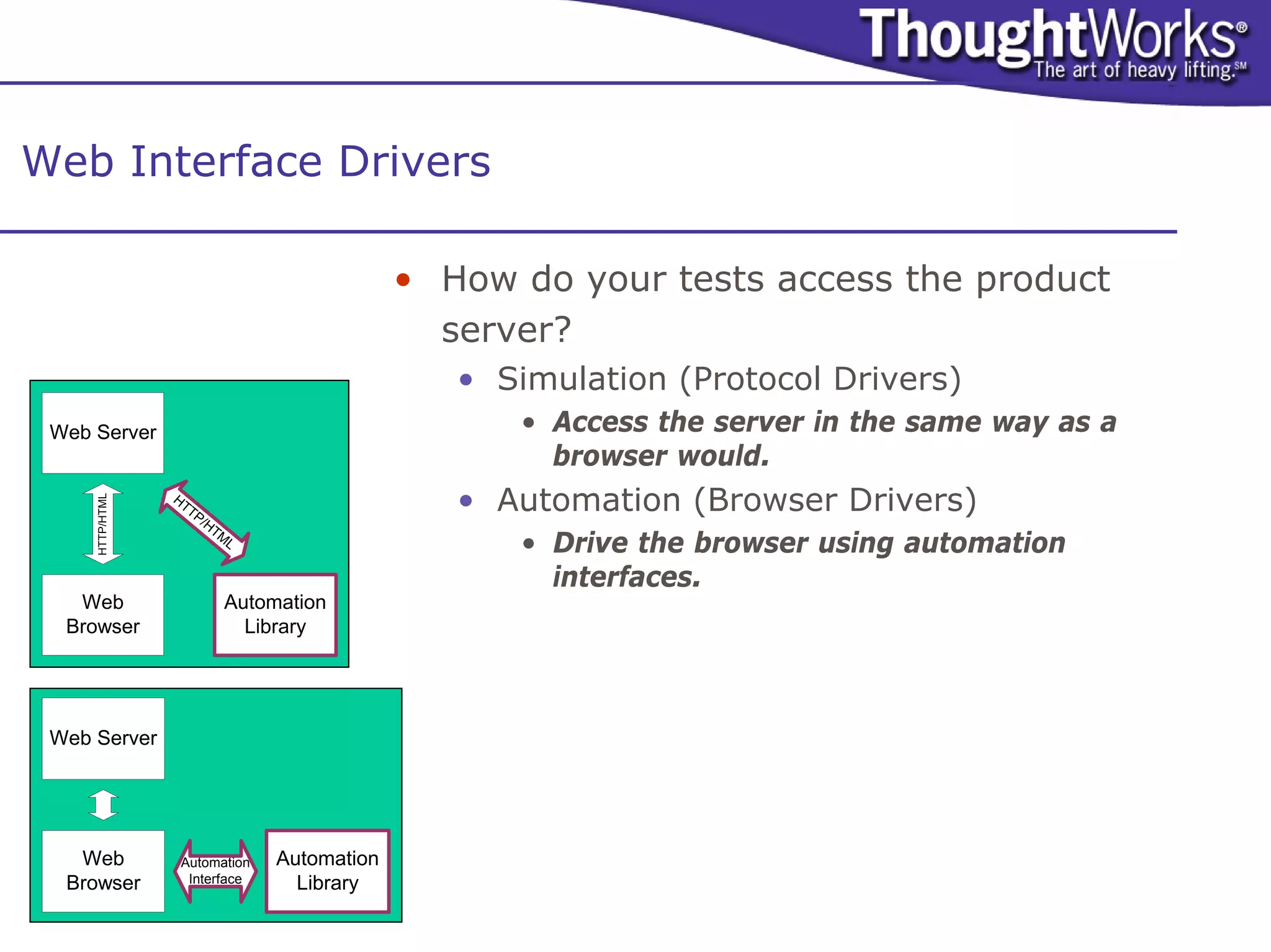
Web Interface Drivers

                                                • How do your tests access the product
                                                  server?
                                                   • Simulation (Protocol Drivers)
 Web Server                                           • Access the server in the same way as a
                                                        browser would.
                 HT
                                                   • Automation (Browser Drivers)
     HTTP/HTML


                   TP
                        /H
                          TM
                               L
                                                      • Drive the browser using automation
                                                        interfaces.
   Web                     Automation
  Browser                    Library


 Web Server


   Web            Automation       Automation
  Browser          Interface         Library
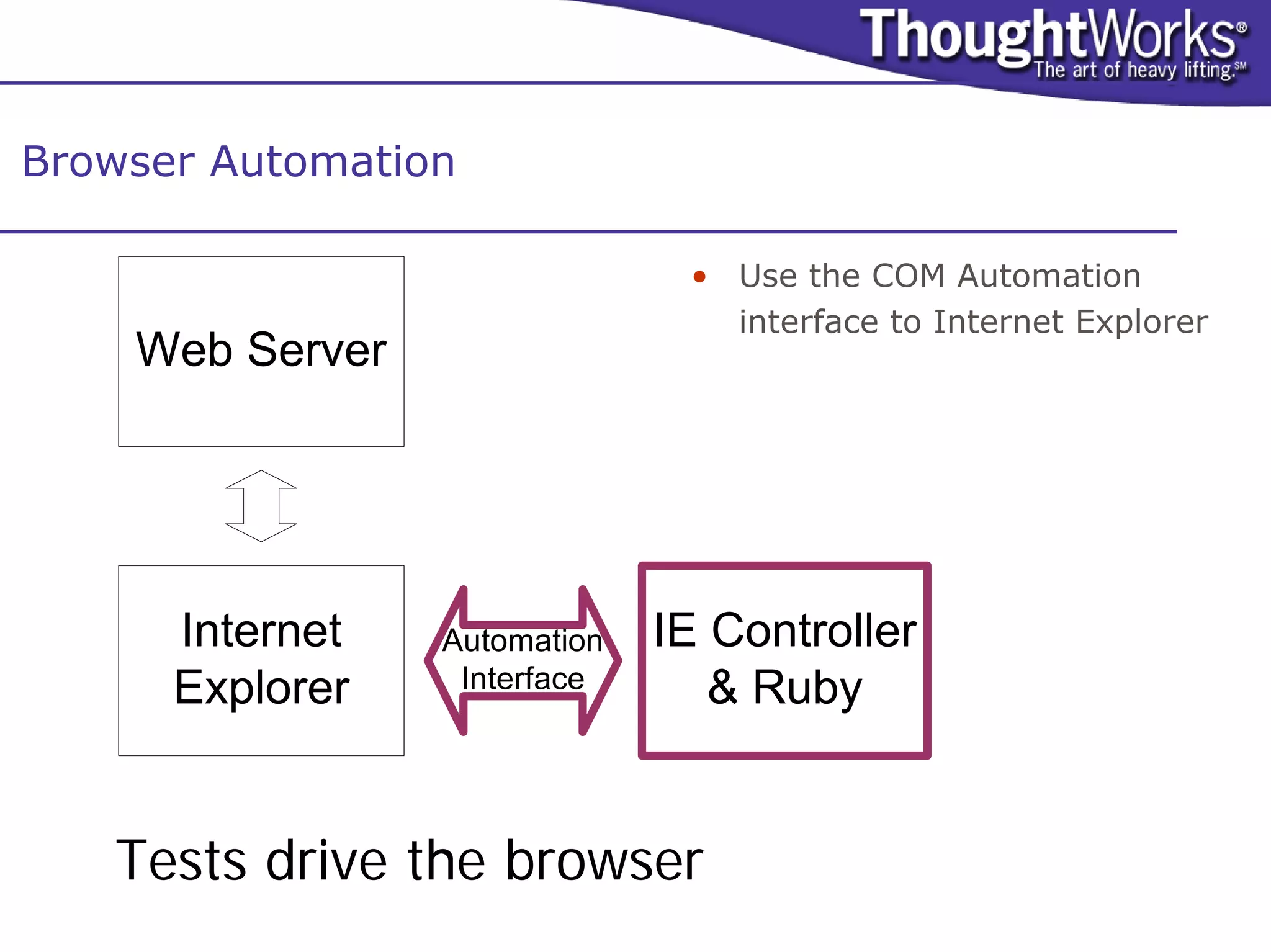
Browser Automation

                               • Use the COM Automation
                                 interface to Internet Explorer
    Web Server


      Internet   Automation   IE Controller
      Explorer    Interface      & Ruby


   Tests drive the browser
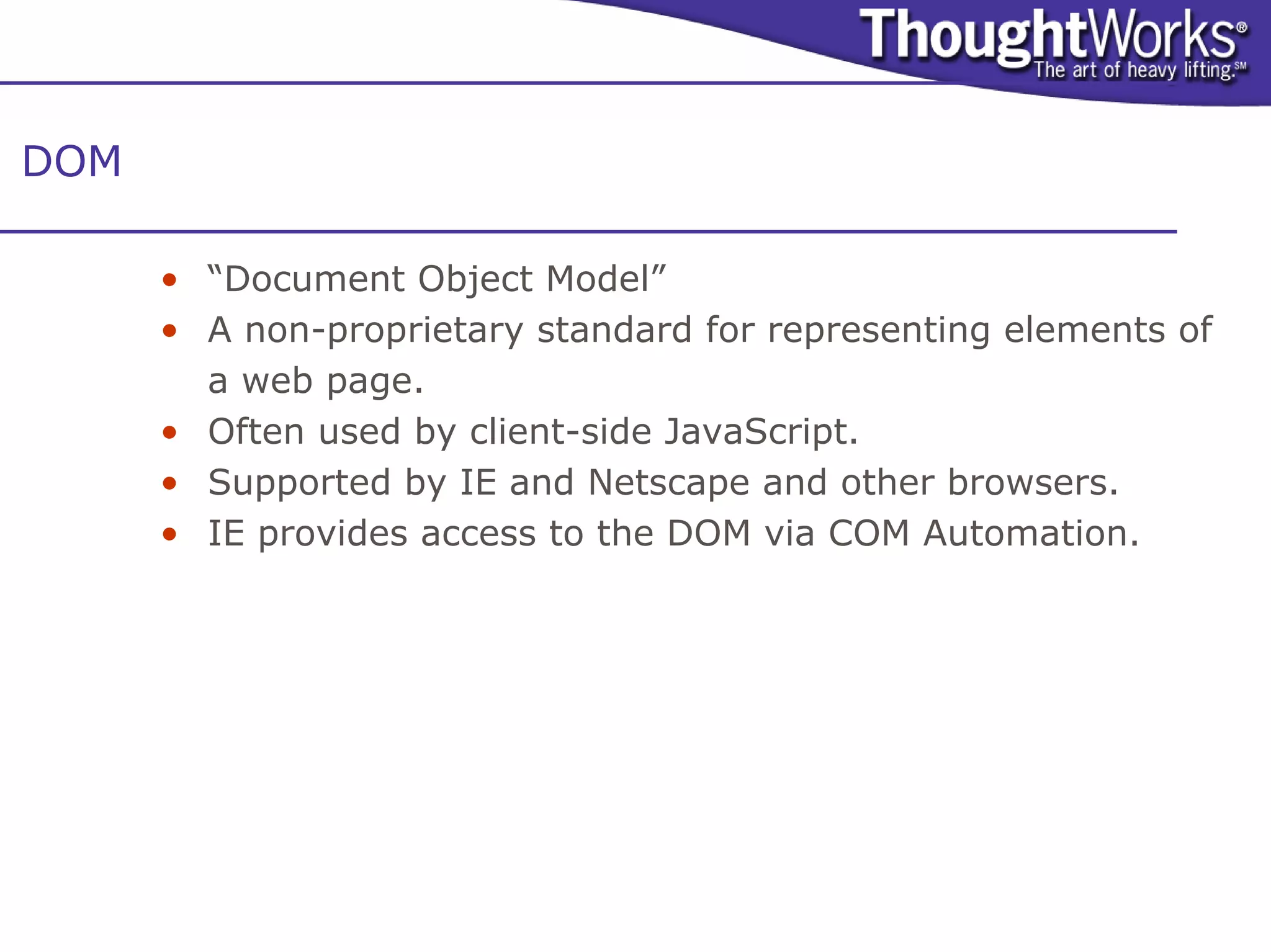
DOM

      • “Document Object Model”
      • A non-proprietary standard for representing elements of
        a web page.
      • Often used by client-side JavaScript.
      • Supported by IE and Netscape and other browsers.
      • IE provides access to the DOM via COM Automation.
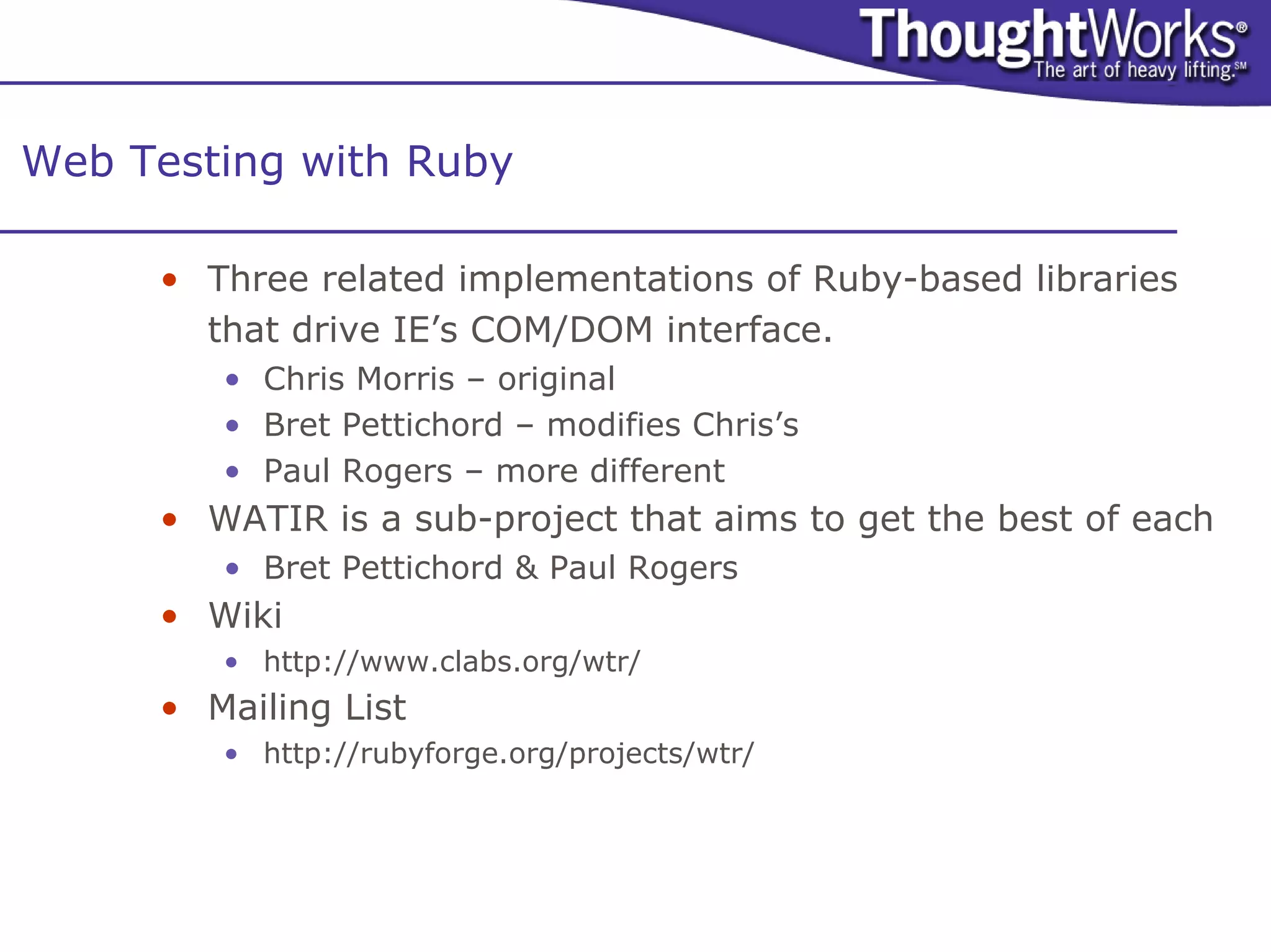
Web Testing with Ruby

     • Three related implementations of Ruby-based libraries
       that drive IE’s COM/DOM interface.
        • Chris Morris – original
        • Bret Pettichord – modifies Chris’s
        • Paul Rogers – more different
     • WATIR is a sub-project that aims to get the best of each
        • Bret Pettichord & Paul Rogers
     • Wiki
        • http://www.clabs.org/wtr/
     • Mailing List
        • http://rubyforge.org/projects/wtr/
COM/DOM Automation

     • Any decent language can call Internet Explorer’s COM
       Automation interface.
     • Numerous people have built project-specific test tools to
       drive the COM/DOM interface.
        •   Visual Basic
        •   Python
        •   Perl (See samie.sf.net)
        •   C#
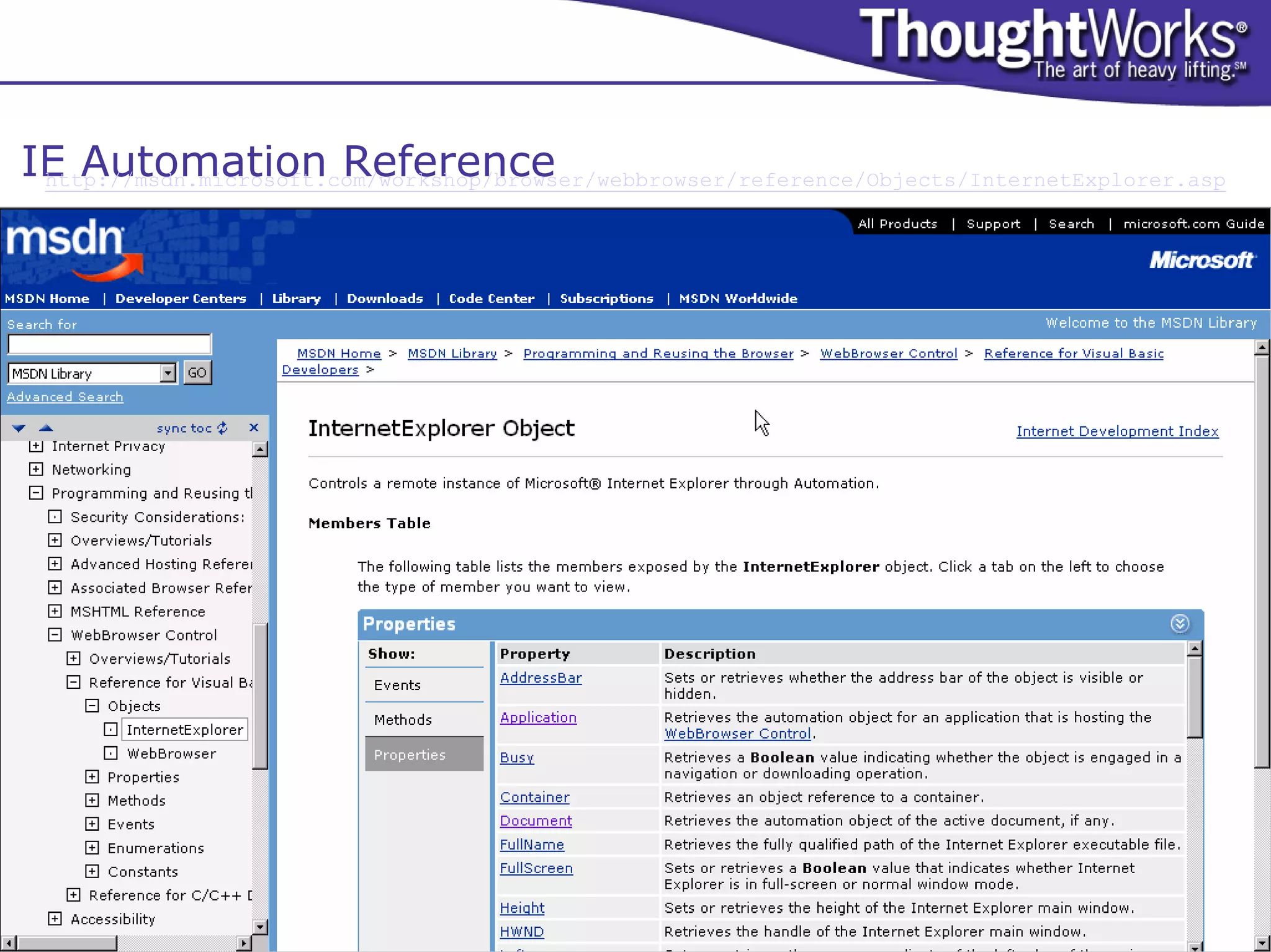
IE Automation Reference
 http://msdn.microsoft.com/workshop/browser/webbrowser/reference/Objects/InternetExplorer.asp
Open-Source Test Tools from ThoughtWorks

     Dashboard
          http://dashboard.sourceforge.net/
     hloader
          http://hloader.sourceforge.net/
     jfcUnit
          http://jfcunit.sourceforge.net/
     MockMaker
          http://mockmaker.sourceforge.net/
     NMock
          http://opensource.thoughtworks.com/projects/nmock.jsp
     Marathon
          http://marathonman.sourceforge.net/
     Marathon.NET
          http://marathonnet.sourceforge.net/
     PyUnit
           http://opensource.thoughtworks.com/projects/pyunit.jsp
     SelfEsteem
          http://selfesteem.sourceforge.net/
     XMLUnit
          http://xmlunit.sourceforge.net/
Test Automation in the Silo
     • Traditionally test automators have worked in a separate space
       from developers
         • The code is separate
         • The teams are separate
         • Ex post facto GUI automation
     • Reasons for change
         • Tool/application compatibility (testability)
         • Maintenance when GUI changes
         • Testing needs to be everyone’s concern

     You can change whether you are are using Agile or not!
Further Study

      Context-Driven Testing
      • Lessons Learned in Software Testing:
         A Context-Driven Approach
           •     Cem Kaner, James Bach & Bret Pettichord
      •   Mailing List
           •     http://groups.yahoo.com/group/software-testing/
      •   Wiki
           •     http://www.context-driven-testing.com/wiki/

      Agile Testing
      • Agile Testing Papers
           •     http://www.testing.com/agile
      •   “Where are the Testers in XP?”
           •     http://www.stickyminds.com/s.asp?F=S6217_COL_2
      •   Mailing List
           •     http://groups.yahoo.com/group/agile-testing/

      Open Source Test Tools
      • Home Brew Test Automation
           •     http://www.io.com/~wazmo/papers/homebrew_test_automation_200311.pdf

Tester Challenges in Agile ?

  • 1.
    Agile Testing Challenges bret@pettichord.com www.pettichord.com www.thoughtworks.com Pacific Northwest Software Quality Conference, 13 October 2004 Copyright © 2004 Bret Pettichord. Copying permitted with attribution.
  • 2.
    Agenda • What is Agile Development? • Challenges for Testers • Strategies for Dealing with Them • Agile Testing Tools
  • 3.
    Context-Driven Testing Principles • The value of a practice depends on context. • Practices may be good in context, but there are no best practices. • People, working together, are the most important part of any project’s context. • Projects unfold are often not predictable. • The product is a solution. If the problem isn’t solved, the product doesn’t work. • Good software testing is a challenging intellectual process. • Only through judgment and skill, exercised cooperatively throughout the entire project, are we able to do the right things at the right times to effectively test our products. Context-driven testing is biased towards rapid feedback and adaptability www.context-driven-testing.com
  • 4.
    What is AgileDevelopment? • Incremental, Iterative, Adaptive • Incremental • Build a system gradually • See the system grow • Demonstrating progress • Iterative • Multiple releases or check points during a project, each closer to the target • Iterations include requirements development and testing • Typical iterations are two weeks long • Plan as you go • Adaptive • Goals change based on lessons from prior iterations, feedback and business opportunities
  • 5.
    What is AgileDevelopment? • Regularly delivers business value • Work broken down into “stories” • Sometimes called features or use-cases • Consists of multiple tasks, often assigned to different programmers • Has defined acceptance criteria • Not done until the unit and acceptance tests pass
  • 6.
    What is AgileDevelopment? • Collaborative • Pairing, with changing pairs • Avoids specialized knowledge • Team code ownership (optimistic locking) • No Backsliding • Continuous Integration • Unit Testing (usually using test-driven development) • Constant regression testing
  • 7.
    The Old StrategiesWon’t Work • Detailed test planning • Not enough time • Too many changes • Dedicating a phase for testing • You don’t get to define entry and exit criteria • Iterations will move on without you • Change control • Changes are now commonplace • Being in a position of authority • You need to learn how to express concerns without really being able to judge software correctness authoritatively
  • 8.
    What are TestersGood for Anyway? • In business, any worthwhile function either provides products or services. • What product or service does testing provide? • “Tested, Debugged Software” – Wrong Answer Testing provides information about the status of software under development to inform decisions.
  • 9.
    Challenge: Are TestersObsolete? • With developers doing unit testing, do we still need to have “QA” testers? • Some teams have fired testers when adopting agile. They have then regretted this. • Testing may be done by people who aren’t called “QA” or “Tester”: e.g. Business Analysts. • Some teams are using developers for acceptance testing. • Dedicated testers bring two benefits: • Focus on customer usage over technical implementation • Focus on uncovering flaws over confirming completeness
  • 10.
    Challenge: Testing Half-BakedCode • With frequent iterations delivered to testing, how can testers test incomplete code? • Stories must be defined in terms of business value. • Stories should not span iterations. • Good story definition is difficult to do. • Clumsy story definition often impacts testers more than developers. • Testers may need to help with story definition (i.e. become analysts). • Don’t “test” the stories, just help get them right. • There will always be gaps. • Testers need to learn and adapt as they find them.
  • 11.
    Challenge: Aren’t StoryAcceptance Tests Simplistic? • How can it be good testing if your acceptance tests are only verifying that a story is complete? Isn’t this happy-path testing? • Each iteration requires additional tests other than those that simply focus on accepting completion of a story.
  • 12.
    Iteration Testing Dev 1 2 3 Test 1 2 At the end of an iteration, promote code for further testing: • Exploratory Testing • Endurance Testing • Learn, plan and execute at once • Execute software over long • Look for bugs, missing features periods of time and opportunities for improvement • Combination/Interaction Testing • Business Cycle Testing • Focus on interactions between • Execute scenarios based on end- features of-day, end-of-month, end-of- • Scenario Testing quarter and other business cycles • Use real-world scenarios that • Load Testing exercise multiple stories • Replicate a full load on the system
  • 13.
    Challenge: Getting Testersto be Part of the Team • How can we get testers to be part of a team? Doesn’t this force them to sacrifice their integrity? • Testers have been an oppressed group and have often stuck together to provide mutual support. • It’s time to let go of this. • Testers should co-locate with developers and analysts. • Agile only works when there is lots of both formal and informal communication within a team.
  • 14.
    Challenge: When isTesting Done? • Without the time devoted to complete testing, how do we know when testing is done? • Useful testing addresses important product risks. • Agile testers need to be able to justify tests in terms of risk. • What risks would these tests inform? • Ultimately testing must be prioritized just like stories. • Bug metrics also provide an indicator of completeness. • A good tester is never done.
  • 15.
    Pairing Testers withDevelopers • Why? • Facilitate Grey Box Testing • Developers gain insight into • Understand relationships between potential errors parts of the system • Testers gain insight into • Analyze impact of changes constraints and opportunities • What needs retesting? • Together can succeed with • What can be left alone? automated testing • Understand bugs • Automate Acceptance Testing • What were the root causes? • Where did the problems surface? • Write acceptance tests using the same programming environment • Understand risk used for development • Develop test strategy that targets risk • Reuse unit testing frameworks • Justify and articulate testing • Make the software more testable objectives • Learn to diagnose bugs • Identify source of errors
  • 16.
    Pairing Testers withAnalysts • Why? • Testers need to understand the business • There are always hidden requirements • Analysts need to understand how to test their requirements • Involve testers earlier • Defining requirements is difficult • Often harder to specify requirements than design • Easy to become out of date • Specify by Example • Defining them by example is incremental, easier and more concrete • Acceptance tests… • Ground concepts • Define goals and expectations • Demonstrate progress • Drive development • Good acceptance tests are: • Clear – so any one can understand • Specific – so it can be executed
  • 17.
    Challenge: Don’t WeNeed Bug Tracking? • Some have declared that agile teams shouldn’t track bugs and just fix them as soon as they are found. • This works well when you are testing in Dev. • When you are testing a completed iteration in a Test environment, you’ll need to track bugs because you won’t see fixes for a while (even if they are fixed right away). • Ideally, bugs will be fixed right away, but some may be deferred. • Ultimately, bugs can be prioritized with stories.
  • 18.
    Challenge: Collecting UsefulMetrics • What are useful quality metrics for agile projects? • One of the best quality metrics is the number of bugs that escape development and are found after deployment. Unfortunately, this is a trailing indicator. • Counting “escapes” by iteration can give a leading indicator of how good the code is. • We can also learn from bugs in other ways: • Are there unit tests to catch the kinds of problems that are being found by acceptance tests? Add them. • Can we make bugs easier to find and diagnose? • Can we make it so that programmers are less likely to make common mistakes?
  • 19.
    Challenge: Regression Testing • With frequent iterations, we need to retest often. And unit tests aren’t enough. How do we get effective user-level regression tests? • You don’t necessarily need to do a full regression test with each iteration. You may run parts in each iteration cycling through. • But you’ll still need some level of automated user-level regression tests.
  • 20.
    Challenge: Regression TestTools • Most commercial test tools work poorly in an agile environment. Most have these flaws: • Vendor-specific languages (vendorscripts) • Poor integration with source control • Hard to use with continuous integration • Impractical to install on every workstation • These problems make them impractical for use by the team as a whole. • Agile teams are building their own test tools and releasing many of them as open-source…
  • 21.
    Problems with CommercialTest Tools • Proprietary Scripting Languages • Winrunner (TSL), SilkTest (4test), Robot (Test Basic) • http://www.stickyminds.com/se/S2326.asp • But newer tools are now using standard languages • Astra QuickTest (VB Script), XDE Tester (Java), • Incompatibility with Source Control • Temporary files and directories (WinRunner) • http://paulhammant.com/blog/000245.html • Key information stored in repositories (Rational) • Lack of External Calling API’s • They refuse to allow themselves to be used as a library. • Generally, you can only launch complete scripts with limited access to results information. • Therefore difficult to integrate with Continuous Integration • Some new low-cost and shareware tools are exceptions • E.g. TestComplete • Restrictive and Expensive Licensing • Developers can’t run test suites. These “features” encourage vendor-lock and frustrate serious programming • Open-Source Tools almost always avoid these shortcomings.
  • 22.
    Open-Source Tools forAcceptance Testing • Many tools for Windows, Java and Web GUIs • Today we’ll focus on the Web • HttpUnit and Other Protocol Drivers • WTR and other COM/DOM Drivers
  • 23.
    Web Protocol Driversfor Functional Testing Tool Tests HttpUnit, popular Java Java http://www.httpunit.org/ jWebUnit, extends HttpUnit and Fit, Java Java & HTML http://jwebunit.sourceforge.net Canoo WebTest, extends HttpUnit Java XML http://webtest.canoo.com HtmlUnit, similar to HttpUnit Java Java http://htmlunit.sourceforge.net/ libwww-perl, general tool, e.g. spiders Perl Perl http://ftp.ics.uci.edu/pub/websoft/libwww-perl/ WebUnit, based on HttpUnit Ruby Ruby http://www.xpenguin.biz/download/webunit/index-en.html Puffin Python XML http://www.puffinhome.org/ WebInject Perl XML http://www.webinject.org/index.html
  • 24.
    Web Protocol Drivers • A very popular category • Some use parsers to support data-driven test formats • XML, HTML • Some support embedded scripting languages • Namely embedding Jython in Java • Focus varies between functional and load testing • Functional tools tend to offer better browser simulation • Load tools tend to offer better support for concurrent testing • But most can do some of either • Some support many protocols • Including ones not supported by browsers • E.g. SOAP Web Server HT HTTP/HTML TP /H TM L Web Automation Browser Library
  • 25.
    HttpUnit Example public void testLoginSuccess() throws Exception { WebConversation conversation = new WebConversation(); String url = "http://localhost:8080/shopping/shop“; WebResponse response = conversation.getResponse(url); assertEquals(“Login”, response.getTitle()); WebForm form = response.getFormWithName("loginForm"); WebRequest loginRequest = form.getRequest(); loginRequest.setParameter("user", “mike”); loginRequest.setParameter("pass", “abracadabra”); response = conversation.getResponse(loginRequest); assertEquals(“Product Catalog”, response.getTitle()); } Example Courtesy of Mike Clark
  • 26.
    Canoo WebTest Example <projectname=“ShoppingCartTests" default=“main”> <target name="main"> <testSpec name=“loginSuccessTest"> <config host="localhost“ port=“8080“ protocol="http“ basepath=“shopping” /> <steps> <invoke url=“shop" /> <verifytitle text="Login" /> <setinputfield name="user“ value="mike" /> <setinputfield name="pass“ value=“abracadabra" /> <clickbutton label="Login" /> <verifytitle text=“Product Catalog" /> </steps> </testSpec> </target> </project> Example Courtesy of Mike Clark
  • 27.
    Load Testing Tools(Protocol Drivers) • JMeter • TestMaker • Java-based tool. • Python test scripts, Java- • Supports HTTP, HTTPS, SOAP, based tool. XML-RPC, JDBC, LDAP • Supports HTTP, HTTPS, SOAP, • Allows multiple machines to XML-RPC, SMTP, POP3, IMAP generate load. • Only one machine can be • http://jakarta.apache.org/j used to generate load. meter/ • http://pushtotest.com • Grinder • OpenSTA • Java-based tool. New • C++/Corba based tool. version supports Python Tests are in SCL, a test scripts. vendorscript! • Supports HTTP, HTTPS, SOAP, • Supports HTTP, HTTPS XML-RPC, JDBC, IIOP, RMI/IIOP, RMI/JRMP, JMS, • http://opensta.org/ POP3, SMTP, FTP, LDAP • Allows multiple machines to generate load. • http://grinder.sourceforge. net/ All of these include recorders!
  • 28.
    Web Interface Drivers • How do your tests access the product server? • Simulation (Protocol Drivers) Web Server • Access the server in the same way as a browser would. HT • Automation (Browser Drivers) HTTP/HTML TP /H TM L • Drive the browser using automation interfaces. Web Automation Browser Library Web Server Web Automation Automation Browser Interface Library
  • 29.
    Browser Automation • Use the COM Automation interface to Internet Explorer Web Server Internet Automation IE Controller Explorer Interface & Ruby Tests drive the browser
  • 30.
    DOM • “Document Object Model” • A non-proprietary standard for representing elements of a web page. • Often used by client-side JavaScript. • Supported by IE and Netscape and other browsers. • IE provides access to the DOM via COM Automation.
  • 31.
    Web Testing withRuby • Three related implementations of Ruby-based libraries that drive IE’s COM/DOM interface. • Chris Morris – original • Bret Pettichord – modifies Chris’s • Paul Rogers – more different • WATIR is a sub-project that aims to get the best of each • Bret Pettichord & Paul Rogers • Wiki • http://www.clabs.org/wtr/ • Mailing List • http://rubyforge.org/projects/wtr/
  • 32.
    COM/DOM Automation • Any decent language can call Internet Explorer’s COM Automation interface. • Numerous people have built project-specific test tools to drive the COM/DOM interface. • Visual Basic • Python • Perl (See samie.sf.net) • C#
  • 33.
    IE Automation Reference http://msdn.microsoft.com/workshop/browser/webbrowser/reference/Objects/InternetExplorer.asp
  • 34.
    Open-Source Test Toolsfrom ThoughtWorks Dashboard http://dashboard.sourceforge.net/ hloader http://hloader.sourceforge.net/ jfcUnit http://jfcunit.sourceforge.net/ MockMaker http://mockmaker.sourceforge.net/ NMock http://opensource.thoughtworks.com/projects/nmock.jsp Marathon http://marathonman.sourceforge.net/ Marathon.NET http://marathonnet.sourceforge.net/ PyUnit http://opensource.thoughtworks.com/projects/pyunit.jsp SelfEsteem http://selfesteem.sourceforge.net/ XMLUnit http://xmlunit.sourceforge.net/
  • 35.
    Test Automation inthe Silo • Traditionally test automators have worked in a separate space from developers • The code is separate • The teams are separate • Ex post facto GUI automation • Reasons for change • Tool/application compatibility (testability) • Maintenance when GUI changes • Testing needs to be everyone’s concern You can change whether you are are using Agile or not!
  • 36.
    Further Study Context-Driven Testing • Lessons Learned in Software Testing: A Context-Driven Approach • Cem Kaner, James Bach & Bret Pettichord • Mailing List • http://groups.yahoo.com/group/software-testing/ • Wiki • http://www.context-driven-testing.com/wiki/ Agile Testing • Agile Testing Papers • http://www.testing.com/agile • “Where are the Testers in XP?” • http://www.stickyminds.com/s.asp?F=S6217_COL_2 • Mailing List • http://groups.yahoo.com/group/agile-testing/ Open Source Test Tools • Home Brew Test Automation • http://www.io.com/~wazmo/papers/homebrew_test_automation_200311.pdf