Slide 1 
Test Generator Feedback 
Test Generator Feedback
Slide 2 
Test Generator Feedback 
Overview 
1.Terms 
2.Types of Feedback 
3.Modes 
Source: Test Generator – Test Generator Feedback
Slide 3 
Test Generator Feedback 
Terms 
•Test takers (t.takers) 
–Employees, clients, trainees, students 
•Test 
–An oral, written or performance-based method of assessing the test taker's competence, mastery or familiarity with information received through traditional classroom instruction, group activity or self-study using print or electronic resources. 
•Test Delivery 
–Oral, paper-and-pencil or electronic 
•Feedback 
–For those of you who may have only known paper-and-pencil testing, the only feedback you may have received would have been a letter grade, points and percentage scrawled in red pencil across the top of your test. 
– Essays would have notes scribbled along the margins. 
–Some of you may have even been fortunate enough to have participated in some form of instructor-led post-test review and remediation 
Source: Test Generator – Test Generator Feedback
Slide 4 
Test Generator Feedback 
Types of Feedback 
•Pre-test Feedback: Login 
–Your test takers log in to a windows or browser-based test delivery application (Tester). 
•If the login information is incorrect or if you, the test author, have not enabled testing for a specific individual, the testing system should “talk back” to the test taker. 
–Login feedback: Login error, no tests available, login successful 
–Test selection: What does the test taker see following a successful login? 
–Introduction: Is the test taker provided with any introductory test information? Can this information be customized by the test author? 
•During the Test Feedback 
–Because you’re now dealing with a whole new set of behaviors, your testing audience may receive various types of messages as they navigate through the test. 
Source: Test Generator – Test Generator Feedback
Slide 5 
Test Generator Feedback 
Types of Feedback 
•Text: Manually entered or imported from a pre-defined file: Single word (Correct!, Incorrect), a phrase (Nice Job!) or a detailed sentence or paragraph. 
•Graphic: Sill image, audio or video display 
•URL/Links: Present the t.taker branching options to other forms of feedback located on your intranet or over the internet. 
•Correct answer – for those of you who want to present the t.taker with the correct answer, that’s another option. 
Source: Test Generator – Test Generator Feedback
Slide 6 
Test Generator Feedback 
Types of Feedback 
•User Feedback 
•For those of you who want to receive feedback from your t.takers while they are taking a test: 
–Can the test taker provide you with written feedback? 
–Are you interested in hearing from your test takers regarding individual questions that they find confusing, technically inaccurate or just plain, outright wrong? 
–Are you interested in improving the quality of your tests? 
–Are you interested in catching errors early in the testing process so you don’t have to do a lot of backtracking later on? 
–Is some form of anecdotal question analysis important to you? 
Source: Test Generator – Test Generator Feedback
Slide 7 
Test Generator Feedback 
Types of Feedback 
•Post-Test Feedback 
–You want the option of providing feedback and you want to able to determine the degree of feedback you provide. 
–With post-test feedback you are defining the type of feedback that will be after the test taker submits their test for grading. 
•Here a list of post-test feedback features that you may want to consider: 
–Show Feedback: Text, Media or linking URL 
–Allow User Feedback: Allow the test taker to type in their comments/criticisms regarding your test items 
Source: Test Generator – Test Generator Feedback
Slide 8 
Test Generator Feedback 
Types of Feedback 
•Post-test Review 
•You may want to give your test takers the option of going back and reviewing their test after they have submitted it for grading, and before the test taker exits the test. 
•. Allow Test Review (options) 
– [ ] Only Missed Questions 
– [ ] Show Correct Answers 
– [ ] Set Review Time Limit 
Source: Test Generator – Test Generator Feedback
Slide 9 
Test Generator Feedback 
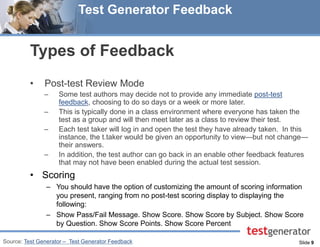
Types of Feedback 
•Post-test Review Mode 
–Some test authors may decide not to provide any immediate post-test feedback, choosing to do so days or a week or more later. 
–This is typically done in a class environment where everyone has taken the test as a group and will then meet later as a class to review their test. 
–Each test taker will log in and open the test they have already taken. In this instance, the t.taker would be given an opportunity to view—but not change— their answers. 
–In addition, the test author can go back in an enable other feedback features that may not have been enabled during the actual test session. 
•Scoring 
–You should have the option of customizing the amount of scoring information you present, ranging from no post-test scoring display to displaying the following: 
–Show Pass/Fail Message. Show Score. Show Score by Subject. Show Score by Question. Show Score Points. Show Score Percent 
Source: Test Generator – Test Generator Feedback
Slide 10 
Test Generator Feedback 
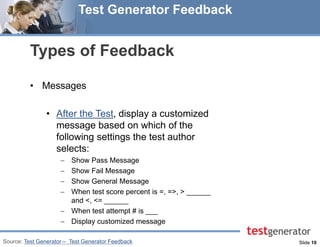
Types of Feedback 
•Messages 
•After the Test, display a customized message based on which of the following settings the test author selects: 
Show Pass Message 
Show Fail Message 
Show General Message 
When test score percent is =, =>, > ______ and <, <= ______ 
When test attempt # is ___ 
Display customized message 
Source: Test Generator – Test Generator Feedback
Slide 11 
Test Generator Feedback 
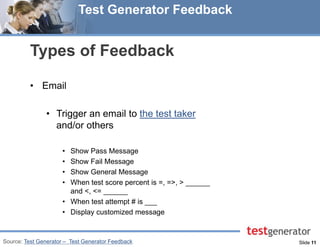
Types of Feedback 
•Email 
•Trigger an email to the test taker and/or others 
•Show Pass Message 
•Show Fail Message 
•Show General Message 
•When test score percent is =, =>, > ______ and <, <= ______ 
•When test attempt # is ___ 
•Display customized message 
Source: Test Generator – Test Generator Feedback
Slide 12 
Test Generator Feedback 
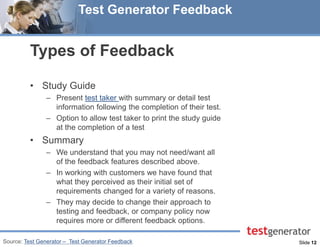
Types of Feedback 
•Study Guide 
–Present test taker with summary or detail test information following the completion of their test. 
–Option to allow test taker to print the study guide at the completion of a test 
•Summary 
–We understand that you may not need/want all of the feedback features described above. 
–In working with customers we have found that what they perceived as their initial set of requirements changed for a variety of reasons. 
–They may decide to change their approach to testing and feedback, or company policy now requires more or different feedback options. 
Source: Test Generator – Test Generator Feedback
Slide 13 
Test Generator Feedback 
Questions? 
928.266.0553 
sales@testshop.com 
Visit our Website: Test Generator

Test generator feedback

  • 1.
    Slide 1 TestGenerator Feedback Test Generator Feedback
  • 2.
    Slide 2 TestGenerator Feedback Overview 1.Terms 2.Types of Feedback 3.Modes Source: Test Generator – Test Generator Feedback
  • 3.
    Slide 3 TestGenerator Feedback Terms •Test takers (t.takers) –Employees, clients, trainees, students •Test –An oral, written or performance-based method of assessing the test taker's competence, mastery or familiarity with information received through traditional classroom instruction, group activity or self-study using print or electronic resources. •Test Delivery –Oral, paper-and-pencil or electronic •Feedback –For those of you who may have only known paper-and-pencil testing, the only feedback you may have received would have been a letter grade, points and percentage scrawled in red pencil across the top of your test. – Essays would have notes scribbled along the margins. –Some of you may have even been fortunate enough to have participated in some form of instructor-led post-test review and remediation Source: Test Generator – Test Generator Feedback
  • 4.
    Slide 4 TestGenerator Feedback Types of Feedback •Pre-test Feedback: Login –Your test takers log in to a windows or browser-based test delivery application (Tester). •If the login information is incorrect or if you, the test author, have not enabled testing for a specific individual, the testing system should “talk back” to the test taker. –Login feedback: Login error, no tests available, login successful –Test selection: What does the test taker see following a successful login? –Introduction: Is the test taker provided with any introductory test information? Can this information be customized by the test author? •During the Test Feedback –Because you’re now dealing with a whole new set of behaviors, your testing audience may receive various types of messages as they navigate through the test. Source: Test Generator – Test Generator Feedback
  • 5.
    Slide 5 TestGenerator Feedback Types of Feedback •Text: Manually entered or imported from a pre-defined file: Single word (Correct!, Incorrect), a phrase (Nice Job!) or a detailed sentence or paragraph. •Graphic: Sill image, audio or video display •URL/Links: Present the t.taker branching options to other forms of feedback located on your intranet or over the internet. •Correct answer – for those of you who want to present the t.taker with the correct answer, that’s another option. Source: Test Generator – Test Generator Feedback
  • 6.
    Slide 6 TestGenerator Feedback Types of Feedback •User Feedback •For those of you who want to receive feedback from your t.takers while they are taking a test: –Can the test taker provide you with written feedback? –Are you interested in hearing from your test takers regarding individual questions that they find confusing, technically inaccurate or just plain, outright wrong? –Are you interested in improving the quality of your tests? –Are you interested in catching errors early in the testing process so you don’t have to do a lot of backtracking later on? –Is some form of anecdotal question analysis important to you? Source: Test Generator – Test Generator Feedback
  • 7.
    Slide 7 TestGenerator Feedback Types of Feedback •Post-Test Feedback –You want the option of providing feedback and you want to able to determine the degree of feedback you provide. –With post-test feedback you are defining the type of feedback that will be after the test taker submits their test for grading. •Here a list of post-test feedback features that you may want to consider: –Show Feedback: Text, Media or linking URL –Allow User Feedback: Allow the test taker to type in their comments/criticisms regarding your test items Source: Test Generator – Test Generator Feedback
  • 8.
    Slide 8 TestGenerator Feedback Types of Feedback •Post-test Review •You may want to give your test takers the option of going back and reviewing their test after they have submitted it for grading, and before the test taker exits the test. •. Allow Test Review (options) – [ ] Only Missed Questions – [ ] Show Correct Answers – [ ] Set Review Time Limit Source: Test Generator – Test Generator Feedback
  • 9.
    Slide 9 TestGenerator Feedback Types of Feedback •Post-test Review Mode –Some test authors may decide not to provide any immediate post-test feedback, choosing to do so days or a week or more later. –This is typically done in a class environment where everyone has taken the test as a group and will then meet later as a class to review their test. –Each test taker will log in and open the test they have already taken. In this instance, the t.taker would be given an opportunity to view—but not change— their answers. –In addition, the test author can go back in an enable other feedback features that may not have been enabled during the actual test session. •Scoring –You should have the option of customizing the amount of scoring information you present, ranging from no post-test scoring display to displaying the following: –Show Pass/Fail Message. Show Score. Show Score by Subject. Show Score by Question. Show Score Points. Show Score Percent Source: Test Generator – Test Generator Feedback
  • 10.
    Slide 10 TestGenerator Feedback Types of Feedback •Messages •After the Test, display a customized message based on which of the following settings the test author selects: Show Pass Message Show Fail Message Show General Message When test score percent is =, =>, > ______ and <, <= ______ When test attempt # is ___ Display customized message Source: Test Generator – Test Generator Feedback
  • 11.
    Slide 11 TestGenerator Feedback Types of Feedback •Email •Trigger an email to the test taker and/or others •Show Pass Message •Show Fail Message •Show General Message •When test score percent is =, =>, > ______ and <, <= ______ •When test attempt # is ___ •Display customized message Source: Test Generator – Test Generator Feedback
  • 12.
    Slide 12 TestGenerator Feedback Types of Feedback •Study Guide –Present test taker with summary or detail test information following the completion of their test. –Option to allow test taker to print the study guide at the completion of a test •Summary –We understand that you may not need/want all of the feedback features described above. –In working with customers we have found that what they perceived as their initial set of requirements changed for a variety of reasons. –They may decide to change their approach to testing and feedback, or company policy now requires more or different feedback options. Source: Test Generator – Test Generator Feedback
  • 13.
    Slide 13 TestGenerator Feedback Questions? 928.266.0553 sales@testshop.com Visit our Website: Test Generator