Copyright © 2018 Digital Disciple NetworkCopyright © 2018 Digital Disciple Network
Ten Great Ideas for Your
Catechetical Classroom or
Ministry Using Web 2.0 Tools
A Presentation of Digital Discipleship Boot Camp
Lifelong Learners in the New Media Age
Copyright © 2018 Digital Disciple Network
Kellie De Leo
Copyright © 2018 Digital Disciple NetworkCopyright © 2018 Digital Disciple Network
Opening Prayer
Copyright © 2018 Digital Disciple Network
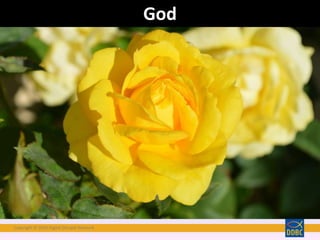
God
Copyright © 2018 Digital Disciple Network
Have you ever received something
marvelous for which you did not ask?
Copyright © 2018 Digital Disciple Network
That’s God, who knows all the secrets
which you keep hidden in your heart.
Copyright © 2018 Digital Disciple Network
Have you ever found yourself in a difficult
situation for which there seemed to be no
solution,
Copyright © 2018 Digital Disciple Network
And then, in the twinkling of an eye, the answer
became as clear as daylight?
Copyright © 2018 Digital Disciple Network
That’s God, who unceasingly takes our problems
into his hands and helps us solve them.
Copyright © 2018 Digital Disciple Network
Everything goes better when God takes the lead.
Copyright © 2018 Digital Disciple Network
Let us share with everyone the great love God
has for us. Amen.
Copyright © 2018 Digital Disciple Network
Objectives
• Understand and define Web 2.0
• Review components of Faith Formation
• Explore levels of engagement in technology
• Introduce ten very useful tools for ministry
• Invite you to continue learning Web 2.0 through
Catechesis 2.0 Blog
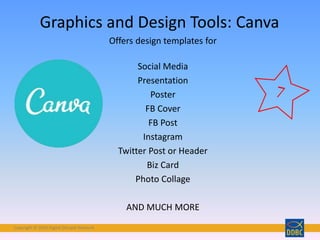
Copyright © 2018 Digital Disciple Network
• I can explain this concept to others.
• I have some idea of what Web 2.0 is, but
not sure how to explain it.
• I do not have any idea of what Web 2.0 is.
How well do you understand what Web 2.0 is?
Question:
Take a moment to consider this question. Please pause the video and go to
https://kahoot.it/ ; enter the code: 8396456 to answer the following question.
Copyright © 2018 Digital Disciple Network
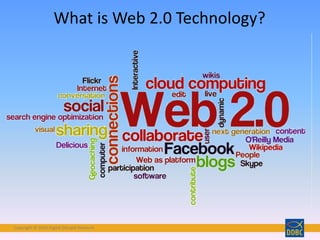
What is Web 2.0 Technology?
Copyright © 2018 Digital Disciple Network
• Scripture
• Doctrine
• Morality
• Sacrament
• Prayer
• Liturgy
• Social Teaching
Faith Formation Content
Still Includes…
from the Catholic School Religious Education Curriculum
Evaluation Matrix by Brian Lemoi
Copyright © 2018 Digital Disciple Network
"All of these tasks are necessary. As the vitality
of the human body depends on the proper
function of all of its organs, so also the
maturation of the Christian life requires that it
be cultivated in all its dimensions: knowledge of
the faith, liturgical life, moral formation, prayer,
belonging to community, missionary spirit.
When catechesis omits one of these elements,
the Christian faith does not attain full
development.
General Directory for Catechesis, paragraph 87
http://www.vatican.va/roman_curia/congregations/cclergy/documents/rc_con_ccatheduc_doc_17041998_directory
-for-catechesis_en.html
Copyright © 2018 Digital Disciple Network
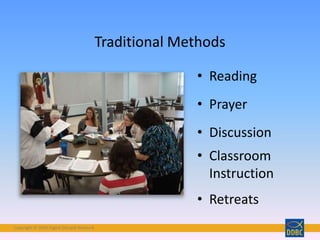
• Reading
• Prayer
• Discussion
• Classroom
Instruction
• Retreats
Traditional Methods
Copyright © 2018 Digital Disciple Network
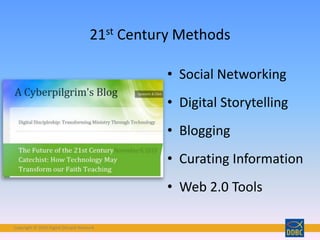
• Social Networking
• Digital Storytelling
• Blogging
• Curating Information
• Web 2.0 Tools
21st Century Methods
Copyright © 2018 Digital Disciple Network
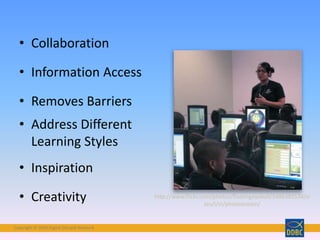
• Collaboration
• Information Access
• Removes Barriers
• Address Different
Learning Styles
• Inspiration
• Creativity http://www.flickr.com/photos/floatingeyeball/5486383534/si
zes/l/in/photostream/
Copyright © 2018 Digital Disciple Network
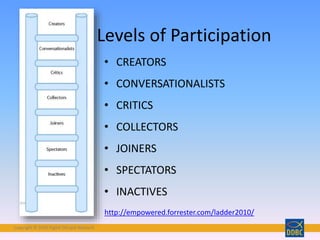
http://empowered.forrester.com/ladder2010/
• CREATORS
• CONVERSATIONALISTS
• CRITICS
• COLLECTORS
• JOINERS
• SPECTATORS
• INACTIVES
Levels of Participation
Copyright © 2018 Digital Disciple Network
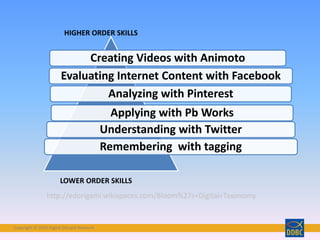
Creating Videos with Animoto
Evaluating Internet Content with Facebook
Analyzing with Pinterest
Applying with Pb Works
Understanding with Twitter
Remembering with tagging
HIGHER ORDER SKILLS
LOWER ORDER SKILLS
http://edorigami.wikispaces.com/Bloom%27s+Digital+Taxonomy
Copyright © 2018 Digital Disciple Network
Photo by Ihtatho – labeled for reuse
http://www.flickr.com/photos/ihtatho/627226315/sizes/l/in/photostream/
Copyright © 2018 Digital Disciple Network
How Can You Apply What You’re
Learning to
Your Catechetical Setting or Ministry?
10 Great Ideas
Copyright © 2018 Digital Disciple Network
Categories of Web 2.0 Tools
• Social Networking
• Online Meeting Tools
• Project Collaboration
• Word Clouds
• Online Surveys
• Assessment Tools
• Graphic Design
• Using Mobile Devices
• Using Digital Images
• Outside-the-Box Tools
Copyright © 2018 Digital Disciple Network
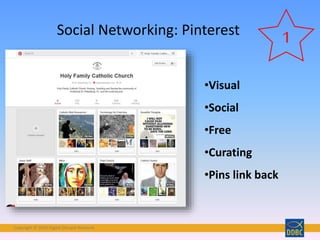
Social Networking: Pinterest
•Visual
•Social
•Free
•Curating
•Pins link back
1
Copyright © 2018 Digital Disciple Network
Online Meeting: join.me
• Basic features:
•Video Calling
•Share My Screen
• iOS/Android, Web
• File Transfer
• Share Control
2
Copyright © 2018 Digital Disciple Network
Join.me Features
• Best for one-to-many delivery, such as training or
webinar
• Screen sharing
• Voice over Internet
• IM for text chatting
• Simple
Copyright © 2018 Digital Disciple Network
Project Collaboration in the Classroom:
Padlet
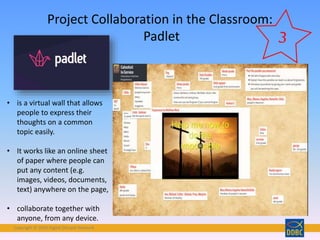
• is a virtual wall that allows
people to express their
thoughts on a common
topic easily.
• It works like an online sheet
of paper where people can
put any content (e.g.
images, videos, documents,
text) anywhere on the page,
• collaborate together with
anyone, from any device.
Copyright © 2018 Digital Disciple Network
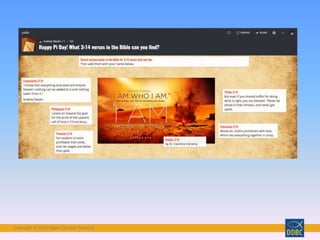
• Scripture Review: Padlet offers a great venue for students to share
their thoughts. Young people can highlight favorite scripture, ask
questions, discuss characters and more. Teachers can then take the
page and present it in class to spark continued face-to-face
discussion.
• Topic Summary: Useful for any subject from Ten Commandments,
beatitudes, corporal works of mystery, sacraments, mass etc. Padlet
can help teachers summarize a large amount of information and
present it in a visually pleasing way. Teachers can put in text, photos,
maps and other learning tools and share the image with students.
• Prayer Request Wall: Each student can post an individual message,
requesting prayers for themselves or others.
• Questions Board: Students can access a "questions" board 24/7 and
anonymously post questions. The teacher can then read off and
answer the questions each day.
• Opinion/Forum: Educators can post a particular topic or issue, and
students can post their opinions on the subject.
Suggested Uses for Padlet
Copyright © 2018 Digital Disciple Network
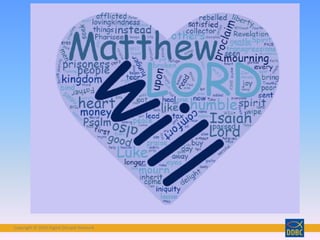
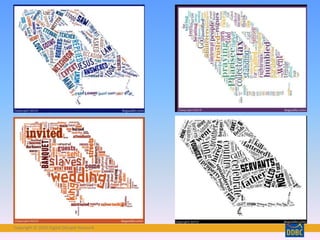
• Online Word Cloud Generator
• Free to use your cloud in any way
• Save as .jpeg or .png format
• Shapes, masks
• Clouds generate a URL, share on FB or Twitter
http://www.wordclouds.com/?cloud=socialmedia
Word Cloud Generators:
WordClouds.com
Copyright © 2018 Digital Disciple Network
• Online Survey Tool
• Free w/ Google Acct.
• Web-based – URL
• Embed it in webpage
• Spreadsheet or Form View
• Question Types
• Analytics
Online Surveys: Google Forms
5
Copyright © 2018 Digital Disciple Network
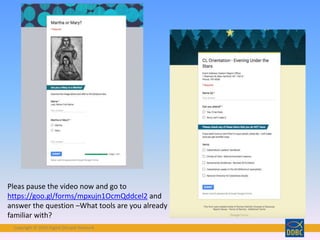
Pleas pause the video now and go to
https://goo.gl/forms/mpxujn1OcmQddcel2 and
answer the question –What tools are you already
familiar with?
Copyright © 2018 Digital Disciple Network
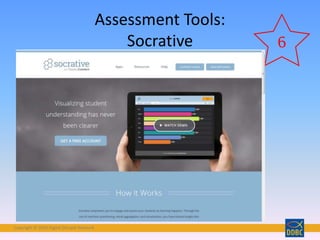
Assessment Tools:
Socrative 6
Copyright © 2018 Digital Disciple Network
Graphics and Design Tools: Canva
Offers design templates for
Social Media
Presentation
Poster
FB Cover
FB Post
Instagram
Twitter Post or Header
Biz Card
Photo Collage
AND MUCH MORE
Copyright © 2018 Digital Disciple Network
Mobile Devices in the Classroom:
QR Coding
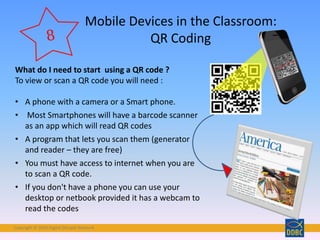
What do I need to start using a QR code ?
To view or scan a QR code you will need :
• A phone with a camera or a Smart phone.
• Most Smartphones will have a barcode scanner
as an app which will read QR codes
• A program that lets you scan them (generator
and reader – they are free)
• You must have access to internet when you are
to scan a QR code.
• If you don't have a phone you can use your
desktop or netbook provided it has a webcam to
read the codes
Copyright © 2018 Digital Disciple Network
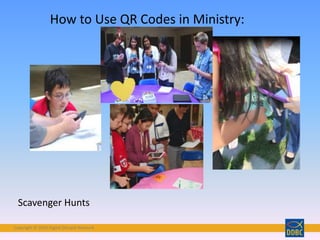
Scavenger Hunts
How to Use QR Codes in Ministry:
Copyright © 2018 Digital Disciple Network
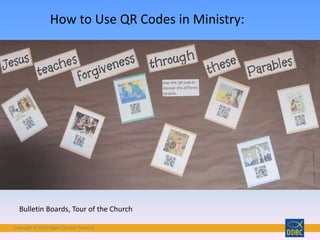
How to Use QR Codes in Ministry:
Bulletin Boards, Tour of the Church
Copyright © 2018 Digital Disciple Network
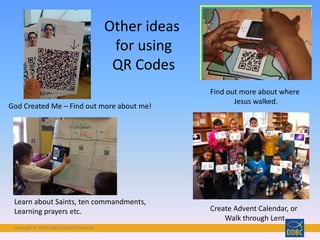
God Created Me – Find out more about me!
Find out more about where
Jesus walked.
Learn about Saints, ten commandments,
Learning prayers etc. Create Advent Calendar, or
Walk through Lent
Other ideas
for using
QR Codes
Copyright © 2018 Digital Disciple Network
• Creative Commons Images – users contribute
• Free to use, share without attribution (CC0)
• Safe Search mode available
• Forum, blog and upload your own images!
Using Digital Images:
Pixabay.com
9
Copyright © 2018 Digital Disciple Network
Adapting New Tools
Pope Selfie:
This work is licensed under a Creative Commons Attribution-NonCommercial-NoDerivs 3.0 Unported License.
Copyright © 2018 Digital Disciple Network
• GPS Hide and Seek Game
•Cross-Curricular
Applications
•Interactive
•Creative Problem-Solving
•Long-Term Activity
•Trackables, Virtual Caches,
and real Caches
•Great Family Fun!
Copyright © 2018 Digital Disciple Network
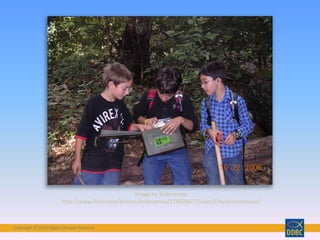
Image by bobnrenee
http://www.flickr.com/photos/bobnrenee/276928677/sizes/l/in/photostream/
Copyright © 2018 Digital Disciple Network
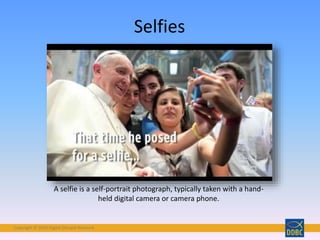
Selfies
A selfie is a self-portrait photograph, typically taken with a hand-
held digital camera or camera phone.
Copyright © 2018 Digital Disciple Network
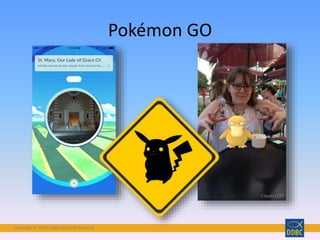
Pokémon GO
Copyright © 2018 Digital Disciple Network
See more great ideas
in this Module’s Class Blog!
Copyright © 2018 Digital Disciple Network
•Google Hangouts
•Pinterest
•Padlet
•Wordclouds.com
•Socrative
•Canva
•QR Coding
•Pixabay
•Google Forms/Surveys
•Others
Pause the video, and go to
https://goo.gl/forms/fbsRRrjcgYwz0rde2 and indicate
the tool you would like to try in your ministry.
You can choose as many as you like!
Copyright © 2018 Digital Disciple Network
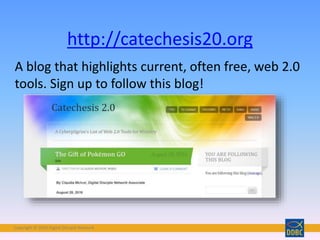
A blog that highlights current, often free, web 2.0
tools. Sign up to follow this blog!
http://catechesis20.org
Copyright © 2018 Digital Disciple Network
References
• http://edjudo.com/web-2-0-teaching-tools-
links#anchor14
• http://edtechtoolbox.blogspot.com/p/web-2-
tools-by-task.html
Copyright © 2018 Digital Disciple Network
• 8/30/18 – CAPSTONE WEBINAR (8 pm EDT)
• 8/29/18 – ALL homework must be completed
• 9/15/18 – CAPSTONE PROPOSAL is due
• 12/15/18 – CAPSTONE PROJECT is complete
• 12/15/18 – Essay and Article due
Dates to Remember:
Copyright © 2018 Digital Disciple Network
What new life for YOUR
ministry
is emerging?
Copyright © 2018 Digital Disciple Network
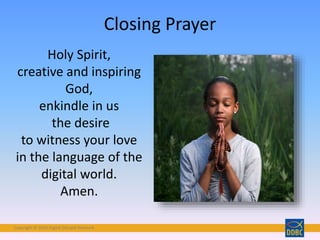
Closing Prayer
Holy Spirit,
creative and inspiring
God,
enkindle in us
the desire
to witness your love
in the language of the
digital world.
Amen.
Copyright © 2018 Digital Disciple Network
Join the Conversation
Follow along and share
your thoughts on Twitter
at #DDBC2018
Come to our FB Group
Digital Discipleship Boot
Camp and converse with
your DDBC friends
Copyright © 2018 Digital Disciple NetworkCopyright © 2018 Digital Disciple Network

Ten great ideas 2018 summer

  • 1.
    Copyright © 2018Digital Disciple NetworkCopyright © 2018 Digital Disciple Network Ten Great Ideas for Your Catechetical Classroom or Ministry Using Web 2.0 Tools A Presentation of Digital Discipleship Boot Camp Lifelong Learners in the New Media Age
  • 2.
    Copyright © 2018Digital Disciple Network Kellie De Leo
  • 3.
    Copyright © 2018Digital Disciple NetworkCopyright © 2018 Digital Disciple Network Opening Prayer
  • 4.
    Copyright © 2018Digital Disciple Network God
  • 5.
    Copyright © 2018Digital Disciple Network Have you ever received something marvelous for which you did not ask?
  • 6.
    Copyright © 2018Digital Disciple Network That’s God, who knows all the secrets which you keep hidden in your heart.
  • 7.
    Copyright © 2018Digital Disciple Network Have you ever found yourself in a difficult situation for which there seemed to be no solution,
  • 8.
    Copyright © 2018Digital Disciple Network And then, in the twinkling of an eye, the answer became as clear as daylight?
  • 9.
    Copyright © 2018Digital Disciple Network That’s God, who unceasingly takes our problems into his hands and helps us solve them.
  • 10.
    Copyright © 2018Digital Disciple Network Everything goes better when God takes the lead.
  • 11.
    Copyright © 2018Digital Disciple Network Let us share with everyone the great love God has for us. Amen.
  • 12.
    Copyright © 2018Digital Disciple Network Objectives • Understand and define Web 2.0 • Review components of Faith Formation • Explore levels of engagement in technology • Introduce ten very useful tools for ministry • Invite you to continue learning Web 2.0 through Catechesis 2.0 Blog
  • 13.
    Copyright © 2018Digital Disciple Network • I can explain this concept to others. • I have some idea of what Web 2.0 is, but not sure how to explain it. • I do not have any idea of what Web 2.0 is. How well do you understand what Web 2.0 is? Question: Take a moment to consider this question. Please pause the video and go to https://kahoot.it/ ; enter the code: 8396456 to answer the following question.
  • 14.
    Copyright © 2018Digital Disciple Network What is Web 2.0 Technology?
  • 15.
    Copyright © 2018Digital Disciple Network • Scripture • Doctrine • Morality • Sacrament • Prayer • Liturgy • Social Teaching Faith Formation Content Still Includes… from the Catholic School Religious Education Curriculum Evaluation Matrix by Brian Lemoi
  • 16.
    Copyright © 2018Digital Disciple Network "All of these tasks are necessary. As the vitality of the human body depends on the proper function of all of its organs, so also the maturation of the Christian life requires that it be cultivated in all its dimensions: knowledge of the faith, liturgical life, moral formation, prayer, belonging to community, missionary spirit. When catechesis omits one of these elements, the Christian faith does not attain full development. General Directory for Catechesis, paragraph 87 http://www.vatican.va/roman_curia/congregations/cclergy/documents/rc_con_ccatheduc_doc_17041998_directory -for-catechesis_en.html
  • 17.
    Copyright © 2018Digital Disciple Network • Reading • Prayer • Discussion • Classroom Instruction • Retreats Traditional Methods
  • 18.
    Copyright © 2018Digital Disciple Network • Social Networking • Digital Storytelling • Blogging • Curating Information • Web 2.0 Tools 21st Century Methods
  • 19.
    Copyright © 2018Digital Disciple Network • Collaboration • Information Access • Removes Barriers • Address Different Learning Styles • Inspiration • Creativity http://www.flickr.com/photos/floatingeyeball/5486383534/si zes/l/in/photostream/
  • 20.
    Copyright © 2018Digital Disciple Network http://empowered.forrester.com/ladder2010/ • CREATORS • CONVERSATIONALISTS • CRITICS • COLLECTORS • JOINERS • SPECTATORS • INACTIVES Levels of Participation
  • 21.
    Copyright © 2018Digital Disciple Network Creating Videos with Animoto Evaluating Internet Content with Facebook Analyzing with Pinterest Applying with Pb Works Understanding with Twitter Remembering with tagging HIGHER ORDER SKILLS LOWER ORDER SKILLS http://edorigami.wikispaces.com/Bloom%27s+Digital+Taxonomy
  • 22.
    Copyright © 2018Digital Disciple Network Photo by Ihtatho – labeled for reuse http://www.flickr.com/photos/ihtatho/627226315/sizes/l/in/photostream/
  • 23.
    Copyright © 2018Digital Disciple Network How Can You Apply What You’re Learning to Your Catechetical Setting or Ministry? 10 Great Ideas
  • 24.
    Copyright © 2018Digital Disciple Network Categories of Web 2.0 Tools • Social Networking • Online Meeting Tools • Project Collaboration • Word Clouds • Online Surveys • Assessment Tools • Graphic Design • Using Mobile Devices • Using Digital Images • Outside-the-Box Tools
  • 25.
    Copyright © 2018Digital Disciple Network Social Networking: Pinterest •Visual •Social •Free •Curating •Pins link back 1
  • 26.
    Copyright © 2018Digital Disciple Network
  • 27.
    Copyright © 2018Digital Disciple Network
  • 28.
    Copyright © 2018Digital Disciple Network Online Meeting: join.me • Basic features: •Video Calling •Share My Screen • iOS/Android, Web • File Transfer • Share Control 2
  • 29.
    Copyright © 2018Digital Disciple Network Join.me Features • Best for one-to-many delivery, such as training or webinar • Screen sharing • Voice over Internet • IM for text chatting • Simple
  • 30.
    Copyright © 2018Digital Disciple Network Project Collaboration in the Classroom: Padlet • is a virtual wall that allows people to express their thoughts on a common topic easily. • It works like an online sheet of paper where people can put any content (e.g. images, videos, documents, text) anywhere on the page, • collaborate together with anyone, from any device.
  • 31.
    Copyright © 2018Digital Disciple Network
  • 32.
    Copyright © 2018Digital Disciple Network • Scripture Review: Padlet offers a great venue for students to share their thoughts. Young people can highlight favorite scripture, ask questions, discuss characters and more. Teachers can then take the page and present it in class to spark continued face-to-face discussion. • Topic Summary: Useful for any subject from Ten Commandments, beatitudes, corporal works of mystery, sacraments, mass etc. Padlet can help teachers summarize a large amount of information and present it in a visually pleasing way. Teachers can put in text, photos, maps and other learning tools and share the image with students. • Prayer Request Wall: Each student can post an individual message, requesting prayers for themselves or others. • Questions Board: Students can access a "questions" board 24/7 and anonymously post questions. The teacher can then read off and answer the questions each day. • Opinion/Forum: Educators can post a particular topic or issue, and students can post their opinions on the subject. Suggested Uses for Padlet
  • 33.
    Copyright © 2018Digital Disciple Network • Online Word Cloud Generator • Free to use your cloud in any way • Save as .jpeg or .png format • Shapes, masks • Clouds generate a URL, share on FB or Twitter http://www.wordclouds.com/?cloud=socialmedia Word Cloud Generators: WordClouds.com
  • 34.
    Copyright © 2018Digital Disciple Network
  • 35.
    Copyright © 2018Digital Disciple Network
  • 36.
    Copyright © 2018Digital Disciple Network
  • 37.
    Copyright © 2018Digital Disciple Network • Online Survey Tool • Free w/ Google Acct. • Web-based – URL • Embed it in webpage • Spreadsheet or Form View • Question Types • Analytics Online Surveys: Google Forms 5
  • 38.
    Copyright © 2018Digital Disciple Network Pleas pause the video now and go to https://goo.gl/forms/mpxujn1OcmQddcel2 and answer the question –What tools are you already familiar with?
  • 39.
    Copyright © 2018Digital Disciple Network Assessment Tools: Socrative 6
  • 40.
    Copyright © 2018Digital Disciple Network
  • 41.
    Copyright © 2018Digital Disciple Network Graphics and Design Tools: Canva Offers design templates for Social Media Presentation Poster FB Cover FB Post Instagram Twitter Post or Header Biz Card Photo Collage AND MUCH MORE
  • 42.
    Copyright © 2018Digital Disciple Network
  • 43.
    Copyright © 2018Digital Disciple Network
  • 44.
    Copyright © 2018Digital Disciple Network
  • 45.
    Copyright © 2018Digital Disciple Network Mobile Devices in the Classroom: QR Coding What do I need to start using a QR code ? To view or scan a QR code you will need : • A phone with a camera or a Smart phone. • Most Smartphones will have a barcode scanner as an app which will read QR codes • A program that lets you scan them (generator and reader – they are free) • You must have access to internet when you are to scan a QR code. • If you don't have a phone you can use your desktop or netbook provided it has a webcam to read the codes
  • 46.
    Copyright © 2018Digital Disciple Network Scavenger Hunts How to Use QR Codes in Ministry:
  • 47.
    Copyright © 2018Digital Disciple Network How to Use QR Codes in Ministry: Bulletin Boards, Tour of the Church
  • 48.
    Copyright © 2018Digital Disciple Network God Created Me – Find out more about me! Find out more about where Jesus walked. Learn about Saints, ten commandments, Learning prayers etc. Create Advent Calendar, or Walk through Lent Other ideas for using QR Codes
  • 49.
    Copyright © 2018Digital Disciple Network • Creative Commons Images – users contribute • Free to use, share without attribution (CC0) • Safe Search mode available • Forum, blog and upload your own images! Using Digital Images: Pixabay.com 9
  • 50.
    Copyright © 2018Digital Disciple Network
  • 51.
    Copyright © 2018Digital Disciple Network
  • 52.
    Copyright © 2018Digital Disciple Network Adapting New Tools Pope Selfie: This work is licensed under a Creative Commons Attribution-NonCommercial-NoDerivs 3.0 Unported License.
  • 53.
    Copyright © 2018Digital Disciple Network • GPS Hide and Seek Game •Cross-Curricular Applications •Interactive •Creative Problem-Solving •Long-Term Activity •Trackables, Virtual Caches, and real Caches •Great Family Fun!
  • 54.
    Copyright © 2018Digital Disciple Network
  • 55.
    Copyright © 2018Digital Disciple Network Image by bobnrenee http://www.flickr.com/photos/bobnrenee/276928677/sizes/l/in/photostream/
  • 56.
    Copyright © 2018Digital Disciple Network Selfies A selfie is a self-portrait photograph, typically taken with a hand- held digital camera or camera phone.
  • 57.
    Copyright © 2018Digital Disciple Network Pokémon GO
  • 58.
    Copyright © 2018Digital Disciple Network See more great ideas in this Module’s Class Blog!
  • 59.
    Copyright © 2018Digital Disciple Network •Google Hangouts •Pinterest •Padlet •Wordclouds.com •Socrative •Canva •QR Coding •Pixabay •Google Forms/Surveys •Others Pause the video, and go to https://goo.gl/forms/fbsRRrjcgYwz0rde2 and indicate the tool you would like to try in your ministry. You can choose as many as you like!
  • 60.
    Copyright © 2018Digital Disciple Network A blog that highlights current, often free, web 2.0 tools. Sign up to follow this blog! http://catechesis20.org
  • 61.
    Copyright © 2018Digital Disciple Network References • http://edjudo.com/web-2-0-teaching-tools- links#anchor14 • http://edtechtoolbox.blogspot.com/p/web-2- tools-by-task.html
  • 62.
    Copyright © 2018Digital Disciple Network
  • 63.
    Copyright © 2018Digital Disciple Network • 8/30/18 – CAPSTONE WEBINAR (8 pm EDT) • 8/29/18 – ALL homework must be completed • 9/15/18 – CAPSTONE PROPOSAL is due • 12/15/18 – CAPSTONE PROJECT is complete • 12/15/18 – Essay and Article due Dates to Remember:
  • 64.
    Copyright © 2018Digital Disciple Network
  • 65.
    Copyright © 2018Digital Disciple Network What new life for YOUR ministry is emerging?
  • 66.
    Copyright © 2018Digital Disciple Network Closing Prayer Holy Spirit, creative and inspiring God, enkindle in us the desire to witness your love in the language of the digital world. Amen.
  • 67.
    Copyright © 2018Digital Disciple Network Join the Conversation Follow along and share your thoughts on Twitter at #DDBC2018 Come to our FB Group Digital Discipleship Boot Camp and converse with your DDBC friends
  • 68.
    Copyright © 2018Digital Disciple NetworkCopyright © 2018 Digital Disciple Network

Editor's Notes

  • #5  God Free image from Pixabay  CC0 Public DomainFree for commercial use  No attribution required 
  • #6 Have you ever received something marvelous for which you did not ask?
  • #7 That’s God, who knows all the secrets which you keep well hidden in your heart.  CC0 Public DomainFree for commercial use  No attribution required  Pixabay
  • #8 Have you ever found yourself in a difficult situation for which there seemed to be no apparent solution,  CC0 Public DomainFree for commercial use  No attribution required  Pixabay
  • #9 and then, in the twinkling of an eye, the answer became as clear as daylight?
  • #10 That’s God, who unceasingly takes our problems into his hands and helps us solve them.
  • #11 Everything goes better when God takes the lead.
  • #12 Let us share with everyone the great love God has for us. AMEN
  • #13 Caroline
  • #14 Question Well, if you some idea or not sure how to explain Web 2.0, by the time we conclude this presentation are hope is that you will be able to have a better understanding of what Web 2.0 is and how to explain it someone else.
  • #15 In the last ten years or so, Web technology has evolved from one-way, static web sites to Web 2.0 technology, with INTERACTIVE, COLLABORATIVE and DYNAMIC content. Example: Digital Photos, emailed to a friend vs Flickr or Facebook or Instagram photo sharing Publish a book vs Blogging Save a bookmark vs Share your bookmarks via Delicious, Pinterest Encyclopedia Britannica online vs Wikipedia Make a video vs YouTube, WeVideo, Animoto Hopefully, that helps you understand the difference. More and more, technology is becoming participatory, web based, and Web 2.0
  • #16 Let’s remember what we are all about in catechetical ministry. We are here to share God’s Love through Faith Formation. Just like any subject, there are many elements that make up a well-rounded curriculum. Faith formation will always include these elements.
  • #17 From the General Directory for Catechesis, paragraph 87 http://www.vatican.va/roman_curia/congregations/cclergy/documents/rc_con_ccatheduc_doc_17041998_directory-for-catechesis_en.html
  • #18 Traditional Faith Formation Methods Traditionally, we have presented and fostered faith formation by traditional methods shown here. There is nothing wrong with these methods. In fact, they are still an essential part of passing on the faith, evangelizing, instructing, building community, and enlivening the Spirit in all of us.
  • #19 But with 21st Century Faith Formation, we can also include NEW methods in faith formation. What do these new methods do to enhance the experience of faith formation? Let’s look at what we are aiming for.
  • #20 R How Can Web 2.0 Technology Help Us with Faith Formation? Collaboration – with others anywhere in the local community or anywhere in the world (text to donate, blog with others, create wikis with anyone in the world, Skype with an expert) Information access – Curating information through the Internet as never before (Encyclopedia Brit d/c hard copies of its books – too much information to contain in books!) Cost barriers shrink with free technology, Barriers of distance or geography are minimized or abolished New technology engages people with different learning styles, including digital natives! Use of technology is inspiring and motivating, and this is the world of the digital native. Learning is becoming more self-directed. The creative options are limitless, as we will see in tonight’s presentation!
  • #21 Remember how Forrester classifies people according to how they use social tools? This is a hierarchy of participation.
  • #22 Similarly, there is a hierarchy of learning for your students or participants who are using Web 2.0 technology. Know yourself and know your audience to be realistic about the kinds of Web 2.0 technology that you can apply. Here is a re-working of Bloom’s taxonomy as it applies to learning in our current environment, as articulated in 2001 by David Krathwohl, Remembering - Recognizing, listing, describing, identifying, retrieving, naming, locating, finding Understanding - Interpreting, Summarizing, paraphrasing, classifying, explaining Applying - Implementing, carrying out, using, executing Analyzing - Comparing, organizing, deconstructing, Evaluating - Checking, hypothesizing, critiquing, Experimenting Creating - designing, constructing, planning, producing, inventing, devising, making http://edorigami.wikispaces.com/Bloom%27s+Digital+Taxonomy
  • #23 Wondering what to do? Probably best to FOCUS and choose one or two great ideas to implement this year. Think about what your ministry needs, where your participants are in Bloom’s taxonomy, and focus on one idea to implement.
  • #24  Let’s look at 10 examples of Web 2.0 tools that can be applied in ministerial settings. PICK ONE OR TWO TO USE THIS YEAR!
  • #26 Video about Pinterest BY Pinterest:  https://help.pinterest.com/en/guide/all-about-pinterest Terms of service state: More simply put: If you post your content on Pinterest, it still belongs to you but we can show it to people and others can re-pin it. Pinterest has adopted and implemented the Pinterest Copyright Policy in accordance with the Digital Millennium Copyright Act. For more information, please read our Copyright Policy.
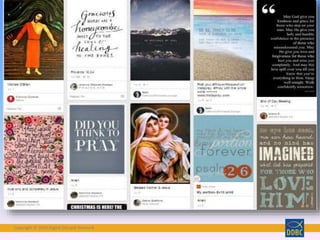
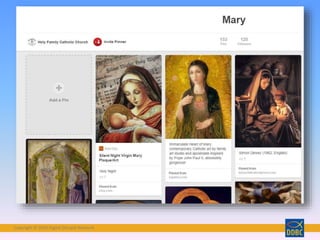
  • #27  Pinterest allows you to collect or curate visual items and share them with others.
  • #28 It’s easy – create an account. Create a few boards to collect items of particular themes. Here, I have Catholic Web Resources, Tech for Churches, Beautiful Thoughts and Jesus Stuff. Pinterest will send you suggestions, or you can search for pins with these topics. When you find one you like, just click on the Pin It icon and it will be added to the board you specify. You can also choose to follow others and their boards will be displayed on your home page. Raise hands if you are familiar…..
  • #29 We used to recommend Skype, but there were many obstacles, including poor audio quality and dropped calls. For use in ministry, we can recommend join.me by LogMeIn. Raise hands if you are familiar…..
  • #30 From http://www.nixor.co.uk/using-join-me-for-virtual-facilitation/ Not so great for a multi-way conversation because whoever controls the screen has the audio Raise hands if you are familiar…..
  • #31 Padlet is a virtual wall that allows people to express their thoughts on a common topic easily. It works like an online sheet of paper where people can put any content (e.g. images, videos, documents, text) anywhere on the page, together with anyone, from any device. Raise hands if you are familiar…..
  • #33 Raise hands if you are familiar…..
  • #34 Wordclouds.com JAVA is NOT required!
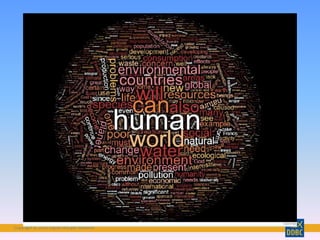
  • #35 This is a word cloud of Chapter 1 of Laudato Si. The bigger the word, the more often it is used!
  • #36 Scripture Quotes in a word cloud
  • #37 Andrea’s activity with groups for discussions on parables.
  • #38 Google Forms Easy, similar to Survey Monkey – but FREE! Collaborative tool – can have several editors at once. Creates its own URL Can view the survey as a spreadsheet that can be exported to Excel; or you can view it as a form. Choose from Themes Generates analytics on the data with push of a button LIMITS: 400,000 cells, with a maximum of 256 columns per sheet.
  • #39 You can use Forms to do quizzes, opinion surveys, evaluations, lunch count, anything you might be able to relate to data collection. Here is our parish Youth Ministry Registration. We collected 200 to 250 responses each year that even allows for a parent comment, in addition to the info generated in the spreadsheet itself! Limitations: learning curve, analytics display Also, as with any survey instrument, be sure what you are asking is worded in a way that gives you good data. Beware ambiguous questions. Ministry uses: How about using it to ask for feedback about prayer habits? Establish a baseline and allow for anonymity of responses. Halfway through, what tools are you already familiar with? Any questions?
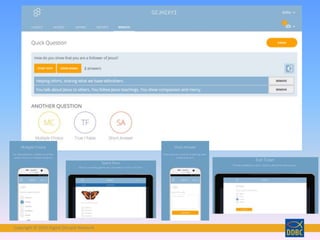
  • #40 Students share their understanding by answering formative assessment questions in a variety of formats: quizzes, quick question polls, exit tickets and space races.
  • #41 Students share their understanding by answering formative assessment questions in a variety of formats: quizzes, quick question polls, exit tickets and space races. Once students launch the Socrative Student App, they'll be prompted to join the teacher's room via the teacher's unique code. No student accounts necessary! Features • Visualize student and whole class understanding • Multiple choice and True/False questions • Open-ended questions and vote on the results • End of class Exit Tickets • Play games with our Space Race! • Class, Question and Student level reports
  • #42 With our new module on Websites, we felt it would be useful to offer you one of our favorite graphic design tools, CANVA. With the pre-set templates, it’s easy to import your own images and create a perfect FB Cover, PPT, etc.
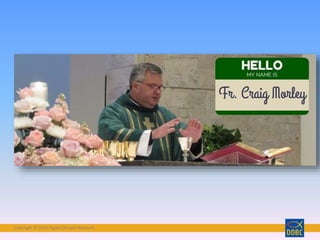
  • #43 A couple of examples – a Facebook cover for our new pastor
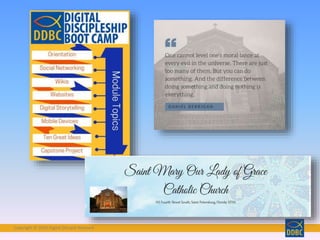
  • #44 An infographic for DDBC A customized header for our parish web page A quote for a Facebook Post
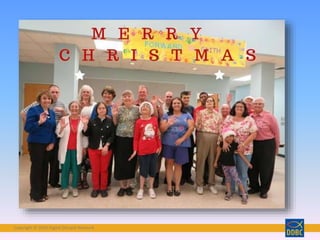
  • #45 A Christmas Card from our Other-Abled ministry
  • #46 According to Wikipedia, a QR code is  " a specific matrix bar code ( or two-dimensional code ), readable by dedicated QR bar code readers and camera phones. The code consists of black modules arranged in a square pattern on a white background. The information encoded can be text, URL, or other data.“ The "QR" is derived from "Quick Response", as the creator intended the code to allow its contents to be decoded at high speed. We see these all over, in magazines, on the condiment bottles, in stores etc. But the can be useful to us as well in ministry.
  • #47 7/8 Grade retreat Held on Saturday Tuesday were still able to tell us the bible versus and what it said
  • #48 Connect with others through bulletin boards, and they are great for tour of the church.
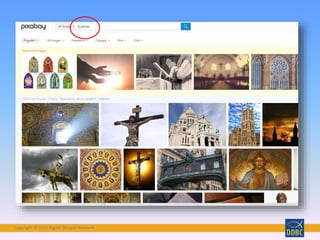
  • #51 Search for “Catholic”
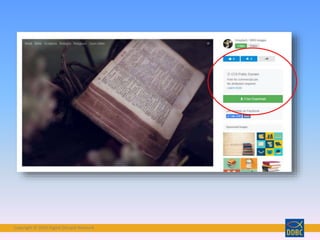
  • #52 Free Download, choose your size and see CC0 Attribution – no attribution is needed.
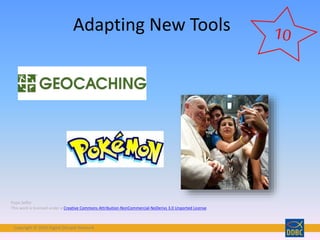
  • #53 Adapting new tools – new tools are available every day. Within two weeks of Pokemon Go launch, there were articles on Poke Evangelization! For the kinesthetic learner, or for team activities with your youth ministry, perhaps you want to adapt some kind of hands on technology using mobile devices and geo-locating apps, such as Google Maps or Earth, photobombing, or the one we recommend… Pope Selfie: This work is licensed under a Creative Commons Attribution-NonCommercial-NoDerivs 3.0 Unported License.
  • #54 Geocaching – a worldwide game, played by 5 million . About 1.5 million caches hidden worldwide. A “Cache” is simply a hidden box, bag or container with a log and small items in it. Hide a cache anywhere on public land, but respect private property and park property. Played with any GPS-enabled device (iphone, GPS hand-held device) and any computer. Free with available upgrades.
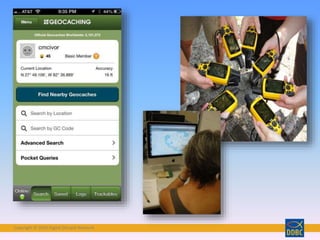
  • #55 Here are some examples – Claudia’s geocaching app on her iPhone and hand held GPS devices and a computer.
  • #56 Gets kids out and moving – related technology to real life. Basics – hide caches, record their Lat and Long (called Waypoint) and enter into computer. That cache becomes public and can be found by any other person playing. Students can find caches you hid or caches hidden by others. Caches can be real or virtual. They can even be hidden in space! Relates to just about any curriculum Math – Find caches with small items, sort them later in classroom Science – Use of latitude and longitude, identifying plants and ecosystems near caches Geography – obvious relation to finding places in the world Language Arts – hide caches with parts of a story. Students have to put them in proper sequence. Music – hide caches with clues to a musician. Back to classroom to figure out the clues. Faith Formation Hide caches with clues about Saints. Hide all the gifts of the Holy Spirit. Try to find them all. Virtual caches that take students to areas of the world that suffer social injustice. Research those cultures. Trackable – send trackable items around the world on a pilgrimage to as many Catholic sites as possible. Track online. In a unit on Scripture, set up virtual cache in famous places of the Bible (Jerusalem, Bethlehem, Rome, etc.)
  • #57 Linked image to source
  • #58 Pokémon GO has exploded in just a few weeks of its launch. Read the article link in the Blog to ger a comprehensive overview of the opportunities and challenges of adapting this new game for evangelization in the parish.
  • #60 What tool did you see that you would like to try? (Pause for Question pane…)
  • #61 Ten Great Tools…continued! The focus is on use in ministry With a team of authors, this blog designed to highlight the many tools that are currently available.  Sign-up for the blog and receive a monthly email highlighting a new tool.  This will help you keep up with the many possible tools that are available – and often FREE!
  • #63 Congratulations! If you are one of our Beginner or Apprentice level participants, this was your LAST webinar! Once you finish up your homework for all the webinars, you are DONE. Based on the feedback we are receiving, people have found this a helpful and exciting learning experience. I know the coaches all feel that way too. Eventually, all of you will receive an evaluation, and we ask you to be honest and prompt in returning it, because we are always trying to improve DDBC!
  • #65  You have had an Immersion Experience – thrown into the ocean of technology. You’re wet, you’ve weathered some storms, but you’re still swimming! (Image from Pixabay – Public Domain)
  • #66 Just as the waters of Baptism bring about a new life in the Spirit, we pray that the waters of immersion in technology bring about new life in your ministry of faith formation. Does anyone want to share ideas or comment at this time?
  • #67 Pray together