Copyright © 2018 Digital Disciple NetworkCopyright © 2018 Digital Disciple Network
Collaboration Tools:
Online Collaborating and
Organizing for Ministry
A Presentation of Digital Discipleship Boot Camp
Lifelong Learners in the New Media Age
Copyright © 2018 Digital Disciple Network
Claudia McIvor, MSEd
Copyright © 2018 Digital Disciple NetworkCopyright © 2018 Digital Disciple Network
Copyright © 2018 Digital Disciple Network
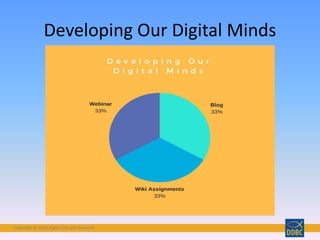
Developing Our Digital Minds
Copyright © 2018 Digital Disciple Network
• Understand collaboration
• Understand the Digital Discipleship Technology
Competencies related to collaboration
• Learn about wikis
• Learn how to embed media in PBWorks
Objectives for this Presentation
Copyright © 2018 Digital Disciple Network
This Photo by Unknown Author is licensed under CC BY
Copyright © 2018 Digital Disciple Network
• Two people learn or create something
together
• Groups of learners working together to search
for understanding, meaning or solutions
• Cooperative learning is a successful teaching
strategy in which small teams, each with
students of different levels of ability, use a
variety of learning activities to improve their
understanding of a subject.
What is Collaboration?
http://en.wikipedia.org/wiki/Collaborative_learning
Copyright © 2018 Digital Disciple Network
DDBC is Collaborative
Copyright © 2018 Digital Disciple Network
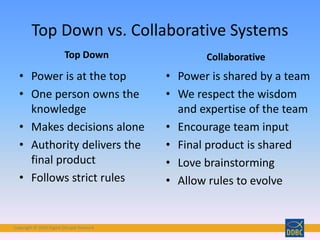
Top Down vs. Collaborative Systems
Top Down
• Power is at the top
• One person owns the
knowledge
• Makes decisions alone
• Authority delivers the
final product
• Follows strict rules
Collaborative
• Power is shared by a team
• We respect the wisdom
and expertise of the team
• Encourage team input
• Final product is shared
• Love brainstorming
• Allow rules to evolve
Copyright © 2018 Digital Disciple Network
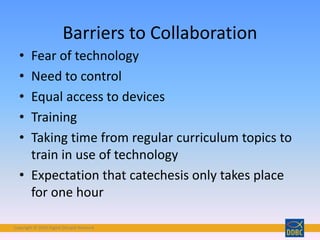
• Fear of technology
• Need to control
• Equal access to devices
• Training
• Taking time from regular curriculum topics to
train in use of technology
• Expectation that catechesis only takes place
for one hour
Barriers to Collaboration
Copyright © 2018 Digital Disciple Network
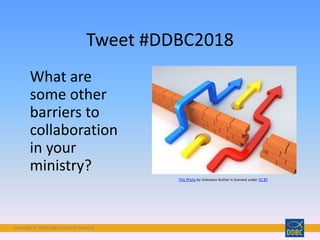
What are
some other
barriers to
collaboration
in your
ministry?
Tweet #DDBC2018
This Photo by Unknown Author is licensed under CC BY
Copyright © 2018 Digital Disciple Network
Collaborative Disciple – Ministers foster digital
collaboration, both with students and colleagues.
From <https://digitaldisciplenetwork.wordpress.com/about/standards/>
Digital Discipleship
Technology
Competencies
for Ministry
Copyright © 2018 Digital Disciple Network
Photo by Wilson Hui - Creative Commons Attribution License https://www.flickr.com/photos/51942038@N04 Created with Haiku Deck
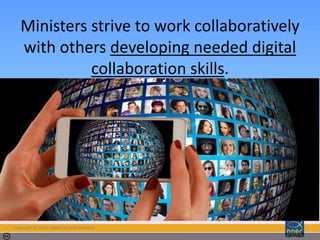
Ministers strive to work collaboratively
with others developing needed digital
collaboration skills.
Copyright © 2018 Digital Disciple Network
Photo by Tojosan - Creative Commons Attribution-NonCommercial-ShareAlike License https://www.flickr.com/photos/28069288@N00 Created with Haiku Deck
Ministers are able to use collaborative
digital tools to find and share
information.
Copyright © 2018 Digital Disciple Network
Photo by Fran Simó ( I dreamed about a human being ) - Creative Commons Attribution-NonCommercial-ShareAlike License https://www.flickr.com/photos/93211492@N06Created with Haiku Deck
Ministers are able to develop a digital
workplace that leads to engaged,
productive collaborators who innovate
and create 21st Century Digital Faith
Formation.
Copyright © 2018 Digital Disciple Network
What is a Digital Workplace?
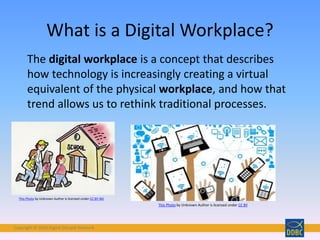
The digital workplace is a concept that describes
how technology is increasingly creating a virtual
equivalent of the physical workplace, and how that
trend allows us to rethink traditional processes.
This Photo by Unknown Author is licensed under CC BY-ND
This Photo by Unknown Author is licensed under CC BY
Copyright © 2018 Digital Disciple Network
Photo by Susan WD - Creative Commons Attribution-ShareAlike License https://www.flickr.com/photos/55306702@N00 Created with Haiku Deck
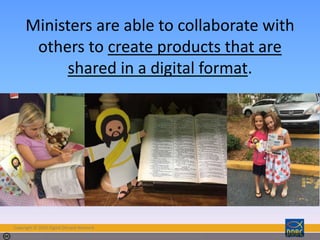
Ministers are able to collaborate with
others to create products that are
shared in a digital format.
Copyright © 2018 Digital Disciple Network
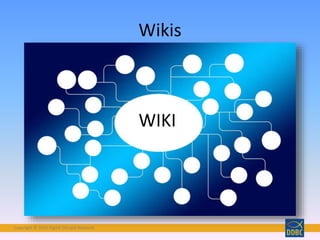
Wikis
WIKI
Copyright © 2018 Digital Disciple Network
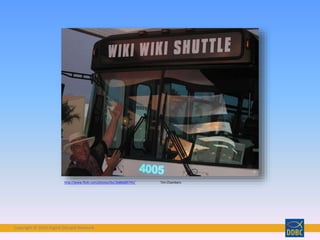
http://www.flickr.com/photos/tbc/2686689745/ Tim Chambers
Copyright © 2018 Digital Disciple Network
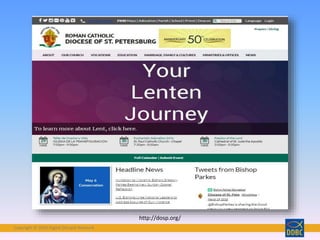
http://dosp.org/
Copyright © 2018 Digital Disciple Network
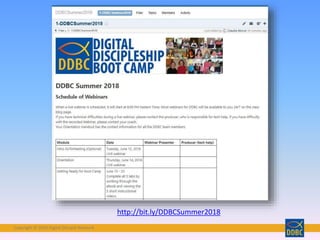
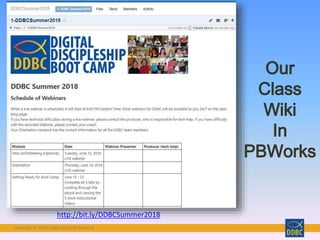
http://bit.ly/DDBCSummer2018
Copyright © 2018 Digital Disciple Network
• Web-Based
• Collaborative
• Great for Educational Use
• Flexible Content
Strengths of Wikis
Copyright © 2018 Digital Disciple Network
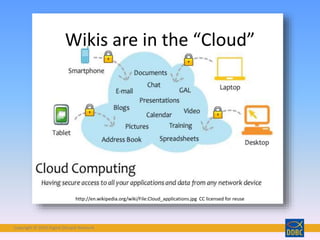
Wikis are in the “Cloud”
http://en.wikipedia.org/wiki/File:Cloud_applications.jpg CC licensed for reuse
Copyright © 2018 Digital Disciple Network
http://bit.ly/DDBCSummer2018
Copyright © 2018 Digital Disciple Network
Wikis are Collaborative Tools
Copyright © 2018 Digital Disciple Network
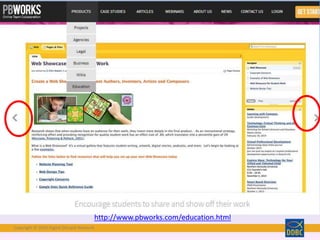
http://www.pbworks.com/education.html
Copyright © 2018 Digital Disciple Network
Wikis Invite Discussion
Copyright © 2018 Digital Disciple Network
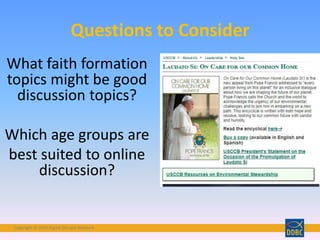
What faith formation
topics might be good
discussion topics?
Which age groups are
best suited to online

discussion?
Questions to Consider
Copyright © 2018 Digital Disciple Network
Wikis for Education and Catechesis
Copyright © 2018 Digital Disciple Network
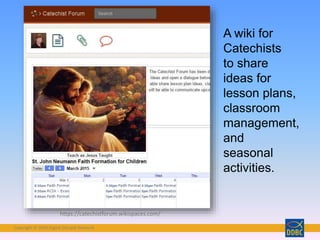
https://catechistforum.wikispaces.com/
A wiki for
Catechists
to share
ideas for
lesson plans,
classroom
management,
and
seasonal
activities.
Copyright © 2018 Digital Disciple Network
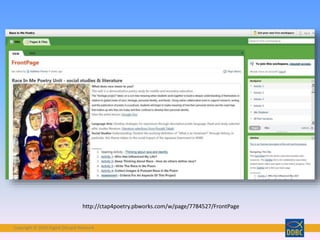
http://ctap4poetry.pbworks.com/w/page/7784527/FrontPage
Copyright © 2018 Digital Disciple Network
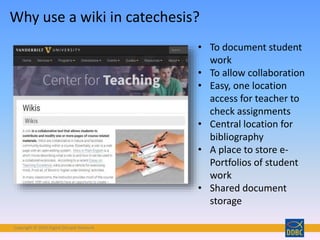
• To document student
work
• To allow collaboration
• Easy, one location
access for teacher to
check assignments
• Central location for
bibliography
• A place to store e-
Portfolios of student
work
• Shared document
storage
Why use a wiki in catechesis?
Copyright © 2018 Digital Disciple Network
http://www.educatorstechnology.com/2012/12/the-best-21-educational-wikis-of-2012.html
Copyright © 2018 Digital Disciple Network
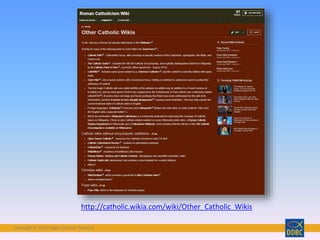
http://catholic.wikia.com/wiki/Other_Catholic_Wikis
Copyright © 2018 Digital Disciple Network
Wikis are Flexible Tools
Copyright © 2018 Digital Disciple Network
What is Embedding?
Embed: To incorporate (a video or
other item of data) within the body
of a web page or other document.
Copyright © 2018 Digital Disciple Network
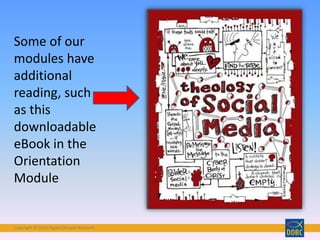
Some of our
modules have
additional
reading, such
as this
downloadable
eBook in the
Orientation
Module
Copyright © 2018 Digital Disciple Network
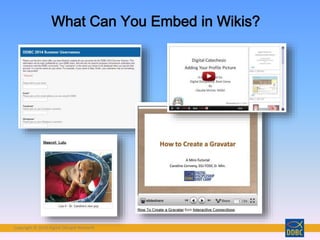
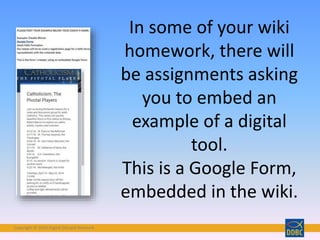
In some of your wiki
homework, there will
be assignments asking
you to embed an
example of a digital
tool.
This is a Google Form,
embedded in the wiki.
Copyright © 2018 Digital Disciple Network
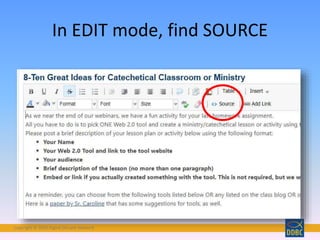
In EDIT mode, find SOURCE
Copyright © 2018 Digital Disciple Network
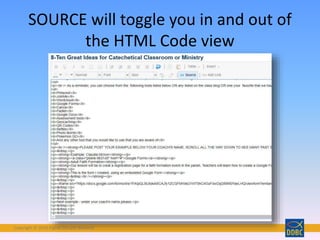
SOURCE will toggle you in and out of
the HTML Code view
Copyright © 2018 Digital Disciple Network
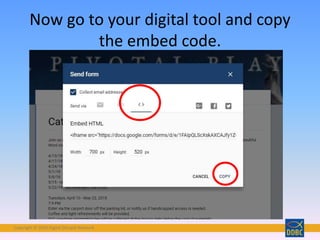
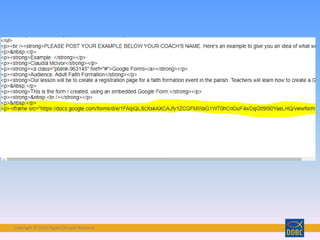
Now go to your digital tool and copy
the embed code.
Copyright © 2018 Digital Disciple Network
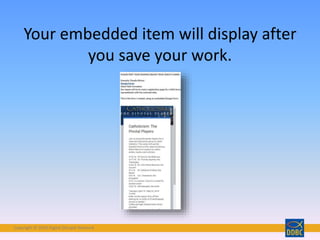
Your embedded item will display after
you save your work.
Copyright © 2018 Digital Disciple Network
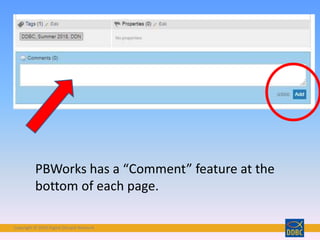
PBWorks has a “Comment” feature at the
bottom of each page.
Copyright © 2018 Digital Disciple Network
Contact Your Coach If Needed!
Copyright © 2018 Digital Disciple Network
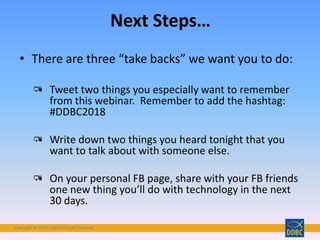
Next Steps…
• There are three “take backs” we want you to do:
Tweet two things you especially want to remember
from this webinar. Remember to add the hashtag:
#DDBC2018
Write down two things you heard tonight that you
want to talk about with someone else.
On your personal FB page, share with your FB friends
one new thing you’ll do with technology in the next
30 days.
Copyright © 2018 Digital Disciple Network
• Read the class blog for this module
• Assignment: comment on the blog as directed
• Assignment: brainstorm wiki ideas for ministry
in our class wiki under your coach’s name
• Post on Facebook/Twitter as indicated
Class Blog and Wiki
Homework for this Module
Copyright © 2018 Digital Disciple Network
Join the Conversation
Follow along and share
your thoughts on Twitter
at #DDBC2018
Come to our FB Group
Digital Discipleship Boot
Camp and converse with
your DDBC friends
Copyright © 2018 Digital Disciple NetworkCopyright © 2018 Digital Disciple Network
Please visit us on our website:
http://ddbcformation.org/
Copyright © 2018 Digital Disciple NetworkCopyright © 2018 Digital Disciple Network

Collaboration tools 2018

  • 1.
    Copyright © 2018Digital Disciple NetworkCopyright © 2018 Digital Disciple Network Collaboration Tools: Online Collaborating and Organizing for Ministry A Presentation of Digital Discipleship Boot Camp Lifelong Learners in the New Media Age
  • 2.
    Copyright © 2018Digital Disciple Network Claudia McIvor, MSEd
  • 3.
    Copyright © 2018Digital Disciple NetworkCopyright © 2018 Digital Disciple Network
  • 4.
    Copyright © 2018Digital Disciple Network Developing Our Digital Minds
  • 5.
    Copyright © 2018Digital Disciple Network • Understand collaboration • Understand the Digital Discipleship Technology Competencies related to collaboration • Learn about wikis • Learn how to embed media in PBWorks Objectives for this Presentation
  • 6.
    Copyright © 2018Digital Disciple Network This Photo by Unknown Author is licensed under CC BY
  • 7.
    Copyright © 2018Digital Disciple Network • Two people learn or create something together • Groups of learners working together to search for understanding, meaning or solutions • Cooperative learning is a successful teaching strategy in which small teams, each with students of different levels of ability, use a variety of learning activities to improve their understanding of a subject. What is Collaboration? http://en.wikipedia.org/wiki/Collaborative_learning
  • 8.
    Copyright © 2018Digital Disciple Network DDBC is Collaborative
  • 9.
    Copyright © 2018Digital Disciple Network Top Down vs. Collaborative Systems Top Down • Power is at the top • One person owns the knowledge • Makes decisions alone • Authority delivers the final product • Follows strict rules Collaborative • Power is shared by a team • We respect the wisdom and expertise of the team • Encourage team input • Final product is shared • Love brainstorming • Allow rules to evolve
  • 10.
    Copyright © 2018Digital Disciple Network • Fear of technology • Need to control • Equal access to devices • Training • Taking time from regular curriculum topics to train in use of technology • Expectation that catechesis only takes place for one hour Barriers to Collaboration
  • 11.
    Copyright © 2018Digital Disciple Network What are some other barriers to collaboration in your ministry? Tweet #DDBC2018 This Photo by Unknown Author is licensed under CC BY
  • 12.
    Copyright © 2018Digital Disciple Network Collaborative Disciple – Ministers foster digital collaboration, both with students and colleagues. From <https://digitaldisciplenetwork.wordpress.com/about/standards/> Digital Discipleship Technology Competencies for Ministry
  • 13.
    Copyright © 2018Digital Disciple Network Photo by Wilson Hui - Creative Commons Attribution License https://www.flickr.com/photos/51942038@N04 Created with Haiku Deck Ministers strive to work collaboratively with others developing needed digital collaboration skills.
  • 14.
    Copyright © 2018Digital Disciple Network
  • 15.
    Copyright © 2018Digital Disciple Network Photo by Tojosan - Creative Commons Attribution-NonCommercial-ShareAlike License https://www.flickr.com/photos/28069288@N00 Created with Haiku Deck Ministers are able to use collaborative digital tools to find and share information.
  • 16.
    Copyright © 2018Digital Disciple Network Photo by Fran Simó ( I dreamed about a human being ) - Creative Commons Attribution-NonCommercial-ShareAlike License https://www.flickr.com/photos/93211492@N06Created with Haiku Deck Ministers are able to develop a digital workplace that leads to engaged, productive collaborators who innovate and create 21st Century Digital Faith Formation.
  • 17.
    Copyright © 2018Digital Disciple Network What is a Digital Workplace? The digital workplace is a concept that describes how technology is increasingly creating a virtual equivalent of the physical workplace, and how that trend allows us to rethink traditional processes. This Photo by Unknown Author is licensed under CC BY-ND This Photo by Unknown Author is licensed under CC BY
  • 18.
    Copyright © 2018Digital Disciple Network Photo by Susan WD - Creative Commons Attribution-ShareAlike License https://www.flickr.com/photos/55306702@N00 Created with Haiku Deck Ministers are able to collaborate with others to create products that are shared in a digital format.
  • 19.
    Copyright © 2018Digital Disciple Network
  • 20.
    Copyright © 2018Digital Disciple Network Wikis WIKI
  • 21.
    Copyright © 2018Digital Disciple Network http://www.flickr.com/photos/tbc/2686689745/ Tim Chambers
  • 22.
    Copyright © 2018Digital Disciple Network http://dosp.org/
  • 23.
    Copyright © 2018Digital Disciple Network http://bit.ly/DDBCSummer2018
  • 24.
    Copyright © 2018Digital Disciple Network
  • 25.
    Copyright © 2018Digital Disciple Network • Web-Based • Collaborative • Great for Educational Use • Flexible Content Strengths of Wikis
  • 26.
    Copyright © 2018Digital Disciple Network Wikis are in the “Cloud” http://en.wikipedia.org/wiki/File:Cloud_applications.jpg CC licensed for reuse
  • 27.
    Copyright © 2018Digital Disciple Network http://bit.ly/DDBCSummer2018
  • 28.
    Copyright © 2018Digital Disciple Network Wikis are Collaborative Tools
  • 29.
    Copyright © 2018Digital Disciple Network http://www.pbworks.com/education.html
  • 30.
    Copyright © 2018Digital Disciple Network Wikis Invite Discussion
  • 31.
    Copyright © 2018Digital Disciple Network What faith formation topics might be good discussion topics? Which age groups are best suited to online discussion? Questions to Consider
  • 32.
    Copyright © 2018Digital Disciple Network Wikis for Education and Catechesis
  • 33.
    Copyright © 2018Digital Disciple Network https://catechistforum.wikispaces.com/ A wiki for Catechists to share ideas for lesson plans, classroom management, and seasonal activities.
  • 34.
    Copyright © 2018Digital Disciple Network http://ctap4poetry.pbworks.com/w/page/7784527/FrontPage
  • 35.
    Copyright © 2018Digital Disciple Network • To document student work • To allow collaboration • Easy, one location access for teacher to check assignments • Central location for bibliography • A place to store e- Portfolios of student work • Shared document storage Why use a wiki in catechesis?
  • 36.
    Copyright © 2018Digital Disciple Network http://www.educatorstechnology.com/2012/12/the-best-21-educational-wikis-of-2012.html
  • 37.
    Copyright © 2018Digital Disciple Network http://catholic.wikia.com/wiki/Other_Catholic_Wikis
  • 38.
    Copyright © 2018Digital Disciple Network Wikis are Flexible Tools
  • 39.
    Copyright © 2018Digital Disciple Network What is Embedding? Embed: To incorporate (a video or other item of data) within the body of a web page or other document.
  • 40.
    Copyright © 2018Digital Disciple Network
  • 41.
    Copyright © 2018Digital Disciple Network Some of our modules have additional reading, such as this downloadable eBook in the Orientation Module
  • 42.
    Copyright © 2018Digital Disciple Network In some of your wiki homework, there will be assignments asking you to embed an example of a digital tool. This is a Google Form, embedded in the wiki.
  • 43.
    Copyright © 2018Digital Disciple Network In EDIT mode, find SOURCE
  • 44.
    Copyright © 2018Digital Disciple Network SOURCE will toggle you in and out of the HTML Code view
  • 45.
    Copyright © 2018Digital Disciple Network Now go to your digital tool and copy the embed code.
  • 46.
    Copyright © 2018Digital Disciple Network
  • 47.
    Copyright © 2018Digital Disciple Network Your embedded item will display after you save your work.
  • 48.
    Copyright © 2018Digital Disciple Network PBWorks has a “Comment” feature at the bottom of each page.
  • 49.
    Copyright © 2018Digital Disciple Network Contact Your Coach If Needed!
  • 50.
    Copyright © 2018Digital Disciple Network Next Steps… • There are three “take backs” we want you to do: Tweet two things you especially want to remember from this webinar. Remember to add the hashtag: #DDBC2018 Write down two things you heard tonight that you want to talk about with someone else. On your personal FB page, share with your FB friends one new thing you’ll do with technology in the next 30 days.
  • 51.
    Copyright © 2018Digital Disciple Network • Read the class blog for this module • Assignment: comment on the blog as directed • Assignment: brainstorm wiki ideas for ministry in our class wiki under your coach’s name • Post on Facebook/Twitter as indicated Class Blog and Wiki Homework for this Module
  • 52.
    Copyright © 2018Digital Disciple Network Join the Conversation Follow along and share your thoughts on Twitter at #DDBC2018 Come to our FB Group Digital Discipleship Boot Camp and converse with your DDBC friends
  • 53.
    Copyright © 2018Digital Disciple NetworkCopyright © 2018 Digital Disciple Network Please visit us on our website: http://ddbcformation.org/
  • 54.
    Copyright © 2018Digital Disciple NetworkCopyright © 2018 Digital Disciple Network

Editor's Notes

  • #2 1
  • #3 2
  • #4 3
  • #5 4
  • #6 5
  • #8 7
  • #9 DDBC is a collaborative program, and we model collaborative approach
  • #10 https://blog.innocentive.com/2013/11/21/8-differences-between-traditional-and-collaborative-leaders
  • #13 12
  • #14 13
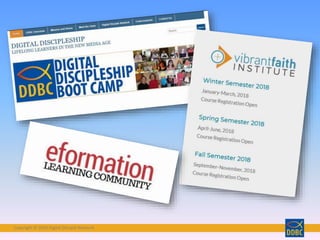
  • #15 DDBC, Vibrant Faith, and Va Theological Seminary all offer online training to acquire digital skills for use in ministry
  • #16 15
  • #17 16
  • #19 18
  • #20  I use a blended approach to faith formation- Intergenerational Collaborative Uses tech, but not exclusively Able to share it with the parish in many forms – FB, website, etc. Families can share our digital content with extended family members that way, too.
  • #21 Now we are going to spend some time talking about our online collaboration tool called a wiki.
  • #22 21
  • #23 22
  • #24 23
  • #25 24
  • #26 25
  • #27 26
  • #28 27
  • #29 28
  • #30 29
  • #31 30
  • #32 31
  • #33 32
  • #34 33
  • #35 34
  • #36 35
  • #37 36
  • #38 This is an interesting curation of Catholic wikis.
  • #39 38
  • #41 40
  • #42 Orientation module has this ebook as part of your assignment
  • #46 Look for the this symbol that indicates where to find the HTML code you need. Copy it. Go back to the wiki and in Source view, paste the code at the end of the other code that’s already there.
  • #47 Your pasted code will look something like this highlighted area. SAVE your work.
  • #49 Some modules will ask you to comment here. Some will ask you to comment in the blog. Type in your comment and click on “Add” to save it
  • #51 50
  • #52 51
  • #53 52
  • #54 53
  • #55 54