Copyright © 2018 Interactive ConnectionsCopyright © 2018 Interactive Connections
Twitter Lab
A Presentation of Digital Discipleship Boot Camp
Lifelong Learners in the New Media Age
Copyright © 2018 Interactive Connections
Our Two Social Media Tools
Copyright © 2018 Interactive Connections
Objectives
• Create a Twitter Account
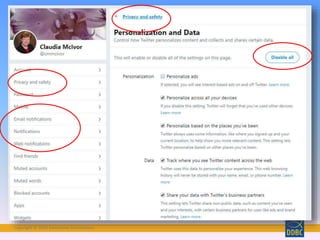
• Understand Privacy Settings
• Define terms
•Navigate Twitter
• Learn how (why) to follow people
• Why use Twitter for ministry?
Copyright © 2018 Interactive Connections
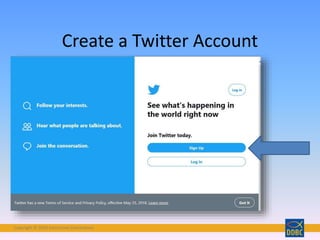
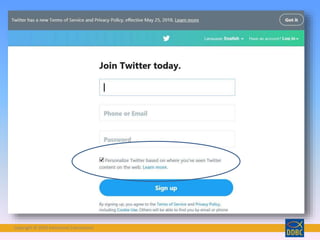
Create a Twitter Account
Copyright © 2018 Interactive Connections
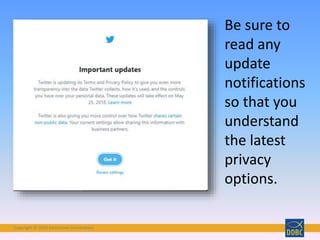
Be sure to
read any
update
notifications
so that you
understand
the latest
privacy
options.
Copyright © 2018 Interactive Connections
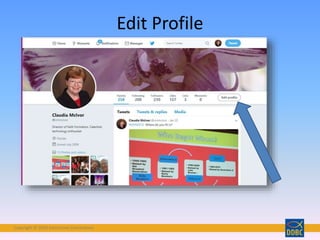
Edit Profile
Copyright © 2018 Interactive Connections
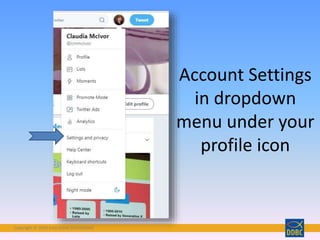
Account Settings
in dropdown
menu under your
profile icon
Copyright © 2018 Interactive Connections
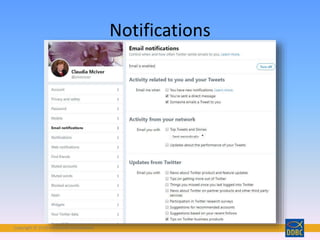
Notifications
Copyright © 2018 Interactive Connections
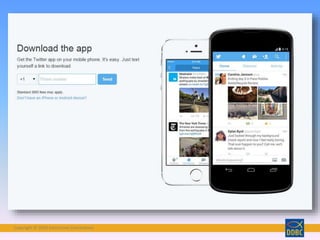
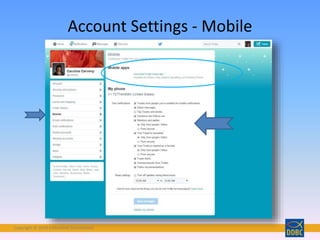
Account Settings - Mobile
Copyright © 2018 Interactive Connections
• Twitter = a micro social
networking site
• Tweet = 140 character
update. Public by default!
Can include photos, links,
text…
Defining Terms
http://www.flickr.com/photos/thecampbells/5042764163/
Copyright © 2018 Interactive Connections
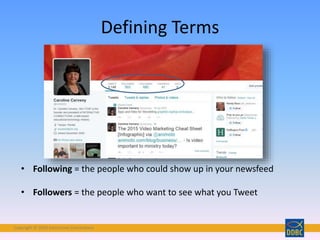
• Following = the people who could show up in your newsfeed
• Followers = the people who want to see what you Tweet
Defining Terms
Copyright © 2018 Interactive Connections
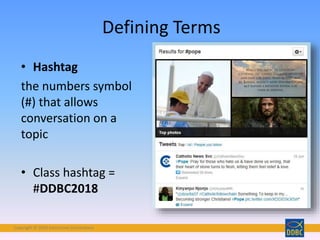
• Hashtag
the numbers symbol
(#) that allows
conversation on a
topic
• Class hashtag =
#DDBC2018
Defining Terms
Copyright © 2018 Interactive Connections
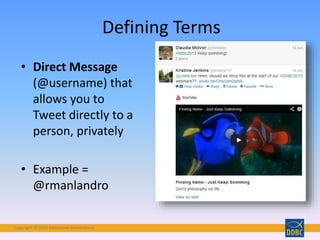
• Direct Message
(@username) that
allows you to
Tweet directly to a
person, privately
• Example =
@rmanlandro
Defining Terms
Copyright © 2018 Interactive Connections
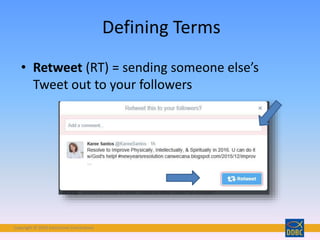
• Retweet (RT) = sending someone else’s
Tweet out to your followers
Defining Terms
Copyright © 2018 Interactive Connections
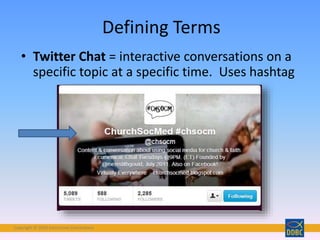
• Twitter Chat = interactive conversations on a
specific topic at a specific time. Uses hashtag
Defining Terms
Copyright © 2018 Interactive Connections
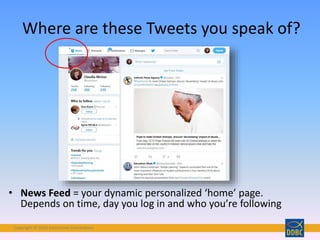
• News Feed = your dynamic personalized ‘home’ page.
Depends on time, day you log in and who you’re following
Where are these Tweets you speak of?
Copyright © 2018 Interactive Connections
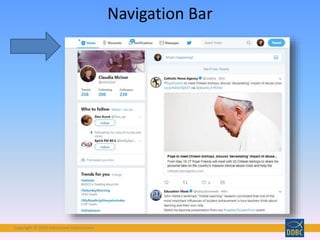
Navigation Bar
Copyright © 2018 Interactive Connections
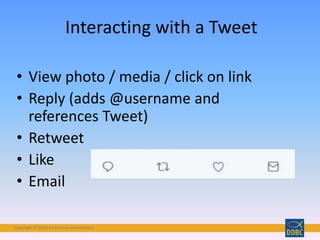
• View photo / media / click on link
• Reply (adds @username and
references Tweet)
• Retweet
• Like
• Email
Interacting with a Tweet
Copyright © 2018 Interactive Connections
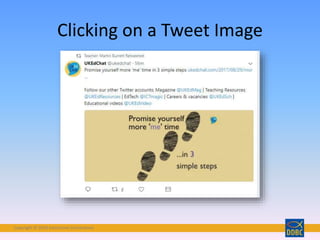
Clicking on a Tweet Image
Copyright © 2018 Interactive Connections
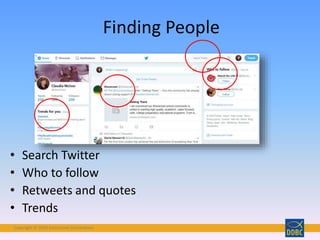
Finding People
• Search Twitter
• Who to follow
• Retweets and quotes
• Trends
Copyright © 2018 Interactive Connections
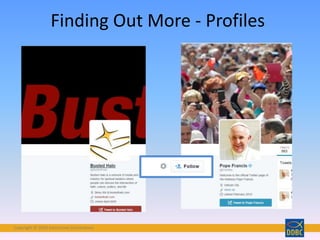
Finding Out More - Profiles
Copyright © 2018 Interactive Connections
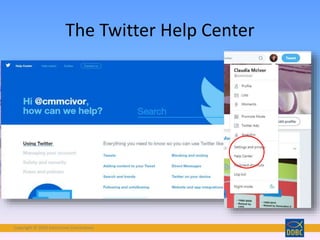
The Twitter Help Center
Copyright © 2018 Interactive Connections
• Common Craft: Twitter in Plain English (2 min video)
http://www.commoncraft.com/video/twitter
• Twitter Tutorial 2013 (12 min. video)
http://www.youtube.com/watch?v=h08SlngA2zk
• Newbie Guide to Twitter (article) http://news.cnet.com/newbies-
guide-to-twitter/
• How to participate in a Twitter Chat (5 min video)
http://www.youtube.com/watch?v=xAWtiOPe4-I
• Tips for Using a Twitter Wall as an Event Organizer -
http://blog.livetweetapp.com/how-to-live-tweet-event-organizer/
Twitter Tutorials
Copyright © 2018 Interactive Connections
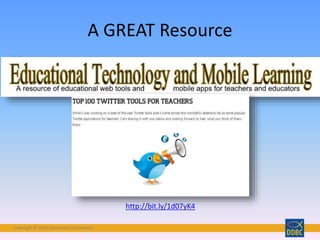
A GREAT Resource
http://bit.ly/1d07yK4
Copyright © 2018 Interactive Connections
Questions?
Contact your coach
Copyright © 2018 Interactive Connections
Join the Conversation
Follow along and
share your
thoughts on
Twitter at
#DDBC2018
Come to our FB
Group Digital
Discipleship Boot
Camp and
converse with
your DDBC friends
Copyright © 2018 Interactive ConnectionsCopyright © 2018 Interactive Connections
Please visit us on our website:
http://ddbcformation.org/

Ddbc lab twitter

  • 1.
    Copyright © 2018Interactive ConnectionsCopyright © 2018 Interactive Connections Twitter Lab A Presentation of Digital Discipleship Boot Camp Lifelong Learners in the New Media Age
  • 2.
    Copyright © 2018Interactive Connections Our Two Social Media Tools
  • 3.
    Copyright © 2018Interactive Connections Objectives • Create a Twitter Account • Understand Privacy Settings • Define terms •Navigate Twitter • Learn how (why) to follow people • Why use Twitter for ministry?
  • 4.
    Copyright © 2018Interactive Connections Create a Twitter Account
  • 5.
    Copyright © 2018Interactive Connections
  • 6.
    Copyright © 2018Interactive Connections Be sure to read any update notifications so that you understand the latest privacy options.
  • 7.
    Copyright © 2018Interactive Connections
  • 8.
    Copyright © 2018Interactive Connections Edit Profile
  • 9.
    Copyright © 2018Interactive Connections Account Settings in dropdown menu under your profile icon
  • 10.
    Copyright © 2018Interactive Connections
  • 11.
    Copyright © 2018Interactive Connections Notifications
  • 12.
    Copyright © 2018Interactive Connections
  • 13.
    Copyright © 2018Interactive Connections Account Settings - Mobile
  • 14.
    Copyright © 2018Interactive Connections • Twitter = a micro social networking site • Tweet = 140 character update. Public by default! Can include photos, links, text… Defining Terms http://www.flickr.com/photos/thecampbells/5042764163/
  • 15.
    Copyright © 2018Interactive Connections • Following = the people who could show up in your newsfeed • Followers = the people who want to see what you Tweet Defining Terms
  • 16.
    Copyright © 2018Interactive Connections • Hashtag the numbers symbol (#) that allows conversation on a topic • Class hashtag = #DDBC2018 Defining Terms
  • 17.
    Copyright © 2018Interactive Connections • Direct Message (@username) that allows you to Tweet directly to a person, privately • Example = @rmanlandro Defining Terms
  • 18.
    Copyright © 2018Interactive Connections • Retweet (RT) = sending someone else’s Tweet out to your followers Defining Terms
  • 19.
    Copyright © 2018Interactive Connections • Twitter Chat = interactive conversations on a specific topic at a specific time. Uses hashtag Defining Terms
  • 20.
    Copyright © 2018Interactive Connections • News Feed = your dynamic personalized ‘home’ page. Depends on time, day you log in and who you’re following Where are these Tweets you speak of?
  • 21.
    Copyright © 2018Interactive Connections Navigation Bar
  • 22.
    Copyright © 2018Interactive Connections • View photo / media / click on link • Reply (adds @username and references Tweet) • Retweet • Like • Email Interacting with a Tweet
  • 23.
    Copyright © 2018Interactive Connections Clicking on a Tweet Image
  • 24.
    Copyright © 2018Interactive Connections
  • 25.
    Copyright © 2018Interactive Connections Finding People • Search Twitter • Who to follow • Retweets and quotes • Trends
  • 26.
    Copyright © 2018Interactive Connections Finding Out More - Profiles
  • 27.
    Copyright © 2018Interactive Connections The Twitter Help Center
  • 28.
    Copyright © 2018Interactive Connections • Common Craft: Twitter in Plain English (2 min video) http://www.commoncraft.com/video/twitter • Twitter Tutorial 2013 (12 min. video) http://www.youtube.com/watch?v=h08SlngA2zk • Newbie Guide to Twitter (article) http://news.cnet.com/newbies- guide-to-twitter/ • How to participate in a Twitter Chat (5 min video) http://www.youtube.com/watch?v=xAWtiOPe4-I • Tips for Using a Twitter Wall as an Event Organizer - http://blog.livetweetapp.com/how-to-live-tweet-event-organizer/ Twitter Tutorials
  • 29.
    Copyright © 2018Interactive Connections A GREAT Resource http://bit.ly/1d07yK4
  • 30.
    Copyright © 2018Interactive Connections Questions? Contact your coach
  • 31.
    Copyright © 2018Interactive Connections Join the Conversation Follow along and share your thoughts on Twitter at #DDBC2018 Come to our FB Group Digital Discipleship Boot Camp and converse with your DDBC friends
  • 32.
    Copyright © 2018Interactive ConnectionsCopyright © 2018 Interactive Connections
  • 33.
    Copyright © 2018Interactive ConnectionsCopyright © 2018 Interactive Connections Please visit us on our website: http://ddbcformation.org/

Editor's Notes

  • #3 The three tools we will use in DDBC are Facebook, Twitter and Digital Catechesis Facebook is the tool for this lab.
  • #4 This lab is meant to help people complete their Part 2 LAB ASSIGNMENTS, found on the handout given to you at Orientation
  • #6 Fill in the required information. Be sure to read the Terms of Service and Privacy Policy The Personalize option is about this: populating your news feed with Tweets that might be of interest to you, based on your browsing history “To protect your privacy, we never associate this web browsing history with your name, email address, phone number, or Twitter handle, and we delete, obfuscate, or aggregate it after no longer than 30 days, as explained in our Privacy Policy.”
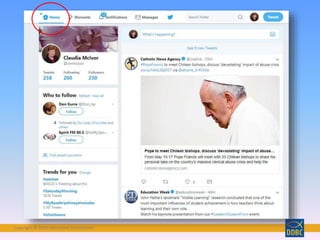
  • #8 This is your Twitter feed – from those you follow. When you click on HOME, you will be taken to this view.
  • #9 Header photo and your profile picture can be changed here.
  • #10 Profiles – same techniques – you decide what to share with ppl, in terms of location, website, bio info. Also- note- EMAIL NOTIFICATIONS – if you’re annoyed with too many notifications, go there and uncheck boxes.
  • #13 If you access Twitter on your mobile device via an app, things will display differently
  • #14 But essentially, you will still have the same options for privacy and settings
  • #15 You go on twitter to send tweets. You do not ‘twitter’ or ‘go twittering’ Some users can Tweet up to 280 characters.
  • #16 Obvious, I think! Not just about numbers, but they give you an idea of how active a person is…
  • #19 Symbol notes it’s a retweet- your name is smaller and the original photo / username shows up Good way to find / promote other twitter accounts
  • #20 This is both account username and hashtag- not always so. Also, this is established, repeating chat- not always so  Can be confusing to participate in, but if you’re up to the challenge- lots of great people and resources.
  • #22 Top bar - Home = your home page – stats, latest tweets, twitter’s suggestions on who to follow Moments – Moments are curated stories showcasing the best of what’s happening on Twitter. The Moments guide is customized to show you current topics that are popular or relevant, so you can discover what is unfolding on Twitter in an instant. Notifications – see recent activity Messages – read any direct messages Bird – reloads your news feeds Search – search for people you might know on Twitter using @ or email or their name
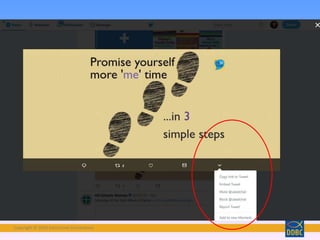
  • #25 Click on the Tweet image itself – If it’s linked to an article, you will go to the article. Click on the dropdown arrow to see all the options
  • #26 You can search for people in the search box You can look through the suggestions given by Twitter You can watch for retweets and quotes You can look at the “Trends” list given by Twitter
  • #27 Hover over their Profile picture for a popup Click their image or “go to full profile” for more Or click “follow” button if you know right away!
  • #28 Always has the latest information
  • #29 Here are some links to YouTube video tutorials – a couple years old but still worth watching if you want to understand Twitter more thoroughly. A Twitter chat is a public Twitter conversation around one unique hashtag. This hashtag allows you to follow the discussion and participate in it. 
  • #30 Check out Ed Tech and Mobil Learning for GREAT Educational applications for Twitter.