Online Environmental Issue Presentation
Aubrey Hall
Grand Canyon University - TEC 516
October 31, 2018
“the self-monitored habits that sustain and improve the digital
communities you enjoy or depend on”
Safety, Health,
Legal, and Ethical
Issues
#1) Teach students what digital citizenship
means and how to be a good digital citizen
https://www.edutopia.org/blog/digital-citizenship-need-to-
know-vicki-davis
#2) Clearly define plagiarism,
how to avoid it, & the consequences
#3) Model the expected safe & ethical behaviors
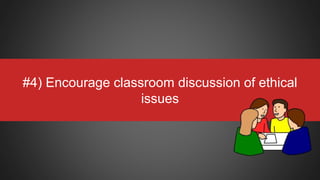
#4) Encourage classroom discussion of ethical
issues
#5) Monitor ALL student online activities
“Strategies for Teaching
Internet Ethics”
Martha Rader (2003)
Familiarize yourself & your students with the
CIPA (Child Internet Protection Act)
Requirements
https://www.fcc.gov/consumers/guides/childrens-internet-protection-act
Cultural and
Equity Issues
Technology:
A “Double-Edged Sword”
The Digital Divide
Inequity in Technology
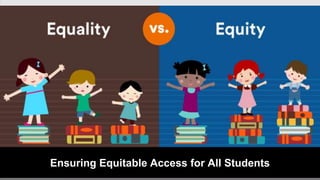
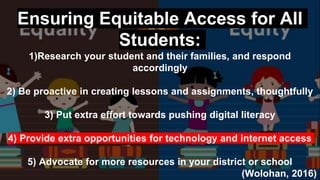
Ensuring Equitable Access for All Students
Ensuring Equitable Access for All
Students:
1)Research your student and their families, and respond
accordingly
2) Be proactive in creating lessons and assignments, thoughtfully
3) Put extra effort towards pushing digital literacy
4) Provide extra opportunities for technology and internet access
5) Advocate for more resources in your district or school
(Wolohan, 2016)
Ensuring Equitable Access for All
Students:
1)Research your student and their families, and respond
accordingly
2) Be proactive in creating lessons and assignments, thoughtfully
3) Put extra effort towards pushing digital literacy
4) Provide extra opportunities for technology and internet access
5) Advocate for more resources in your district or school
(Wolohan, 2016)
Ensuring Equitable Access for All
Students:
1)Research your student and their families, and respond
accordingly
2) Be proactive in creating lessons and assignments, thoughtfully
3) Put extra effort towards pushing digital literacy
4) Provide extra opportunities for technology and internet access
5) Advocate for more resources in your district or school
(Wolohan, 2016)
Ensuring Equitable Access for All
Students:
1)Research your student and their families, and respond
accordingly
2) Be proactive in creating lessons and assignments, thoughtfully
3) Put extra effort towards pushing digital literacy
4) Provide extra opportunities for technology and internet access
5) Advocate for more resources in your district or school
(Wolohan, 2016)
Ensuring Equitable Access for All
Students:
1)Research your student and their families, and respond
accordingly
2) Be proactive in creating lessons and assignments, thoughtfully
3) Put extra effort towards pushing digital literacy
4) Provide extra opportunities for technology and internet access
5) Advocate for more resources in your district or school
(Wolohan, 2016)
Digital Age
Communication
& Collaboration
Tools
have the
potential to...
Promote:
Diversity,
cultural
understanding,
and global
awareness
Promote:
Diversity,
cultural
understanding,
and global
awareness
Promote:
Diversity,
cultural
understanding,
and global
awareness
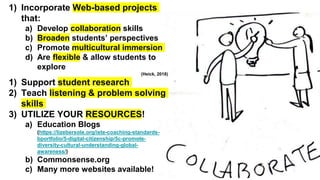
1) Incorporate Web-based projects
that:
a) Develop collaboration skills
b) Broaden students’ perspectives
c) Promote multicultural immersion
d) Are flexible & allow students to
explore
(Heick, 2018)
1) Support student research
2) Teach listening & problem solving
skills
3) UTILIZE YOUR RESOURCES!
a) Education Blogs
(https://lizebersole.org/iste-coaching-standards-
bportfolio/5-digital-citizenship/5c-promote-
diversity-cultural-understanding-global-
awareness/)
b) Commonsense.org
c) Many more websites available!
IDEAS:
Blogging,
Google Docs,
PenPal Schools
Classroom 2.0,
Podcasting,
References
Common Sense. (2018). Common sense education. Retrieved from https://www.commonsense.org/education/
Davis, V. (2017). Edutopia. What your students really need to know about digital citizenship. Retrieved from
https://www.edutopia.org/blog/digital-citizenship-need-to-know-vicki-davis
Federal Communications Commission. (n.d.). Children Internet Protection Act (CIPA). Retrieved from
https://www.fcc.gov/consumers/guides/childrens-internet-protection-act
Heick, T. (2018). Teachthought. The definition of digital citizenship, Retrieved from
https://www.teachthought.com/the-future-of-learning/the-definition-of-digital-citzenship/
Rader, M. (2003). Strategies for teaching internet ethics. Retrieved from http://eds.b.ebscohost.com.lopes.idm.oclc.org/
Roblyer, M.D. (2016). Integration Educational Technology into Teaching. Retrieved from
https://www.gcumedia.com/digital-resources/pearson/2015/integrating-educational-technology-into-teaching_ebook_7e.php
Wolohan, S. (2016). EdSurge. How teachers can provide equal learning in a world of unequal access

Tec 516 online environmental issue presentation aubrey hall

  • 1.
    Online Environmental IssuePresentation Aubrey Hall Grand Canyon University - TEC 516 October 31, 2018
  • 4.
    “the self-monitored habitsthat sustain and improve the digital communities you enjoy or depend on”
  • 6.
  • 7.
    #1) Teach studentswhat digital citizenship means and how to be a good digital citizen https://www.edutopia.org/blog/digital-citizenship-need-to- know-vicki-davis
  • 8.
    #2) Clearly defineplagiarism, how to avoid it, & the consequences
  • 9.
    #3) Model theexpected safe & ethical behaviors
  • 10.
    #4) Encourage classroomdiscussion of ethical issues
  • 11.
    #5) Monitor ALLstudent online activities
  • 12.
    “Strategies for Teaching InternetEthics” Martha Rader (2003)
  • 13.
    Familiarize yourself &your students with the CIPA (Child Internet Protection Act) Requirements https://www.fcc.gov/consumers/guides/childrens-internet-protection-act
  • 14.
  • 15.
  • 16.
    Ensuring Equitable Accessfor All Students
  • 17.
    Ensuring Equitable Accessfor All Students: 1)Research your student and their families, and respond accordingly 2) Be proactive in creating lessons and assignments, thoughtfully 3) Put extra effort towards pushing digital literacy 4) Provide extra opportunities for technology and internet access 5) Advocate for more resources in your district or school (Wolohan, 2016)
  • 18.
    Ensuring Equitable Accessfor All Students: 1)Research your student and their families, and respond accordingly 2) Be proactive in creating lessons and assignments, thoughtfully 3) Put extra effort towards pushing digital literacy 4) Provide extra opportunities for technology and internet access 5) Advocate for more resources in your district or school (Wolohan, 2016)
  • 19.
    Ensuring Equitable Accessfor All Students: 1)Research your student and their families, and respond accordingly 2) Be proactive in creating lessons and assignments, thoughtfully 3) Put extra effort towards pushing digital literacy 4) Provide extra opportunities for technology and internet access 5) Advocate for more resources in your district or school (Wolohan, 2016)
  • 20.
    Ensuring Equitable Accessfor All Students: 1)Research your student and their families, and respond accordingly 2) Be proactive in creating lessons and assignments, thoughtfully 3) Put extra effort towards pushing digital literacy 4) Provide extra opportunities for technology and internet access 5) Advocate for more resources in your district or school (Wolohan, 2016)
  • 21.
    Ensuring Equitable Accessfor All Students: 1)Research your student and their families, and respond accordingly 2) Be proactive in creating lessons and assignments, thoughtfully 3) Put extra effort towards pushing digital literacy 4) Provide extra opportunities for technology and internet access 5) Advocate for more resources in your district or school (Wolohan, 2016)
  • 22.
  • 23.
  • 24.
  • 25.
  • 26.
    1) Incorporate Web-basedprojects that: a) Develop collaboration skills b) Broaden students’ perspectives c) Promote multicultural immersion d) Are flexible & allow students to explore (Heick, 2018) 1) Support student research 2) Teach listening & problem solving skills 3) UTILIZE YOUR RESOURCES! a) Education Blogs (https://lizebersole.org/iste-coaching-standards- bportfolio/5-digital-citizenship/5c-promote- diversity-cultural-understanding-global- awareness/) b) Commonsense.org c) Many more websites available!
  • 27.
  • 28.
    References Common Sense. (2018).Common sense education. Retrieved from https://www.commonsense.org/education/ Davis, V. (2017). Edutopia. What your students really need to know about digital citizenship. Retrieved from https://www.edutopia.org/blog/digital-citizenship-need-to-know-vicki-davis Federal Communications Commission. (n.d.). Children Internet Protection Act (CIPA). Retrieved from https://www.fcc.gov/consumers/guides/childrens-internet-protection-act Heick, T. (2018). Teachthought. The definition of digital citizenship, Retrieved from https://www.teachthought.com/the-future-of-learning/the-definition-of-digital-citzenship/ Rader, M. (2003). Strategies for teaching internet ethics. Retrieved from http://eds.b.ebscohost.com.lopes.idm.oclc.org/ Roblyer, M.D. (2016). Integration Educational Technology into Teaching. Retrieved from https://www.gcumedia.com/digital-resources/pearson/2015/integrating-educational-technology-into-teaching_ebook_7e.php Wolohan, S. (2016). EdSurge. How teachers can provide equal learning in a world of unequal access

Editor's Notes

  • #3 Digital citizenship is a phrase that is commonly utilized in the education system. But how often is it learned by both educators and students and seen in practice in the classroom?
  • #4 It’s first important to understand what digital citizenship is. Terry Heick in “The Definition of Digital Citizenship” has an excellent definition of exactly what digital citizenship entails: “the self-monitored habits that sustain and improve the digital communities you enjoy or depend on”(2018). Additionally, Heick explains that this involves utilizing a wide variety of skills as well as characteristics such as to: engage, respect, create, include, listen, master, explore, cross reference, and more (2018). In order to promote online safety and appropriate digital behavior, the skills of digital citizenship must be taught and modeled by teachers.
  • #5 It’s first important to understand what digital citizenship is. Terry Heick in “The Definition of Digital Citizenship” has an excellent definition of exactly what digital citizenship entails: “the self-monitored habits that sustain and improve the digital communities you enjoy or depend on”(2018). Additionally, Heick explains that this involves utilizing a wide variety of skills as well as characteristics such as to: engage, respect, create, include, listen, master, explore, cross reference, and more (2018). In order to promote online safety and appropriate digital behavior, the skills of digital citizenship must be taught and modeled by teachers.
  • #6 Practicing digital citizenship helps educators model ethical instruction for their students and peers by demonstrating the self-monitored habits that help to maintain, support, and improve the digital communities we enjoy and use. Student safety in this digital world should be the primary goal of educaors. As your technology coach today, I hope to support you in learning to teach your students these safe behaviors.
  • #7 The first important point to discuss in this presentation is the safety, health, legal, and ethical issues that teachers and students may encounter in the online environment and how to avoid unsafe or unethical situations.
  • #8 It is first crucial to teach students what digital citizenship means and how to be a good digital citizen. Clearly setting these expectations will get your students off to the right start for participating online ethically and safely. There are many resources available to assist in doing so, but an excellent resource that breaks it down is Vicki Davis’ blog post on Edutopia’s “What your Students really need to know about Digital Citizenship” at https://www.edutopia.org/blog/digital-citizenship-need-to-know-vicki-davis (Click on link)
  • #9 Second, a big issue of ethical and legal compromise, is plagiarism. Clearly communicate to students what is considered plagiarism and teach students how to properly cite when needed, communicating the ethical codes expected and discussing the possible consequences if plagiarism occurs.
  • #10 Perhaps the most important point, is that educators must model the expected safe and ethical behaviors to their students in order for students to fully understand what this looks like and how to behave appropriately in the digital world. It is our responsibility as educators to model the highest professional and ethical standards and emphasize the important of values and morals.
  • #11 Be open and honest with students about ethical issues and encourage students to feel free to ask questions and report anything they think might be unethical or unsafe. Always reassure students that they aren’t “tattle-taling” but instead are protecting their peers from the dangers that the digital world can have. Pose hypothetical situations to students and have them discuss the right decisions and steps to take.
  • #12 Unfortunately, the bottomline is students need monitoring and thus it is our responsibility as educators to monitor their behaviors online while at school. This means circulating the classroom during technology activities, checking Internet history, and if permissible by your school, checking school websites and emails.
  • #13 For more in-depths explanations of these strategies, read the article found online “Strategies for Teaching Internet Ethics” by Martha Radar.
  • #14 Another very important element of the safety component of digital citizenship is being familiar with the CIPA (child internet protection act) requirements. This is an act that was enacted by Congress in 2000 to address concerns about young students’ access to harmful content on the Internet. For more information please visit, https://www.fcc.gov/consumers/guides/childrens-internet-protection-act and read more about these requirements and what you can do to follow these.
  • #15 As Roblyer in Integration Educational Technology into Teaching describes, the power of technology is a “double-edged sword”meaning that while it presents many advantages and opportunities to change education and empower students and teachers, it also has the potential to divide members of our society (2018).
  • #16 Inequity within technology amongst different groups such as gender and socioeconomic, has created a “digital divide”(Roblyer, 2018). The problem with this is students with less access to technology are less prepared for success in the futures in college and different career paths. This problem urgently needs attention and a solution.
  • #17 It is crucial that we, as educators, ensure equitable access for all students
  • #18 1. Research your student and their families, and respond accordingly First, get to know your audience--which in this case is your students and their families. An excellent way to do this is by sending out a “technology survey” at the beginning of the year that is confidential and is simply to get to know the students better. Never assume that they have unlimited or uninhibited internet access. Students may be accessing things through their parent’s mobile device or other unreliable means. Additionally, families without home internet access are less likely to be able to “evaluate and interpret” information and content that students encounter online. Teachers need to be cognizant of how their students and families interact with technology. 2. Be proactive in creating lessons and assignments, thoughtfully Carefully think through assignments such as online research or writing assignments that require a desktop or laptop at home. As educators we are intentional in differentiating based on student abilities, but we need to start thinking about how to differentiate for the digital divide, as wel (Wolohan, 2016). When creating a lesson with technology as an integral piece, be able to explain why that technology is an integral piece and—more importantly—how you are going to accommodate for students without home access. 3. Put extra effort towards pushing digital literacy Make teaching digital literacy a part of your daily classroom routines. Tasks such as activities in word processing, web browsing, creating PowerPoints and videos should be built into classroom procedures at the beginning of the year to accommodate those students who may be unfamiliar. We shouldn’t ever assume or expect that students know how to utilize technology, especially academic programs. 4. Provide extra opportunities for technology and internet access Once you have an understanding of your students and their home lives, find a consistent time before or after school in which students can come in and receive help or use the technology available in the school. Offer tutorials to both the parents and students, depending on the level of needs. Also be sure to make additional opportunities outside of school known to the parents and students, such as public libraries. 5. Advocate for more resources in your district or school Digital inequality is a serious matter as it can contribute to educational inequality, which in turn perpetuates economic inequality. Therefore, this is a bigger societal problem that needs attention from districts and government decision-makers. Hence, this is not just the problem of students, teachers, or parents—it’s everyone’s problem. Although we as educators must adapt and create flexible solutions to improve the inequity, we also need to make our voices heard.
  • #19 1. Research your student and their families, and respond accordingly First, get to know your audience--which in this case is your students and their families. An excellent way to do this is by sending out a “technology survey” at the beginning of the year that is confidential and is simply to get to know the students better. Never assume that they have unlimited or uninhibited internet access. Students may be accessing things through their parent’s mobile device or other unreliable means. Additionally, families without home internet access are less likely to be able to “evaluate and interpret” information and content that students encounter online. Teachers need to be cognizant of how their students and families interact with technology. 2. Be proactive in creating lessons and assignments, thoughtfully Carefully think through assignments such as online research or writing assignments that require a desktop or laptop at home. As educators we are intentional in differentiating based on student abilities, but we need to start thinking about how to differentiate for the digital divide, as wel (Wolohan, 2016). When creating a lesson with technology as an integral piece, be able to explain why that technology is an integral piece and—more importantly—how you are going to accommodate for students without home access. 3. Put extra effort towards pushing digital literacy Make teaching digital literacy a part of your daily classroom routines. Tasks such as activities in word processing, web browsing, creating PowerPoints and videos should be built into classroom procedures at the beginning of the year to accommodate those students who may be unfamiliar. We shouldn’t ever assume or expect that students know how to utilize technology, especially academic programs. 4. Provide extra opportunities for technology and internet access Once you have an understanding of your students and their home lives, find a consistent time before or after school in which students can come in and receive help or use the technology available in the school. Offer tutorials to both the parents and students, depending on the level of needs. Also be sure to make additional opportunities outside of school known to the parents and students, such as public libraries. 5. Advocate for more resources in your district or school Digital inequality is a serious matter as it can contribute to educational inequality, which in turn perpetuates economic inequality. Therefore, this is a bigger societal problem that needs attention from districts and government decision-makers. Hence, this is not just the problem of students, teachers, or parents—it’s everyone’s problem. Although we as educators must adapt and create flexible solutions to improve the inequity, we also need to make our voices heard.
  • #20 1. Research your student and their families, and respond accordingly First, get to know your audience--which in this case is your students and their families. An excellent way to do this is by sending out a “technology survey” at the beginning of the year that is confidential and is simply to get to know the students better. Never assume that they have unlimited or uninhibited internet access. Students may be accessing things through their parent’s mobile device or other unreliable means. Additionally, families without home internet access are less likely to be able to “evaluate and interpret” information and content that students encounter online. Teachers need to be cognizant of how their students and families interact with technology. 2. Be proactive in creating lessons and assignments, thoughtfully Carefully think through assignments such as online research or writing assignments that require a desktop or laptop at home. As educators we are intentional in differentiating based on student abilities, but we need to start thinking about how to differentiate for the digital divide, as wel (Wolohan, 2016). When creating a lesson with technology as an integral piece, be able to explain why that technology is an integral piece and—more importantly—how you are going to accommodate for students without home access. 3. Put extra effort towards pushing digital literacy Make teaching digital literacy a part of your daily classroom routines. Tasks such as activities in word processing, web browsing, creating PowerPoints and videos should be built into classroom procedures at the beginning of the year to accommodate those students who may be unfamiliar. We shouldn’t ever assume or expect that students know how to utilize technology, especially academic programs. 4. Provide extra opportunities for technology and internet access Once you have an understanding of your students and their home lives, find a consistent time before or after school in which students can come in and receive help or use the technology available in the school. Offer tutorials to both the parents and students, depending on the level of needs. Also be sure to make additional opportunities outside of school known to the parents and students, such as public libraries. 5. Advocate for more resources in your district or school Digital inequality is a serious matter as it can contribute to educational inequality, which in turn perpetuates economic inequality. Therefore, this is a bigger societal problem that needs attention from districts and government decision-makers. Hence, this is not just the problem of students, teachers, or parents—it’s everyone’s problem. Although we as educators must adapt and create flexible solutions to improve the inequity, we also need to make our voices heard.
  • #21 1. Research your student and their families, and respond accordingly First, get to know your audience--which in this case is your students and their families. An excellent way to do this is by sending out a “technology survey” at the beginning of the year that is confidential and is simply to get to know the students better. Never assume that they have unlimited or uninhibited internet access. Students may be accessing things through their parent’s mobile device or other unreliable means. Additionally, families without home internet access are less likely to be able to “evaluate and interpret” information and content that students encounter online. Teachers need to be cognizant of how their students and families interact with technology. 2. Be proactive in creating lessons and assignments, thoughtfully Carefully think through assignments such as online research or writing assignments that require a desktop or laptop at home. As educators we are intentional in differentiating based on student abilities, but we need to start thinking about how to differentiate for the digital divide, as wel (Wolohan, 2016). When creating a lesson with technology as an integral piece, be able to explain why that technology is an integral piece and—more importantly—how you are going to accommodate for students without home access. 3. Put extra effort towards pushing digital literacy Make teaching digital literacy a part of your daily classroom routines. Tasks such as activities in word processing, web browsing, creating PowerPoints and videos should be built into classroom procedures at the beginning of the year to accommodate those students who may be unfamiliar. We shouldn’t ever assume or expect that students know how to utilize technology, especially academic programs. 4. Provide extra opportunities for technology and internet access Once you have an understanding of your students and their home lives, find a consistent time before or after school in which students can come in and receive help or use the technology available in the school. Offer tutorials to both the parents and students, depending on the level of needs. Also be sure to make additional opportunities outside of school known to the parents and students, such as public libraries. 5. Advocate for more resources in your district or school Digital inequality is a serious matter as it can contribute to educational inequality, which in turn perpetuates economic inequality. Therefore, this is a bigger societal problem that needs attention from districts and government decision-makers. Hence, this is not just the problem of students, teachers, or parents—it’s everyone’s problem. Although we as educators must adapt and create flexible solutions to improve the inequity, we also need to make our voices heard.
  • #22 1. Research your student and their families, and respond accordingly First, get to know your audience--which in this case is your students and their families. An excellent way to do this is by sending out a “technology survey” at the beginning of the year that is confidential and is simply to get to know the students better. Never assume that they have unlimited or uninhibited internet access. Students may be accessing things through their parent’s mobile device or other unreliable means. Additionally, families without home internet access are less likely to be able to “evaluate and interpret” information and content that students encounter online. Teachers need to be cognizant of how their students and families interact with technology. 2. Be proactive in creating lessons and assignments, thoughtfully Carefully think through assignments such as online research or writing assignments that require a desktop or laptop at home. As educators we are intentional in differentiating based on student abilities, but we need to start thinking about how to differentiate for the digital divide, as wel (Wolohan, 2016). When creating a lesson with technology as an integral piece, be able to explain why that technology is an integral piece and—more importantly—how you are going to accommodate for students without home access. 3. Put extra effort towards pushing digital literacy Make teaching digital literacy a part of your daily classroom routines. Tasks such as activities in word processing, web browsing, creating PowerPoints and videos should be built into classroom procedures at the beginning of the year to accommodate those students who may be unfamiliar. We shouldn’t ever assume or expect that students know how to utilize technology, especially academic programs. 4. Provide extra opportunities for technology and internet access Once you have an understanding of your students and their home lives, find a consistent time before or after school in which students can come in and receive help or use the technology available in the school. Offer tutorials to both the parents and students, depending on the level of needs. Also be sure to make additional opportunities outside of school known to the parents and students, such as public libraries. 5. Advocate for more resources in your district or school Digital inequality is a serious matter as it can contribute to educational inequality, which in turn perpetuates economic inequality. Therefore, this is a bigger societal problem that needs attention from districts and government decision-makers. Hence, this is not just the problem of students, teachers, or parents—it’s everyone’s problem. Although we as educators must adapt and create flexible solutions to improve the inequity, we also need to make our voices heard.
  • #23 The good news is there is powerful hope for technology in education. Digital age communication and collaboration tools have the potential to... have the potential to...
  • #24 To promote first, diversity
  • #25 Second cultural understanding
  • #26 And lastly, global awarness
  • #27 These facets can be achieved in the following ways: Planning web-based projects that: develop students’ collaboration skils, broadens students’ perspectives, and promotes multicultural immersion, are flexible and allow students to explore so that they are able to develop global awareness Support student research so that they are able to gain access information on as well communication with other cultures Teaching Listening and Problem Solving Skills will help students gain more awareness and be more understanding of other cultures; also help problem solving which will Finally, UTILIZE YOUR RESOURCES! Go online and explore lesson plan ideas and other ways to promote diversity, cultural understanding, and global awareness. Your students will appreciate it! For example, education blogs, commonsense.org has lesson plans and other resources, and many other websites available!
  • #28 Some ideas to implement into your classroom to promote culturally responsive learning through exploration and publishing opportunities include: Blogging, Google Docs, PenPal Schools, Classroom 2.0, Podcasting **Click on links to explore