Digital Citizenship
Presented by Sherelle Stubbs
Nine Themes of Digital Citizenship
There are nine elements of digital
citizenship, and in this presentation,
these elements will be presented in a
concise way.
THE NINE ELEMENTS
1. Digital Access
2 Digital Commerce
3. Digital Communication and Collaboration
4. Digital Etiquette
5. Digital Fluency
6. Digital Health and Welfare
7. Digital Law
8. Digital Rights and Responsibility
9. Digital Security and Privacy
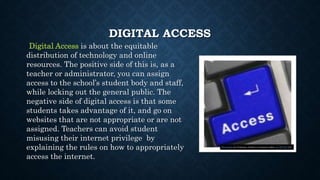
DIGITAL ACCESS
Digital Access is about the equitable
distribution of technology and online
resources. The positive side of this is, as a
teacher or administrator, you can assign
access to the school’s student body and staff,
while locking out the general public. The
negative side of digital access is that some
students takes advantage of it, and go on
websites that are not appropriate or are not
assigned. Teachers can avoid student
misusing their internet privilege by
explaining the rules on how to appropriately
access the internet.
This Photo by Unknown Author is licensed under CC BY-NC-ND
DIGITAL COMMERCE
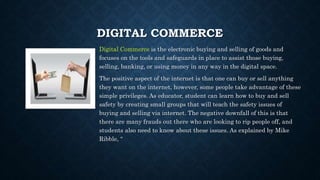
Digital Commerce is the electronic buying and selling of goods and
focuses on the tools and safeguards in place to assist those buying,
selling, banking, or using money in any way in the digital space.
The positive aspect of the internet is that one can buy or sell anything
they want on the internet, however, some people take advantage of these
simple privileges. As educator, student can learn how to buy and sell
safety by creating small groups that will teach the safety issues of
buying and selling via internet. The negative downfall of this is that
there are many frauds out there who are looking to rip people off, and
students also need to know about these issues. As explained by Mike
Ribble, “
DIGITAL COMMUNICATION AND
COLLABORATION
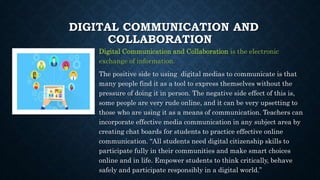
Digital Communication and Collaboration is the electronic
exchange of information.
The positive side to using digital medias to communicate is that
many people find it as a tool to express themselves without the
pressure of doing it in person. The negative side effect of this is,
some people are very rude online, and it can be very upsetting to
those who are using it as a means of communication. Teachers can
incorporate effective media communication in any subject area by
creating chat boards for students to practice effective online
communication. “All students need digital citizenship skills to
participate fully in their communities and make smart choices
online and in life. Empower students to think critically, behave
safely and participate responsibly in a digital world.”
DIGITAL
ETIQUETTE
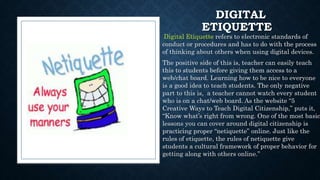
Digital Etiquette refers to electronic standards of
conduct or procedures and has to do with the process
of thinking about others when using digital devices.
The positive side of this is, teacher can easily teach
this to students before giving them access to a
web/chat board. Learning how to be nice to everyone
is a good idea to teach students. The only negative
part to this is, a teacher cannot watch every student
who is on a chat/web board. As the website “5
Creative Ways to Teach Digital Citizenship,” puts it,
“Know what’s right from wrong. One of the most basic
lessons you can cover around digital citizenship is
practicing proper “netiquette” online. Just like the
rules of etiquette, the rules of netiquette give
students a cultural framework of proper behavior for
getting along with others online.”
DIGITAL FLUENCY
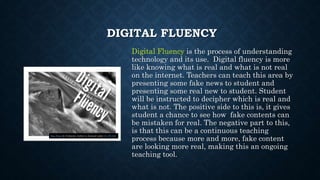
Digital Fluency is the process of understanding
technology and its use. Digital fluency is more
like knowing what is real and what is not real
on the internet. Teachers can teach this area by
presenting some fake news to student and
presenting some real new to student. Student
will be instructed to decipher which is real and
what is not. The positive side to this is, it gives
student a chance to see how fake contents can
be mistaken for real. The negative part to this,
is that this can be a continuous teaching
process because more and more, fake content
are looking more real, making this an ongoing
teaching tool.
This Photo by Unknown Author is licensed under CC BY-ND
DIGITAL HEALTH AND WELFARE
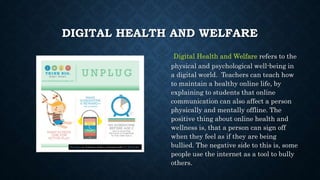
Digital Health and Welfare refers to the
physical and psychological well-being in
a digital world. Teachers can teach how
to maintain a healthy online life, by
explaining to students that online
communication can also affect a person
physically and mentally offline. The
positive thing about online health and
wellness is, that a person can sign off
when they feel as if they are being
bullied. The negative side to this is, some
people use the internet as a tool to bully
others.
This Photo by Unknown Author is licensed under CC BY-SA-NC
DIGITAL LAW
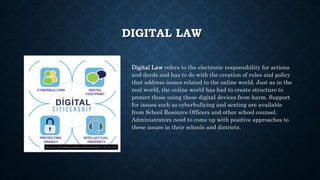
Digital Law refers to the electronic responsibility for actions
and deeds and has to do with the creation of rules and policy
that address issues related to the online world. Just as in the
real world, the online world has had to create structure to
protect those using these digital devices from harm. Support
for issues such as cyberbullying and sexting are available
from School Resource Officers and other school counsel.
Administrators need to come up with positive approaches to
these issues in their schools and districts.
This Photo by Unknown Author is licensed under CC BY-NC-ND
DIGITAL RIGHTS AND RESPONSIBILITY
Digital Rights and Responsibility are those
requirements and freedoms extended to everyone in
a digital world. This area of Digital Citizenship is
about helping students understand that when they
are provided opportunities, such as the access to the
Internet and use of online products, they need to be
diligent in helping others as well, such as informing
adults of potential problems. Educators must help
students understand that protecting others both
online and in the real world are essential skills to
have. As Mike Ribble states, Remember, the internet never
forgets. It’s our job to teach today’s students how to manage their
digital footprint. It is our responsibility to help all technology users
become the best digital citizens they can be.”
This Photo by Unknown Author is licensed under CC BY-NC-ND
DIGITAL SECURITY AND PRIVACY
Digital Security and Privacy is the electronic
precautions to guarantee safety.
A teacher can find websites that explains the security
and privacy of the internet. Student should learn how
viruses can spread to computers to computers.
Students should also be taught about privacy issues
such as putting their personal information online.
Teachers can teach students that nothing ever goes
away once it’s on the internet. The positive thing
about teaching privacy is , student get to learn how to
sty safe online, the negative thing about privacy and
safety online is that anyone can steal a student’s
personal information. Teachers can provide examples
of people who’s identity has been stolen
DIGITAL WORDLE
Sources
Anderson, E. (2019, August 14). 5 Creative Ways to Teach Digital
Citizenship. Retrieved April 21, 2020, from https://net-ref.com/blog-5-
creative-ways-to-teach-digital-citizenship
Krueger, N. (2020, February 5). 9 resources for teaching digital citizenship.
Retrieved April 21, 2020, from https://www.iste.org/explore/digital-
citizenship/9-resources-teaching-digital-citizens
Ribble, M., Ribble, M., & Manhattan-Ogden Public Schools. (2019, June 5).
The Top 3 Elements of Student Digital Citizenship. Retrieved April 21, 2020,
from https://edtechmagazine.com/k12/article/2018/06/top-3-elements-student-
digital-citizenship
Shea, M. (2016, May 26). Digital Citizenship: The Good, the Bad and the
Ugly. Retrieved April 21, 2020, from https://www.njsba.org/news-
publications/school-leader/mayjune-2015-volume-45-6/digital-citizenship-the-
good-the-bad-and-the-ugly/
Sherelle Stubbs Wordle. (n.d.). Retrieved April 21, 2020, from
https://worditout.com/word-cloud/4174035

Sherelle stubbs digital elements

  • 1.
  • 2.
    Nine Themes ofDigital Citizenship There are nine elements of digital citizenship, and in this presentation, these elements will be presented in a concise way.
  • 3.
    THE NINE ELEMENTS 1.Digital Access 2 Digital Commerce 3. Digital Communication and Collaboration 4. Digital Etiquette 5. Digital Fluency 6. Digital Health and Welfare 7. Digital Law 8. Digital Rights and Responsibility 9. Digital Security and Privacy
  • 4.
    DIGITAL ACCESS Digital Accessis about the equitable distribution of technology and online resources. The positive side of this is, as a teacher or administrator, you can assign access to the school’s student body and staff, while locking out the general public. The negative side of digital access is that some students takes advantage of it, and go on websites that are not appropriate or are not assigned. Teachers can avoid student misusing their internet privilege by explaining the rules on how to appropriately access the internet. This Photo by Unknown Author is licensed under CC BY-NC-ND
  • 5.
    DIGITAL COMMERCE Digital Commerceis the electronic buying and selling of goods and focuses on the tools and safeguards in place to assist those buying, selling, banking, or using money in any way in the digital space. The positive aspect of the internet is that one can buy or sell anything they want on the internet, however, some people take advantage of these simple privileges. As educator, student can learn how to buy and sell safety by creating small groups that will teach the safety issues of buying and selling via internet. The negative downfall of this is that there are many frauds out there who are looking to rip people off, and students also need to know about these issues. As explained by Mike Ribble, “
  • 6.
    DIGITAL COMMUNICATION AND COLLABORATION DigitalCommunication and Collaboration is the electronic exchange of information. The positive side to using digital medias to communicate is that many people find it as a tool to express themselves without the pressure of doing it in person. The negative side effect of this is, some people are very rude online, and it can be very upsetting to those who are using it as a means of communication. Teachers can incorporate effective media communication in any subject area by creating chat boards for students to practice effective online communication. “All students need digital citizenship skills to participate fully in their communities and make smart choices online and in life. Empower students to think critically, behave safely and participate responsibly in a digital world.”
  • 7.
    DIGITAL ETIQUETTE Digital Etiquette refersto electronic standards of conduct or procedures and has to do with the process of thinking about others when using digital devices. The positive side of this is, teacher can easily teach this to students before giving them access to a web/chat board. Learning how to be nice to everyone is a good idea to teach students. The only negative part to this is, a teacher cannot watch every student who is on a chat/web board. As the website “5 Creative Ways to Teach Digital Citizenship,” puts it, “Know what’s right from wrong. One of the most basic lessons you can cover around digital citizenship is practicing proper “netiquette” online. Just like the rules of etiquette, the rules of netiquette give students a cultural framework of proper behavior for getting along with others online.”
  • 8.
    DIGITAL FLUENCY Digital Fluencyis the process of understanding technology and its use. Digital fluency is more like knowing what is real and what is not real on the internet. Teachers can teach this area by presenting some fake news to student and presenting some real new to student. Student will be instructed to decipher which is real and what is not. The positive side to this is, it gives student a chance to see how fake contents can be mistaken for real. The negative part to this, is that this can be a continuous teaching process because more and more, fake content are looking more real, making this an ongoing teaching tool. This Photo by Unknown Author is licensed under CC BY-ND
  • 9.
    DIGITAL HEALTH ANDWELFARE Digital Health and Welfare refers to the physical and psychological well-being in a digital world. Teachers can teach how to maintain a healthy online life, by explaining to students that online communication can also affect a person physically and mentally offline. The positive thing about online health and wellness is, that a person can sign off when they feel as if they are being bullied. The negative side to this is, some people use the internet as a tool to bully others. This Photo by Unknown Author is licensed under CC BY-SA-NC
  • 10.
    DIGITAL LAW Digital Lawrefers to the electronic responsibility for actions and deeds and has to do with the creation of rules and policy that address issues related to the online world. Just as in the real world, the online world has had to create structure to protect those using these digital devices from harm. Support for issues such as cyberbullying and sexting are available from School Resource Officers and other school counsel. Administrators need to come up with positive approaches to these issues in their schools and districts. This Photo by Unknown Author is licensed under CC BY-NC-ND
  • 11.
    DIGITAL RIGHTS ANDRESPONSIBILITY Digital Rights and Responsibility are those requirements and freedoms extended to everyone in a digital world. This area of Digital Citizenship is about helping students understand that when they are provided opportunities, such as the access to the Internet and use of online products, they need to be diligent in helping others as well, such as informing adults of potential problems. Educators must help students understand that protecting others both online and in the real world are essential skills to have. As Mike Ribble states, Remember, the internet never forgets. It’s our job to teach today’s students how to manage their digital footprint. It is our responsibility to help all technology users become the best digital citizens they can be.” This Photo by Unknown Author is licensed under CC BY-NC-ND
  • 12.
    DIGITAL SECURITY ANDPRIVACY Digital Security and Privacy is the electronic precautions to guarantee safety. A teacher can find websites that explains the security and privacy of the internet. Student should learn how viruses can spread to computers to computers. Students should also be taught about privacy issues such as putting their personal information online. Teachers can teach students that nothing ever goes away once it’s on the internet. The positive thing about teaching privacy is , student get to learn how to sty safe online, the negative thing about privacy and safety online is that anyone can steal a student’s personal information. Teachers can provide examples of people who’s identity has been stolen
  • 13.
  • 14.
    Sources Anderson, E. (2019,August 14). 5 Creative Ways to Teach Digital Citizenship. Retrieved April 21, 2020, from https://net-ref.com/blog-5- creative-ways-to-teach-digital-citizenship Krueger, N. (2020, February 5). 9 resources for teaching digital citizenship. Retrieved April 21, 2020, from https://www.iste.org/explore/digital- citizenship/9-resources-teaching-digital-citizens Ribble, M., Ribble, M., & Manhattan-Ogden Public Schools. (2019, June 5). The Top 3 Elements of Student Digital Citizenship. Retrieved April 21, 2020, from https://edtechmagazine.com/k12/article/2018/06/top-3-elements-student- digital-citizenship Shea, M. (2016, May 26). Digital Citizenship: The Good, the Bad and the Ugly. Retrieved April 21, 2020, from https://www.njsba.org/news- publications/school-leader/mayjune-2015-volume-45-6/digital-citizenship-the- good-the-bad-and-the-ugly/ Sherelle Stubbs Wordle. (n.d.). Retrieved April 21, 2020, from https://worditout.com/word-cloud/4174035