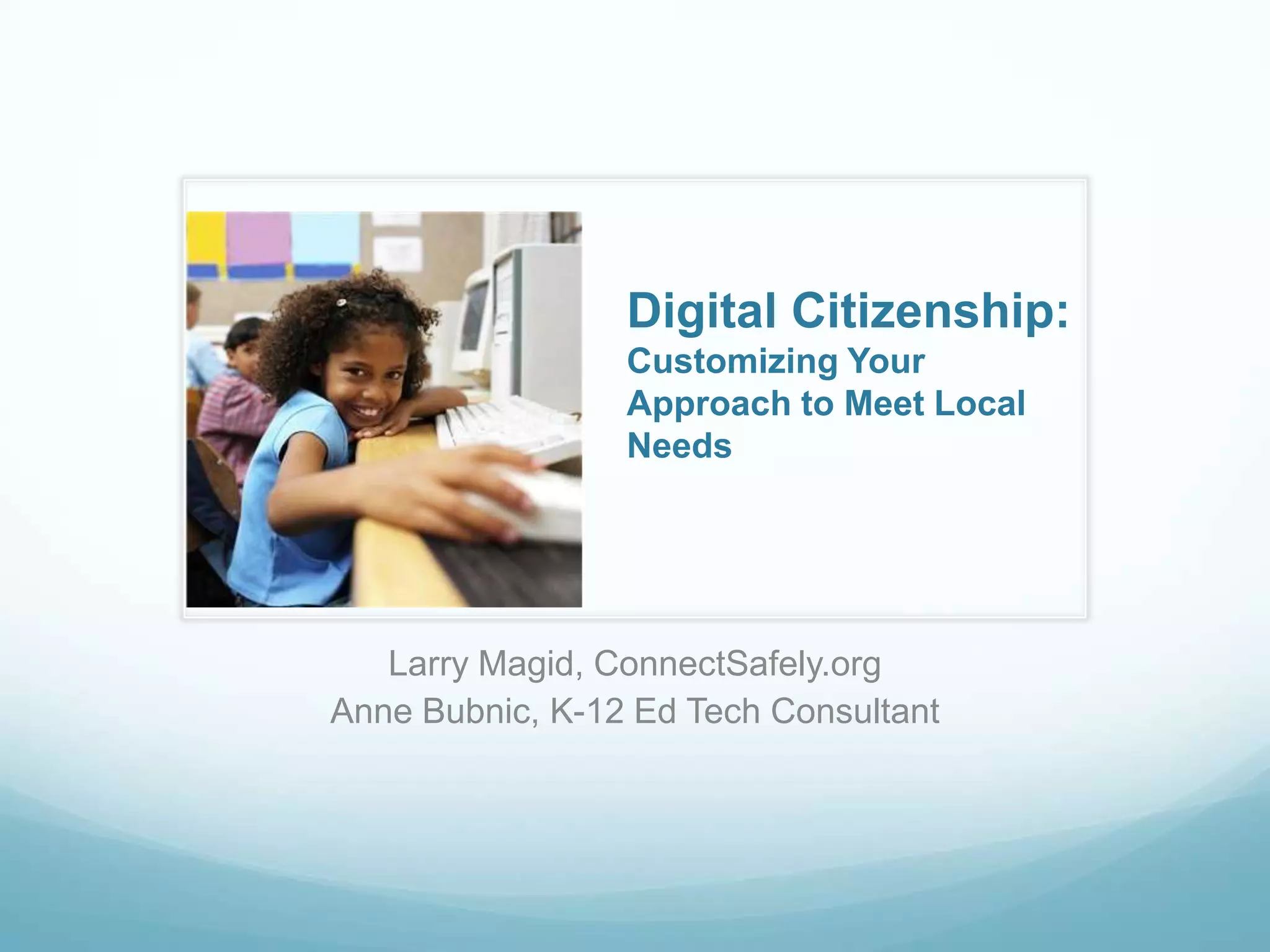
Digital Citizenship: Customizing Your Approach to Meet Local NeedsLarry Magid, ConnectSafely.orgAnne Bubnic, K-12 Ed Tech Consultant
All of the resources we are sharing today can be found at these sites:
Teachers, schools and districts are in various stages of readiness to take on digital citizenship training.Some schools have less staffing, financial and/or time constraints than others.We can provide you with options for how to build a digital citizenship program that addresses your needs.
Why Teach Digital Citizenship?Brief Tour of Resources at ConnectSafelyBrief Tour of Resources at DiigoReview of approaches to teaching digital citizenship.  [No one size fits all].
“The norms of appropriate, responsible behavior with regard to technology use.”Gerald Bailey and Mike RibbleRepresents a shift away from rules and threatsEmphasis is on values and standardsWhat happens when values and standards are violated?  http://www.digitalcitizenship.net
CA Education Code 51871.5 - AB 307  CA Education Code requires districts to educate pupils and teachers on Internet safety, including how to protect online privacy, avoid cyberbullying and avoid online predators.
Broadband Data Improvement Act Requires schools receiving federal E-Rate discounts to educate their students “about appropriate online behavior, including interacting with other individuals on social networking sites and in chat rooms and cyberbullying awareness and response.”Digital Citizenship is about people and appropriate behaviors, not the technology.Kids already know how to use technology but don’t understand how it accelerates, expands and magnifies the way we do things. Kids need to develop a moral compass online - Digital world comes with ethical, moral and legal obligationsOnline actions have offline consequences.
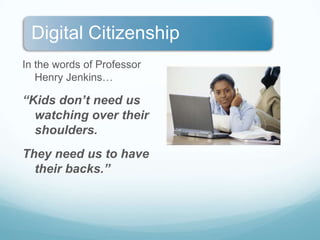
In the words of Professor Henry Jenkins…“Kids don’t need us watching over their shoulders.  They need us to have their backs.”
Identify areas of concernIdentify existing programs or lesson plans that might address those concerns.Determine if you want a turnkey system or to develop curriculum of your own.Start with a pilot project among a few motivated teachers.
Go to the directory of online resources for …Big picture of what education, advocacy, law enforcement & government groups are doing globally to educate kids and families.
Quick access to resources in Spanish.
Easy access to educational games. Join the Diigo Social Bookmarking Group on Digital Citizenship (AD4dcss) for access to up-to-date information, resources and best practices, contributed by colleagues from around the world.http://bit.ly/diigogroupLink to the Diigo Lists of Digital Citizenship topics compiled and annotated by Anne Bubnic.http://bit.ly/digitalcitizenship
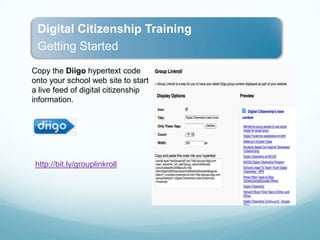
Copy the Diigo hypertext code onto your school web site to start a live feed of digital citizenship information.http://bit.ly/grouplinkroll
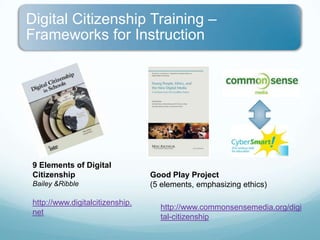
9 Elements of Digital CitizenshipBailey & Ribblehttp://www.digitalcitizenship.netGood Play Project(5 elements, emphasizing ethics)http://www.commonsensemedia.org/digital-citizenship
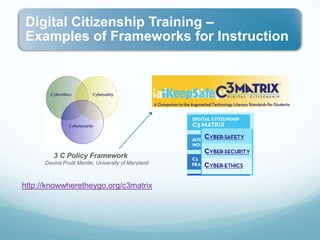
3 C Policy FrameworkDavina Pruitt Mentle, University of Marylandhttp://knowwheretheygo.org/c3matrix
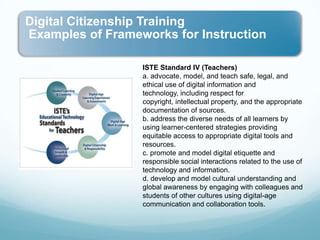
ISTE Standard IV (Teachers)a. advocate, model, and teach safe, legal, and ethical use of digital information and technology, including respect for copyright, intellectual property, and the appropriate documentation of sources.b. address the diverse needs of all learners by using learner-centered strategies providing equitable access to appropriate digital tools and resources. c. promote and model digital etiquette and responsible social interactions related to the use of technology and information.d. develop and model cultural understanding and global awareness by engaging with colleagues and students of other cultures using digital-age communication and collaboration tools.
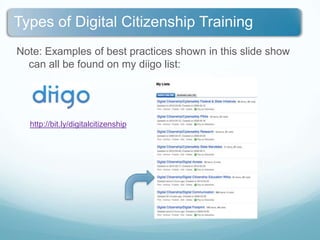
Note: Examples of best practices shown in this slide show can all be found on my diigo list:http://bit.ly/digitalcitizenship
Some models being used in our schools:Basic cybersafety content/links posted on school web site.Individual classroom teacher effortsOne-time events: school assemblies for students/parentsAnnual intensive one-week focus on cyberbullying or other digital citizenship topics - with student deliverables.Year-long focus, with one digital citizenship topic per monthUse of a structured ongoing program with scope and sequence and built-in assessment (commercial or nonprofit).
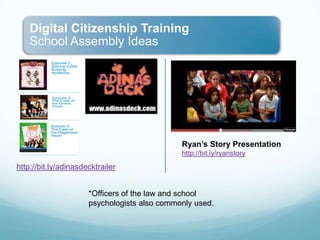
Ryan’s Story Presentationhttp://bit.ly/ryanstoryhttp://bit.ly/adinasdecktrailer*Officers of the law and school psychologists also commonly used.
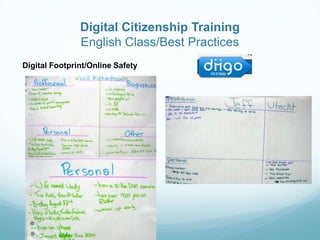
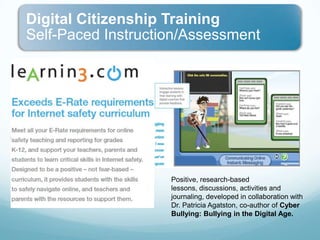
Digital Citizenship TrainingEnglish Class/Best PracticesDigital Footprint/Online Safety
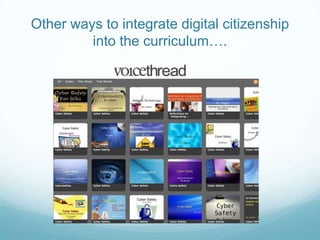
Other ways to integrate digital citizenship into the curriculum….
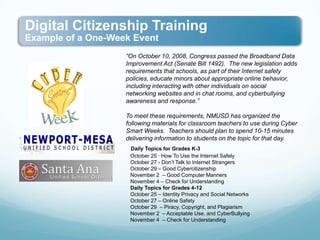
“On October 10, 2008, Congress passed the Broadband Data Improvement Act (Senate Bill 1492).  The new legislation adds requirements that schools, as part of their Internet safety policies, educate minors about appropriate online behavior, including interacting with other individuals on social networking websites and in chat rooms, and cyberbullying awareness and response.” To meet these requirements, NMUSD has organized the following materials for classroom teachers to use during Cyber Smart Weeks.  Teachers should plan to spend 10-15 minutes delivering information to students on the topic for that day.  Daily Topics for Grades K-3    October 25 · How To Use the Internet Safely   October 27 - Don’t Talk to Internet Strangers    October 29 – Good Cybercitizenship   November 2  – Good Computer Manners   November 4 – Check for Understanding     Daily Topics for Grades 4-12    October 25 – Identity Privacy and Social Networks   October 27 – Online Safety   October 29  – Piracy, Copyright, and Plagiarism    November 2  – Acceptable Use, and CyberBullying   November 4  – Check for Understanding
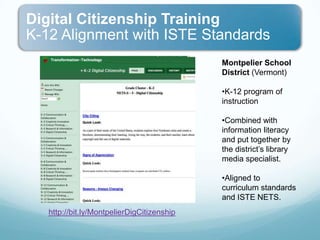
Montpelier School District (Vermont)K-12 program of instruction
Combined with information literacy and put together by the district’s library media specialist.
Aligned to curriculum standards and ISTE NETS.http://bit.ly/MontpelierDigCitizenship
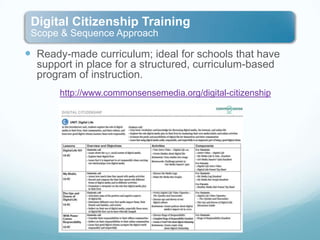
Ready-made curriculum; ideal for schools that have support in place for a structured, curriculum-based program of instruction.http://www.commonsensemedia.org/digital-citizenship
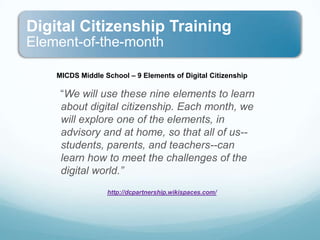
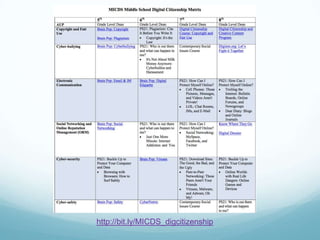
MICDS Middle School – 9 Elements of Digital Citizenship    “We will use these nine elements to learn about digital citizenship. Each month, we will explore one of the elements, in advisory and at home, so that all of us--students, parents, and teachers--can learn how to meet the challenges of the digital world.” http://dcpartnership.wikispaces.com/
http://bit.ly/MICDS_digcitizenship
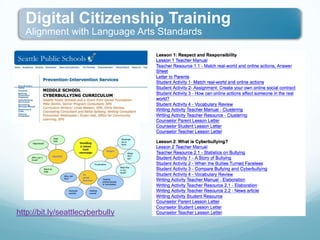
http://bit.ly/seattlecyberbully
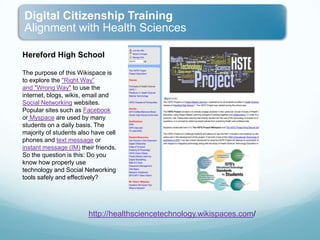
Hereford High SchoolThe purpose of this Wikispace is to explore the "Right Way”and "Wrong Way" to use the internet, blogs, wikis, email and Social Networking websites. Popular sites such as Facebook or Myspace are used by many students on a daily basis. The majority of students also have cell phones and text message or instant message (IM) their friends. So the question is this: Do you know how properly use technology and Social Networking tools safely and effectively?http://healthsciencetechnology.wikispaces.com/

Yahoo digital citizenship oct10

  • 1.
    Digital Citizenship: CustomizingYour Approach to Meet Local NeedsLarry Magid, ConnectSafely.orgAnne Bubnic, K-12 Ed Tech Consultant
  • 2.
    All of theresources we are sharing today can be found at these sites:
  • 3.
    Teachers, schools anddistricts are in various stages of readiness to take on digital citizenship training.Some schools have less staffing, financial and/or time constraints than others.We can provide you with options for how to build a digital citizenship program that addresses your needs.
  • 4.
    Why Teach DigitalCitizenship?Brief Tour of Resources at ConnectSafelyBrief Tour of Resources at DiigoReview of approaches to teaching digital citizenship. [No one size fits all].
  • 5.
    “The norms ofappropriate, responsible behavior with regard to technology use.”Gerald Bailey and Mike RibbleRepresents a shift away from rules and threatsEmphasis is on values and standardsWhat happens when values and standards are violated? http://www.digitalcitizenship.net
  • 6.
    CA Education Code51871.5 - AB 307 CA Education Code requires districts to educate pupils and teachers on Internet safety, including how to protect online privacy, avoid cyberbullying and avoid online predators.
  • 7.
    Broadband Data ImprovementAct Requires schools receiving federal E-Rate discounts to educate their students “about appropriate online behavior, including interacting with other individuals on social networking sites and in chat rooms and cyberbullying awareness and response.”Digital Citizenship is about people and appropriate behaviors, not the technology.Kids already know how to use technology but don’t understand how it accelerates, expands and magnifies the way we do things. Kids need to develop a moral compass online - Digital world comes with ethical, moral and legal obligationsOnline actions have offline consequences.
  • 8.
    In the wordsof Professor Henry Jenkins…“Kids don’t need us watching over their shoulders. They need us to have their backs.”
  • 9.
    Identify areas ofconcernIdentify existing programs or lesson plans that might address those concerns.Determine if you want a turnkey system or to develop curriculum of your own.Start with a pilot project among a few motivated teachers.
  • 10.
    Go to thedirectory of online resources for …Big picture of what education, advocacy, law enforcement & government groups are doing globally to educate kids and families.
  • 11.
    Quick access toresources in Spanish.
  • 12.
    Easy access toeducational games. Join the Diigo Social Bookmarking Group on Digital Citizenship (AD4dcss) for access to up-to-date information, resources and best practices, contributed by colleagues from around the world.http://bit.ly/diigogroupLink to the Diigo Lists of Digital Citizenship topics compiled and annotated by Anne Bubnic.http://bit.ly/digitalcitizenship
  • 13.
    Copy the Diigohypertext code onto your school web site to start a live feed of digital citizenship information.http://bit.ly/grouplinkroll
  • 14.
    9 Elements ofDigital CitizenshipBailey & Ribblehttp://www.digitalcitizenship.netGood Play Project(5 elements, emphasizing ethics)http://www.commonsensemedia.org/digital-citizenship
  • 15.
    3 C PolicyFrameworkDavina Pruitt Mentle, University of Marylandhttp://knowwheretheygo.org/c3matrix
  • 16.
    ISTE Standard IV(Teachers)a. advocate, model, and teach safe, legal, and ethical use of digital information and technology, including respect for copyright, intellectual property, and the appropriate documentation of sources.b. address the diverse needs of all learners by using learner-centered strategies providing equitable access to appropriate digital tools and resources. c. promote and model digital etiquette and responsible social interactions related to the use of technology and information.d. develop and model cultural understanding and global awareness by engaging with colleagues and students of other cultures using digital-age communication and collaboration tools.
  • 17.
    Note: Examples ofbest practices shown in this slide show can all be found on my diigo list:http://bit.ly/digitalcitizenship
  • 18.
    Some models beingused in our schools:Basic cybersafety content/links posted on school web site.Individual classroom teacher effortsOne-time events: school assemblies for students/parentsAnnual intensive one-week focus on cyberbullying or other digital citizenship topics - with student deliverables.Year-long focus, with one digital citizenship topic per monthUse of a structured ongoing program with scope and sequence and built-in assessment (commercial or nonprofit).
  • 19.
  • 20.
    Digital Citizenship TrainingEnglishClass/Best PracticesDigital Footprint/Online Safety
  • 21.
    Other ways tointegrate digital citizenship into the curriculum….
  • 22.
    “On October 10,2008, Congress passed the Broadband Data Improvement Act (Senate Bill 1492).  The new legislation adds requirements that schools, as part of their Internet safety policies, educate minors about appropriate online behavior, including interacting with other individuals on social networking websites and in chat rooms, and cyberbullying awareness and response.” To meet these requirements, NMUSD has organized the following materials for classroom teachers to use during Cyber Smart Weeks.  Teachers should plan to spend 10-15 minutes delivering information to students on the topic for that day.  Daily Topics for Grades K-3 October 25 · How To Use the Internet Safely   October 27 - Don’t Talk to Internet Strangers    October 29 – Good Cybercitizenship   November 2  – Good Computer Manners   November 4 – Check for Understanding     Daily Topics for Grades 4-12    October 25 – Identity Privacy and Social Networks   October 27 – Online Safety   October 29  – Piracy, Copyright, and Plagiarism    November 2  – Acceptable Use, and CyberBullying   November 4  – Check for Understanding
  • 23.
    Montpelier School District(Vermont)K-12 program of instruction
  • 24.
    Combined with informationliteracy and put together by the district’s library media specialist.
  • 25.
    Aligned to curriculumstandards and ISTE NETS.http://bit.ly/MontpelierDigCitizenship
  • 26.
    Ready-made curriculum; idealfor schools that have support in place for a structured, curriculum-based program of instruction.http://www.commonsensemedia.org/digital-citizenship
  • 27.
    MICDS Middle School– 9 Elements of Digital Citizenship “We will use these nine elements to learn about digital citizenship. Each month, we will explore one of the elements, in advisory and at home, so that all of us--students, parents, and teachers--can learn how to meet the challenges of the digital world.” http://dcpartnership.wikispaces.com/
  • 28.
  • 29.
  • 30.
    Hereford High SchoolThepurpose of this Wikispace is to explore the "Right Way”and "Wrong Way" to use the internet, blogs, wikis, email and Social Networking websites. Popular sites such as Facebook or Myspace are used by many students on a daily basis. The majority of students also have cell phones and text message or instant message (IM) their friends. So the question is this: Do you know how properly use technology and Social Networking tools safely and effectively?http://healthsciencetechnology.wikispaces.com/

Editor's Notes

  • #15 SHOW OF HANDS – HOW MANY HAVE DONE EACH???
  • #16 SHOW OF HANDS – HOW MANY HAVE DONE EACH???
  • #17 SHOW OF HANDS – HOW MANY HAVE DONE EACH???
  • #19 SHOW OF HANDS – HOW MANY HAVE DONE EACH???