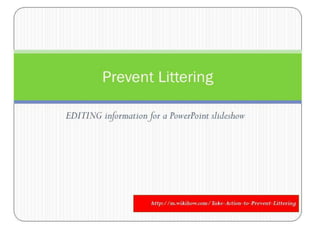
Course: Communication Skills 004
Topic: “Persuasive Speech”
Students: Adult EFL/ESL
(Saudi Prep Year Program)
Teaching: Editing information for
PowerPoint slides.
Teaching: Editing information for
PowerPoint slides.
In this slideshow, students interactively participate
in editing paragraphs for a PowerPoint
presentation.
 They, first, read the paragraph. Using interactive whiteboard,
they participate by underlining what they think are main idea
and key details.
 This is “checked” by animating the same paragraph (re-
printed in green). Further discussion allows them to
contribute ideas for slide “heading” and contents.
Teaching: Editing information for
PowerPoint slides.
In this slideshow, students interactively
participate in editing paragraphs for a
PowerPoint presentation.
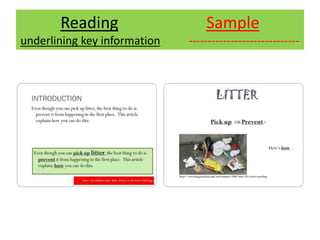
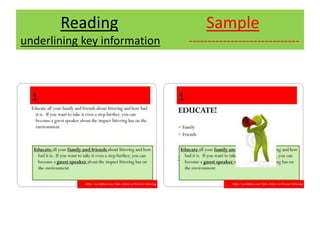
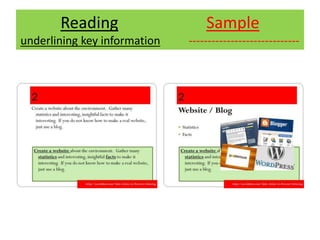
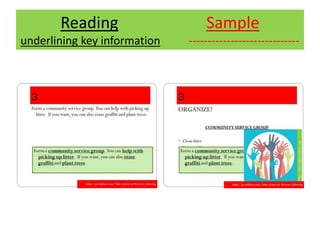
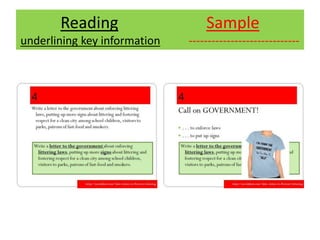
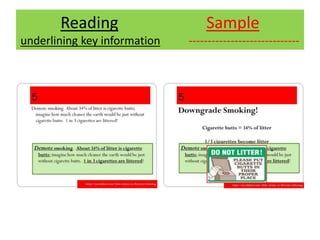
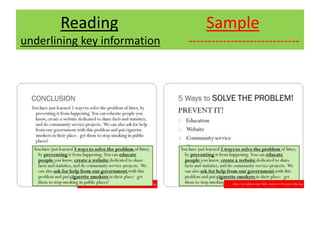
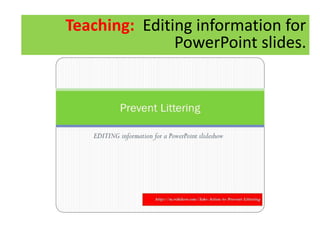
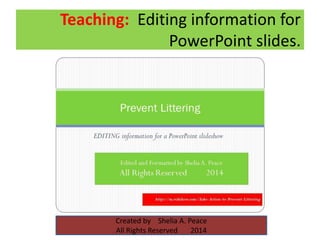
Finally, students view a sample slide with “header,” “key
words/phrases,” “graphic design” ideas.
Reading Sample
underlining key information -----------------------------
Reading Sample
underlining key information -----------------------------
Reading Sample
underlining key information -----------------------------
Reading Sample
underlining key information -----------------------------
Reading Sample
underlining key information -----------------------------
Reading Sample
underlining key information -----------------------------
Reading Sample
underlining key information -----------------------------
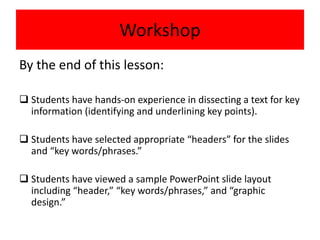
Workshop
By the end of this lesson:
 Students have hands-on experience in dissecting a text for key
information (identifying and underlining key points).
 Students have selected appropriate “headers” for the slides
and “key words/phrases.”
 Students have viewed a sample PowerPoint slide layout
including “header,” “key words/phrases,” and “graphic
design.”
TEACHING: How to editTeaching: Editing information for
PowerPoint slides.
Teaching: Editing information for
PowerPoint slides.
Created by Shelia A. Peace
All Rights Reserved 2014

Teaching

  • 1.
    Course: Communication Skills004 Topic: “Persuasive Speech” Students: Adult EFL/ESL (Saudi Prep Year Program) Teaching: Editing information for PowerPoint slides.
  • 2.
    Teaching: Editing informationfor PowerPoint slides. In this slideshow, students interactively participate in editing paragraphs for a PowerPoint presentation.  They, first, read the paragraph. Using interactive whiteboard, they participate by underlining what they think are main idea and key details.  This is “checked” by animating the same paragraph (re- printed in green). Further discussion allows them to contribute ideas for slide “heading” and contents.
  • 3.
    Teaching: Editing informationfor PowerPoint slides. In this slideshow, students interactively participate in editing paragraphs for a PowerPoint presentation. Finally, students view a sample slide with “header,” “key words/phrases,” “graphic design” ideas.
  • 5.
    Reading Sample underlining keyinformation -----------------------------
  • 6.
    Reading Sample underlining keyinformation -----------------------------
  • 7.
    Reading Sample underlining keyinformation -----------------------------
  • 8.
    Reading Sample underlining keyinformation -----------------------------
  • 9.
    Reading Sample underlining keyinformation -----------------------------
  • 10.
    Reading Sample underlining keyinformation -----------------------------
  • 11.
    Reading Sample underlining keyinformation -----------------------------
  • 12.
    Workshop By the endof this lesson:  Students have hands-on experience in dissecting a text for key information (identifying and underlining key points).  Students have selected appropriate “headers” for the slides and “key words/phrases.”  Students have viewed a sample PowerPoint slide layout including “header,” “key words/phrases,” and “graphic design.”
  • 13.
    TEACHING: How toeditTeaching: Editing information for PowerPoint slides.
  • 14.
    Teaching: Editing informationfor PowerPoint slides. Created by Shelia A. Peace All Rights Reserved 2014