TAUS Quality Dashboard
Nigel Watson
Daniel Brockmann
SDL
TAUS QE Summit
Dublin, 8 June 2016
Use Cases and Integrations
TAUS DQF and SDL
 Today’s presentation will give an overview of the
state of play in terms of TAUS DQF integration with
SDL products
 Translation management/work giver perspective
 TAUS DQF <-> SDL TMS
 TAUS DQF <-> SDL WorldServer
 Translation productivity/work doer perspective
 TAUS DQF <-> SDL Trados Studio
Use cases and benefits
 Measure productivity in a translation management-
driven workflow, using SDL TMS or SDL WorldServer
on the work giver side and SDL Trados Studio on the
work doer side
 With and without Machine Translation
 Machine Translation considerations
 Compare MT engines for productive use; evaluate
different MT engines and PE activities
 Select best MT technology by combining DQF and
automatic scores
 Establish productivity gains
 Offer tools and training for quality evaluation and PE
using the TAUS platform
SDL WorldServer >
TAUS DQF
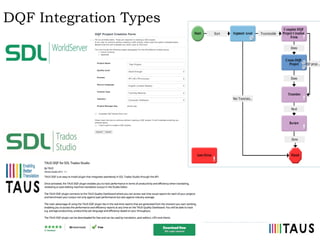
DQF Integration Types
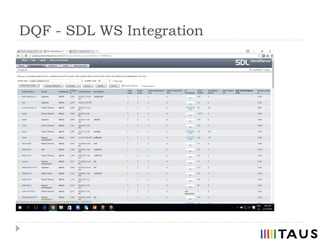
DQF - SDL WS Integration
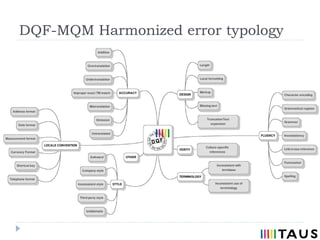
DQF-MQM Harmonized error typology
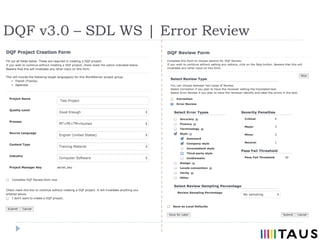
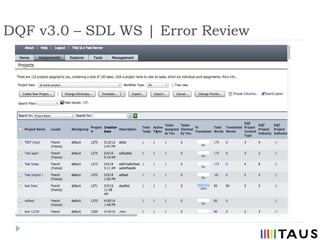
DQF v3.0 – SDL WS | Error Review
SDL TMS >
TAUS DQF
Enabling better translation with SDL &
TAUS
 Seamless alignment of TMS translation Job and
TAUS DQF Project
 Works in a similar manner to the SDL WorldServer
integration
 Workflow automation to create the TAUS DQF
Project
 User and Job Attributes used to associate various
settings
 TAUS Project Manager key = TMS User attribute
 TAUS Project key = TMS Job Attribute
 TAUS Project ID = TMS Job Attribute
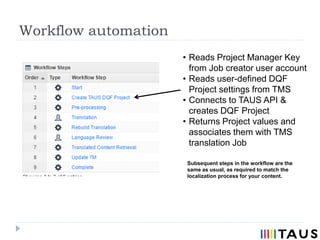
Workflow automation
• Reads Project Manager Key
from Job creator user account
• Reads user-defined DQF
Project settings from TMS
• Connects to TAUS API &
creates DQF Project
• Returns Project values and
associates them with TMS
translation Job
Subsequent steps in the workflow are the
same as usual, as required to match the
localization process for your content.
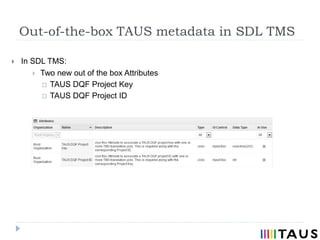
Out-of-the-box TAUS metadata in SDL TMS
 In SDL TMS:
 Two new out of the box Attributes
 TAUS DQF Project Key
 TAUS DQF Project ID
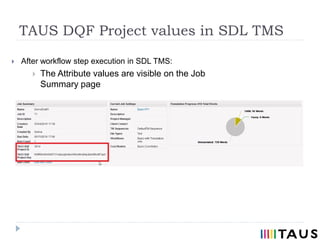
TAUS DQF Project values in SDL TMS
 After workflow step execution in SDL TMS:
 The Attribute values are visible on the Job
Summary page
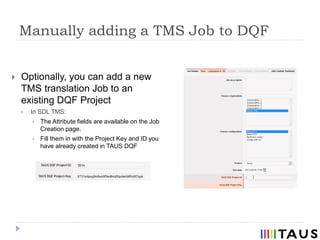
Manually adding a TMS Job to DQF
 Optionally, you can add a new
TMS translation Job to an
existing DQF Project
 In SDL TMS:
 The Attribute fields are available on the Job
Creation page.
 Fill them in with the Project Key and ID you
have already created in TAUS DQF
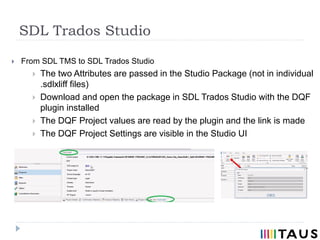
SDL Trados Studio
 From SDL TMS to SDL Trados Studio
 The two Attributes are passed in the Studio Package (not in individual
.sdlxliff files)
 Download and open the package in SDL Trados Studio with the DQF
plugin installed
 The DQF Project values are read by the plugin and the link is made
 The DQF Project Settings are visible in the Studio UI
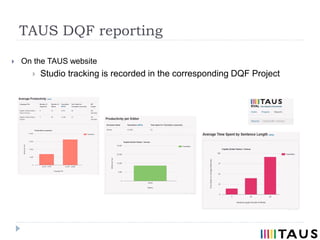
TAUS DQF reporting
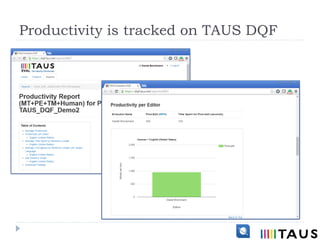
 On the TAUS website
 Studio tracking is recorded in the corresponding DQF Project
TAUS DQF > SDL
Trados Studio
Integration in SDL Trados Studio:
Current Status
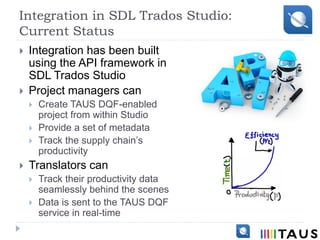
 Integration has been built
using the API framework in
SDL Trados Studio
 Project managers can
 Create TAUS DQF-enabled
project from within Studio
 Provide a set of metadata
 Track the supply chain’s
productivity
 Translators can
 Track their productivity data
seamlessly behind the scenes
 Data is sent to the TAUS DQF
service in real-time
How does it work?
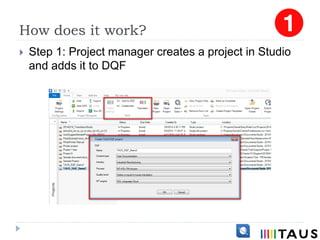
 Step 1: Project manager creates a project in Studio
and adds it to DQF
How does it work?
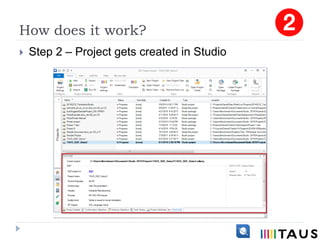
 Step 2 – Project gets created in Studio
How does it work?
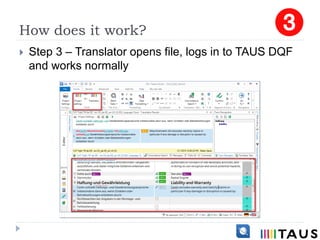
 Step 3 – Translator opens file, logs in to TAUS DQF
and works normally
Productivity is tracked on TAUS DQF
Qualitivity App for
SDL Trados Studio
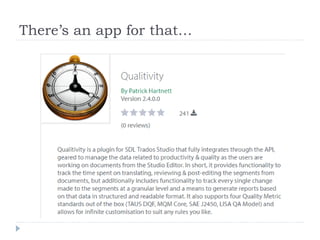
There’s an app for that…
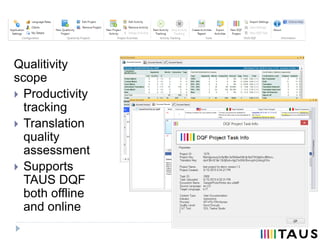
Qualitivity
scope
 Productivity
tracking
 Translation
quality
assessment
 Supports
TAUS DQF
both offline
and online
SDL and TAUS DQF:
Near-Term Future
Near-Term Future
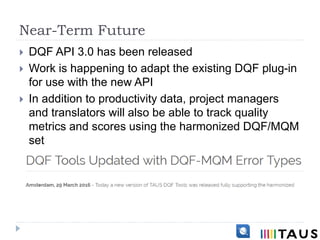
 DQF API 3.0 has been released
 Work is happening to adapt the existing DQF plug-in
for use with the new API
 In addition to productivity data, project managers
and translators will also be able to track quality
metrics and scores using the harmonized DQF/MQM
set
Questions?