Linux File System
Hierarchy
Sm Tahir Ashraf
Linux File System Hierarchy
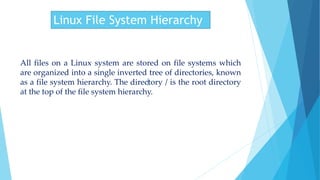
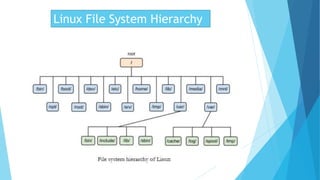
All files on a Linux system are stored on file systems which
are organized into a single inverted tree of directories, known
as a file system hierarchy. The directory / is the root directory
at the top of the file system hierarchy.
Linux File System Hierarchy
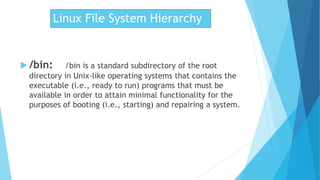
 /bin: /bin is a standard subdirectory of the root
directory in Unix-like operating systems that contains the
executable (i.e., ready to run) programs that must be
available in order to attain minimal functionality for the
purposes of booting (i.e., starting) and repairing a system.
Linux File System Hierarchy
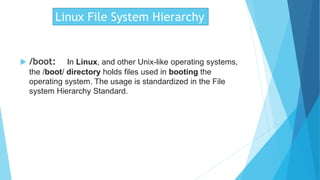
 /boot: In Linux, and other Unix-like operating systems,
the /boot/ directory holds files used in booting the
operating system. The usage is standardized in the File
system Hierarchy Standard.
Linux File System Hierarchy
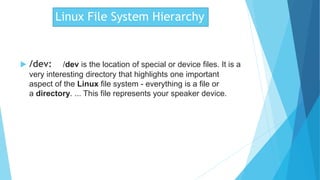
 /dev: /dev is the location of special or device files. It is a
very interesting directory that highlights one important
aspect of the Linux file system - everything is a file or
a directory. ... This file represents your speaker device.
Linux File System Hierarchy
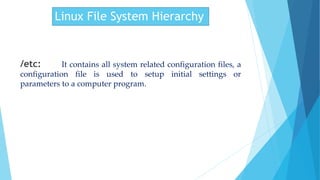
/etc: It contains all system related configuration files, a
configuration file is used to setup initial settings or
parameters to a computer program.
Linux File System Hierarchy
 /home: A home directory is the directory or folder
commonly given to a user on a network or Unix or Linux
variant operating system. This directory is where the
user stores all of his or her personal information and files
as well as log in scripts and user information.
Linux File System Hierarchy
 /lib: Contains the kernel and other files used during
system startup. /lost+found/ — Used by fsck to place
orphaned files (files without names). /lib/ — Contains many
device modules and library files used by programs in /bin/
and /sbin/. The directory/sur/lib/ contains library files for
user applications.
Linux File System Hierarchy
 /media: This directory contains the mount points for
removable media, such as diskettes, CD-ROMs, and USB
flash drives. /boot/ — Contains the kernel and other files
used during system startup.
Linux File System Hierarchy
 /mnt: There are two places where other file systems are
commonly mounted: the /media/ directory for removable
media, and the /mnt/ directory for temporarily mounted .
Linux File System Hierarchy
 /opt: This directory is reserved for all those software and
add-on packages which are not the part of the default
system.It basically consists third party applications
Linux File System Hierarchy
 /root: Root Directory Definition. The root directory is
the directory on Linux operating systems that contains all
other directories and files on the system and which is
designated by a forward slash ( / ). ... A file system is the
hierarchy of directories that is used to organize
directories and files on a computer.
Linux File System Hierarchy
 /sbin: The /sbin Directory. /sbin is a standard
subdirectory of the root directory in Linux and other
Unix-like operating systems that contains executable (i.e.,
ready to run) programs. They are mostly administrative
tools, that should be made available only to the root (i.e.,
administrative) user.
Linux File System Hierarchy
/srv: srv. Srv is a serve folder. It holds site specific data
to be served by the system for protocols such as, ftp, rsync,
www, cvs etc.
Linux File System Hierarchy
 /tmp: Teh /var/tmp directory is made available for
programs that require temporary files or directories that
are preserved between system reboots. Therefore, data
stored in /var/tmp is more persistent than data in /tmp .
Files and directories located in /var/tmp must not be
deleted when the system is booted.
Linux File System Hierarchy
 /usr: The /usr directory consists of several
subdirectories that contain additional Linux commands
and data files. It is also the default location of user
home directories. The /usr/bin directory contains more
Linux commands. These commands are used less
frequently or are considered nonessential to Linux system
operation.
Linux File System Hierarchy
 /var: /var is a standard subdirectory of the root directory
in Linux and other Unix-like operating systems that
contains files to which the system writes data during the
course of its operation.
Linux File System Hierarchy
 /proc: The proc file system (procfs) is a special file
system in Linux operating systems that presents
information about processes and other system information
in a hierarchical file-like structure, providing a more
convenient and standardized method for dynamically
accessing process data held in the kernel than traditional
.
Linux File System Hierarchy
 some important files of Linux file system
/var/cache:
contains application programs cache.
/var/game:
variable data related to games.
/proc/cpuinfo:
contains CPU Information.
/etc/passwd:
It is a user database containing information about each user such
as username, password(in a shadow file), home directory etc.
Thank You

Tahir Ashraf [Linux file system herarchy].pptx

  • 1.
  • 2.
    Linux File SystemHierarchy All files on a Linux system are stored on file systems which are organized into a single inverted tree of directories, known as a file system hierarchy. The directory / is the root directory at the top of the file system hierarchy.
  • 3.
  • 4.
    Linux File SystemHierarchy  /bin: /bin is a standard subdirectory of the root directory in Unix-like operating systems that contains the executable (i.e., ready to run) programs that must be available in order to attain minimal functionality for the purposes of booting (i.e., starting) and repairing a system.
  • 5.
    Linux File SystemHierarchy  /boot: In Linux, and other Unix-like operating systems, the /boot/ directory holds files used in booting the operating system. The usage is standardized in the File system Hierarchy Standard.
  • 6.
    Linux File SystemHierarchy  /dev: /dev is the location of special or device files. It is a very interesting directory that highlights one important aspect of the Linux file system - everything is a file or a directory. ... This file represents your speaker device.
  • 7.
    Linux File SystemHierarchy /etc: It contains all system related configuration files, a configuration file is used to setup initial settings or parameters to a computer program.
  • 8.
    Linux File SystemHierarchy  /home: A home directory is the directory or folder commonly given to a user on a network or Unix or Linux variant operating system. This directory is where the user stores all of his or her personal information and files as well as log in scripts and user information.
  • 9.
    Linux File SystemHierarchy  /lib: Contains the kernel and other files used during system startup. /lost+found/ — Used by fsck to place orphaned files (files without names). /lib/ — Contains many device modules and library files used by programs in /bin/ and /sbin/. The directory/sur/lib/ contains library files for user applications.
  • 10.
    Linux File SystemHierarchy  /media: This directory contains the mount points for removable media, such as diskettes, CD-ROMs, and USB flash drives. /boot/ — Contains the kernel and other files used during system startup.
  • 11.
    Linux File SystemHierarchy  /mnt: There are two places where other file systems are commonly mounted: the /media/ directory for removable media, and the /mnt/ directory for temporarily mounted .
  • 12.
    Linux File SystemHierarchy  /opt: This directory is reserved for all those software and add-on packages which are not the part of the default system.It basically consists third party applications
  • 13.
    Linux File SystemHierarchy  /root: Root Directory Definition. The root directory is the directory on Linux operating systems that contains all other directories and files on the system and which is designated by a forward slash ( / ). ... A file system is the hierarchy of directories that is used to organize directories and files on a computer.
  • 14.
    Linux File SystemHierarchy  /sbin: The /sbin Directory. /sbin is a standard subdirectory of the root directory in Linux and other Unix-like operating systems that contains executable (i.e., ready to run) programs. They are mostly administrative tools, that should be made available only to the root (i.e., administrative) user.
  • 15.
    Linux File SystemHierarchy /srv: srv. Srv is a serve folder. It holds site specific data to be served by the system for protocols such as, ftp, rsync, www, cvs etc.
  • 16.
    Linux File SystemHierarchy  /tmp: Teh /var/tmp directory is made available for programs that require temporary files or directories that are preserved between system reboots. Therefore, data stored in /var/tmp is more persistent than data in /tmp . Files and directories located in /var/tmp must not be deleted when the system is booted.
  • 17.
    Linux File SystemHierarchy  /usr: The /usr directory consists of several subdirectories that contain additional Linux commands and data files. It is also the default location of user home directories. The /usr/bin directory contains more Linux commands. These commands are used less frequently or are considered nonessential to Linux system operation.
  • 18.
    Linux File SystemHierarchy  /var: /var is a standard subdirectory of the root directory in Linux and other Unix-like operating systems that contains files to which the system writes data during the course of its operation.
  • 19.
    Linux File SystemHierarchy  /proc: The proc file system (procfs) is a special file system in Linux operating systems that presents information about processes and other system information in a hierarchical file-like structure, providing a more convenient and standardized method for dynamically accessing process data held in the kernel than traditional .
  • 20.
    Linux File SystemHierarchy  some important files of Linux file system /var/cache: contains application programs cache. /var/game: variable data related to games. /proc/cpuinfo: contains CPU Information. /etc/passwd: It is a user database containing information about each user such as username, password(in a shadow file), home directory etc.
  • 21.