© 2014 Citrix. Confidential.1
© 2014 Citrix. Confidential.2
© 2014 Citrix. Confidential.3
© 2014 Citrix. Confidential.4
© 2014 Citrix. Confidential.5
© 2014 Citrix. Confidential.6
© 2014 Citrix. Confidential.7
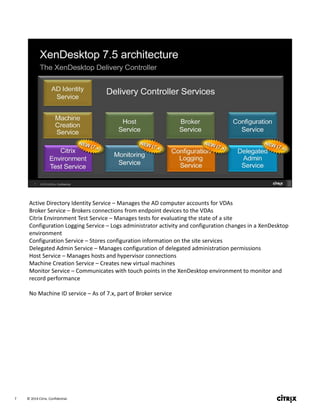
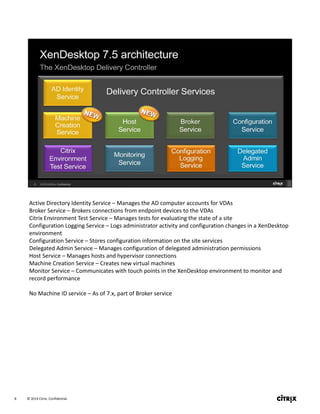
Active Directory Identity Service – Manages the AD computer accounts for VDAs
Broker Service – Brokers connections from endpoint devices to the VDAs
Citrix Environment Test Service – Manages tests for evaluating the state of a site
Configuration Logging Service – Logs administrator activity and configuration changes in a XenDesktop 
environment
Configuration Service – Stores configuration information on the site services
Delegated Admin Service – Manages configuration of delegated administration permissions
Host Service – Manages hosts and hypervisor connections
Machine Creation Service – Creates new virtual machines
Monitor Service – Communicates with touch points in the XenDesktop environment to monitor and 
record performance
No Machine ID service – As of 7.x, part of Broker service
© 2014 Citrix. Confidential.8
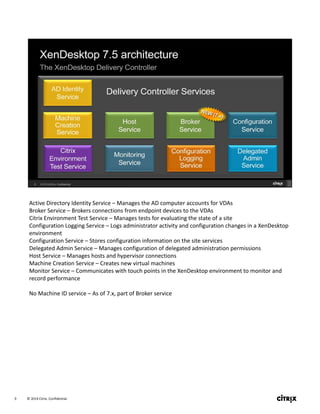
Active Directory Identity Service – Manages the AD computer accounts for VDAs
Broker Service – Brokers connections from endpoint devices to the VDAs
Citrix Environment Test Service – Manages tests for evaluating the state of a site
Configuration Logging Service – Logs administrator activity and configuration changes in a XenDesktop 
environment
Configuration Service – Stores configuration information on the site services
Delegated Admin Service – Manages configuration of delegated administration permissions
Host Service – Manages hosts and hypervisor connections
Machine Creation Service – Creates new virtual machines
Monitor Service – Communicates with touch points in the XenDesktop environment to monitor and 
record performance
No Machine ID service – As of 7.x, part of Broker service
© 2014 Citrix. Confidential.9
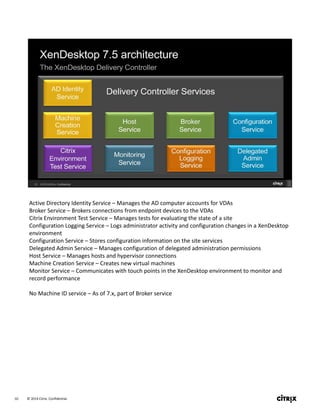
Active Directory Identity Service – Manages the AD computer accounts for VDAs
Broker Service – Brokers connections from endpoint devices to the VDAs
Citrix Environment Test Service – Manages tests for evaluating the state of a site
Configuration Logging Service – Logs administrator activity and configuration changes in a XenDesktop 
environment
Configuration Service – Stores configuration information on the site services
Delegated Admin Service – Manages configuration of delegated administration permissions
Host Service – Manages hosts and hypervisor connections
Machine Creation Service – Creates new virtual machines
Monitor Service – Communicates with touch points in the XenDesktop environment to monitor and 
record performance
No Machine ID service – As of 7.x, part of Broker service
© 2014 Citrix. Confidential.10
Active Directory Identity Service – Manages the AD computer accounts for VDAs
Broker Service – Brokers connections from endpoint devices to the VDAs
Citrix Environment Test Service – Manages tests for evaluating the state of a site
Configuration Logging Service – Logs administrator activity and configuration changes in a XenDesktop 
environment
Configuration Service – Stores configuration information on the site services
Delegated Admin Service – Manages configuration of delegated administration permissions
Host Service – Manages hosts and hypervisor connections
Machine Creation Service – Creates new virtual machines
Monitor Service – Communicates with touch points in the XenDesktop environment to monitor and 
record performance
No Machine ID service – As of 7.x, part of Broker service
© 2014 Citrix. Confidential.11
© 2014 Citrix. Confidential.12
© 2014 Citrix. Confidential.13
© 2014 Citrix. Confidential.14
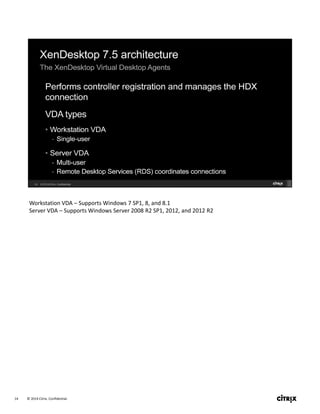
Workstation VDA – Supports Windows 7 SP1, 8, and 8.1
Server VDA – Supports Windows Server 2008 R2 SP1, 2012, and 2012 R2
© 2014 Citrix. Confidential.15
© 2014 Citrix. Confidential.16
© 2014 Citrix. Confidential.17
© 2014 Citrix. Confidential.18
© 2014 Citrix. Confidential.19
© 2014 Citrix. Confidential.20
© 2014 Citrix. Confidential.21
© 2014 Citrix. Confidential.22
© 2014 Citrix. Confidential.23
© 2014 Citrix. Confidential.24
© 2014 Citrix. Confidential.25
© 2014 Citrix. Confidential.26
© 2014 Citrix. Confidential.27
© 2014 Citrix. Confidential.28
© 2014 Citrix. Confidential.29
© 2014 Citrix. Confidential.30
© 2014 Citrix. Confidential.31
© 2014 Citrix. Confidential.32
© 2014 Citrix. Confidential.33
© 2014 Citrix. Confidential.34
© 2014 Citrix. Confidential.35
© 2014 Citrix. Confidential.36
© 2014 Citrix. Confidential.37
© 2014 Citrix. Confidential.38
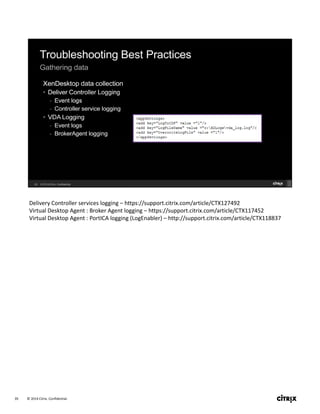
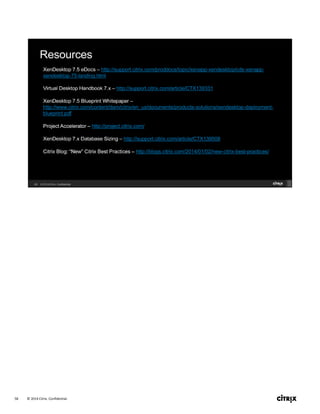
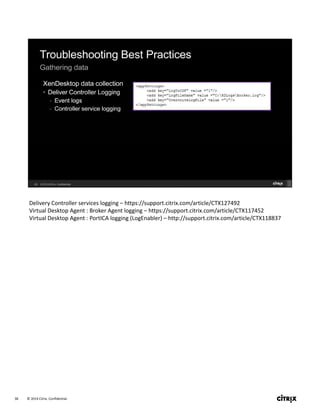
Delivery Controller services logging – https://support.citrix.com/article/CTX127492
Virtual Desktop Agent : Broker Agent logging – https://support.citrix.com/article/CTX117452
Virtual Desktop Agent : PortICA logging (LogEnabler) – http://support.citrix.com/article/CTX118837
© 2014 Citrix. Confidential.39
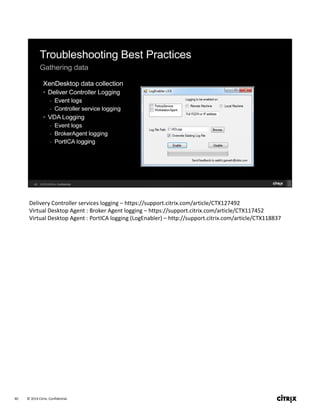
Delivery Controller services logging – https://support.citrix.com/article/CTX127492
Virtual Desktop Agent : Broker Agent logging – https://support.citrix.com/article/CTX117452
Virtual Desktop Agent : PortICA logging (LogEnabler) – http://support.citrix.com/article/CTX118837
© 2014 Citrix. Confidential.40
Delivery Controller services logging – https://support.citrix.com/article/CTX127492
Virtual Desktop Agent : Broker Agent logging – https://support.citrix.com/article/CTX117452
Virtual Desktop Agent : PortICA logging (LogEnabler) – http://support.citrix.com/article/CTX118837
© 2014 Citrix. Confidential.41
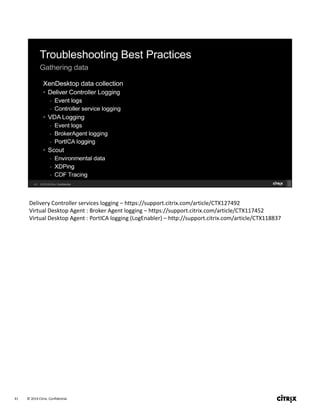
Delivery Controller services logging – https://support.citrix.com/article/CTX127492
Virtual Desktop Agent : Broker Agent logging – https://support.citrix.com/article/CTX117452
Virtual Desktop Agent : PortICA logging (LogEnabler) – http://support.citrix.com/article/CTX118837
© 2014 Citrix. Confidential.42
© 2014 Citrix. Confidential.43
© 2014 Citrix. Confidential.44
© 2014 Citrix. Confidential.45
34:15   /   10:45
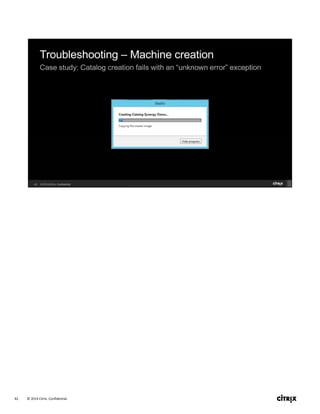
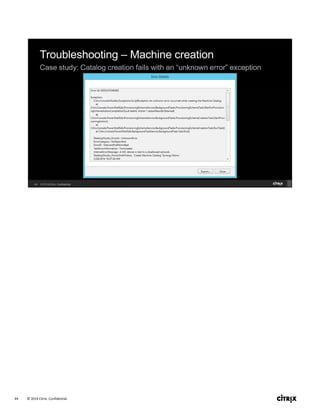
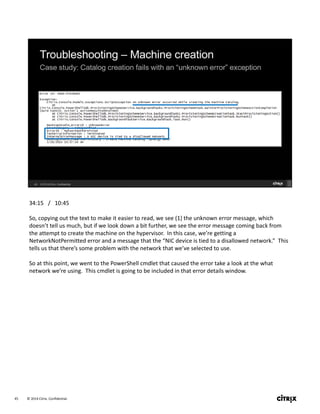
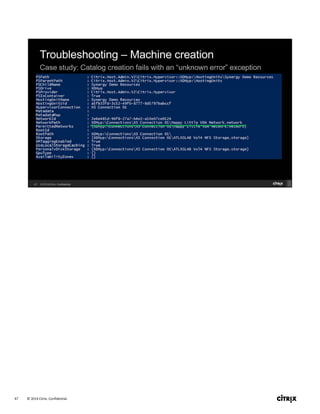
So, copying out the text to make it easier to read, we see (1) the unknown error message, which 
doesn’t tell us much, but if we look down a bit further, we see the error message coming back from 
the attempt to create the machine on the hypervisor.  In this case, we’re getting a 
NetworkNotPermitted error and a message that the “NIC device is tied to a disallowed network.”  This 
tells us that there’s some problem with the network that we’ve selected to use.
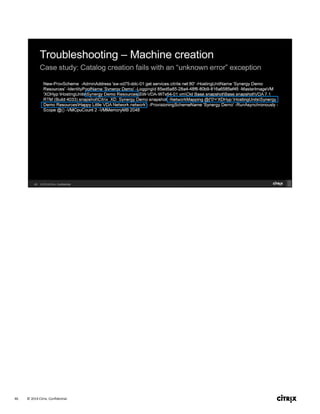
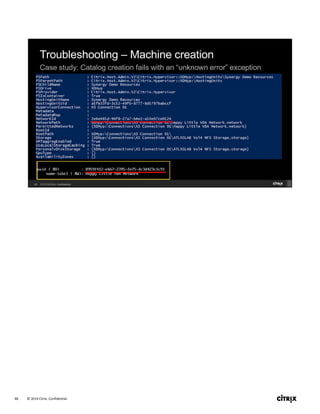
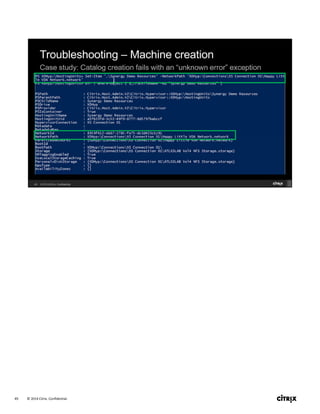
So at this point, we went to the PowerShell cmdlet that caused the error take a look at the what 
network we’re using.  This cmdlet is going to be included in that error details window.
© 2014 Citrix. Confidential.46
© 2014 Citrix. Confidential.47
© 2014 Citrix. Confidential.48
© 2014 Citrix. Confidential.49
© 2014 Citrix. Confidential.50
© 2014 Citrix. Confidential.51
© 2014 Citrix. Confidential.52
© 2014 Citrix. Confidential.53
© 2014 Citrix. Confidential.54
© 2014 Citrix. Confidential.55
© 2014 Citrix. Confidential.56
© 2014 Citrix. Confidential.57
© 2014 Citrix. Confidential.58
© 2014 Citrix. Confidential.59
© 2014 Citrix. Confidential.60

SYN405: Best practices for implementing, administering and troubleshooting XenDesktop 7.5