Presented By:
Joe Sainz, Practice Director, Professional Services
Successfully Navigating a
System Migration
You’ve made the decision to migrate to a new
system – now what?
•  The critical time between when the decision is made and
when the migration actually happens may be the most
important time in the process
•  Good strategic planning will avoid costly headaches down
the road
What you’ll learn today:
•  Why a comprehensive migration strategy is a MUST for any
migration
•  How to begin planning your implementation to successfully
achieve your goals while minimizing the risks
Agenda
•  Preparing the Organization for Change
•  Setting Implementation and Strategic Goals
•  Opportunity to Change “How We Do Things”
•  Resource Planning
•  Project Charter and Governance
•  Managing the Risk
•  Communication and Marketing
•  Key Project Components
•  Workflow Redesign
•  Training
•  The Importance of Testing
•  3rd Party Interfaces and Reporting Requirements
•  Go-Live / Cut-over Planning
•  Post Go-Live Reviews
Preparing the Organization for Change
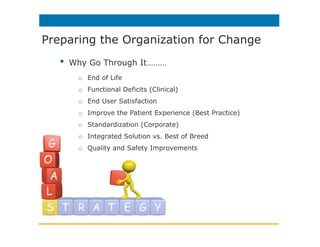
•  Why Go Through It………
o  End of Life
o  Functional Deficits (Clinical)
o  End User Satisfaction
o  Improve the Patient Experience (Best Practice)
o  Standardization (Corporate)
o  Integrated Solution vs. Best of Breed
o  Quality and Safety Improvements
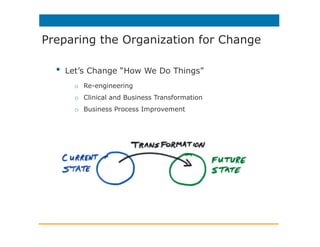
•  Let’s Change “How We Do Things”
o  Re-engineering
o  Clinical and Business Transformation
o  Business Process Improvement
Preparing the Organization for Change
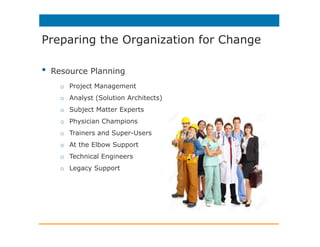
•  Resource Planning
o  Project Management
o  Analyst (Solution Architects)
o  Subject Matter Experts
o  Physician Champions
o  Trainers and Super-Users
o  At the Elbow Support
o  Technical Engineers
o  Legacy Support
Preparing the Organization for Change
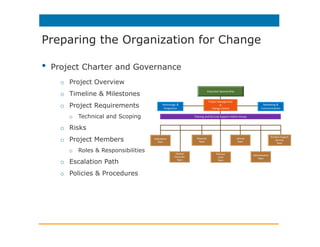
•  Project Charter and Governance
o  Project Overview
o  Timeline & Milestones
o  Project Requirements
o  Technical and Scoping
o  Risks
o  Project Members
o  Roles & Responsibilities
o  Escalation Path
o  Policies & Procedures
Preparing the Organization for Change
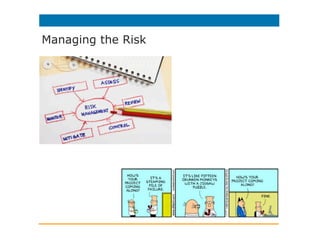
Managing the Risk
•  Make it Fun! Create a Theme
•  Communicate, Communicate, Communicate
•  Intranet Site (Newsletters, Videos, Screensavers)
•  Publish Key Dates & Milestones
•  Clinical Readiness Demonstrations
•  Executive Dashboard
Communication and Marketing
•  Workflow Redesign
•  Current State à Future State
•  Interdisciplinary Approach
•  Best Practice (Enhance Quality and Safety)
•  Maximize Efficiencies
•  Improve Care
Key Project Components
•  Training
•  Role Matrix
•  Trainers or Super-Users
•  Training Rooms
•  Staff Scheduling Registration
•  Simulated Training and Instructor Led
•  Proficiency Testing
•  Logistics
Key Project Components
•  Testing
•  Functional Application Unit Testing
•  Functionality Performs as Expected
•  Integrated Testing
•  System Components Work Together
•  Revenue Cycle Testing
•  Parallel Testing (Closed Medical Record or Live)
•  User Acceptance Testing
•  Technical Dress Rehearsal
•  System Performance and Stress Testing
•  Response Time…
Key Project Components
•  3rd Party Interfaces
•  Interface Inventory
•  Real-Time HL7, Scripts, Batch, Analyzers, Medical Devices
•  Other Vendor Extracts
•  Integration Plan
•  Scoping/Acquisition/Development/Testing
•  Reporting Requirements
•  Requirement Analysis (“Must Have”)
•  Development Resources
•  Other Ways to Get to the Information
•  Electronic Forms
Key Project Components
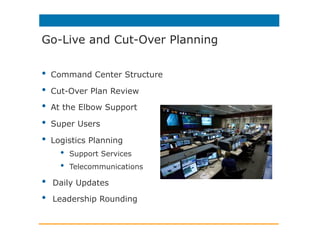
•  Command Center Structure
•  Cut-Over Plan Review
•  At the Elbow Support
•  Super Users
•  Logistics Planning
•  Support Services
•  Telecommunications
•  Daily Updates
•  Leadership Rounding
Go-Live and Cut-Over Planning
•  Review Project After Implementation
•  Review of Project Plan/Process
•  Were Scope and Goals Met?
•  What Did We Do Well and Improvement Opportunities
•  Staffing, Training, Support, Cut-Over
•  Open Issues
•  Post Live Optimization
Post Go-Live Reviews
Successfully Navigate a System Migration
Follow Us:
For more information:
Please contact your Iatric Systems Account Manager
or send an email to info@iatric.com
or visit our blog http://new.iatric.com/blog-home
Download the on-demand webcast
here: http://bit.ly/1I0JySn

Successfully Navigate an EHR System Migration Webcast

  • 1.
    Presented By: Joe Sainz,Practice Director, Professional Services Successfully Navigating a System Migration
  • 2.
    You’ve made thedecision to migrate to a new system – now what? •  The critical time between when the decision is made and when the migration actually happens may be the most important time in the process •  Good strategic planning will avoid costly headaches down the road What you’ll learn today: •  Why a comprehensive migration strategy is a MUST for any migration •  How to begin planning your implementation to successfully achieve your goals while minimizing the risks
  • 3.
    Agenda •  Preparing theOrganization for Change •  Setting Implementation and Strategic Goals •  Opportunity to Change “How We Do Things” •  Resource Planning •  Project Charter and Governance •  Managing the Risk •  Communication and Marketing •  Key Project Components •  Workflow Redesign •  Training •  The Importance of Testing •  3rd Party Interfaces and Reporting Requirements •  Go-Live / Cut-over Planning •  Post Go-Live Reviews
  • 4.
    Preparing the Organizationfor Change •  Why Go Through It……… o  End of Life o  Functional Deficits (Clinical) o  End User Satisfaction o  Improve the Patient Experience (Best Practice) o  Standardization (Corporate) o  Integrated Solution vs. Best of Breed o  Quality and Safety Improvements
  • 5.
    •  Let’s Change“How We Do Things” o  Re-engineering o  Clinical and Business Transformation o  Business Process Improvement Preparing the Organization for Change
  • 6.
    •  Resource Planning o Project Management o  Analyst (Solution Architects) o  Subject Matter Experts o  Physician Champions o  Trainers and Super-Users o  At the Elbow Support o  Technical Engineers o  Legacy Support Preparing the Organization for Change
  • 7.
    •  Project Charterand Governance o  Project Overview o  Timeline & Milestones o  Project Requirements o  Technical and Scoping o  Risks o  Project Members o  Roles & Responsibilities o  Escalation Path o  Policies & Procedures Preparing the Organization for Change
  • 8.
  • 9.
    •  Make itFun! Create a Theme •  Communicate, Communicate, Communicate •  Intranet Site (Newsletters, Videos, Screensavers) •  Publish Key Dates & Milestones •  Clinical Readiness Demonstrations •  Executive Dashboard Communication and Marketing
  • 10.
    •  Workflow Redesign • Current State à Future State •  Interdisciplinary Approach •  Best Practice (Enhance Quality and Safety) •  Maximize Efficiencies •  Improve Care Key Project Components
  • 11.
    •  Training •  RoleMatrix •  Trainers or Super-Users •  Training Rooms •  Staff Scheduling Registration •  Simulated Training and Instructor Led •  Proficiency Testing •  Logistics Key Project Components
  • 12.
    •  Testing •  FunctionalApplication Unit Testing •  Functionality Performs as Expected •  Integrated Testing •  System Components Work Together •  Revenue Cycle Testing •  Parallel Testing (Closed Medical Record or Live) •  User Acceptance Testing •  Technical Dress Rehearsal •  System Performance and Stress Testing •  Response Time… Key Project Components
  • 13.
    •  3rd PartyInterfaces •  Interface Inventory •  Real-Time HL7, Scripts, Batch, Analyzers, Medical Devices •  Other Vendor Extracts •  Integration Plan •  Scoping/Acquisition/Development/Testing •  Reporting Requirements •  Requirement Analysis (“Must Have”) •  Development Resources •  Other Ways to Get to the Information •  Electronic Forms Key Project Components
  • 14.
    •  Command CenterStructure •  Cut-Over Plan Review •  At the Elbow Support •  Super Users •  Logistics Planning •  Support Services •  Telecommunications •  Daily Updates •  Leadership Rounding Go-Live and Cut-Over Planning
  • 15.
    •  Review ProjectAfter Implementation •  Review of Project Plan/Process •  Were Scope and Goals Met? •  What Did We Do Well and Improvement Opportunities •  Staffing, Training, Support, Cut-Over •  Open Issues •  Post Live Optimization Post Go-Live Reviews
  • 16.
    Successfully Navigate aSystem Migration Follow Us: For more information: Please contact your Iatric Systems Account Manager or send an email to info@iatric.com or visit our blog http://new.iatric.com/blog-home Download the on-demand webcast here: http://bit.ly/1I0JySn