Advanced Strongarm

Some tricks and tips on using the
      Strongarm Features
    enhancement module
Strongarm

The Strongarm module allows Drupal

Persistent Variables to be exported and

   imported via Features modules.
Drupal Persistent Variables

•   Set by variable_set(name, value)
•   Retrieved by variable_get(name, def)
•   Values stored in the Variables table
•   Used by most modules for simple settings
•   Modules use their own Name Space
    Prefix (e.g ant = Automatic Node Title)
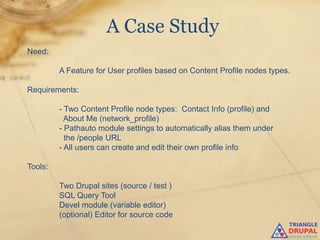
A Case Study
Need:

         A Feature for User profiles based on Content Profile nodes types.

Requirements:

         - Two Content Profile node types: Contact Info (profile) and
           About Me (network_profile)
         - Pathauto module settings to automatically alias them under
           the /people URL
         - All users can create and edit their own profile info

Tools:

         Two Drupal sites (source / test )
         SQL Query Tool
         Devel module (variable editor)
         (optional) Editor for source code
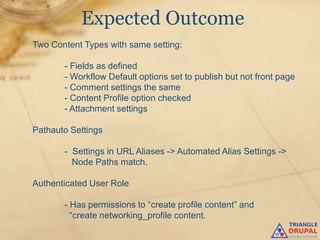
Expected Outcome
Two Content Types with same setting:

       - Fields as defined
       - Workflow Default options set to publish but not front page
       - Comment settings the same
       - Content Profile option checked
       - Attachment settings

Pathauto Settings

       - Settings in URL Aliases -> Automated Alias Settings ->
         Node Paths match.

Authenticated User Role

       - Has permissions to “create profile content” and
         “create networking_profile content.
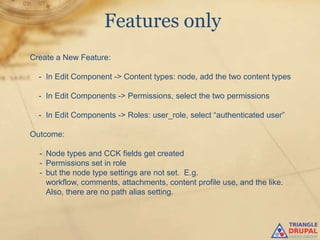
Features only
Create a New Feature:

  - In Edit Component -> Content types: node, add the two content types

  - In Edit Components -> Permissions, select the two permissions

  - In Edit Components -> Roles: user_role, select “authenticated user”

Outcome:

  - Node types and CCK fields get created
  - Permissions set in role
  - but the node type settings are not set. E.g.
    workflow, comments, attachments, content profile use, and the like.
    Also, there are no path alias setting.
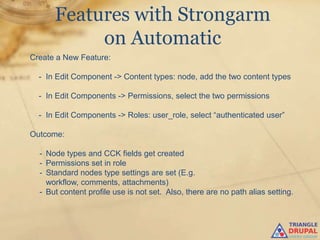
Features with Strongarm
           on Automatic
Create a New Feature:

  - In Edit Component -> Content types: node, add the two content types

  - In Edit Components -> Permissions, select the two permissions

  - In Edit Components -> Roles: user_role, select “authenticated user”

Outcome:

  - Node types and CCK fields get created
  - Permissions set in role
  - Standard nodes type settings are set (E.g.
    workflow, comments, attachments)
  - But content profile use is not set. Also, there are no path alias setting.
Where’s Wald..the
               Node Type Setting
Finding Node Type Related Settings
Basic assumption: Persistent variable names will contain node_type name

Find related persistent variables using either:

• (Preferred) An SQL Browser Tool to query your site‟s DB using the query

         Select * from Variables where name like „%<node_type>%‟

 e.g. Select * from Variables where name like „%networking_profile%‟

• Alternatively, use the Devel Variable Editor page and search thru the
  listings
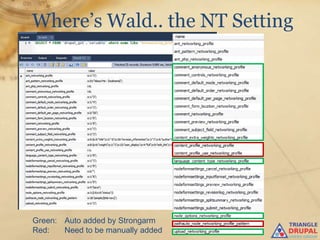
Where’s Wald.. the NT Setting


Green: Auto added by Strongarm
Red:   Need to be manually added
Where’s Wald..the
           Node Type Setting
Notes:

• Repeat for other content type

• Note the “name spaces” for other variables found.
 These are other modules you might want to add as
 defaults to your feature as well.

• Look at the values for indications of where it is set/what
  it‟s used for.

• Search the source code for the variable_set instances
  to validate use (or just keep a good test site db backup
  and test it).
Features with Strongarm
          and Manual Settings
Create a New Feature:

  - In Edit Component -> Content types: node, add the two content types

  - In Edit Components -> Permissions, select the two permissions

  - In Edit Components -> Roles: user_role, select “authenticated user”

  - In Edit Components -> Strongarm: variable, add variables found above.

Outcome:

  - Node types and CCK fields get created
  - Permissions set in role
  - Standard nodes type settings are set (E.g.
    workflow, comments, attachments)
  - Content profile use is set.
  - Path auto alias is set
Where’s Wald..the
                Module Setting
Finding Module Settings
Basic assumption: Persistent variable names will start with module name or
                  module specific prefix.

Find related persistent variables using either:

• (Preferred) An SQL Browser Tool to query your site‟s DB using the query

         Select * from Variables where name like „<module_name>%‟

 e.g. Select * from Variables where name like „realname%‟

• Alternatively, use the Devel Variable Editor page and search thru the
  listings
Where’s Wald..the
             Module Setting
Notes:
•   Modules may use their own DB tables to store
    settings. Strongarm will not work with these.
•   Setting may be a DB record id reference or other
    complicated structure and will not work.
•   The variable name is often the same name as the
    admin form field that sets it.
•   Look at the “postfix” and values for indications of
    where it is set/what it‟s used for.
•   Search the source code for the variable_set instances
    to validate use (or just keep a good test site db
    backup and test it).
Conclusion


 Strongarm allows for many non-Feature

enabled module settings to be captured in

           a Feature Module
Questions?

The Drupal Strongarm Module - Tips and Tricks.

  • 1.
    Advanced Strongarm Some tricksand tips on using the Strongarm Features enhancement module
  • 2.
    Strongarm The Strongarm moduleallows Drupal Persistent Variables to be exported and imported via Features modules.
  • 3.
    Drupal Persistent Variables • Set by variable_set(name, value) • Retrieved by variable_get(name, def) • Values stored in the Variables table • Used by most modules for simple settings • Modules use their own Name Space Prefix (e.g ant = Automatic Node Title)
  • 4.
    A Case Study Need: A Feature for User profiles based on Content Profile nodes types. Requirements: - Two Content Profile node types: Contact Info (profile) and About Me (network_profile) - Pathauto module settings to automatically alias them under the /people URL - All users can create and edit their own profile info Tools: Two Drupal sites (source / test ) SQL Query Tool Devel module (variable editor) (optional) Editor for source code
  • 5.
    Expected Outcome Two ContentTypes with same setting: - Fields as defined - Workflow Default options set to publish but not front page - Comment settings the same - Content Profile option checked - Attachment settings Pathauto Settings - Settings in URL Aliases -> Automated Alias Settings -> Node Paths match. Authenticated User Role - Has permissions to “create profile content” and “create networking_profile content.
  • 6.
    Features only Create aNew Feature: - In Edit Component -> Content types: node, add the two content types - In Edit Components -> Permissions, select the two permissions - In Edit Components -> Roles: user_role, select “authenticated user” Outcome: - Node types and CCK fields get created - Permissions set in role - but the node type settings are not set. E.g. workflow, comments, attachments, content profile use, and the like. Also, there are no path alias setting.
  • 7.
    Features with Strongarm on Automatic Create a New Feature: - In Edit Component -> Content types: node, add the two content types - In Edit Components -> Permissions, select the two permissions - In Edit Components -> Roles: user_role, select “authenticated user” Outcome: - Node types and CCK fields get created - Permissions set in role - Standard nodes type settings are set (E.g. workflow, comments, attachments) - But content profile use is not set. Also, there are no path alias setting.
  • 8.
    Where’s Wald..the Node Type Setting Finding Node Type Related Settings Basic assumption: Persistent variable names will contain node_type name Find related persistent variables using either: • (Preferred) An SQL Browser Tool to query your site‟s DB using the query Select * from Variables where name like „%<node_type>%‟ e.g. Select * from Variables where name like „%networking_profile%‟ • Alternatively, use the Devel Variable Editor page and search thru the listings
  • 9.
    Where’s Wald.. theNT Setting Green: Auto added by Strongarm Red: Need to be manually added
  • 10.
    Where’s Wald..the Node Type Setting Notes: • Repeat for other content type • Note the “name spaces” for other variables found. These are other modules you might want to add as defaults to your feature as well. • Look at the values for indications of where it is set/what it‟s used for. • Search the source code for the variable_set instances to validate use (or just keep a good test site db backup and test it).
  • 11.
    Features with Strongarm and Manual Settings Create a New Feature: - In Edit Component -> Content types: node, add the two content types - In Edit Components -> Permissions, select the two permissions - In Edit Components -> Roles: user_role, select “authenticated user” - In Edit Components -> Strongarm: variable, add variables found above. Outcome: - Node types and CCK fields get created - Permissions set in role - Standard nodes type settings are set (E.g. workflow, comments, attachments) - Content profile use is set. - Path auto alias is set
  • 12.
    Where’s Wald..the Module Setting Finding Module Settings Basic assumption: Persistent variable names will start with module name or module specific prefix. Find related persistent variables using either: • (Preferred) An SQL Browser Tool to query your site‟s DB using the query Select * from Variables where name like „<module_name>%‟ e.g. Select * from Variables where name like „realname%‟ • Alternatively, use the Devel Variable Editor page and search thru the listings
  • 13.
    Where’s Wald..the Module Setting Notes: • Modules may use their own DB tables to store settings. Strongarm will not work with these. • Setting may be a DB record id reference or other complicated structure and will not work. • The variable name is often the same name as the admin form field that sets it. • Look at the “postfix” and values for indications of where it is set/what it‟s used for. • Search the source code for the variable_set instances to validate use (or just keep a good test site db backup and test it).
  • 14.
    Conclusion Strongarm allowsfor many non-Feature enabled module settings to be captured in a Feature Module
  • 15.