
stickyHeader.js
About Russell Heimlich
           ★ Sole developer at the
             Pew Research Center

           ★ Creator of
             dummyimage.com

           ★ Frontend and
             Backend Developer

           ★ @kingkool68
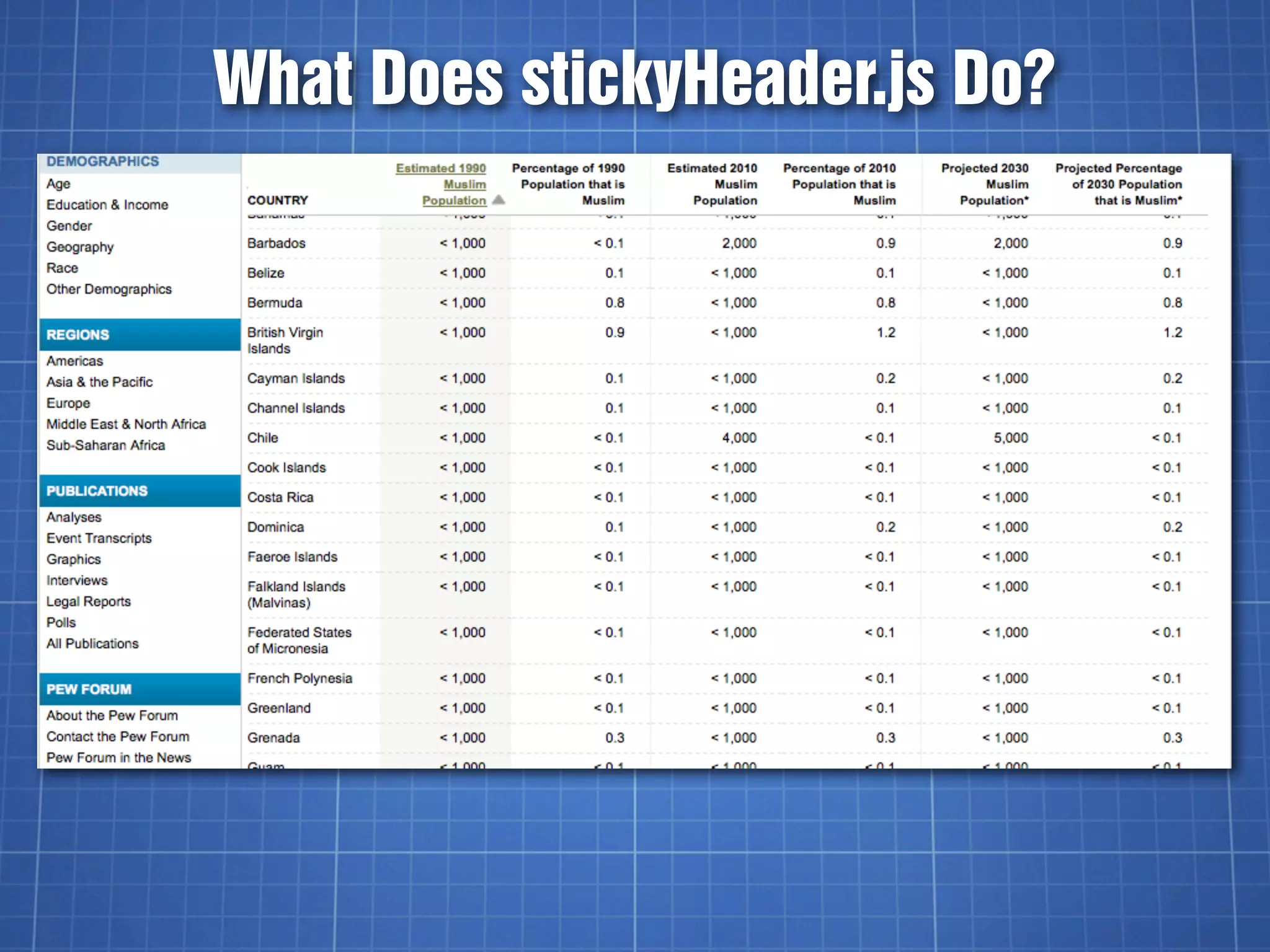
What Does stickyHeader.js Do?
★ Table headers stick to the top of the viewport
  when you scroll down data tables


★ Long data tables become easier to read


★ Has nothing to do with the Sticky Footer
  CSS technique
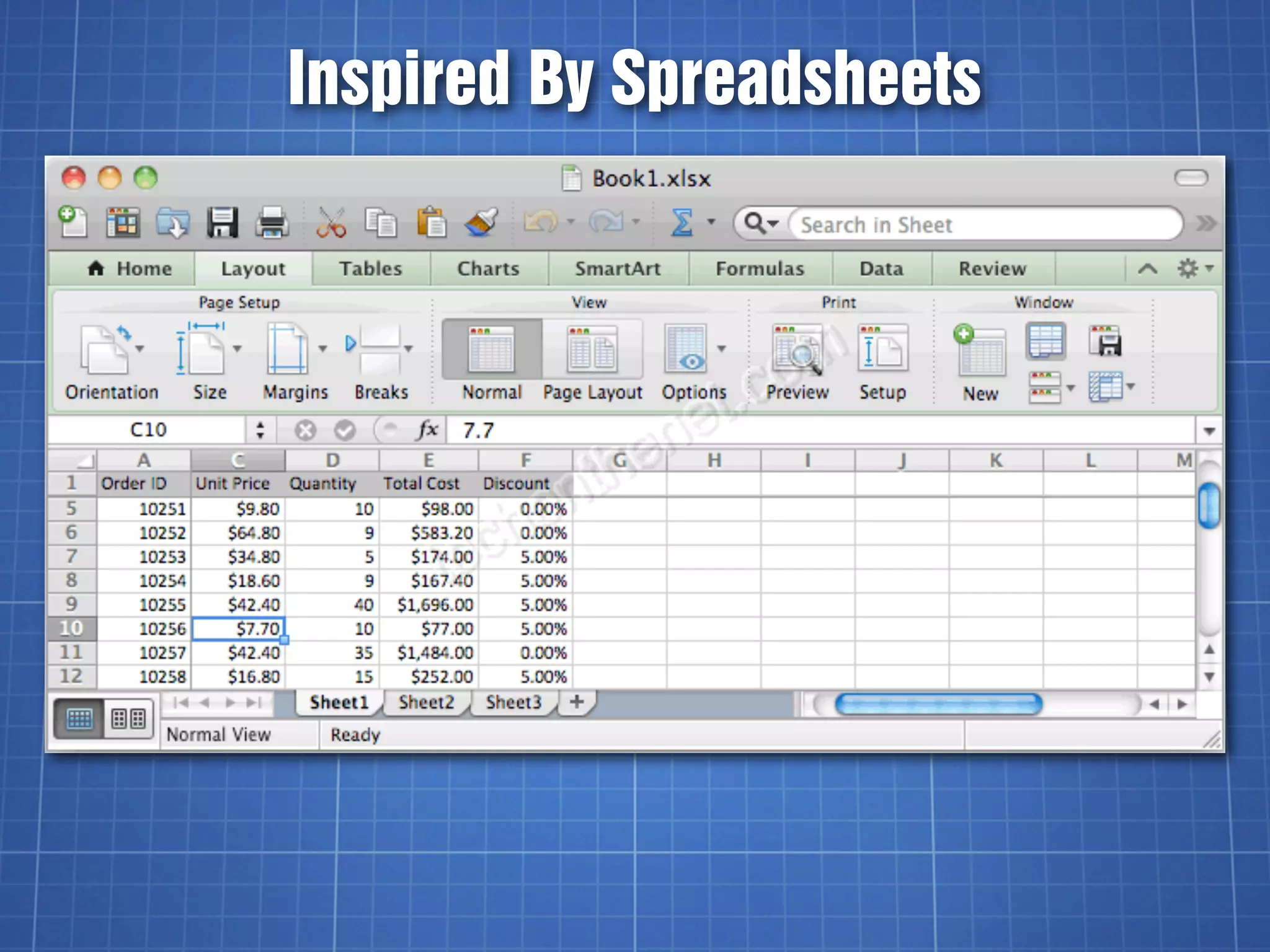
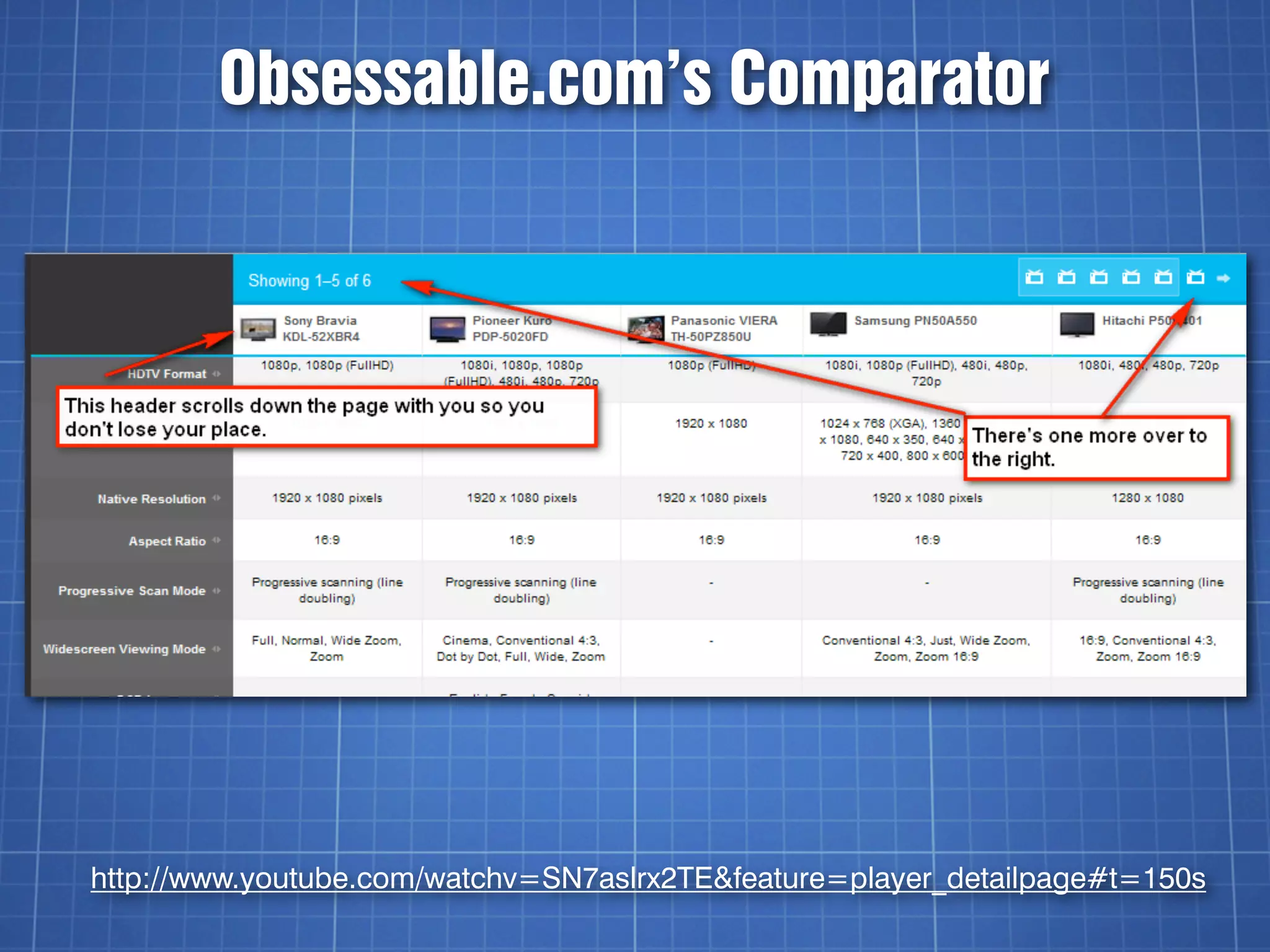
Inspired By Spreadsheets
Obsessable.com’s Comparator


http://www.youtube.com/watchv=SN7aslrx2TE&feature=player_detailpage#t=150s
stickyHeader.js
★ Written by me sometime in 2008 while at
  USNews.com


★ Just include the script and 2 CSS rules


★ Works on any table with class=”stickyHeader”


★ 46 lines (uncompressed)
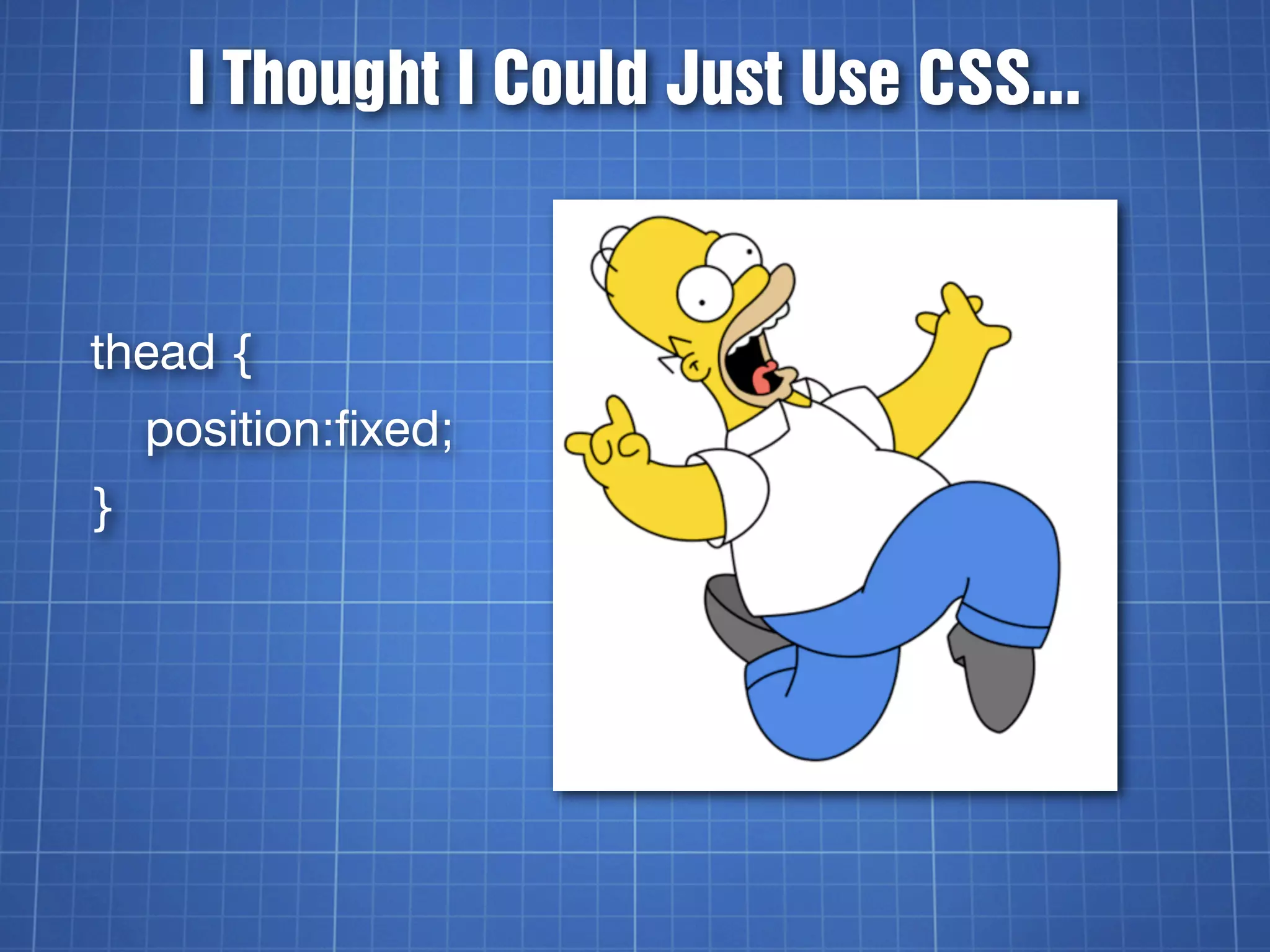
I Thought I Could Just Use CSS...


thead {
    position:fixed;
}
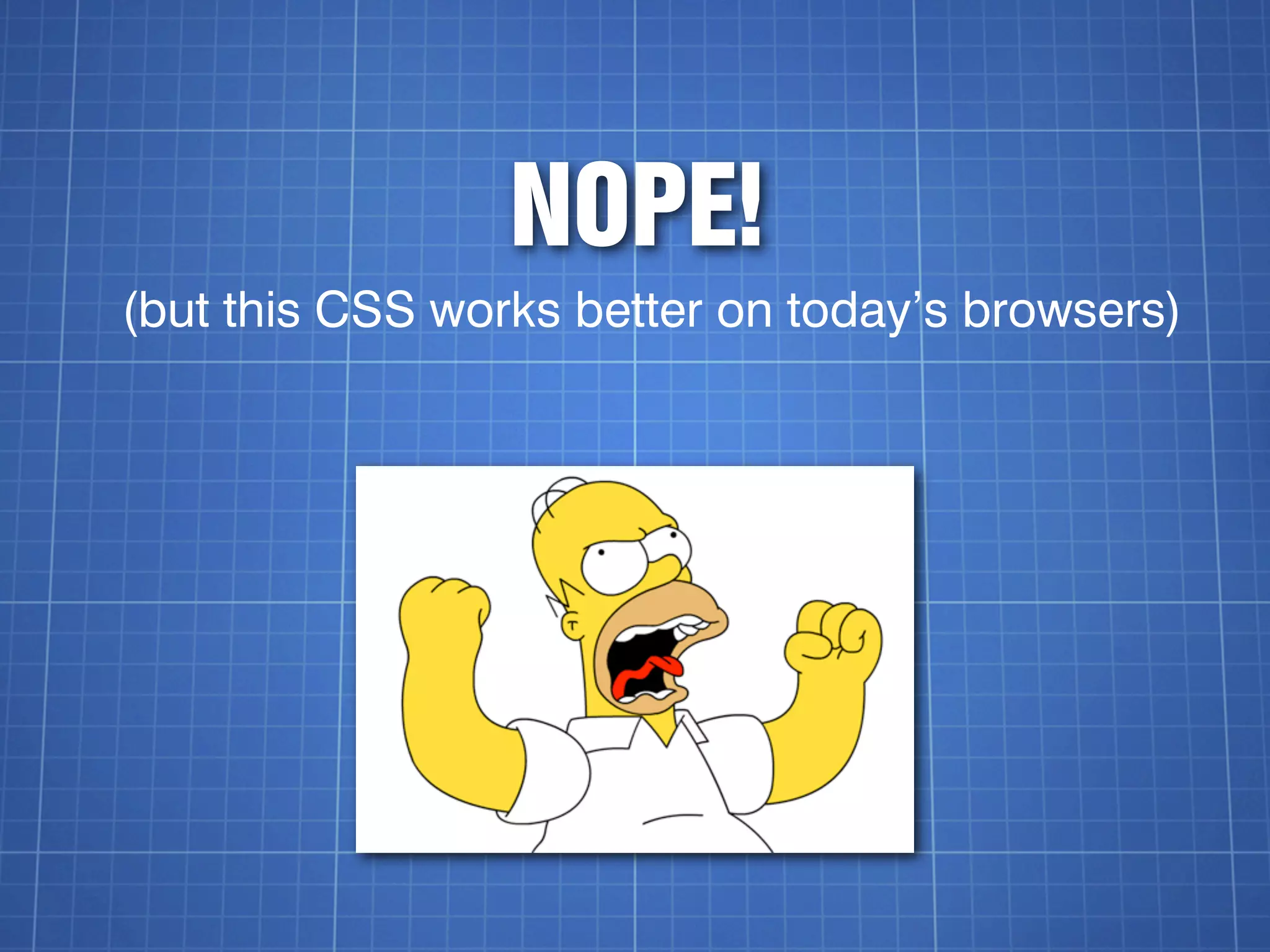
NOPE!
(but this CSS works better on today’s browsers)
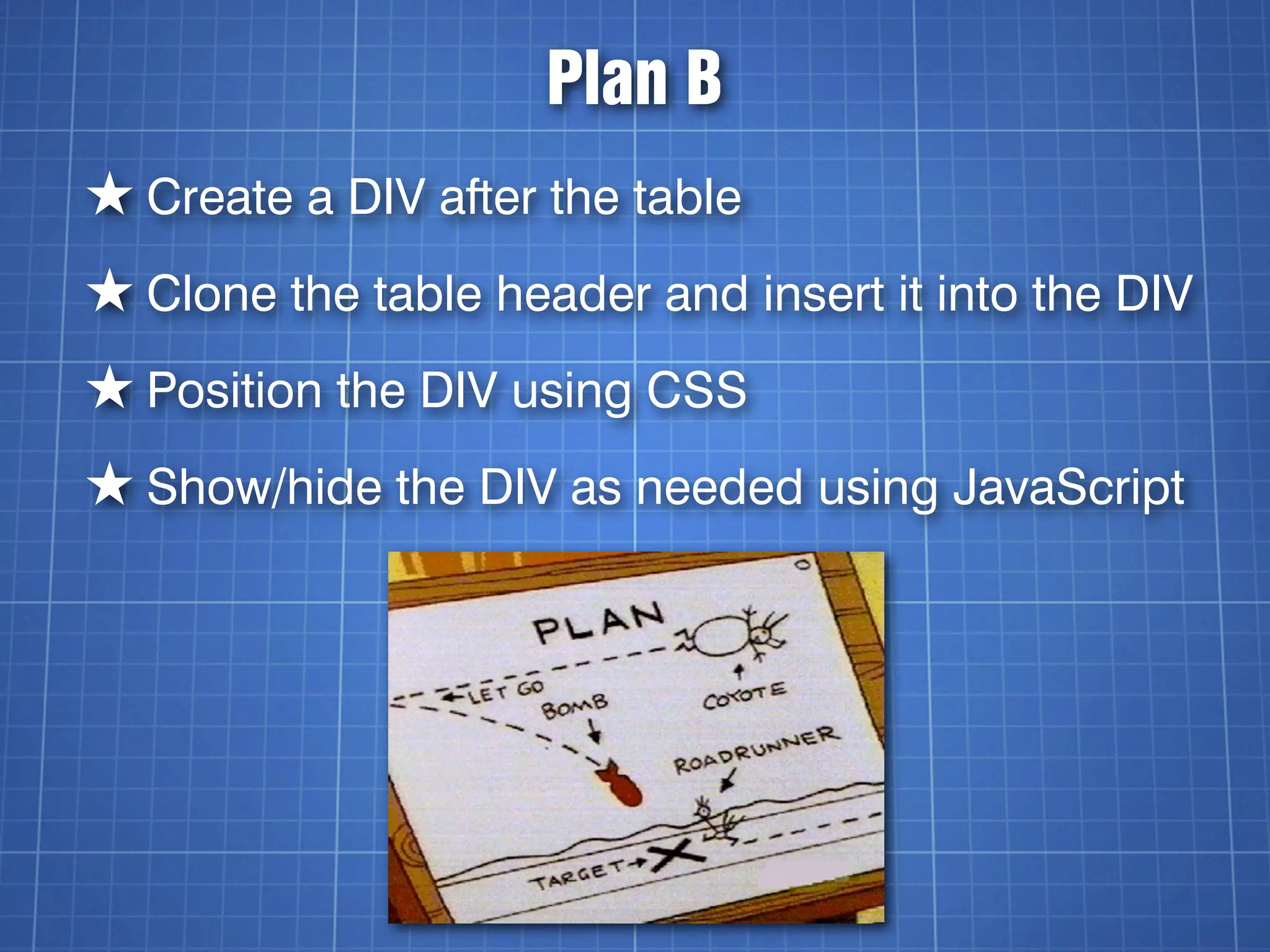
Plan B
★ Create a DIV after the table
★ Clone the table header and insert it into the DIV
★ Position the DIV using CSS
★ Show/hide the DIV as needed using JavaScript
Code Time!
Wait For The Document To Load
$(document).ready(function () {
    ... the rest of the code goes here ...
}
Find All stickyHeader Tables
var tables = $('table.stickyHeader');
tables.each(function(i){
      ... the rest of the code goes here ...
});
Clone The <thead>
var table = tables[i];


var theadClone = $(table).find('thead').clone(true);


var stickyHeader =
$('<div></div>').addClass('stickyHeader hide');
.clone( [withDataAndEvents] )
A Boolean indicating whether event handlers
should be copied along with the elements.


As of jQuery 1.4, element data will be copied as
well.


http://api.jquery.com/clone/
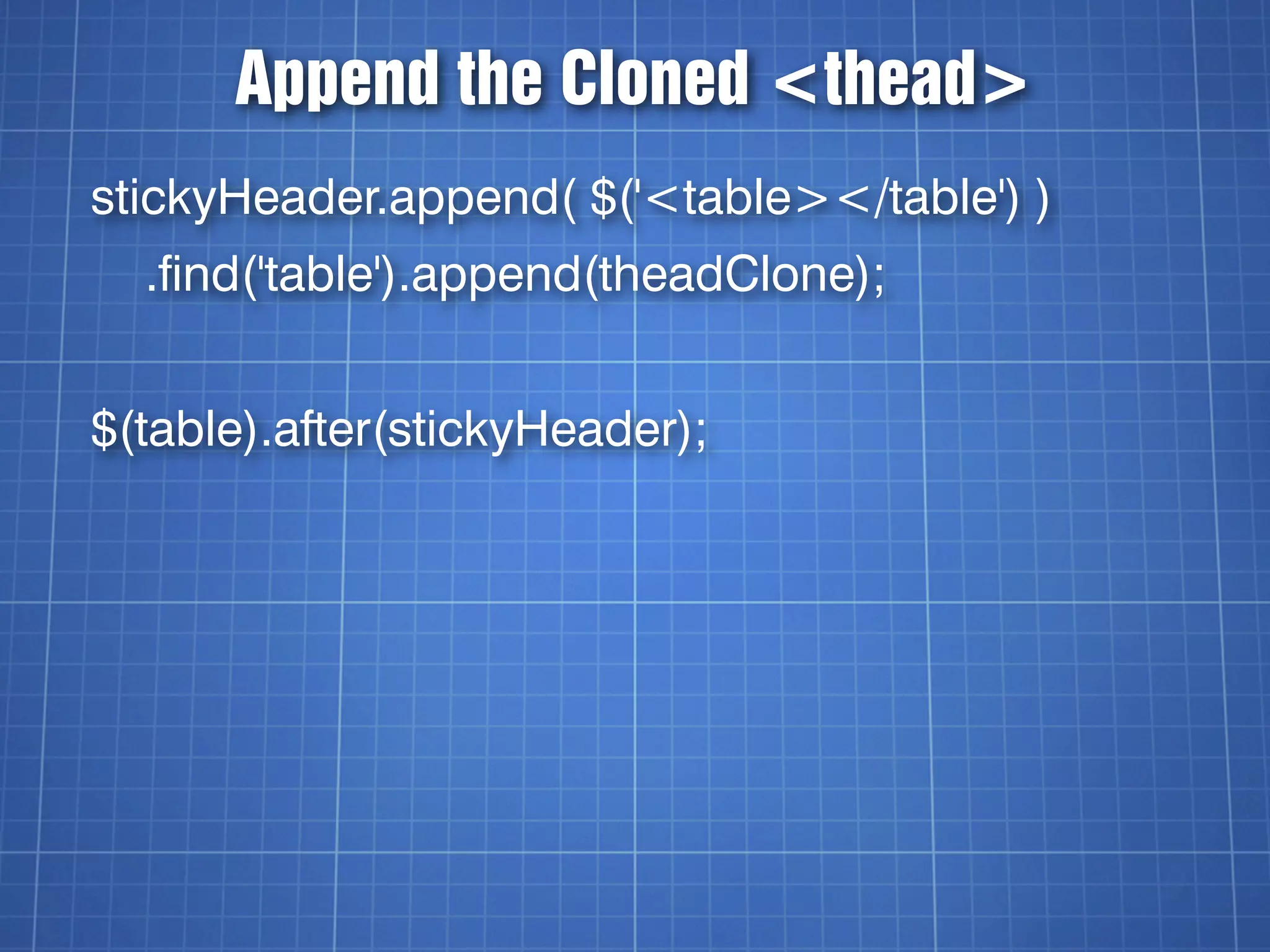
Append the Cloned <thead>
stickyHeader.append( $('<table></table') )
  .find('table').append(theadClone);


$(table).after(stickyHeader);
The HTML So Far
<table class=”stickyHeader”>
   <thead>....</thead>
   ...
</table>


<div class=”stickyHeader hide”>
 <table>
    <thead>...</thead>
  </table>
</div>
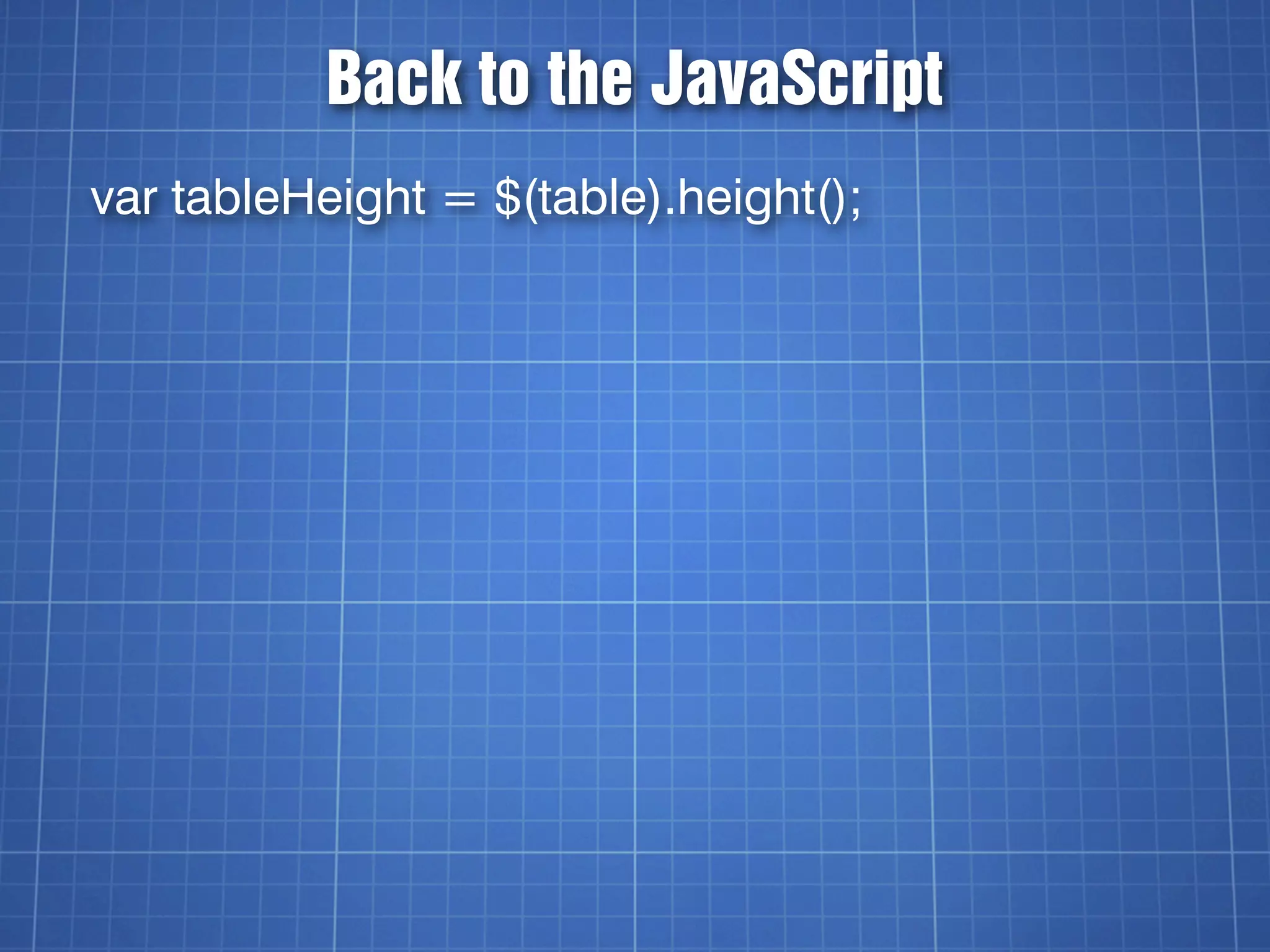
Back to the JavaScript
var tableHeight = $(table).height();
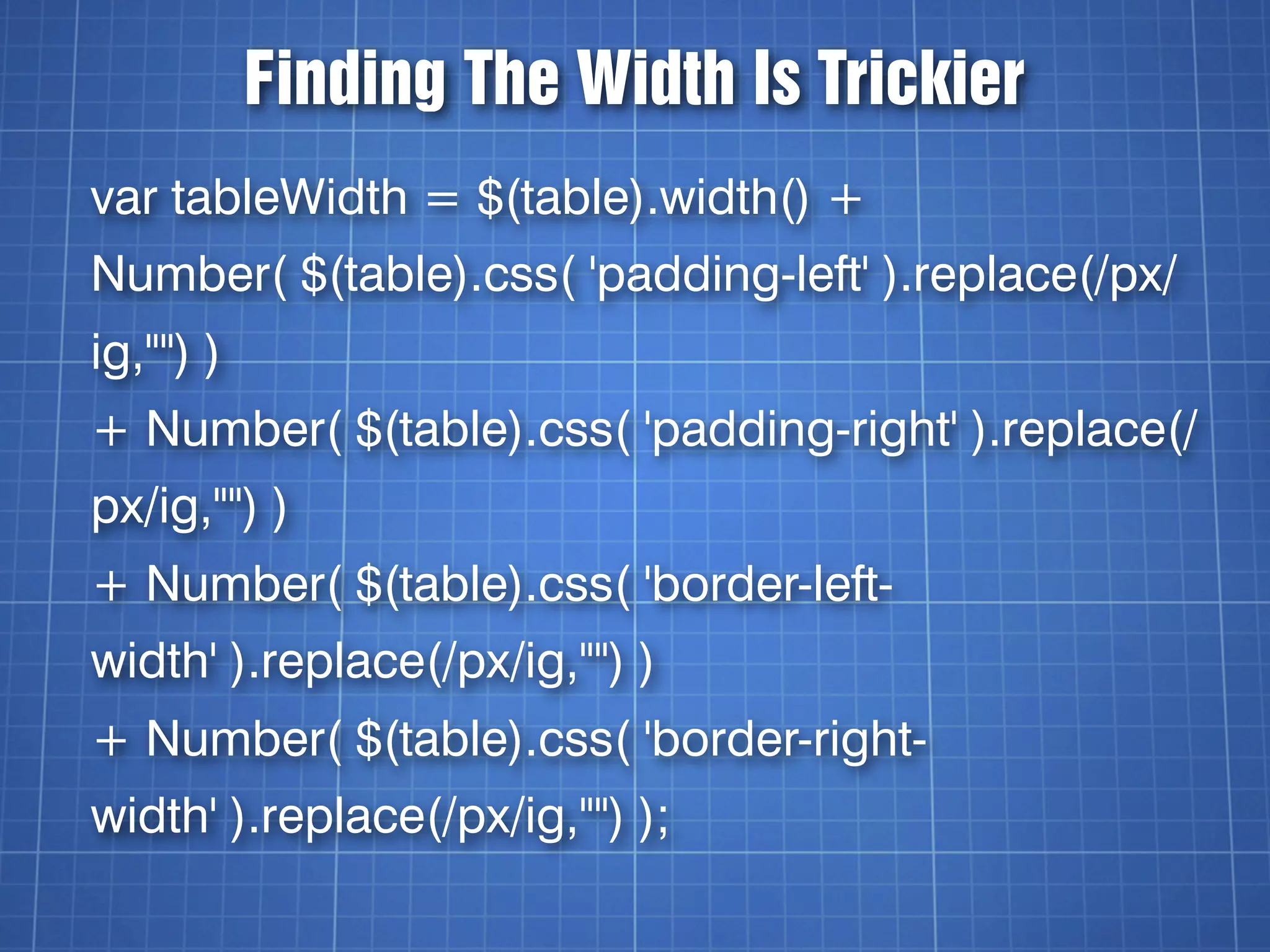
Finding The Width Is Trickier
var tableWidth = $(table).width() +
Number( $(table).css( 'padding-left' ).replace(/px/
ig,"") )
+ Number( $(table).css( 'padding-right' ).replace(/
px/ig,"") )
+ Number( $(table).css( 'border-left-
width' ).replace(/px/ig,"") )
+ Number( $(table).css( 'border-right-
width' ).replace(/px/ig,"") );
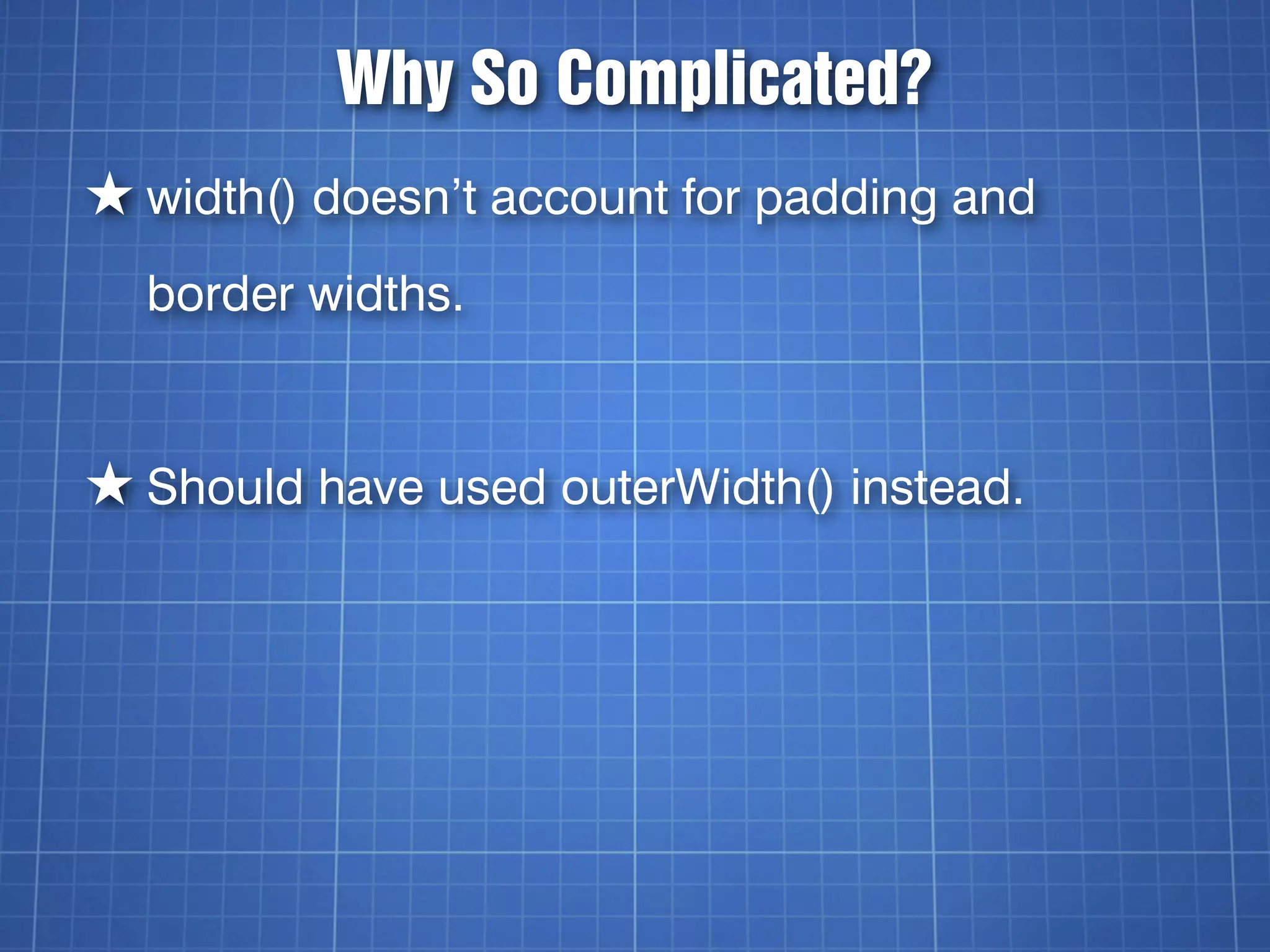
Why So Complicated?
★ width() doesn’t account for padding and
  border widths.


★ Should have used outerWidth() instead.
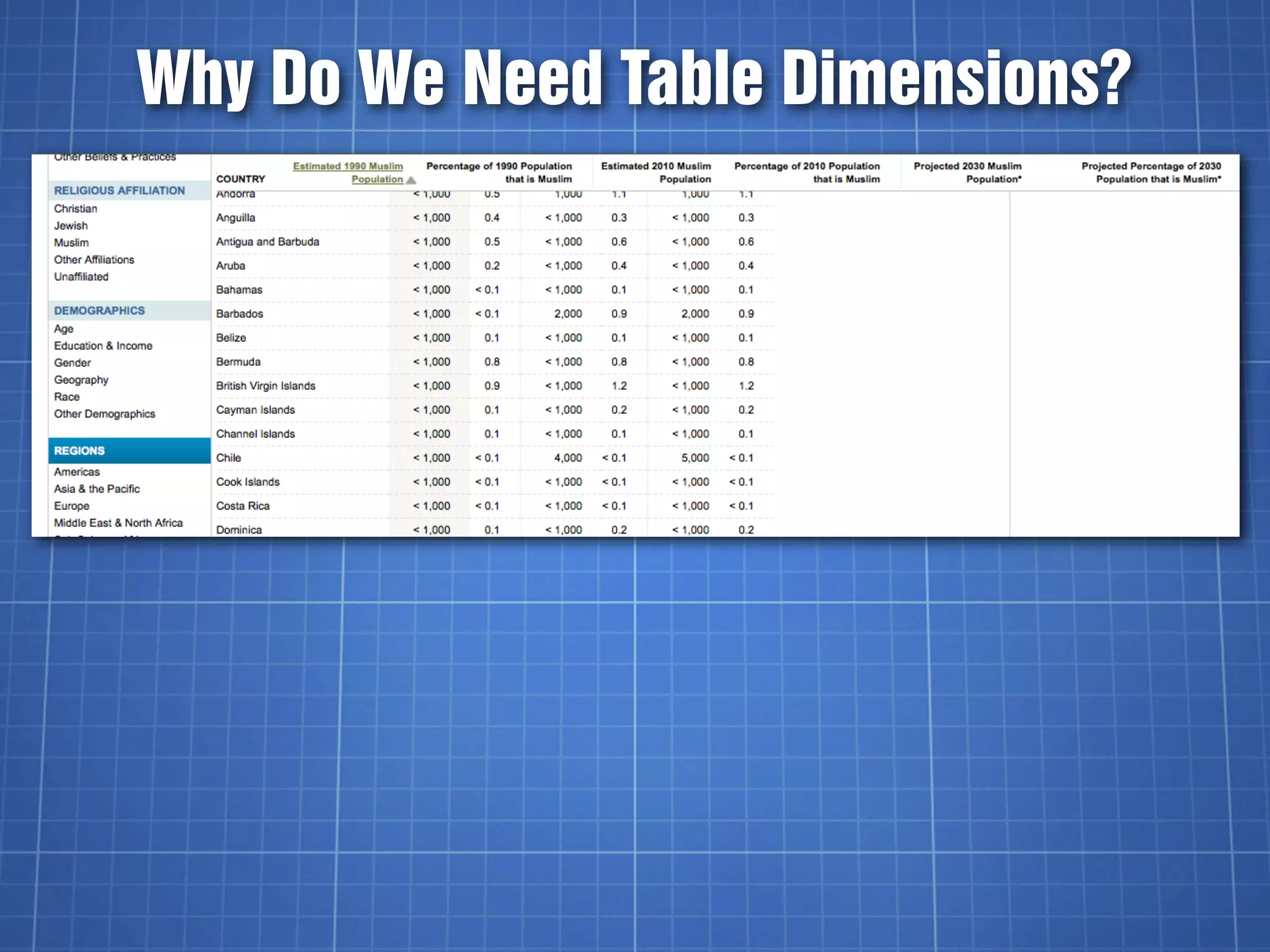
Why Do We Need Table Dimensions?
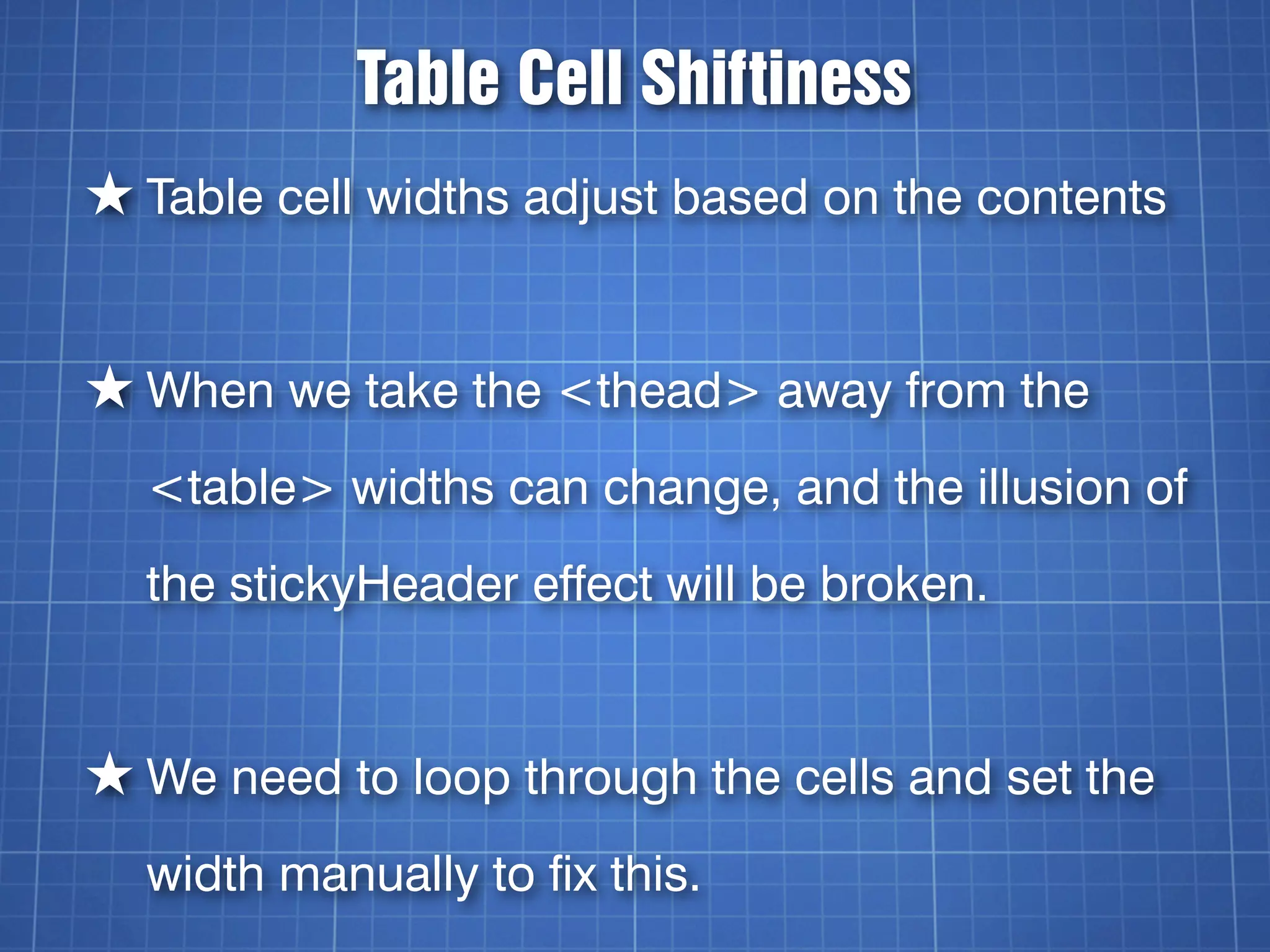
Table Cell Shiftiness
★ Table cell widths adjust based on the contents


★ When we take the <thead> away from the
  <table> widths can change, and the illusion of
  the stickyHeader effect will be broken.


★ We need to loop through the cells and set the
  width manually to fix this.
Now To Determine <th> Height
var headerCells = $(table).find('thead th');


var headerCellHeight =
$(headerCells[0]).height();
Match Header Cell Widths
for (i=0; i<headerCells.length; i++) {
    var headerCell = $(headerCells[i]);
    var cellWidth = headerCell.width();
    cellWidth = cellWidth + "px";
    $(stickyHeaderCells[i]).css('width', cellWidth);
}
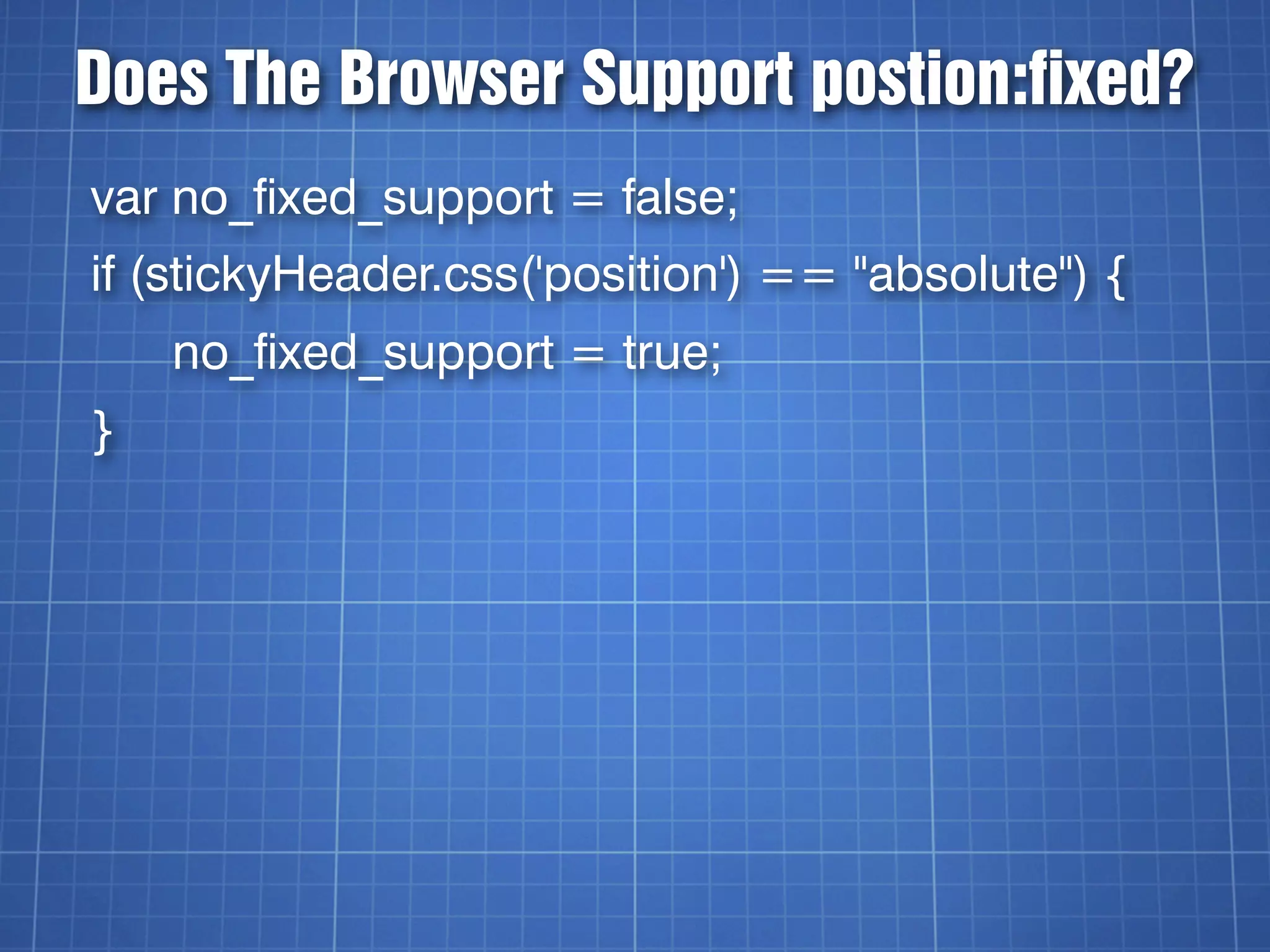
Does The Browser Support postion:fixed?
var no_fixed_support = false;
if (stickyHeader.css('position') == "absolute") {
    no_fixed_support = true;
}
stickyHeader.css
.hide {
    display:none;
}
div.stickyHeader {
    position:fixed;
    _position:absolute;
    top:0;
}
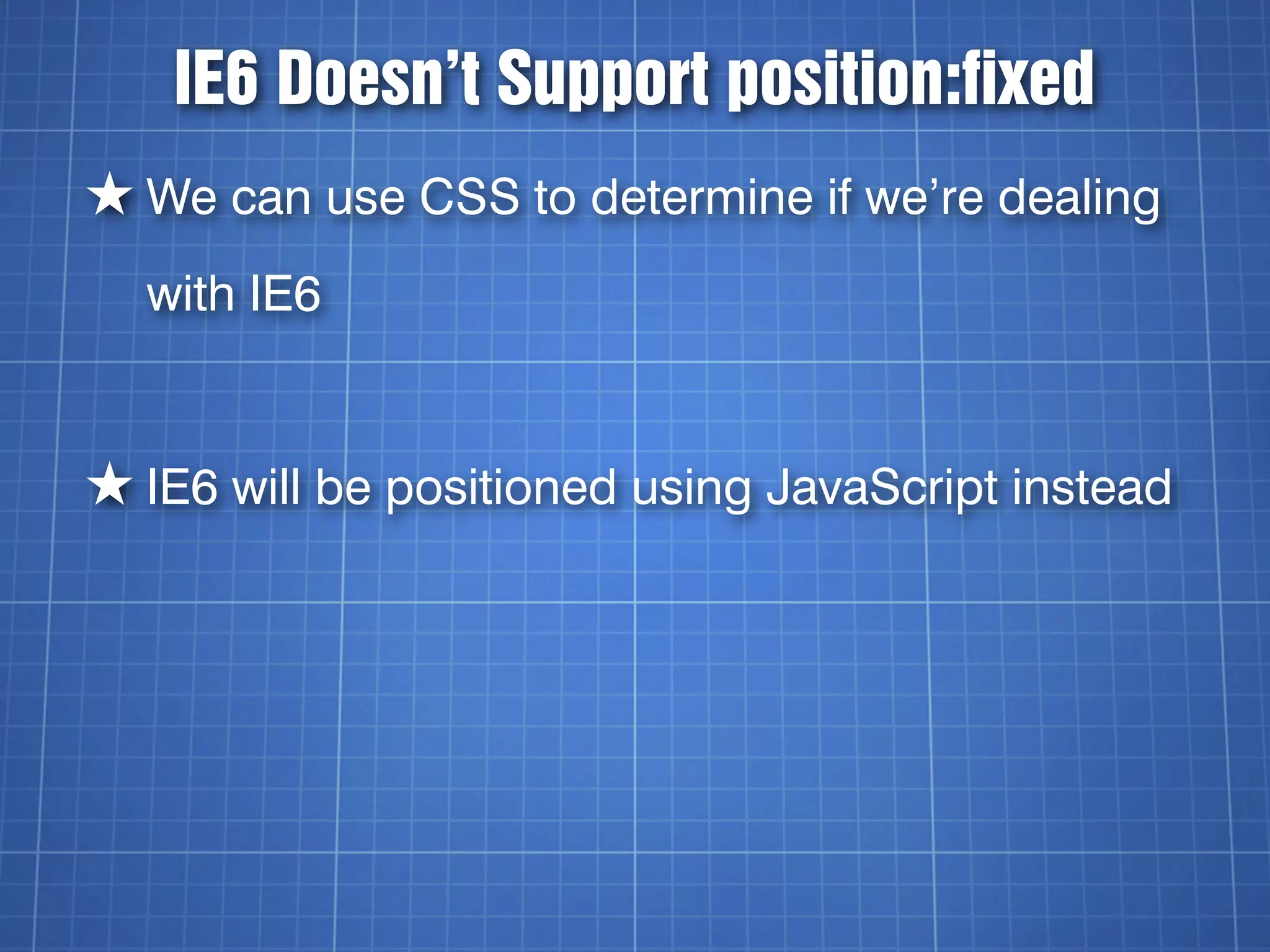
IE6 Doesn’t Support position:fixed
★ We can use CSS to determine if we’re dealing
  with IE6


★ IE6 will be positioned using JavaScript instead
The Underscore “Hack”
★ .property: value; - Targets IE7 and below
★ _property: value; - Targets IE6 and below


★ Think of it like an unofficial browser prefix
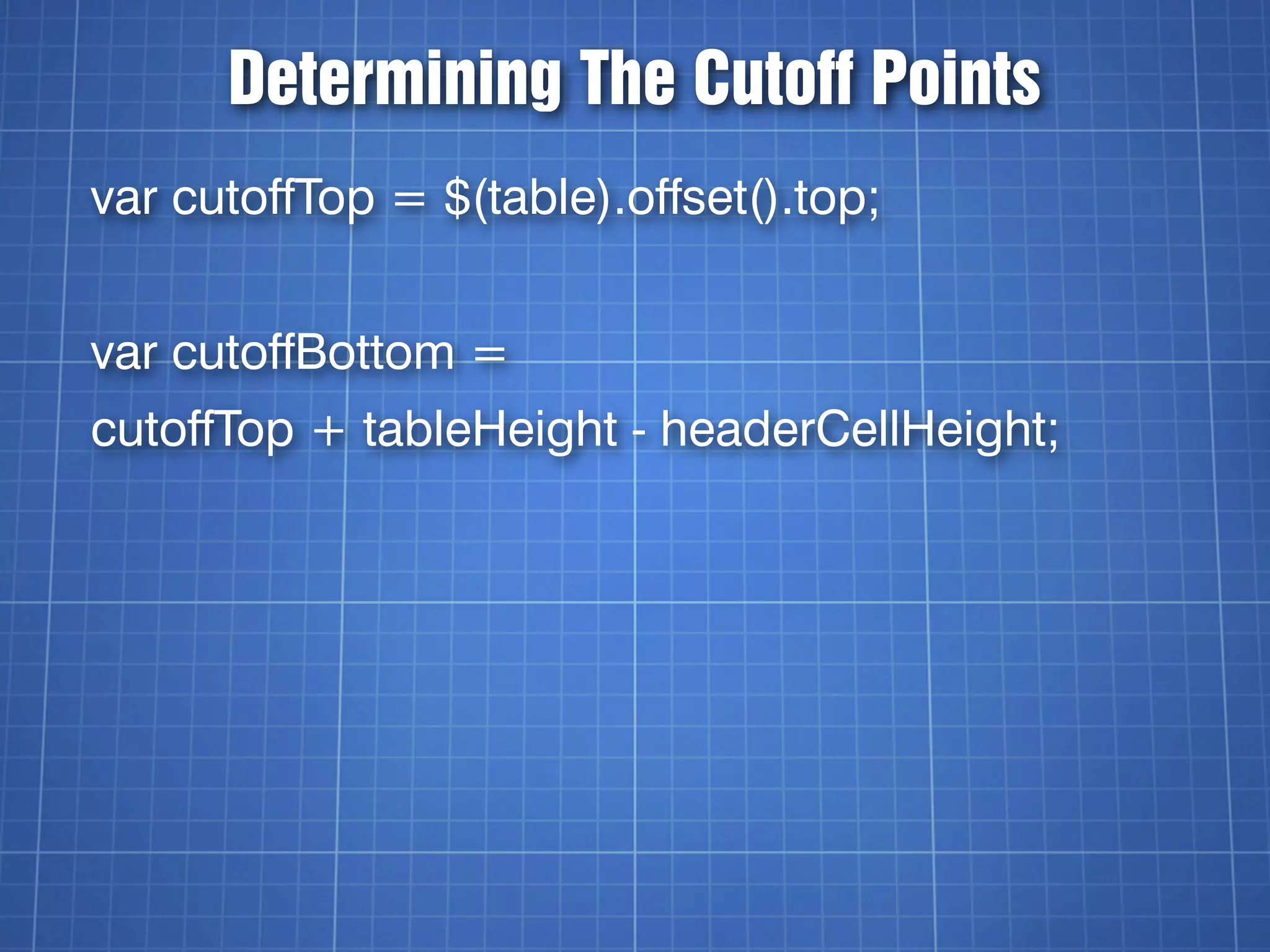
Determining The Cutoff Points
var cutoffTop = $(table).offset().top;


var cutoffBottom =
cutoffTop + tableHeight - headerCellHeight;
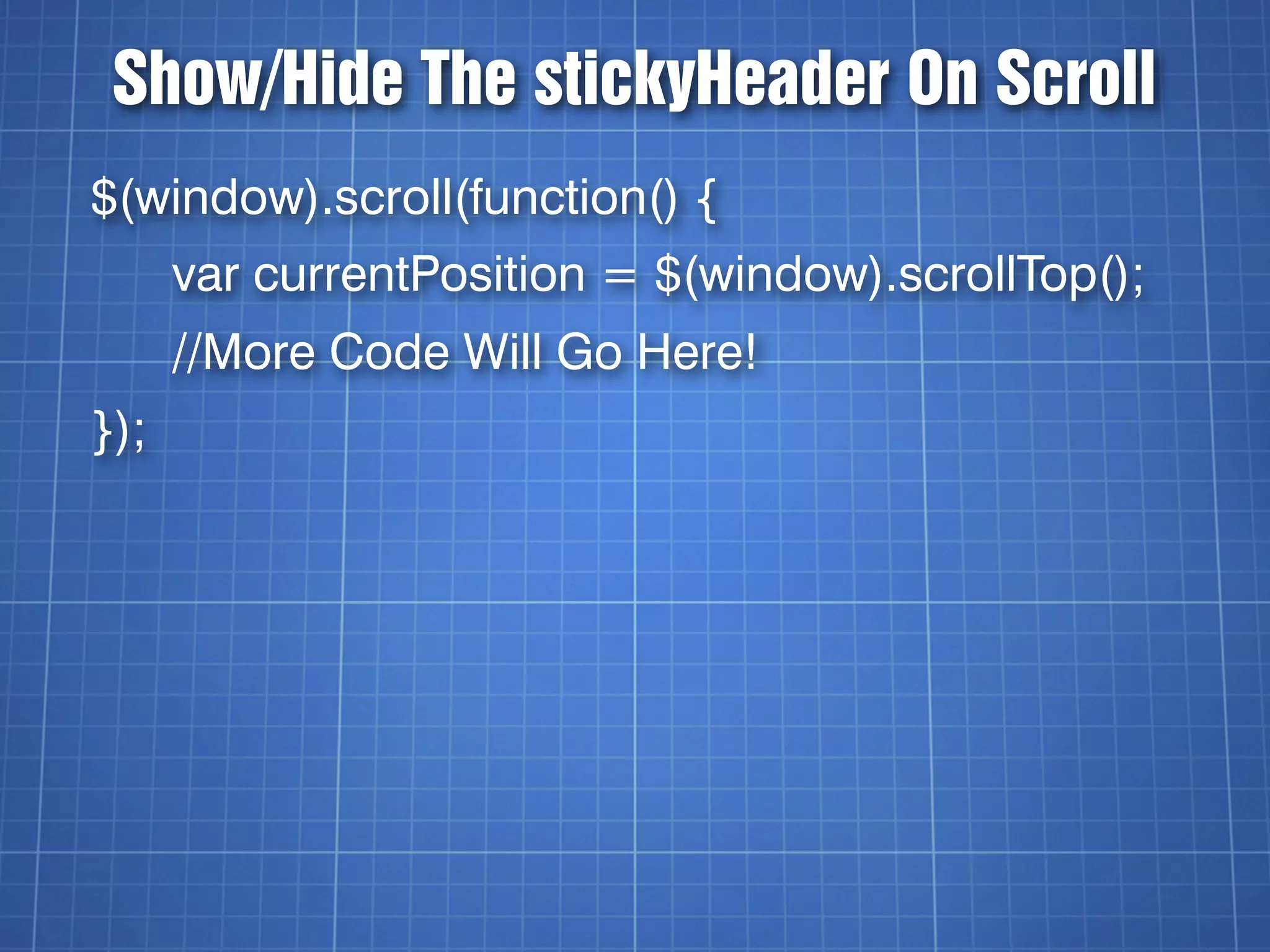
Show/Hide The stickyHeader On Scroll
$(window).scroll(function() {
      var currentPosition = $(window).scrollTop();
      //More Code Will Go Here!
});
Top of the Table (446px)

   Top of the Viewport (627px)


Bottom of the Table (6000+px)
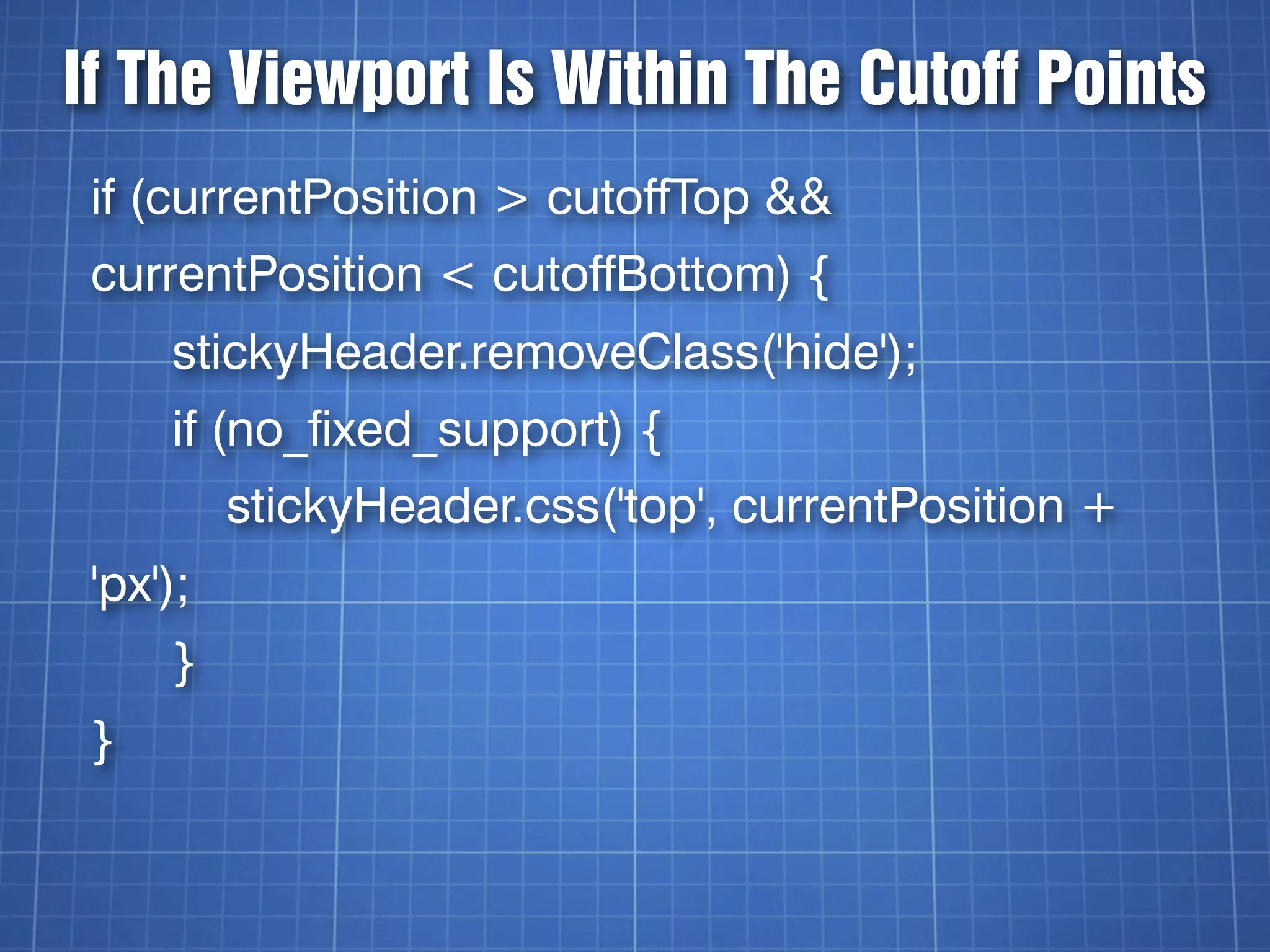
If The Viewport Is Within The Cutoff Points
 if (currentPosition > cutoffTop &&
 currentPosition < cutoffBottom) {
     stickyHeader.removeClass('hide');
     if (no_fixed_support) {
          stickyHeader.css('top', currentPosition +
 'px');
     }
 }
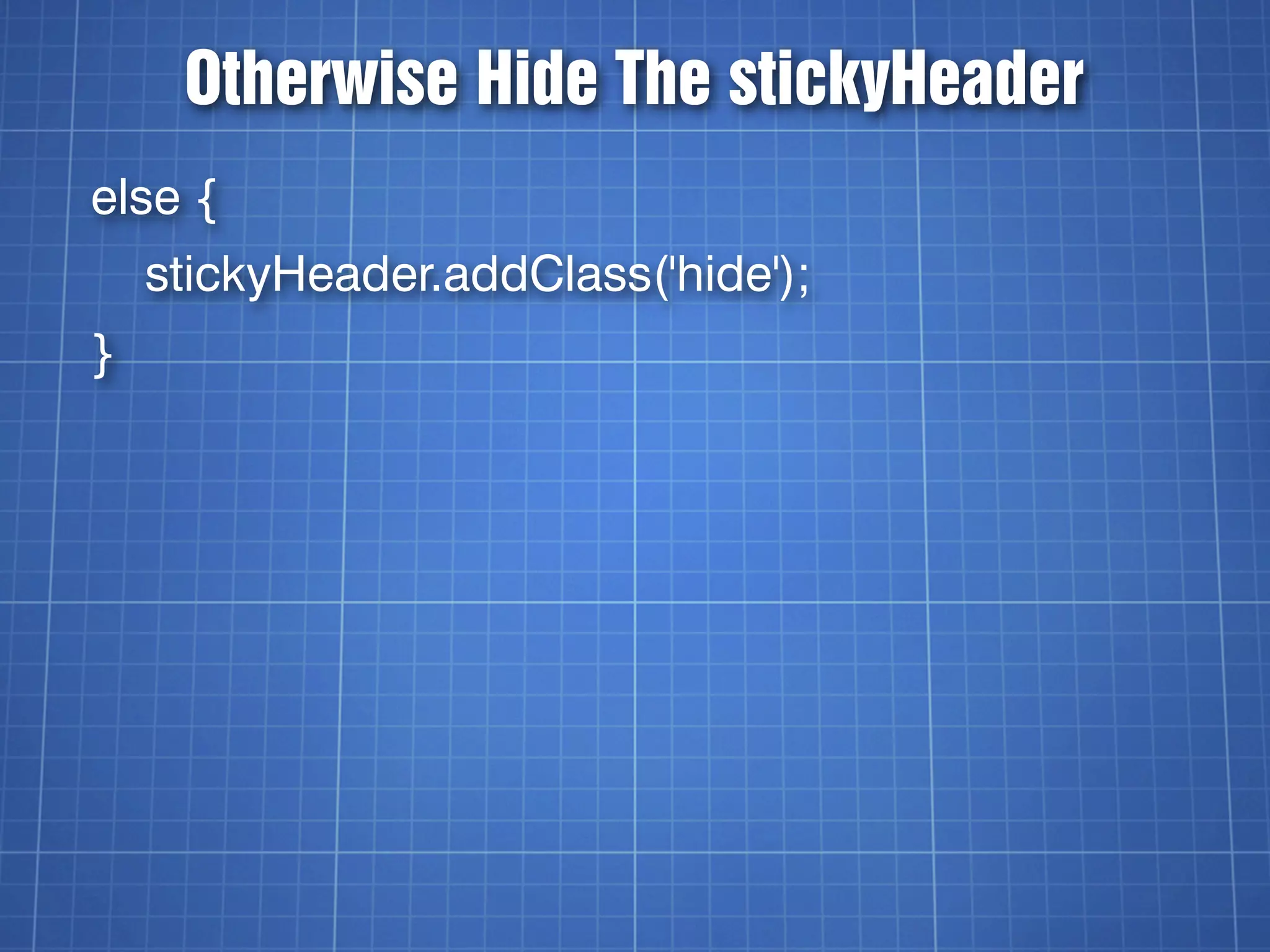
Otherwise Hide The stickyHeader
else {
    stickyHeader.addClass('hide');
}
Notes About Styling
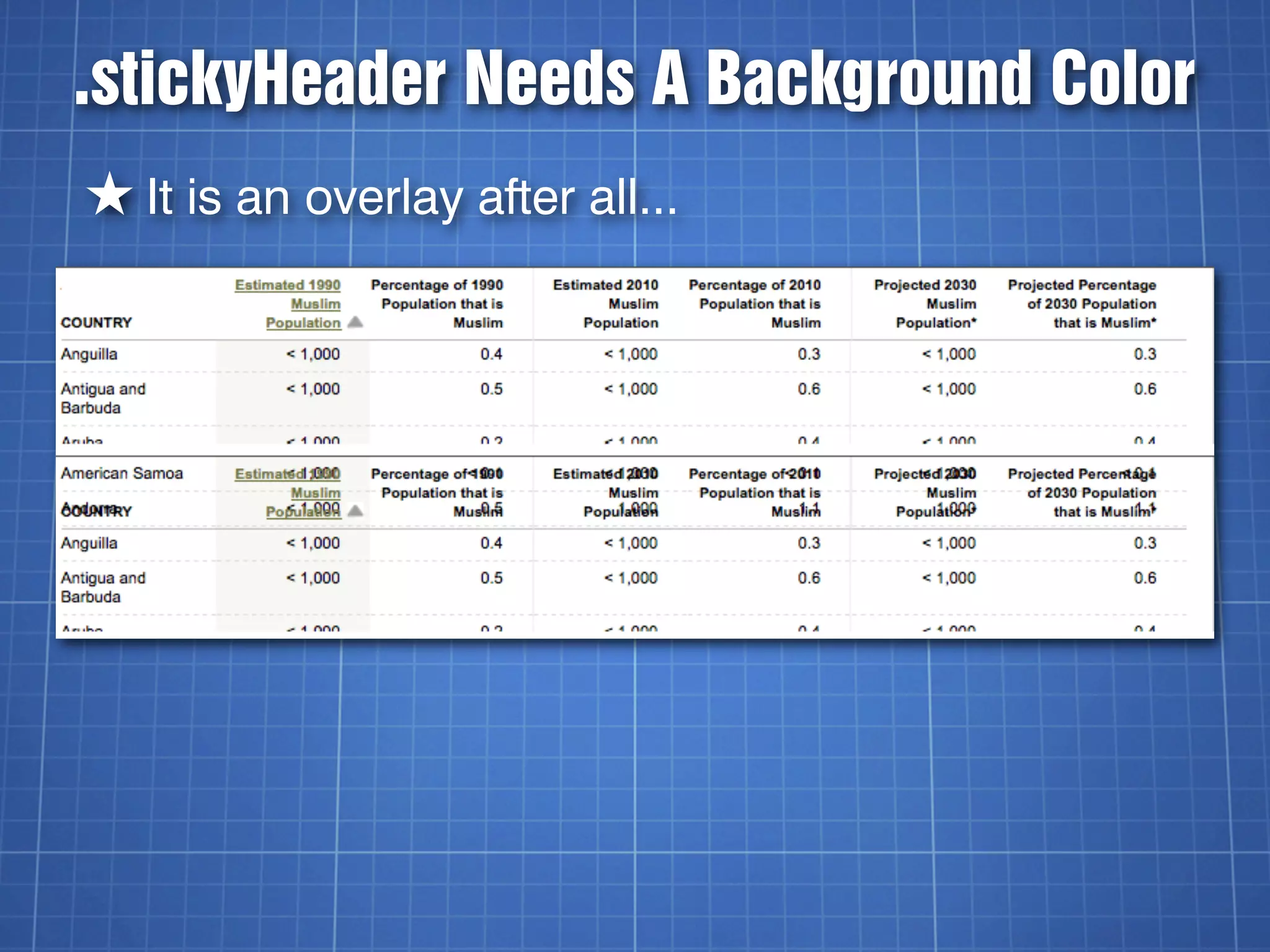
.stickyHeader Needs A Background Color
★ It is an overlay after all...
If You Need To Get Specific
/*Global table header styles */
th { ... }


/*Original stickyHeader table header styles */
table.stickyHeader th { ... }


/*Cloned stickyHeader table header styles */
div.stickyHeader th { ... }
Other Versions
★ Ported over to the 4 most popular libraries


★ Prototype 1.6.0.3
★ jQuery 1.3.2
★ MooTools 1.2.2
★ Dojo Toolkit 1.3.1
Thoughts On Different Libraries
★ Prototype: Extends JavaScript Language
★ jQuery: Makes JavaScript Easier
★ MooTools: Hybrid Prototype/jQuery
★ Dojo Toolkit: WTF?!?!
Other Things I Learned
★ jQuery handles dimensions the best, other
  libraries made me have to write my own.


★ For logging event data, use document.title
  instead of console.log
The Code Is Available
★ https://github.com/kingkool68/stickyHeader


★ http://svn.kingkool68.com/projects/
  stickyHeader/


★ Demos: http://dev.kingkool68.com/
  stickyHeader/

stickyHeader.js

  • 1.
  • 2.
    About Russell Heimlich ★ Sole developer at the Pew Research Center ★ Creator of dummyimage.com ★ Frontend and Backend Developer ★ @kingkool68
  • 3.
  • 4.
    What Does stickyHeader.jsDo? ★ Table headers stick to the top of the viewport when you scroll down data tables ★ Long data tables become easier to read ★ Has nothing to do with the Sticky Footer CSS technique
  • 5.
  • 6.
  • 7.
  • 8.
    stickyHeader.js ★ Written byme sometime in 2008 while at USNews.com ★ Just include the script and 2 CSS rules ★ Works on any table with class=”stickyHeader” ★ 46 lines (uncompressed)
  • 9.
    I Thought ICould Just Use CSS... thead { position:fixed; }
  • 10.
    NOPE! (but this CSSworks better on today’s browsers)
  • 11.
    Plan B ★ Createa DIV after the table ★ Clone the table header and insert it into the DIV ★ Position the DIV using CSS ★ Show/hide the DIV as needed using JavaScript
  • 12.
  • 13.
    Wait For TheDocument To Load $(document).ready(function () { ... the rest of the code goes here ... }
  • 14.
    Find All stickyHeaderTables var tables = $('table.stickyHeader'); tables.each(function(i){ ... the rest of the code goes here ... });
  • 15.
    Clone The <thead> vartable = tables[i]; var theadClone = $(table).find('thead').clone(true); var stickyHeader = $('<div></div>').addClass('stickyHeader hide');
  • 16.
    .clone( [withDataAndEvents] ) ABoolean indicating whether event handlers should be copied along with the elements. As of jQuery 1.4, element data will be copied as well. http://api.jquery.com/clone/
  • 17.
    Append the Cloned<thead> stickyHeader.append( $('<table></table') ) .find('table').append(theadClone); $(table).after(stickyHeader);
  • 18.
    The HTML SoFar <table class=”stickyHeader”> <thead>....</thead> ... </table> <div class=”stickyHeader hide”> <table> <thead>...</thead> </table> </div>
  • 19.
    Back to theJavaScript var tableHeight = $(table).height();
  • 20.
    Finding The WidthIs Trickier var tableWidth = $(table).width() + Number( $(table).css( 'padding-left' ).replace(/px/ ig,"") ) + Number( $(table).css( 'padding-right' ).replace(/ px/ig,"") ) + Number( $(table).css( 'border-left- width' ).replace(/px/ig,"") ) + Number( $(table).css( 'border-right- width' ).replace(/px/ig,"") );
  • 21.
    Why So Complicated? ★width() doesn’t account for padding and border widths. ★ Should have used outerWidth() instead.
  • 22.
    Why Do WeNeed Table Dimensions?
  • 23.
    Table Cell Shiftiness ★Table cell widths adjust based on the contents ★ When we take the <thead> away from the <table> widths can change, and the illusion of the stickyHeader effect will be broken. ★ We need to loop through the cells and set the width manually to fix this.
  • 24.
    Now To Determine<th> Height var headerCells = $(table).find('thead th'); var headerCellHeight = $(headerCells[0]).height();
  • 25.
    Match Header CellWidths for (i=0; i<headerCells.length; i++) { var headerCell = $(headerCells[i]); var cellWidth = headerCell.width(); cellWidth = cellWidth + "px"; $(stickyHeaderCells[i]).css('width', cellWidth); }
  • 26.
    Does The BrowserSupport postion:fixed? var no_fixed_support = false; if (stickyHeader.css('position') == "absolute") { no_fixed_support = true; }
  • 27.
    stickyHeader.css .hide { display:none; } div.stickyHeader { position:fixed; _position:absolute; top:0; }
  • 28.
    IE6 Doesn’t Supportposition:fixed ★ We can use CSS to determine if we’re dealing with IE6 ★ IE6 will be positioned using JavaScript instead
  • 29.
    The Underscore “Hack” ★.property: value; - Targets IE7 and below ★ _property: value; - Targets IE6 and below ★ Think of it like an unofficial browser prefix
  • 30.
    Determining The CutoffPoints var cutoffTop = $(table).offset().top; var cutoffBottom = cutoffTop + tableHeight - headerCellHeight;
  • 31.
    Show/Hide The stickyHeaderOn Scroll $(window).scroll(function() { var currentPosition = $(window).scrollTop(); //More Code Will Go Here! });
  • 32.
    Top of theTable (446px) Top of the Viewport (627px) Bottom of the Table (6000+px)
  • 33.
    If The ViewportIs Within The Cutoff Points if (currentPosition > cutoffTop && currentPosition < cutoffBottom) { stickyHeader.removeClass('hide'); if (no_fixed_support) { stickyHeader.css('top', currentPosition + 'px'); } }
  • 34.
    Otherwise Hide ThestickyHeader else { stickyHeader.addClass('hide'); }
  • 35.
  • 36.
    .stickyHeader Needs ABackground Color ★ It is an overlay after all...
  • 37.
    If You NeedTo Get Specific /*Global table header styles */ th { ... } /*Original stickyHeader table header styles */ table.stickyHeader th { ... } /*Cloned stickyHeader table header styles */ div.stickyHeader th { ... }
  • 38.
    Other Versions ★ Portedover to the 4 most popular libraries ★ Prototype 1.6.0.3 ★ jQuery 1.3.2 ★ MooTools 1.2.2 ★ Dojo Toolkit 1.3.1
  • 39.
    Thoughts On DifferentLibraries ★ Prototype: Extends JavaScript Language ★ jQuery: Makes JavaScript Easier ★ MooTools: Hybrid Prototype/jQuery ★ Dojo Toolkit: WTF?!?!
  • 40.
    Other Things ILearned ★ jQuery handles dimensions the best, other libraries made me have to write my own. ★ For logging event data, use document.title instead of console.log
  • 41.
    The Code IsAvailable ★ https://github.com/kingkool68/stickyHeader ★ http://svn.kingkool68.com/projects/ stickyHeader/ ★ Demos: http://dev.kingkool68.com/ stickyHeader/