
















Fall in Love with NodeJS in
Windows Azure
Jesus Rodriguez
Tellago, Inc, Tellago Studios
NodeJS Time!!!
About Me…
• Hackerpreneur
• Co-Founder Tellago, Tellago Studios, Inc.
• Microsoft Architect Advisor
• Microsoft MVP
• Oracle ACE
• Speaker, Author
• http://weblogs.asp.net/gsusx
• http://jrodthoughts.com
• http://moesion.com
Agenda
• Quick intro to NodeJS
• NodeJS and Windows Azure
NodeJS?
How Simple is Simple?
Ok, What is NodeJS Again?
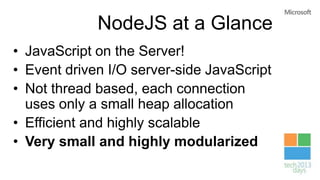
NodeJS at a Glance
Some History
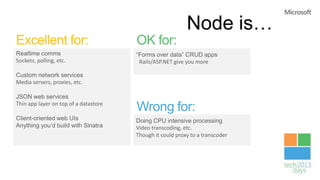
Node is…
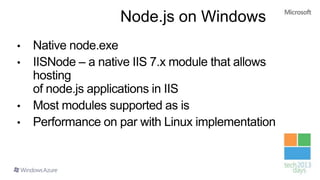
Node.js on Windows
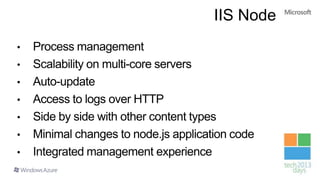
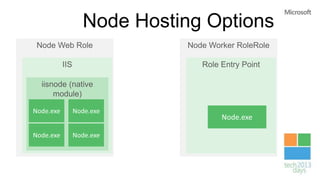
IIS Node
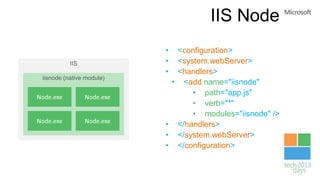
IIS Node
• <configuration>
• <system.webServer>
• <handlers>
• <add name="iisnode"
• path="app.js"
• verb="*"
• modules="iisnode" />
• </handlers>
• </system.webServer>
• </configuration>
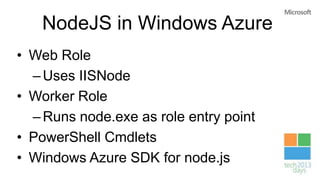
NodeJS in Windows Azure
• Web Role
–Uses IISNode
• Worker Role
–Runs node.exe as role entry point
• PowerShell Cmdlets
• Windows Azure SDK for node.js
Node Hosting Options
HDInsight
My First NodeJS App in
Windows Azure
We can use NodeJS to Manage
Windows Azure
HDInsight
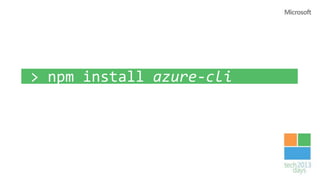
NodeJS Command Line
Tools
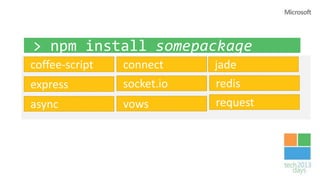
Of Course! You can leverage
existing NodeJS modules in your
Windows Azure applications
HDInsight
Using Express and Socket.io
in Windows Azure
You can natively interact with
Windows Azure Services
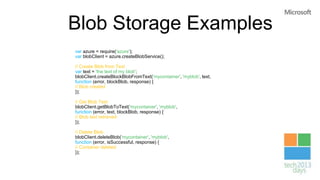
Blob Storage Examples
var azure = require('azure');
var blobClient = azure.createBlobService();
// Create Blob from Text
var text = 'the text of my blob';
blobClient.createBlockBlobFromText('mycontainer', 'myblob', text,
function (error, blockBlob, response) {
// Blob created
});
// Get Blob Text
blobClient.getBlobToText('mycontainer', 'myblob',
function (error, text, blockBlob, response) {
// Blob text retrieved
});
// Delete Blob
blobClient.deleteBlob('mycontainer', 'myblob',
function (error, isSuccessful, response) {
// Container deleted
});
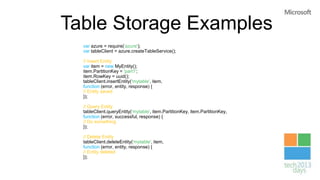
Table Storage Examples
var azure = require('azure');
var tableClient = azure.createTableService();
// Insert Entity
var item = new MyEntity();
item.PartitionKey = 'part1';
item.RowKey = uuid();
tableClient.insertEntity('mytable', item,
function (error, entity, response) {
// Entity saved
});
// Query Entity
tableClient.queryEntity('mytable', item.PartitionKey, item.PartitionKey,
function (error, successful, response) {
// Do something
});
// Delete Entity
tableClient.deleteEntity('mytable', item,
function (error, entity, response) {
// Entity deleted
});
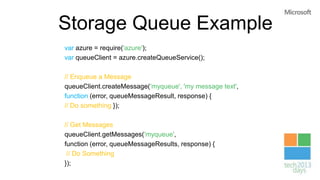
Storage Queue Example
var azure = require('azure');
var queueClient = azure.createQueueService();
// Enqueue a Message
queueClient.createMessage('myqueue', 'my message text',
function (error, queueMessageResult, response) {
// Do something });
// Get Messages
queueClient.getMessages('myqueue',
function (error, queueMessageResults, response) {
// Do Something
});
HDInsight
NodeJS and the Windows
Azure Service Bus
Windows Azure Services are
already using NodeJS
HDInsight
NodeJS Scripts in Windows
Azure Mobile Services
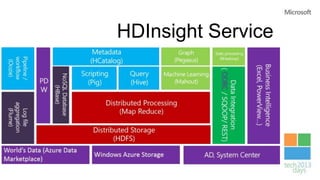
HDInsight Service
HDInsight
Using NodeJS with HDIsight
Service
Summary
• NodeJS is one the most popular modern
programming environments
• Windows Azure offers first class support for
NodeJS applications
• The azure module enables NodeJS integration
with various Windows Azure capabilities
• Existing Windows Azure services are already
using NodeJS
Thanks
jesus.rodriguez@tellago.com
http://www.tellagostudios.com
http://jrodthoughts.com
http://twitter.com/#!/jrodthoughts
http://weblogs.asp.net/gsusx

NodeJS in Windows Azure

Editor's Notes

  • #17 See: http://tomasz.janczuk.org/2011/08/hosting-nodejs-applications-in-iis-on.html
  • #18 IISNode – load balances across the Node.exe instances - Auto-restarts when app.js changes - captures console output and logs it to disk - lets you host traditional ASP.NET code in the same IIS app (it’s just another handler)