Web2.0 with jQuery

faster, easier and a lot more fun
Hello!


Lau Bech Lauritzen


                              ★2
Todays menu
      Web
  Browser
Javascript
   jQuery
   Plugins
      Tips


                ★3
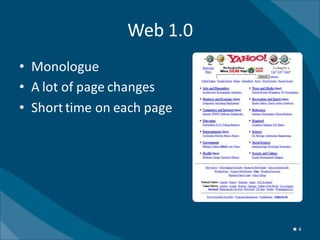
Web 1.0
• Monologue
• A lot of page changes
• Short time on each page


                            ★4
Hi, I’m
JavaScript!       AND I’m
              XMLHttpRequest


                               ★5
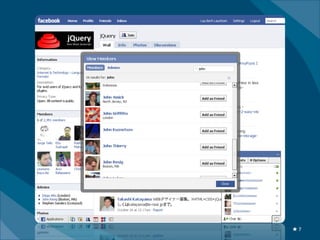
Web 2.0
•   Dialogue – user-generated content
•   Increased interaction
•   User experience
•   Webapplications


                                        ★6
★7
Client-Side Technology


  Communication
      Ajax
  Interaction
    Events
Animation
  Bling


                             ★8
Ajax


       ★9
Asyncronous javascript and xML
       XMLHttpRequest


                                 ★ 10
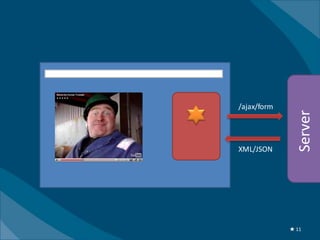
/ajax/form


               Server
XML/JSON


             ★ 11
Javascript


             ★ 12
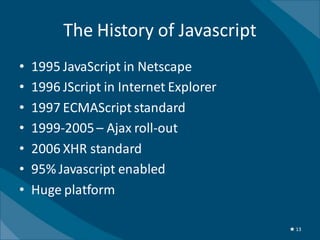
The History of Javascript
•   1995 JavaScript in Netscape
•   1996 JScript in Internet Explorer
•   1997 ECMAScript standard
•   1999-2005 – Ajax roll-out
•   2006 XHR standard
•   95% Javascript enabled
•   Huge platform

                                        ★ 13
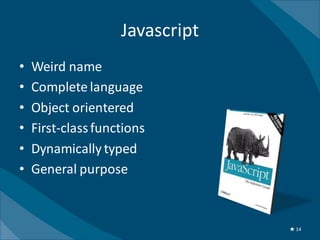
Javascript
•   Weird name
•   Complete language
•   Object orientered
•   First-class functions
•   Dynamically typed
•   General purpose


                                 ★ 14
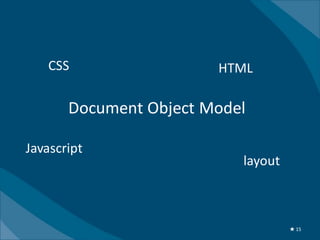
CSS                  HTML

       Document Object Model

Javascript
                           layout


                                    ★ 15
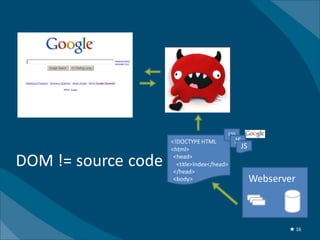
DOM


                                             CSS
                     <!DOCTYPE HTML            JS
                     <html>                      JS

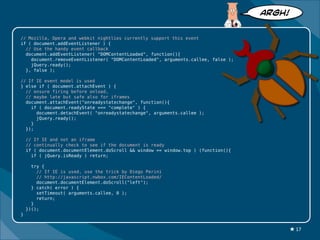
DOM != source code    <head>
                       <title>Index</head>
                      </head>
                      <body>                          Webserver


                                                             ★ 16
ARGH!


// Mozilla, Opera and webkit nightlies currently support this event
if ( document.addEventListener ) {
  // Use the handy event callback
  document.addEventListener( "DOMContentLoaded", function(){
    document.removeEventListener( "DOMContentLoaded", arguments.callee, false );
    jQuery.ready();
  }, false );

// If IE event model is used
} else if ( document.attachEvent ) {
  // ensure firing before onload,
  // maybe late but safe also for iframes
  document.attachEvent("onreadystatechange", function(){
    if ( document.readyState === "complete" ) {
      document.detachEvent( "onreadystatechange", arguments.callee );
      jQuery.ready();
    }
  });

    // If IE and not an iframe
    // continually check to see if the document is ready
    if ( document.documentElement.doScroll && window == window.top ) (function(){
      if ( jQuery.isReady ) return;

      try {
        // If IE is used, use the trick by Diego Perini
        // http://javascript.nwbox.com/IEContentLoaded/
        document.documentElement.doScroll("left");
      } catch( error ) {
        setTimeout( arguments.callee, 0 );
        return;
      }
    })();
}


                                                                                        ★ 17
$(document).ready(…);


                        ★ 18
Annoying API


var newDiv = document.createElement("div");
newDiv.innerHTML = "<h1>Hej fra Danmark!</h1>";
var orgDiv = document.getElementById("orgDiv");
document.body.insertBefore(newDiv, orgDiv);


                                                  ★ 19
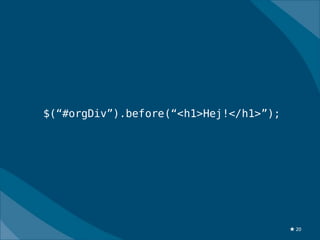
$(“#orgDiv”).before(“<h1>Hej!</h1>”);


                                        ★ 20
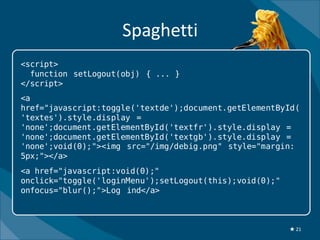
Spaghetti
<script>
  function setLogout(obj) { ... }
</script>
<a
href="javascript:toggle('textde');document.getElementById(
'textes').style.display =
'none';document.getElementById('textfr').style.display =
'none';document.getElementById('textgb').style.display =
'none';void(0);"><img src="/img/debig.png" style="margin:
5px;"></a>
<a href="javascript:void(0);"
onclick="toggle('loginMenu');setLogout(this);void(0);"
onfocus="blur();">Log ind</a>


                                                         ★ 21
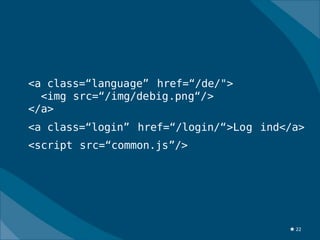
<a class=“language” href=“/de/">
  <img src=“/img/debig.png“/>
</a>
<a class=“login” href=“/login/“>Log ind</a>
<script src=“common.js”/>


                                        ★ 22
The Language


               ★ 23
Javascript toolkits


                      ★ 24
★ 25
★ 26
★ 27
jQuery
•   Started January 2006
•   Simplify and speed up webdevelopment
•   DOM query language with CSS-notation
•   Minimal core – extendable through plugins
•   Unobtrusive
•   Test suite 50 browsers, 11 platforms
•   Large community – lots of plugins

                                                ★ 28
Dig?


       ★ 29
★ 30
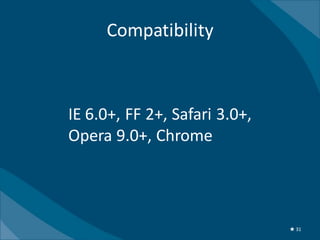
Compatibility


IE 6.0+, FF 2+, Safari 3.0+,
Opera 9.0+, Chrome


                               ★ 31
★ 32
jQuery is designed to change
the way you write Javascript


                               ★ 33
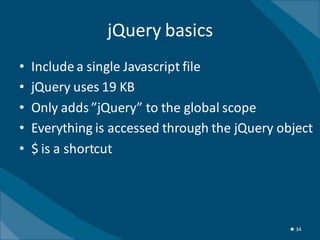
jQuery basics
•   Include a single Javascript file
•   jQuery uses 19 KB
•   Only adds ”jQuery” to the global scope
•   Everything is accessed through the jQuery object
•   $ is a shortcut


                                                ★ 34
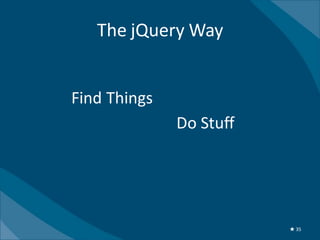
The jQuery Way


$( Find Things )
                   . Do Stuff ();


                                    ★ 35
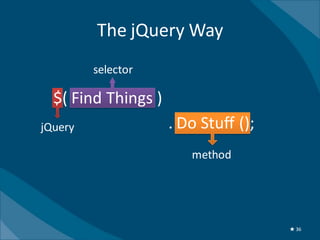
The jQuery Way
         selector

  $( Find Things )
jQuery               . Do Stuff ();
                        method


                                      ★ 36
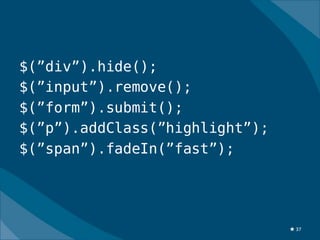
$(”div”).hide();
$(”input”).remove();
$(”form”).submit();
$(”p”).addClass(”highlight”);
$(”span”).fadeIn(”fast”);


                                ★ 37
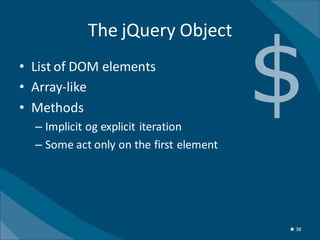
The jQuery Object
• List of DOM elements
• Array-like
• Methods
  – Implicit og explicit iteration
  – Some act only on the first element


                                         ★ 38
Selectors
$(”#menu”)
$(”.redButton”)
$(”p > a”)
$(”tr:even”)
$(”h1, h2, h3”)
$(”input[name=email]”)
$(”li:visible”)


                         http://docs.query.com/Selectors
                                                     ★ 39
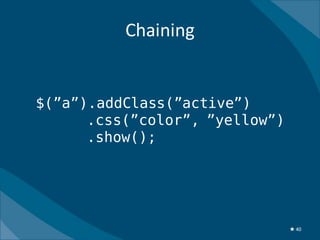
Chaining


$(”a”).addClass(”active”)
      .css(”color”, ”yellow”)
      .show();


                                ★ 40
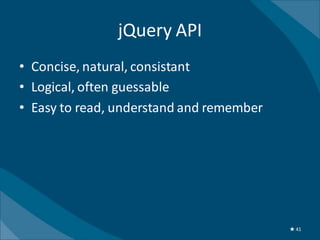
jQuery API
• Concise, natural, consistant
• Logical, often guessable
• Easy to read, understand and remember


                                          ★ 41
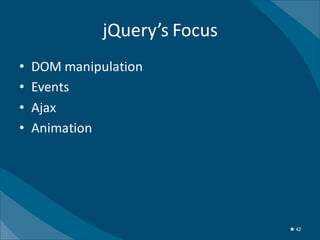
jQuery’s Focus
•   DOM manipulation
•   Events
•   Ajax
•   Animation


                               ★ 42
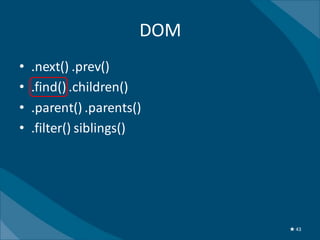
DOM
•   .next() .prev()
•   .find() .children()
•   .parent() .parents()
•   .filter() siblings()


                             ★ 43
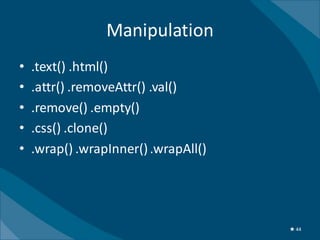
Manipulation
•   .text() .html()
•   .attr() .removeAttr() .val()
•   .remove() .empty()
•   .css() .clone()
•   .wrap() .wrapInner() .wrapAll()


                                      ★ 44
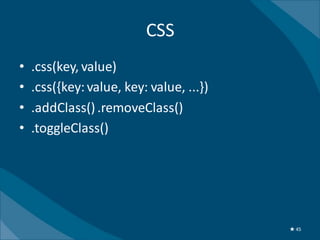
CSS
•   .css(key, value)
•   .css({key: value, key: value, ...})
•   .addClass() .removeClass()
•   .toggleClass()


                                          ★ 45
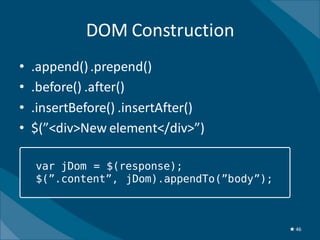
DOM Construction
•   .append() .prepend()
•   .before() .after()
•   .insertBefore() .insertAfter()
•   $(”<div>New element</div>”)

    var jDom = $(response);
    $(”.content”, jDom).appendTo(”body”);


                                            ★ 46
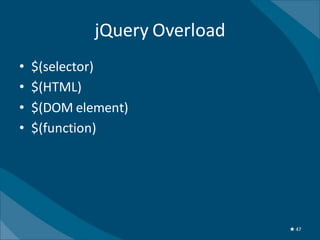
jQuery Overload
•   $(selector)
•   $(HTML)
•   $(DOM element)
•   $(function)


                               ★ 47
★ 48
DEMO


       ★ 49
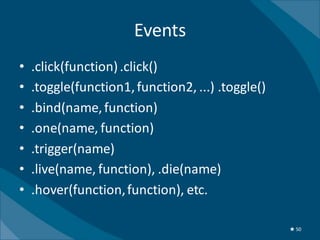
Events
•   .click(function) .click()
•   .toggle(function1, function2, ...) .toggle()
•   .bind(name, function)
•   .one(name, function)
•   .trigger(name)
•   .live(name, function), .die(name)
•   .hover(function, function), etc.

                                                   ★ 50
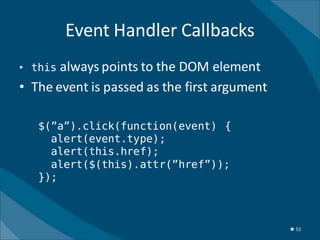
Event Handler Callbacks
• this always points to the DOM element
• The event is passed as the first argument

   $(”a”).click(function(event) {
     alert(event.type);
     alert(this.href);
     alert($(this).attr(”href”));
   });


                                              ★ 51
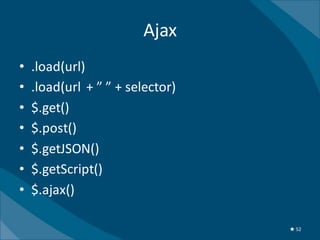
Ajax
•   .load(url)
•   .load(url + ” ” + selector)
•   $.get()
•   $.post()
•   $.getJSON()
•   $.getScript()
•   $.ajax()

                                  ★ 52
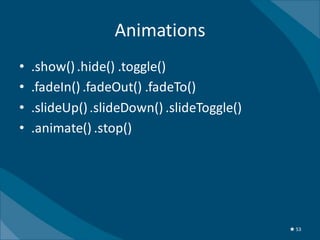
Animations
•   .show() .hide() .toggle()
•   .fadeIn() .fadeOut() .fadeTo()
•   .slideUp() .slideDown() .slideToggle()
•   .animate() .stop()


                                             ★ 53
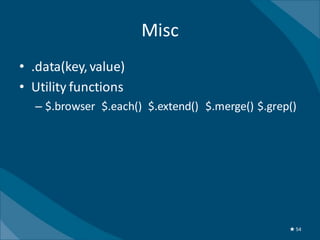
Misc
• .data(key, value)
• Utility functions
  – $.browser $.each() $.extend() $.merge() $.grep()


                                                  ★ 54
DEMO


       ★ 55
Plugin System
• Goal: keep a small jQuery core
• Plugin system provides extensibility
• >4.500 plugins
  – Ajax, animations, forms, menus, widgets
• Easy to build
• Lots of small plugins


                                              ★ 56
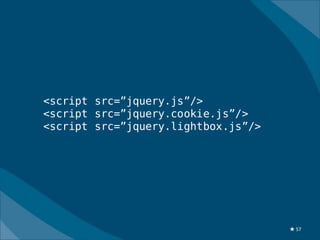
<script src=”jquery.js”/>
<script src=”jquery.cookie.js”/>
<script src=”jquery.lightbox.js”/>


                                     ★ 57
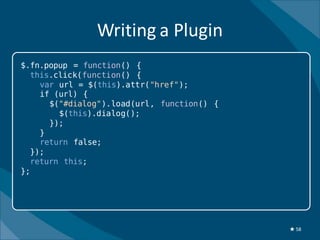
Writing a Plugin
$.fn.popup = function() {
  this.click(function() {
    var url = $(this).attr("href");
    if (url) {
      $("#dialog").load(url, function() {
        $(this).dialog();
      });
    }
    return false;
  });
  return this;
};


                                            ★ 58
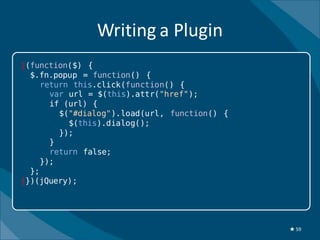
Writing a Plugin
|(function($) {
  $.fn.popup = function() {
     return this.click(function() {
       var url = $(this).attr("href");
       if (url) {
         $("#dialog").load(url, function() {
           $(this).dialog();
         });
       }
       return false;
     });
  };
|})(jQuery);


                                               ★ 59
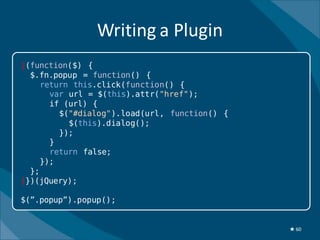
Writing a Plugin
|(function($) {
  $.fn.popup = function() {
     return this.click(function() {
       var url = $(this).attr("href");
       if (url) {
         $("#dialog").load(url, function() {
           $(this).dialog();
         });
       }
       return false;
     });
  };
|})(jQuery);

$(”.popup”).popup();


                                               ★ 60
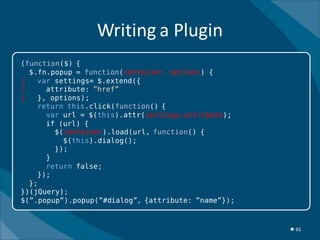
Writing a Plugin
(function($) {
  $.fn.popup = function(container, options) {
|   var settings= $.extend({
|     attribute: ”href”
|   }, options);
    return this.click(function() {
      var url = $(this).attr(settings.attribute);
      if (url) {
        $(container).load(url, function() {
          $(this).dialog();
        });
      }
      return false;
    });
  };
})(jQuery);
$(”.popup”).popup(”#dialog”, {attribute: ”name”});


                                                     ★ 61
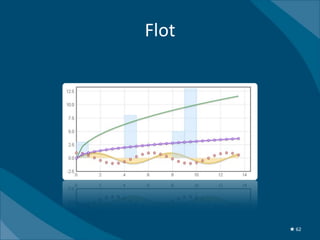
Flot


       ★ 62
Integration


$.plot(”#plot”, data);


               http://code.google.com/p/flot/
                                           ★ 63
DEMO


       ★ 64
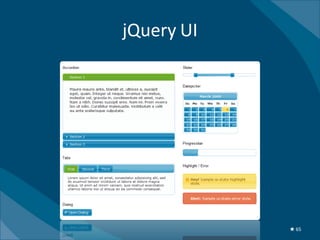
jQuery UI


            ★ 65
★ 66
jQuery Mobile
•   Cross-platform
•   Markup-based
•   Progressive enhancement
•   Events
•   Unified UI


                               ★ 67
DEMO


       ★ 68
Tips
•   Keep Javascript in files
•   Google CDN
•   Profile code
•   Use plugins!
•   Minify code


                                ★ 69
Performance


$(”#id”)     $(”form[name*=email]”)


 var form = $(”form[name*=email]”);
 $(”input[name=address]”, form).val();
 form.submit();


                                         ★ 70
Development Environment
• Firefox
• Firebug
   –   Javascript consol
   –   HTTP requests
   –   Profiler
   –   Plugins – cookies, speed test, etc.
• Web Developer
• Fiddler – Ajax debugging
• Good editor
   – Syntax highlighting
   – Indention
   – TextMate, Notepad++, Emacs


                                             ★ 71
The Horison
•   Javascript interpreters
•   Desktop Javascript
•   HTML5
•   Mobile


                                ★ 72
Happy coding!
    lau@iola.dk

Web2.0 with jQuery in English

  • 1.
    Web2.0 with jQuery faster,easier and a lot more fun
  • 2.
  • 3.
    Todays menu Web Browser Javascript jQuery Plugins Tips ★3
  • 4.
    Web 1.0 • Monologue •A lot of page changes • Short time on each page ★4
  • 5.
    Hi, I’m JavaScript! AND I’m XMLHttpRequest ★5
  • 6.
    Web 2.0 • Dialogue – user-generated content • Increased interaction • User experience • Webapplications ★6
  • 7.
  • 8.
    Client-Side Technology Communication Ajax Interaction Events Animation Bling ★8
  • 9.
    Ajax ★9
  • 10.
    Asyncronous javascript andxML XMLHttpRequest ★ 10
  • 11.
    /ajax/form Server XML/JSON ★ 11
  • 12.
  • 13.
    The History ofJavascript • 1995 JavaScript in Netscape • 1996 JScript in Internet Explorer • 1997 ECMAScript standard • 1999-2005 – Ajax roll-out • 2006 XHR standard • 95% Javascript enabled • Huge platform ★ 13
  • 14.
    Javascript • Weird name • Complete language • Object orientered • First-class functions • Dynamically typed • General purpose ★ 14
  • 15.
    CSS HTML Document Object Model Javascript layout ★ 15
  • 16.
    DOM CSS <!DOCTYPE HTML JS <html> JS DOM != source code <head> <title>Index</head> </head> <body> Webserver ★ 16
  • 17.
    ARGH! // Mozilla, Operaand webkit nightlies currently support this event if ( document.addEventListener ) { // Use the handy event callback document.addEventListener( "DOMContentLoaded", function(){ document.removeEventListener( "DOMContentLoaded", arguments.callee, false ); jQuery.ready(); }, false ); // If IE event model is used } else if ( document.attachEvent ) { // ensure firing before onload, // maybe late but safe also for iframes document.attachEvent("onreadystatechange", function(){ if ( document.readyState === "complete" ) { document.detachEvent( "onreadystatechange", arguments.callee ); jQuery.ready(); } }); // If IE and not an iframe // continually check to see if the document is ready if ( document.documentElement.doScroll && window == window.top ) (function(){ if ( jQuery.isReady ) return; try { // If IE is used, use the trick by Diego Perini // http://javascript.nwbox.com/IEContentLoaded/ document.documentElement.doScroll("left"); } catch( error ) { setTimeout( arguments.callee, 0 ); return; } })(); } ★ 17
  • 18.
  • 19.
    Annoying API var newDiv= document.createElement("div"); newDiv.innerHTML = "<h1>Hej fra Danmark!</h1>"; var orgDiv = document.getElementById("orgDiv"); document.body.insertBefore(newDiv, orgDiv); ★ 19
  • 20.
  • 21.
    Spaghetti <script> functionsetLogout(obj) { ... } </script> <a href="javascript:toggle('textde');document.getElementById( 'textes').style.display = 'none';document.getElementById('textfr').style.display = 'none';document.getElementById('textgb').style.display = 'none';void(0);"><img src="/img/debig.png" style="margin: 5px;"></a> <a href="javascript:void(0);" onclick="toggle('loginMenu');setLogout(this);void(0);" onfocus="blur();">Log ind</a> ★ 21
  • 22.
    <a class=“language” href=“/de/"> <img src=“/img/debig.png“/> </a> <a class=“login” href=“/login/“>Log ind</a> <script src=“common.js”/> ★ 22
  • 23.
  • 24.
  • 25.
  • 26.
  • 27.
  • 28.
    jQuery • Started January 2006 • Simplify and speed up webdevelopment • DOM query language with CSS-notation • Minimal core – extendable through plugins • Unobtrusive • Test suite 50 browsers, 11 platforms • Large community – lots of plugins ★ 28
  • 29.
    Dig? ★ 29
  • 30.
  • 31.
    Compatibility IE 6.0+, FF2+, Safari 3.0+, Opera 9.0+, Chrome ★ 31
  • 32.
  • 33.
    jQuery is designedto change the way you write Javascript ★ 33
  • 34.
    jQuery basics • Include a single Javascript file • jQuery uses 19 KB • Only adds ”jQuery” to the global scope • Everything is accessed through the jQuery object • $ is a shortcut ★ 34
  • 35.
    The jQuery Way $(Find Things ) . Do Stuff (); ★ 35
  • 36.
    The jQuery Way selector $( Find Things ) jQuery . Do Stuff (); method ★ 36
  • 37.
  • 38.
    The jQuery Object •List of DOM elements • Array-like • Methods – Implicit og explicit iteration – Some act only on the first element ★ 38
  • 39.
    Selectors $(”#menu”) $(”.redButton”) $(”p > a”) $(”tr:even”) $(”h1,h2, h3”) $(”input[name=email]”) $(”li:visible”) http://docs.query.com/Selectors ★ 39
  • 40.
    Chaining $(”a”).addClass(”active”) .css(”color”, ”yellow”) .show(); ★ 40
  • 41.
    jQuery API • Concise,natural, consistant • Logical, often guessable • Easy to read, understand and remember ★ 41
  • 42.
    jQuery’s Focus • DOM manipulation • Events • Ajax • Animation ★ 42
  • 43.
    DOM • .next() .prev() • .find() .children() • .parent() .parents() • .filter() siblings() ★ 43
  • 44.
    Manipulation • .text() .html() • .attr() .removeAttr() .val() • .remove() .empty() • .css() .clone() • .wrap() .wrapInner() .wrapAll() ★ 44
  • 45.
    CSS • .css(key, value) • .css({key: value, key: value, ...}) • .addClass() .removeClass() • .toggleClass() ★ 45
  • 46.
    DOM Construction • .append() .prepend() • .before() .after() • .insertBefore() .insertAfter() • $(”<div>New element</div>”) var jDom = $(response); $(”.content”, jDom).appendTo(”body”); ★ 46
  • 47.
    jQuery Overload • $(selector) • $(HTML) • $(DOM element) • $(function) ★ 47
  • 48.
  • 49.
    DEMO ★ 49
  • 50.
    Events • .click(function) .click() • .toggle(function1, function2, ...) .toggle() • .bind(name, function) • .one(name, function) • .trigger(name) • .live(name, function), .die(name) • .hover(function, function), etc. ★ 50
  • 51.
    Event Handler Callbacks •this always points to the DOM element • The event is passed as the first argument $(”a”).click(function(event) { alert(event.type); alert(this.href); alert($(this).attr(”href”)); }); ★ 51
  • 52.
    Ajax • .load(url) • .load(url + ” ” + selector) • $.get() • $.post() • $.getJSON() • $.getScript() • $.ajax() ★ 52
  • 53.
    Animations • .show() .hide() .toggle() • .fadeIn() .fadeOut() .fadeTo() • .slideUp() .slideDown() .slideToggle() • .animate() .stop() ★ 53
  • 54.
    Misc • .data(key, value) •Utility functions – $.browser $.each() $.extend() $.merge() $.grep() ★ 54
  • 55.
    DEMO ★ 55
  • 56.
    Plugin System • Goal:keep a small jQuery core • Plugin system provides extensibility • >4.500 plugins – Ajax, animations, forms, menus, widgets • Easy to build • Lots of small plugins ★ 56
  • 57.
  • 58.
    Writing a Plugin $.fn.popup= function() { this.click(function() { var url = $(this).attr("href"); if (url) { $("#dialog").load(url, function() { $(this).dialog(); }); } return false; }); return this; }; ★ 58
  • 59.
    Writing a Plugin |(function($){ $.fn.popup = function() { return this.click(function() { var url = $(this).attr("href"); if (url) { $("#dialog").load(url, function() { $(this).dialog(); }); } return false; }); }; |})(jQuery); ★ 59
  • 60.
    Writing a Plugin |(function($){ $.fn.popup = function() { return this.click(function() { var url = $(this).attr("href"); if (url) { $("#dialog").load(url, function() { $(this).dialog(); }); } return false; }); }; |})(jQuery); $(”.popup”).popup(); ★ 60
  • 61.
    Writing a Plugin (function($){ $.fn.popup = function(container, options) { | var settings= $.extend({ | attribute: ”href” | }, options); return this.click(function() { var url = $(this).attr(settings.attribute); if (url) { $(container).load(url, function() { $(this).dialog(); }); } return false; }); }; })(jQuery); $(”.popup”).popup(”#dialog”, {attribute: ”name”}); ★ 61
  • 62.
    Flot ★ 62
  • 63.
    Integration $.plot(”#plot”, data); http://code.google.com/p/flot/ ★ 63
  • 64.
    DEMO ★ 64
  • 65.
    jQuery UI ★ 65
  • 66.
  • 67.
    jQuery Mobile • Cross-platform • Markup-based • Progressive enhancement • Events • Unified UI ★ 67
  • 68.
    DEMO ★ 68
  • 69.
    Tips • Keep Javascript in files • Google CDN • Profile code • Use plugins! • Minify code ★ 69
  • 70.
    Performance $(”#id”) $(”form[name*=email]”) var form = $(”form[name*=email]”); $(”input[name=address]”, form).val(); form.submit(); ★ 70
  • 71.
    Development Environment • Firefox •Firebug – Javascript consol – HTTP requests – Profiler – Plugins – cookies, speed test, etc. • Web Developer • Fiddler – Ajax debugging • Good editor – Syntax highlighting – Indention – TextMate, Notepad++, Emacs ★ 71
  • 72.
    The Horison • Javascript interpreters • Desktop Javascript • HTML5 • Mobile ★ 72
  • 73.
    Happy coding! lau@iola.dk

Editor's Notes

  • #3 Lau: uni, 27 år, nørd – Gaja 1982, nørdet, nørdet på en anden måde IOLA: 3 år, ungt softwarefirma, webapplikationer jQuery + Python!
  • #4 Webudviklere? Javascript? DOM? AJAX? jQuery?
  • #7 Pardigmeskifte – opføre sig mere som applikationer, webplatformen smooth, ingen installation Brugeradfæren ændrede sig, ikke længere sidde passivt, facebook, forums, open source software Få sideskift, længe på hver side Brugeroplevelsen – fra information -&gt; en oplevelse, meninger og holdninger Højere kompleksitet – krav til udvilkingsværktøj
  • #8 Nem interaction, intuitivt, umiddelbart, nemt at interagere, web2.0 deisgn = simplicitet, ellers går brugerne et andet sted hed
  • #9 Document Object Model (DOM) Webplatformen Bruges mere og mere til forretnings applikationer
  • #14 1995: kendt som DHTML, ingen ajax XHR: 1999 MS, 2000-2002 Mozilla, standard 2006
  • #15 I/O, adobe air Navn: LiveScript, standardiseret som ECMAScript Anden halvdel af bogen, webdelen, det dårlige ry, browser wars
  • #17 Dom indeholder: xml struktur, styles, event, data Gennemgå hvorfor js har dårligt ry, danner grundlaget for jquery
  • #18 Browser implementationer, ingen standard, mange bugs, Mozilla i 1995, Microsoft jScript 1996
  • #22 Vedligeholdelse, SEO, tilgængelighed
  • #24 Mange amatører, ingen klasser, dynamiske typer
  • #25 Mon vores utopiske drømme om at have et kortfattet lækkert nemt-at-huske grænseflade til DOMen kan komme i opfyldelse? 2 hovedfokus for js libs, browser forskelligheder og gør almindelige opgaver nemmere
  • #27 DOM, events, animationer og Ajax
  • #29 jQuery er et forholdsvist nyt toolkit
  • #32 Stor test suite, depricated IE 5.5
  • #33 Stort community, solidt, mange udvilkere, MIT licens
  • #37 DOM mulipulation
  • #38 Et par eksempler
  • #63 Ren javascript, jquery plugin,
  • #72 IE8 og Safari har også dev
  • #73 Fortolkere, ny browser krig, Features: lokal data store, cross-site XHR Desktop: AIR, adobe suite