Studio Comments Question
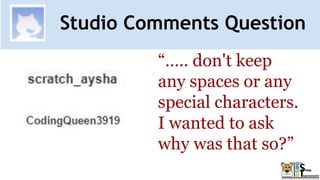
“….. don't keep
any spaces or any
special characters.
I wanted to ask
why was that so?”
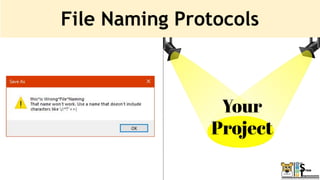
● Try not to make file names too long, since long file names
do not work well with all types of software.
● Special characters such as ~ ! @ # $ % ^ & * ( ) ` ; < > ? , [
] { } ' " and | should be avoided.
● Do not use spaces. Some software will not recognize file
names with spaces.
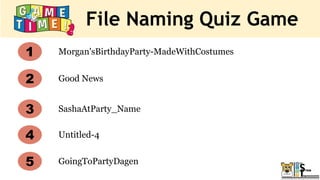
File Naming Quiz Game
Morgan'sBirthdayParty-MadeWithCostumes
Good News
Untitled-4
SashaAtParty_Name
1
2
3
4
5 GoingToPartyDagen
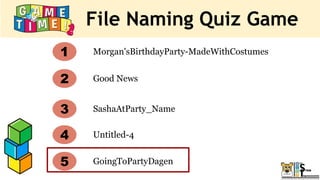
File Naming Quiz Game
Morgan'sBirthdayParty-MadeWithCostumes
Good News
Untitled-4
SashaAtParty_Name
1
2
3
4
5 GoingToPartyDagen
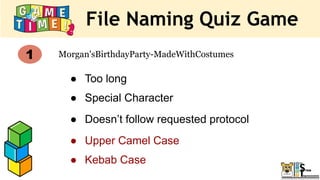
File Naming Quiz Game
Morgan'sBirthdayParty-MadeWithCostumes
1
● Too long
● Special Character
● Doesn’t follow requested protocol
● Upper Camel Case
● Kebab Case
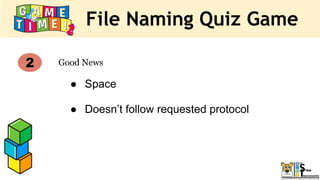
File Naming Quiz Game
Good News
2
● Space
● Doesn’t follow requested protocol
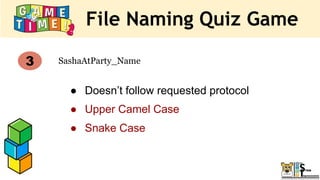
File Naming Quiz Game
SashaAtParty_Name
3
● Doesn’t follow requested protocol
● Upper Camel Case
● Snake Case
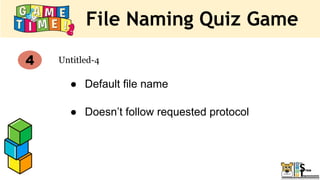
File Naming Quiz Game
Untitled-4
4
● Default file name
● Doesn’t follow requested protocol
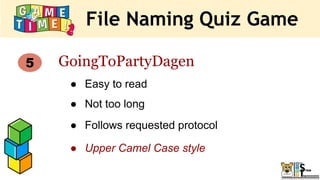
File Naming Quiz Game
5 GoingToPartyDagen
● Easy to read
● Not too long
● Follows requested protocol
● Upper Camel Case style
File Naming Protocols
Your
Project
Studio Comments Question
Thank YOU!!
Write us in the studio comments!
Reminder
● Please be respectful and
appropriate with your responses
in the chat!
● Never miss an
episode!
● Get Notified
of new shows!
CodeTigers
SUBSCRIBE
Week 3
1. Meet today’s mentors
2. Spotlight: Week 2 studio
3. Sounds project
4. Game Time!
5. Next Week’s Class
What you will learn
1. Use sound
2. Broadcasting
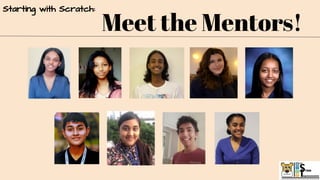
Meet the Mentors!
Starting with Scratch:
Mera
@MeraSeifu
Noora
@nooraabed
Abia
@abiazahir
Tanisha
@TanishaD11
Emanda
@emandaseifu
Vagish
@vagish
Pallab
@Pallab_Layak
Soham
@SohamDasgupta91
Nardos
@nardosd
Virginia, USA 11th grade
Listening to music & watching netflix
Virgina, USA 12th grade
Playing Lacrosse & Drawing
STUDIO
TIME!
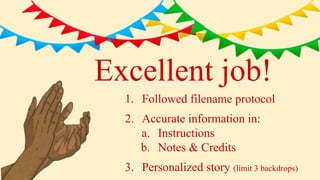
Excellent job!
1. Followed filename protocol
2. Accurate information in:
a. Instructions
b. Notes & Credits
3. Personalized story (limit 3 backdrops)
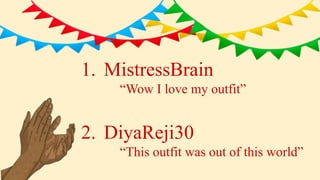
1. MistressBrain
“Wow I love my outfit”
2. DiyaReji30
“This outfit was out of this world”
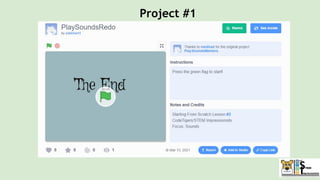
Project #1
STUDIO TIME
Projects!
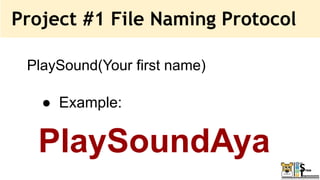
Project #1 File Naming Protocol
PlaySound(Your first name)
● Example:
PlaySoundAya
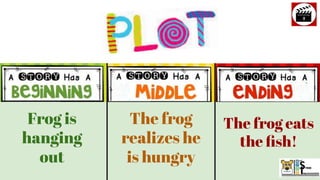
Frog is
hanging
out
The frog
realizes he
is hungry
The frog eats
the fish!
How did
they
make
that?
Behind
The
Curtain!
1. We will plan our our plot and then
2. We will start coding!
Now let’s start coding our story!
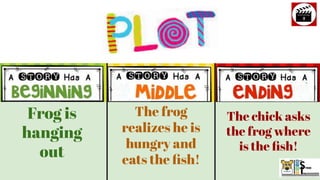
Frog is
hanging
out
The frog
realizes he is
hungry and
eats the fish!
The chick asks
the frog where
is the fish!
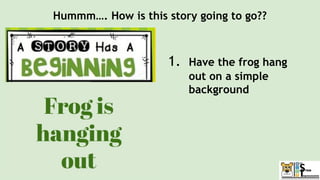
Hummm…. How is this story going to go??
1. Have the frog hang
out on a simple
background
Hummm…. How is this story going to go??
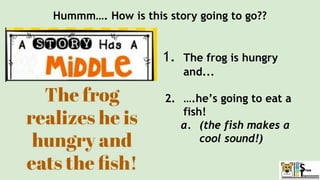
1. The frog is hungry
and...
2. ….he’s going to eat a
fish!
a. (the fish makes a
cool sound!)
Hummm…. How is this story going to go??
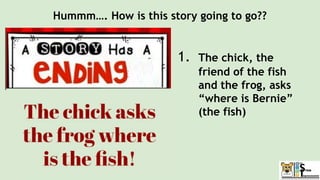
1. The chick, the
friend of the fish
and the frog, asks
“where is Bernie”
(the fish)
Frog is
hanging out
The frog realizes
he is hungry and
eats the fish!
The chick asks the
frog where is the
fish!
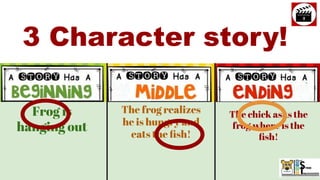
3 Character story!
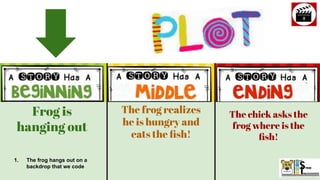
Frog is
hanging out
The frog realizes
he is hungry and
eats the fish!
The chick asks the
frog where is the
fish!
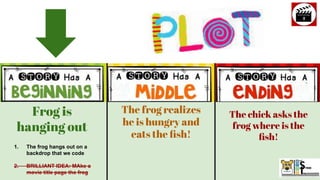
1. The frog hangs out on a
backdrop that we code
Live
Demonstration
Time!!!
PlaySoundNardos
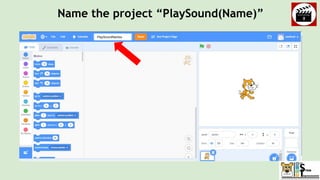
Name the project “PlaySound(Name)”
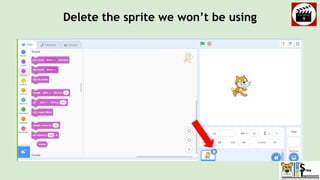
Delete the sprite we won’t be using
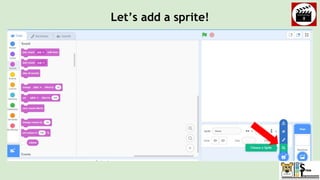
Let’s add a sprite!
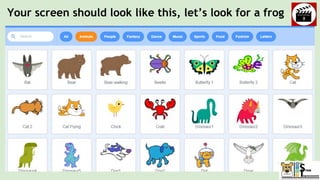
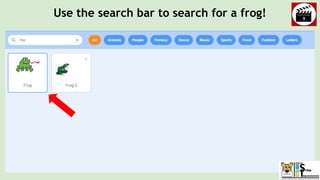
Your screen should look like this, let’s look for a frog
Use the search bar to search for a frog!
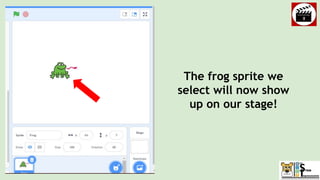
The frog sprite we
select will now show
up on our stage!
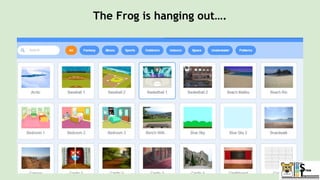
The Frog is hanging out….
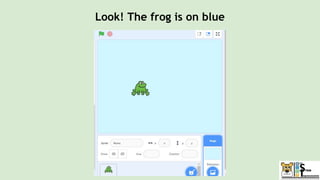
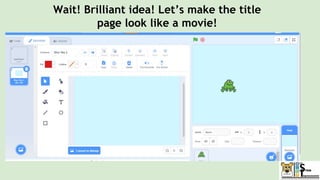
Look! The frog is on blue
Wait! Brilliant idea! Let’s make the title
page look like a movie!
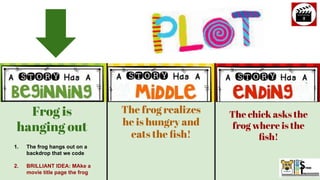
Frog is
hanging out
The frog realizes
he is hungry and
eats the fish!
The chick asks the
frog where is the
fish!
1. The frog hangs out on a
backdrop that we code
2. BRILLIANT IDEA: MAke a
movie title page the frog
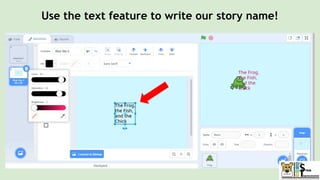
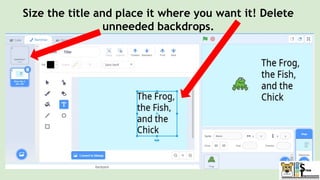
Use the text feature to write our story name!
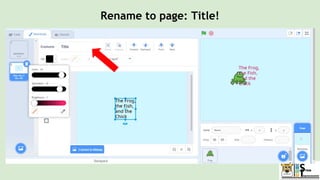
Rename to page: Title!
Size the title and place it where you want it! Delete
unneeded backdrops.
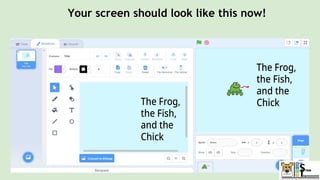
Your screen should look like this now!
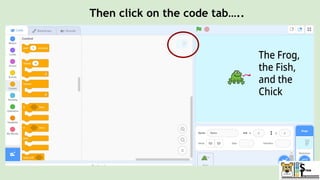
Then click on the code tab…..
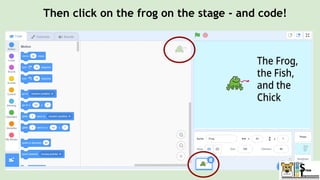
Then click on the frog on the stage - and code!
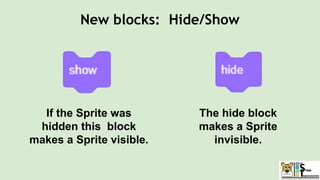
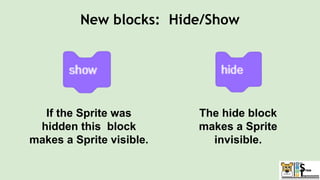
The hide block
makes a Sprite
invisible.
If the Sprite was
hidden this block
makes a Sprite visible.
New blocks: Hide/Show
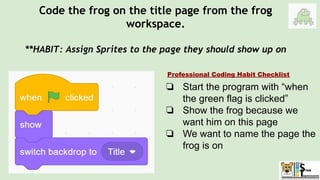
Code the frog on the title page from the frog
workspace.
**HABIT: Assign Sprites to the page they should show up on
❏ Start the program with “when
the green flag is clicked”
❏ Show the frog because we
want him on this page
❏ We want to name the page the
frog is on
Professional Coding Habit Checklist
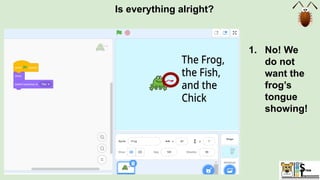
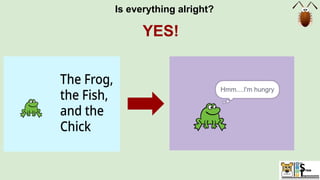
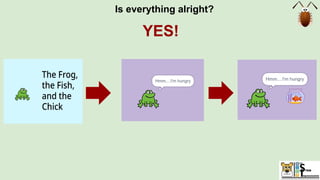
Is everything alright?
1. No! We
do not
want the
frog’s
tongue
showing!
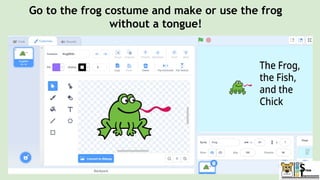
Go to the frog costume and make or use the frog
without a tongue!
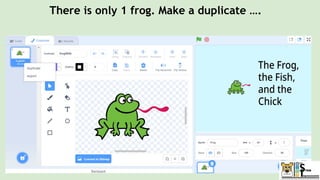
There is only 1 frog. Make a duplicate ….
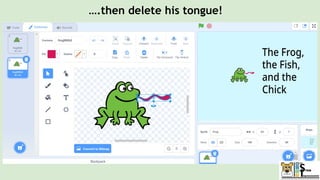
….then delete his tongue!
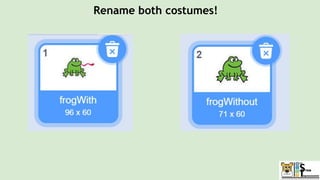
Rename both costumes!
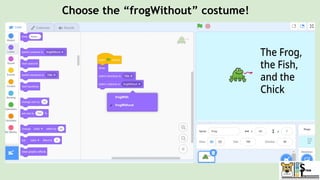
Choose the “frogWithout” costume!
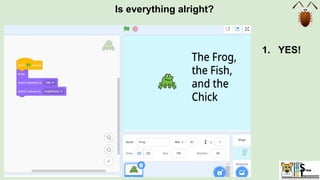
Is everything alright?
1. YES!
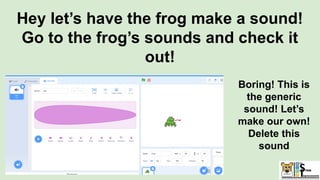
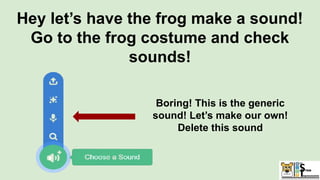
Hey let’s have the frog make a sound!
Go to the frog’s sounds and check it
out!
Boring! This is
the generic
sound! Let’s
make our own!
Delete this
sound
Hey let’s have the frog make a sound!
Go to the frog costume and check
sounds!
Boring! This is the generic
sound! Let’s make our own!
Delete this sound
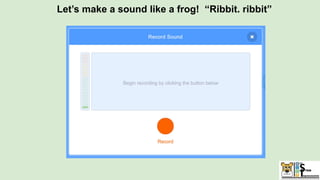
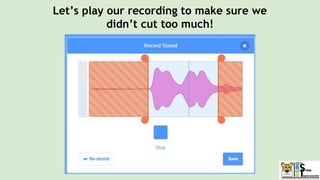
Let’s make a sound like a frog! “Ribbit. ribbit”
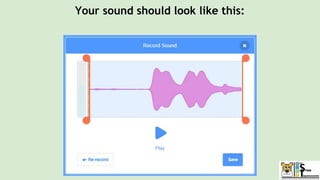
Your sound should look like this:
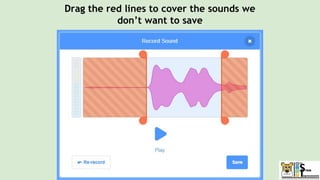
Drag the red lines to cover the sounds we
don’t want to save
Let’s play our recording to make sure we
didn’t cut too much!
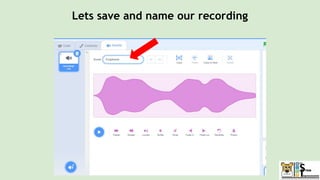
Lets save and name our recording
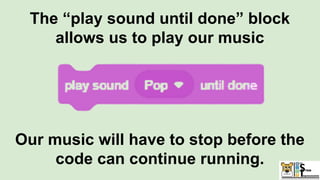
The “play sound until done” block
allows us to play our music
Our music will have to stop before the
code can continue running.
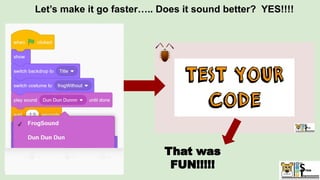
Let’s make it go faster….. Does it sound better? YES!!!!
That was
FUN!!!!!
Frog is
hanging out
The frog realizes
he is hungry and
eats the fish!
The chick asks the
frog where is the
fish!
1. The frog hangs out on a
backdrop that we code
2. BRILLIANT IDEA: MAke a
movie title page the frog
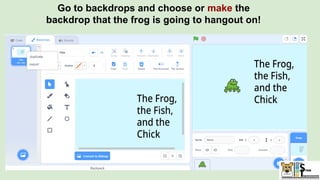
Go to backdrops and choose or make the
backdrop that the frog is going to hangout on!
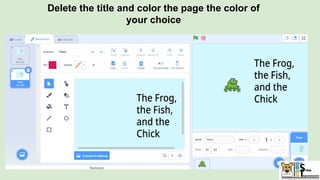
Delete the title and color the page the color of
your choice
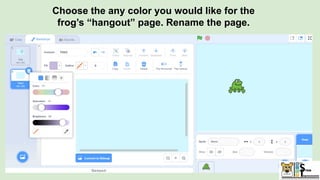
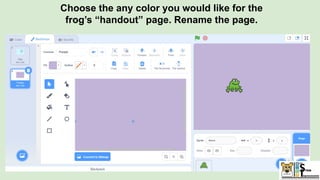
Choose the any color you would like for the
frog’s “hangout” page. Rename the page.
Choose the any color you would like for the
frog’s “handout” page. Rename the page.
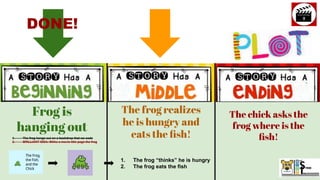
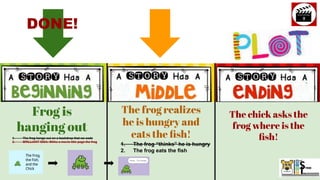
Frog is
hanging out
The frog realizes
he is hungry and
eats the fish!
The chick asks the
frog where is the
fish!
1. The frog “thinks” he is hungry
2. The frog eats the fish
DONE!
1. The frog hangs out on a backdrop that we code
2. BRILLIANT IDEA: MAke a movie title page the frog
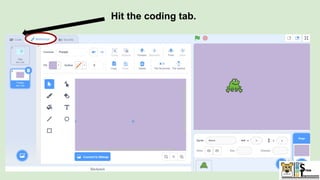
Hit the coding tab.
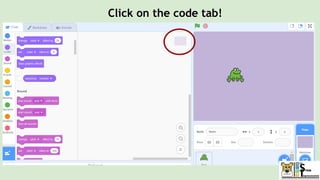
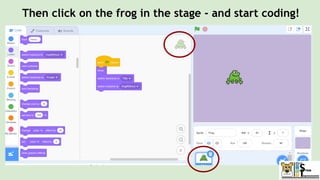
Click on the code tab!
Then click on the frog in the stage - and start coding!
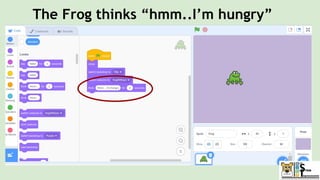
The Frog thinks “hmm..I’m hungry”
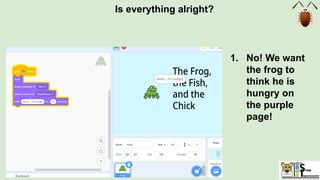
Is everything alright?
1. No! We want
the frog to
think he is
hungry on
the purple
page!
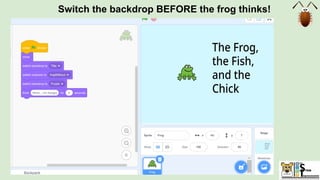
Switch the backdrop BEFORE the frog thinks!
Is everything alright?
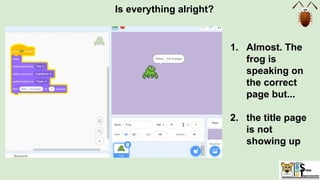
1. Almost. The
frog is
speaking on
the correct
page but...
2. the title page
is not
showing up
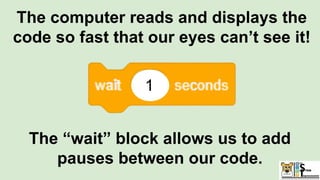
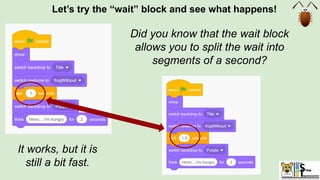
The computer reads and displays the
code so fast that our eyes can’t see it!
The “wait” block allows us to add
pauses between our code.
1
Let’s try the “wait” block and see what happens!
It works, but it is
still a bit fast.
Did you know that the wait block
allows you to split the wait into
segments of a second?
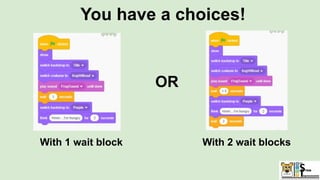
You have a choices!
With 1 wait block With 2 wait blocks
OR
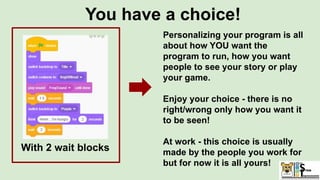
You have a choice!
With 2 wait blocks
Personalizing your program is all
about how YOU want the
program to run, how you want
people to see your story or play
your game.
Enjoy your choice - there is no
right/wrong only how you want it
to be seen!
At work - this choice is usually
made by the people you work for
but for now it is all yours!
Is everything alright?
YES!
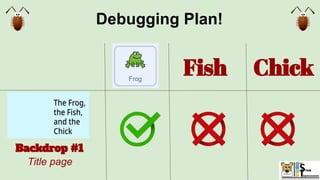
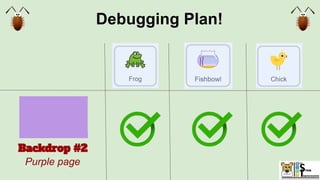
Debugging Plan!
Backdrop #1
Title page
Fish Chick
Frog is
hanging out
The frog realizes
he is hungry and
eats the fish!
The chick asks the
frog where is the
fish!
1. The frog “thinks” he is hungry
2. The frog eats the fish
DONE!
1. The frog hangs out on a backdrop that we code
2. BRILLIANT IDEA: MAke a movie title page the frog
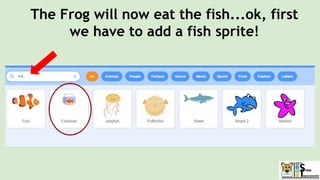
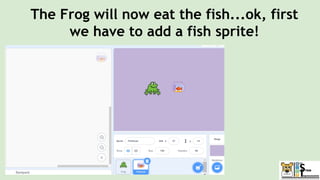
The Frog will now eat the fish...ok, first
we have to add a fish sprite!
The Frog will now eat the fish...ok, first
we have to add a fish sprite!
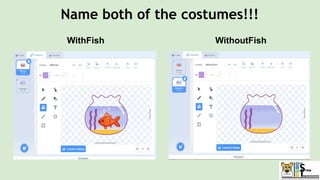
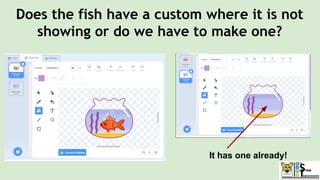
Does the fish have a custom where it is not
showing or do we have to make one?
It has one already!
Name both of the costumes!!!
WithFish WithoutFish
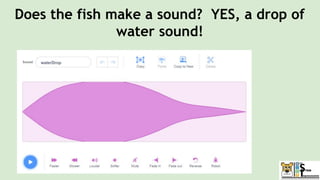
Does the fish make a sound? YES, a drop of
water sound!
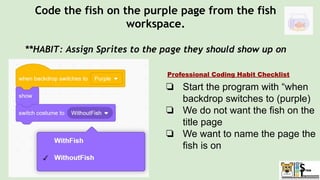
Code the fish on the purple page from the fish
workspace.
**HABIT: Assign Sprites to the page they should show up on
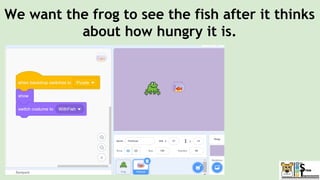
❏ Start the program with “when
backdrop switches to (purple)
❏ We do not want the fish on the
title page
❏ We want to name the page the
fish is on
Professional Coding Habit Checklist
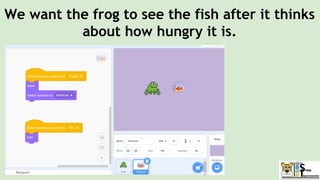
We want the frog to see the fish after it thinks
about how hungry it is.
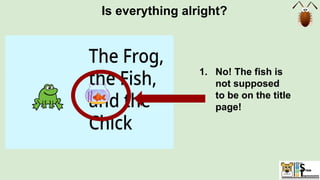
Is everything alright?
1. No! The fish is
not supposed
to be on the title
page!
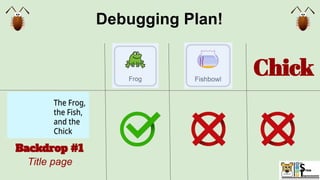
Debugging Plan!
Backdrop #1
Title page
Chick
The hide block
makes a Sprite
invisible.
If the Sprite was
hidden this block
makes a Sprite visible.
New blocks: Hide/Show
We want the frog to see the fish after it thinks
about how hungry it is.
Is everything alright?
YES!
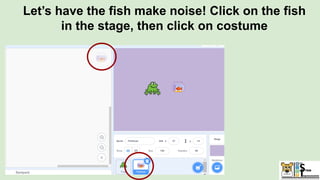
Let’s have the fish make noise! Click on the fish
in the stage, then click on costume
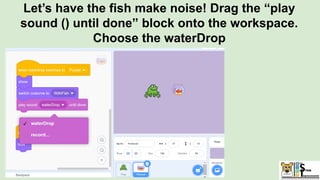
Let’s have the fish make noise! Drag the “play
sound () until done” block onto the workspace.
Choose the waterDrop
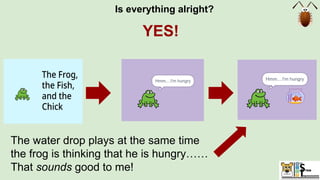
Is everything alright?
YES!
The water drop plays at the same time
the frog is thinking that he is hungry……
That sounds good to me!
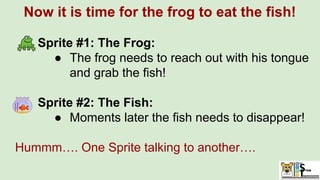
Now it is time for the frog to eat the fish!
Sprite #1: The Frog:
● The frog needs to reach out with his tongue
and grab the fish!
Sprite #2: The Fish:
● Moments later the fish needs to disappear!
Hummm…. One Sprite talking to another….
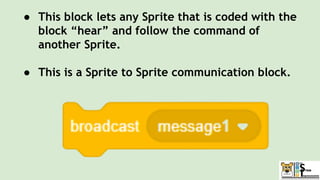
● This block lets any Sprite that is coded with the
block “hear” and follow the command of
another Sprite.
● This is a Sprite to Sprite communication block.
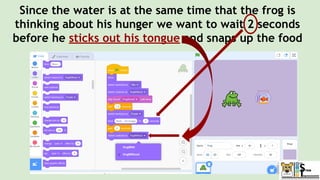
Since the water is at the same time that the frog is
thinking about his hunger we want to wait 2 seconds
before he sticks out his tongue and snaps up the food
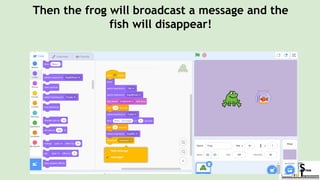
Then the frog will broadcast a message and the
fish will disappear!
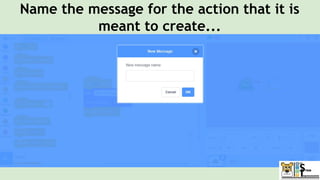
Name the message for the action that it is
meant to create...
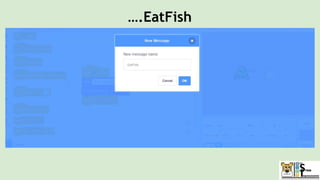
….EatFish
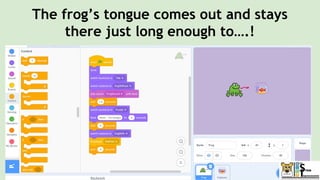
The frog’s tongue comes out and stays
there just long enough to….!
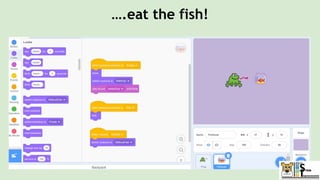
….eat the fish!
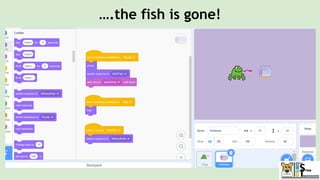
….the fish is gone!
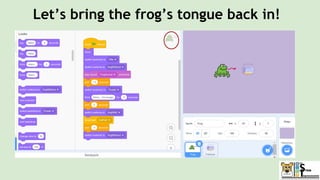
Let’s bring the frog’s tongue back in!
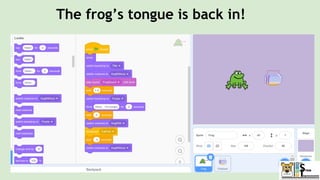
The frog’s tongue is back in!
Frog is
hanging out
The frog realizes
he is hungry and
eats the fish!
The chick asks the
frog where is the
fish!
1. The frog “thinks” he is hungry
2. The frog eats the fish
DONE!
1. The frog hangs out on a backdrop that we code
2. BRILLIANT IDEA: MAke a movie title page the frog
DONE!
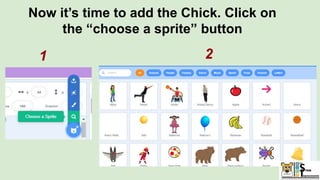
Now it’s time to add the Chick. Click on
the “choose a sprite” button
1 2
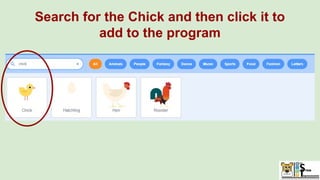
Search for the Chick and then click it to
add to the program
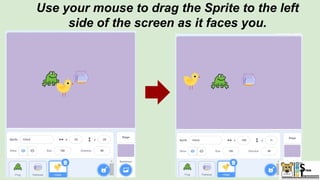
Use your mouse to drag the Sprite to the left
side of the screen as it faces you.
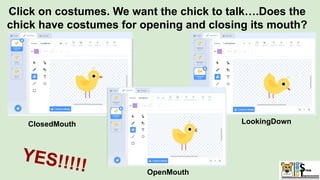
Click on costumes. We want the chick to talk….Does the
chick have costumes for opening and closing its mouth?
ClosedMouth LookingDown
OpenMouth
YES!!!!!
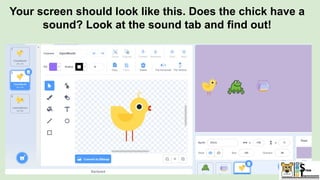
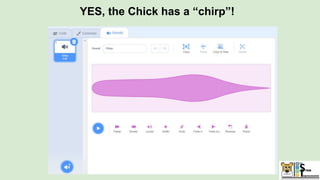
Your screen should look like this. Does the chick have a
sound? Look at the sound tab and find out!
YES, the Chick has a “chirp”!
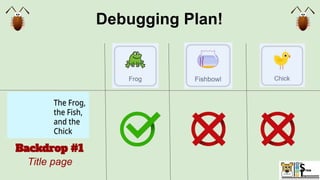
Debugging Plan!
Backdrop #1
Title page
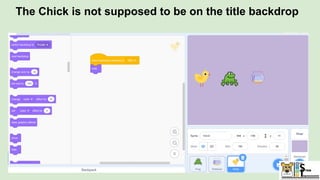
The Chick is not supposed to be on the title backdrop
Debugging Plan!
Backdrop #2
Purple page
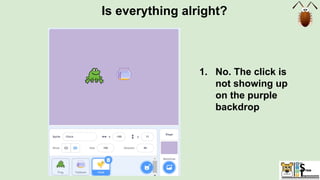
Is everything alright?
1. No. The click is
not showing up
on the purple
backdrop
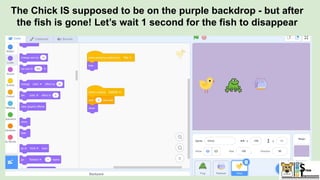
The Chick IS supposed to be on the purple backdrop - but after
the fish is gone! Let’s wait 1 second for the fish to disappear
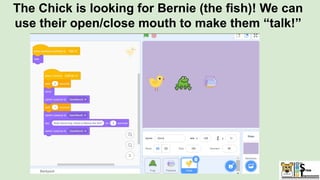
The Chick is looking for Bernie (the fish)! We can
use their open/close mouth to make them “talk!”
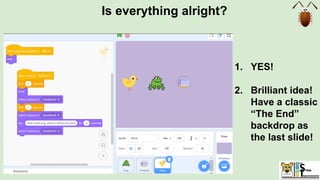
Is everything alright?
1. YES!
2. Brilliant idea!
Have a classic
“The End”
backdrop as
the last slide!
Is everything alright?
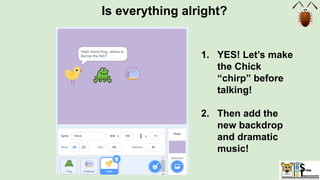
1. YES! Let’s make
the Chick
“chirp” before
talking!
2. Then add the
new backdrop
and dramatic
music!
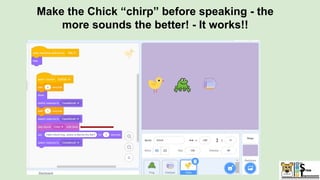
Make the Chick “chirp” before speaking - the
more sounds the better! - It works!!
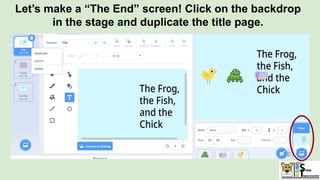
Let’s make a “The End” screen! Click on the backdrop
in the stage and duplicate the title page.
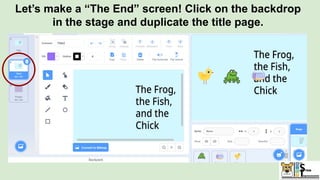
Let’s make a “The End” screen! Click on the backdrop
in the stage and duplicate the title page.
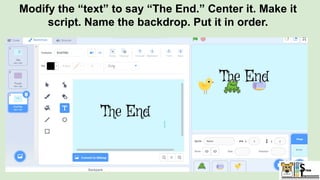
Modify the “text” to say “The End.” Center it. Make it
script. Name the backdrop. Put it in order.
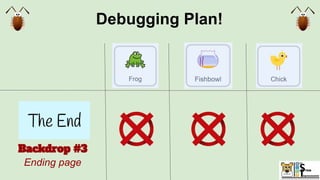
Debugging Plan!
Backdrop #3
Ending page
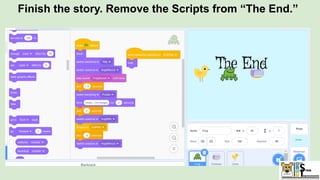
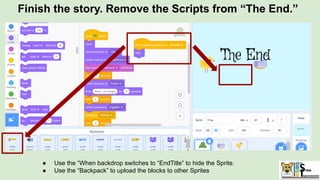
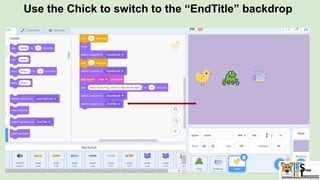
Finish the story. Remove the Scripts from “The End.”
● Use the “When backdrop switches to “EndTitle” to hide the Sprite.
● Use the “Backpack” to upload the blocks to other Sprites
Use the Chick to switch to the “EndTitle” backdrop
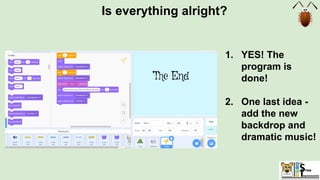
Is everything alright?
1. YES! The
program is
done!
2. One last idea -
add the new
backdrop and
dramatic music!
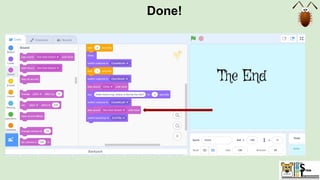
Done!
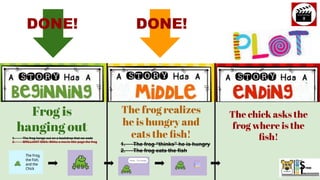
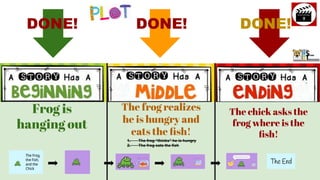
Frog is
hanging out
The frog realizes
he is hungry and
eats the fish!
The chick asks the
frog where is the
fish!
1. The frog “thinks” he is hungry
2. The frog eats the fish
DONE! DONE! DONE!
Demo
Over
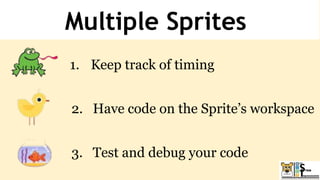
Multiple Sprites
1. Keep track of timing
2. Have code on the Sprite’s workspace
3. Test and debug your code
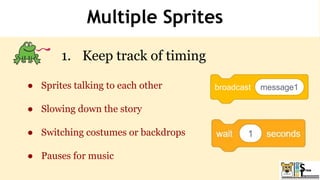
Multiple Sprites
1. Keep track of timing
● Sprites talking to each other
● Slowing down the story
● Switching costumes or backdrops
● Pauses for music
Multiple sprites
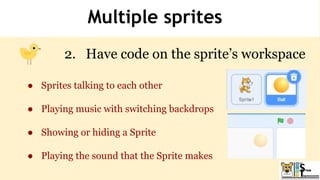
2. Have code on the sprite’s workspace
● Sprites talking to each other
● Playing music with switching backdrops
● Showing or hiding a Sprite
● Playing the sound that the Sprite makes
Multiple sprites
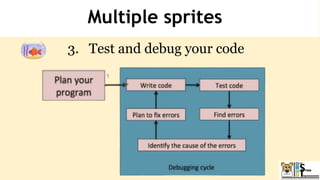
3. Test and debug your code
● Do this after every 3 or 4 blocks you add
● Helps timing
● Makes the story run smoother
Multiple sprites
3. Test and debug your code
www.menti.com
Code: 6710 1945
Coolest Projects Competition
https://online.coolest
projects.org/
● Never miss an
episode!
● Get Notified
of new shows!
CodeTigers
SUBSCRIBE
Scratch Lesson 4:
Games!
Join us next week for…..
Class #3: Sounds

Class #3: Sounds