Ståle Hansen
Understand Lync Video and Interop

@

@NICconf
@

@NICconf
•
•
•
•
•
•
•
•
•

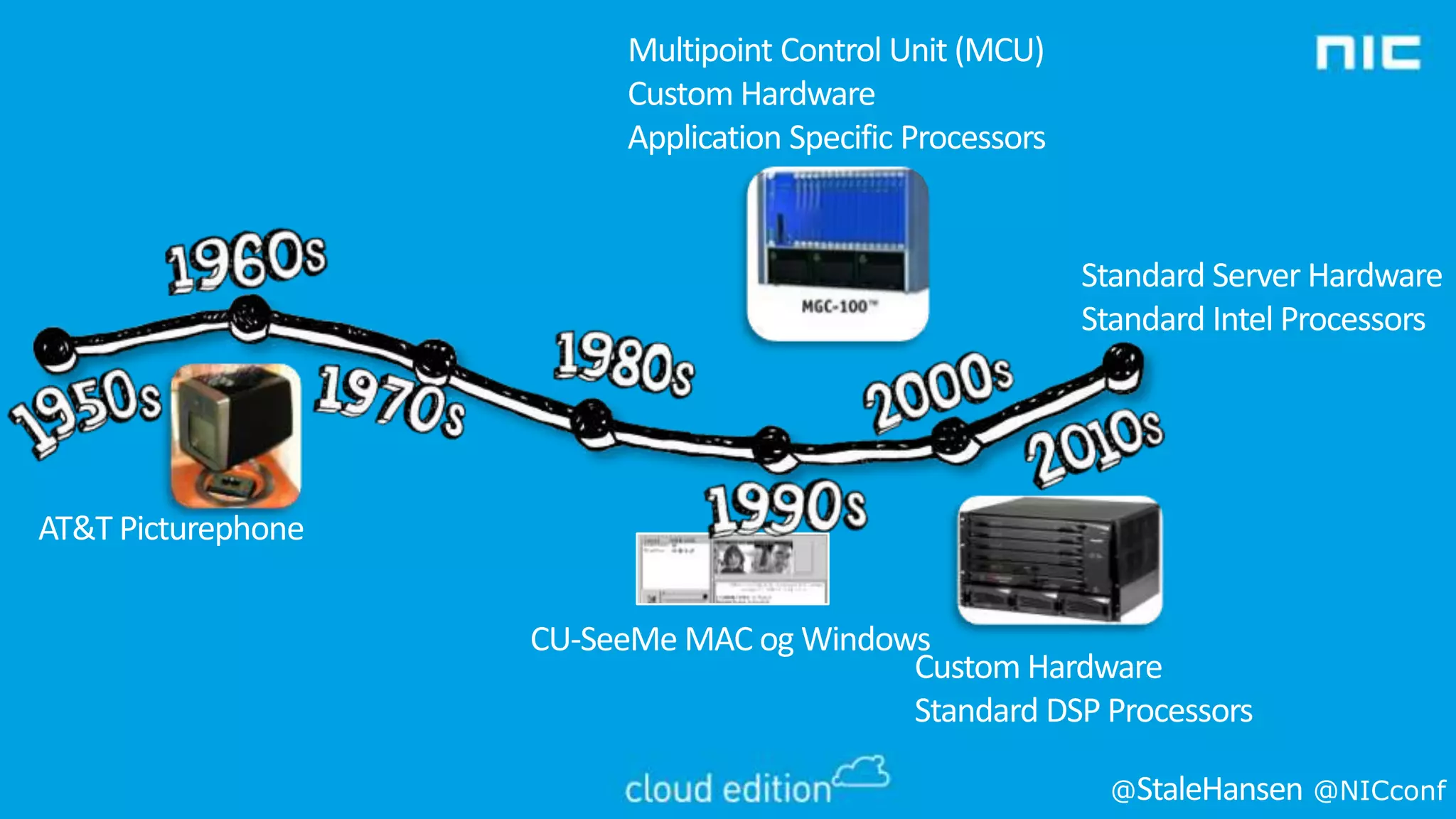
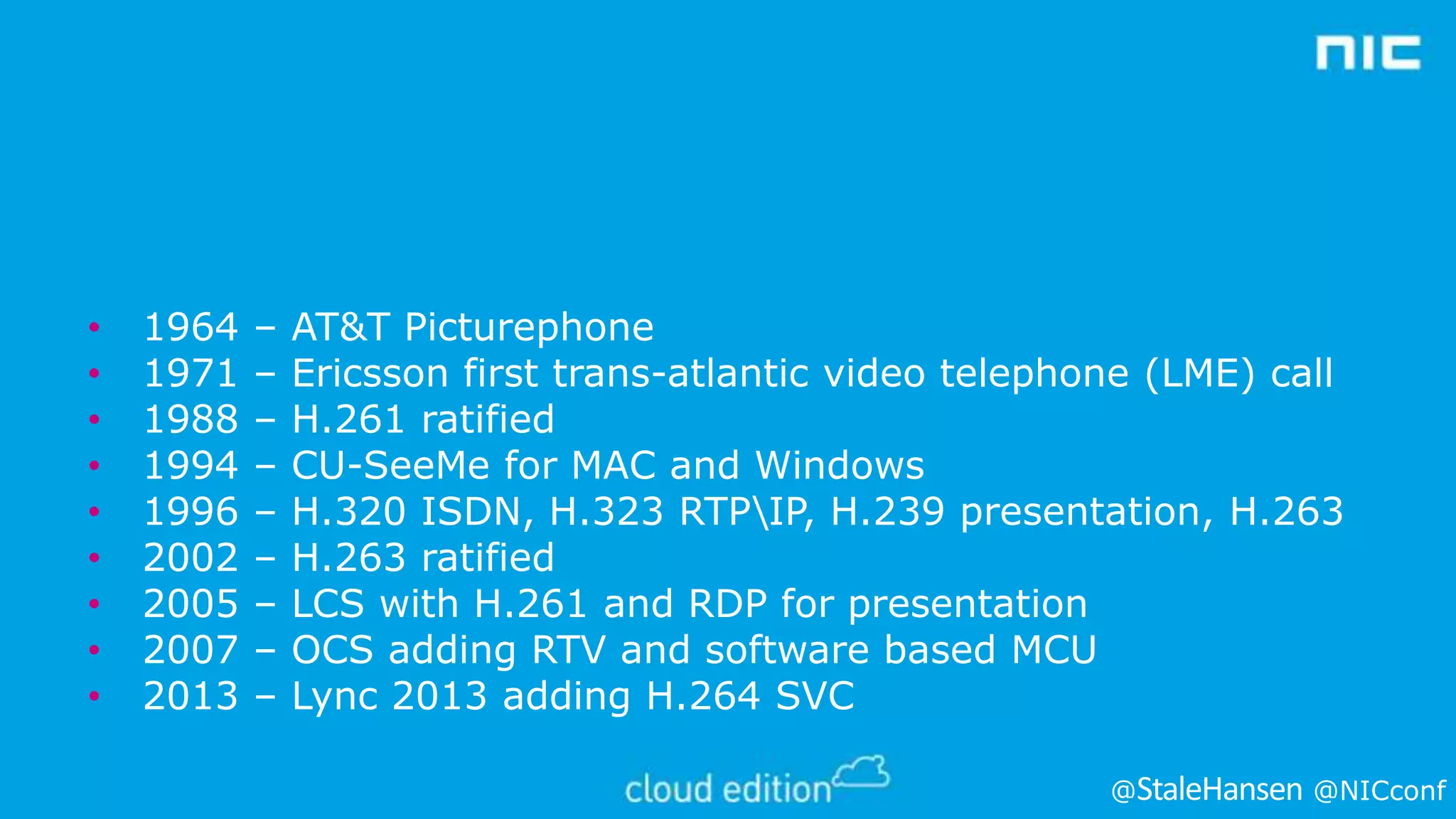
1964
1971
1988
1994
1996
2002
2005
2007
2013

–
–
–
–
–
–
–
–
–

AT&T Picturephone
Ericsson first trans-atlantic video telephone (LME) call
H.261 ratified
CU-SeeMe for MAC and Windows
H.320 ISDN, H.323 RTPIP, H.239 presentation, H.263
H.263 ratified
LCS with H.261 and RDP for presentation
OCS adding RTV and software based MCU
Lync 2013 adding H.264 SVC
@

@NICconf
@

@NICconf
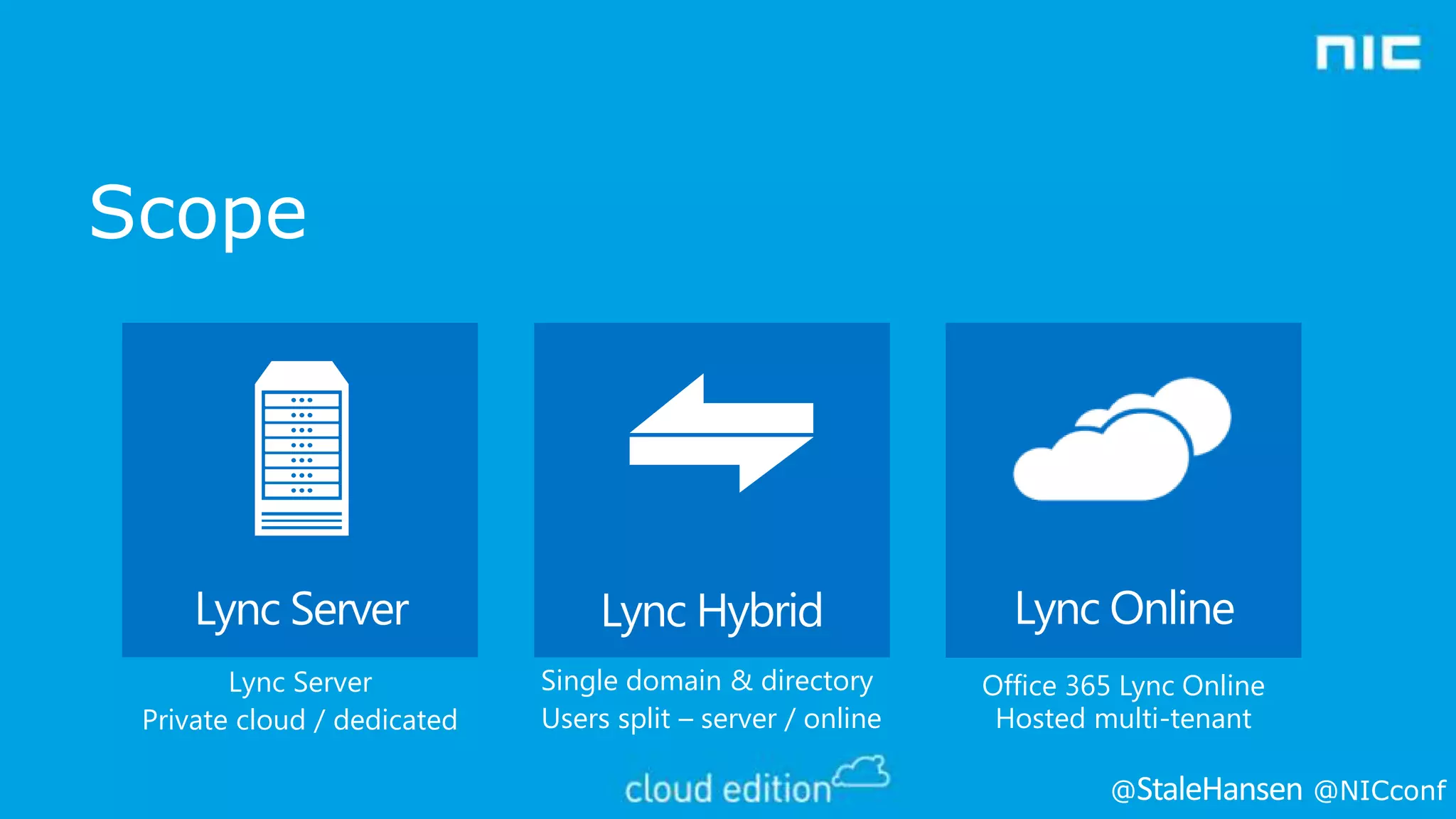
Scope

Lync Server

Lync Hybrid

Lync Online

Lync Server
Private cloud / dedicated

Single domain & directory
Users split – server / online

Office 365 Lync Online
Hosted multi-tenant
@

@NICconf
Session Objectives And Takeaways
• Session Objectives:
• What’s new in Lync 2013 Video
• Lessons learned with Lync Room System (LRS)
• Latest news in Lync video interoperability

• Key Takeaways
• SVC is the new video codec, RTV is legacy
• Pexip and Acano solves desktopsharing in interop
scenarios
@

@NICconf
WHAT’S NEW IN LYNC 2013
VIDEO?
@

@NICconf
Lync 2013 Video Improvements
• Collocated
• 4000 concurrent users per pool with 12 Front Ends
• 250 within a single conference
• 375 per Front End

• Dedicated for large meetings
• For 250-1000 concurrent users
@

@NICconf
Lync 2013 Video Improvements
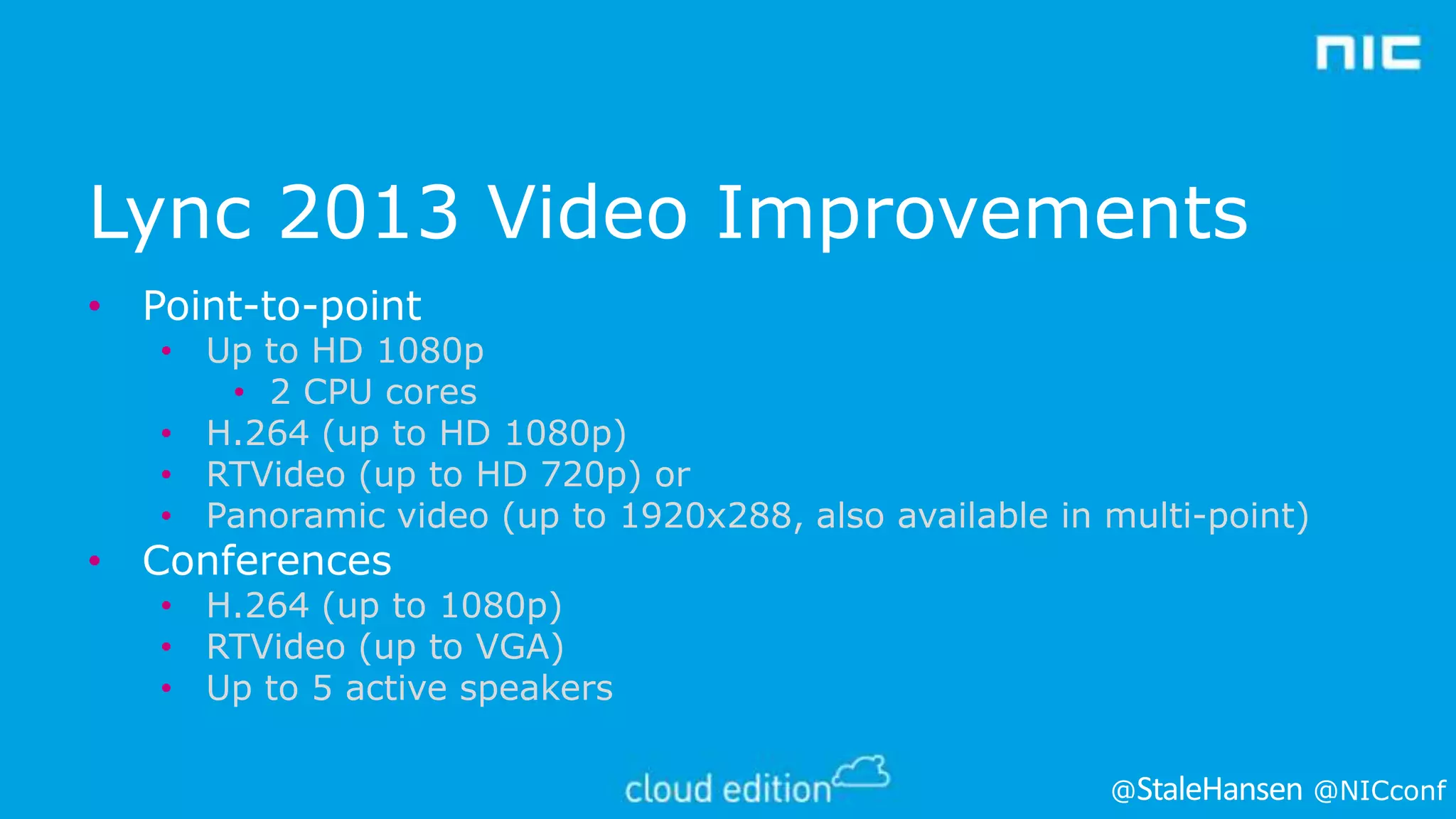
• Point-to-point

• Up to HD 1080p
• 2 CPU cores
• H.264 (up to HD 1080p)
• RTVideo (up to HD 720p) or
• Panoramic video (up to 1920x288, also available in multi-point)

• Conferences

• H.264 (up to 1080p)
• RTVideo (up to VGA)
• Up to 5 active speakers
@

@NICconf
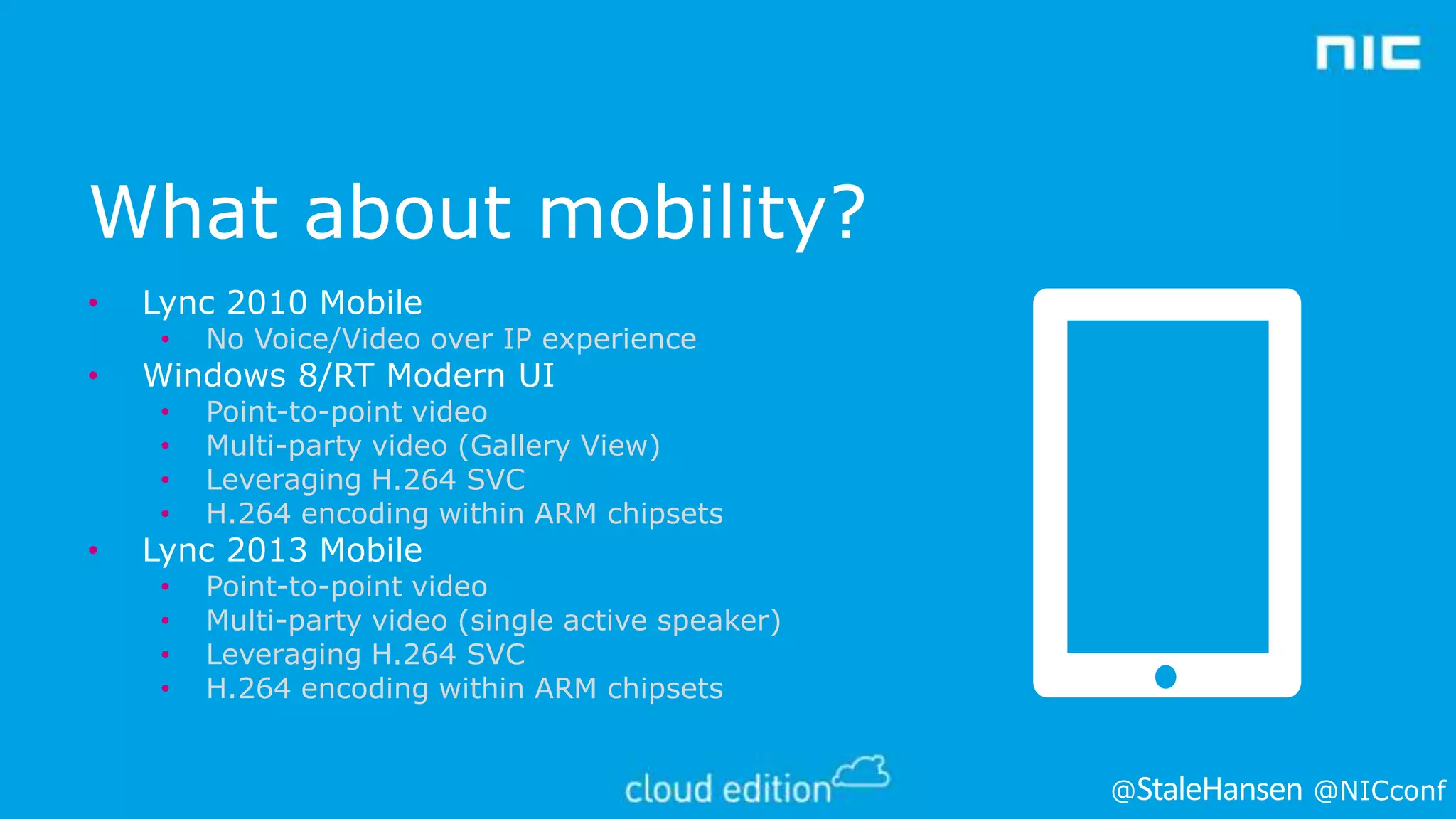
What about mobility?
•

Lync 2010 Mobile
•
•
•
•
•

•

•

No Voice/Video over IP experience
Point-to-point video
Multi-party video (Gallery View)
Leveraging H.264 SVC
H.264 encoding within ARM chipsets

•
•
•
•

Point-to-point video
Multi-party video (single active speaker)
Leveraging H.264 SVC
H.264 encoding within ARM chipsets

Windows 8/RT Modern UI

Lync 2013 Mobile

@

@NICconf
HOW DOES LYNC 2013 VIDEO
WORK
@

@NICconf
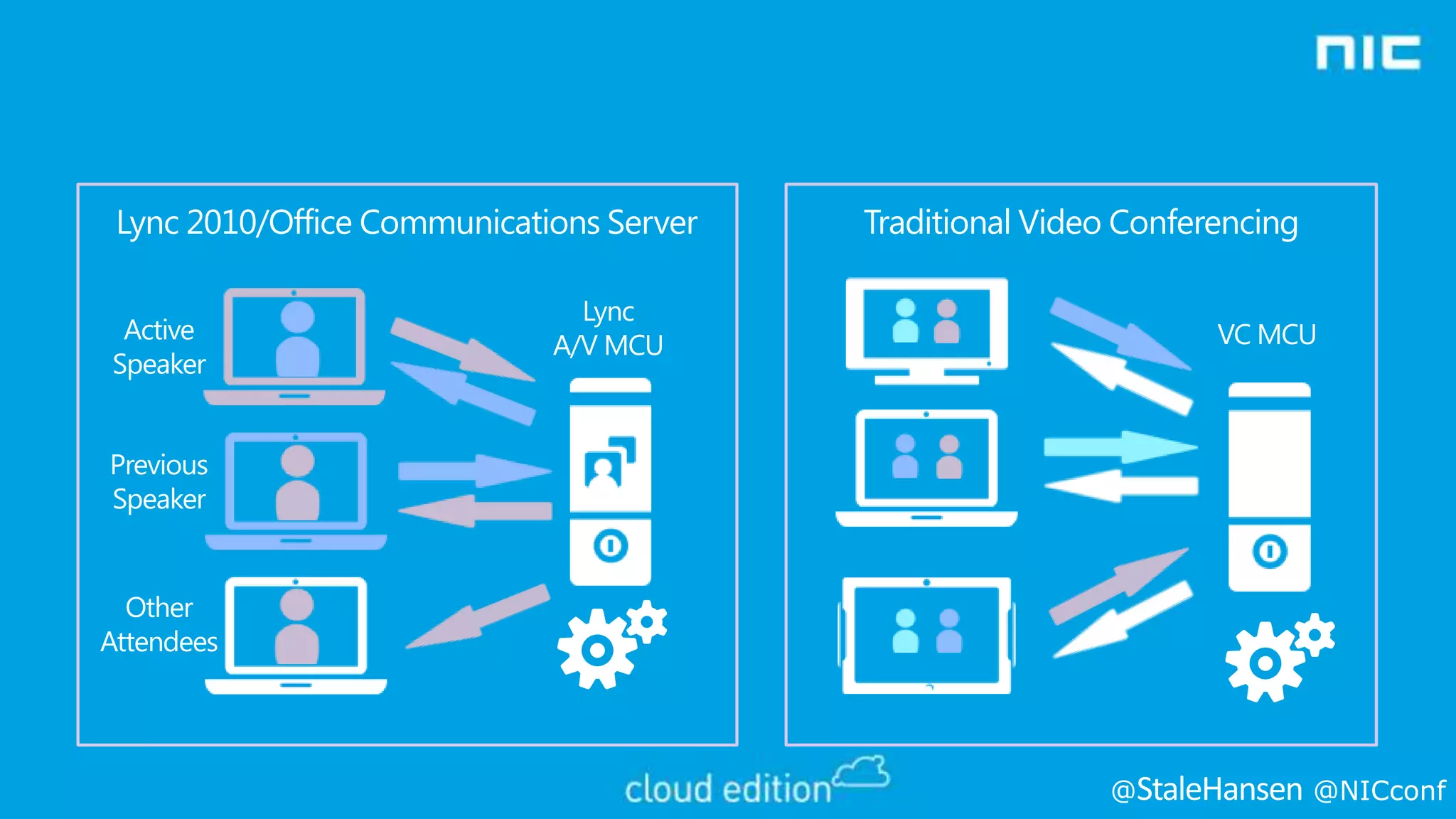
Lync 2010/Office Communications Server
Active
Speaker

Traditional Video Conferencing

Lync
A/V MCU

VC MCU

Previous
Speaker

Other
Attendees

@

@NICconf
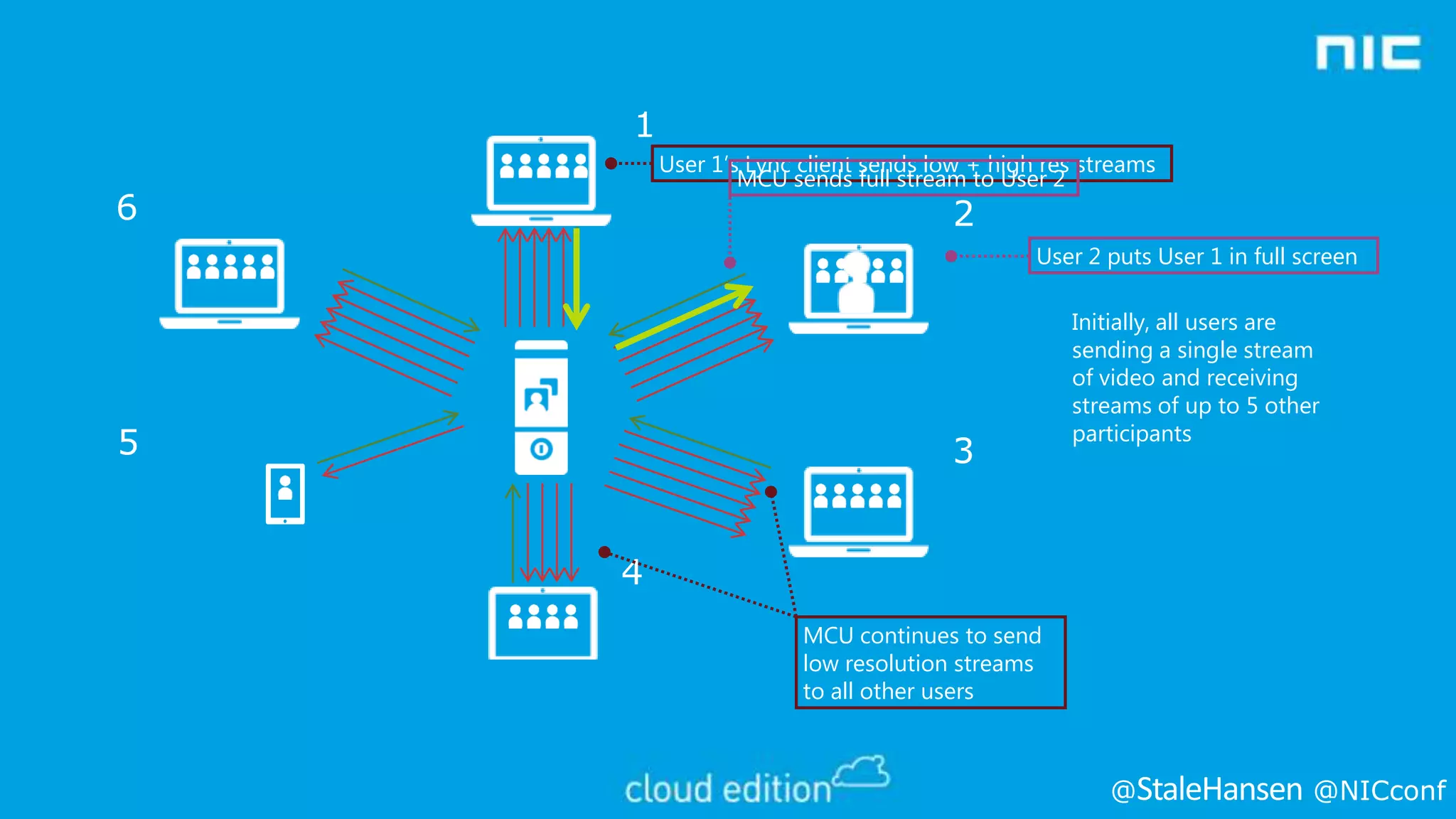
1
User 1’s Lync client sends low + high res streams
MCU sends full stream to User 2

6

2

User 2 puts User 1 in full screen

5

3

Initially, all users are
sending a single stream
of video and receiving
streams of up to 5 other
participants

4
MCU continues to send
low resolution streams
to all other users

@

@NICconf
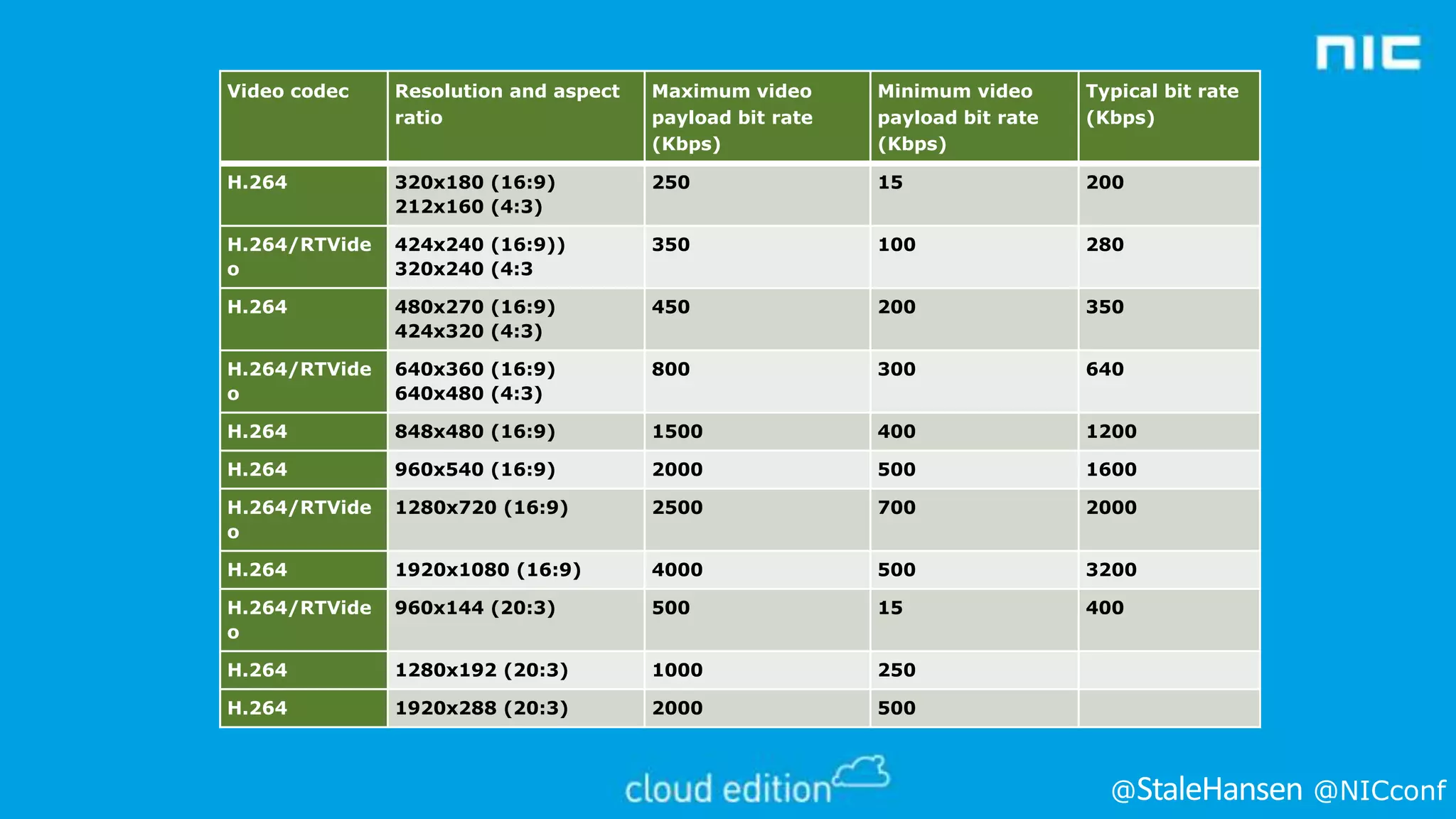
Video codec

Resolution and aspect
ratio

Maximum video
payload bit rate
(Kbps)

Minimum video
payload bit rate
(Kbps)

Typical bit rate
(Kbps)

H.264

320x180 (16:9)
212x160 (4:3)

250

15

200

H.264/RTVide
o

424x240 (16:9))
320x240 (4:3

350

100

280

H.264

480x270 (16:9)
424x320 (4:3)

450

200

350

H.264/RTVide
o

640x360 (16:9)
640x480 (4:3)

800

300

640

H.264

848x480 (16:9)

1500

400

1200

H.264

960x540 (16:9)

2000

500

1600

H.264/RTVide
o

1280x720 (16:9)

2500

700

2000

H.264

1920x1080 (16:9)

4000

500

3200

H.264/RTVide
o

960x144 (20:3)

500

15

400

H.264

1280x192 (20:3)

1000

250

H.264

1920x288 (20:3)

2000

500

@

@NICconf
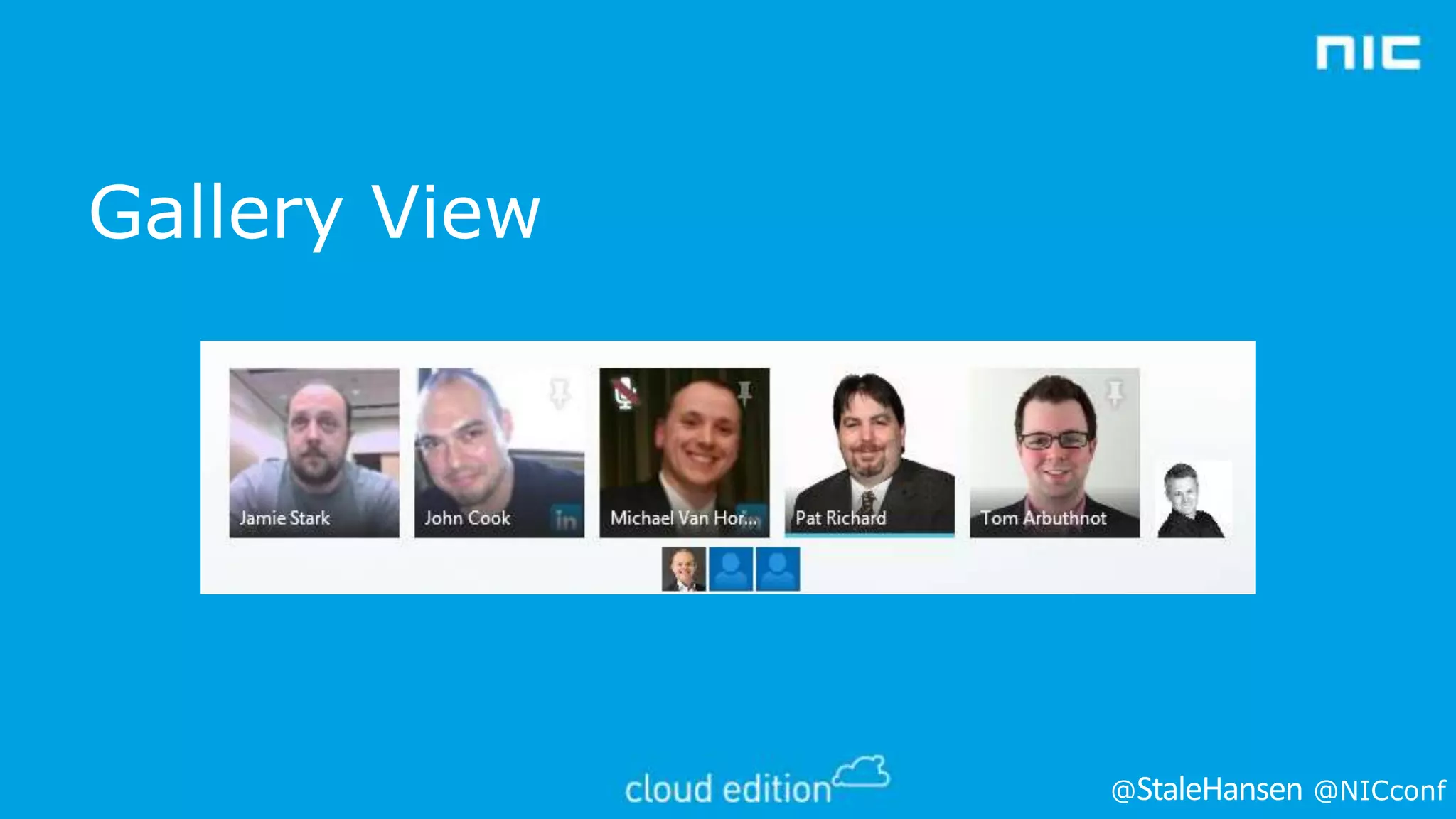
Gallery View

@

@NICconf
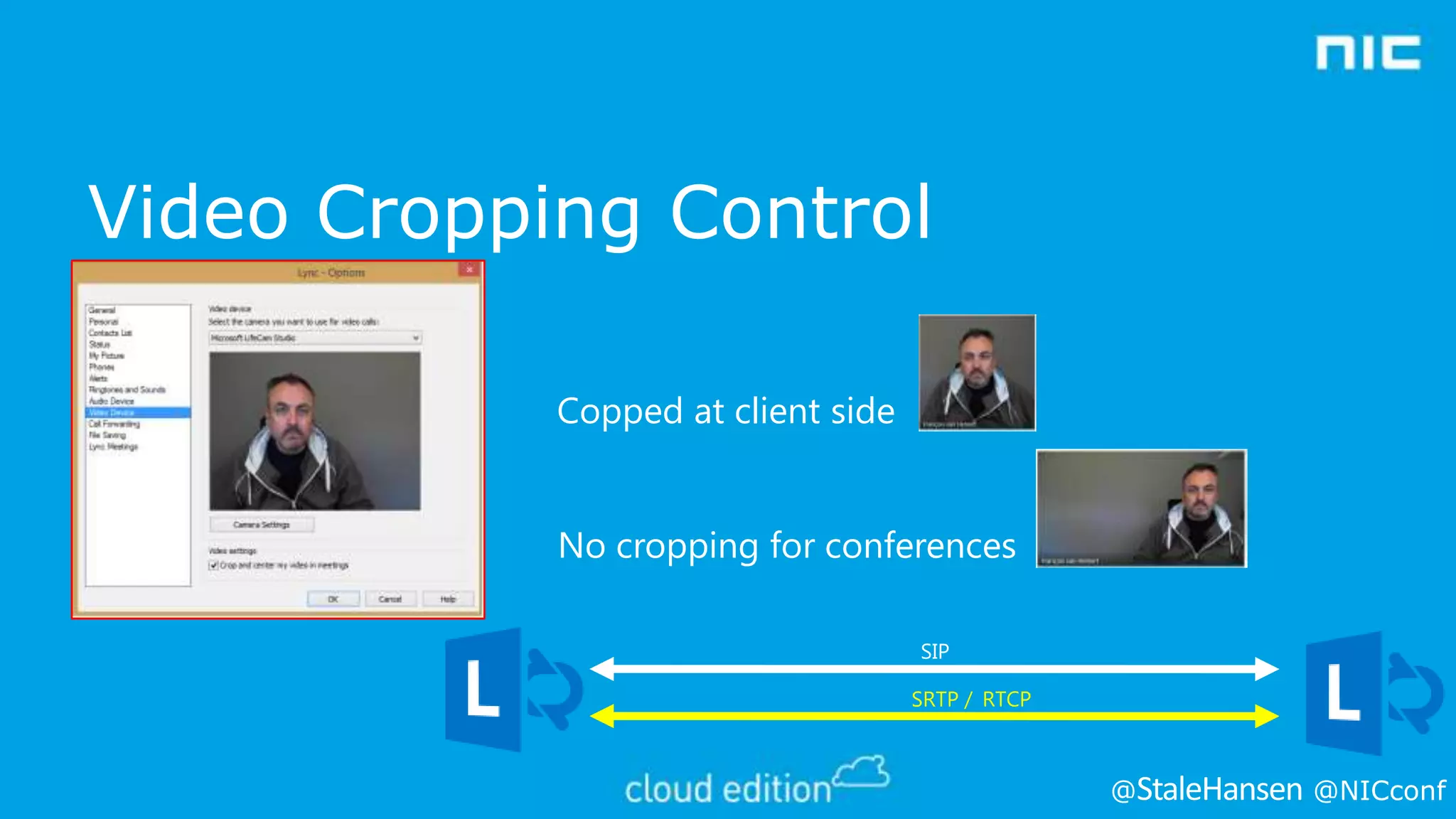
Video Cropping Control
Copped at client side

No cropping for conferences
SIP
SRTP / RTCP

@

@NICconf
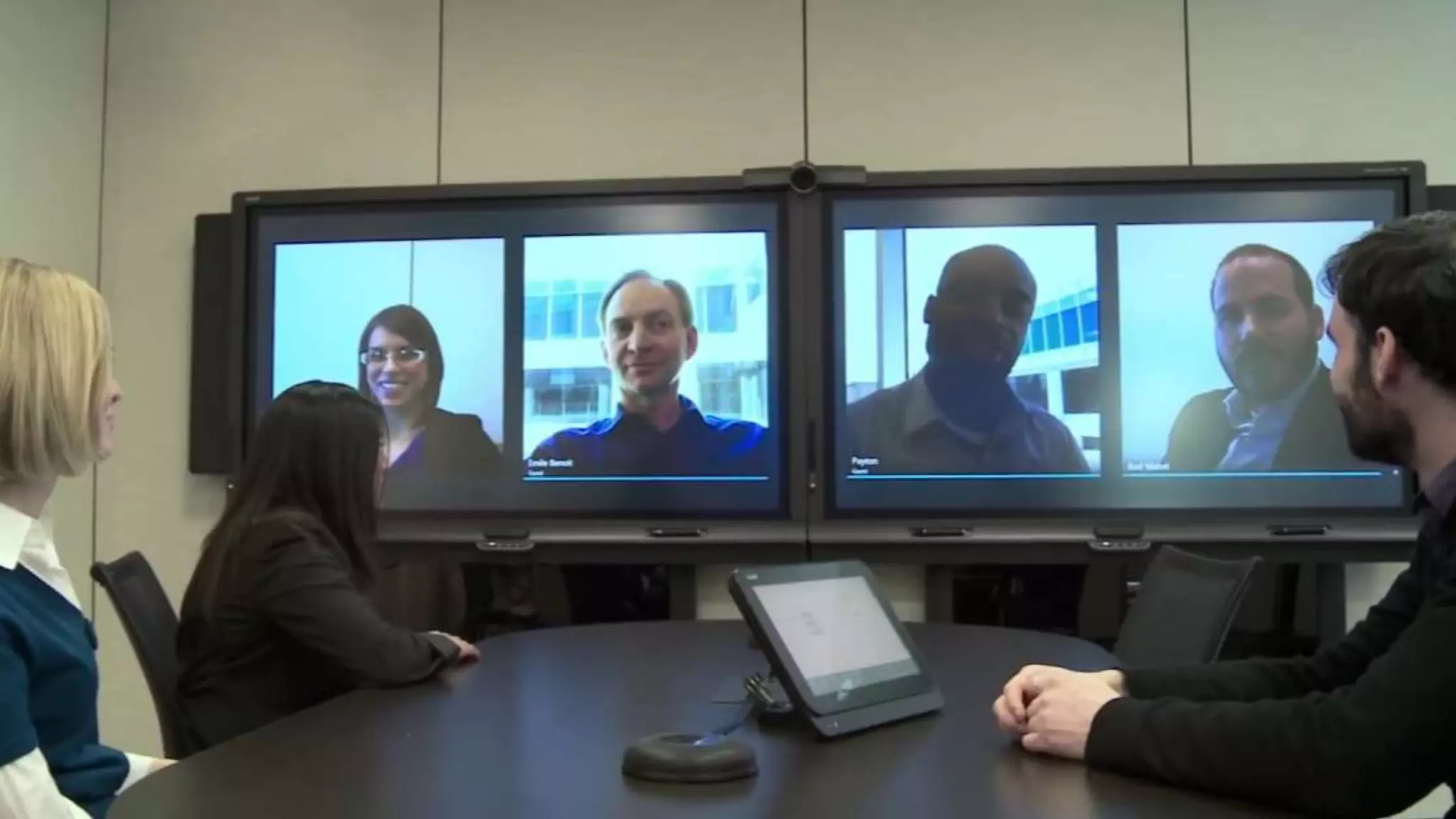
LYNC ROOM SYSTEM (LRS)
@

@NICconf
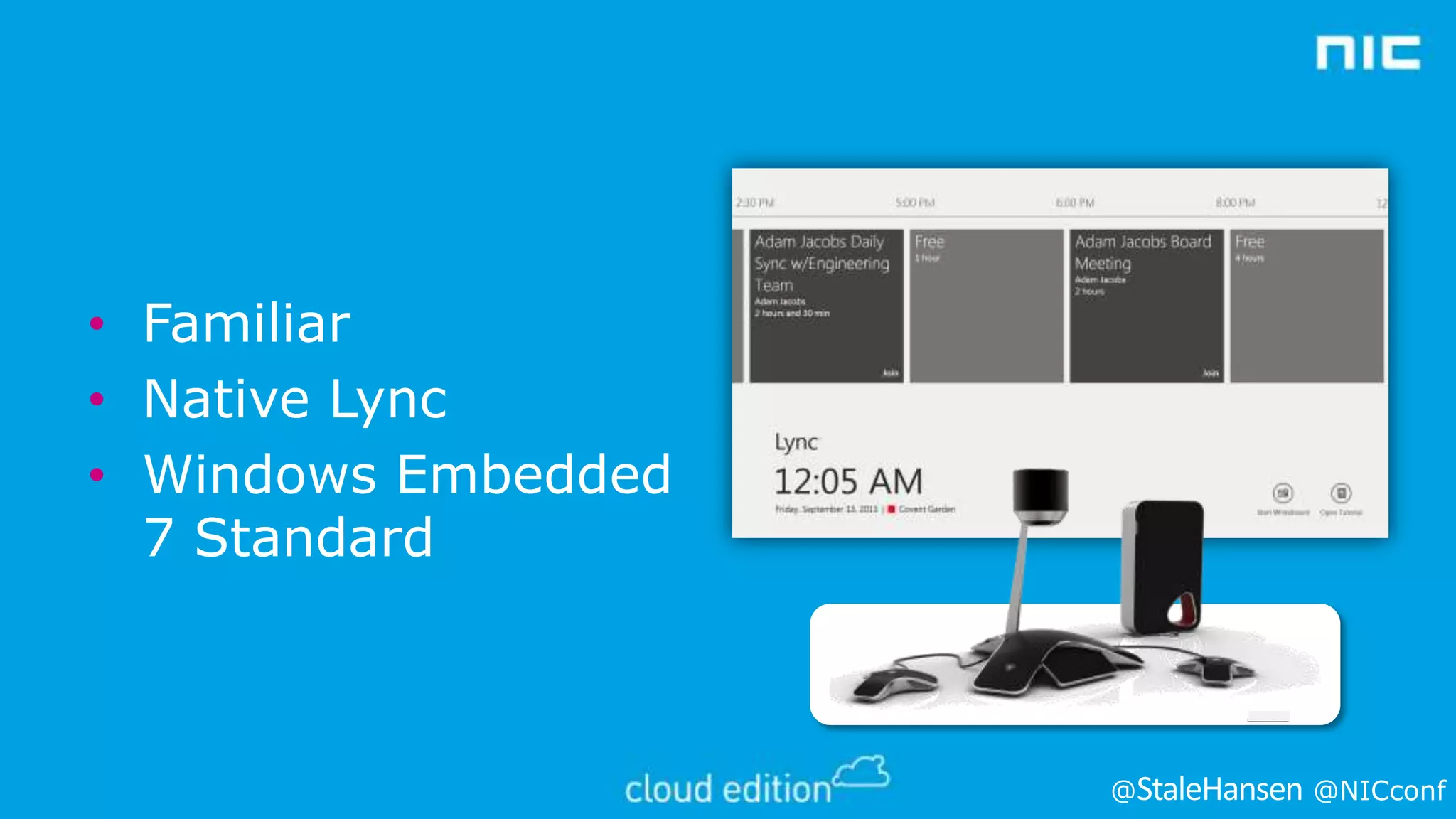
• Familiar
• Native Lync
• Windows Embedded
7 Standard

@

@NICconf
•

Joining the LRS to a domain is optional
•
•
•

•

•

Requires manual import of certificates (for example, trusted root).
Easy certificate import.
Easy management by assigning Active Directory groups and
domain users administrative rights.

Joining to a domain has benefits

When joining LRS to a domain, pay attention to
•
•
•

GPOs (Group Policy objects) assigned to the OU (organizational unit) create a separate OU if possible.
Block Inheritance and No Override can cause unwanted effects - check!
Also settings for auto lockout, power management, additional
authentication, access to local drives, auto start of applications, and so on.
@

@NICconf
@

@NICconf
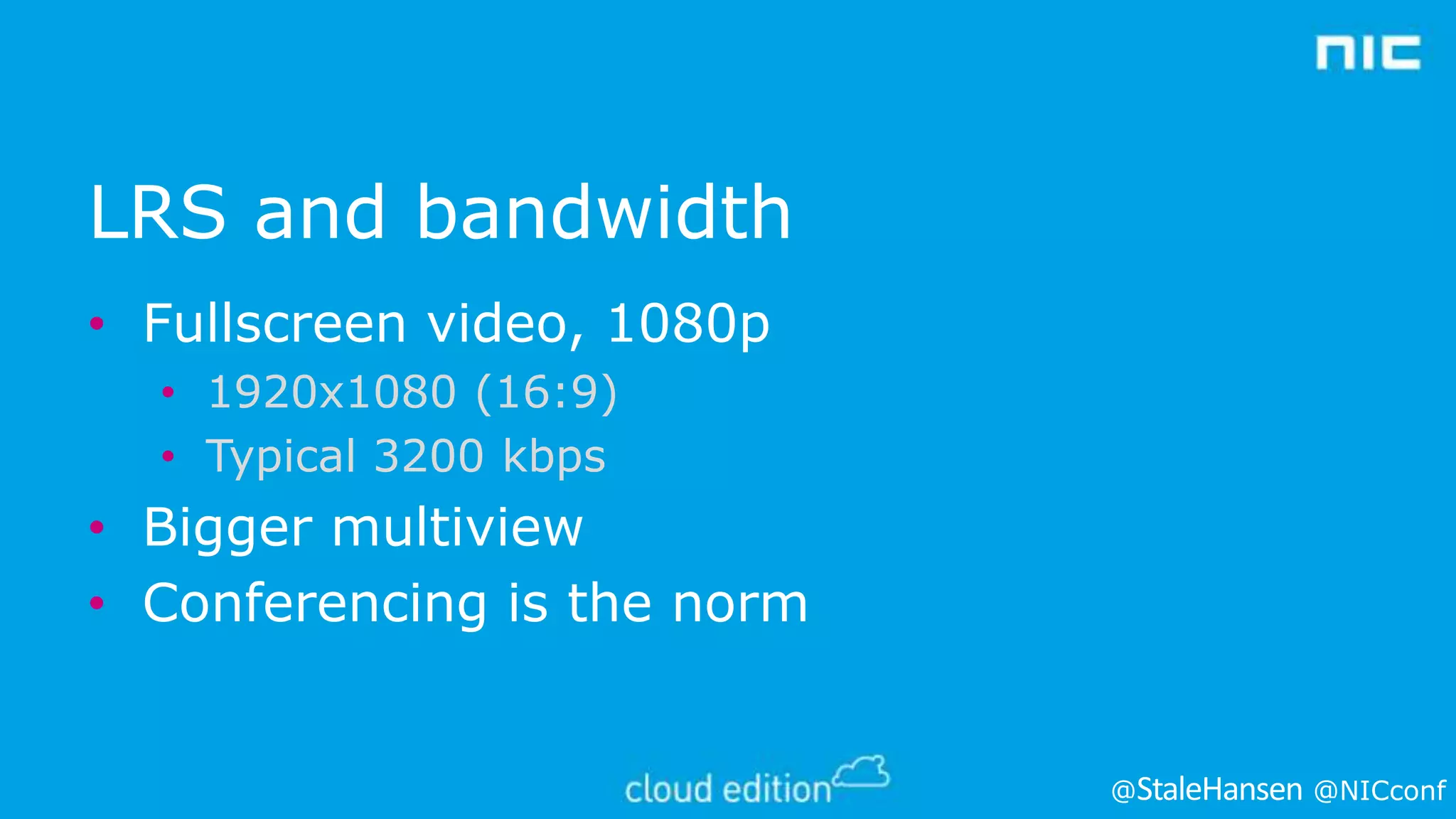
LRS and bandwidth
• Fullscreen video, 1080p
• 1920x1080 (16:9)
• Typical 3200 kbps

• Bigger multiview
• Conferencing is the norm

@

@NICconf
LYNC 2013 AND
INTEROPERABILITY
@

@NICconf
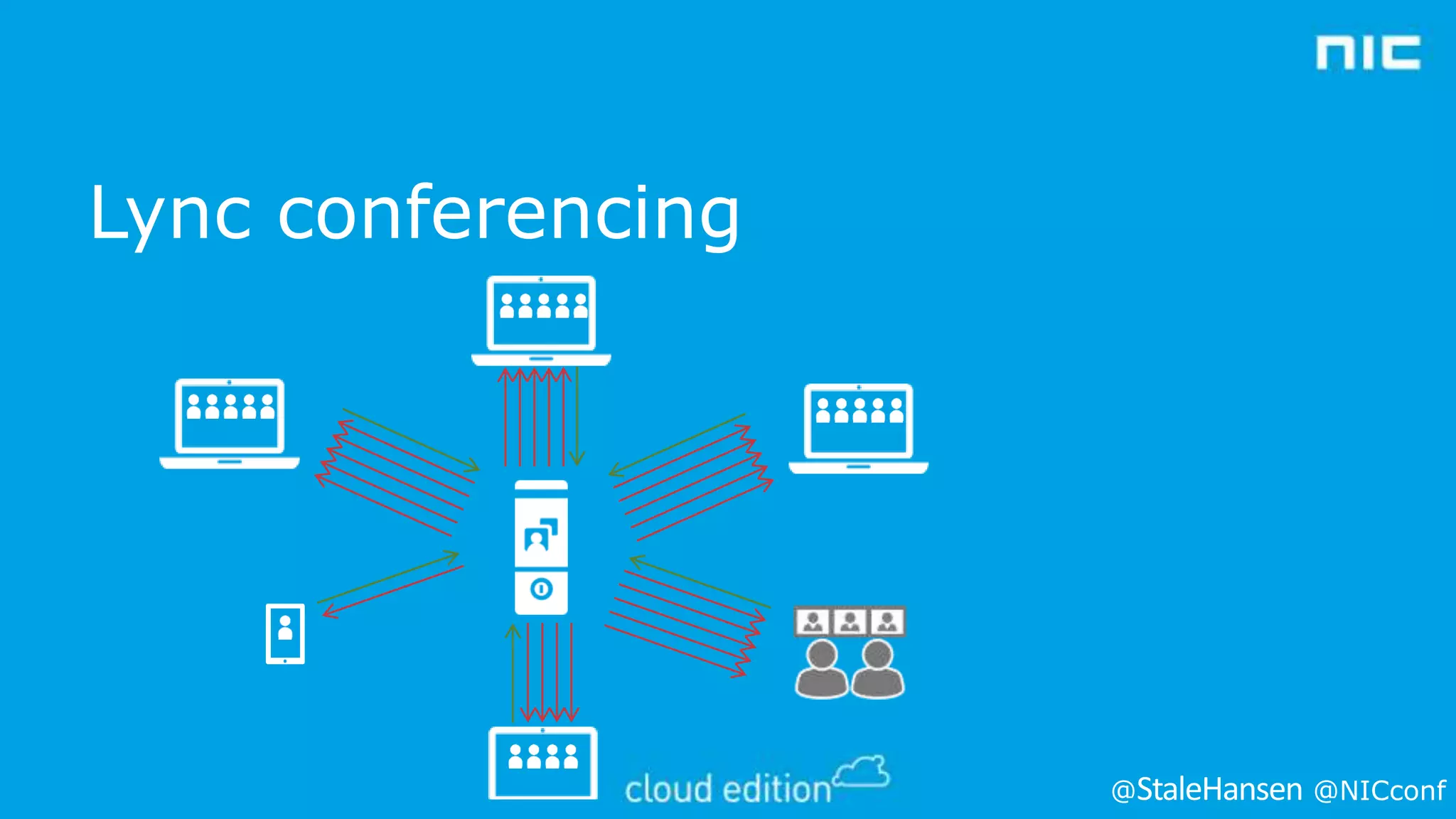
Lync conferencing

@

@NICconf
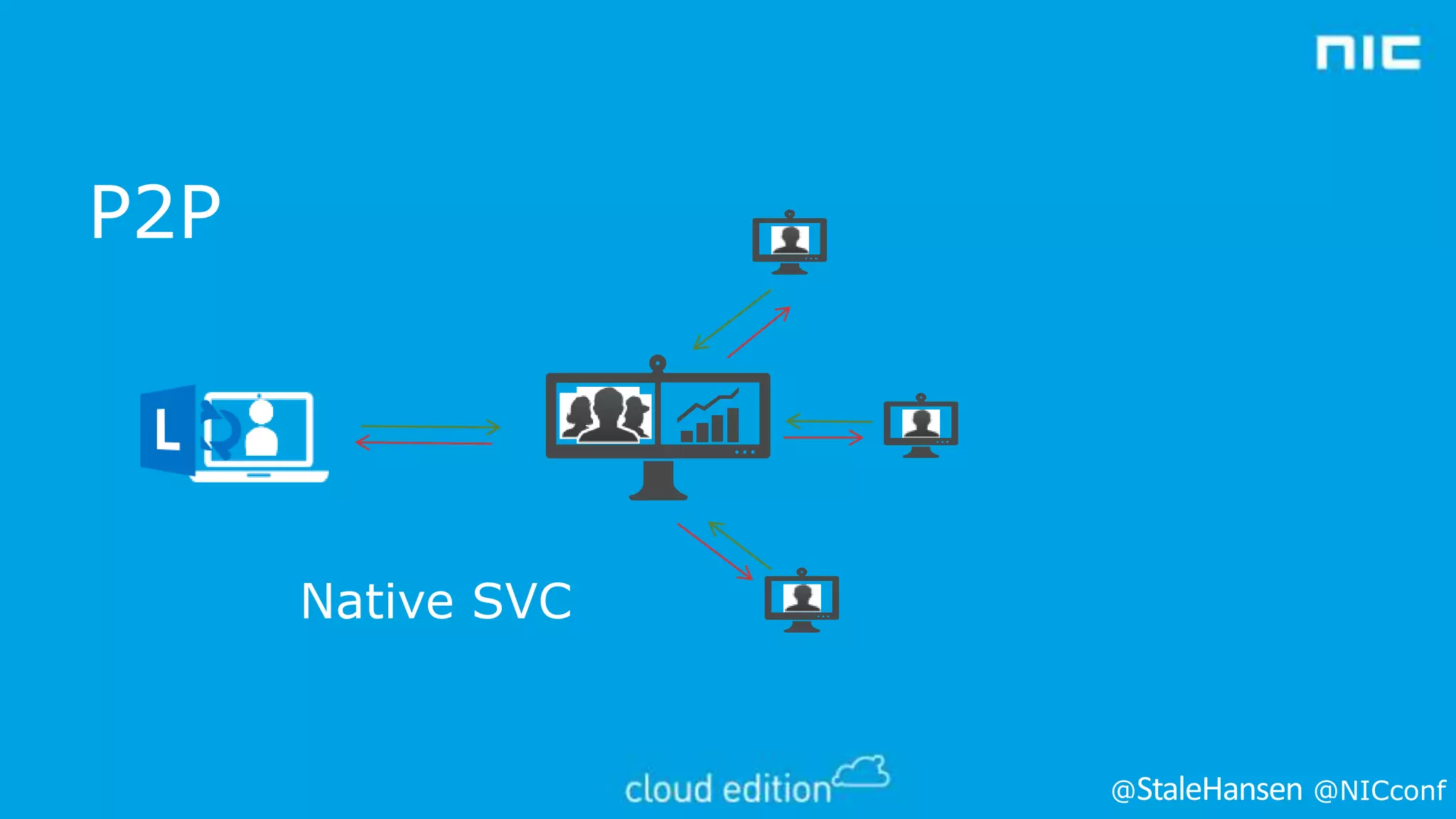
P2P

Native SVC

@

@NICconf
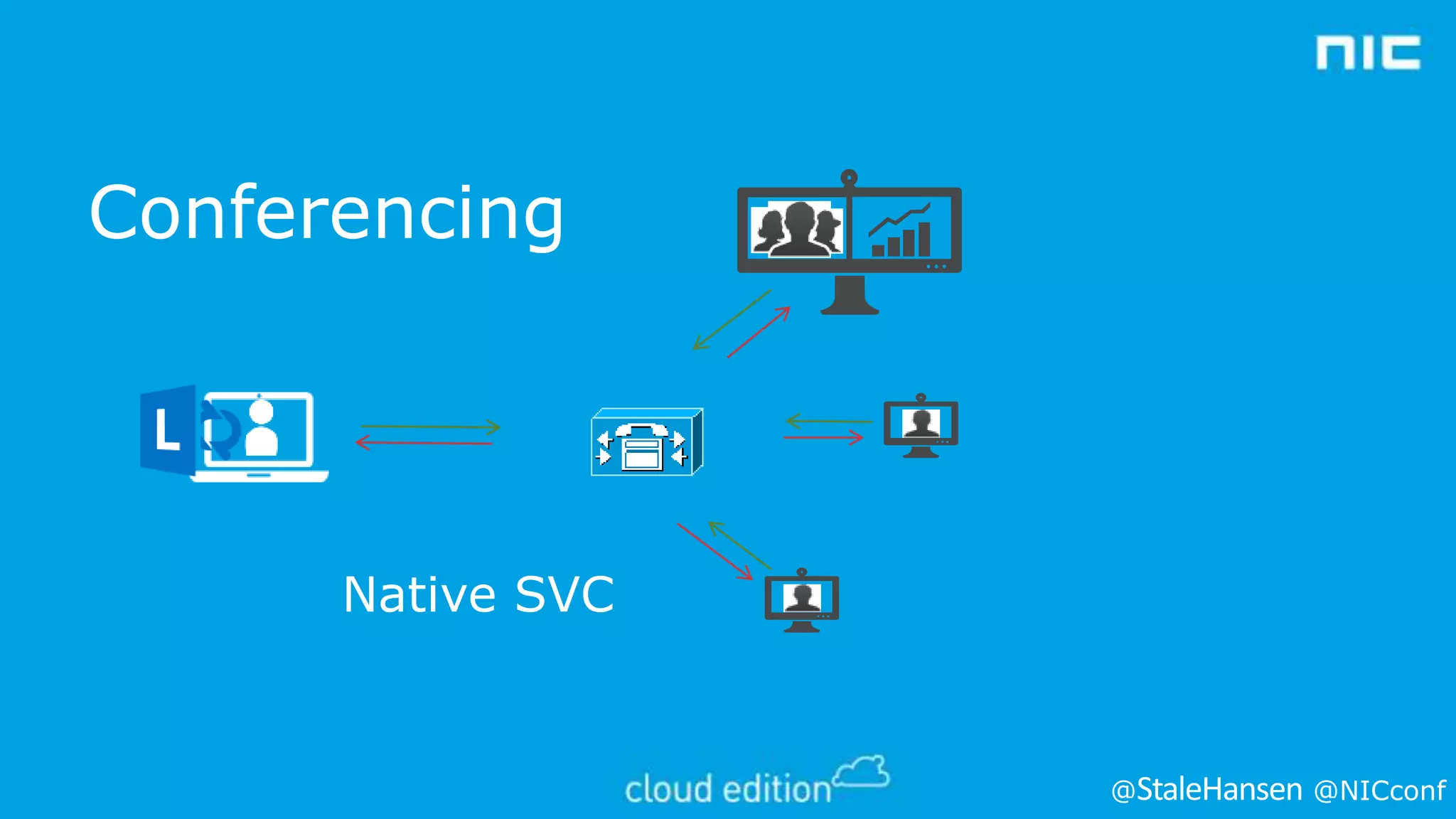
Conferencing

Native SVC

@

@NICconf
Interoperability partners
•
•
•
•
•
•

Polycom
Cisco
Radvision
Lifesize
Pexip
Acano
@

@NICconf
Polycom
• Released firmware 8.1 for Polycom RMX MCUs (video
bridges) compatible with Lync 2013

• http://downloads.polycom.com/bridging_collab/rmx/relnotes/RMX
_Release_Notes_V_8_1_CP.pdf

• Released firmware 3.1.2 for Polycom HDX family (video
terminals) compatible with Lync 2013

• http://downloads.polycom.com/video/hdx/ReleaseNotes/hdx_RelN
otes_3_1_2.pdf

• Currently in the process of certification of these solutions in
UCOIP
@

@NICconf
Radvision
• Committed to providing Lync 2013 video
interoperability
• Radvision Scopa Video gateway certified for Lync 2010
version 7.7 expected to work with Lync 2013 (using
RTVideo and Lync 2010 level features)
• http://www.radvision.com/NR/rdonlyres/A4A8D519-AEFF415B-AFFF3B1DF56E903D/0/LyncDeployment_Guide_for_SCOPIA_Vid
eo_Gateway_for_Microsoft_Lync_Version_77_Updated.pdf
@

@NICconf
Lifesize
• Lifesize UVC Mutlipoint bridge claimed
compatible with Lync 2010 and 2013
• http://www.lifesize.com/en/products/videoconferencing-infrastructure/software-based-bridge

@

@NICconf
Pexip and Acano
•
•
•
•

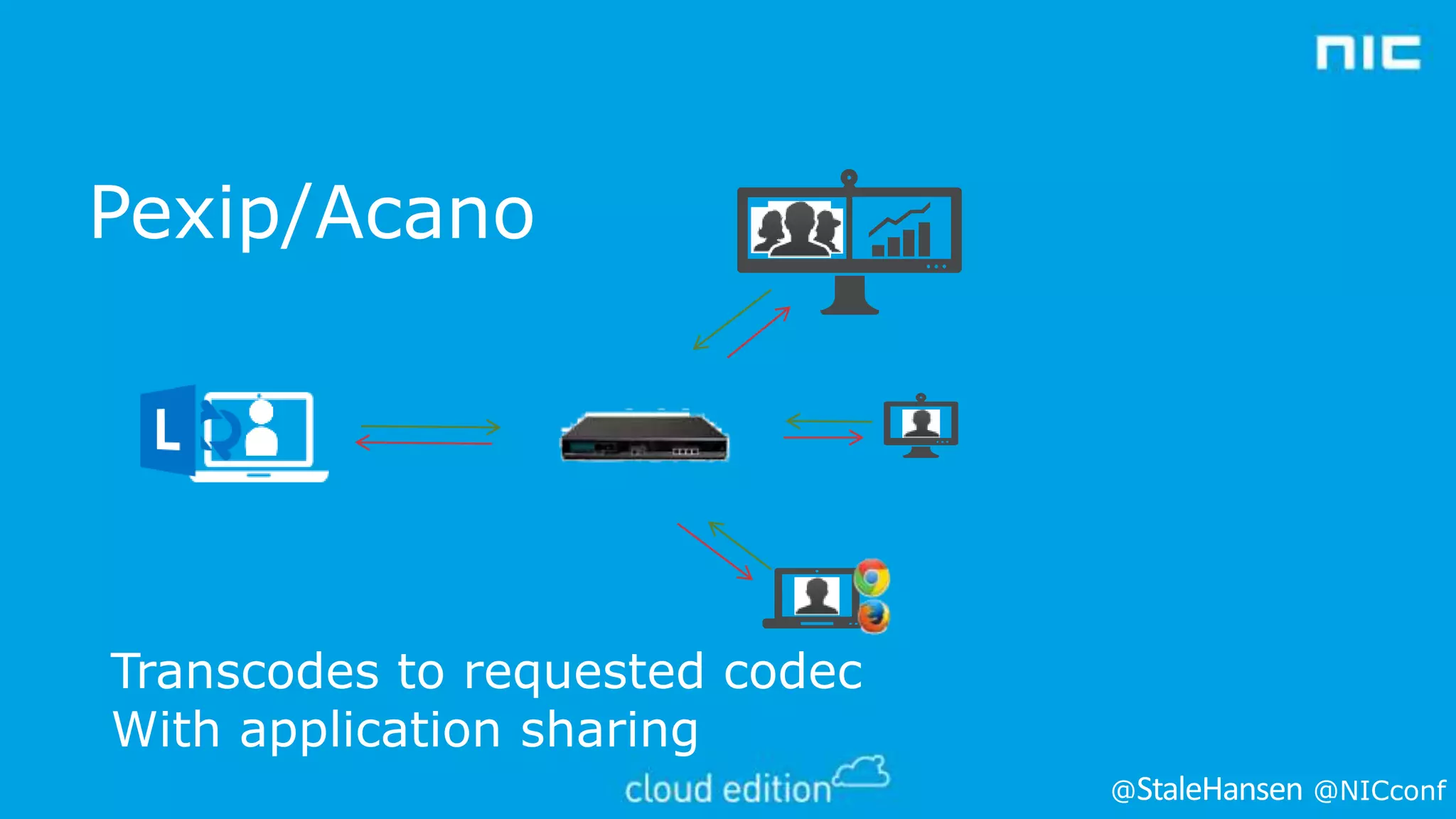
Interop bridge between Lync and the rest
Support all clients, even webRTC
Support for RTV and SVC
Clients need to join separate MCU

@

@NICconf
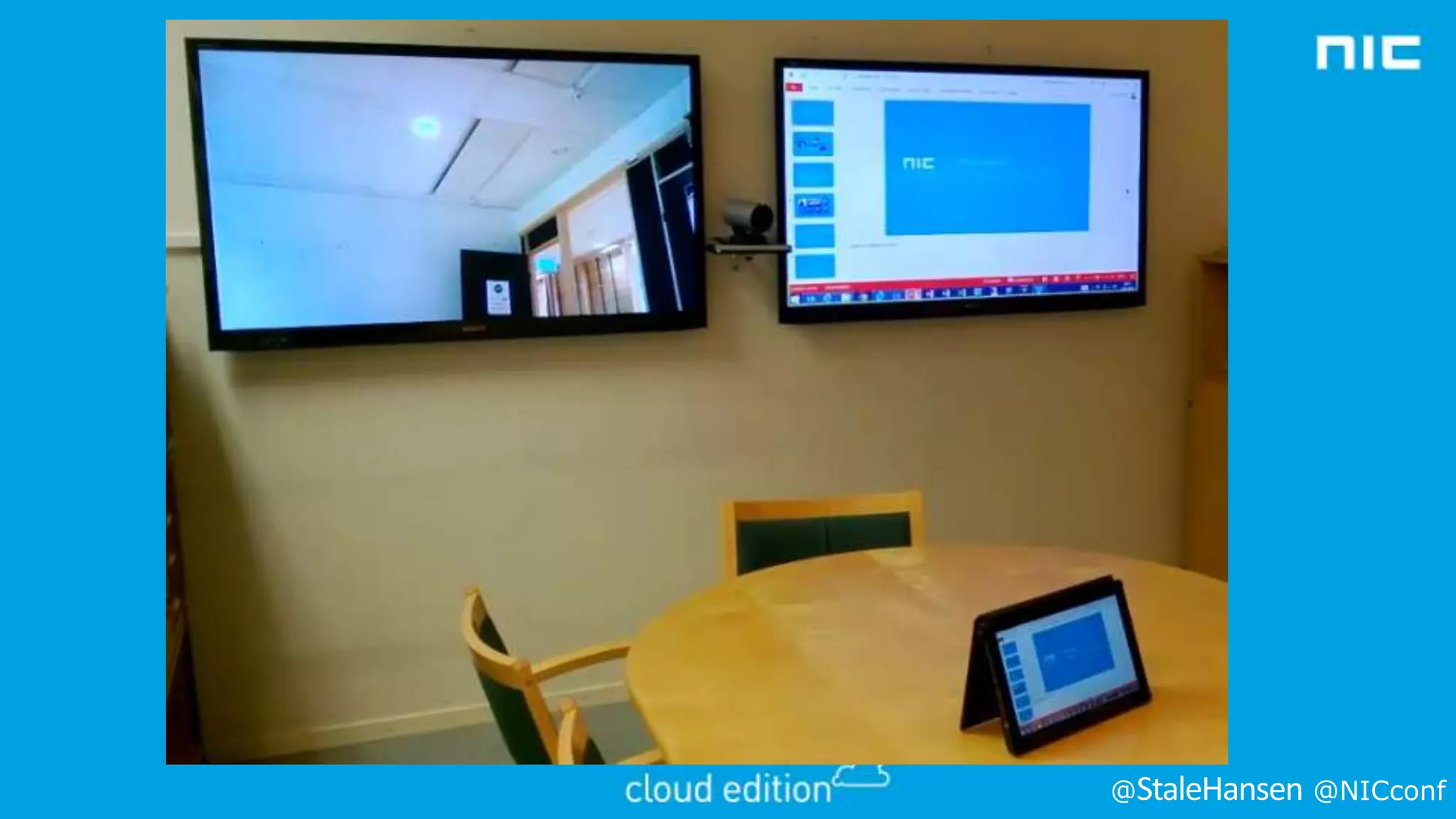
Application Sharing solved!

@

@NICconf
@

@NICconf
Pexip/Acano

Transcodes to requested codec
With application sharing
@

@NICconf
Pexip
• Software based
• Can be virtualized with Vmware
• Hyper-V on the roadmap

• Own client and room to control meeting

@

@NICconf
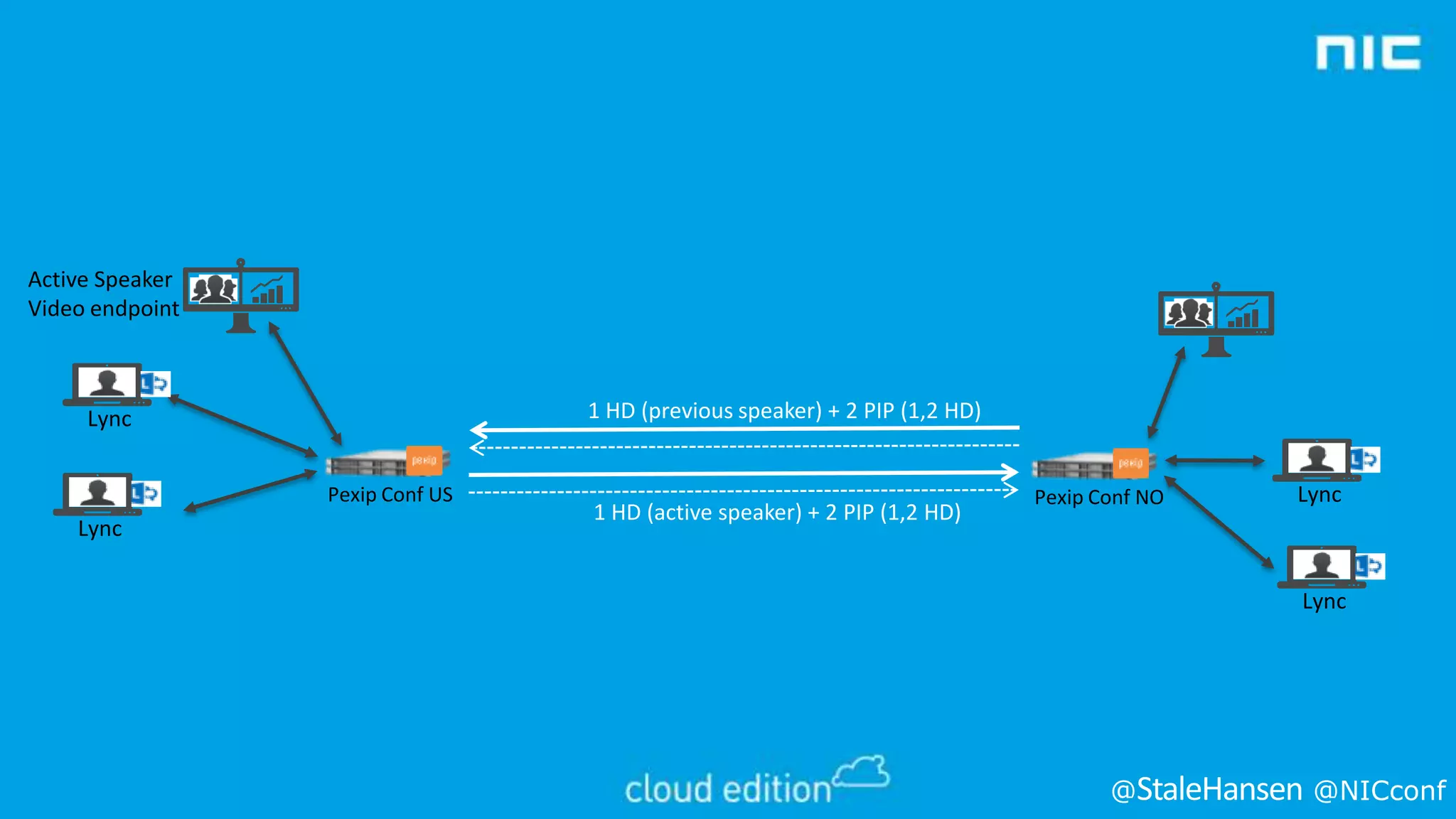
Active Speaker
Video endpoint

1 HD (previous speaker) + 2 PIP (1,2 HD)

Lync
Pexip Conf US

Lync

1 HD (active speaker) + 2 PIP (1,2 HD)

Pexip Conf NO

Lync

Lync

@

@NICconf
Acano
• Hardware optimized
• Can be virtualized
• Own client and room to control meeting

@

@NICconf
Interoperability “built in” to Lync
• Lync P2P video calls to VTC
• VTC P2P call to Lync
• Lync invites VTC to spontaneous or “Meet
Now” Lync meeting (via Lync AVMCU)
• VTC is able to join a scheduled Lync Meeting
via “Join Lync Meeting” invite
@

@NICconf
Session Objectives And Takeaways
• Session Objectives:
• What’s new in Lync 2013 Video
• Lessons learned with Lync Room System (LRS)
• Latest news in Lync video interoperability

• Key Takeaways
• SVC is the new video codec, RTV is legacy
• Pexip and Acano solves desktopsharing in interop
scenarios
@

@NICconf
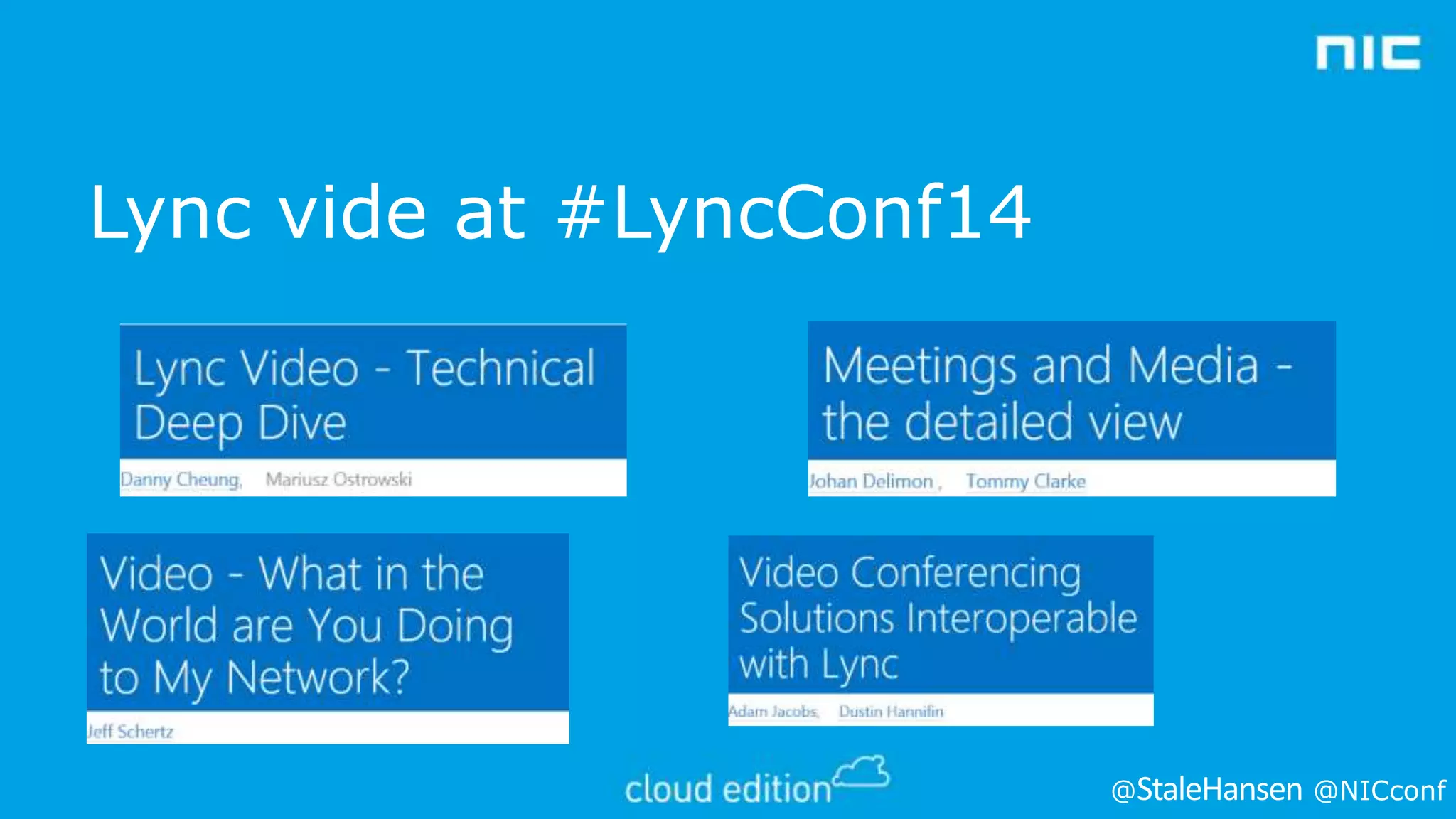
Lync vide at #LyncConf14

@

@NICconf
Questions?

@

@NICconf
Please evaluate the session
before you leave

Thank you 

@

@NICconf

Ståle Hansen - Understand how video works in lync and how video interoperability can be utilized

  • 1.
    Ståle Hansen Understand LyncVideo and Interop @ @NICconf
  • 2.
  • 3.
    • • • • • • • • • 1964 1971 1988 1994 1996 2002 2005 2007 2013 – – – – – – – – – AT&T Picturephone Ericsson firsttrans-atlantic video telephone (LME) call H.261 ratified CU-SeeMe for MAC and Windows H.320 ISDN, H.323 RTPIP, H.239 presentation, H.263 H.263 ratified LCS with H.261 and RDP for presentation OCS adding RTV and software based MCU Lync 2013 adding H.264 SVC @ @NICconf
  • 4.
  • 5.
    Scope Lync Server Lync Hybrid LyncOnline Lync Server Private cloud / dedicated Single domain & directory Users split – server / online Office 365 Lync Online Hosted multi-tenant @ @NICconf
  • 6.
    Session Objectives AndTakeaways • Session Objectives: • What’s new in Lync 2013 Video • Lessons learned with Lync Room System (LRS) • Latest news in Lync video interoperability • Key Takeaways • SVC is the new video codec, RTV is legacy • Pexip and Acano solves desktopsharing in interop scenarios @ @NICconf
  • 7.
    WHAT’S NEW INLYNC 2013 VIDEO? @ @NICconf
  • 8.
    Lync 2013 VideoImprovements • Collocated • 4000 concurrent users per pool with 12 Front Ends • 250 within a single conference • 375 per Front End • Dedicated for large meetings • For 250-1000 concurrent users @ @NICconf
  • 9.
    Lync 2013 VideoImprovements • Point-to-point • Up to HD 1080p • 2 CPU cores • H.264 (up to HD 1080p) • RTVideo (up to HD 720p) or • Panoramic video (up to 1920x288, also available in multi-point) • Conferences • H.264 (up to 1080p) • RTVideo (up to VGA) • Up to 5 active speakers @ @NICconf
  • 10.
    What about mobility? • Lync2010 Mobile • • • • • • • No Voice/Video over IP experience Point-to-point video Multi-party video (Gallery View) Leveraging H.264 SVC H.264 encoding within ARM chipsets • • • • Point-to-point video Multi-party video (single active speaker) Leveraging H.264 SVC H.264 encoding within ARM chipsets Windows 8/RT Modern UI Lync 2013 Mobile @ @NICconf
  • 11.
    HOW DOES LYNC2013 VIDEO WORK @ @NICconf
  • 12.
    Lync 2010/Office CommunicationsServer Active Speaker Traditional Video Conferencing Lync A/V MCU VC MCU Previous Speaker Other Attendees @ @NICconf
  • 13.
    1 User 1’s Lyncclient sends low + high res streams MCU sends full stream to User 2 6 2 User 2 puts User 1 in full screen 5 3 Initially, all users are sending a single stream of video and receiving streams of up to 5 other participants 4 MCU continues to send low resolution streams to all other users @ @NICconf
  • 14.
    Video codec Resolution andaspect ratio Maximum video payload bit rate (Kbps) Minimum video payload bit rate (Kbps) Typical bit rate (Kbps) H.264 320x180 (16:9) 212x160 (4:3) 250 15 200 H.264/RTVide o 424x240 (16:9)) 320x240 (4:3 350 100 280 H.264 480x270 (16:9) 424x320 (4:3) 450 200 350 H.264/RTVide o 640x360 (16:9) 640x480 (4:3) 800 300 640 H.264 848x480 (16:9) 1500 400 1200 H.264 960x540 (16:9) 2000 500 1600 H.264/RTVide o 1280x720 (16:9) 2500 700 2000 H.264 1920x1080 (16:9) 4000 500 3200 H.264/RTVide o 960x144 (20:3) 500 15 400 H.264 1280x192 (20:3) 1000 250 H.264 1920x288 (20:3) 2000 500 @ @NICconf
  • 15.
  • 16.
    Video Cropping Control Coppedat client side No cropping for conferences SIP SRTP / RTCP @ @NICconf
  • 17.
    LYNC ROOM SYSTEM(LRS) @ @NICconf
  • 18.
    • Familiar • NativeLync • Windows Embedded 7 Standard @ @NICconf
  • 19.
    • Joining the LRSto a domain is optional • • • • • Requires manual import of certificates (for example, trusted root). Easy certificate import. Easy management by assigning Active Directory groups and domain users administrative rights. Joining to a domain has benefits When joining LRS to a domain, pay attention to • • • GPOs (Group Policy objects) assigned to the OU (organizational unit) create a separate OU if possible. Block Inheritance and No Override can cause unwanted effects - check! Also settings for auto lockout, power management, additional authentication, access to local drives, auto start of applications, and so on. @ @NICconf
  • 20.
  • 21.
    LRS and bandwidth •Fullscreen video, 1080p • 1920x1080 (16:9) • Typical 3200 kbps • Bigger multiview • Conferencing is the norm @ @NICconf
  • 22.
  • 23.
  • 24.
  • 25.
  • 26.
  • 27.
    Polycom • Released firmware8.1 for Polycom RMX MCUs (video bridges) compatible with Lync 2013 • http://downloads.polycom.com/bridging_collab/rmx/relnotes/RMX _Release_Notes_V_8_1_CP.pdf • Released firmware 3.1.2 for Polycom HDX family (video terminals) compatible with Lync 2013 • http://downloads.polycom.com/video/hdx/ReleaseNotes/hdx_RelN otes_3_1_2.pdf • Currently in the process of certification of these solutions in UCOIP @ @NICconf
  • 28.
    Radvision • Committed toproviding Lync 2013 video interoperability • Radvision Scopa Video gateway certified for Lync 2010 version 7.7 expected to work with Lync 2013 (using RTVideo and Lync 2010 level features) • http://www.radvision.com/NR/rdonlyres/A4A8D519-AEFF415B-AFFF3B1DF56E903D/0/LyncDeployment_Guide_for_SCOPIA_Vid eo_Gateway_for_Microsoft_Lync_Version_77_Updated.pdf @ @NICconf
  • 29.
    Lifesize • Lifesize UVCMutlipoint bridge claimed compatible with Lync 2010 and 2013 • http://www.lifesize.com/en/products/videoconferencing-infrastructure/software-based-bridge @ @NICconf
  • 30.
    Pexip and Acano • • • • Interopbridge between Lync and the rest Support all clients, even webRTC Support for RTV and SVC Clients need to join separate MCU @ @NICconf
  • 31.
  • 32.
  • 33.
    Pexip/Acano Transcodes to requestedcodec With application sharing @ @NICconf
  • 34.
    Pexip • Software based •Can be virtualized with Vmware • Hyper-V on the roadmap • Own client and room to control meeting @ @NICconf
  • 35.
    Active Speaker Video endpoint 1HD (previous speaker) + 2 PIP (1,2 HD) Lync Pexip Conf US Lync 1 HD (active speaker) + 2 PIP (1,2 HD) Pexip Conf NO Lync Lync @ @NICconf
  • 36.
    Acano • Hardware optimized •Can be virtualized • Own client and room to control meeting @ @NICconf
  • 37.
    Interoperability “built in”to Lync • Lync P2P video calls to VTC • VTC P2P call to Lync • Lync invites VTC to spontaneous or “Meet Now” Lync meeting (via Lync AVMCU) • VTC is able to join a scheduled Lync Meeting via “Join Lync Meeting” invite @ @NICconf
  • 38.
    Session Objectives AndTakeaways • Session Objectives: • What’s new in Lync 2013 Video • Lessons learned with Lync Room System (LRS) • Latest news in Lync video interoperability • Key Takeaways • SVC is the new video codec, RTV is legacy • Pexip and Acano solves desktopsharing in interop scenarios @ @NICconf
  • 39.
    Lync vide at#LyncConf14 @ @NICconf
  • 40.
  • 41.
    Please evaluate thesession before you leave Thank you  @ @NICconf