Staff Training the  Wiki Wacky Way! Nathan Flinchum Roanoke Public Libraries Community Technology Center Librarian [email_address] Wendy Allen Roanoke Public Libraries Head of Public Services [email_address] Virginia Library Association Conference Friday, October 24, 2008 1:45 – 2:30pm
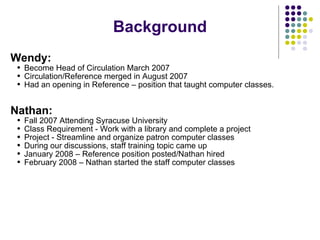
Background Wendy:   Become Head of Circulation March 2007 Circulation/Reference merged in August 2007 Had an opening in Reference – position that taught computer classes. Nathan: Fall 2007 Attending Syracuse University Class Requirement - Work with a library and complete a project Project - Streamline and organize patron computer classes During our discussions, staff training topic came up January 2008 – Reference position posted/Nathan hired February 2008 – Nathan started the staff computer classes
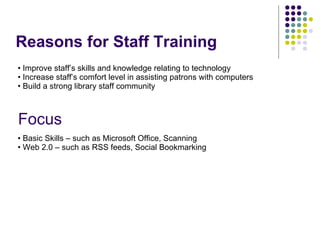
Reasons for Staff Training Focus Basic Skills – such as Microsoft Office, Scanning Web 2.0 – such as RSS feeds, Social Bookmarking Improve staff’s skills and knowledge relating to technology Increase staff’s comfort level in assisting patrons with computers Build a strong library staff community
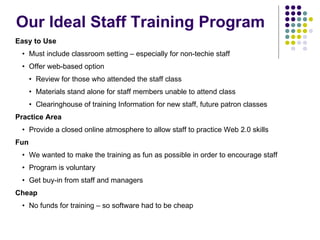
Our Ideal Staff Training Program Easy to Use Must include classroom setting – especially for non-techie staff Offer web-based option  Review for those who attended the staff class Materials stand alone for staff members unable to attend class Clearinghouse of training Information for new staff, future patron classes Practice Area Provide a closed online atmosphere to allow staff to practice Web 2.0 skills Fun We wanted to make the training as fun as possible in order to encourage staff Program is voluntary Get buy-in from staff and managers Cheap No funds for training – so software had to be cheap
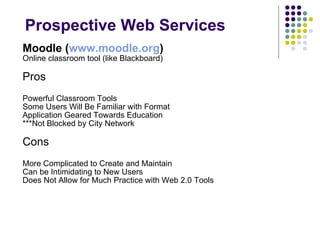
Prospective Web Services Moodle ( www.moodle.org )   Online classroom tool (like Blackboard) Pros Powerful Classroom Tools Some Users Will Be Familiar with Format Application Geared Towards Education ***Not Blocked by City Network Cons More Complicated to Create and Maintain Can be Intimidating to New Users Does Not Allow for Much Practice with Web 2.0 Tools
Prospective Web Services Ning ( www.ning.com )   Create your own social network! Pros Lots of Social Networking Features  Forums, Video and Picture Sharing Community and Personal Profile Pages  Allows for Easy Growth of Site Attractive Layout and Theme Choices Cons Lack of flexibility  - layout Page creation not intuitive for non-techies Some features still in beta/not functional ***Blocked by City network
Prospective Web Services Wetpaint ( www.wetpaint.com ) Marketed for Primarily Fansites Pros Simple Page Creation and Editing Easy to Find Navigation Tools Compatible with other Web Services *** NOT Blocked by City network Cons Lack of flexibility  - layout No Community pages/Interlinked Groups Some tools (Discussion Forum) not prominent
Decision Wetpaint won out because: Easier to create and edit content Provides Opportunities for Practice with the Social Web Better support and development community NOT BLOCKED on Staff Computers!
Wetpaint Features More than just a wiki!
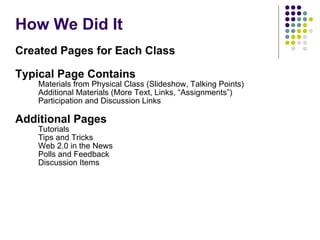
How We Did It Created Pages for Each Class Typical Page Contains Materials from Physical Class (Slideshow, Talking Points) Additional Materials (More Text, Links, “Assignments”) Participation and Discussion Links Additional Pages Tutorials Tips and Tricks Web 2.0 in the News Polls and Feedback Discussion Items
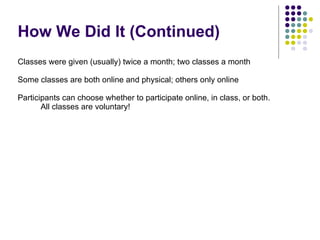
How We Did It (Continued) Classes were given (usually) twice a month; two classes a month Some classes are both online and physical; others only online Participants can choose whether to participate online, in class, or both. All classes are voluntary!
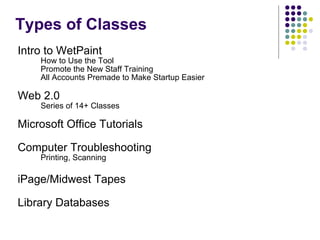
Types of Classes Intro to WetPaint  How to Use the Tool Promote the New Staff Training All Accounts Premade to Make Startup Easier Web 2.0 Series of 14+ Classes Microsoft Office Tutorials Computer Troubleshooting Printing, Scanning iPage/Midwest Tapes Library Databases
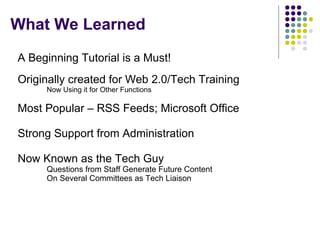
What We Learned A Beginning Tutorial is a Must! Originally created for Web 2.0/Tech Training Now Using it for Other Functions Most Popular – RSS Feeds; Microsoft Office Strong Support from Administration Now Known as the Tech Guy Questions from Staff Generate Future Content On Several Committees as Tech Liaison
Use Past Classes for New Staff Orientation Maintain Clearinghouse of Materials for Staff Review Develop other non-tech classes such as: “Story Time Tricks & Tips”  “Collection Development”  “Reader’s Guidance” “Intro to Reference” Improve communication and promotion of classes to staff & supervisors Develop a similar site for patrons Our Future Plans
Nathan Flinchum Roanoke Public Libraries Community Technology Center Librarian [email_address] Wendy Allen Roanoke Public Libraries Head of Public Services [email_address] http://roanokepl.wetpaint.com All of the Classes from our Private Site! Web 2.0 Microsoft Office Tips Gale Information Presentations Become a Member of the Public site Feel Free to Use Any of our Handouts for your Staff/Patrons

Staff Training the Wiki Wacky Way!

  • 1.
    Staff Training the Wiki Wacky Way! Nathan Flinchum Roanoke Public Libraries Community Technology Center Librarian [email_address] Wendy Allen Roanoke Public Libraries Head of Public Services [email_address] Virginia Library Association Conference Friday, October 24, 2008 1:45 – 2:30pm
  • 2.
    Background Wendy: Become Head of Circulation March 2007 Circulation/Reference merged in August 2007 Had an opening in Reference – position that taught computer classes. Nathan: Fall 2007 Attending Syracuse University Class Requirement - Work with a library and complete a project Project - Streamline and organize patron computer classes During our discussions, staff training topic came up January 2008 – Reference position posted/Nathan hired February 2008 – Nathan started the staff computer classes
  • 3.
    Reasons for StaffTraining Focus Basic Skills – such as Microsoft Office, Scanning Web 2.0 – such as RSS feeds, Social Bookmarking Improve staff’s skills and knowledge relating to technology Increase staff’s comfort level in assisting patrons with computers Build a strong library staff community
  • 4.
    Our Ideal StaffTraining Program Easy to Use Must include classroom setting – especially for non-techie staff Offer web-based option Review for those who attended the staff class Materials stand alone for staff members unable to attend class Clearinghouse of training Information for new staff, future patron classes Practice Area Provide a closed online atmosphere to allow staff to practice Web 2.0 skills Fun We wanted to make the training as fun as possible in order to encourage staff Program is voluntary Get buy-in from staff and managers Cheap No funds for training – so software had to be cheap
  • 5.
    Prospective Web ServicesMoodle ( www.moodle.org ) Online classroom tool (like Blackboard) Pros Powerful Classroom Tools Some Users Will Be Familiar with Format Application Geared Towards Education ***Not Blocked by City Network Cons More Complicated to Create and Maintain Can be Intimidating to New Users Does Not Allow for Much Practice with Web 2.0 Tools
  • 6.
    Prospective Web ServicesNing ( www.ning.com ) Create your own social network! Pros Lots of Social Networking Features Forums, Video and Picture Sharing Community and Personal Profile Pages Allows for Easy Growth of Site Attractive Layout and Theme Choices Cons Lack of flexibility - layout Page creation not intuitive for non-techies Some features still in beta/not functional ***Blocked by City network
  • 7.
    Prospective Web ServicesWetpaint ( www.wetpaint.com ) Marketed for Primarily Fansites Pros Simple Page Creation and Editing Easy to Find Navigation Tools Compatible with other Web Services *** NOT Blocked by City network Cons Lack of flexibility - layout No Community pages/Interlinked Groups Some tools (Discussion Forum) not prominent
  • 8.
    Decision Wetpaint wonout because: Easier to create and edit content Provides Opportunities for Practice with the Social Web Better support and development community NOT BLOCKED on Staff Computers!
  • 9.
    Wetpaint Features Morethan just a wiki!
  • 10.
    How We DidIt Created Pages for Each Class Typical Page Contains Materials from Physical Class (Slideshow, Talking Points) Additional Materials (More Text, Links, “Assignments”) Participation and Discussion Links Additional Pages Tutorials Tips and Tricks Web 2.0 in the News Polls and Feedback Discussion Items
  • 11.
    How We DidIt (Continued) Classes were given (usually) twice a month; two classes a month Some classes are both online and physical; others only online Participants can choose whether to participate online, in class, or both. All classes are voluntary!
  • 12.
    Types of ClassesIntro to WetPaint How to Use the Tool Promote the New Staff Training All Accounts Premade to Make Startup Easier Web 2.0 Series of 14+ Classes Microsoft Office Tutorials Computer Troubleshooting Printing, Scanning iPage/Midwest Tapes Library Databases
  • 13.
    What We LearnedA Beginning Tutorial is a Must! Originally created for Web 2.0/Tech Training Now Using it for Other Functions Most Popular – RSS Feeds; Microsoft Office Strong Support from Administration Now Known as the Tech Guy Questions from Staff Generate Future Content On Several Committees as Tech Liaison
  • 14.
    Use Past Classesfor New Staff Orientation Maintain Clearinghouse of Materials for Staff Review Develop other non-tech classes such as: “Story Time Tricks & Tips” “Collection Development” “Reader’s Guidance” “Intro to Reference” Improve communication and promotion of classes to staff & supervisors Develop a similar site for patrons Our Future Plans
  • 15.
    Nathan Flinchum RoanokePublic Libraries Community Technology Center Librarian [email_address] Wendy Allen Roanoke Public Libraries Head of Public Services [email_address] http://roanokepl.wetpaint.com All of the Classes from our Private Site! Web 2.0 Microsoft Office Tips Gale Information Presentations Become a Member of the Public site Feel Free to Use Any of our Handouts for your Staff/Patrons