Creating & Connecting
Staff Meeting
17 November 2010
1. Teacher Details - GoogleDocs
2. Data from Sept 2010 Survey Gr8learning
3. Online Comments
4. What are other NZ schools doing?
5. Professional Learning Requests
6. Planning the TODs
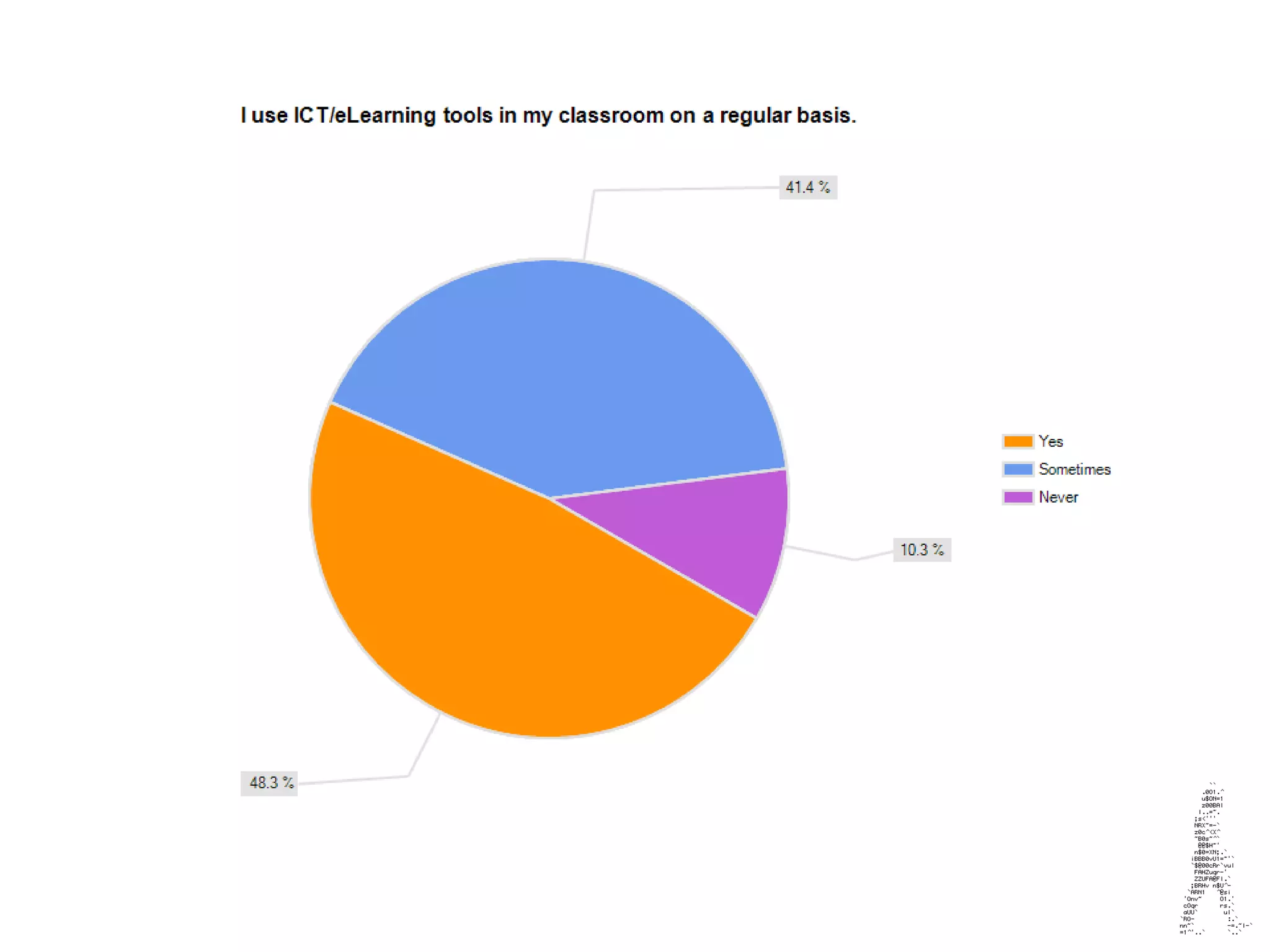
Your Classroom Use
Survey results from teachers
So, Who am I?
(Modeling the tools straight away)
Originally from Wellington, I used to teacher at
Worser Bay School.
I moved to Auckland to work at
Learning Network NZ & then to the University.
Now I work at Globo, going from school to school
assisting teachers with Thinking Skills and
eLearning.
I now live ½ of my time on an island and ½ of my
time in the city – I’m crazy about fishing.
Online Comments
Web 2.0 tools for gathering information
http://www.ietherpad.com
http://www.bubbl.us
http://www.webspiration
There are loads more on the web...
http://www.wallwisher.com
We are going to use some of these as we go.
Key Points
Go to the wiki – Digital Teacher link in the contents of
the Professional Learning page and add your key points
to the Wall.
http://gr8learning.wikispaces.com/
Digital Teachers
What are other NZ schools
doing?
Blogging
Green Screening
Making Music
Making Music Videos
Virtual Tours
Creating Ringtones
Creating 3D Virtual Galleries
Capturing Student work
Superb Photography
Robotics
Virtual Explanations
Student Orientated School Websites
Have a go…
Students have to learn to
learn…
Teachers have to learn to
learn…
Step by step is soooooo last
century!
Michael went
for a basket
and missed.
It was me who
saved the game
with my rebound
and into the
basket!
Training was
tough, but I
had to push
on.
I was selected
for the team! I
was so
excited.
Get into the
story
Blabberize
www.blabberize.com
Sign Up
Find a picture
Record your voice
VoiceThread
Examples
Peer assessment, teacher &
parent encouragement towards
next learning steps.
Basic Camera Ideas
Perspective
Point of View
Cubism
Dadaism
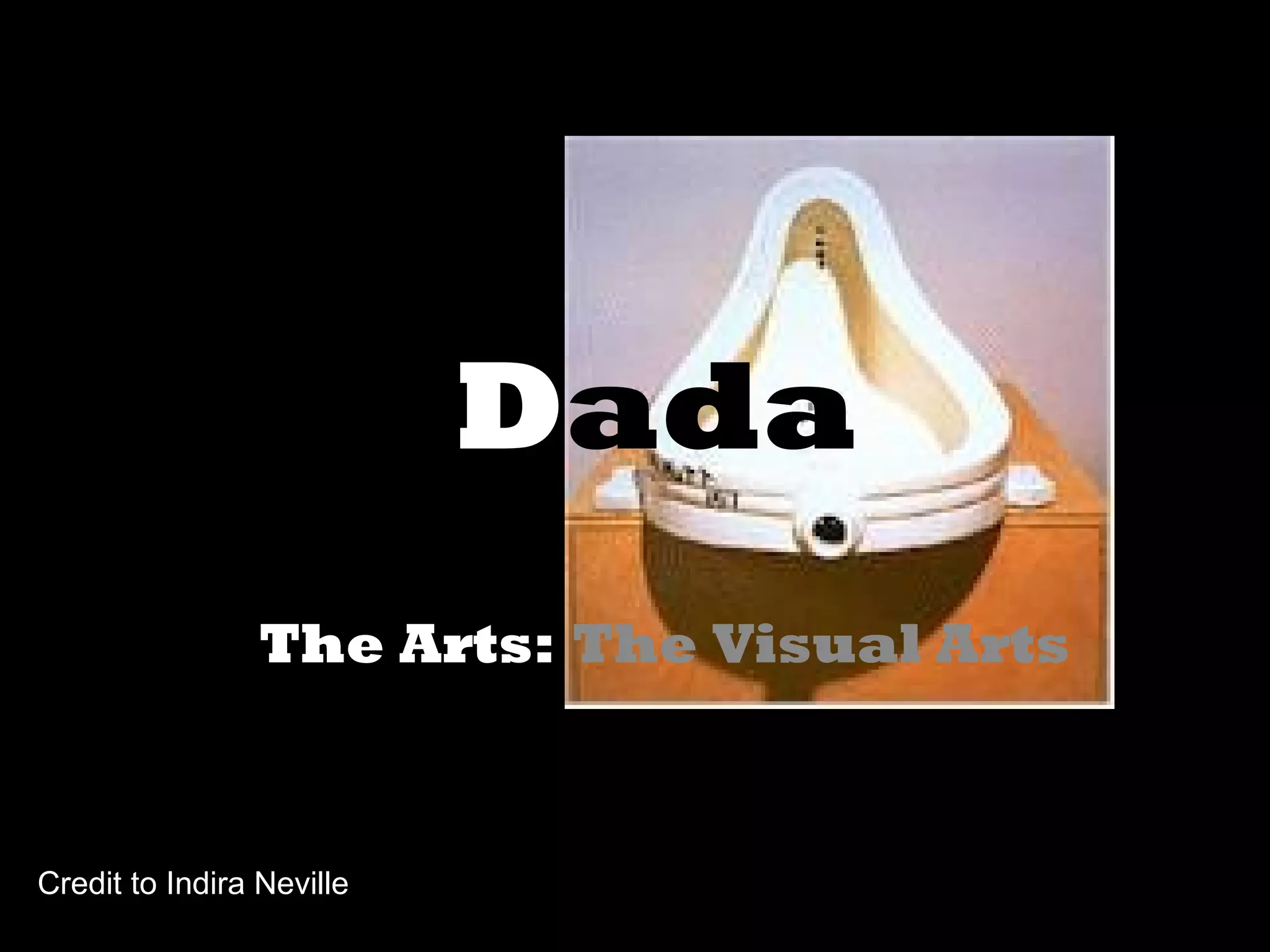
Dada
The Arts: The Visual Arts
Credit to Indira Neville
01/29/15 17
Aim
For children to develop an
understanding of the art
movement 'Dada' by creating their
own piece of dad artwork using
the computer.
01/29/15 18
Unit Objectives
1. Students will have art history knowledge of the art
movement Dada.
2. Students will use a scanner to produce their own
artwork.
3. Students will use an appropriate scanning program and
painting or drawing programs on the computer to
produce their own artwork.
01/29/15 19
Unit Moves…
1. Show Da Vinci's 'Mona Lisa' to the class. Discuss the
work, who knows it? Where have they seen it? Is this
painting famous? Why?
2. Show Marcel Duchamp's version of the Mona Lisa with a
moustache and beard. Discuss this image, how is it
different from the first 'Mona Lisa'? What do you think
the artist Duchamp was trying to show by putting facial
hair on this famous painting?
01/29/15 20
01/29/15 21
3. Explain that Duchamp was a member of an art
movement called Dada. Discuss the spirit of Dada, as
ant-art, destructive, humorous, challenging to traditional
ideas of 'high art', and show examples.
4. Tell children they are going to make their own piece of
Dada and model the process:
Choose a painting by a famous artist from one of the art
books you have gathered. Scan the image into the
computer. Insert the image into a drawing or painting
program and use the toolbox to 'dadify' it.
01/29/15 22
Dadaism
Dadaism began in 1916 in Zurich and was a direct result of
revulsion and rebellion against the horrors of World War I.
Dada is a French word that when translated means hobby
horse.
With Dadaism, usual, everyday objects were altered ever so
slightly and called "art". Prime example being Marcel
Duchamp's "Fountain" which was actually a urinal that he
signed "R. Mutt". The idea here was that art really meant
nothing and had no purpose whatsoever. The artists involved
were essentially ridiculing those who came before them.
Rebels you might say.
Dada art ranged from nonsense poetry to physical attacks on
traditional art.
01/29/15 23
Monet
01/29/15 24
Skull
01/29/15 25
http://www.lib.uiowa.edu/dada/index.html
http://www.postershop.co.uk/Art-Movement-Dadaism-p.html
http://arthistory.about.com/library/bl101_dada.htm
http://www.the-artists.org/index.cfm
Using Google really well....
Images YouTube
Docs Wonder Wheel
Maps
SketchUp
A resource funded by the Special
Schools. Available for all schools.
Special Needs
http://www.clickspecialednz.com/
Your Professional
Learning Requests
This is what you said in the Sept 2010
survey...
Teacher PL Requests
Use MindMeister to cluster these
ideas so we can make a plan
together.
Creating Blogs
Check the rules – if students have to be over 13yrs, then best if the
teacher sets up the blogs.
Blogspot seems to be the easiest, you need a gmail account to set-
up.
Change the permissions & settings so that you have NZ time & can
monitor the posts.
Learn how to embed videos, audio, interactive activities etc.
You can link blogs so that others can comment on posts.
Embedding Files
Make sure you have the right accounts set-up – Youtube,
TeacherTube, Scribd, SlideShare, Blabberize, Vimeo etc.
Upload your files to the appropriate account.
Copy the embed code – always look for embed.
Find the HTML or relevant place to paste the embed code, then you
are done!
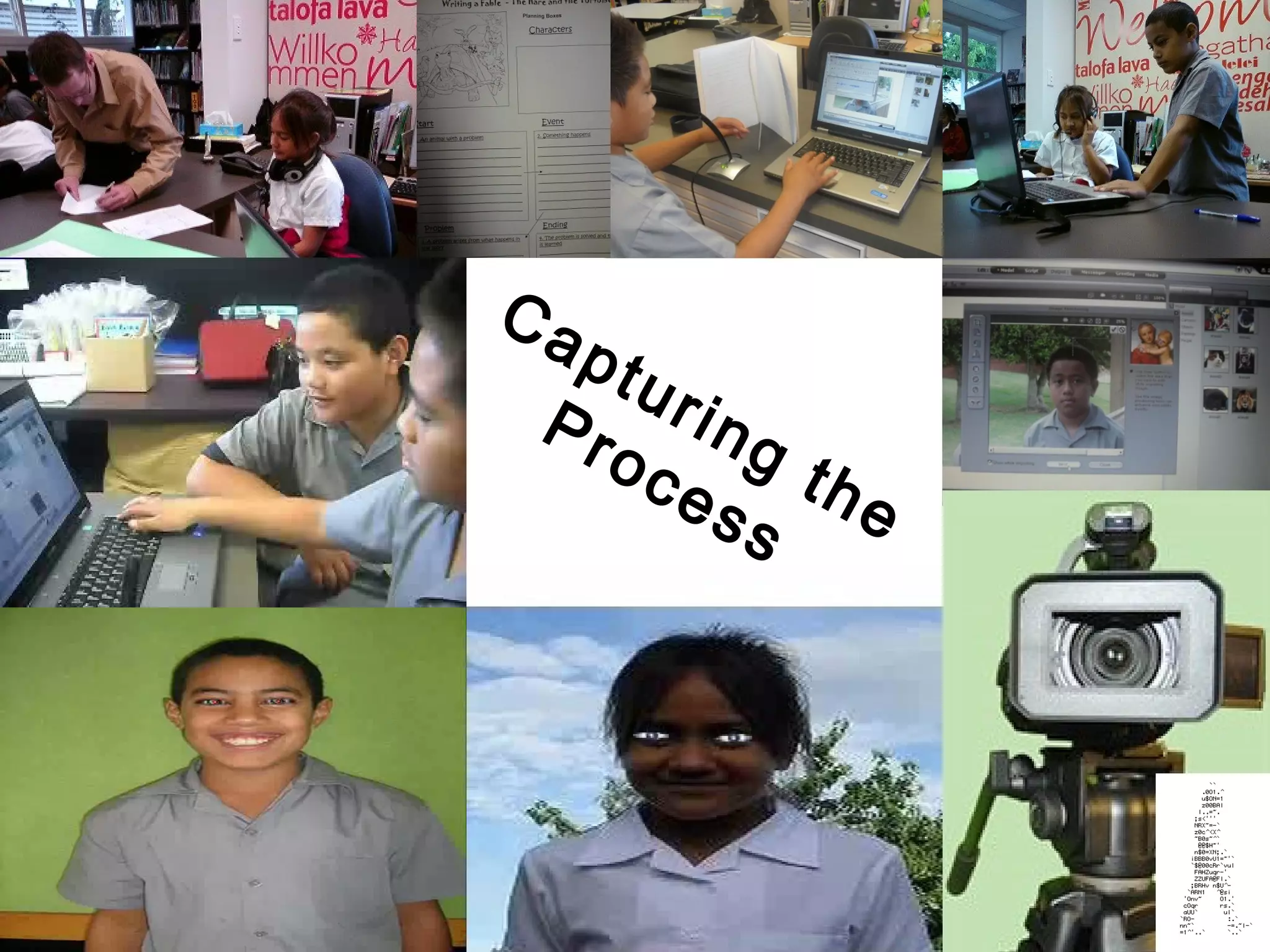
Capturing the
Process
Wordle Reflections
http://wordle.net
Then we’ll embed it.
School as we
know it.
sue@globo.co.nz

Staff Mtg 171110

  • 1.
    Creating & Connecting StaffMeeting 17 November 2010
  • 2.
    1. Teacher Details- GoogleDocs 2. Data from Sept 2010 Survey Gr8learning 3. Online Comments 4. What are other NZ schools doing? 5. Professional Learning Requests 6. Planning the TODs
  • 5.
    Your Classroom Use Surveyresults from teachers
  • 6.
    So, Who amI? (Modeling the tools straight away) Originally from Wellington, I used to teacher at Worser Bay School. I moved to Auckland to work at Learning Network NZ & then to the University. Now I work at Globo, going from school to school assisting teachers with Thinking Skills and eLearning. I now live ½ of my time on an island and ½ of my time in the city – I’m crazy about fishing.
  • 7.
    Online Comments Web 2.0tools for gathering information http://www.ietherpad.com http://www.bubbl.us http://www.webspiration There are loads more on the web... http://www.wallwisher.com We are going to use some of these as we go.
  • 8.
    Key Points Go tothe wiki – Digital Teacher link in the contents of the Professional Learning page and add your key points to the Wall. http://gr8learning.wikispaces.com/
  • 9.
  • 10.
    What are otherNZ schools doing? Blogging Green Screening Making Music Making Music Videos Virtual Tours Creating Ringtones Creating 3D Virtual Galleries Capturing Student work Superb Photography Robotics Virtual Explanations Student Orientated School Websites
  • 11.
    Have a go… Studentshave to learn to learn… Teachers have to learn to learn… Step by step is soooooo last century!
  • 12.
    Michael went for abasket and missed. It was me who saved the game with my rebound and into the basket! Training was tough, but I had to push on. I was selected for the team! I was so excited. Get into the story
  • 13.
  • 14.
    VoiceThread Examples Peer assessment, teacher& parent encouragement towards next learning steps.
  • 15.
  • 16.
    Dada The Arts: TheVisual Arts Credit to Indira Neville
  • 17.
    01/29/15 17 Aim For childrento develop an understanding of the art movement 'Dada' by creating their own piece of dad artwork using the computer.
  • 18.
    01/29/15 18 Unit Objectives 1.Students will have art history knowledge of the art movement Dada. 2. Students will use a scanner to produce their own artwork. 3. Students will use an appropriate scanning program and painting or drawing programs on the computer to produce their own artwork.
  • 19.
    01/29/15 19 Unit Moves… 1.Show Da Vinci's 'Mona Lisa' to the class. Discuss the work, who knows it? Where have they seen it? Is this painting famous? Why? 2. Show Marcel Duchamp's version of the Mona Lisa with a moustache and beard. Discuss this image, how is it different from the first 'Mona Lisa'? What do you think the artist Duchamp was trying to show by putting facial hair on this famous painting?
  • 20.
  • 21.
    01/29/15 21 3. Explainthat Duchamp was a member of an art movement called Dada. Discuss the spirit of Dada, as ant-art, destructive, humorous, challenging to traditional ideas of 'high art', and show examples. 4. Tell children they are going to make their own piece of Dada and model the process: Choose a painting by a famous artist from one of the art books you have gathered. Scan the image into the computer. Insert the image into a drawing or painting program and use the toolbox to 'dadify' it.
  • 22.
    01/29/15 22 Dadaism Dadaism beganin 1916 in Zurich and was a direct result of revulsion and rebellion against the horrors of World War I. Dada is a French word that when translated means hobby horse. With Dadaism, usual, everyday objects were altered ever so slightly and called "art". Prime example being Marcel Duchamp's "Fountain" which was actually a urinal that he signed "R. Mutt". The idea here was that art really meant nothing and had no purpose whatsoever. The artists involved were essentially ridiculing those who came before them. Rebels you might say. Dada art ranged from nonsense poetry to physical attacks on traditional art.
  • 23.
  • 24.
  • 25.
  • 26.
    Using Google reallywell.... Images YouTube Docs Wonder Wheel Maps SketchUp
  • 27.
    A resource fundedby the Special Schools. Available for all schools. Special Needs http://www.clickspecialednz.com/
  • 28.
    Your Professional Learning Requests Thisis what you said in the Sept 2010 survey... Teacher PL Requests Use MindMeister to cluster these ideas so we can make a plan together.
  • 29.
    Creating Blogs Check therules – if students have to be over 13yrs, then best if the teacher sets up the blogs. Blogspot seems to be the easiest, you need a gmail account to set- up. Change the permissions & settings so that you have NZ time & can monitor the posts. Learn how to embed videos, audio, interactive activities etc. You can link blogs so that others can comment on posts.
  • 30.
    Embedding Files Make sureyou have the right accounts set-up – Youtube, TeacherTube, Scribd, SlideShare, Blabberize, Vimeo etc. Upload your files to the appropriate account. Copy the embed code – always look for embed. Find the HTML or relevant place to paste the embed code, then you are done!
  • 31.
  • 32.
  • 33.
    School as we knowit. sue@globo.co.nz