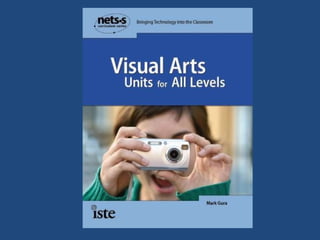
Technology Makes Art Easy for Every Teacher in Every Classroom Mark Gura - Presenter  [email_address]
 
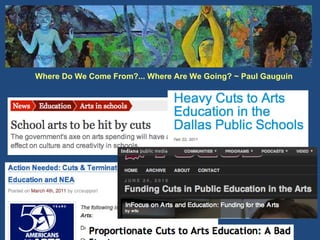
Where Do We Come From?... Where Are We Going? ~ Paul Gauguin Paul Gauguin
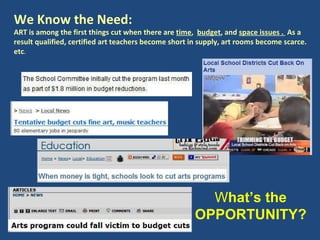
We Know the Need:  ART is among the first things cut when there are  time ,  budget , and  space issues .  As a result qualified, certified art teachers become short in supply, art rooms become scarce. etc .  W hat’s the OPPORTUNITY?
Every teacher an art teacher… every classroom an art room. Visual Art should be a significant, constant part of every student’s educational experience…   Kids NEED it! Visual Learners Multiple Intelligences Fosters CREATIVITY Aligns powerfully with all subject areas! Technology makes it possible!  The big Bugaboo… TALENT, is beside the point… All students can have a satisfying, enriching experience in learning ART
Tools Techniques & Approaches  (Drawing, Painting, Collage, Mixed Techniques, Sculpture, Word Art, etc.) Projects (Techniques Applied) Archiving, Sharing
Art Activities:  What’s  Meaningful ? An artist is someone who fills space in a beautiful,  meaningful  way!   Arthur Wesley Dow
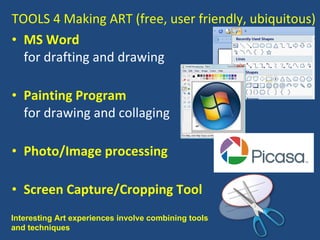
TOOLS 4 Making ART (free, user friendly, ubiquitous) MS Word for drafting and drawing Painting Program for drawing and collaging  Photo/Image processing Screen Capture/Cropping Tool Interesting Art experiences involve combining tools and techniques
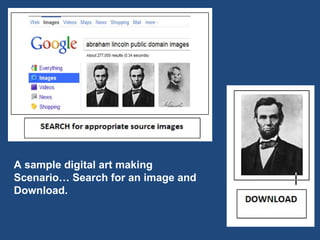
A sample digital art making Scenario… Search for an image and Download.
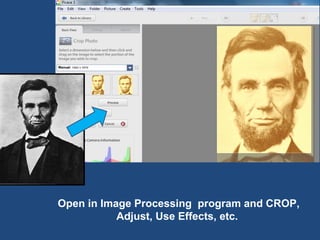
Open in Image Processing  program and CROP, Adjust, Use Effects, etc.
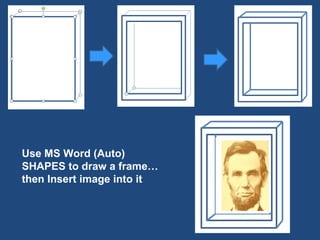
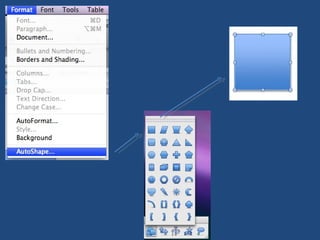
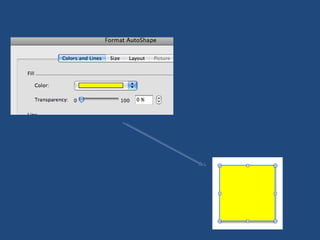
Use MS Word (Auto) SHAPES to draw a frame… then Insert image into it
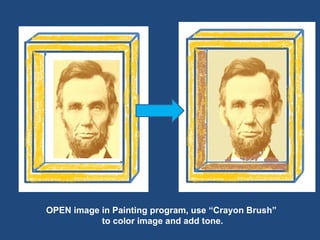
OPEN image in Painting program, use “Crayon Brush” to color image and add tone.
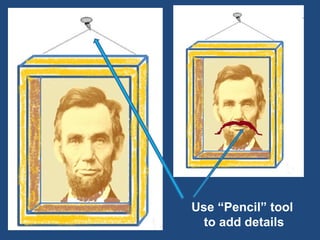
Use “Pencil” tool  to add details
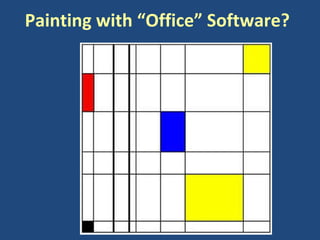
Painting with “Office” Software?
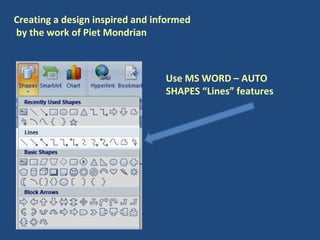
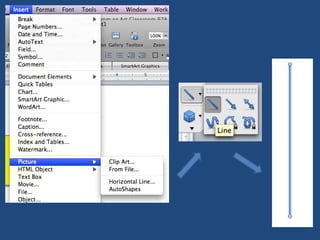
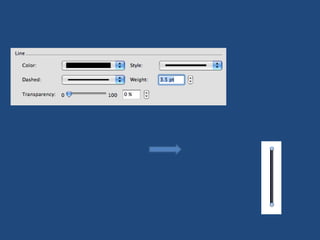
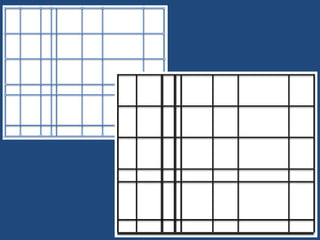
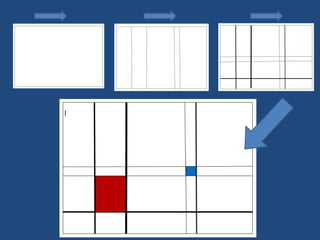
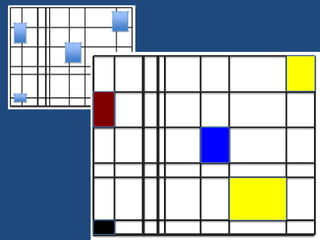
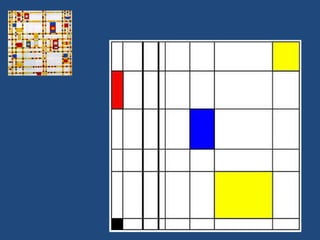
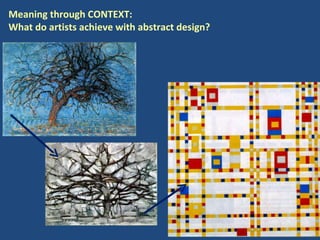
Creating a design inspired and informed  by the work of Piet Mondrian Use MS WORD – AUTO SHAPES “Lines” features


Meaning through CONTEXT:  What do artists achieve with abstract design?
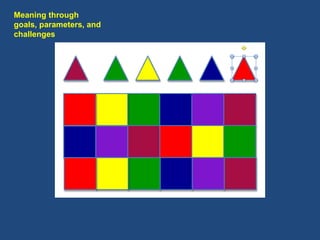
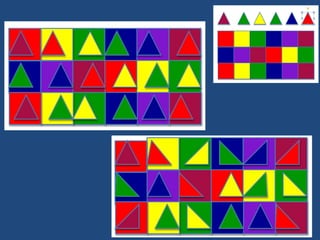
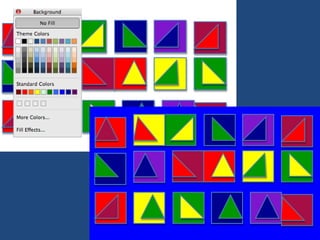
Meaning through  goals, parameters, and  challenges
 
 
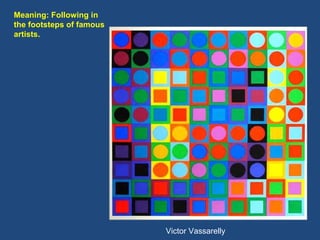
Victor Vassarelly  Meaning: Following in the footsteps of famous artists.
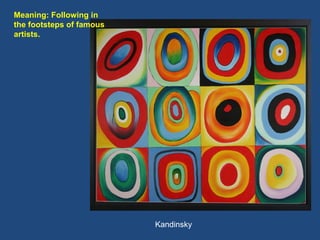
Kandinsky Meaning: Following in the footsteps of famous artists.
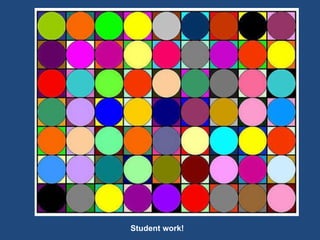
Student work!
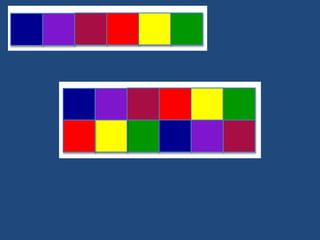
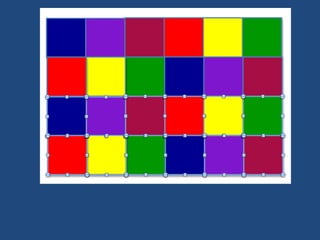
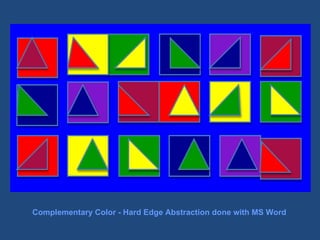
Complementary Color - Hard Edge Abstraction done with MS Word
Seymour Papert on Constructivism Learning by Doing Technology as a Building Material Hard Fun Learning to Learn Take Time – the Proper Time for the Job You Can’t Get it Right Without  Getting it Wrong Taken from Eight Big Ideas Behind the Constructivist Learning Lab (Papert 1999)
Management Factors: - Time - Storage Space - Student Workspace - Frustration/Distraction - School – Home Continuum - Consumables vs. Virtual Materials
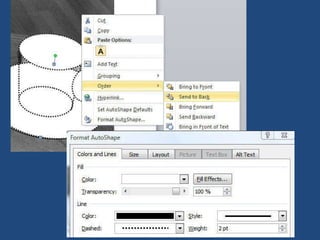
Classical Approach to  DRAWING Strategic Construction of Images  MS Word
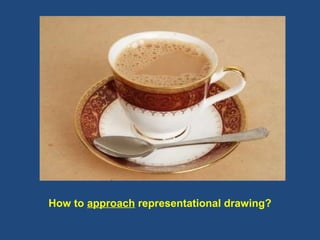
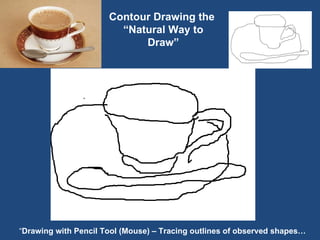
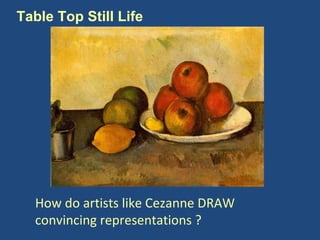
How to  approach  representational drawing?
Contour Drawing the  “Natural Way to Draw” “ Drawing with Pencil Tool (Mouse) – Tracing outlines of observed shapes…
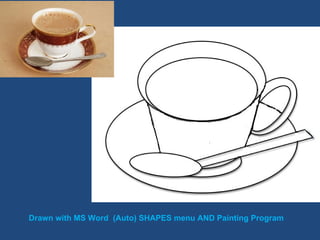
Drawn with MS Word  (Auto) SHAPES menu AND Painting Program
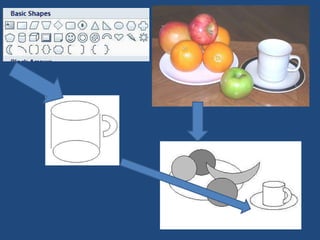
How do artists like Cezanne DRAW convincing representations ? Table Top Still Life
 
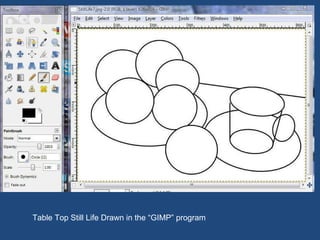
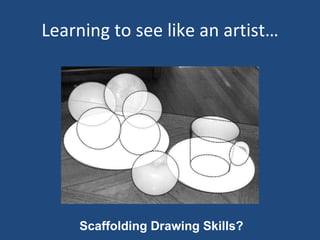
Ah ha, drawings can be CONSTRUCTED  of basic shapes!
Table Top Still Life Drawn in the “GIMP” program
Learning to see like an artist… Scaffolding Drawing Skills?
 
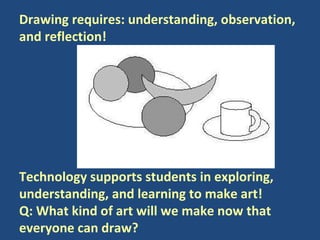
Drawing requires: understanding, observation, and reflection!  Technology supports students in exploring, understanding, and learning to make art!  Q: What kind of art will we make now that everyone can draw?
Composition/Design
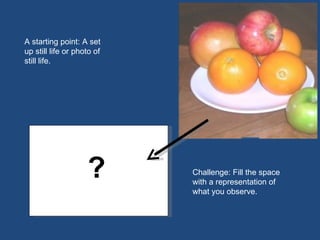
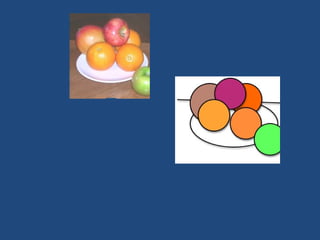
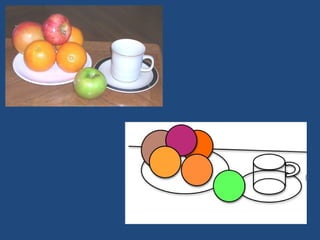
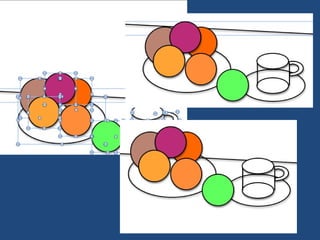
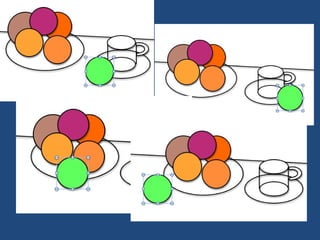
A starting point: A set up still life or photo of still life. Challenge: Fill the space with a representation of what you observe. ? ?
 
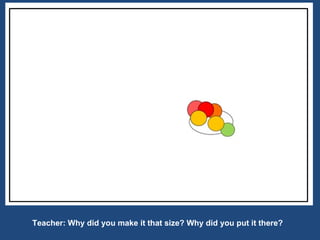
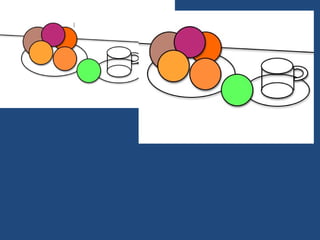
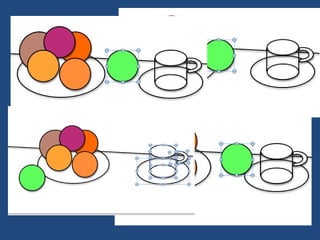
Teacher: Why did you make it that size? Why did you put it there?
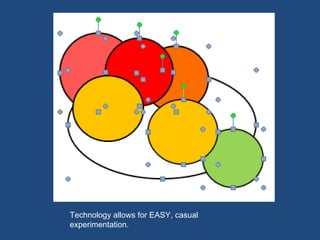
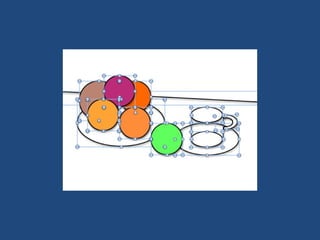
Technology allows for EASY, casual experimentation.


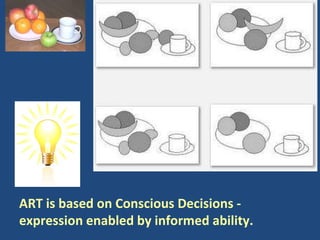
ART is based on Conscious Decisions -  expression enabled by informed ability.
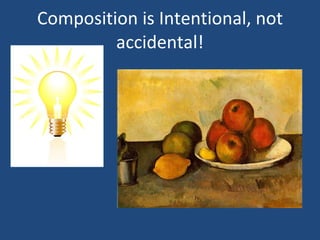
Composition is Intentional, not accidental!
Collage / Mixed Techniques
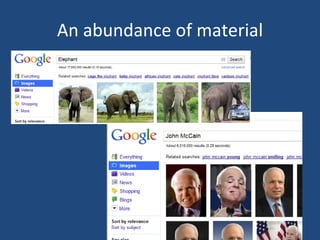
An abundance of material
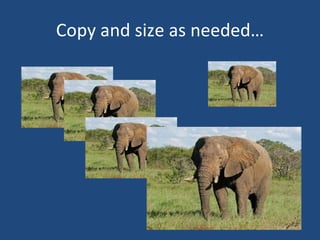
Copy and size as needed…
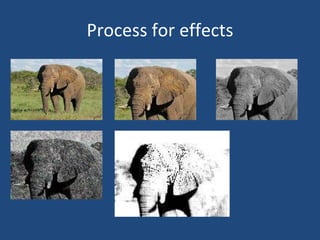
Process for effects
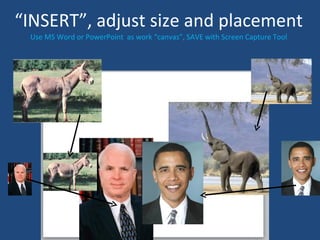
“ INSERT”, adjust size and placement Use MS Word or PowerPoint  as work “canvas”, SAVE with Screen Capture Tool
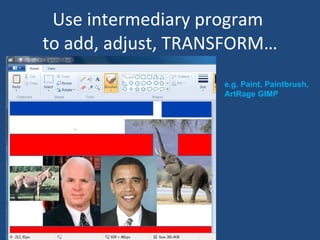
Use intermediary program  to add, adjust, TRANSFORM… e.g. Paint, Paintbrush, ArtRage GIMP
 
Projects to apply techniques and structure learing experiences.
 
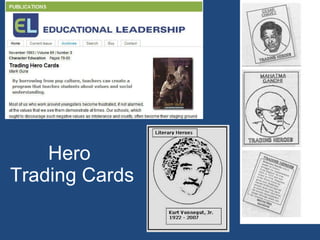
Hero  Trading Cards
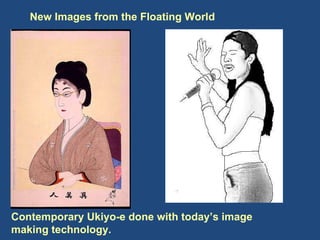
New Images from the Floating World Contemporary Ukiyo-e done with today’s image making technology.
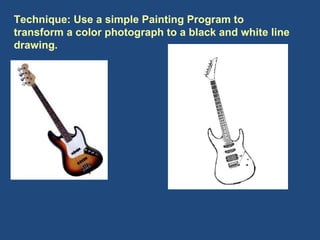
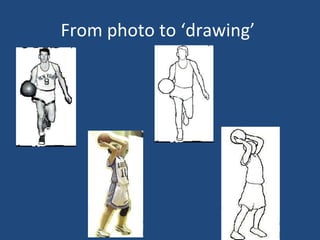
Technique: Use a simple Painting Program to transform a color photograph to a black and white line drawing.
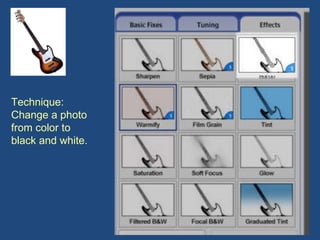
Technique: Change a photo from color to black and white.
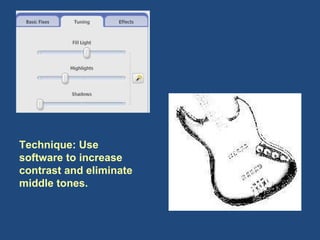
Technique: Use software to increase contrast and eliminate middle tones.
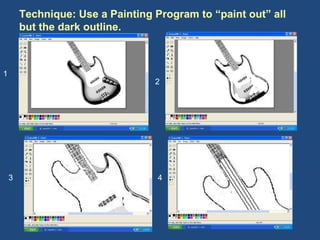
Technique: Use a Painting Program to “paint out” all but the dark outline.  1 2 3 4
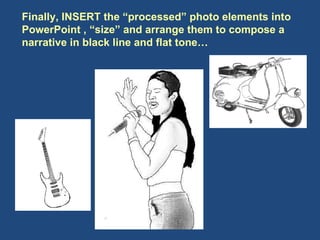
Finally, INSERT the “processed” photo elements into PowerPoint , “size” and arrange them to compose a narrative in black line and flat tone…
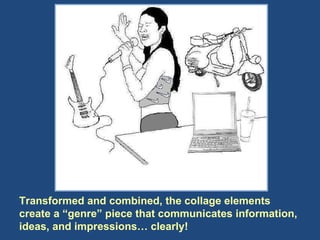
Transformed and combined, the collage elements create a “genre” piece that communicates information, ideas, and impressions… clearly!
From photo to ‘drawing’
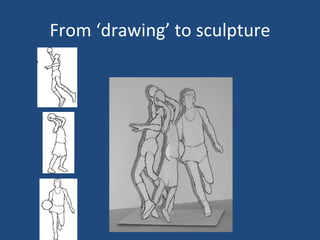
From ‘drawing’ to sculpture
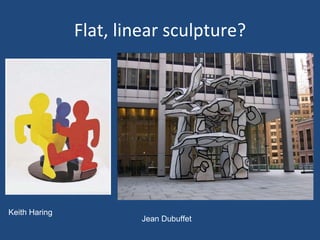
Flat, linear sculpture? Keith Haring Jean Dubuffet
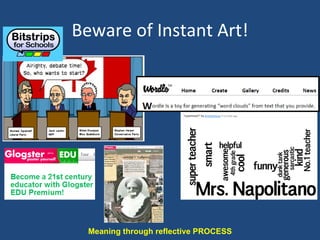
Beware of Instant Art! Meaning through reflective PROCESS
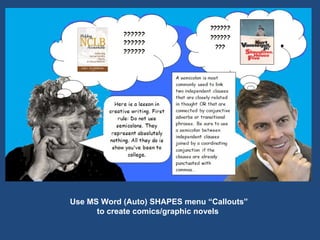
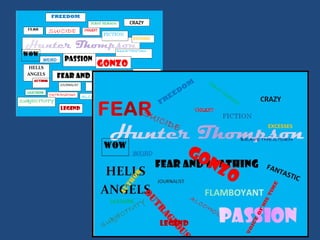
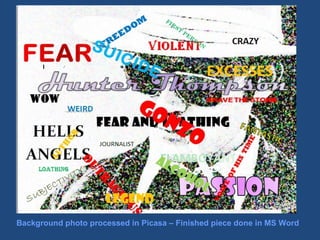
Use MS Word (Auto) SHAPES menu “Callouts”  to create comics/graphic novels


Background photo processed in Picasa – Finished piece done in MS Word
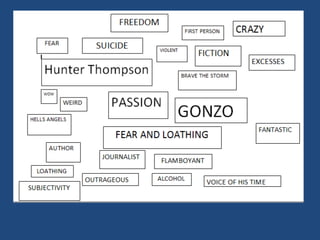
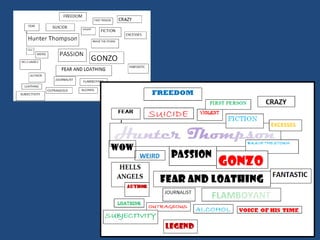
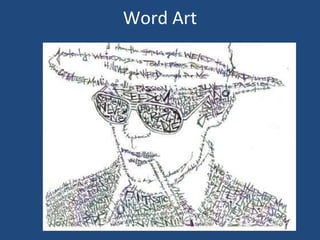
Word Art
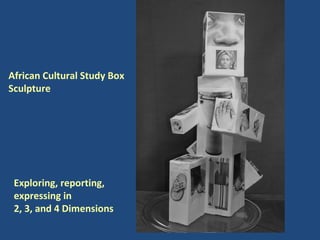
Sculpture
Project: Graphic Enhanced Sculpture, Repetition in Imagery, Communication of Facts and Impressions Browser Picasa (Photo Processing Application) MS Word
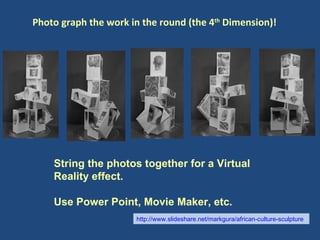
Exploring, reporting, expressing in  2, 3, and 4 Dimensions African Cultural Study Box Sculpture
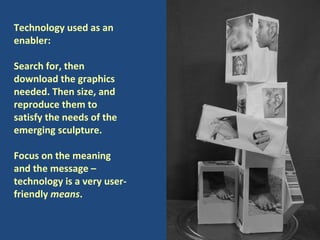
Technology used as an enabler: Search for, then download the graphics needed. Then size, and reproduce them to satisfy the needs of the emerging sculpture.  Focus on the meaning and the message – technology is a very user-friendly  means .
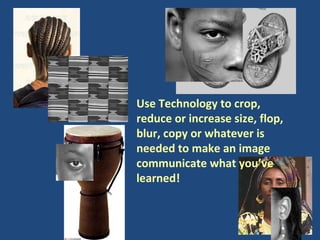
Use Technology to crop, reduce or increase size, flop, blur, copy or whatever is needed to make an image communicate what you’ve learned!
Capturing, Archiving, Exhibiting Student Art Work… Virtually. (With some cross curricular enrichment and assessment advantages)
Photo graph the work in the round (the 4 th  Dimension)! String the photos together for a Virtual Reality effect. Use Power Point, Movie Maker, etc. http://www.slideshare.net/markgura/african-culture-sculpture
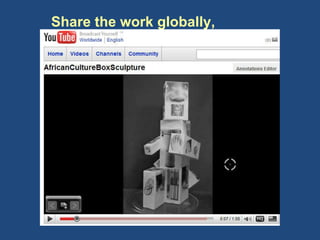
Share the work globally,  temporarily or permanently…
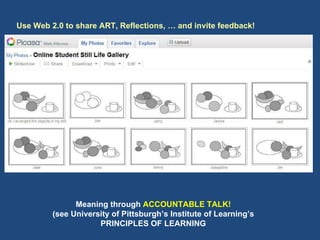
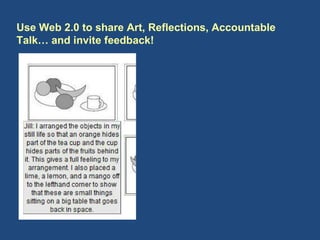
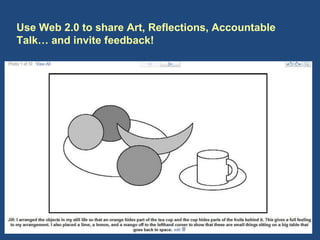
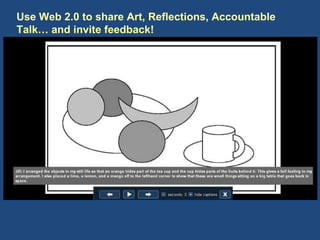
Use Web 2.0 to share ART, Reflections, … and invite feedback! Meaning through  ACCOUNTABLE TALK! (see University of Pittsburgh’s Institute of Learning’s PRINCIPLES OF LEARNING
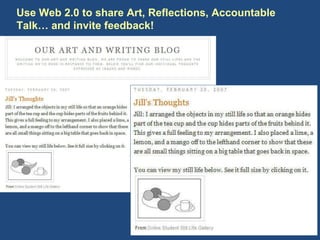
Use Web 2.0 to share Art, Reflections, Accountable Talk… and invite feedback!
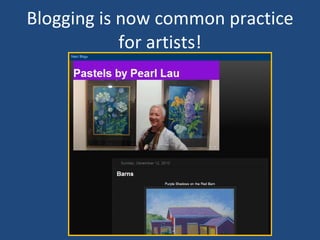
Blogging is now common practice for artists!
Use Web 2.0 to share Art, Reflections, Accountable Talk… and invite feedback!
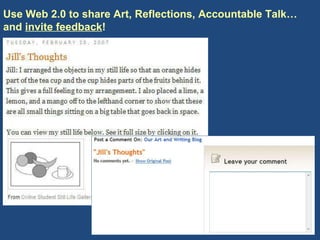
Use Web 2.0 to share Art, Reflections, Accountable Talk… and  invite feedback !
Contact Mark by email:  [email_address] ISTE Book Store: http://www.iste.org/source/orders/isteProductDetail.cfm?product_code=netart

TechMakesArtEasy4everyteachergura

  • 1.
    Technology Makes ArtEasy for Every Teacher in Every Classroom Mark Gura - Presenter [email_address]
  • 2.
  • 3.
    Where Do WeCome From?... Where Are We Going? ~ Paul Gauguin Paul Gauguin
  • 4.
    We Know theNeed: ART is among the first things cut when there are time , budget , and space issues . As a result qualified, certified art teachers become short in supply, art rooms become scarce. etc . W hat’s the OPPORTUNITY?
  • 5.
    Every teacher anart teacher… every classroom an art room. Visual Art should be a significant, constant part of every student’s educational experience… Kids NEED it! Visual Learners Multiple Intelligences Fosters CREATIVITY Aligns powerfully with all subject areas! Technology makes it possible! The big Bugaboo… TALENT, is beside the point… All students can have a satisfying, enriching experience in learning ART
  • 6.
    Tools Techniques &Approaches (Drawing, Painting, Collage, Mixed Techniques, Sculpture, Word Art, etc.) Projects (Techniques Applied) Archiving, Sharing
  • 7.
    Art Activities: What’s Meaningful ? An artist is someone who fills space in a beautiful, meaningful way! Arthur Wesley Dow
  • 8.
    TOOLS 4 MakingART (free, user friendly, ubiquitous) MS Word for drafting and drawing Painting Program for drawing and collaging Photo/Image processing Screen Capture/Cropping Tool Interesting Art experiences involve combining tools and techniques
  • 9.
    A sample digitalart making Scenario… Search for an image and Download.
  • 10.
    Open in ImageProcessing program and CROP, Adjust, Use Effects, etc.
  • 11.
    Use MS Word(Auto) SHAPES to draw a frame… then Insert image into it
  • 12.
    OPEN image inPainting program, use “Crayon Brush” to color image and add tone.
  • 13.
    Use “Pencil” tool to add details
  • 14.
  • 15.
    Creating a designinspired and informed by the work of Piet Mondrian Use MS WORD – AUTO SHAPES “Lines” features
  • 16.
  • 17.
  • 18.
  • 19.
  • 20.
  • 21.
  • 22.
  • 23.
  • 24.
  • 25.
  • 26.
    Meaning through CONTEXT: What do artists achieve with abstract design?
  • 27.
    Meaning through goals, parameters, and challenges
  • 28.
  • 29.
  • 30.
    Victor Vassarelly Meaning: Following in the footsteps of famous artists.
  • 31.
    Kandinsky Meaning: Followingin the footsteps of famous artists.
  • 32.
  • 33.
    Complementary Color -Hard Edge Abstraction done with MS Word
  • 34.
    Seymour Papert onConstructivism Learning by Doing Technology as a Building Material Hard Fun Learning to Learn Take Time – the Proper Time for the Job You Can’t Get it Right Without Getting it Wrong Taken from Eight Big Ideas Behind the Constructivist Learning Lab (Papert 1999)
  • 35.
    Management Factors: -Time - Storage Space - Student Workspace - Frustration/Distraction - School – Home Continuum - Consumables vs. Virtual Materials
  • 36.
    Classical Approach to DRAWING Strategic Construction of Images MS Word
  • 37.
    How to approach representational drawing?
  • 38.
    Contour Drawing the “Natural Way to Draw” “ Drawing with Pencil Tool (Mouse) – Tracing outlines of observed shapes…
  • 39.
    Drawn with MSWord (Auto) SHAPES menu AND Painting Program
  • 40.
    How do artistslike Cezanne DRAW convincing representations ? Table Top Still Life
  • 41.
  • 42.
    Ah ha, drawingscan be CONSTRUCTED of basic shapes!
  • 43.
    Table Top StillLife Drawn in the “GIMP” program
  • 44.
    Learning to seelike an artist… Scaffolding Drawing Skills?
  • 45.
  • 46.
    Drawing requires: understanding,observation, and reflection! Technology supports students in exploring, understanding, and learning to make art! Q: What kind of art will we make now that everyone can draw?
  • 47.
  • 48.
    A starting point:A set up still life or photo of still life. Challenge: Fill the space with a representation of what you observe. ? ?
  • 49.
  • 50.
    Teacher: Why didyou make it that size? Why did you put it there?
  • 51.
    Technology allows forEASY, casual experimentation.
  • 52.
  • 53.
  • 54.
  • 55.
  • 56.
  • 57.
  • 58.
    ART is basedon Conscious Decisions - expression enabled by informed ability.
  • 59.
  • 60.
    Collage / MixedTechniques
  • 61.
  • 62.
    Copy and sizeas needed…
  • 63.
  • 64.
    “ INSERT”, adjustsize and placement Use MS Word or PowerPoint as work “canvas”, SAVE with Screen Capture Tool
  • 65.
    Use intermediary program to add, adjust, TRANSFORM… e.g. Paint, Paintbrush, ArtRage GIMP
  • 66.
  • 67.
    Projects to applytechniques and structure learing experiences.
  • 68.
  • 69.
  • 70.
    New Images fromthe Floating World Contemporary Ukiyo-e done with today’s image making technology.
  • 71.
    Technique: Use asimple Painting Program to transform a color photograph to a black and white line drawing.
  • 72.
    Technique: Change aphoto from color to black and white.
  • 73.
    Technique: Use softwareto increase contrast and eliminate middle tones.
  • 74.
    Technique: Use aPainting Program to “paint out” all but the dark outline. 1 2 3 4
  • 75.
    Finally, INSERT the“processed” photo elements into PowerPoint , “size” and arrange them to compose a narrative in black line and flat tone…
  • 76.
    Transformed and combined,the collage elements create a “genre” piece that communicates information, ideas, and impressions… clearly!
  • 77.
    From photo to‘drawing’
  • 78.
  • 79.
    Flat, linear sculpture?Keith Haring Jean Dubuffet
  • 80.
    Beware of InstantArt! Meaning through reflective PROCESS
  • 81.
    Use MS Word(Auto) SHAPES menu “Callouts” to create comics/graphic novels
  • 82.
  • 83.
  • 84.
  • 85.
    Background photo processedin Picasa – Finished piece done in MS Word
  • 86.
  • 87.
  • 88.
    Project: Graphic EnhancedSculpture, Repetition in Imagery, Communication of Facts and Impressions Browser Picasa (Photo Processing Application) MS Word
  • 89.
    Exploring, reporting, expressingin 2, 3, and 4 Dimensions African Cultural Study Box Sculpture
  • 90.
    Technology used asan enabler: Search for, then download the graphics needed. Then size, and reproduce them to satisfy the needs of the emerging sculpture. Focus on the meaning and the message – technology is a very user-friendly means .
  • 91.
    Use Technology tocrop, reduce or increase size, flop, blur, copy or whatever is needed to make an image communicate what you’ve learned!
  • 92.
    Capturing, Archiving, ExhibitingStudent Art Work… Virtually. (With some cross curricular enrichment and assessment advantages)
  • 93.
    Photo graph thework in the round (the 4 th Dimension)! String the photos together for a Virtual Reality effect. Use Power Point, Movie Maker, etc. http://www.slideshare.net/markgura/african-culture-sculpture
  • 94.
    Share the workglobally, temporarily or permanently…
  • 95.
    Use Web 2.0to share ART, Reflections, … and invite feedback! Meaning through ACCOUNTABLE TALK! (see University of Pittsburgh’s Institute of Learning’s PRINCIPLES OF LEARNING
  • 96.
    Use Web 2.0to share Art, Reflections, Accountable Talk… and invite feedback!
  • 97.
    Use Web 2.0to share Art, Reflections, Accountable Talk… and invite feedback!
  • 98.
    Use Web 2.0to share Art, Reflections, Accountable Talk… and invite feedback!
  • 99.
    Blogging is nowcommon practice for artists!
  • 100.
    Use Web 2.0to share Art, Reflections, Accountable Talk… and invite feedback!
  • 101.
    Use Web 2.0to share Art, Reflections, Accountable Talk… and invite feedback !
  • 102.
    Contact Mark byemail: [email_address] ISTE Book Store: http://www.iste.org/source/orders/isteProductDetail.cfm?product_code=netart