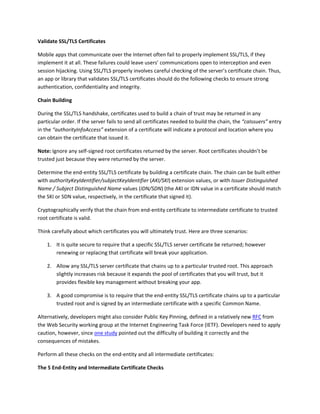
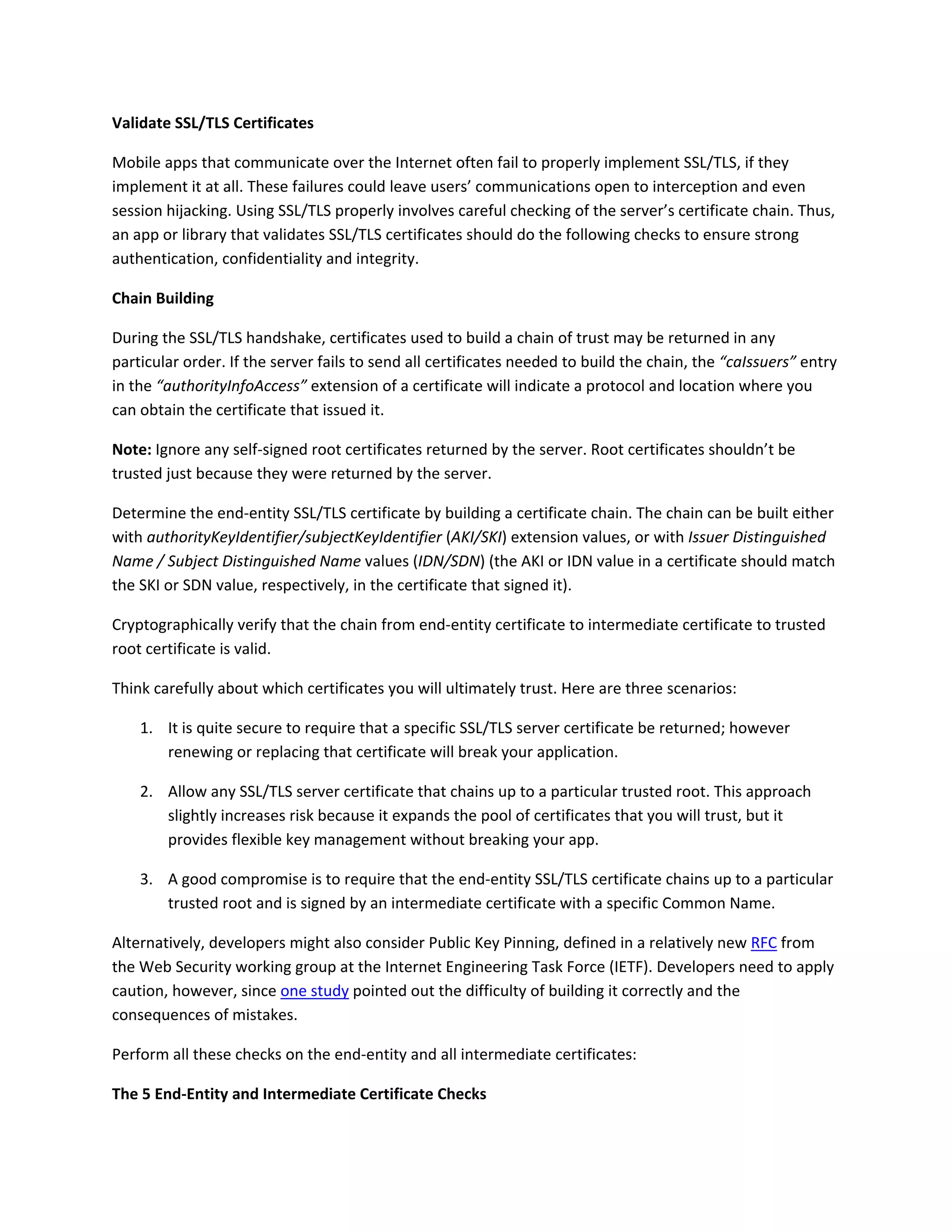
Validate SSL/TLS Certificates 
Mobile apps that communicate over the Internet often fail to properly implement SSL/TLS, if they 
implement it at all. These failures could leave users’ communications open to interception and even 
session hijacking. Using SSL/TLS properly involves careful checking of the server’s certificate chain. Thus, 
an app or library that validates SSL/TLS certificates should do the following checks to ensure strong 
authentication, confidentiality and integrity. 
Chain Building  
During the SSL/TLS handshake, certificates used to build a chain of trust may be returned in any 
particular order. If the server fails to send all certificates needed to build the chain, the “caIssuers” entry 
in the “authorityInfoAccess” extension of a certificate will indicate a protocol and location where you 
can obtain the certificate that issued it. 
Note: Ignore any self‐signed root certificates returned by the server. Root certificates shouldn’t be 
trusted just because they were returned by the server.  
Determine the end‐entity SSL/TLS certificate by building a certificate chain. The chain can be built either 
with authorityKeyIdentifier/subjectKeyIdentifier (AKI/SKI) extension values, or with Issuer Distinguished 
Name / Subject Distinguished Name values (IDN/SDN) (the AKI or IDN value in a certificate should match 
the SKI or SDN value, respectively, in the certificate that signed it).  
Cryptographically verify that the chain from end‐entity certificate to intermediate certificate to trusted 
root certificate is valid.  
Think carefully about which certificates you will ultimately trust. Here are three scenarios:  
1. It is quite secure to require that a specific SSL/TLS server certificate be returned; however 
renewing or replacing that certificate will break your application.   
2. Allow any SSL/TLS server certificate that chains up to a particular trusted root. This approach 
slightly increases risk because it expands the pool of certificates that you will trust, but it 
provides flexible key management without breaking your app.  
3. A good compromise is to require that the end‐entity SSL/TLS certificate chains up to a particular 
trusted root and is signed by an intermediate certificate with a specific Common Name.  
Alternatively, developers might also consider Public Key Pinning, defined in a relatively new RFC from 
the Web Security working group at the Internet Engineering Task Force (IETF). Developers need to apply 
caution, however, since one study pointed out the difficulty of building it correctly and the 
consequences of mistakes. 
Perform all these checks on the end‐entity and all intermediate certificates: 
The 5 End‐Entity and Intermediate Certificate Checks  
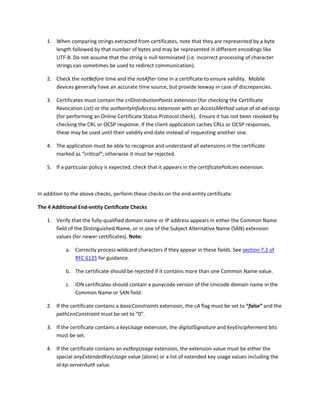
1. When comparing strings extracted from certificates, note that they are represented by a byte 
length followed by that number of bytes and may be represented in different encodings like 
UTF‐8. Do not assume that the string is null‐terminated (i.e. incorrect processing of character 
strings can sometimes be used to redirect communication). 
2. Check the notBefore time and the notAfter time in a certificate to ensure validity.  Mobile 
devices generally have an accurate time source, but provide leeway in case of discrepancies.  
3. Certificates must contain the crlDistributionPoints extension (for checking the Certificate 
Revocation List) or the authorityInfoAccess extension with an AccessMethod value of id‐ad‐ocsp 
(for performing an Online Certificate Status Protocol check).  Ensure it has not been revoked by 
checking the CRL or OCSP response. If the client application caches CRLs or OCSP responses, 
these may be used until their validity end date instead of requesting another one.  
4. The application must be able to recognize and understand all extensions in the certificate 
marked as “critical”; otherwise it must be rejected. 
5. If a particular policy is expected, check that it appears in the certificatePolicies extension.  
 
In addition to the above checks, perform these checks on the end‐entity certificate: 
The 4 Additional End‐entity Certificate Checks  
1. Verify that the fully‐qualified domain name or IP address appears in either the Common Name 
field of the Distinguished Name, or in one of the Subject Alternative Name (SAN) extension 
values (for newer certificates). Note: 
a. Correctly process wildcard characters if they appear in these fields. See section 7.2 of 
RFC 6125 for guidance. 
b. The certificate should be rejected if it contains more than one Common Name value.  
c. IDN certificates should contain a punycode version of the Unicode domain name in the 
Common Name or SAN field. 
2. If the certificate contains a basicConstraints extension, the cA flag must be set to “false” and the 
pathLenConstraint must be set to “0”.  
3. If the certificate contains a keyUsage extension, the digitalSignature and keyEncipherment bits 
must be set.  
4. If the certificate contains an extKeyUsage extension, the extension value must be either the 
special anyExtendedKeyUsage value (alone) or a list of extended key usage values including the 
id‐kp‐serverAuth value.  
 
In addition to the above checks, perform these checks on any intermediate certificates: 
The 3 Additional Intermediate Certificate Checks  
1. The certificate must contain a basicConstraints extension, with the cA flag set to “true.”  
2. The certificate must contain a keyUsage extension, with the keyCertSign bit set. 
3. If the nameConstraints and/or policyConstraints extensions are present, the application must 
process the constraints for all certificates in the subtree beneath it.  
 
Conclusion  
Properly implemented, SSL/TLS protocols provide strong confidentiality, authentication, and integrity for 
communications between endpoints. Yet unless certain checks are performed, data can be intercepted 
and modified without detection. All SSL/TLS client applications should follow the practices in this 
document to ensure the promises of SSL/TLS. SSL/TLS has been the key to trust on the Internet for more 
than a decade, and it will continue to provide excellent protection against evolving cyber‐security 
threats, provided that it is implemented correctly.  
Sidebar: Tools like CERT’s Tapioca are now available for testing how an app works in the presence of a 
Man‐in‐the‐Middle (MITM) who injects malicious or incorrect SSL/TLS certificates. 
 

SSL / TLS Validation | CASecurity.org | RapidSSLonline