SSIS PROJECT DEPLOYMENT
Deployment Approaches
• SSIS packages are XML files
• "copy and configure" approach to deployments.
• In such cases, the packages are typically
manually copied to shared locations or msdb,
where they're executed.
• Configuration information is then stored in
configuration files or special database tables
meant only for storing SSIS configuration values.
Problem Of Copy and Configure
• A project where all the SSIS configuration
parameters, including connection strings,
were stored in a database table. As a result,
whenever we restored a copy of the
production database in the test environment,
all the SSIS packages in the test environment
would point to the production database—
which isn't a good scenario.
SSISDB
• SSIS 2012 provides some new package
deployment features, including the new
SSISDB catalog and database.
• SSIS 2012 stores all the packages, projects,
parameters, permissions, server properties,
and operational history in the SSISDB
database
SSISDB Creation
• The first task is to create the SSISDB catalog
• SSMS->Integration Services Catalogs folder in
Object Explorer->right-click the Integration
Services Catalogs folder and select Create
Catalog
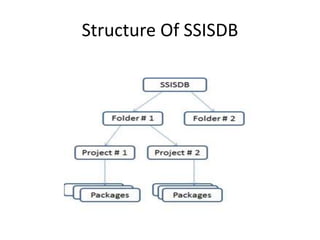
Structure Of SSISDB
Types Of Deployment
• SSIS Package Deployment
• SSIS Project Deployment
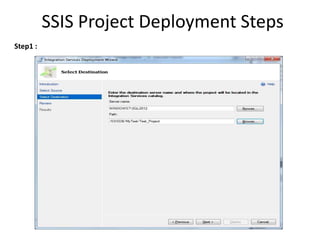
SSIS Project Deployment Steps
Step1 :
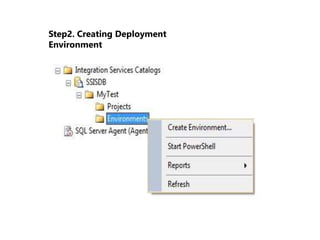
Step2. Creating Deployment
Environment
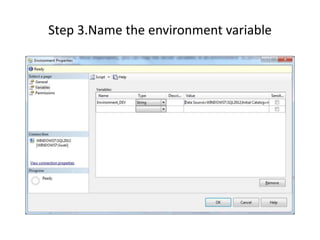
Step 3.Name the environment variable
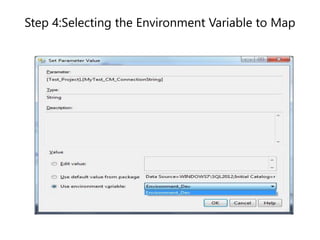
Step 4:Selecting the Environment Variable to Map
Deployment Approach: By Creating Jobs
Example To Take Database Backup Using Jobs:
• Create a demo database and insert sample data
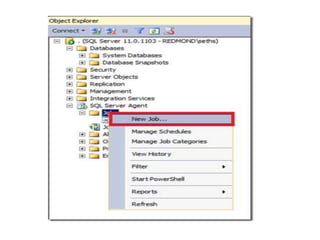
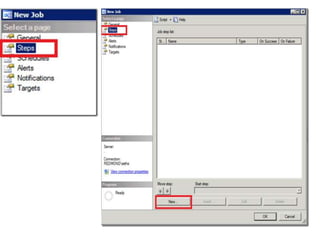
• Create SQL Agent Job
References
• http://blogs.msdn.com/b/sqlagent/archive/20
10/10/12/create-a-database-backup-jobusing-sql-server-management-studio.aspx
• http://sqlmag.com/sql-server-integrationservices/ssis-deployment-sql-server-2012

SSIS by Anjali