Continuous Integration
and the
Data Warehouse
Dr. John Tunnicliffe
Independent BI Architect &
Hands-On Developer
Mobile: +44 7771 818770
john@bovi.co.uk
Blog: http://sqlblogcasts.com/blogs/drjohn/
Agenda
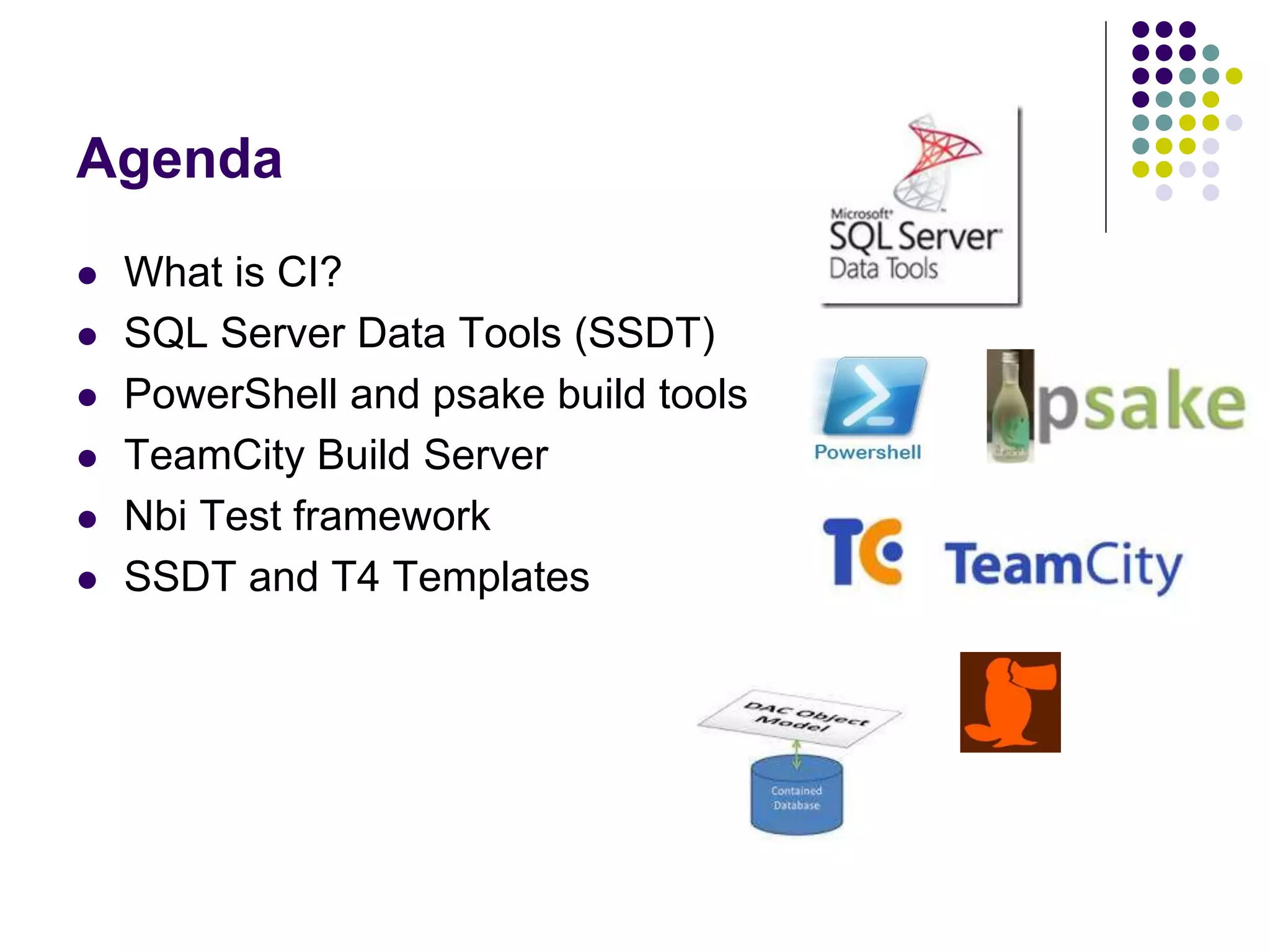
 What is CI?
 SQL Server Data Tools (SSDT)
 PowerShell and psake build tools
 TeamCity Build Server
 Nbi Test framework
 SSDT and T4 Templates
Different approaches to
SQL database development
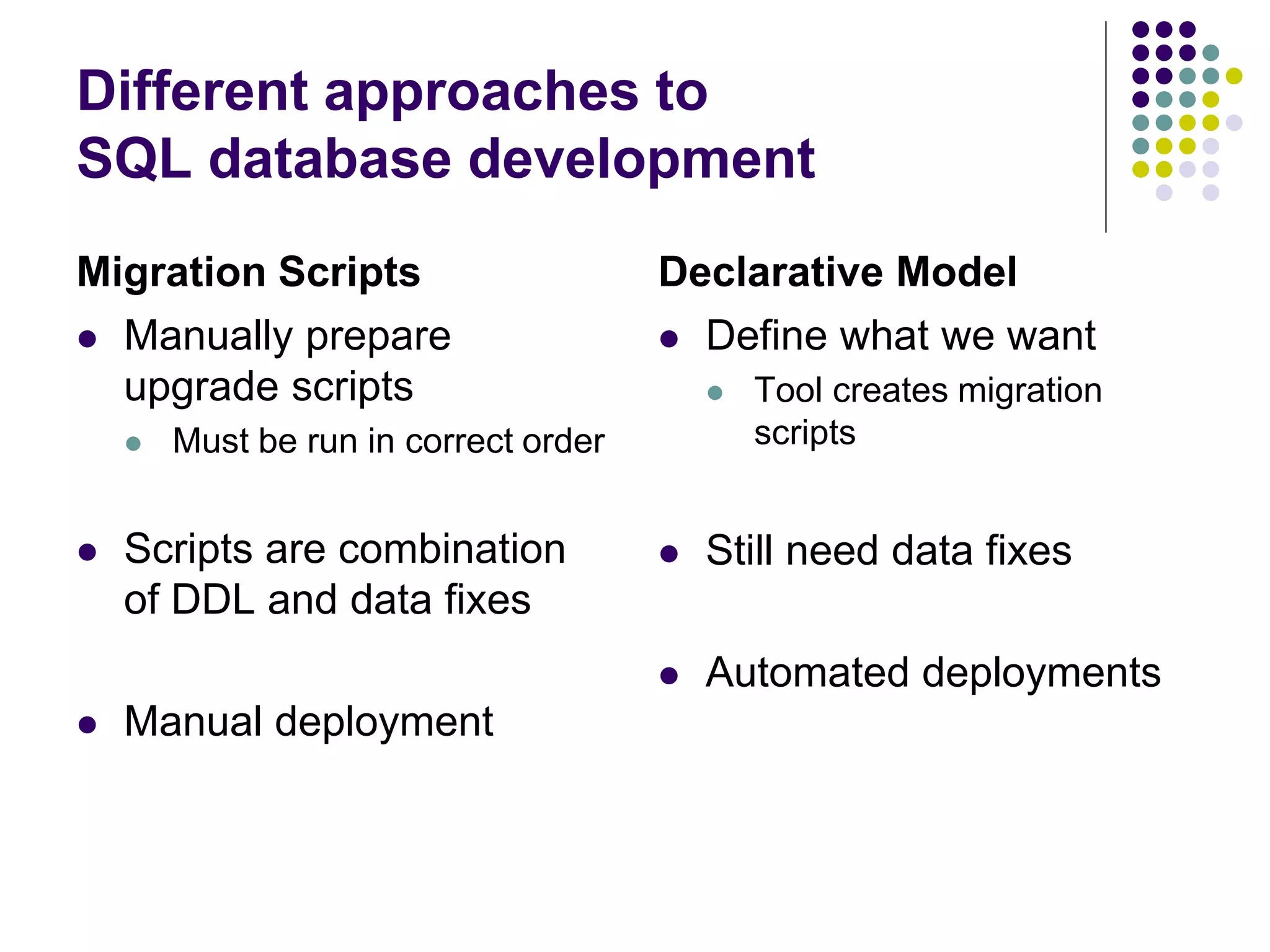
Migration Scripts
 Manually prepare
upgrade scripts
 Must be run in correct order
 Scripts are combination
of DDL and data fixes
 Manual deployment
Declarative Model
 Define what we want
 Tool creates migration
scripts
 Still need data fixes
 Automated deployments
Hands up
 Who has entire BI solution under source code control?
 Including SQL databases, all SSIS packages, all SSAS cubes
 SSDT and the declarative model approach?
 Who already uses CI in a data warehouse context?
 Does CI also deploy & test your code?
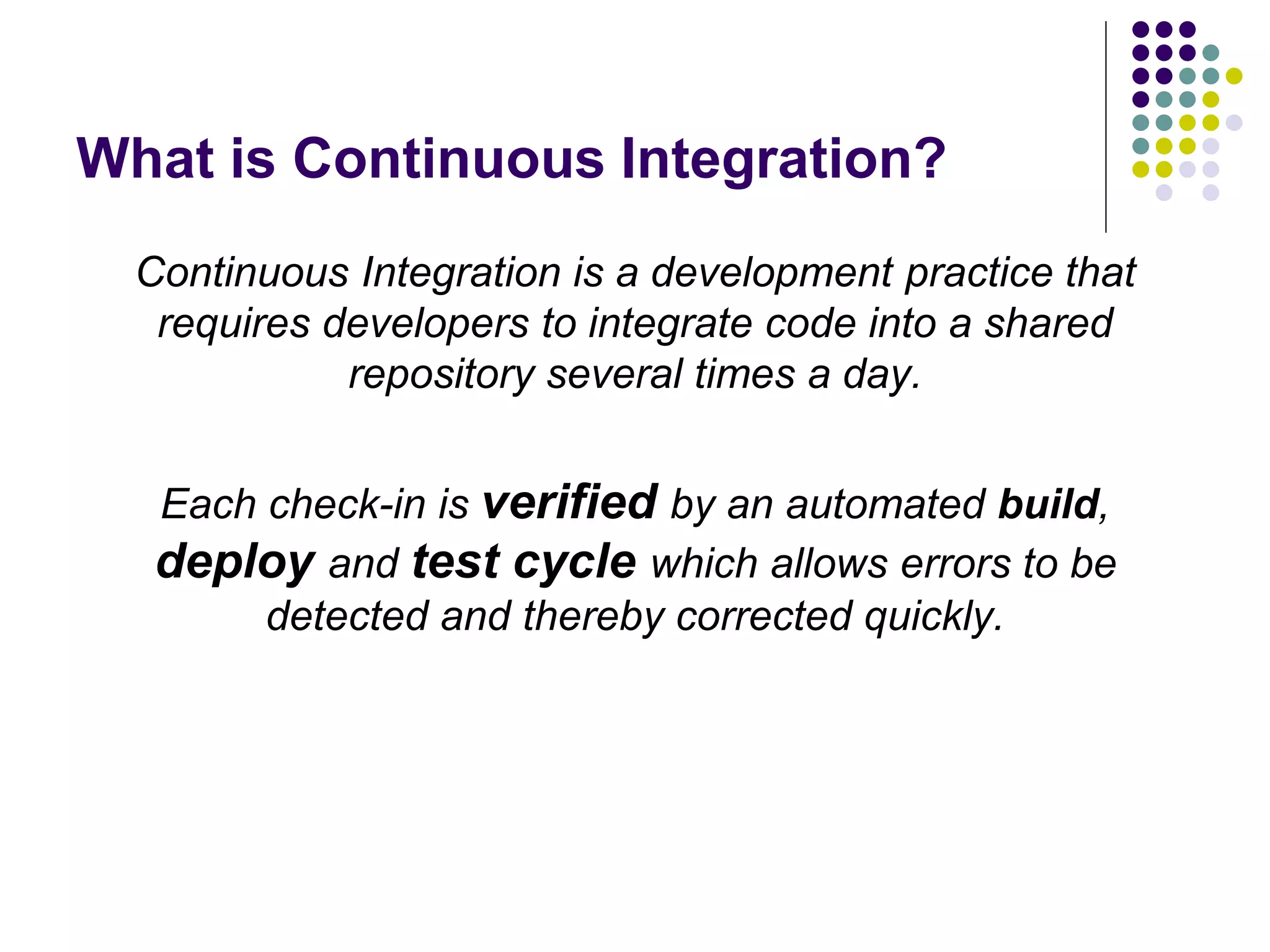
What is Continuous Integration?
Continuous Integration is a development practice that
requires developers to integrate code into a shared
repository several times a day.
Each check-in is verified by an automated build,
deploy and test cycle which allows errors to be
detected and thereby corrected quickly.
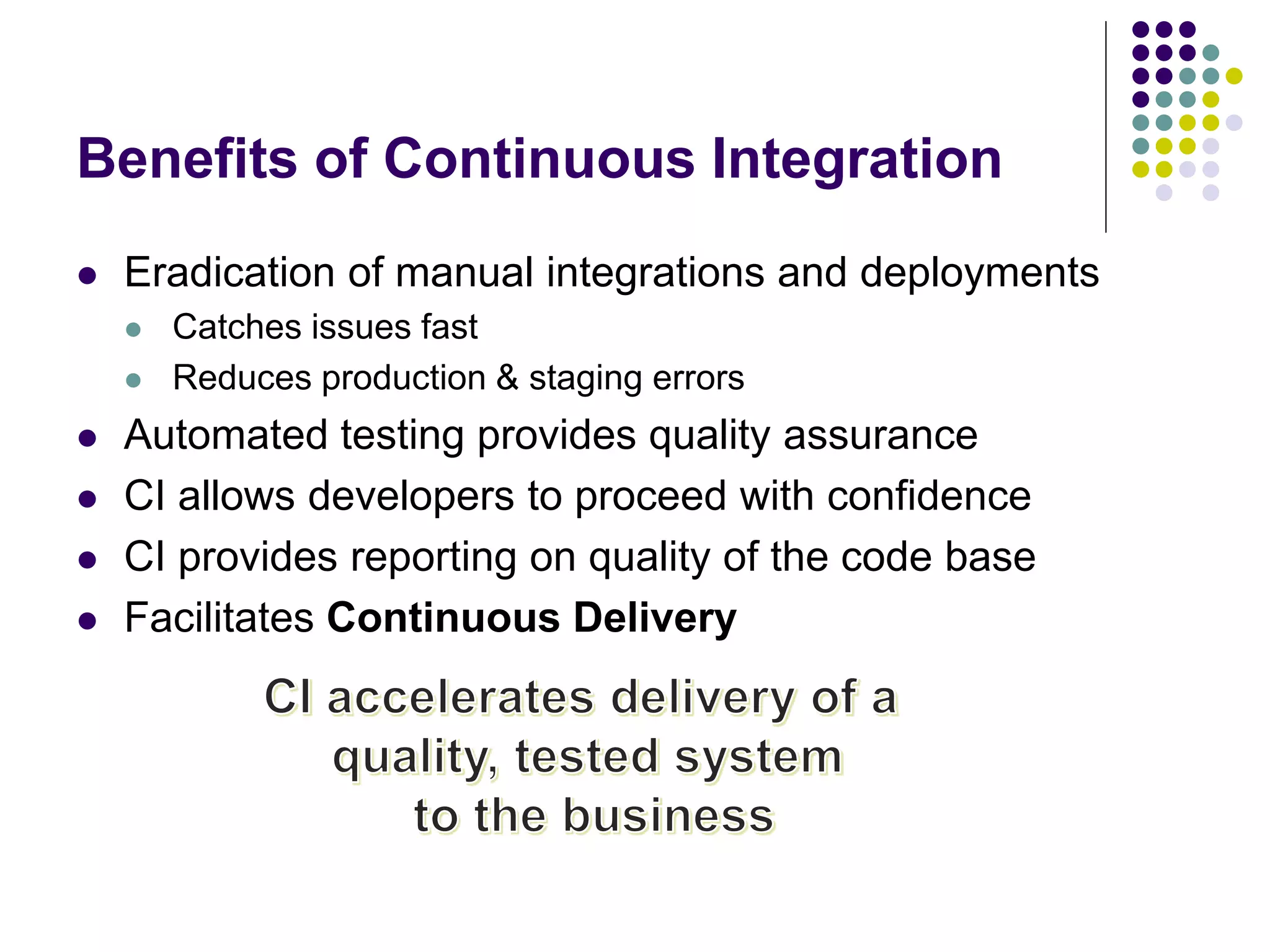
Benefits of Continuous Integration
 Eradication of manual integrations and deployments
 Catches issues fast
 Reduces production & staging errors
 Automated testing provides quality assurance
 CI allows developers to proceed with confidence
 CI provides reporting on quality of the code base
 Facilitates Continuous Delivery
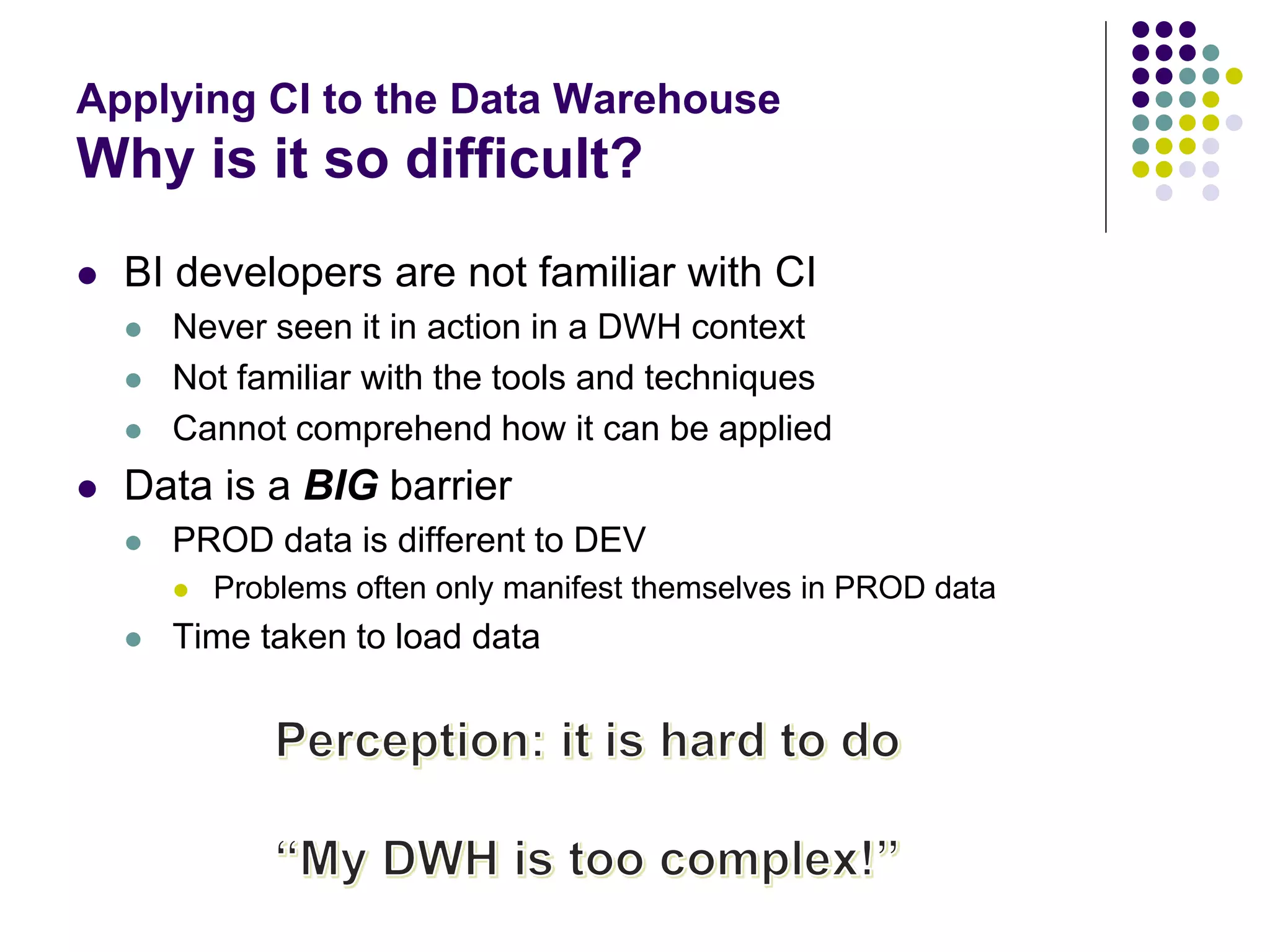
Applying CI to the Data Warehouse
Why is it so difficult?
 BI developers are not familiar with CI
 Never seen it in action in a DWH context
 Not familiar with the tools and techniques
 Cannot comprehend how it can be applied
 Data is a BIG barrier
 PROD data is different to DEV
 Problems often only manifest themselves in PROD data
 Time taken to load data
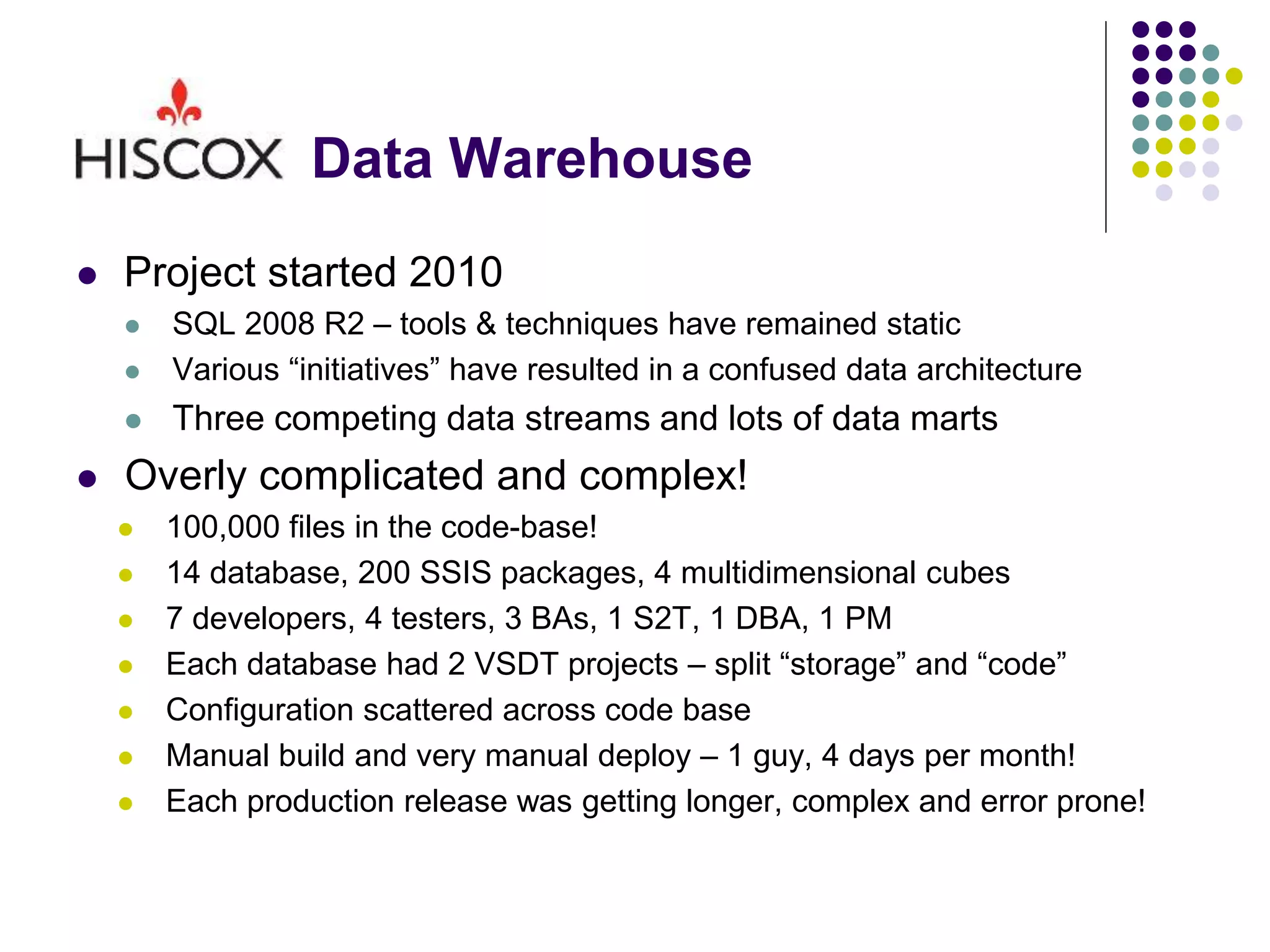
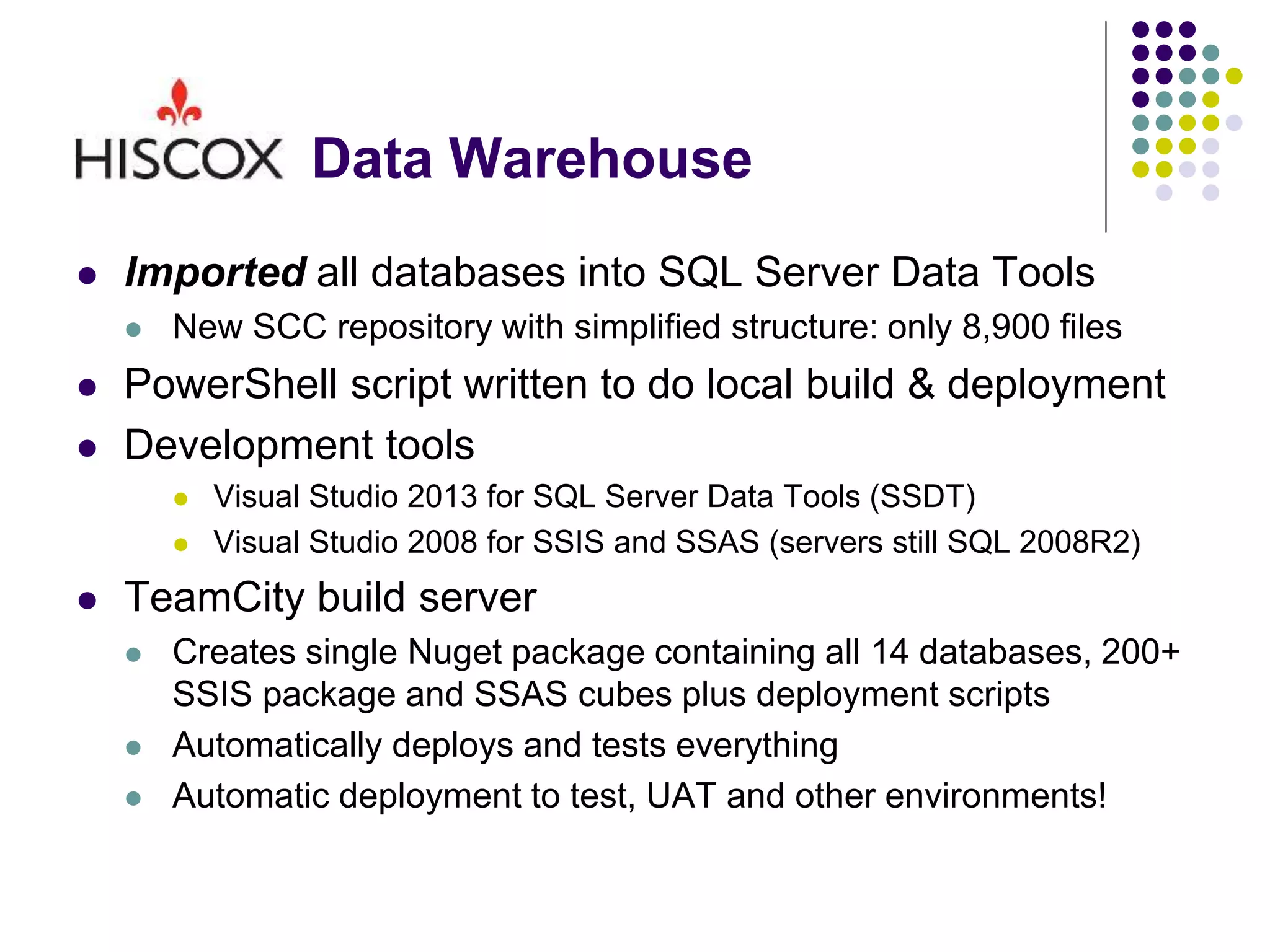
Data Warehouse
 Project started 2010
 SQL 2008 R2 – tools & techniques have remained static
 Various “initiatives” have resulted in a confused data architecture
 Three competing data streams and lots of data marts
 Overly complicated and complex!
 100,000 files in the code-base!
 14 database, 200 SSIS packages, 4 multidimensional cubes
 7 developers, 4 testers, 3 BAs, 1 S2T, 1 DBA, 1 PM
 Each database had 2 VSDT projects – split “storage” and “code”
 Configuration scattered across code base
 Manual build and very manual deploy – 1 guy, 4 days per month!
 Each production release was getting longer, complex and error prone!
Data Warehouse
 Imported all databases into SQL Server Data Tools
 New SCC repository with simplified structure: only 8,900 files
 PowerShell script written to do local build & deployment
 Development tools
 Visual Studio 2013 for SQL Server Data Tools (SSDT)
 Visual Studio 2008 for SSIS and SSAS (servers still SQL 2008R2)
 TeamCity build server
 Creates single Nuget package containing all 14 databases, 200+
SSIS package and SSAS cubes plus deployment scripts
 Automatically deploys and tests everything
 Automatic deployment to test, UAT and other environments!
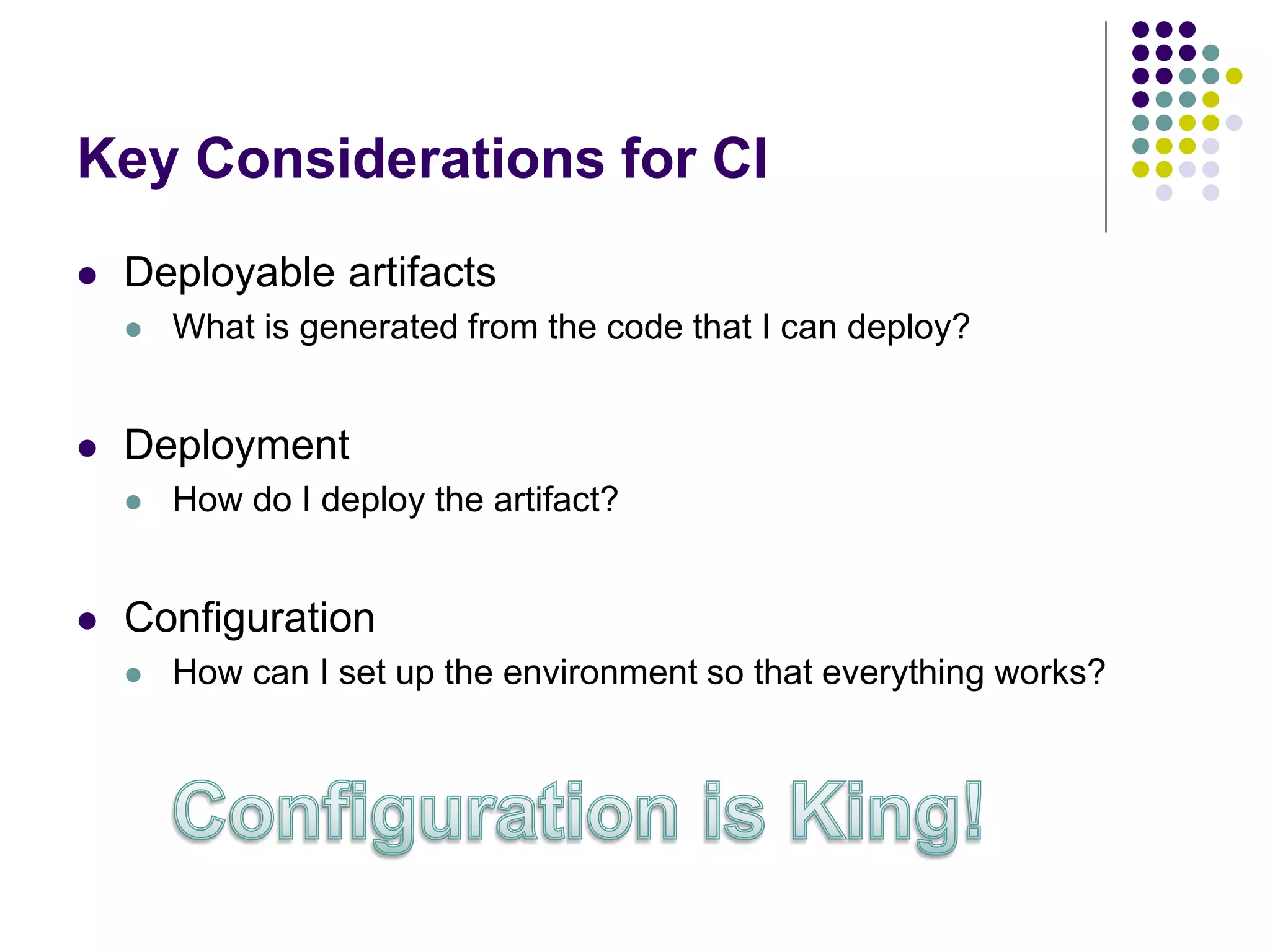
Key Considerations for CI
 Deployable artifacts
 What is generated from the code that I can deploy?
 Deployment
 How do I deploy the artifact?
 Configuration
 How can I set up the environment so that everything works?
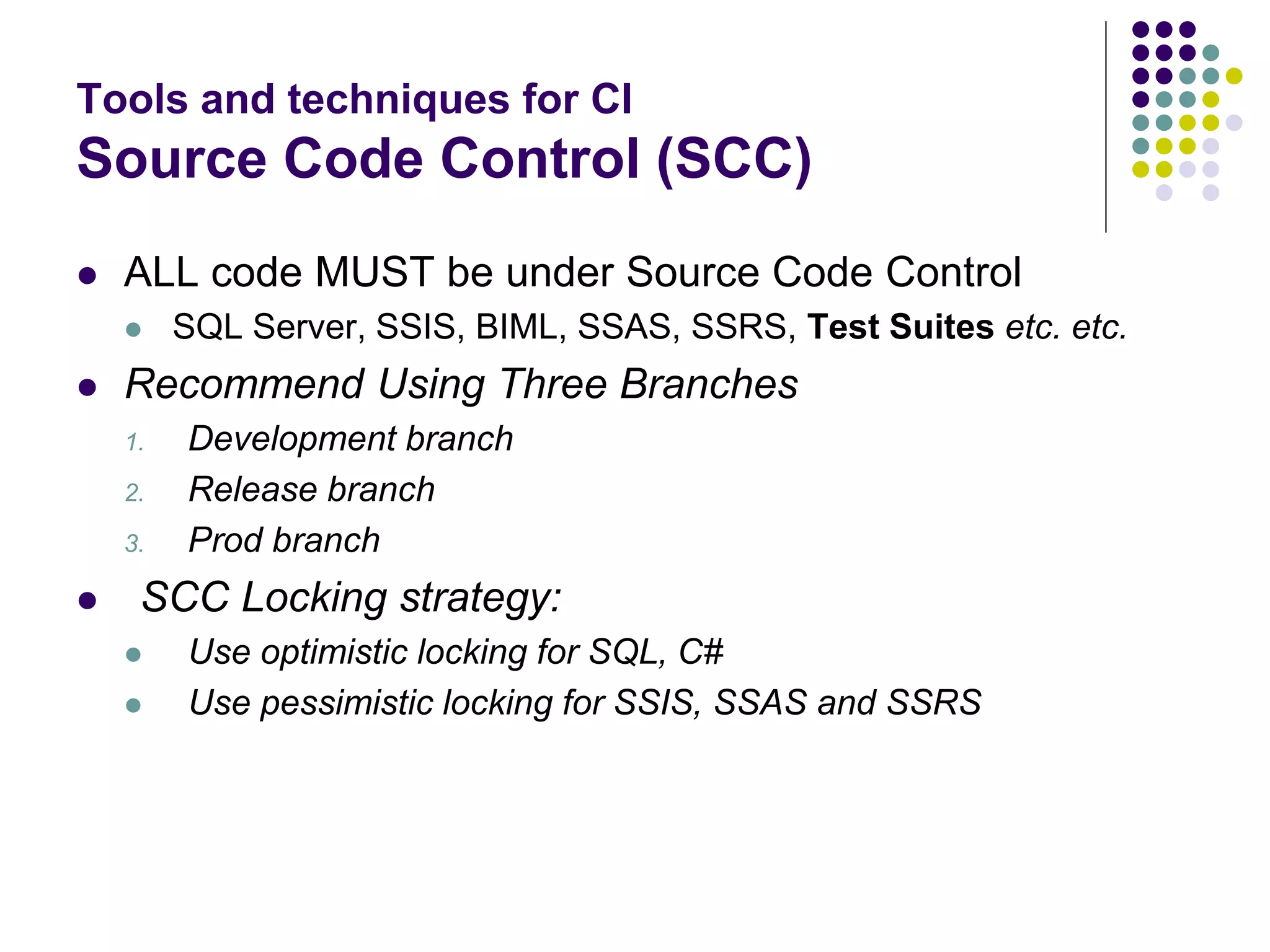
Tools and techniques for CI
Source Code Control (SCC)
 ALL code MUST be under Source Code Control
 SQL Server, SSIS, BIML, SSAS, SSRS, Test Suites etc. etc.
 Recommend Using Three Branches
1. Development branch
2. Release branch
3. Prod branch
 SCC Locking strategy:
 Use optimistic locking for SQL, C#
 Use pessimistic locking for SSIS, SSAS and SSRS
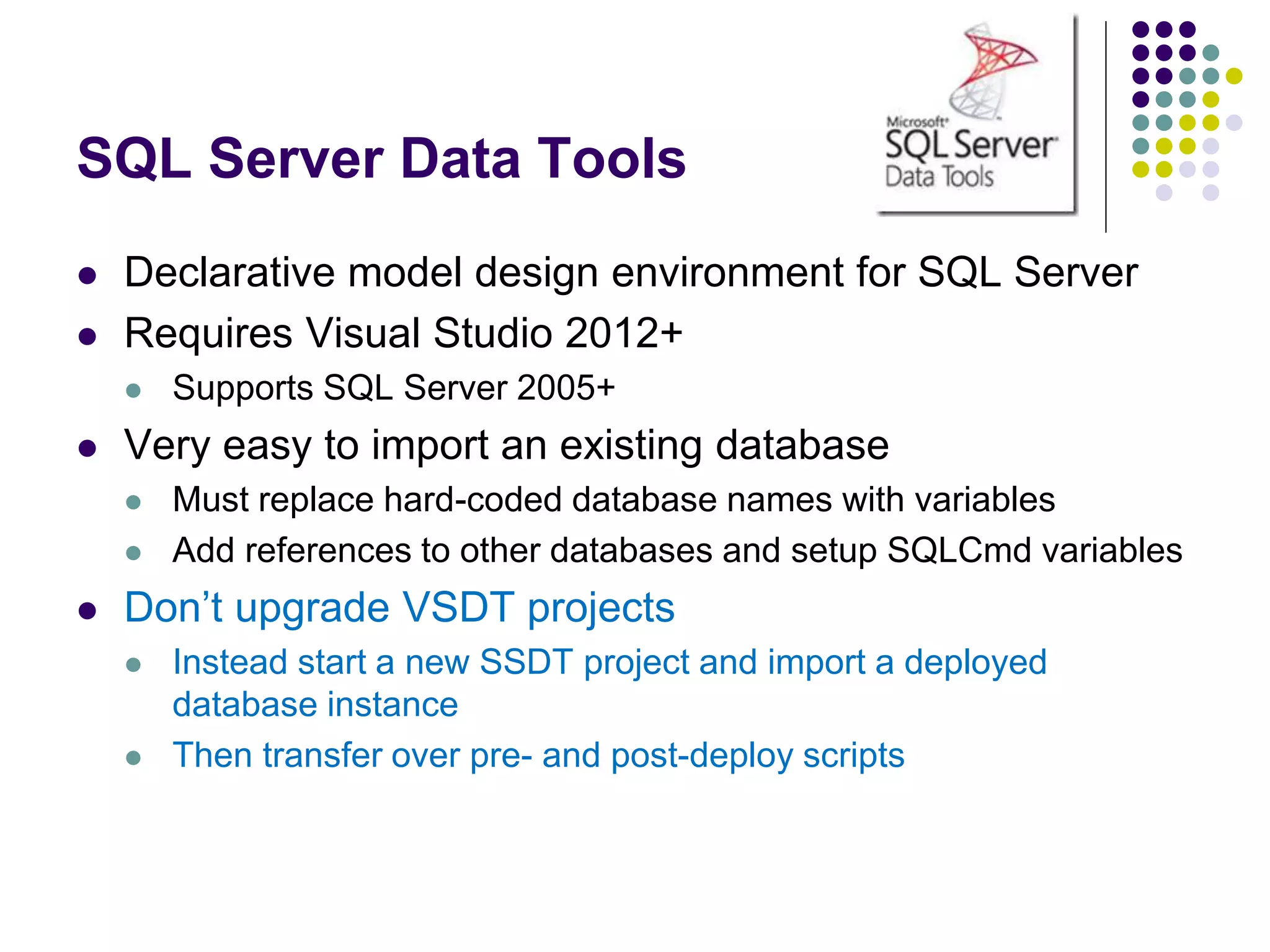
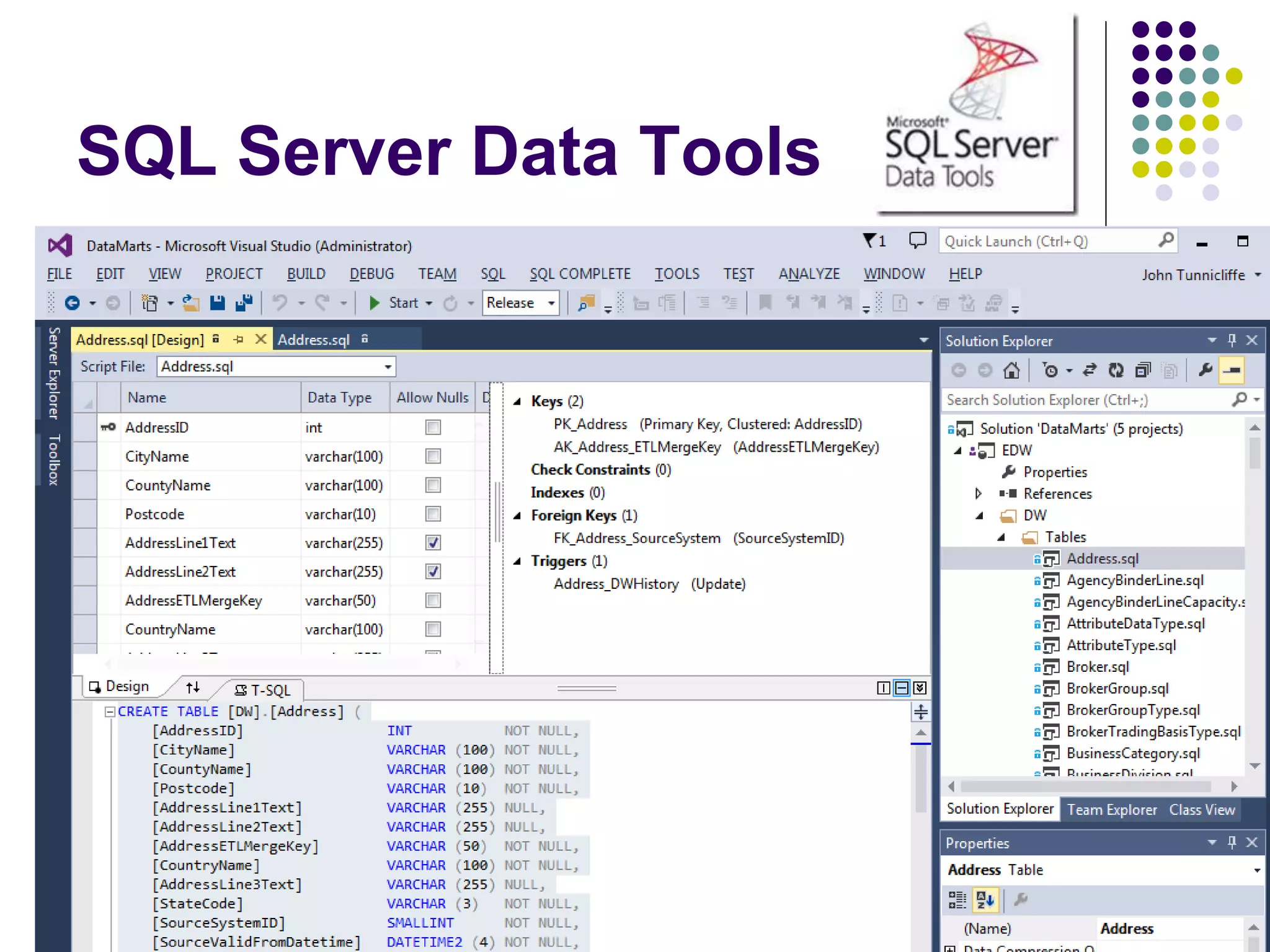
SQL Server Data Tools
 Declarative model design environment for SQL Server
 Requires Visual Studio 2012+
 Supports SQL Server 2005+
 Very easy to import an existing database
 Must replace hard-coded database names with variables
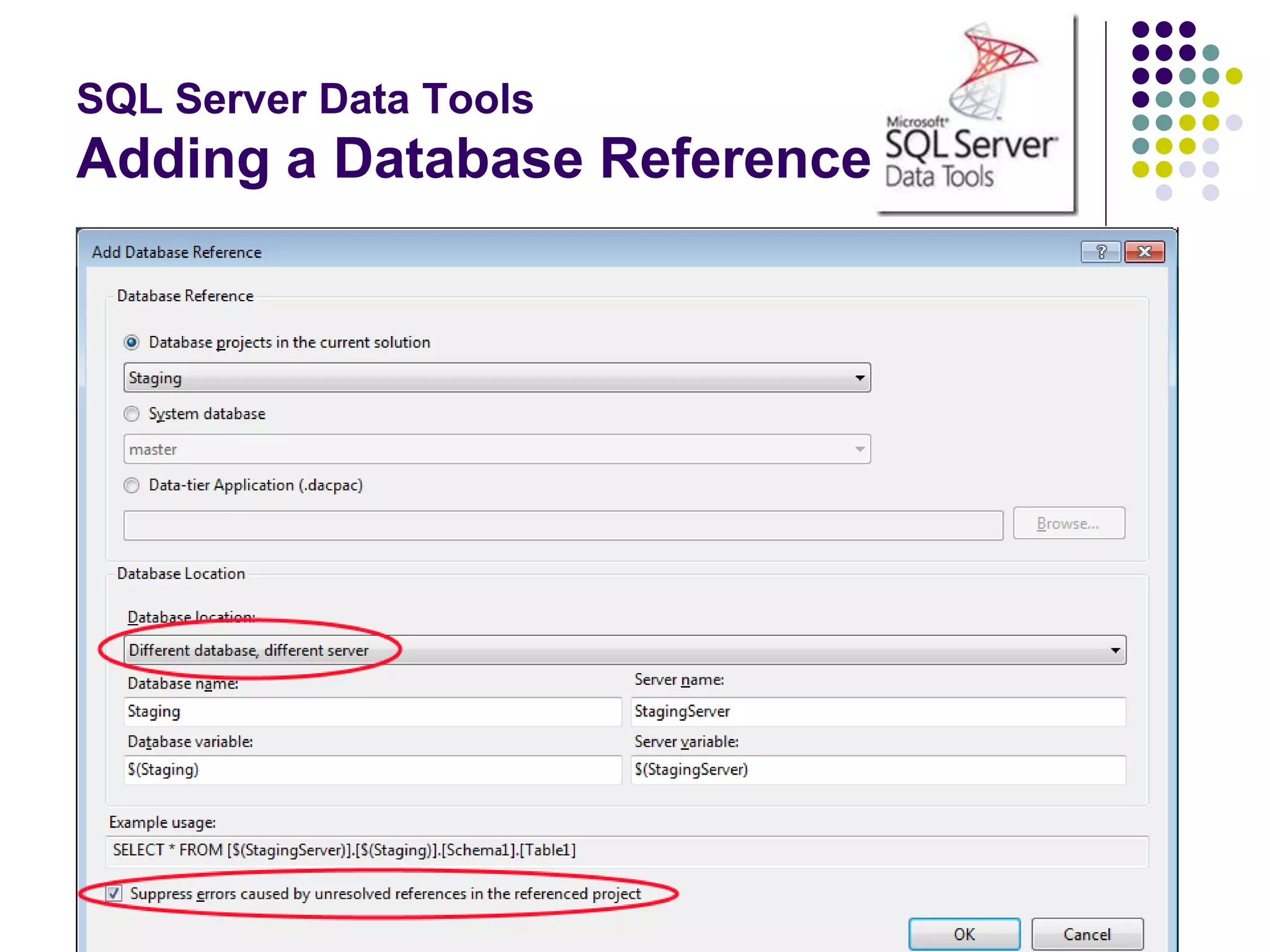
 Add references to other databases and setup SQLCmd variables
 Don’t upgrade VSDT projects
 Instead start a new SSDT project and import a deployed
database instance
 Then transfer over pre- and post-deploy scripts
SQL Server Data Tools
Adding a Database Reference
SQL Server Data Tools
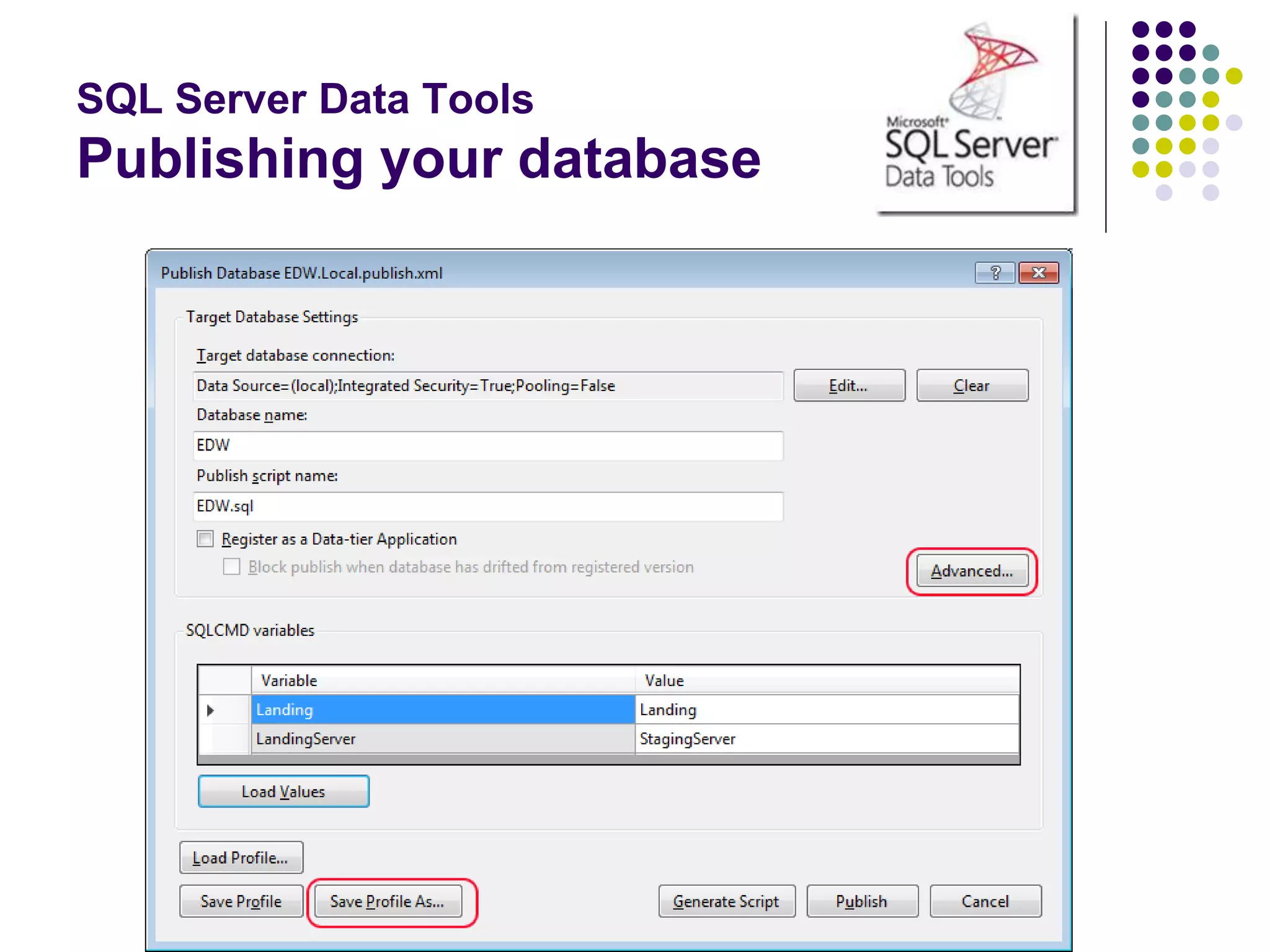
Publishing your database
SQL Server Data Tools
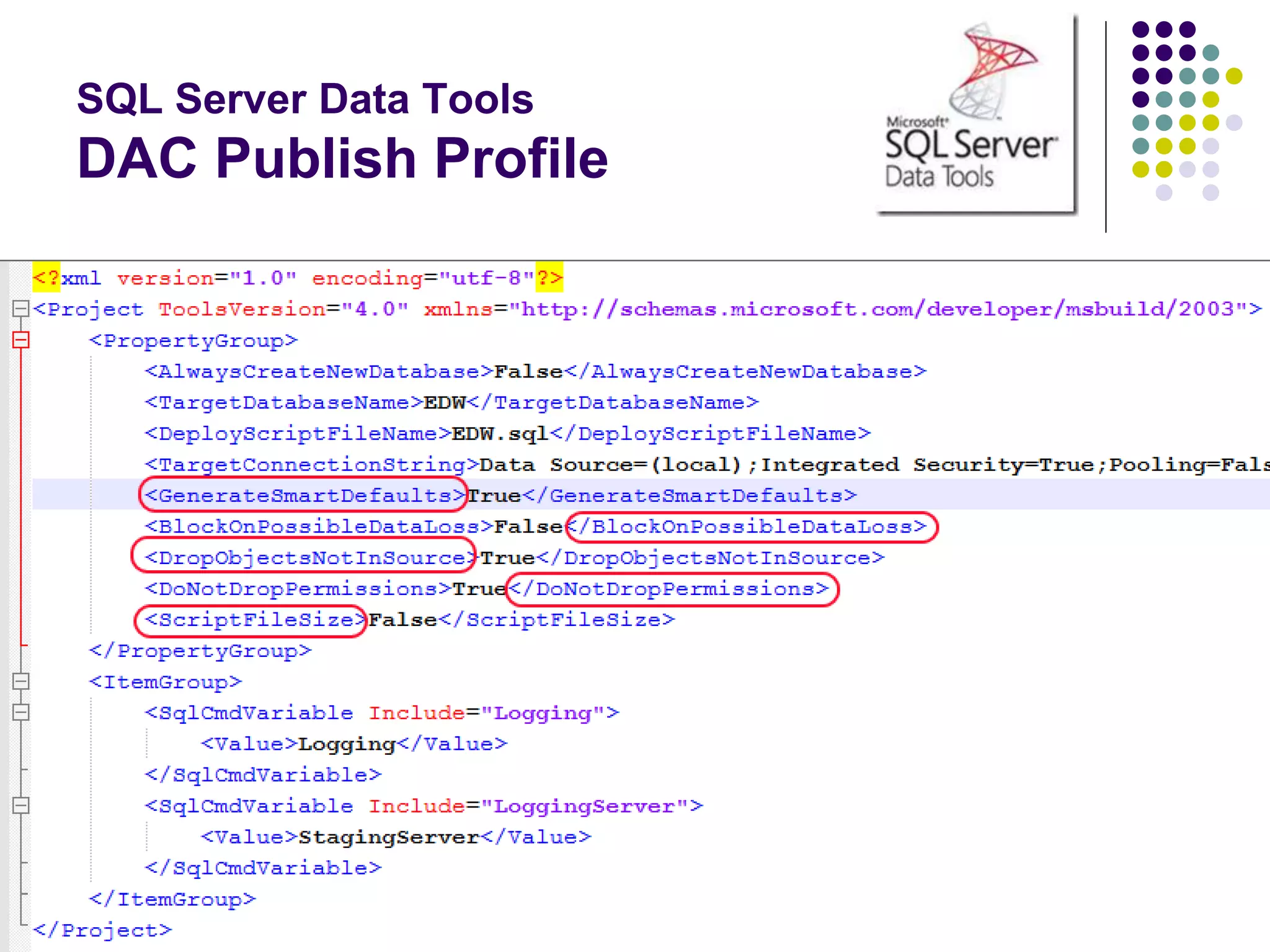
DAC Publish Profile
SQL Server Data Tools
 Build generates a DACPAC => “deployable artifact”
 Contains entire database model
 Conforms to Open Packaging Convention = ZIP file!
 Use MsBuild to create DACPAC from solutions
 Use SQLPackage.exe to deploy DACPAC
The many actions of
SQLPackage.exe
 Publish
 Deploys a DACPAC
 Script
 Generates a T-SQL
deployment script from
a DACPAC
 Extract
 Creates a DACPAC
from a database
 Export
 Creates a BACPAC
 Import
 Imports a BACPAC
 DeployReport
 List of changes new
deploy will make
 DriftReport
 List of changes since
last deploy
PowerShell
 PowerShell is the “glue” for your CI project
 Part of Windows Management Framework
 4.0 built into Windows Server 2012 R2 and Windows 8.1
 Download and install WMF 4.0 for prior OS versions
 Advanced scripting
 Proper error handling Try-Catch
 Easy to read/write XML
 Ideal for dynamically generation of config files
 CmdLets
 Invoke-SQLCmd
 Invoke-ASCmd & SQLAS
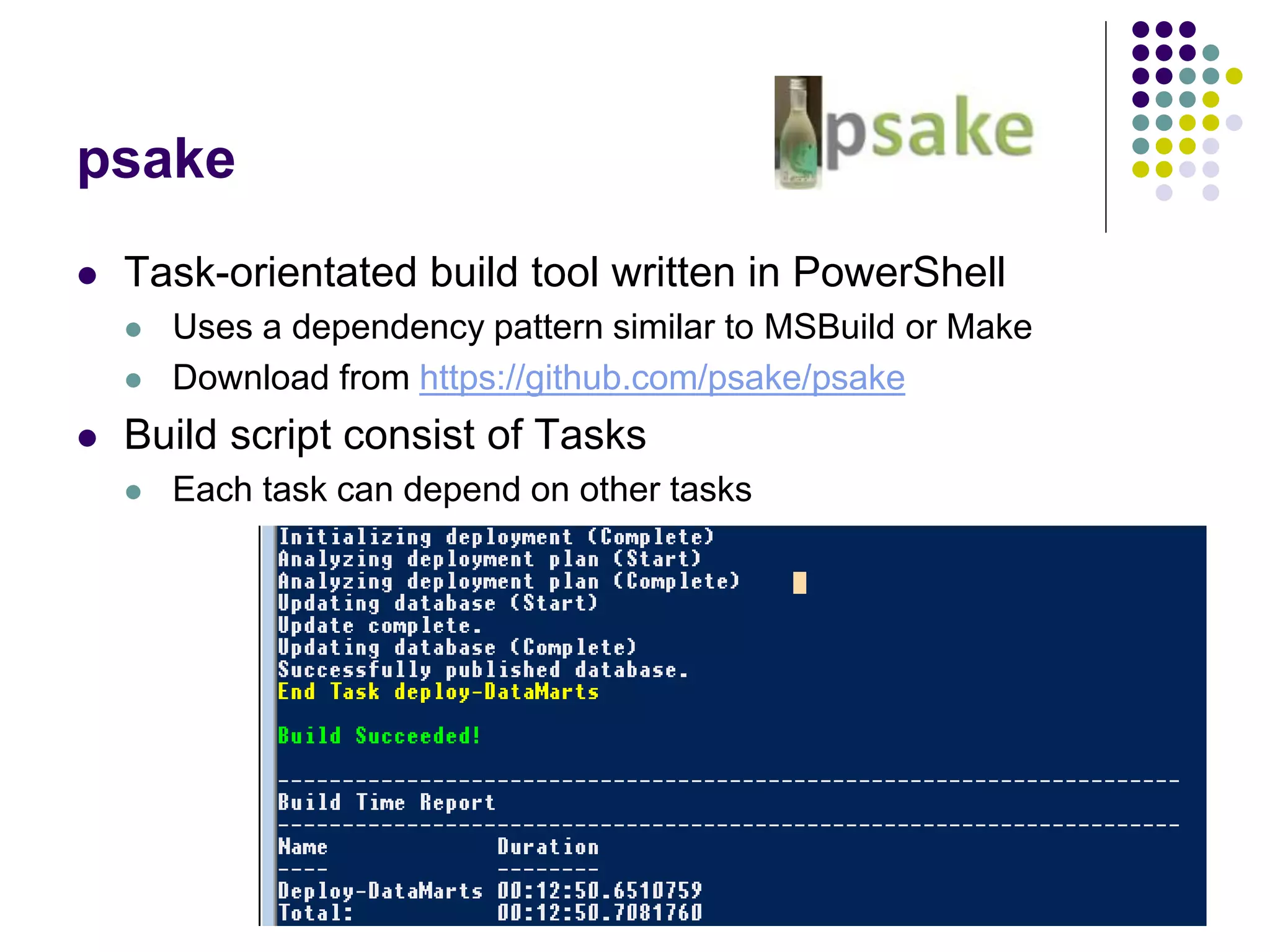
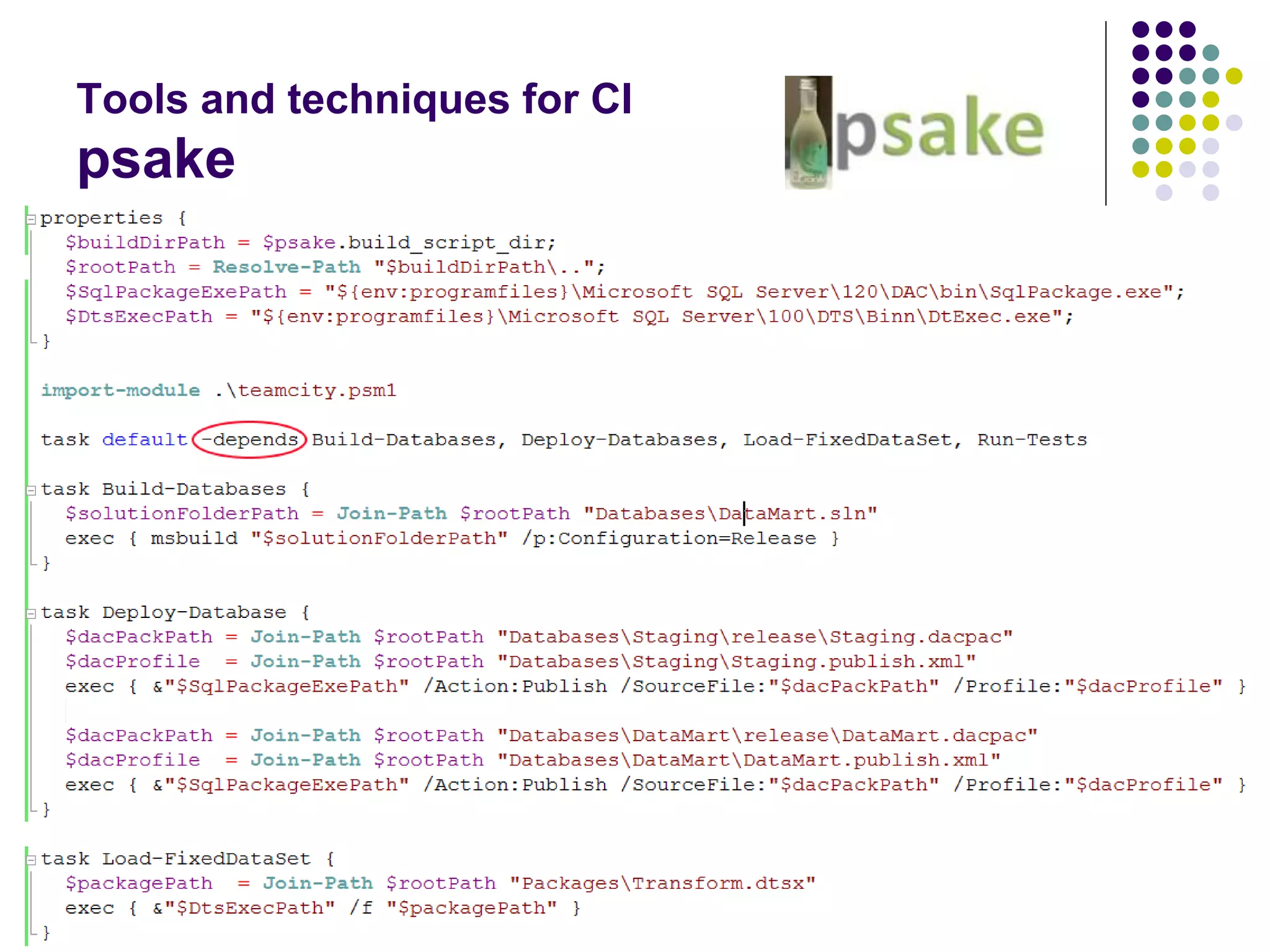
psake
 Task-orientated build tool written in PowerShell
 Uses a dependency pattern similar to MSBuild or Make
 Download from https://github.com/psake/psake
 Build script consist of Tasks
 Each task can depend on other tasks
Tools and techniques for CI
psake
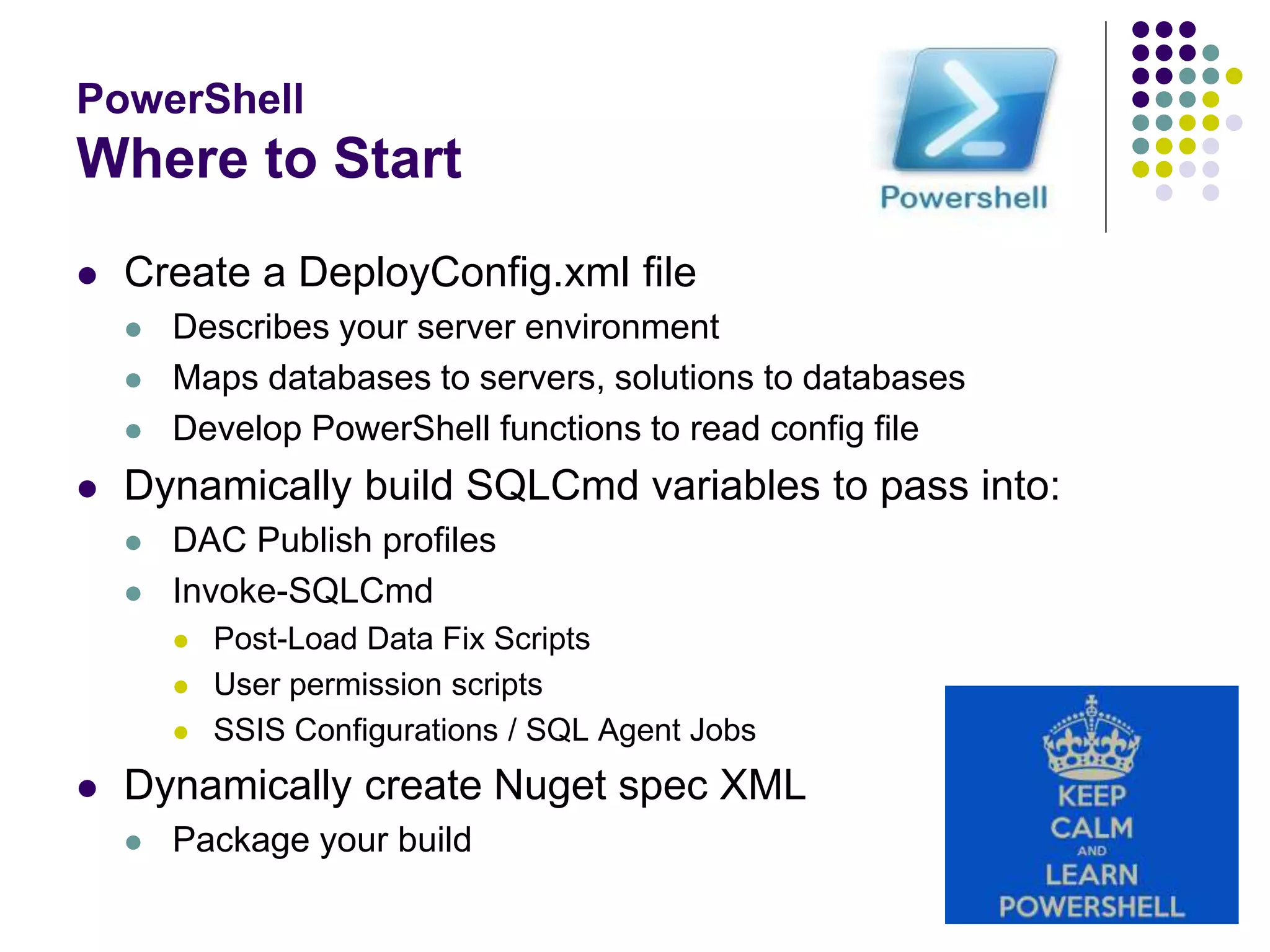
PowerShell
Where to Start
 Create a DeployConfig.xml file
 Describes your server environment
 Maps databases to servers, solutions to databases
 Develop PowerShell functions to read config file
 Dynamically build SQLCmd variables to pass into:
 DAC Publish profiles
 Invoke-SQLCmd
 Post-Load Data Fix Scripts
 User permission scripts
 SSIS Configurations / SQL Agent Jobs
 Dynamically create Nuget spec XML
 Package your build
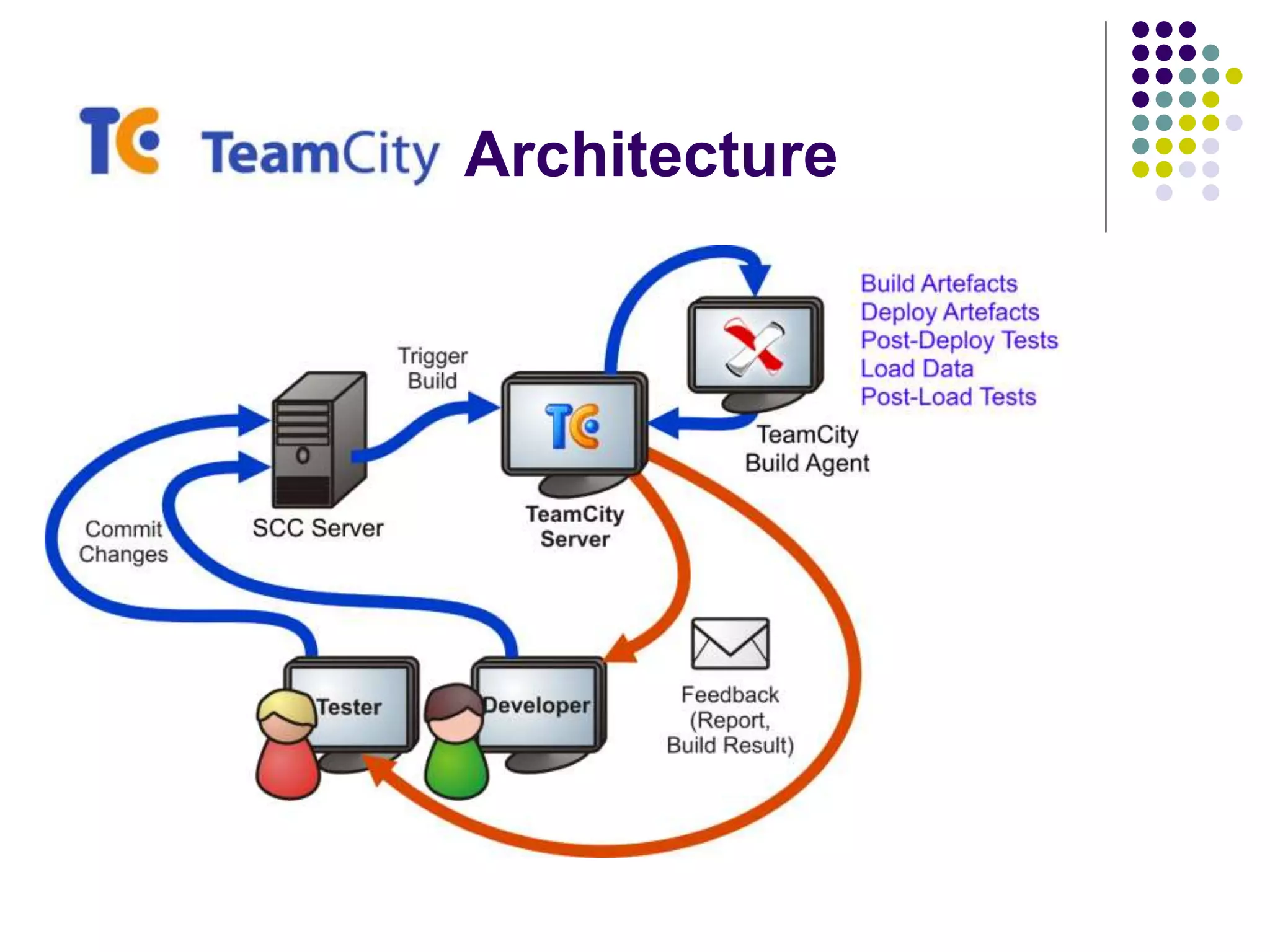
Architecture
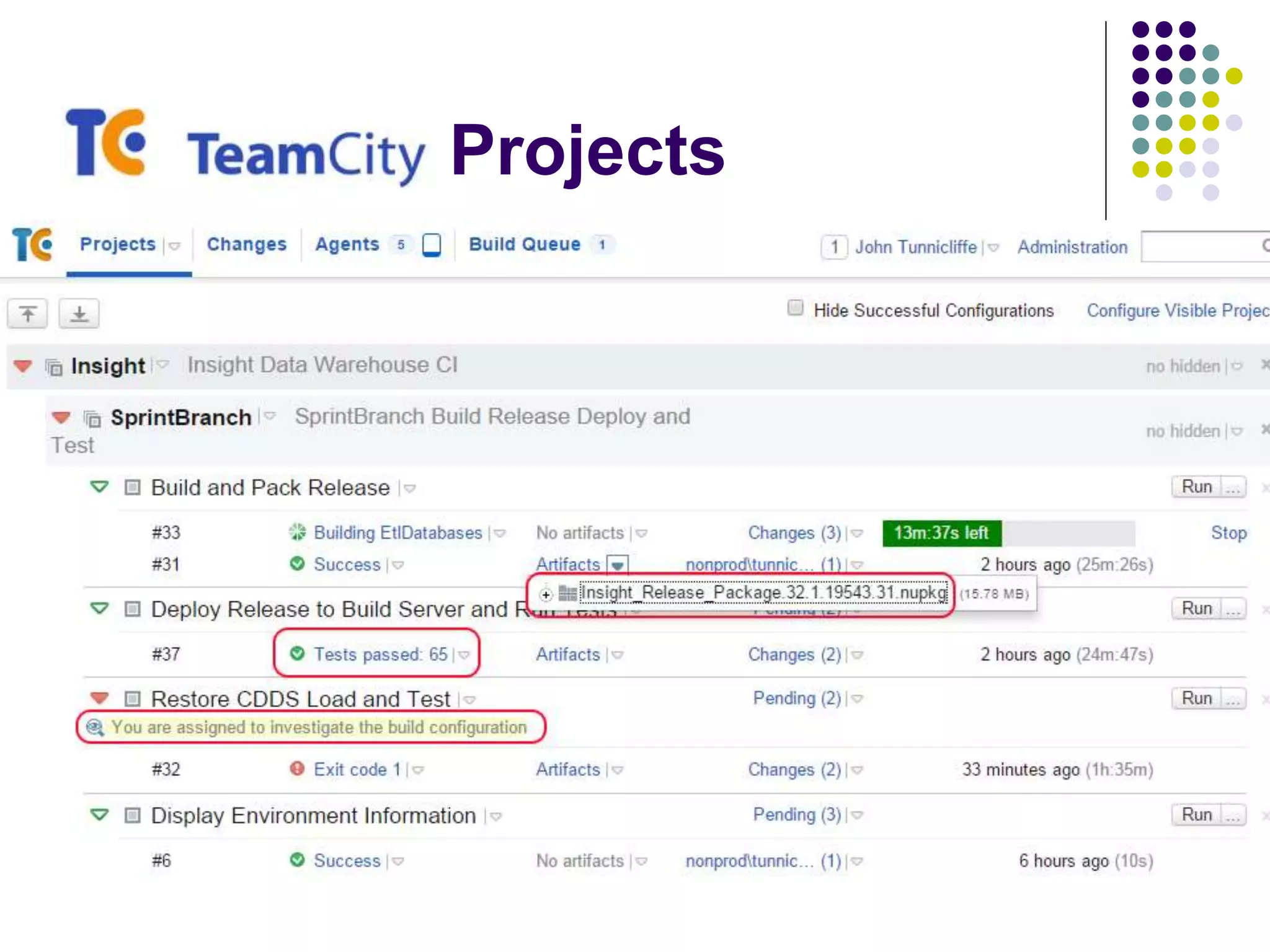
Projects
Workflow
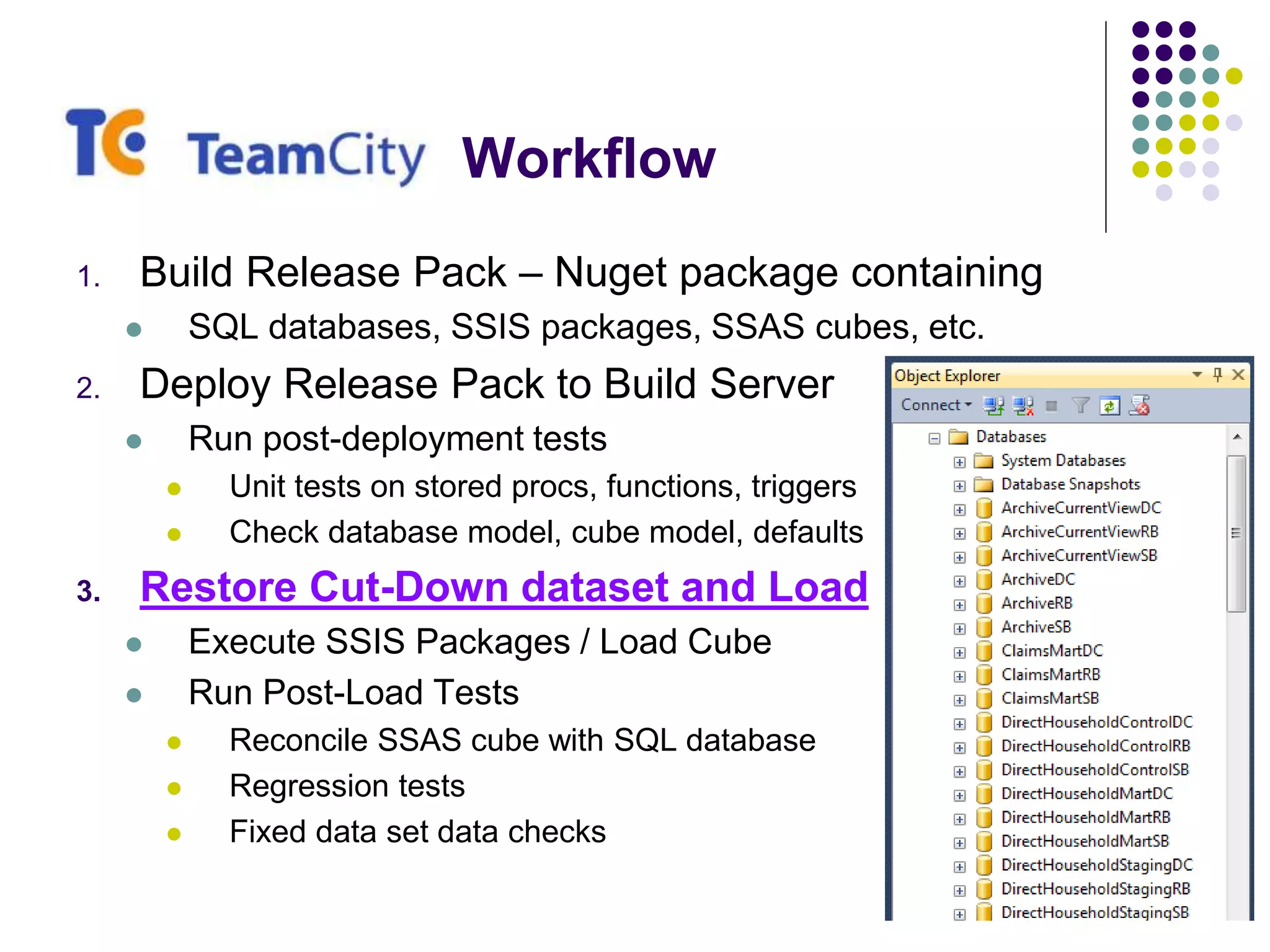
1. Build Release Pack – Nuget package containing
 SQL databases, SSIS packages, SSAS cubes, etc.
2. Deploy Release Pack to Build Server
 Run post-deployment tests
 Unit tests on stored procs, functions, triggers
 Check database model, cube model, defaults
3. Restore Cut-Down dataset and Load
 Execute SSIS Packages / Load Cube
 Run Post-Load Tests
 Reconcile SSAS cube with SQL database
 Regression tests
 Fixed data set data checks
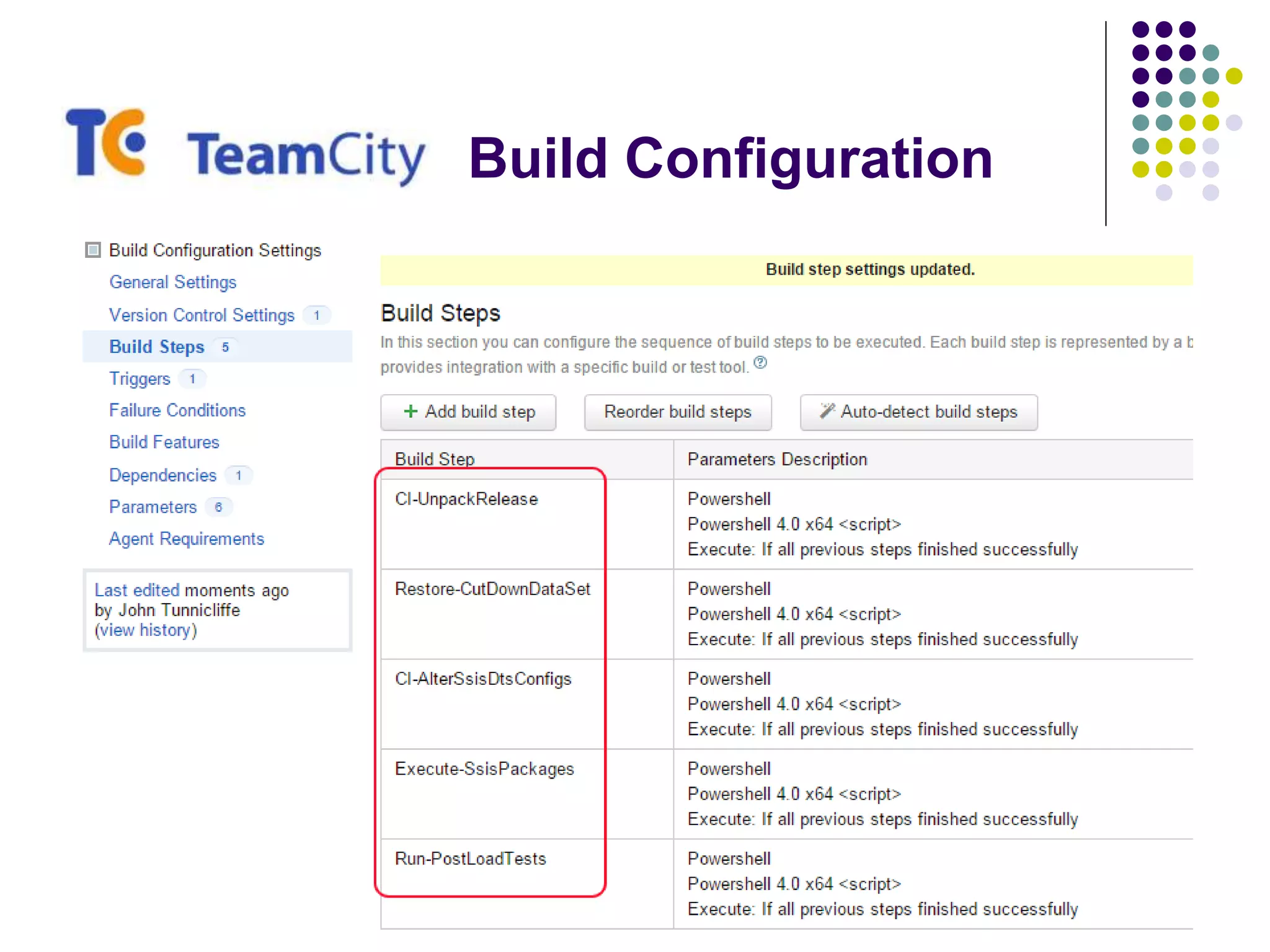
Build Configuration
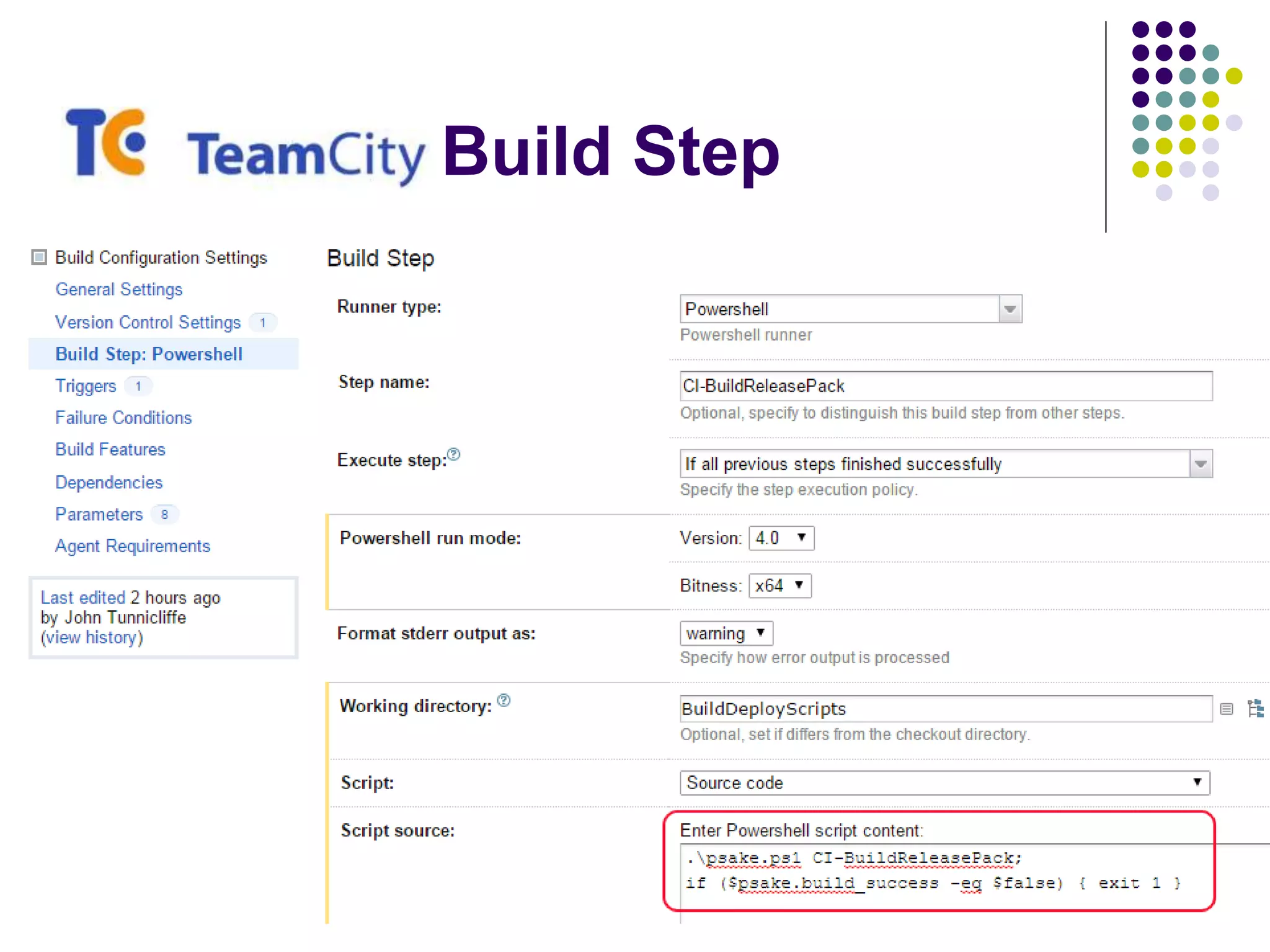
Build Step
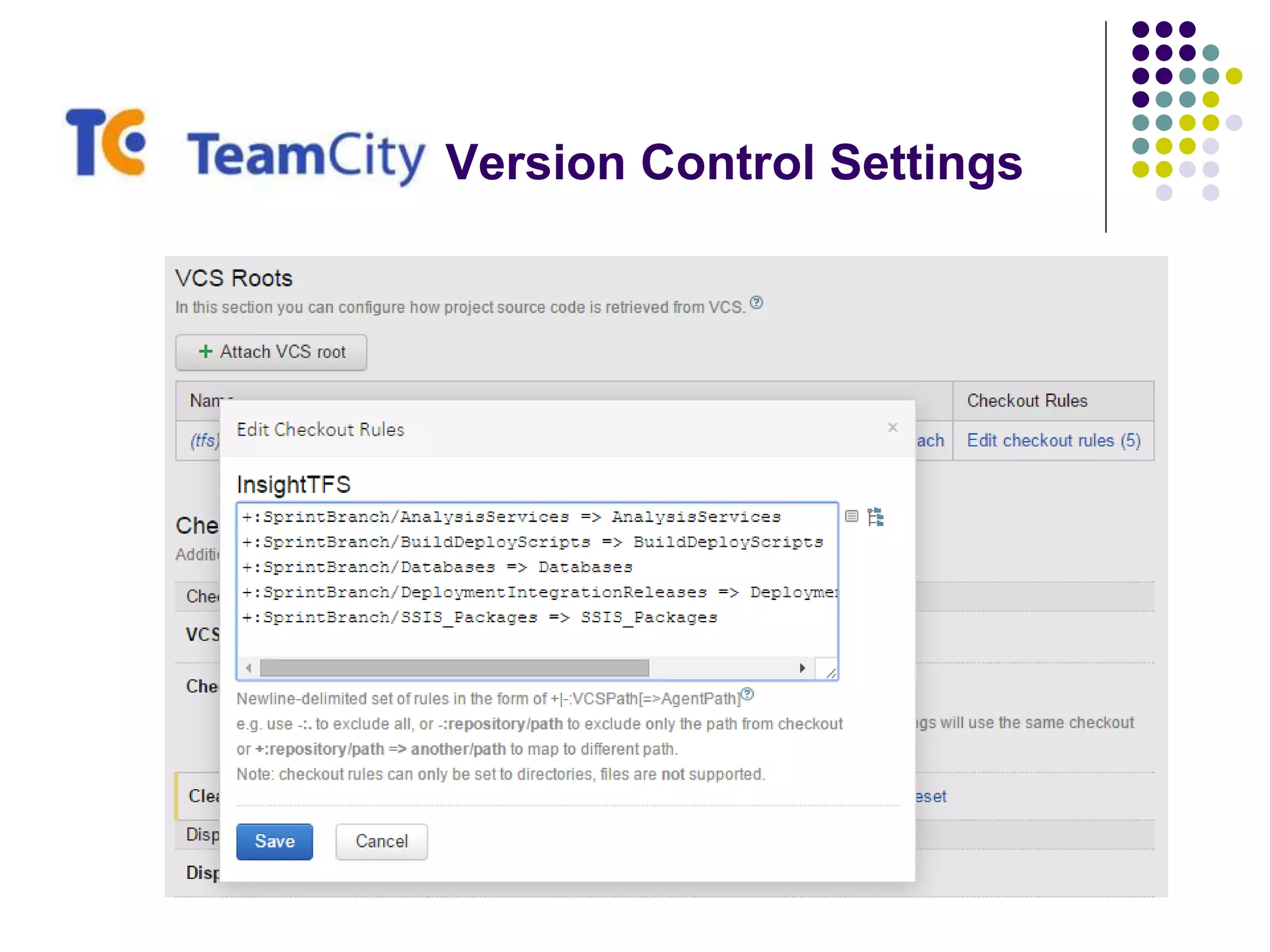
Version Control Settings
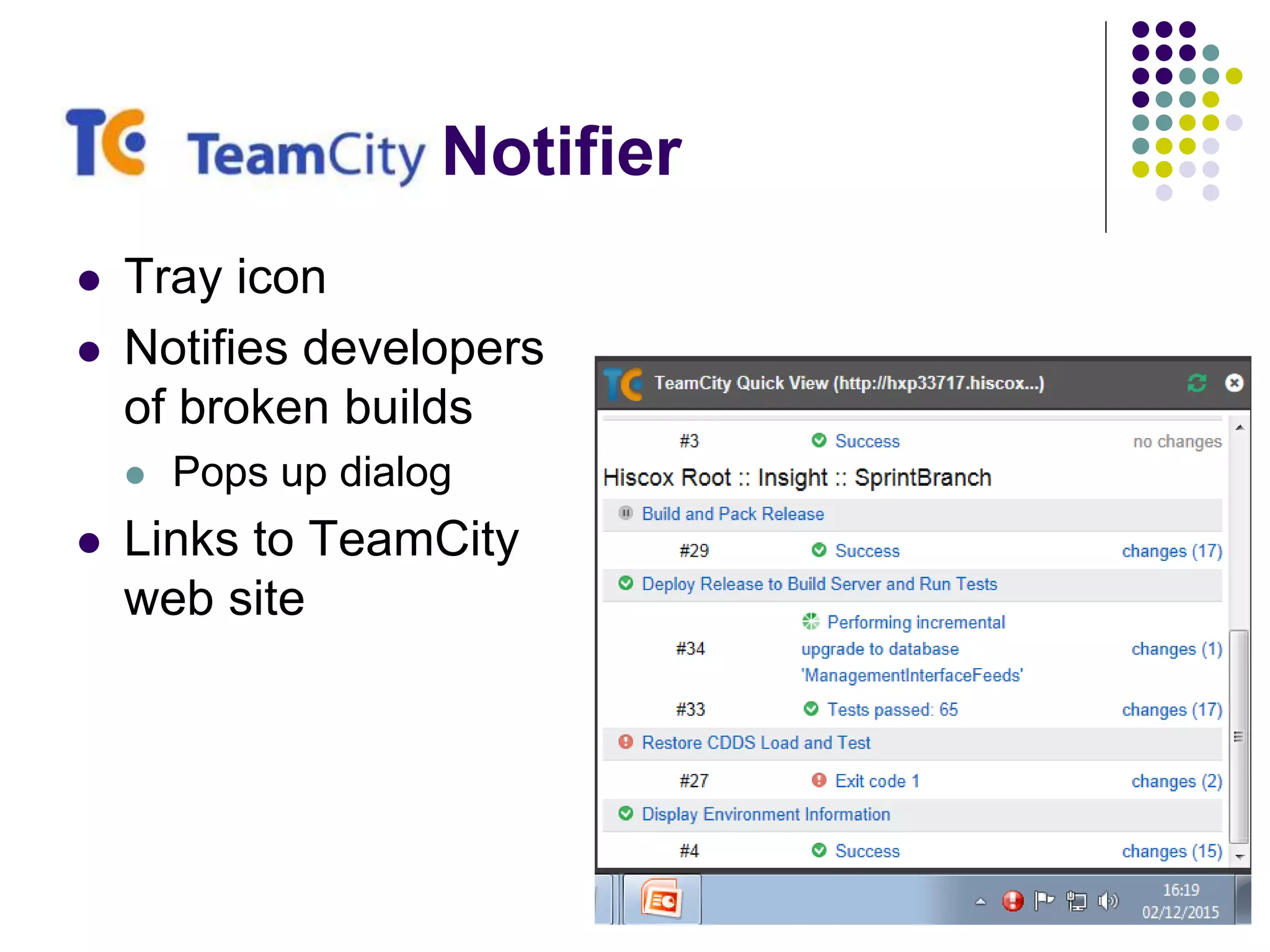
Notifier
 Tray icon
 Notifies developers
of broken builds
 Pops up dialog
 Links to TeamCity
web site
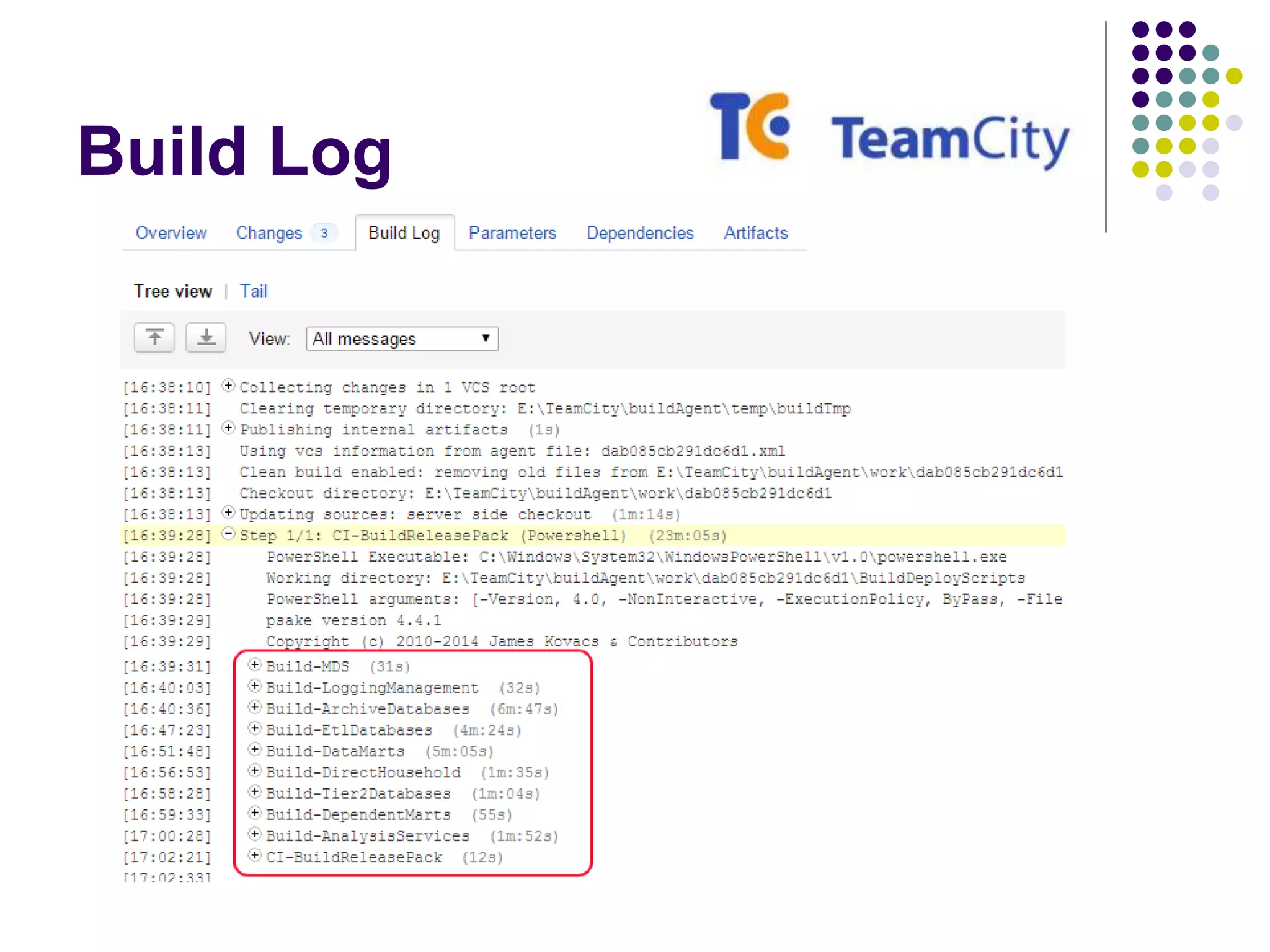
Build Log
Tools and techniques for CI
SSIS Artifacts
 File Mode Deployment (pre-2012)
 Build does nothing useful!
 SSIS package => “deployable artifact”
 Deployment simply copies packages into target location
 File Mode Configuration
 Update Package Configurations using PowerShell to:
 Update XML config
 Set SQLCmd variables and run a SQLCmd script which updates the
SSIS configuration table
Tools and techniques for CI
SSIS Artifacts
 Project Mode Deployment (SQL Server 2012+)
 Build generates an ISPAC => “deployable artifact”
 Use IsDeploymentWizard.exe to deploy the packages
 Project Mode Configuration
 Use SSISDB catalog stored procedures to:
 Create Projects & Folders
 Create Environments & Variables
 etc.
 Run as SQLCmd script from PowerShell
SSAS Artifacts
 Build
 Cannot be done with MsBuild!
 Must invoke Visual Studio (devenv.exe) to perform build
 Windows EXE => so pipe to Out-Null to force PowerShell to wait
 Generates a .AsDatabase file => “deployable artifact”
 Deploy
 Microsoft.AnalysisServices.Deployment.exe /s
 PowerShell to generate XML config files defining target server etc.
 Windows EXE => so pipe to Out-Null to force PowerShell to wait
 SSAS Partition Manager
 Deploys using AMO and also dynamically creates partitions
 SsasPartitionManager.codeplex.com
NBi Test Suite
 Open source framework to test your BI solutions
 Tests run using NUnit GUI or command-line runner
 Tests written in XML
 Can be dynamically manipulated using PowerShell
 Automatic generation of tests via:
 Tools provided with NBi suite – GenBI and GenBIL
 SELECT … FOR XML
 PowerShell etc.
 Run SQL, MDX and DAX queries
 Extract queries from SSRS reports
 Run SSIS packages and check “side effects”
 Check model structure
NBi Test Suite
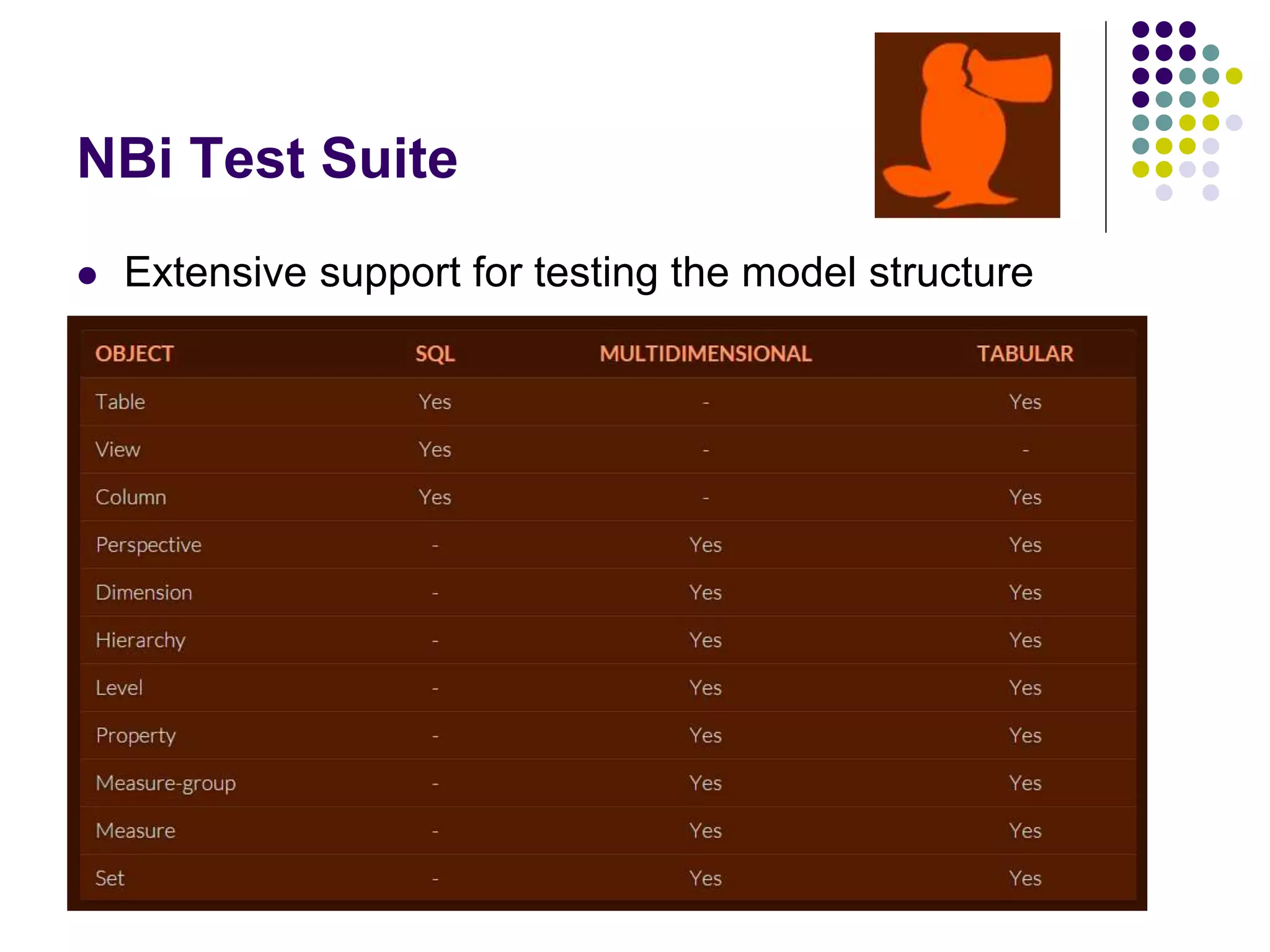
 Extensive support for testing the model structure
NBi Test Suite
 Compare results of a query
 Static data set
 CSV
 Results of another query
 Check datatypes, nulls, empty strings, format etc.
 Apply tolerance and rounding
 Validate SQL query syntax
 Performance tests
 Clear the cache in test setup
 Check cube member count, ordering, existence etc.
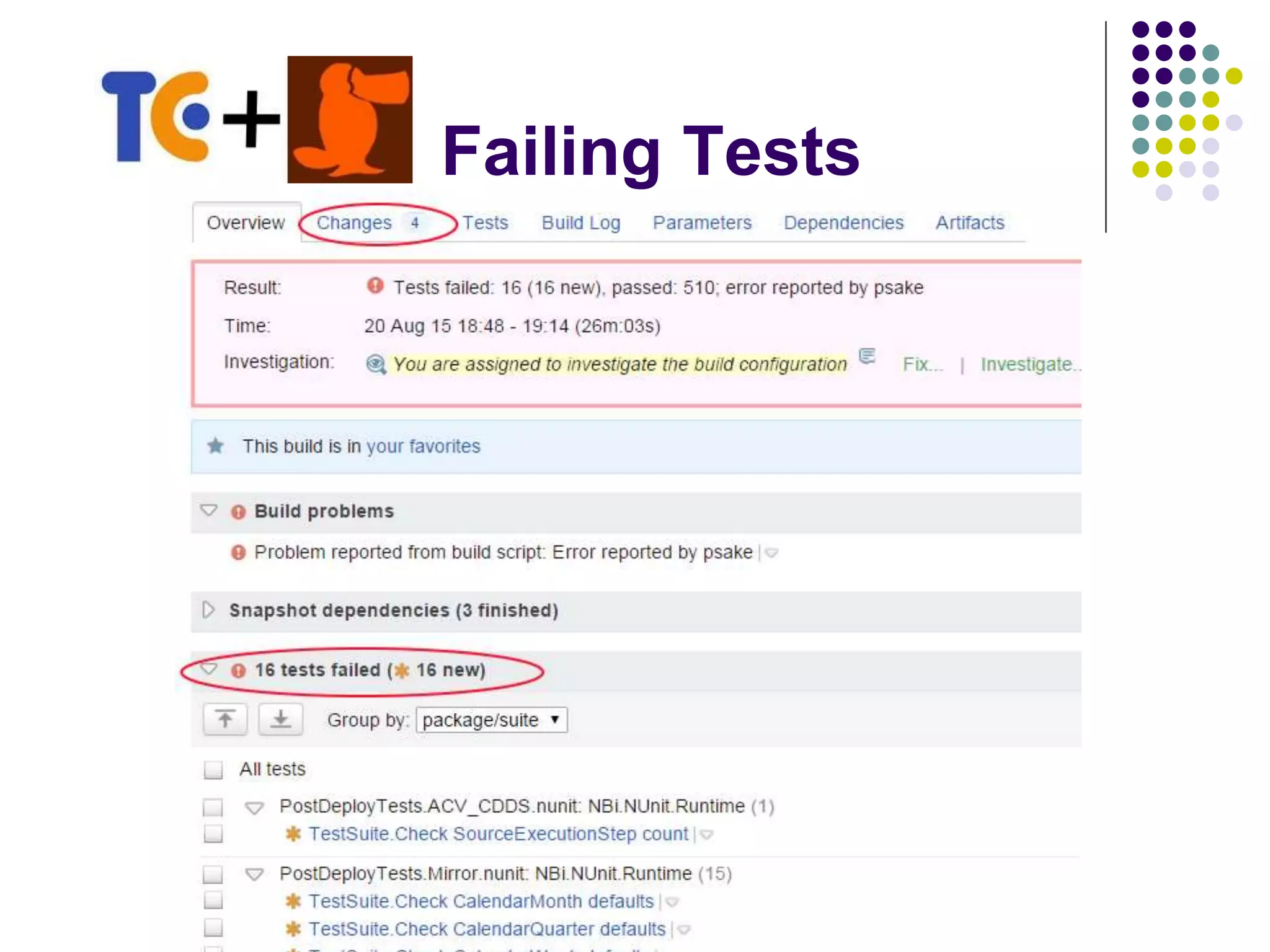
Failing Tests
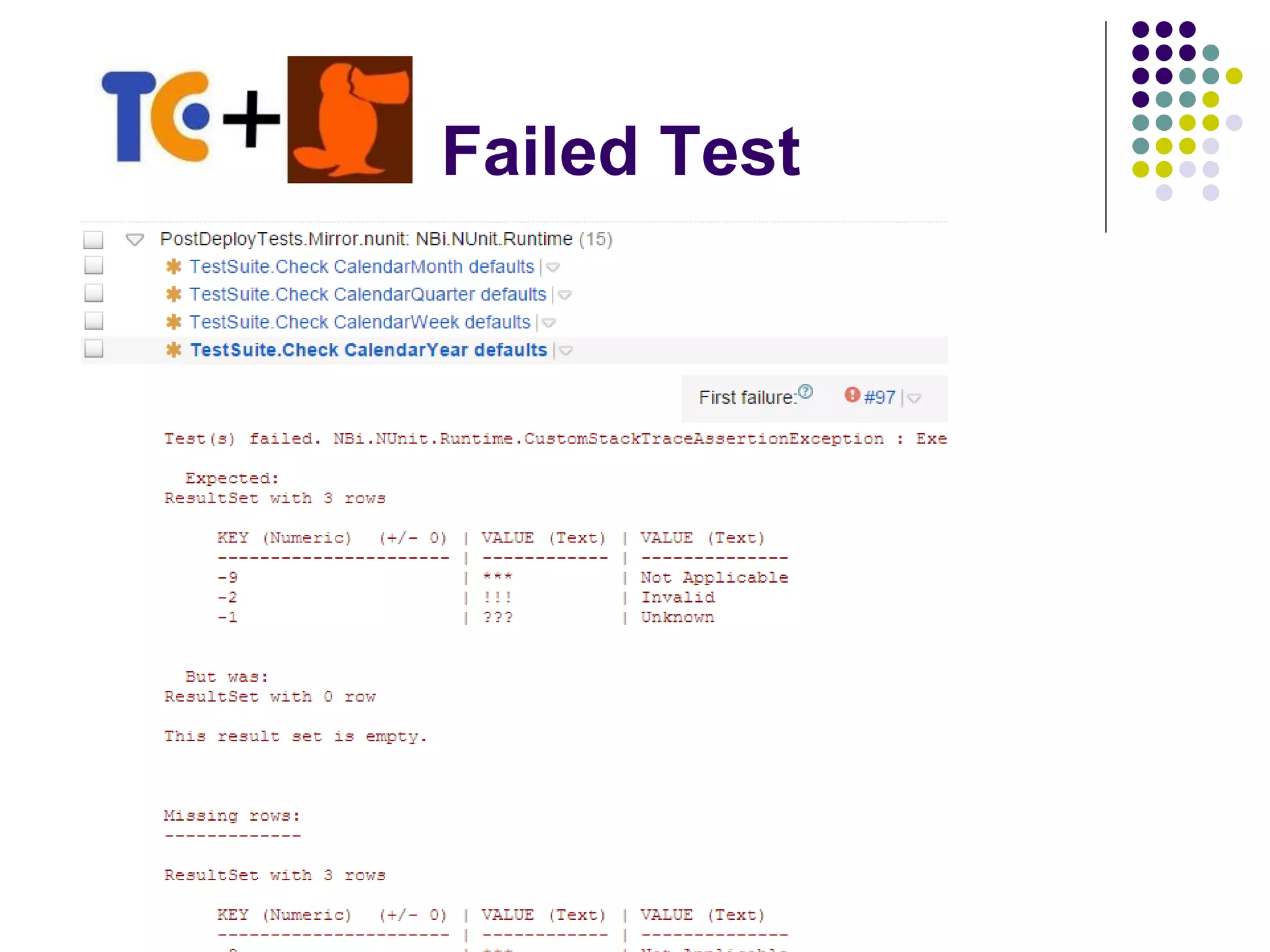
Failed Test
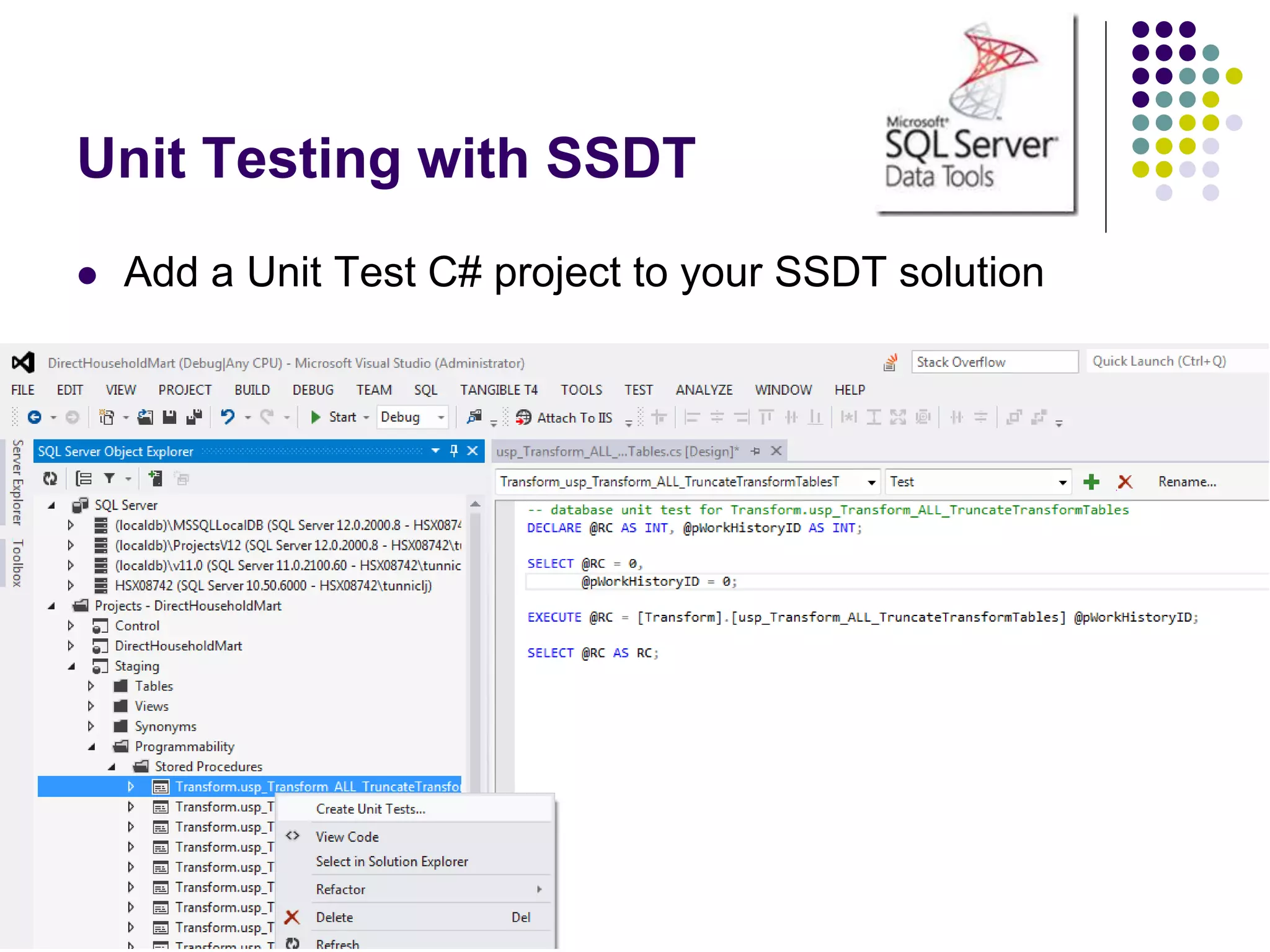
Unit Testing with SSDT
 Add a Unit Test C# project to your SSDT solution
Code Analysis with SSDT
 T-SQL Design Issues
 Checks for code that might not behave the way you expect
 Deprecated syntax
 Issues that could cause problems in the design
 T-SQL Naming Issues
 Naming issues arise when a database object violates generally
accepted conventions
 T-SQL Performance Issues
 Code that might noticeably reduce speed of database operations
 Extensible model
 Write your own Code Analysis
Top tips to using SSDT & CI
 No User Permissions
 Database roles only
 Assign Windows Groups to Roles in a post-deploy script
 Don’t deploy SQL Agent Jobs to CI server
 Use PowerShell to call the commands instead
 Hold SSIS configuration scripts outside SSDT
 Hold pre- and post-deploy data fix scripts external to
SSDT in a “release” folder
SSDT + T4 Templates
 T4 = Text Template Transformation Toolkit
 Built into Visual Studio 2005+
 Create code from code
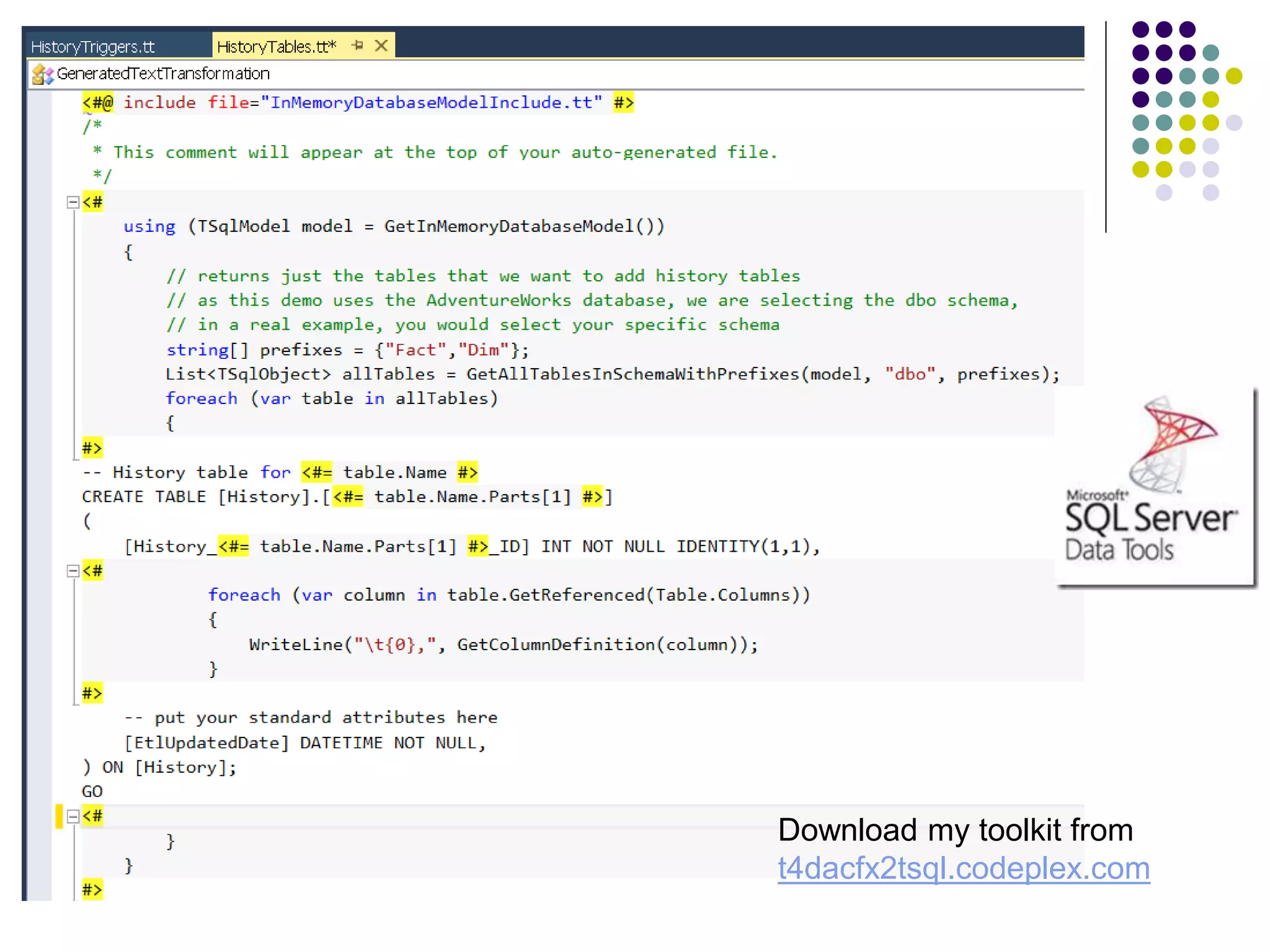
 Example: History tables and triggers
 Old data should be written to a history table every time an update
done to the main table
 Problem: 200 main tables = 200 history tables + 200 triggers
SSDT + T4 Templates
 Three ways you could implement T4 Templates
1. Use ADO.NET to query catalog views on a materialized
(deployed) copy of the database
2. Use the Data-tier Application Framework (DACFx) to query the
content of the DACPAC generated by SSDT on your last build
3. Use the Data-tier Application Framework (DACFx) to query the
in-memory content of your SSDT project
 Very few examples
 Download my toolkit from t4dacfx2tsql.codeplex.com
 Read my blog on http://sqlblogcasts.com/blogs/drjohn/
Download my toolkit from
t4dacfx2tsql.codeplex.com
Continuous Integration
and the
Data Warehouse
Dr. John Tunnicliffe
Independent BI Architect &
Hands-On Developer
Mobile: +44 7771 818770
john@bovi.co.uk
Blog: http://sqlblogcasts.com/blogs/drjohn/

Continuous Integration and the Data Warehouse - PASS SQL Saturday Slovenia

  • 1.
    Continuous Integration and the DataWarehouse Dr. John Tunnicliffe Independent BI Architect & Hands-On Developer Mobile: +44 7771 818770 john@bovi.co.uk Blog: http://sqlblogcasts.com/blogs/drjohn/
  • 2.
    Agenda  What isCI?  SQL Server Data Tools (SSDT)  PowerShell and psake build tools  TeamCity Build Server  Nbi Test framework  SSDT and T4 Templates
  • 3.
    Different approaches to SQLdatabase development Migration Scripts  Manually prepare upgrade scripts  Must be run in correct order  Scripts are combination of DDL and data fixes  Manual deployment Declarative Model  Define what we want  Tool creates migration scripts  Still need data fixes  Automated deployments
  • 4.
    Hands up  Whohas entire BI solution under source code control?  Including SQL databases, all SSIS packages, all SSAS cubes  SSDT and the declarative model approach?  Who already uses CI in a data warehouse context?  Does CI also deploy & test your code?
  • 5.
    What is ContinuousIntegration? Continuous Integration is a development practice that requires developers to integrate code into a shared repository several times a day. Each check-in is verified by an automated build, deploy and test cycle which allows errors to be detected and thereby corrected quickly.
  • 6.
    Benefits of ContinuousIntegration  Eradication of manual integrations and deployments  Catches issues fast  Reduces production & staging errors  Automated testing provides quality assurance  CI allows developers to proceed with confidence  CI provides reporting on quality of the code base  Facilitates Continuous Delivery
  • 7.
    Applying CI tothe Data Warehouse Why is it so difficult?  BI developers are not familiar with CI  Never seen it in action in a DWH context  Not familiar with the tools and techniques  Cannot comprehend how it can be applied  Data is a BIG barrier  PROD data is different to DEV  Problems often only manifest themselves in PROD data  Time taken to load data
  • 8.
    Data Warehouse  Projectstarted 2010  SQL 2008 R2 – tools & techniques have remained static  Various “initiatives” have resulted in a confused data architecture  Three competing data streams and lots of data marts  Overly complicated and complex!  100,000 files in the code-base!  14 database, 200 SSIS packages, 4 multidimensional cubes  7 developers, 4 testers, 3 BAs, 1 S2T, 1 DBA, 1 PM  Each database had 2 VSDT projects – split “storage” and “code”  Configuration scattered across code base  Manual build and very manual deploy – 1 guy, 4 days per month!  Each production release was getting longer, complex and error prone!
  • 9.
    Data Warehouse  Importedall databases into SQL Server Data Tools  New SCC repository with simplified structure: only 8,900 files  PowerShell script written to do local build & deployment  Development tools  Visual Studio 2013 for SQL Server Data Tools (SSDT)  Visual Studio 2008 for SSIS and SSAS (servers still SQL 2008R2)  TeamCity build server  Creates single Nuget package containing all 14 databases, 200+ SSIS package and SSAS cubes plus deployment scripts  Automatically deploys and tests everything  Automatic deployment to test, UAT and other environments!
  • 10.
    Key Considerations forCI  Deployable artifacts  What is generated from the code that I can deploy?  Deployment  How do I deploy the artifact?  Configuration  How can I set up the environment so that everything works?
  • 11.
    Tools and techniquesfor CI Source Code Control (SCC)  ALL code MUST be under Source Code Control  SQL Server, SSIS, BIML, SSAS, SSRS, Test Suites etc. etc.  Recommend Using Three Branches 1. Development branch 2. Release branch 3. Prod branch  SCC Locking strategy:  Use optimistic locking for SQL, C#  Use pessimistic locking for SSIS, SSAS and SSRS
  • 12.
    SQL Server DataTools  Declarative model design environment for SQL Server  Requires Visual Studio 2012+  Supports SQL Server 2005+  Very easy to import an existing database  Must replace hard-coded database names with variables  Add references to other databases and setup SQLCmd variables  Don’t upgrade VSDT projects  Instead start a new SSDT project and import a deployed database instance  Then transfer over pre- and post-deploy scripts
  • 13.
  • 14.
    SQL Server DataTools Adding a Database Reference
  • 15.
    SQL Server DataTools Publishing your database
  • 16.
    SQL Server DataTools DAC Publish Profile
  • 17.
    SQL Server DataTools  Build generates a DACPAC => “deployable artifact”  Contains entire database model  Conforms to Open Packaging Convention = ZIP file!  Use MsBuild to create DACPAC from solutions  Use SQLPackage.exe to deploy DACPAC
  • 18.
    The many actionsof SQLPackage.exe  Publish  Deploys a DACPAC  Script  Generates a T-SQL deployment script from a DACPAC  Extract  Creates a DACPAC from a database  Export  Creates a BACPAC  Import  Imports a BACPAC  DeployReport  List of changes new deploy will make  DriftReport  List of changes since last deploy
  • 19.
    PowerShell  PowerShell isthe “glue” for your CI project  Part of Windows Management Framework  4.0 built into Windows Server 2012 R2 and Windows 8.1  Download and install WMF 4.0 for prior OS versions  Advanced scripting  Proper error handling Try-Catch  Easy to read/write XML  Ideal for dynamically generation of config files  CmdLets  Invoke-SQLCmd  Invoke-ASCmd & SQLAS
  • 20.
    psake  Task-orientated buildtool written in PowerShell  Uses a dependency pattern similar to MSBuild or Make  Download from https://github.com/psake/psake  Build script consist of Tasks  Each task can depend on other tasks
  • 21.
  • 22.
    PowerShell Where to Start Create a DeployConfig.xml file  Describes your server environment  Maps databases to servers, solutions to databases  Develop PowerShell functions to read config file  Dynamically build SQLCmd variables to pass into:  DAC Publish profiles  Invoke-SQLCmd  Post-Load Data Fix Scripts  User permission scripts  SSIS Configurations / SQL Agent Jobs  Dynamically create Nuget spec XML  Package your build
  • 23.
  • 24.
  • 25.
    Workflow 1. Build ReleasePack – Nuget package containing  SQL databases, SSIS packages, SSAS cubes, etc. 2. Deploy Release Pack to Build Server  Run post-deployment tests  Unit tests on stored procs, functions, triggers  Check database model, cube model, defaults 3. Restore Cut-Down dataset and Load  Execute SSIS Packages / Load Cube  Run Post-Load Tests  Reconcile SSAS cube with SQL database  Regression tests  Fixed data set data checks
  • 26.
  • 27.
  • 28.
  • 29.
    Notifier  Tray icon Notifies developers of broken builds  Pops up dialog  Links to TeamCity web site
  • 30.
  • 31.
    Tools and techniquesfor CI SSIS Artifacts  File Mode Deployment (pre-2012)  Build does nothing useful!  SSIS package => “deployable artifact”  Deployment simply copies packages into target location  File Mode Configuration  Update Package Configurations using PowerShell to:  Update XML config  Set SQLCmd variables and run a SQLCmd script which updates the SSIS configuration table
  • 32.
    Tools and techniquesfor CI SSIS Artifacts  Project Mode Deployment (SQL Server 2012+)  Build generates an ISPAC => “deployable artifact”  Use IsDeploymentWizard.exe to deploy the packages  Project Mode Configuration  Use SSISDB catalog stored procedures to:  Create Projects & Folders  Create Environments & Variables  etc.  Run as SQLCmd script from PowerShell
  • 33.
    SSAS Artifacts  Build Cannot be done with MsBuild!  Must invoke Visual Studio (devenv.exe) to perform build  Windows EXE => so pipe to Out-Null to force PowerShell to wait  Generates a .AsDatabase file => “deployable artifact”  Deploy  Microsoft.AnalysisServices.Deployment.exe /s  PowerShell to generate XML config files defining target server etc.  Windows EXE => so pipe to Out-Null to force PowerShell to wait  SSAS Partition Manager  Deploys using AMO and also dynamically creates partitions  SsasPartitionManager.codeplex.com
  • 34.
    NBi Test Suite Open source framework to test your BI solutions  Tests run using NUnit GUI or command-line runner  Tests written in XML  Can be dynamically manipulated using PowerShell  Automatic generation of tests via:  Tools provided with NBi suite – GenBI and GenBIL  SELECT … FOR XML  PowerShell etc.  Run SQL, MDX and DAX queries  Extract queries from SSRS reports  Run SSIS packages and check “side effects”  Check model structure
  • 35.
    NBi Test Suite Extensive support for testing the model structure
  • 36.
    NBi Test Suite Compare results of a query  Static data set  CSV  Results of another query  Check datatypes, nulls, empty strings, format etc.  Apply tolerance and rounding  Validate SQL query syntax  Performance tests  Clear the cache in test setup  Check cube member count, ordering, existence etc.
  • 37.
  • 38.
  • 39.
    Unit Testing withSSDT  Add a Unit Test C# project to your SSDT solution
  • 40.
    Code Analysis withSSDT  T-SQL Design Issues  Checks for code that might not behave the way you expect  Deprecated syntax  Issues that could cause problems in the design  T-SQL Naming Issues  Naming issues arise when a database object violates generally accepted conventions  T-SQL Performance Issues  Code that might noticeably reduce speed of database operations  Extensible model  Write your own Code Analysis
  • 41.
    Top tips tousing SSDT & CI  No User Permissions  Database roles only  Assign Windows Groups to Roles in a post-deploy script  Don’t deploy SQL Agent Jobs to CI server  Use PowerShell to call the commands instead  Hold SSIS configuration scripts outside SSDT  Hold pre- and post-deploy data fix scripts external to SSDT in a “release” folder
  • 42.
    SSDT + T4Templates  T4 = Text Template Transformation Toolkit  Built into Visual Studio 2005+  Create code from code  Example: History tables and triggers  Old data should be written to a history table every time an update done to the main table  Problem: 200 main tables = 200 history tables + 200 triggers
  • 43.
    SSDT + T4Templates  Three ways you could implement T4 Templates 1. Use ADO.NET to query catalog views on a materialized (deployed) copy of the database 2. Use the Data-tier Application Framework (DACFx) to query the content of the DACPAC generated by SSDT on your last build 3. Use the Data-tier Application Framework (DACFx) to query the in-memory content of your SSDT project  Very few examples  Download my toolkit from t4dacfx2tsql.codeplex.com  Read my blog on http://sqlblogcasts.com/blogs/drjohn/
  • 44.
    Download my toolkitfrom t4dacfx2tsql.codeplex.com
  • 45.
    Continuous Integration and the DataWarehouse Dr. John Tunnicliffe Independent BI Architect & Hands-On Developer Mobile: +44 7771 818770 john@bovi.co.uk Blog: http://sqlblogcasts.com/blogs/drjohn/