SQL
ALTER TABLE,
SELECT DISTINCT &
WHERE VIDEO
ALTER TABLE
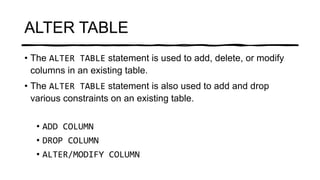
• The ALTER TABLE statement is used to add, delete, or modify
columns in an existing table.
• The ALTER TABLE statement is also used to add and drop
various constraints on an existing table.
• ADD COLUMN
• DROP COLUMN
• ALTER/MODIFY COLUMN
ADD
COLUM
N
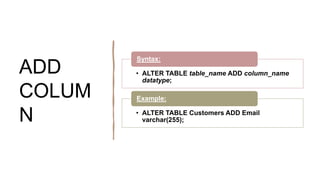
• ALTER TABLE table_name ADD column_name
datatype;
Syntax:
• ALTER TABLE Customers ADD Email
varchar(255);
Example:
DROP
COLUM
N
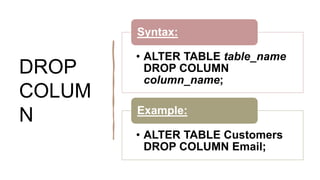
• ALTER TABLE table_name
DROP COLUMN
column_name;
Syntax:
• ALTER TABLE Customers
DROP COLUMN Email;
Example:
ALTER
COLUM
N
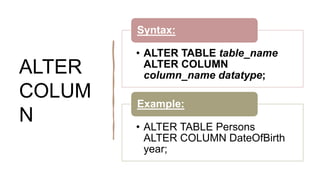
• ALTER TABLE table_name
ALTER COLUMN
column_name datatype;
Syntax:
• ALTER TABLE Persons
ALTER COLUMN DateOfBirth
year;
Example:
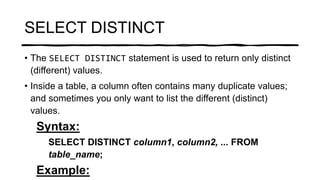
SELECT DISTINCT
• The SELECT DISTINCT statement is used to return only distinct
(different) values.
• Inside a table, a column often contains many duplicate values;
and sometimes you only want to list the different (distinct)
values.
Syntax:
SELECT DISTINCT column1, column2, ... FROM
table_name;
Example:
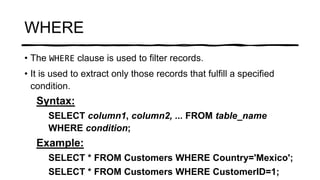
WHERE
• The WHERE clause is used to filter records.
• It is used to extract only those records that fulfill a specified
condition.
Syntax:
SELECT column1, column2, ... FROM table_name
WHERE condition;
Example:
SELECT * FROM Customers WHERE Country='Mexico';
SELECT * FROM Customers WHERE CustomerID=1;

SQL-Alter Table, SELECT DISTINCT & WHERE

  • 1.
  • 2.
    ALTER TABLE • TheALTER TABLE statement is used to add, delete, or modify columns in an existing table. • The ALTER TABLE statement is also used to add and drop various constraints on an existing table. • ADD COLUMN • DROP COLUMN • ALTER/MODIFY COLUMN
  • 3.
    ADD COLUM N • ALTER TABLEtable_name ADD column_name datatype; Syntax: • ALTER TABLE Customers ADD Email varchar(255); Example:
  • 4.
    DROP COLUM N • ALTER TABLEtable_name DROP COLUMN column_name; Syntax: • ALTER TABLE Customers DROP COLUMN Email; Example:
  • 5.
    ALTER COLUM N • ALTER TABLEtable_name ALTER COLUMN column_name datatype; Syntax: • ALTER TABLE Persons ALTER COLUMN DateOfBirth year; Example:
  • 6.
    SELECT DISTINCT • TheSELECT DISTINCT statement is used to return only distinct (different) values. • Inside a table, a column often contains many duplicate values; and sometimes you only want to list the different (distinct) values. Syntax: SELECT DISTINCT column1, column2, ... FROM table_name; Example:
  • 7.
    WHERE • The WHEREclause is used to filter records. • It is used to extract only those records that fulfill a specified condition. Syntax: SELECT column1, column2, ... FROM table_name WHERE condition; Example: SELECT * FROM Customers WHERE Country='Mexico'; SELECT * FROM Customers WHERE CustomerID=1;