SSIS
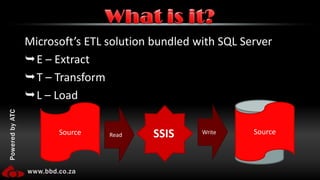
Microsoft’s ETL solution bundled with SQL ServerE – ExtractT – TransformL – LoadWhat is it?DestinationSourceSourceWriteReadSSIS
A simple ETL
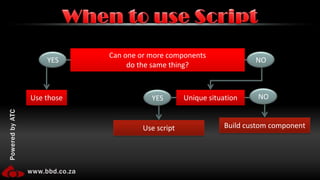
When to use ScriptYESNOCan one or more componentsdo the same thing?NOYESUse thoseUnique situationBuild custom componentUse script
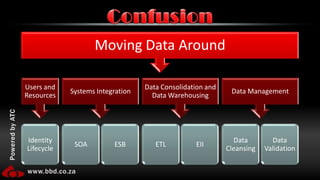
Confusion
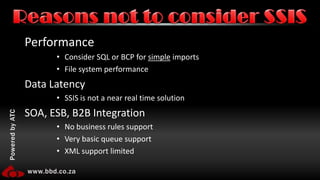
PerformanceConsider SQL or BCP for simple imports
File system performanceData LatencySSIS is not a near real time solutionSOA, ESB, B2B IntegrationNo business rules support
Very basic queue support
XML support limitedReasons not to consider SSIS
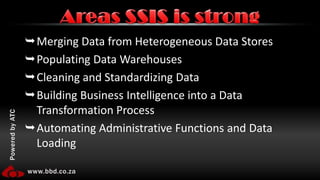
Merging Data from Heterogeneous Data StoresPopulating Data WarehousesCleaning and Standardizing DataBuilding Business Intelligence into a Data Transformation ProcessAutomating Administrative Functions and Data LoadingAreas SSIS is strong
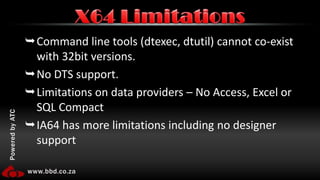
Command line tools (dtexec, dtutil) cannot co-exist with 32bit versions.No DTS support.Limitations on data providers – No Access, Excel or SQL CompactIA64 has more limitations including no designer supportX64 Limitations
Running 32bit on 64bit
RecordSet DestinationSLOW (5 times than a raw file!)MemorySSIS is an in memory process.SELECT *Exceptionally bad in SSISUse many small packagesComments!!!Understand the componentsMany do the same things in different ways with different trade offs
Lookup vs. Merge Join or Execute SQL vs. Execute T-SQL
Understand which components run asynchronously and which run synchronouslyWhat to watch out for
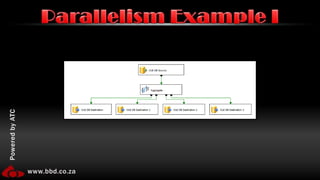
Parallelism Example I
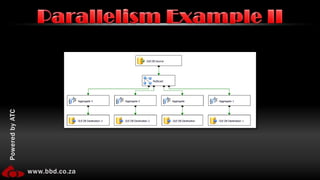
Parallelism Example II
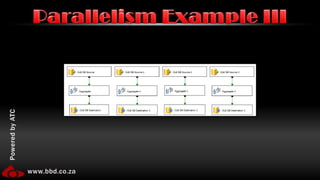
Parallelism Example III
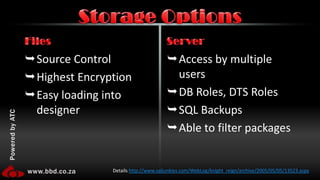
Source ControlHighest EncryptionEasy loading into designerAccess by multiple usersDB Roles, DTS RolesSQL BackupsAble to filter packagesFilesServerStorage OptionsDetails http://www.sqljunkies.com/WebLog/knight_reign/archive/2005/05/05/13523.aspx
Scheduling a package
No more often than 3x avg. execution time.Settings in configuration files.Enable logging (step) and notifications (job).Execute signed packages only.Do not make packages which execute themselves.Scheduling Guidelines

SQL Server Integration Services

Editor's Notes

  • #4 Create a new packageAdd a data flow componentAdd a flat file connection – set it to the exercise.csv data. So suggested data times.Add a flat file source – bind to connectionAdd conditional splitLink to flat fileSplit on distance > 0Add sortLink to main split outputSort on dateAdd ADO.NET data destination connection manager – to spacedata.exerciseAdd ADO.NET DestinationLink to sort and connection managerDo mappingAdd Variable-Make sure scope is packageAdd Row countLink to conditional split elseLink to variableOn Control flowAdd SMTP taskSMTP connection to webmail.bbd.co.za and windows auth-Message body expression from file and change variableSave -> Run -> CrashChange distance to float on flat file connection, trickle changesSave -> Run -> Email
  • #7 SSIS adds layers of support, logging etc... These all add a performance hit and you should not waste time using it for things where a quick BCP or even c# code would be better.SSIS is perfect for batch solutions, it is BAD for near real time solutions. There are tools built into SQL server (linked servers) and other tools (BizTalk) which handle real time well.SSIS is not a SOA/ESB/B2B tool it is a ETL tool.
  • #10 Use management studio script to clean data outAdd Excel SourceDelete flat file sourceConnect Excel source to split inputOpen excel source, create new OLE DB connectionTrickle changesSave -> Run -> CrashProject -> Properties -> Debugging -> Run64bitRuntime -> FalseSave -> Run
  • #11 Record set info: http://blogs.conchango.com/jamiethomson/archive/2006/06/28/SSIS_3A00_-Comparing-performance-of-a-raw-file-against-a-recordset-destination.aspxMemory – Make sure you have enoughSELECT * - all that meta data and unused columns need processing!Small packages – You can call one package from another. Allows work to be broken up, which means a team can easily work on the solution, makes fault finding easier, lowers over headsComments – DUH!Understand the components is key to super usage – Many can be used to do the same thing. Lookup and Merge Join for instance can both be used to lookup data. Lookup has three modes which imposed performance vs. Memory trade offs where merge join does not. Merge join requires sorted input while lookups don’t. Execute SQL allows any SQL dialect while execute T-SQL allows only T-SQLBecause things can be put into parallel that doesn’t mean they execute in parallel. Some are async and some aren’t!