Software Quality Assurance
Introduction
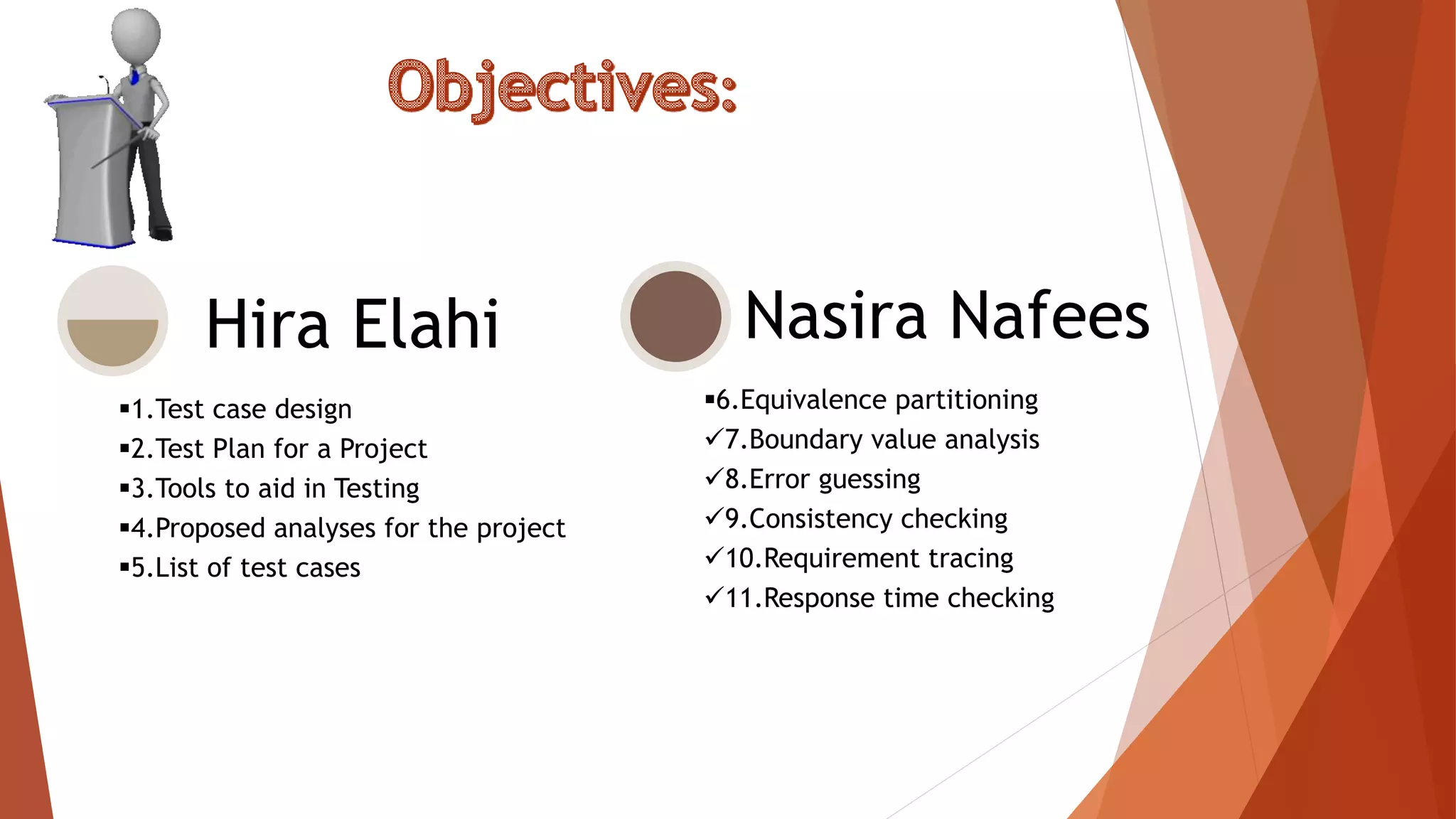
Hira Elahi
Nasira NafeesGroup Members:
1.Test case design
2.Test Plan for a Project
3.Tools to aid in Testing
4.Proposed analyses for the project
5.List of test cases
Hira Elahi
6.Equivalence partitioning
7.Boundary value analysis
8.Error guessing
9.Consistency checking
10.Requirement tracing
11.Response time checking
Nasira Nafees
Discussion Topic : Test Case Design
A Test Case is a set of actions executed to
verify a particular feature or functionality of
your software application.
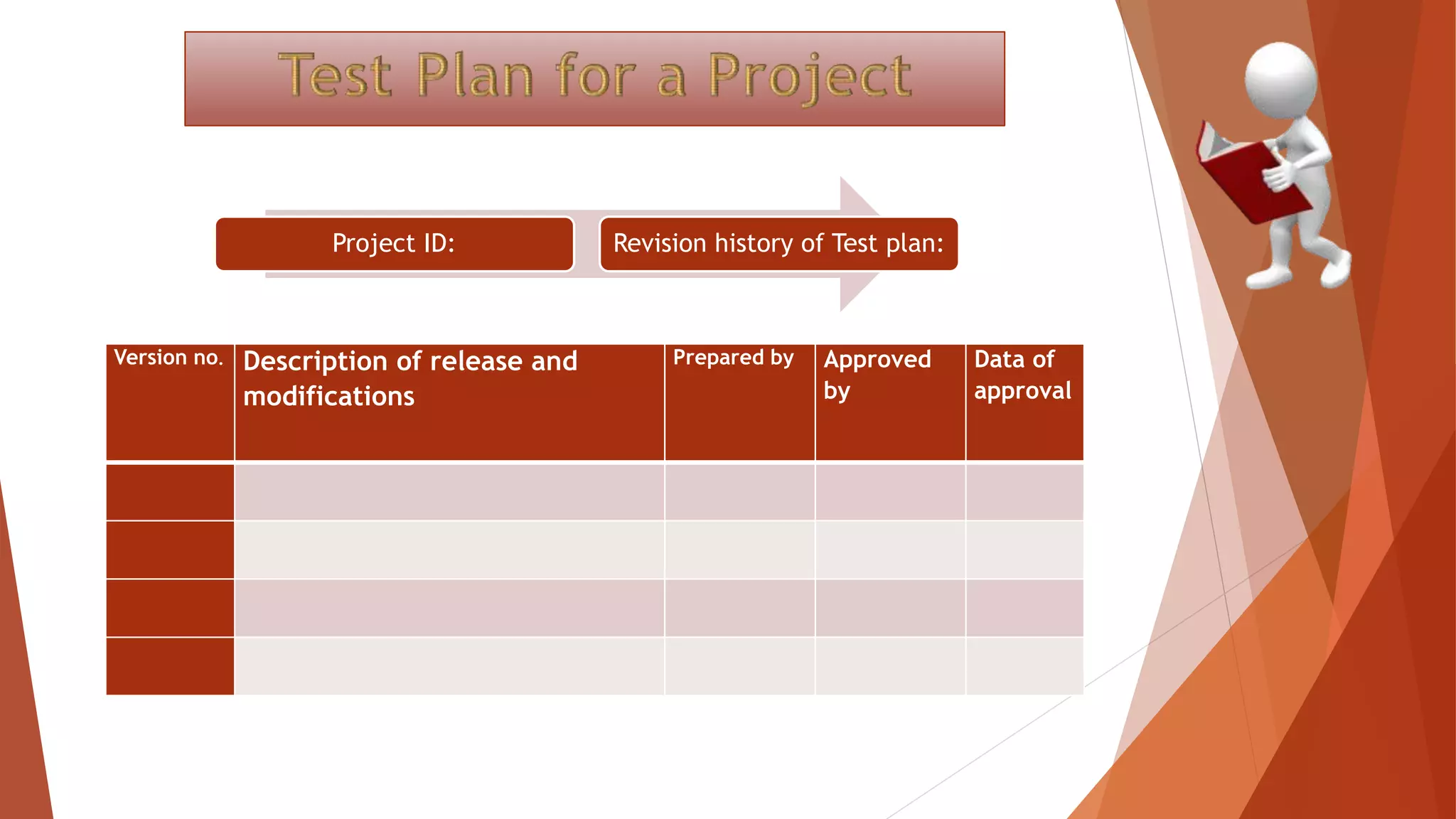
Version no. Description of release and
modifications
Prepared by Approved
by
Data of
approval
Project ID: Revision history of Test plan:
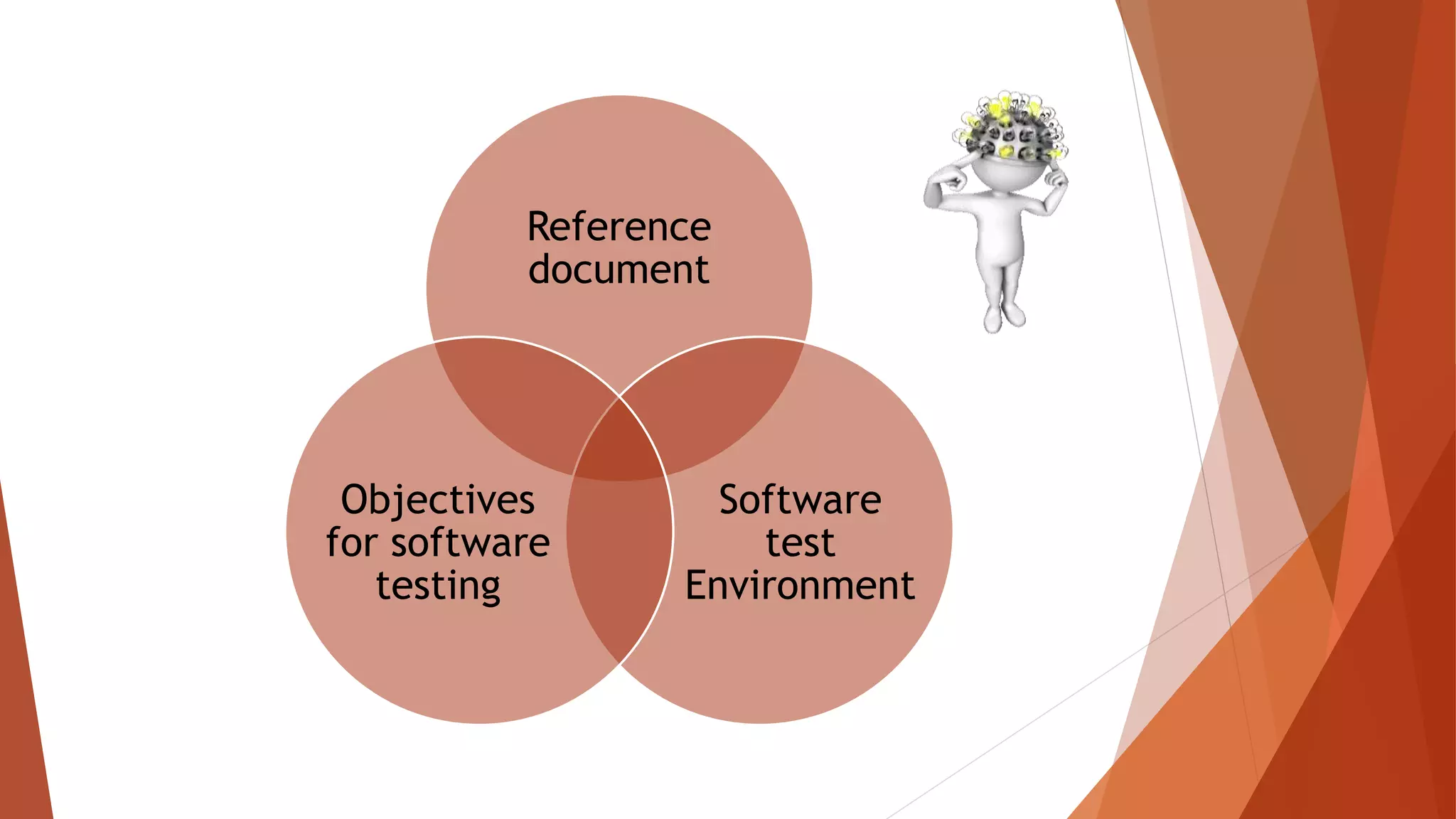
Reference
document
Software
test
Environment
Objectives
for software
testing
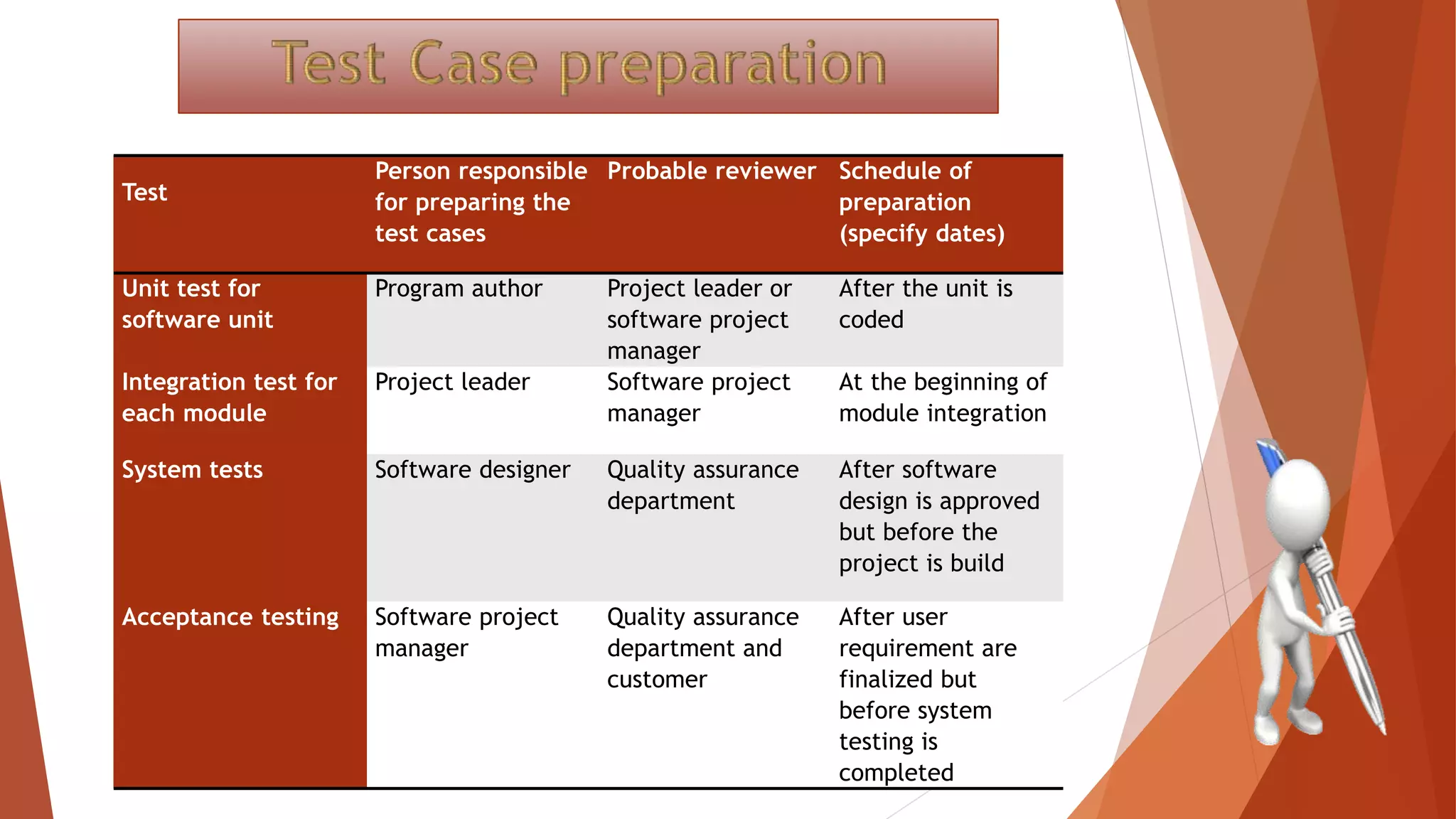
Test
Person responsible
for preparing the
test cases
Probable reviewer Schedule of
preparation
(specify dates)
Unit test for
software unit
Program author Project leader or
software project
manager
After the unit is
coded
Integration test for
each module
Project leader Software project
manager
At the beginning of
module integration
System tests Software designer Quality assurance
department
After software
design is approved
but before the
project is build
Acceptance testing Software project
manager
Quality assurance
department and
customer
After user
requirement are
finalized but
before system
testing is
completed
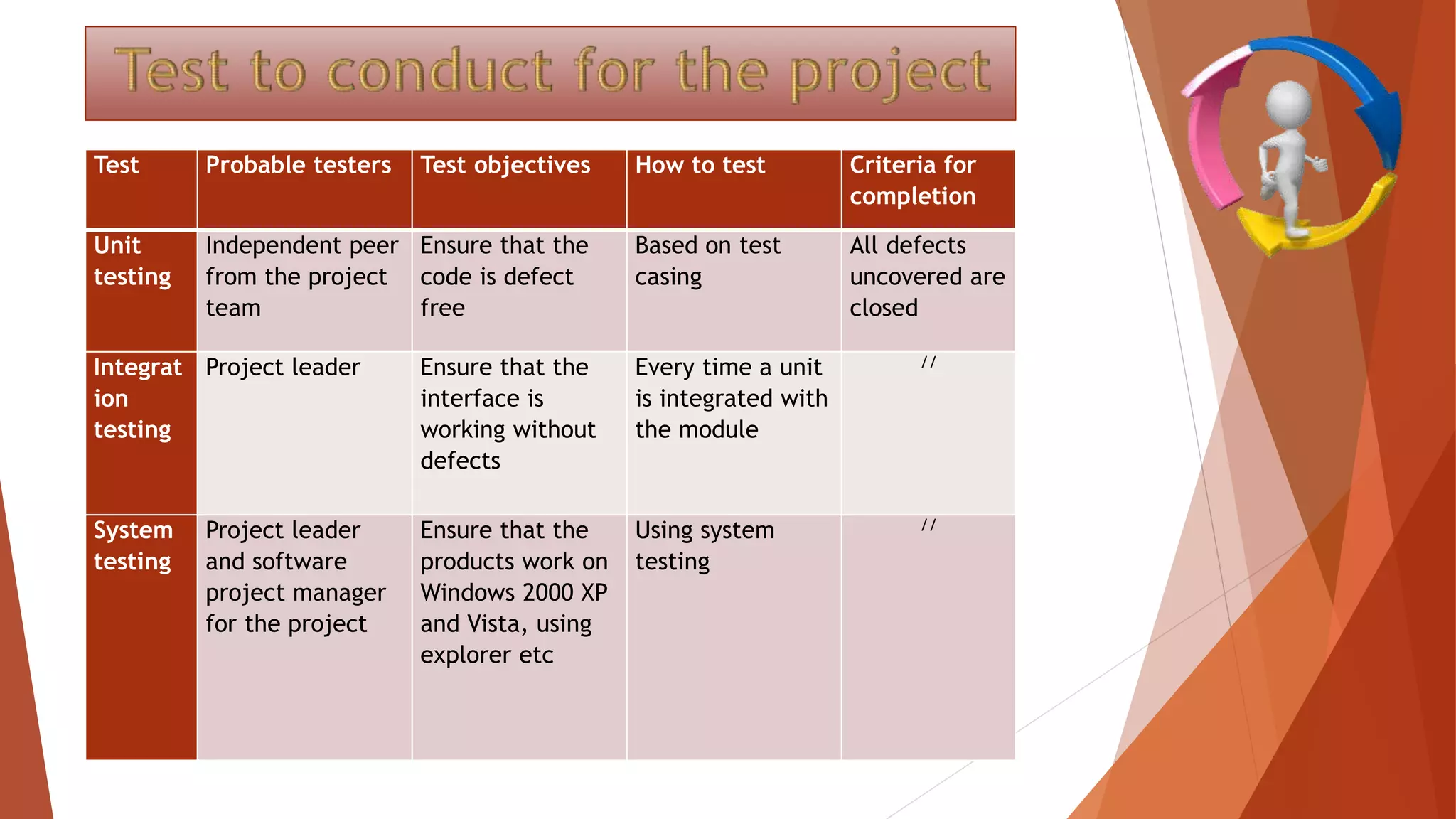
Test Probable testers Test objectives How to test Criteria for
completion
Unit
testing
Independent peer
from the project
team
Ensure that the
code is defect
free
Based on test
casing
All defects
uncovered are
closed
Integrat
ion
testing
Project leader Ensure that the
interface is
working without
defects
Every time a unit
is integrated with
the module
//
System
testing
Project leader
and software
project manager
for the project
Ensure that the
products work on
Windows 2000 XP
and Vista, using
explorer etc
Using system
testing
//
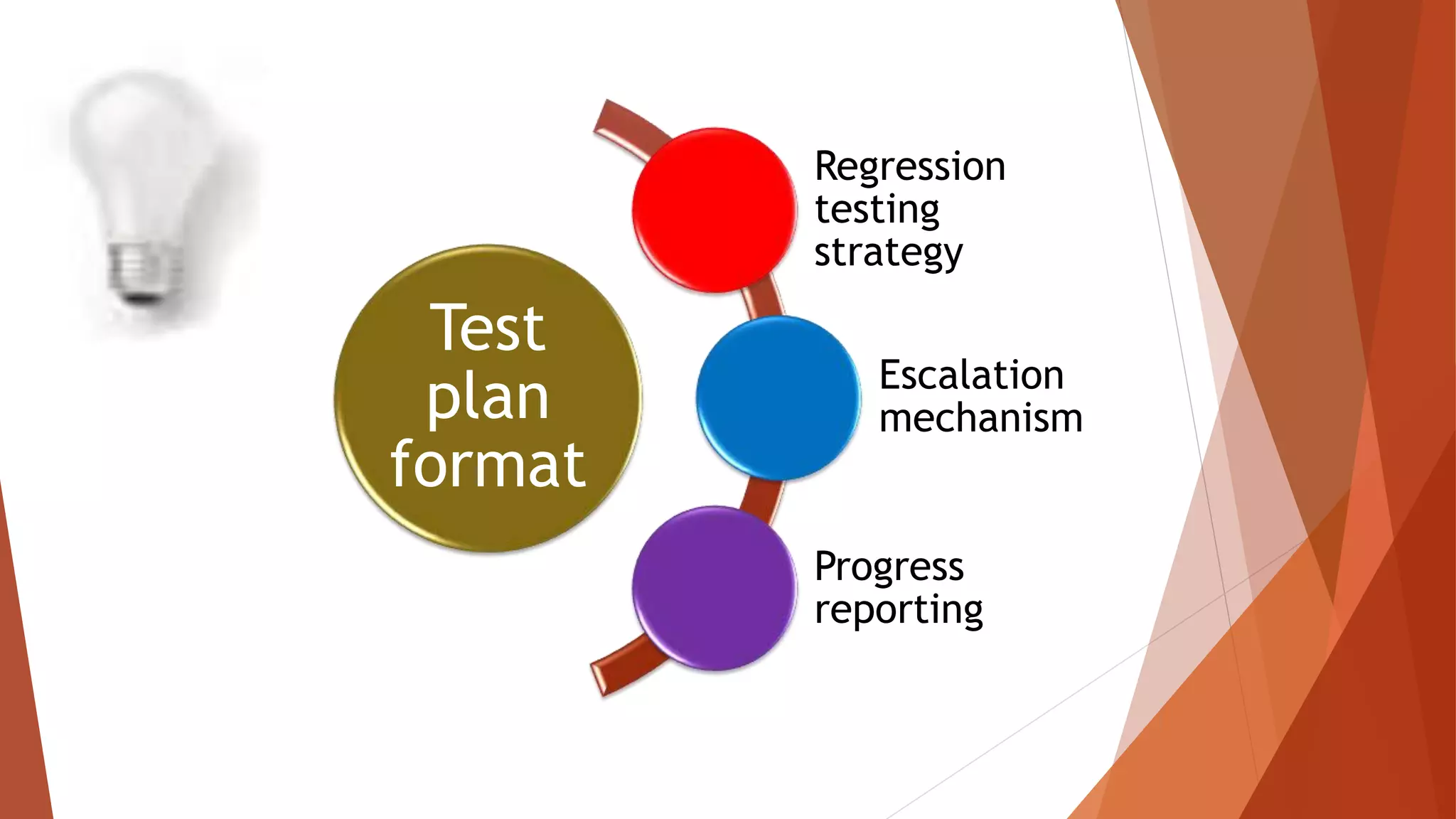
Test
plan
format
Regression
testing
strategy
Escalation
mechanism
Progress
reporting
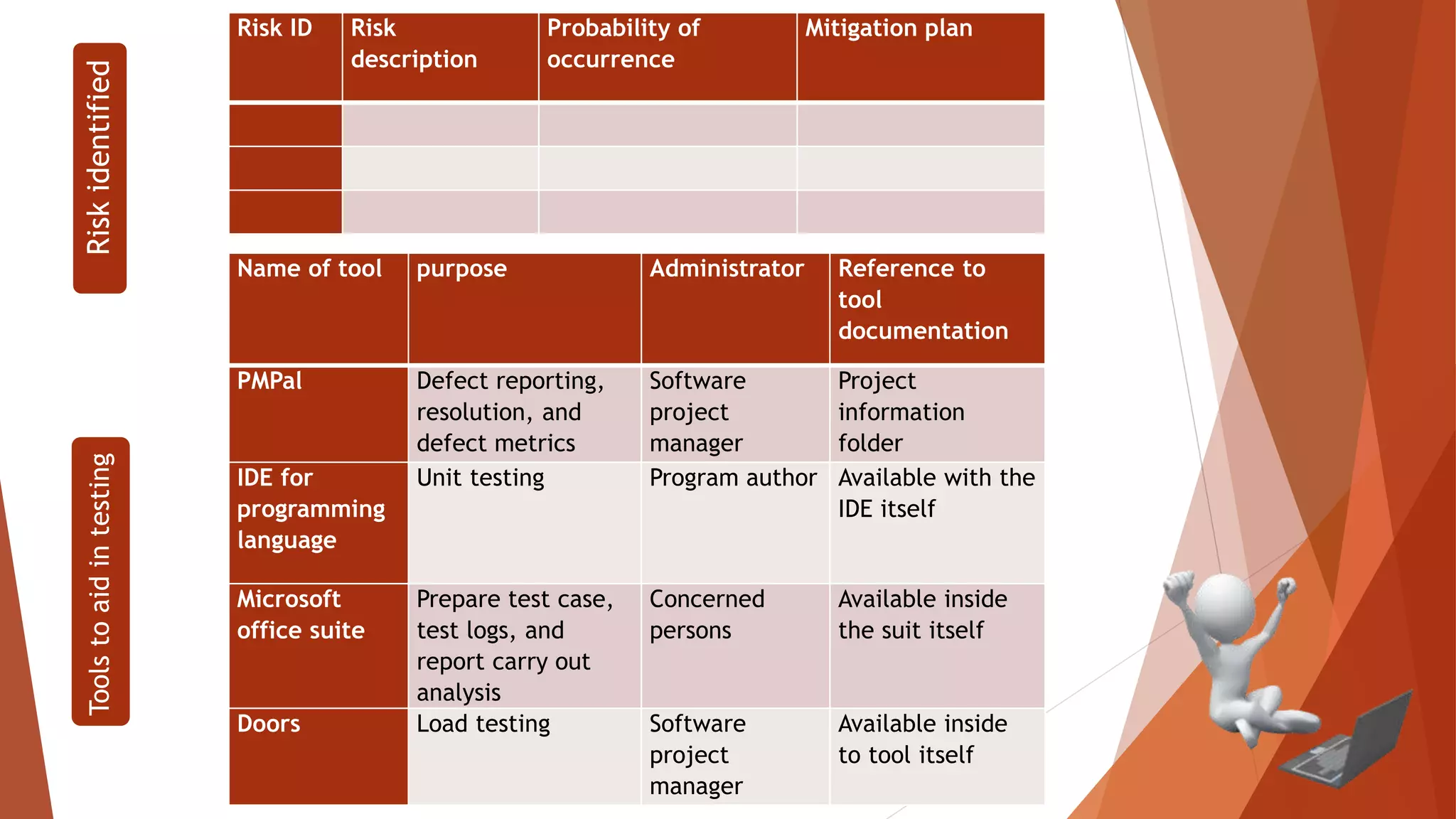
Risk ID Risk
description
Probability of
occurrence
Mitigation plan
Riskidentified
Name of tool purpose Administrator Reference to
tool
documentation
PMPal Defect reporting,
resolution, and
defect metrics
Software
project
manager
Project
information
folder
IDE for
programming
language
Unit testing Program author Available with the
IDE itself
Microsoft
office suite
Prepare test case,
test logs, and
report carry out
analysis
Concerned
persons
Available inside
the suit itself
Doors Load testing Software
project
manager
Available inside
to tool itself
Toolstoaidintesting
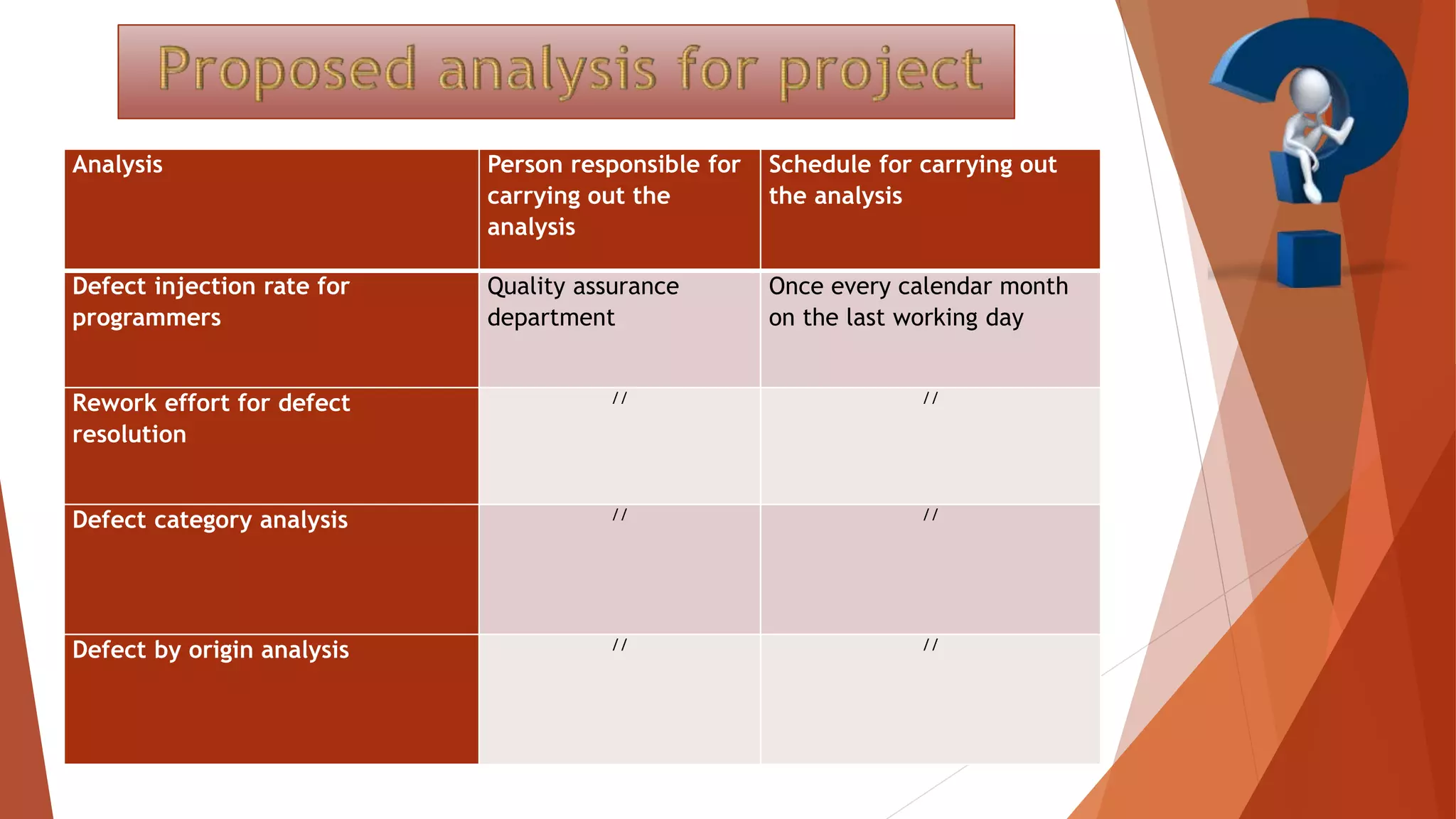
Analysis Person responsible for
carrying out the
analysis
Schedule for carrying out
the analysis
Defect injection rate for
programmers
Quality assurance
department
Once every calendar month
on the last working day
Rework effort for defect
resolution
// //
Defect category analysis // //
Defect by origin analysis // //
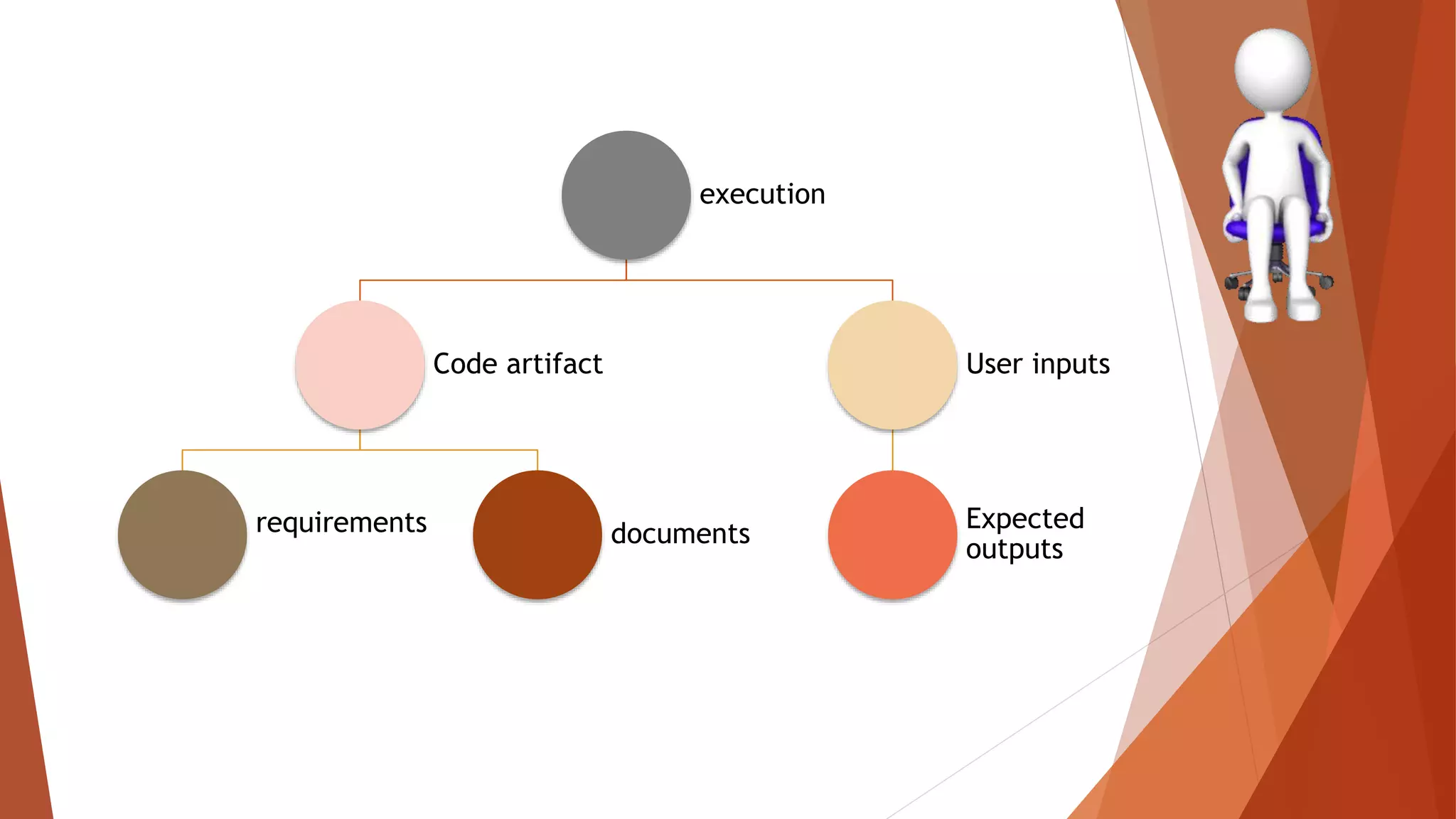
execution
Code artifact
requirements documents
User inputs
Expected
outputs
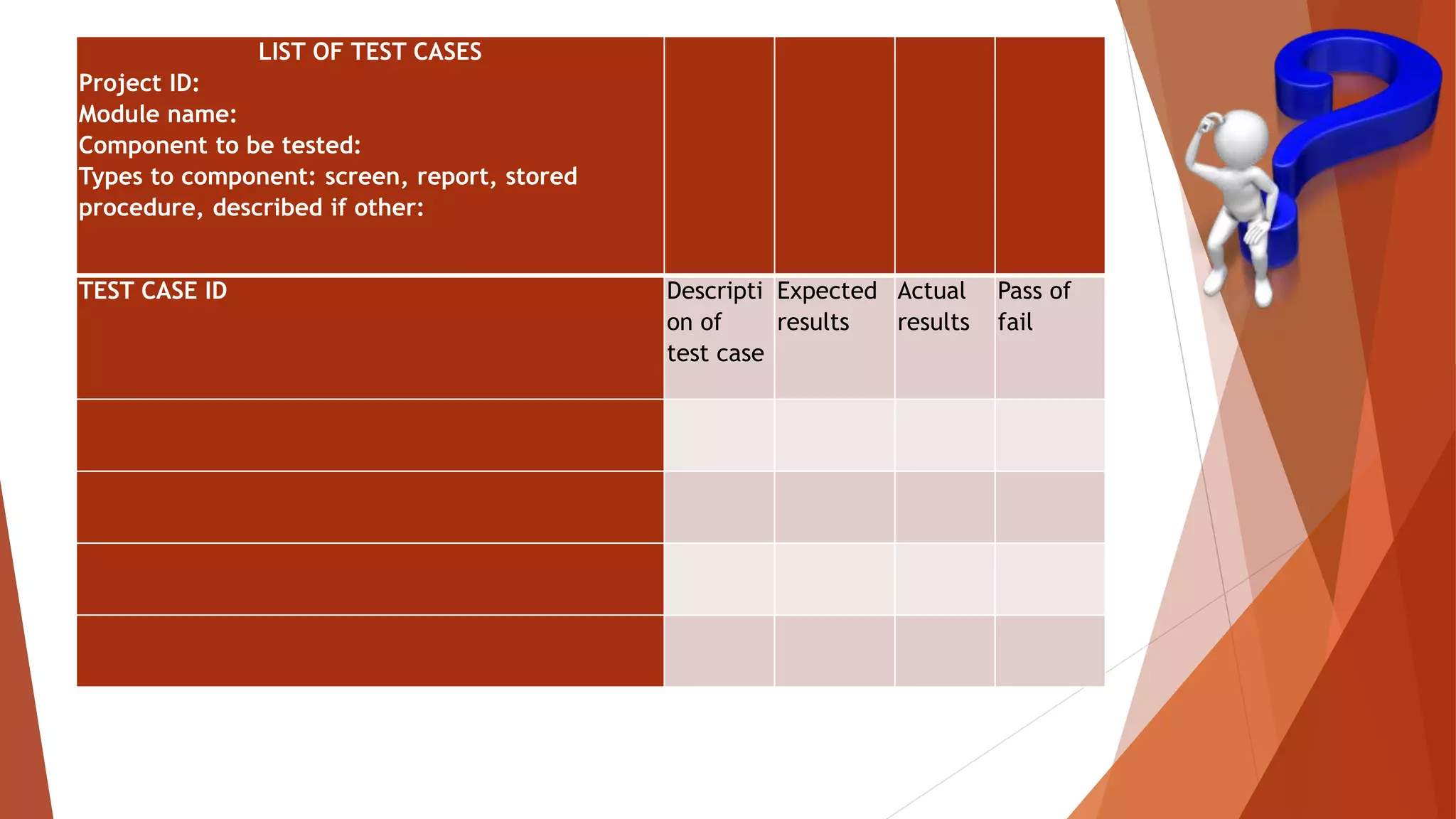
LIST OF TEST CASES
Project ID:
Module name:
Component to be tested:
Types to component: screen, report, stored
procedure, described if other:
TEST CASE ID Descripti
on of
test case
Expected
results
Actual
results
Pass of
fail
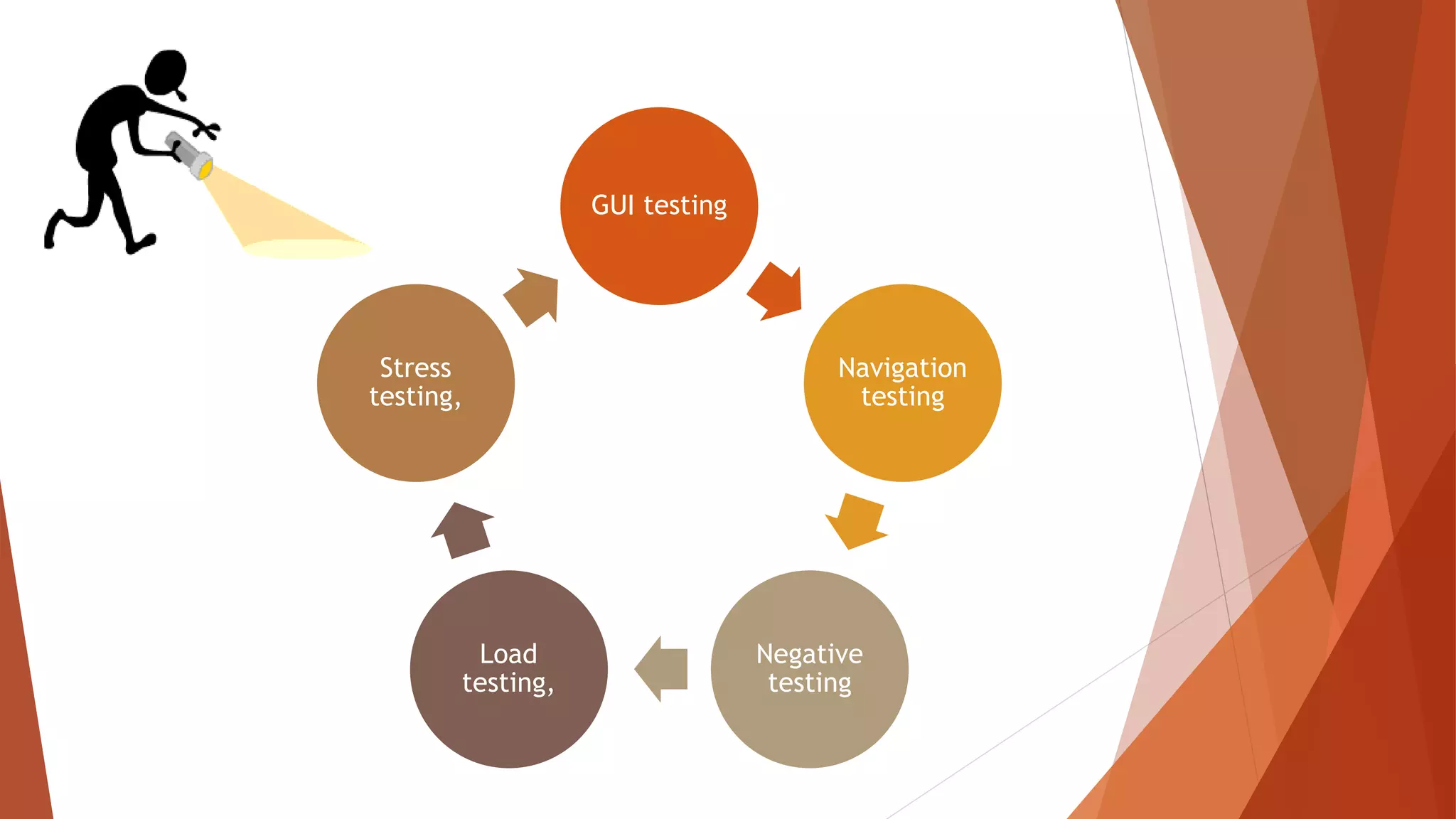
GUI testing
Navigation
testing
Negative
testing
Load
testing,
Stress
testing,
Discussion Topic : Black Box Testing Techniques
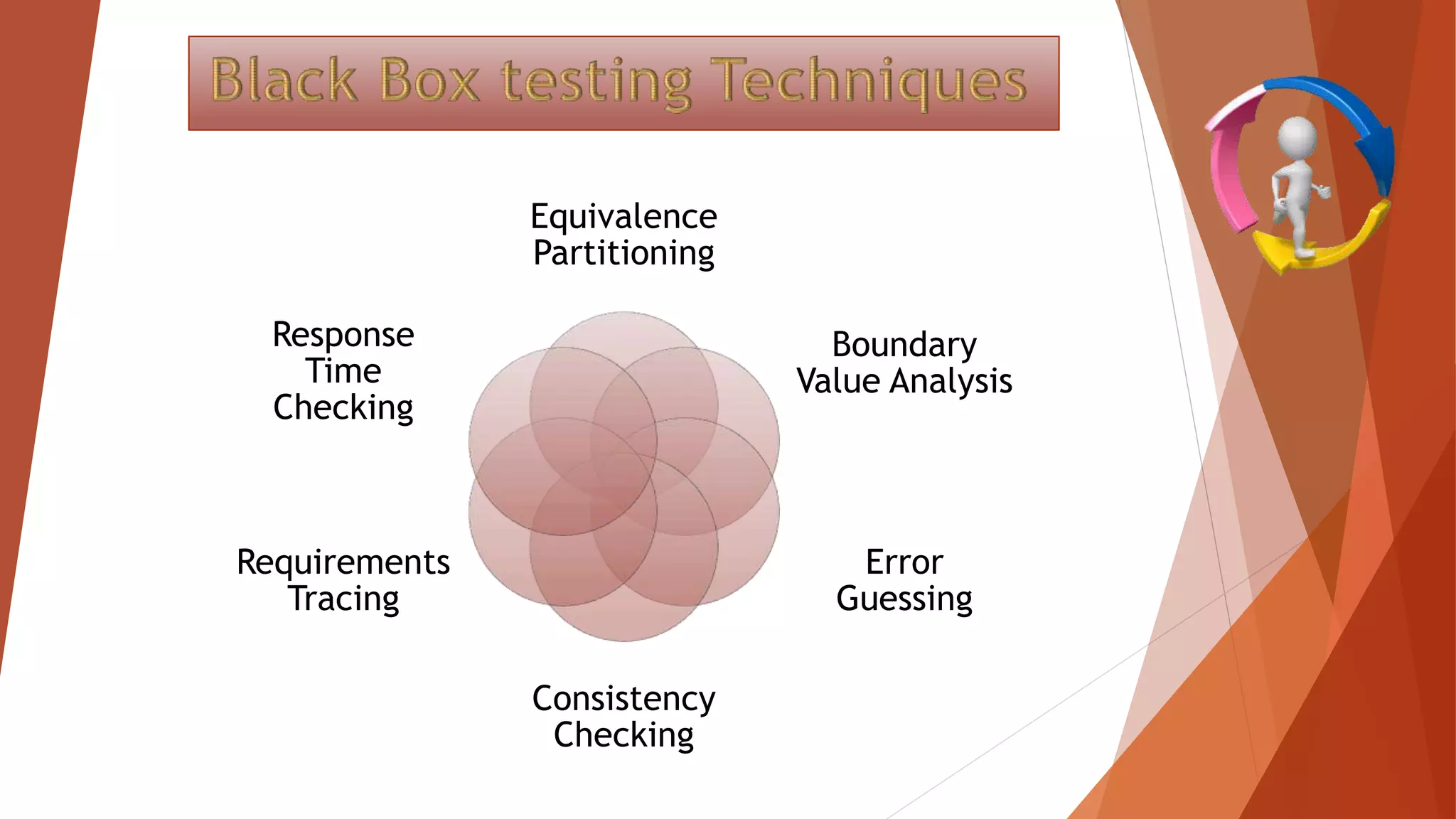
Equivalence
Partitioning
Boundary
Value Analysis
Error
Guessing
Consistency
Checking
Requirements
Tracing
Response
Time
Checking
Dividing the test input data into a range of
values and selecting one input value from
each range is called Equivalence Partitioning.
Equivalent Class
Partitioning is a black
box technique (code is
not visible to tester)
You can apply this
technique, where there is
a range in input field.
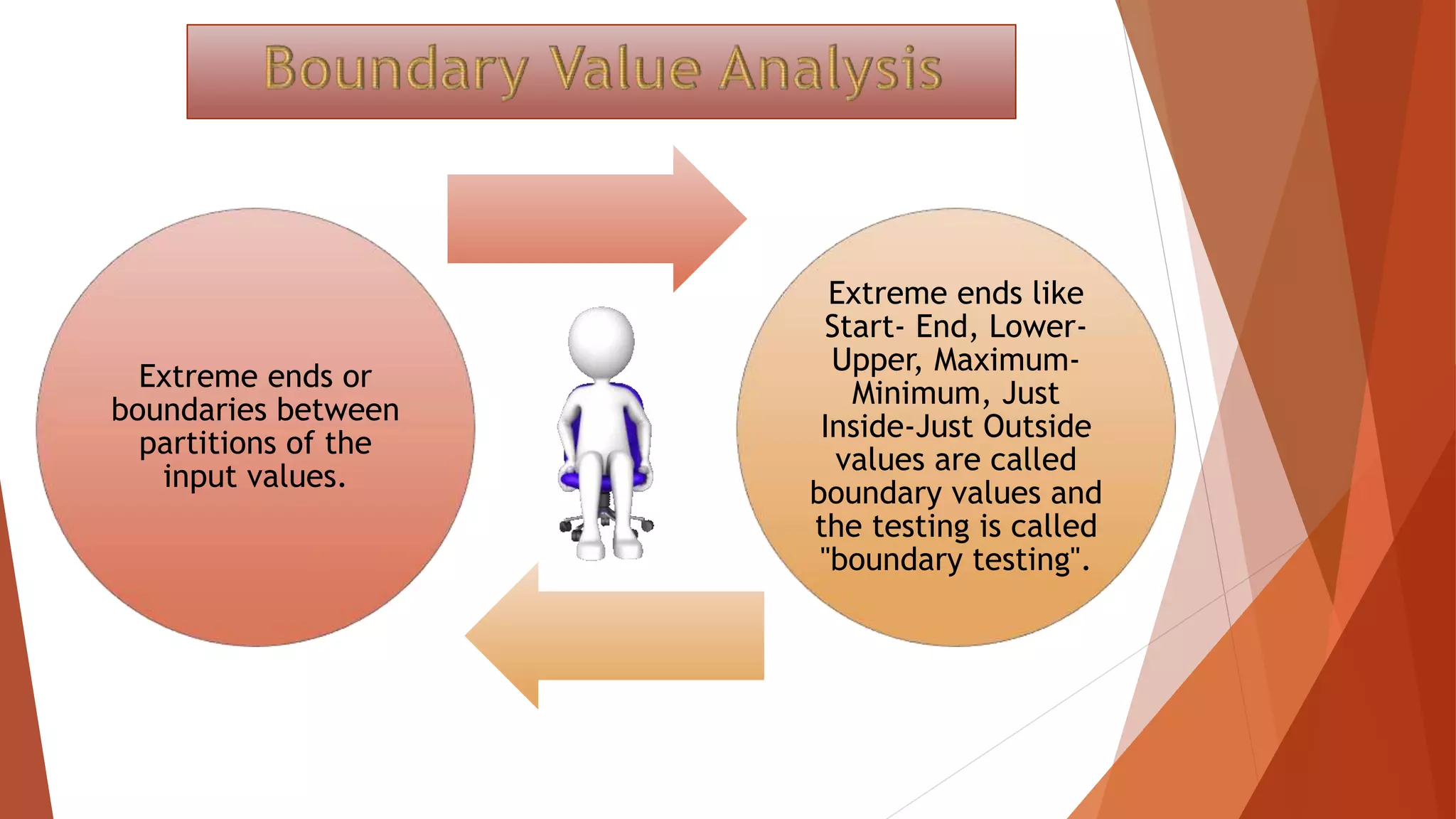
Extreme ends or
boundaries between
partitions of the
input values.
Extreme ends like
Start- End, Lower-
Upper, Maximum-
Minimum, Just
Inside-Just Outside
values are called
boundary values and
the testing is called
"boundary testing".
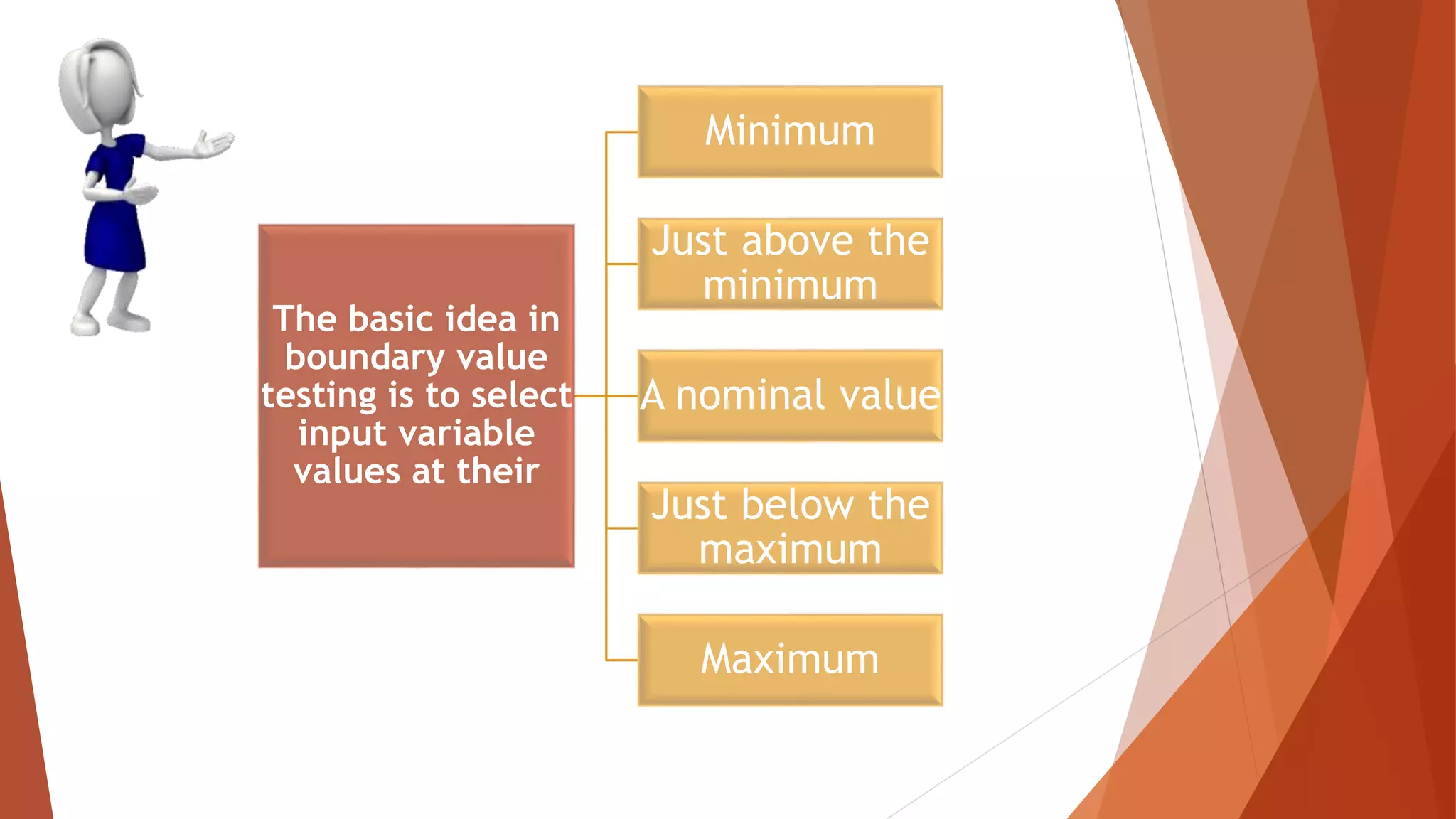
The basic idea in
boundary value
testing is to select
input variable
values at their
Minimum
Just above the
minimum
A nominal value
Just below the
maximum
Maximum
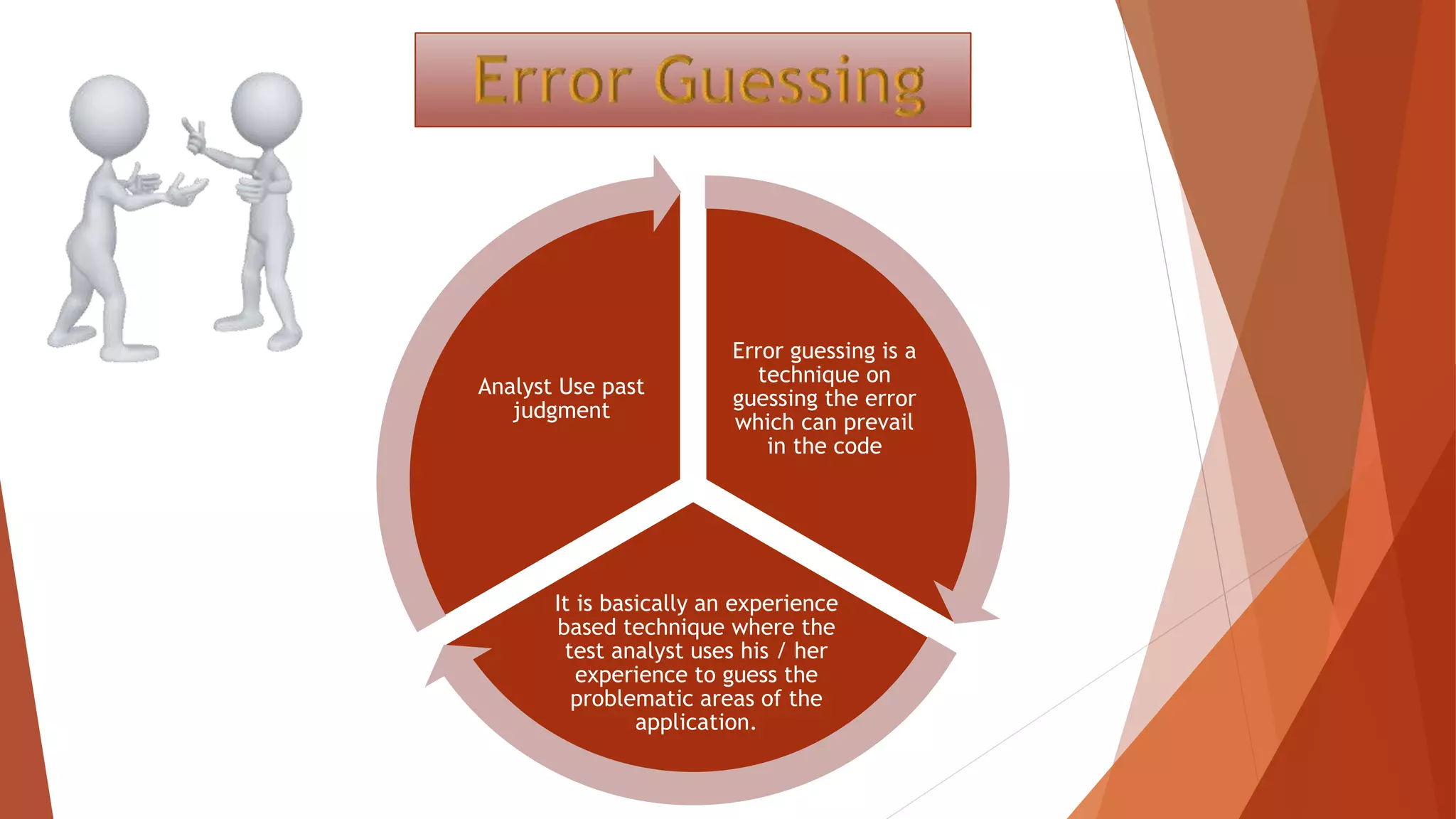
Error guessing is a
technique on
guessing the error
which can prevail
in the code
It is basically an experience
based technique where the
test analyst uses his / her
experience to guess the
problematic areas of the
application.
Analyst Use past
judgment
Divide by zero
Entering blank spaces in the text fields
Pressing submit button without entering values.
Uploading files exceeding maximum limits.
This technique can be used at any level or testing the common mistakes like :
Consistency check performs block-by-block
verification to ensure that all the data on the
replica is consistent with the protected data
Requirements
Tracing Technique
Requirements Tracing
is a technique for
insuring that the
product, as well as
the testing of the
product, addresses
each of its
requirements.
This is the amount of time that it takes for the server to send a
response to the testing location.
This variable may be impacted by the distance between the virtual
visitor and address of the website.
How long it takes to reach
the Domain Name System
and set the time to live.
The length of time
needed to connect to
the website session.
This describes the
total size of the
data file which was
being tested.
Sqa
Sqa

Sqa

  • 1.
  • 2.
  • 3.
    1.Test case design 2.TestPlan for a Project 3.Tools to aid in Testing 4.Proposed analyses for the project 5.List of test cases Hira Elahi 6.Equivalence partitioning 7.Boundary value analysis 8.Error guessing 9.Consistency checking 10.Requirement tracing 11.Response time checking Nasira Nafees
  • 4.
    Discussion Topic :Test Case Design
  • 5.
    A Test Caseis a set of actions executed to verify a particular feature or functionality of your software application.
  • 6.
    Version no. Descriptionof release and modifications Prepared by Approved by Data of approval Project ID: Revision history of Test plan:
  • 7.
  • 8.
    Test Person responsible for preparingthe test cases Probable reviewer Schedule of preparation (specify dates) Unit test for software unit Program author Project leader or software project manager After the unit is coded Integration test for each module Project leader Software project manager At the beginning of module integration System tests Software designer Quality assurance department After software design is approved but before the project is build Acceptance testing Software project manager Quality assurance department and customer After user requirement are finalized but before system testing is completed
  • 9.
    Test Probable testersTest objectives How to test Criteria for completion Unit testing Independent peer from the project team Ensure that the code is defect free Based on test casing All defects uncovered are closed Integrat ion testing Project leader Ensure that the interface is working without defects Every time a unit is integrated with the module // System testing Project leader and software project manager for the project Ensure that the products work on Windows 2000 XP and Vista, using explorer etc Using system testing //
  • 10.
  • 11.
    Risk ID Risk description Probabilityof occurrence Mitigation plan Riskidentified Name of tool purpose Administrator Reference to tool documentation PMPal Defect reporting, resolution, and defect metrics Software project manager Project information folder IDE for programming language Unit testing Program author Available with the IDE itself Microsoft office suite Prepare test case, test logs, and report carry out analysis Concerned persons Available inside the suit itself Doors Load testing Software project manager Available inside to tool itself Toolstoaidintesting
  • 12.
    Analysis Person responsiblefor carrying out the analysis Schedule for carrying out the analysis Defect injection rate for programmers Quality assurance department Once every calendar month on the last working day Rework effort for defect resolution // // Defect category analysis // // Defect by origin analysis // //
  • 13.
  • 14.
    LIST OF TESTCASES Project ID: Module name: Component to be tested: Types to component: screen, report, stored procedure, described if other: TEST CASE ID Descripti on of test case Expected results Actual results Pass of fail
  • 15.
  • 16.
    Discussion Topic :Black Box Testing Techniques
  • 17.
  • 18.
    Dividing the testinput data into a range of values and selecting one input value from each range is called Equivalence Partitioning.
  • 19.
    Equivalent Class Partitioning isa black box technique (code is not visible to tester) You can apply this technique, where there is a range in input field.
  • 21.
    Extreme ends or boundariesbetween partitions of the input values. Extreme ends like Start- End, Lower- Upper, Maximum- Minimum, Just Inside-Just Outside values are called boundary values and the testing is called "boundary testing".
  • 22.
    The basic ideain boundary value testing is to select input variable values at their Minimum Just above the minimum A nominal value Just below the maximum Maximum
  • 25.
    Error guessing isa technique on guessing the error which can prevail in the code It is basically an experience based technique where the test analyst uses his / her experience to guess the problematic areas of the application. Analyst Use past judgment
  • 26.
    Divide by zero Enteringblank spaces in the text fields Pressing submit button without entering values. Uploading files exceeding maximum limits. This technique can be used at any level or testing the common mistakes like :
  • 27.
    Consistency check performsblock-by-block verification to ensure that all the data on the replica is consistent with the protected data
  • 28.
    Requirements Tracing Technique Requirements Tracing isa technique for insuring that the product, as well as the testing of the product, addresses each of its requirements.
  • 29.
    This is theamount of time that it takes for the server to send a response to the testing location. This variable may be impacted by the distance between the virtual visitor and address of the website.
  • 30.
    How long ittakes to reach the Domain Name System and set the time to live.
  • 31.
    The length oftime needed to connect to the website session.
  • 32.
    This describes the totalsize of the data file which was being tested.