Page1 © Hortonworks Inc. 2014
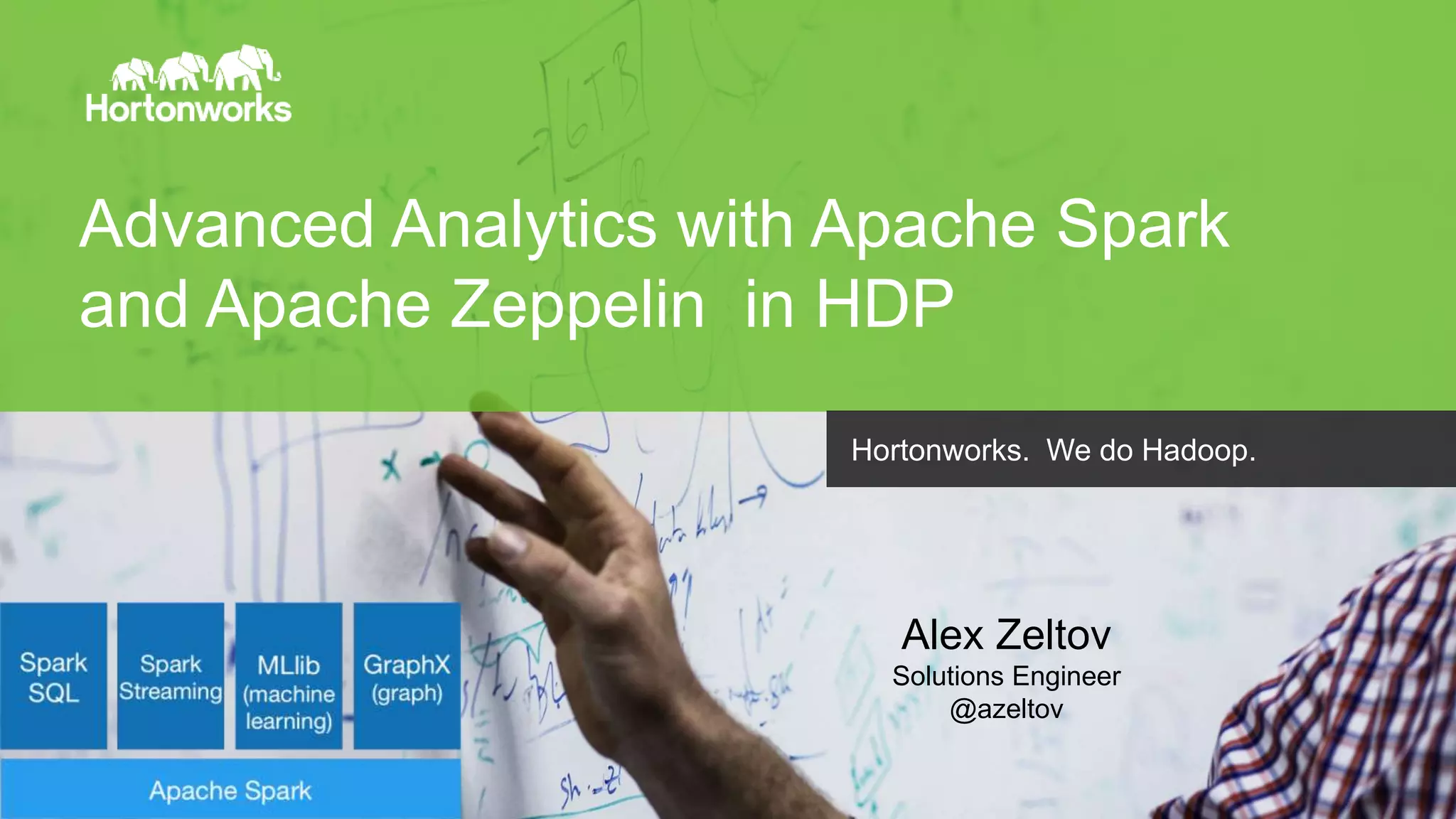
Advanced Analytics with Apache Spark
and Apache Zeppelin in HDP
Hortonworks. We do Hadoop.
Alex Zeltov
Solutions Engineer
@azeltov
Page2 © Hortonworks Inc. 2014
In this workshop
• Introduction to HDP and Spark
• Build a Data analytics application:
- Spark Programming: Scala, Python, R
- Core Spark: working with RDDs, DataFrames
- Spark SQL: structured data access
- Spark MlLib: predictive analytics
- Spark Streaming: real time data processing
• Develop Recommendation Engine - Using the “Collaborative
Filtering” method
• Conclusion and Q/A
Page3 © Hortonworks Inc. 2014
Introduction to HDP and Spark
http://hortonworks.com/hadoop/spark/
Page4 © Hortonworks Inc. 2014
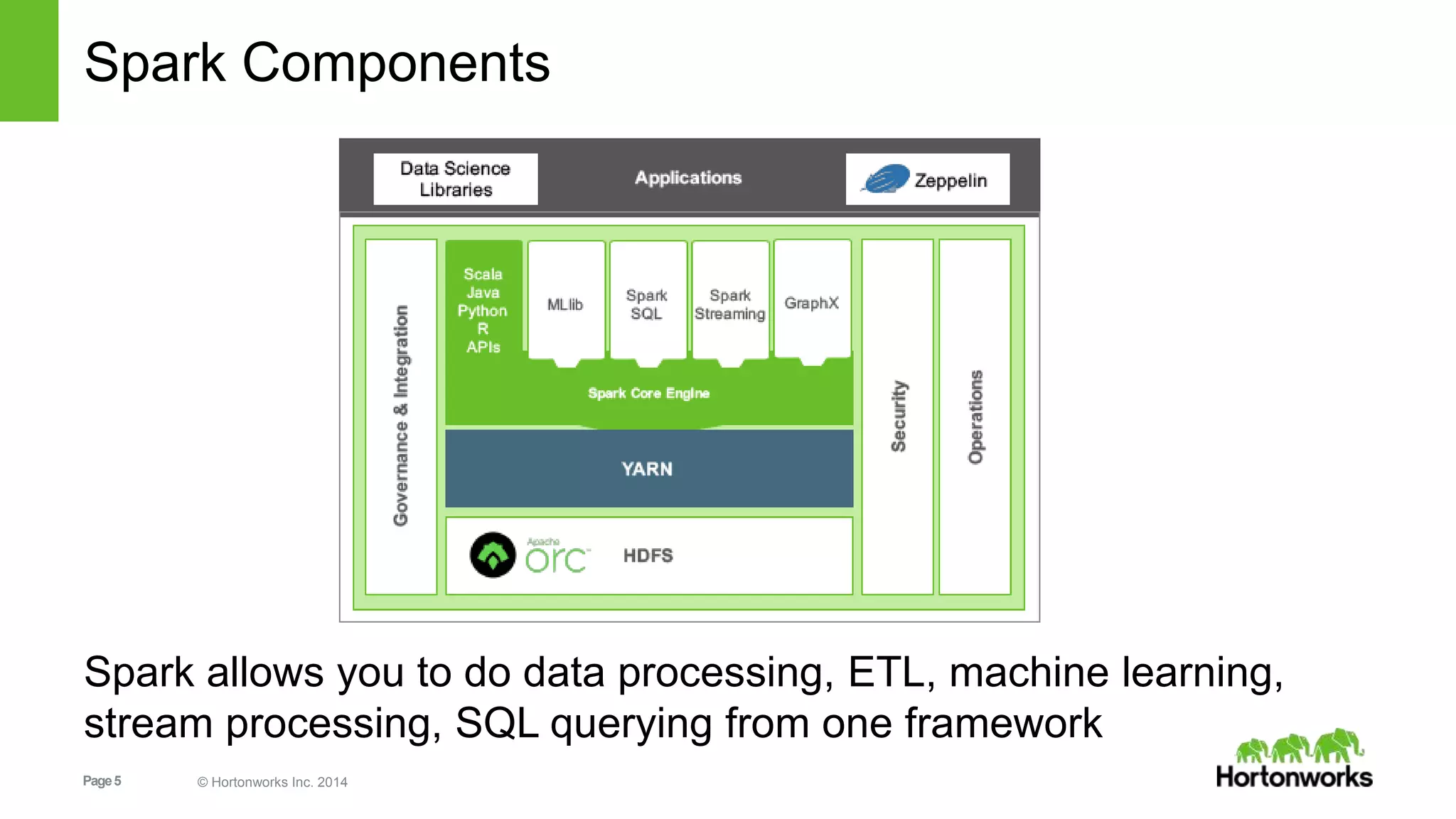
Spark is certified as YARN Ready and is a part of HDP.
Hortonworks Data Platform 2.3
GOVERNANCE OPERATIONSBATCH, INTERACTIVE & REAL-TIME DATA ACCESS
YARN: Data Operating System
(Cluster Resource Management)
MapReduce
Apache Falcon
Apache Sqoop
Apache Flume
Apache Kafka
ApacheHive
ApachePig
ApacheHBase
ApacheAccumulo
ApacheSolr
ApacheSpark
ApacheStorm
1 • • • • • • • • • • •
• • • • • • • • • • • •
HDFS
(Hadoop Distributed File System)
Apache Ambari
Apache
ZooKeeper
Apache Oozie
Deployment Choice
Linux Windows On-premises Cloud
Apache Atlas
Cloudbreak
SECURITY
Apache Ranger
Apache Knox
Apache Atlas
HDFS Encryption
ISVEngines
Page5 © Hortonworks Inc. 2014
Spark Components
Spark allows you to do data processing, ETL, machine learning,
stream processing, SQL querying from one framework
Page6 © Hortonworks Inc. 2014
Emerging Spark Patterns
• Spark as query federation engine
 Bring data from multiple sources to join/query in Spark
• Use multiple Spark libraries together
 Common to see Core, ML & Sql used together
• Use Spark with various Hadoop ecosystem projects
 Use Spark & Hive together
 Spark & HBase together
Page7 © Hortonworks Inc. 2014
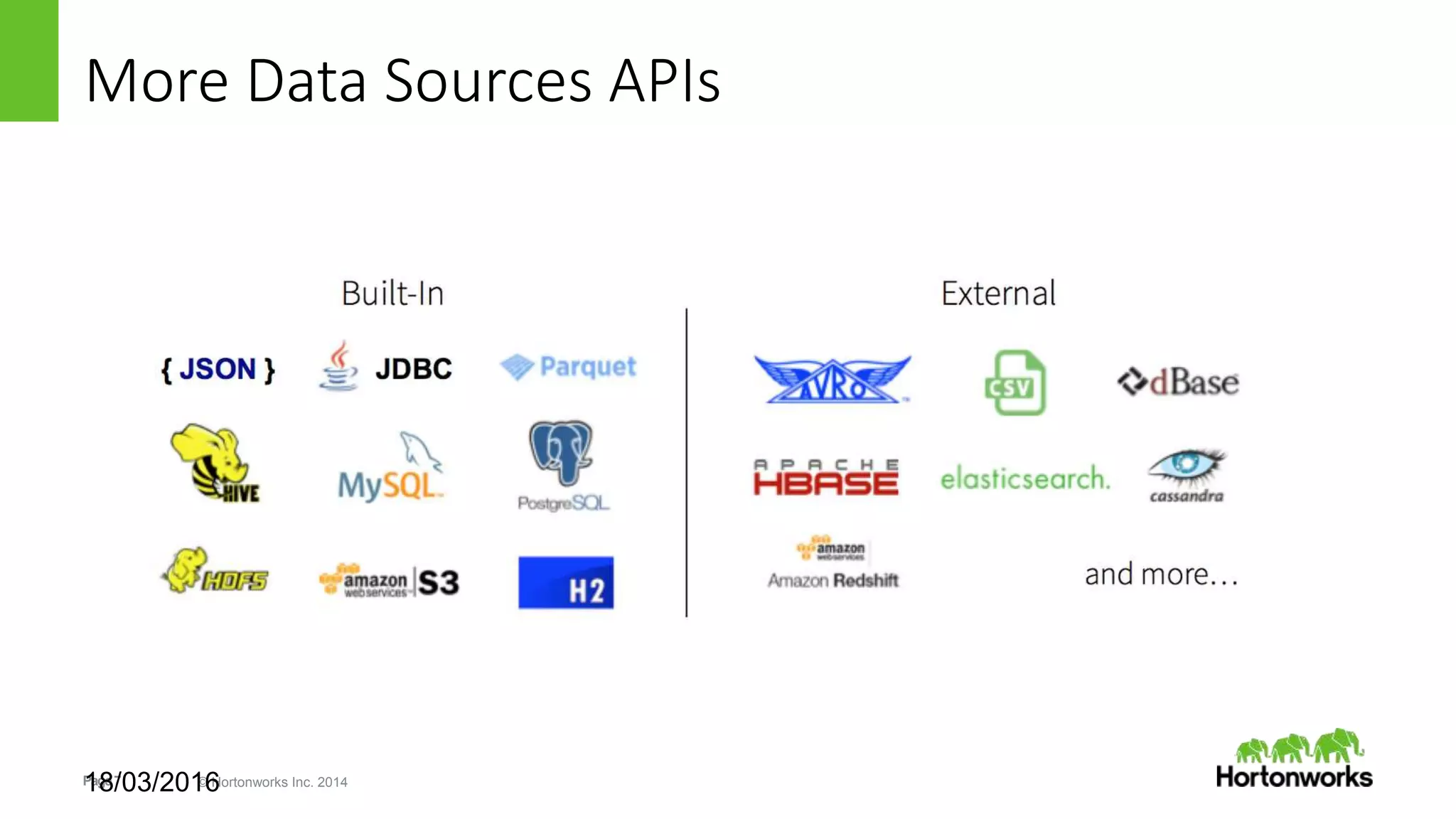
More Data Sources APIs
18/03/2016
Page8 © Hortonworks Inc. 2014
Spark Deployment Modes
• Spark Standalone Cluster:
– For developing Spark apps against a local Spark (similar to
develop/deploying in IDE)
• Spark on YARN in two modes:
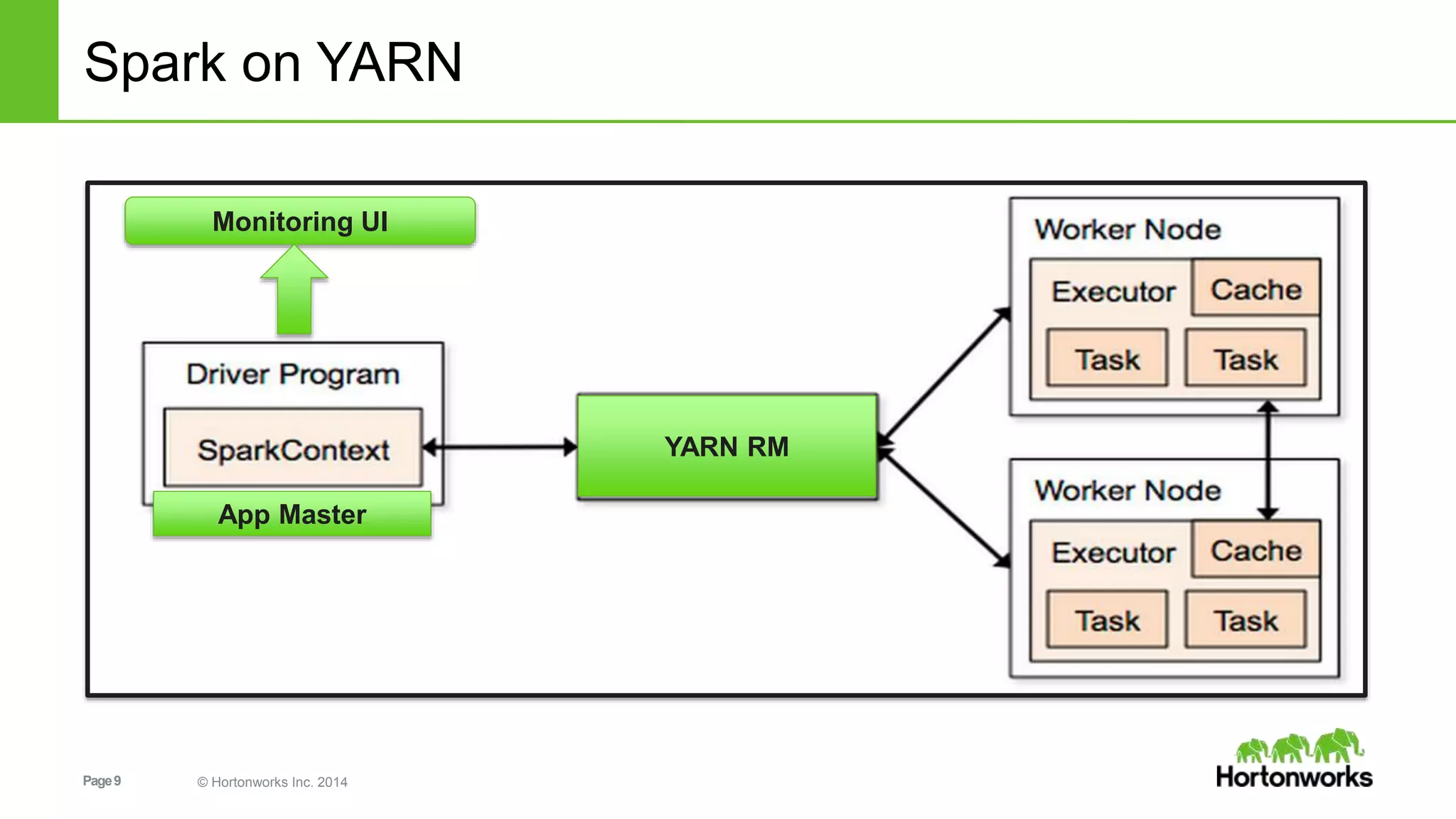
– Spark driver (SparkContext) in local (yarn-client): Spark Driver runs in the
client process outside of YARN cluster, and ApplicationMaster is only used to
negotiate resources from Resoure manager
– Spark driver (SparkContext) in YARN AM(yarn-cluster): Spark Driver runs in
ApplicationMaster spawned by NodeManager on a slave node
Page9 © Hortonworks Inc. 2014
Spark on YARN
YARN RM
App Master
Monitoring UI
Page10 © Hortonworks Inc. 2014
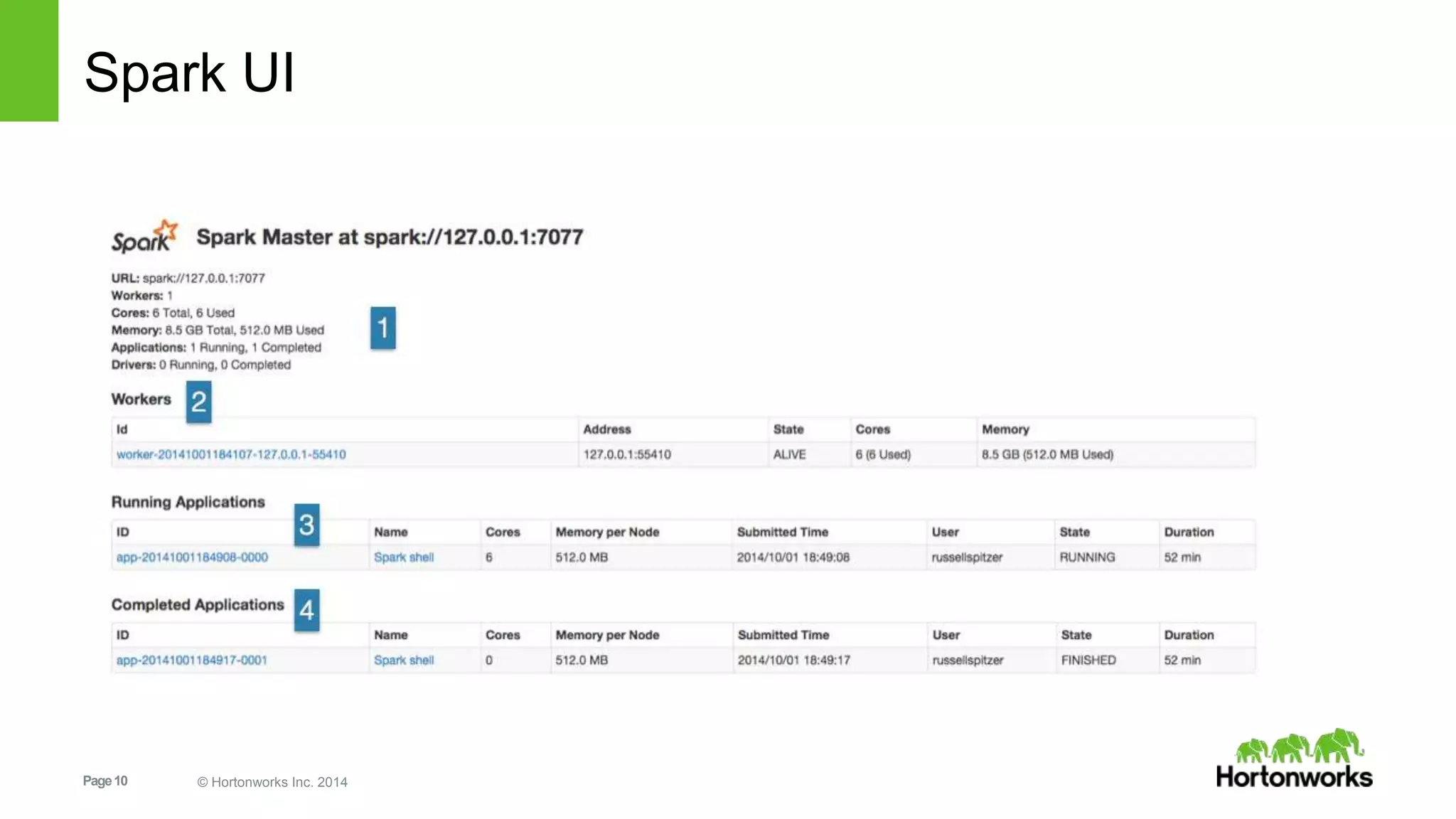
Spark UI
Page11 © Hortonworks Inc. 2014
Interacting with Spark
Page12 © Hortonworks Inc. 2014
Interacting with Spark
• Spark’s interactive REPL shell (in Python or Scala)
• Web-based Notebooks:
• Zeppelin: A web-based notebook that enables interactive data
analytics.
• Jupyter: Evolved from the IPython Project
• SparkNotebook: forked from the scala-notebook
Page13 © Hortonworks Inc. 2014
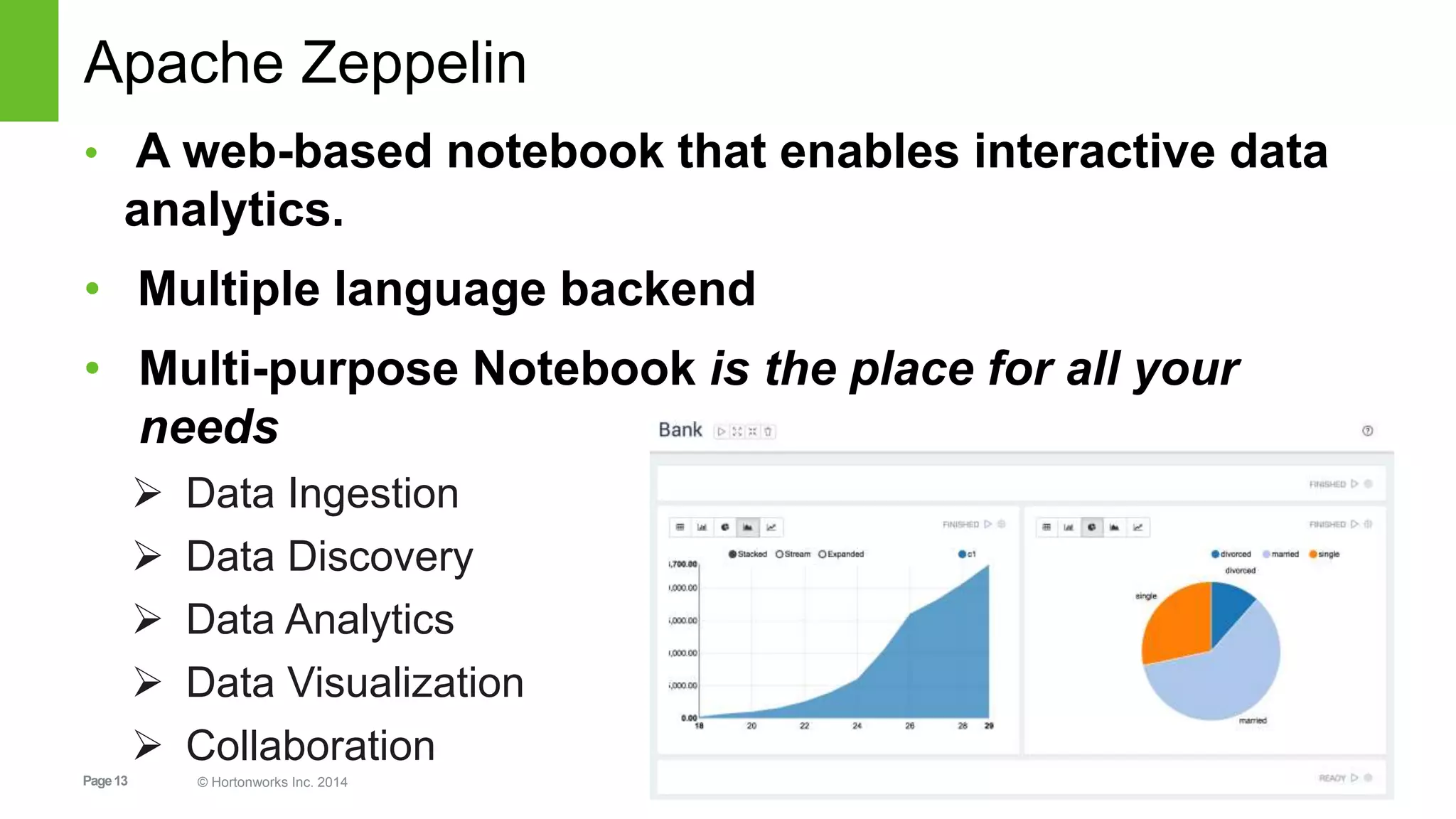
Apache Zeppelin
• A web-based notebook that enables interactive data
analytics.
• Multiple language backend
• Multi-purpose Notebook is the place for all your
needs
 Data Ingestion
 Data Discovery
 Data Analytics
 Data Visualization
 Collaboration
Page14 © Hortonworks Inc. 2014
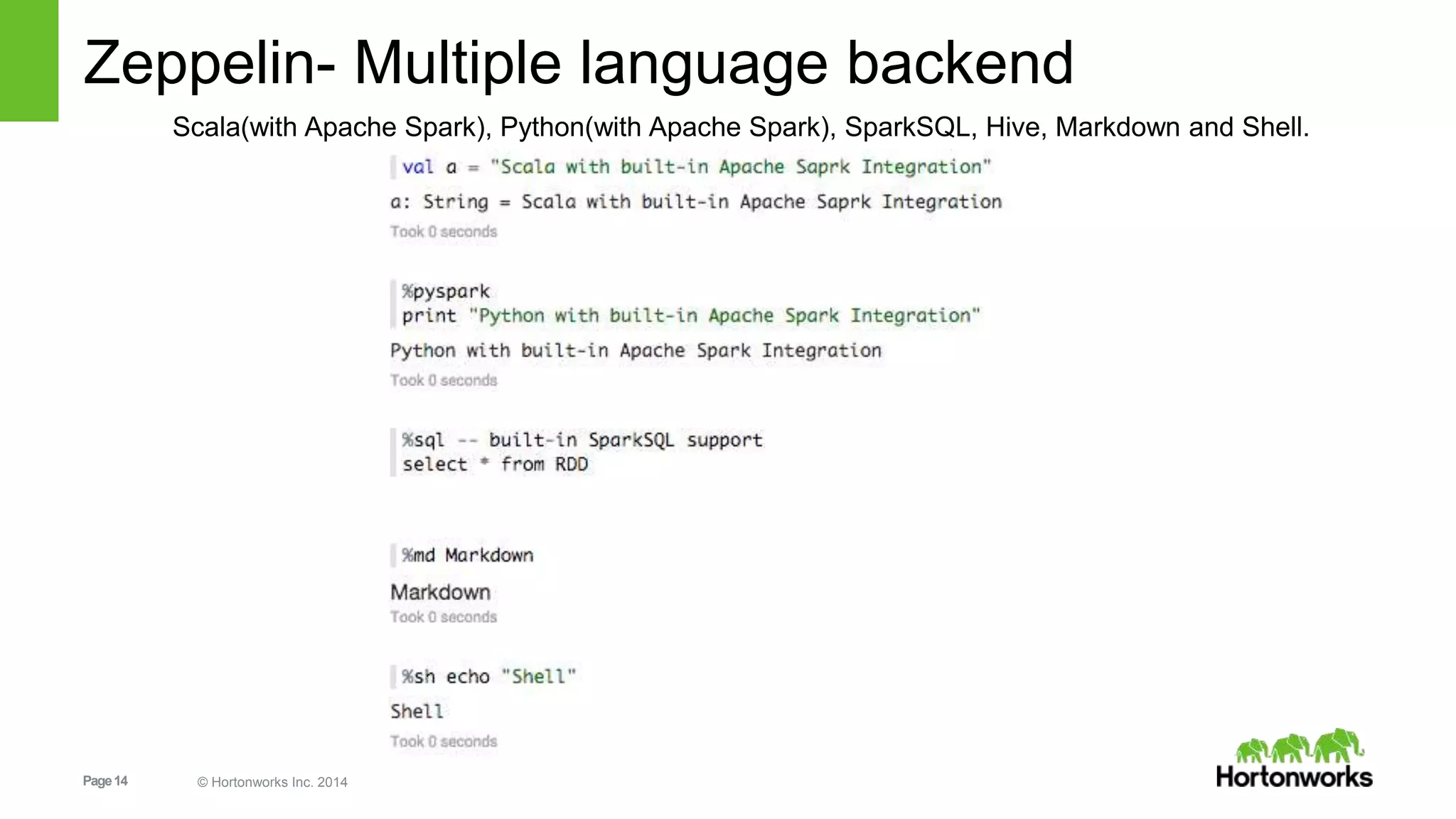
Zeppelin- Multiple language backend
Scala(with Apache Spark), Python(with Apache Spark), SparkSQL, Hive, Markdown and Shell.
Page15 © Hortonworks Inc. 2014
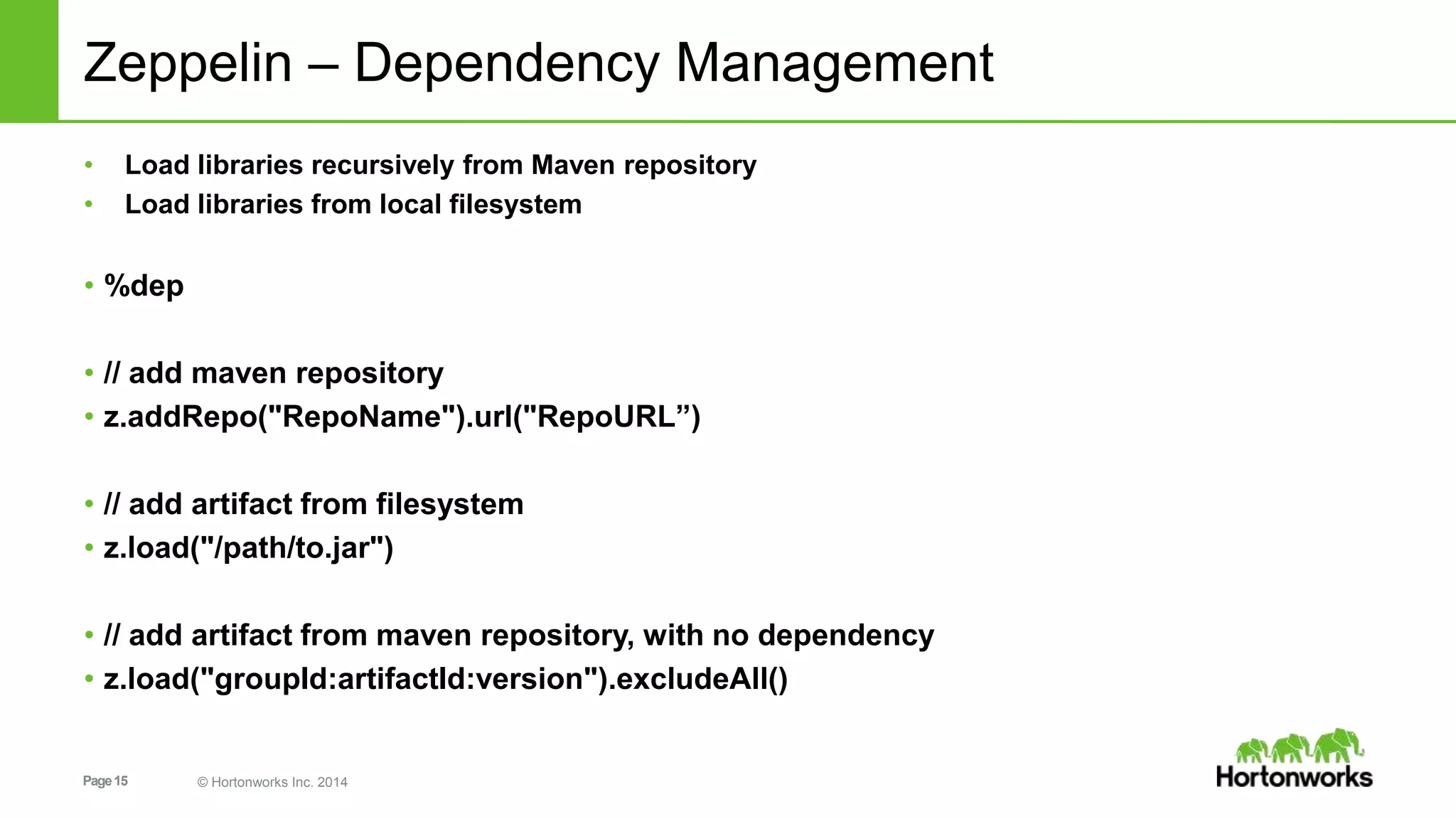
Zeppelin – Dependency Management
• Load libraries recursively from Maven repository
• Load libraries from local filesystem
• %dep
• // add maven repository
• z.addRepo("RepoName").url("RepoURL”)
• // add artifact from filesystem
• z.load("/path/to.jar")
• // add artifact from maven repository, with no dependency
• z.load("groupId:artifactId:version").excludeAll()
Page16 © Hortonworks Inc. 2014
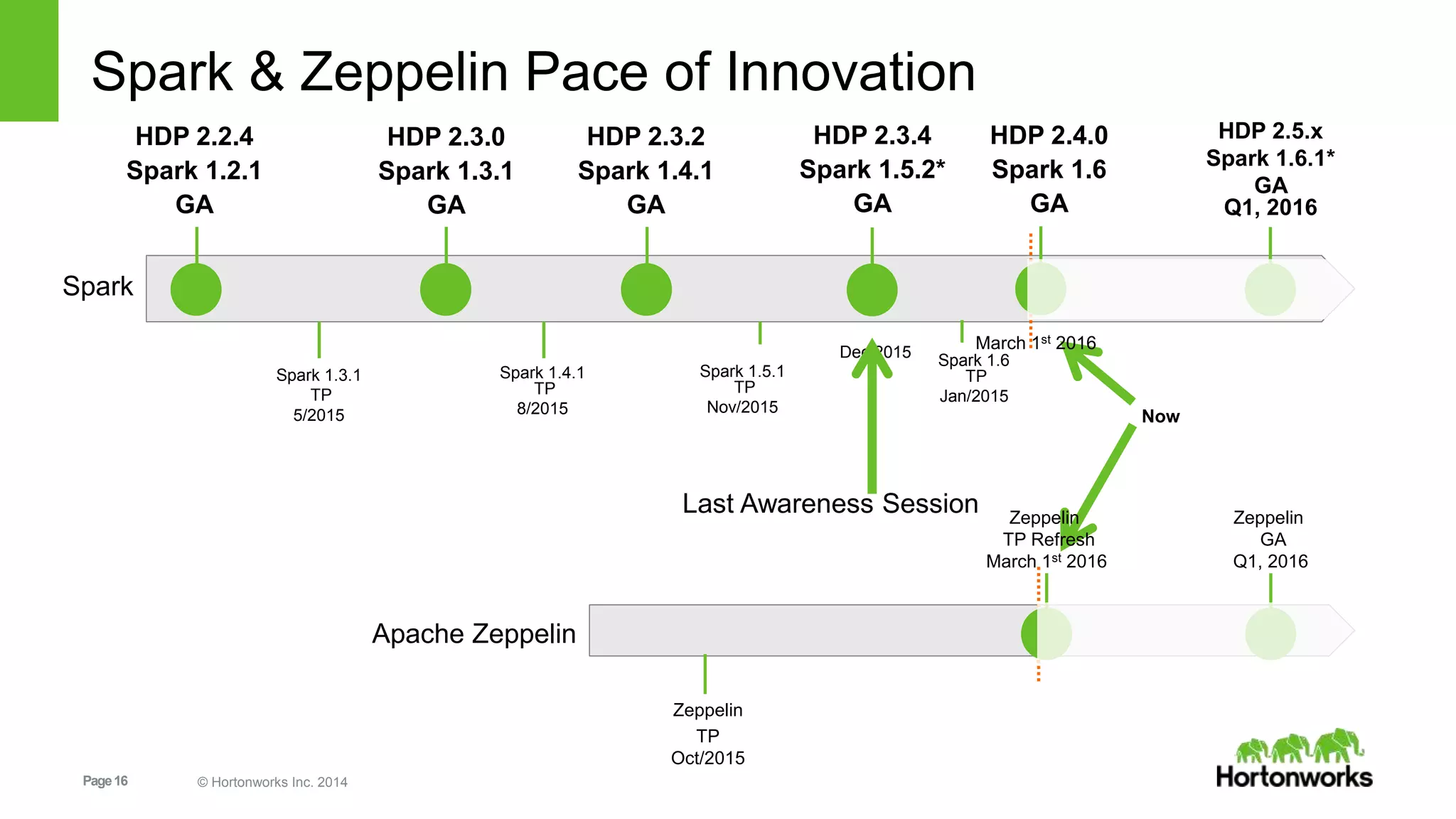
Spark & Zeppelin Pace of Innovation
HDP 2.2.4
Spark 1.2.1
GA
HDP 2.3.2
Spark 1.4.1
GA
HDP 2.3.0
Spark 1.3.1
GA
HDP 2.3.4
Spark 1.5.2*
GA
Spark
Spark 1.3.1
TP
5/2015
Spark 1.4.1
TP
8/2015
Spark 1.5.1
TP
Nov/2015
Now
Zeppelin
TP
Oct/2015
Apache Zeppelin
Zeppelin
TP Refresh
March 1st 2016
Dec 2015
HDP 2.4.0
Spark 1.6
GA
Zeppelin
GA
Q1, 2016
Last Awareness Session
Spark 1.6
TP
Jan/2015
March 1st 2016
HDP 2.5.x
Spark 1.6.1*
GA
Q1, 2016
Page17 © Hortonworks Inc. 2014
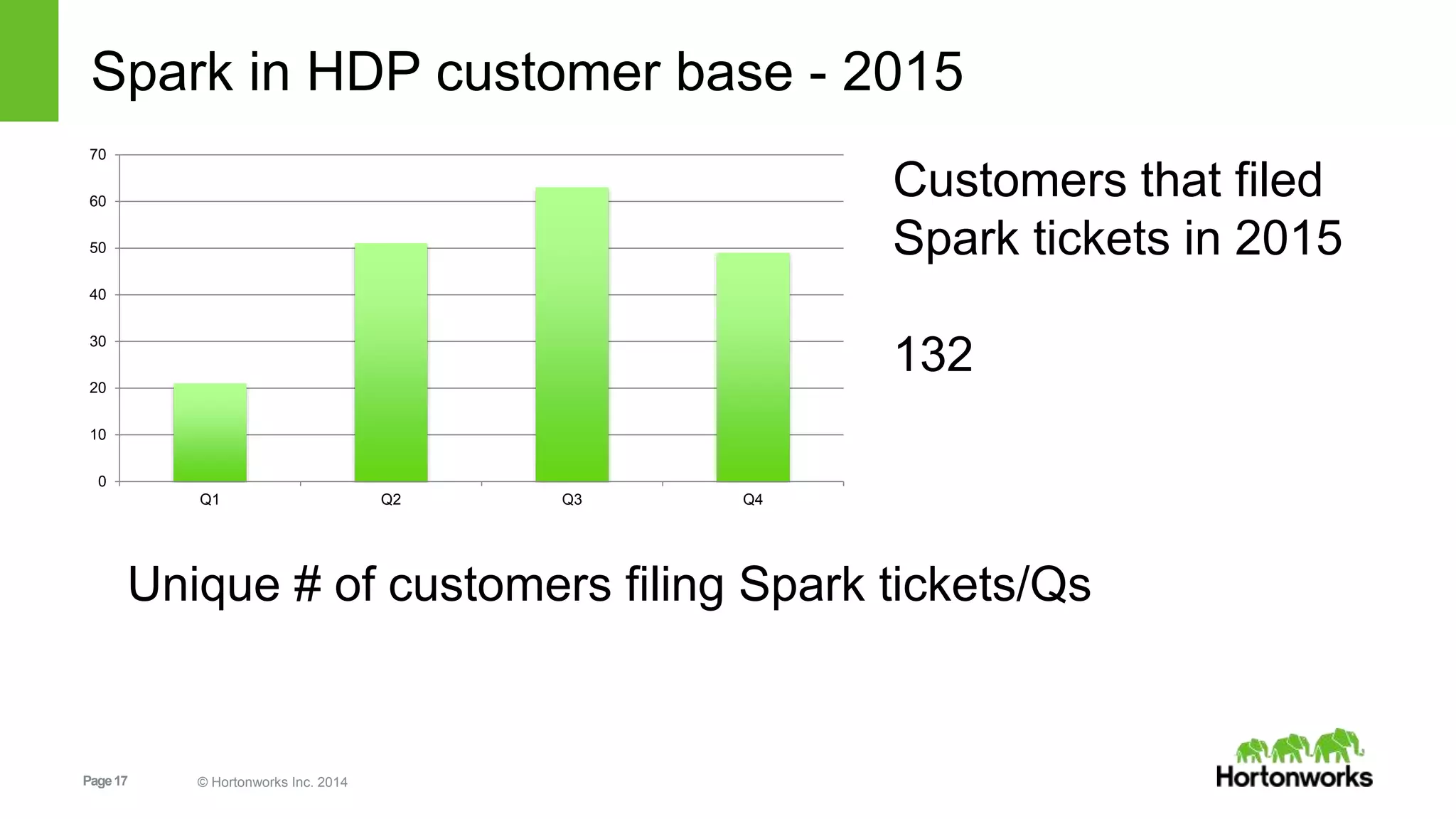
Spark in HDP customer base - 2015
0
10
20
30
40
50
60
70
Q1 Q2 Q3 Q4
Unique # of customers filing Spark tickets/Qs
Customers that filed
Spark tickets in 2015
132
Page18 © Hortonworks Inc. 2014
Programming Spark
Page19 © Hortonworks Inc. 2014
How Does Spark Work?
• RDD
• Your data is loaded in parallel into structured collections
• Actions
• Manipulate the state of the working model by forming new RDDs
and performing calculations upon them
• Persistence
• Long-term storage of an RDD’s state
Page20 © Hortonworks Inc. 2014
Resilient Distributed Datasets
• The primary abstraction in Spark
» Immutable once constructed
» Track lineage information to efficiently recompute lost data
» Enable operations on collection of elements in parallel
• You construct RDDs
» by parallelizing existing collections (lists)
» by transforming an existing RDDs
» from files in HDFS or any other storage system
Page21 © Hortonworks Inc. 2014
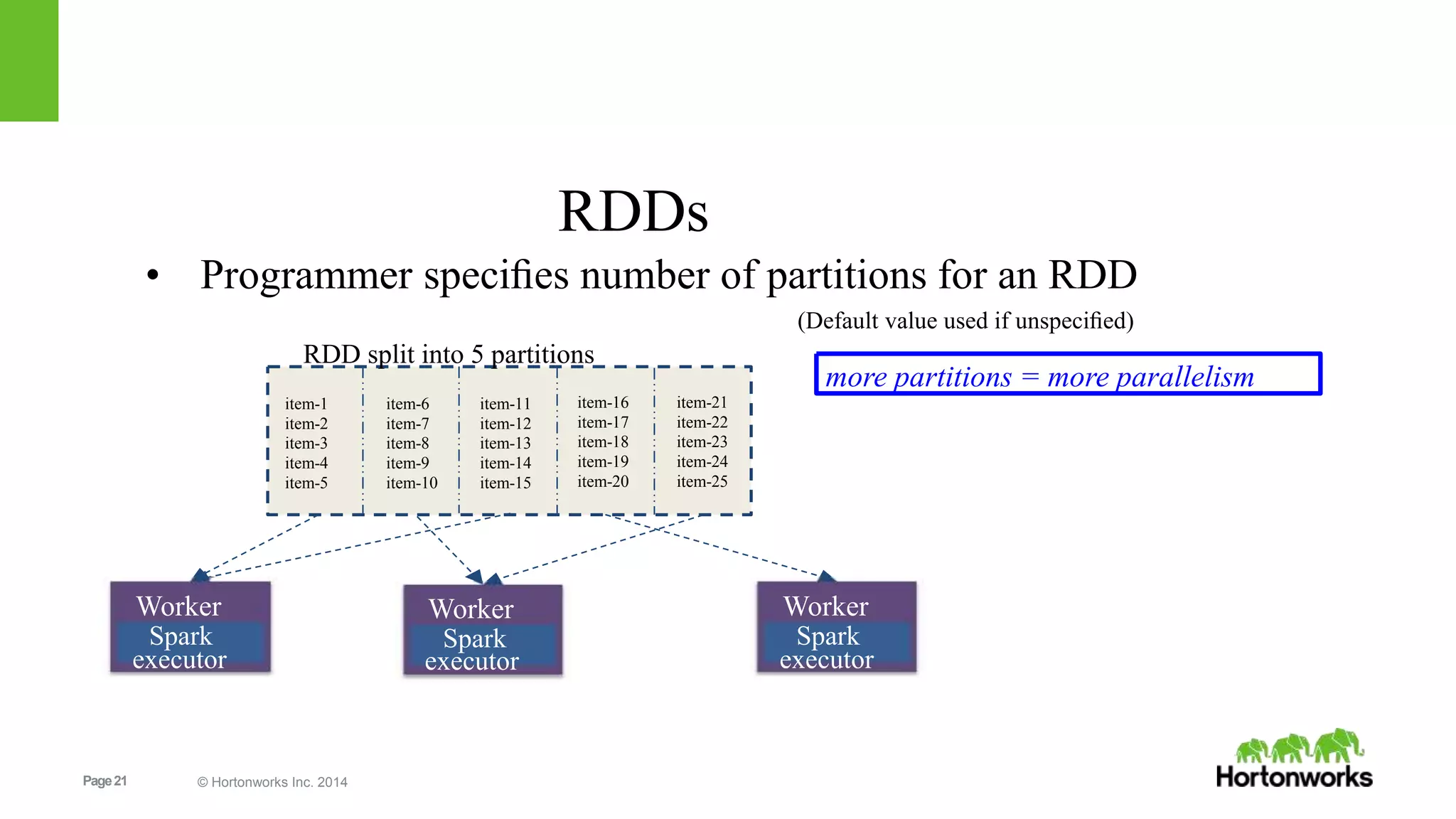
item-1
item-2
item-3
item-4
item-5
item-6
item-7
item-8
item-9
item-10
item-11
item-12
item-13
item-14
item-15
item-16
item-17
item-18
item-19
item-20
item-21
item-22
item-23
item-24
item-25
more partitions = more parallelism
Worker
Spark
executor
Worker
Spark
executor
Worker
Spark
executor
RDDs
• Programmer specifies number of partitions for an RDD
(Default value used if unspecified)
RDD split into 5 partitions
Page22 © Hortonworks Inc. 2014
RDDs
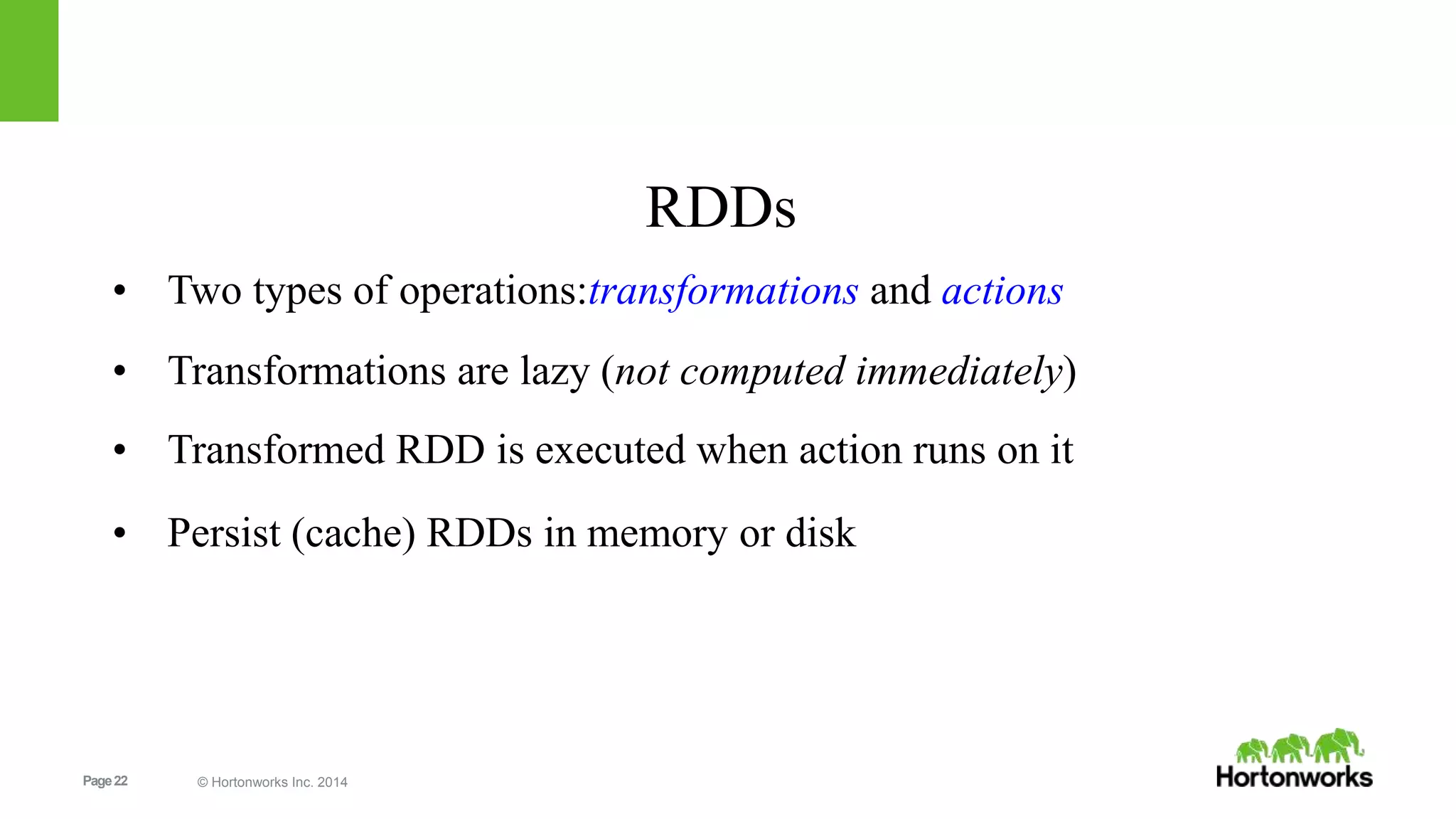
• Two types of operations:transformations and actions
• Transformations are lazy (not computed immediately)
• Transformed RDD is executed when action runs on it
• Persist (cache) RDDs in memory or disk
Page23 © Hortonworks Inc. 2014
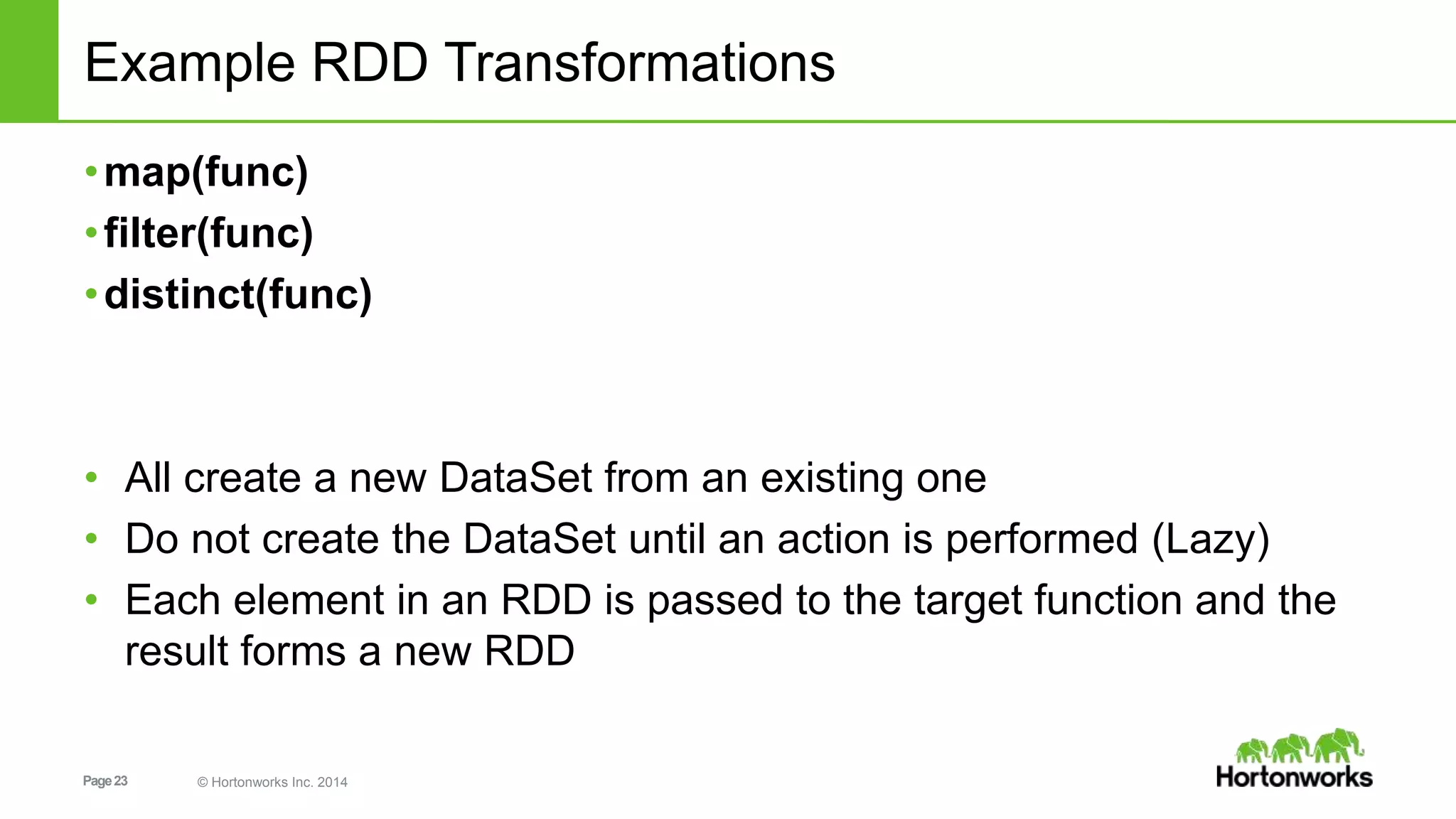
Example RDD Transformations
•map(func)
•filter(func)
•distinct(func)
• All create a new DataSet from an existing one
• Do not create the DataSet until an action is performed (Lazy)
• Each element in an RDD is passed to the target function and the
result forms a new RDD
Page24 © Hortonworks Inc. 2014
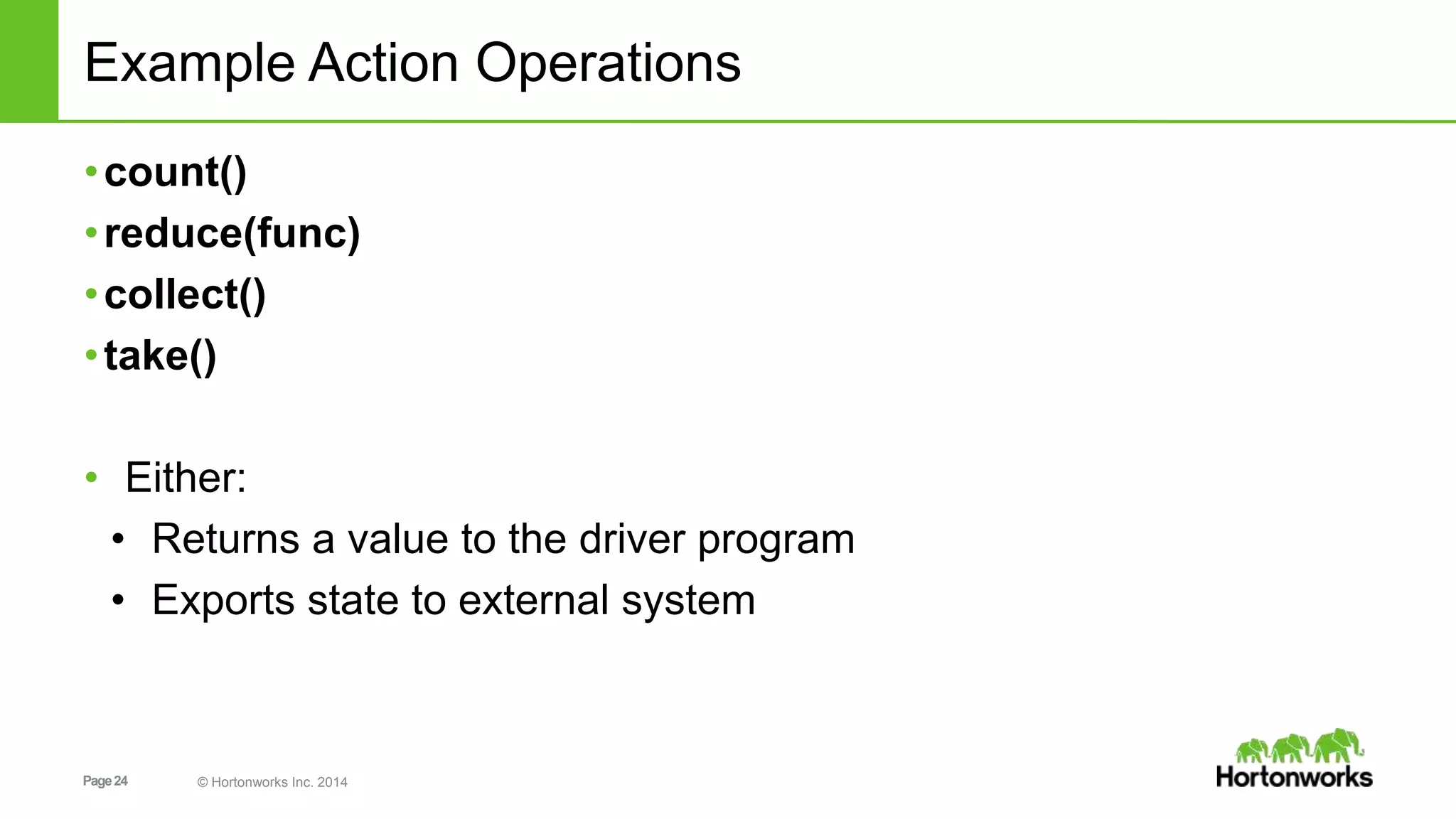
Example Action Operations
•count()
•reduce(func)
•collect()
•take()
• Either:
• Returns a value to the driver program
• Exports state to external system
Page25 © Hortonworks Inc. 2014
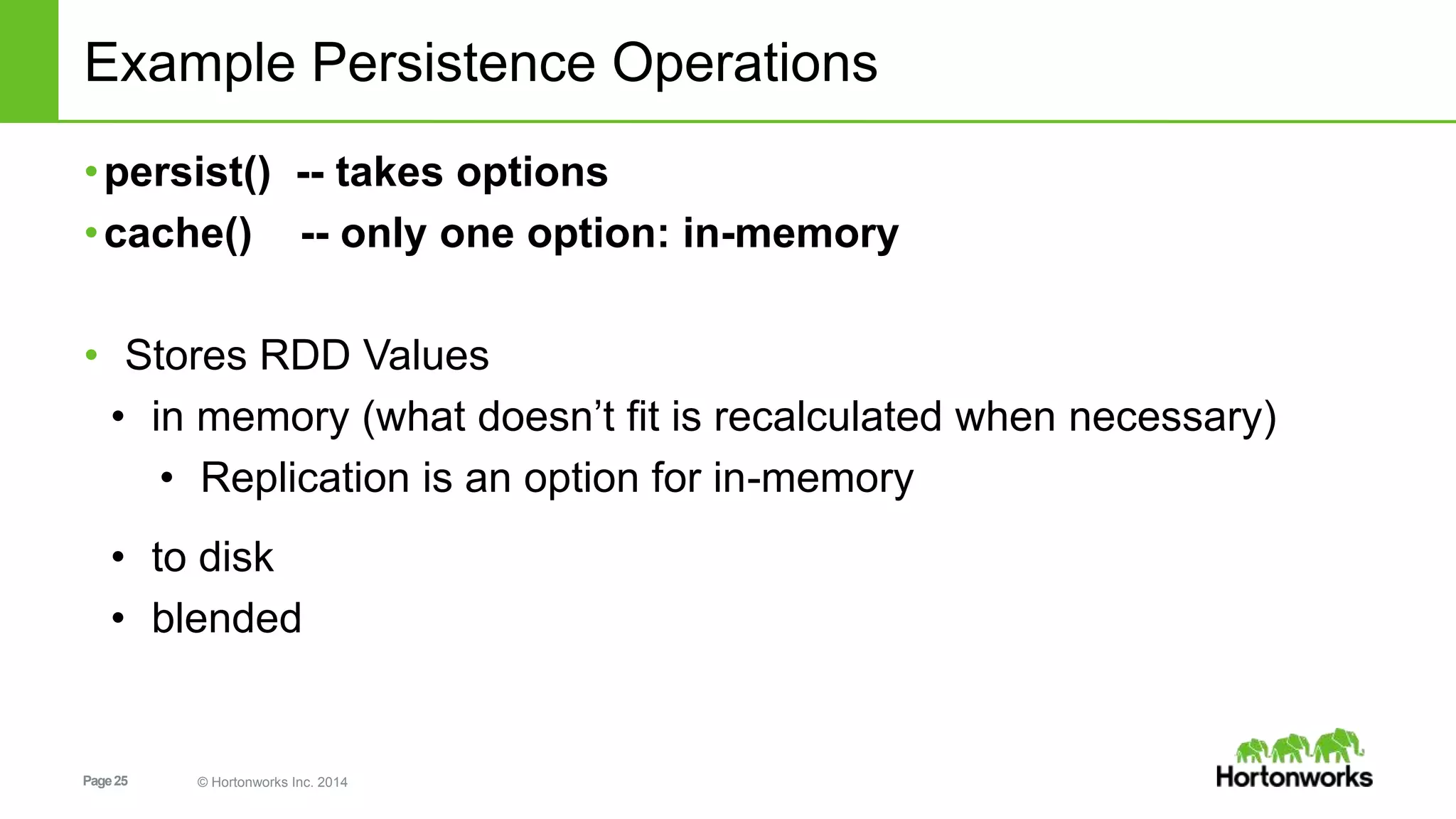
Example Persistence Operations
•persist() -- takes options
•cache() -- only one option: in-memory
• Stores RDD Values
• in memory (what doesn’t fit is recalculated when necessary)
• Replication is an option for in-memory
• to disk
• blended
Page26 © Hortonworks Inc. 2014
Spark Applications
Are a definition in code of
• RDD creation
• Actions
• Persistence
Results in the creation of a DAG (Directed Acyclic Graph) [workflow]
• Each DAG is compiled into stages
• Each Stage is executed as a series of Tasks
• Each Task operates in parallel on assigned partitions
Page27 © Hortonworks Inc. 2014
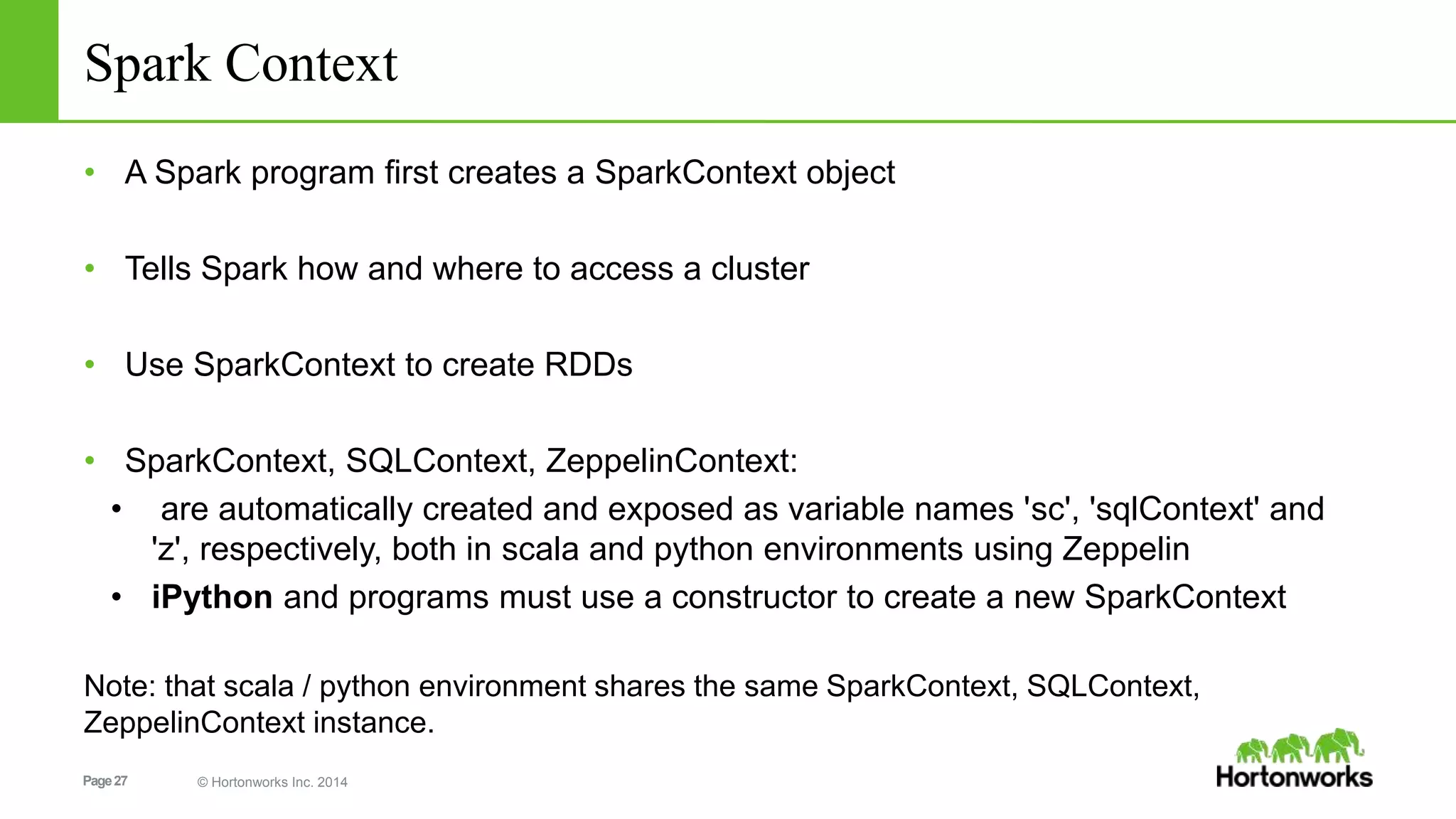
Spark Context
• A Spark program first creates a SparkContext object
• Tells Spark how and where to access a cluster
• Use SparkContext to create RDDs
• SparkContext, SQLContext, ZeppelinContext:
• are automatically created and exposed as variable names 'sc', 'sqlContext' and
'z', respectively, both in scala and python environments using Zeppelin
• iPython and programs must use a constructor to create a new SparkContext
Note: that scala / python environment shares the same SparkContext, SQLContext,
ZeppelinContext instance.
Page28 © Hortonworks Inc. 2014
1. Resilient Distributed Dataset [RDD] Graph
val v = sc.textFile("hdfs://…some-hdfs-data")
mapmap reduceByKey collecttextFile
v.flatMap(line=>line.split(" "))
.map(word=>(word, 1)))
.reduceByKey(_ + _, 3)
.collect()
RDD[String]
RDD[List[String]]
RDD[(String, Int)]
Array[(String, Int)]
RDD[(String, Int)]
Page29 © Hortonworks Inc. 2014
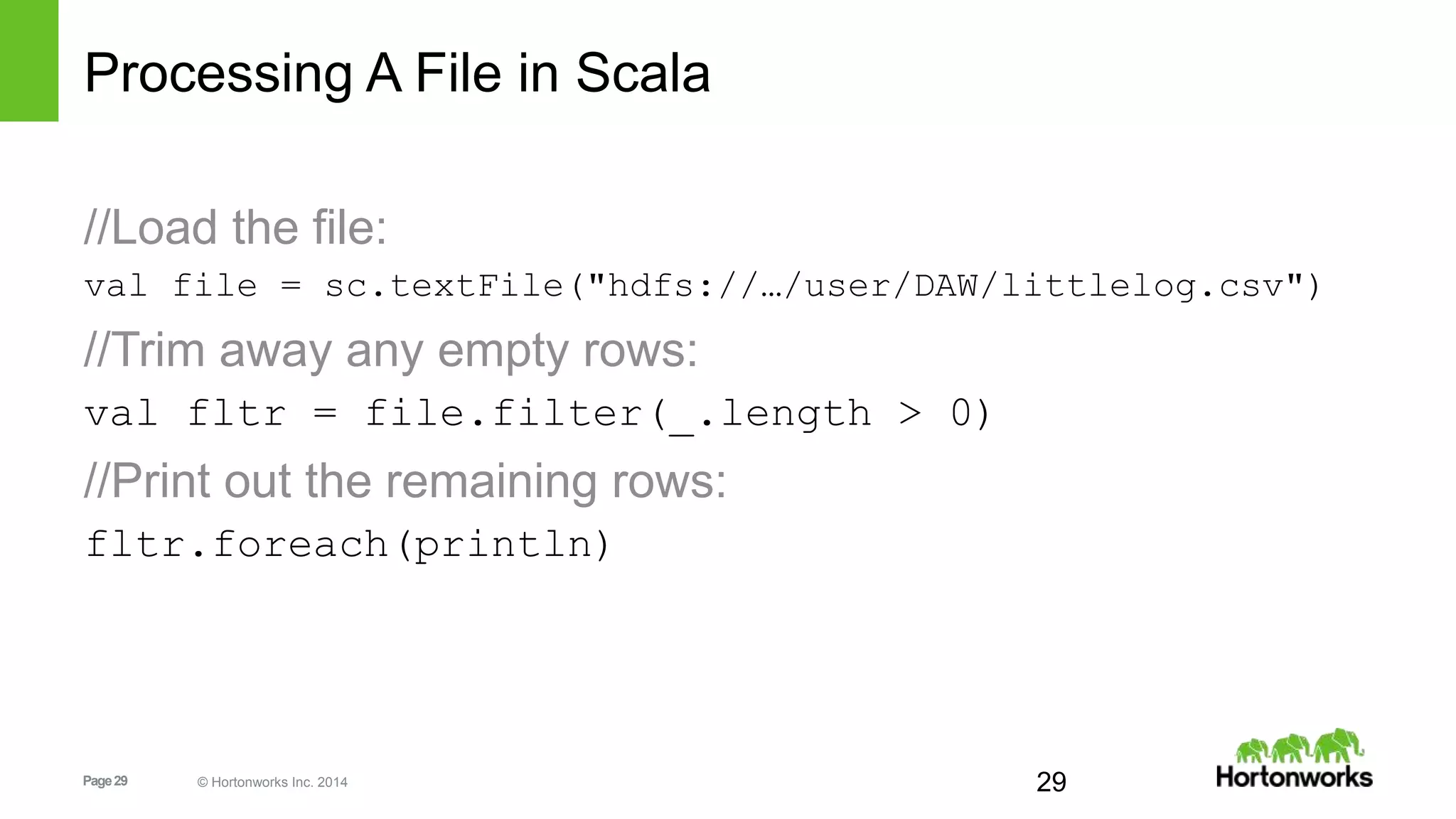
Processing A File in Scala
//Load the file:
val file = sc.textFile("hdfs://…/user/DAW/littlelog.csv")
//Trim away any empty rows:
val fltr = file.filter(_.length > 0)
//Print out the remaining rows:
fltr.foreach(println)
29
Page30 © Hortonworks Inc. 2014
Looking at the State in the Machine
//run debug command to inspect RDD:
scala> fltr.toDebugString
//simplified output:
res1: String =
FilteredRDD[2] at filter at <console>:14
MappedRDD[1] at textFile at <console>:12
HadoopRDD[0] at textFile at <console>:12
30
Page31 © Hortonworks Inc. 2014
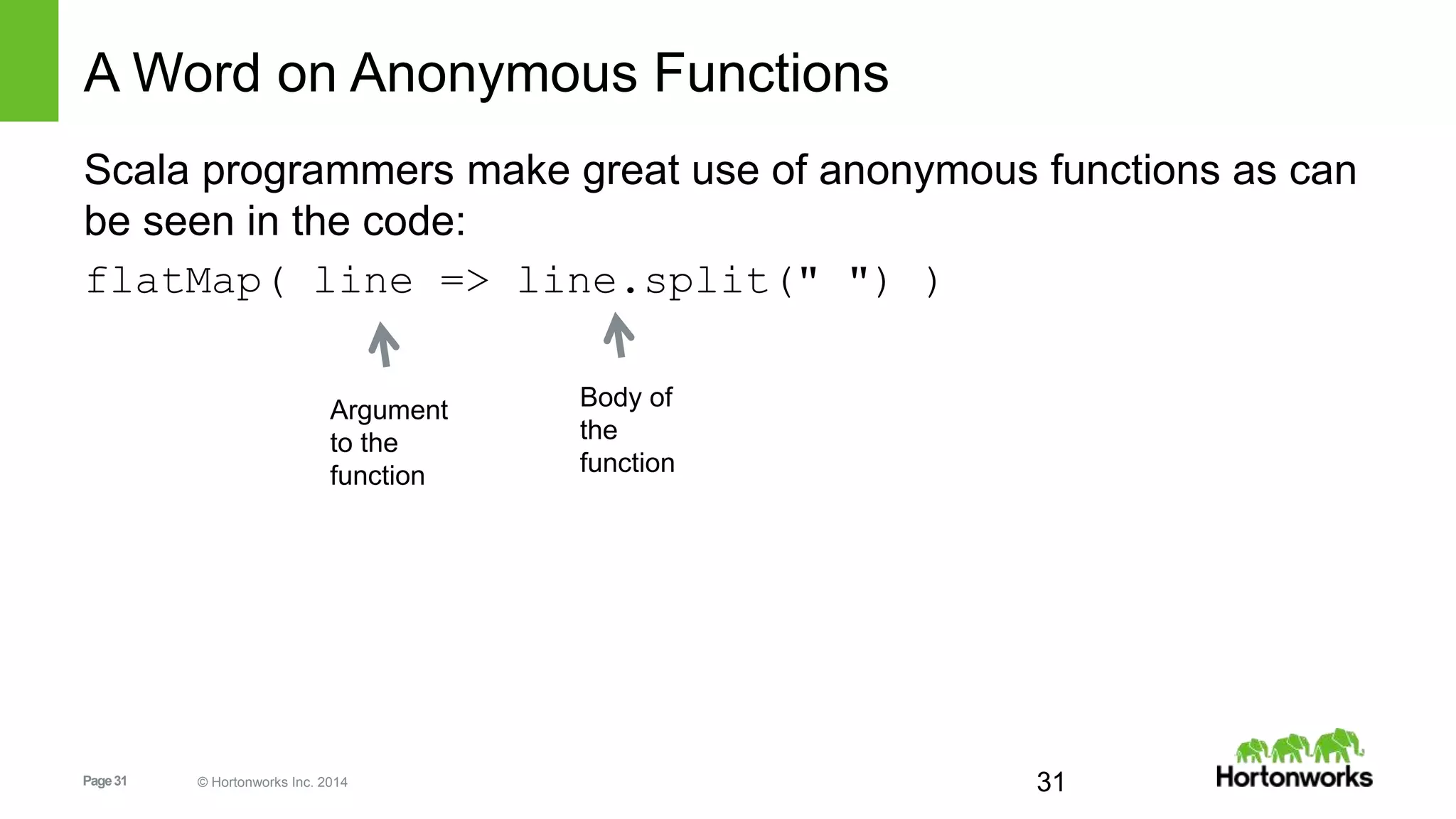
A Word on Anonymous Functions
Scala programmers make great use of anonymous functions as can
be seen in the code:
flatMap( line => line.split(" ") )
31
Argument
to the
function
Body of
the
function
Page32 © Hortonworks Inc. 2014
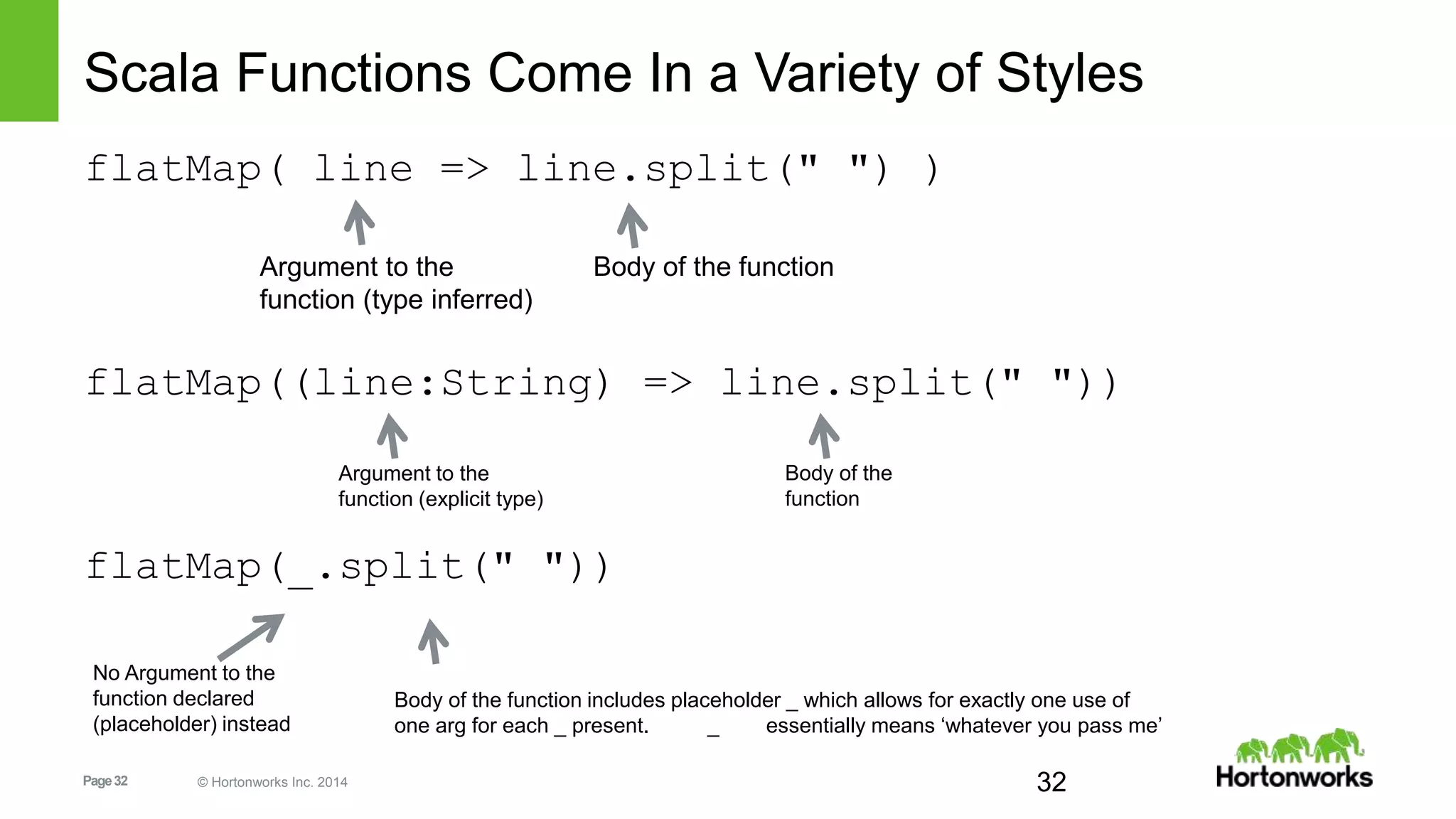
Scala Functions Come In a Variety of Styles
flatMap( line => line.split(" ") )
flatMap((line:String) => line.split(" "))
flatMap(_.split(" "))
32
Argument to the
function (type inferred)
Body of the function
Argument to the
function (explicit type)
Body of the
function
No Argument to the
function declared
(placeholder) instead
Body of the function includes placeholder _ which allows for exactly one use of
one arg for each _ present. _ essentially means ‘whatever you pass me’
Page33 © Hortonworks Inc. 2014
And Finally – the Formal ‘def’
def myFunc(line:String): Array[String]={
return line.split(",")
}
//and now that it has a name:
myFunc("Hi Mom, I’m home.").foreach(println)
Return type of the function)
Body of the function
Argument to the function)
Page34 © Hortonworks Inc. 2014
LAB: Spark RDD & Data Frames Demo –
Philly Crime Data Set
http://sandbox.hortonworks.com:8081/#/notebook/2B6HKTZDK
Page35 © Hortonworks Inc. 2014
Spark DataFrames
Page36 © Hortonworks Inc. 2014
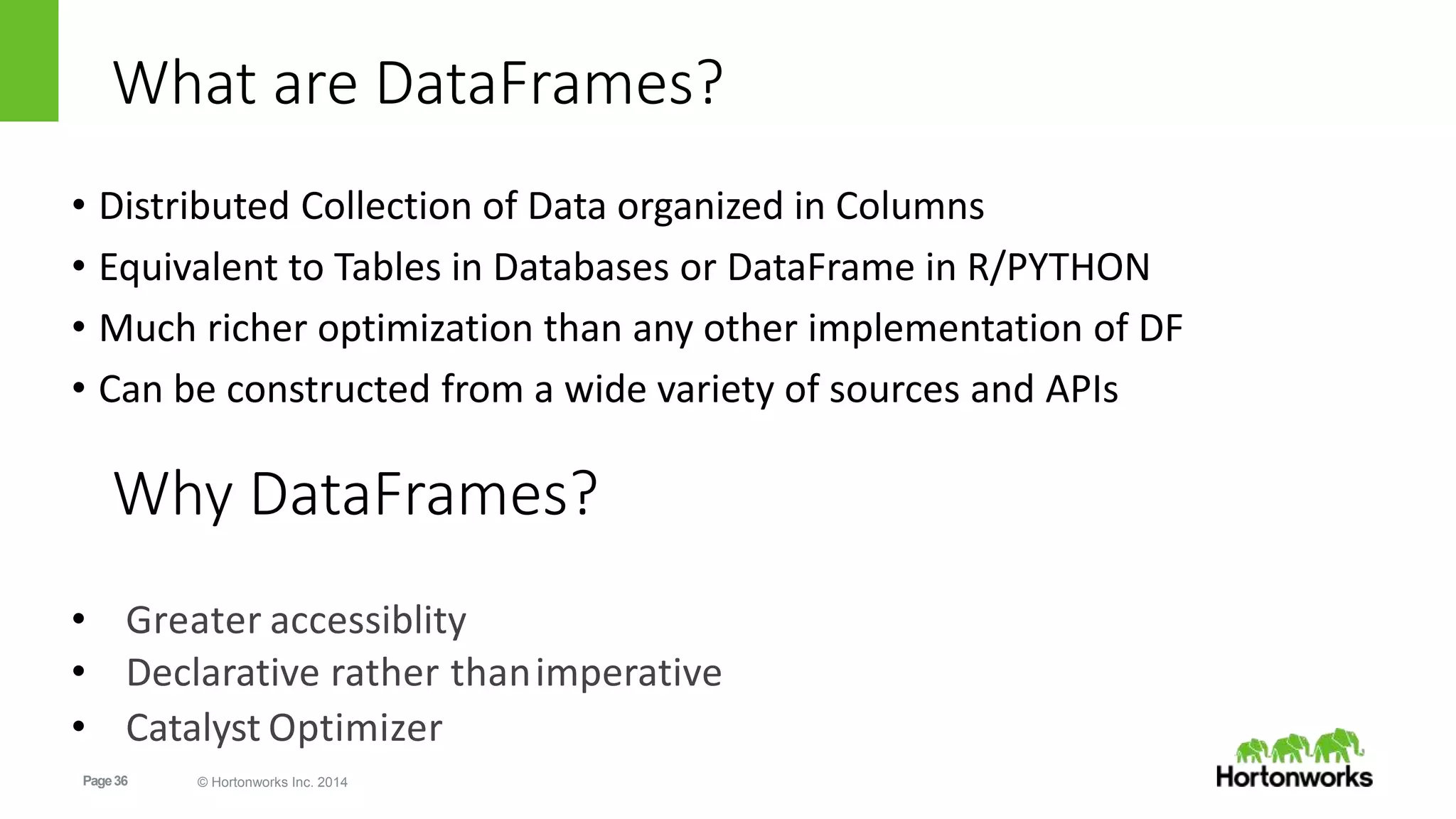
What are DataFrames?
• Distributed Collection of Data organized in Columns
• Equivalent to Tables in Databases or DataFrame in R/PYTHON
• Much richer optimization than any other implementation of DF
• Can be constructed from a wide variety of sources and APIs
• Greater accessiblity
• Declarative rather thanimperative
• Catalyst Optimizer
Why DataFrames?
Page37 © Hortonworks Inc. 2014
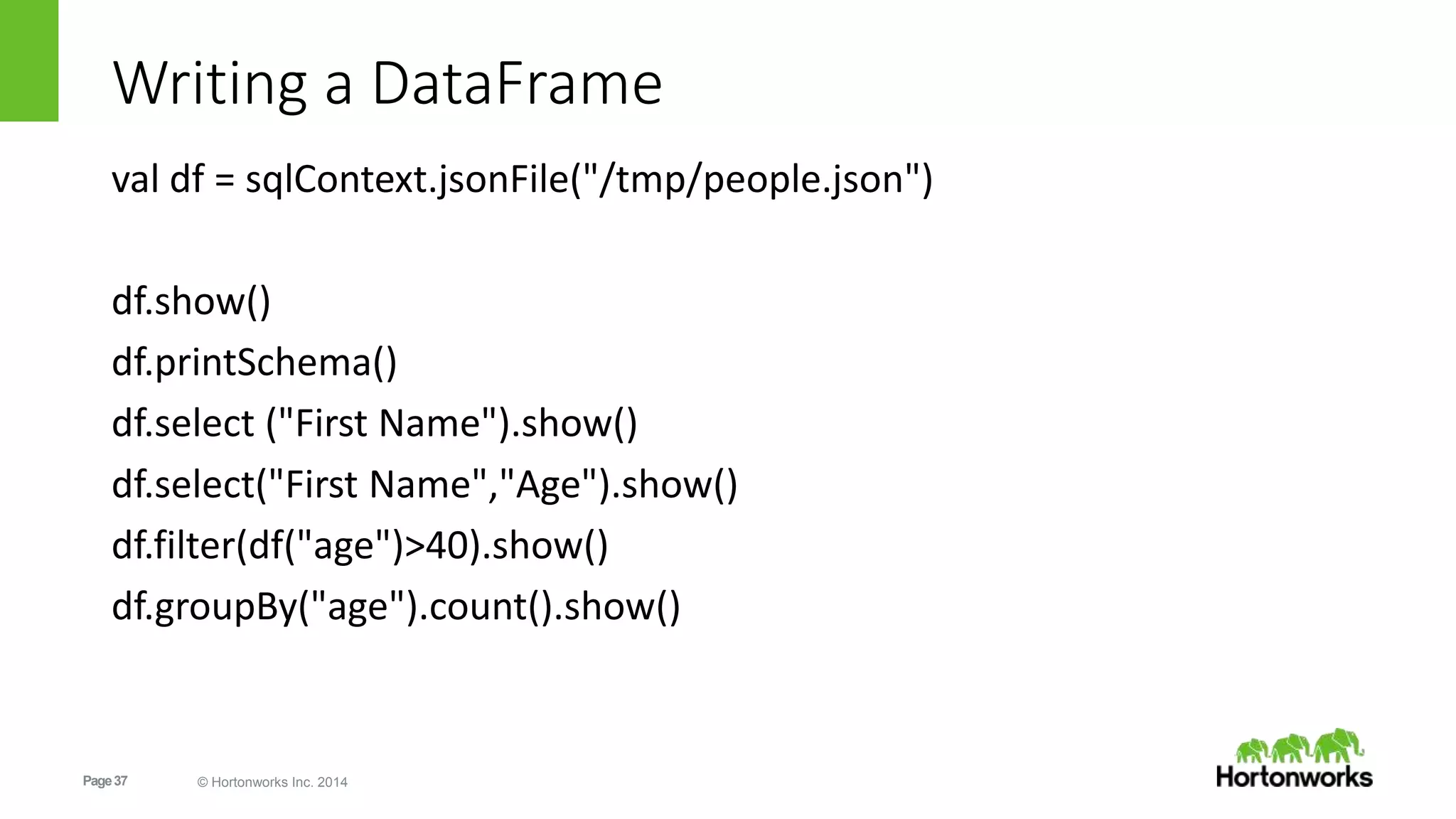
Writing a DataFrame
val df = sqlContext.jsonFile("/tmp/people.json")
df.show()
df.printSchema()
df.select ("First Name").show()
df.select("First Name","Age").show()
df.filter(df("age")>40).show()
df.groupBy("age").count().show()
Page38 © Hortonworks Inc. 2014
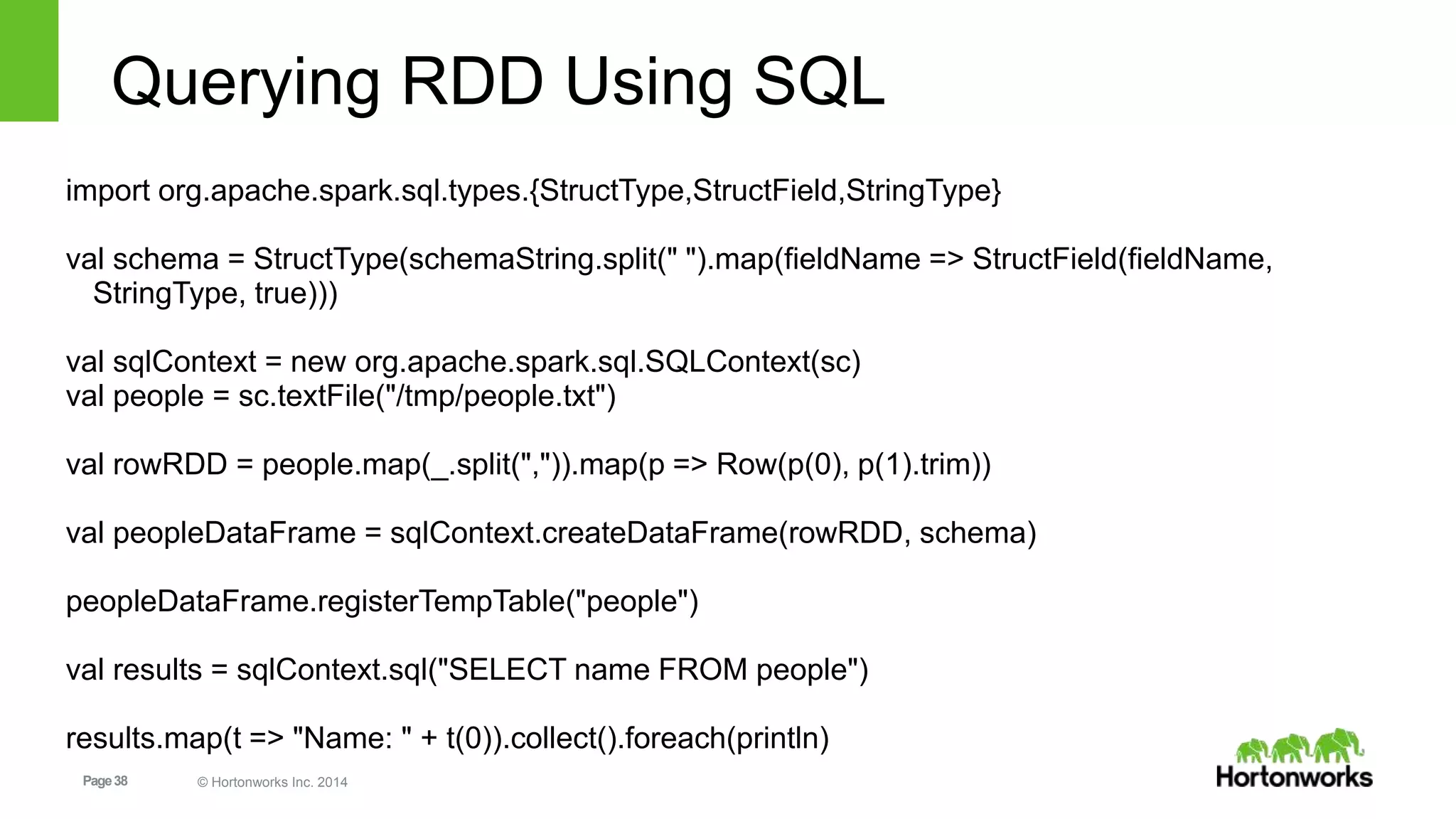
Querying RDD Using SQL
import org.apache.spark.sql.types.{StructType,StructField,StringType}
val schema = StructType(schemaString.split(" ").map(fieldName => StructField(fieldName,
StringType, true)))
val sqlContext = new org.apache.spark.sql.SQLContext(sc)
val people = sc.textFile("/tmp/people.txt")
val rowRDD = people.map(_.split(",")).map(p => Row(p(0), p(1).trim))
val peopleDataFrame = sqlContext.createDataFrame(rowRDD, schema)
peopleDataFrame.registerTempTable("people")
val results = sqlContext.sql("SELECT name FROM people")
results.map(t => "Name: " + t(0)).collect().foreach(println)
Page39 © Hortonworks Inc. 2014
Querying RDD Using SQL
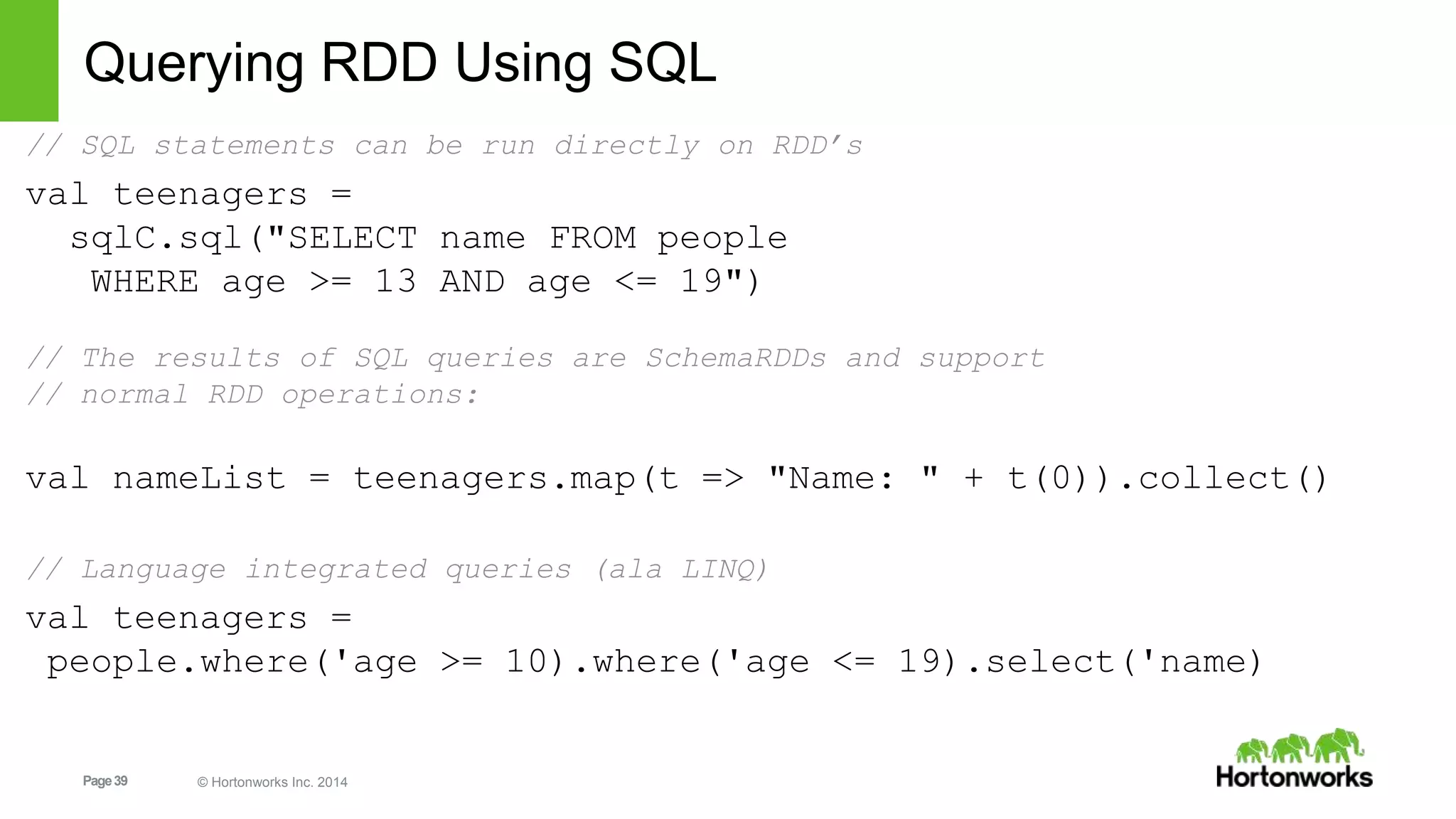
// SQL statements can be run directly on RDD’s
val teenagers =
sqlC.sql("SELECT name FROM people
WHERE age >= 13 AND age <= 19")
// The results of SQL queries are SchemaRDDs and support
// normal RDD operations:
val nameList = teenagers.map(t => "Name: " + t(0)).collect()
// Language integrated queries (ala LINQ)
val teenagers =
people.where('age >= 10).where('age <= 19).select('name)
Page40 © Hortonworks Inc. 2014
Dataframes for Apache Spark
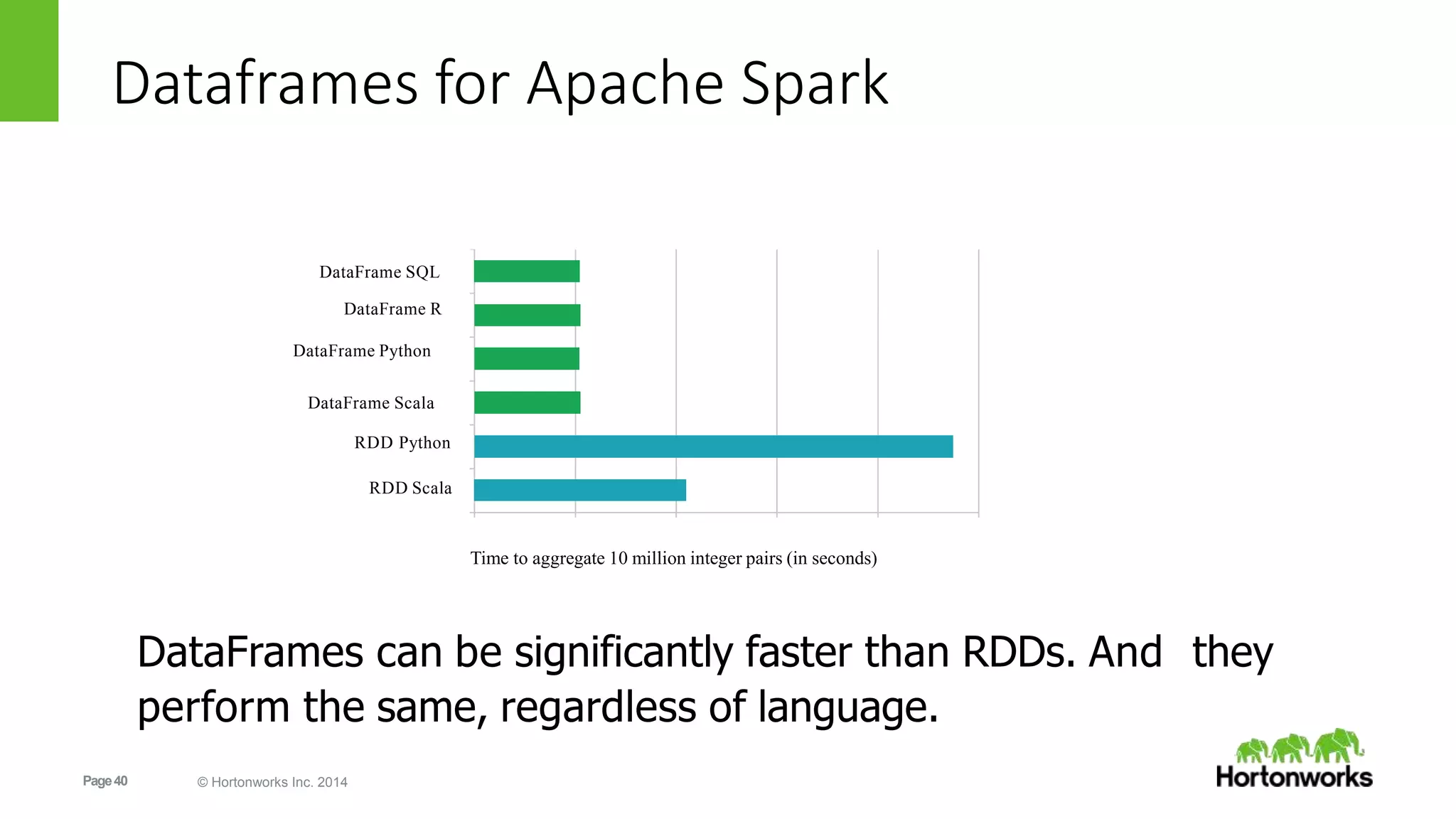
DataFrame SQL
DataFrame R
DataFrame Python
DataFrame Scala
RDD Python
RDD Scala
Time to aggregate 10 million integer pairs (in seconds)
DataFrames can be significantly faster than RDDs. And they
perform the same, regardless of language.
Page41 © Hortonworks Inc. 2014
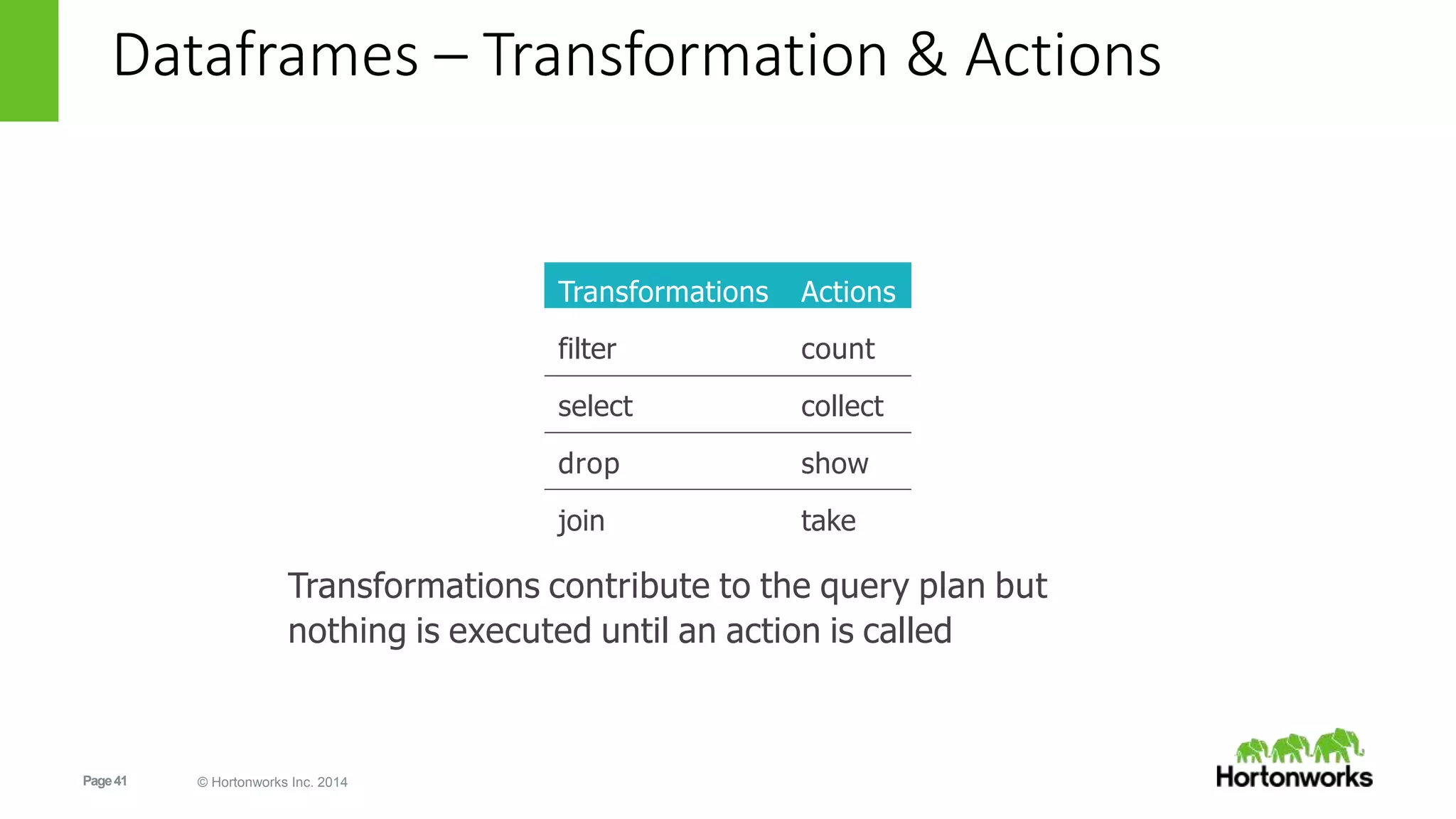
Transformations Actions
filter count
select collect
drop show
join take
Transformations contribute to the query plan but
nothing is executed until an action is called
Dataframes – Transformation & Actions
Page42 © Hortonworks Inc. 2014
LAB: DataFrames
http://sandbox.hortonworks.com:8081/#/notebook/2B4B7EWY7
http://sandbox.hortonworks.com:8081/#/notebook/2B5RMG4AM
DataFrames + SQL
DataFrames JSON
Page43 © Hortonworks Inc. 2014
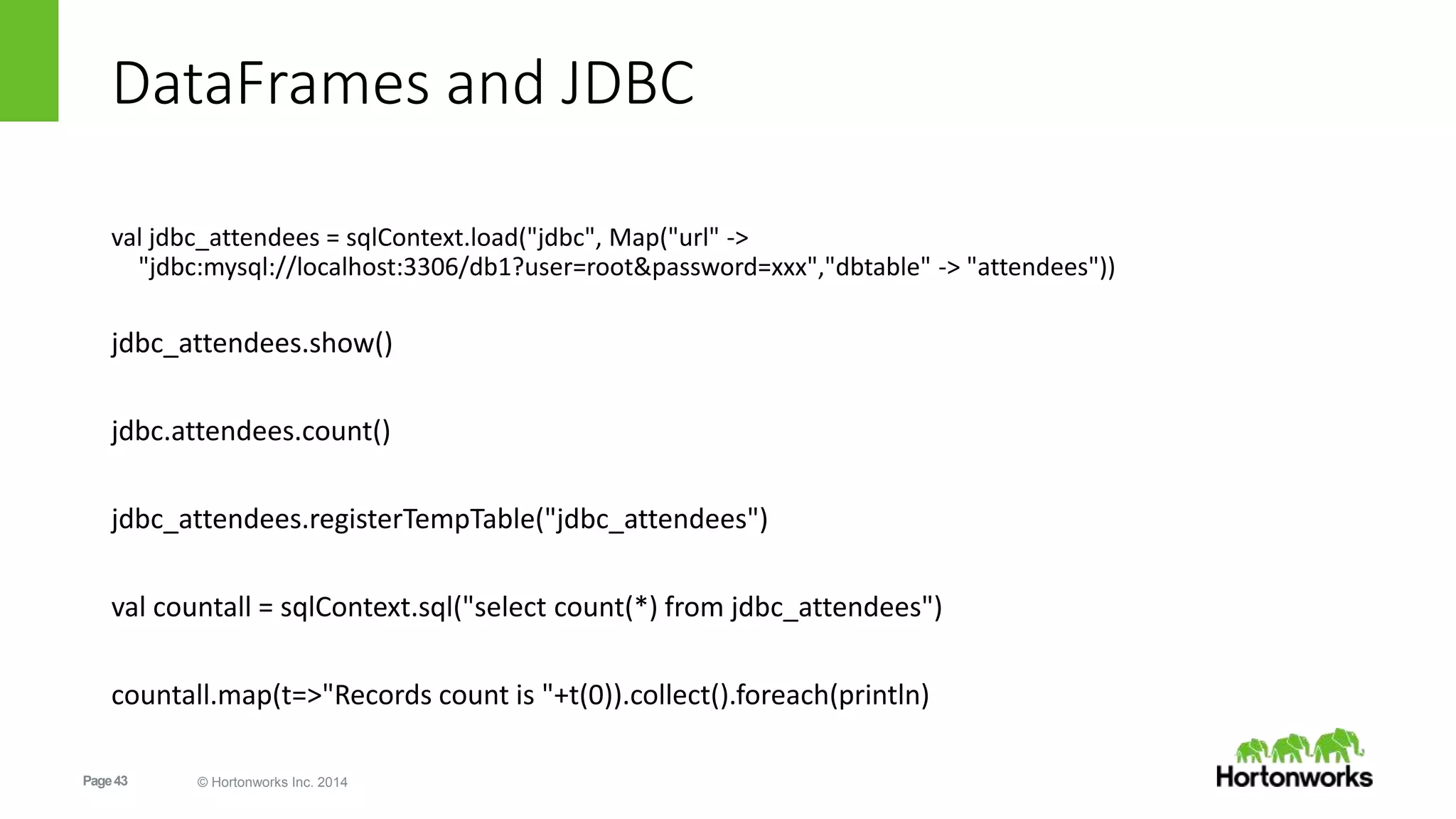
DataFrames and JDBC
val jdbc_attendees = sqlContext.load("jdbc", Map("url" ->
"jdbc:mysql://localhost:3306/db1?user=root&password=xxx","dbtable" -> "attendees"))
jdbc_attendees.show()
jdbc.attendees.count()
jdbc_attendees.registerTempTable("jdbc_attendees")
val countall = sqlContext.sql("select count(*) from jdbc_attendees")
countall.map(t=>"Records count is "+t(0)).collect().foreach(println)
Page44 © Hortonworks Inc. 2014
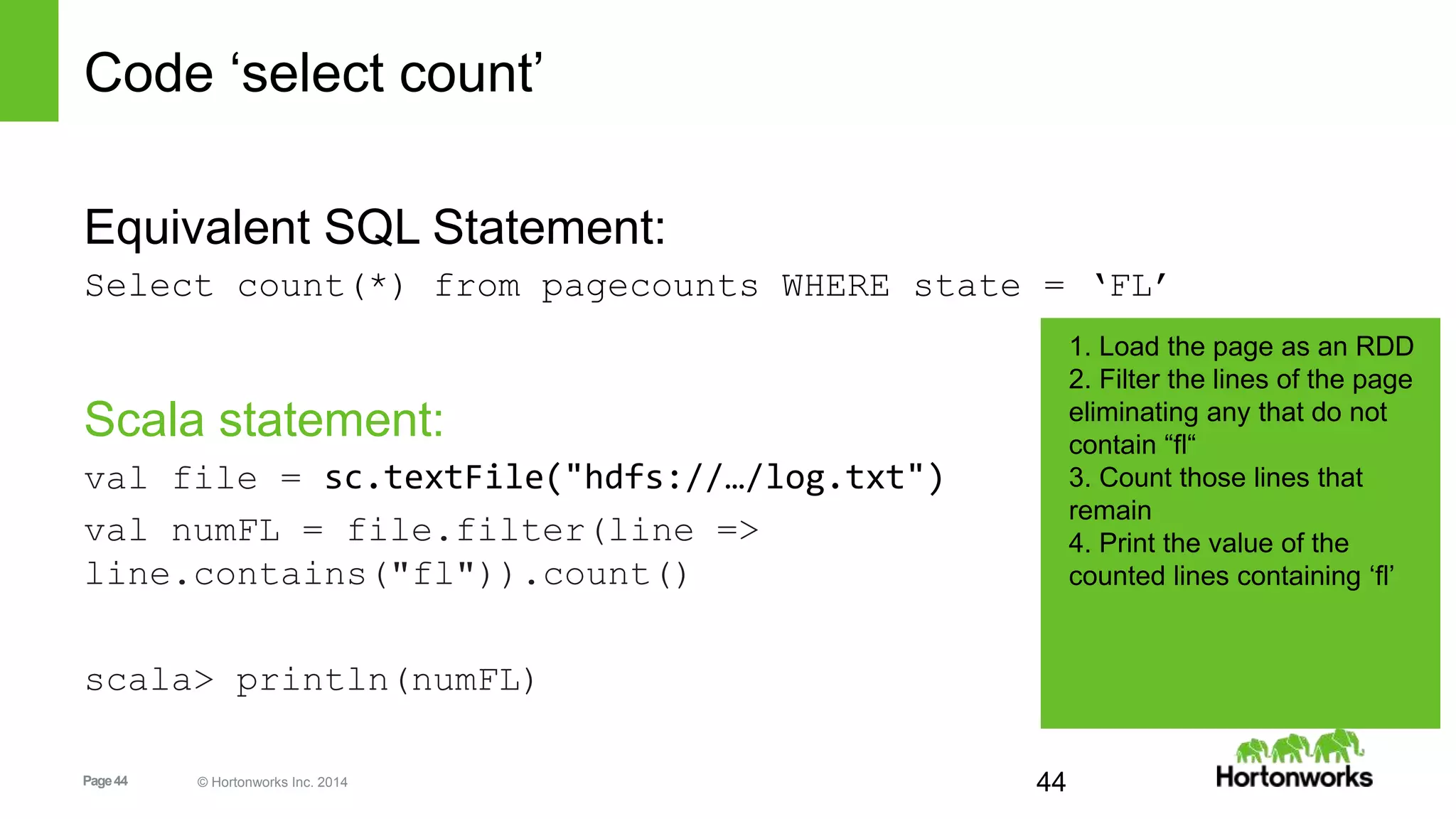
Code ‘select count’
Equivalent SQL Statement:
Select count(*) from pagecounts WHERE state = ‘FL’
Scala statement:
val file = sc.textFile("hdfs://…/log.txt")
val numFL = file.filter(line =>
line.contains("fl")).count()
scala> println(numFL)
44
1. Load the page as an RDD
2. Filter the lines of the page
eliminating any that do not
contain “fl“
3. Count those lines that
remain
4. Print the value of the
counted lines containing ‘fl’
Page45 © Hortonworks Inc. 2014
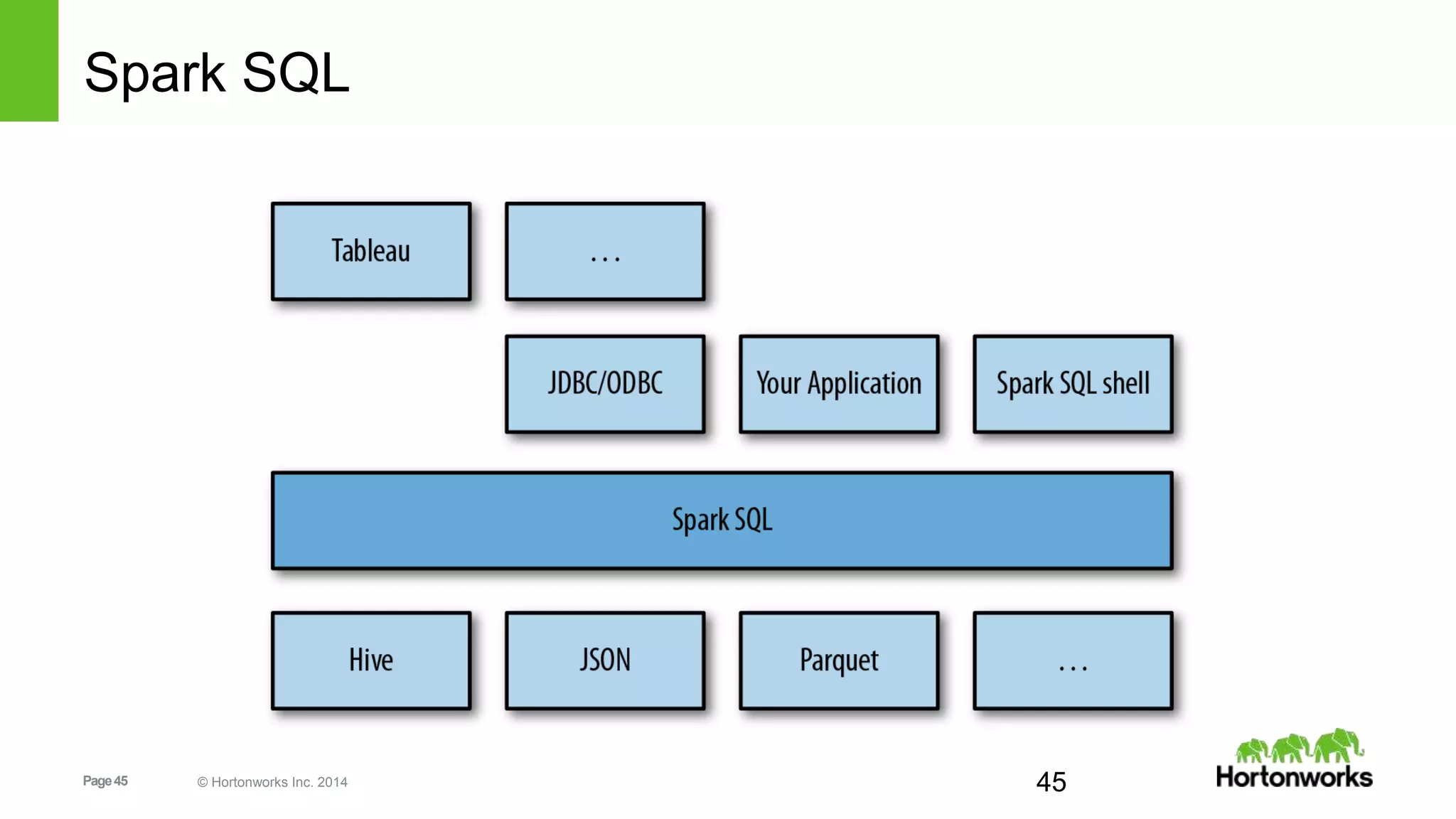
Spark SQL
45
Page46 © Hortonworks Inc. 2014 46
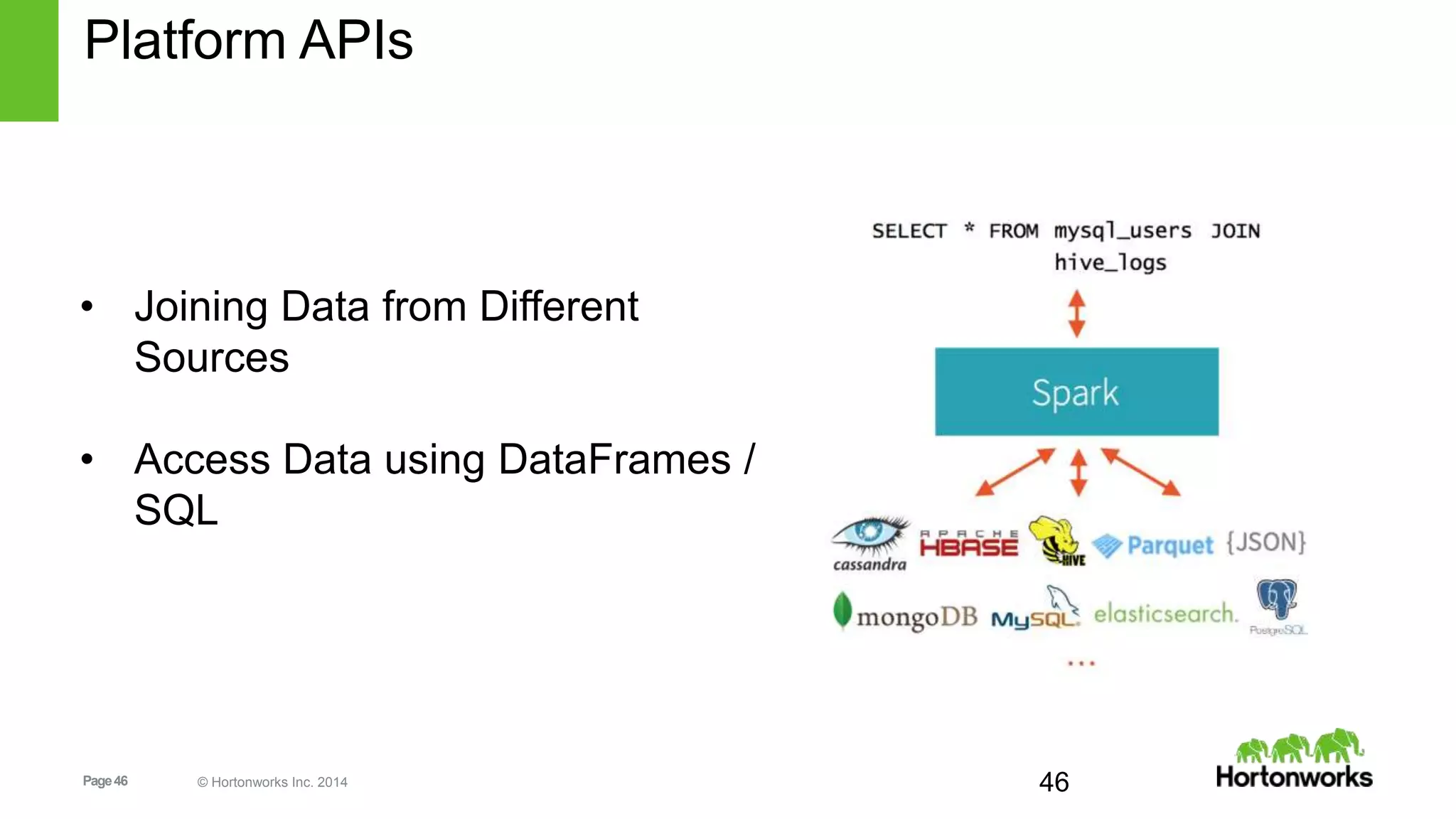
Platform APIs
• Joining Data from Different
Sources
• Access Data using DataFrames /
SQL
Page47 © Hortonworks Inc. 2014 47
Platform APIs
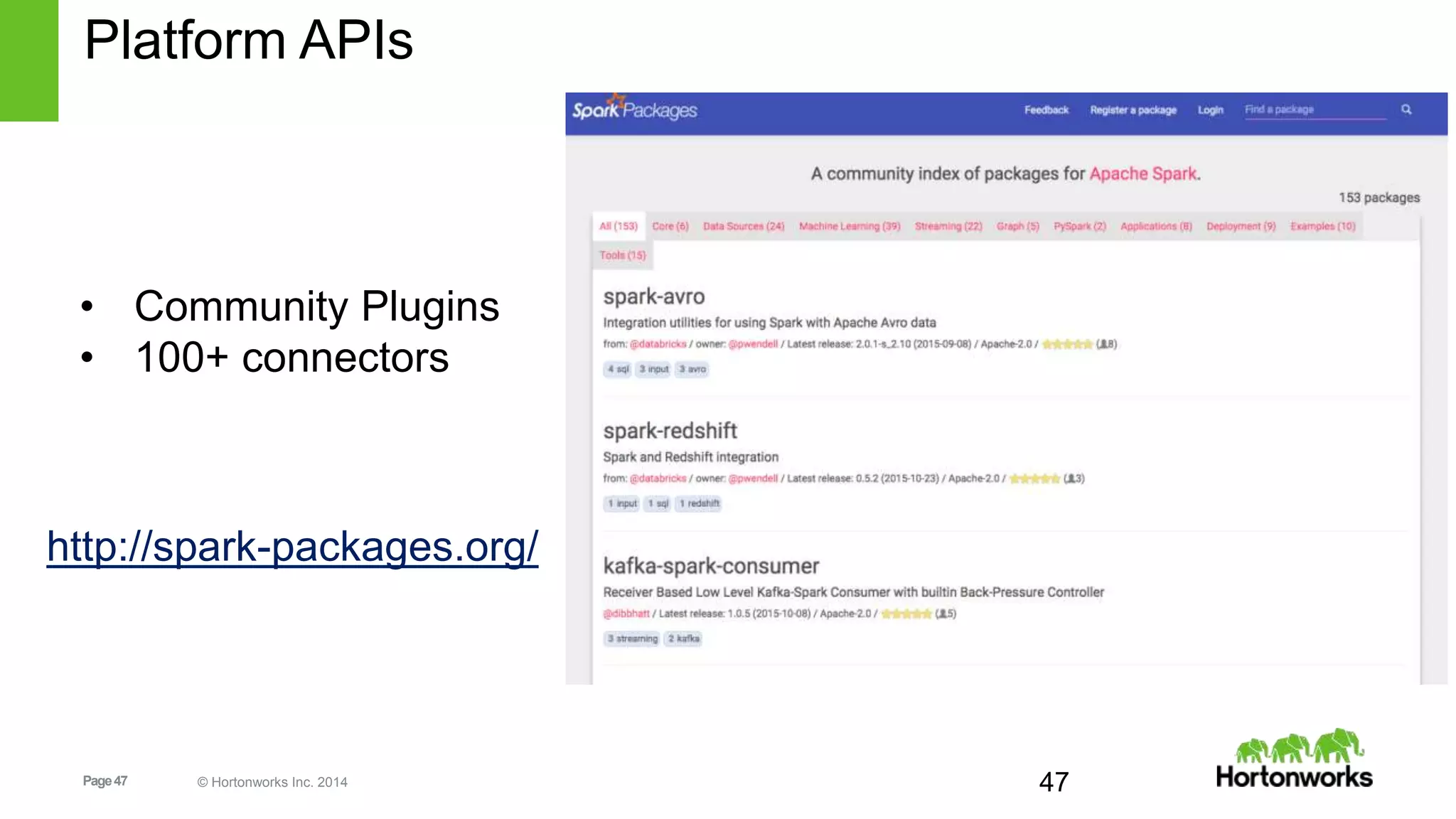
• Community Plugins
• 100+ connectors
http://spark-packages.org/
Page48 © Hortonworks Inc. 2014
LAB: JDBC and 3rd party packages
http://sandbox.hortonworks.com:8081/#/notebook/2B2P8RE82
Page49 © Hortonworks Inc. 2014
What About Integration With Hive?
scala> val hiveCTX = new org.apache.spark.sql.hive.HiveContext(sc)
scala> hiveCTX.hql("SHOW TABLES").collect().foreach(println)
…
[omniture]
[omniturelogs]
[orc_table]
[raw_products]
[raw_users]
…
49
Page50 © Hortonworks Inc. 2014
More Integration With Hive:
scala> hCTX.hql("DESCRIBE raw_users").collect().foreach(println)
[swid,string,null]
[birth_date,string,null]
[gender_cd,string,null]
scala> hCTX.hql("SELECT * FROM raw_users WHERE gender_cd='F' LIMIT
5").collect().foreach(println)
[0001BDD9-EABF-4D0D-81BD-D9EABFCD0D7D,8-Apr-84,F]
[00071AA7-86D2-4EB9-871A-A786D27EB9BA,7-Feb-88,F]
[00071B7D-31AF-4D85-871B-7D31AFFD852E,22-Oct-64,F]
[000F36E5-9891-4098-9B69-CEE78483B653,24-Mar-85,F]
[00102F3F-061C-4212-9F91-1254F9D6E39F,1-Nov-91,F]
50
Page51 © Hortonworks Inc. 2014
ORC at Spotify
16x less HDFS read when
using ORC versus Avro.(5)
IOi
32x less CPU when using ORC
versus Avro.(5)
CPUi
[2]
Page52 © Hortonworks Inc. 2014
LAB: HIVE ORC
http://sandbox.hortonworks.com:8081/#/notebook/2B6KUW16Z
Page53 © Hortonworks Inc. 2014
Spark Streaming
Page54 © Hortonworks Inc. 2014
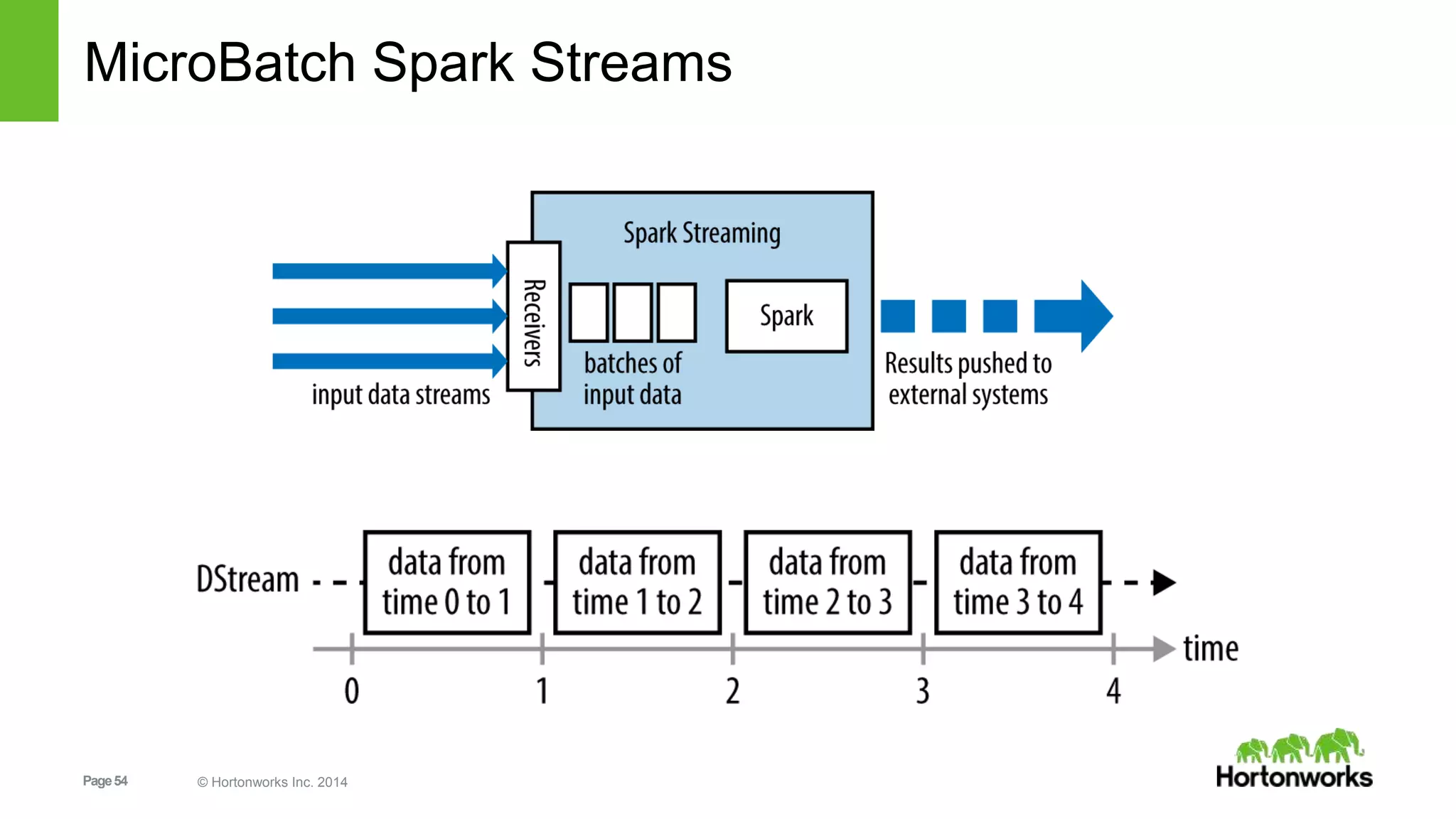
MicroBatch Spark Streams
Page55 © Hortonworks Inc. 2014
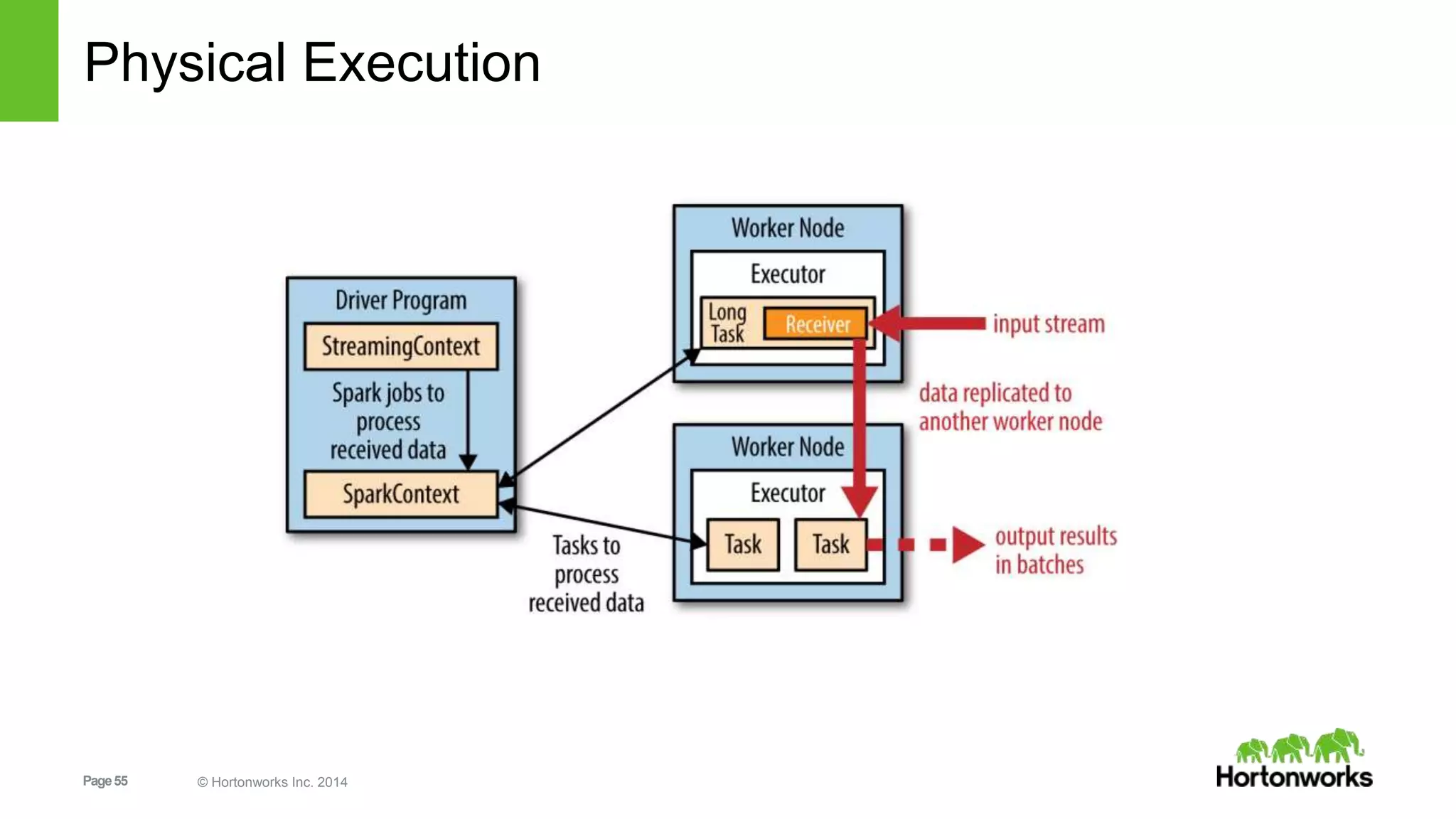
Physical Execution
Page56 © Hortonworks Inc. 2014
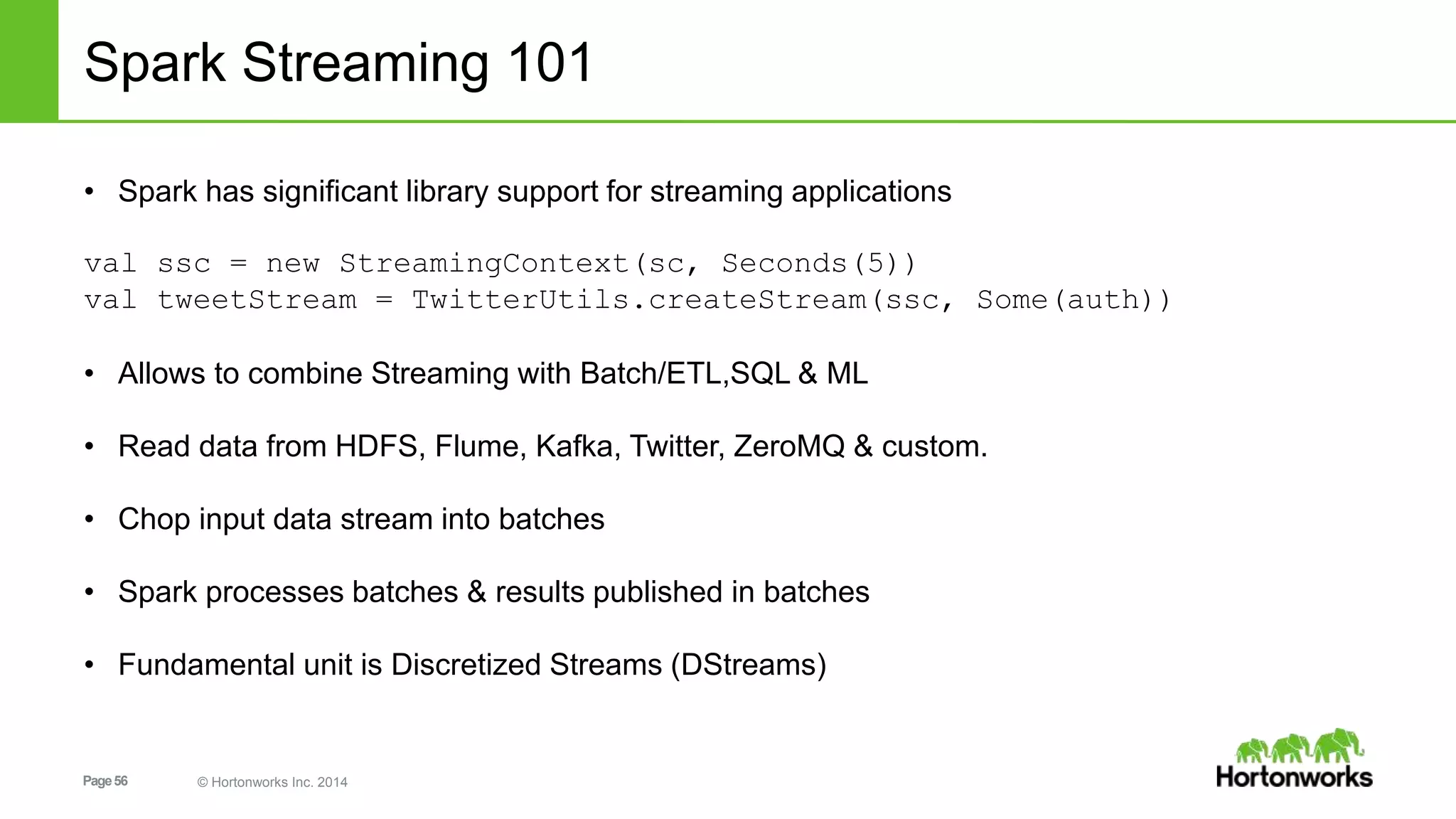
Spark Streaming 101
• Spark has significant library support for streaming applications
val ssc = new StreamingContext(sc, Seconds(5))
val tweetStream = TwitterUtils.createStream(ssc, Some(auth))
• Allows to combine Streaming with Batch/ETL,SQL & ML
• Read data from HDFS, Flume, Kafka, Twitter, ZeroMQ & custom.
• Chop input data stream into batches
• Spark processes batches & results published in batches
• Fundamental unit is Discretized Streams (DStreams)
Page57 © Hortonworks Inc. 2014
Spark MLLib
Page58 © Hortonworks Inc. 2014
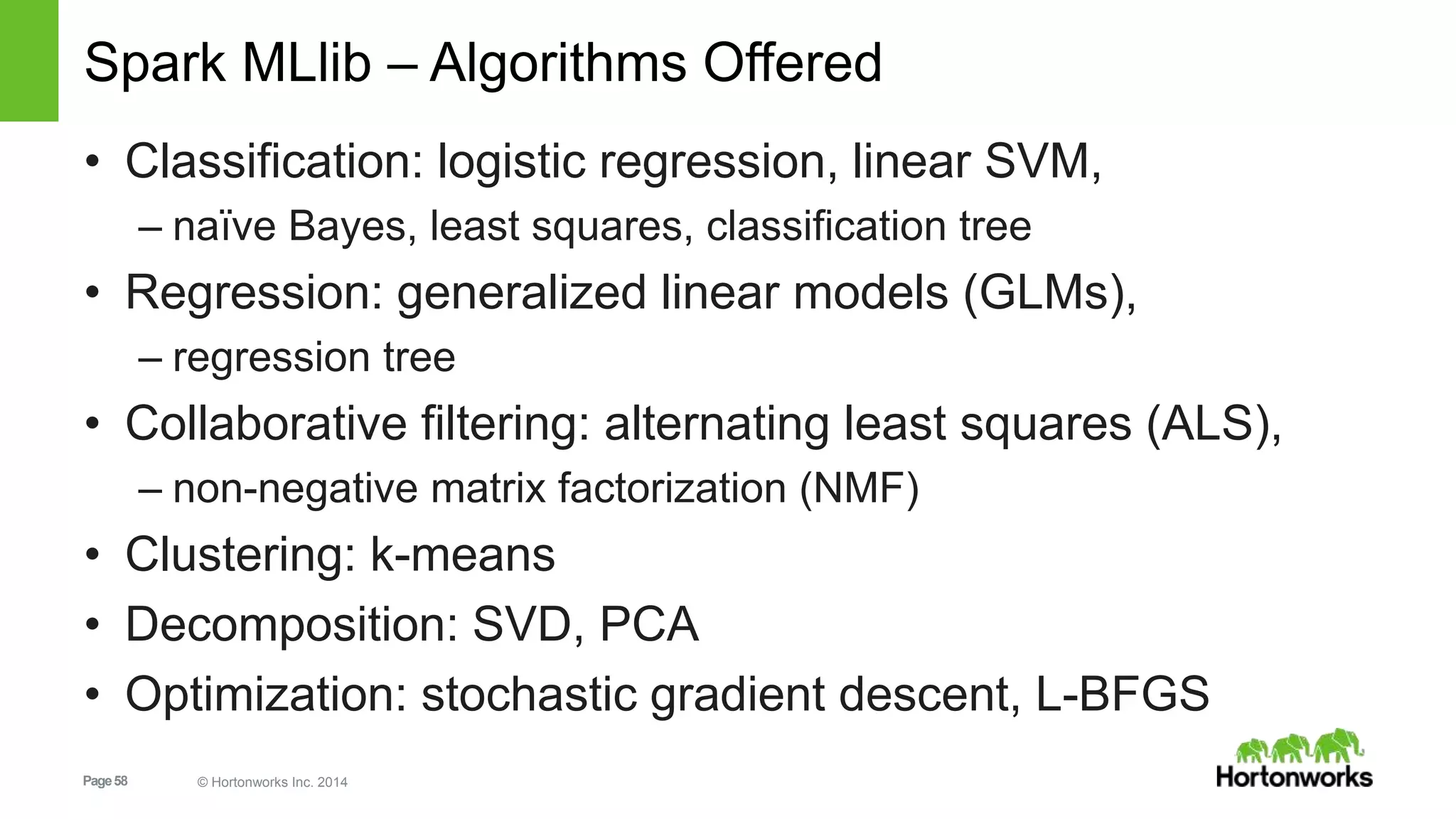
Spark MLlib – Algorithms Offered
• Classification: logistic regression, linear SVM,
– naïve Bayes, least squares, classification tree
• Regression: generalized linear models (GLMs),
– regression tree
• Collaborative filtering: alternating least squares (ALS),
– non-negative matrix factorization (NMF)
• Clustering: k-means
• Decomposition: SVD, PCA
• Optimization: stochastic gradient descent, L-BFGS
Page59 © Hortonworks Inc. 2014 59
ML - Pipelines
• New algorithms KMeans [SPARK-7879], Naive Bayes [SPARK-
8600], Bisecting KMeans
• [SPARK-6517], Multi-layer Perceptron (ANN) [SPARK-2352],
Weighting for
• Linear Models [SPARK-7685]
• New transformers (close to parity with SciKit learn):
CountVectorizer [SPARK-8703],
• PCA [SPARK-8664], DCT [SPARK-8471], N-Grams [SPARK-8455]
• Calling into single machine solvers (coming soon as a package)
Page60 © Hortonworks Inc. 2014
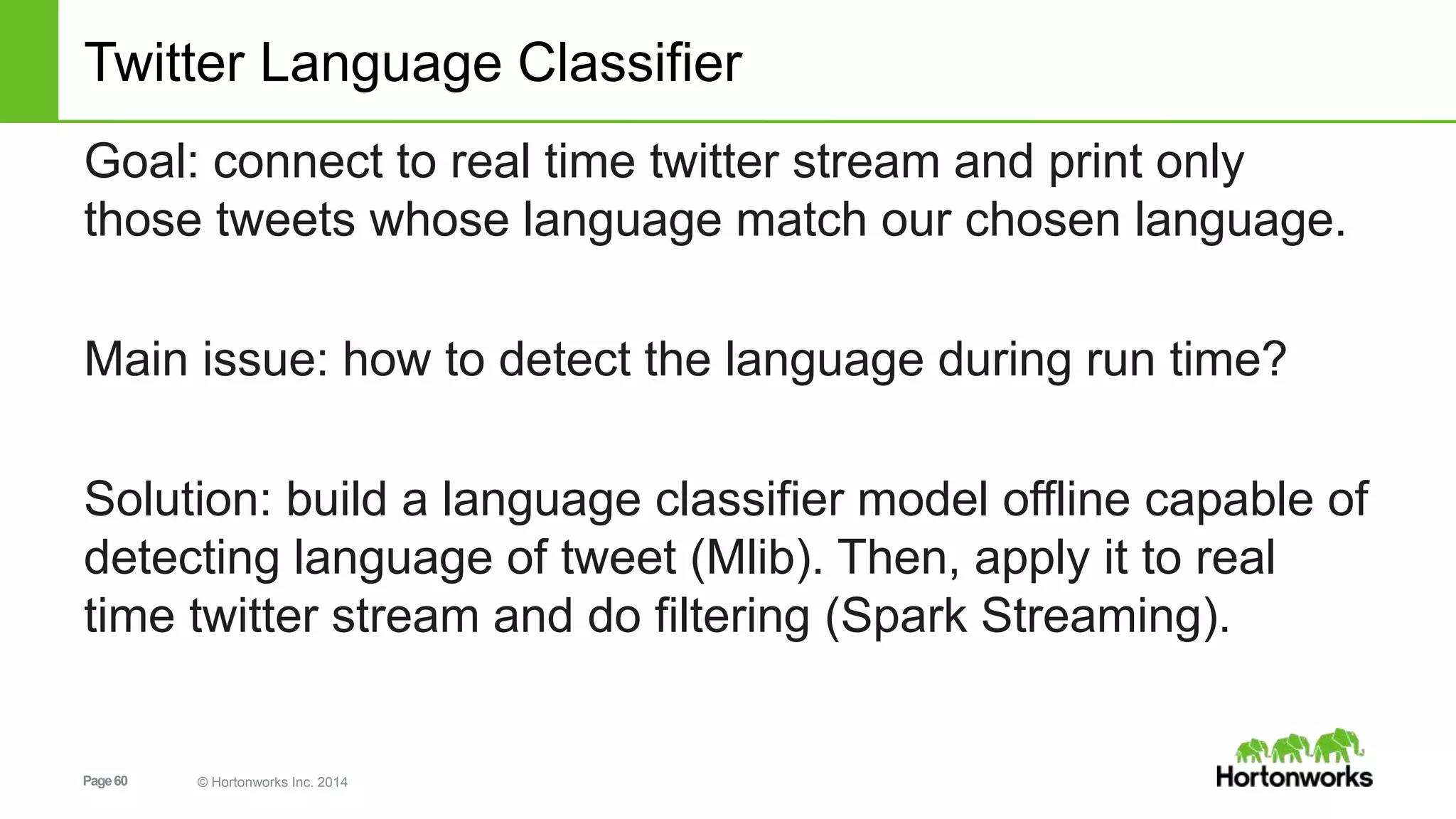
Twitter Language Classifier
Goal: connect to real time twitter stream and print only
those tweets whose language match our chosen language.
Main issue: how to detect the language during run time?
Solution: build a language classifier model offline capable of
detecting language of tweet (Mlib). Then, apply it to real
time twitter stream and do filtering (Spark Streaming).
Page61 © Hortonworks Inc. 2014
Spark External Datasources
Page62 © Hortonworks Inc. 2014
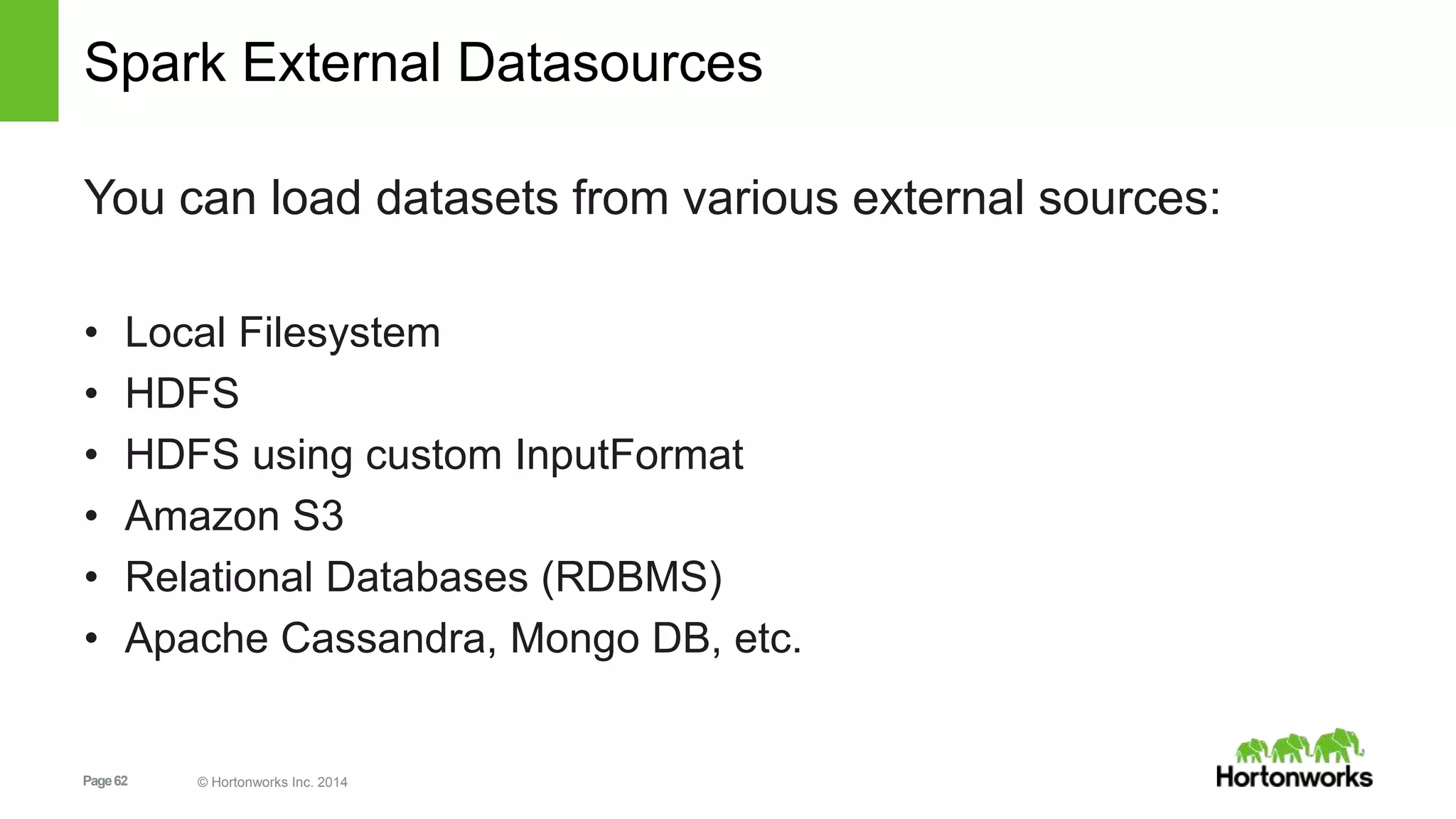
Spark External Datasources
You can load datasets from various external sources:
• Local Filesystem
• HDFS
• HDFS using custom InputFormat
• Amazon S3
• Relational Databases (RDBMS)
• Apache Cassandra, Mongo DB, etc.
Page63 © Hortonworks Inc. 2014
LABS: data load from MongoDB or Cassandra
Page64 © Hortonworks Inc. 2014
Recommendation Engine - ALS
Page65 © Hortonworks Inc. 2014
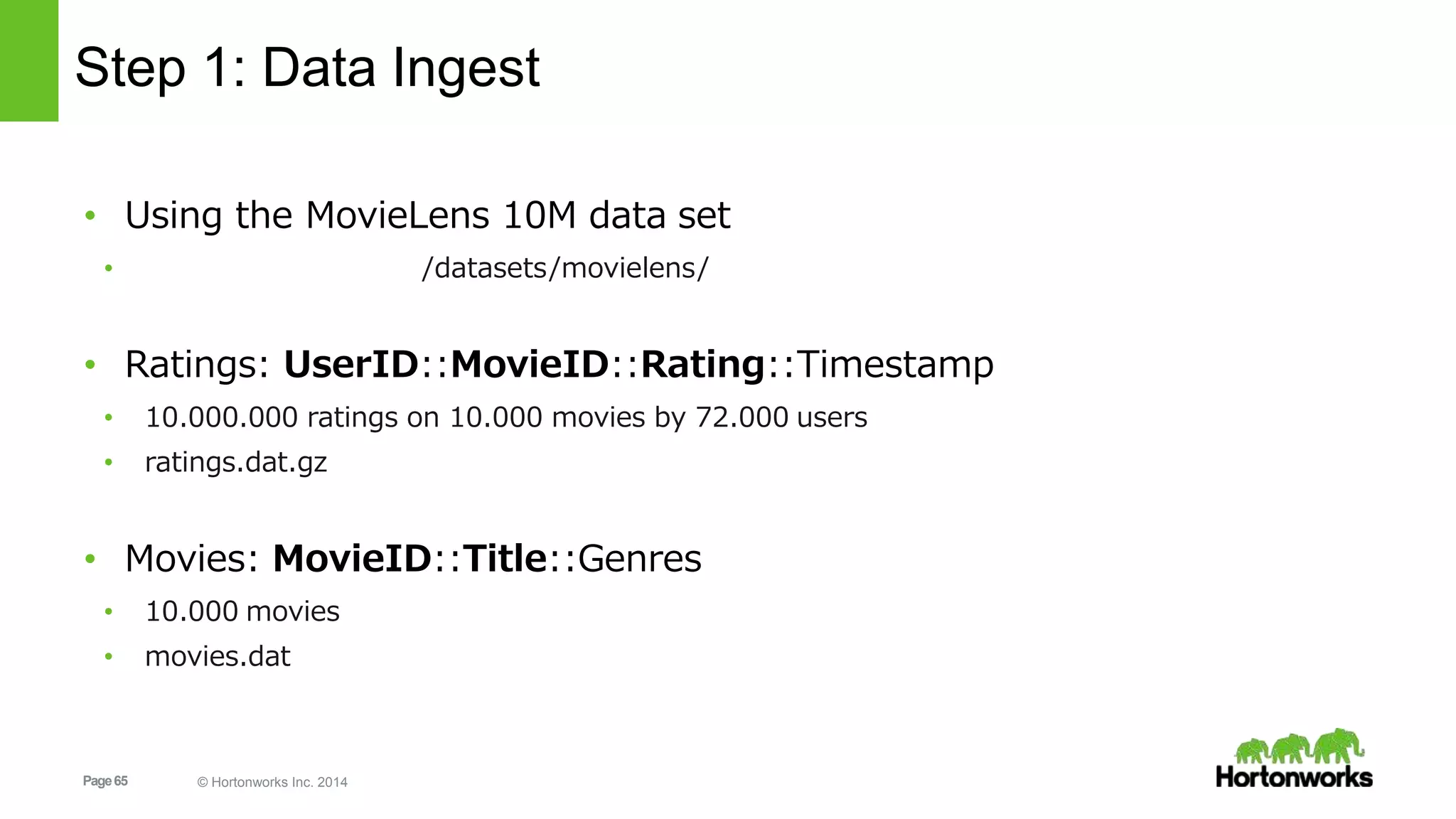
Step 1: Data Ingest
• Using the MovieLens 10M data set
• http://grouplens.org/datasets/movielens/
• Ratings: UserID::MovieID::Rating::Timestamp
• 10.000.000 ratings on 10.000 movies by 72.000 users
• ratings.dat.gz
• Movies: MovieID::Title::Genres
• 10.000 movies
• movies.dat
Page66 © Hortonworks Inc. 2014
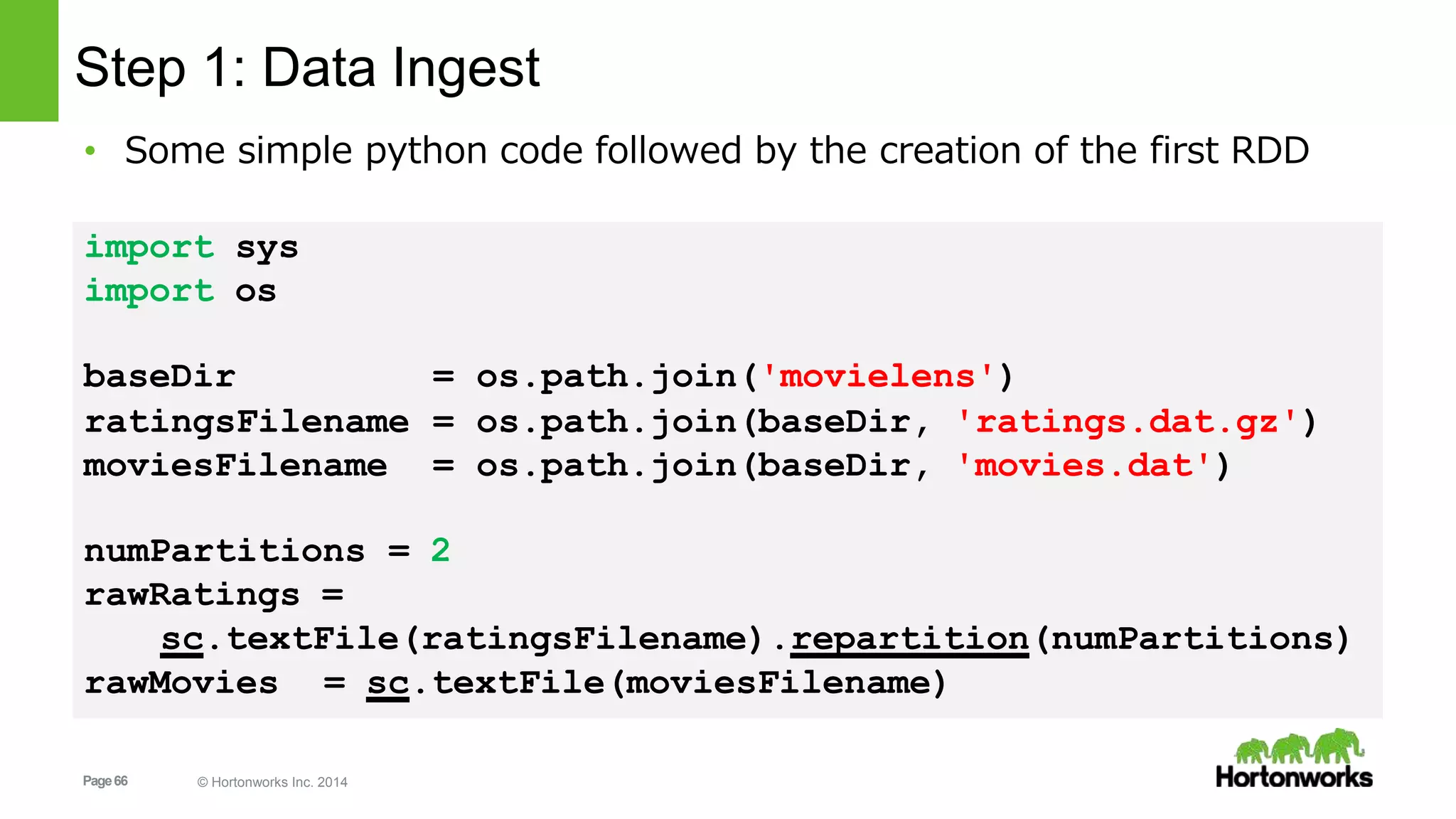
baseDir = os.path.join('movielens')
ratingsFilename = os.path.join(baseDir, 'ratings.dat.gz')
moviesFilename = os.path.join(baseDir, 'movies.dat')
numPartitions = 2
rawRatings =
sc.textFile(ratingsFilename).repartition(numPartitions)
rawMovies = sc.textFile(moviesFilename)
Step 1: Data Ingest
• Some simple python code followed by the creation of the first RDD
import sys
import os
Page67 © Hortonworks Inc. 2014
Step 2: Feature Extraction
• Transform the string data in tuples of useful data and remove
unwanted pieces
• Ratings: UserID::MovieID::Rating::TImestamp
1::1193::5::978300760
1::661::3::978302109 => [(1, 1193, 5.0), (1, 914, 3.0), …]
• Movies: MovieID::Title::Genres
1::Toy Story (1995):: Animation|Children’s|Comedy
2::Jumanji (1995)::Adventure|Children’s|Fantasy
=> [(1, 'Toy Story (1995)'), (2, u'Jumanji (1995)'), …]
Page68 © Hortonworks Inc. 2014
def get_ratings_tuple(entry):
float(items[2])
items = entry.split('::')
return int(items[0]), int(items[1]),
def get_movie_tuple(entry):
items = entry.split('::')
return int(items[0]), items[1]
ratingsRDD = rawRatings.map(get_ratings_tuple).cache()
moviesRDD = rawMovies.map(get_movie_tuple).cache()
Step 2: Feature Extraction
Page69 © Hortonworks Inc. 2014
Step 2: Feature Extraction
• Inspect RDD using collect()
• Careful: make sure the whole dataset fits in the
memory of the driver
Driver
job
Executor
Task
Executor
Task
• Use take(num)
• Safer: takes a num-size subset
print 'Ratings: %s' % ratingsRDD.take(2)
Ratings: [(1, 1193, 5.0), (1, 914, 3.0)]
print 'Movies: %s' % moviesRDD.take(2)
Movies: [(1, u'Toy Story (1995)'), (2, u'Jumanji (1995)')]
Page70 © Hortonworks Inc. 2014
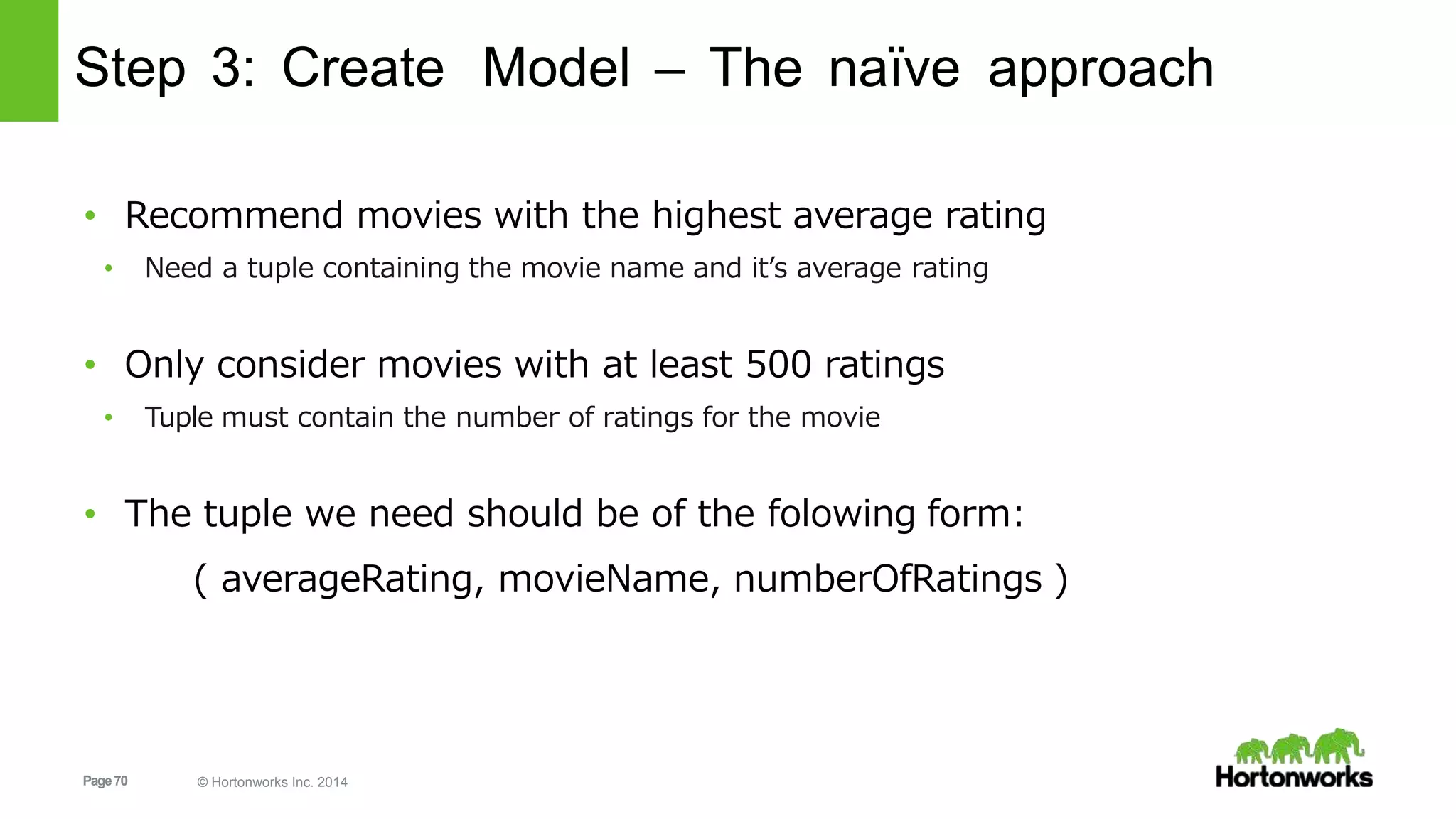
Step 3: Create Model – The naïve approach
• Recommend movies with the highest average rating
• Need a tuple containing the movie name and it’s average rating
• Only consider movies with at least 500 ratings
• Tuple must contain the number of ratings for the movie
• The tuple we need should be of the folowing form:
( averageRating, movieName, numberOfRatings )
Page71 © Hortonworks Inc. 2014
Step 3: Create Model – The naïve approach
• Calculate the average rating of a movie
• From the ratingsRDD, we create tuples containing all the ratings for a movie:
– Remember: ratingsRDD = (UserID, MovieID, Rating)
movieIDsWithRatingsRDD = (ratingsRDD
.map(lambda (user_id,movie_id,rating): (movie_id,[rating]))
.reduceByKey(lambda a,b: a+b))
• This is simpele map-reduce in spark:
• Map: (UserID, MovieID, Rating) => (MovieID, [Rating])
• Reduce: (MovieID1, [Rating1]), (MovieID1, [Rating2]) => (MovieID1, [Rating1,Rating2])
Page72 © Hortonworks Inc. 2014
Step 3: Create Model – The naïve approach
( len(RatingsTuple[1]), total/len(RatingsTuple[1])) )
movieIDsWithAvgRatingsRDD =
movieIDsWithRatingsRDD.map(getCountsAndAverages)
• Note that the new key-value tuples have MovieID as key and a nested tuple
(ratings,average) as value: [ (2, (332, 3.174698795180723) ), … ]
• Next map the data to an RDD with average and number of ratings
def getCountsAndAverages(RatingsTuple):
total = 0.0
for rating in RatingsTuple[1]:
total += rating
return ( RatingsTuple[0],
Page73 © Hortonworks Inc. 2014
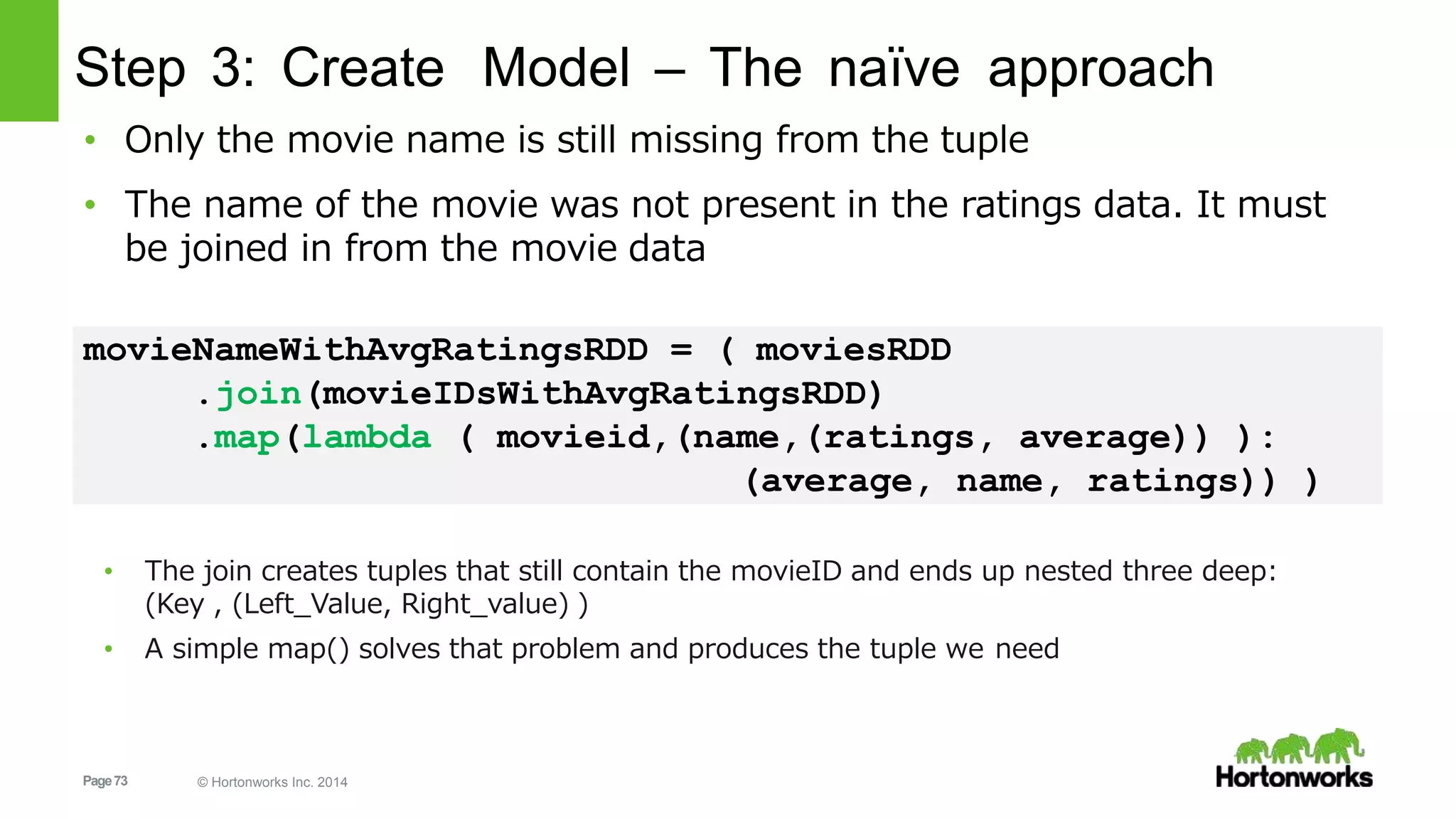
Step 3: Create Model – The naïve approach
• Only the movie name is still missing from the tuple
• The name of the movie was not present in the ratings data. It must
be joined in from the movie data
movieNameWithAvgRatingsRDD = ( moviesRDD
.join(movieIDsWithAvgRatingsRDD)
.map(lambda ( movieid,(name,(ratings, average)) ):
(average, name, ratings)) )
• The join creates tuples that still contain the movieID and ends up nested three deep:
(Key , (Left_Value, Right_value) )
• A simple map() solves that problem and produces the tuple we need
Page74 © Hortonworks Inc. 2014
Step 3: Create Model – The naïve approach
• The RDD now contains tuples of the correct form
Print movieNameWithAvgRatingsRDD.take(3)
[
(3.68181818181818, 'Happiest Millionaire, The (1967)', 22),
(3.04682274247491, 'Grumpier Old Men (1995)', 299),
(2.88297872340425, 'Hocus Pocus (1993)', 94)
]
Page75 © Hortonworks Inc. 2014
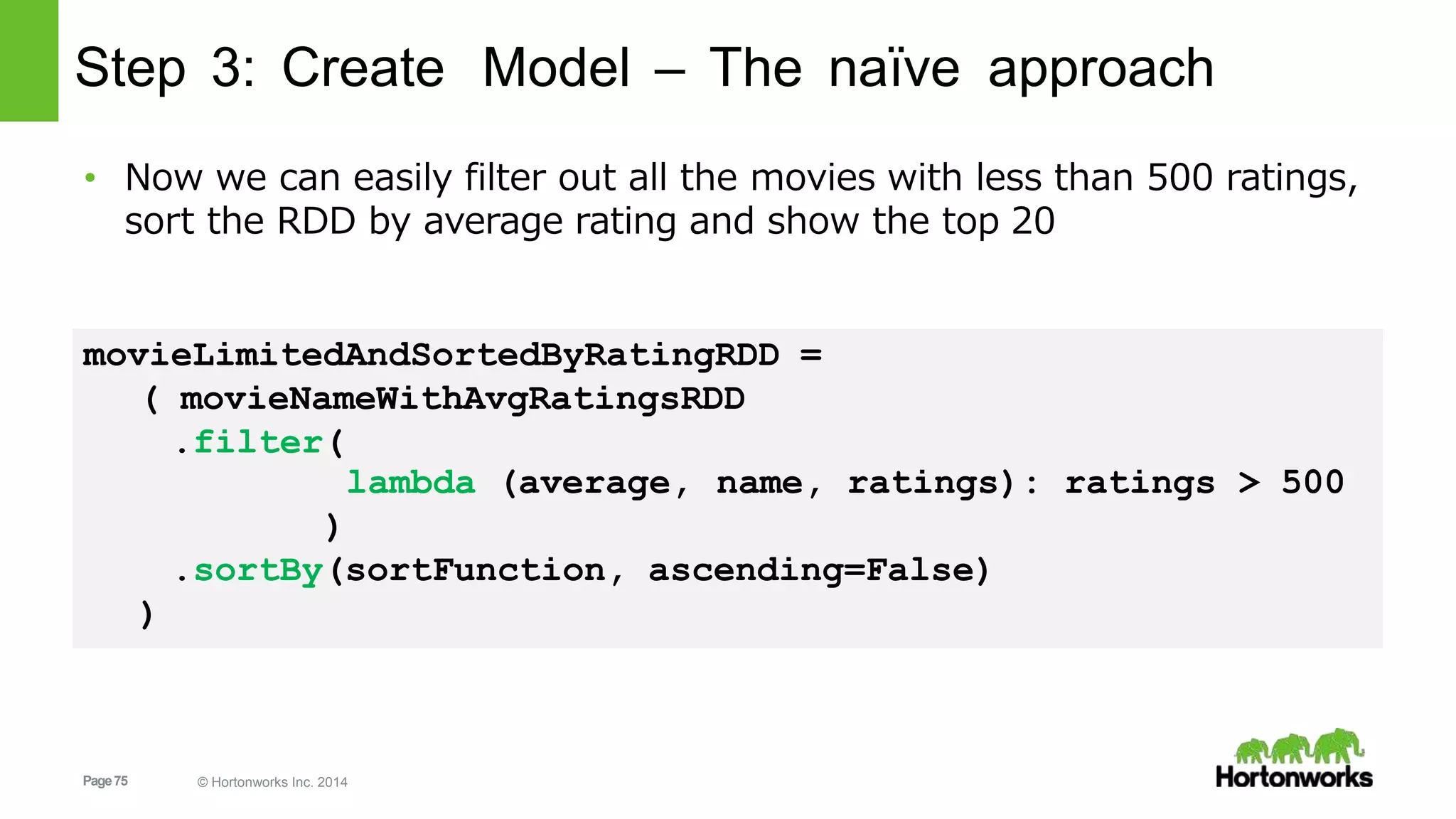
Step 3: Create Model – The naïve approach
• Now we can easily filter out all the movies with less than 500 ratings,
sort the RDD by average rating and show the top 20
movieLimitedAndSortedByRatingRDD =
( movieNameWithAvgRatingsRDD
.filter(
name, ratings): ratings > 500lambda (average,
)
.sortBy(sortFunction, ascending=False)
)
Page76 © Hortonworks Inc. 2014
Step 3: Create Model – The naïve approach
value =
return
tuple[1]
(key + ' ' + value)
• sortFunction makes sure the tuples are sorted using both key and
value which insures a consistent sort, even if a key appears more
than once
def sortFunction(tuple):
key = unicode('%.3f' % tuple[0])
Page77 © Hortonworks Inc. 2014
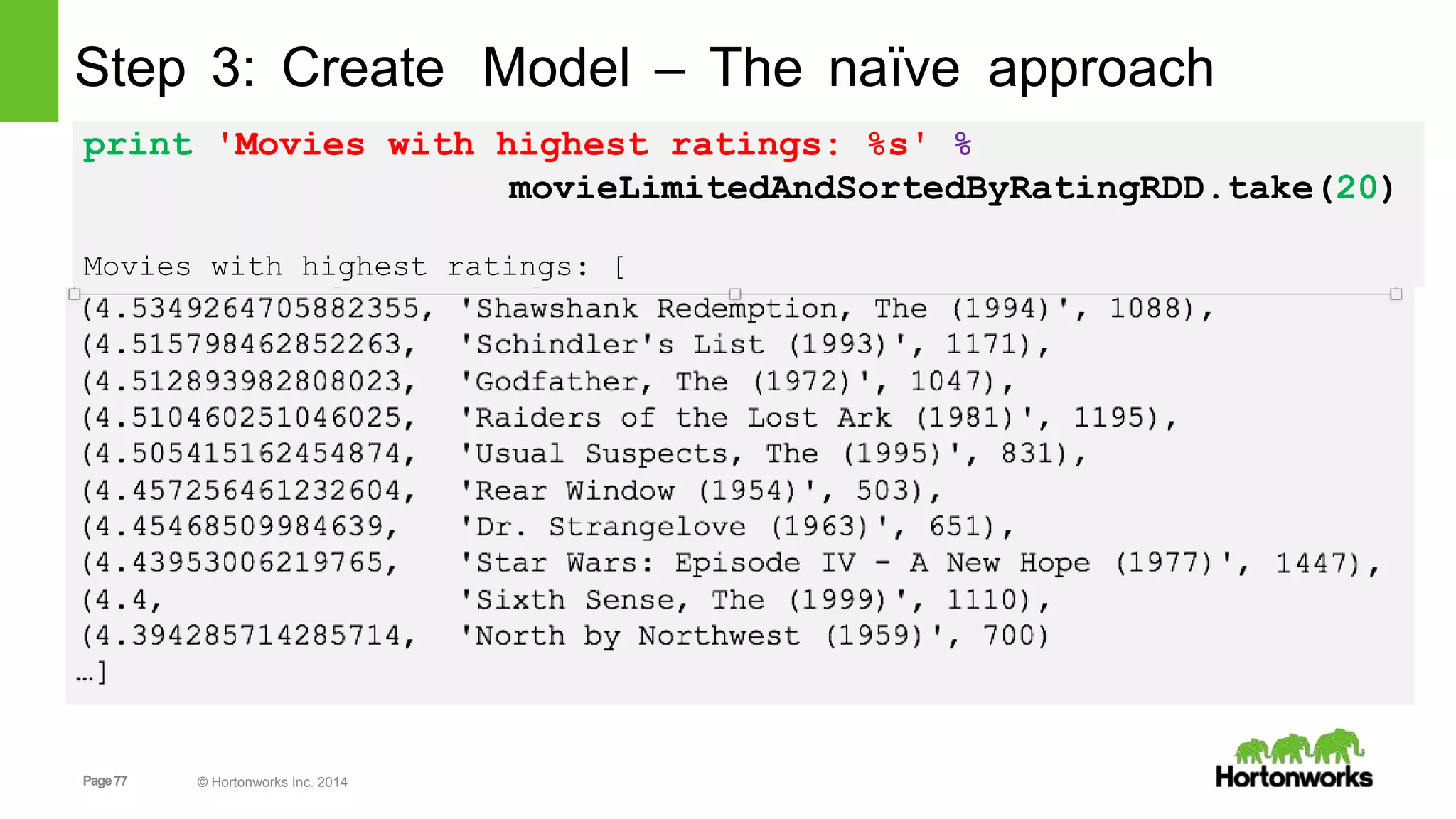
Step 3: Create Model – The naïve approach
print 'Movies with highest ratings: %s' %
movieLimitedAndSortedByRatingRDD.take(20)
Movies with highest ratings: [
1447),
Page78 © Hortonworks Inc. 2014
Step 3: Create Model – Collaborative Filtering
• The naïve approach will recommend
the same movies to everybody,
regardless of their personal
preferences.
• Collaborative Filtering will look for
people with similar tastes and use
their ratings to give recommendations
fit to your personal preferences.
Image from Wikipedia:
https://en.wikipedia.org/wiki/Collaborative_filtering
Page79 © Hortonworks Inc. 2014
Step 3: Create Model – Collaborative Filtering
• We have a matrix where every row is the ratings for one user for all
movies in the database.
• Since every user did not rate every movie, this matrix is incomplete.
• Predicting the missing ratings is exactly what we need to do in order
to give the user good recommendations
• The algorithm that is usually applied to solve recommendation
problems is “Alternating Least Squares” which takes an iterative
approach to finding the missing values in the matrix.
• Spark’s mllib has a module for Alternating Least Square recommendation, aptly called “ALS”
Page80 © Hortonworks Inc. 2014 80
Step 3: Create Model – Collaborative Filtering
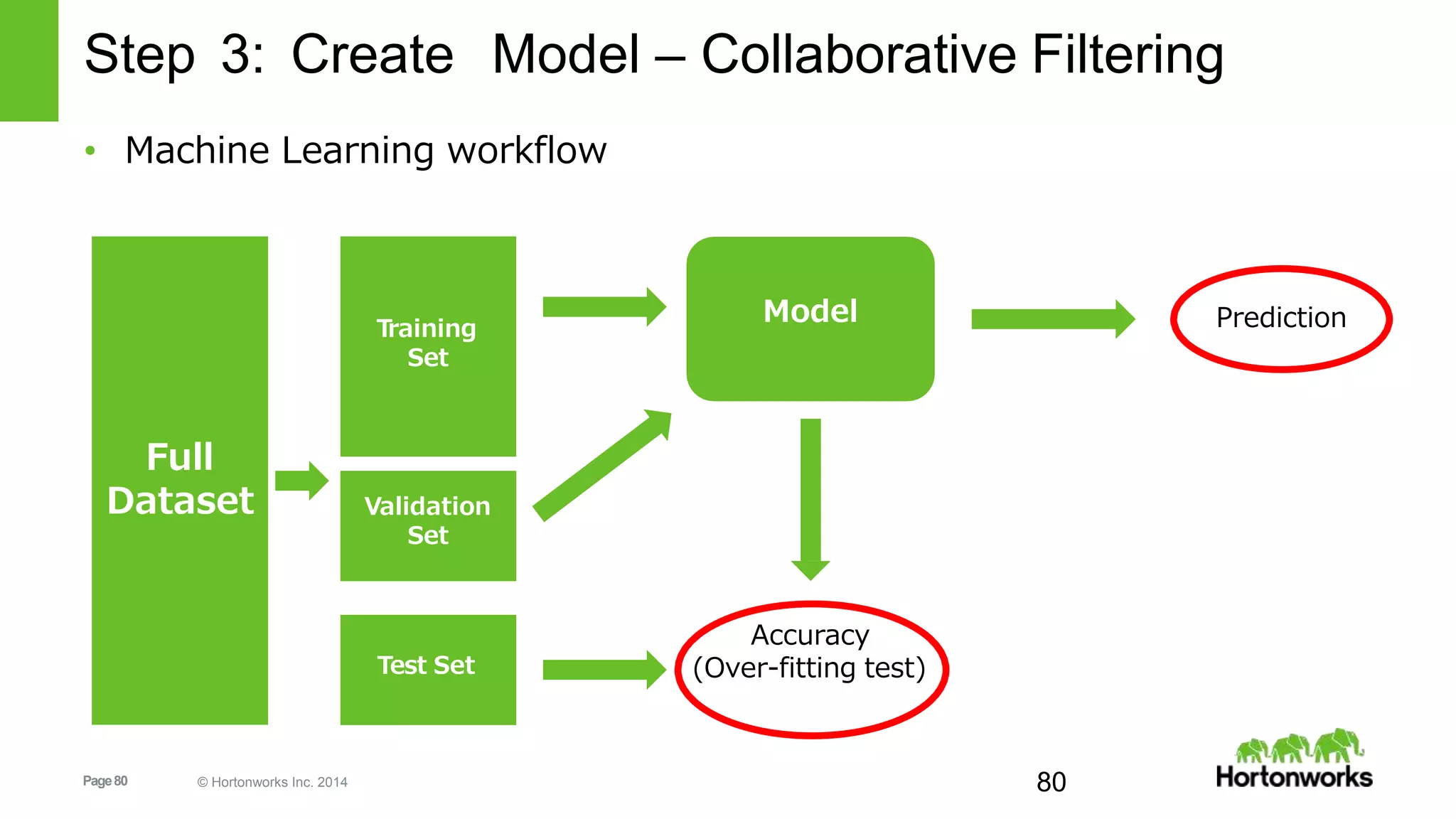
• Machine Learning workflow
Full
Dataset
Training
Set
Validation
Set
Test Set
Model
Accuracy
(Over-fitting test)
Prediction
Page81 © Hortonworks Inc. 2014
Step 3: Create Model – Collaborative Filtering
• Randomly split the dataset we have in multiple groups for training,
validating and testing using randomSplit(weights, seed=None)
trainingRDD, validationRDD, testRDD =
ratingsRDD.randomSplit([6, 2, 2], seed=0L)
print 'Training: %s, validation: %s, test: %sn' %
trainingRDD.count(),
validationRDD.count(),
testRDD.count())
Training: 292716, validation: 96902, test: 98032
Page82 © Hortonworks Inc. 2014
Step 3: Create Model – Collaborative Filtering
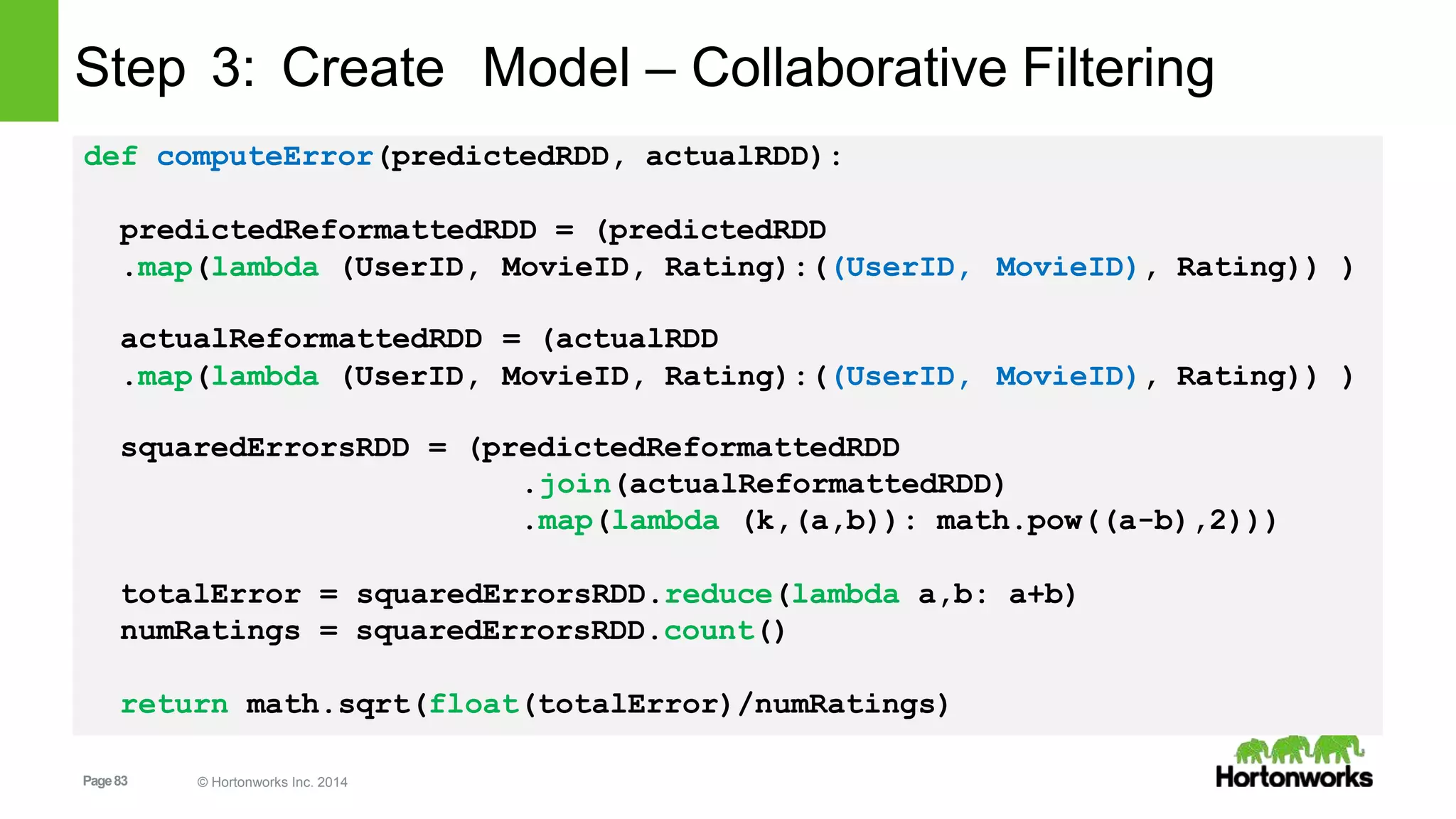
• Before we start training the model, we need a way to calculate how
good a model is, so we can compare it against other tries
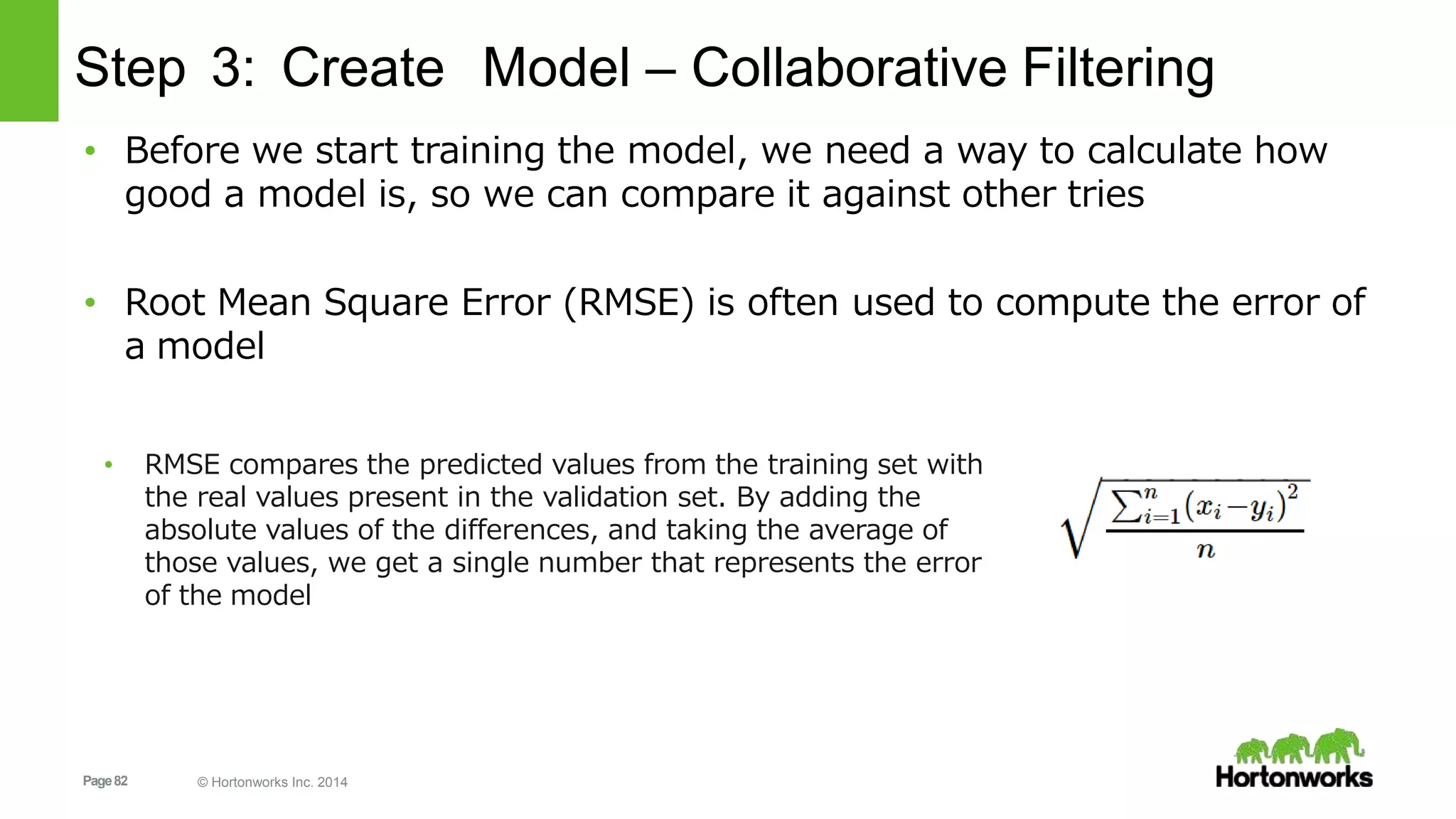
• Root Mean Square Error (RMSE) is often used to compute the error of
a model
• RMSE compares the predicted values from the training set with
the real values present in the validation set. By adding the
absolute values of the differences, and taking the average of
those values, we get a single number that represents the error
of the model
Page83 © Hortonworks Inc. 2014
Step 3: Create Model – Collaborative Filtering
def computeError(predictedRDD, actualRDD):
predictedReformattedRDD = (predictedRDD
.map(lambda (UserID,
actualReformattedRDD
MovieID, Rating):((UserID,
= (actualRDD
MovieID), Rating)) )
.map(lambda (UserID, MovieID, Rating):((UserID, MovieID), Rating)) )
squaredErrorsRDD = (predictedReformattedRDD
.join(actualReformattedRDD)
.map(lambda (k,(a,b)): math.pow((a-b),2)))
totalError = squaredErrorsRDD.reduce(lambda a,b: a+b)
numRatings = squaredErrorsRDD.count()
return math.sqrt(float(totalError)/numRatings)
Page84 © Hortonworks Inc. 2014
Step 3: Create Model – Collaborative Filtering
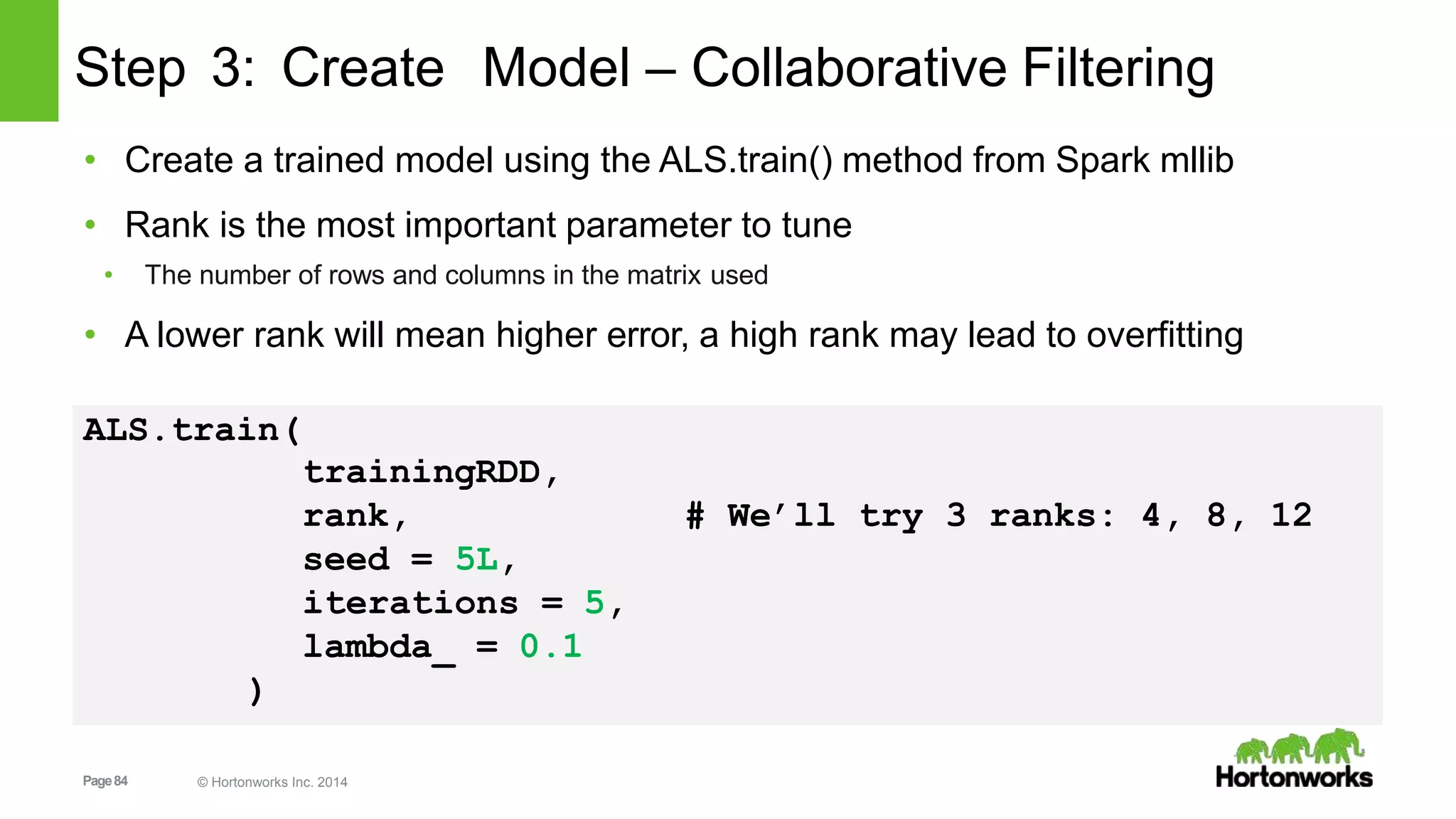
• Create a trained model using the ALS.train() method from Spark mllib
• Rank is the most important parameter to tune
• The number of rows and columns in the matrix used
• A lower rank will mean higher error, a high rank may lead to overfitting
ALS.train(
trainingRDD,
rank, # We’ll try 3 ranks: 4, 8, 12
seed = 5L,
iterations = 5,
lambda_ = 0.1
)
Page85 © Hortonworks Inc. 2014
Step 3: Create Model – Collaborative Filtering
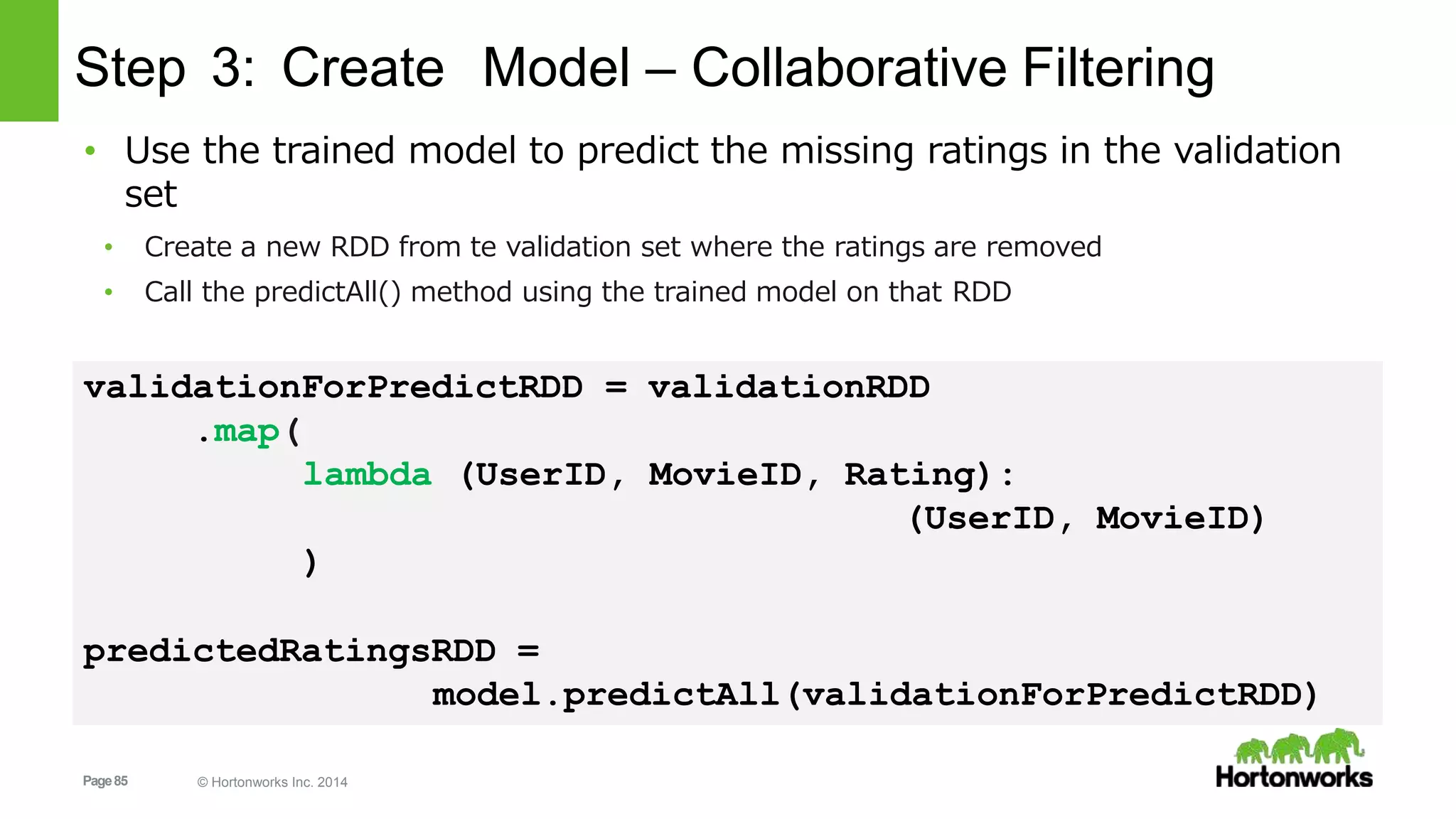
• Use the trained model to predict the missing ratings in the validation
set
• Create a new RDD from te validation set where the ratings are removed
• Call the predictAll() method using the trained model on that RDD
validationForPredictRDD = validationRDD
.map(
lambda (UserID, MovieID, Rating):
(UserID, MovieID)
)
predictedRatingsRDD =
model.predictAll(validationForPredictRDD)
Page86 © Hortonworks Inc. 2014
Step 3: Create Model – Collaborative Filtering
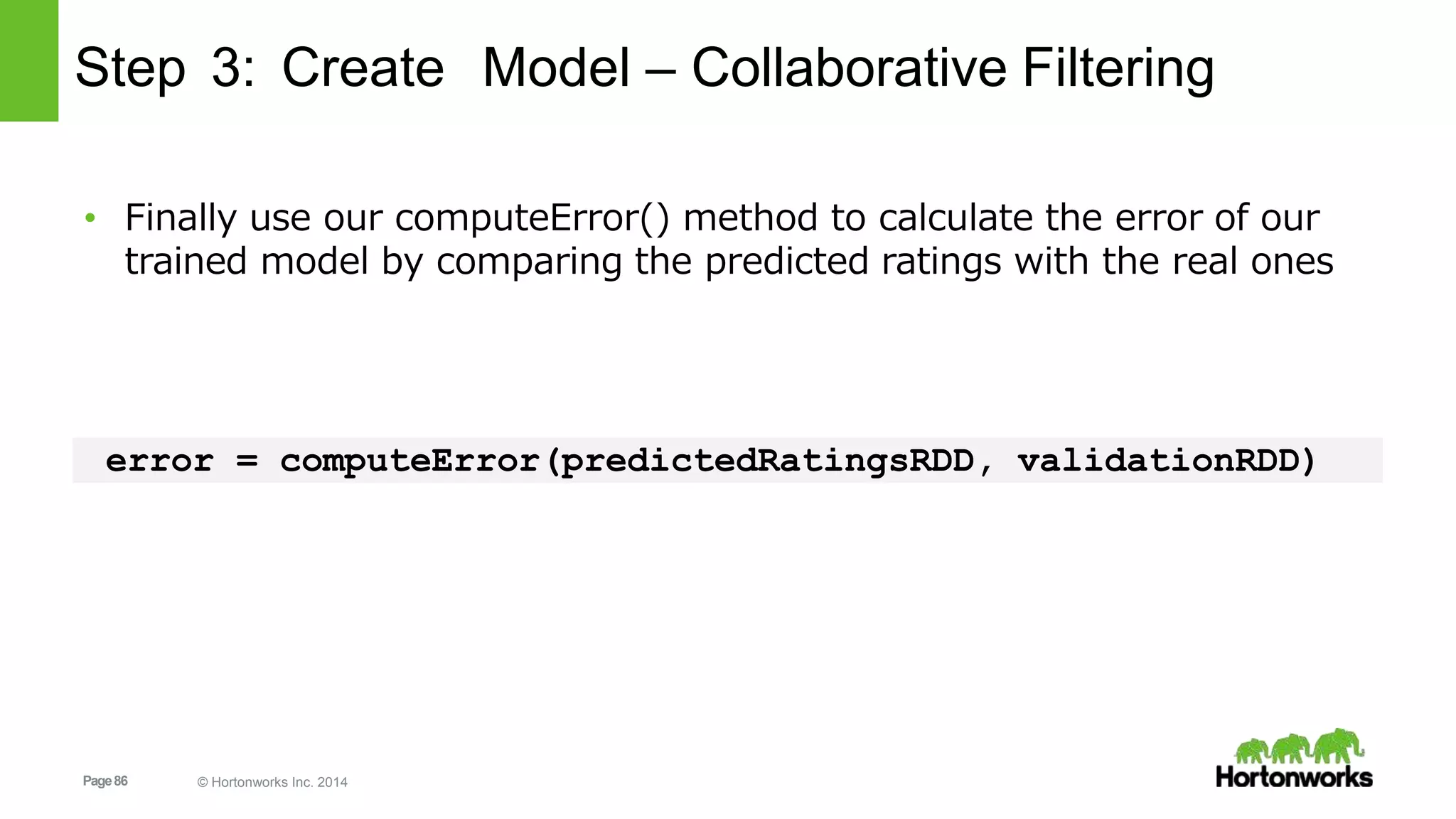
• Finally use our computeError() method to calculate the error of our
trained model by comparing the predicted ratings with the real ones
error = computeError(predictedRatingsRDD, validationRDD)
Page87 © Hortonworks Inc. 2014
Step 3: Create Model – Collaborative Filtering
from pyspark.mllib.recommendation import ALS
validationForPredictRDD = ( validationRDD
.map(lambda (UserID, MovieID, Rating): (UserID, MovieID))
ranks = [4, 8, 12]
errors = [0, 0
,
0]
err = 0
minError = float('inf')
bestRank = -1bestIteration = -1
• Import the ALS module, create the “empty” validatio RDD for prediction and set up some
variables
Page88 © Hortonworks Inc. 2014
Step 3: Create Model – Collaborative Filtering
for rank in ranks:
model = ALS.train( trainingRDD, rank, seed=5L,
iterations=5, lambda_=0.1)
predictedRatingsRDD =
model.predictAll(validationForPredictRDD)
error = computeError(predictedRatingsRDD, validationRDD)
errors[err] = error
err += 1
print 'For rank %s the RMSE is %s' % (rank, error)
minError:if error <
minError
bestRank
= error
= rank
Page89 © Hortonworks Inc. 2014
Step 3: Create Model – Collaborative Filtering
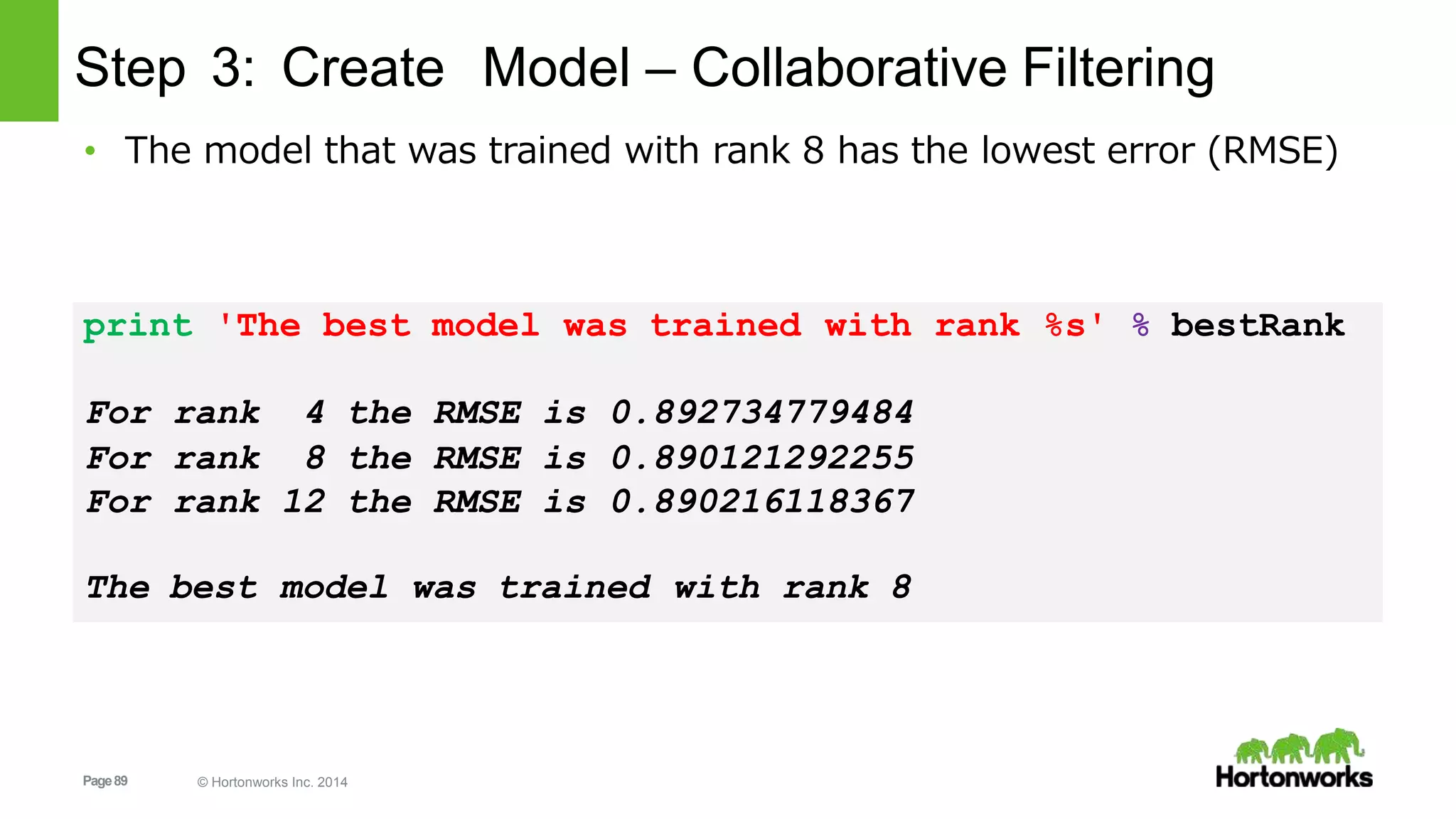
• The model that was trained with rank 8 has the lowest error (RMSE)
print 'The best model was trained with rank %s' % bestRank
For rank 4 the RMSE is 0.892734779484
For rank 8 the RMSE is 0.890121292255
For rank 12 the RMSE is 0.890216118367
The best model was trained with rank 8
Page90 © Hortonworks Inc. 2014
Step 4: Test Model
• So we have now found the best model, but now we still need to test
if the model is actually good
• Testing using the same validation set is not a good test since it may
leave us vulnerable to overfitting
• The model is so fit to the validation set, that it only produces good results for that set
• This is why we have split of a test set at the start of the Machine
Learning process
• We will use the best rank result we obtained to train a model and
then predict the ratings for the test set
• Calculating the RMSE for the test set predictions should tell us if our
model is useable
Page91 © Hortonworks Inc. 2014
Step 4: Test Model
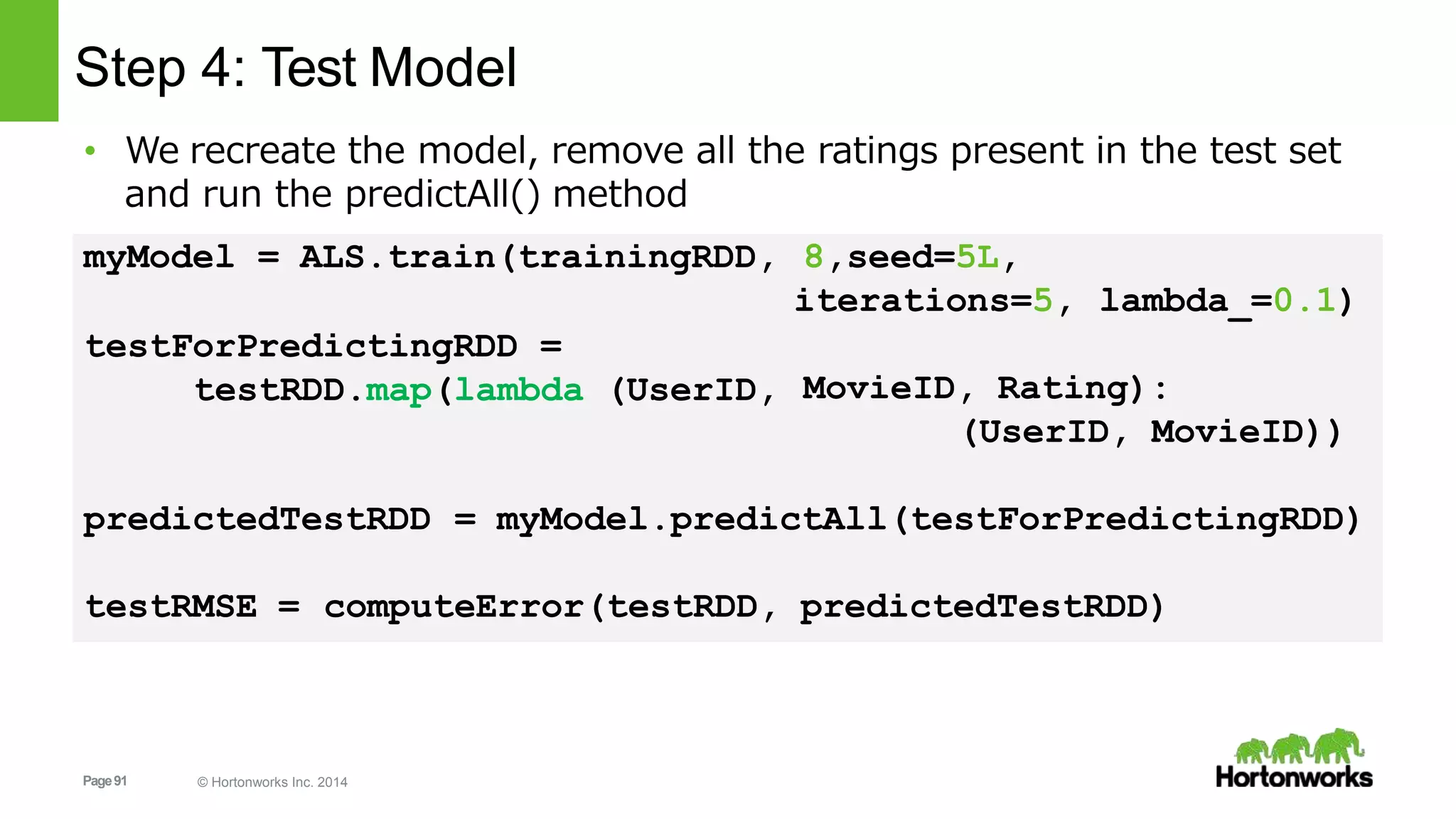
• We recreate the model, remove all the ratings present in the test set
and run the predictAll() method
8,seed=5L,
iterations=5, lambda_=0.1)
myModel = ALS.train(trainingRDD,
testForPredictingRDD =
testRDD.map(lambda (UserID, MovieID, Rating):
(UserID, MovieID))
predictedTestRDD = myModel.predictAll(testForPredictingRDD)
testRMSE = computeError(testRDD, predictedTestRDD)
Page92 © Hortonworks Inc. 2014
Step 4: Test Model
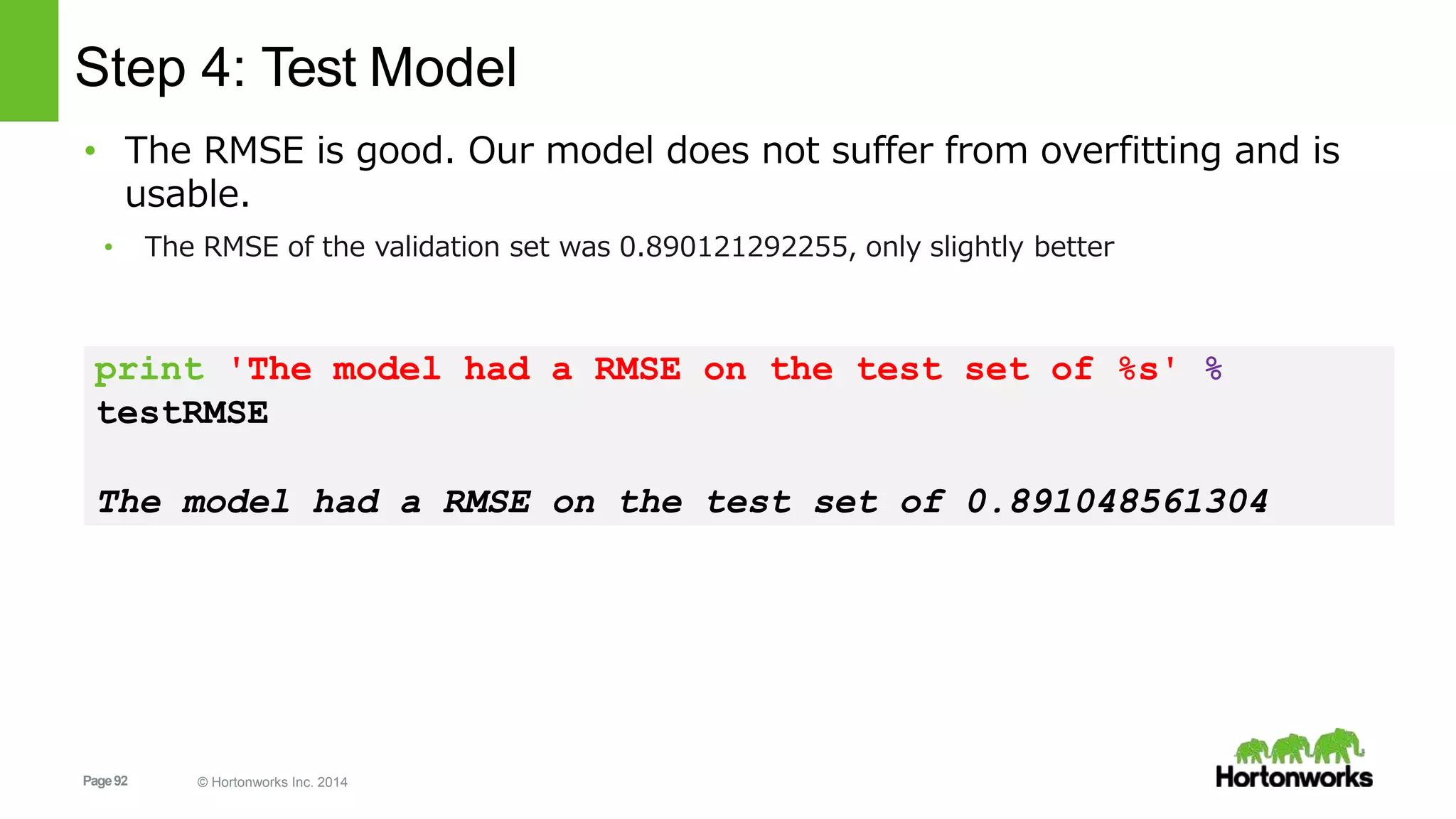
• The RMSE is good. Our model does not suffer from overfitting and is
usable.
• The RMSE of the validation set was 0.890121292255, only slightly better
print 'The model had a RMSE on the test set of %s' %
testRMSE
The model had a RMSE on the test set of 0.891048561304
Page93 © Hortonworks Inc. 2014
Step 5: Use the model
• Let’s get some movie predictions!
• First I need to give the data set some ratings so it has something to deduce my taste
myRatedMovies = [ # Rating
(0, 845,5.0), # Blade Runner (1982) - 5.0/5
(0, 789,4.5), # Good Will Hunting (1997) - 4.5/5
(0, 983,4.8), # Christmas Story, A (1983) - 4.8/5
(0, 551,2.0), # Taxi Driver (1976) - 2.0/5
(0,1039,2.0), # Pulp Fiction (1994) - 2.0/5
(0, 651,5.0), # Dr. Strangelove (1963) - 5.0/5
(0,1195,4.0), # Raiders of the Lost Ark (1981) - 4.0/5
(0,1110,5.0), # Sixth Sense, The (1999) - 4.5/5
(0,1250,4.5), # Matrix, The (1999) - 4.5/5
- 4.0/5(0,1083,4.0) # Princess Bride, The (1987)
]
myRatingsRDD = sc.parallelize(myRatedMovies)
Page94 © Hortonworks Inc. 2014
Step 5: Use the model
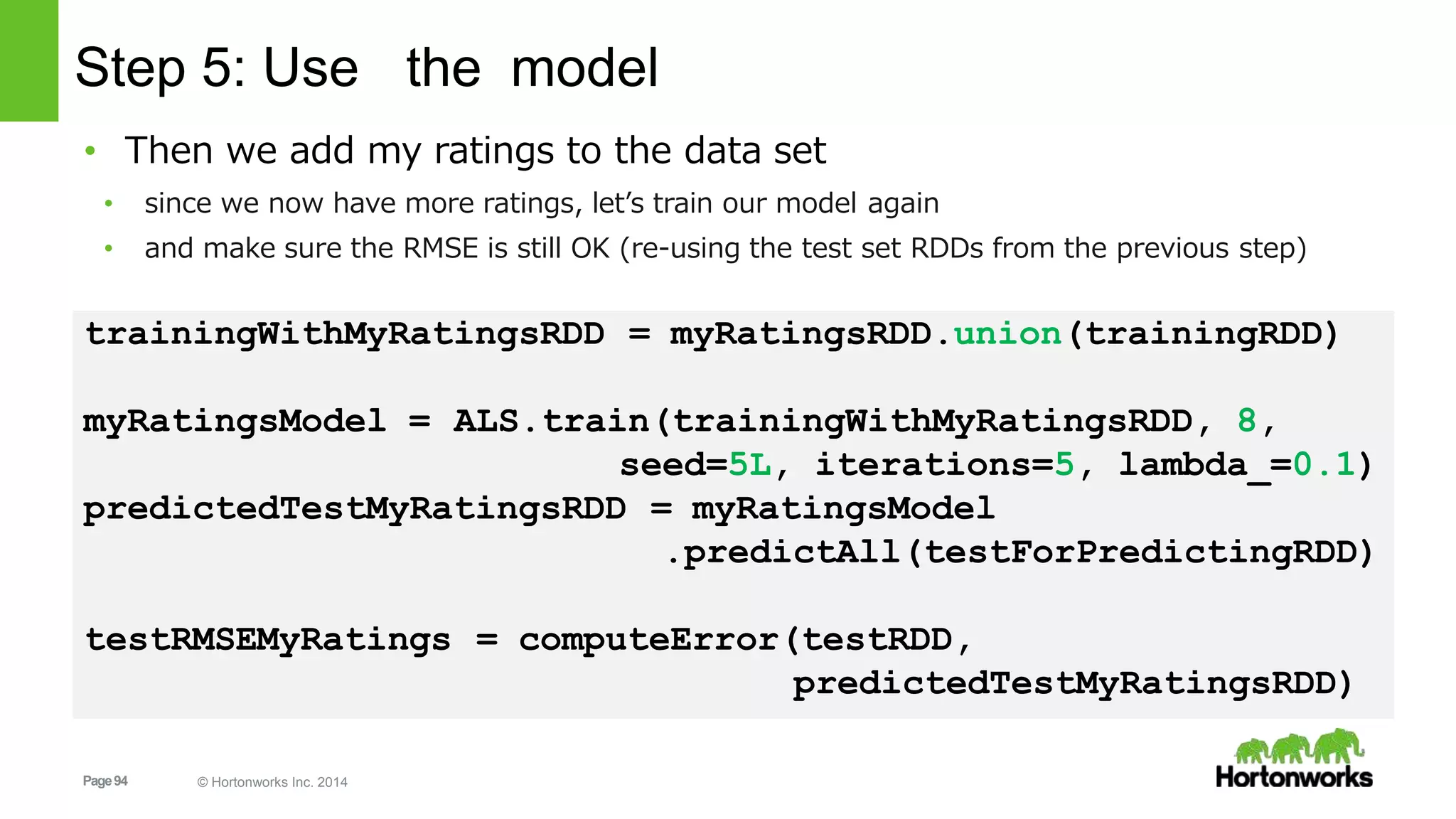
• Then we add my ratings to the data set
• since we now have more ratings, let’s train our model again
• and make sure the RMSE is still OK (re-using the test set RDDs from the previous step)
trainingWithMyRatingsRDD = myRatingsRDD.union(trainingRDD)
myRatingsModel = ALS.train(trainingWithMyRatingsRDD, 8,
seed=5L, iterations=5, lambda_=0.1)
predictedTestMyRatingsRDD = myRatingsModel
.predictAll(testForPredictingRDD)
testRMSEMyRatings = computeError(testRDD,
predictedTestMyRatingsRDD)
Page95 © Hortonworks Inc. 2014
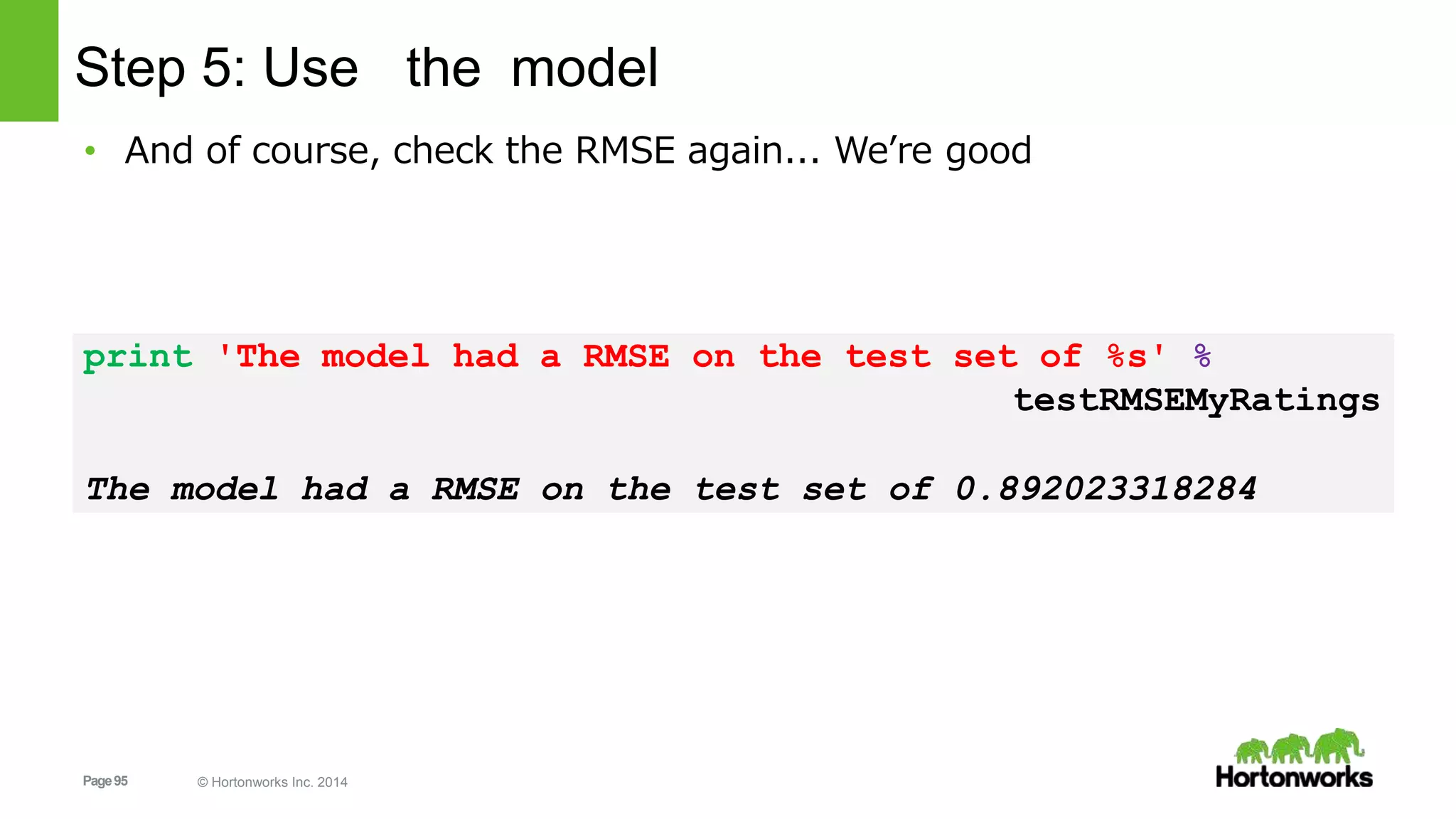
Step 5: Use the model
• And of course, check the RMSE again... We’re good
print 'The model had a RMSE on the test set of %s' %
testRMSEMyRatings
The model had a RMSE on the test set of 0.892023318284
Page96 © Hortonworks Inc. 2014
Step 5: Use the model
• Now we need an RDD with only the movies I did not rate, to run
predictAll() on. (my userid is set to zero)
• [(0, movieID1), (0, movieID2), (0, movieID3), …]
myUnratedMoviesRDD = (moviesRDD
.map(lambda (movieID, name): movieID)
.filter(lambda movieID:
in myRatedMovies] )movieID not in [ mine[1] for mine
.map(lambda movieID: (0, movieID)))
predictedRatingsRDD =
myRatingsModel.predictAll(myUnratedMoviesRDD)
Page97 © Hortonworks Inc. 2014
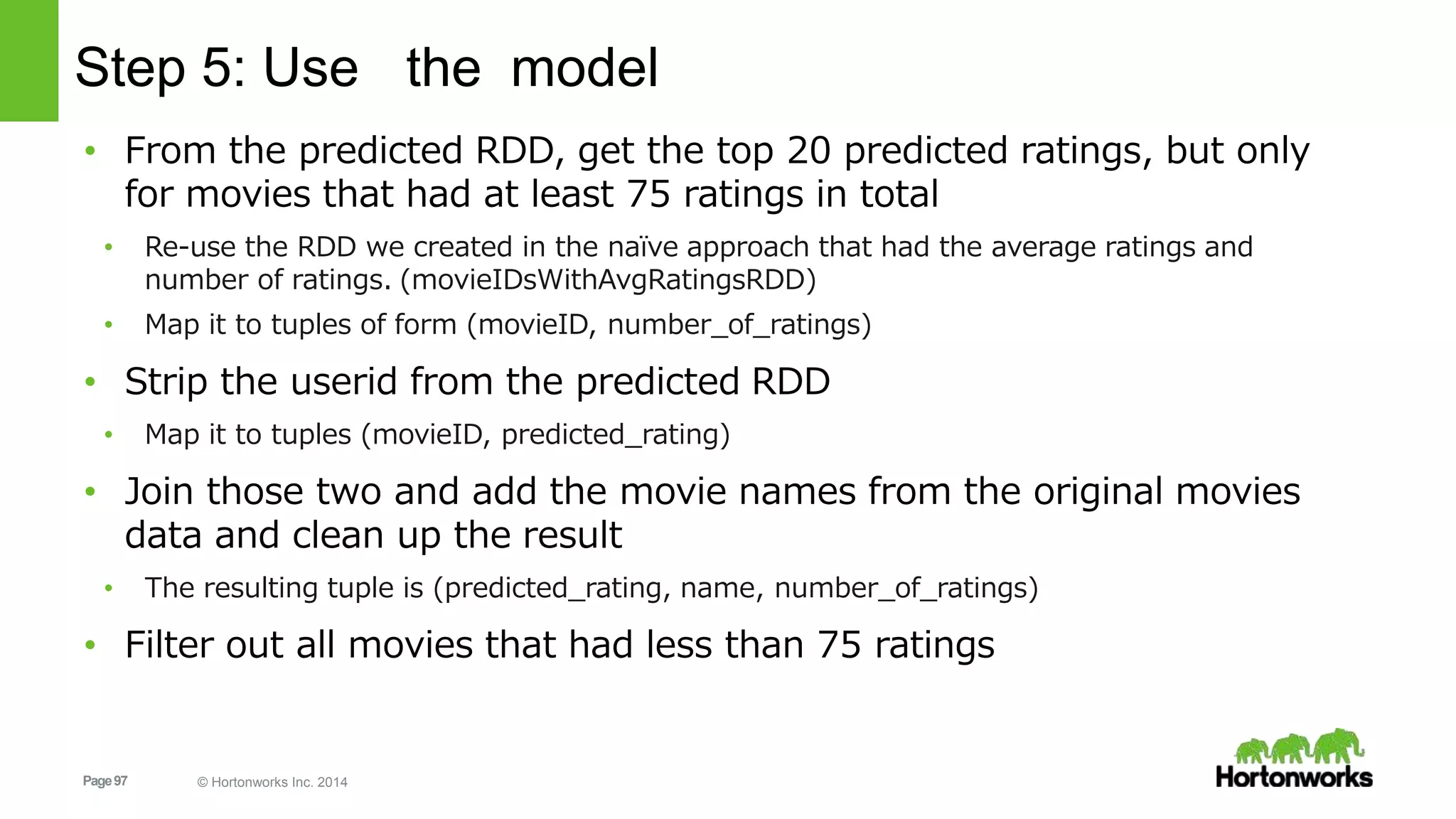
Step 5: Use the model
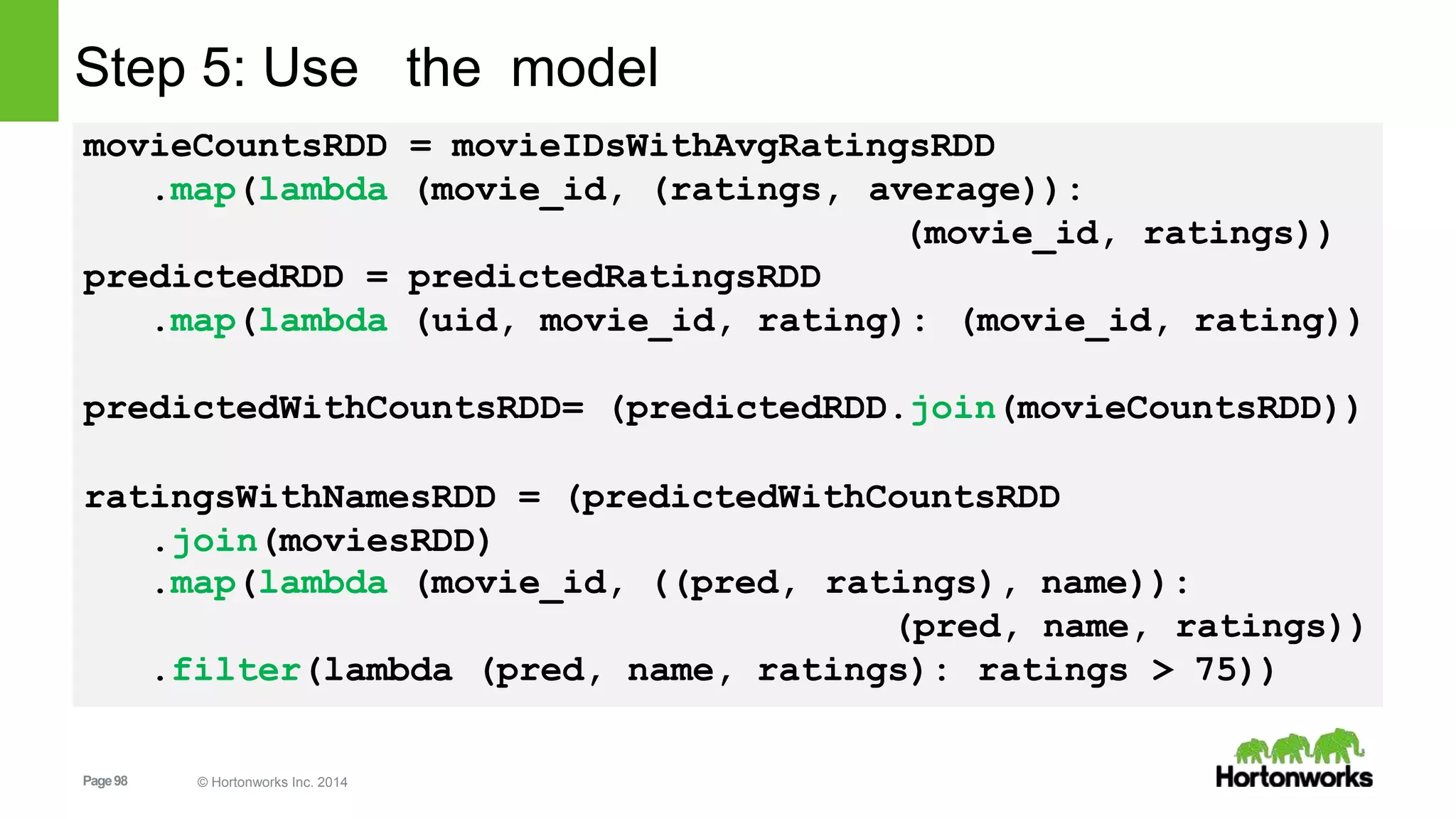
• From the predicted RDD, get the top 20 predicted ratings, but only
for movies that had at least 75 ratings in total
• Re-use the RDD we created in the naïve approach that had the average ratings and
number of ratings. (movieIDsWithAvgRatingsRDD)
• Map it to tuples of form (movieID, number_of_ratings)
• Strip the userid from the predicted RDD
• Map it to tuples (movieID, predicted_rating)
• Join those two and add the movie names from the original movies
data and clean up the result
• The resulting tuple is (predicted_rating, name, number_of_ratings)
• Filter out all movies that had less than 75 ratings
Page98 © Hortonworks Inc. 2014
Step 5: Use the model
movieCountsRDD = movieIDsWithAvgRatingsRDD
.map(lambda (movie_id, (ratings, average)):
(movie_id, ratings))
predictedRDD = predictedRatingsRDD
.map(lambda (uid, movie_id, rating): (movie_id, rating))
predictedWithCountsRDD= (predictedRDD.join(movieCountsRDD))
ratingsWithNamesRDD = (predictedWithCountsRDD
.join(moviesRDD)
.map(lambda (movie_id, ((pred, ratings), name)):
(pred, name,
.filter(lambda (pred, name, ratings): ratings
ratings))
> 75))
Page99 © Hortonworks Inc. 2014
Step 5: Use the model
• And finally get the top 20 recommended movies for myself
predictedHighestRatedMovies =
ratingsWithNamesRDD.takeOrdered(20, key=lambda x: -x[0])
print ('My highest rated movies as predictedn%s' %
'n'.join(map(str, predictedHighestRatedMovies)))
Page100 © Hortonworks Inc. 2014
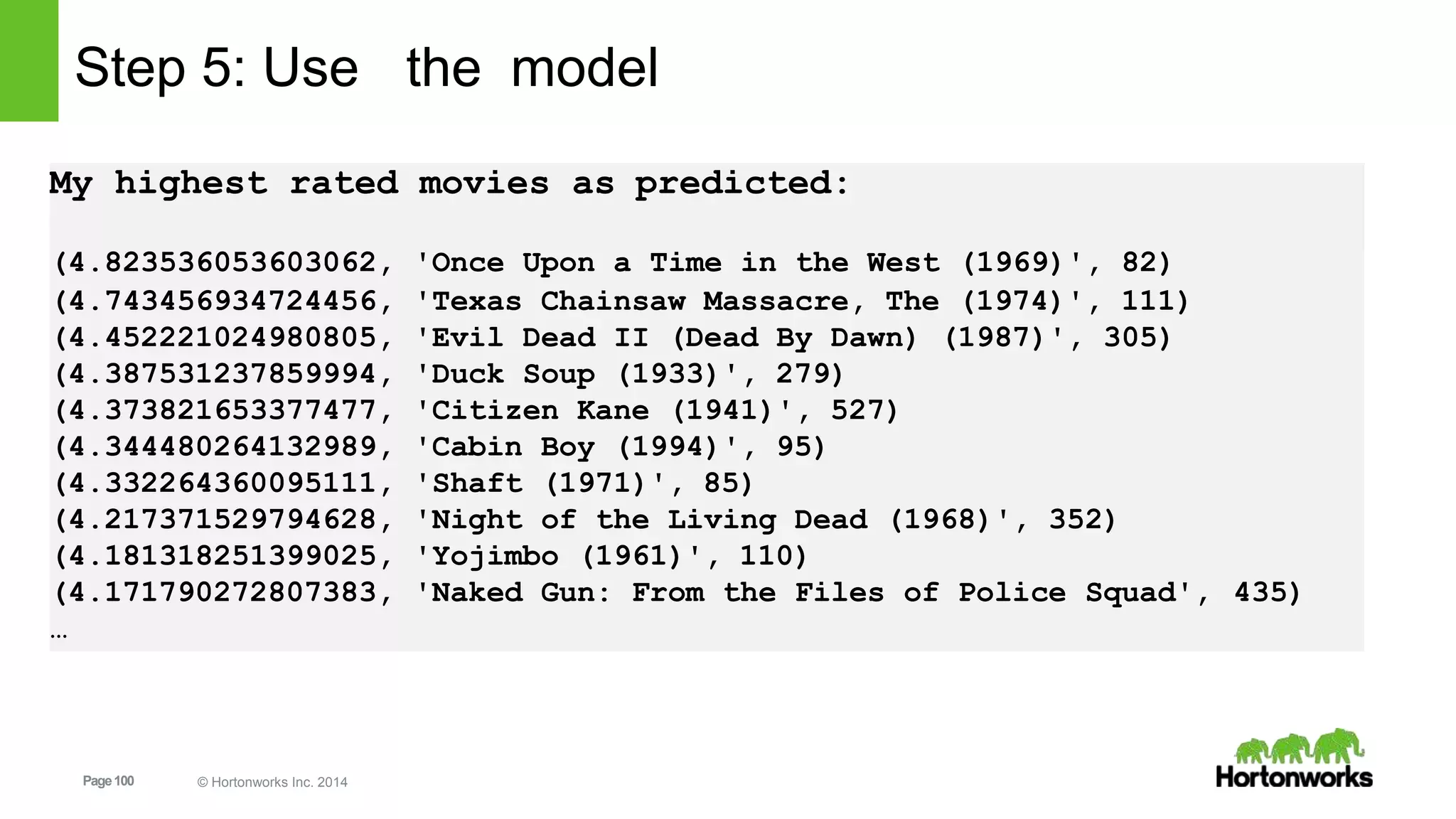
Step 5: Use the model
My highest rated movies as predicted:
(4.823536053603062, 'Once Upon a Time in the West (1969)', 82)
(4.743456934724456, 'Texas Chainsaw Massacre, The (1974)', 111)
(4.452221024980805, 'Evil Dead II (Dead By Dawn) (1987)', 305)
(4.387531237859994, 'Duck Soup (1933)', 279)
(4.373821653377477, 'Citizen Kane (1941)', 527)
(4.344480264132989, 'Cabin Boy (1994)', 95)
(4.332264360095111, 'Shaft (1971)', 85)
(4.217371529794628, 'Night of the Living Dead (1968)', 352)
(4.181318251399025, 'Yojimbo (1961)', 110)
(4.171790272807383, 'Naked Gun: From the Files of Police Squad', 435)
…
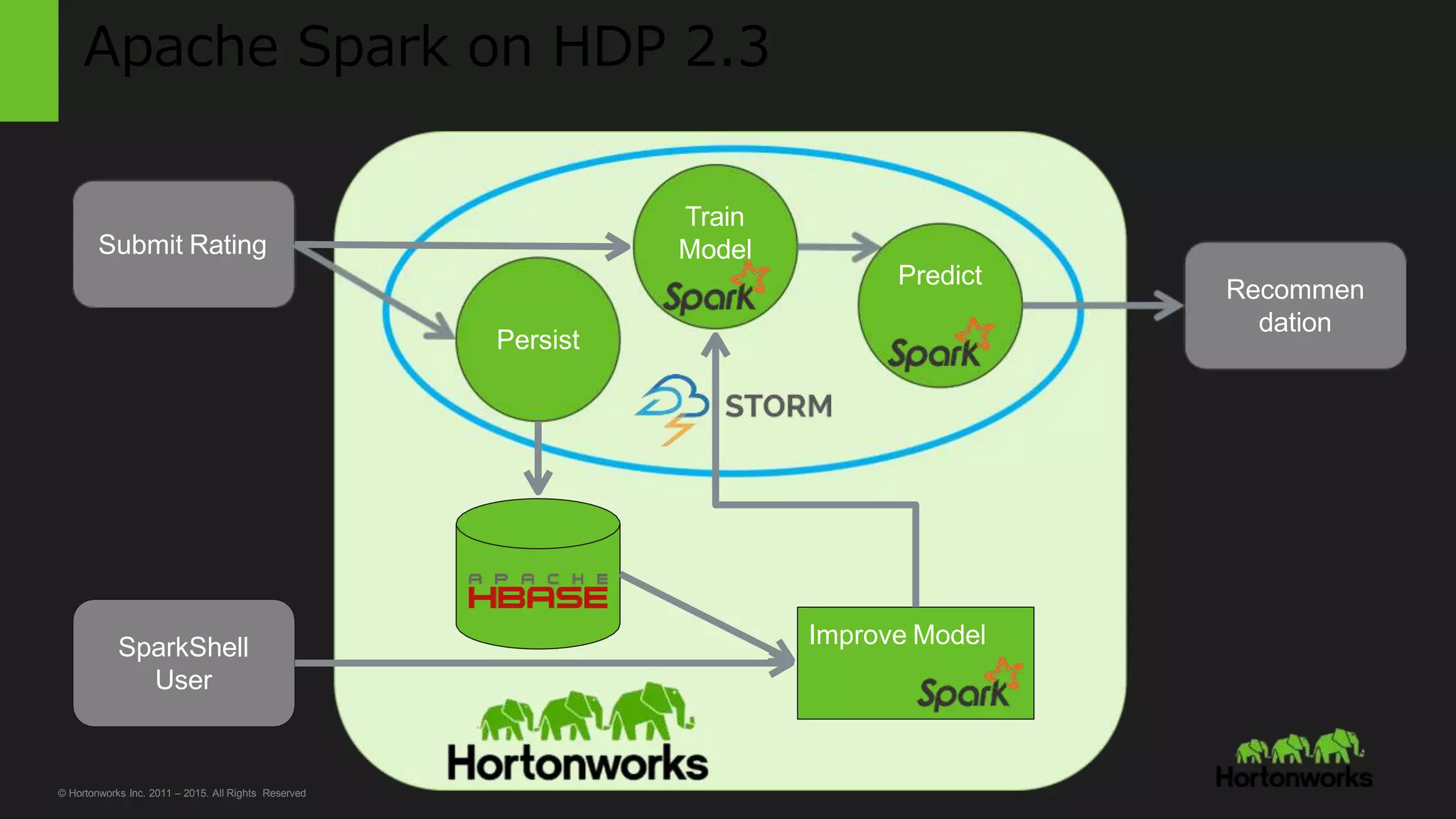
Apache Spark on HDP 2.3
Predict
Train
Model
Persist
Submit Rating
Recommen
dation
SparkShell
User
Improve Model
© Hortonworks Inc. 2011 – 2015. All Rights Reserved
Page102 © Hortonworks Inc. 2014
Conclusion and Q&A
Page103 © Hortonworks Inc. 2014
Learn More Spark + Hadoop Perfect Together
HDP Spark General Info:
http://hortonworks.com/hadoop/spark/
Learn more about our Focus on Spark:
http://hortonworks.com/hadoop/spark/#section_6
Get the HDP Spark 1.5.1 Tech Preview:
http://hortonworks.com/hadoop/spark/#section_5
Get started with Spark and Zeppelin and download the Sandbox:
http://hortonworks.com/sandbox
Try these tutorials:
http://hortonworks.com/hadoop/spark/#tutorials
http://hortonworks.com/hadoop-tutorial/apache-spark-1-5-1-technical-preview-with-hdp-2-3/
Learn more about GeoSpatial Spark processing with Magellan:
http://hortonworks.com/blog/magellan-geospatial-analytics-in-spark/

Spark Advanced Analytics NJ Data Science Meetup - Princeton University

  • 1.
    Page1 © HortonworksInc. 2014 Advanced Analytics with Apache Spark and Apache Zeppelin in HDP Hortonworks. We do Hadoop. Alex Zeltov Solutions Engineer @azeltov
  • 2.
    Page2 © HortonworksInc. 2014 In this workshop • Introduction to HDP and Spark • Build a Data analytics application: - Spark Programming: Scala, Python, R - Core Spark: working with RDDs, DataFrames - Spark SQL: structured data access - Spark MlLib: predictive analytics - Spark Streaming: real time data processing • Develop Recommendation Engine - Using the “Collaborative Filtering” method • Conclusion and Q/A
  • 3.
    Page3 © HortonworksInc. 2014 Introduction to HDP and Spark http://hortonworks.com/hadoop/spark/
  • 4.
    Page4 © HortonworksInc. 2014 Spark is certified as YARN Ready and is a part of HDP. Hortonworks Data Platform 2.3 GOVERNANCE OPERATIONSBATCH, INTERACTIVE & REAL-TIME DATA ACCESS YARN: Data Operating System (Cluster Resource Management) MapReduce Apache Falcon Apache Sqoop Apache Flume Apache Kafka ApacheHive ApachePig ApacheHBase ApacheAccumulo ApacheSolr ApacheSpark ApacheStorm 1 • • • • • • • • • • • • • • • • • • • • • • • HDFS (Hadoop Distributed File System) Apache Ambari Apache ZooKeeper Apache Oozie Deployment Choice Linux Windows On-premises Cloud Apache Atlas Cloudbreak SECURITY Apache Ranger Apache Knox Apache Atlas HDFS Encryption ISVEngines
  • 5.
    Page5 © HortonworksInc. 2014 Spark Components Spark allows you to do data processing, ETL, machine learning, stream processing, SQL querying from one framework
  • 6.
    Page6 © HortonworksInc. 2014 Emerging Spark Patterns • Spark as query federation engine  Bring data from multiple sources to join/query in Spark • Use multiple Spark libraries together  Common to see Core, ML & Sql used together • Use Spark with various Hadoop ecosystem projects  Use Spark & Hive together  Spark & HBase together
  • 7.
    Page7 © HortonworksInc. 2014 More Data Sources APIs 18/03/2016
  • 8.
    Page8 © HortonworksInc. 2014 Spark Deployment Modes • Spark Standalone Cluster: – For developing Spark apps against a local Spark (similar to develop/deploying in IDE) • Spark on YARN in two modes: – Spark driver (SparkContext) in local (yarn-client): Spark Driver runs in the client process outside of YARN cluster, and ApplicationMaster is only used to negotiate resources from Resoure manager – Spark driver (SparkContext) in YARN AM(yarn-cluster): Spark Driver runs in ApplicationMaster spawned by NodeManager on a slave node
  • 9.
    Page9 © HortonworksInc. 2014 Spark on YARN YARN RM App Master Monitoring UI
  • 10.
    Page10 © HortonworksInc. 2014 Spark UI
  • 11.
    Page11 © HortonworksInc. 2014 Interacting with Spark
  • 12.
    Page12 © HortonworksInc. 2014 Interacting with Spark • Spark’s interactive REPL shell (in Python or Scala) • Web-based Notebooks: • Zeppelin: A web-based notebook that enables interactive data analytics. • Jupyter: Evolved from the IPython Project • SparkNotebook: forked from the scala-notebook
  • 13.
    Page13 © HortonworksInc. 2014 Apache Zeppelin • A web-based notebook that enables interactive data analytics. • Multiple language backend • Multi-purpose Notebook is the place for all your needs  Data Ingestion  Data Discovery  Data Analytics  Data Visualization  Collaboration
  • 14.
    Page14 © HortonworksInc. 2014 Zeppelin- Multiple language backend Scala(with Apache Spark), Python(with Apache Spark), SparkSQL, Hive, Markdown and Shell.
  • 15.
    Page15 © HortonworksInc. 2014 Zeppelin – Dependency Management • Load libraries recursively from Maven repository • Load libraries from local filesystem • %dep • // add maven repository • z.addRepo("RepoName").url("RepoURL”) • // add artifact from filesystem • z.load("/path/to.jar") • // add artifact from maven repository, with no dependency • z.load("groupId:artifactId:version").excludeAll()
  • 16.
    Page16 © HortonworksInc. 2014 Spark & Zeppelin Pace of Innovation HDP 2.2.4 Spark 1.2.1 GA HDP 2.3.2 Spark 1.4.1 GA HDP 2.3.0 Spark 1.3.1 GA HDP 2.3.4 Spark 1.5.2* GA Spark Spark 1.3.1 TP 5/2015 Spark 1.4.1 TP 8/2015 Spark 1.5.1 TP Nov/2015 Now Zeppelin TP Oct/2015 Apache Zeppelin Zeppelin TP Refresh March 1st 2016 Dec 2015 HDP 2.4.0 Spark 1.6 GA Zeppelin GA Q1, 2016 Last Awareness Session Spark 1.6 TP Jan/2015 March 1st 2016 HDP 2.5.x Spark 1.6.1* GA Q1, 2016
  • 17.
    Page17 © HortonworksInc. 2014 Spark in HDP customer base - 2015 0 10 20 30 40 50 60 70 Q1 Q2 Q3 Q4 Unique # of customers filing Spark tickets/Qs Customers that filed Spark tickets in 2015 132
  • 18.
    Page18 © HortonworksInc. 2014 Programming Spark
  • 19.
    Page19 © HortonworksInc. 2014 How Does Spark Work? • RDD • Your data is loaded in parallel into structured collections • Actions • Manipulate the state of the working model by forming new RDDs and performing calculations upon them • Persistence • Long-term storage of an RDD’s state
  • 20.
    Page20 © HortonworksInc. 2014 Resilient Distributed Datasets • The primary abstraction in Spark » Immutable once constructed » Track lineage information to efficiently recompute lost data » Enable operations on collection of elements in parallel • You construct RDDs » by parallelizing existing collections (lists) » by transforming an existing RDDs » from files in HDFS or any other storage system
  • 21.
    Page21 © HortonworksInc. 2014 item-1 item-2 item-3 item-4 item-5 item-6 item-7 item-8 item-9 item-10 item-11 item-12 item-13 item-14 item-15 item-16 item-17 item-18 item-19 item-20 item-21 item-22 item-23 item-24 item-25 more partitions = more parallelism Worker Spark executor Worker Spark executor Worker Spark executor RDDs • Programmer specifies number of partitions for an RDD (Default value used if unspecified) RDD split into 5 partitions
  • 22.
    Page22 © HortonworksInc. 2014 RDDs • Two types of operations:transformations and actions • Transformations are lazy (not computed immediately) • Transformed RDD is executed when action runs on it • Persist (cache) RDDs in memory or disk
  • 23.
    Page23 © HortonworksInc. 2014 Example RDD Transformations •map(func) •filter(func) •distinct(func) • All create a new DataSet from an existing one • Do not create the DataSet until an action is performed (Lazy) • Each element in an RDD is passed to the target function and the result forms a new RDD
  • 24.
    Page24 © HortonworksInc. 2014 Example Action Operations •count() •reduce(func) •collect() •take() • Either: • Returns a value to the driver program • Exports state to external system
  • 25.
    Page25 © HortonworksInc. 2014 Example Persistence Operations •persist() -- takes options •cache() -- only one option: in-memory • Stores RDD Values • in memory (what doesn’t fit is recalculated when necessary) • Replication is an option for in-memory • to disk • blended
  • 26.
    Page26 © HortonworksInc. 2014 Spark Applications Are a definition in code of • RDD creation • Actions • Persistence Results in the creation of a DAG (Directed Acyclic Graph) [workflow] • Each DAG is compiled into stages • Each Stage is executed as a series of Tasks • Each Task operates in parallel on assigned partitions
  • 27.
    Page27 © HortonworksInc. 2014 Spark Context • A Spark program first creates a SparkContext object • Tells Spark how and where to access a cluster • Use SparkContext to create RDDs • SparkContext, SQLContext, ZeppelinContext: • are automatically created and exposed as variable names 'sc', 'sqlContext' and 'z', respectively, both in scala and python environments using Zeppelin • iPython and programs must use a constructor to create a new SparkContext Note: that scala / python environment shares the same SparkContext, SQLContext, ZeppelinContext instance.
  • 28.
    Page28 © HortonworksInc. 2014 1. Resilient Distributed Dataset [RDD] Graph val v = sc.textFile("hdfs://…some-hdfs-data") mapmap reduceByKey collecttextFile v.flatMap(line=>line.split(" ")) .map(word=>(word, 1))) .reduceByKey(_ + _, 3) .collect() RDD[String] RDD[List[String]] RDD[(String, Int)] Array[(String, Int)] RDD[(String, Int)]
  • 29.
    Page29 © HortonworksInc. 2014 Processing A File in Scala //Load the file: val file = sc.textFile("hdfs://…/user/DAW/littlelog.csv") //Trim away any empty rows: val fltr = file.filter(_.length > 0) //Print out the remaining rows: fltr.foreach(println) 29
  • 30.
    Page30 © HortonworksInc. 2014 Looking at the State in the Machine //run debug command to inspect RDD: scala> fltr.toDebugString //simplified output: res1: String = FilteredRDD[2] at filter at <console>:14 MappedRDD[1] at textFile at <console>:12 HadoopRDD[0] at textFile at <console>:12 30
  • 31.
    Page31 © HortonworksInc. 2014 A Word on Anonymous Functions Scala programmers make great use of anonymous functions as can be seen in the code: flatMap( line => line.split(" ") ) 31 Argument to the function Body of the function
  • 32.
    Page32 © HortonworksInc. 2014 Scala Functions Come In a Variety of Styles flatMap( line => line.split(" ") ) flatMap((line:String) => line.split(" ")) flatMap(_.split(" ")) 32 Argument to the function (type inferred) Body of the function Argument to the function (explicit type) Body of the function No Argument to the function declared (placeholder) instead Body of the function includes placeholder _ which allows for exactly one use of one arg for each _ present. _ essentially means ‘whatever you pass me’
  • 33.
    Page33 © HortonworksInc. 2014 And Finally – the Formal ‘def’ def myFunc(line:String): Array[String]={ return line.split(",") } //and now that it has a name: myFunc("Hi Mom, I’m home.").foreach(println) Return type of the function) Body of the function Argument to the function)
  • 34.
    Page34 © HortonworksInc. 2014 LAB: Spark RDD & Data Frames Demo – Philly Crime Data Set http://sandbox.hortonworks.com:8081/#/notebook/2B6HKTZDK
  • 35.
    Page35 © HortonworksInc. 2014 Spark DataFrames
  • 36.
    Page36 © HortonworksInc. 2014 What are DataFrames? • Distributed Collection of Data organized in Columns • Equivalent to Tables in Databases or DataFrame in R/PYTHON • Much richer optimization than any other implementation of DF • Can be constructed from a wide variety of sources and APIs • Greater accessiblity • Declarative rather thanimperative • Catalyst Optimizer Why DataFrames?
  • 37.
    Page37 © HortonworksInc. 2014 Writing a DataFrame val df = sqlContext.jsonFile("/tmp/people.json") df.show() df.printSchema() df.select ("First Name").show() df.select("First Name","Age").show() df.filter(df("age")>40).show() df.groupBy("age").count().show()
  • 38.
    Page38 © HortonworksInc. 2014 Querying RDD Using SQL import org.apache.spark.sql.types.{StructType,StructField,StringType} val schema = StructType(schemaString.split(" ").map(fieldName => StructField(fieldName, StringType, true))) val sqlContext = new org.apache.spark.sql.SQLContext(sc) val people = sc.textFile("/tmp/people.txt") val rowRDD = people.map(_.split(",")).map(p => Row(p(0), p(1).trim)) val peopleDataFrame = sqlContext.createDataFrame(rowRDD, schema) peopleDataFrame.registerTempTable("people") val results = sqlContext.sql("SELECT name FROM people") results.map(t => "Name: " + t(0)).collect().foreach(println)
  • 39.
    Page39 © HortonworksInc. 2014 Querying RDD Using SQL // SQL statements can be run directly on RDD’s val teenagers = sqlC.sql("SELECT name FROM people WHERE age >= 13 AND age <= 19") // The results of SQL queries are SchemaRDDs and support // normal RDD operations: val nameList = teenagers.map(t => "Name: " + t(0)).collect() // Language integrated queries (ala LINQ) val teenagers = people.where('age >= 10).where('age <= 19).select('name)
  • 40.
    Page40 © HortonworksInc. 2014 Dataframes for Apache Spark DataFrame SQL DataFrame R DataFrame Python DataFrame Scala RDD Python RDD Scala Time to aggregate 10 million integer pairs (in seconds) DataFrames can be significantly faster than RDDs. And they perform the same, regardless of language.
  • 41.
    Page41 © HortonworksInc. 2014 Transformations Actions filter count select collect drop show join take Transformations contribute to the query plan but nothing is executed until an action is called Dataframes – Transformation & Actions
  • 42.
    Page42 © HortonworksInc. 2014 LAB: DataFrames http://sandbox.hortonworks.com:8081/#/notebook/2B4B7EWY7 http://sandbox.hortonworks.com:8081/#/notebook/2B5RMG4AM DataFrames + SQL DataFrames JSON
  • 43.
    Page43 © HortonworksInc. 2014 DataFrames and JDBC val jdbc_attendees = sqlContext.load("jdbc", Map("url" -> "jdbc:mysql://localhost:3306/db1?user=root&password=xxx","dbtable" -> "attendees")) jdbc_attendees.show() jdbc.attendees.count() jdbc_attendees.registerTempTable("jdbc_attendees") val countall = sqlContext.sql("select count(*) from jdbc_attendees") countall.map(t=>"Records count is "+t(0)).collect().foreach(println)
  • 44.
    Page44 © HortonworksInc. 2014 Code ‘select count’ Equivalent SQL Statement: Select count(*) from pagecounts WHERE state = ‘FL’ Scala statement: val file = sc.textFile("hdfs://…/log.txt") val numFL = file.filter(line => line.contains("fl")).count() scala> println(numFL) 44 1. Load the page as an RDD 2. Filter the lines of the page eliminating any that do not contain “fl“ 3. Count those lines that remain 4. Print the value of the counted lines containing ‘fl’
  • 45.
    Page45 © HortonworksInc. 2014 Spark SQL 45
  • 46.
    Page46 © HortonworksInc. 2014 46 Platform APIs • Joining Data from Different Sources • Access Data using DataFrames / SQL
  • 47.
    Page47 © HortonworksInc. 2014 47 Platform APIs • Community Plugins • 100+ connectors http://spark-packages.org/
  • 48.
    Page48 © HortonworksInc. 2014 LAB: JDBC and 3rd party packages http://sandbox.hortonworks.com:8081/#/notebook/2B2P8RE82
  • 49.
    Page49 © HortonworksInc. 2014 What About Integration With Hive? scala> val hiveCTX = new org.apache.spark.sql.hive.HiveContext(sc) scala> hiveCTX.hql("SHOW TABLES").collect().foreach(println) … [omniture] [omniturelogs] [orc_table] [raw_products] [raw_users] … 49
  • 50.
    Page50 © HortonworksInc. 2014 More Integration With Hive: scala> hCTX.hql("DESCRIBE raw_users").collect().foreach(println) [swid,string,null] [birth_date,string,null] [gender_cd,string,null] scala> hCTX.hql("SELECT * FROM raw_users WHERE gender_cd='F' LIMIT 5").collect().foreach(println) [0001BDD9-EABF-4D0D-81BD-D9EABFCD0D7D,8-Apr-84,F] [00071AA7-86D2-4EB9-871A-A786D27EB9BA,7-Feb-88,F] [00071B7D-31AF-4D85-871B-7D31AFFD852E,22-Oct-64,F] [000F36E5-9891-4098-9B69-CEE78483B653,24-Mar-85,F] [00102F3F-061C-4212-9F91-1254F9D6E39F,1-Nov-91,F] 50
  • 51.
    Page51 © HortonworksInc. 2014 ORC at Spotify 16x less HDFS read when using ORC versus Avro.(5) IOi 32x less CPU when using ORC versus Avro.(5) CPUi [2]
  • 52.
    Page52 © HortonworksInc. 2014 LAB: HIVE ORC http://sandbox.hortonworks.com:8081/#/notebook/2B6KUW16Z
  • 53.
    Page53 © HortonworksInc. 2014 Spark Streaming
  • 54.
    Page54 © HortonworksInc. 2014 MicroBatch Spark Streams
  • 55.
    Page55 © HortonworksInc. 2014 Physical Execution
  • 56.
    Page56 © HortonworksInc. 2014 Spark Streaming 101 • Spark has significant library support for streaming applications val ssc = new StreamingContext(sc, Seconds(5)) val tweetStream = TwitterUtils.createStream(ssc, Some(auth)) • Allows to combine Streaming with Batch/ETL,SQL & ML • Read data from HDFS, Flume, Kafka, Twitter, ZeroMQ & custom. • Chop input data stream into batches • Spark processes batches & results published in batches • Fundamental unit is Discretized Streams (DStreams)
  • 57.
    Page57 © HortonworksInc. 2014 Spark MLLib
  • 58.
    Page58 © HortonworksInc. 2014 Spark MLlib – Algorithms Offered • Classification: logistic regression, linear SVM, – naïve Bayes, least squares, classification tree • Regression: generalized linear models (GLMs), – regression tree • Collaborative filtering: alternating least squares (ALS), – non-negative matrix factorization (NMF) • Clustering: k-means • Decomposition: SVD, PCA • Optimization: stochastic gradient descent, L-BFGS
  • 59.
    Page59 © HortonworksInc. 2014 59 ML - Pipelines • New algorithms KMeans [SPARK-7879], Naive Bayes [SPARK- 8600], Bisecting KMeans • [SPARK-6517], Multi-layer Perceptron (ANN) [SPARK-2352], Weighting for • Linear Models [SPARK-7685] • New transformers (close to parity with SciKit learn): CountVectorizer [SPARK-8703], • PCA [SPARK-8664], DCT [SPARK-8471], N-Grams [SPARK-8455] • Calling into single machine solvers (coming soon as a package)
  • 60.
    Page60 © HortonworksInc. 2014 Twitter Language Classifier Goal: connect to real time twitter stream and print only those tweets whose language match our chosen language. Main issue: how to detect the language during run time? Solution: build a language classifier model offline capable of detecting language of tweet (Mlib). Then, apply it to real time twitter stream and do filtering (Spark Streaming).
  • 61.
    Page61 © HortonworksInc. 2014 Spark External Datasources
  • 62.
    Page62 © HortonworksInc. 2014 Spark External Datasources You can load datasets from various external sources: • Local Filesystem • HDFS • HDFS using custom InputFormat • Amazon S3 • Relational Databases (RDBMS) • Apache Cassandra, Mongo DB, etc.
  • 63.
    Page63 © HortonworksInc. 2014 LABS: data load from MongoDB or Cassandra
  • 64.
    Page64 © HortonworksInc. 2014 Recommendation Engine - ALS
  • 65.
    Page65 © HortonworksInc. 2014 Step 1: Data Ingest • Using the MovieLens 10M data set • http://grouplens.org/datasets/movielens/ • Ratings: UserID::MovieID::Rating::Timestamp • 10.000.000 ratings on 10.000 movies by 72.000 users • ratings.dat.gz • Movies: MovieID::Title::Genres • 10.000 movies • movies.dat
  • 66.
    Page66 © HortonworksInc. 2014 baseDir = os.path.join('movielens') ratingsFilename = os.path.join(baseDir, 'ratings.dat.gz') moviesFilename = os.path.join(baseDir, 'movies.dat') numPartitions = 2 rawRatings = sc.textFile(ratingsFilename).repartition(numPartitions) rawMovies = sc.textFile(moviesFilename) Step 1: Data Ingest • Some simple python code followed by the creation of the first RDD import sys import os
  • 67.
    Page67 © HortonworksInc. 2014 Step 2: Feature Extraction • Transform the string data in tuples of useful data and remove unwanted pieces • Ratings: UserID::MovieID::Rating::TImestamp 1::1193::5::978300760 1::661::3::978302109 => [(1, 1193, 5.0), (1, 914, 3.0), …] • Movies: MovieID::Title::Genres 1::Toy Story (1995):: Animation|Children’s|Comedy 2::Jumanji (1995)::Adventure|Children’s|Fantasy => [(1, 'Toy Story (1995)'), (2, u'Jumanji (1995)'), …]
  • 68.
    Page68 © HortonworksInc. 2014 def get_ratings_tuple(entry): float(items[2]) items = entry.split('::') return int(items[0]), int(items[1]), def get_movie_tuple(entry): items = entry.split('::') return int(items[0]), items[1] ratingsRDD = rawRatings.map(get_ratings_tuple).cache() moviesRDD = rawMovies.map(get_movie_tuple).cache() Step 2: Feature Extraction
  • 69.
    Page69 © HortonworksInc. 2014 Step 2: Feature Extraction • Inspect RDD using collect() • Careful: make sure the whole dataset fits in the memory of the driver Driver job Executor Task Executor Task • Use take(num) • Safer: takes a num-size subset print 'Ratings: %s' % ratingsRDD.take(2) Ratings: [(1, 1193, 5.0), (1, 914, 3.0)] print 'Movies: %s' % moviesRDD.take(2) Movies: [(1, u'Toy Story (1995)'), (2, u'Jumanji (1995)')]
  • 70.
    Page70 © HortonworksInc. 2014 Step 3: Create Model – The naïve approach • Recommend movies with the highest average rating • Need a tuple containing the movie name and it’s average rating • Only consider movies with at least 500 ratings • Tuple must contain the number of ratings for the movie • The tuple we need should be of the folowing form: ( averageRating, movieName, numberOfRatings )
  • 71.
    Page71 © HortonworksInc. 2014 Step 3: Create Model – The naïve approach • Calculate the average rating of a movie • From the ratingsRDD, we create tuples containing all the ratings for a movie: – Remember: ratingsRDD = (UserID, MovieID, Rating) movieIDsWithRatingsRDD = (ratingsRDD .map(lambda (user_id,movie_id,rating): (movie_id,[rating])) .reduceByKey(lambda a,b: a+b)) • This is simpele map-reduce in spark: • Map: (UserID, MovieID, Rating) => (MovieID, [Rating]) • Reduce: (MovieID1, [Rating1]), (MovieID1, [Rating2]) => (MovieID1, [Rating1,Rating2])
  • 72.
    Page72 © HortonworksInc. 2014 Step 3: Create Model – The naïve approach ( len(RatingsTuple[1]), total/len(RatingsTuple[1])) ) movieIDsWithAvgRatingsRDD = movieIDsWithRatingsRDD.map(getCountsAndAverages) • Note that the new key-value tuples have MovieID as key and a nested tuple (ratings,average) as value: [ (2, (332, 3.174698795180723) ), … ] • Next map the data to an RDD with average and number of ratings def getCountsAndAverages(RatingsTuple): total = 0.0 for rating in RatingsTuple[1]: total += rating return ( RatingsTuple[0],
  • 73.
    Page73 © HortonworksInc. 2014 Step 3: Create Model – The naïve approach • Only the movie name is still missing from the tuple • The name of the movie was not present in the ratings data. It must be joined in from the movie data movieNameWithAvgRatingsRDD = ( moviesRDD .join(movieIDsWithAvgRatingsRDD) .map(lambda ( movieid,(name,(ratings, average)) ): (average, name, ratings)) ) • The join creates tuples that still contain the movieID and ends up nested three deep: (Key , (Left_Value, Right_value) ) • A simple map() solves that problem and produces the tuple we need
  • 74.
    Page74 © HortonworksInc. 2014 Step 3: Create Model – The naïve approach • The RDD now contains tuples of the correct form Print movieNameWithAvgRatingsRDD.take(3) [ (3.68181818181818, 'Happiest Millionaire, The (1967)', 22), (3.04682274247491, 'Grumpier Old Men (1995)', 299), (2.88297872340425, 'Hocus Pocus (1993)', 94) ]
  • 75.
    Page75 © HortonworksInc. 2014 Step 3: Create Model – The naïve approach • Now we can easily filter out all the movies with less than 500 ratings, sort the RDD by average rating and show the top 20 movieLimitedAndSortedByRatingRDD = ( movieNameWithAvgRatingsRDD .filter( name, ratings): ratings > 500lambda (average, ) .sortBy(sortFunction, ascending=False) )
  • 76.
    Page76 © HortonworksInc. 2014 Step 3: Create Model – The naïve approach value = return tuple[1] (key + ' ' + value) • sortFunction makes sure the tuples are sorted using both key and value which insures a consistent sort, even if a key appears more than once def sortFunction(tuple): key = unicode('%.3f' % tuple[0])
  • 77.
    Page77 © HortonworksInc. 2014 Step 3: Create Model – The naïve approach print 'Movies with highest ratings: %s' % movieLimitedAndSortedByRatingRDD.take(20) Movies with highest ratings: [ 1447),
  • 78.
    Page78 © HortonworksInc. 2014 Step 3: Create Model – Collaborative Filtering • The naïve approach will recommend the same movies to everybody, regardless of their personal preferences. • Collaborative Filtering will look for people with similar tastes and use their ratings to give recommendations fit to your personal preferences. Image from Wikipedia: https://en.wikipedia.org/wiki/Collaborative_filtering
  • 79.
    Page79 © HortonworksInc. 2014 Step 3: Create Model – Collaborative Filtering • We have a matrix where every row is the ratings for one user for all movies in the database. • Since every user did not rate every movie, this matrix is incomplete. • Predicting the missing ratings is exactly what we need to do in order to give the user good recommendations • The algorithm that is usually applied to solve recommendation problems is “Alternating Least Squares” which takes an iterative approach to finding the missing values in the matrix. • Spark’s mllib has a module for Alternating Least Square recommendation, aptly called “ALS”
  • 80.
    Page80 © HortonworksInc. 2014 80 Step 3: Create Model – Collaborative Filtering • Machine Learning workflow Full Dataset Training Set Validation Set Test Set Model Accuracy (Over-fitting test) Prediction
  • 81.
    Page81 © HortonworksInc. 2014 Step 3: Create Model – Collaborative Filtering • Randomly split the dataset we have in multiple groups for training, validating and testing using randomSplit(weights, seed=None) trainingRDD, validationRDD, testRDD = ratingsRDD.randomSplit([6, 2, 2], seed=0L) print 'Training: %s, validation: %s, test: %sn' % trainingRDD.count(), validationRDD.count(), testRDD.count()) Training: 292716, validation: 96902, test: 98032
  • 82.
    Page82 © HortonworksInc. 2014 Step 3: Create Model – Collaborative Filtering • Before we start training the model, we need a way to calculate how good a model is, so we can compare it against other tries • Root Mean Square Error (RMSE) is often used to compute the error of a model • RMSE compares the predicted values from the training set with the real values present in the validation set. By adding the absolute values of the differences, and taking the average of those values, we get a single number that represents the error of the model
  • 83.
    Page83 © HortonworksInc. 2014 Step 3: Create Model – Collaborative Filtering def computeError(predictedRDD, actualRDD): predictedReformattedRDD = (predictedRDD .map(lambda (UserID, actualReformattedRDD MovieID, Rating):((UserID, = (actualRDD MovieID), Rating)) ) .map(lambda (UserID, MovieID, Rating):((UserID, MovieID), Rating)) ) squaredErrorsRDD = (predictedReformattedRDD .join(actualReformattedRDD) .map(lambda (k,(a,b)): math.pow((a-b),2))) totalError = squaredErrorsRDD.reduce(lambda a,b: a+b) numRatings = squaredErrorsRDD.count() return math.sqrt(float(totalError)/numRatings)
  • 84.
    Page84 © HortonworksInc. 2014 Step 3: Create Model – Collaborative Filtering • Create a trained model using the ALS.train() method from Spark mllib • Rank is the most important parameter to tune • The number of rows and columns in the matrix used • A lower rank will mean higher error, a high rank may lead to overfitting ALS.train( trainingRDD, rank, # We’ll try 3 ranks: 4, 8, 12 seed = 5L, iterations = 5, lambda_ = 0.1 )
  • 85.
    Page85 © HortonworksInc. 2014 Step 3: Create Model – Collaborative Filtering • Use the trained model to predict the missing ratings in the validation set • Create a new RDD from te validation set where the ratings are removed • Call the predictAll() method using the trained model on that RDD validationForPredictRDD = validationRDD .map( lambda (UserID, MovieID, Rating): (UserID, MovieID) ) predictedRatingsRDD = model.predictAll(validationForPredictRDD)
  • 86.
    Page86 © HortonworksInc. 2014 Step 3: Create Model – Collaborative Filtering • Finally use our computeError() method to calculate the error of our trained model by comparing the predicted ratings with the real ones error = computeError(predictedRatingsRDD, validationRDD)
  • 87.
    Page87 © HortonworksInc. 2014 Step 3: Create Model – Collaborative Filtering from pyspark.mllib.recommendation import ALS validationForPredictRDD = ( validationRDD .map(lambda (UserID, MovieID, Rating): (UserID, MovieID)) ranks = [4, 8, 12] errors = [0, 0 , 0] err = 0 minError = float('inf') bestRank = -1bestIteration = -1 • Import the ALS module, create the “empty” validatio RDD for prediction and set up some variables
  • 88.
    Page88 © HortonworksInc. 2014 Step 3: Create Model – Collaborative Filtering for rank in ranks: model = ALS.train( trainingRDD, rank, seed=5L, iterations=5, lambda_=0.1) predictedRatingsRDD = model.predictAll(validationForPredictRDD) error = computeError(predictedRatingsRDD, validationRDD) errors[err] = error err += 1 print 'For rank %s the RMSE is %s' % (rank, error) minError:if error < minError bestRank = error = rank
  • 89.
    Page89 © HortonworksInc. 2014 Step 3: Create Model – Collaborative Filtering • The model that was trained with rank 8 has the lowest error (RMSE) print 'The best model was trained with rank %s' % bestRank For rank 4 the RMSE is 0.892734779484 For rank 8 the RMSE is 0.890121292255 For rank 12 the RMSE is 0.890216118367 The best model was trained with rank 8
  • 90.
    Page90 © HortonworksInc. 2014 Step 4: Test Model • So we have now found the best model, but now we still need to test if the model is actually good • Testing using the same validation set is not a good test since it may leave us vulnerable to overfitting • The model is so fit to the validation set, that it only produces good results for that set • This is why we have split of a test set at the start of the Machine Learning process • We will use the best rank result we obtained to train a model and then predict the ratings for the test set • Calculating the RMSE for the test set predictions should tell us if our model is useable
  • 91.
    Page91 © HortonworksInc. 2014 Step 4: Test Model • We recreate the model, remove all the ratings present in the test set and run the predictAll() method 8,seed=5L, iterations=5, lambda_=0.1) myModel = ALS.train(trainingRDD, testForPredictingRDD = testRDD.map(lambda (UserID, MovieID, Rating): (UserID, MovieID)) predictedTestRDD = myModel.predictAll(testForPredictingRDD) testRMSE = computeError(testRDD, predictedTestRDD)
  • 92.
    Page92 © HortonworksInc. 2014 Step 4: Test Model • The RMSE is good. Our model does not suffer from overfitting and is usable. • The RMSE of the validation set was 0.890121292255, only slightly better print 'The model had a RMSE on the test set of %s' % testRMSE The model had a RMSE on the test set of 0.891048561304
  • 93.
    Page93 © HortonworksInc. 2014 Step 5: Use the model • Let’s get some movie predictions! • First I need to give the data set some ratings so it has something to deduce my taste myRatedMovies = [ # Rating (0, 845,5.0), # Blade Runner (1982) - 5.0/5 (0, 789,4.5), # Good Will Hunting (1997) - 4.5/5 (0, 983,4.8), # Christmas Story, A (1983) - 4.8/5 (0, 551,2.0), # Taxi Driver (1976) - 2.0/5 (0,1039,2.0), # Pulp Fiction (1994) - 2.0/5 (0, 651,5.0), # Dr. Strangelove (1963) - 5.0/5 (0,1195,4.0), # Raiders of the Lost Ark (1981) - 4.0/5 (0,1110,5.0), # Sixth Sense, The (1999) - 4.5/5 (0,1250,4.5), # Matrix, The (1999) - 4.5/5 - 4.0/5(0,1083,4.0) # Princess Bride, The (1987) ] myRatingsRDD = sc.parallelize(myRatedMovies)
  • 94.
    Page94 © HortonworksInc. 2014 Step 5: Use the model • Then we add my ratings to the data set • since we now have more ratings, let’s train our model again • and make sure the RMSE is still OK (re-using the test set RDDs from the previous step) trainingWithMyRatingsRDD = myRatingsRDD.union(trainingRDD) myRatingsModel = ALS.train(trainingWithMyRatingsRDD, 8, seed=5L, iterations=5, lambda_=0.1) predictedTestMyRatingsRDD = myRatingsModel .predictAll(testForPredictingRDD) testRMSEMyRatings = computeError(testRDD, predictedTestMyRatingsRDD)
  • 95.
    Page95 © HortonworksInc. 2014 Step 5: Use the model • And of course, check the RMSE again... We’re good print 'The model had a RMSE on the test set of %s' % testRMSEMyRatings The model had a RMSE on the test set of 0.892023318284
  • 96.
    Page96 © HortonworksInc. 2014 Step 5: Use the model • Now we need an RDD with only the movies I did not rate, to run predictAll() on. (my userid is set to zero) • [(0, movieID1), (0, movieID2), (0, movieID3), …] myUnratedMoviesRDD = (moviesRDD .map(lambda (movieID, name): movieID) .filter(lambda movieID: in myRatedMovies] )movieID not in [ mine[1] for mine .map(lambda movieID: (0, movieID))) predictedRatingsRDD = myRatingsModel.predictAll(myUnratedMoviesRDD)
  • 97.
    Page97 © HortonworksInc. 2014 Step 5: Use the model • From the predicted RDD, get the top 20 predicted ratings, but only for movies that had at least 75 ratings in total • Re-use the RDD we created in the naïve approach that had the average ratings and number of ratings. (movieIDsWithAvgRatingsRDD) • Map it to tuples of form (movieID, number_of_ratings) • Strip the userid from the predicted RDD • Map it to tuples (movieID, predicted_rating) • Join those two and add the movie names from the original movies data and clean up the result • The resulting tuple is (predicted_rating, name, number_of_ratings) • Filter out all movies that had less than 75 ratings
  • 98.
    Page98 © HortonworksInc. 2014 Step 5: Use the model movieCountsRDD = movieIDsWithAvgRatingsRDD .map(lambda (movie_id, (ratings, average)): (movie_id, ratings)) predictedRDD = predictedRatingsRDD .map(lambda (uid, movie_id, rating): (movie_id, rating)) predictedWithCountsRDD= (predictedRDD.join(movieCountsRDD)) ratingsWithNamesRDD = (predictedWithCountsRDD .join(moviesRDD) .map(lambda (movie_id, ((pred, ratings), name)): (pred, name, .filter(lambda (pred, name, ratings): ratings ratings)) > 75))
  • 99.
    Page99 © HortonworksInc. 2014 Step 5: Use the model • And finally get the top 20 recommended movies for myself predictedHighestRatedMovies = ratingsWithNamesRDD.takeOrdered(20, key=lambda x: -x[0]) print ('My highest rated movies as predictedn%s' % 'n'.join(map(str, predictedHighestRatedMovies)))
  • 100.
    Page100 © HortonworksInc. 2014 Step 5: Use the model My highest rated movies as predicted: (4.823536053603062, 'Once Upon a Time in the West (1969)', 82) (4.743456934724456, 'Texas Chainsaw Massacre, The (1974)', 111) (4.452221024980805, 'Evil Dead II (Dead By Dawn) (1987)', 305) (4.387531237859994, 'Duck Soup (1933)', 279) (4.373821653377477, 'Citizen Kane (1941)', 527) (4.344480264132989, 'Cabin Boy (1994)', 95) (4.332264360095111, 'Shaft (1971)', 85) (4.217371529794628, 'Night of the Living Dead (1968)', 352) (4.181318251399025, 'Yojimbo (1961)', 110) (4.171790272807383, 'Naked Gun: From the Files of Police Squad', 435) …
  • 101.
    Apache Spark onHDP 2.3 Predict Train Model Persist Submit Rating Recommen dation SparkShell User Improve Model © Hortonworks Inc. 2011 – 2015. All Rights Reserved
  • 102.
    Page102 © HortonworksInc. 2014 Conclusion and Q&A
  • 103.
    Page103 © HortonworksInc. 2014 Learn More Spark + Hadoop Perfect Together HDP Spark General Info: http://hortonworks.com/hadoop/spark/ Learn more about our Focus on Spark: http://hortonworks.com/hadoop/spark/#section_6 Get the HDP Spark 1.5.1 Tech Preview: http://hortonworks.com/hadoop/spark/#section_5 Get started with Spark and Zeppelin and download the Sandbox: http://hortonworks.com/sandbox Try these tutorials: http://hortonworks.com/hadoop/spark/#tutorials http://hortonworks.com/hadoop-tutorial/apache-spark-1-5-1-technical-preview-with-hdp-2-3/ Learn more about GeoSpatial Spark processing with Magellan: http://hortonworks.com/blog/magellan-geospatial-analytics-in-spark/