Research +
Vagrant + Docker
building portable environments
Michael Petychakis
@mpetyx
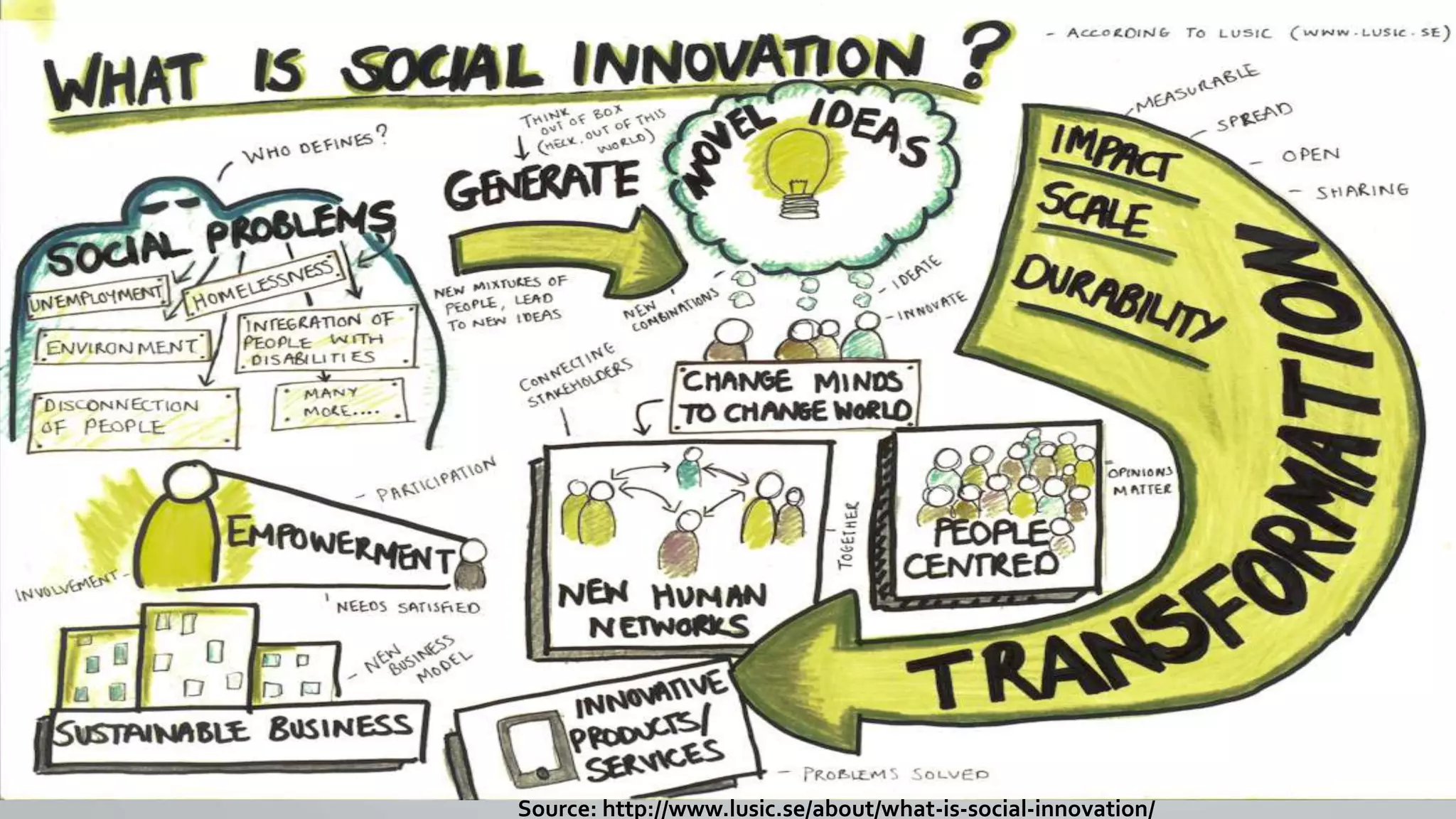
Social Innovation
Source: http://www.lusic.se/about/what-is-social-innovation/
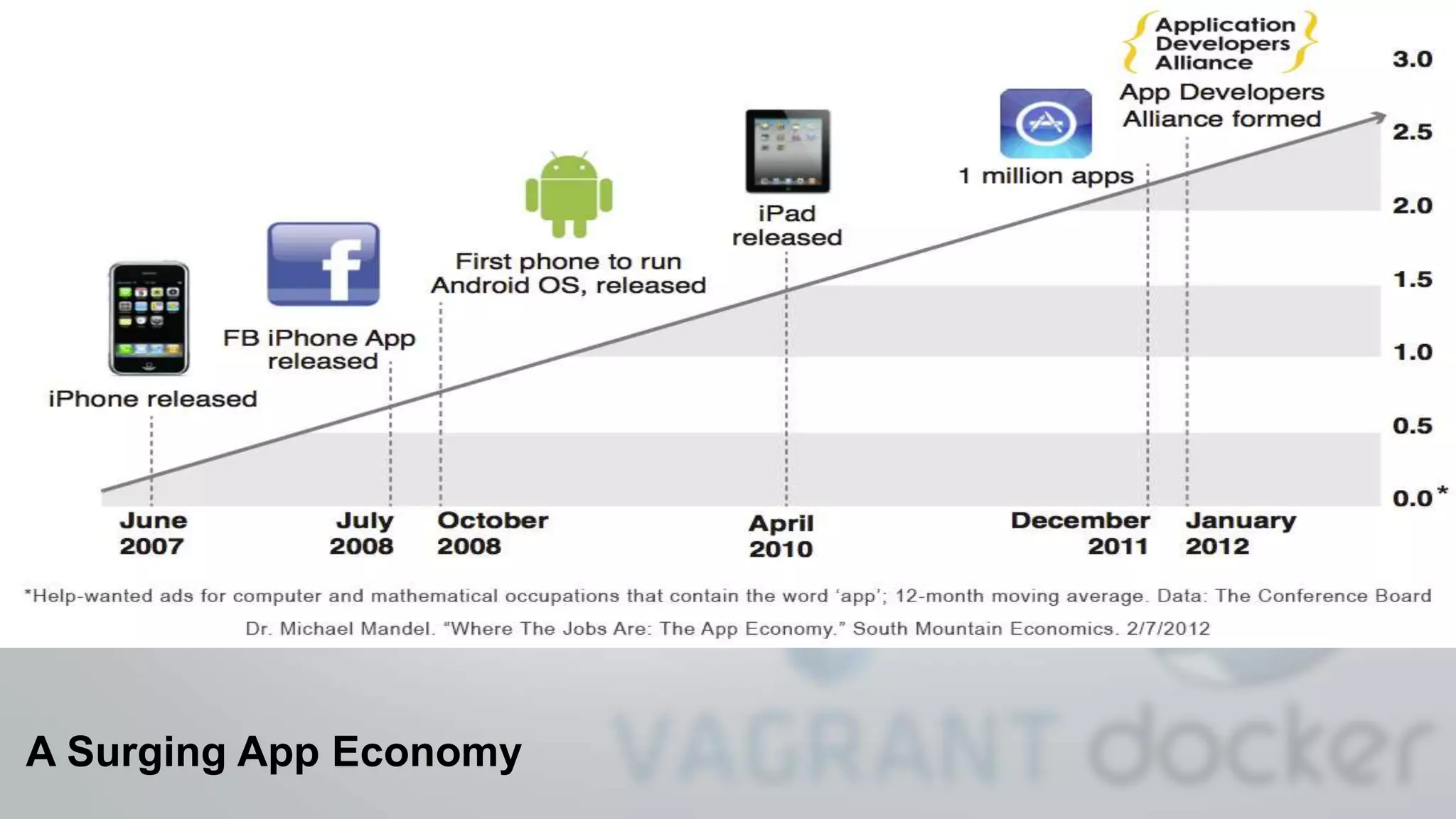
A Surging App Economy
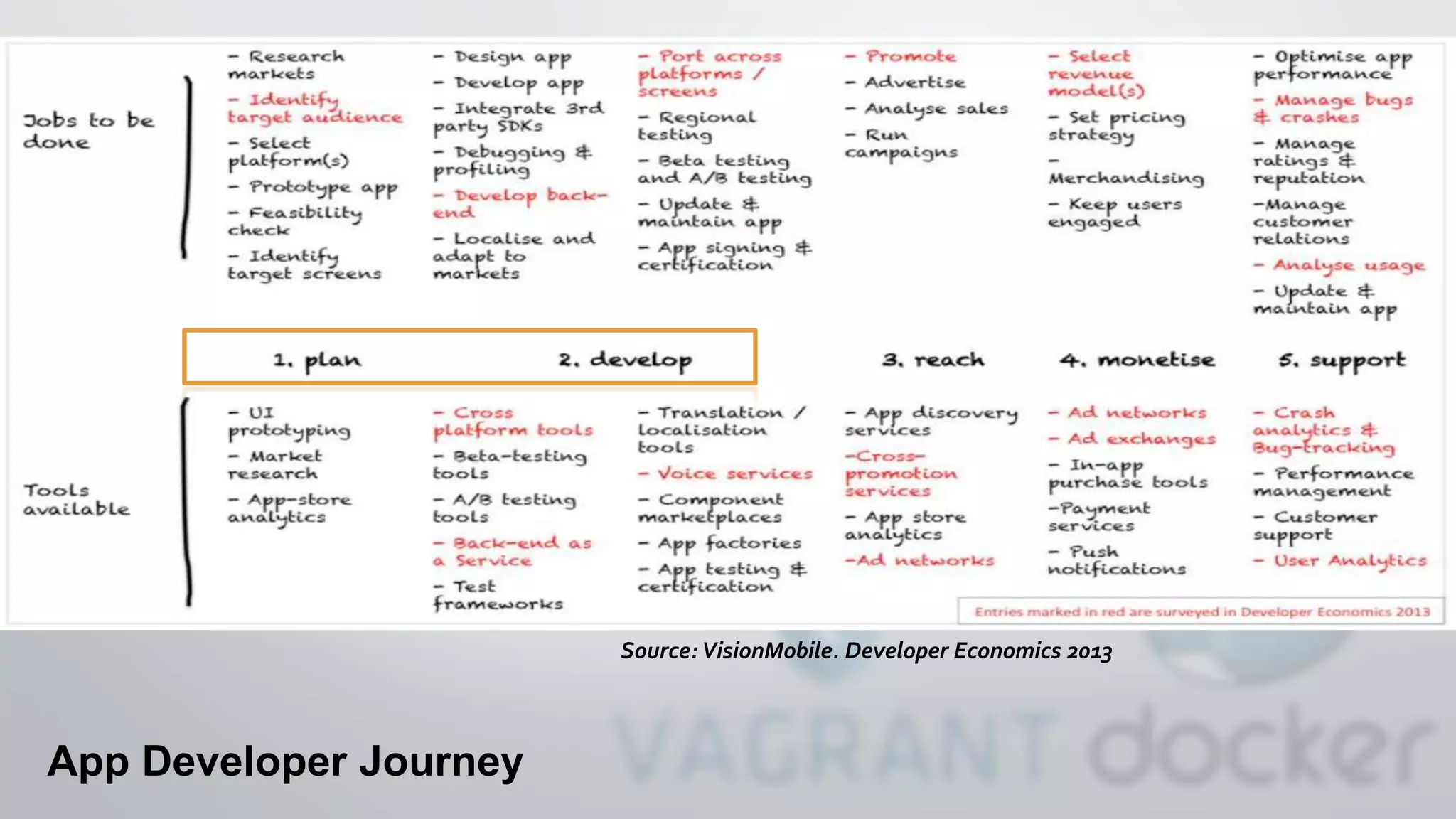
App Developer Journey
Source: VisionMobile. Developer Economics 2013
Developer Perspective
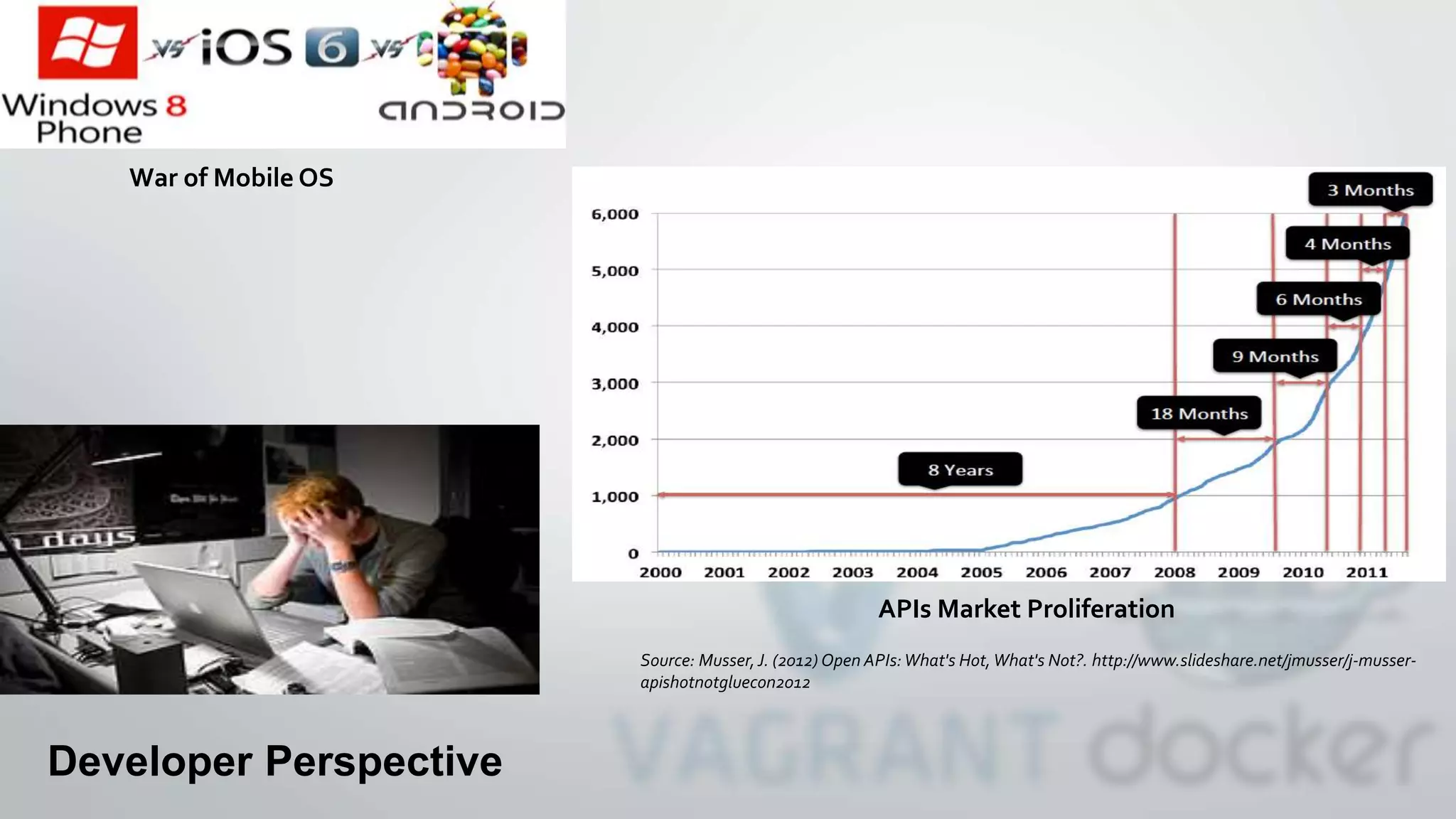
War of Mobile OS
APIs Market Proliferation
Source: Musser,J. (2012) Open APIs:What's Hot,What's Not?. http://www.slideshare.net/jmusser/j-musser-
apishotnotgluecon2012
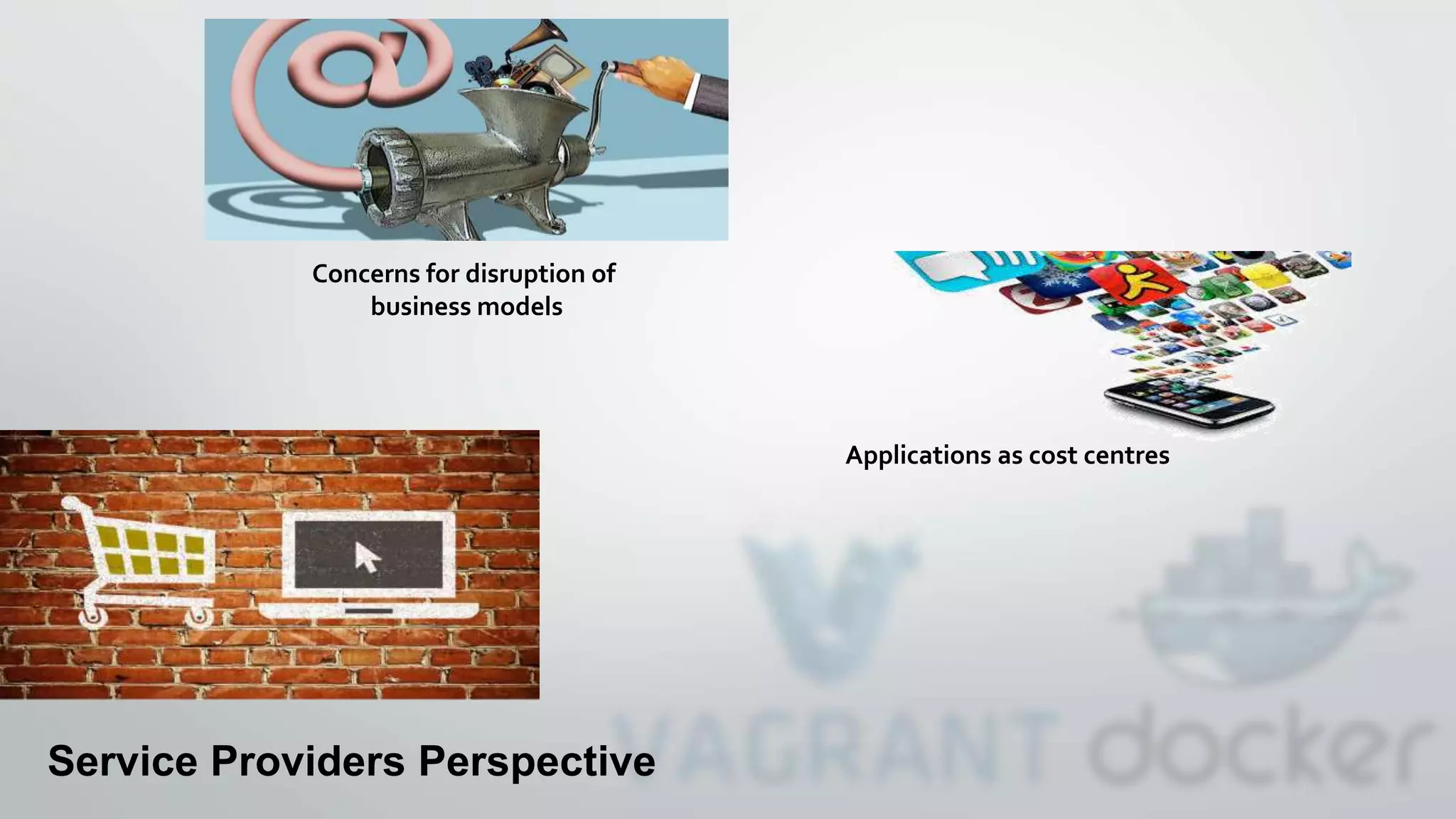
Service Providers Perspective
Applications as cost centres
Concerns for disruption of
business models
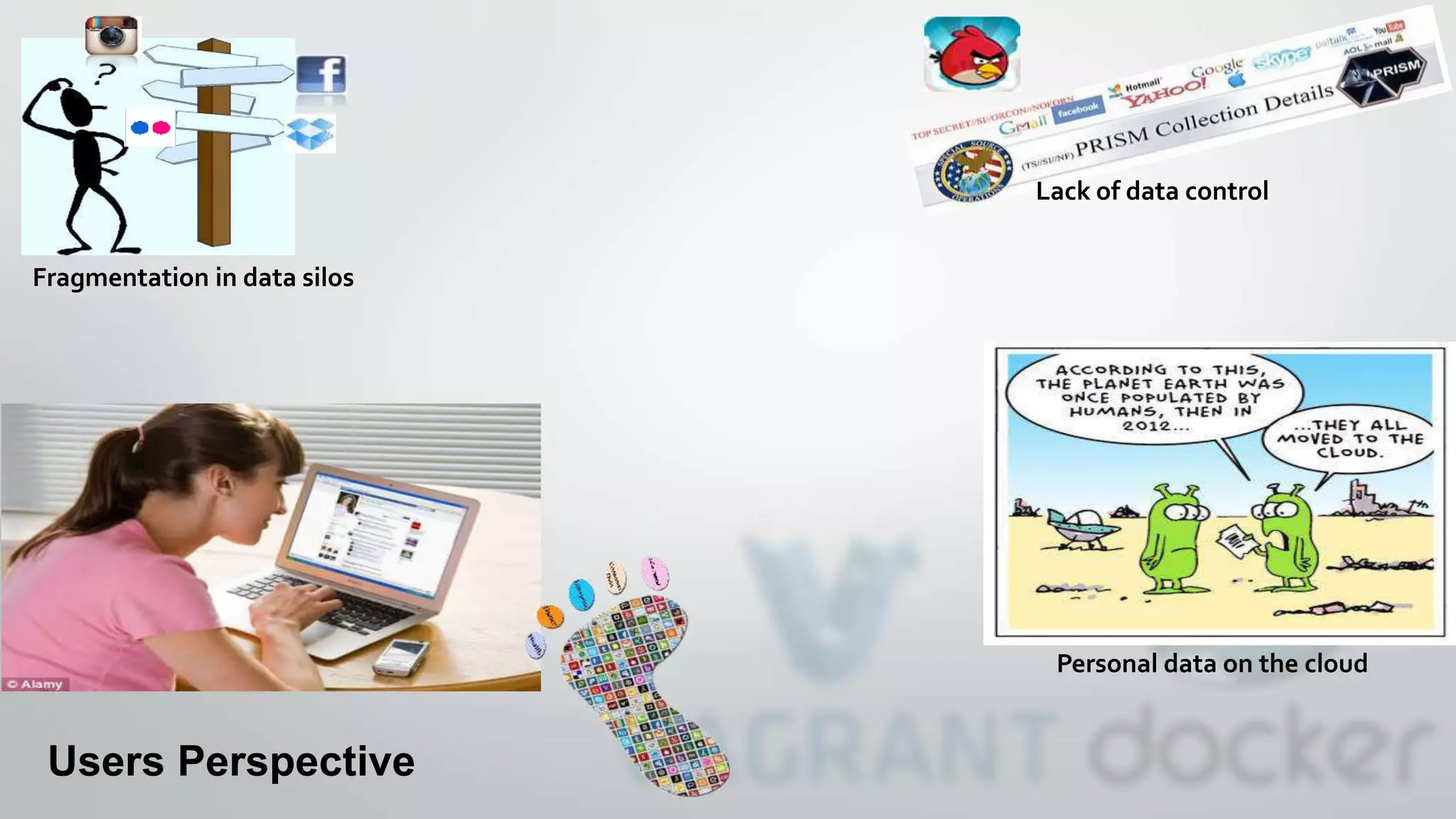
Lack of data control
Fragmentation in data silos
Users Perspective
Personal data on the cloud
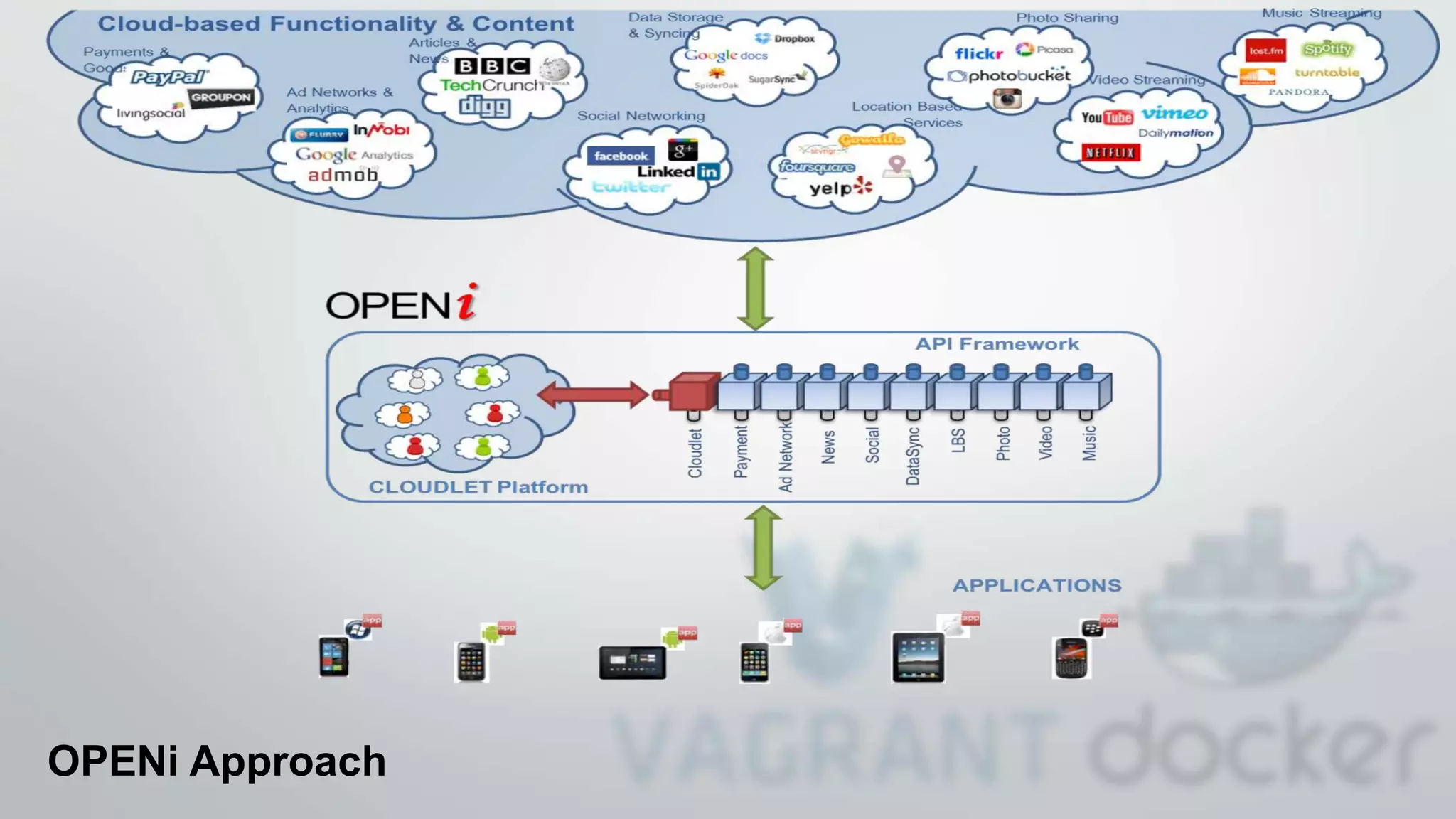
OPENi Approach
• An open-source cloud platform that will allow Users to
instantiate, deploy and manage their own Cloudlet.
• An API framework that will allow Developers to build
applications that integrate dynamically a broader spectrum of
cloud-based services and at the same time can access User
Cloudlets to store and retrieve content and data.
• A set of value adding services, that will allow Developers to
easily access and use the content and data stored in the
Cloudlets across several applications and devices.
Key Results
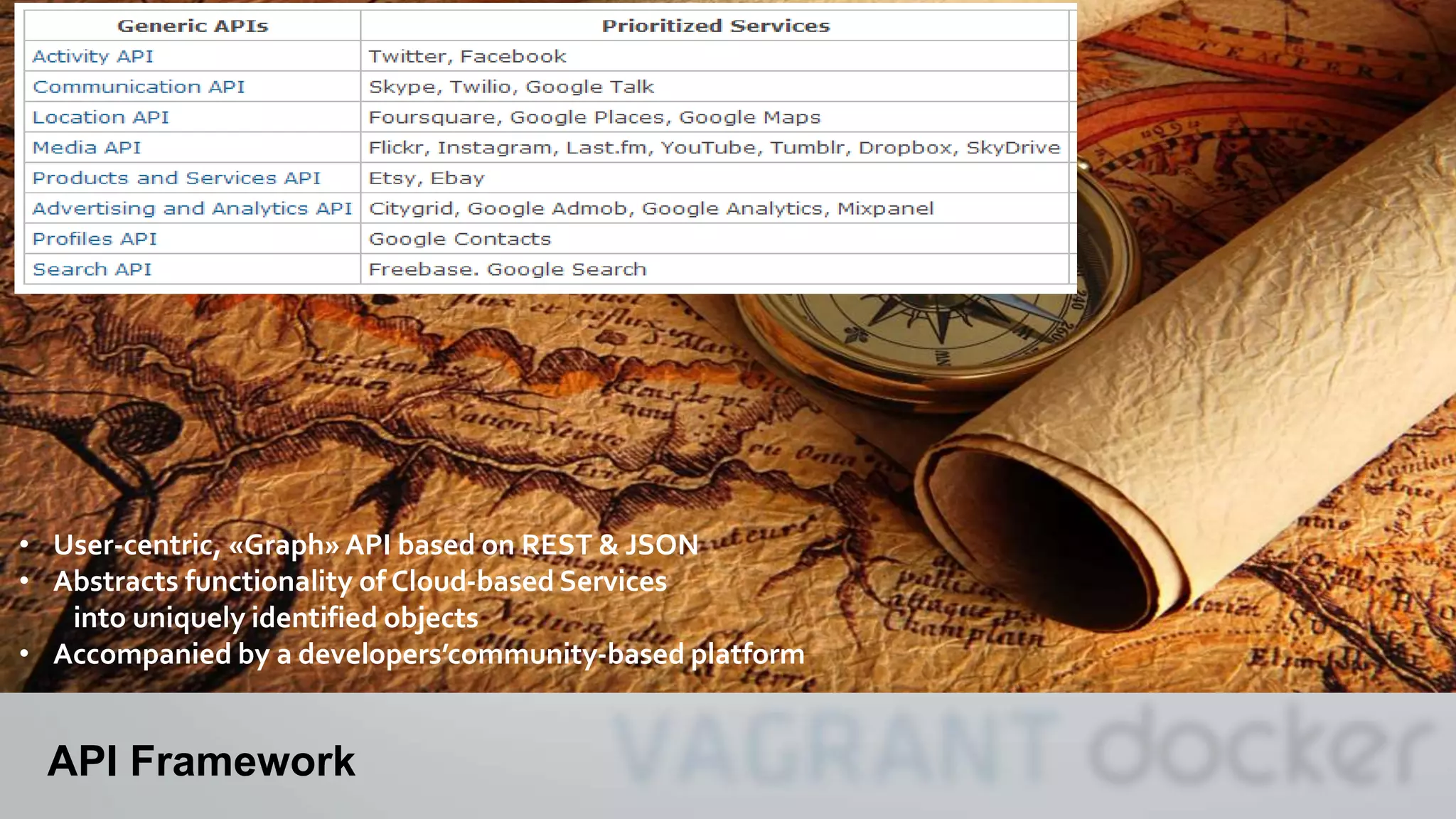
API Framework
• User-centric, «Graph» API based on REST & JSON
• Abstracts functionality of Cloud-based Services
into uniquely identified objects
• Accompanied by a developers’community-based platform
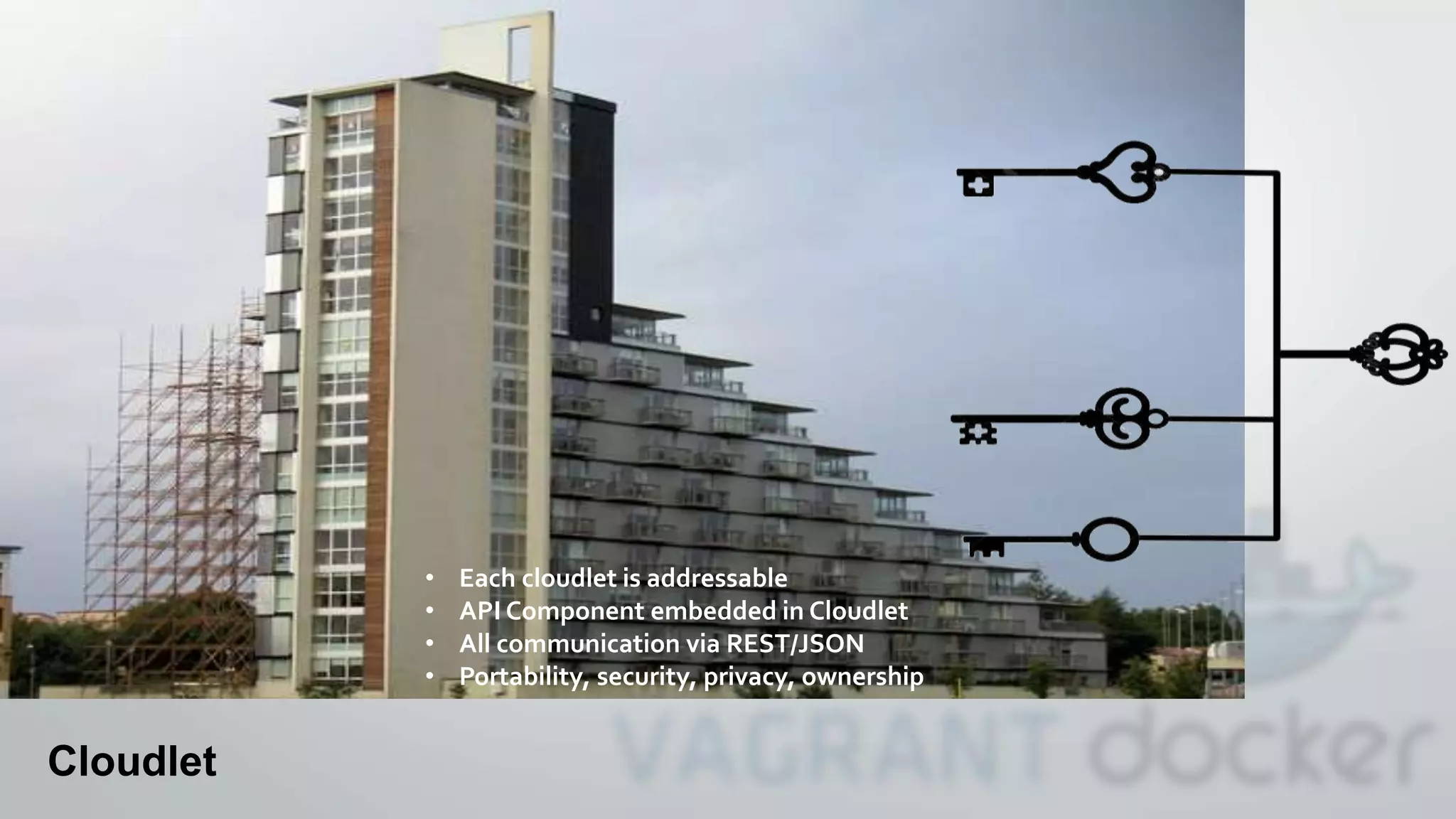
Cloudlet
Cloudlet
• Each cloudlet is addressable
• API Component embedded in Cloudlet
• All communication via REST/JSON
• Portability, security, privacy, ownership
We started developing
But soon….
We discovered Vagrant..
• What is Vagrant?
• Created by Mitchell Hasimoto
• Provisioning Tools for Dev, Production & Test Environments
• Syntactic sugar around VMs and Containers
• Syntactic sugar around provisioning
• Why use Vagrant?
• Quick
• Easily replicate production on a Dev box
• Easily go production from a Dev box
• Mature, stable, proven
OR
AND
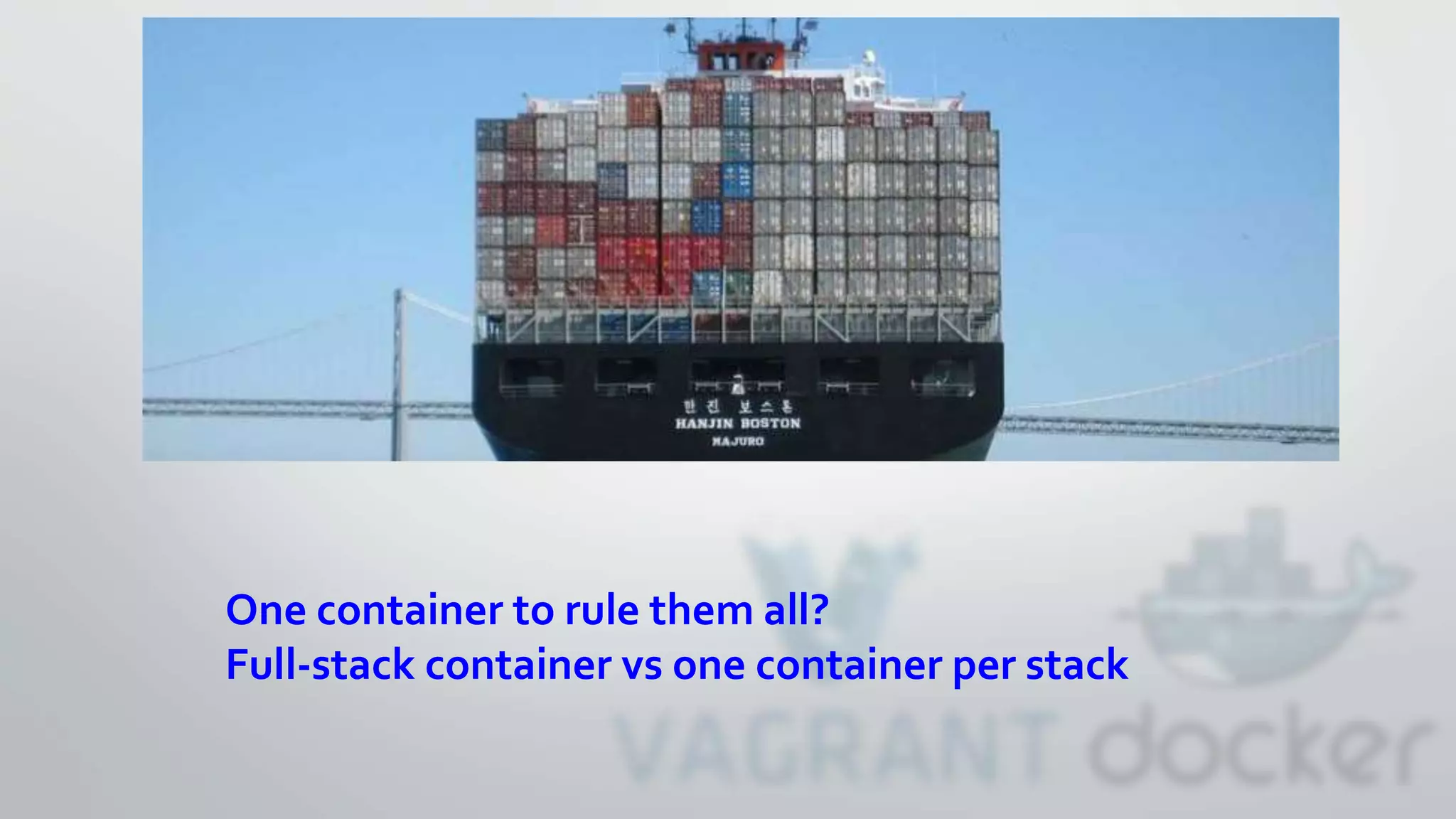
One container to rule them all?
Full-stack container vs one container per stack
Step 1: Install Vagrant
• http://www.vagrantup.com/downloads.html
• Mac OSX
• Windows
• Debian/Ubuntu
• CentosOS/Redhat/Fedora
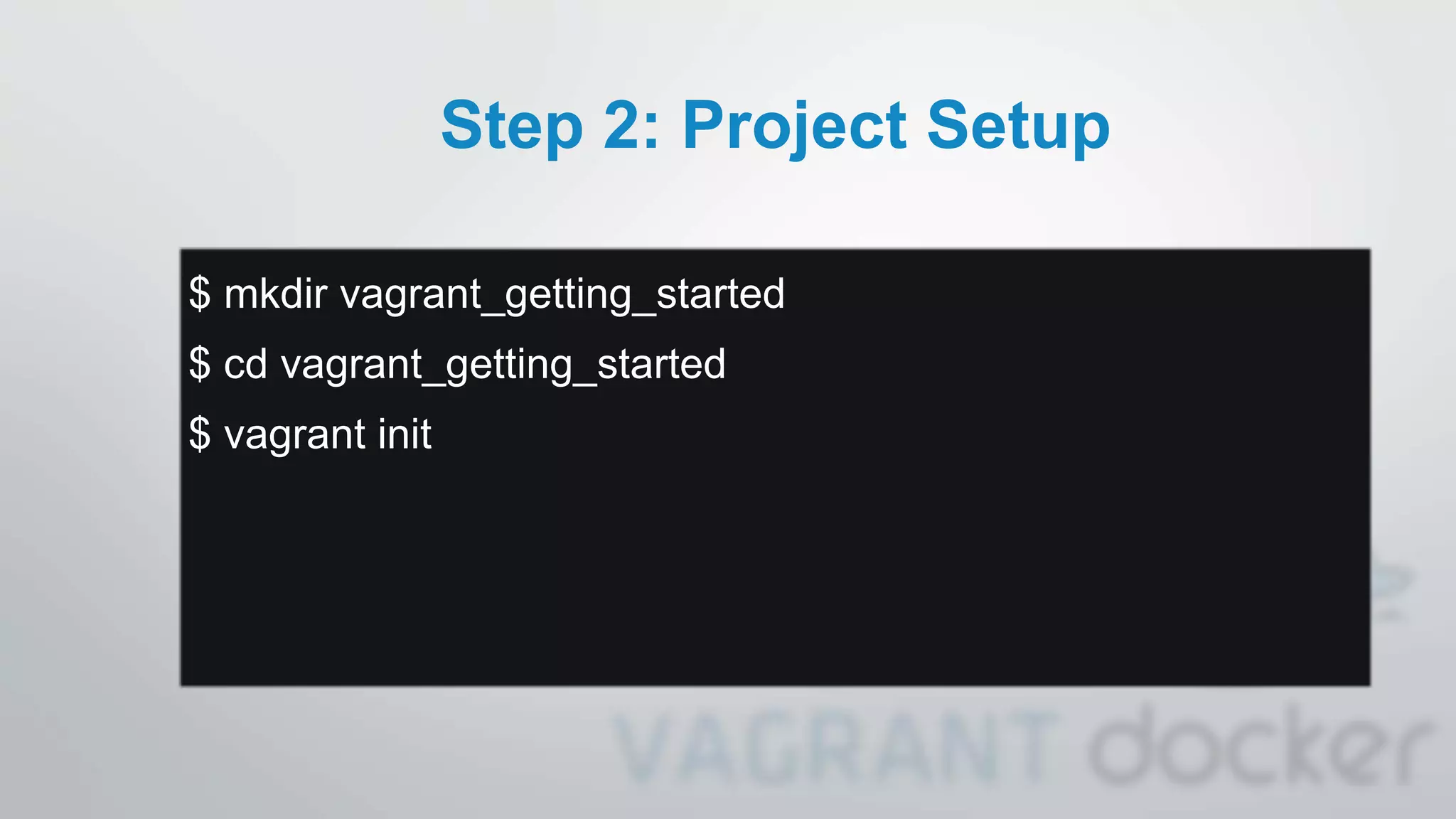
Step 2: Project Setup
$ mkdir vagrant_getting_started
$ cd vagrant_getting_started
$ vagrant init
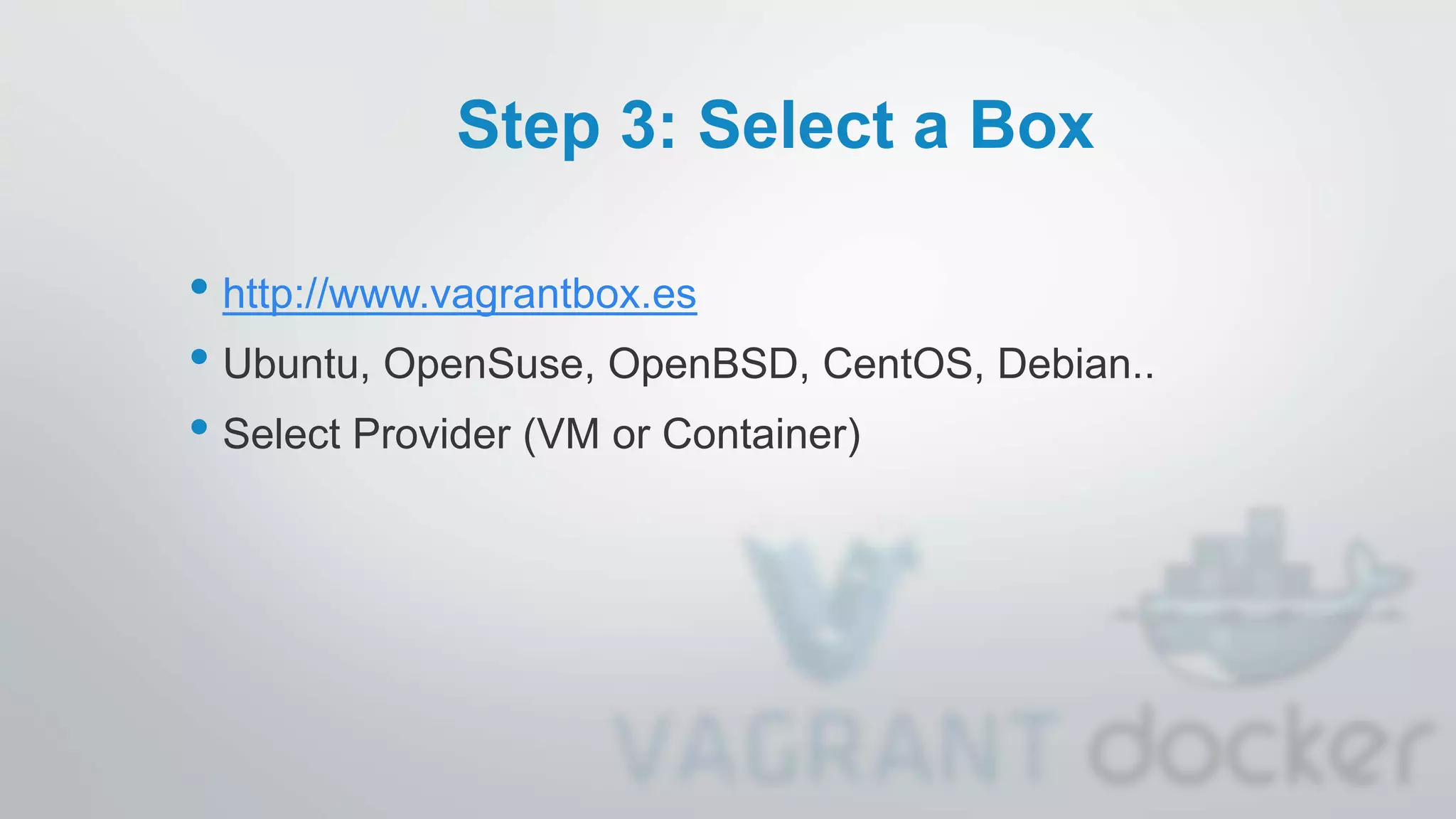
Step 3: Select a Box
• http://www.vagrantbox.es
• Ubuntu, OpenSuse, OpenBSD, CentOS, Debian..
• Select Provider (VM or Container)
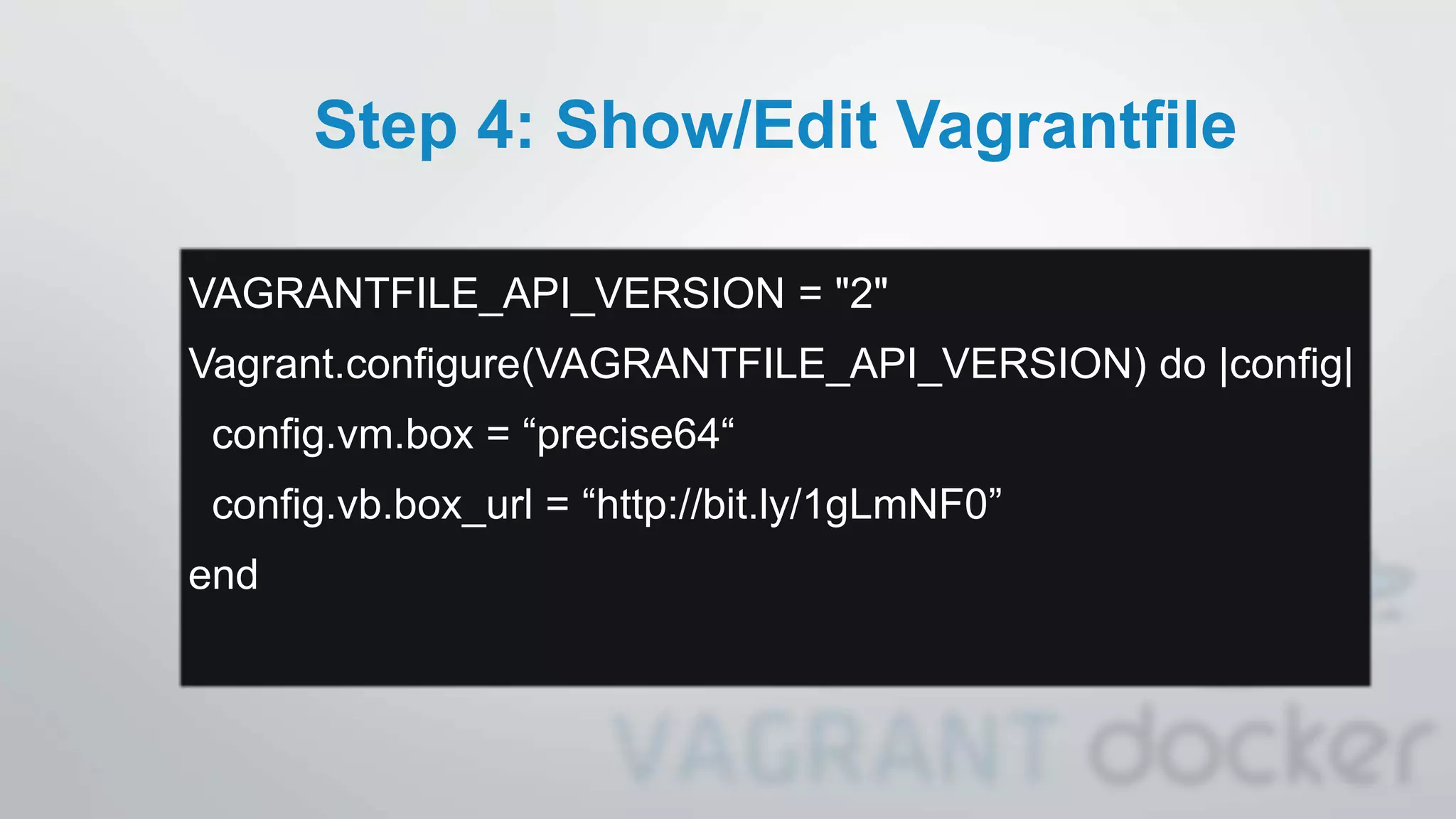
Step 4: Show/Edit Vagrantfile
VAGRANTFILE_API_VERSION = "2"
Vagrant.configure(VAGRANTFILE_API_VERSION) do |config|
config.vm.box = “precise64“
config.vb.box_url = “http://bit.ly/1gLmNF0”
end
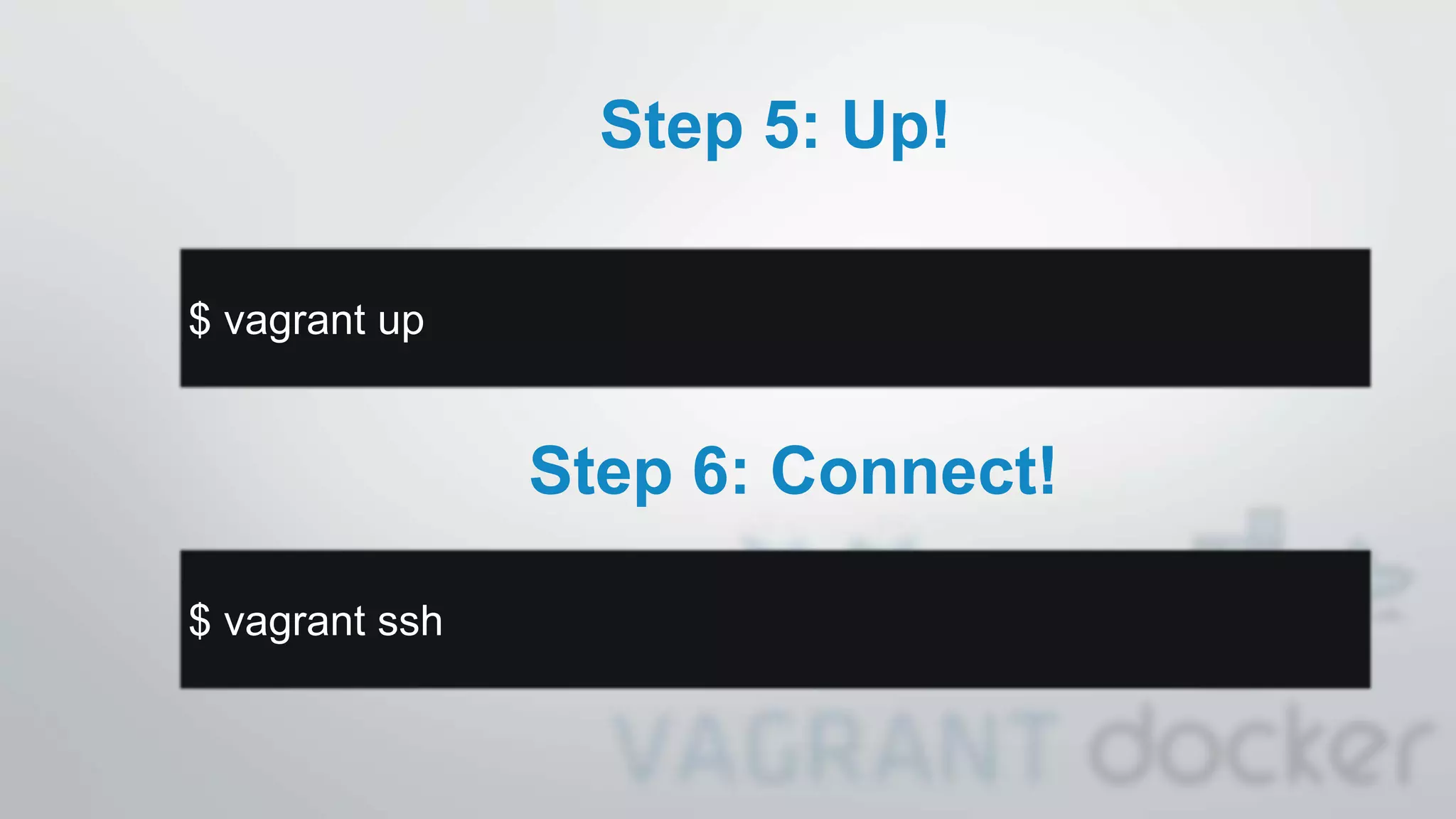
Step 5: Up!
$ vagrant up
Step 6: Connect!
$ vagrant ssh
Success!!
More Commands
• status : status of the machine
• halt : stop machine
• suspend : suspend machine
• reload : restar machine (load new vagrantfile)
• resume : resume suspended machine
• provision : force provisionning machine
• destroy : stop and delete machine
• box : manages boxes
• …
More Providers
(native or plugin)
• VMs:
• VirtualBox, KVM, Hyper-V, VMware, libvirt
• Containers:
• lxc, docker
• Services:
• AWS, DigitalOcean, HP Cloud, Joyent,
Rackspace, OpenStack, CloudStack, vSphere…
Customize
• config.vm.box* : Box information
• config.vm.network* : Network
• config.ssh* : SSH connection
• config.vm.synced_folder : Share folder
• config.vm.provider* : Custom provider settings
• config.vm.provision* : Provisioning (Puppet, Chef, Docker,
Shell…)
Provisioning?
• Automatically install software, alter configuration and more
• Shell Scripts
• File
• Puppet (Standalone & Agent)
• Chef (Solo & Client)
• Ansible
• Salt
• Docker!!!
• Open-Source Container for Dummies
• Create lightweight, portable, self-sufficient container from any
app.
• Build once… run anywhere
• Configure once… run anything
• Ecosystems! OS, VM’s, PaaS, IaaS…
• Base: LXC, OpenVZ, systemd-nspawn, libvirt-lxc, libvirt-sandbox,
qemu/kvm, Jails, Solaris Zones, chroot (0.9*)
Vagrant and Docker
• BOX = Machine
• Docker = Container (App package inside the Box)
• Functions: Pull, Build, Run
• Allow others provisioning (Shell, puppet, chef)
Docker in Vagrantfile
Vagrant.configure("2") do |config|
v = config.vm
v.box = "precise64"
v.box_url = "http://bit.ly/1gLmNF0"
v.network "forwarded_port", guest: 5000, host: 9292
v.provision "docker", images: [“dg/docker-sample"]
v.provision “docker“ do |d|
d.run “dg/docker-sample”, args: "-p 5000:5000“
end
end
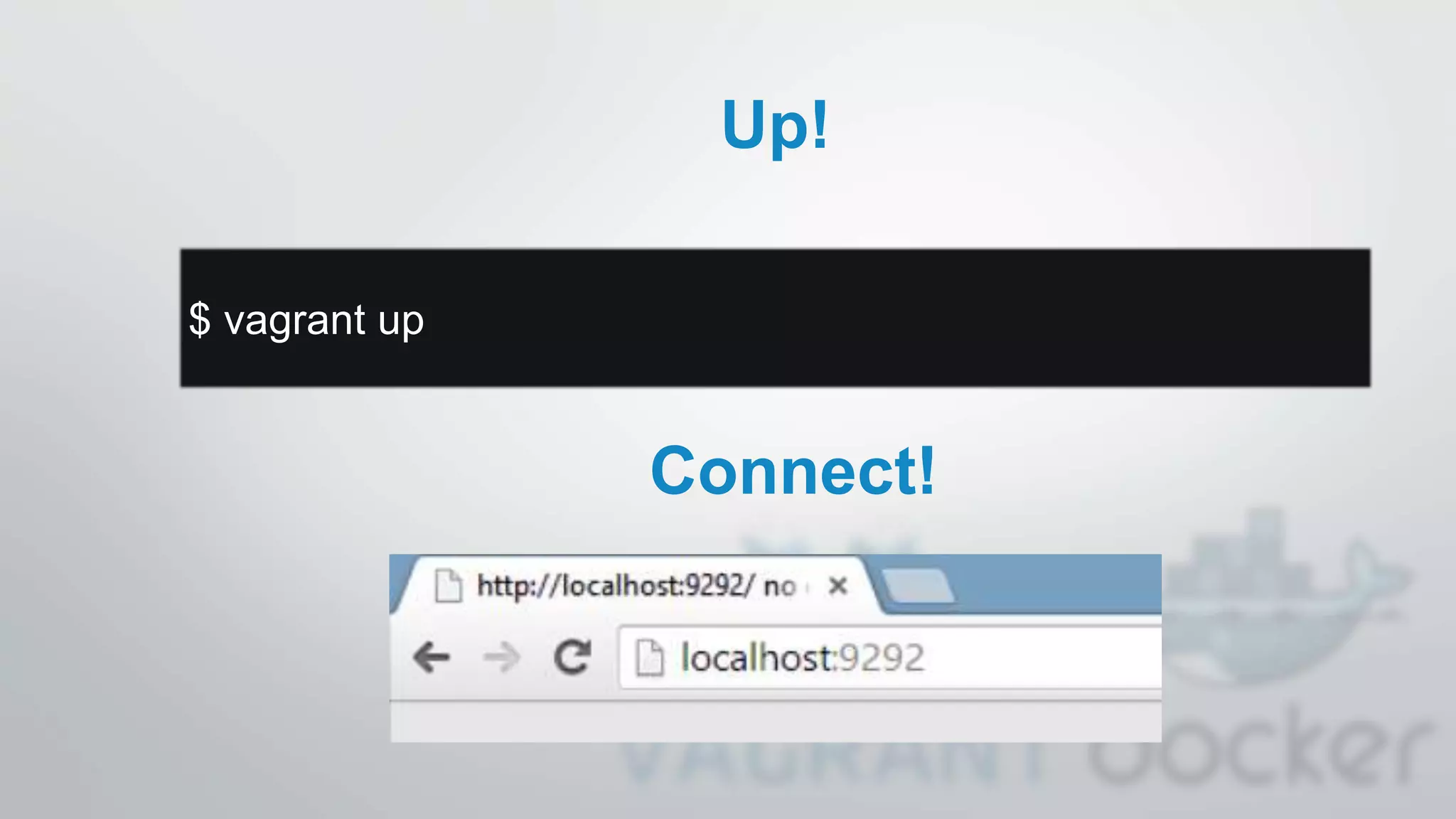
Up!
$ vagrant up
Connect!
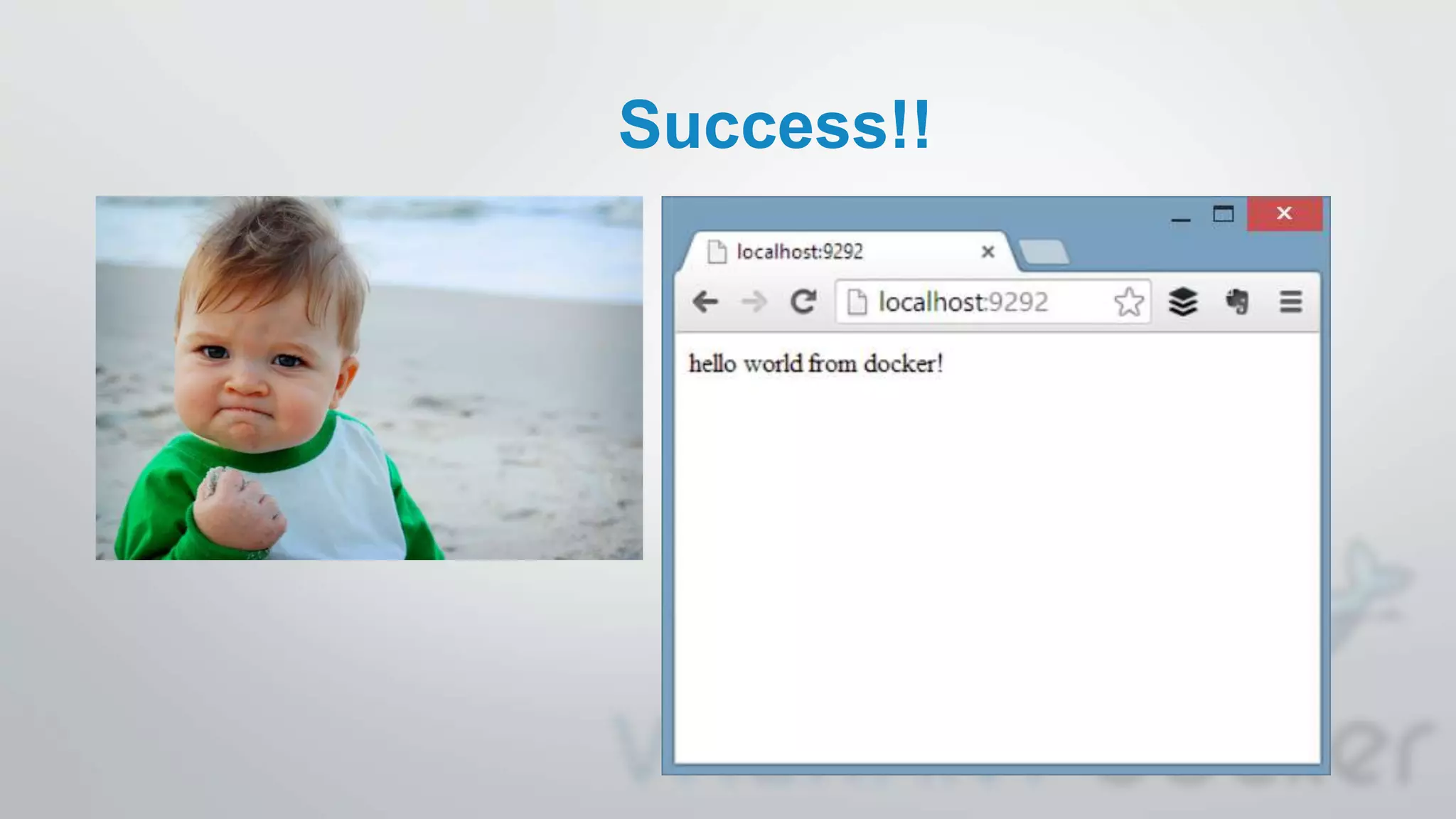
Success!!
Want to learn more?
• www.vagrantup.com
• GitHub mitchellh/vagrant
• Twitter @vagrantup @mitchellh
• www.docker.io
• GitHub dotcloud/docker
• Twitter @docker
• OPENi
• GitHub OPENi-ict/
• Twitter @openi_ict

Docker and Vagrant usage in OPENi

  • 1.
    Research + Vagrant +Docker building portable environments Michael Petychakis @mpetyx
  • 2.
  • 3.
  • 4.
    App Developer Journey Source:VisionMobile. Developer Economics 2013
  • 5.
    Developer Perspective War ofMobile OS APIs Market Proliferation Source: Musser,J. (2012) Open APIs:What's Hot,What's Not?. http://www.slideshare.net/jmusser/j-musser- apishotnotgluecon2012
  • 6.
    Service Providers Perspective Applicationsas cost centres Concerns for disruption of business models
  • 7.
    Lack of datacontrol Fragmentation in data silos Users Perspective Personal data on the cloud
  • 8.
  • 9.
    • An open-sourcecloud platform that will allow Users to instantiate, deploy and manage their own Cloudlet. • An API framework that will allow Developers to build applications that integrate dynamically a broader spectrum of cloud-based services and at the same time can access User Cloudlets to store and retrieve content and data. • A set of value adding services, that will allow Developers to easily access and use the content and data stored in the Cloudlets across several applications and devices. Key Results
  • 10.
    API Framework • User-centric,«Graph» API based on REST & JSON • Abstracts functionality of Cloud-based Services into uniquely identified objects • Accompanied by a developers’community-based platform
  • 11.
    Cloudlet Cloudlet • Each cloudletis addressable • API Component embedded in Cloudlet • All communication via REST/JSON • Portability, security, privacy, ownership
  • 12.
  • 13.
  • 14.
    We discovered Vagrant.. •What is Vagrant? • Created by Mitchell Hasimoto • Provisioning Tools for Dev, Production & Test Environments • Syntactic sugar around VMs and Containers • Syntactic sugar around provisioning • Why use Vagrant? • Quick • Easily replicate production on a Dev box • Easily go production from a Dev box • Mature, stable, proven
  • 15.
  • 16.
  • 18.
    One container torule them all? Full-stack container vs one container per stack
  • 19.
    Step 1: InstallVagrant • http://www.vagrantup.com/downloads.html • Mac OSX • Windows • Debian/Ubuntu • CentosOS/Redhat/Fedora
  • 20.
    Step 2: ProjectSetup $ mkdir vagrant_getting_started $ cd vagrant_getting_started $ vagrant init
  • 21.
    Step 3: Selecta Box • http://www.vagrantbox.es • Ubuntu, OpenSuse, OpenBSD, CentOS, Debian.. • Select Provider (VM or Container)
  • 22.
    Step 4: Show/EditVagrantfile VAGRANTFILE_API_VERSION = "2" Vagrant.configure(VAGRANTFILE_API_VERSION) do |config| config.vm.box = “precise64“ config.vb.box_url = “http://bit.ly/1gLmNF0” end
  • 23.
    Step 5: Up! $vagrant up Step 6: Connect! $ vagrant ssh
  • 24.
  • 25.
    More Commands • status: status of the machine • halt : stop machine • suspend : suspend machine • reload : restar machine (load new vagrantfile) • resume : resume suspended machine • provision : force provisionning machine • destroy : stop and delete machine • box : manages boxes • …
  • 26.
    More Providers (native orplugin) • VMs: • VirtualBox, KVM, Hyper-V, VMware, libvirt • Containers: • lxc, docker • Services: • AWS, DigitalOcean, HP Cloud, Joyent, Rackspace, OpenStack, CloudStack, vSphere…
  • 27.
    Customize • config.vm.box* :Box information • config.vm.network* : Network • config.ssh* : SSH connection • config.vm.synced_folder : Share folder • config.vm.provider* : Custom provider settings • config.vm.provision* : Provisioning (Puppet, Chef, Docker, Shell…)
  • 28.
    Provisioning? • Automatically installsoftware, alter configuration and more • Shell Scripts • File • Puppet (Standalone & Agent) • Chef (Solo & Client) • Ansible • Salt • Docker!!!
  • 29.
    • Open-Source Containerfor Dummies • Create lightweight, portable, self-sufficient container from any app. • Build once… run anywhere • Configure once… run anything • Ecosystems! OS, VM’s, PaaS, IaaS… • Base: LXC, OpenVZ, systemd-nspawn, libvirt-lxc, libvirt-sandbox, qemu/kvm, Jails, Solaris Zones, chroot (0.9*)
  • 30.
    Vagrant and Docker •BOX = Machine • Docker = Container (App package inside the Box) • Functions: Pull, Build, Run • Allow others provisioning (Shell, puppet, chef)
  • 31.
    Docker in Vagrantfile Vagrant.configure("2")do |config| v = config.vm v.box = "precise64" v.box_url = "http://bit.ly/1gLmNF0" v.network "forwarded_port", guest: 5000, host: 9292 v.provision "docker", images: [“dg/docker-sample"] v.provision “docker“ do |d| d.run “dg/docker-sample”, args: "-p 5000:5000“ end end
  • 32.
  • 33.
  • 34.
    Want to learnmore? • www.vagrantup.com • GitHub mitchellh/vagrant • Twitter @vagrantup @mitchellh • www.docker.io • GitHub dotcloud/docker • Twitter @docker • OPENi • GitHub OPENi-ict/ • Twitter @openi_ict