Vinkovci, Croatia
4. March 2016
Sophos UTM
Nebojša Stankić
Channel Account Executive
South Eastern Europe
Sophos Ltd.
Sophos UTM
2
Remember the ’90s?
Think back to the time before the mobile revolution
Y
o
u
d
i
d
n3
The history of firewalls
First generation to next generation
1st
generation: Packet filters
2nd
generation: “Stateful”
filters
3rd
generation: Application level
4
IPv6
What’s changed: Technology
5
B
Y
O
D
P
r
W
i
r
e
l
e
s
 V
P
N
What’s changed: Threats
SQL injection
Phishing
Spam
Malware
6
Security implications: Data loss
7
What’s changed:
The way we work
C
o
n
s
u
m
e
8
Security implications:
Protecting data everywhere
9
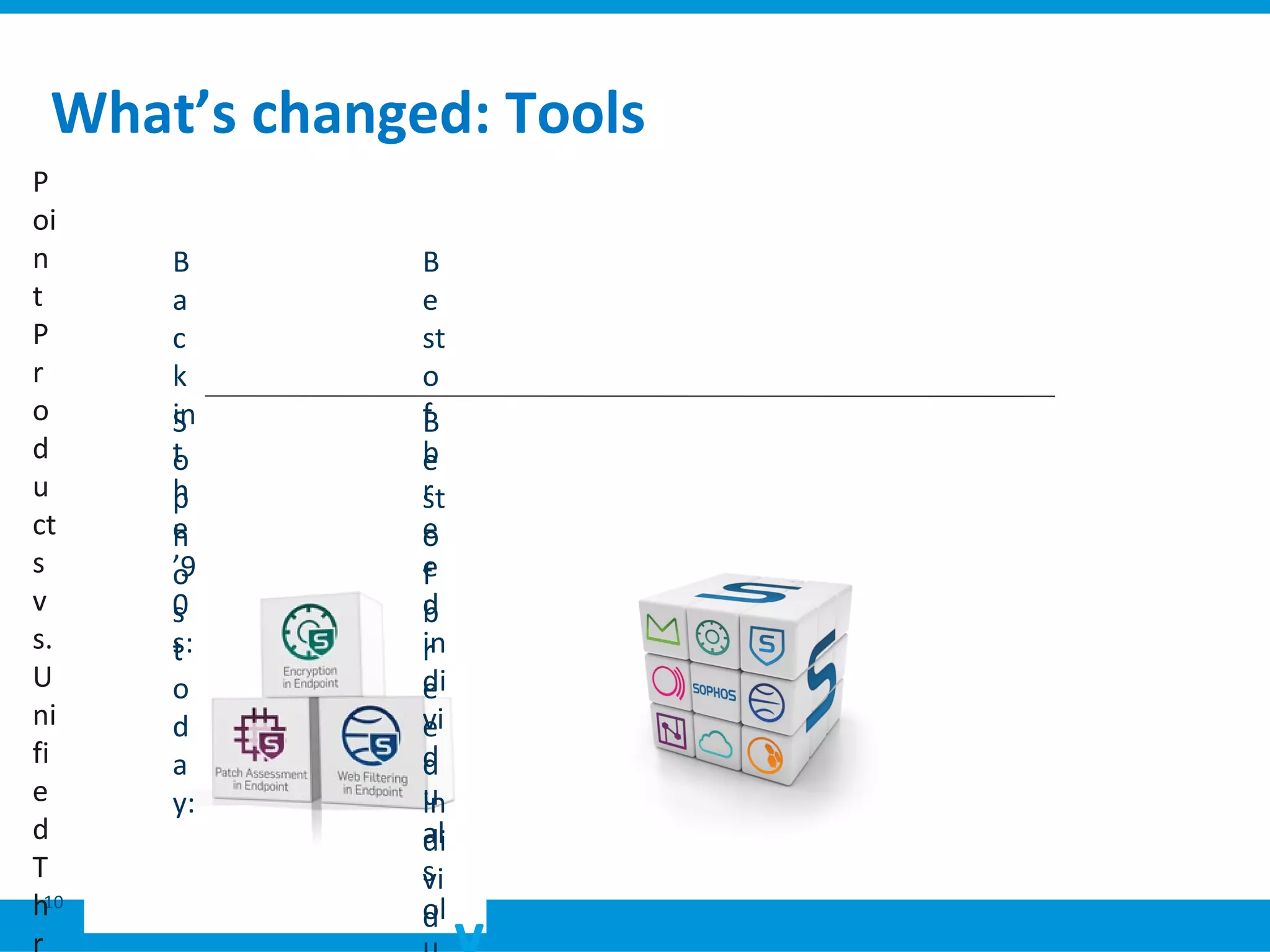
What’s changed: Tools
10
P
oi
n
t
P
r
o
d
u
ct
s
v
s.
U
ni
fi
e
d
T
h
B
a
c
k
in
t
h
e
’9
0
s:
S
o
p
h
o
s
t
o
d
a
y:
B
e
st
o
f
b
r
e
e
d
in
di
vi
d
u
al
s
ol
B
e
st
o
f
b
r
e
e
d
in
di
vi
d
UTM: Firewall
11
 A
p
p
l
i
c
UTM: Wireless protection
12
 G
u
e
s
t
s
UTM: Endpoint protection
13
 G
l
o
b
a
l
UTM: Network protection
14
 I
n
t
r
u
s
UTM: Web protection
15
 W
e
b
s
e
UTM: Email protection
16
 A
n
t
i
-
v
UTM: Web server protection
17
 S
Q
L
i
/
X
opt
ion
al
UTM Endpoint Protection
• Antivirus
• HIPS
• Device Control
UTM Endpoint Protection
• Antivirus
• HIPS
• Device Control
Sophos UTM
opt
ion
al
UTM Webserver Protection
• Reverse proxy
• Web application firewall
• Antivirus
UTM Webserver Protection
• Reverse proxy
• Web application firewall
• Antivirus
UTM Network Protection
• Intrusion prevention
• IPSec/SSL VPN
• Branch office security
UTM Network Protection
• Intrusion prevention
• IPSec/SSL VPN
• Branch office security
UTM Wireless Protection
•Wireless controller for
Sophos access points
•Multi-zone (SSID) support
UTM Wireless Protection
•Wireless controller for
Sophos access points
•Multi-zone (SSID) support
UTM Web Protection
• URL Filter
• Antivirus & antispyware
• Application control
UTM Web Protection
• URL Filter
• Antivirus & antispyware
• Application control
UTM Email Protection
• Anti-spam & -phishing
• Dual virus protection
• Email encryption
UTM Email Protection
• Anti-spam & -phishing
• Dual virus protection
• Email encryption
Essential Network Firewall
• Stateful firewall
• Network address translation
• PPTP/L2TP remote access
Essential Network Firewall
• Stateful firewall
• Network address translation
• PPTP/L2TP remote access
opt
ion
al
opt
ion
al
opt
ion
al
opt
ion
al
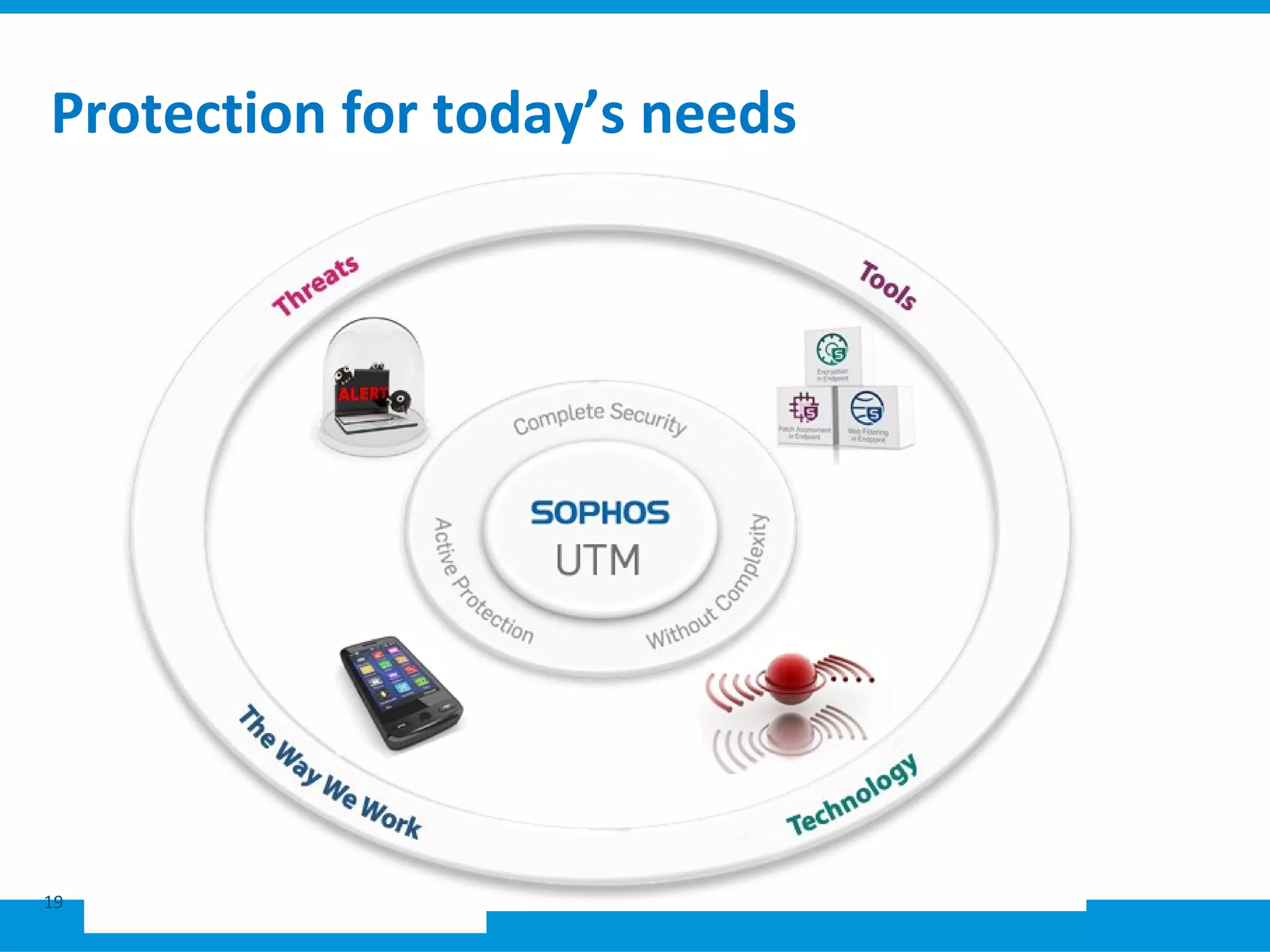
Protection for today’s needs
19
Complete security
E
m
ail
Da
ta
En
dp
oi
nt
M
ob
ile
W
eb
Ne
tw
or
k
Acc
ess
con
rol
En
dpo
int
We
b
Pro
tect
ion
Sec
ure
bra
nch
offic
es
HTT
PS
Mo
bile
app
sec
urit
y
Dev
ce
Co
ntro
E
v
e
ry
t
hi
n
g
y
o
u
n
e
e
d
t
o
st
a
Dev
ice
Co
ntro
l
Ano
ny
misi
ng
Pro
xy
bloc
king
Unif
ied
Thr
eat
Ma
nag
em
ent
File
enc
rypt
ion
Key
ma
nag
em
ent
Overview
• Other devices and software…
R
E
D
(
R
e
m
o
t
e
E
t
h
A
c
c
e
ss
P
oi
n
ts
S
o
p
h
V
P
N
Cl
Management made easy
In
di
vi
d
C
o
m
pr
In
tu
iti
v
23
Hint: Microsoft Forefront Threat
Management Gateway replacement
Reporting needs
• Reporting is key to demonstrating value:
• How did those endpoints become infected?
• Which departments are using up all our internet bandwidth?
• Someone reported a colleague for accessing websites which are against
company policy, is it true?
• Can I demonstrate to my boss that our security strategy is effective?
What is Sophos iView?
• Logging and reporting appliance add-on for UTM
• Offers single view of an entire network activity
• Provides logs and reports related to:
• Intrusions
• Attacks
• Viruses
• Traffic
• Spam
• Blocked web attempts
• Provides visibility into networks for multiple devices
• Out-of-the-box deployment without the need for technical
expertise
Sophos iView features
1. Added visibility
2. Consolidated Reporting
3. Security Intelligence
4. Log Management
Added visibility
Added visibility
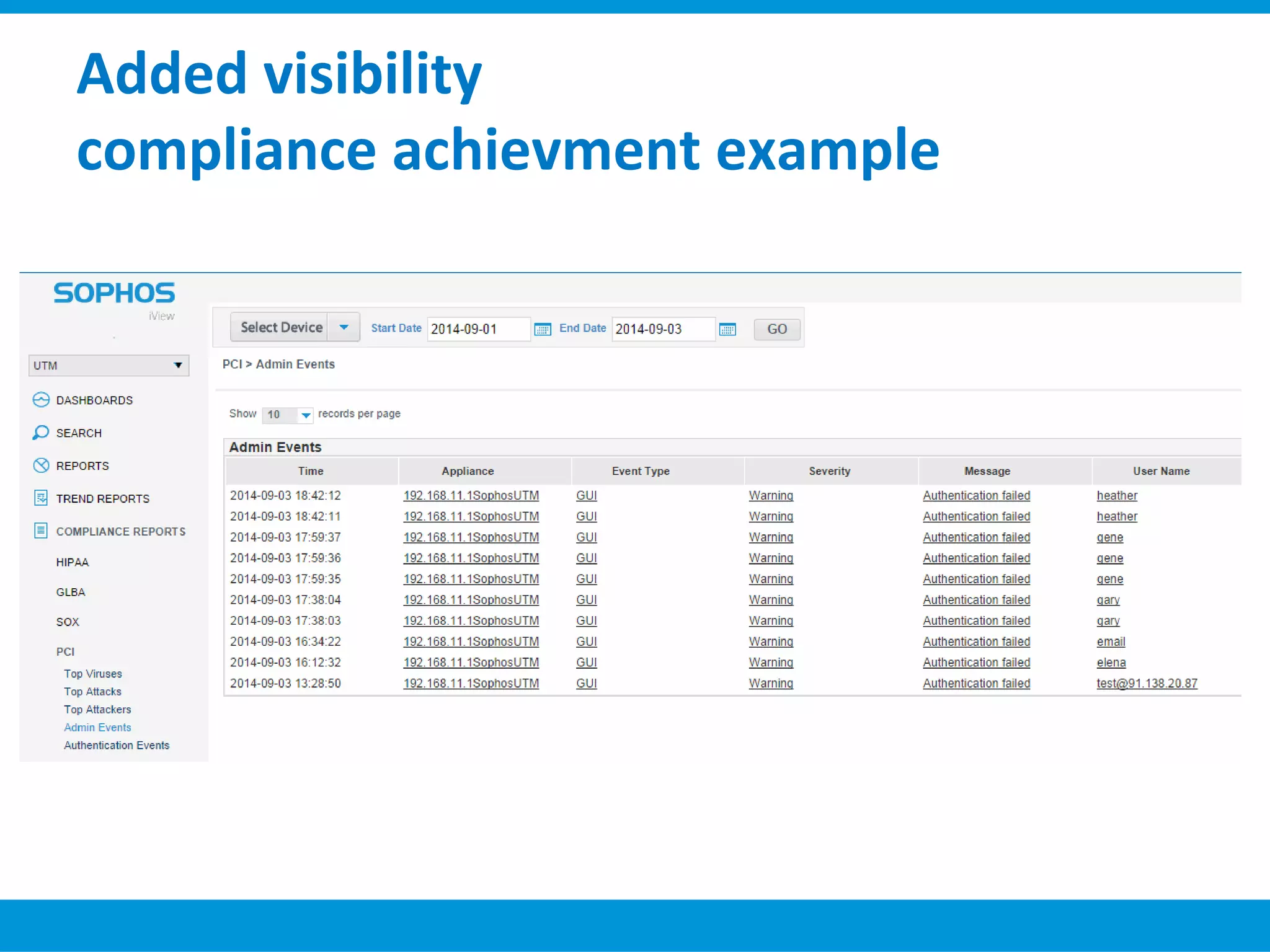
compliance achievment example
Sophos XG Firewall
Lea
din
g
Thr
eat
Pro
tec
tio
n
RE
D
for
Dis
trib
ute
d
Net
wo
rks
Acc
ele
rat
ed
Pac
ket
Filt
eri
ng
Use
r
Thr
eat
Qu
oie
nt
Sec
ure
Wi-
Fi
&
Acc
ess
Poi
nts
We
b
Pro
tec
tio
n
Tec
hno
logi
es
Lay
er 8
Use
r
Ide
ntit
y
Poli
cies
Lea
din
g
Ap
plic
ati
on
Con
trol
+
N
e
w
i
n
n
o
v
a
t
i
o
n
S
O
P
H
A
cc
el
er
at
e
d
T
hr
e
at
Di
sc
o
v
er
y
A
ct
iv
e
S
o
ur
ce
Id
e
nt
ifi
ca
A
ut
o
m
at
e
d
In
So
p
h
os
Cl
o
u
d N
e
x
t
G
e
n
N
e
t
w
o
r
k
S
e
c
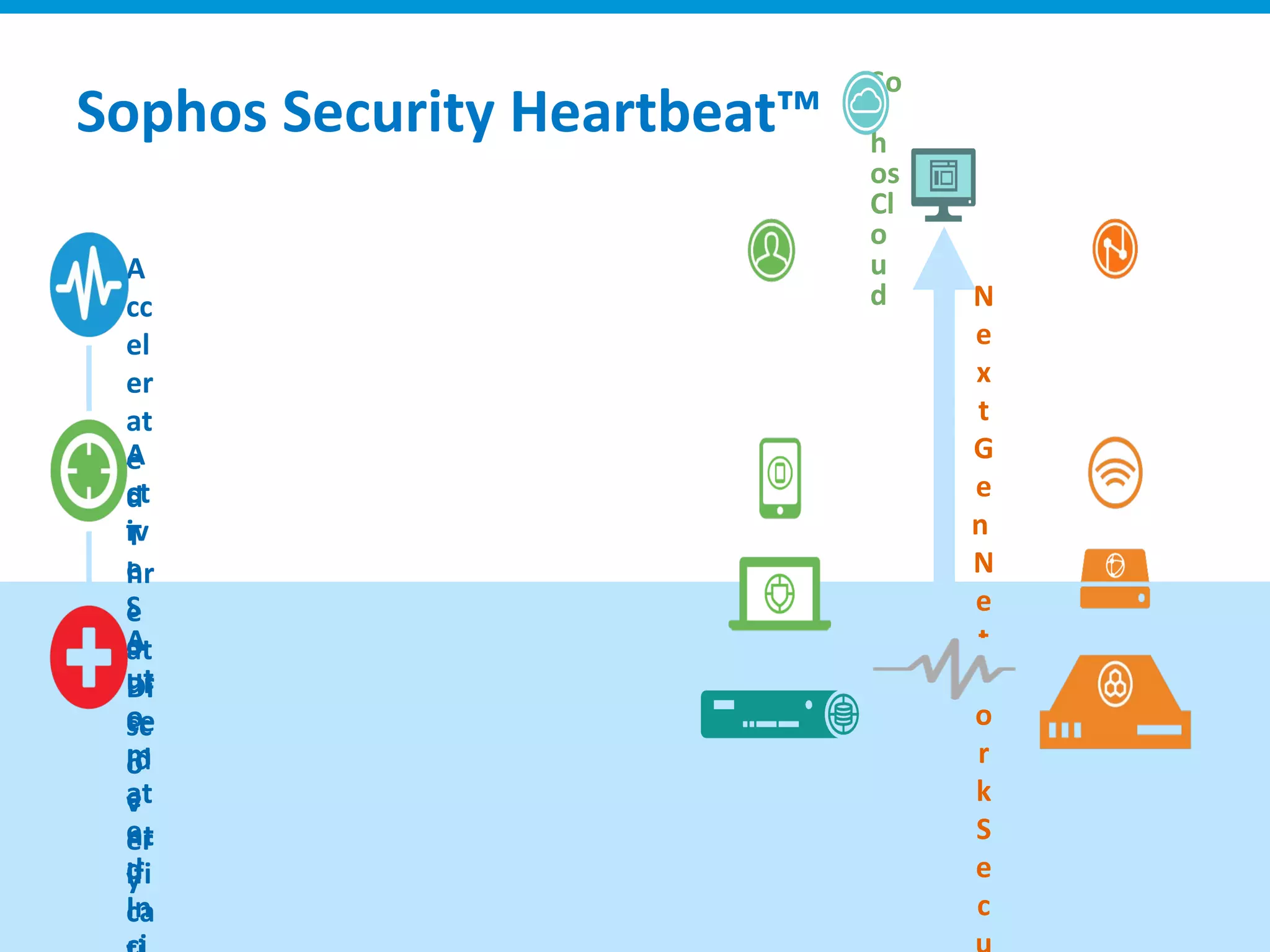
Sophos Security Heartbeat™
Comprehensive Next-Gen Network
Web
Filtering
Intrusion
Prevention
System
Routing
Email
Securit
y
Security
Heartbeat
Selective
Sandbox
Application
Control
Data Loss
Prevention
ATP
Detection
Proxy
Threat
Engine
Firewall
a
y
’
s
S
G
S
e
r
i
e
s
o
n
n
e
w
X
G
S
e
r
i
New Sophos Firewall OS
Hi
g
h
l
y
r
e
q
u
e
s
t
e
Gr
e
a
t
C
y
b
e
r
o
a
m
T
e
Gr
e
a
t
S
o
p
h
o
s
U
T
M
9
T
e
c
h
n
o
l
o
g
y
Gr
e
a
t
S
o
p
UT
M
f
e
a
t
u
r
e
s
c
o
m
i
n
g
i
n
UT
M
f
e
a
t
u
r
e
s
C
o
m
i
n
g
i
n
In
n
o
v
a
t
i
o
n
s
(
N
O
T
i
n
U
T
M
9
)
- S
e
XG Firewall v16 vs UTM 9 Feature Overlap
XG Advantage
Sophos XG
Firewall
Fortinet
20-90
Dell
SonicWall
TZ Series
WatchGuard
XTM
Network Firewall Protection ✔ ✔ ✔ ✔
Advanced Threat Protection ✔ ✔ ✔ ✔
Security Heartbeat™ ✔
Unified Policies ✔
User Risk Visibility (UTQ) ✔
FastPath Packet Optimization ✔ ✔
Site to Site Remote user VPN ✔ ✔ ✔ ✔
Secure Web Gateway ✔ ✔ ✔ ✔
Complete Email: AV, AS, Encrypt,
DLP
✔ $ $ $
Dual antivirus engines ✔
Secure Wi-Fi ✔ ✔ ✔ ✔
Reverse Proxy ✔
Web Application Firewall (WAF) ✔ $ $
User Portal ✔ ✔
Full Reporting ✔ $ $ $
Best TMG Feature Parity ✔
Discover Mode Deployment (TAP) ✔ ✔ ✔ ✔
• C
o
m
p
e
t
i
t
i
v
e
d
i
f
f
e
r
e
n
t
i
a
Thank You - Questions?
44
©
So
pho

Sophos Utm Presentation 2016

Editor's Notes

  • #2 Sophos Certified Engineer AT30 UTM January 2014 Version: 2.3.0 Product version: UTM 9.2 © 2014 Sophos Limited. All rights reserved. No part of this document may be used or reproduced in any form or by any means without the prior written consent of Sophos.   Sophos and the Sophos logo are registered trademarks of Sophos Limited. Other names, logos and marks mentioned in this document may be the trademarks or registered trademarks of Sophos Limited or their respective owners.   While reasonable care has been taken in the preparation of this document, Sophos makes no warranties, conditions or representations (whether express or implied) as to its completeness or accuracy. This document is subject to change at any time without notice.   Sophos Limited is a company registered in England number 2096520, whose registered office is at The Pentagon, Abingdon Science Park, Abingdon, Oxfordshire, OX14 3YP.
  • #4 Network security implementation has changed a lot in the last few years, but often the way we approach network security in general hasn’t changed much. It’s time to take a fresh look at network security and make sure you’re getting the most out of your firewall. In a recent Sophos survey over one third (34%) of all respondents said they’ve had their firewall for five years or more. If you haven’t reviewed your firewall for a while, there’s a good chance it could be working harder for you.
  • #5 Firewall technology emerged in the late 1980s when the Internet was a fairly new technology in terms of its global use and connectivity. We began with packet filters which delivered the simplest instructions (rules) for inspecting Internet traffic and deciding what to allow through. But soon we realized that more control was necessary. Which led to the creation of second generation firewalls, called stateful filters. These allowed us to create more detailed rules, but were still focused on the type of Internet traffic. Today understanding traffic flow isn’t enough. It’s also important to know what’s inside that traffic. Which brings us to application level firewalls, also known as next generation firewalls. So as you can see, firewalls are not a static commodity. And if you haven’t updated yours for a while, there’s a good chance it could be doing a lot more for you.
  • #6 Some of the key technology developments that have implications for network security include: - Wireless: Wireless enables users to connect to your network from roaming locations and from a wide range of devices. Great for productivity, but a threat to the security of your network and data. Both in terms of what might get on and what might come off. - VPN: Remote access: Users increasingly want – and often need – to have full access to the corporate network when working remotely. Virtual private networks have existed for many years but recently VPNs have become more prevalent due to significant cost reductions, increased bandwidth, and security. It’s likely that these IP based VPNs will ultimately find their way into almost every network based communications activity, including inside corporate local area networks - Private cloud: This is where cloud-based infrastructure is operated solely for a single organization, whether managed internally or by a third-party and hosted internally or externally. - IPv6: IPv6 presents new challenges for both monitoring and traffic management. Tools are immature, and lack feature parity. You can’t depend on NAT, and firewall rules must take all traffic into consideration. BYOD: And the seismic change in consumer technology, with Smartphones and tablets, means users increasingly want to use their own shiny devices for work, devices that you can’t control or that lack standard corporate security features. Adopting new technologies such as these is fast becoming a must-do, not to gain competitive advantage but rather to stay in the game. If you don’t open your arms to them, you’ll get left behind.
  • #7 Today nearly all modern threats are web-based. SQL injection, phishing, spam and malware distribution have all migrated to the web. The web is available to everyone and cyber criminals prey upon unpatched users, programming flaws and poor human judgment to deliver their attacks. Considering that 21% of organizations we surveyed have had an outage due to a malware infection in the last year it is no wonder that two in five have concerns about the increasing sophistication of threats for their network security.
  • #8 While traditional methods provide some protection against worms and automated protocol attacks, the reality is that trying to use 20th century tools against 21st century threats compromises your ability to defend your networks, and, more importantly, your data. When it comes to network security, it’s no longer just about the direction of traffic or which port numbers it is traversing. Rather it’s about the intent of the payload. The device you use to connect and the medium you connect over matter just as much as any other factor. The threat landscape has changed, but there’s no reason to panic. We just need to make sure we have the right security solutions for today’s and tomorrow’s threats.
  • #9 Over the last 20 years they way we work has changed significantly. Road warriors in the cafe, car or customer site need the same IT functionality and access to data as in the office. Over recent years the boundaries between personal and professional have become ever more blurred. And it’s different from generation to generation. For those who are new to the workforce, stopping access to personal devices and social media sites in the workplace seems outrageous. For them multi-tasking between work and social activities is as natural as breathing. And of course consumer devices – smartphones, tablet PCs – are now commonplace in the workplace.
  • #10 Users expect to securely access any necessary data from anywhere, on every device. This demands a shift in thinking. Protection of sensitive information must be done based upon the need to secure that data, not on where it is located. Breaches will happen, so no matter where information resides it must be protected. We need to find a way to allow authorized access to information anywhere it might be needed in a world fraught with threats.
  • #11 Network security tools have changed significantly over the last 20 years. Back then the choice was between best of breed point products, which gave the best protection but required more management. Or a UTM solution that required customers to compromise on protection in return for the easier management. Things have changed with Sophos UTM, the first unified product on the market that doesn’t require compromise. It gives you an all-in-one easy to manage solution utilizing the latest technologies backed by SophosLabs. However you want to manage your network security, point solutions or unified protection, we can help.
  • #19 Let’s take a quick look at the UTM and the optional modules you can add to enhance your security. Firewall: At the heart of the solution is the firewall. The duties of a firewall include more than just being a traffic cop. Sophos UTM not only analyzes traffic, but provides secure VPN functionality and audit logging to keep a close eye on what’s transiting your network. Network Security: Network security is an important component in a comprehensive defense. Sophos Network Security provides secure access while watching for known malicious behavior which is an essential starting point to limiting the risks to your traffic. While the Branch Office functionality enables you to securely connect remote sites to headquarters simply, quickly and cheaply. Web Security: The vast majority of threats enter modern networks through web exploits and social engineering. Sophos Web Security lets you filter websites by category or by only looking for malicious content. This limits access to dangerous content and is one of the most effective techniques at reducing risk. Mail Security: Email security is considered old hat to many IT professionals, but it’s a lot more sophisticated than one might think. Sophos Mail Security gives you the best protection against phishing, targeted attacks while making it simple to encrypt and send secure emails. Web Application Security: This module filters the inputs and attacks targeting your websites can help defend against some of the most public data leakage incidents making the news. Web filtering is a two-way street – both keeping what should stay in, in, and what needs to stay out, out. Wireless Security: the Wireless Security module lets you consistently configure your wireless networks across the enterprise with the ability to segregate guests, mobile devices and managed PCs control access to sensitive information Endpoint Management: use the Sophos UTM as the one place to manage and report on all your security tools with integrated management of your Sophos Anti-Virus clients.
  • #20 Sophos UTM is a 21st century solution, designed to enable you to take advantage of today’s – and tomorrow’s – technologies and working practices. You can add modules as and when you need them – whether you need to enable secure wireless networks, securely connect branch offices, or enable road warriors to connect in securely. With regards the changing threat landscape, the truth is there is no silver bullet to stopping modern threats. Different techniques like anti-virus, web filtering, application control and web application firewalls are all effective at combating different attack vectors. A comprehensive solution is necessary to provide an effective defense. And Sophos UTM gives you just that, all managed through one easy-to-use console. And our threat protection is backed up by SophosLabs. Our global threat centers research threats from their origin and deploy protection from those threats based upon the most successful methods available to prevent exploitation. Working as a single unit, SophosLabs are able to inform our products to identify malicious content, regardless of technology or origin. Of course, you may not want to take advantage of every security option initially, but the Sophos UTM is designed to grow with your needs. The next generation of technologies to shore up our defenses is unknown, but the design of the Sophos UTM allows you to add functionality to your existing investment without the need for additional hardware or complicated rip and replace projects.
  • #23 In addition to the Sophos UTM itself, there are additional devices and software that can be used with it: The Sophos RED, Remote Ethernet Device, provides plug and play layer 2 VPNs for small branches and acts like a virtual Ethernet cable back to the main office Sophos wireless access points provide centrally managed, plug and play secure Wi-Fi Sophos’ SSL and IPsec VPN clients for remote access The Sophos UTM Manager software, SUM, provides central management of multiple UTM appliances
  • #24 Simple management is one of the most important aspects for an all-in-one security solution. Esepcially designed for the requirements of small and middle sized companies, all features can be easily used without much technical security know-how. For this reason, every function can be configured via an intuitive browser-based user interface in many different languages. The intuitive dashboard provides a quick overview about the current status of the Gateway, for example the resources used, active connections and recognized malware. The UserPortal allows every user to see their individual mail log, manage their own spam quarantine or install their own VPN Client configuration with a single mouse click. This saves the administrator much time. Extensive log data, which is stored in a local database, allows the generation of many easy to read reports. Especially in their own user friendliness, many of today's UTM solutions come up short.
  • #29 Reporting is key to demonstrating the value of a network security product such as UTM and the work that an IT department is doing. It helps IT admins confidently answer questions such as: How did those endpoints become infected? Which departments are using up all our internet bandwidth? Someone reported a colleague for accessing websites which are against company policy, is it true? Can I demonstrate to my boss that our security strategy is effective?
  • #30 Sophos iView is a logging and reporting solution which provides a single view of an entire network across multiple devices. It provides logs and reports related to intrusions, attacks, viruses, traffic, spam and blocked web attempts. And as with all other Sophos products, it can be deployed straight out of the box without the need for technical expertise.
  • #31 Sophos iView’s features can be divided into four key categories: added visibility, consolidated reporting, security intelligence and log management. Lets look at each of these in more detail now.
  • #32 With over 1000 built-in reports and drill-down views, Sophos iView provides a full breadth of intelligence about a network. Compliance reporting is made easy for HIPAA, PCI DSS, GLBA and SOX by using the pre-configured reports. Or users can fully customize reports and dashboards with extensive drill-down capabilities and export to PDF or Excel to focus on problem areas or users on the network.
  • #33 Here is an example of the huge number of reports and dashboards that are easily customized with attractive animated 3D graphs which Sophos iView offers.. Here’s a snap shot of the Web Usage Dashboard showing top domains, users, categories, and content in a single view
  • #34 And here we see another key feature of Sophos iView, the ability to help customers achieve compliance reporting requirements for standards such as PCI, HIPAA and others. The compliance reporting section offers all the reports customers needs, here’s an example of the admin audit trail report that’s required for PCI compliance.
  • #35 So to summarize, Sophos iView is an add-on reporting appliance that extends and enhances on-box reporting with added visibility, consolidated reporting, security intelligence and log management.
  • #39 As you may have seen, we’ve also published this updated XG Firewall Features document which provides granular details of what features are included in each subscription.
  • #40 And we’ve also published an updated sizing guide before the holidays that’s a great resource for properly sizing appliance both hardware and software/virtual for differnet types of customer environments. We’ll cover this in more detail along with some examples in a bit.
  • #42 The best approach is for existing customers who want or need additional firewalls, to continue to deploy UTM9… they can continue with UTM 9 for the forseeable future. They can take advantage of free migration to XG Firewall down the road if they want at any time, but we’re recommending they wait at least until the migration tools are ready which should be around mid-year… there’s absolutely no rush. And as you should know, there are a number of new UTM 9 releases in the works, the first of which is UTM 9.4 with sandboxing coming out in March. Anyone else, and that includes new to Sophos prospects and even existing endpoint customers who don’t have a firewall product from us, should absolutely be considering the XG firewall. These folks are coming from a competitive firewall and will really love all the new innovations like Heartbeat that really sets it apart from the competition.
  • #43 When it comes to migration, we want the decision to migrate to be as easy as the process itself. Everyone considering migration will be asking themselves and perhaps you… what do I gain... And what do I give up? The short answer is... They gain a lot, and give up very little, if anything. As you know, the XG Firewall takes a bunch of great UTM 9 technology and combines that with some great Cyberoam technology, along with someGreat Sophos Cloud Technology for managing endpoints with Security Heartbeat. And with the first release of XG Firewall introduced a few innovations like.. And what a lot of people don’t realize is that many features that UTM 9 customers have been asking for for a long time but either weren’t possible or too expensive to implement on UTM 9 came along for the ride on the XG Firewall as a result of some of the Cyberoam core technology we integrated. Features like... But there are still some gaps between XG Firewall and UTM 9... However with the next release, a lot of those gaps are closing... That leaves only a few features that are in UTM but not yet in XG Firewall that will be added in a future release...

  • #44 The XG Firewall has many advantages over competitors. Previous differences remain, including the fact we are the only vendor to include complete email protection, a WAF, and full reporting all in a single appliance. <Advance> Now, we have a few new competitive differentiators further increasing our gap over the competition with Security Heartbeat, the new Unified Policy management and User Threat Quotient. In addition XG Firewall delivers new comparative differentiators such as FastPath packet optimization, Discover mode, and user-based firewall polices that makes us more competitive in these areas.