Software
- Introduction
- Types of Software
- Types of Programming Language
1
IGCSE -Term 2
Software, Hardware and Brainware
2
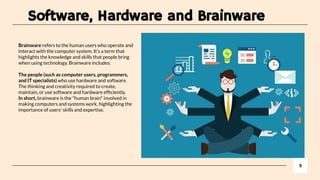
Brainware refers to the human users who operate and
interact with the computer system. It’s a term that
highlights the knowledge and skills that people bring
when using technology. Brainware includes:
The people (such as computer users, programmers,
and IT specialists) who use hardware and software.
The thinking and creativity required to create,
maintain, or use software and hardware efficiently.
In short, brainware is the "human brain" involved in
making computers and systems work, highlighting the
importance of users' skills and expertise.
Software, Hardware and Brainware
3
Hardware refers to the physical components
of a computer or any other electronic device
that you can see and touch. These
components work together to perform tasks
and process data. Examples of hardware
include:
CPU (Central Processing Unit): The brain of
the computer that processes instructions.
Monitor: Displays information visually.
Keyboard and Mouse: Input devices used to
interact with the computer.
Hard Drive: Stores data and programs.
In simple terms, hardware is the "body" of the
computer, the tangible parts that perform
tasks.
Software, Hardware and Brainware
4
Software is a collection of instructions or
programs that tell a computer how to
perform specific tasks. It’s what enables
the hardware (the physical parts of a
computer) to work and allows users to
interact with the computer to do things like
play games, browse the internet, write
documents, or edit photos.
System Software
Application Software
Lesson Outcomes
1. Understand the difference between system software
and application software
2. Define the role of operating system
5
Types Of Software
6
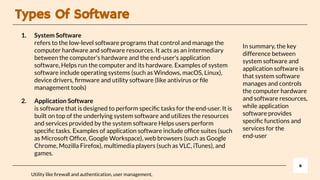
In summary, the key
difference between
system software and
application software is
that system software
manages and controls
the computer hardware
and software resources,
while application
software provides
specific functions and
services for the
end-user
Utility like firewall and authentication, user management,
1. System Software
refers to the low-level software programs that control and manage the
computer hardware and software resources. It acts as an intermediary
between the computer's hardware and the end-user's application
software, Helps run the computer and its hardware. Examples of system
software include operating systems (such as Windows, macOS, Linux),
device drivers, firmware and utility software (like antivirus or file
management tools)
2. Application Software
is software that is designed to perform specific tasks for the end-user. It is
built on top of the underlying system software and utilizes the resources
and services provided by the system software Helps users perform
specific tasks. Examples of application software include office suites (such
as Microsoft Office, Google Workspace), web browsers (such as Google
Chrome, Mozilla Firefox), multimedia players (such as VLC, iTunes), and
games.
Analogy of OS and its Utility
7
Tambahkan slide apabila tidak cukup
- Imagine your computer is like your room. You have furniture (hardware), like your bed, desk, and
shelves. To keep your room in good shape, you need to take care of it.
- The operating system (OS) is like your parent who manages the room. They help make sure
everything works, like turning on the lights (powering the computer) and making sure the TV (apps)
works properly.
- Utility software is like the cleaning tools you use to keep your room organized and clean. For example:
- The vacuum cleaner is like the disk cleanup utility that gets rid of dirt and trash (temporary files) to
keep your room (computer) running smoothly.
- The organizer box is like a file management tool that helps you sort and organize your stuff (files and
folders) so you can find things easily.
- The bug spray is like antivirus software that helps protect your room (computer) from unwanted bugs
(viruses).
- Just like how these cleaning tools help you maintain your room, utility software helps maintain your
computer, keeping it clean, organized, and running smoothly.
Resource Management: System software is responsible for managing and allocating the computer's hardware and software resources, such as memory,
storage, and processing power, to ensure that the application software runs smoothly and efficiently.
Hardware Abstraction: System software provides an abstraction layer between the computer's hardware and the application software, allowing the
application software to interact with the hardware in a standardized and simplified way.
Memory Management: System software is responsible for managing the computer's memory, allocating and deallocating memory to different processes
as needed, and ensuring that the processes do not interfere with each other.
File System Management: System software is responsible for managing the file system, which is the way the computer stores, retrieves, and organizes
files and data on the storage device.
Process Management: System software is responsible for managing the execution of processes, including scheduling, launching, and terminating
processes, as well as managing process prioritization and resource allocation.
Security: System software is responsible for providing security features, such as user authentication and access control, to ensure that the computer and
its data are protected from unauthorized access and attack.
Error Handling: System software is responsible for detecting and handling errors that occur in the computer hardware and software, such as system
crashes or hardware failures, and reporting the errors to the user or administrator.
Device Management: System software is responsible for managing the computer's peripheral devices, such as printers, scanners, and external storage
devices, and providing a unified interface for interacting with these devices.
Software Updates: System software is responsible for providing a mechanism for updating and maintaining the software, including security patches and
bug fixes, to ensure that the computer and its software remain secure and functional.
8
SYSTEM SOFTWARE FEATURES
● User Interface: Application software provides a user-friendly interface that allows users to interact with the software and
perform tasks in a straightforward and intuitive way.
● Task-Oriented: Application software is designed to perform specific tasks, such as word processing, data analysis, or
multimedia editing. The software is typically tailored to meet the specific needs of the user and the tasks they perform.
● Data Management: Application software is used to manage and manipulate data, such as storing, retrieving, and analysing
data. This data can be stored in various formats, such as text, images, audio, or video.
● Collaboration: Many application software programs include features for collaboration, allowing users to work together on
projects and share data in real-time.
● Productivity Tools: Application software provides productivity tools, such as calendars, email clients, and project
management software, to help users manage their tasks and responsibilities.
● Customization: Application software often provides customization options, allowing users to modify the software to meet
their specific needs and preferences. This can include changing the appearance of the software, adding new features, or
changing the way data is displayed.
● Integration: Application software can often integrate with other software programs, such as web browsers, to provide a
seamless and cohesive experience for the user.
● Mobile Compatibility: Many application software programs are now designed for use on mobile devices, such as
smartphones and tablets, providing users with access to their data and tools on the go.
● Accessibility: Many application software programs now include accessibility features, such as screen readers, to make the
software usable for people with disabilities and meet accessibility standards
With the rise of cloud computing, many application software programs are now available as online services, allowing users to
access their data and tools from anywhere with an internet connection.
9
APPLICATION SOFTWARE FEATURES
Freeware is software that is available for free, but its source code is not necessarily available to the public, and its use or
distribution may be restricted.
Free software is software that is available for free and its source code is available to the public, which allows users to modify,
distribute, and use the software as they wish. Free software is often associated with the Free Software Foundation's
definition of free software.
Open source software is similar to free software, but the emphasis is on the availability of the source code, allowing for
collaboration and community involvement in the development and maintenance of the software. The Open Source Initiative
provides a widely accepted definition of open source software.
10
FREEWARE VS FREE SOFTWARE VS OPEN SOURCE SOFTWARE
Questions
1. What is the link between hardware and software?
2. How is software essential to the operation of a computer?
3. How do humans use software to interact with computing devices?
4. What is programming? And how is software being made?
11
What is the link between hardware and
software?
12
Tambahkan slide apabila tidak cukup
- Hardware is referred to physical units of a computer, for example the central
processing unit (CPU), memory and the motherboard, while software is a set of
instructions or programs that direct the hardware on how to carry out certain
functions. Alone, hardware is non-operational as there is software that is needed to
run the hardware, and also software cannot work on its own as it requires hardware
to be functional. Trusting each other to work as a clicked unit is the operating system
and the device drivers, which are both ineffective as they only come as a last resort
when the hardware has some instructions from the software, but does not
understand the commands. Hardware is the part that has the components like
processing unit, memory and storage which are used to execute a program known
as software, whereby the software manages the hardware and gets the best out of
it
How is software essential to the operation
of a computer?
13
Tambahkan slide apabila tidak cukup
The software is vital since it contains the commands that the hardware of the
computer need to carry out their functions. In the absence of software, hardware
would be aimless and would not have the ability to interpret data, carry out
computations, or carry out any task.
The operating system is one of the great software that controls all the hardware
components and creates a platform for other applications to run. Applications, on the
other hand, help the user in carrying out activities such as typing papers, surfing the
web, or gaming
How Humans Use Software to Interact with
Computing Devices?
14
Tambahkan slide apabila tidak cukup
The interaction between humans and computers occurs mostly through the user
interfaces of software which include graphical user interfaces (GUIs),
command-line interfaces (CLI) etc.
Programmes like web browsers, word processors, and video players enable people to
undertake certain actions while working with the application software. System
software (such as Windows, macOS, LINUX) allows the operation of these
applications and controls the associated equipment.
CLI Example is : Terminal in MacOS, Bash in Linux and MS DOS in Windows (now
called command Prompt Terminal)
What is Programming? And How Do Pieces
of Software Begin Their Existence?
15
Tambahkan slide apabila tidak cukup
Computer programming, or simply coding, is the art of composing lines of code that a
particular machine can understand, say Python, Java and C++. The lines of code are
used to make up a program or software. Software has only an idea at its beginning an
idea that there exists a problem to be resolved. Code is written in a particular
programming language in order to resolve that problem. That code is then compiled
or interpreted in the form of machine language binary that the processor inside the
computer can work on. The stages that are followed in the process of development of
software are planning, designing, coding, testing and deployment.
In summary, hardware provides the infrastructure, software gives the instructions, and
humans use software to harness the power of computing devices through programming
and user interfaces
Operating
System
Define the role of operating system
16
IGCSE -Term 2
Role of OS
Peripheral Management
Enables all attached hardware to function effectively
Allows the computer systems to move things in and out of
memory when needed
Enables the computer to do several things at once
Multitask Management
Driver Management
Drivers are small utility software that give specific
instructions to devices
Helps us to save, retrieve and print files created
Handling Interrupts
Alerts us as users when an action needs to be taken
Provide interface
Allows us to interact with the physical hardware
OPERATING
SYSTEM
https://youtu.be/26QPDBe-NB8
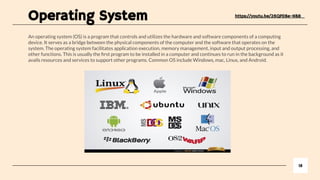
An operating system (OS) is a program that controls and utilizes the hardware and software components of a computing
device. It serves as a bridge between the physical components of the computer and the software that operates on the
system. The operating system facilitates application execution, memory management, input and output processing, and
other functions. This is usually the first program to be installed in a computer and continues to run in the background as it
avails resources and services to support other programs. Common OS include Windows, mac, Linux, and Android.
18
https://youtu.be/26QPDBe-NB8
Operating System
1. Describe what is Multitasking and Batch Processing, what is the
difference between it?
2. What is the link between resource management and process
management?
3. Define what is time sharing and user management? What is the
function in user perspective?
4. Why mobile computing devices have Larger RAM compared to
PC’s?
With the same price range
19
Classwork (Research)
Firmware and Bootloader
20
Tambahkan slide apabila tidak cukup
The Firmware (such as
BIOS) is run and activates
the hardware
The Operating system is
run on the firmware
The applications are run
on the operating system
Definition :
Firmware : small applications which enable a computing devices to start all of its devices attached to it
Utility : a small piece of software that controls specific parts of a hardware device
Bootloader :small program that is responsible for starting the operating system on a computer or a device when it is
powered on. It loads the operating system kernel into memory and then passes control to it, allowing the system to
boot up and operate.
OBJECTIVES
- Understand how hardware, firmware and an operating system are required to run applications software
- Applications are run on the operating system
- The operating system is run on the firmware
- The bootloader (firmware) is run on the hardware
Power-on: When the computer is turned on, the power supply provides electrical power to the components, including the
CPU, memory, and storage devices.
BIOS/UEFI: The BIOS or UEFI (Unified Extensible Firmware Interface) firmware, located on a chip on the
motherboard, starts and performs a power-on self-test (POST) to verify that the hardware components are functioning
correctly.
Select Boot Device: The BIOS/UEFI scans for bootable devices like hard drives, SSDs, or USB drives and selects one
based on the boot order settings.
Boot Loader: The BIOS or UEFI then selects and loads the boot loader from the boot device, usually the hard disk drive,
into memory. The bootloader's job is to load the operating system into memory and start it.
Operating System Load: The operating system is loaded into memory and starts executing, initializing its components
and loading device drivers.
Login Screen: The operating system displays the login screen, allowing the user to log in and start using the computer.
This process, known as booting, occurs every time the computer is turned on, and it prepares the computer for use by
loading the operating system and necessary drivers and services.
21
Booting Up
The BIOS (Basic Input/Output System) is a type of firmware stored on a chip on the motherboard
of a computer. It provides low-level control and management of the computer's hardware
components, such as the CPU, memory, and storage devices. The BIOS is responsible for
performing a power-on self-test (POST) each time the computer is turned on, which checks that
all the hardware components are functioning correctly.
The BIOS also provides a user interface that allows users to change basic system configuration
settings, such as the boot order of devices, time and date, and security settings. The BIOS
performs its functions before the operating system starts, and it is responsible for loading the
operating system from the boot device, usually the hard disk drive, into memory.
In modern computers, the BIOS is being replaced by the UEFI (Unified Extensible Firmware
Interface), which provides additional features and capabilities compared to the traditional BIOS,
such as support for larger storage devices, faster boot times, and improved security.
22
BIOS (Basic Output Input
System)
Firmware is a type of software that provides low-level control and management of a device's hardware components. It is
stored on a non-volatile memory chip, such as ROM, EPROM, or flash memory, on the device itself and is responsible for
performing essential functions that are required for the device to work properly.
Firmware is distinct from other types of software in that it is tightly integrated with the hardware of the device and is not
usually user-upgradable. Examples of devices that use firmware include computers, smartphones, routers, and printers.
In computers, firmware can include the BIOS or UEFI, which is responsible for performing a power-on self-test (POST) and
loading the operating system, as well as device-specific firmware for components such as hard drives, keyboards, and
graphics cards.
Firmware is an important component of the overall functionality of a device, as it provides the interface between the
hardware components and the higher-level software, such as the operating system, allowing them to work together
seamlessly.
23
The Firmware
The bootloader performs several tasks, such as performing a power-on self-test (POST) of the hardware components,
detecting the boot device, loading the operating system into memory, and starting it. The boot device can be a hard disk
drive, a removable storage device, or a network device, depending on the configuration of the computer.
The bootloader is usually stored in a non-volatile memory chip, such as ROM, EPROM, or flash memory, on the motherboard
of the computer. It is executed by the BIOS or UEFI firmware, which selects and loads it into memory.
In modern computers, the bootloader can be customized to provide advanced features, such as the ability to choose between
multiple operating systems or boot configurations, or to provide a recovery environment for troubleshooting.
The bootloader is a critical component of the boot process, as it is responsible for loading the operating system and
preparing the computer for use. A malfunctioning or corrupted bootloader can prevent the computer from booting properly
and may require special steps to recover.
24
The Bootloader
Applications run on top of an operating system, which provides a software platform and resources for the
applications to function. The operating system, in turn, runs on top of firmware, which provides low-level control
and management of the hardware components in the computer. The firmware includes the bootloader, which is a
special type of firmware responsible for loading and starting the operating system when the computer is turned
on. The bootloader runs directly on the computer hardware, providing the interface between the firmware and the
hardware components, such as the CPU, memory, and storage devices,.
1. What is an operating system and what does it do?
2. What is firmware and what role does it play in computing?
3. What is the bootloader and what tasks does it perform during the boot process?
4. What is the difference between BIOS and UEFI firmware?
5. What is the power-on self-test (POST) and why is it important?
6. How does the bootloader determine the boot device?
7. What is the boot process and what happens during each step?
8. What is the purpose of device-specific firmware in a computer?
9. What are the benefits of UEFI over BIOS in terms of firmware functionality?
10. What could cause a computer to fail to boot and what steps can be taken to troubleshoot this issue?
25
How they work together
26
Thanks

Software Resource for Low Secondary Computing

  • 1.
    Software - Introduction - Typesof Software - Types of Programming Language 1 IGCSE -Term 2
  • 2.
    Software, Hardware andBrainware 2 Brainware refers to the human users who operate and interact with the computer system. It’s a term that highlights the knowledge and skills that people bring when using technology. Brainware includes: The people (such as computer users, programmers, and IT specialists) who use hardware and software. The thinking and creativity required to create, maintain, or use software and hardware efficiently. In short, brainware is the "human brain" involved in making computers and systems work, highlighting the importance of users' skills and expertise.
  • 3.
    Software, Hardware andBrainware 3 Hardware refers to the physical components of a computer or any other electronic device that you can see and touch. These components work together to perform tasks and process data. Examples of hardware include: CPU (Central Processing Unit): The brain of the computer that processes instructions. Monitor: Displays information visually. Keyboard and Mouse: Input devices used to interact with the computer. Hard Drive: Stores data and programs. In simple terms, hardware is the "body" of the computer, the tangible parts that perform tasks.
  • 4.
    Software, Hardware andBrainware 4 Software is a collection of instructions or programs that tell a computer how to perform specific tasks. It’s what enables the hardware (the physical parts of a computer) to work and allows users to interact with the computer to do things like play games, browse the internet, write documents, or edit photos. System Software Application Software
  • 5.
    Lesson Outcomes 1. Understandthe difference between system software and application software 2. Define the role of operating system 5
  • 6.
    Types Of Software 6 Insummary, the key difference between system software and application software is that system software manages and controls the computer hardware and software resources, while application software provides specific functions and services for the end-user Utility like firewall and authentication, user management, 1. System Software refers to the low-level software programs that control and manage the computer hardware and software resources. It acts as an intermediary between the computer's hardware and the end-user's application software, Helps run the computer and its hardware. Examples of system software include operating systems (such as Windows, macOS, Linux), device drivers, firmware and utility software (like antivirus or file management tools) 2. Application Software is software that is designed to perform specific tasks for the end-user. It is built on top of the underlying system software and utilizes the resources and services provided by the system software Helps users perform specific tasks. Examples of application software include office suites (such as Microsoft Office, Google Workspace), web browsers (such as Google Chrome, Mozilla Firefox), multimedia players (such as VLC, iTunes), and games.
  • 7.
    Analogy of OSand its Utility 7 Tambahkan slide apabila tidak cukup - Imagine your computer is like your room. You have furniture (hardware), like your bed, desk, and shelves. To keep your room in good shape, you need to take care of it. - The operating system (OS) is like your parent who manages the room. They help make sure everything works, like turning on the lights (powering the computer) and making sure the TV (apps) works properly. - Utility software is like the cleaning tools you use to keep your room organized and clean. For example: - The vacuum cleaner is like the disk cleanup utility that gets rid of dirt and trash (temporary files) to keep your room (computer) running smoothly. - The organizer box is like a file management tool that helps you sort and organize your stuff (files and folders) so you can find things easily. - The bug spray is like antivirus software that helps protect your room (computer) from unwanted bugs (viruses). - Just like how these cleaning tools help you maintain your room, utility software helps maintain your computer, keeping it clean, organized, and running smoothly.
  • 8.
    Resource Management: Systemsoftware is responsible for managing and allocating the computer's hardware and software resources, such as memory, storage, and processing power, to ensure that the application software runs smoothly and efficiently. Hardware Abstraction: System software provides an abstraction layer between the computer's hardware and the application software, allowing the application software to interact with the hardware in a standardized and simplified way. Memory Management: System software is responsible for managing the computer's memory, allocating and deallocating memory to different processes as needed, and ensuring that the processes do not interfere with each other. File System Management: System software is responsible for managing the file system, which is the way the computer stores, retrieves, and organizes files and data on the storage device. Process Management: System software is responsible for managing the execution of processes, including scheduling, launching, and terminating processes, as well as managing process prioritization and resource allocation. Security: System software is responsible for providing security features, such as user authentication and access control, to ensure that the computer and its data are protected from unauthorized access and attack. Error Handling: System software is responsible for detecting and handling errors that occur in the computer hardware and software, such as system crashes or hardware failures, and reporting the errors to the user or administrator. Device Management: System software is responsible for managing the computer's peripheral devices, such as printers, scanners, and external storage devices, and providing a unified interface for interacting with these devices. Software Updates: System software is responsible for providing a mechanism for updating and maintaining the software, including security patches and bug fixes, to ensure that the computer and its software remain secure and functional. 8 SYSTEM SOFTWARE FEATURES
  • 9.
    ● User Interface:Application software provides a user-friendly interface that allows users to interact with the software and perform tasks in a straightforward and intuitive way. ● Task-Oriented: Application software is designed to perform specific tasks, such as word processing, data analysis, or multimedia editing. The software is typically tailored to meet the specific needs of the user and the tasks they perform. ● Data Management: Application software is used to manage and manipulate data, such as storing, retrieving, and analysing data. This data can be stored in various formats, such as text, images, audio, or video. ● Collaboration: Many application software programs include features for collaboration, allowing users to work together on projects and share data in real-time. ● Productivity Tools: Application software provides productivity tools, such as calendars, email clients, and project management software, to help users manage their tasks and responsibilities. ● Customization: Application software often provides customization options, allowing users to modify the software to meet their specific needs and preferences. This can include changing the appearance of the software, adding new features, or changing the way data is displayed. ● Integration: Application software can often integrate with other software programs, such as web browsers, to provide a seamless and cohesive experience for the user. ● Mobile Compatibility: Many application software programs are now designed for use on mobile devices, such as smartphones and tablets, providing users with access to their data and tools on the go. ● Accessibility: Many application software programs now include accessibility features, such as screen readers, to make the software usable for people with disabilities and meet accessibility standards With the rise of cloud computing, many application software programs are now available as online services, allowing users to access their data and tools from anywhere with an internet connection. 9 APPLICATION SOFTWARE FEATURES
  • 10.
    Freeware is softwarethat is available for free, but its source code is not necessarily available to the public, and its use or distribution may be restricted. Free software is software that is available for free and its source code is available to the public, which allows users to modify, distribute, and use the software as they wish. Free software is often associated with the Free Software Foundation's definition of free software. Open source software is similar to free software, but the emphasis is on the availability of the source code, allowing for collaboration and community involvement in the development and maintenance of the software. The Open Source Initiative provides a widely accepted definition of open source software. 10 FREEWARE VS FREE SOFTWARE VS OPEN SOURCE SOFTWARE
  • 11.
    Questions 1. What isthe link between hardware and software? 2. How is software essential to the operation of a computer? 3. How do humans use software to interact with computing devices? 4. What is programming? And how is software being made? 11
  • 12.
    What is thelink between hardware and software? 12 Tambahkan slide apabila tidak cukup - Hardware is referred to physical units of a computer, for example the central processing unit (CPU), memory and the motherboard, while software is a set of instructions or programs that direct the hardware on how to carry out certain functions. Alone, hardware is non-operational as there is software that is needed to run the hardware, and also software cannot work on its own as it requires hardware to be functional. Trusting each other to work as a clicked unit is the operating system and the device drivers, which are both ineffective as they only come as a last resort when the hardware has some instructions from the software, but does not understand the commands. Hardware is the part that has the components like processing unit, memory and storage which are used to execute a program known as software, whereby the software manages the hardware and gets the best out of it
  • 13.
    How is softwareessential to the operation of a computer? 13 Tambahkan slide apabila tidak cukup The software is vital since it contains the commands that the hardware of the computer need to carry out their functions. In the absence of software, hardware would be aimless and would not have the ability to interpret data, carry out computations, or carry out any task. The operating system is one of the great software that controls all the hardware components and creates a platform for other applications to run. Applications, on the other hand, help the user in carrying out activities such as typing papers, surfing the web, or gaming
  • 14.
    How Humans UseSoftware to Interact with Computing Devices? 14 Tambahkan slide apabila tidak cukup The interaction between humans and computers occurs mostly through the user interfaces of software which include graphical user interfaces (GUIs), command-line interfaces (CLI) etc. Programmes like web browsers, word processors, and video players enable people to undertake certain actions while working with the application software. System software (such as Windows, macOS, LINUX) allows the operation of these applications and controls the associated equipment. CLI Example is : Terminal in MacOS, Bash in Linux and MS DOS in Windows (now called command Prompt Terminal)
  • 15.
    What is Programming?And How Do Pieces of Software Begin Their Existence? 15 Tambahkan slide apabila tidak cukup Computer programming, or simply coding, is the art of composing lines of code that a particular machine can understand, say Python, Java and C++. The lines of code are used to make up a program or software. Software has only an idea at its beginning an idea that there exists a problem to be resolved. Code is written in a particular programming language in order to resolve that problem. That code is then compiled or interpreted in the form of machine language binary that the processor inside the computer can work on. The stages that are followed in the process of development of software are planning, designing, coding, testing and deployment. In summary, hardware provides the infrastructure, software gives the instructions, and humans use software to harness the power of computing devices through programming and user interfaces
  • 16.
    Operating System Define the roleof operating system 16 IGCSE -Term 2
  • 17.
    Role of OS PeripheralManagement Enables all attached hardware to function effectively Allows the computer systems to move things in and out of memory when needed Enables the computer to do several things at once Multitask Management Driver Management Drivers are small utility software that give specific instructions to devices Helps us to save, retrieve and print files created Handling Interrupts Alerts us as users when an action needs to be taken Provide interface Allows us to interact with the physical hardware OPERATING SYSTEM https://youtu.be/26QPDBe-NB8
  • 18.
    An operating system(OS) is a program that controls and utilizes the hardware and software components of a computing device. It serves as a bridge between the physical components of the computer and the software that operates on the system. The operating system facilitates application execution, memory management, input and output processing, and other functions. This is usually the first program to be installed in a computer and continues to run in the background as it avails resources and services to support other programs. Common OS include Windows, mac, Linux, and Android. 18 https://youtu.be/26QPDBe-NB8 Operating System
  • 19.
    1. Describe whatis Multitasking and Batch Processing, what is the difference between it? 2. What is the link between resource management and process management? 3. Define what is time sharing and user management? What is the function in user perspective? 4. Why mobile computing devices have Larger RAM compared to PC’s? With the same price range 19 Classwork (Research)
  • 20.
    Firmware and Bootloader 20 Tambahkanslide apabila tidak cukup The Firmware (such as BIOS) is run and activates the hardware The Operating system is run on the firmware The applications are run on the operating system Definition : Firmware : small applications which enable a computing devices to start all of its devices attached to it Utility : a small piece of software that controls specific parts of a hardware device Bootloader :small program that is responsible for starting the operating system on a computer or a device when it is powered on. It loads the operating system kernel into memory and then passes control to it, allowing the system to boot up and operate. OBJECTIVES - Understand how hardware, firmware and an operating system are required to run applications software - Applications are run on the operating system - The operating system is run on the firmware - The bootloader (firmware) is run on the hardware
  • 21.
    Power-on: When thecomputer is turned on, the power supply provides electrical power to the components, including the CPU, memory, and storage devices. BIOS/UEFI: The BIOS or UEFI (Unified Extensible Firmware Interface) firmware, located on a chip on the motherboard, starts and performs a power-on self-test (POST) to verify that the hardware components are functioning correctly. Select Boot Device: The BIOS/UEFI scans for bootable devices like hard drives, SSDs, or USB drives and selects one based on the boot order settings. Boot Loader: The BIOS or UEFI then selects and loads the boot loader from the boot device, usually the hard disk drive, into memory. The bootloader's job is to load the operating system into memory and start it. Operating System Load: The operating system is loaded into memory and starts executing, initializing its components and loading device drivers. Login Screen: The operating system displays the login screen, allowing the user to log in and start using the computer. This process, known as booting, occurs every time the computer is turned on, and it prepares the computer for use by loading the operating system and necessary drivers and services. 21 Booting Up
  • 22.
    The BIOS (BasicInput/Output System) is a type of firmware stored on a chip on the motherboard of a computer. It provides low-level control and management of the computer's hardware components, such as the CPU, memory, and storage devices. The BIOS is responsible for performing a power-on self-test (POST) each time the computer is turned on, which checks that all the hardware components are functioning correctly. The BIOS also provides a user interface that allows users to change basic system configuration settings, such as the boot order of devices, time and date, and security settings. The BIOS performs its functions before the operating system starts, and it is responsible for loading the operating system from the boot device, usually the hard disk drive, into memory. In modern computers, the BIOS is being replaced by the UEFI (Unified Extensible Firmware Interface), which provides additional features and capabilities compared to the traditional BIOS, such as support for larger storage devices, faster boot times, and improved security. 22 BIOS (Basic Output Input System)
  • 23.
    Firmware is atype of software that provides low-level control and management of a device's hardware components. It is stored on a non-volatile memory chip, such as ROM, EPROM, or flash memory, on the device itself and is responsible for performing essential functions that are required for the device to work properly. Firmware is distinct from other types of software in that it is tightly integrated with the hardware of the device and is not usually user-upgradable. Examples of devices that use firmware include computers, smartphones, routers, and printers. In computers, firmware can include the BIOS or UEFI, which is responsible for performing a power-on self-test (POST) and loading the operating system, as well as device-specific firmware for components such as hard drives, keyboards, and graphics cards. Firmware is an important component of the overall functionality of a device, as it provides the interface between the hardware components and the higher-level software, such as the operating system, allowing them to work together seamlessly. 23 The Firmware
  • 24.
    The bootloader performsseveral tasks, such as performing a power-on self-test (POST) of the hardware components, detecting the boot device, loading the operating system into memory, and starting it. The boot device can be a hard disk drive, a removable storage device, or a network device, depending on the configuration of the computer. The bootloader is usually stored in a non-volatile memory chip, such as ROM, EPROM, or flash memory, on the motherboard of the computer. It is executed by the BIOS or UEFI firmware, which selects and loads it into memory. In modern computers, the bootloader can be customized to provide advanced features, such as the ability to choose between multiple operating systems or boot configurations, or to provide a recovery environment for troubleshooting. The bootloader is a critical component of the boot process, as it is responsible for loading the operating system and preparing the computer for use. A malfunctioning or corrupted bootloader can prevent the computer from booting properly and may require special steps to recover. 24 The Bootloader
  • 25.
    Applications run ontop of an operating system, which provides a software platform and resources for the applications to function. The operating system, in turn, runs on top of firmware, which provides low-level control and management of the hardware components in the computer. The firmware includes the bootloader, which is a special type of firmware responsible for loading and starting the operating system when the computer is turned on. The bootloader runs directly on the computer hardware, providing the interface between the firmware and the hardware components, such as the CPU, memory, and storage devices,. 1. What is an operating system and what does it do? 2. What is firmware and what role does it play in computing? 3. What is the bootloader and what tasks does it perform during the boot process? 4. What is the difference between BIOS and UEFI firmware? 5. What is the power-on self-test (POST) and why is it important? 6. How does the bootloader determine the boot device? 7. What is the boot process and what happens during each step? 8. What is the purpose of device-specific firmware in a computer? 9. What are the benefits of UEFI over BIOS in terms of firmware functionality? 10. What could cause a computer to fail to boot and what steps can be taken to troubleshoot this issue? 25 How they work together
  • 26.