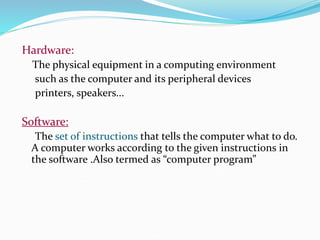
Hardware:
The physical equipment in a computing environment
such as the computer and its peripheral devices
printers, speakers...
Software:
The set of instructions that tells the computer what to do.
A computer works according to the given instructions in
the software .Also termed as “computer program”
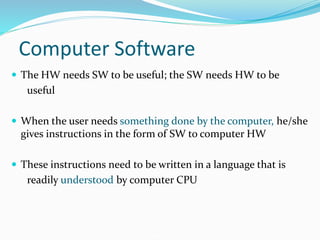
Computer Software
 The HW needs SW to be useful; the SW needs HW to be
useful
 When the user needs something done by the computer, he/she
gives instructions in the form of SW to computer HW
 These instructions need to be written in a language that is
readily understood by computer CPU
Machine Language
 That language is called the machine language
 Machine language, though readily understood by
microprocessors, is very difficult to write in for
human programmers
 Language translators were invented to overcome this
problem
Language Translators
 Human programmers write programs in a language
that is easy to understand for them
 They use language translators to convert that program
into machine language – a language that is easy to
understand for the up's
 We’ll have more to say about the machine language and
language translators in a future lecture
Software Development
 Writing very short programs is easy, but developing reasonably-
sized programs is quite difficult as you are going to learn over the
next few years
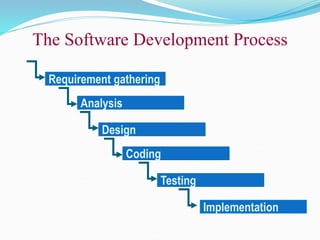
 The SW development process involves many steps, and coding,
that is typing the instructions in a high-level language is only a
small part of that process – taking-up only around 15% of the
effort
Requirement gathering
Analysis
Design
Coding
Testing
Implementation
The Software Development Process
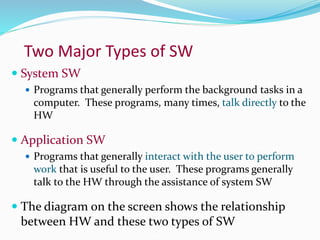
Two Major Types of SW
 System SW
 Programs that generally perform the background tasks in a
computer. These programs, many times, talk directly to the
HW
 Application SW
 Programs that generally interact with the user to perform
work that is useful to the user. These programs generally
talk to the HW through the assistance of system SW
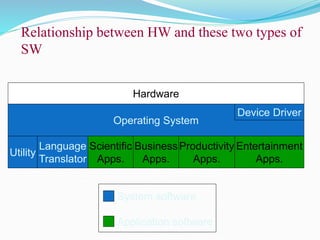
 The diagram on the screen shows the relationship
between HW and these two types of SW
System software
Application software
Hardware
Operating System
Utility
Language
Translator
Device Driver
Scientific
Apps.
Business
Apps.
Productivity
Apps.
Entertainment
Apps.
Relationship between HW and these two types of
SW
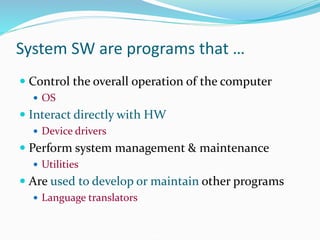
System SW are programs that …
 Control the overall operation of the computer
 OS
 Interact directly with HW
 Device drivers
 Perform system management & maintenance
 Utilities
 Are used to develop or maintain other programs
 Language translators
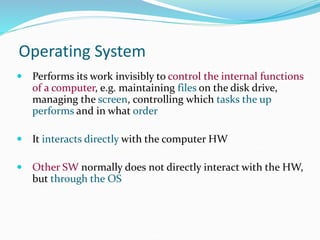
Operating System
 Performs its work invisibly to control the internal functions
of a computer, e.g. maintaining files on the disk drive,
managing the screen, controlling which tasks the up
performs and in what order
 It interacts directly with the computer HW
 Other SW normally does not directly interact with the HW,
but through the OS
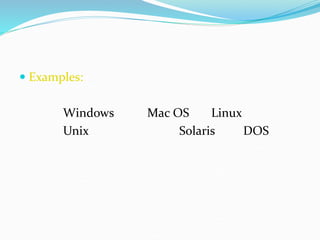
 Examples:
Windows Mac OS Linux
Unix Solaris DOS
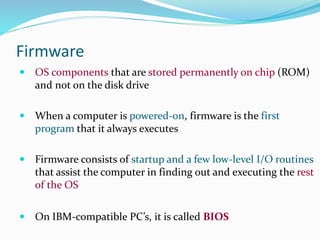
Firmware
 OS components that are stored permanently on chip (ROM)
and not on the disk drive
 When a computer is powered-on, firmware is the first
program that it always executes
 Firmware consists of startup and a few low-level I/O routines
that assist the computer in finding out and executing the rest
of the OS
 On IBM-compatible PC’s, it is called BIOS
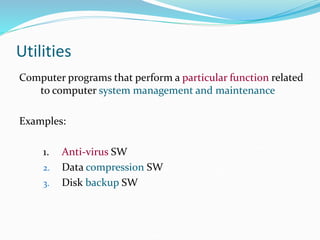
Utilities
Computer programs that perform a particular function related
to computer system management and maintenance
Examples:
1. Anti-virus SW
2. Data compression SW
3. Disk backup SW
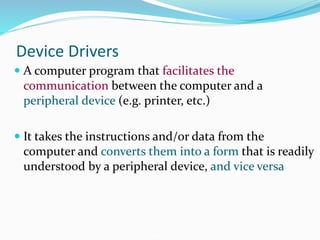
Device Drivers
 A computer program that facilitates the
communication between the computer and a
peripheral device (e.g. printer, etc.)
 It takes the instructions and/or data from the
computer and converts them into a form that is readily
understood by a peripheral device, and vice versa
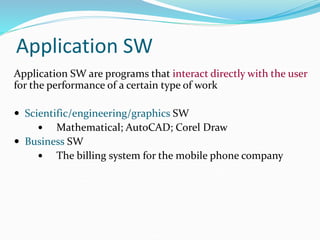
Application SW
Application SW are programs that interact directly with the user
for the performance of a certain type of work
 Scientific/engineering/graphics SW
 Mathematical; AutoCAD; Corel Draw
 Business SW
 The billing system for the mobile phone company
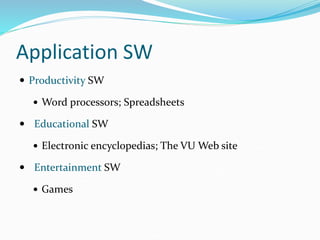
Application SW
 Productivity SW
 Word processors; Spreadsheets
 Educational SW
 Electronic encyclopedias; The VU Web site
 Entertainment SW
 Games
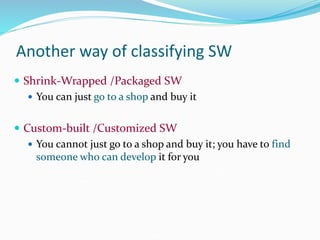
Another way of classifying SW
 Shrink-Wrapped /Packaged SW
 You can just go to a shop and buy it
 Custom-built /Customized SW
 You cannot just go to a shop and buy it; you have to find
someone who can develop it for you
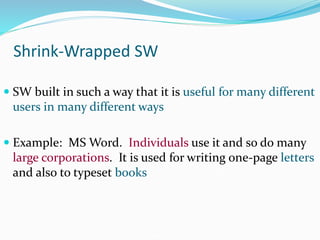
Shrink-Wrapped SW
 SW built in such a way that it is useful for many different
users in many different ways
 Example: MS Word. Individuals use it and so do many
large corporations. It is used for writing one-page letters
and also to typeset books
Custom-Built SW (1)
 SW built for a particular organization to fulfill the needs of
that particular organization
 Example: Inventory system , Payroll system
 This type of SW is expensive because the builder has to get
back costs and make a profit from a single sale
Custom-Built SW (2)
 The delivery time is longer
 Customers get more productivity out of it because it
is built according to their exact specifications – just
like a custom-built shoe fits better, but generally is
more expensive, and requires a longer period for
delivery
Types of Software
 Open source software
 Closed source software
 Free software
 Shareware software
Open Source Software
 Open source software (OSS) is computer software for
which the source code and certain other rights normally
reserved for copyright holders are provided under a
software license that meets the Open Source Definition or
that is in the public domain.
 This permits users to use, change, and improve the
software, and to redistribute it in modified or unmodified
forms. It is very often developed in a public, collaborative
manner.
 Open Source software is almost the opposite (i.e. Redhat
Linux, Open Office) and is free to use and distribute
provided that certain conditions are met
Closed Source Software
 Closed source software (i.e. Microsoft Windows and
Office) is developed by a single person or company. Only
the final product that is run on your computer is made
available, while the all important source code or recipe for
making the software is kept a secret.
 This software is normally copyright or patented and is
legally protected as intellectual property.
 The owner of the software distributes the software directly.
 You cannot legally give it away, copy it or modify it in any
way unless you have a special license or permission to do
so.
Free Software
 Free software, is software that can be used,
studied, and modified without restriction, and
which can be copied and redistributed in
modified or unmodified form either without
restriction, or with minimal restrictions only to
ensure that further recipients can also do these
things and that manufacturers of consumer-
facing hardware allow user modifications to
their hardware.
 Free software is available free of charge in most
cases.
Shareware Software
 The term shareware, refers to proprietary software that is
provided to users without payment on a trial basis and is often
limited by any combination of functionality, availability or
convenience.
 Shareware is often offered as a download from an Internet website
or as a compact disc.
 The aim of shareware is to give buyers the opportunity to use the
program and judge its usefulness before purchasing a license for
the full version of the software.
 Shareware is usually offered as a trial version with
certain features only available after the license is
purchased, or as a full version, but for a trial period.
 Once the trial period has passed the program may stop
running until a license is purchased.
 Shareware is often offered without support, updates, or
help menus, which only become available with the
purchase of a license.

Comp App lect 3 (Software).ppt

  • 2.
    Hardware: The physical equipmentin a computing environment such as the computer and its peripheral devices printers, speakers... Software: The set of instructions that tells the computer what to do. A computer works according to the given instructions in the software .Also termed as “computer program”
  • 3.
    Computer Software  TheHW needs SW to be useful; the SW needs HW to be useful  When the user needs something done by the computer, he/she gives instructions in the form of SW to computer HW  These instructions need to be written in a language that is readily understood by computer CPU
  • 4.
    Machine Language  Thatlanguage is called the machine language  Machine language, though readily understood by microprocessors, is very difficult to write in for human programmers  Language translators were invented to overcome this problem
  • 5.
    Language Translators  Humanprogrammers write programs in a language that is easy to understand for them  They use language translators to convert that program into machine language – a language that is easy to understand for the up's  We’ll have more to say about the machine language and language translators in a future lecture
  • 6.
    Software Development  Writingvery short programs is easy, but developing reasonably- sized programs is quite difficult as you are going to learn over the next few years  The SW development process involves many steps, and coding, that is typing the instructions in a high-level language is only a small part of that process – taking-up only around 15% of the effort
  • 7.
  • 8.
    Two Major Typesof SW  System SW  Programs that generally perform the background tasks in a computer. These programs, many times, talk directly to the HW  Application SW  Programs that generally interact with the user to perform work that is useful to the user. These programs generally talk to the HW through the assistance of system SW  The diagram on the screen shows the relationship between HW and these two types of SW
  • 9.
    System software Application software Hardware OperatingSystem Utility Language Translator Device Driver Scientific Apps. Business Apps. Productivity Apps. Entertainment Apps. Relationship between HW and these two types of SW
  • 10.
    System SW areprograms that …  Control the overall operation of the computer  OS  Interact directly with HW  Device drivers  Perform system management & maintenance  Utilities  Are used to develop or maintain other programs  Language translators
  • 11.
    Operating System  Performsits work invisibly to control the internal functions of a computer, e.g. maintaining files on the disk drive, managing the screen, controlling which tasks the up performs and in what order  It interacts directly with the computer HW  Other SW normally does not directly interact with the HW, but through the OS
  • 12.
     Examples: Windows MacOS Linux Unix Solaris DOS
  • 13.
    Firmware  OS componentsthat are stored permanently on chip (ROM) and not on the disk drive  When a computer is powered-on, firmware is the first program that it always executes  Firmware consists of startup and a few low-level I/O routines that assist the computer in finding out and executing the rest of the OS  On IBM-compatible PC’s, it is called BIOS
  • 14.
    Utilities Computer programs thatperform a particular function related to computer system management and maintenance Examples: 1. Anti-virus SW 2. Data compression SW 3. Disk backup SW
  • 15.
    Device Drivers  Acomputer program that facilitates the communication between the computer and a peripheral device (e.g. printer, etc.)  It takes the instructions and/or data from the computer and converts them into a form that is readily understood by a peripheral device, and vice versa
  • 16.
    Application SW Application SWare programs that interact directly with the user for the performance of a certain type of work  Scientific/engineering/graphics SW  Mathematical; AutoCAD; Corel Draw  Business SW  The billing system for the mobile phone company
  • 17.
    Application SW  ProductivitySW  Word processors; Spreadsheets  Educational SW  Electronic encyclopedias; The VU Web site  Entertainment SW  Games
  • 18.
    Another way ofclassifying SW  Shrink-Wrapped /Packaged SW  You can just go to a shop and buy it  Custom-built /Customized SW  You cannot just go to a shop and buy it; you have to find someone who can develop it for you
  • 19.
    Shrink-Wrapped SW  SWbuilt in such a way that it is useful for many different users in many different ways  Example: MS Word. Individuals use it and so do many large corporations. It is used for writing one-page letters and also to typeset books
  • 20.
    Custom-Built SW (1) SW built for a particular organization to fulfill the needs of that particular organization  Example: Inventory system , Payroll system  This type of SW is expensive because the builder has to get back costs and make a profit from a single sale
  • 21.
    Custom-Built SW (2) The delivery time is longer  Customers get more productivity out of it because it is built according to their exact specifications – just like a custom-built shoe fits better, but generally is more expensive, and requires a longer period for delivery
  • 22.
    Types of Software Open source software  Closed source software  Free software  Shareware software
  • 23.
    Open Source Software Open source software (OSS) is computer software for which the source code and certain other rights normally reserved for copyright holders are provided under a software license that meets the Open Source Definition or that is in the public domain.  This permits users to use, change, and improve the software, and to redistribute it in modified or unmodified forms. It is very often developed in a public, collaborative manner.  Open Source software is almost the opposite (i.e. Redhat Linux, Open Office) and is free to use and distribute provided that certain conditions are met
  • 24.
    Closed Source Software Closed source software (i.e. Microsoft Windows and Office) is developed by a single person or company. Only the final product that is run on your computer is made available, while the all important source code or recipe for making the software is kept a secret.  This software is normally copyright or patented and is legally protected as intellectual property.  The owner of the software distributes the software directly.  You cannot legally give it away, copy it or modify it in any way unless you have a special license or permission to do so.
  • 25.
    Free Software  Freesoftware, is software that can be used, studied, and modified without restriction, and which can be copied and redistributed in modified or unmodified form either without restriction, or with minimal restrictions only to ensure that further recipients can also do these things and that manufacturers of consumer- facing hardware allow user modifications to their hardware.  Free software is available free of charge in most cases.
  • 26.
    Shareware Software  Theterm shareware, refers to proprietary software that is provided to users without payment on a trial basis and is often limited by any combination of functionality, availability or convenience.  Shareware is often offered as a download from an Internet website or as a compact disc.  The aim of shareware is to give buyers the opportunity to use the program and judge its usefulness before purchasing a license for the full version of the software.
  • 27.
     Shareware isusually offered as a trial version with certain features only available after the license is purchased, or as a full version, but for a trial period.  Once the trial period has passed the program may stop running until a license is purchased.  Shareware is often offered without support, updates, or help menus, which only become available with the purchase of a license.