HospitalSoftwareShop Dialysis Center Software facilitates ease of use for
Dialysis Centers. It optimizes patient care and efficiently manages both the
clinical and billing aspects of your dialysis center. HospitalSoftwareShop
Dialysis software is designed to meet the specific requirements of the
nephrologist, clinical staff, and administrative team in the dialysis clinic. The
software creates a complete medical record that includes patient history, labs,
medications and notes. Its highlights are:
 Drug Sheet
 Fluid Balance
 Dialysis Assessment
 TPR Chart
 Easy-to-use for doctors.
 Fully menu-driven, requires
less typing.
 Prescriptions in Hindi fonts.
 Facilitates timely service and
better care for patients.
 Easy access to patient's
clinical data for doctors.
 All menus on single screen.
 Maintains essential records.
 Sound look and feel.
 Instant post-implementation
support.
 Installation Guide and User
Manual.
 Provides value for money.
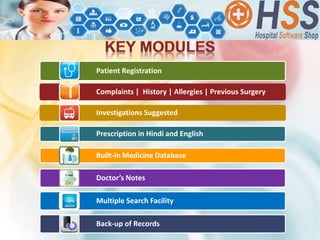
Patient Registration
Complaints | History | Allergies | Previous Surgery
Investigations Suggested
Prescription in Hindi and English
Built-in Medicine Database
Doctor’s Notes
Multiple Search Facility
Back-up of Records
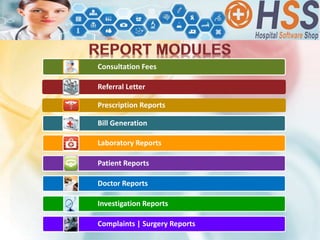
Consultation Fees
Referral Letter
Prescription Reports
Bill Generation
Laboratory Reports
Patient Reports
Doctor Reports
Investigation Reports
Complaints | Surgery Reports
TABLE OF CONTENTS
PATIENT REGISTRATION
MASTER MENU
REPORT MENU
UTILITIES MENU
PATIENT
REGISTRATION
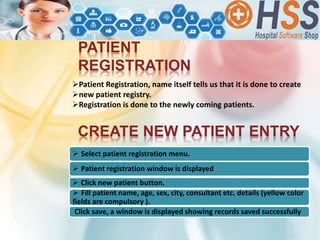
Patient Registration, name itself tells us that it is done to create
new patient registry.
Registration is done to the newly coming patients.
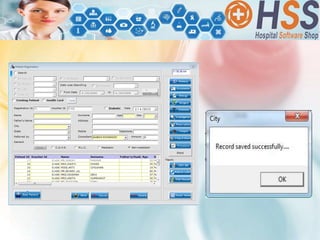
CREATE NEW PATIENT ENTRY
 Select patient registration menu.
 Patient registration window is displayed
 Click new patient button.
 Fill patient name, age, sex, city, consultant etc. details (yellow color
fields are compulsory ).
Click save, a window is displayed showing records saved successfully
–
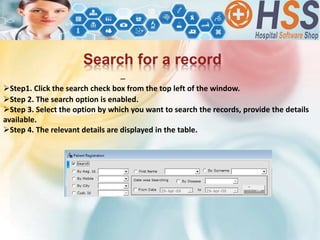
Step1. Click the search check box from the top left of the window.
Step 2. The search option is enabled.
Step 3. Select the option by which you want to search the records, provide the details
available.
Step 4. The relevant details are displayed in the table.
Search for a record
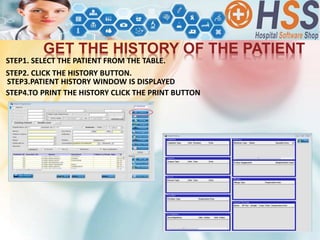
STEP2. CLICK THE HISTORY BUTTON.
GET THE HISTORY OF THE PATIENT
STEP4.TO PRINT THE HISTORY CLICK THE PRINT BUTTON
STEP3.PATIENT HISTORY WINDOW IS DISPLAYED
STEP1. SELECT THE PATIENT FROM THE TABLE.
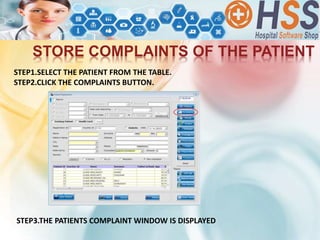
STORE COMPLAINTS OF THE PATIENT
STEP1.SELECT THE PATIENT FROM THE TABLE.
STEP2.CLICK THE COMPLAINTS BUTTON.
STEP3.THE PATIENTS COMPLAINT WINDOW IS DISPLAYED
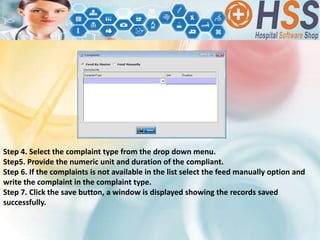
Step 4. Select the complaint type from the drop down menu.
Step5. Provide the numeric unit and duration of the compliant.
Step 6. If the complaints is not available in the list select the feed manually option and
write the complaint in the complaint type.
Step 7. Click the save button, a window is displayed showing the records saved
successfully.
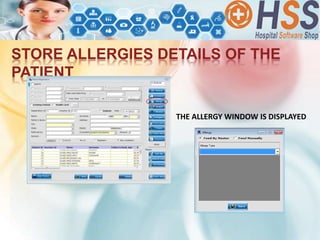
STORE ALLERGIES DETAILS OF THE
PATIENT
THE ALLERGY WINDOW IS DISPLAYED
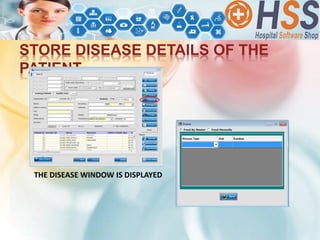
STORE DISEASE DETAILS OF THE
PATIENT
THE DISEASE WINDOW IS DISPLAYED
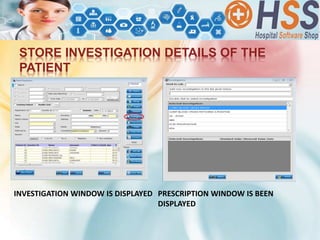
STORE INVESTIGATION DETAILS OF THE
PATIENT
INVESTIGATION WINDOW IS DISPLAYED PRESCRIPTION WINDOW IS BEEN
DISPLAYED
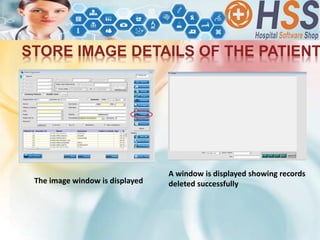
STORE IMAGE DETAILS OF THE PATIENT
The image window is displayed
A window is displayed showing records
deleted successfully
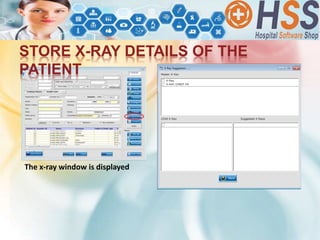
STORE X-RAY DETAILS OF THE
PATIENT
The x-ray window is displayed
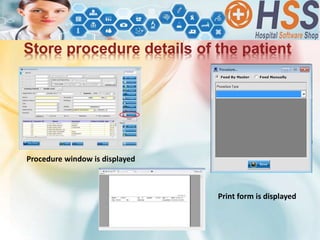
Store procedure details of the patient
Procedure window is displayed
Print form is displayed
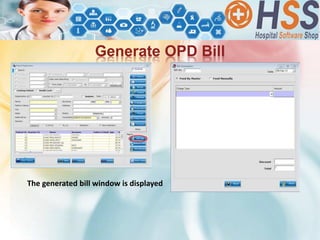
Generate OPD Bill
The generated bill window is displayed
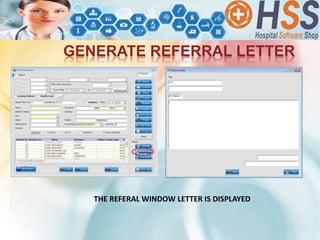
GENERATE REFERRAL LETTER
THE REFERAL WINDOW LETTER IS DISPLAYED
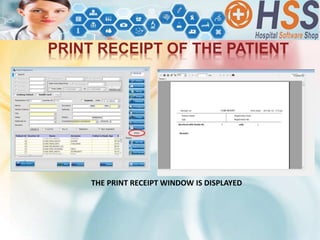
PRINT RECEIPT OF THE PATIENT
THE PRINT RECEIPT WINDOW IS DISPLAYED
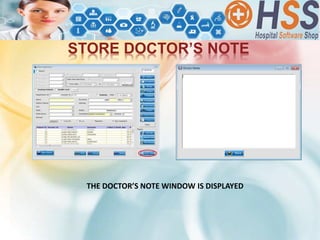
STORE DOCTOR’S NOTE
THE DOCTOR’S NOTE WINDOW IS DISPLAYED
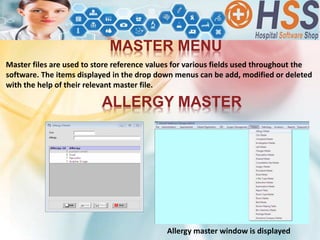
Master files are used to store reference values for various fields used throughout the
software. The items displayed in the drop down menus can be add, modified or deleted
with the help of their relevant master file.
MASTER MENU
ALLERGY MASTER
Allergy master window is displayed
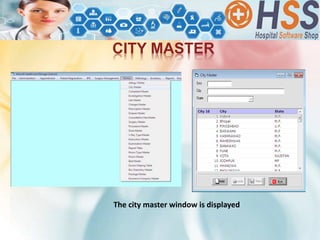
CITY MASTER
The city master window is displayed
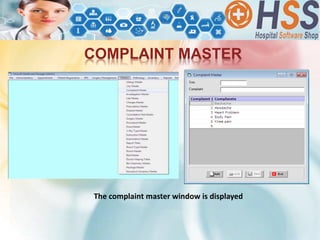
COMPLAINT MASTER
The complaint master window is displayed
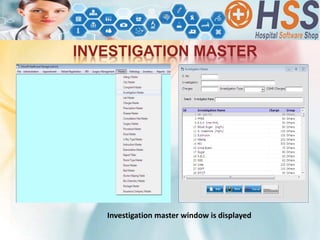
INVESTIGATION MASTER
Investigation master window is displayed
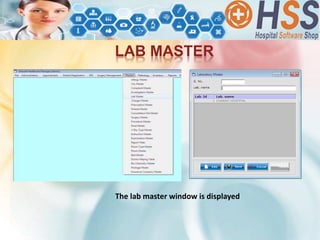
LAB MASTER
The lab master window is displayed
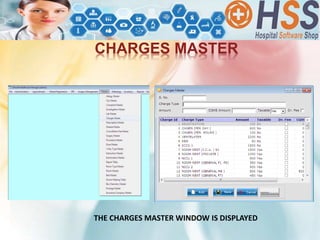
CHARGES MASTER
THE CHARGES MASTER WINDOW IS DISPLAYED
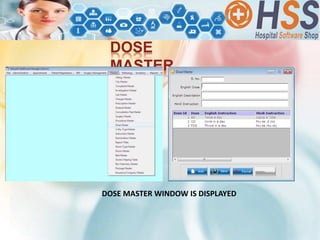
DOSE
MASTER
DOSE MASTER WINDOW IS DISPLAYED
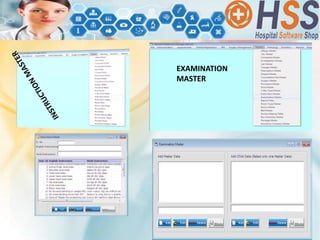
EXAMINATION
MASTER
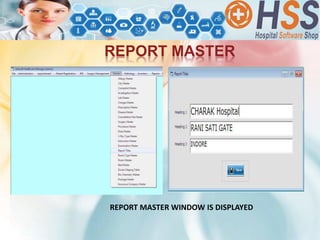
REPORT MASTER
REPORT MASTER WINDOW IS DISPLAYED
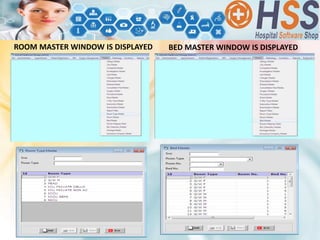
ROOM MASTER WINDOW IS DISPLAYED BED MASTER WINDOW IS DISPLAYED
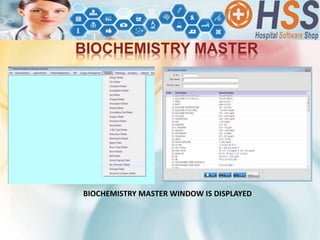
BIOCHEMISTRY MASTER
BIOCHEMISTRY MASTER WINDOW IS DISPLAYED
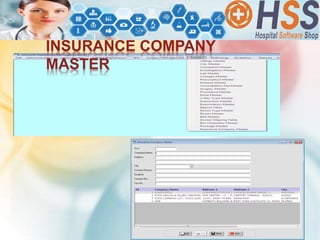
INSURANCE COMPANY
MASTER
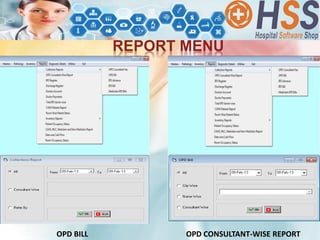
REPORT MENU
OPD BILL OPD CONSULTANT-WISE REPORT
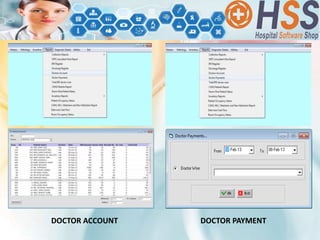
DOCTOR ACCOUNT DOCTOR PAYMENT
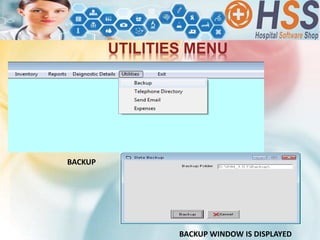
UTILITIES MENU
BACKUP
BACKUP WINDOW IS DISPLAYED
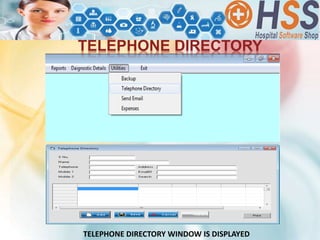
TELEPHONE DIRECTORY
TELEPHONE DIRECTORY WINDOW IS DISPLAYED
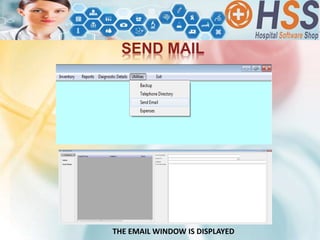
SEND MAIL
THE EMAIL WINDOW IS DISPLAYED
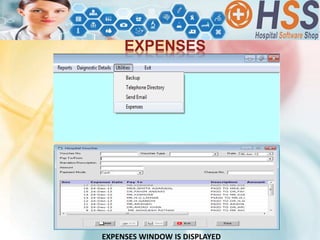
EXPENSES
EXPENSES WINDOW IS DISPLAYED
 HospitalSoftwareShop.com is India’s First Online Store providing IT Solutions to
hospitals – Super and Multi-specialty, Eye Hospitals, IVF Centres, doctor’s clinics of
various specialties and pathology labs & diagnostic centres,. TeleMedicine,
TelePathology & TeleRadiology are latest additions to the portfolio. HSS provides
the widest range of software for the healthcare vertical.
 HSS has been listed amongst India’s 20 Most Promising Healthcare Software
Companies by CIO Review Magazine.
 HSS HIGHLIGHTS:
 Maximum number of product variants available
 Annuity based revenue model
 Cloud and Web-based Variants available
 CLIENTELE: HSS has catered to several hospitals, eye hospitals, IVF centers, clinics
and diagnostic labs.
 Operates across the length and breadth of India.
 Reseller Network of over 200+ Experts
 Also catering to the African Markets.
 Getting strong inquiries from Europe & GCC, planning to enter these markets
Hospital Software Shop
Mobile: +91-88893-08880 | 98270-34860
E-Mail: info@hospitalsoftwareshop.com
Website: www.hospitalsoftwareshop.com
:: Our Locations ::
• Bangalore • Indore • Mumbai • Nagpur • Hyderabad
• New Delhi • Lucknow • Raipur

Software for Consulting Physicians from HospitalSoftwareShop.com

  • 2.
    HospitalSoftwareShop Dialysis CenterSoftware facilitates ease of use for Dialysis Centers. It optimizes patient care and efficiently manages both the clinical and billing aspects of your dialysis center. HospitalSoftwareShop Dialysis software is designed to meet the specific requirements of the nephrologist, clinical staff, and administrative team in the dialysis clinic. The software creates a complete medical record that includes patient history, labs, medications and notes. Its highlights are:  Drug Sheet  Fluid Balance  Dialysis Assessment  TPR Chart
  • 3.
     Easy-to-use fordoctors.  Fully menu-driven, requires less typing.  Prescriptions in Hindi fonts.  Facilitates timely service and better care for patients.  Easy access to patient's clinical data for doctors.  All menus on single screen.  Maintains essential records.  Sound look and feel.  Instant post-implementation support.  Installation Guide and User Manual.  Provides value for money.
  • 4.
    Patient Registration Complaints |History | Allergies | Previous Surgery Investigations Suggested Prescription in Hindi and English Built-in Medicine Database Doctor’s Notes Multiple Search Facility Back-up of Records
  • 5.
    Consultation Fees Referral Letter PrescriptionReports Bill Generation Laboratory Reports Patient Reports Doctor Reports Investigation Reports Complaints | Surgery Reports
  • 6.
    TABLE OF CONTENTS PATIENTREGISTRATION MASTER MENU REPORT MENU UTILITIES MENU
  • 7.
    PATIENT REGISTRATION Patient Registration, nameitself tells us that it is done to create new patient registry. Registration is done to the newly coming patients. CREATE NEW PATIENT ENTRY  Select patient registration menu.  Patient registration window is displayed  Click new patient button.  Fill patient name, age, sex, city, consultant etc. details (yellow color fields are compulsory ). Click save, a window is displayed showing records saved successfully
  • 9.
    – Step1. Click thesearch check box from the top left of the window. Step 2. The search option is enabled. Step 3. Select the option by which you want to search the records, provide the details available. Step 4. The relevant details are displayed in the table. Search for a record
  • 10.
    STEP2. CLICK THEHISTORY BUTTON. GET THE HISTORY OF THE PATIENT STEP4.TO PRINT THE HISTORY CLICK THE PRINT BUTTON STEP3.PATIENT HISTORY WINDOW IS DISPLAYED STEP1. SELECT THE PATIENT FROM THE TABLE.
  • 11.
    STORE COMPLAINTS OFTHE PATIENT STEP1.SELECT THE PATIENT FROM THE TABLE. STEP2.CLICK THE COMPLAINTS BUTTON. STEP3.THE PATIENTS COMPLAINT WINDOW IS DISPLAYED
  • 12.
    Step 4. Selectthe complaint type from the drop down menu. Step5. Provide the numeric unit and duration of the compliant. Step 6. If the complaints is not available in the list select the feed manually option and write the complaint in the complaint type. Step 7. Click the save button, a window is displayed showing the records saved successfully.
  • 13.
    STORE ALLERGIES DETAILSOF THE PATIENT THE ALLERGY WINDOW IS DISPLAYED
  • 14.
    STORE DISEASE DETAILSOF THE PATIENT THE DISEASE WINDOW IS DISPLAYED
  • 15.
    STORE INVESTIGATION DETAILSOF THE PATIENT INVESTIGATION WINDOW IS DISPLAYED PRESCRIPTION WINDOW IS BEEN DISPLAYED
  • 16.
    STORE IMAGE DETAILSOF THE PATIENT The image window is displayed A window is displayed showing records deleted successfully
  • 17.
    STORE X-RAY DETAILSOF THE PATIENT The x-ray window is displayed
  • 18.
    Store procedure detailsof the patient Procedure window is displayed Print form is displayed
  • 19.
    Generate OPD Bill Thegenerated bill window is displayed
  • 20.
    GENERATE REFERRAL LETTER THEREFERAL WINDOW LETTER IS DISPLAYED
  • 21.
    PRINT RECEIPT OFTHE PATIENT THE PRINT RECEIPT WINDOW IS DISPLAYED
  • 22.
    STORE DOCTOR’S NOTE THEDOCTOR’S NOTE WINDOW IS DISPLAYED
  • 23.
    Master files areused to store reference values for various fields used throughout the software. The items displayed in the drop down menus can be add, modified or deleted with the help of their relevant master file. MASTER MENU ALLERGY MASTER Allergy master window is displayed
  • 24.
    CITY MASTER The citymaster window is displayed
  • 25.
    COMPLAINT MASTER The complaintmaster window is displayed
  • 26.
  • 27.
    LAB MASTER The labmaster window is displayed
  • 28.
    CHARGES MASTER THE CHARGESMASTER WINDOW IS DISPLAYED
  • 29.
  • 30.
  • 31.
    REPORT MASTER REPORT MASTERWINDOW IS DISPLAYED
  • 32.
    ROOM MASTER WINDOWIS DISPLAYED BED MASTER WINDOW IS DISPLAYED
  • 33.
  • 34.
  • 35.
    REPORT MENU OPD BILLOPD CONSULTANT-WISE REPORT
  • 36.
  • 37.
  • 38.
  • 39.
    SEND MAIL THE EMAILWINDOW IS DISPLAYED
  • 40.
  • 41.
     HospitalSoftwareShop.com isIndia’s First Online Store providing IT Solutions to hospitals – Super and Multi-specialty, Eye Hospitals, IVF Centres, doctor’s clinics of various specialties and pathology labs & diagnostic centres,. TeleMedicine, TelePathology & TeleRadiology are latest additions to the portfolio. HSS provides the widest range of software for the healthcare vertical.  HSS has been listed amongst India’s 20 Most Promising Healthcare Software Companies by CIO Review Magazine.  HSS HIGHLIGHTS:  Maximum number of product variants available  Annuity based revenue model  Cloud and Web-based Variants available  CLIENTELE: HSS has catered to several hospitals, eye hospitals, IVF centers, clinics and diagnostic labs.  Operates across the length and breadth of India.  Reseller Network of over 200+ Experts  Also catering to the African Markets.  Getting strong inquiries from Europe & GCC, planning to enter these markets
  • 43.
    Hospital Software Shop Mobile:+91-88893-08880 | 98270-34860 E-Mail: info@hospitalsoftwareshop.com Website: www.hospitalsoftwareshop.com :: Our Locations :: • Bangalore • Indore • Mumbai • Nagpur • Hyderabad • New Delhi • Lucknow • Raipur