BY: JENNA, VICTORIA
AND SOFIA
Websites and applications that enable users to create and
share content or to participate in social networking.
Being able to connect with users all over the world.
Websites and other online means of communication that are
used by large groups of people to share information and to
develop social and professional contacts.
• Bullying that takes place using electronic technology.
• Electronic technology includes devices and equipment such as
cell phones, computers, and tablets. Also communication tools
including social media sites, text messages, chat, and websites.
• Examples of cyberbullying include mean text messages or
emails, rumors sent by email or posted on social networking
sites, and embarrassing pictures, videos, websites, or fake
profiles.
Instagram
Twitter
Ask.fm
Snapchat
Vine
Facebook
• Do unto others – “Please” and “Thank You” do go a long way. If you
want to be respected you have to respect others.
• Be nice – Remember, what you do on the internet is a reflection of
you and quite possibly your business. Be positive and encouraging.
• Don’t be too quick to judge – remember the saying: “Don’t judge a
book by its cover”? It is still true today. When meeting individuals
online, you should start a conversation, get to know them a bit
before you judge who or what they are.
• Be respectful – Just because you are “hiding” behind a computer
doesn’t give you free reign to act as you please. You still need to
treat people properly.
Press the picture for a quick
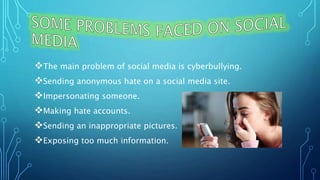
The main problem of social media is cyberbullying.
Sending anonymous hate on a social media site.
Impersonating someone.
Making hate accounts.
Sending an inappropriate pictures.
Exposing too much information.
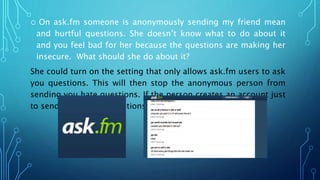
o On ask.fm someone is anonymously sending my friend mean
and hurtful questions. She doesn’t know what to do about it
and you feel bad for her because the questions are making her
insecure. What should she do about it?
She could turn on the setting that only allows ask.fm users to ask
you questions. This will then stop the anonymous person from
sending you hate questions. If the person creates an account just
to send you hateful questions you can block them.
o Your friend isn’t the type of person that uses social media. One day you
get a follow request on Instagram from an account with the same first
and last name as her. You accept the follow request thinking that it’s
her. You follow the account back and look at the pictures she has
posted. The next day you congratulate her for finally making an
Instagram account and she is very confused. She tells you that she
didn’t make an account. You both come to the conclusion that
someone is impersonating her. What should you do?
You should screenshot the account and the pictures the has account
posted. The first thing that she could do is tell her parents about this
situation she is in. After that she should contact the Toronto police (416-
808-2222) with the extension of a community safety command officer
(#5253) and tell then about your situation and use the screenshots as
evidence. The police will probably then contact Instagram and ask them
to find the user and shut down the account. If you don’t want to go
through the police you can just contact Instagram
(https://help.instagram.com/) and go under “privacy and safety center”
then under “report something”. Then click the heading “impersonation
o Someone is creating a hate page on Facebook about several
students at your school including yourself. You would like he
page to be deleted. What do you do?
You should first tell your parents and teachers about the page
that is on Facebook. You should then screenshot the hate posts
that this account is posting for evidence. Then contact Facebook
using the number (650-543-4800) and tell them about the
situation you are in. Facebook will then delete the account. If you
want you could contact the police with the number stated in the
previous slide. The police could then contact Facebook and
delete the account.
o Someone took an embarrassing picture of you and sent it to
people at your school. People are then passing it on to other
people and you would like this chain to stop. What should you
do?
You should first screenshot the message and the picture that the
person sent you. You would then politely confront the person
that first sent the picture and ask them to stop sending it. If the
situation continues and gets out of hand you would then tell your
teacher or guidance counsellor and they can help you deal with
it.
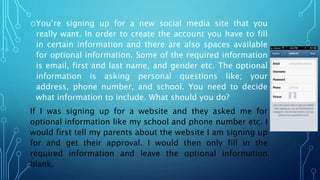
oYou’re signing up for a new social media site that you
really want. In order to create the account you have to fill
in certain information and there are also spaces available
for optional information. Some of the required information
is email, first and last name, and gender etc. The optional
information is asking personal questions like; your
address, phone number, and school. You need to decide
what information to include. What should you do?
If I was signing up for a website and they asked me for
optional information like my school and phone number etc. I
would first tell my parents about the website I am signing up
for and get their approval. I would then only fill in the
required information and leave the optional information
blank.
• If you need help with cyberbullying contact or visit:
• Get Cyber Safe Canada
http://www.getcybersafe.gc.ca/
• Need Help Now
http://needhelpnow.ca/app/en/
• Kids Help Phone
1-800-668-6868
• Kids Help Phone (Internet Page)
http://www.kidshelpphone.ca/Teens/InfoBooth/The-
Internet.aspx
• Royal Canadian Mounted Police
http://www.rcmp-grc.gc.ca/cycp-cpcj/bull-inti/index-eng.htm
• Kids Health Cyberbullying
http://kidshealth.org/parent/positive/talk/cyberbullying.html
• TCDSB: Cyberbullying Policy
https://www.tcdsb.org/ProgramsServices/SafeSchools/BullyingA
warenessAndPrevention/OntarioMinistryOfEducation/Pages/defa
ult.aspx
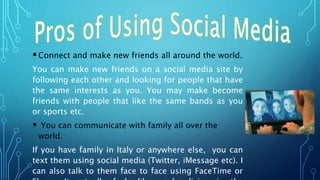
Connect and make new friends all around the world.
You can make new friends on a social media site by
following each other and looking for people that have
the same interests as you. You may make become
friends with people that like the same bands as you
or sports etc.
 You can communicate with family all over the
world.
If you have family in Italy or anywhere else, you can
text them using social media (Twitter, iMessage etc). I
can also talk to them face to face using FaceTime or
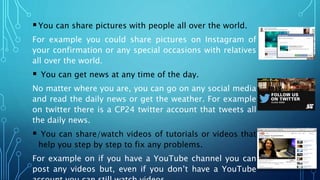
You can share pictures with people all over the world.
For example you could share pictures on Instagram of
your confirmation or any special occasions with relatives
all over the world.
 You can get news at any time of the day.
No matter where you are, you can go on any social media
and read the daily news or get the weather. For example
on twitter there is a CP24 twitter account that tweets all
the daily news.
 You can share/watch videos of tutorials or videos that
help you step by step to fix any problems.
For example on if you have a YouTube channel you can
post any videos but, even if you don’t have a YouTube
In case of an emergency or even just to contact someone
you can contact people very quickly.
When you are not with your friends or family you can
quickly them using any type of messaging social media.
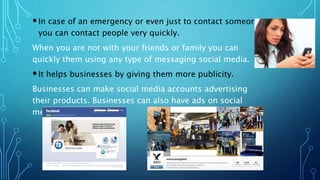
It helps businesses by giving them more publicity.
Businesses can make social media accounts advertising
their products. Businesses can also have ads on social
media pages.
Press the picture for a short video!
Using Social Media Safely & Effectively by Jenna,Victoria, and Sofia

Using Social Media Safely & Effectively by Jenna,Victoria, and Sofia

  • 1.
  • 2.
    Websites and applicationsthat enable users to create and share content or to participate in social networking. Being able to connect with users all over the world. Websites and other online means of communication that are used by large groups of people to share information and to develop social and professional contacts.
  • 3.
    • Bullying thattakes place using electronic technology. • Electronic technology includes devices and equipment such as cell phones, computers, and tablets. Also communication tools including social media sites, text messages, chat, and websites. • Examples of cyberbullying include mean text messages or emails, rumors sent by email or posted on social networking sites, and embarrassing pictures, videos, websites, or fake profiles.
  • 4.
  • 5.
    • Do untoothers – “Please” and “Thank You” do go a long way. If you want to be respected you have to respect others. • Be nice – Remember, what you do on the internet is a reflection of you and quite possibly your business. Be positive and encouraging. • Don’t be too quick to judge – remember the saying: “Don’t judge a book by its cover”? It is still true today. When meeting individuals online, you should start a conversation, get to know them a bit before you judge who or what they are. • Be respectful – Just because you are “hiding” behind a computer doesn’t give you free reign to act as you please. You still need to treat people properly. Press the picture for a quick
  • 6.
    The main problemof social media is cyberbullying. Sending anonymous hate on a social media site. Impersonating someone. Making hate accounts. Sending an inappropriate pictures. Exposing too much information.
  • 7.
    o On ask.fmsomeone is anonymously sending my friend mean and hurtful questions. She doesn’t know what to do about it and you feel bad for her because the questions are making her insecure. What should she do about it? She could turn on the setting that only allows ask.fm users to ask you questions. This will then stop the anonymous person from sending you hate questions. If the person creates an account just to send you hateful questions you can block them.
  • 8.
    o Your friendisn’t the type of person that uses social media. One day you get a follow request on Instagram from an account with the same first and last name as her. You accept the follow request thinking that it’s her. You follow the account back and look at the pictures she has posted. The next day you congratulate her for finally making an Instagram account and she is very confused. She tells you that she didn’t make an account. You both come to the conclusion that someone is impersonating her. What should you do? You should screenshot the account and the pictures the has account posted. The first thing that she could do is tell her parents about this situation she is in. After that she should contact the Toronto police (416- 808-2222) with the extension of a community safety command officer (#5253) and tell then about your situation and use the screenshots as evidence. The police will probably then contact Instagram and ask them to find the user and shut down the account. If you don’t want to go through the police you can just contact Instagram (https://help.instagram.com/) and go under “privacy and safety center” then under “report something”. Then click the heading “impersonation
  • 9.
    o Someone iscreating a hate page on Facebook about several students at your school including yourself. You would like he page to be deleted. What do you do? You should first tell your parents and teachers about the page that is on Facebook. You should then screenshot the hate posts that this account is posting for evidence. Then contact Facebook using the number (650-543-4800) and tell them about the situation you are in. Facebook will then delete the account. If you want you could contact the police with the number stated in the previous slide. The police could then contact Facebook and delete the account.
  • 10.
    o Someone tookan embarrassing picture of you and sent it to people at your school. People are then passing it on to other people and you would like this chain to stop. What should you do? You should first screenshot the message and the picture that the person sent you. You would then politely confront the person that first sent the picture and ask them to stop sending it. If the situation continues and gets out of hand you would then tell your teacher or guidance counsellor and they can help you deal with it.
  • 11.
    oYou’re signing upfor a new social media site that you really want. In order to create the account you have to fill in certain information and there are also spaces available for optional information. Some of the required information is email, first and last name, and gender etc. The optional information is asking personal questions like; your address, phone number, and school. You need to decide what information to include. What should you do? If I was signing up for a website and they asked me for optional information like my school and phone number etc. I would first tell my parents about the website I am signing up for and get their approval. I would then only fill in the required information and leave the optional information blank.
  • 12.
    • If youneed help with cyberbullying contact or visit: • Get Cyber Safe Canada http://www.getcybersafe.gc.ca/ • Need Help Now http://needhelpnow.ca/app/en/ • Kids Help Phone 1-800-668-6868
  • 13.
    • Kids HelpPhone (Internet Page) http://www.kidshelpphone.ca/Teens/InfoBooth/The- Internet.aspx • Royal Canadian Mounted Police http://www.rcmp-grc.gc.ca/cycp-cpcj/bull-inti/index-eng.htm • Kids Health Cyberbullying http://kidshealth.org/parent/positive/talk/cyberbullying.html • TCDSB: Cyberbullying Policy https://www.tcdsb.org/ProgramsServices/SafeSchools/BullyingA warenessAndPrevention/OntarioMinistryOfEducation/Pages/defa ult.aspx
  • 14.
    Connect and makenew friends all around the world. You can make new friends on a social media site by following each other and looking for people that have the same interests as you. You may make become friends with people that like the same bands as you or sports etc.  You can communicate with family all over the world. If you have family in Italy or anywhere else, you can text them using social media (Twitter, iMessage etc). I can also talk to them face to face using FaceTime or
  • 15.
    You can sharepictures with people all over the world. For example you could share pictures on Instagram of your confirmation or any special occasions with relatives all over the world.  You can get news at any time of the day. No matter where you are, you can go on any social media and read the daily news or get the weather. For example on twitter there is a CP24 twitter account that tweets all the daily news.  You can share/watch videos of tutorials or videos that help you step by step to fix any problems. For example on if you have a YouTube channel you can post any videos but, even if you don’t have a YouTube
  • 16.
    In case ofan emergency or even just to contact someone you can contact people very quickly. When you are not with your friends or family you can quickly them using any type of messaging social media. It helps businesses by giving them more publicity. Businesses can make social media accounts advertising their products. Businesses can also have ads on social media pages.
  • 17.
    Press the picturefor a short video!